bluetooth MERCEDES-BENZ SL-CLASS ROADSTER 2013 Owner's Manual
[x] Cancel search | Manufacturer: MERCEDES-BENZ, Model Year: 2013, Model line: SL-CLASS ROADSTER, Model: MERCEDES-BENZ SL-CLASS ROADSTER 2013Pages: 572, PDF Size: 9.23 MB
Page 369 of 572
characters in the character bar and press
W to confirm each one.
or
X Press the corresponding key on the
COMAND number keypad.
Every character selected will be
transmitted immediately.
X To send a phone book entry as a DTMF
sequence: select Name
by turning cVd the
COMAND controller and press W to
confirm.
X Select the desired phone book entry and
press W to confirm.
The entry is sent as a DTMF character
string.
X To return to the call display: select
Back and press W to confirm.
i You can also send DTMF tones using the
Voice Control System (see the separate
operating instructions).
Calls with several participants Rejecting or accepting a waiting call
The mobile phone network provider must
support
and
activate the call-waiting function.
Depending on the mobile phone used, the
system behavior differs when accepting a
call.
If you have a call in progress and receive
another call, a new window appears in the
display. You also hear a tone. You can accept
or reject the call.
X To reject: select Reject and press W to
confirm.
or
X Press the ~ button on COMAND or on
the multifunction steering wheel.
X To accept: select Accept and press W to
confirm.
or
X Press the 6 button on COMAND or on
the multifunction steering wheel. The system behavior after accepting the
incoming
call
depends on your mobile phone.
R The mobile phone supports the call waiting
function (via Bluetooth ®
) when:
the previously active call is held. You can
then switch back and forth between both
calls (toggling) ( Y page 368).
R The mobile phone does not support the call
waiting function (via Bluetooth ®
) when:
the previously active call is ended.
This is also the case if you accept the
waiting call using Voice Control (see the
separate operating instructions).
The COMAND display changes. If you
continue to operate functions on the mobile
phone, the COMAND display may differ from
that of the mobile phone.
Making a second call
If your mobile phone allows you to make a
second call via Bluetooth ®
, you can make
another call while on the phone with someone
else. This action puts the previous call on
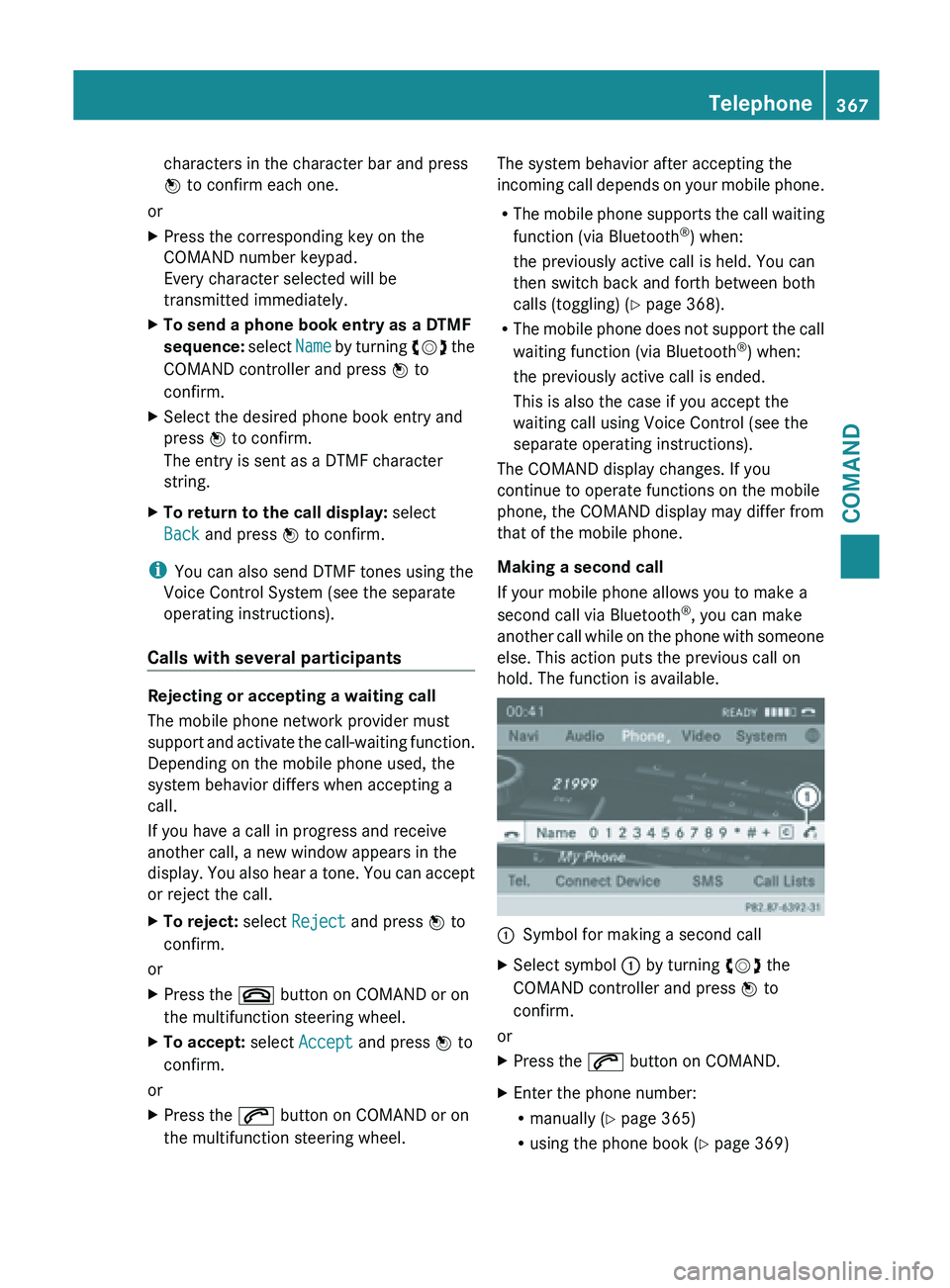
hold. The function is available. :
Symbol for making a second call
X Select symbol : by turning cVd the
COMAND controller and press W to
confirm.
or
X Press the 6 button on COMAND.
X Enter the phone number:
R
manually (Y
page 365)
R using the phone book ( Y page 369) Telephone
367
COMAND Z
Page 370 of 572
R
using the call lists ( Y page 372)
R using speed dial ( Y
page 365)
Call waiting
You can switch back and forth between calls
with this function. The function is available if
your mobile phone supports the toggling
function (via Bluetooth ®
).
You can
use the function if you are answering
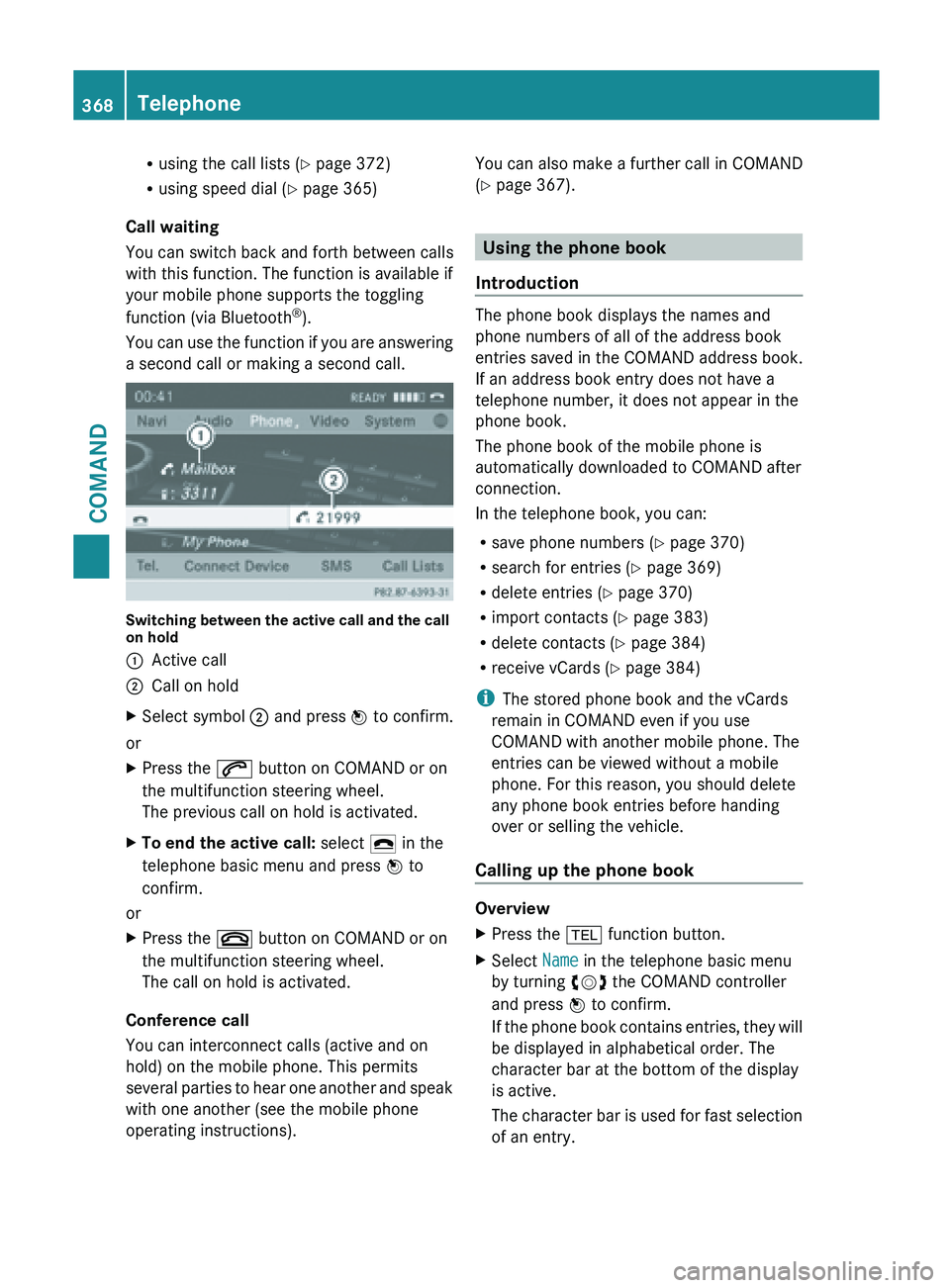
a second call or making a second call. Switching between the active call and the call
on hold
:
Active call
; Call on hold
X Select symbol ; and press W to confirm.
or
X Press the 6 button on COMAND or on
the multifunction steering wheel.
The previous call on hold is activated.
X To end the active call: select ¢ in the
telephone basic menu and press W to
confirm.
or
X Press the ~ button on COMAND or on
the multifunction steering wheel.
The call on hold is activated.
Conference call
You can interconnect calls (active and on
hold) on the mobile phone. This permits
several parties
to hear one another and speak
with one another (see the mobile phone
operating instructions). You can also make a further call in COMAND
(Y page 367).
Using the phone book
Introduction The phone book displays the names and
phone numbers of all of the address book
entries saved in the COMAND address book.
If an address book entry does not have a
telephone number, it does not appear in the
phone book.
The phone book of the mobile phone is
automatically downloaded to
COMAND after
connection.
In the telephone book, you can:
R save phone numbers ( Y
page 370)
R search for entries (Y page 369)
R delete entries (Y page 370)
R import contacts ( Y page 383)
R delete contacts (Y page 384)
R receive vCards ( Y page 384)
i The stored phone book and the vCards
remain in COMAND even if you use
COMAND with another mobile phone. The
entries can be viewed without a mobile
phone. For this reason, you should delete
any phone book entries before handing
over or selling the vehicle.
Calling up the phone book Overview
X
Press the % function button.
X Select Name in the telephone basic menu
by turning cVd the COMAND controller
and press W to confirm.
If the
phone book contains entries, they will
be displayed in alphabetical order. The
character bar at the bottom of the display
is active.
The character bar is used for fast selection
of an entry. 368
Telephone
COMAND
Page 371 of 572
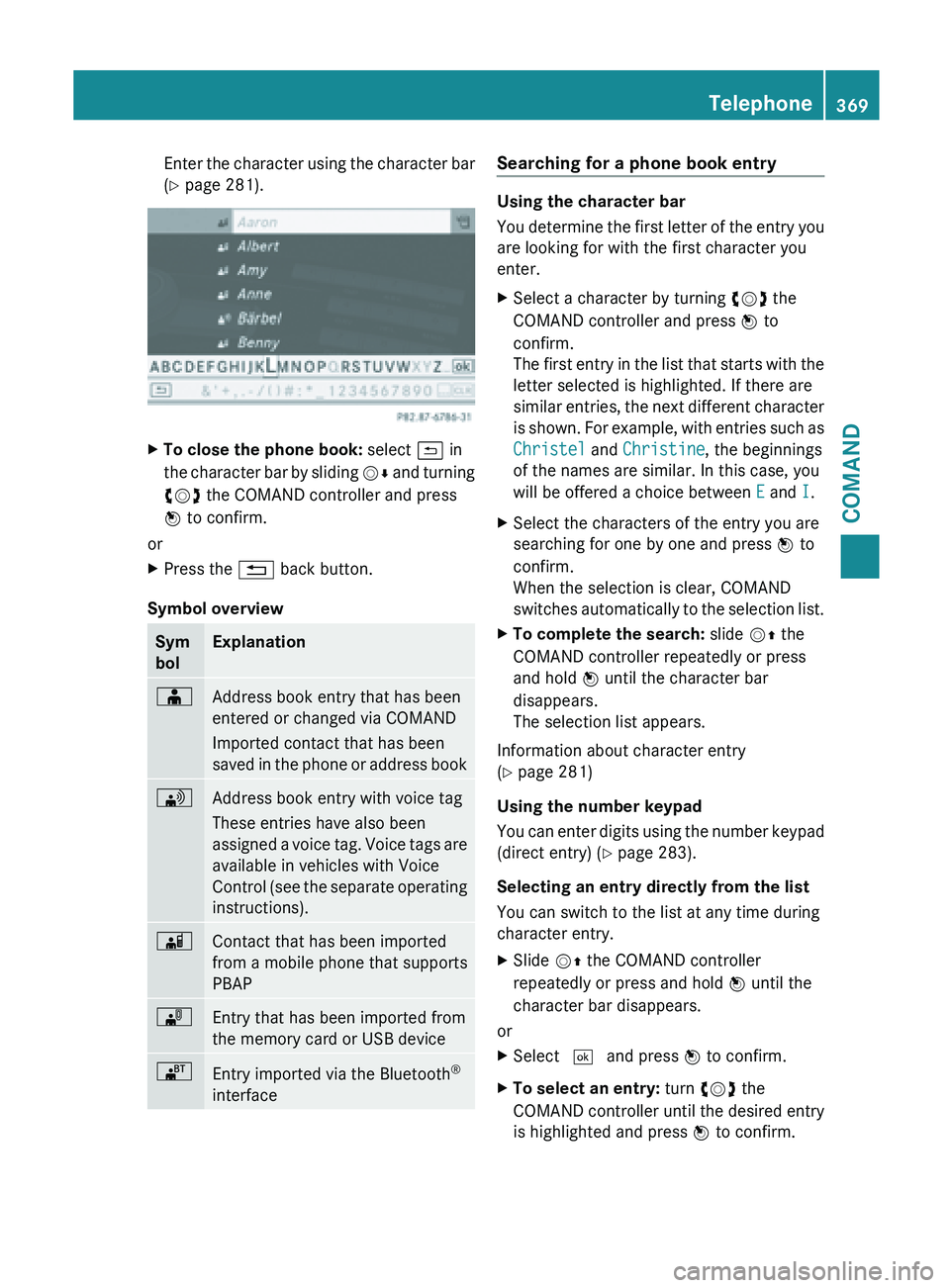
Enter the character using the character bar
(Y page 281).
X
To close the phone book: select & in
the character
bar by sliding VÆ and turning
cVd the COMAND controller and press
W to confirm.
or
X Press the % back button.
Symbol overview Sym
bol Explanation
Æ
Address book entry that has been
entered or changed via COMAND
Imported contact that has been
saved
in
the phone or address book \
Address book entry with voice tag
These entries have also been
assigned
a
voice tag. Voice tags are
available in vehicles with Voice
Control (see the separate operating
instructions). Ã
Contact that has been imported
from a mobile phone that supports
PBAP
¯
Entry that has been imported from
the memory card or USB device
®
Entry imported via the Bluetooth
®
interface Searching for a phone book entry
Using the character bar
You
determine
the first letter of the entry you
are looking for with the first character you
enter.
X Select a character by turning cVd the
COMAND controller and press W to
confirm.
The first
entry in the list that starts with the
letter selected is highlighted. If there are
similar entries, the next different character
is shown. For example, with entries such as
Christel and Christine, the beginnings
of the names are similar. In this case, you
will be offered a choice between E and I.
X Select the characters of the entry you are
searching for one by one and press W to
confirm.
When the selection is clear, COMAND
switches automatically
to the selection list.
X To complete the search: slide VZ the
COMAND controller repeatedly or press
and hold W until the character bar
disappears.
The selection list appears.
Information about character entry
(Y page 281)
Using the number keypad
You can
enter digits using the number keypad
(direct entry) (Y page 283).
Selecting an entry directly from the list
You can switch to the list at any time during
character entry.
X Slide VZ the COMAND controller
repeatedly or press and hold W until the
character bar disappears.
or
X Select ¬ and press W to confirm.
X To select an entry: turn cVd the
COMAND controller
until the desired entry
is highlighted and press W to confirm. Telephone
369
COMAND Z
Page 373 of 572
X
Select a category for the phone, e.g.
Mobile, and press W to confirm.
X Select Continue and press W to confirm.
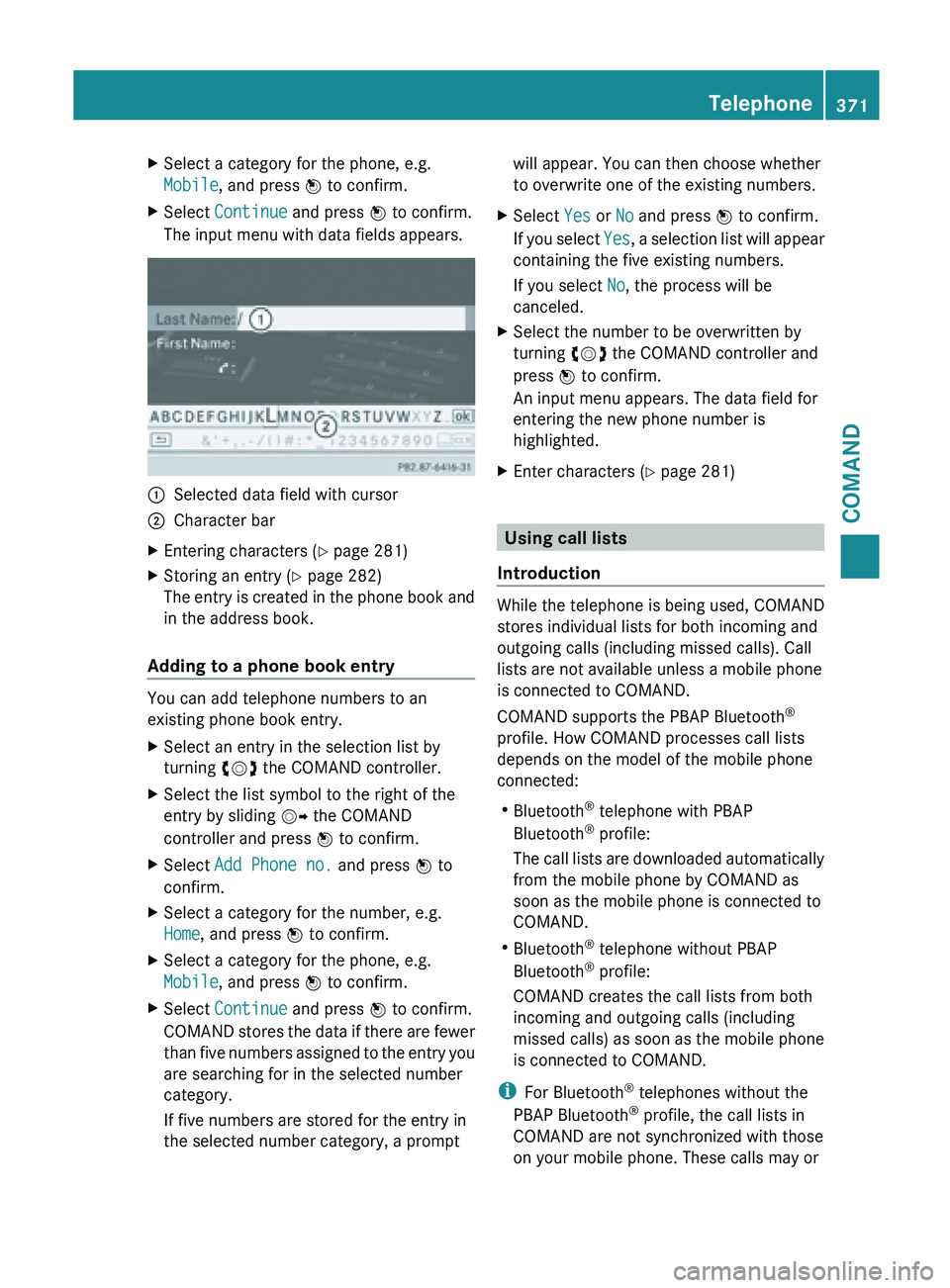
The input menu with data fields appears. :
Selected data field with cursor
; Character bar
X Entering characters ( Y page 281)
X Storing an entry (Y page 282)
The entry
is created in the phone book and
in the address book.
Adding to a phone book entry You can add telephone numbers to an
existing phone book entry.
X
Select an entry in the selection list by
turning cVd the COMAND controller.
X Select the list symbol to the right of the
entry by sliding VY the COMAND
controller and press W to confirm.
X Select Add Phone no. and press W to
confirm.
X Select a category for the number, e.g.
Home, and press W to confirm.
X Select a category for the phone, e.g.
Mobile, and press W to confirm.
X Select Continue and press W to confirm.
COMAND stores
the data if there are fewer
than five numbers assigned to the entry you
are searching for in the selected number
category.
If five numbers are stored for the entry in
the selected number category, a prompt will appear. You can then choose whether
to overwrite one of the existing numbers.
X Select Yes or No and press W to confirm.
If you
select Yes, a selection list will appear
containing the five existing numbers.
If you select No, the process will be
canceled.
X Select the number to be overwritten by
turning cVd the COMAND controller and
press W to confirm.
An input menu appears. The data field for
entering the new phone number is
highlighted.
X Enter characters ( Y page 281) Using call lists
Introduction While the telephone is being used, COMAND
stores individual lists for both incoming and
outgoing calls (including missed calls). Call
lists are not available unless a mobile phone
is connected to COMAND.
COMAND supports the PBAP Bluetooth
®
profile. How COMAND processes call lists
depends on the model of the mobile phone
connected:
R Bluetooth ®
telephone with PBAP
Bluetooth ®
profile:
The call
lists are downloaded automatically
from the mobile phone by COMAND as
soon as the mobile phone is connected to
COMAND.
R Bluetooth ®
telephone without PBAP
Bluetooth ®
profile:
COMAND creates the call lists from both
incoming and outgoing calls (including
missed calls) as soon as the mobile phone
is connected to COMAND.
i For Bluetooth ®
telephones without the
PBAP Bluetooth ®
profile, the call lists in
COMAND are not synchronized with those
on your mobile phone. These calls may or Telephone
371
COMAND Z
Page 376 of 572
If you select
No, the process will be
canceled.
X Select the number to be overwritten in the
list by
turning cVd the COMAND controller
and press W to confirm.
COMAND overwrites the selected number
with the new data.
Deleting call lists If you are using a Bluetooth
®
phone
that does
not support the PBAP Bluetooth ®
profile, the
call lists are generated and managed by
COMAND. You can delete these call lists in
COMAND.
If you download call lists from a Bluetooth ®
phone that supports the PBAP Bluetooth ®
profile, you cannot delete them from
COMAND.
X Select Call Lists in the telephone basic
menu by turning cVd the COMAND
controller and press W to confirm.
X Select Delete Call Lists and press W
to confirm.
A prompt
appears asking whether you wish
to delete all call lists.
X Select Yes or No and press W to confirm.
If you select Yes, the call lists are deleted.
If you
select No, the process will be aborted.
i If you delete these call lists from the
mobile phone (see the separate mobile
phone operating instructions), COMAND
updates the
call list display the next time it
connects. Using the speed dial list
Storing an entry You can assign ten speed dial presets (0 – 9)
to the speed dial list. There are two options
available for this purpose. Option 1:
X
Search for a phone book entry in the phone
book (Y page 369).
X If an entry has several phone numbers,
select the desired number by turning
cVd the COMAND controller.
X Select the list symbol to the right of the
entry by sliding VY the COMAND
controller and press W to confirm.
A menu appears.
X Select Speed Dial by turning cVd the
COMAND controller and press W to
confirm.
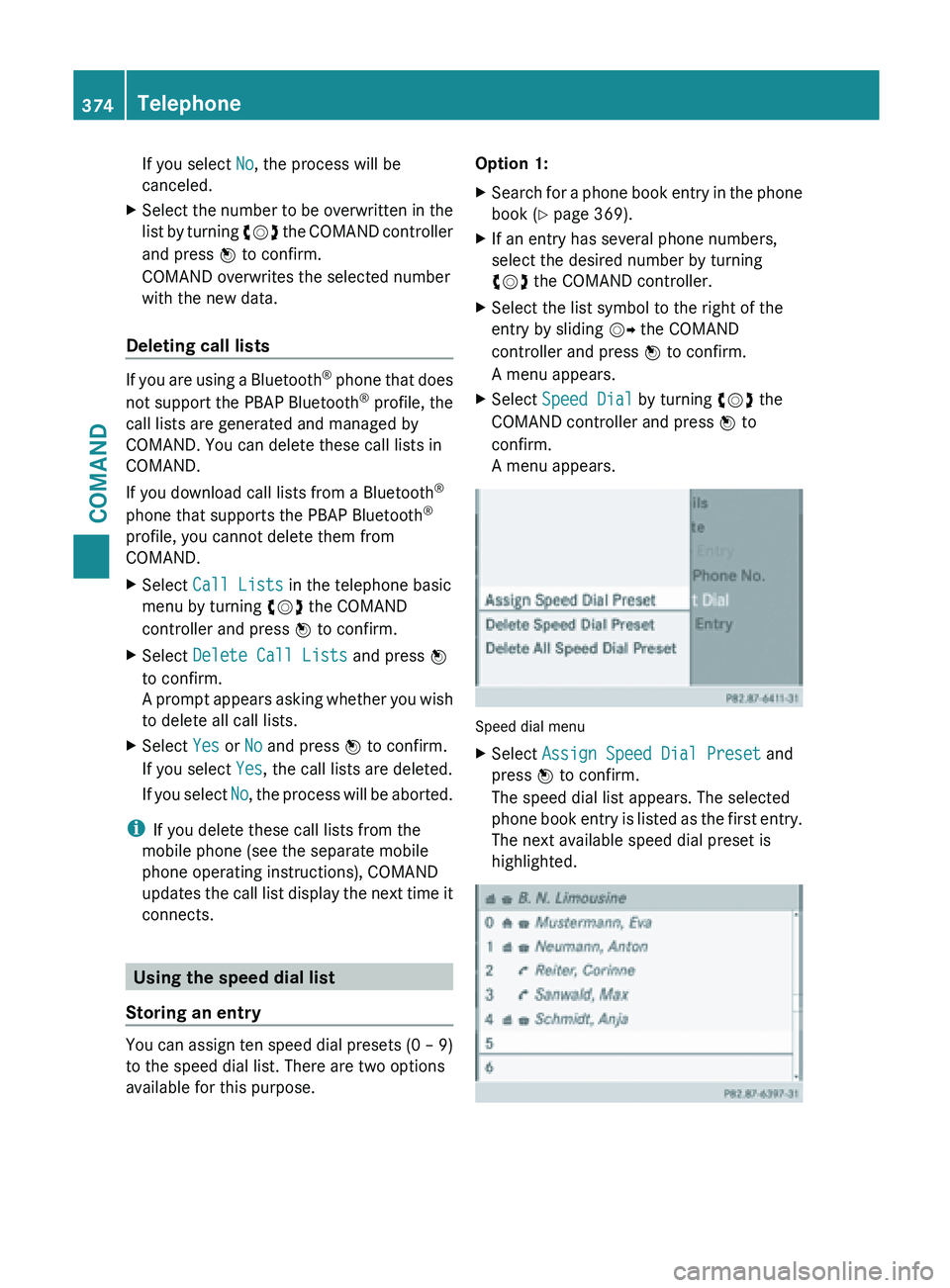
A menu appears. Speed dial menu
X
Select Assign Speed Dial Preset and
press W to confirm.
The speed dial list appears. The selected
phone book
entry is listed as the first entry.
The next available speed dial preset is
highlighted. 374
Telephone
COMAND
Page 378 of 572
This may occur in exceptional cases, for
example when using certain mobile
phones/brackets and if the mobile phone
inbox holds a large number of text
messages.
i In order to be able to use the text
message function, the Bluetooth ®
mobile
phone has to support Bluetooth ®
MAP
(Message Access Profile).
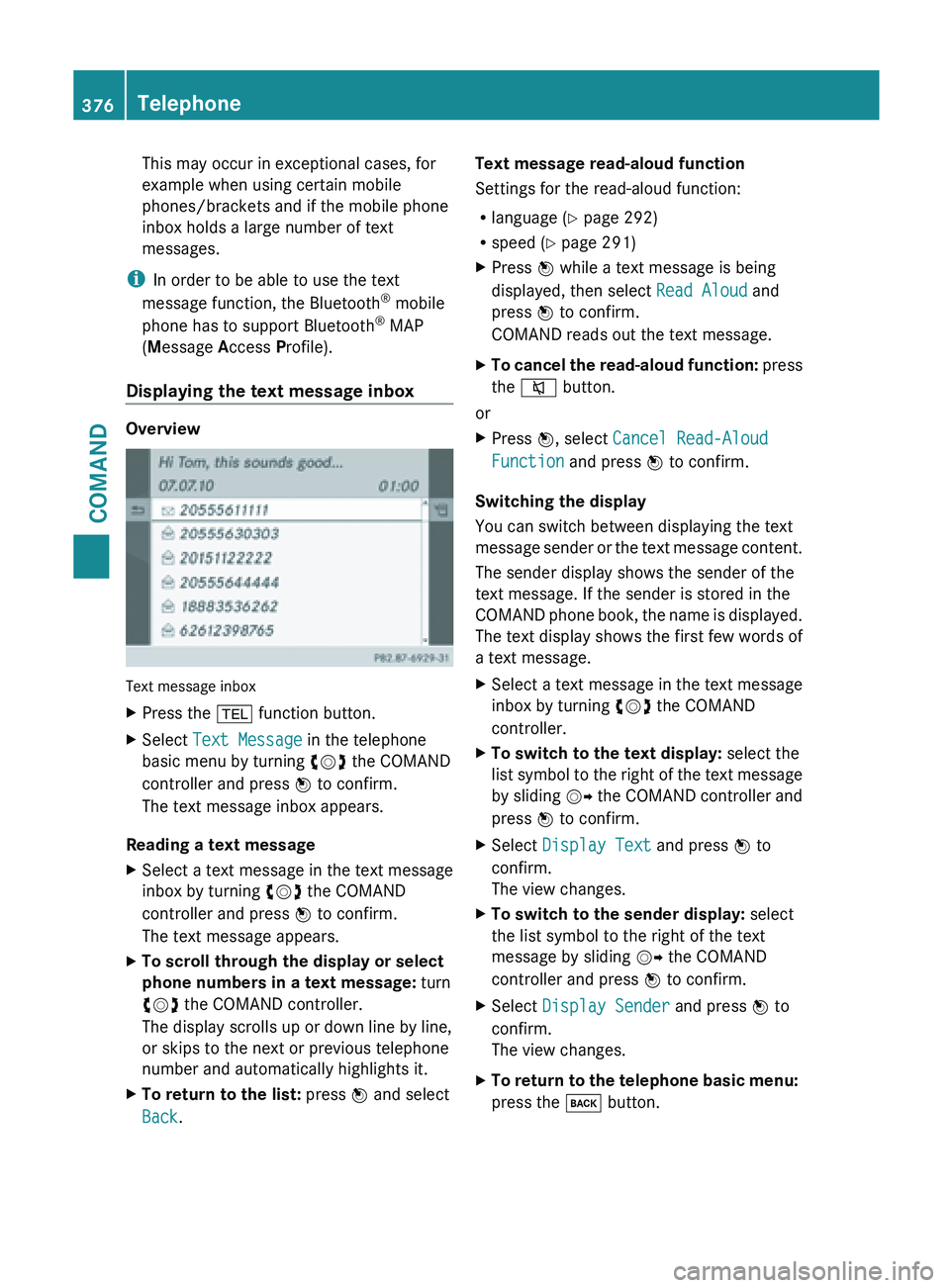
Displaying the text message inbox Overview
Text message inbox
X
Press the % function button.
X Select Text Message in the telephone
basic menu by turning cVd the COMAND
controller and press W to confirm.
The text message inbox appears.
Reading a text message
X Select a text message in the text message
inbox by turning cVd the COMAND
controller and press W to confirm.
The text message appears.
X To scroll through the display or select
phone numbers in a text message: turn
cVd the COMAND controller.
The display scrolls up or down line by line,
or skips to the next or previous telephone
number and automatically highlights it.
X To return to the list: press W and select
Back. Text message read-aloud function
Settings for the read-aloud function:
R
language (
Y
page 292)
R speed ( Y page 291)
X Press W while a text message is being
displayed, then select Read Aloud and
press W to confirm.
COMAND reads out the text message.
X To cancel the read-aloud function: press
the
8 button.
or
X Press W, select Cancel Read-Aloud
Function and press W to confirm.
Switching the display
You can switch between displaying the text
message sender
or the text message content.
The sender display shows the sender of the
text message. If the sender is stored in the
COMAND phone book, the name is displayed.
The text display shows the first few words of
a text message.
X Select a text message in the text message
inbox by turning cVd the COMAND
controller.
X To switch to the text display: select the
list symbol
to the right of the text message
by sliding VY the COMAND controller and
press W to confirm.
X Select Display Text and press W to
confirm.
The view changes.
X To switch to the sender display: select
the list symbol to the right of the text
message by sliding VY the COMAND
controller and press W to confirm.
X Select Display Sender and press W to
confirm.
The view changes.
X To return to the telephone basic menu:
press the k button.376
Telephone
COMAND
Page 383 of 572
X
Option 2: call up the detailed view for an
address book entry ( Y page 380).
X Select the list symbol to the right of the
entry by sliding VY the COMAND
controller and press W to confirm.
X Select Edit and press W to confirm.
Irrespective of the option, the input menu
containing data fields appears.
Information about character entry
(Y page 281)
Changing the category of a telephone
number data field
X Display the detailed view for an address
book entry and highlight the telephone
number data field (Y
page 380).
X Select the list symbol to the right of the
entry by sliding VY the COMAND
controller and press W to confirm.
X Select Change Category and press W to
confirm.
X Select a number category, e.g. Home.
X Select a telephone category, e.g. Mobile
Phone.
X If desired, select Preferred and press W
to confirm.
Depending on the previous status, switch
the option on O or off ª. The phone
number is displayed as the first number in
the phone book and can be dialed
immediately.
X Select Save and press W to confirm.
The new category is stored.
Calling a number stored in an entry Conditions
The
mobile
phone must be connected via the
Bluetooth ®
interface (Y page 359).
Dialing a number
X Display details for an address book entry
(Y page 380).
X Select the phone number data field by
turning cVd the COMAND controller. X
Press W the COMAND controller to
confirm.
or
X Select the list symbol to the right of the
data field by sliding VY the COMAND
controller.
X Press W the COMAND controller to
confirm.
X Select Call and press W to confirm.
The telephone makes the call. The display
switches to telephone mode.
Storing the phone number as a speed
dial number X
Display details for an address book entry
(Y page 380).
X Select the phone number data field by
turning cVd the COMAND controller.
X Select the list symbol to the right of the
data field by sliding VY the COMAND
controller and press W to confirm.
X Select Speed Dial and press W to
confirm.
You can
now store the number in one of the
ten speed dial presets (Y page 374).
Starting route guidance to an entry Note
This
function
is available as soon as you have
stored a destination in the destination
memory ( Y page 339). COMAND also saves
destinations in the address book together
with all the data required for route guidance.
Address book entry with navigable data
X Search for an address book entry with the
L symbol and select it from the list
(Y page 379). Telephone
381
COMAND Z
Page 385 of 572
Importing phone book entries
This function allows you to store phone book
entries
from
the mobile phone in the address
book.
The following can be used as a source:
R the mobile phone
R the memory card
R the USB device
R the Bluetooth ®
Interface
Imported phone book entries are indicated in
the phone book by different symbols
(Y page 369).
X Search for an entry in the phone book on
the mobile phone d(Y page 369).
X Select the list symbol to the right of the
entry by sliding VY the COMAND
controller and press W to confirm.
X Select Save Entry and press W to
confirm.
The Data saved. message appears. The
phone book entry is now saved as an
address book entry.
The d symbol is replaced by the ¥
symbol.
Importing contacts Information and requirements
You can import contacts (vCards) from the
memory card and a USB device into the
address book, or receive vCards via
Bluetooth
®
.
i Up to 2500 entries can be imported into
the address book. A message notifies you
when the maximum number is reached.
You then have to delete existing entries in
order to import new entries ( Y page 379).
Depending on
the source of the contact data,
different requirements apply: Source Conditions
Memory card The SD memory card is
inserted (Y page 424). It
contains importable
contact details.
USB device The USB device is inserted
into the USB port
(Y page 424). It contains
importable contact details.
Requirements for receiving vCards via
Bluetooth
®
You can receive vCards from devices (e.g.
from a
PC) that support the sending of vCards
via Bluetooth ®
.
It is not necessary to authorize the device in
COMAND to do so.
Please bear the following in mind:
R Bluetooth ®
must be activated in COMAND
and on the Bluetooth ®
device (see the
operating instructions for the device).
R the Bluetooth ®
device must be able to send
vCards via Bluetooth ®
(see operating
instructions for the device).
R the Bluetooth ®
device in the vehicle must
be switched on.
Importing from the memory card or USB
device
Entries imported from the memory card or
from a USB device have the ¯ symbol.
The following conditions must be fulfilled in
order to import vCards:
R vCards (vcf files) may be located in the main
directory or in folders. COMAND allows you
to select the relevant folders directly.
R vCards must have the file extension ".vcf".
i A vcf file can also contain several vCards.
COMAND supports vCards in versions 2.1
and 3.0.
X Select Address Book in the address book
or, if the telephone basic menu is shown, Telephone
383
COMAND Z
Page 386 of 572
select Phone by sliding
VÆ and turning
cVd the COMAND controller and press
W to confirm.
X Select Download Contacts and press W
to confirm.
A menu appears.
X Select From The Memory Card or From
USB device in the menu by turning cVd
the COMAND controller and press W to
confirm.
X Select Add or Overwrite and press W to
confirm.
Add imports the entries from the memory
card or USB device into the address book.
Overwrite imports the entries from the
memory card
or USB device and overwrites
all entries in the address book with the
¯ symbol. The previous entries are then
no longer available.
After the contact data has been imported
successfully, you will see a message to this
effect. The address book or the respective
telephone basic menu is displayed.
i You can
select Overwrite if the address
book already contains corresponding
entries. A message notifies you when the
address book is full.
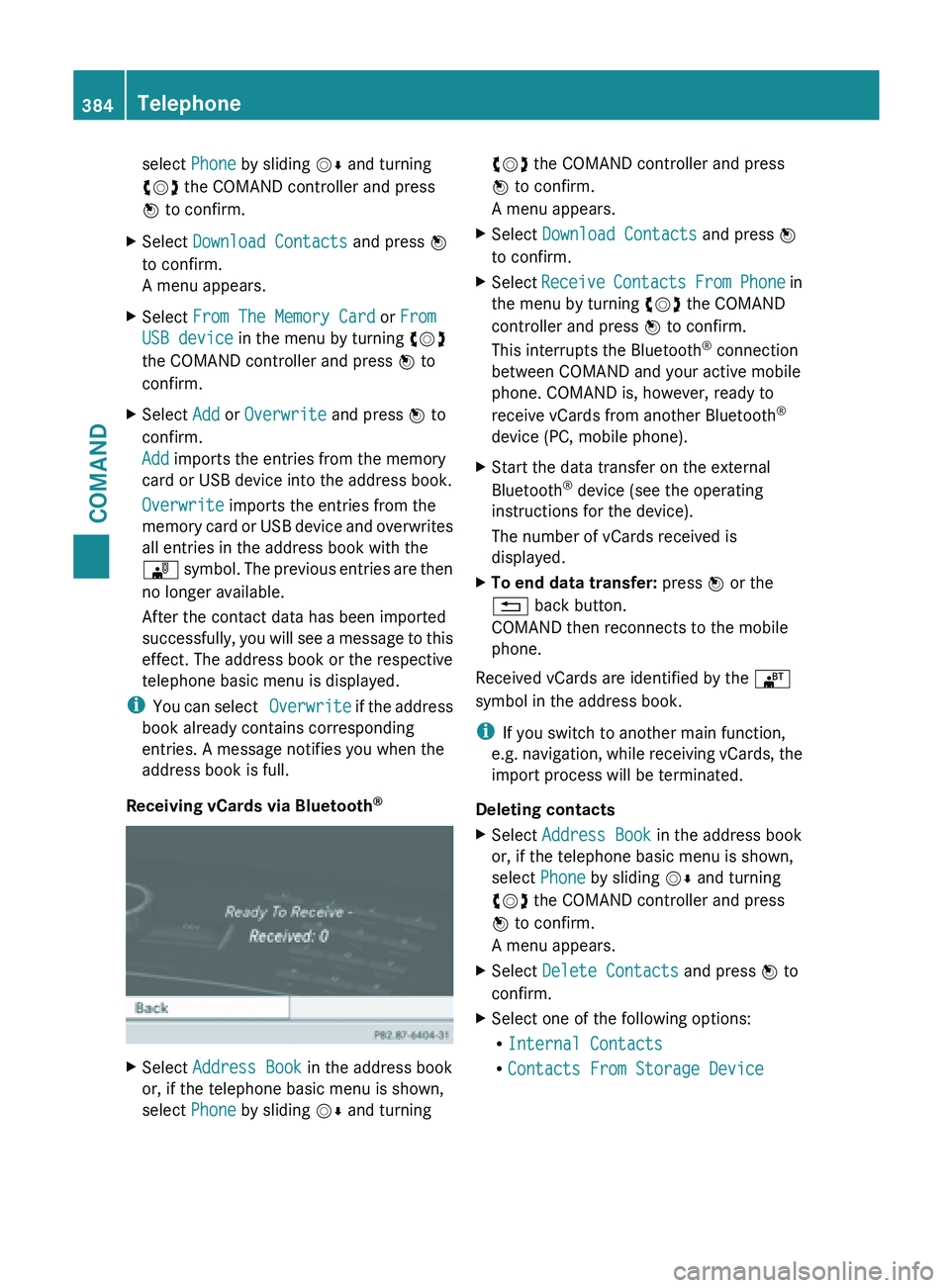
Receiving vCards via Bluetooth ®X
Select Address Book in the address book
or, if the telephone basic menu is shown,
select Phone by sliding VÆ and turning cVd the COMAND controller and press
W to confirm.
A menu appears.
X Select Download Contacts and press W
to confirm.
X Select Receive Contacts
From Phone in
the menu by turning cVd the COMAND
controller and press W to confirm.
This interrupts the Bluetooth ®
connection
between COMAND and your active mobile
phone. COMAND is, however, ready to
receive vCards from another Bluetooth ®
device (PC, mobile phone).
X Start the data transfer on the external
Bluetooth ®
device (see the operating
instructions for the device).
The number of vCards received is
displayed.
X To end data transfer: press W or the
% back button.
COMAND then reconnects to the mobile
phone.
Received vCards are identified by the ®
symbol in the address book.
i If you switch to another main function,
e.g. navigation,
while receiving vCards, the
import process will be terminated.
Deleting contacts
X Select Address Book in the address book
or, if the telephone basic menu is shown,
select Phone by sliding VÆ and turning
cVd the COMAND controller and press
W to confirm.
A menu appears.
X Select Delete Contacts and press W to
confirm.
X Select one of the following options:
R
Internal Contacts
R Contacts From Storage Device384
Telephone
COMAND
Page 427 of 572
R
USB storage device
R Media Interface or audio AUX mode
R Bluetooth ®
audio mode
X Select an audio medium from the media list
(Y page 426).
Switching modes via the audio menu
X Select Audio in the main function bar by
sliding ZV and
turning cVd the COMAND
controller and press W to confirm.
The last active audio source is now
activated.
You can activate a different audio source
using the audio menu.
X Select Audio by sliding ZV and turning
cVd the COMAND controller and press
W to confirm.
The audio menu appears.
X Select Disc, Memory Card, Music
Register, USB Storage or Media
Interface and press W to confirm.
This switches to the desired audio source.
X Select an audio medium from the media list
(Y page 426).
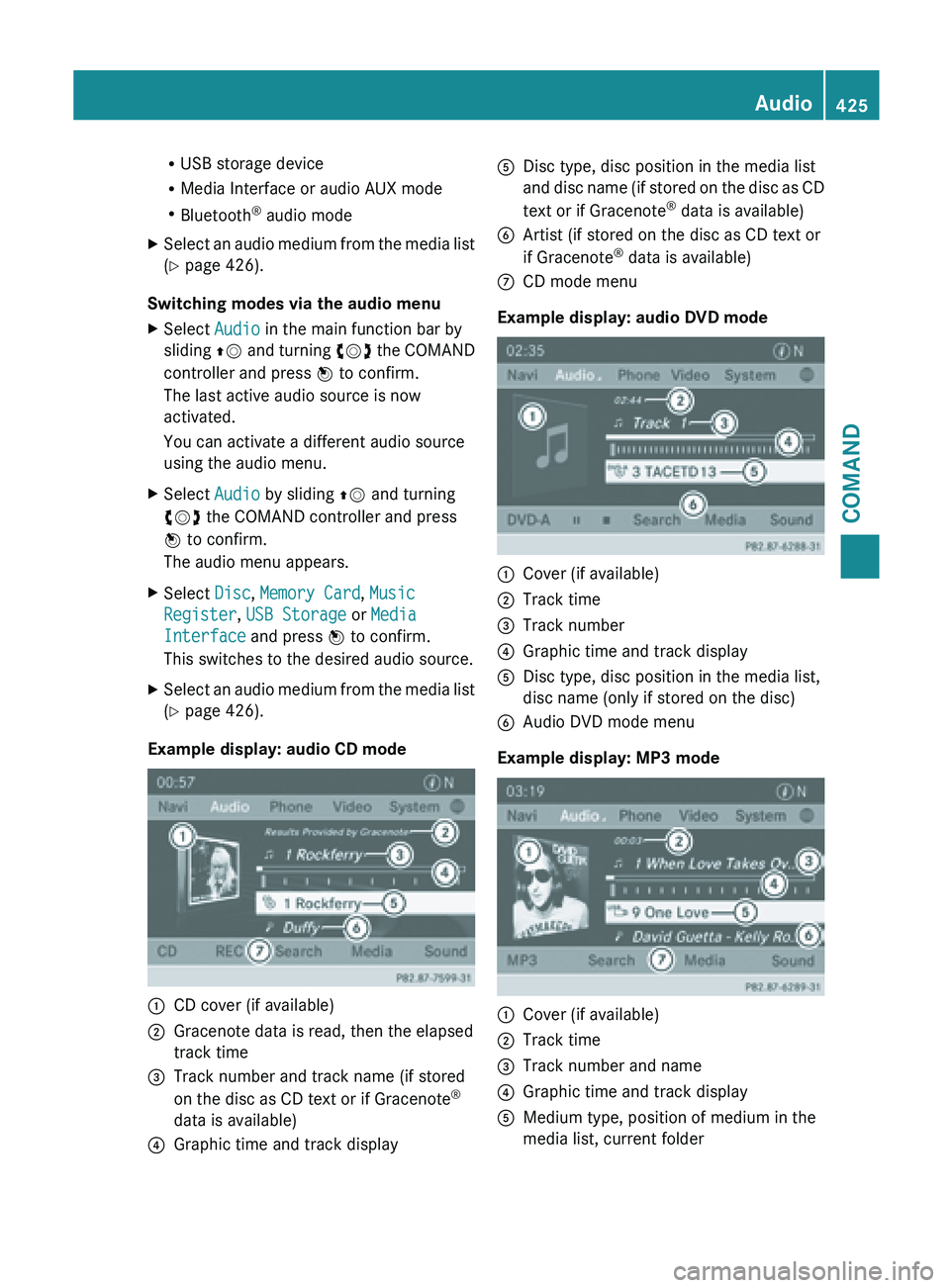
Example display: audio CD mode :
CD cover (if available)
; Gracenote data is read, then the elapsed
track time
= Track number and track name (if stored
on the disc as CD text or if Gracenote ®
data is available)
? Graphic time and track display A
Disc type, disc position in the media list
and disc
name (if stored on the disc as CD
text or if Gracenote ®
data is available)
B Artist (if stored on the disc as CD text or
if Gracenote ®
data is available)
C CD mode menu
Example display: audio DVD mode :
Cover (if available)
; Track time
= Track number
? Graphic time and track display
A Disc type, disc position in the media list,
disc name (only if stored on the disc)
B Audio DVD mode menu
Example display: MP3 mode :
Cover (if available)
; Track time
= Track number and name
? Graphic time and track display
A Medium type, position of medium in the
media list, current folder Audio
425
COMAND Z