audio MERCEDES-BENZ SL-CLASS ROADSTER 2014 Owners Manual
[x] Cancel search | Manufacturer: MERCEDES-BENZ, Model Year: 2014, Model line: SL-CLASS ROADSTER, Model: MERCEDES-BENZ SL-CLASS ROADSTER 2014Pages: 284, PDF Size: 45.52 MB
Page 7 of 284
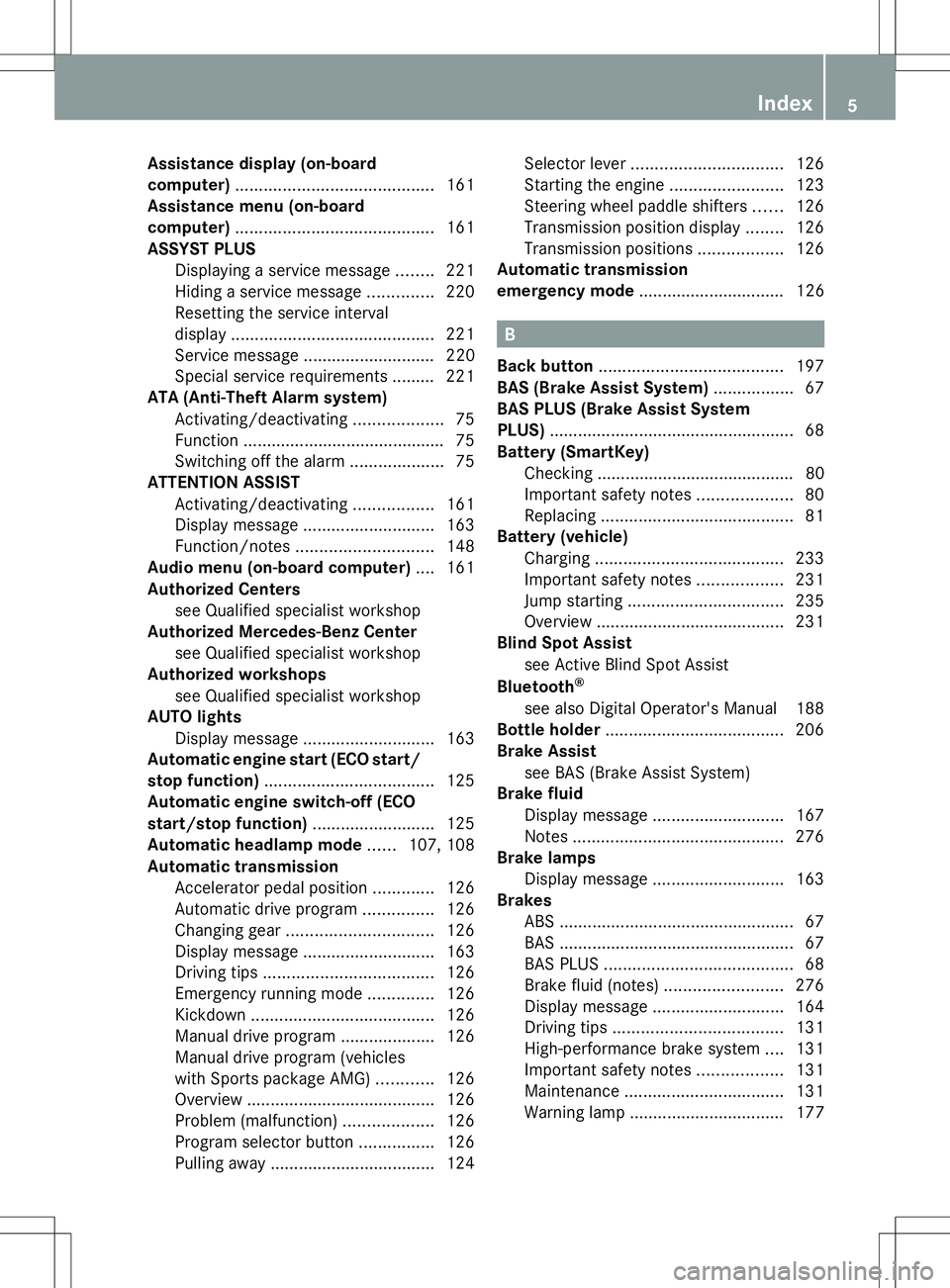
Assistance display (on-board
computer)
.......................................... 161
Assistance menu (on-board
computer) .......................................... 161
ASSYST PLUS Displaying a service message ........221
Hiding a service message ..............220
Resetting the service interval
displa y........................................... 221
Service message ............................ 220
Special service requirements ......... 221
ATA (Anti-Theft Alarm system)
Activating/deactivating ...................75
Function .......................................... .75
Switching off the alarm ....................75
ATTENTION ASSIST
Activating/deactivating .................161
Display message ............................ 163
Function/notes ............................. 148
Audio menu (on-board computer) ....161
Authorized Centers see Qualified specialist workshop
Authorized Mercedes-Benz Center
see Qualified specialist workshop
Authorized workshops
see Qualified specialist workshop
AUTO lights
Display message ............................ 163
Automatic engine start (ECO start/
stop function) .................................... 125
Automatic engine switch-off (ECO
start/stop function) ..........................125
Automatic headlamp mode ......107, 108
Automatic transmission Accelerator pedal position .............126
Automatic drive program ...............126
Changing gea r............................... 126
Display message ............................ 163
Driving tips .................................... 126
Emergency running mode ..............126
Kickdown ....................................... 126
Manual drive program ....................126
Manual drive program (vehicles
with Sports package AMG) ............126
Overview ........................................ 126
Problem (malfunction) ...................126
Program selector button ................126
Pulling away ................................... 124Selector lever
................................ 126
Starting the engine ........................123
Steering wheel paddle shifters ......126
Transmission position displa y........ 126
Transmission positions ..................126
Automatic transmission
emergency mode ............................... 126 B
Back button ....................................... 197
BAS (Brake Assist System) .................67
BAS PLUS (Brake Assist System
PLUS) .................................................... 68
Battery (SmartKey) Checking .......................................... 80
Important safety notes ....................80
Replacing ......................................... 81
Battery (vehicle)
Charging ........................................ 233
Important safety notes ..................231
Jump starting ................................. 235
Overview ........................................ 231
Blind Spot Assist
see Active Blind Spot Assist
Bluetooth ®
see also Digital Operator's Manual 188
Bottle holder ...................................... 206
Brake Assist see BAS (Brake Assist System)
Brake fluid
Display message ............................ 167
Notes ............................................. 276
Brake lamps
Display message ............................ 163
Brakes
ABS .................................................. 67
BAS .................................................. 67
BAS PLUS ........................................ 68
Brake fluid (notes) .........................276
Display message ............................ 164
Driving tips .................................... 131
High-performance brake system ....131
Important safety notes ..................131
Maintenance .................................. 131
Warning lamp ................................. 177 Index
5
Page 11 of 284
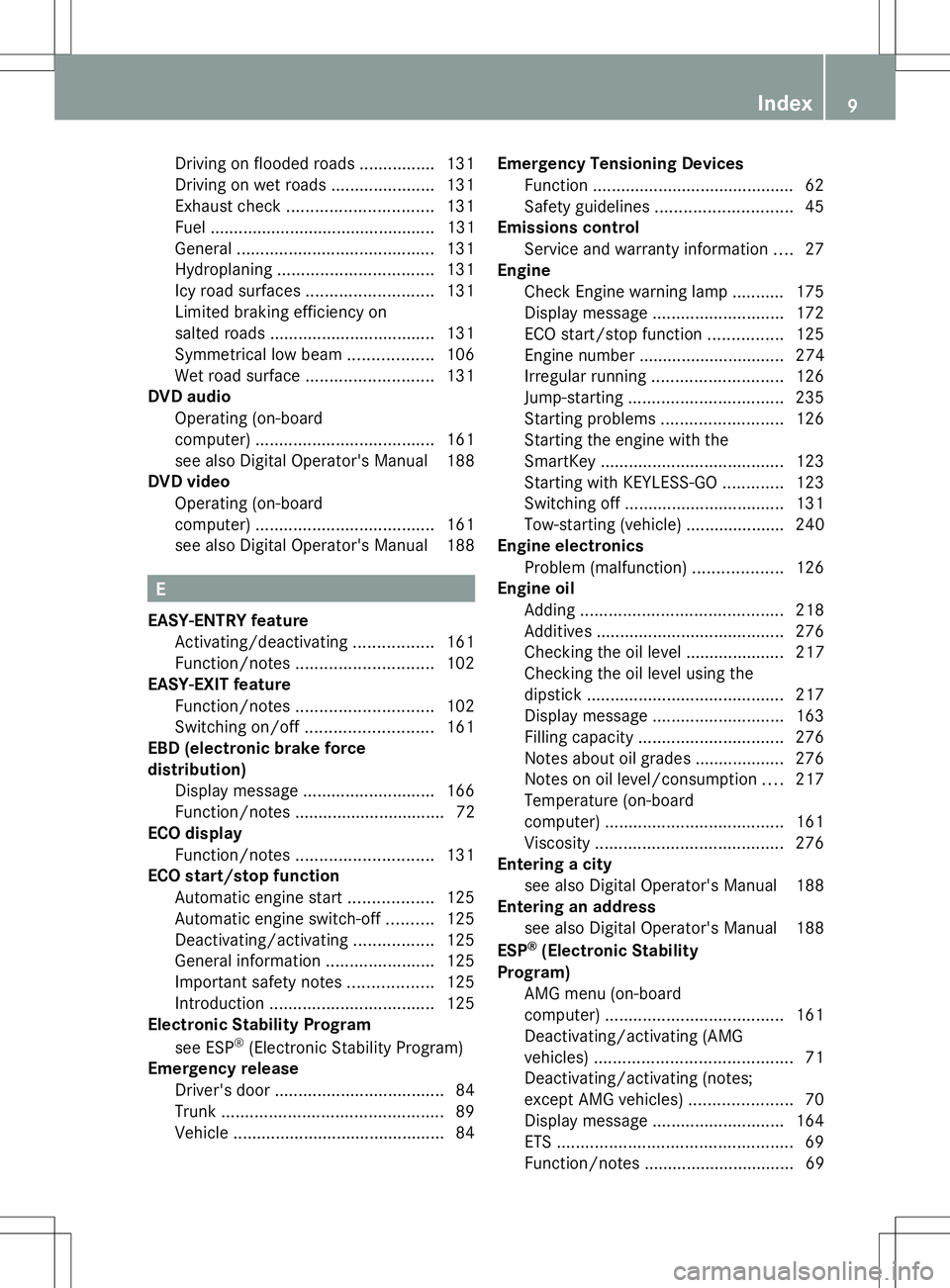
Driving on flooded roads
................131
Driving on wet roads ......................131
Exhaust check ............................... 131
Fuel ................................................ 131
General .......................................... 131
Hydroplaning ................................. 131
Icy road surfaces ........................... 131
Limited braking efficiency on
salted road s................................... 131
Symmetrical low bea m.................. 106
Wet road surface ........................... 131
DVD audio
Operating (on-board
computer) ...................................... 161
see also Digital Operator's Manual 188
DVD video
Operating (on-board
computer) ...................................... 161
see also Digital Operator's Manual 188 E
EASY-ENTRY feature Activating/deactivating .................161
Function/notes ............................. 102
EASY-EXIT feature
Function/notes ............................. 102
Switching on/off ........................... 161
EBD (electronic brake force
distribution)
Display message ............................ 166
Function/notes ................................ 72
ECO display
Function/notes ............................. 131
ECO start/stop function
Automatic engine start ..................125
Automatic engine switch-off ..........125
Deactivating/activating .................125
General information .......................125
Important safety notes ..................125
Introduction ................................... 125
Electronic Stability Program
see ESP ®
(Electronic Stability Program)
Emergency release
Driver's door .................................... 84
Trunk ............................................... 89
Vehicle ............................................. 84Emergency Tensioning Devices
Function .......................................... .62
Safety guideline s............................. 45
Emissions control
Service and warranty information ....27
Engine
Check Engine warning lamp ........... 175
Display message ............................ 172
ECO start/stop function ................125
Engine number ............................... 274
Irregular running ............................ 126
Jump-starting ................................. 235
Starting problems ..........................126
Starting the engine with the
SmartKey ....................................... 123
Starting with KEYLESS-GO .............123
Switching off .................................. 131
Tow-starting (vehicle) ..................... 240
Engine electronics
Problem (malfunction) ...................126
Engine oil
Adding ........................................... 218
Additives ........................................ 276
Checking the oil level ..................... 217
Checking the oil level using the
dipstick .......................................... 217
Display message ............................ 163
Filling capacity ............................... 276
Notes about oil grades ................... 276
Notes on oil level/consumption ....217
Temperature (on-board
computer) ...................................... 161
Viscosity ........................................ 276
Entering a city
see also Digital Operator's Manual 188
Entering an address
see also Digital Operator's Manual 188
ESP ®
(Electronic Stability
Program) AMG menu (on-board
computer) ...................................... 161
Deactivating/activating (AMG
vehicles) .......................................... 71
Deactivating/activating (notes;
except AMG vehicles) ......................70
Display message ............................ 164
ETS .................................................. 69
Function/notes ................................ 69 Index
9
Page 14 of 284
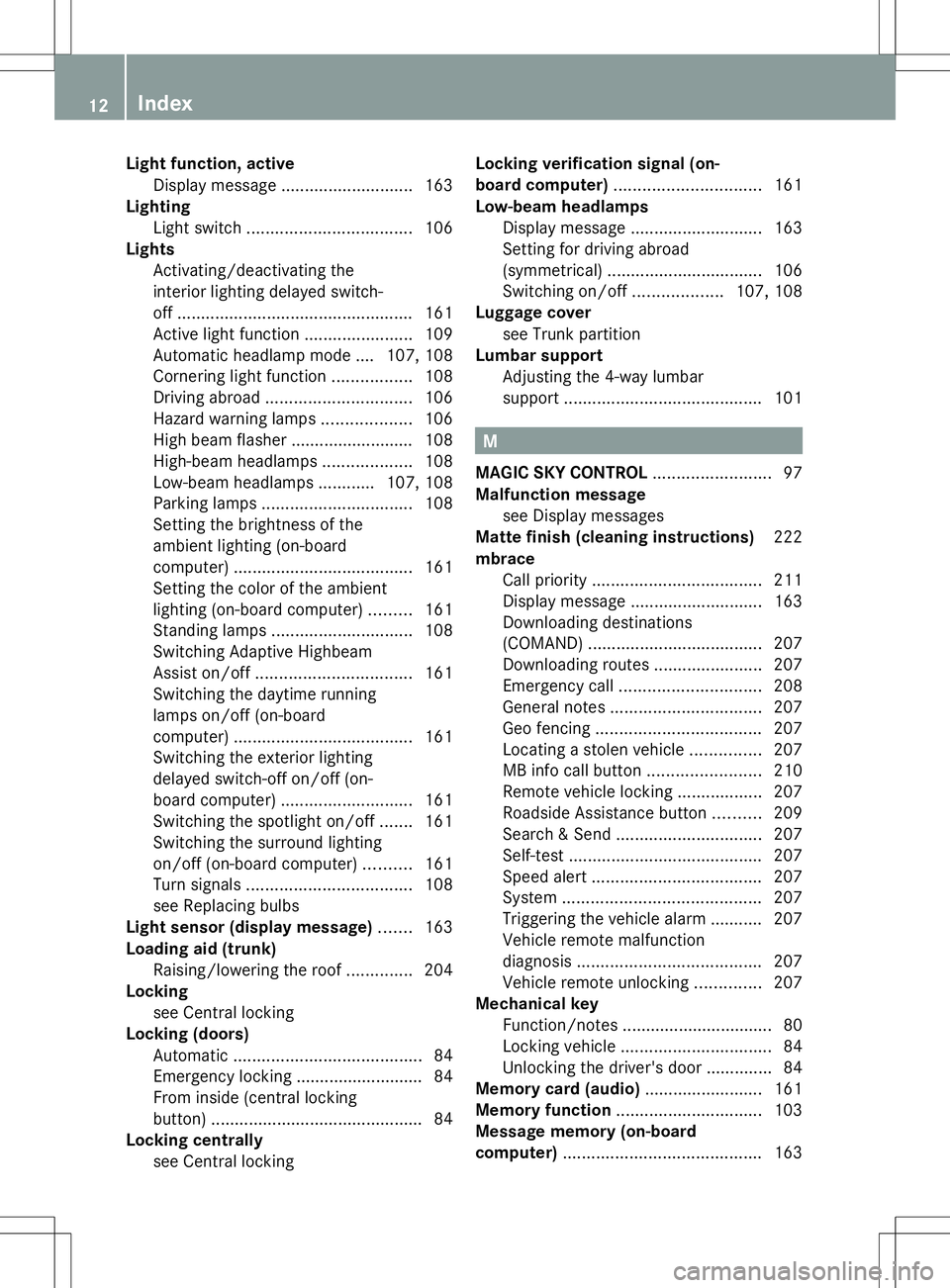
Light function, active
Display message ............................ 163
Lighting
Light switch ................................... 106
Lights
Activating/deactivating the
interior lighting delayed switch-
off.................................................. 161
Active light function .......................109
Automatic headlamp mode .... 107, 108
Cornering light function .................108
Driving abroad ............................... 106
Hazard warning lamps ...................106
High beam flasher .......................... 108
High-beam headlamps ...................108
Low-beam headlamps ............107, 108
Parking lamps ................................ 108
Setting the brightness of the
ambient lighting (on-board
computer) ...................................... 161
Setting the color of the ambient
lighting (on-board computer) .........161
Standing lamps .............................. 108
Switching Adaptive Highbeam
Assist on/off ................................. 161
Switching the daytime running
lamps on/off (on-board
computer) ...................................... 161
Switching the exterior lighting
delayed switch-off on/off (on-
board computer) ............................ 161
Switching the spotlight on/off .......161
Switching the surround lighting
on/off (on-board computer) ..........161
Turn signals ................................... 108
see Replacing bulbs
Light sensor (display message) .......163
Loading aid (trunk) Raising/lowering the roof ..............204
Locking
see Central locking
Locking (doors)
Automatic ........................................ 84
Emergency locking ........................... 84
From inside (central locking
button) ............................................. 84
Locking centrally
see Central locking Locking verification signal (on-
board computer)
............................... 161
Low-beam headlamps Display message ............................ 163
Setting for driving abroad
(symmetrical) ................................. 106
Switching on/off ...................107, 108
Luggage cover
see Trunk partition
Lumbar support
Adjusting the 4-way lumbar
support .......................................... 101 M
MAGIC SKY CONTROL .........................97
Malfunction message see Display messages
Matte finish (cleaning instructions) 222
mbrace Call priority .................................... 211
Display message ............................ 163
Downloading destinations
(COMAND) ..................................... 207
Downloading routes .......................207
Emergency call .............................. 208
General notes ................................ 207
Geo fencing ................................... 207
Locating a stolen vehicle ...............207
MB info call button ........................210
Remote vehicle locking ..................207
Roadside Assistance button ..........209
Search & Send ............................... 207
Self-test ......................................... 207
Speed alert .................................... 207
System .......................................... 207
Triggering the vehicle alarm ........... 207
Vehicle remote malfunction
diagnosis ....................................... 207
Vehicle remote unlocking ..............207
Mechanical key
Function/notes ................................ 80
Locking vehicle ................................ 84
Unlocking the driver's door ..............84
Memory card (audio) .........................161
Memory function ............................... 103
Message memory (on-board
computer) .......................................... 16312
Index
Page 15 of 284
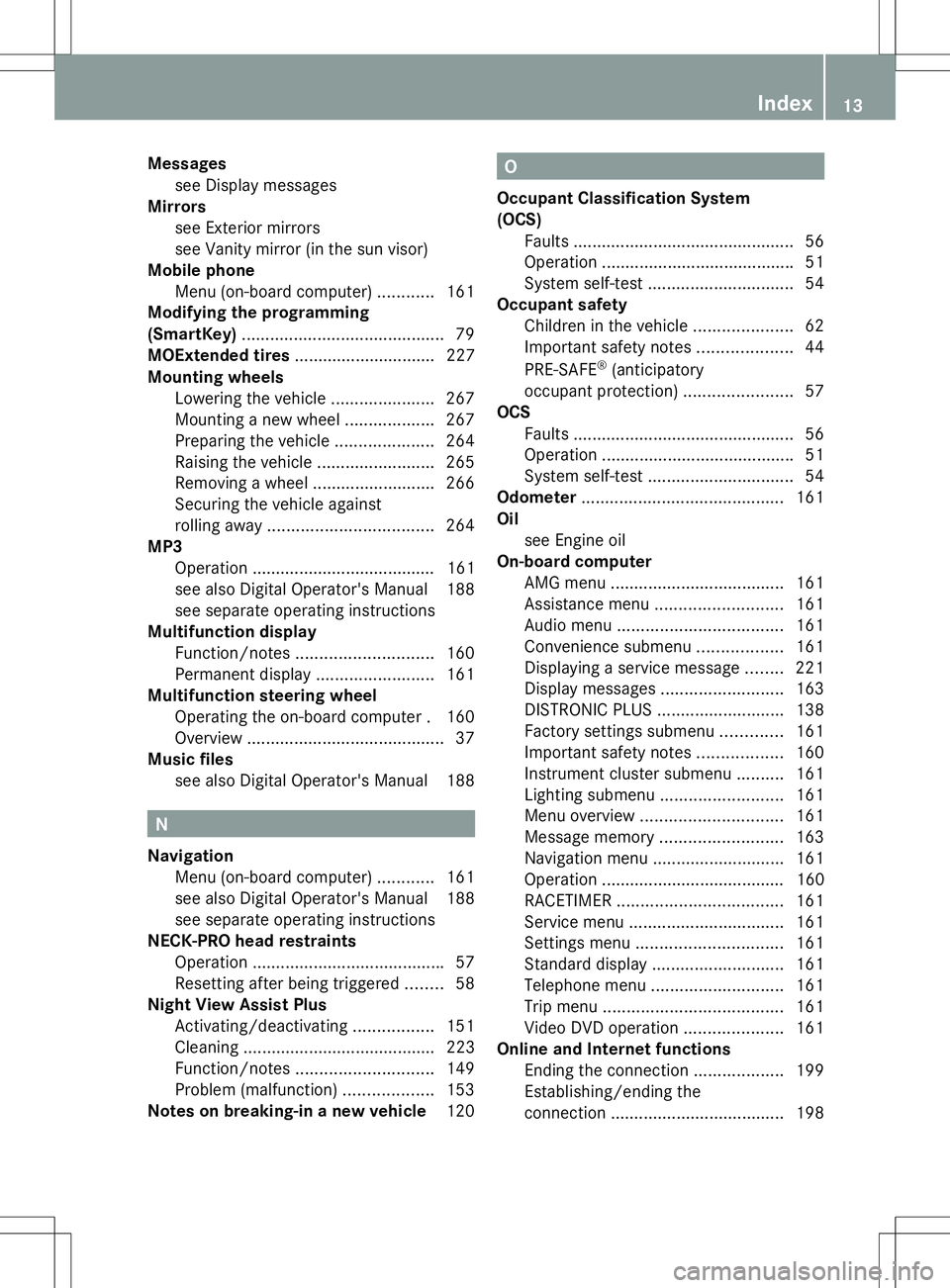
Messages
see Display messages
Mirrors
see Exterior mirrors
see Vanity mirror (in the sun visor)
Mobile phone
Menu (on-board computer) ............161
Modifying the programming
(SmartKey) ........................................... 79
MOExtended tires .............................. 227
Mounting wheels Lowering the vehicle ......................267
Mounting a new wheel ...................267
Preparing the vehicle .....................264
Raising the vehicle .........................265
Removing a wheel ..........................266
Securing the vehicle against
rolling away ................................... 264
MP3
Operation ....................................... 161
see also Digital Operator's Manual 188
see separate operating instructions
Multifunction display
Function/notes ............................. 160
Permanent displa y......................... 161
Multifunction steering wheel
Operating the on-board computer .160
Overview .......................................... 37
Music files
see also Digital Operator's Manual 188 N
Navigation Menu (on-board computer) ............161
see also Digital Operator's Manual 188
see separate operating instructions
NECK-PRO head restraints
Operation ........................................ .57
Resetting after being triggered ........58
Night View Assist Plus
Activating/deactivating .................151
Cleaning ......................................... 223
Function/notes ............................. 149
Problem (malfunction) ...................153
Notes on breaking-in a new vehicle 120 O
Occupant Classification System
(OCS) Faults ............................................... 56
Operation ........................................ .51
System self-test ............................... 54
Occupant safety
Children in the vehicle .....................62
Important safety notes ....................44
PRE-SAFE ®
(anticipatory
occupant protection) .......................57
OCS
Faults ............................................... 56
Operation ........................................ .51
System self-test ............................... 54
Odometer ........................................... 161
Oil see Engine oil
On-board computer
AMG menu ..................................... 161
Assistance menu ........................... 161
Audio menu ................................... 161
Convenience submenu ..................161
Displaying a service message ........221
Display messages ..........................163
DISTRONIC PLUS ........................... 138
Factory settings submenu .............161
Important safety notes ..................160
Instrument cluster submenu ..........161
Lighting submenu .......................... 161
Menu overview .............................. 161
Message memory .......................... 163
Navigation menu ............................ 161
Operation ....................................... 160
RACETIMER ................................... 161
Service menu ................................. 161
Settings menu ............................... 161
Standard displa y............................ 161
Telephone menu ............................ 161
Trip menu ...................................... 161
Video DVD operation .....................161
Online and Internet functions
Ending the connection ...................199
Establishing/ending the
connection ..................................... 198 Index
13
Page 28 of 284
Protection of the environment
General notes
H
Environmental note
Daimler's declared policy is one of
comprehensive environmental protection.
The objectives are for the natural resources
that form the basis of our existence on this
planet to be used sparingly and in a manner
that takes the requirements of both nature
and humanity into account.
You too can help to protect the environment
by operating your vehicle in an
environmentally responsible manner.
Fuel consumption and the rate of engine,
transmission, brake and tire wear are affected
by these factors:
R operating conditions of your vehicle
R your personal driving style
You can influence both factors. You should
bear the following in mind:
Operating conditions:
R avoid short trips as these increase fuel
consumption.
R always make sure that the tire pressures
are correct.
R do not carry any unnecessary weight.
R remove roof racks once you no longer need
them.
R a regularly serviced vehicle will contribute
to environmental protection. You should
therefore adhere to the service intervals.
R always have service work carried out at a
qualified specialist workshop.
Personal driving style:
R do not depress the accelerator pedal when
starting the engine.
R do not warm up the engine when the vehicle
is stationary.
R drive carefully and maintain a safe distance
from the vehicle in front.
R avoid frequent, sudden acceleration and
braking. R
change gear in good time and use each gear
only up to Ôof its maximum engine speed.
R switch off the engine in stationary traffic.
R keep an eye on the vehicle's fuel
consumption. Environmental concerns and
recommendations
Wherever the operating instructions require
you to dispose of materials, first try to
regenerate or re-use them. Observe the
relevant environmental rules and regulations
when disposing of materials. In this way you
will help to protect the environment. Genuine Mercedes-Benz parts
H
Environmental note
Daimler AG also supplies reconditioned major
assemblies and parts which are of the same
quality as new parts. They are covered by the
same Limited Warranty entitlements as new
parts.
! Air bags and Emergency Tensioning
Devices, as well as control units and
sensors for these restraint systems, may be
installed in the following areas of your
vehicle:
R doors
R door pillars
R door sills
R seats
R cockpit
R instrument cluster
R center console
Do not install accessories such as audio
systems in these areas. Do not carry out
repairs or welding. You could impair the
operating efficiency of the restraint
systems. 26
Introduction
Page 163 of 284
?
Left control panel
A Back button
X To activate the on-board computer: turn
the SmartKey to position 1in the ignition
lock.
You can control the multifunction display and
the settings in the on-board computer using
the buttons on the multifunction steering
wheel.
Left control panel =
; R
Calls up the menu and menu bar 9
:
Press briefly:
R
Scrolls in lists
R Selects a submenu or function
R In the Audio Audio menu: selects a
stored station, an audio track or
a video scene
R In the Tel Tel(telephone) menu:
switches to the phone book and
selects a name or telephone
number 9
:
Press and hold:
R
In the Audio Audio menu: selects the
previous/next station or selects
an audio track or a video scene
using rapid scrolling
R In the Tel Tel(Telephone) menu:
starts rapid scrolling if the phone
book is open a R
Confirms a selection/display
message
R In the Tel Tel(telephone) menu:
switches to the telephone book
and starts dialing the selected
number
R In the Audio Audio menu: stops the
station search function at the
desired station Right control panel
~ R
Rejects or ends a call
R Exits phone book/redial
memory 6 R
Makes or accepts a call
R Switches to the redial memory W
X R
Adjusts the volume 8 R
Mute Back button
%
Press briefly:
R
Back
R Switches off the Voice Control
System; see the separate
operating instructions
R Hides display messages/calls
up the last Trip Tripmenu function
used
R Exits the telephone book/redial
memory %
Press and hold:
R
Calls up the standard display in
the Trip Trip menu Menus and submenus
Menu overview
Press the =or; button on the
steering wheel to call up the menu bar and
select a menu.
Operating the on-board computer
(Y page 160).
You can find more information on the
individual menus in the Digital Operator's
Manual. Menus and submenus
161On-board computer and displays Z
Page 164 of 284
Depending on the equipment installed in the
vehicle, you can call up the following menus:
R Trip
Trip menu
R Navi Navi menu (navigation instructions)
R Audio
Audio menu
R Tel
Tel menu (telephone)
R DriveAssist
DriveAssist menu (assistance)
R Service
Service menu
R Settings
Settings menu (settings)
R AMG
AMG menu in AMG vehicles 162
Menus and submenusOn-board computer and displays
Page 192 of 284
R
Gracenote ®
is a registered trademark of
Gracenote, Inc.
R ZAGATSurvey ®
and related brands are
registered trademarks of ZagatSurvey,
LLC. Function restrictions
For safety reasons, some COMAND functions
are restricted or unavailable while the vehicle
is in motion. You will notice this, for example
because either you will not be able to select
certain menu items or COMAND will display
a message to this effect. COMAND operating system
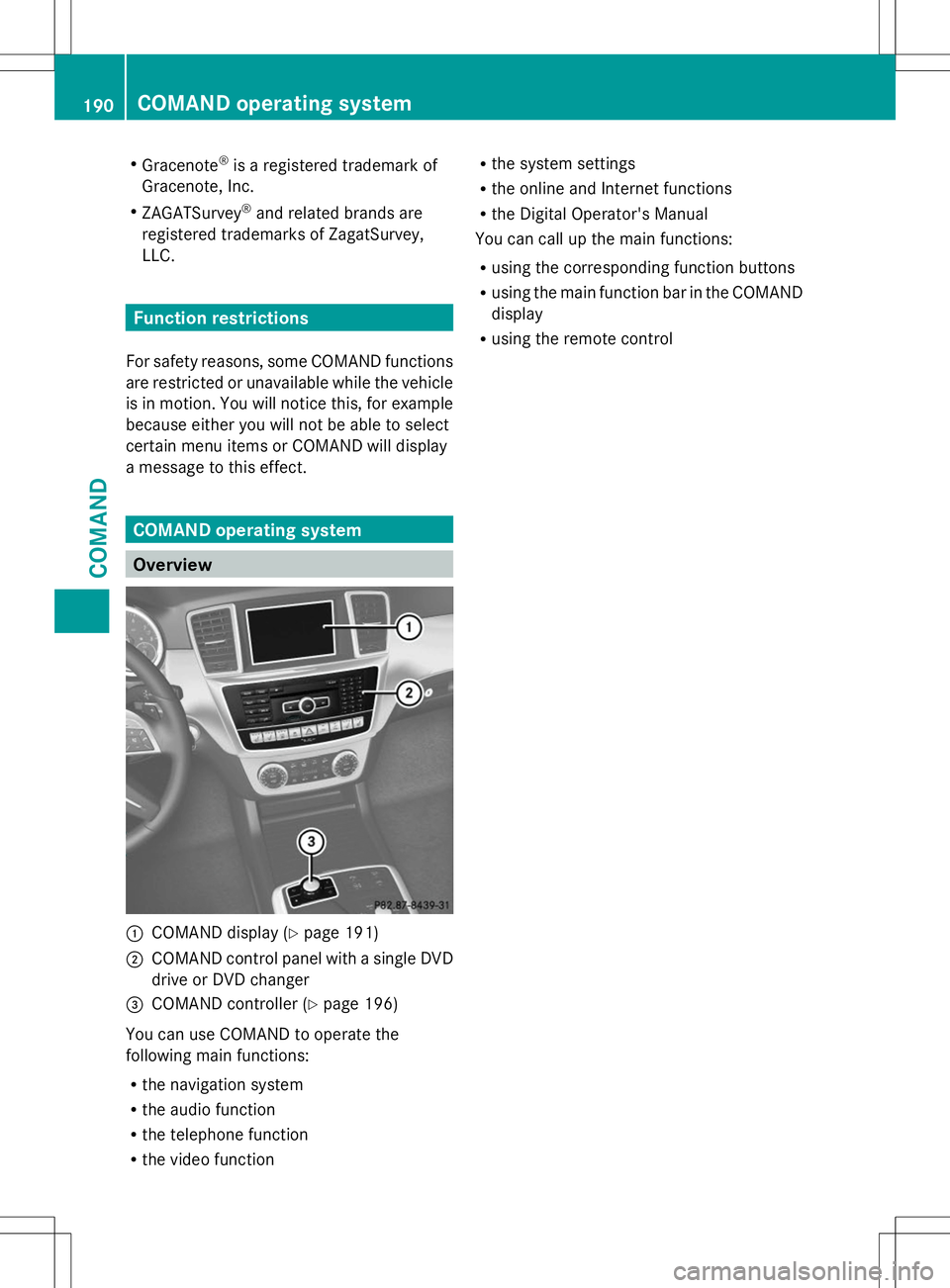
Overview
:
COMAND display (Y page 191)
; COMAND control panel with a single DVD
drive or DVD changer
= COMAND controller (Y page 196)
You can use COMAND to operate the
following main functions:
R the navigation system
R the audio function
R the telephone function
R the video function R
the system settings
R the online and Internet functions
R the Digital Operator's Manual
You can call up the main functions:
R using the corresponding function buttons
R using the main function bar in the COMAND
display
R using the remote control 190
COMAND operating systemCOMAND
Page 193 of 284
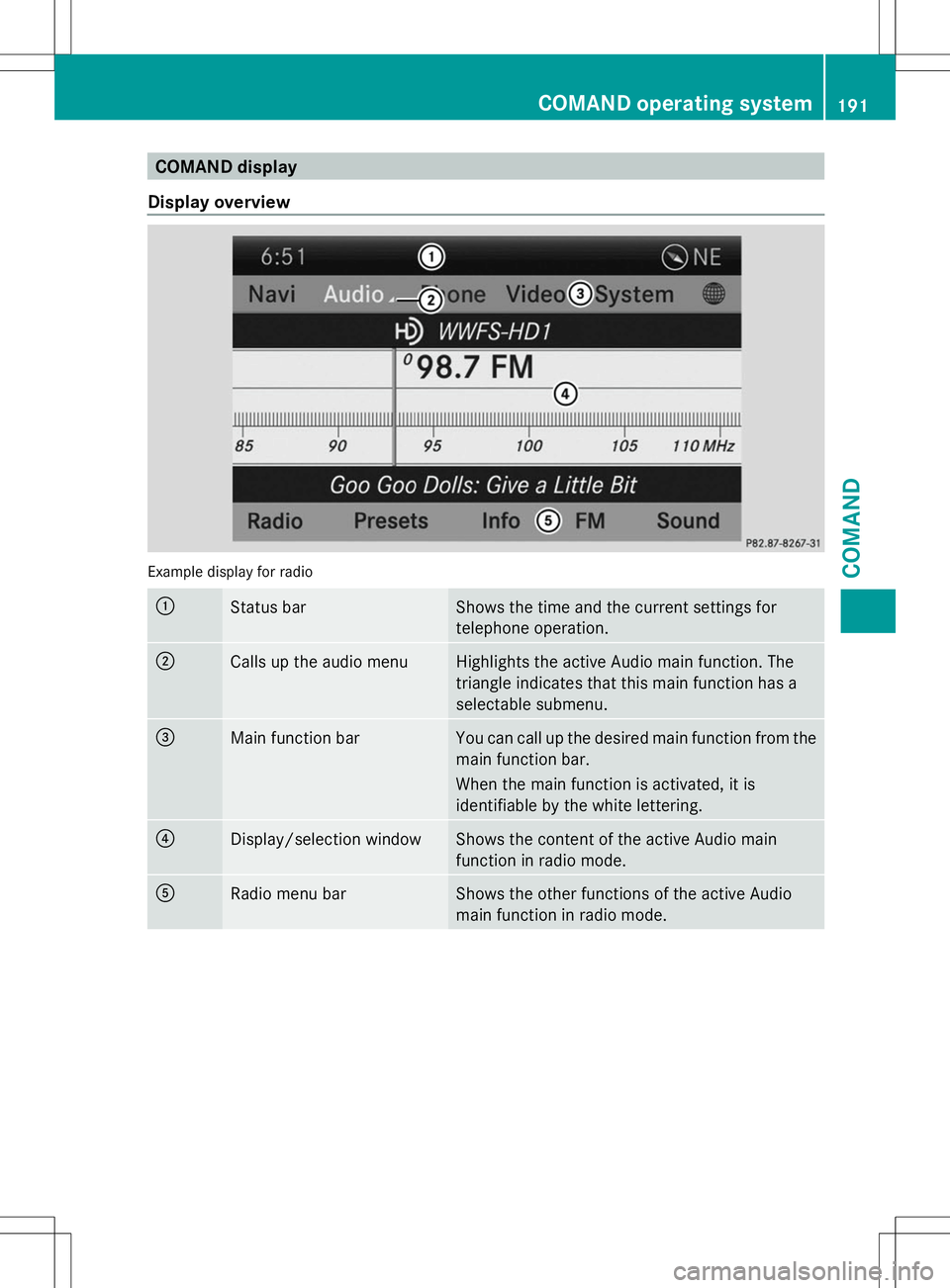
COMAND display
Display overview Example display for radio
:
Status bar Shows the time and the current settings for
telephone operation.
;
Calls up the audio menu Highlights the active Audio main function. The
triangle indicates that this main function has a
selectable submenu.
=
Main function bar You can call up the desired main function from the
main function bar.
When the main function is activated, it is
identifiable by the white lettering.
?
Display/selection window Shows the content of the active Audio main
function in radio mode.
A
Radio menu bar Shows the other functions of the active Audio
main function in radio mode. COMAND operating system
191COMAND Z
Page 194 of 284
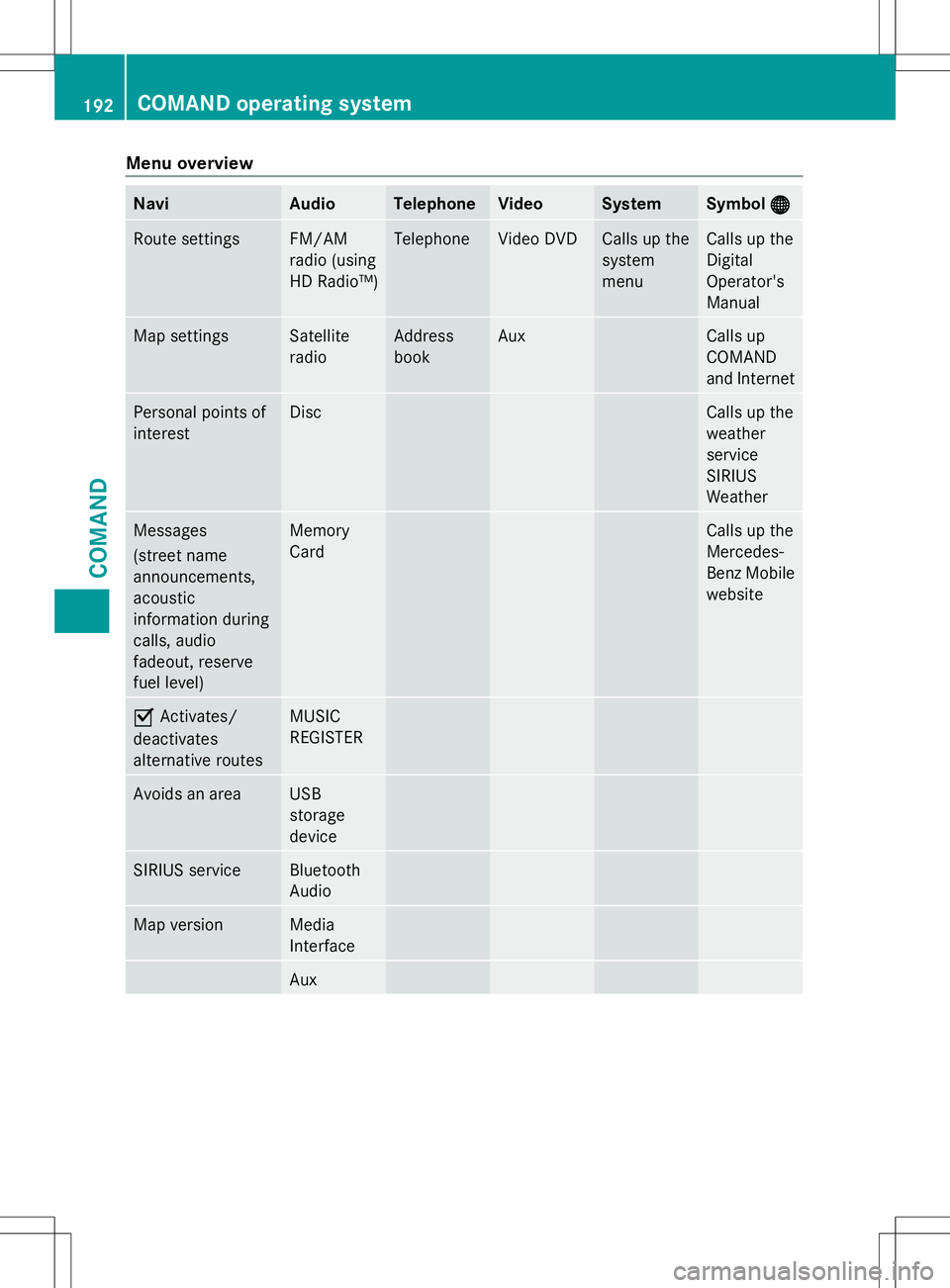
Menu overview
Navi Audio Telephone Video System Symbol
®
® Route settings FM/AM
radio (using
HD Radio™) Telephone Video DVD Calls up the
system
menu Calls up the
Digital
Operator's
Manual
Map settings Satellite
radio Address
book Aux Calls up
COMAND
and Internet
Personal points of
interest Disc Calls up the
weather
service
SIRIUS
Weather
Messages
(street name
announcements,
acoustic
information during
calls, audio
fadeout, reserve
fuel level) Memory
Card Calls up the
Mercedes-
Benz Mobile
website
O
Activates/
deactivates
alternative routes MUSIC
REGISTER
Avoids an area USB
storage
device
SIRIUS service Bluetooth
Audio
Map version Media
Interface
Aux192
COMAND operating systemCOMAND