CD change MERCEDES-BENZ SLK-Class 2012 R172 Comand Manual
[x] Cancel search | Manufacturer: MERCEDES-BENZ, Model Year: 2012, Model line: SLK-Class, Model: MERCEDES-BENZ SLK-Class 2012 R172Pages: 234, PDF Size: 6.74 MB
Page 67 of 234
Selec
tion Step
From
POIs X
Ent erapoint of
interest
(Y page 66). From
Personal POIs X
Ent era
destination from
the personal
points ofinterest
(Y page 75). Using
Map X
Ent era
destination using
the map
(Y page 61). Using
Geo- Coordinates X
Ent era
destination using
the geo-
coordinates
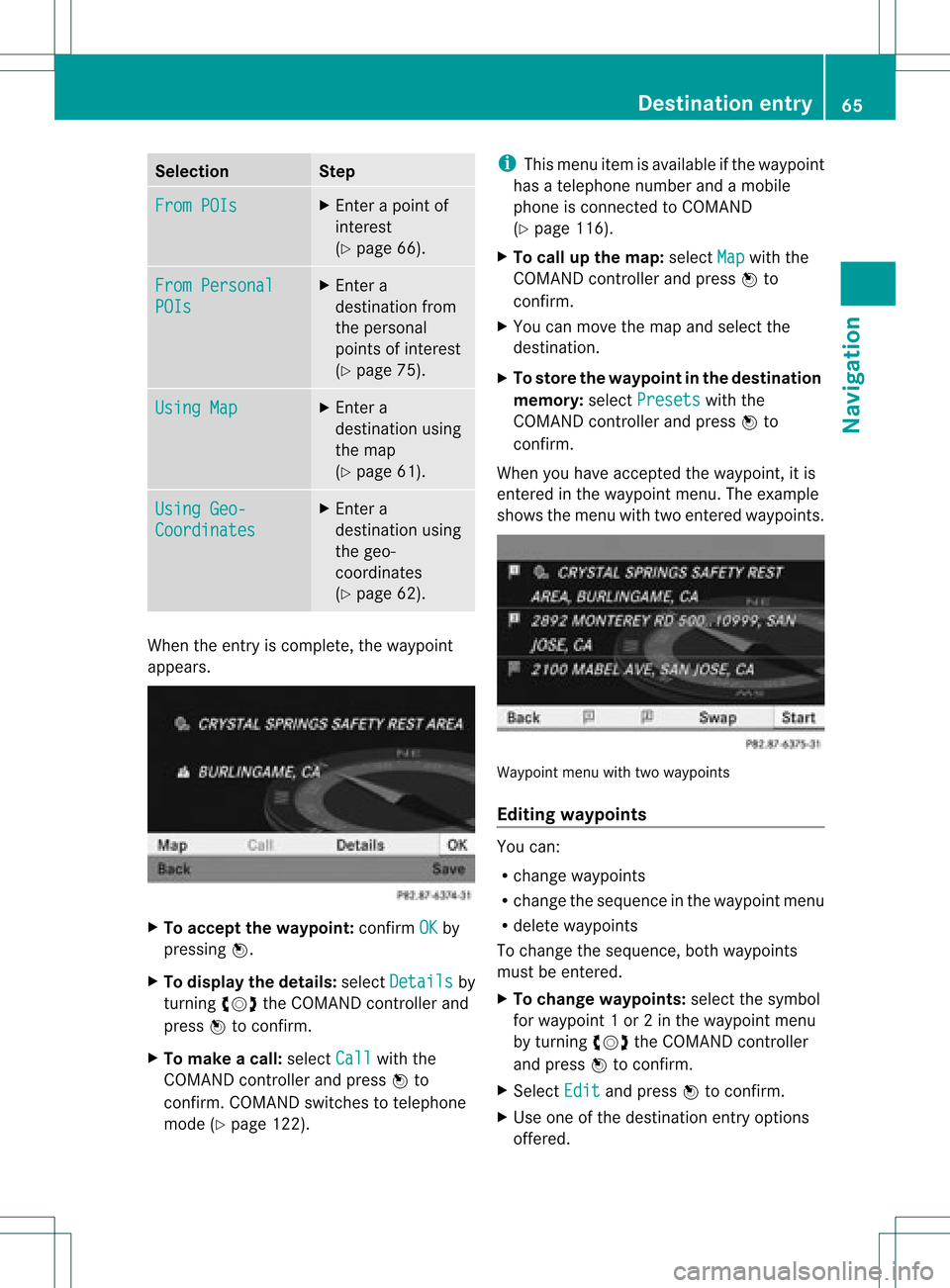
(Y page 62). When
theentr yis complete, theway point
appea rs. X
To accept thewaypoint: confirmOK by
pressing W.
X To display thedetails: selectDetails by
turnin gcVd theCOMAND controller and
press Wtoconf irm.
X To make acall: select Call with
the
COMAND controller andpress Wto
conf irm. COMAND switchestotelephone
mode (Ypage 122). i
This menu itemisavaila bleifthe way point
has atelephone numberandamobile
phone isconn ected toCOMAND
(Y page 116).
X To call upthe map :select Map with
the
COMAND controller andpress Wto
conf irm.
X You canmove themap andselect the
destination.
X To store thewaypoint inthe destination
memory :select Presets with
the
COMAND controller andpress Wto
conf irm.
When youhave accepted theway point, itis
entered inthe way point menu. Theexample
shows themenu withtwoentered waypoints. Waypoi
ntmenu withtwowayp oints
Editing waypoints You
can:
R change waypoints
R change thesequence inthe way point menu
R delete waypoints
To change thesequence, bothwaypoints
must beentered.
X To change waypoints: selectthesymbol
for way point 1or 2in the way point menu
by turnin gcVd theCOMAND controller
and press Wtoconf irm.
X Select Edit and
press Wtoconf irm.
X Use oneofthe destination entryoptions
offered. Des
tinat ionentry
65Navigat ion Z
Page 75 of 234

X
Sel ect acate goryand pressW toconfi rm.
The icond isplay isswitc hedonO oroff
ª, depen dingonthe prev ious status.
i The iconsare displayed onthe map at
scales of1/ 16 mi, 1/8mi and 1/4mi.
Visu alinfor mation forpersonal points
of inter est When
thevehic leisapproac hingaperso nal
point ofinterest andthedisplay ofthe
relev antcategory isswitc hedon,itis
highligh tedonthe map.
X Selec tVisu alWarn ingForPersonal POIs in
the men uand press Wtocon firm .
X Press Wtocon firm theentry.
This willswitc hthe visual inform ation for
the perso nalpoint sof interest ofthis
cat egory onO oroff ª, depen dingonthe
prev ious setting. Ex
ample: visualinform ation foraperso nalpoint of
int erest
Man aging categories forpersonal
point sof inter est X
Selec tMana geCate goriesFor Pers
onal POIs in
the men uand press W
to con firm . X
To crea tean ew category :selec tNew and
pres sW tocon firm.
X En ter thenam eof thecat egor y.Proc eedas
desc ribed under "Entering char acters" in
th e"En tering char acters intheaddres sand
phon ebook s"sec tion(Ypage 31).
X Select the¬ iconandpress Wto
con firm.
Al ist with iconsappears. Youcanassign an
icon tothe category. X
Selec tan icon byturnin gcVd the
COMA NDcontroller andpress Wto
con firm .
You have created anew category witha
name andicon.This category appears
when selecting thedispla yon the map or
when selecting thedestination.
X To rename acategory ortochange an
icon: select Rename or
Change Icon and
press Wtoconfirm .
X Proceed asdescribed under"Tocreate a
new category". Personal
pointsofinterest
73Navigation Z
Page 76 of 234
X
To del ete acate gory: select Delete and
pre ssW toconfi rm.
Ap rompt appears asking whethe rthe
category shouldbedeleted.
i Ifyou delete acategory, allpoints of
interest ofthis category arealso deleted.
X Select Yes and
press Wtoconfirm .
If you select Yes ,
the category willbe
deleted.
If you select No ,
the process willbe
canceled.
Managing personalpointsofinterest X
Select Manage Personal POIs in
the
menu andpress Wtoconfirm .
X Select NotClassified ,
COMAND or
your
own category andpress Wtoconfirm .
X Select apersonal pointofinterest and
press Wtoconfirm .
The personal pointofinterest isdispla yed.
The following functionsaredescribed inthe
"Select asdestination" section
(Y page 75):
R renaming
R changing thecategory
R deleting Saving
personal pointsofinterest
There arethree waysto save personal points
of interest .You must insert anSD memory
card todo so. The No Memory Card message
otherwise appears.
i Personal pointsofinterest androutes are
written tothe memory cardinadata format
based uponopenformat GPX(GPS
Exchange Format).Geodataissaved inthis
format. Option
1
X Insert theSDmemory card(Ypage 157).
X Hide themenu (Ypage 51)todispla ythe
map infull screen mode.
X Press Wthe COMAND controller forlonger
than twoseconds.
The current position ofthe vehicle issaved
as apersonal pointofinterest onthe SD
memory cardinthe "Unclassified"
category.
i The crosshair positionissaved while
scrolling themap (Ypage 61).
Option 2
X Insert theSDmemory card(Ypage 61).
X To show themenu: pressWthe COMAND
cont roller.
X Select Position in
the navigation system
menu barbyturning cVdtheCOMAND
cont roller andpress Wtoconfirm .
X Select SavePosition AsPersonal POI or
Save Crosshair Pos.As Personal
POI ("Move
map"function
active) andpress Wtoconfirm .
The listofpersonal categories appears.
X Select acategory andpress Wtoconfirm .
X Name forthe personal pointofinterest .
Proceed asdescribed under"Entering
characters" inthe "Ent ering characters in
the address andphone books" section
(Y page 31).
Option 3
X Insert theSDmemory card(Ypage 157).
X Select Save from
theaddress entrymenu
and press Wtoconfirm .
X Select SaveAsPersonal POI and
press
W toconfirm .
X Select acategory.
X Ent erthe name.
The current address issaved asapersonal
point ofinterest onthe SDmemory card. 74
Personal
pointsofinterestNavigat ion
Page 77 of 234
Selec
tingasthe destination
X Insert theSDmemory card(Ypage 157).
X To switch onnavigation mode:pressthe
Ø functionbutton.
X To show themenu: pressWthe COMAND
cont roller.
X Select Destination in
the navigation
system menubarbyturnin gcVd the
COMAND controller andpress Wto
conf irm.
X Select FromPersonal POIs and
press
W toconf irm.
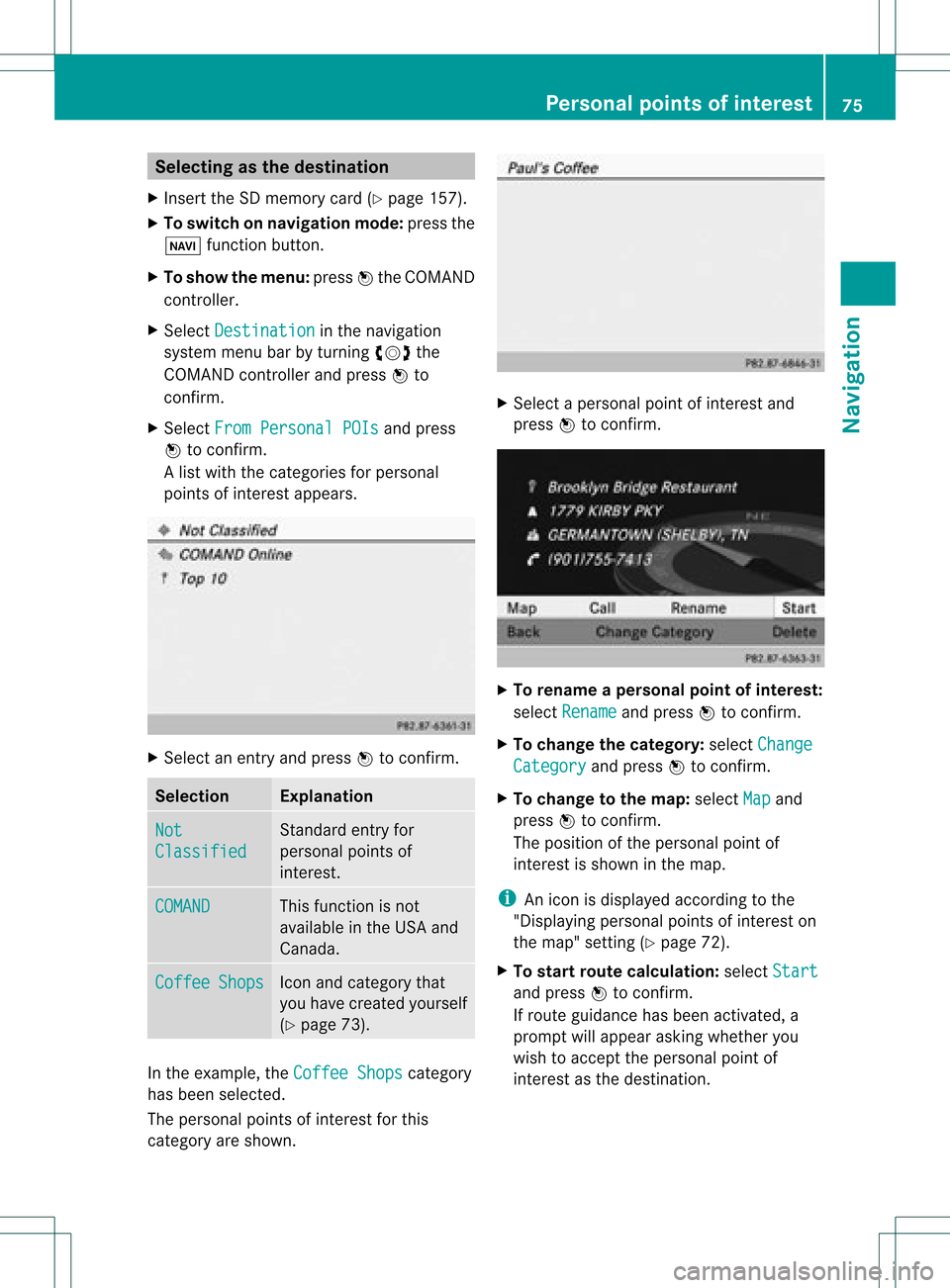
Al ist with thecategorie sfor perso nal
point sof interest appears. X
Selec tan ent ryand press Wtocon firm . Selection Expla
nation Not
Clas
sified St
andard entryfor
perso nalpoint sof
int erest . COMA
ND This
function isnot
available inthe USA and
Canada. Coff
ee Shop
s Ico
nand category that
you have created yourself
(Y page 73). In
the exam ple,theCoff eeShop s cat
egory
has been selected.
The perso nalpoint sof interest forthis
cat egory areshown . X
Selec tapersonal pointofinterest and
press Wtocon firm. X
To renam eapers onal point ofinter est:
select Rename and
press Wtocon firm.
X To change thecategor y:select Change Catego
ry and
press Wtocon firm.
X To change tothe map:select Map and
press Wtocon firm.
The position ofthe person alpoint of
int erest isshown inthe map.
i Anicon isdisplayed accordingtothe
"Displaying personalpoint sof interest on
the map" setting(Ypage 72).
X To star trout ecalculat ion:select Start and
press Wtocon firm.
If route guidance hasbeen activated, a
prompt willappear askingwhether you
wish toaccept theperson alpoint of
int erest asthe destin ation. Personal
pointsofinter est
75Navigat ion Z
Page 79 of 234
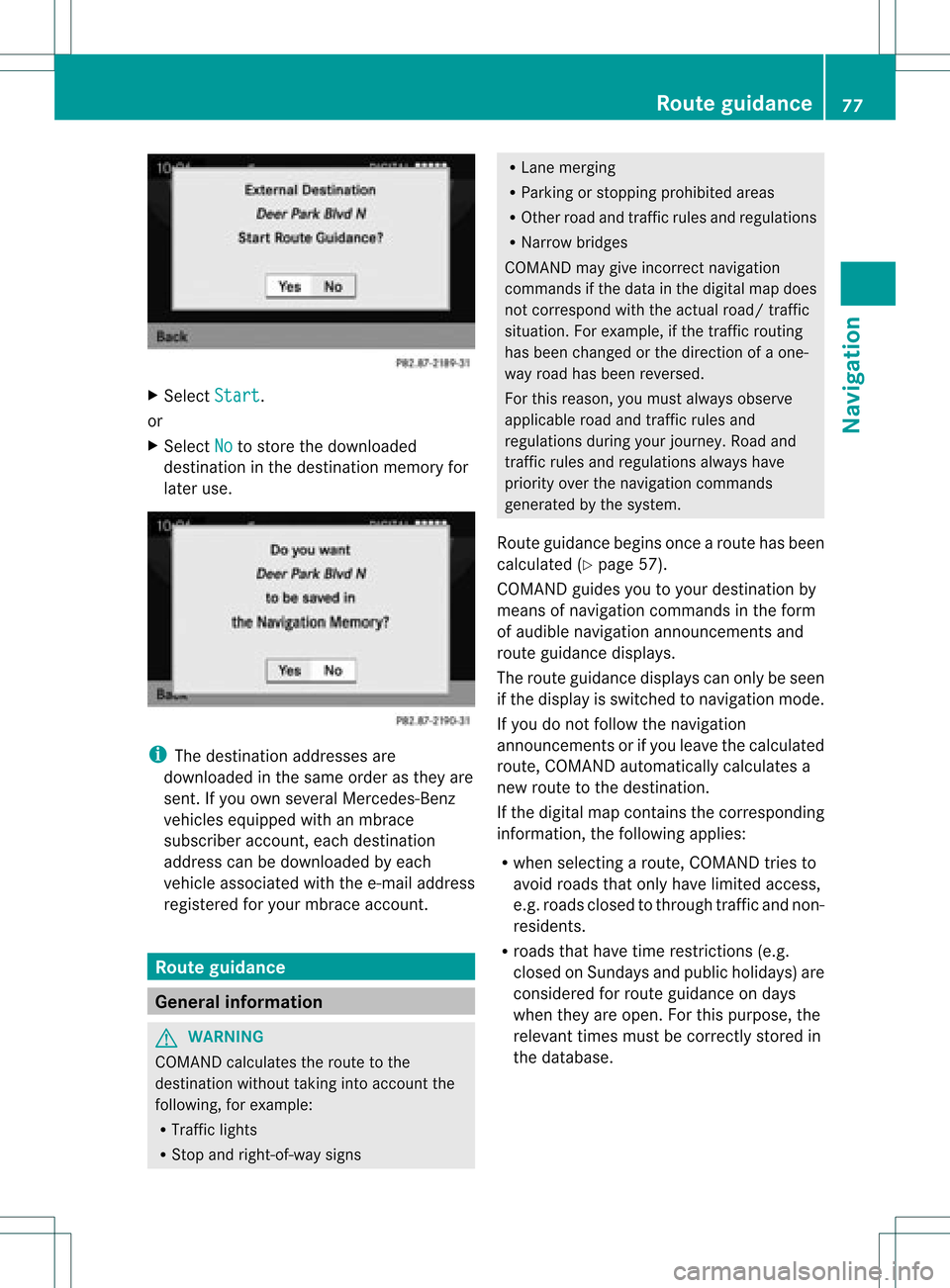
X
Sel ect Start .
or
X Sel ect No to
store thedow nloaded
de stina tioninthe destina tionmemo ryfor
la ter use. i
The destina tionaddre sse sare
dow nloaded inthe same orderas they are
sent. Ifyo uow ns everal Mercedes- Benz
vehicles equipped withanmbrace
subscriber account,each destin ation
address canbedownloaded byeach
vehicle associated withthee-mail address
register edfor your mbrace account. Rout
eguida nce General
information G
WARN
ING
COMAND calculates theroute tothe
destin ationwithout takinginto accoun tthe
following, forexample:
R Traffic lights
R Stop and right- of-way signs R
Lane mergin g
R Parkin gor stoppin gprohibited areas
R Other roadandtrafficrules andregulations
R Narrow bridges
COMAND maygiveincor rectnavigation
comm andsifthe data inthe digital mapdoes
not corr espond withtheactual road/traffic
situation .For example, ifthe traff icroutin g
has been changed orthe direct ionofaone-
way road hasbeen revers ed.
For this reason, youmust alway sobserve
applicable roadandtrafficrules and
regulations duringyourjourn ey.Road and
traff icrules andregulations alwayshave
priority overthenavigation commands
generat edbythe system.
Route guidance beginsoncear oute hasbeen
calculated (Ypage 57).
COMAND guidesyoutoyour destination by
means ofnavigation commandsinthe form
of audib lenavigation announcementsand
route guidance displays.
The route guidance displayscan only beseen
if the display isswitched tonavigation mode.
If you donot follow thenavigation
announc ementsor ifyou leave thecalculated
route, COMAND automatically calculatesa
new route tothe destination .
If the digital mapcontains thecorrespon ding
inform ation,thefollowing applies:
R when selecting aroute, COMAND triesto
avoid roads thatonly have limited access,
e.g. roads closed tothrough trafficandnon-
residents.
R roads thathave timerestriction s(e.g.
closed onSundays andpublic holiday s)are
considered forroute guidance ondays
when theyareopen. Forthis purpose, the
relevant timesmustbecorrec tlystored in
the database. Rout
eguidance
77Navigation Z
Page 80 of 234
Cha
nge ofdir ection
Int rod uction Chan
gesofdire ction have three phase s:
R Pre parat ionphase
R An nounc emen tphase
R Chan ge-of-dire ction phase
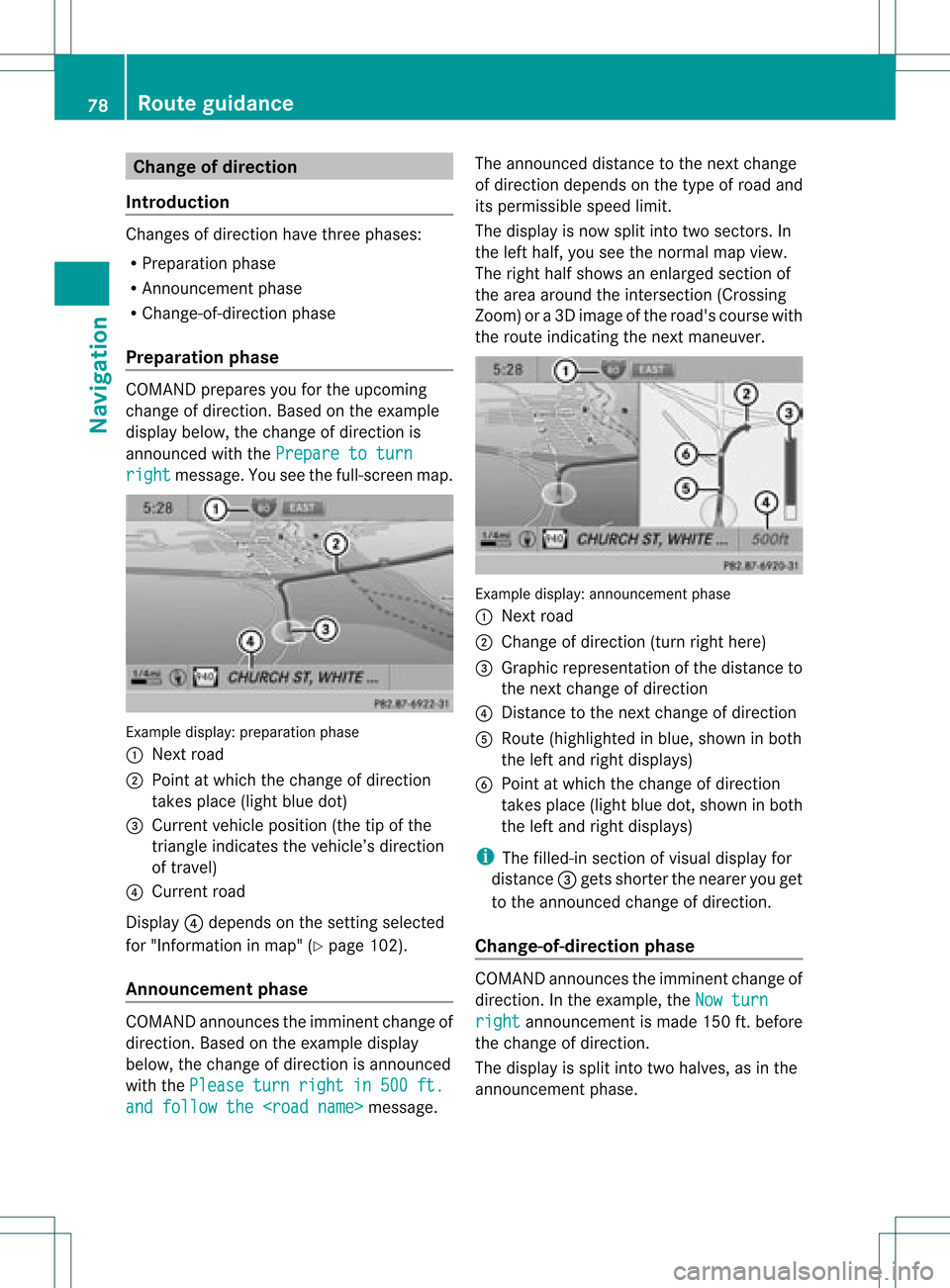
Pr epa ration phase COMA
NDprep ares youfortheupco ming
ch ang eof dire ction .Based ontheex ample
displ aybelow, thech ang eof dire ction is
ann oun ced withth ePre pareto turn rig
ht mes
sage. Youseethefull- scree nm ap. Ex
ample display:preparat ionphas e
: Nex troad
; Poin tatw hich thechange ofdirection
takes place(lightbluedot)
= Current vehicleposition (thetipofthe
triangle indicates thevehicle’s direction
of travel)
? Current road
Display ?depends onthe settin gselected
for "Information inmap" (Ypage 102).
Announc ementphase COMAND
announces theimminent changeof
direction. Basedonthe example display
below, thechange ofdirection isannounced
with thePlease turn right in 500 ft.
and
follow the
announced distancetothe next change
of direction dependsonthe type ofroad and
its permissible speedlimit.
The displa yis now split intotwosectors. In
the left half, youseethenormal mapview.
The right halfshows anenlarged sectionof
the area around theintersec tion(Crossing
Zoom) ora3D image ofthe road's course with
the route indicating thenext maneuver. Example
display:annou nceme ntpha se
: Next road
; Chang eof directi on(turnright her e)
= Graphicrepresent ationofthe distanc eto
the nextchange ofdirect ion
? Dist ance tothe nextchange ofdirect ion
A Route (highlighted inblue, shown inboth
the left and right displays)
B Point atwhich thechange ofdirect ion
takes place(lightbluedot,shown inboth
the left and right displays)
i The filled-in sectionofvisual display for
distanc e= gets short erthe nearer youget
to the announ cedchange ofdirect ion.
Change-of- direction phase COMAND
announcestheimminen tchange of
direction. Inthe example, theNow turn right announcemen
tis made 150ft.before
the change ofdirection.
The displa yis split intotwohalves, asinthe
announcemen tphase. 78
Route
guidanceNavigat ion
Page 81 of 234
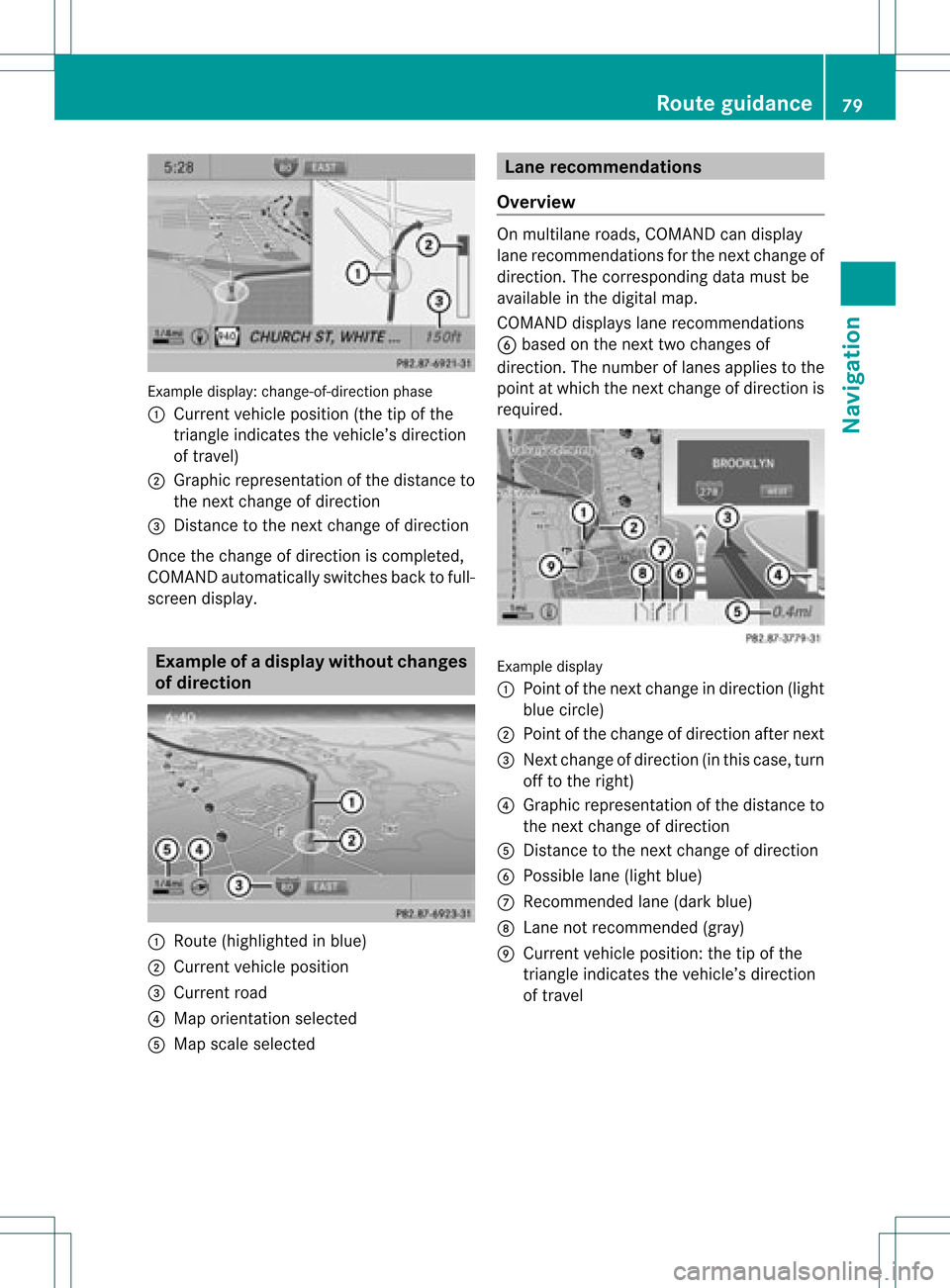
Exam
ple displ ay:c hange-of-direct ionphase
: Current vehicleposition (thetipofthe
triangle indicates thevehicle’s direction
of travel)
; Graphic representation ofthe distance to
the next change ofdirection
= Distanc eto the next change ofdirection
Once thechange ofdirection iscompleted,
COMAND automatically switchesbacktofull-
screen display. Example
ofad ispla ywithout changes
of dir ection :
Route (highlight edinblue)
; Curren tvehicle position
= Current road
? Map orient ationselect ed
A Map scale select ed Lane
recomm endations
Overview On
multilane roads,COMAND candisplay
lane recom mendat ionsforthe nextchange of
direction. Thecorresponding datamust be
availa bleinthe digital map.
COMAND displayslane recommen dations
B based onthe next twochanges of
direction. Thenumber oflanes appliestothe
point atwhich thenext change ofdirection is
required. Example
display
: Point ofthe next change indirection (light
blue circle)
; Point ofthe change ofdirection afternext
= Next change ofdirection (inthis case, turn
off tothe right)
? Graphic representat ionofthe distance to
the next change ofdirection
A Distanc eto the next change ofdirection
B Possible lane(light blue)
C Recommended lane(dark blue)
D Lane notrecommen ded(gray)
E Current vehicleposition: thetipofthe
triangle indicates thevehicle’s direction
of travel Route
guidance
79Navigation Z
Page 82 of 234
Disp
layandd escri ption oflane recom mendation s The
colo rsused inthelane recomm endatio ndisplay varydepen dingonwhet herday ornigh t
design isswitc hedon. Lane Day
design Nigh
tdesign Recom
mendedlane C
In this lane, youwillbeable tocom pleteth e
nex ttwo chan gesofdirec tionw itho ut
chan ginglanes. Dar
kblue Light
blue Possib
lelane B
In this lane, youwillonly beable tocom plete
the nextchange ofdirection without
changing lanes. Light
blue Dark
blue Lane
notrecommen dedD
In this lane, youwillnotbeable tocomplete
the next change ofdirection without
changing lanes. Gray Gray
HOV
orcarpool lanes
Ar oute maybecalculated takingthe use of
HOV orcarpool lanesintoaccount .You can
use HOV orcarpool lanesdepending onthe
number ofpersons inthe vehicle aswell as
the local andtime limitation conditions.
i This inform ationisstored inthe map data.
i You canenter thenumber ofpersons in
the vehicle (Ypage 53).Inthis section ,you
can also findmore inform ationonHOV or
carpool lanes.
When thesystem guidesyouontoor away
from HOVorcarpool lanes,COMAND issues
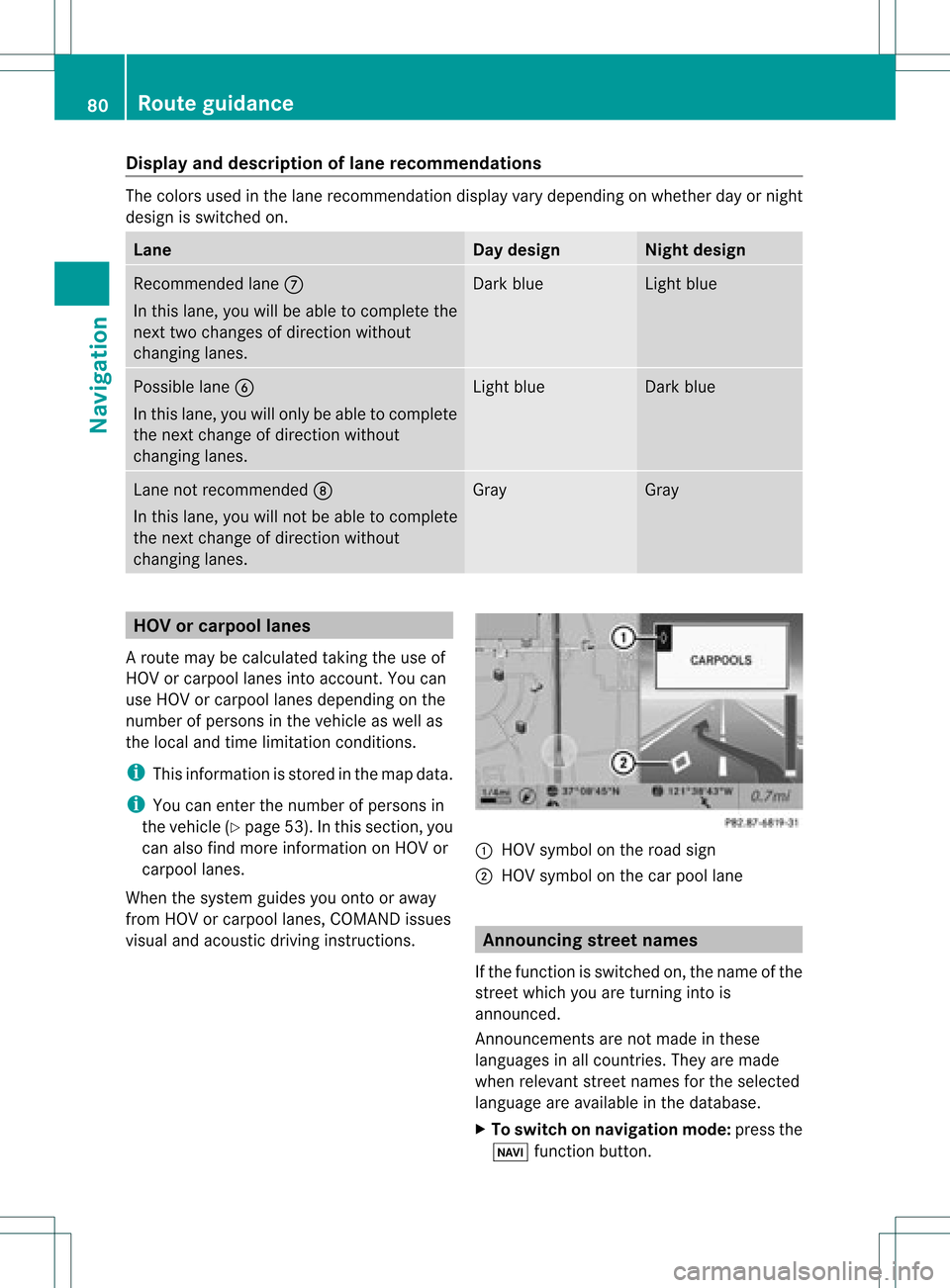
visual andacoustic drivinginstructions. :
HOV symbol onthe road sign
; HOV symbol onthe carpool lane Announci
ngstreet names
If the funct ionisswitched on,the name ofthe
street whichyouareturnin ginto is
announc ed.
Ann ouncemen tsare not made inthese
languages inall count ries.They aremade
when relevant streetnames forthe selected
language areavaila bleinthe database.
X To switch onnavigation mode:pressthe
Ø functionbutton . 80
Rout
eguidanceNa vigation
Page 87 of 234
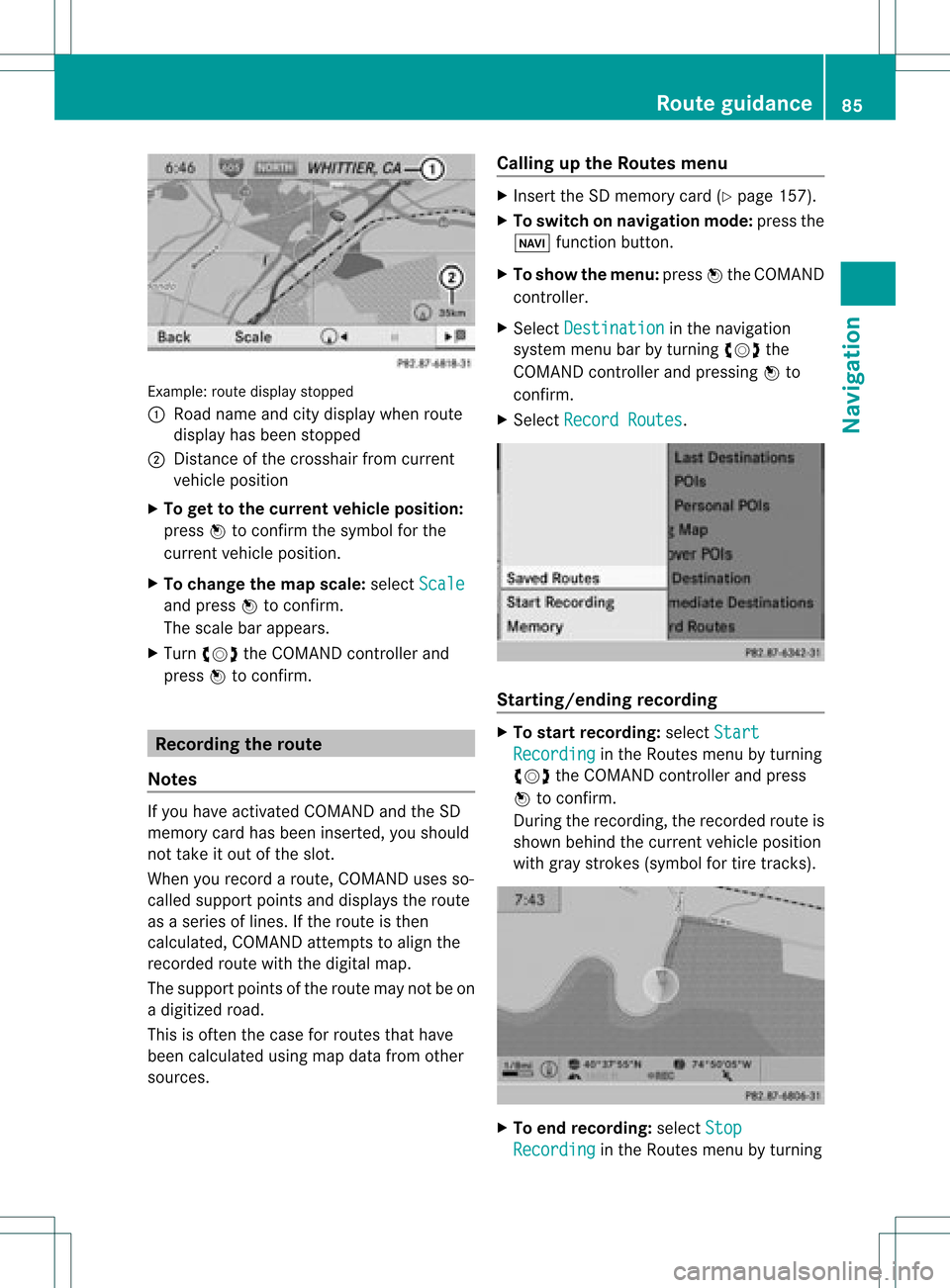
Exam
ple: rou tedispl aystop ped
: Road nam eand citydispl aywhen rou te
di spl ayhasbe en stop ped
; Distance ofthe cros shairfrom current
veh iclepo sitio n
X To gettoth ecur rent vehicle position:
pres sW tocon firm thesymbo lfor the
cur ren tvehicle position .
X To change themap scale: selectScale and
press Wtocon firm.
The scale barappears.
X Turn cVd theCOMAND controller and
press Wtocon firm. Recording
therout e
Notes If
you have activated COMAND andtheSD
memory cardhasbeen insert ed,you should
not take itout ofthe slot.
When yourecor daroute, COMAND usesso-
called support pointsand displays theroute
as aseries oflines. Ifthe route isthen
calculated, COMANDattemptstoalign the
recor dedroute withthedigital map.
The support pointsof the route maynotbeon
a digitized road.
This isoften thecase forroutes thathave
been calculated usingmapdata from other
sources. Calling
upthe Rout esmenu X
Inser tthe SDmemory card(Ypage 157).
X To switch onnavigat ionmode: pressthe
Ø function button .
X To show themenu: pressWthe COMAND
con troller .
X Select Destina tion in
the navigation
system menubarbyturn ingcVd the
COMAND controller andpressing Wto
con firm.
X Select Record Routes .
Sta
rting/ending recording X
To star trecord ing:select Start Recordi
ng in
the Routes menubyturn ing
cVd theCOMAND controller andpress
W tocon firm.
Durin gthe recor ding, therecor dedroute is
shown behind thecurren tvehicle position
with gray strokes (symbol fortire tracks). X
To end record ing:select Stop Recordi
ng in
the Routes menubyturn ing Rout
eguida nce
85Navigation Z
Page 88 of 234
cVd
theCOMAND controller andpress
W toconfirm.
Displaying andediting therecorded
route X
Insert theSDmemory card(Ypage 157).
X Select List in
the Routes menubyturning
cVd theCOMAND controller andpress
W toconfirm.
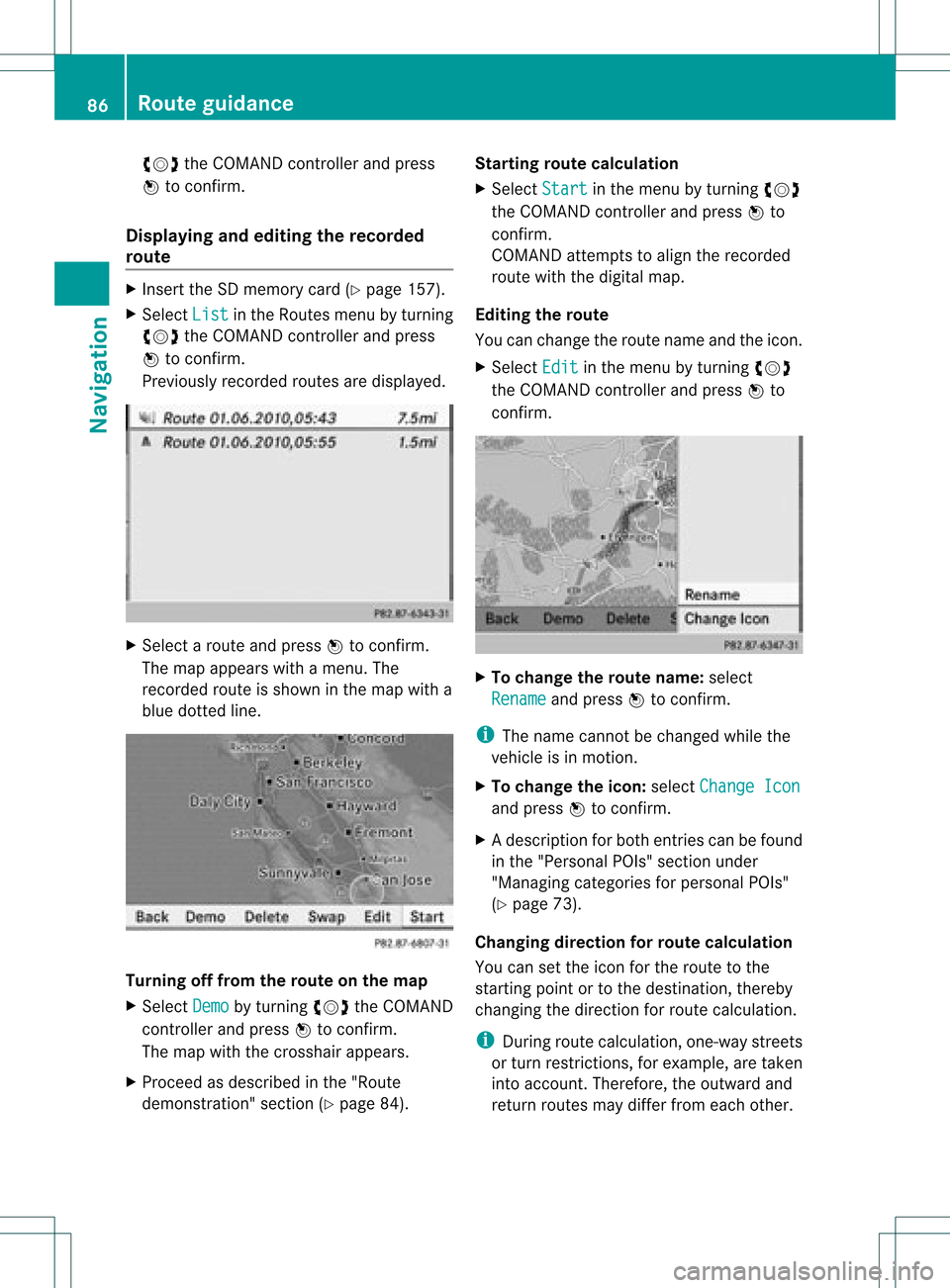
Previousl yrecorded routesaredispla yed. X
Select aroute andpress Wtoconfirm.
The map appea rswith amenu. The
recorded routeisshown inthe map witha
blue dotted line. Tur
ning offfrom theroute onthe map
X Select Demo by
turning cVdtheCOMAND
cont roller andpress Wtoconfirm.
The map withthecrosshair appears.
X Proceed asdescribed inthe "Rou te
demonstration" section(Ypage 84). Start
ingroute calculation
X Select Start in
the menu byturning cVd
the COMAND controller andpress Wto
confirm.
COMAND attemptstoalig nthe recorded
route withthedigital map.
Editing theroute
You canchange theroute name andtheicon.
X Select Edit in
the menu byturning cVd
the COMAND controller andpress Wto
confirm . X
To change theroute name: select
Rename and
press Wtoconfirm .
i The name cannot bechanged whilethe
vehicle isin motion.
X To change theicon: select Change Icon and
press Wtoconfirm .
X Ad escript ionforboth entries canbefound
in the "Personal POIs"sectionunder
"Managing categoriesforperson alPOIs"
(Y page 73).
Changing directionforrout ecalculation
You cansetthe icon forthe route tothe
start ingpoint ortothe destin ation, thereby
changin gthe direct ionforroute calculation .
i Durin groute calculation ,one- way streets
or turn restrictions, forexample, aretaken
int oaccoun t.Therefor e,the outward and
return routes maydiffer fromeach other. 86
Rout
eguida nceNavigation