change wheel MERCEDES-BENZ SLK250 2012 R172 User Guide
[x] Cancel search | Manufacturer: MERCEDES-BENZ, Model Year: 2012, Model line: SLK250, Model: MERCEDES-BENZ SLK250 2012 R172Pages: 334, PDF Size: 4.26 MB
Page 143 of 334
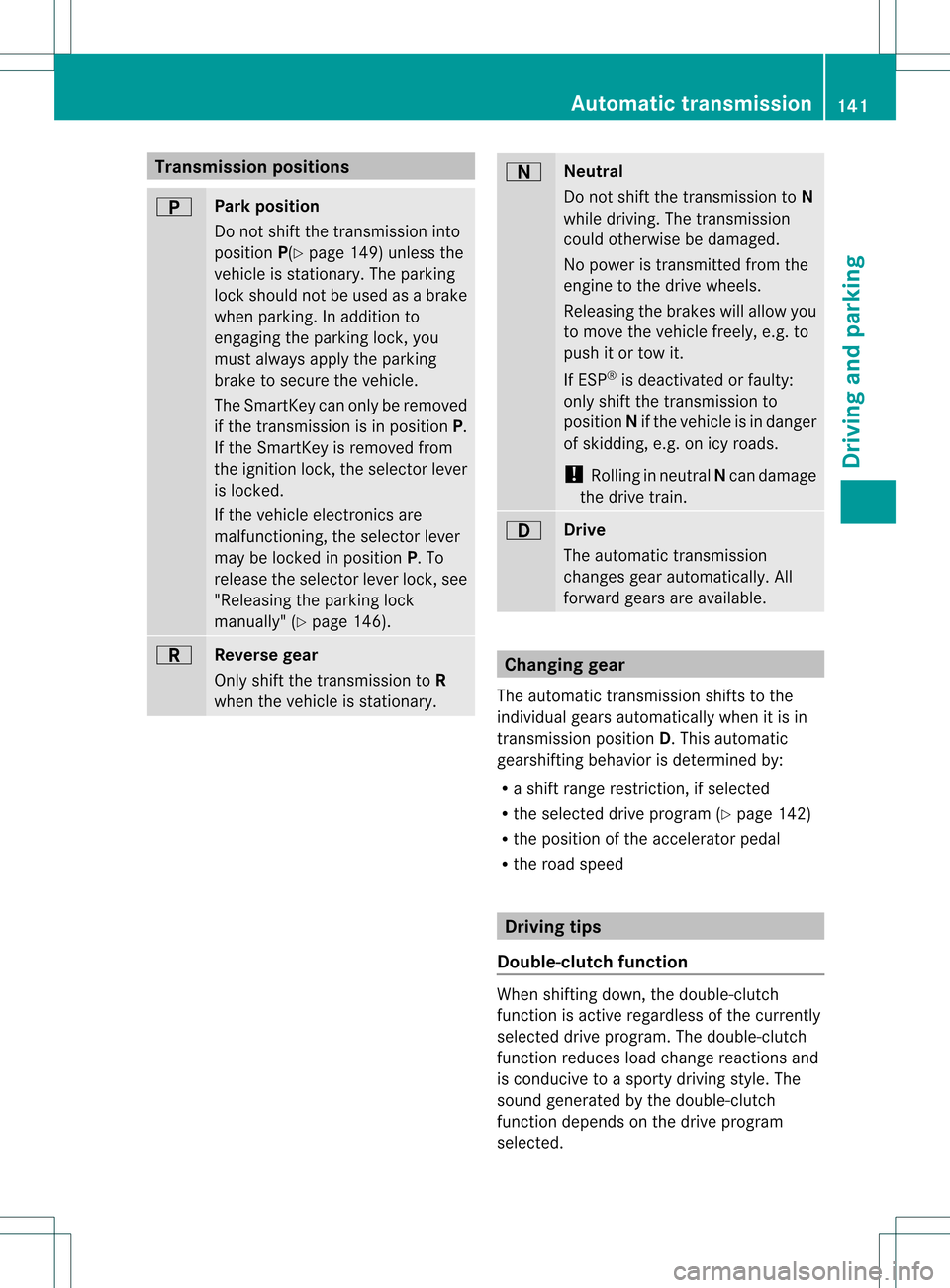
Transmission positions
0003
Park position
Do not shift the transmission into
position
P(Ypage 149) unless the
vehicle is stationary. The parking
lock should not be used as a brake
when parking. In addition to
engaging the parking lock, you
must always apply the parking
brake to secure the vehicle.
The SmartKey can onl ybe removed
if the transmission is in position P.
If the SmartKey is removed from
the ignition lock, the selector lever
is locked.
If the vehicle electronics are
malfunctioning, the selector lever
may be locked in position P. To
release the selector lever lock, see
"Releasing the parking lock
manually" (Y page 146). 0004
Reverse gear
Only shift the transmission to
R
when the vehicle is stationary. 0002
Neutral
Do not shift the transmission to
N
while driving. The transmission
could otherwise be damaged.
No power is transmitted from the
engine to the drive wheels.
Releasing the brakes will allow you
to move the vehicle freely, e.g. to
push it or tow it.
If ESP ®
is deactivated or faulty:
only shift the transmission to
position Nif the vehicle is in danger
of skidding, e.g. on icy roads.
! Rolling in neutral Ncan damage
the drive train. 0009
Drive
The automatic transmission
changes gear automatically. All
forward gears are available. Changing gear
The automatic transmission shifts to the
individual gears automatically when it is in
transmission position D.This automatic
gearshifting behavior is determined by:
R a shift range restriction, if selected
R the selected drive program (Y page 142)
R the position of the accelerator pedal
R the road speed Driving tips
Double-clutch function When shifting down, the double-clutch
function is active regardless of the currently
selected drive program. The double-clutch
function reduces load change reactions and
is conducive to a sporty driving style. The
sound generated by the double-clutch
function depends on the drive program
selected. Automatic transmission
141Driving and parking Z
Page 144 of 334
Kickdown
Use kickdown for maximum acceleration.
X
Vehicles for USA (excep tAMG
vehicles): fully depress the accelerator
pedal.
The transmission shifts to a lower gear
depending on the engine speed.
X Vehicles for Canada and AMG vehicles:
depress the accelerator pedal beyond the
pressure point.
The transmission shifts to a lower gear
depending on the engine speed.
Working on the vehicle G
WARNING
When working on the vehicle, engage the
electronic parking brake and shift the
automatic transmission into park position P.
Otherwise the vehicle could roll away which
could resul tinanaccident and/or serious
personal injury. Program selecto
rbutton
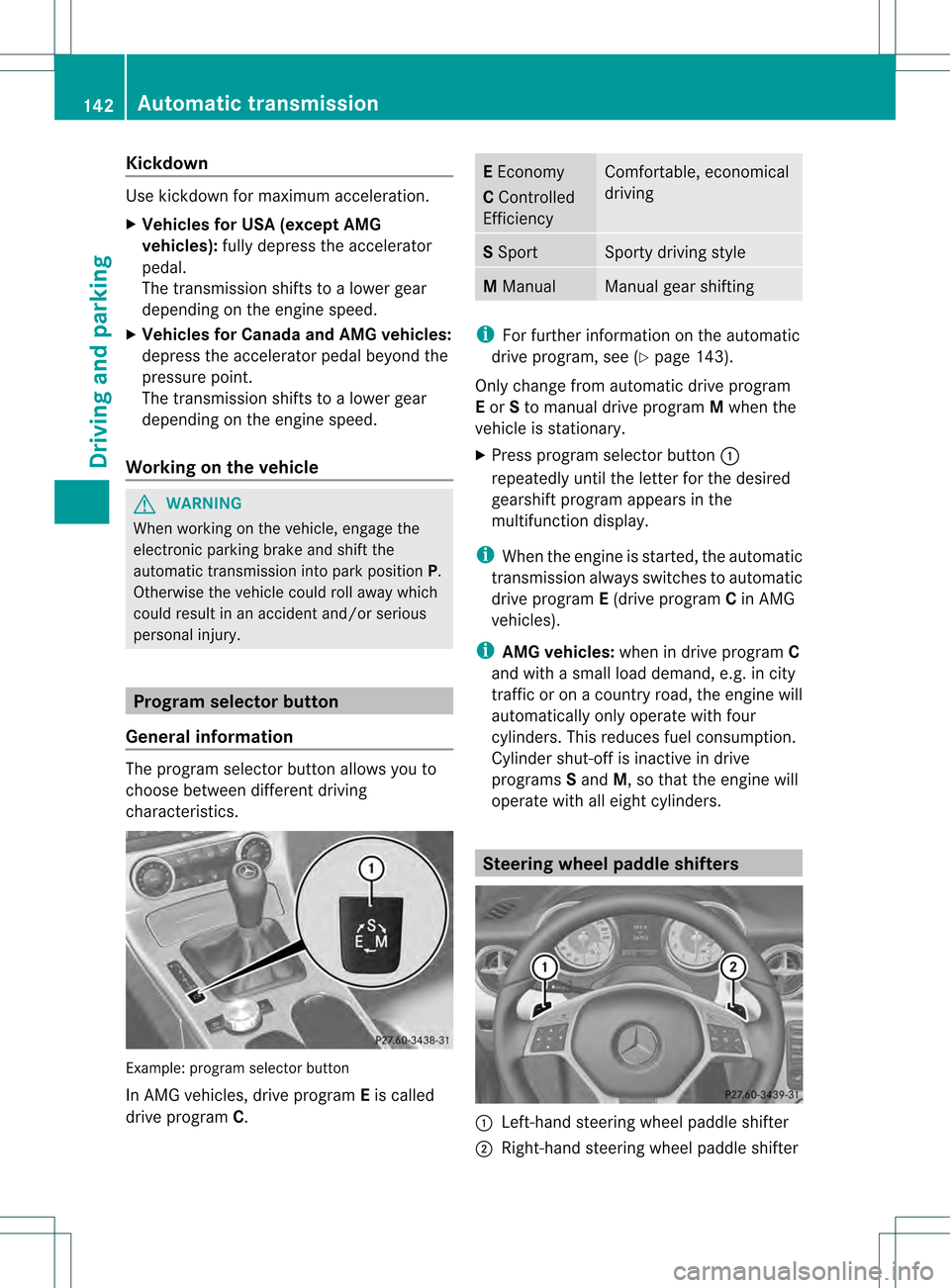
General information The progra
mselecto rbutton allows you to
choose between different driving
characteristics. Example: program selector button
In AMG vehicles, drive program
Eis called
drive program C. E
Economy
C Controlled
Efficiency Comfortable, economical
driving
S
Sport Sporty driving style
M
Manual Manual gear shifting
i
For further information on the automatic
drive program, see (Y page 143).
Only change from automatic drive program
E or Sto manual drive program Mwhen the
vehicle is stationary.
X Press program selector button 0002
repeatedly until the lette rfor the desired
gearshift program appears in the
multifunction display.
i When the engine is started, the automatic
transmission always switches to automatic
drive program E(drive program Cin AMG
vehicles).
i AMG vehicles: when in drive program C
and with a small load demand, e.g. in city
traffic or on a country road, the engine will
automatically only operate with four
cylinders. This reduces fuel consumption.
Cylinder shut-of fis inactive in drive
programs Sand M, so that the engine will
operate with all eight cylinders. Steering wheel paddle shifters
0002
Left-hand steering wheel paddle shifter
0003 Right-hand steering wheel paddle shifter 142
Automatic transmissionDriving and parking
Page 145 of 334
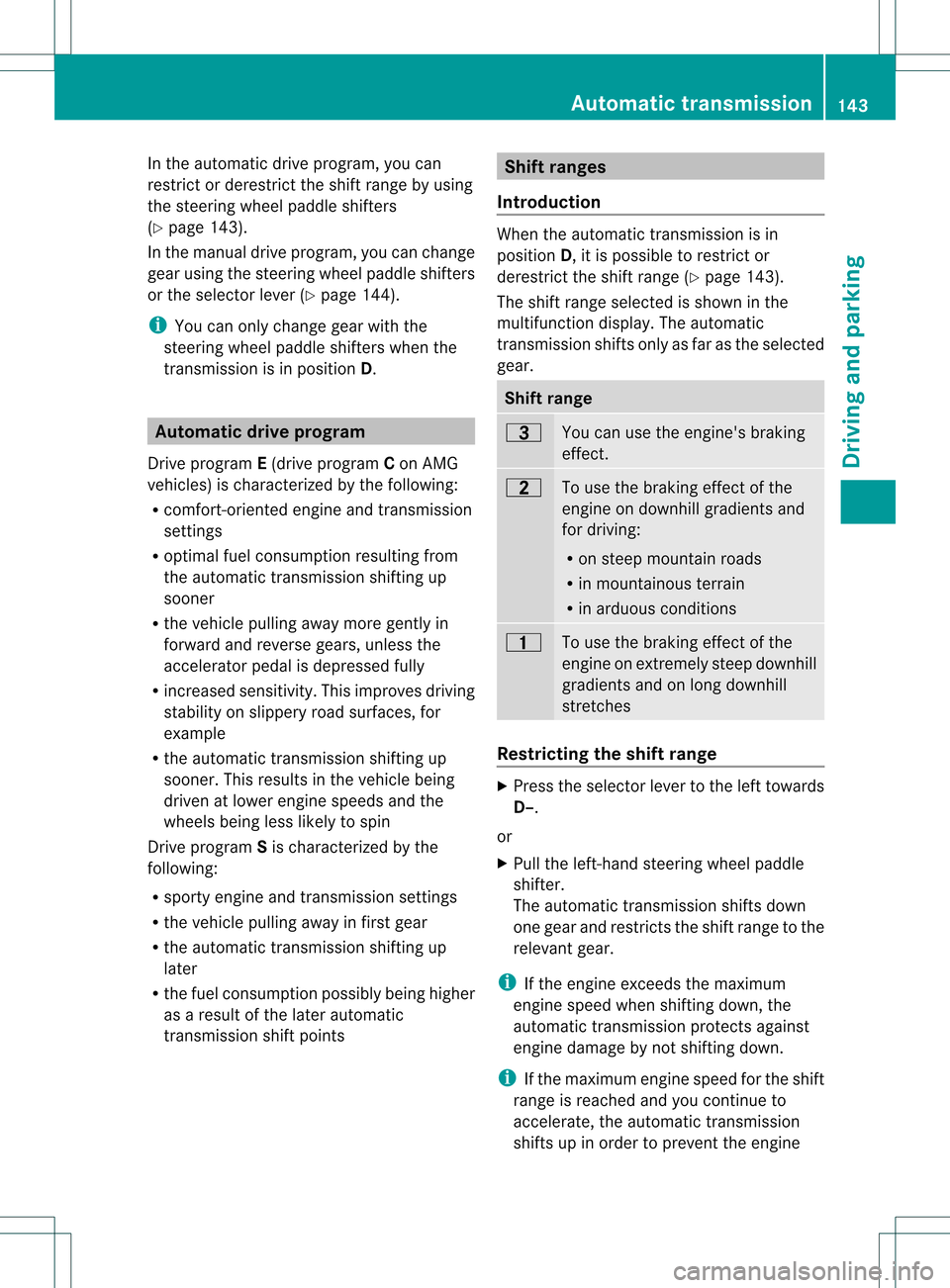
In the automatic drive program, you can
restrict or derestrict the shift range by using
the steering wheel paddle shifters
(Y page 143).
In the manual drive program, you can change
gear using the steering wheelp addle shifters
or the selecto rlever (Y page 144).
i You can only change gear with the
steering wheel paddle shifters when the
transmission is in position D.Automatic drive program
Drive program E(drive program Con AMG
vehicles) is characterized by the following:
R comfort-oriented engine and transmission
settings
R optimal fuel consumption resulting from
the automatic transmission shifting up
sooner
R the vehicle pulling away more gently in
forward and reverse gears, unless the
accelerator pedal is depressed fully
R increased sensitivity. This improves driving
stability on slippery road surfaces, for
example
R the automatic transmission shifting up
sooner .This results in the vehicle being
driven at lower engine speeds and the
wheels being less likely to spin
Drive program Sis characterized by the
following:
R sporty engine and transmission settings
R the vehicle pulling away in first gear
R the automatic transmission shifting up
later
R the fuel consumption possibly being higher
as a result of the later automatic
transmission shift points Shift ranges
Introduction When the automatic transmission is in
position
D, it is possible to restrict or
derestrict the shift range (Y page 143).
The shift range selected is shown in the
multifunction display. The automatic
transmission shifts only as far as the selected
gear. Shift range
0008
You can use the engine's braking
effect.
000B
To use the braking effect of the
engine on downhill gradients and
for driving:
R
on steep mountain roads
R in mountainous terrain
R in arduous conditions 000F
To use the braking effect of the
engine on extremely steep downhill
gradients and on long downhill
stretches
Restricting the shift range
X
Press the selector lever to the left towards
D–.
or
X Pull the left-hand steering wheel paddle
shifter.
The automatic transmission shifts down
one gear and restricts the shift range to the
relevant gear.
i If the engine exceeds the maximum
engine speed when shifting down, the
automatic transmission protects against
engine damage by not shifting down.
i If the maximum engine speed for the shift
range is reached and you continue to
accelerate, the automatic transmission
shifts up in order to prevent the engine Automatic transmission
143Driving and parking Z
Page 146 of 334
from overrevving, even if the shift range is
restricted.
Derestricting the shift range X
Briefly press the selector leve rto the right
towards D+.
or
X Pull the right-hand steerin gwheel paddle
shifter.
The shift range is derestricted.
Clearing the shift range restriction X
Press and hold the selector lever towards
D+ until Dis shown once more in the
multifunction display.
or
X Pull and hold the right-hand steering wheel
paddle shifter until Dis shown again in the
multifunction display.
The automatic transmission shifts from the
current shift range directly to D.
Selecting the ideal shift range X
Press the selector lever to the left towards
D– and hold it in position.
or
X Pull the left-hand steering wheel paddle
shifter and hold it in position.
The automatic transmission shifts to the
gear which allows optimum acceleration
and deceleration. To do this, the automatic
transmission shifts down one or more
gears. Manual drive program
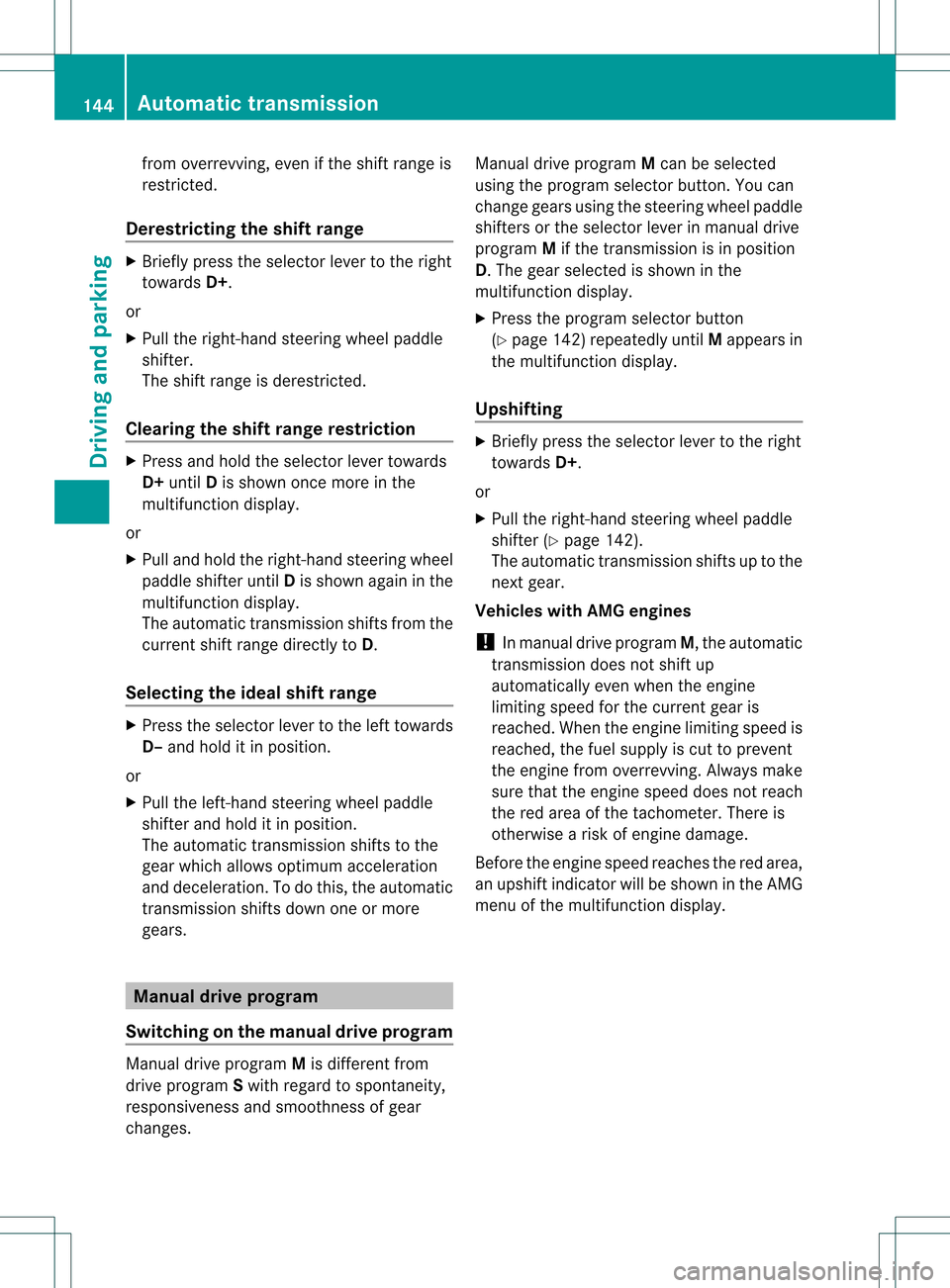
Switching on the manual drive program Manual drive program
Mis different from
drive program Swith regard to spontaneity,
responsiveness and smoothness of gear
changes. Manual drive program
Mcan be selected
using the program selector button. You can
change gears using the steering wheel paddle
shifters or the selector lever in manual drive
program Mif the transmission is in position
D.T he gear selected is shown in the
multifunction display.
X Press the program selector button
(Y page 142) repeatedly until Mappears in
the multifunction display.
Upshifting X
Briefly press the selector lever to the right
towards D+.
or
X Pull the right-hand steering wheel paddle
shifter (Y page 142).
The automatic transmission shifts up to the
next gear.
Vehicles with AMG engines
! In manual drive program M, the automatic
transmission does not shift up
automatically even when the engine
limiting speed for the current gear is
reached. When the engine limiting speed is
reached, the fuel supply is cut to prevent
the engine from overrevving. Always make
sure that the engine speed does not reach
the red area of the tachometer. There is
otherwise a risk of engine damage.
Before the engine speed reaches the red area,
an upshift indicator will be shown in the AMG
menu of the multifunction display. 144
Automatic transmissionDriving and parking
Page 147 of 334
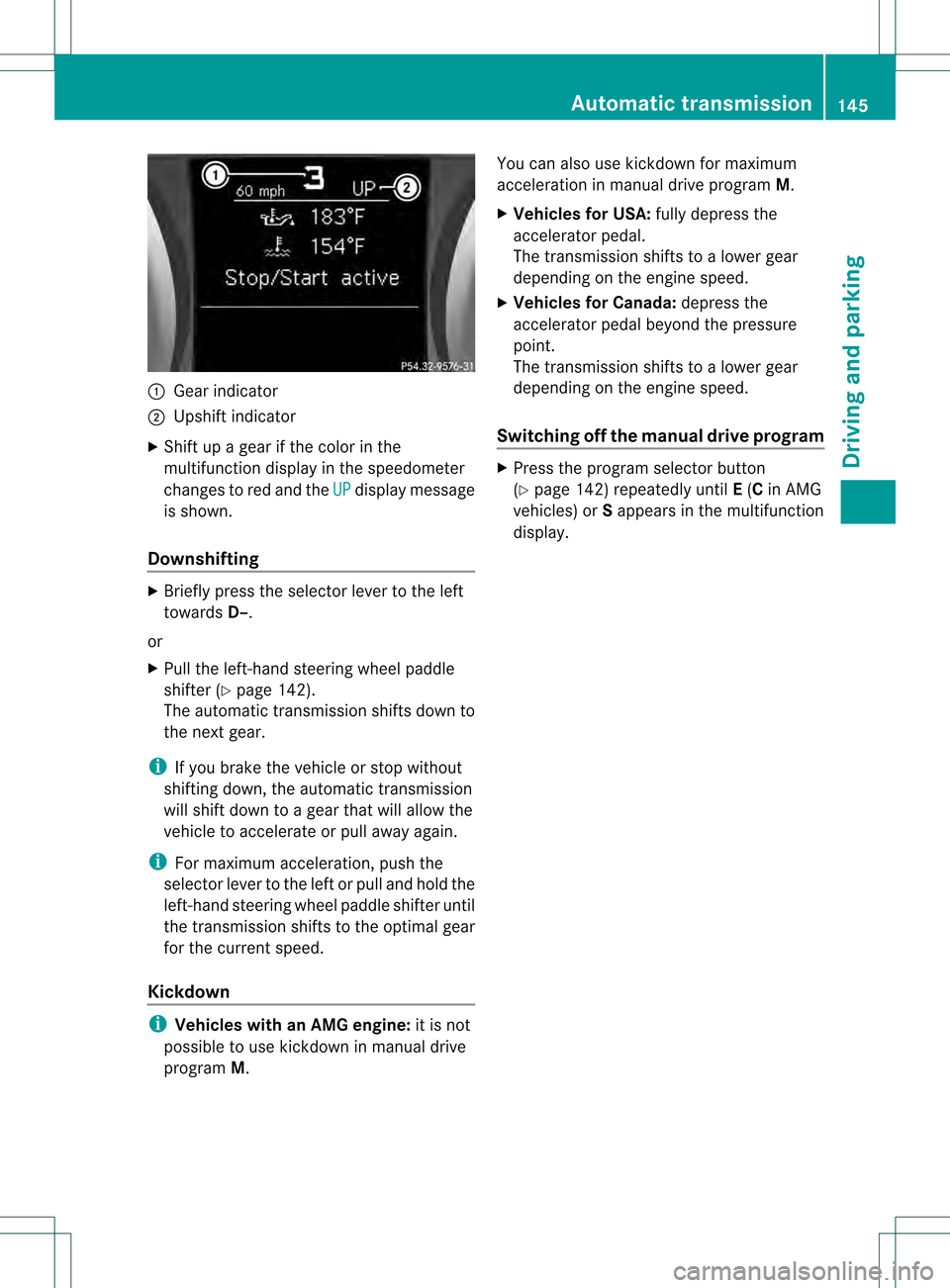
0002
Gear indicator
0003 Upshif tindicator
X Shift up a gear if the color in the
multifunctio ndisplay in the speedometer
changes to red and the UP display message
is shown.
Downshifting X
Briefly press the selector lever to the left
towards D–.
or
X Pull the left-hand steerin gwheel paddle
shifter (Y page 142).
The automatic transmission shifts down to
the next gear.
i If you brake the vehicle or stop without
shifting down, the automatic transmission
will shift down to a gear that will allow the
vehicle to accelerate or pull away again.
i For maximum acceleration, push the
selector lever to the left or pull and hold the
left-hand steering wheel paddle shifter until
the transmission shifts to the optimal gear
for the current speed.
Kickdown i
Vehicles with an AMG engine: it is not
possible to use kickdown in manual drive
program M. You can also use kickdown for maximum
acceleration in manual drive program
M.
X Vehicles for USA: fully depress the
accelerator pedal.
The transmission shifts to a lower gear
depending on the engine speed.
X Vehicles for Canada: depress the
accelerator pedal beyond the pressure
point.
The transmission shifts to a lower gear
depending on the engine speed.
Switching off the manuald rive program X
Press the progra mselecto rbutton
(Y page 142) repeatedly until E(C in AMG
vehicles) or Sappears in the multifunction
display. Automatic transmission
145Driving and parking Z
Page 155 of 334
Exhaust check
G
WARNING
Inhalation of exhaust gas is hazardous to your
health. All exhaust gas contains carbon
monoxide (CO), and inhaling it can cause
unconsciousness and possible death.
Do no trun the engin einconfined areas (such
as a garage) which are not properly ventilated.
If you think that exhaust gas fumes are
entering the vehicle while driving, have the
cause determined and corrected
immediately. If you must drive under these
conditions, drive only with at least one
window fully open at all times.
Certain engine systems are designed to keep
the level of poisonous components in exhaust
fumes within legal limits.
These systems only work at peak efficiency if
they are serviced exactly in accordance with
the manufacturer's specifications. For this
reason, all work on the engine should only be
carried out by qualified and authorized
Mercedes-Benz technicians.
The engine settings must not be changed
under any circumstances. Furthermore, all
specific service work must be carried out at
regular intervals and in accordance with the
Mercedes-Benz service requirements. Details
can be found in the Maintenance Booklet. Brakes
Important safety notes G
WARNING
On slippery road surfaces, never downshift in
order to obtain braking action. This could
result in drive wheel slip and reduced vehicle
control. Your vehicle's ABS will not prevent
this type of loss of control. G
WARNING
Make sure that you do not endanger other
road users when you apply the brakes. Downhill gradients !
On long and steep gradients, you must
reduce the load on the brakes by shifting
early to a lower gear. This allows you to take
advantage of the engine braking effect and
helps avoid overheating and excessive
wear of the brakes.
When you take advantage of the engine
braking effect, a drive wheel may not turn
for some time, e.g. on a slippery road
surface. This could cause damage to the
drive train. This type of damage is not
covered by the Mercedes-Benz warranty.
Heavy and light loads G
WARNING
Depressing the brake pedal constantly results
in excessive and premature wear to the brake
pads.
It may also cause the brakes to overheat,
seriously impairing their effectiveness. It may
then not be possible to stop the vehicle in
sufficient time to avoid an accident.
If the brakes have been subjected to a heavy
load, do not stop the vehicle immediately, but
drive on for a short while. This allows the
airflow to cool the brakes more quickly.
Wet roads G
WARNING
After driving in heavy rain for some time
without applying the brakes or through water
deep enough to wet brake components, the
first braking action may be somewhat
reduced. You have to depress the brake pedal
more firmly. Maintain a safe distance from
vehicles in front.
After driving on a wet road or having the
vehicle washed, brake firmly while paying
attention to the traffic conditions. This will
warm up the brake discs, thereby drying them
more quickly and protecting them against
corrosion. Driving tips
153Driving and parking Z
Page 158 of 334

control. Your vehicle's ABS will not prevent
this type of loss of control.
Drive particularly carefully on slippery road
surfaces. Avoid sudde nacceleration, steering
and braking maneuvers. Do not use cruise
control.
If the vehicle threatens to skid or cannot be
stopped when moving at low speed:
X Vehicles with manual transmission:
shift to neutral.
X Vehicles with automatic transmission:
shift the transmissio nto position N.
i For more information on driving with
snow chains, see (Y page 297).G
WARNING
Make sure that you do not endanger other
road users when you apply the brakes. Driving systems
Cruise control
Important safety notes Cruise control maintains a constant road
speed for you. It brakes automatically in order
to avoid exceeding the set speed. You must
select a low gear in good time on long and
steep downhill gradients, especially if the
vehicle is laden. Select shift range 1,2or 3
on vehicles with automatic transmission in
order to use the engine's braking effect,
which relieves the load on the brake system
and prevents the brakes from overheating
and wearing too quickly.
Use cruise control only if road and traffic
conditions make it appropriate to maintain a
steady speed for a prolonged period. You can
store any road speed above 20 mph
(30 km/h). G
WARNING
The cruise control is a convenience system
designed to assist the driver during vehicle operation. The driver is and must always
remain responsible for the vehicle's speed
and for safe brake operation.
Only use the cruise control if the road, traffic,
and weather conditions make it advisable to
travel at a constant speed.
R
The use of the cruise control can be
dangerous on winding roads or in heavy
traffic because conditions do not allow safe
driving at a constant speed.
R The use of the cruise control can be
dangerous on slippery roads. Rapid
changes in tire traction can result in wheel
spin and loss of control.
R Deactivate the cruise control when driving
in fog.
The "Resume" function should only be
operated if the driver is fully aware of the
previously set speed and wishes to resume
this particular preset speed.
Cruise control lever 0002
To activate or increase speed
0003 To activate or reduce speed
0023 To deactivate cruise control
0022 To activate at the current speed/last
stored speed
When you activate cruise control, the stored
speed is shown in the multifunction display
for five seconds. After that, it is permanently
shown in the status indicator:
R USA only: e.g., CRUISE 55Miles R
Canada only: e.g. 001090 Km/h156
Driving systemsDriving and parking
Page 161 of 334
As DISTRONIC PLUS transmits radar waves,
it can resemble the radar detectors of the
responsible authorities. You can refer to the
relevant chapte rinthe Operator's Manual if
questions are asked about this.
i USA only:
This device has been approved by the FCC
as a “Vehicular RadarS ystem”.The radar
sensor is intended for use in an automotive
radar system only. Removal, tampering, or
altering of the device will void any
warranties, and is not permitted by the
FCC. Do not tamper with, alter, or use in
any non-approved way.
Any unauthorized modification to this
device could void the user’s authority to
operate the equipment.
i Canada only: This device complies with
RSS-210 of Industry Canada. Operation is
subject to the following two conditions:
1. This device may not cause interference,
and
2. this device must accept any interference
received, including interference that may
cause undesired operation of the device.
Removal, tampering, or altering of the
device will void any warranties and is not
permitted. Do not tamper with, alter, or use
the device in any non-approved way.
Any unauthorized modification to this
device could void the user's authority to
operate the equipment. G
WARNING
DISTRONIC PLUS distance is not a substitute
for the active intervention of the driver. It does
not detect pedestrians or stationary objects,
nor can it detect, recognize or predict the
road's course or the movements of vehicles
in front. DISTRONIC PLUS can only brake the
vehicle using 40% of the vehicle's maximum
available brake force.
DISTRONIC PLUS may not detect narrow
vehicles driving in front, e.g. motorcycles, or
vehicles driving in the lane beyond the lane next to your vehicle, especially if the vehicles
are not driving on the middle of their lane.
The driver must always pay careful attention
to the road, weather and traffic conditions.
The driver must drive, steer and brake in a
manner which will allow him to always have
control of the vehicle.
Sources of high-frequency radio waves, such
as toll stations, speed-measuring radar, etc.,
can cause DISTRONIC PLUS to fail
temporarily.
G
WARNING
The DISTRONIC PLUS cannot take road and
traffic conditions into account. Only use the
DISTRONIC PLUS if the road, weather and
traffic conditions make it advisable to travel
at a constant speed. G
WARNING
Use of the DISTRONIC PLUS can be
dangerous on slippery roads. Rapid changes
in tire traction can result in wheel spin and
loss of control.
The DISTRONIC PLUS does not function in
adverse sight and distance conditions. Do not
use the DISTRONIC PLUS during conditions of
fog, heavy rain, snow or sleet. G
WARNING
The DISTRONIC PLUS cannot take weather
conditions into account. Switch off the
DISTRONIC PLUS or do not switch it on if:
R roads are slippery or covered with snow or
ice. The wheels could lose traction while
braking or accelerating, and the vehicle
could skid.
R the DISTRONIC PLUS system sensor covers
are dirty or visibility is diminished due to
snow, rain or fog, for example. The distance
control system functionality could be
impaired.
Always pay attention to surrounding traffic
conditions even while the DISTRONIC PLUS is
switched on. Otherwise, you may not be able
to recognize dangerous situations until it is Driving systems
159Driving and parking
Z
Page 178 of 334
until the arrow is white and a warning tone
sounds.
X To reverse into the parking space:
maintai nthe steering wheel angle and
reverse carefully.
X Stop as soon as you hear a warning tone,
The vehicle has reached the position in
which you need to countersteer.
The Please steer to the left or
Please steer to the right message
appears in the multifunction display.
X Countersteering: while the vehicle is
stationary, turn the steering wheel in the
specified direction until the arrow is white
and a warning tone sounds.
X To reverse into the parking space:
maintain the steering wheel angle and
reverse carefully.
X Stop as soon as you hear a warning tone,
at the latest when PARKTRONIC sounds the
continuous warning tone.
The Parking Guidance finished message appears in the multifunction
display and a warning tone sounds. You
may be asked to steer in a different
direction and then change gear. In this
case, further displays in the multifunction
display will direct you to the final position.
X Maneuver if necessary.
X Always observe the warning messages
displayed by PARKTRONIC (Y page 171).
Canceling Parking Guidance X
Press the PARKTRONIC button on the
center console (Y page 172).
Parking Guidance is canceled immediately
and PARKTRONIC is deactivated.
Parking Guidance is canceled automatically if
it is no longer possible to guide you into the
parking space, or if a malfunction occurs.
The parking space symbol goes out and a
warning tone sounds. The ParkingGuidance Canceled message appears in the
multifunction display. ATTENTION ASSIST
Important safety notes ATTENTION ASSIST helps you during long,
monotonous journeys such as on freeways
and interstate highways. It is active in the
range between 50 mph (80 km/h) and
112 mph (180 km/h).
If ATTENTION ASSIST detects typical
indicators of fatigue or increasing lapses in
concentration on the part of the driver, it
suggests you take a break.
G
WARNING
ATTENTION ASSIST is only an aid and may
detect your tiredness or lapses in
concentration too late or not at all. It is not a
substitute for a well-rested and attentive
driver.
Fatigue may cause you to recognize
hazardous situations too late, misjudge a
situation or react more slowly.F or this
reason, make sure you feel rested before you
begin driving and during your journey. Make
sure that you take regular breaks in time,
particularly on long journeys. Otherwise, you
may fail to recognize dangers in time, cause
an accident and injure yourself and others.
ATTENTION ASSIST assesses your level of
fatigue or lapses in concentration by taking
the following criteria into account:
R your personal driving style, e.g. steering
characteristics
R driving conditions, e.g. time, driving time
The functionality of ATTENTION ASSIST is
restricted and warnings may be delayed or
not occur at all:
R if the road condition is poor, e.g. if the
surface is uneven or if there are potholes
R if there is a strong side wind
R if you have adopted a sporty driving style
with high cornering speeds or high rates of
acceleration 176
Driving systemsDriving and parking
Page 183 of 334
Coolant temperature display
G
WARNING
Driving when your engine is overheated can
cause some fluids which may have leaked into
the engine compartment to catch fire. You
could be seriously burned.
Steam from an overheated engine can cause
serious burns which can occur jus tby opening
the engine hood. Stay away from the engine
if you see or hear steam coming from it.
Stop the vehicle in a safe location away from
other traffic. Turn off the engine, get out of the
vehicle and do no tstand nea rthe vehicle until
the engine has cooled down.
The coolant temperature gauge is in the
instrumentc luster on the right-hand side.
Under normal operating conditions and with
the specified coolan tlevel, the coolant
temperature may rise to 248 ‡ (120 †).
! Adisplay message is shown if the coolant
temperature is too high.
If the coolant temperature is over
248 ‡(120 †), do not continue driving. The
engine will otherwise be damaged. Tachometer
The red band in the tachometer indicates the
engine's overrevving range.
! Do not drive in the overrevving range, as
this could damage the engine.
The fuel supply is interrupted to protect the
engine when the red band is reached. Outside temperature display
The outside temperature display is in the
multifunction display (Y page 183).G
WARNING
The outside temperature indicator is not
designed to serve as an ice-warning device
and is therefore unsuitable for that purpose. Indicated temperatures just above the
freezing point do not guarantee that the road
surface is free of ice. The road may still be icy,
especially in wooded areas or on bridges.
Changes in the outside temperature are
displayed after a shor tdelay. Speedometer with segments
The segments in the speedometer indicate
which speed range is available.
Cruise control (Y page 156) activated:
The segments light up from the stored speed
to the maximum speed.
DISTRONIC PLUS (Y page 158) activated:
One or two segments in the set speed range
light up.
DISTRONIC PLUS detects a vehicle in front:
The segments between the speed of the
vehicle in fron tand the stored speed light up. Operating the on-board computer
Overview The on-board compute
ris activated as soon
as you turn the SmartKey to position 1in the
ignition lock.
You can control the multifunction display and
the settings in the on-board computer using
the buttons on the multifunction steering
wheel. Displays and operation
181On-board computer and displays Z