ignition MERCEDES-BENZ SLS-CLASS 2013 Workshop Manual
[x] Cancel search | Manufacturer: MERCEDES-BENZ, Model Year: 2013, Model line: SLS-CLASS, Model: MERCEDES-BENZ SLS-CLASS 2013Pages: 286, PDF Size: 3.6 MB
Page 164 of 286
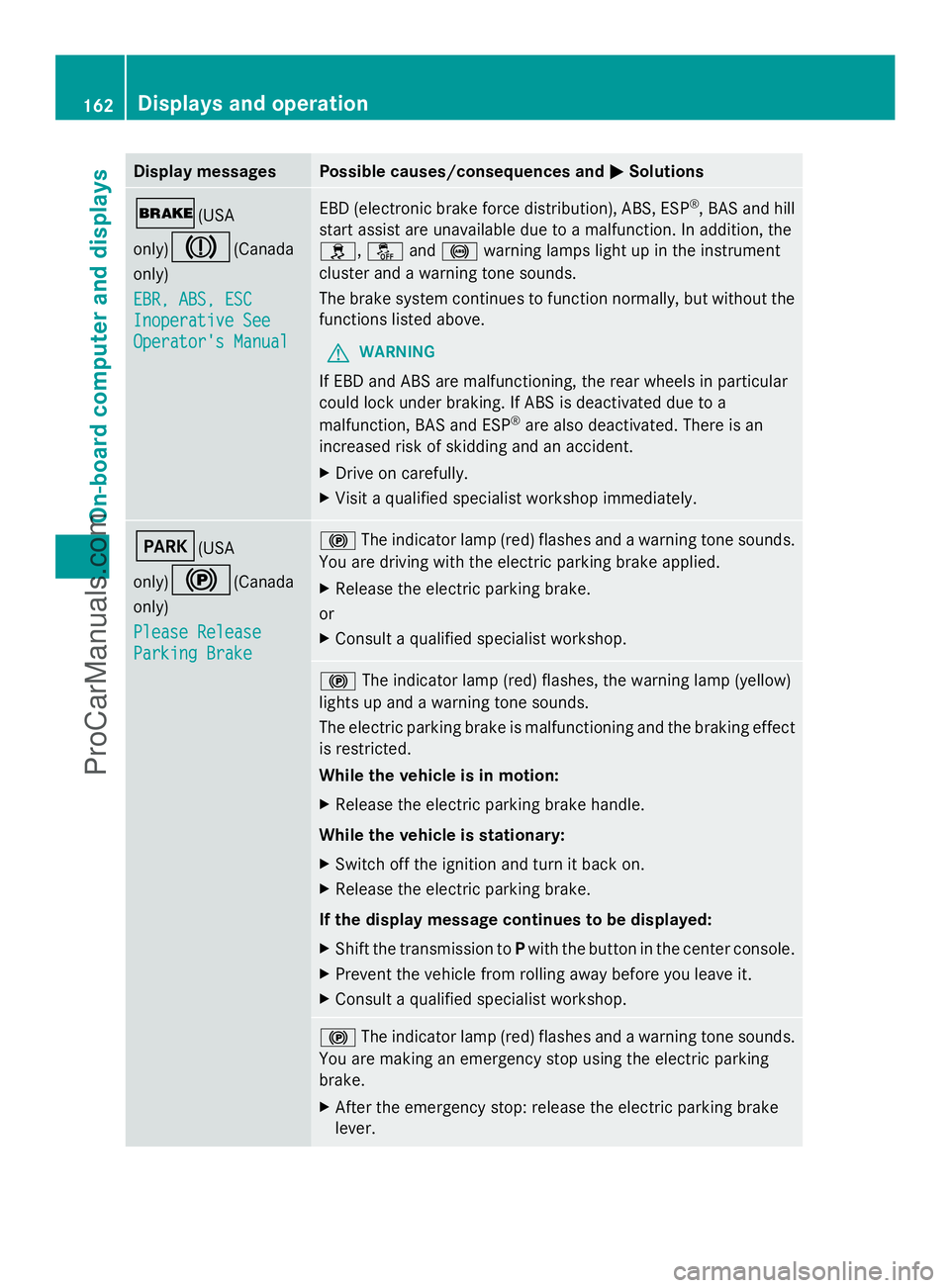
Display messages Possible causes/consequences and
M
MSolutions $(USA
only)
J(Canada
only)
EBR, ABS, ESC EBR, ABS, ESC
Inoperative See Inoperative See
Operator's Manual Operator's Manual EBD (electronic brake force distribution), ABS, ESP
®
, BAS and hill
start assist are unavailable due to a malfunction. In addition, the
h, åand! warning lamps light up in the instrument
cluster and a warning tone sounds.
The brake system continues to function normally, but without the
functions listed above.
G WARNING
If EBD and ABS are malfunctioning, the rear wheels in particular
could lock under braking. If ABS is deactivated due to a
malfunction, BAS and ESP ®
are also deactivated. There is an
increased risk of skidding and an accident.
X Drive on carefully.
X Visit a qualified specialist workshop immediately. F(USA
only)
!(Canada
only)
Please Release Please Release
Parking Brake Parking Brake !
The indicator lamp (red) flashes and a warning tone sounds.
You are driving with the electric parking brake applied.
X Release the electric parking brake.
or
X Consult a qualified specialist workshop. !
The indicator lamp (red) flashes, the warning lamp (yellow)
lights up and a warning tone sounds.
The electric parking brake is malfunctioning and the braking effect
is restricted.
While the vehicle is in motion:
X Release the electric parking brake handle.
While the vehicle is stationary:
X Switch off the ignition and turn it back on.
X Release the electric parking brake.
If the display message continues to be displayed:
X Shift the transmission to Pwith the button in the center console.
X Prevent the vehicle from rolling away before you leave it.
X Consult a qualified specialist workshop. !
The indicator lamp (red) flashes and a warning tone sounds.
You are making an emergency stop using the electric parking
brake.
X After the emergency stop: release the electric parking brake
lever. 162
Displays and operationOn-board compu
ter and displays
ProCarManuals.com
Page 165 of 286
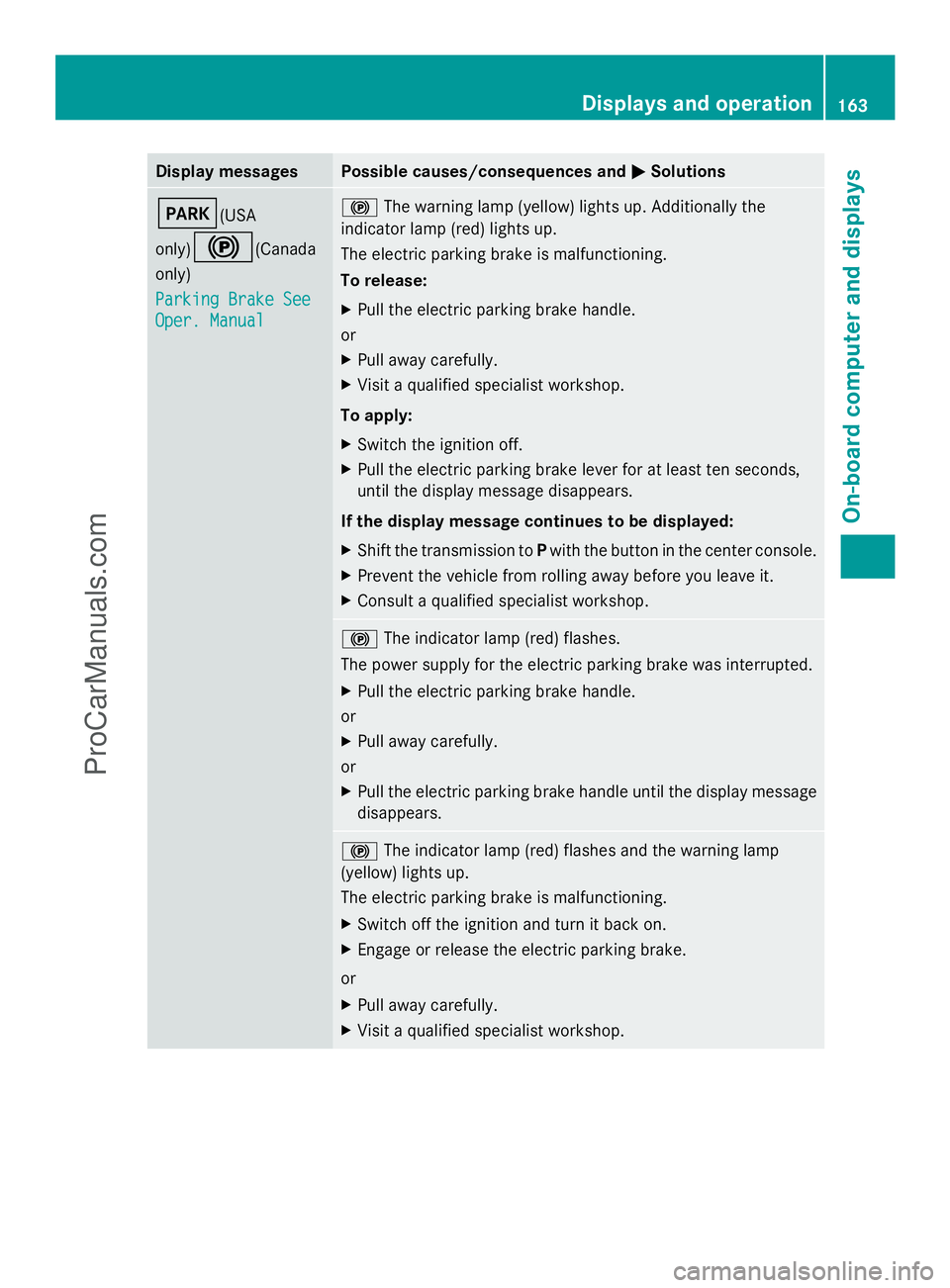
Display messages Possible causes/consequences and
M
MSolutions F(USA
only)
!(Canada
only)
Parking Brake See Parking Brake See
Oper. Manual Oper. Manual !
The warning lamp (yellow) lights up. Additionally the
indicator lamp (red) lights up.
The electric parking brake is malfunctioning.
To release:
X Pull the electric parking brake handle.
or
X Pull away carefully.
X Visit a qualified specialist workshop.
To apply:
X Switch the ignition off.
X Pull the electric parking brake lever for at least ten seconds,
until the display message disappears.
If the display message continues to be displayed:
X Shift the transmission to Pwith the button in the center console.
X Prevent the vehicle from rolling away before you leave it.
X Consult a qualified specialist workshop. !
The indicator lamp (red) flashes.
The power supply for the electric parking brake was interrupted.
X Pull the electric parking brake handle.
or
X Pull away carefully.
or
X Pull the electric parking brake handle until the display message
disappears. !
The indicator lamp (red) flashes and the warning lamp
(yellow) lights up.
The electric parking brake is malfunctioning.
X Switch off the ignition and turn it back on.
X Engage or release the electric parking brake.
or
X Pull away carefully.
X Visit a qualified specialist workshop. Displays and operation
163On-board computer and displays Z
ProCarManuals.com
Page 166 of 286
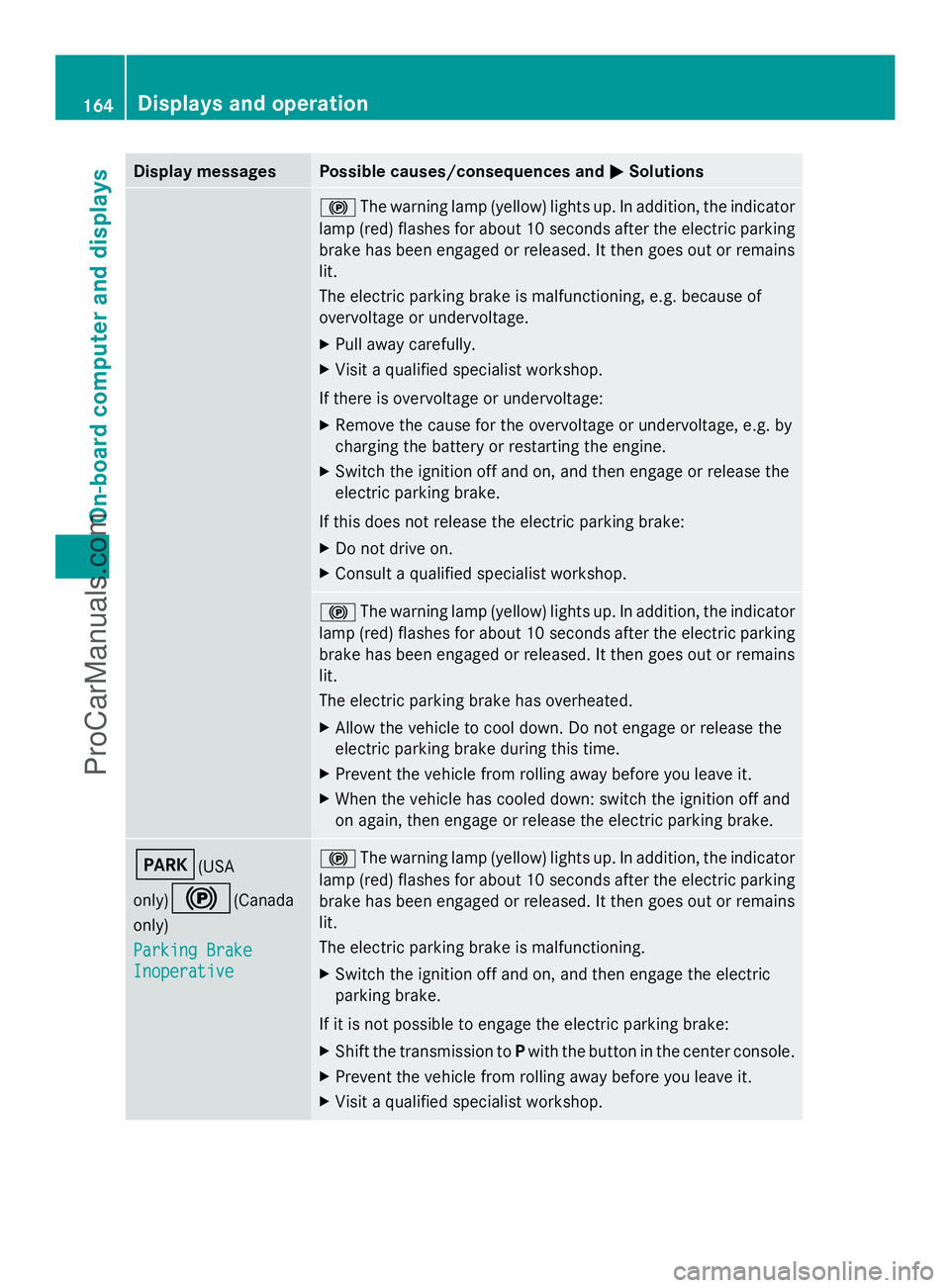
Display messages Possible causes/consequences and
M
MSolutions !
The warning lamp (yellow) lights up. In addition, the indicator
lamp (red) flashes for about 10 seconds after the electric parking
brake has been engaged or released. It then goes out or remains
lit.
The electric parking brake is malfunctioning, e.g. because of
overvoltage or undervoltage.
X Pull away carefully.
X Visit a qualified specialist workshop.
If there is overvoltage or undervoltage:
X Remove the cause for the overvoltage or undervoltage, e.g. by
charging the battery or restarting the engine.
X Switch the ignition off and on, and then engage or release the
electric parking brake.
If this does not release the electric parking brake:
X Do not drive on.
X Consult a qualified specialist workshop. !
The warning lamp (yellow) lights up. In addition, the indicator
lamp (red) flashes for about 10 seconds after the electric parking
brake has been engaged or released. It then goes out or remains
lit.
The electric parking brake has overheated.
X Allow the vehicle to cool down. Do not engage or release the
electric parking brake during this time.
X Prevent the vehicle from rolling away before you leave it.
X When the vehicle has cooled down: switch the ignition off and
on again, then engage or release the electric parking brake. F(USA
only)
!(Canada
only)
Parking Brake Parking Brake
Inoperative Inoperative !
The warning lamp (yellow) lights up. In addition, the indicator
lamp (red) flashes for about 10 seconds after the electric parking
brake has been engaged or released. It then goes out or remains
lit.
The electric parking brake is malfunctioning.
X Switch the ignition off and on, and then engage the electric
parking brake.
If it is not possible to engage the electric parking brake:
X Shift the transmission to Pwith the button in the center console.
X Prevent the vehicle from rolling away before you leave it.
X Visit a qualified specialist workshop. 164
Displays and operationOn-board compu
ter and displays
ProCarManuals.com
Page 167 of 286
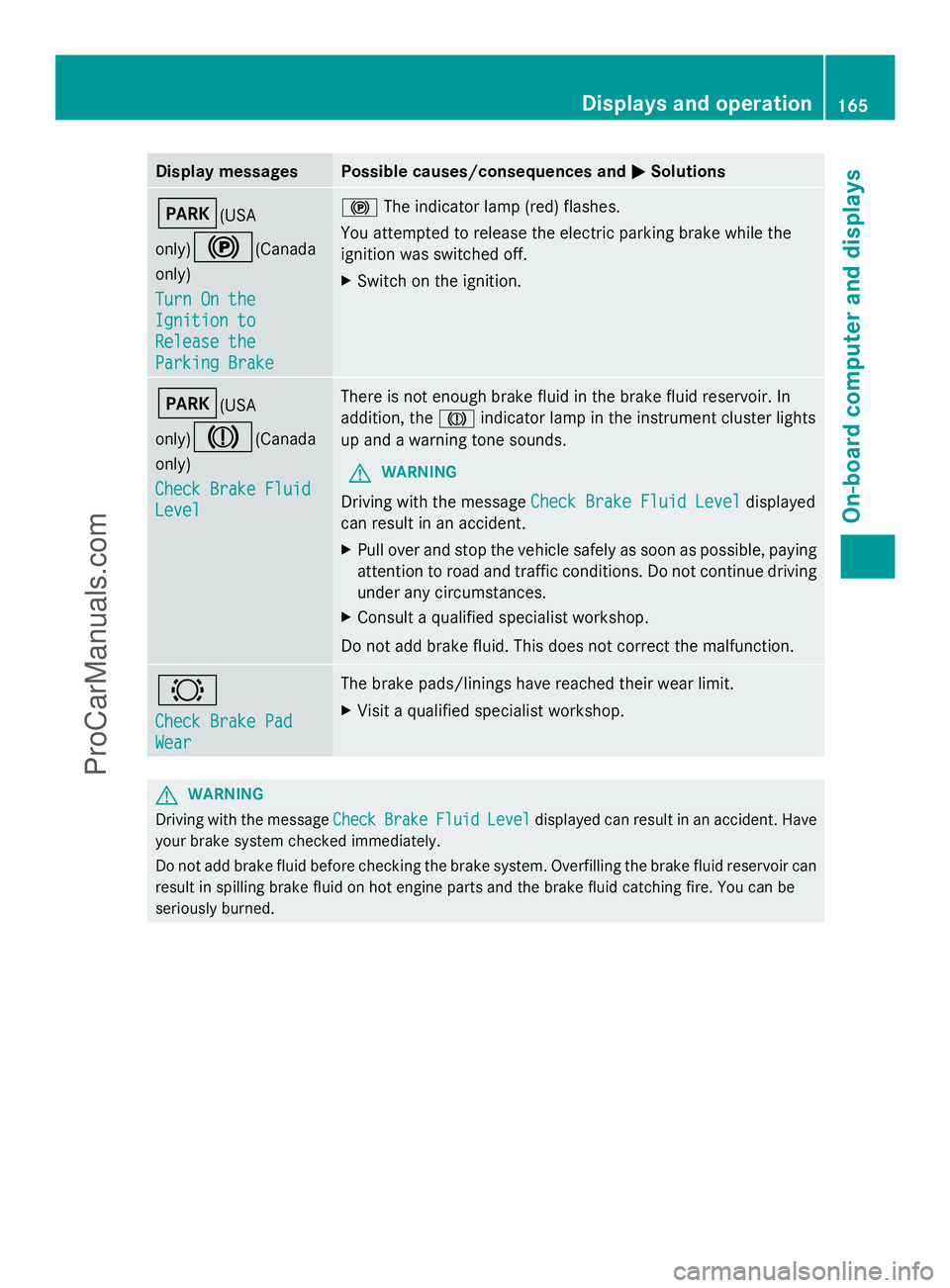
Display messages Possible causes/consequences and
M
MSolutions F(USA
only)
!(Canada
only)
Turn On the Turn On the
Ignition to Ignition to
Release the Release the
Parking Brake Parking Brake !
The indicator lamp (red) flashes.
You attempted to release the electric parking brake while the
ignition was switched off.
X Switch on the ignition. F(USA
only)
J(Canada
only)
Check Brake Fluid Check Brake Fluid
Level Level There is not enough brake fluid in the brake fluid reservoir. In
addition, the
Jindicator lamp in the instrument cluster lights
up and a warning tone sounds.
G WARNING
Driving with the message Check Brake Fluid Level Check Brake Fluid Level displayed
can result in an accident.
X Pull over and stop the vehicle safely as soon as possible, paying
attention to road and traffic conditions. Do not continue driving
under any circumstances.
X Consult a qualified specialist workshop.
Do not add brake fluid. This does not correct the malfunction. #
Check Brake Pad Check Brake Pad
Wear Wear The brake pads/linings have reached their wear limit.
X
Visit a qualified specialist workshop. G
WARNING
Driving with the message Check CheckBrake
BrakeFluid
FluidLevel
Leveldisplayed can result in an accident. Have
your brake system checked immediately.
Do not add brake fluid before checking the brake system. Overfilling the brake fluid reservoir can
result in spilling brake fluid on hot engine parts and the brake fluid catching fire. You can be
seriously burned. Displays and operation
165On-board computer and displays Z
ProCarManuals.com
Page 168 of 286
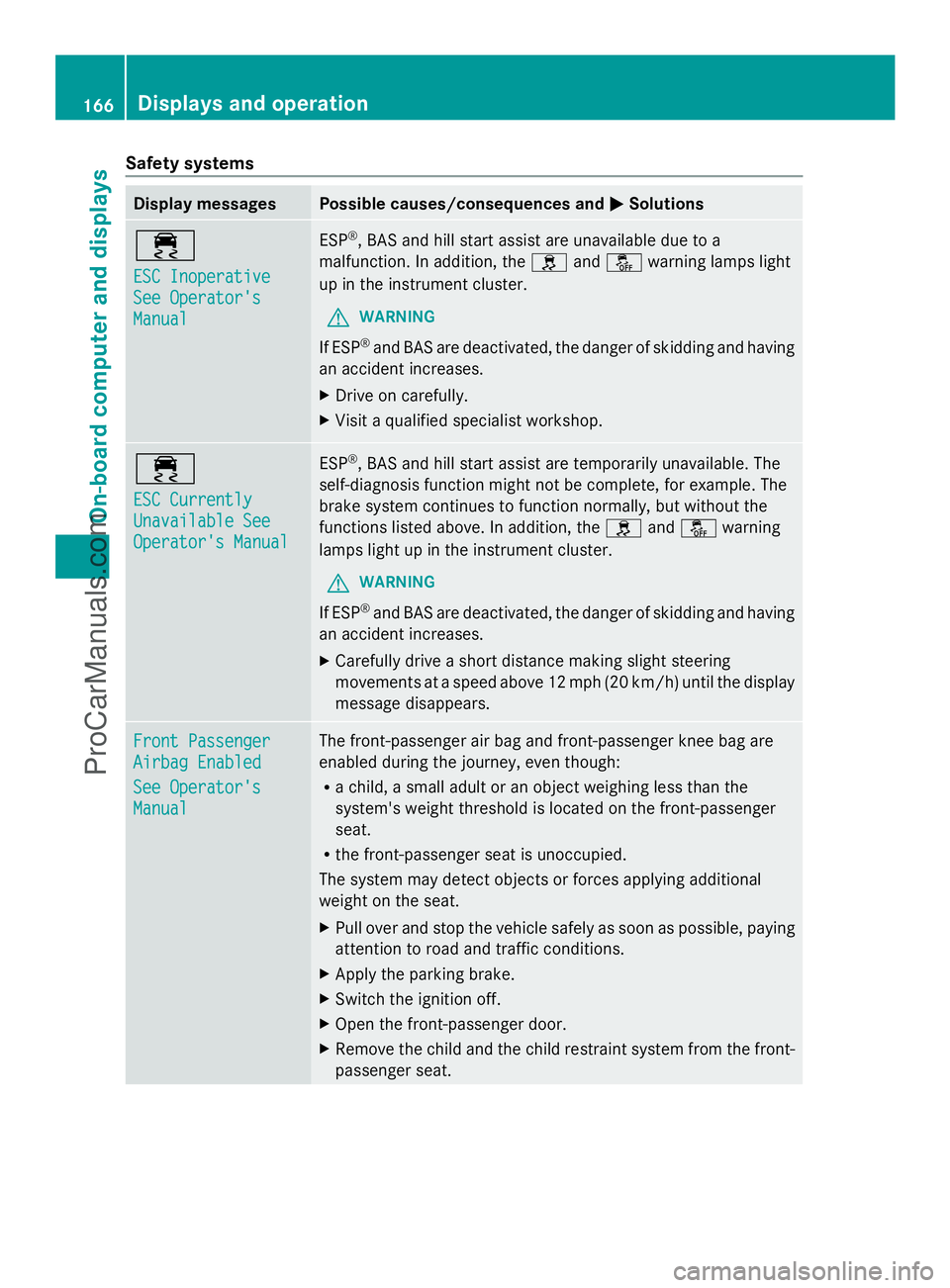
Safety systems
Display messages Possible causes/consequences and
M
MSolutions ÷
ESC Inoperative ESC Inoperative
See Operator's See Operator's
Manual Manual ESP
®
, BAS and hill start assist are unavailable due to a
malfunction. In addition, the handå warning lamps light
up in the instrument cluster.
G WARNING
If ESP ®
and BAS are deactivated, the danger of skidding and having
an accident increases.
X Drive on carefully.
X Visit a qualified specialist workshop. ÷
ESC Currently ESC Currently
Unavailable See Unavailable See
Operator's Manual Operator's Manual ESP
®
, BAS and hill start assist are temporarily unavailable. The
self-diagnosis function might not be complete, for example. The
brake system continues to function normally, but without the
functions listed above. In addition, the handå warning
lamps light up in the instrument cluster.
G WARNING
If ESP ®
and BAS are deactivated, the danger of skidding and having
an accident increases.
X Carefully drive a short distance making slight steering
movements at a speed above 12 mph (20 km/h) until the display
message disappears. Front Passenger Front Passenger
Airbag Enabled Airbag Enabled
See Operator's See Operator's
Manual Manual The front-passenger air bag and front-passenger knee bag are
enabled during the journey, even though:
R
a child, a small adult or an object weighing less than the
system's weight threshold is located on the front-passenger
seat.
R the front-passenger seat is unoccupied.
The system may detect objects or forces applying additional
weight on the seat.
X Pull over and stop the vehicle safely as soon as possible, paying
attention to road and traffic conditions.
X Apply the parking brake.
X Switch the ignition off.
X Open the front-passenger door.
X Remove the child and the child restraint system from the front-
passenger seat. 166
Displays and operationOn-board computer and displays
ProCarManuals.com
Page 169 of 286
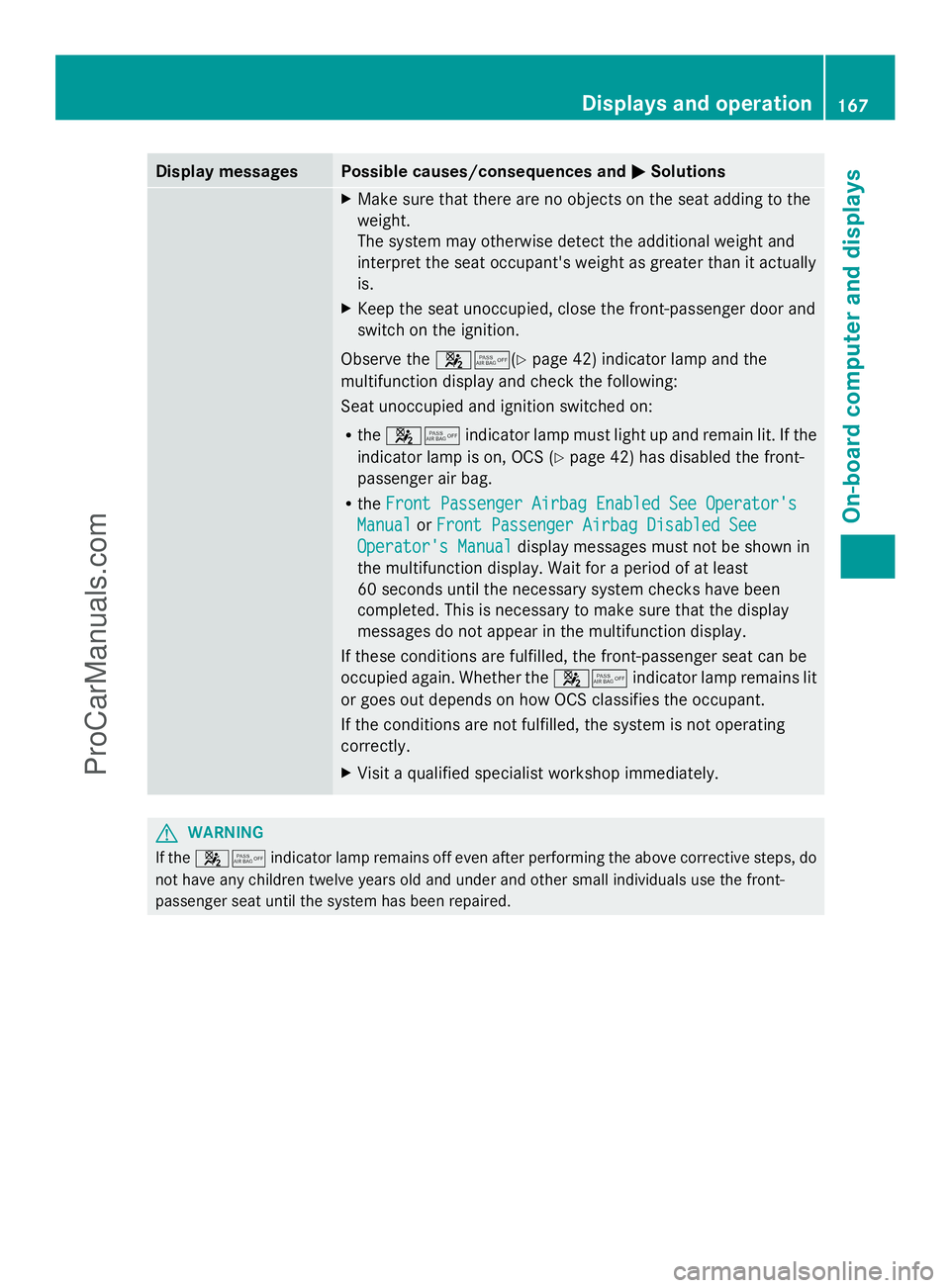
Display messages Possible causes/consequences and
M
MSolutions X
Make sure that there are no objects on the seat adding to the
weight.
The system may otherwise detect the additional weight and
interpret the seat occupant's weight as greater than it actually
is.
X Keep the seat unoccupied, close the front-passenger door and
switch on the ignition.
Observe the 45(Ypage 42) indicator lamp and the
multifunction display and check the following:
Seat unoccupied and ignition switched on:
R the 45 indicator lamp must light up and remain lit. If the
indicator lamp is on, OCS ( Ypage 42) has disabled the front-
passenger air bag.
R the Front Passenger Airbag Enabled See Operator's Front Passenger Airbag Enabled See Operator's
Manual
Manual orFront Passenger Airbag Disabled See
Front Passenger Airbag Disabled See
Operator's Manual
Operator's Manual display messages must not be shown in
the multifunction display. Wait for a period of at least
60 seconds until the necessary system checks have been
completed. This is necessary to make sure that the display
messages do not appear in the multifunction display.
If these conditions are fulfilled, the front-passenger seat can be
occupied again. Whether the 45indicator lamp remains lit
or goes out depends on how OCS classifies the occupant.
If the conditions are not fulfilled, the system is not operating
correctly.
X Visit a qualified specialist workshop immediately. G
WARNING
If the 45 indicator lamp remains off even after performing the above corrective steps, do
not have any children twelve years old and under and other small individuals use the front-
passenger seat until the system has been repaired. Displays and operation
167On-board computer and displays Z
ProCarManuals.com
Page 170 of 286
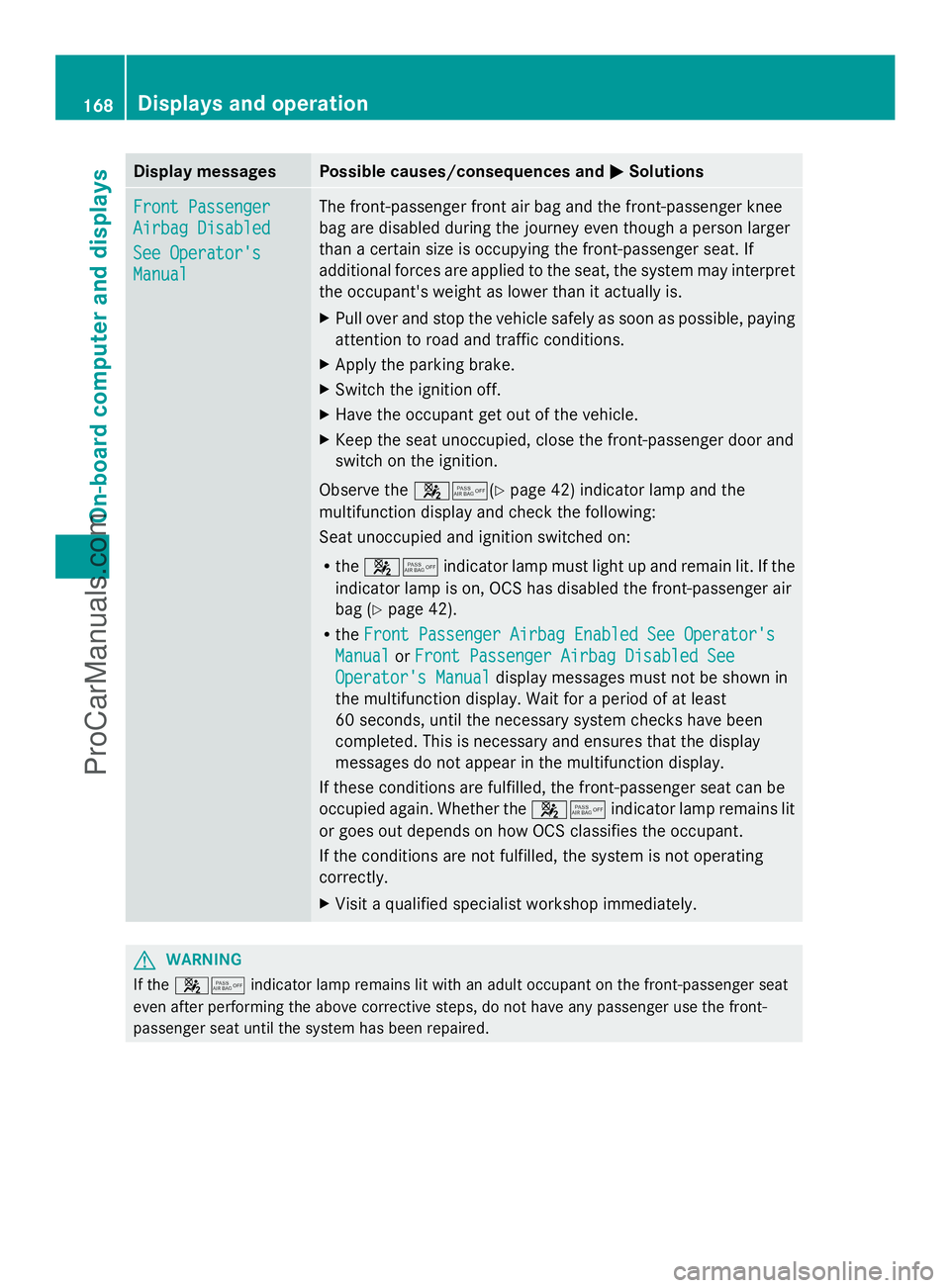
Display messages Possible causes/consequences and
M
MSolutions Front Passenger
Front Passenger
Airbag Disabled Airbag Disabled
See Operator's See Operator's
Manual Manual The front-passenger front air bag and the front-passenger knee
bag are disabled during the journey even though a person larger
than a certain size is occupying the front-passenger seat. If
additional forces are applied to the seat, the system may interpret
the occupant's weight as lower than it actually is.
X Pull over and stop the vehicle safely as soon as possible, paying
attention to road and traffic conditions.
X Apply the parking brake.
X Switch the ignition off.
X Have the occupant get out of the vehicle.
X Keep the seat unoccupied, close the front-passenger door and
switch on the ignition.
Observe the 45(Ypage 42) indicator lamp and the
multifunction display and check the following:
Seat unoccupied and ignition switched on:
R the 45 indicator lamp must light up and remain lit. If the
indicator lamp is on, OCS has disabled the front-passenger air
bag ( Ypage 42).
R the Front Passenger Airbag Enabled See Operator's
Front Passenger Airbag Enabled See Operator's
Manual Manual orFront Passenger Airbag Disabled See
Front Passenger Airbag Disabled See
Operator's Manual
Operator's Manual display messages must not be shown in
the multifunction display. Wait for a period of at least
60 seconds, until the necessary system checks have been
completed. This is necessary and ensures that the display
messages do not appear in the multifunction display.
If these conditions are fulfilled, the front-passenger seat can be
occupied again. Whether the 45indicator lamp remains lit
or goes out depends on how OCS classifies the occupant.
If the conditions are not fulfilled, the system is not operating
correctly.
X Visit a qualified specialist workshop immediately. G
WARNING
If the 45 indicator lamp remains lit with an adult occupant on the front-passenger seat
even after performing the above corrective steps, do not have any passenger use the front-
passenger seat until the system has been repaired. 168
Displays and operationOn-board compu
ter and displays
ProCarManuals.com
Page 183 of 286
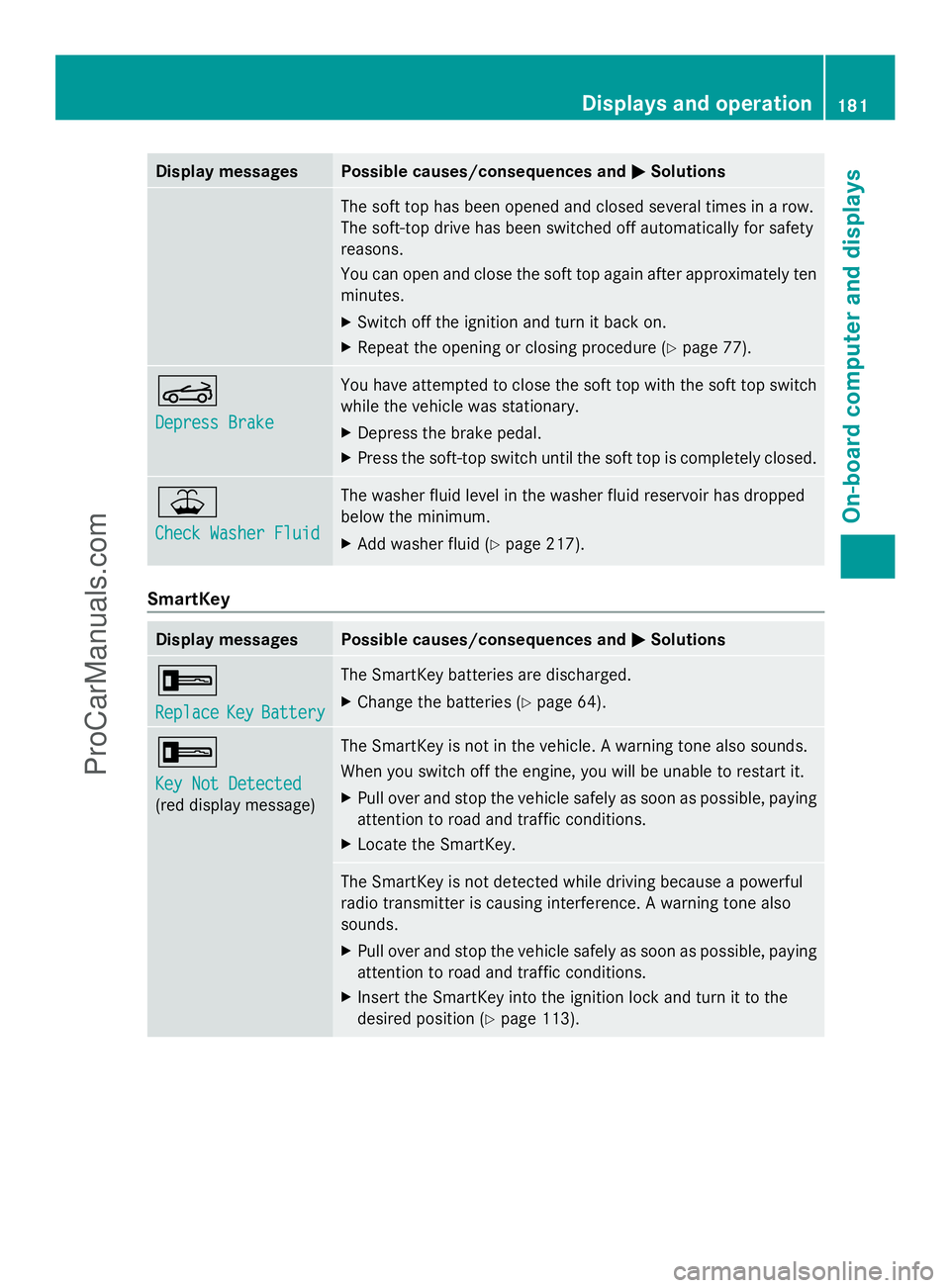
Display messages Possible causes/consequences and
M
MSolutions The soft top has been opened and closed several times in a row.
The soft-top drive has been switched off automatically for safety
reasons.
You can open and close the soft top again after approximately ten
minutes.
X
Switch off the ignition and turn it back on.
X Repeat the opening or closing procedure (Y page 77).K
Depress Brake Depress Brake You have attempted to close the soft top with the soft top switch
while the vehicle was stationary.
X
Depress the brake pedal.
X Press the soft-top switch until the soft top is completely closed. ¥
Check Washer Fluid Check Washer Fluid The washer fluid level in the washer fluid reservoir has dropped
below the minimum.
X
Add washer fluid ( Ypage 217). SmartKey
Display messages Possible causes/consequences and
M MSolutions +
Replace Replace
Key
KeyBattery
Battery The SmartKey batteries are discharged.
X
Change the batteries ( Ypage 64). +
Key Not Detected Key Not Detected
(red display message) The SmartKey is not in the vehicle. A warning tone also sounds.
When you switch off the engine, you will be unable to restart it.
X
Pull over and stop the vehicle safely as soon as possible, paying
attention to road and traffic conditions.
X Locate the SmartKey. The SmartKey is not detected while driving because a powerful
radio transmitter is causing interference. A warning tone also
sounds.
X
Pull over and stop the vehicle safely as soon as possible, paying
attention to road and traffic conditions.
X Insert the SmartKey into the ignition lock and turn it to the
desired position ( Ypage 113). Displays and operation
181On-board computer and displays Z
ProCarManuals.com
Page 184 of 286
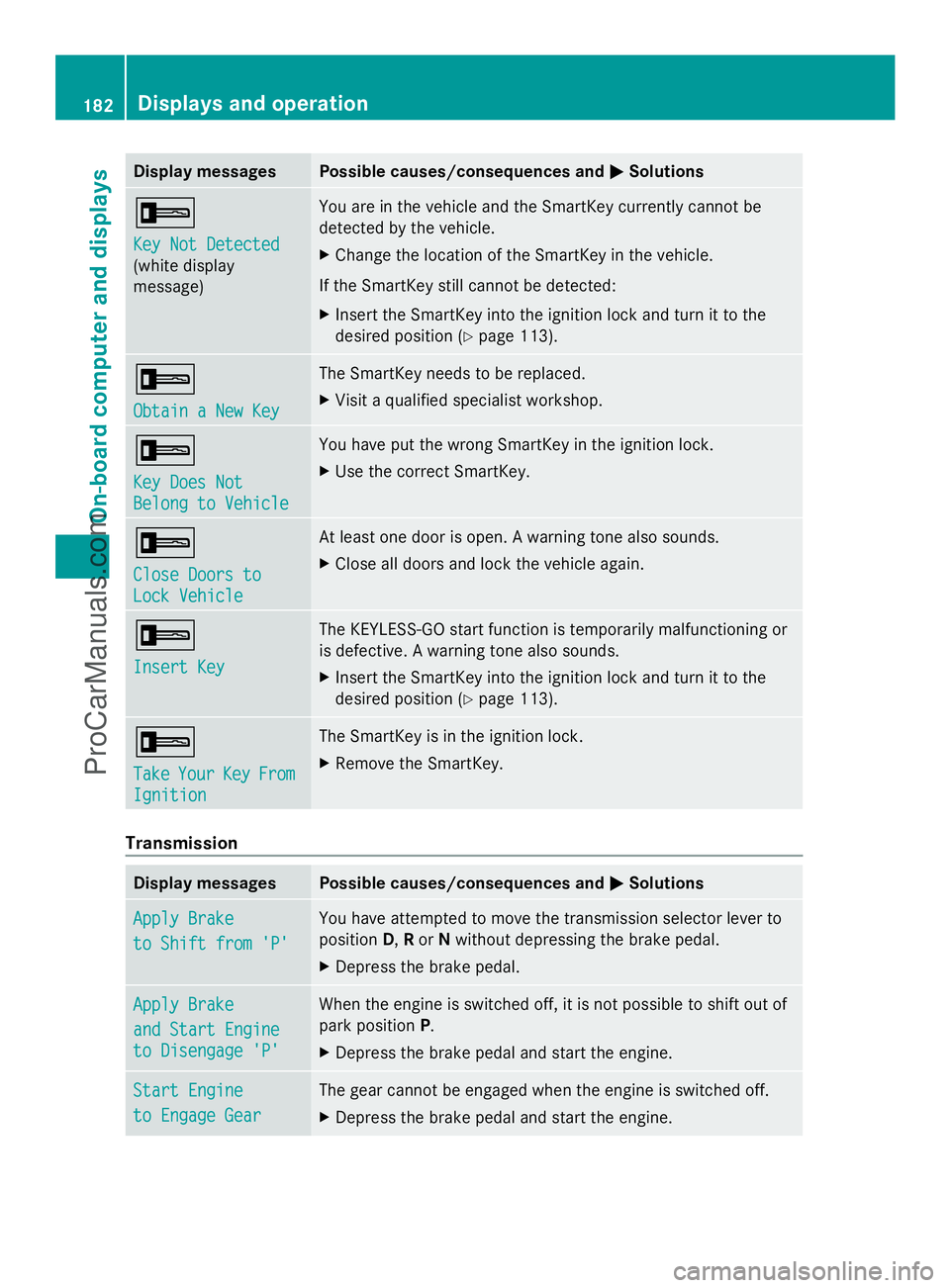
Display messages Possible causes/consequences and
M
MSolutions +
Key Not Detected Key Not Detected
(white display
message) You are in the vehicle and the SmartKey currently cannot be
detected by the vehicle.
X
Change the location of the SmartKey in the vehicle.
If the SmartKey still cannot be detected:
X Insert the SmartKey into the ignition lock and turn it to the
desired position ( Ypage 113). +
Obtain a New Key Obtain a New Key The SmartKey needs to be replaced.
X
Visit a qualified specialist workshop. +
Key Does Not Key Does Not
Belong to Vehicle Belong to Vehicle You have put the wrong SmartKey in the ignition lock.
X
Use the correct SmartKey. +
Close Doors to Close Doors to
Lock Vehicle Lock Vehicle At least one door is open. A warning tone also sounds.
X
Close all doors and lock the vehicle again. +
Insert Key Insert Key The KEYLESS-GO start function is temporarily malfunctioning or
is defective. A warning tone also sounds.
X
Insert the SmartKey into the ignition lock and turn it to the
desired position ( Ypage 113). +
Take Take
Your
YourKey
KeyFrom
From
Ignition
Ignition The SmartKey is in the ignition lock.
X
Remove the SmartKey. Transmission
Display messages Possible causes/consequences and
M MSolutions Apply Brake
Apply Brake
to Shift from 'P' to Shift from 'P' You have attempted to move the transmission selector lever to
position
D,Ror Nwithout depressing the brake pedal.
X Depress the brake pedal. Apply Brake Apply Brake
and Start Engine and Start Engine
to Disengage 'P' to Disengage 'P' When the engine is switched off, it is not possible to shift out of
park position
P.
X Depress the brake pedal and start the engine. Start Engine Start Engine
to Engage Gear to Engage Gear The gear cannot be engaged when the engine is switched off.
X
Depress the brake pedal and start the engine. 182
Displays and operationOn-board compu
ter and displays
ProCarManuals.com
Page 193 of 286
For your safety, we strongly recommend that you contact an authorized Mercedes-Benz Center
immediately to have the system checked. Otherwise the SRS may not be activated when needed
in an accident, which could result in serious or fatal injury, or it might deploy unexpectedly and
unnecessarily which could also result in injury.
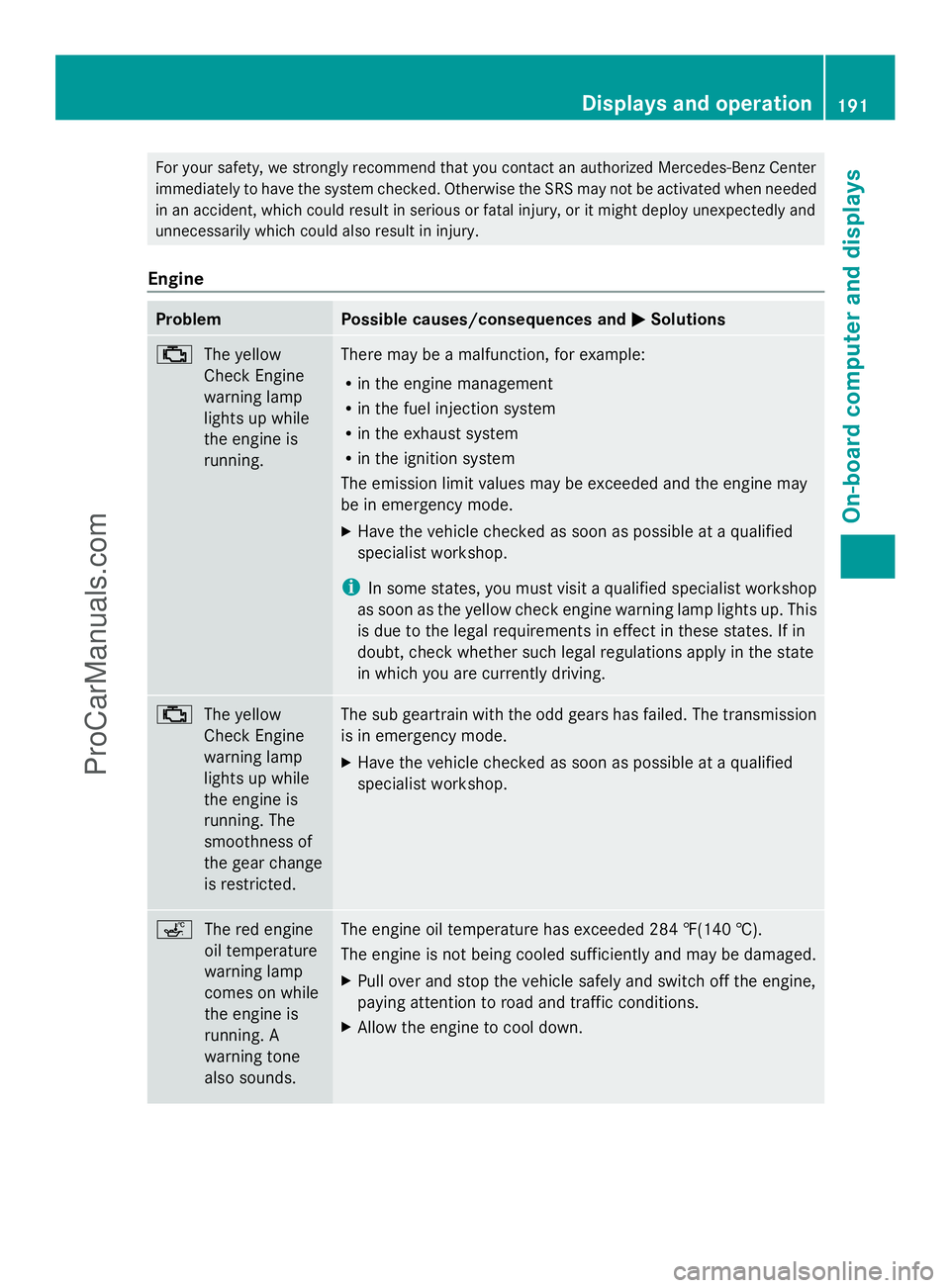
Engine Problem Possible causes/consequences and
M MSolutions ;
The yellow
Check Engine
warning lamp
lights up while
the engine is
running. There may be a malfunction, for example:
R
in the engine management
R in the fuel injection system
R in the exhaust system
R in the ignition system
The emission limit values may be exceeded and the engine may
be in emergency mode.
X Have the vehicle checked as soon as possible at a qualified
specialist workshop.
i In some states, you must visit a qualified specialist workshop
as soon as the yellow check engine warning lamp lights up. This
is due to the legal requirements in effect in these states. If in
doubt, check whether such legal regulations apply in the state
in which you are currently driving. ;
The yellow
Check Engine
warning lamp
lights up while
the engine is
running. The
smoothness of
the gear change
is restricted. The sub geartrain with the odd gears has failed. The transmission
is in emergency mode.
X
Have the vehicle checked as soon as possible at a qualified
specialist workshop. ç
The red engine
oil temperature
warning lamp
comes on while
the engine is
running. A
warning tone
also sounds. The engine oil temperature has exceeded 284 ‡(140 †).
The engine is not being cooled sufficiently and may be damaged.
X
Pull over and stop the vehicle safely and switch off the engine,
paying attention to road and traffic conditions.
X Allow the engine to cool down. Displays and operation
191On-board computer and displays Z
ProCarManuals.com