change wheel MERCEDES-BENZ SPRINTER 2012 MY12 Operator’s Manual
[x] Cancel search | Manufacturer: MERCEDES-BENZ, Model Year: 2012, Model line: SPRINTER, Model: MERCEDES-BENZ SPRINTER 2012Pages: 292, PDF Size: 6.75 MB
Page 64 of 292
X
To arm: close all doors.
X Lock the vehicle using the 0037 button on
the key.
The indicator lamp in the upper central
locking button ( Y
page 55) flashes.
X To deactivate: unlock the
vehicle using the
0036 button on the remote control.
The indicator lamp in the upper central
locking button (Y page 55) goes out.
i Cargo van and passenger van only:
Unless you open
a door within 40 seconds
after unlocking the vehicle:
R the vehicle will be locked again.
R the anti-theft alarm system will be re-
armed.
i The alarm system will be triggered if the
vehicle was previously locked with the key
and is then unlocked from the inside.
X To stop the alarm: insert the key into the
ignition lock.
or
X Press the 0036 button on the remote
control.
The alarm is switched off. Tow-away alarm
A visual and audible alarm is triggered if the
inclination of the vehicle changes when tow-
away protection is armed.
i The alarm signal
is triggered, for example
if the vehicle is being jacked up on one side,
shortly before the wheel leaves the ground.
Tow-away protection is automatically armed
approximately 20 seconds after you lock the
vehicle.
Tow-away protection is automatically
deactivated when you unlock the vehicle.
Deactivate tow-away protection if the vehicle
is being transported or loaded onto another
vehicle. This will prevent a false alarm. X
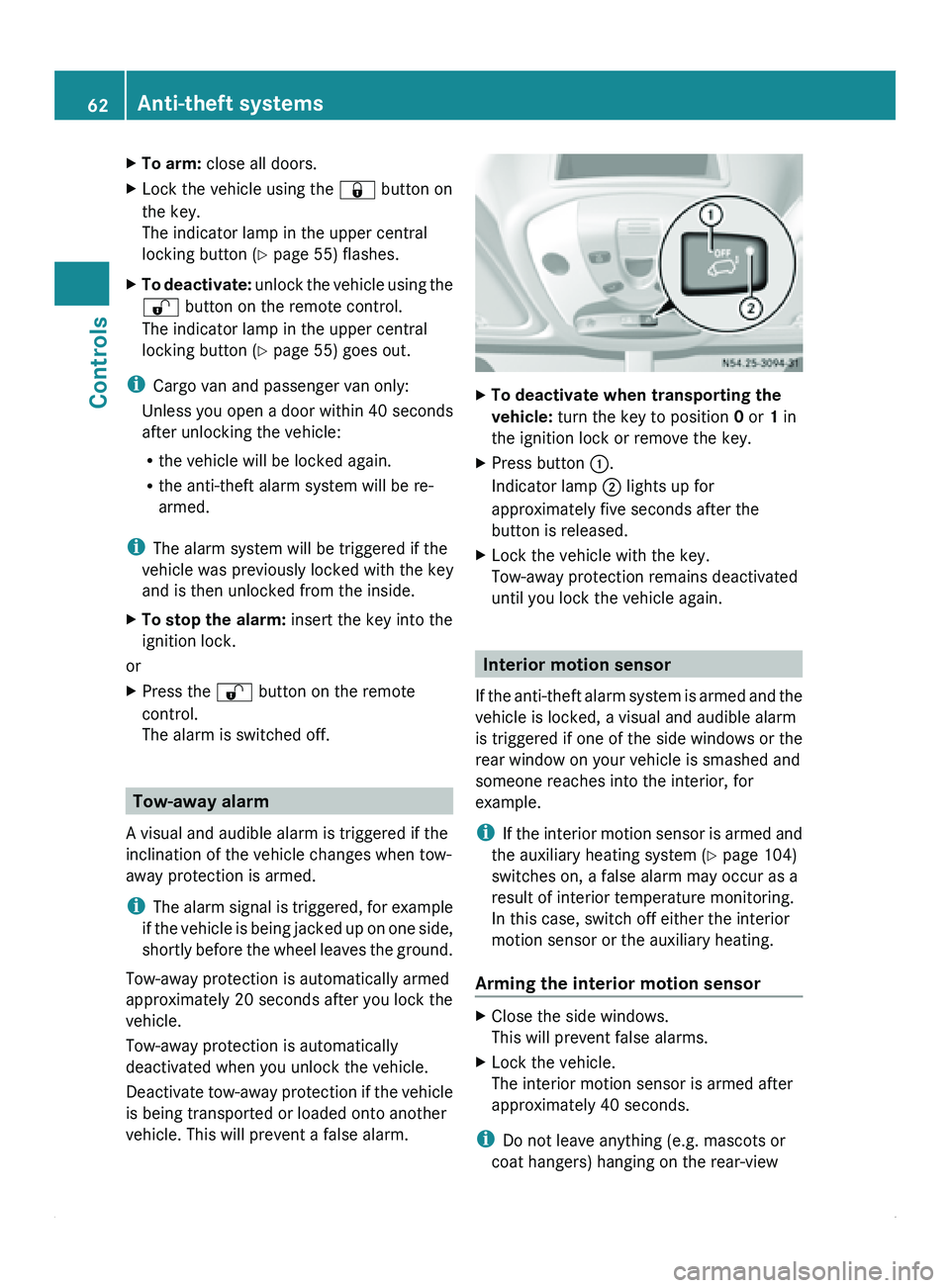
To deactivate when transporting the
vehicle: turn the key to position 0 or 1 in
the ignition lock or remove the key.
X Press button 0046.
Indicator lamp 0047 lights up for
approximately five seconds after the
button is released.
X Lock the vehicle with the key.
Tow-away protection remains deactivated
until you lock the vehicle again. Interior motion sensor
If the anti-theft
alarm system is armed and the
vehicle is locked, a visual and audible alarm
is triggered if one of the side windows or the
rear window on your vehicle is smashed and
someone reaches into the interior, for
example.
i If the interior motion sensor is armed and
the auxiliary heating system (Y page 104)
switches on, a false alarm may occur as a
result of interior temperature monitoring.
In this case, switch off either the interior
motion sensor or the auxiliary heating.
Arming the interior motion sensor X
Close the side windows.
This will prevent false alarms.
X Lock the vehicle.
The interior motion sensor is armed after
approximately 40 seconds.
i Do not leave anything (e.g. mascots or
coat hangers) hanging on the rear-view 62
Anti-theft systems
Controls
Page 75 of 292
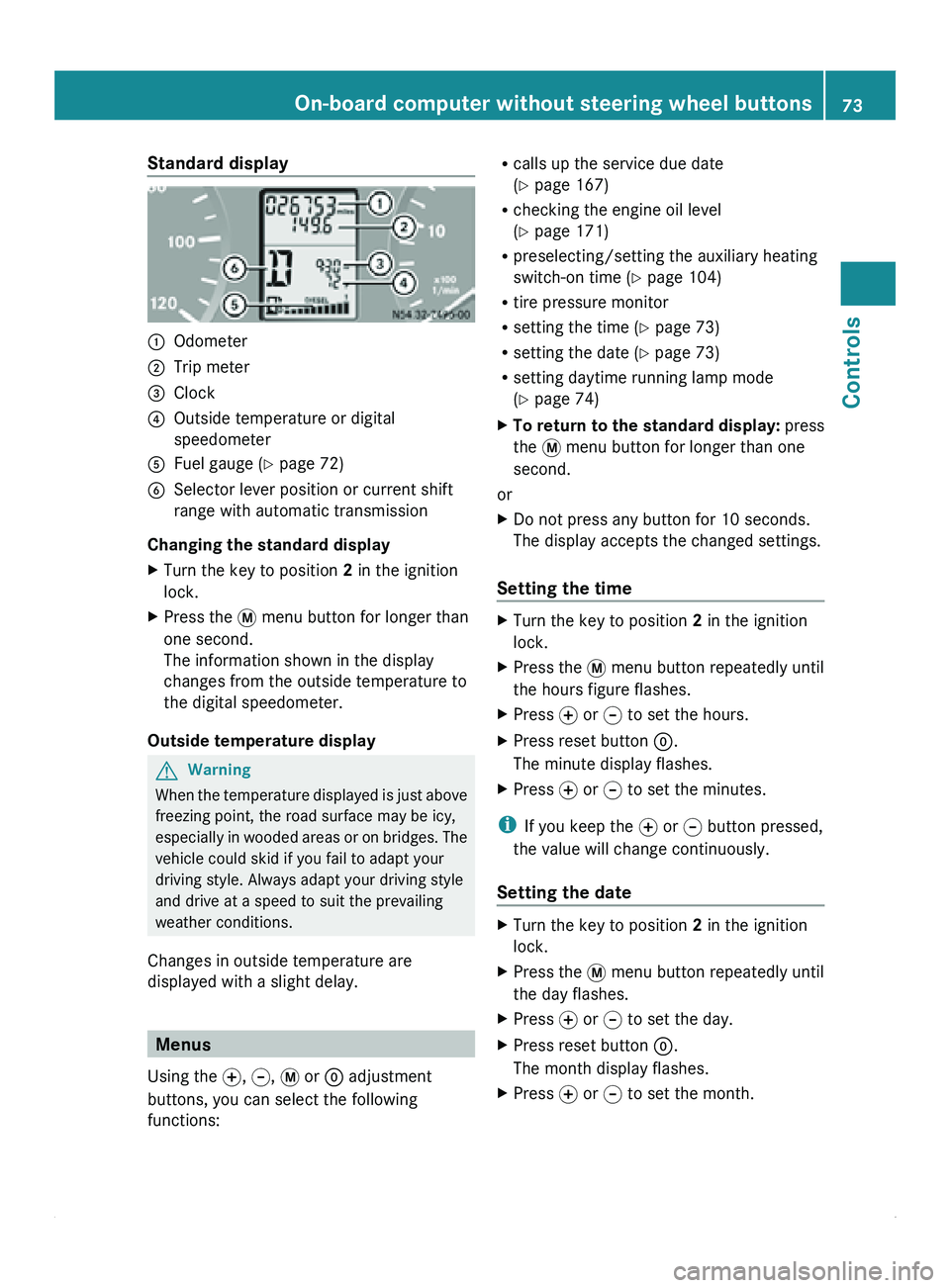
Standard display
0046
Odometer
0047 Trip meter
008A Clock
0088 Outside temperature or digital
speedometer
0086 Fuel gauge ( Y page 72)
0087 Selector lever position or current shift
range with automatic transmission
Changing the standard display
X Turn the key to position 2 in the ignition
lock.
X Press the 007B menu button for longer than
one second.
The information shown in the display
changes from the outside temperature to
the digital speedometer.
Outside temperature display G
Warning
When the temperature displayed is just above
freezing point, the road surface may be icy,
especially in wooded
areas or on bridges. The
vehicle could skid if you fail to adapt your
driving style. Always adapt your driving style
and drive at a speed to suit the prevailing
weather conditions.
Changes in outside temperature are
displayed with a slight delay. Menus
Using the 0069, 006A, 007B or 0048 adjustment
buttons, you can select the following
functions: R
calls up the service due date
(Y page 167)
R checking the engine oil level
(Y page 171)
R preselecting/setting the auxiliary heating
switch-on time ( Y page 104)
R tire pressure monitor
R setting the time (Y
page 73)
R setting the date ( Y page 73)
R setting daytime running lamp mode
(Y page 74)
X To return to the standard display: press
the 007B menu button for longer than one
second.
or
X Do not press any button for 10 seconds.
The display accepts the changed settings.
Setting the time X
Turn the key to position 2 in the ignition
lock.
X Press the 007B menu button repeatedly until
the hours figure flashes.
X Press 0069 or 006A to set the hours.
X Press reset button 0048.
The minute display flashes.
X Press 0069 or 006A to set the minutes.
i If you keep the 0069 or 006A button pressed,
the value will change continuously.
Setting the date X
Turn the key to position 2 in the ignition
lock.
X Press the 007B menu button repeatedly until
the day flashes.
X Press 0069 or 006A to set the day.
X Press reset button 0048.
The month display flashes.
X Press 0069 or 006A to set the month. On-board computer without steering wheel buttons
73
Controls Z
Page 76 of 292
X
Press reset button 0048.
The year display flashes.
X Press 0069 or 006A to set the year.
i If you keep the 0069 or 006A button pressed,
the value will change continuously.
Setting daytime running lamp mode If you have switched daytime running lamp
mode on and the light switch is in the 0027
position, the following light up automatically
when the engine is running: the parking
lamps, the low-beam headlamps, the tail
lamps and the license plate lamps.
For safety reasons, it is only possible to
change this setting when the vehicle is
stationary. The factory setting is ON in
countries in which daytime running lamp
mode is mandatory.
X
Turn the key to position 2 in the ignition
lock.
X Press the 007B menu button repeatedly until
the 0064 indicator lamp in the instrument
cluster flashes and the message ON or
OFF appears in the display.
X Press 0069 or 006A to activate or deactivate
daytime running lamp mode.
i USA only:
If you turn the light switch to 006C or
0064, the corresponding light is switched
on. Daytime running lamp mode remains
activated if the light switch is turned to
005A.
Canada only:
If you turn
the light switch to 0064, the low-
beam headlamps are switched on. Daytime
running lamp mode remains activated if the
light switch is turned to 006C or 005A. On-board computer with steering
wheel buttons
Layout and controls
The on-board computer is activated as soon
as you turn
the key to position 1 in the ignition
lock. G
Warning
Only use the on-board computer when road
and traffic conditions permit. You would
otherwise be distracted and unable to
concentrate properly on driving, and could
cause an accident.
The on-board computer shows vehicle
information and settings in the display.
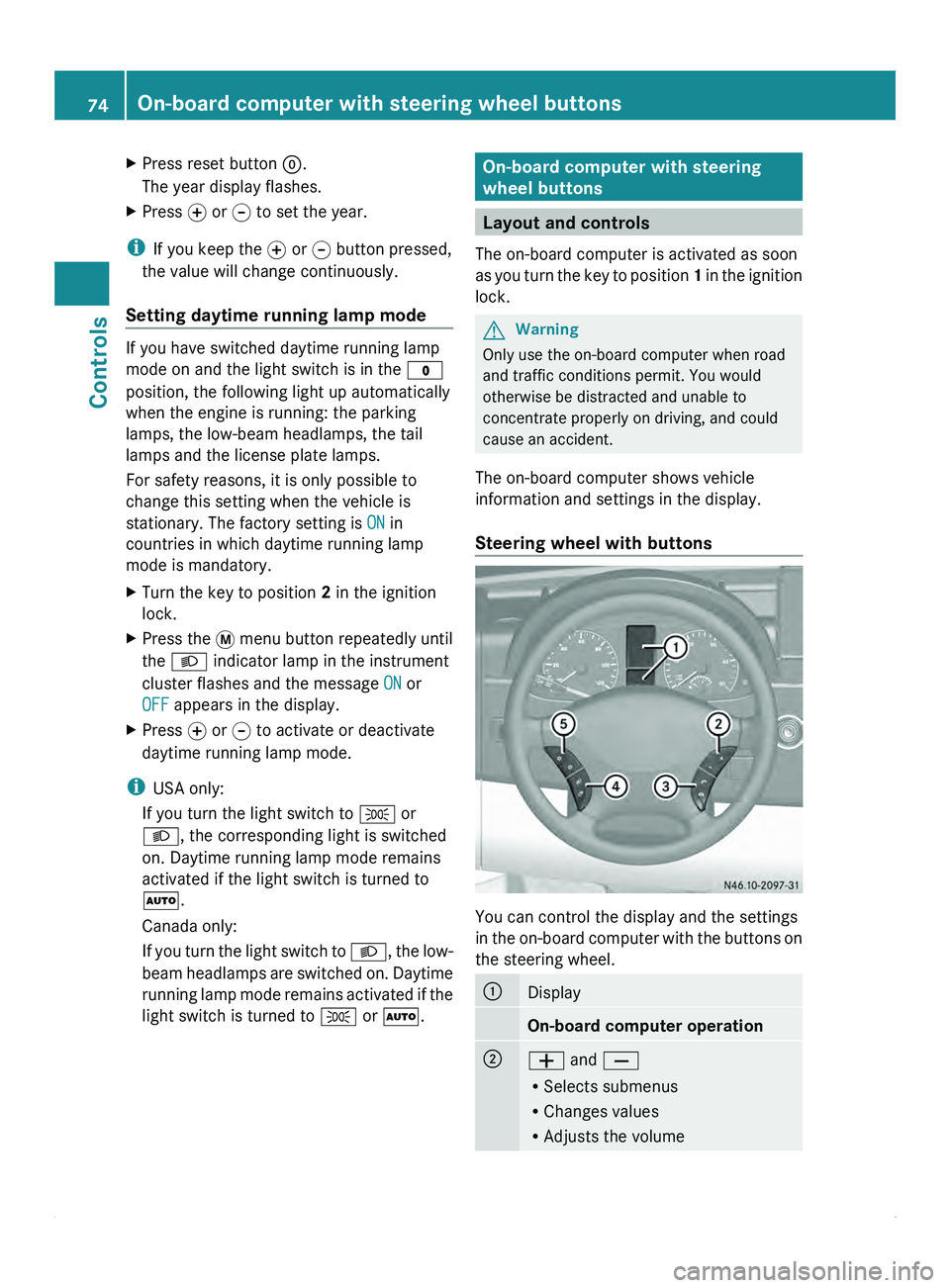
Steering wheel with buttons You can control the display and the settings
in the
on-board
computer with the buttons on
the steering wheel. 0046
Display
On-board computer operation
0047
005A and 005B
R
Selects submenus
R Changes values
R Adjusts the volume74
On-board computer with steering wheel buttons
Controls
Page 77 of 292
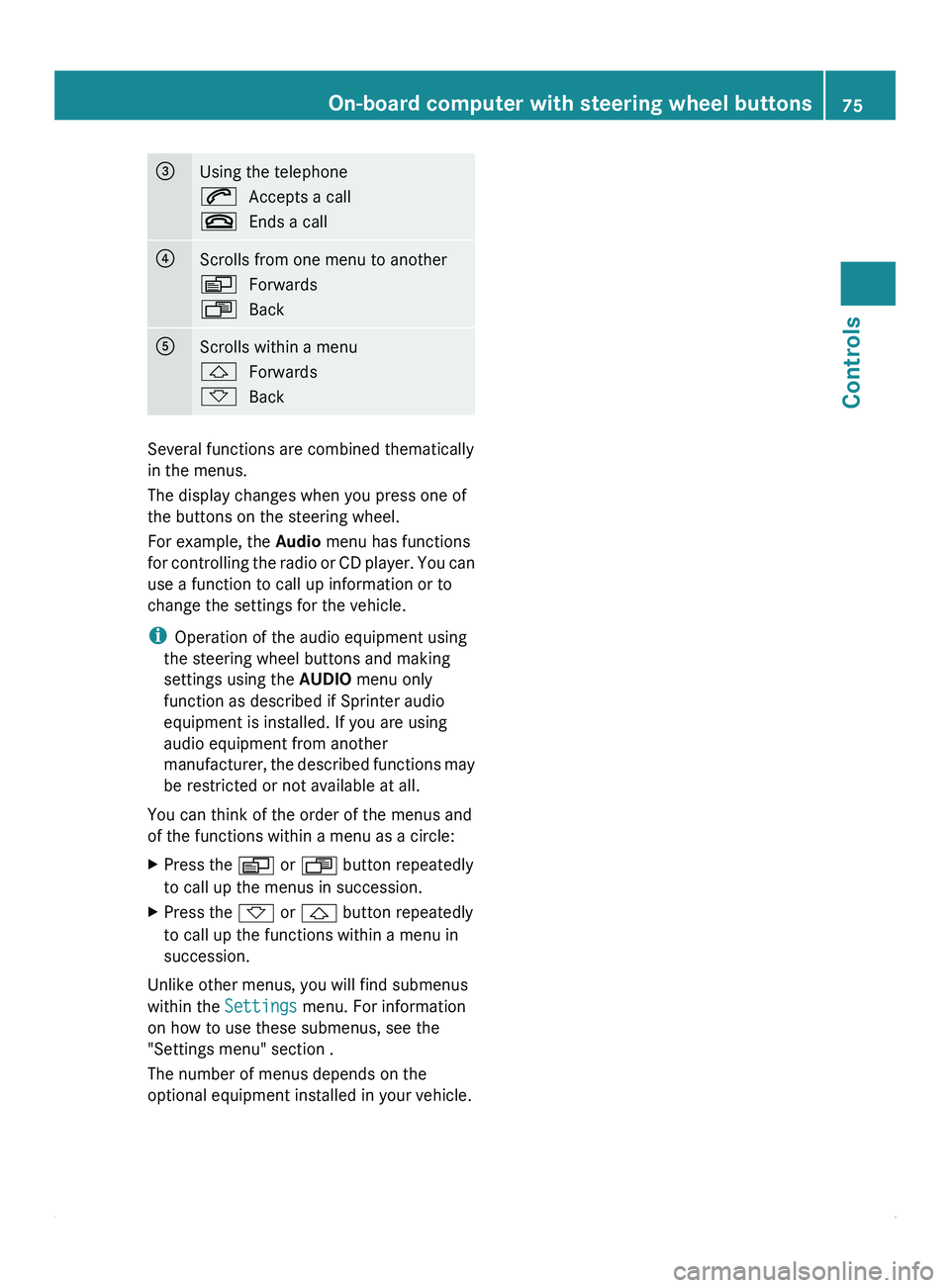
008A
Using the telephone
006A
Accepts a call
007F Ends a call 0088
Scrolls from one menu to another
0059
Forwards
0058 Back 0086
Scrolls within a menu
0029
Forwards
002D Back Several functions are combined thematically
in the menus.
The display changes when you press one of
the buttons on the steering wheel.
For example, the Audio
menu has functions
for controlling the
radio or CD player. You can
use a function to call up information or to
change the settings for the vehicle.
i Operation of the audio equipment using
the steering wheel buttons and making
settings using the AUDIO menu only
function as described if Sprinter audio
equipment is installed. If you are using
audio equipment from another
manufacturer, the described functions may
be restricted or not available at all.
You can think of the order of the menus and
of the functions within a menu as a circle:
X Press the 0059 or 0058 button repeatedly
to call up the menus in succession.
X Press the 002D or 0029 button repeatedly
to call up the functions within a menu in
succession.
Unlike other menus, you will find submenus
within the Settings menu. For information
on how to use these submenus, see the
"Settings menu" section .
The number of menus depends on the
optional equipment installed in your vehicle. On-board computer with steering wheel buttons
75
Controls Z
Page 80 of 292
X
Press 0029 or 002D to select the desired
station.
i It is only possible to store new stations
using the audio system. See the separate
operating instructions.
You can also operate the radio in the same
way as usual.
Operating the CD player Using the steering wheel buttons
X
Switch on the radio (see the separate
operating instructions) and select the CD
player.
X Press the 0059 or 0058 button repeatedly
until the
settings for the current CD appear
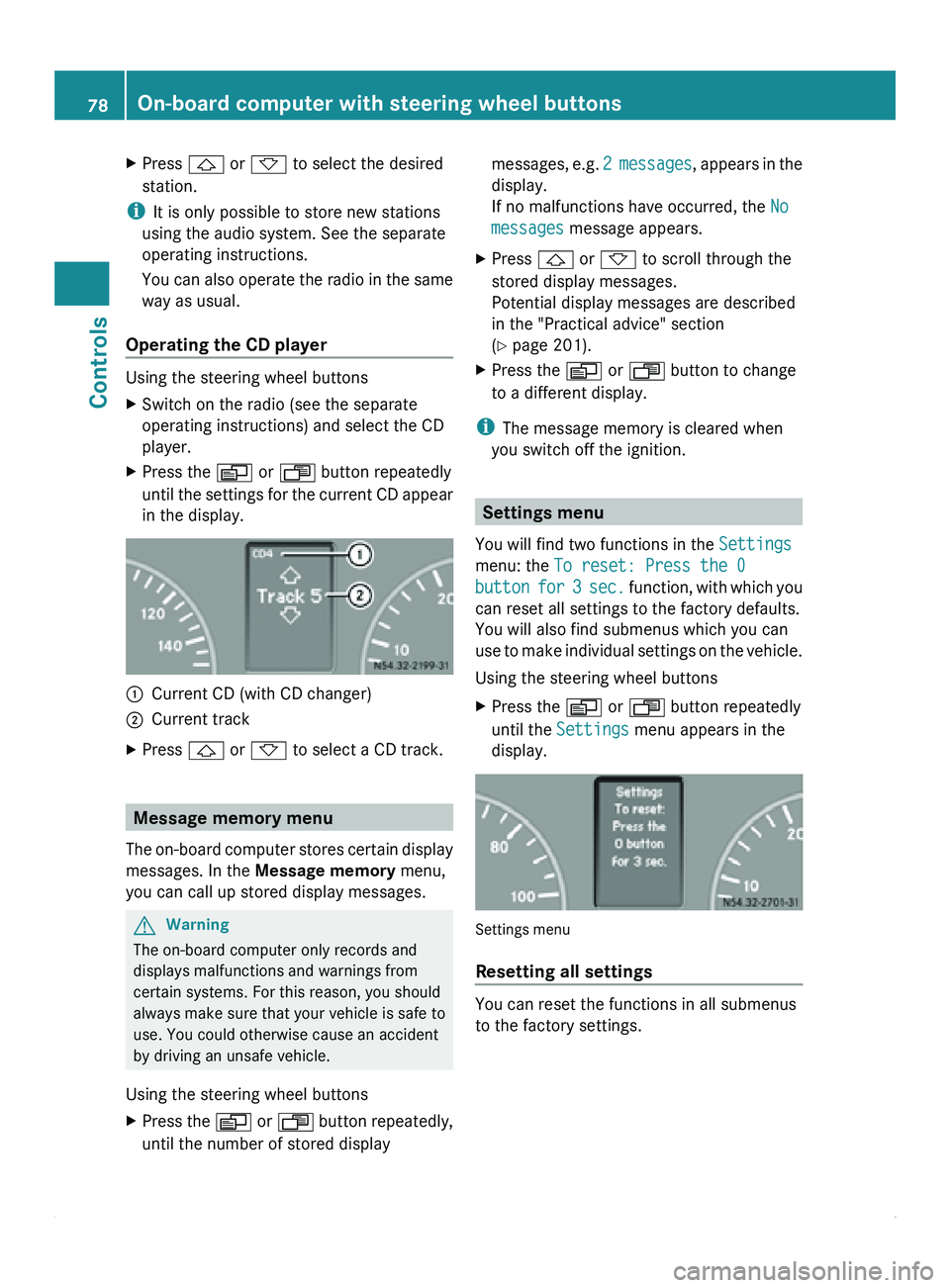
in the display. 0046
Current CD (with CD changer)
0047 Current track
X Press 0029 or 002D to select a CD track. Message memory menu
The on-board computer stores certain display
messages. In the Message memory menu,
you can call up stored display messages. G
Warning
The on-board computer only records and
displays malfunctions and warnings from
certain systems. For this reason, you should
always make sure that your vehicle is safe to
use. You could otherwise cause an accident
by driving an unsafe vehicle.
Using the steering wheel buttons
X Press the 0059
or 0058 button repeatedly,
until the number of stored display messages,
e.g. 2
messages, appears in the
display.
If no malfunctions have occurred, the No
messages message appears.
X Press 0029
or 002D to scroll through the
stored display messages.
Potential display messages are described
in the "Practical advice" section
(Y page 201).
X Press the 0059 or 0058 button to change
to a different display.
i The message memory is cleared when
you switch off the ignition. Settings menu
You will find two functions in the Settings
menu: the To reset: Press the 0
button for 3 sec. function, with which you
can reset all settings to the factory defaults.
You will also find submenus which you can
use to make individual settings on the vehicle.
Using the steering wheel buttons
X Press the 0059 or 0058 button repeatedly
until the Settings
menu appears in the
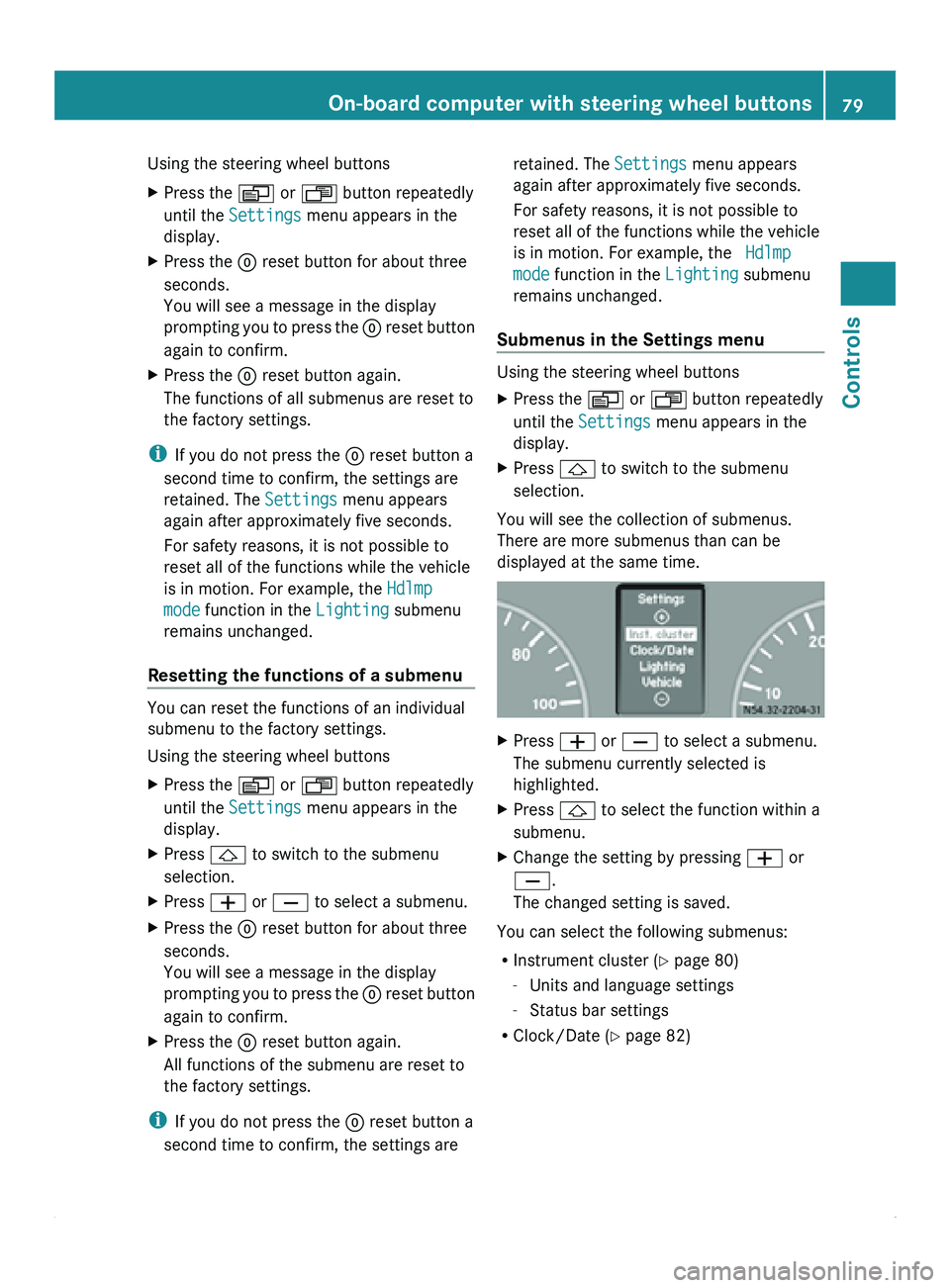
display. Settings menu
Resetting all settings
You can reset the functions in all submenus
to the factory settings.78
On-board computer with steering wheel buttons
Controls
Page 81 of 292
Using the steering wheel buttons
X
Press the 0059 or 0058 button repeatedly
until the Settings menu appears in the
display.
X Press the 0048 reset button for about three
seconds.
You will see a message in the display
prompting you to
press the 0048 reset button
again to confirm.
X Press the 0048 reset button again.
The functions of all submenus are reset to
the factory settings.
i If you do not press the 0048 reset button a
second time to confirm, the settings are
retained. The Settings menu appears
again after approximately five seconds.
For safety reasons, it is not possible to
reset all of the functions while the vehicle
is in motion. For example, the Hdlmp
mode function in the Lighting submenu
remains unchanged.
Resetting the functions of a submenu You can reset the functions of an individual
submenu to the factory settings.
Using the steering wheel buttons
X
Press the 0059 or 0058 button repeatedly
until the Settings menu appears in the
display.
X Press 0029 to switch to the submenu
selection.
X Press 005A or 005B to select a submenu.
X Press the 0048 reset button for about three
seconds.
You will see a message in the display
prompting you
to
press the 0048 reset button
again to confirm.
X Press the 0048 reset button again.
All functions of the submenu are reset to
the factory settings.
i If you do not press the 0048 reset button a
second time to confirm, the settings are retained. The Settings menu appears
again after approximately five seconds.
For safety reasons, it is not possible to
reset all of the functions while the vehicle
is in motion. For example, the Hdlmp
mode function in the
Lighting submenu
remains unchanged.
Submenus in the Settings menu Using the steering wheel buttons
X
Press the 0059 or 0058 button repeatedly
until the Settings menu appears in the
display.
X Press 0029 to switch to the submenu
selection.
You will see the collection of submenus.
There are more submenus than can be
displayed at the same time. X
Press 005A or 005B to select a submenu.
The submenu currently selected is
highlighted.
X Press 0029 to select the function within a
submenu.
X Change the setting by pressing 005A or
005B.
The changed setting is saved.
You can select the following submenus:
R Instrument cluster ( Y
page 80)
- Units and language settings
- Status bar settings
R Clock/Date (Y page 82) On-board computer with steering wheel buttons
79
Controls Z
Page 84 of 292
Clock/Date submenu
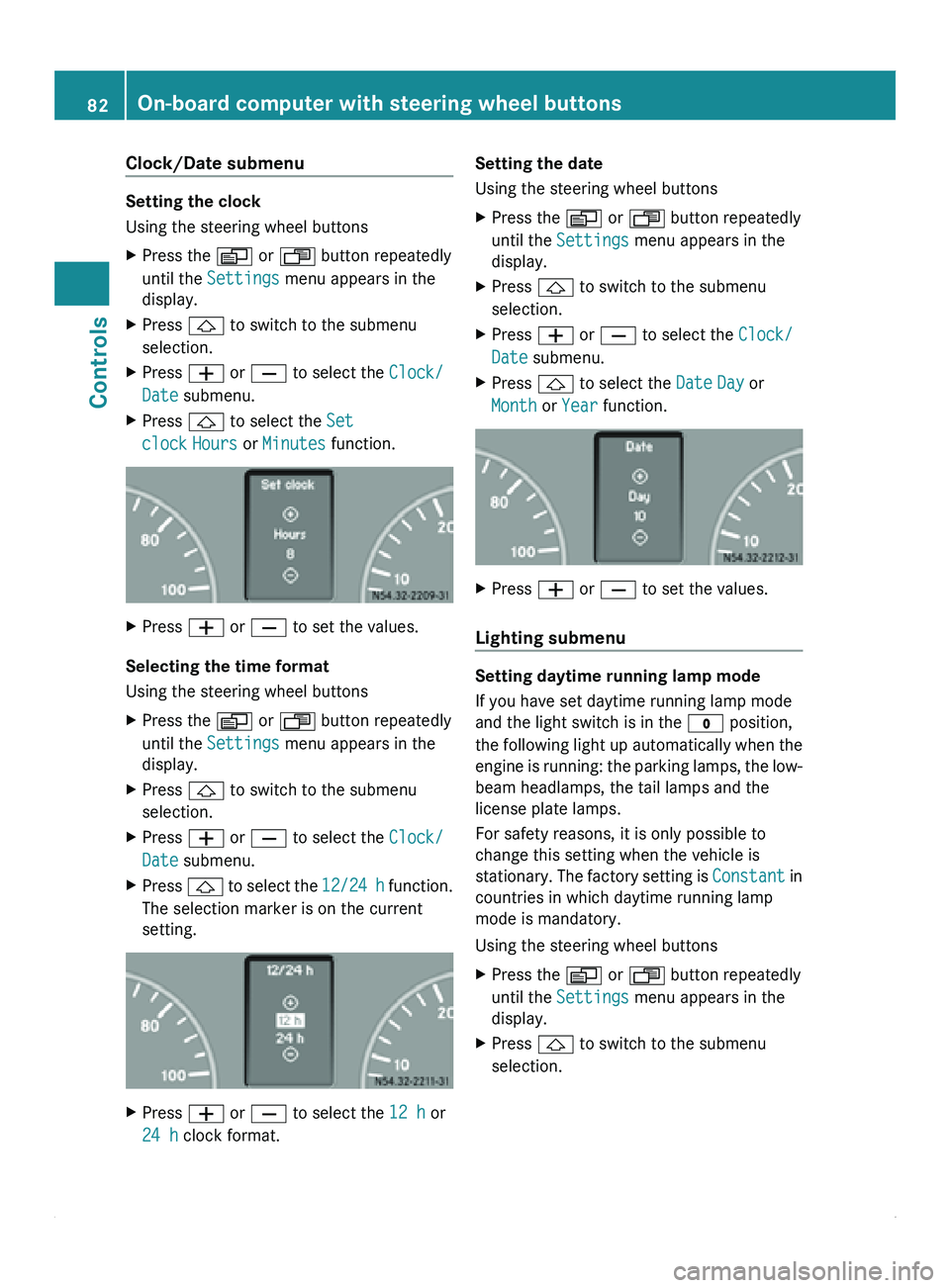
Setting the clock
Using the steering wheel buttons
X
Press the 0059 or 0058 button repeatedly
until the Settings menu appears in the
display.
X Press 0029 to switch to the submenu
selection.
X Press 005A or 005B to select the Clock/
Date submenu.
X Press 0029 to select the Set
clock Hours or Minutes function. X
Press 005A or 005B to set the values.
Selecting the time format
Using the steering wheel buttons
X Press the 0059 or 0058 button repeatedly
until the Settings menu appears in the
display.
X Press 0029 to switch to the submenu
selection.
X Press 005A or 005B to select the Clock/
Date submenu.
X Press 0029 to select the
12/24 h function.
The selection marker is on the current
setting. X
Press 005A or 005B to select the 12 h or
24 h clock format. Setting the date
Using the steering wheel buttons
X
Press the 0059 or 0058 button repeatedly
until the Settings menu appears in the
display.
X Press 0029 to switch to the submenu
selection.
X Press 005A or 005B to select the Clock/
Date submenu.
X Press 0029 to select the Date Day or
Month or Year function. X
Press 005A or 005B to set the values.
Lighting submenu Setting daytime running lamp mode
If you have set daytime running lamp mode
and the light switch is in the 0027 position,
the following
light
up automatically when the
engine is running: the parking lamps, the low-
beam headlamps, the tail lamps and the
license plate lamps.
For safety reasons, it is only possible to
change this setting when the vehicle is
stationary. The factory setting is Constant in
countries in which daytime running lamp
mode is mandatory.
Using the steering wheel buttons
X Press the 0059 or 0058 button repeatedly
until the Settings menu appears in the
display.
X Press 0029 to switch to the submenu
selection.82
On-board computer with steering wheel buttons
Controls
Page 103 of 292
Rear-compartment heating/rear-
compartment air conditioning
X
Make sure that the rear-compartment
climate control (rear-compartment
heating/air conditioning) is switched on
(Y page 100).
X Turn rear-compartment heating
temperature control 008A(
Y page 99) or rear-
compartment air conditioning temperature
control 0047(Y page 100) clockwise to
increase or counterclockwise to reduce the
temperature. Only change the temperature
in small increments.
i Your vehicle may be equipped with rear-
compartment heating and rear-
compartment air conditioning.
If you set the temperature control to the
center position,
only
one of the two climate
control systems is activated in the rear
compartment and set to air-recirculation
mode ( Y page 104). Setting the air vents
General notes G
Warning
Air flowing out of the air vents may be very hot
or very cold. Therefore, there is a risk of
frostbite or burns to exposed skin in the
immediate proximity of these air vents. Keep
exposed parts of the body away from these
air vents. If necessary, direct the airflow to a
different area of the vehicle interior.
You can set
the center and side air vents. The
entire vehicle interior is ventilated via the air
vents. Observe the following instructions so air can
flow freely through the air vents:
R
keep the air
inlet on the hood free from ice
and snow.
R never cover the vents or air inlet and outlet
grilles in the vehicle interior.
R for virtually draft-free ventilation, move the
sliders on the center air vents to the central
position.
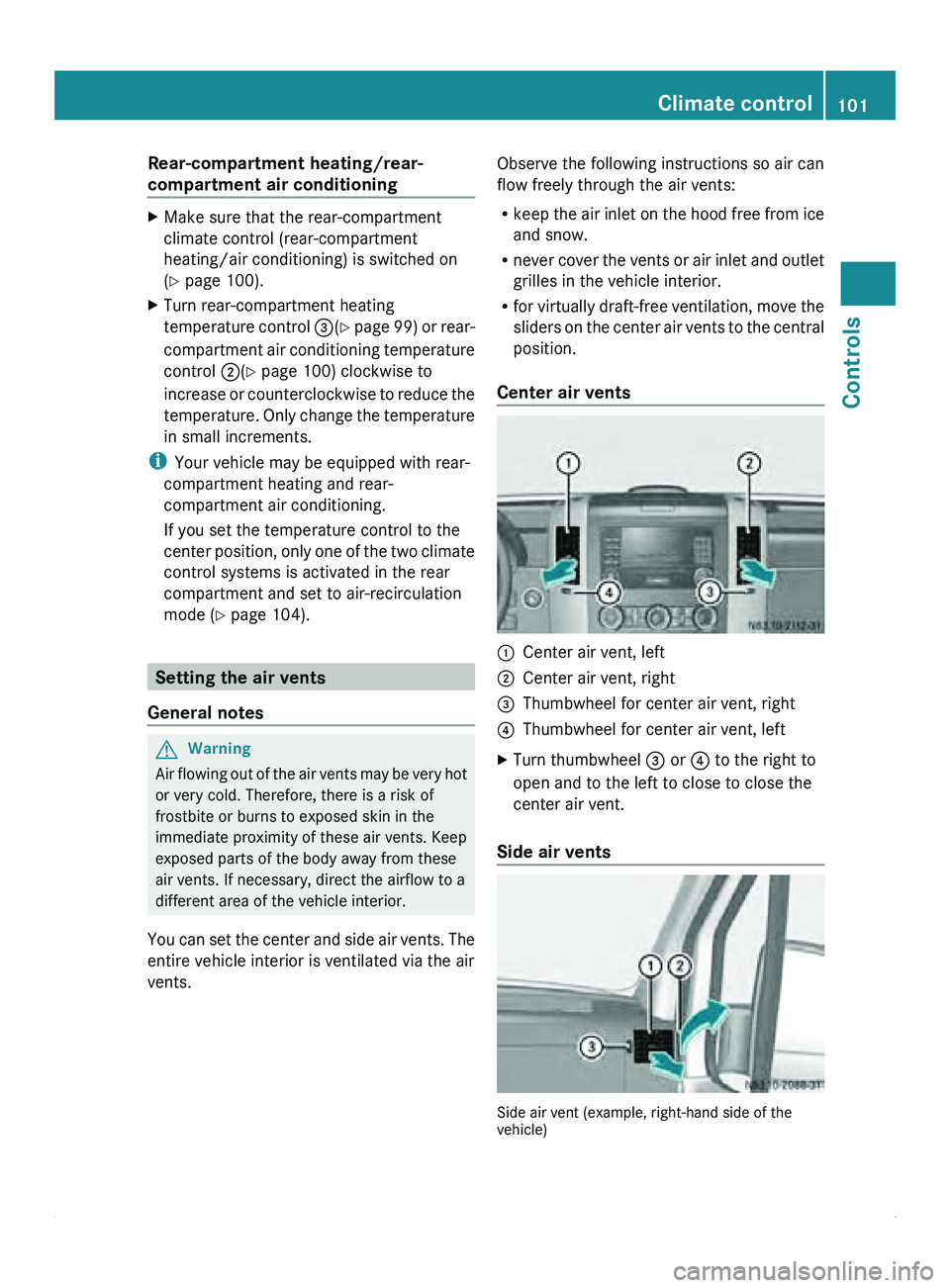
Center air vents 0046
Center air vent, left
0047 Center air vent, right
008A Thumbwheel for center air vent, right
0088 Thumbwheel for center air vent, left
X Turn thumbwheel 008A or 0088 to the right to
open and to the left to close to close the
center air vent.
Side air vents Side air vent (example, right-hand side of the
vehicle) Climate control
101
Controls Z
Page 115 of 292
Applying the parking brake
X
Pull brake lever 0046 up as far as the last
possible detent.
The 0066 indicator lamp in the instrument
cluster lights up.
i On vehicles with
a folding brake lever, you
can then press lever 0046 down to the stop.
Releasing the parking brake i
On vehicles with
a folding brake lever, you
must first pull brake lever 0046 up to the stop.
X Raise brake lever 0046 slightly and press
release knob 0047.
X Guide brake lever 0046 down to the stop.
The 0066 indicator lamp in the instrument
cluster goes out.
Emergency braking As a rule, you may only apply the parking
brake when the vehicle is stationary.
In exceptional cases, the parking brake can
be used for emergency braking if the service
brake fails.
X
Keep release knob 0047 pressed and
carefully apply brake lever 0046.G
Warning
If the brake lever is applied abruptly, the rear
wheels could lock. The vehicle could then go
into a skid.
Make sure that you apply the brake lever
carefully to ensure
that braking application is
moderated. Automatic transmission
Overview
The automatic transmission adapts to your
individual driving style by continuously
adjusting its shift points. These shift point
adjustments take into account the current
operating and driving conditions. If the operating or driving conditions change, the
automatic transmission reacts by adjusting
the gearshift program.
The automatic transmission selects the
individual gears automatically. This depends
on:
R
the selector lever position D with shift
ranges 4, 3, 2 and 1(Y page 115)
R the position of the accelerator pedal
R the road speed
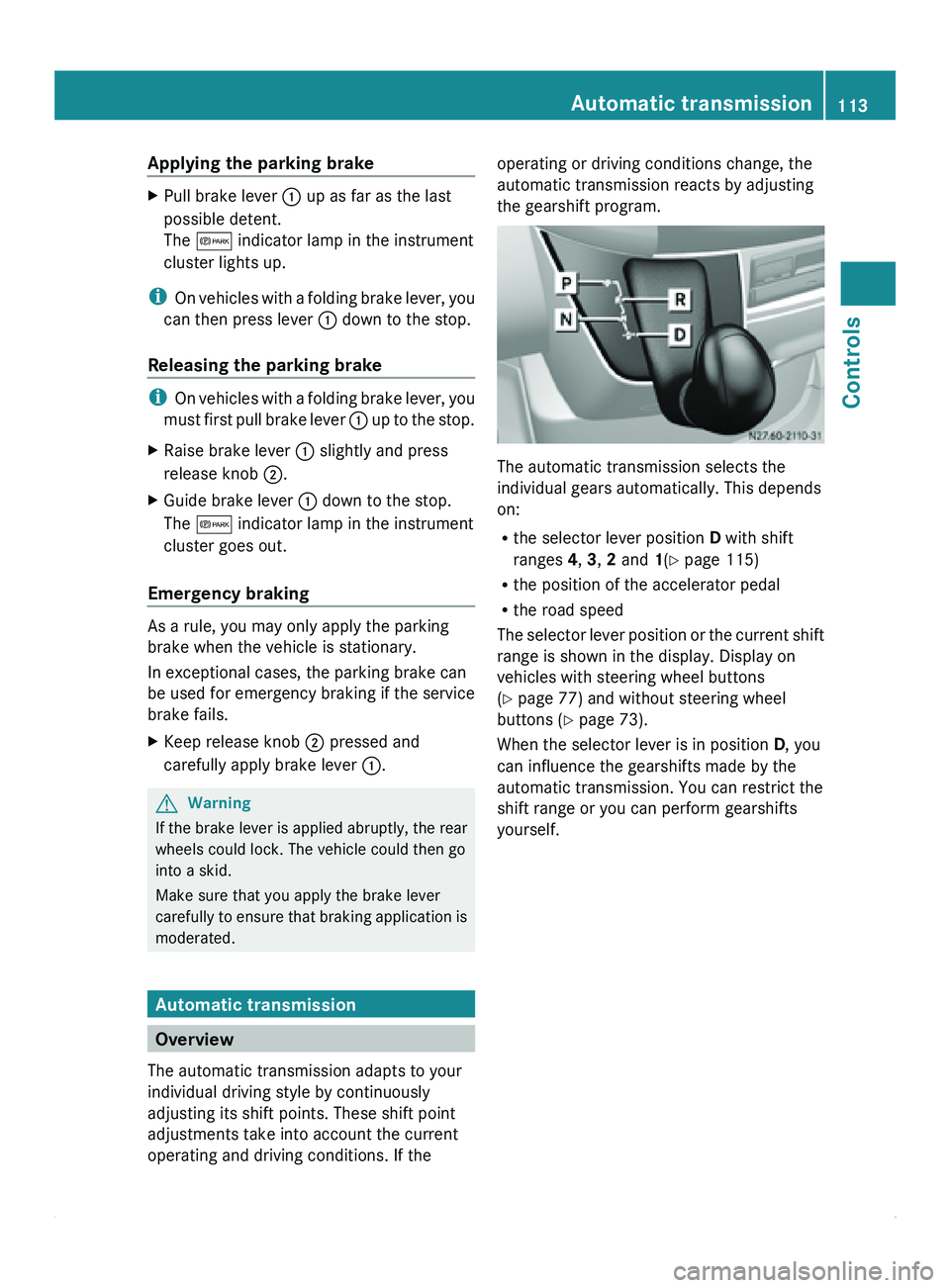
The selector lever
position or the current shift
range is shown in the display. Display on
vehicles with steering wheel buttons
(Y page 77) and without steering wheel
buttons ( Y page 73).
When the selector lever is in position D, you
can influence the gearshifts made by the
automatic transmission. You can restrict the
shift range or you can perform gearshifts
yourself. Automatic transmission
113
Controls Z
Page 116 of 292
Selector lever positions
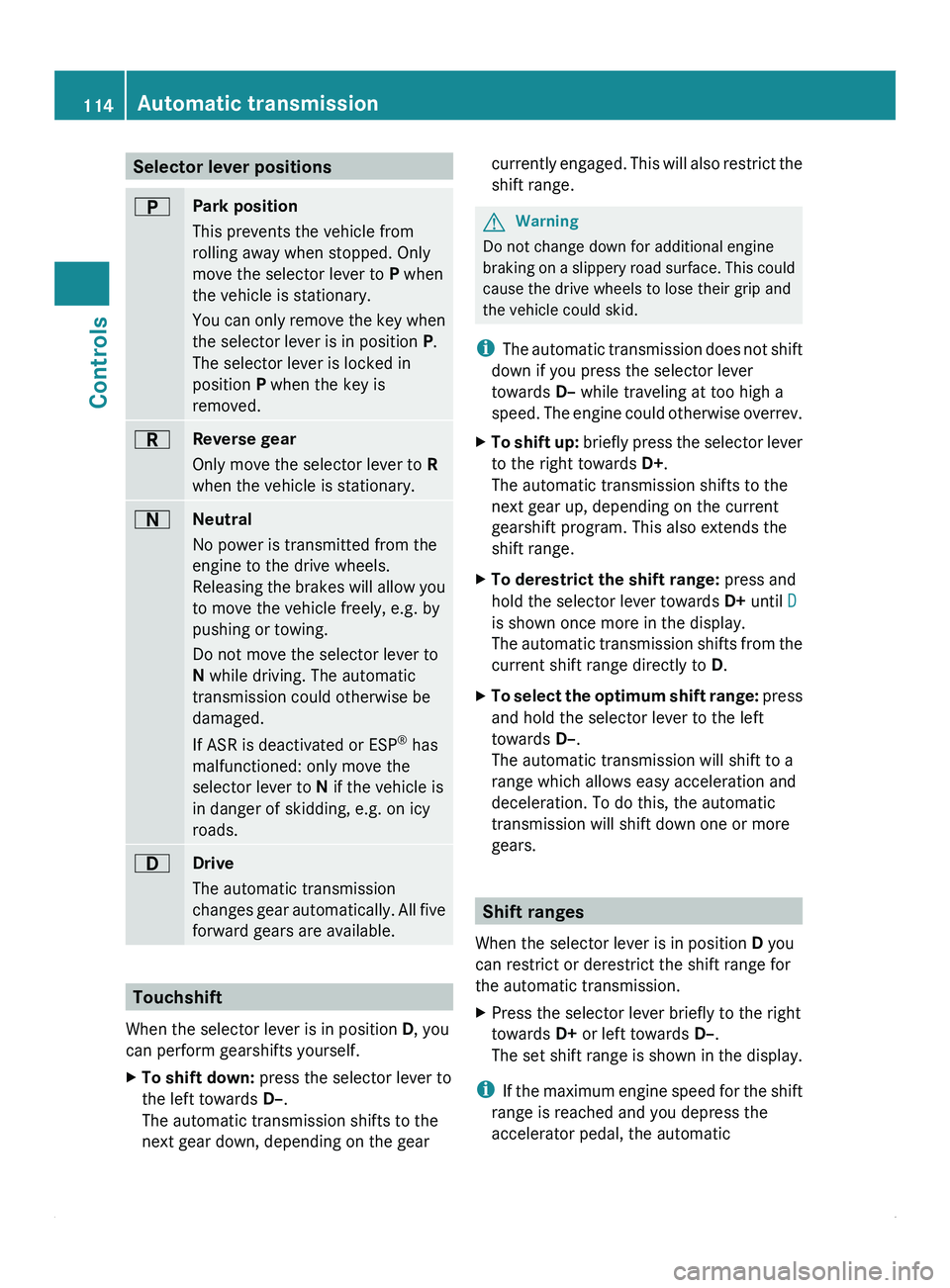
0045
Park position
This prevents the vehicle from
rolling away when stopped. Only
move the selector lever to
P when
the vehicle is stationary.
You can only
remove the key when
the selector lever is in position P.
The selector lever is locked in
position P when the key is
removed. 0046
Reverse gear
Only move the selector lever to R
when the vehicle is stationary. 0044
Neutral
No power is transmitted from the
engine to the drive wheels.
Releasing the
brakes
will allow you
to move the vehicle freely, e.g. by
pushing or towing.
Do not move the selector lever to
N while driving. The automatic
transmission could otherwise be
damaged.
If ASR is deactivated or ESP ®
has
malfunctioned: only move the
selector lever to N if the vehicle is
in danger of skidding, e.g. on icy
roads. 003A
Drive
The automatic transmission
changes gear
automatically.
All five
forward gears are available. Touchshift
When the selector lever is in position D
, you
can perform gearshifts yourself.
X To shift down: press the selector lever to
the left towards D–.
The automatic transmission shifts to the
next gear down, depending on the gear currently engaged. This will also restrict the
shift range. G
Warning
Do not change down for additional engine
braking on a
slippery road surface. This could
cause the drive wheels to lose their grip and
the vehicle could skid.
i The automatic transmission does not shift
down if you press the selector lever
towards D– while traveling at too high a
speed. The engine could otherwise overrev.
X To shift up:
briefly press
the selector lever
to the right towards D+.
The automatic transmission shifts to the
next gear up, depending on the current
gearshift program. This also extends the
shift range.
X To derestrict the shift range: press and
hold the selector lever towards D+ until D
is shown once more in the display.
The automatic transmission
shifts from the
current shift range directly to D.
X To select the optimum shift range: press
and hold the selector lever to the left
towards D–
.
The automatic transmission will shift to a
range which allows easy acceleration and
deceleration. To do this, the automatic
transmission will shift down one or more
gears. Shift ranges
When the selector lever is in position D
you
can restrict or derestrict the shift range for
the automatic transmission.
X Press the selector lever briefly to the right
towards D+ or left towards D–.
The set shift
range is shown in the display.
i If the maximum
engine speed for the shift
range is reached and you depress the
accelerator pedal, the automatic 114
Automatic transmission
Controls