display MERCEDES-BENZ SPRINTER 2014 MY 14 Audio Manual
[x] Cancel search | Manufacturer: MERCEDES-BENZ, Model Year: 2014, Model line: SPRINTER, Model: MERCEDES-BENZ SPRINTER 2014Pages: 50, PDF Size: 3.41 MB
Page 17 of 50
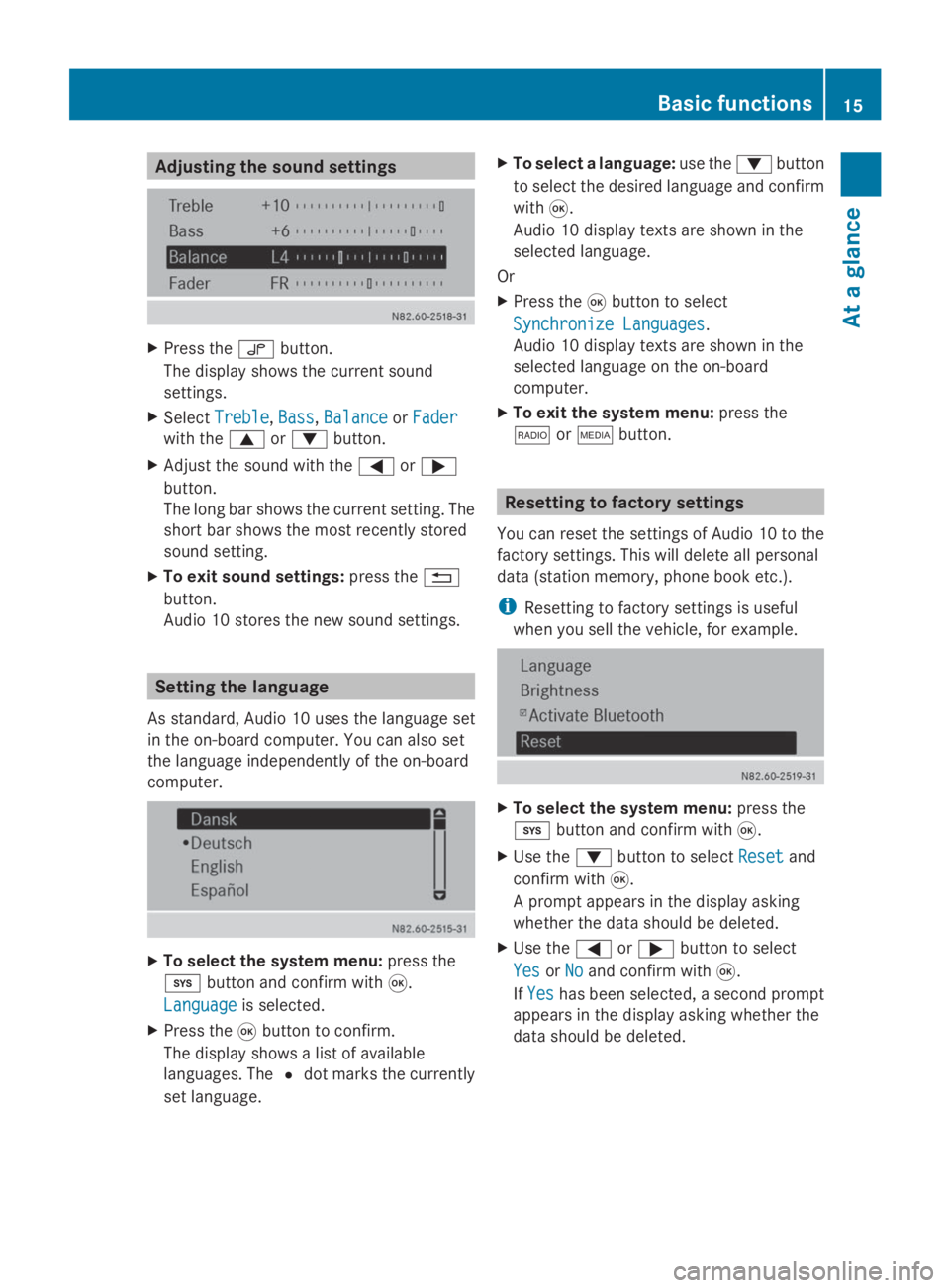
Adjusting the sound settings
X
Press the 0047button.
The display shows the current sound
settings.
X Select Treble
Treble ,Bass
Bass, Balance
Balance orFader
Fader
with the 0063or0064 button.
X Adjust the sound with the 0059or0065
button.
The long bar shows the current setting. The
short bar shows the most recently stored
sound setting.
X To exit sound settings: press the0038
button.
Audio 10 stores the new sound settings. Setting the language
As standard, Audio 10 uses the language set
in the on-board computer. You can also set
the language independently of the on-board
computer. X
To select the system menu: press the
003B button and confirm with 008B.
Language
Language is selected.
X Press the 008Bbutton to confirm.
The display shows a list of available
languages. The 0036dot marks the currently
set language. X
To select a language: use the0064button
to select the desired language and confirm
with 008B.
Audio 10 display texts are shown in the
selected language.
Or
X Press the 008Bbutton to select
Synchronize Languages
Synchronize Languages .
Audio 10 display texts are shown in the
selected language on the on-board
computer.
X To exit the system menu: press the
002A or00FD button. Resetting to factory settings
You can reset the settings of Audio 10 to the
factory settings. This will delete all personal
data (station memory, phone book etc.).
i Resetting to factory settings is useful
when you sell the vehicle, for example. X
To select the system menu: press the
003B button and confirm with 008B.
X Use the 0064button to select Reset
Reset and
confirm with 008B.
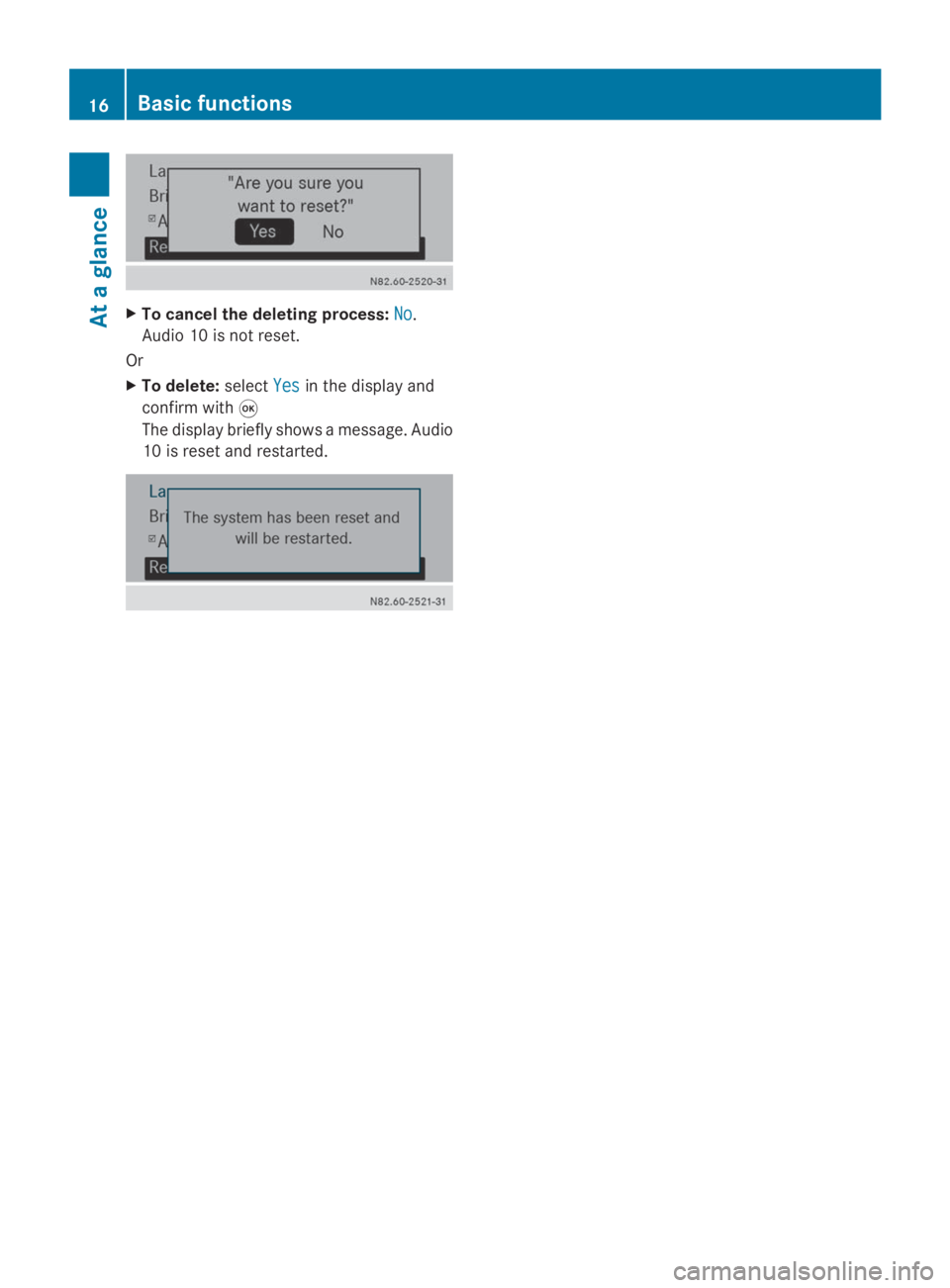
A prompt appears in the display asking
whether the data should be deleted.
X Use the 0059or0065 button to select
Yes
Yes orNo No and confirm with 008B.
If Yes
Yes has been selected, a second prompt
appears in the display asking whether the
data should be deleted. Basic functions
15At a glance
Page 18 of 50
X
To cancel the deleting process: No
No.
Audio 10 is not reset.
Or
X To delete: selectYes
Yes in the display and
confirm with 008B
The display briefly shows a message. Audio
10 is reset and restarted. 16
Basic functionsAt a glance
Page 20 of 50
Selecting radio
X Press the 002Abutton.
You will hear the last station selected. Selecting a station
Station search
X Press the 0048or0049 button briefly.
You will hear the next receivable station. Setting stations manually
X Press and hold the 0048or0049 button
until the desired position has been
reached.
You will hear the selected station, as long
as it is receivable. Setting the frequency manually
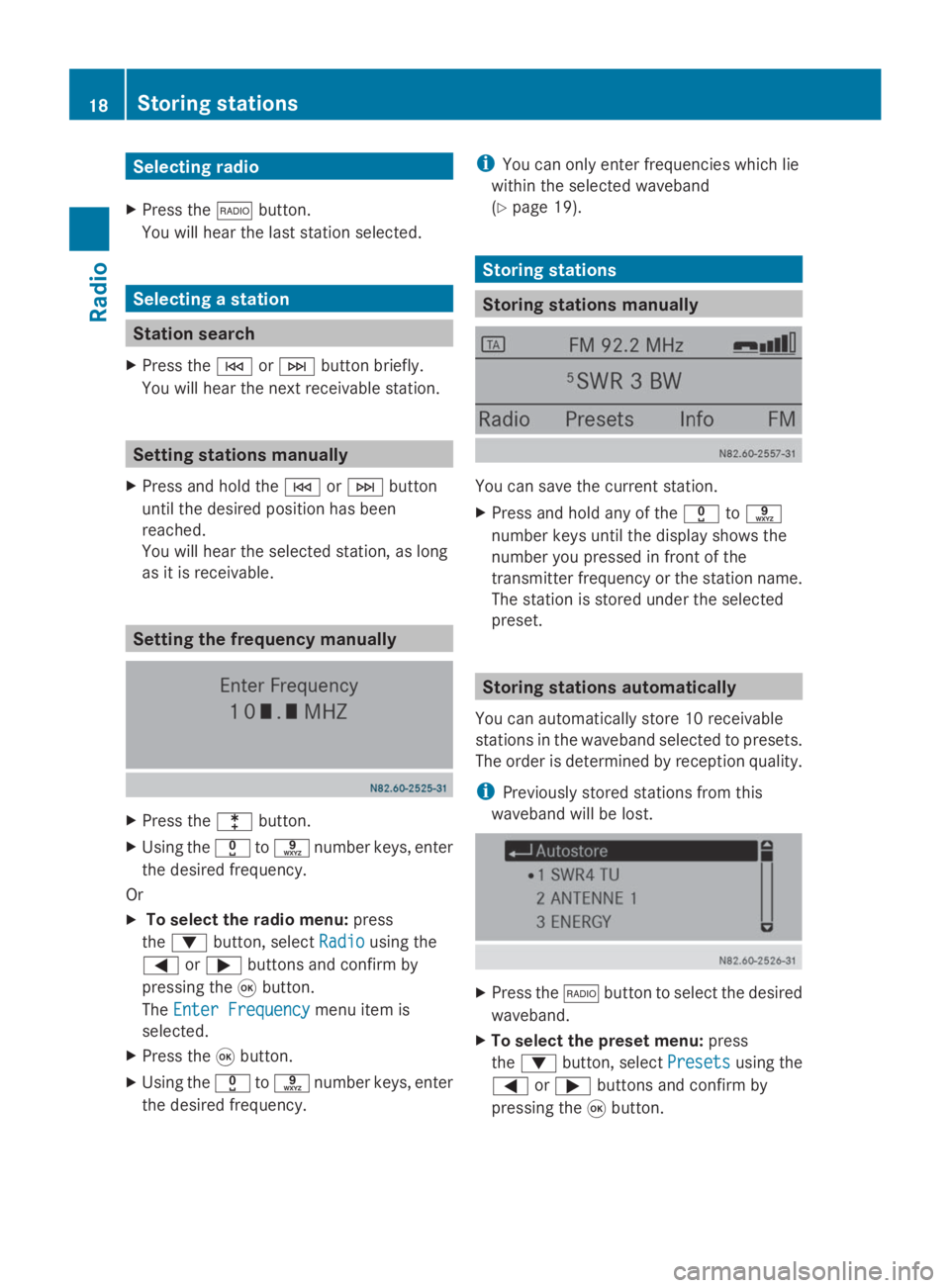
X
Press the 003Ebutton.
X Using the 004Ato0089 number keys, enter
the desired frequency.
Or
X To select the radio menu: press
the 0064 button, select Radio
Radio using the
0059 or0065 buttons and confirm by
pressing the 008Bbutton.
The Enter Frequency
Enter Frequency menu item is
selected.
X Press the 008Bbutton.
X Using the 004Ato0089 number keys, enter
the desired frequency. i
You can only enter frequencies which lie
within the selected waveband
(Y page 19). Storing stations
Storing stations manually
You can save the current station.
X
Press and hold any of the 004Ato0089
number keys until the display shows the
number you pressed in front of the
transmitter frequency or the station name.
The station is stored under the selected
preset. Storing stations automatically
You can automatically store 10 receivable
stations in the waveband selected to presets.
The order is determined by reception quality.
i Previously stored stations from this
waveband will be lost. X
Press the 002Abutton to select the desired
waveband.
X To select the preset menu: press
the 0064 button, select Presets Presetsusing the
0059 or0065 buttons and confirm by
pressing the 008Bbutton. 18
Storing stationsRadio
Page 21 of 50
X
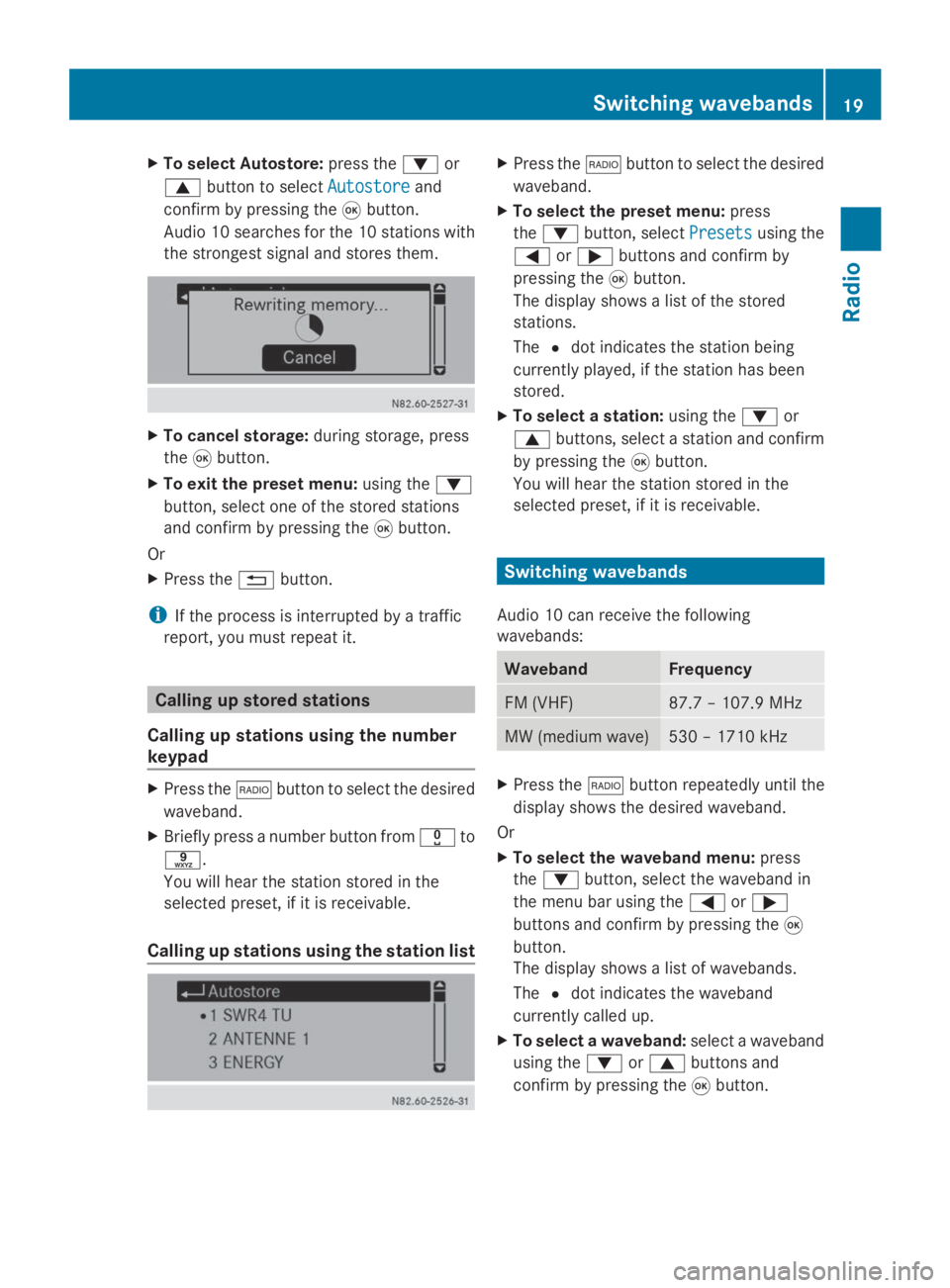
To select Autostore: press the0064or
0063 button to select Autostore
Autostoreand
confirm by pressing the 008Bbutton.
Audio 10 searches for the 10 stations with
the strongest signal and stores them. X
To cancel storage: during storage, press
the 008Bbutton.
X To exit the preset menu: using the0064
button, select one of the stored stations
and confirm by pressing the 008Bbutton.
Or
X Press the 0038button.
i If the process is interrupted by a traffic
report, you must repeat it. Calling up stored stations
Calling up stations using the number
keypad X
Press the 002Abutton to select the desired
waveband.
X Briefly press a number button from 004Ato
0089.
You will hear the station stored in the
selected preset, if it is receivable.
Calling up stations using the station list X
Press the 002Abutton to select the desired
waveband.
X To select the preset menu: press
the 0064 button, select Presets Presetsusing the
0059 or0065 buttons and confirm by
pressing the 008Bbutton.
The display shows a list of the stored
stations.
The 0036dot indicates the station being
currently played, if the station has been
stored.
X To select a station: using the0064or
0063 buttons, select a station and confirm
by pressing the 008Bbutton.
You will hear the station stored in the
selected preset, if it is receivable. Switching wavebands
Audio 10 can receive the following
wavebands: Waveband Frequency
FM (VHF) 87.7 – 107.9 MHz
MW (medium wave) 530 – 1710 kHz
X
Press the 002Abutton repeatedly until the
display shows the desired waveband.
Or
X To select the waveband menu: press
the 0064 button, select the waveband in
the menu bar using the 0059or0065
buttons and confirm by pressing the 008B
button.
The display shows a list of wavebands.
The 0036dot indicates the waveband
currently called up.
X To select a waveband: select a waveband
using the 0064or0063 buttons and
confirm by pressing the 008Bbutton. Switching wavebands
19Radio
Page 22 of 50
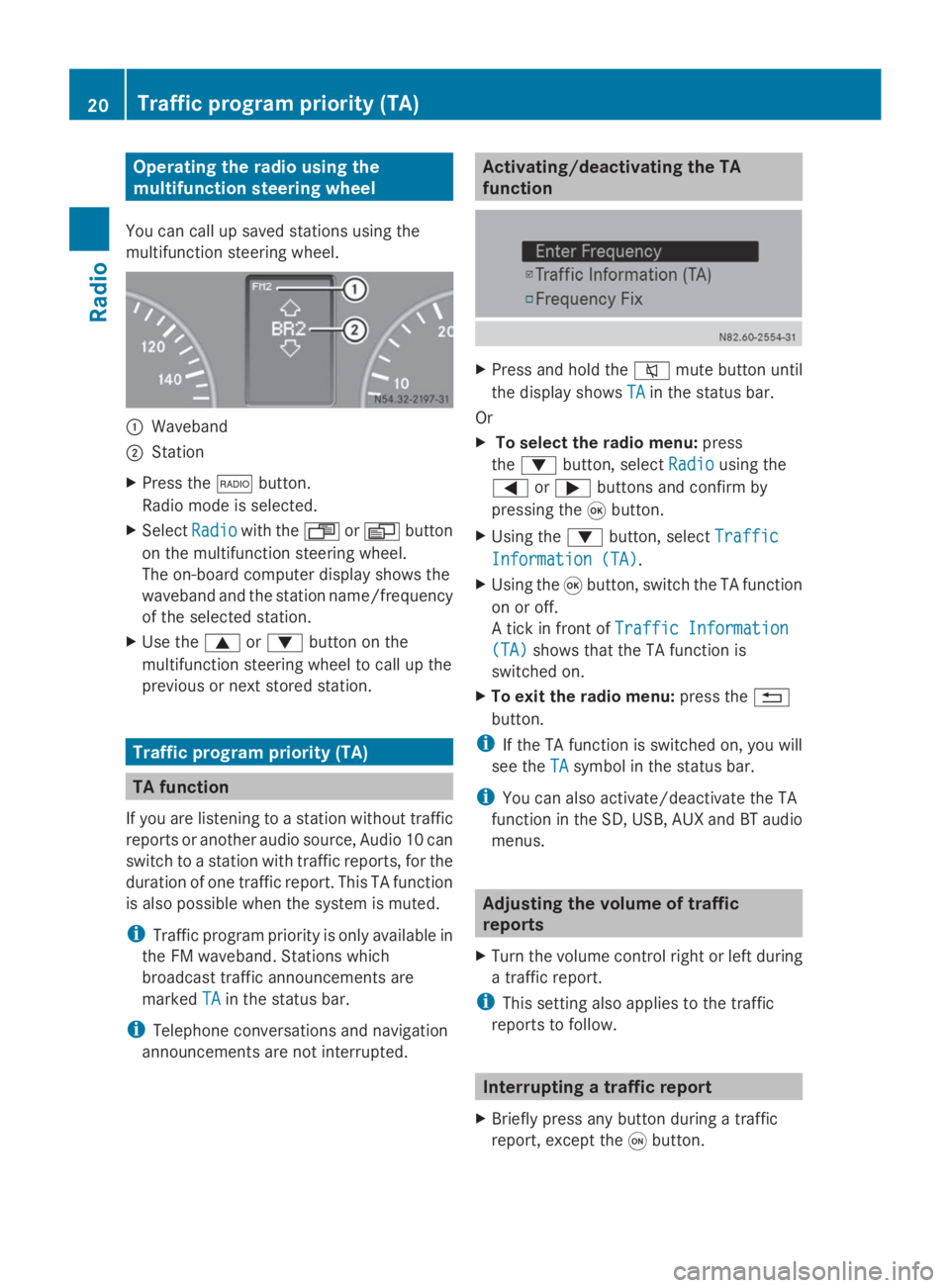
Operating the radio using the
multifunction steering wheel
You can call up saved stations using the
multifunction steering wheel. 0043
Waveband
0044 Station
X Press the 002Abutton.
Radio mode is selected.
X Select Radio Radiowith the 007For0080 button
on the multifunction steering wheel.
The on-board computer display shows the
waveband and the station name/frequency
of the selected station.
X Use the 0063or0064 button on the
multifunction steering wheel to call up the
previous or next stored station. Traffic program priority (TA)
TA function
If you are listening to a station without traffic
reports or another audio source, Audio 10 can
switch to a station with traffic reports, for the
duration of one traffic report. This TA function
is also possible when the system is muted.
i Traffic program priority is only available in
the FM waveband. Stations which
broadcast traffic announcements are
marked TA
TA in the status bar.
i Telephone conversations and navigation
announcements are not interrupted. Activating/deactivating the TA
function
X
Press and hold the 0063mute button until
the display shows TA TAin the status bar.
Or
X To select the radio menu: press
the 0064 button, select Radio Radiousing the
0059 or0065 buttons and confirm by
pressing the 008Bbutton.
X Using the 0064button, select Traffic Traffic
Information (TA) Information (TA).
X Using the 008Bbutton, switch the TA function
on or off.
A tick in front of Traffic Information Traffic Information
(TA)
(TA) shows that the TA function is
switched on.
X To exit the radio menu: press the0038
button.
i If the TA function is switched on, you will
see the TA
TAsymbol in the status bar.
i You can also activate/deactivate the TA
function in the SD, USB, AUX and BT audio
menus. Adjusting the volume of traffic
reports
X Turn the volume control right or left during
a traffic report.
i This setting also applies to the traffic
reports to follow. Interrupting a traffic report
X Briefly press any button during a traffic
report, except the 0043button. 20
Traffic program priority (TA)Radio
Page 25 of 50
Important safety notes
.......................24
Inserting/removing an SD memory
card ...................................................... 24
Connecting a USB device ...................24
Selecting the SD/USB function .........24
Selecting a track ................................. 25
Changing folders ................................. 25
Selecting track playback options ......26
Displaying metadata ...........................26
Calling up information on the cur-
rently played track ..............................26
Operating the SD/USB function
using the multifunction steering
wheel .................................................... 27 23SD memory card and USB device
Page 26 of 50
Important safety notes
G
WARNING
Handling discs while driving may distract you
from traffic conditions. You could also lose
control of the vehicle. There is a risk of an
accident.
Handle discs only when the vehicle is
stationary. Inserting/removing an SD memory
card
Inserting an SD memory card
X Insert the SD memory card into the SD slot
with the contacts at the front and facing
downwards.
Audio 10 automatically activates the SD
function and loads the files. The display
shows Reading Memory Card...
Reading Memory Card....
i If Audio 10 cannot find any readable data
on the SD card, the display shows the
message No Playable Files
No Playable Files.
Information on readable file formats can be
found in the technical data (Y page 48).Ejecting an SD memory card
X Press the SD memory card.
Audio 10 ejects the SD card.
X Remove the SD memory card. Connecting a USB device
The port for USB devices is located in the
stowage compartment on the driver's side of
the instrument panel.
X Connect the USB device to the USB port in
the correct position.
Audio 10 automatically activates the USB
function and loads the files. The display
shows Reading USB device...
Reading USB device... i
If Audio 10 cannot find any readable data
on the USB device, the display shows the
message No Playable Files No Playable Files.
Information on readable file formats can be
found in the technical data (Y page 48).
i Due to the wide range of USB devices
available on the market, playback cannot
be guaranteed for all USB device brands.
Information about suitable USB devices
can be obtained from an authorized
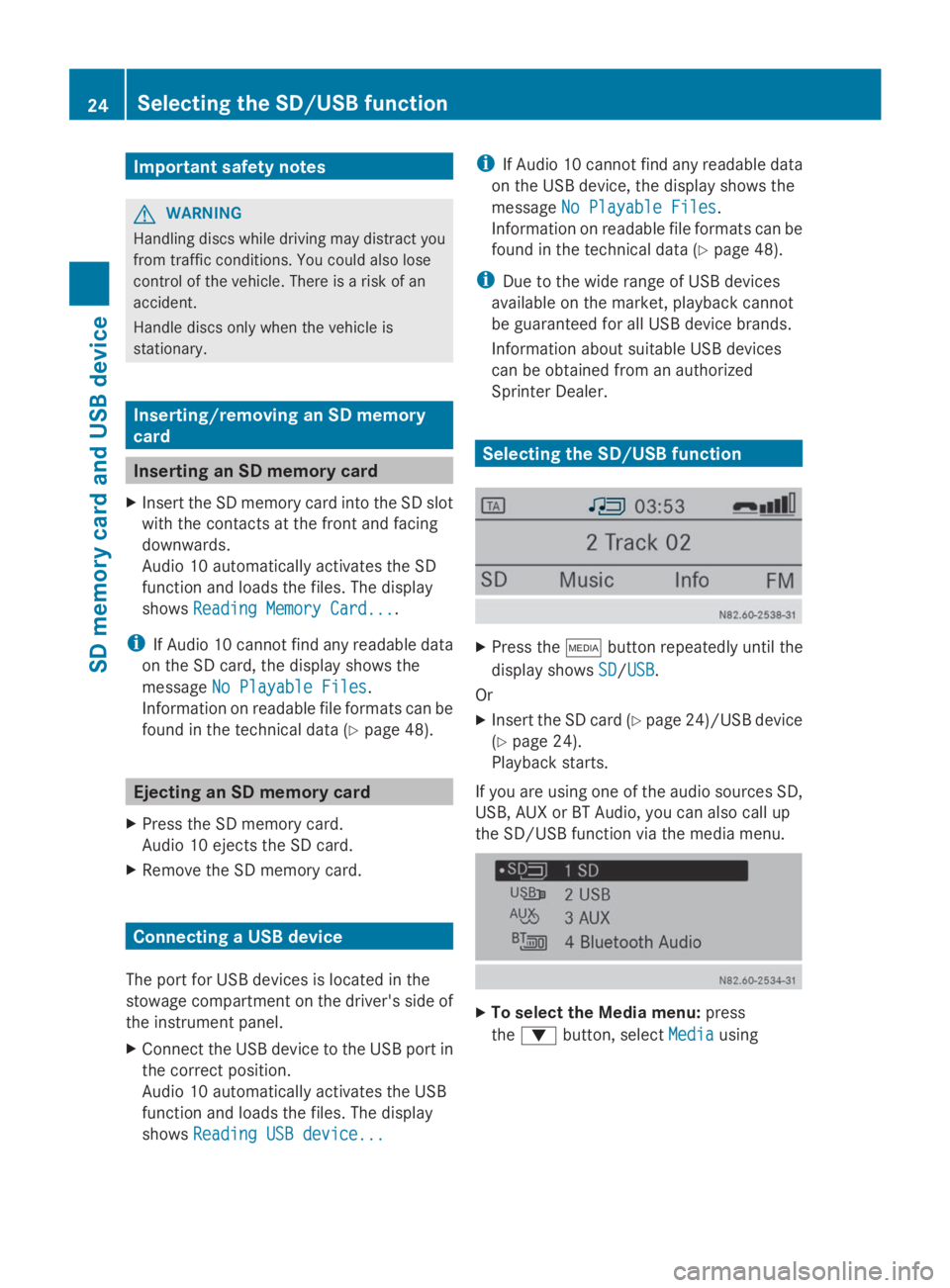
Sprinter Dealer. Selecting the SD/USB function
X
Press the 00FDbutton repeatedly until the
display shows SD SD/USB USB.
Or
X Insert the SD card (Y page 24)/USB device
(Y page 24).
Playback starts.
If you are using one of the audio sources SD,
USB, AUX or BT Audio, you can also call up
the SD/USB function via the media menu. X
To select the Media menu: press
the 0064 button, select Media Mediausing 24
Selecting the SD/USB functionSD
memory card and USB device
Page 27 of 50
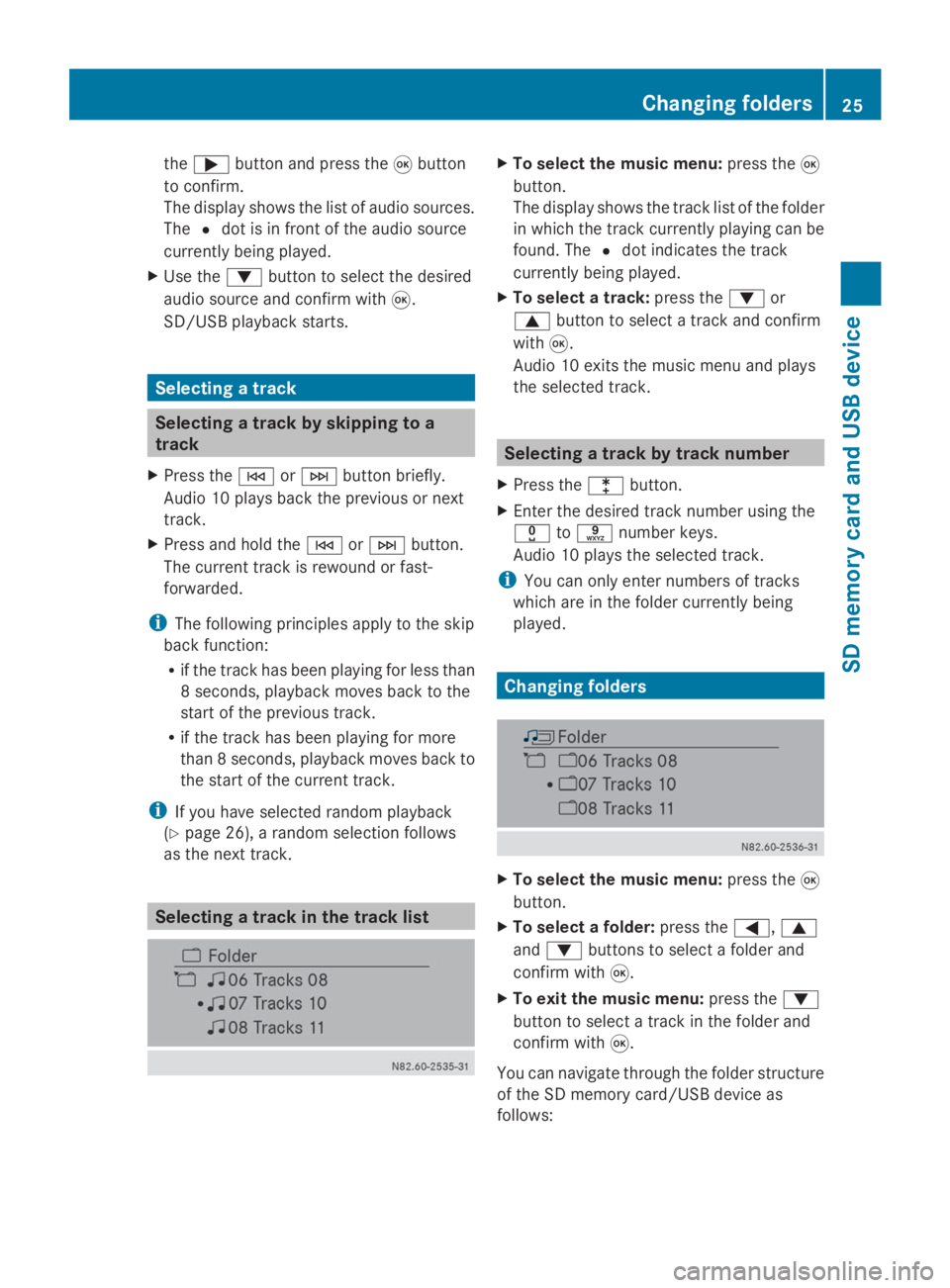
the
0065 button and press the 008Bbutton
to confirm.
The display shows the list of audio sources.
The 0036dot is in front of the audio source
currently being played.
X Use the 0064button to select the desired
audio source and confirm with 008B.
SD/USB playback starts. Selecting a track
Selecting a track by skipping to a
track
X Press the 0048or0049 button briefly.
Audio 10 plays back the previous or next
track.
X Press and hold the 0048or0049 button.
The current track is rewound or fast-
forwarded.
i The following principles apply to the skip
back function:
R if the track has been playing for less than
8 seconds, playback moves back to the
start of the previous track.
R if the track has been playing for more
than 8 seconds, playback moves back to
the start of the current track.
i If you have selected random playback
(Y page 26), a random selection follows
as the next track. Selecting a track in the track list X
To select the music menu: press the008B
button.
The display shows the track list of the folder
in which the track currently playing can be
found. The 0036dot indicates the track
currently being played.
X To select a track: press the0064or
0063 button to select a track and confirm
with 008B.
Audio 10 exits the music menu and plays
the selected track. Selecting a track by track number
X Press the 003Ebutton.
X Enter the desired track number using the
004A to0089 number keys.
Audio 10 plays the selected track.
i You can only enter numbers of tracks
which are in the folder currently being
played. Changing folders
X
To select the music menu: press the008B
button.
X To select a folder: press the0059,0063
and 0064 buttons to select a folder and
confirm with 008B.
X To exit the music menu: press the0064
button to select a track in the folder and
confirm with 008B.
You can navigate through the folder structure
of the SD memory card/USB device as
follows: Changing folders
25SD memory card and USB device Z
Page 28 of 50
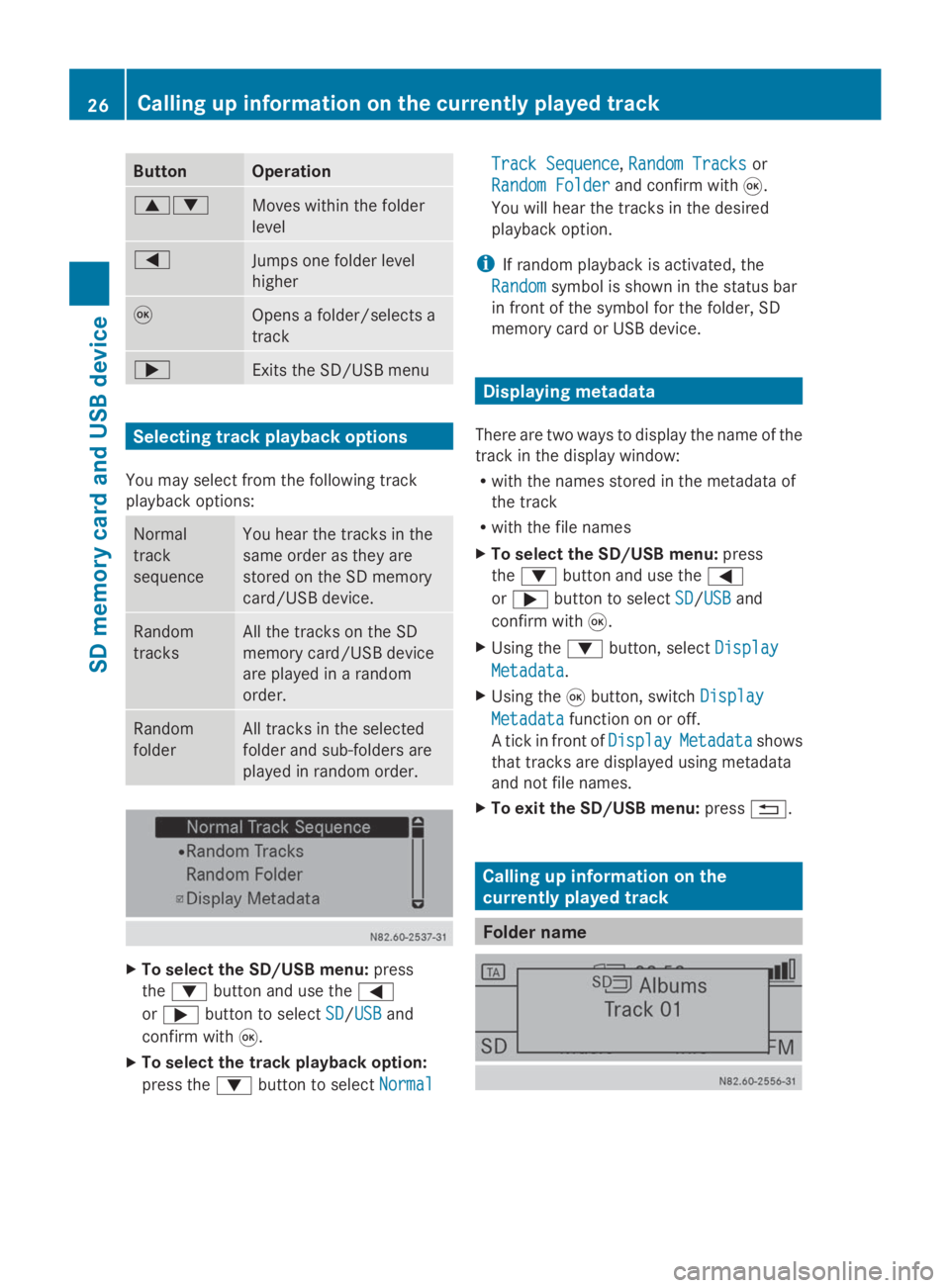
Button Operation
00630064
Moves within the folder
level
0059
Jumps one folder level
higher
008B
Opens a folder/selects a
track
0065
Exits the SD/USB menu
Selecting track playback options
You may select from the following track
playback options: Normal
track
sequence You hear the tracks in the
same order as they are
stored on the SD memory
card/USB device. Random
tracks All the tracks on the SD
memory card/USB device
are played in a random
order.
Random
folder All tracks in the selected
folder and sub-folders are
played in random order.
X
To select the SD/USB menu: press
the 0064 button and use the 0059
or 0065 button to select SD SD/USB
USB and
confirm with 008B.
X To select the track playback option:
press the 0064button to select Normal
Normal Track Sequence Track Sequence,
Random Tracks
Random Tracksor
Random Folder
Random Folder and confirm with 008B.
You will hear the tracks in the desired
playback option.
i If random playback is activated, the
Random
Random symbol is shown in the status bar
in front of the symbol for the folder, SD
memory card or USB device. Displaying metadata
There are two ways to display the name of the
track in the display window:
R with the names stored in the metadata of
the track
R with the file names
X To select the SD/USB menu: press
the 0064 button and use the 0059
or 0065 button to select SD SD/USB
USB and
confirm with 008B.
X Using the 0064button, select Display
Display
Metadata
Metadata.
X Using the 008Bbutton, switch Display
Display
Metadata
Metadata function on or off.
A tick in front of Display
DisplayMetadata
Metadata shows
that tracks are displayed using metadata
and not file names.
X To exit the SD/USB menu: press0038. Calling up information on the
currently played track
Folder name26
Calling up information on the currently played trackSD memory card and USB device
Page 29 of 50
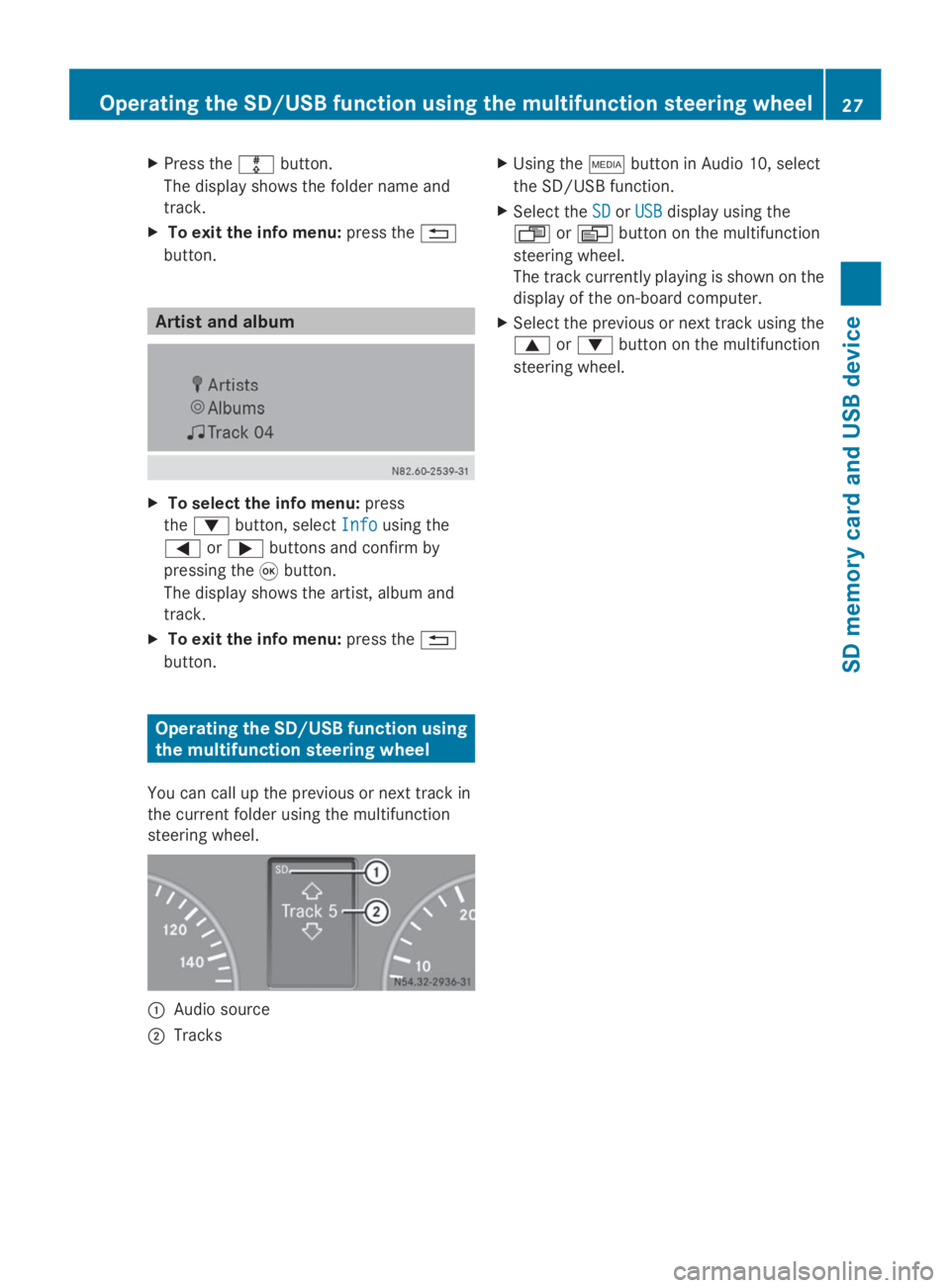
X
Press the 003Fbutton.
The display shows the folder name and
track.
X To exit the info menu: press the0038
button. Artist and album
X
To select the info menu: press
the 0064 button, select Info Infousing the
0059 or0065 buttons and confirm by
pressing the 008Bbutton.
The display shows the artist, album and
track.
X To exit the info menu: press the0038
button. Operating the SD/USB function using
the multifunction steering wheel
You can call up the previous or next track in
the current folder using the multifunction
steering wheel. 0043
Audio source
0044 Tracks X
Using the 00FDbutton in Audio 10, select
the SD/USB function.
X Select the SD
SD orUSB
USB display using the
007F or0080 button on the multifunction
steering wheel.
The track currently playing is shown on the
display of the on-board computer.
X Select the previous or next track using the
0063 or0064 button on the multifunction
steering wheel. Operating the SD/USB function using the multifunction steering wheel
27SD memory card and USB device Z