Parking light MERCEDES-BENZ SPRINTER 2014 MY14 Operator’s Manual
[x] Cancel search | Manufacturer: MERCEDES-BENZ, Model Year: 2014, Model line: SPRINTER, Model: MERCEDES-BENZ SPRINTER 2014Pages: 338, PDF Size: 6.78 MB
Page 5 of 338
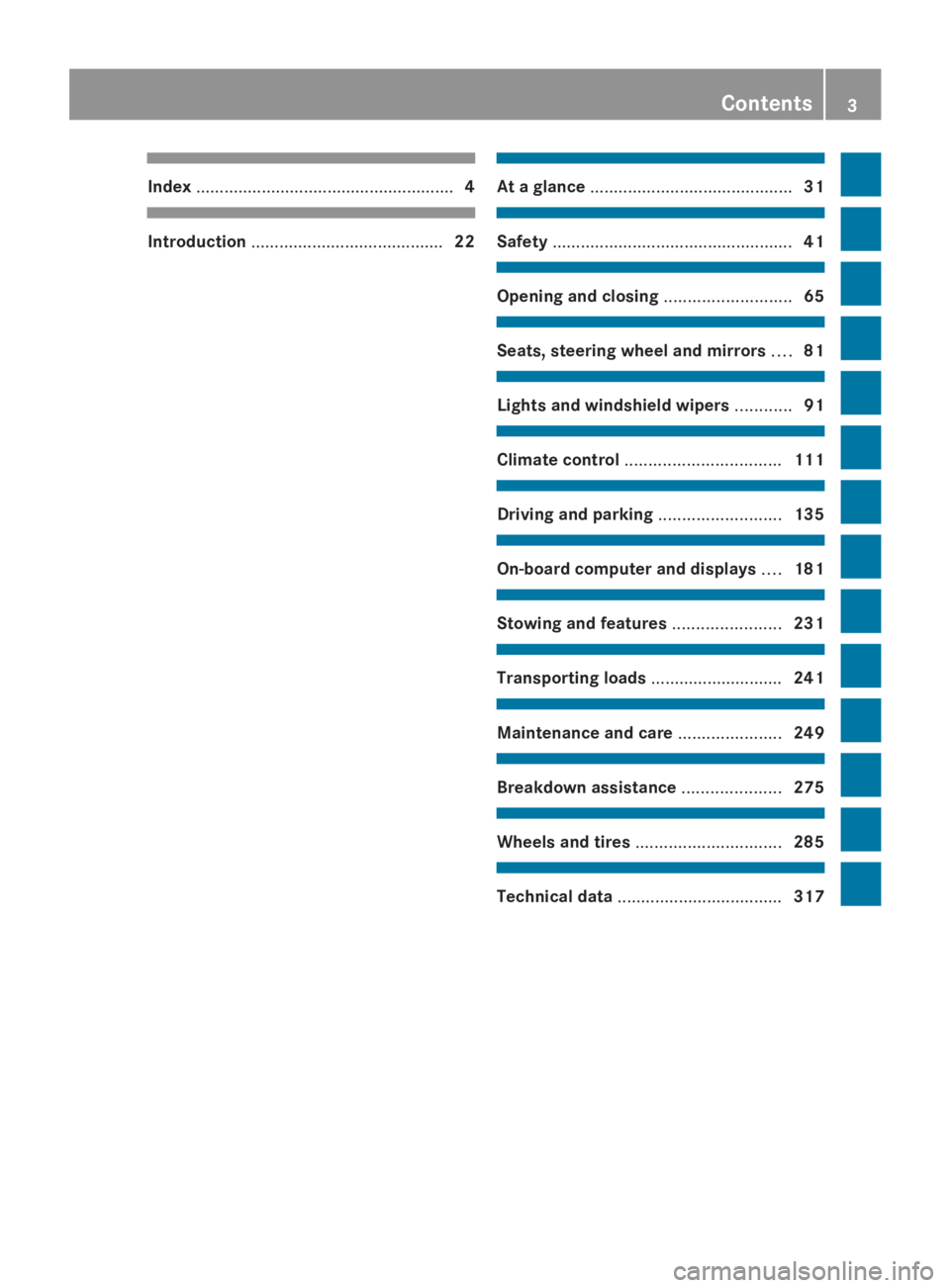
Index
....................................................... 4Introduction
......................................... 22 At a glance
........................................... 31 Safety
................................................... 41 Opening and closing
...........................65 Seats, steering wheel and mirrors
....81 Lights and windshield wipers
............91 Climate control
................................. 111 Driving and parking
..........................135 On-board computer and displays
....181 Stowing and features
.......................231 Transporting loads
............................241 Maintenance and care
......................249 Breakdown assistance
.....................275 Wheels and tires
............................... 285 Technical data
................................... 317 Contents
3
Page 6 of 338
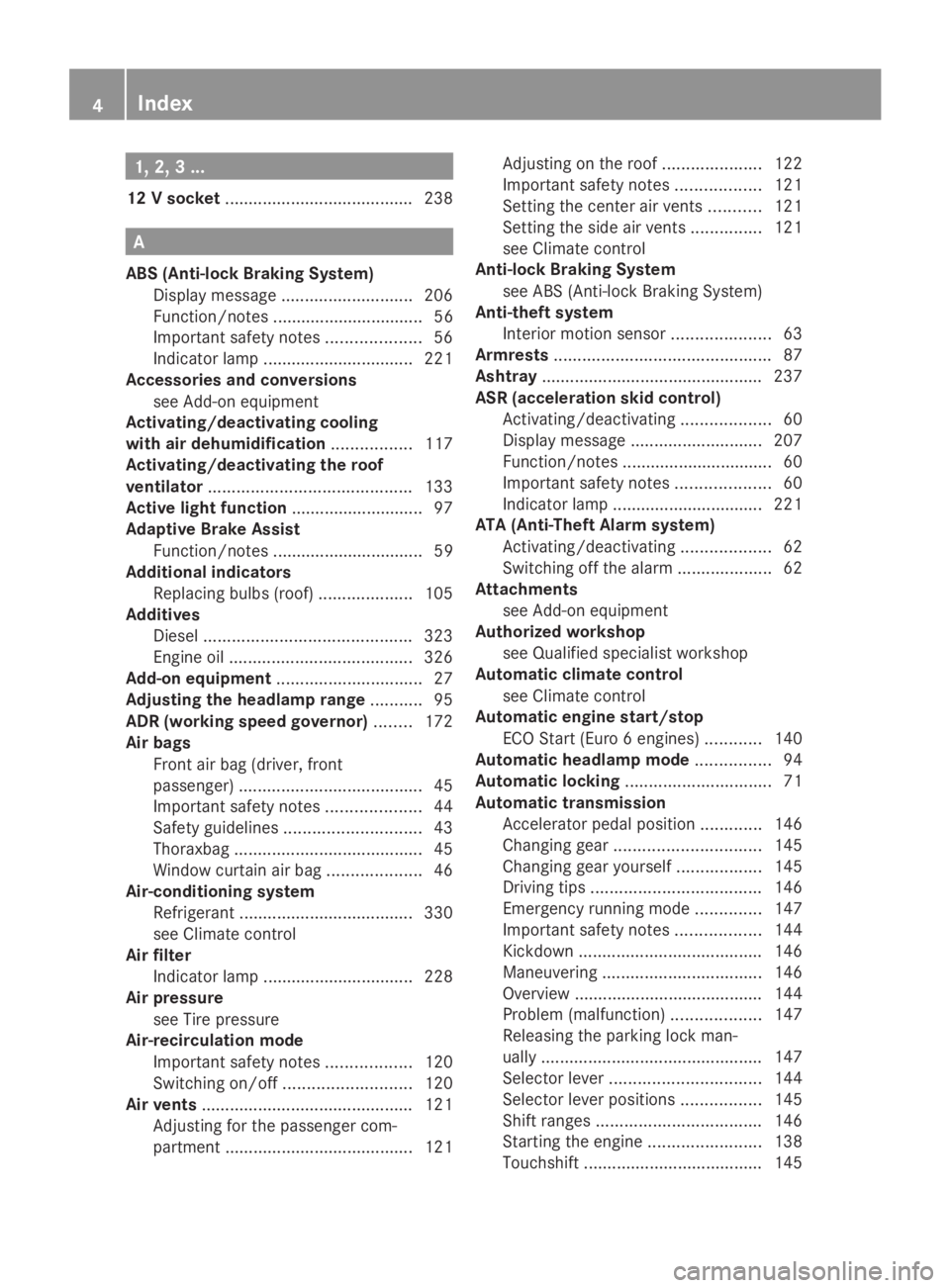
1, 2, 3 ...
12 V socket ........................................ 238A
ABS (Anti-lock Braking System) Display message ............................ 206
Function/notes ................................ 56
Important safety notes ....................56
Indicator lamp ................................ 221
Accessories and conversions
see Add-on equipment
Activating/deactivating cooling
with air dehumidification .................117
Activating/deactivating the roof
ventilator ........................................... 133
Active light function ............................ 97
Adaptive Brake Assist Function/notes ................................ 59
Additional indicators
Replacing bulbs (roof) ....................105
Additives
Diesel ............................................ 323
Engine oil ....................................... 326
Add-on equipment ............................... 27
Adjusting the headlamp range ...........95
ADR (working speed governor) ........172
Air bags Front air bag (driver, front
passenger) ....................................... 45
Important safety notes ....................44
Safety guidelines ............................. 43
Thoraxbag ........................................ 45
Window curtain air bag ....................46
Air-conditioning system
Refrigerant ..................................... 330
see Climate control
Air filter
Indicator lamp ................................ 228
Air pressure
see Tire pressure
Air-recirculation mode
Important safety notes ..................120
Switching on/off ........................... 120
Air vents ............................................. 121
Adjusting for the passenger com-
partment ........................................ 121Adjusting on the roof
.....................122
Important safety notes ..................121
Setting the center air vents ...........121
Setting the side air vents ...............121
see Climate control
Anti-lock Braking System
see ABS (Anti-lock Braking System)
Anti-theft system
Interior motion sensor .....................63
Armrests .............................................. 87
Ashtray ............................................... 237
ASR (acceleration skid control) Activating/deactivating ...................60
Display message ............................ 207
Function/notes ................................ 60
Important safety notes ....................60
Indicator lamp ................................ 221
ATA (Anti-Theft Alarm system)
Activating/deactivating ...................62
Switching off the alarm ....................62
Attachments
see Add-on equipment
Authorized workshop
see Qualified specialist workshop
Automatic climate control
see Climate control
Automatic engine start/stop
ECO Start (Euro 6 engines) ............140
Automatic headlamp mode ................94
Automatic locking ............................... 71
Automatic transmission Accelerator pedal position .............146
Changing gea r............................... 145
Changing gear yoursel f.................. 145
Driving tips .................................... 146
Emergency running mode ..............147
Important safety notes ..................144
Kickdown ....................................... 146
Maneuvering .................................. 146
Overview ........................................ 144
Problem (malfunction) ...................147
Releasing the parking lock man-
ually ............................................... 147
Selector lever ................................ 144
Selector lever positions .................145
Shift ranges ................................... 146
Starting the engine ........................138
Touchshift ...................................... 1454
Index
Page 8 of 338
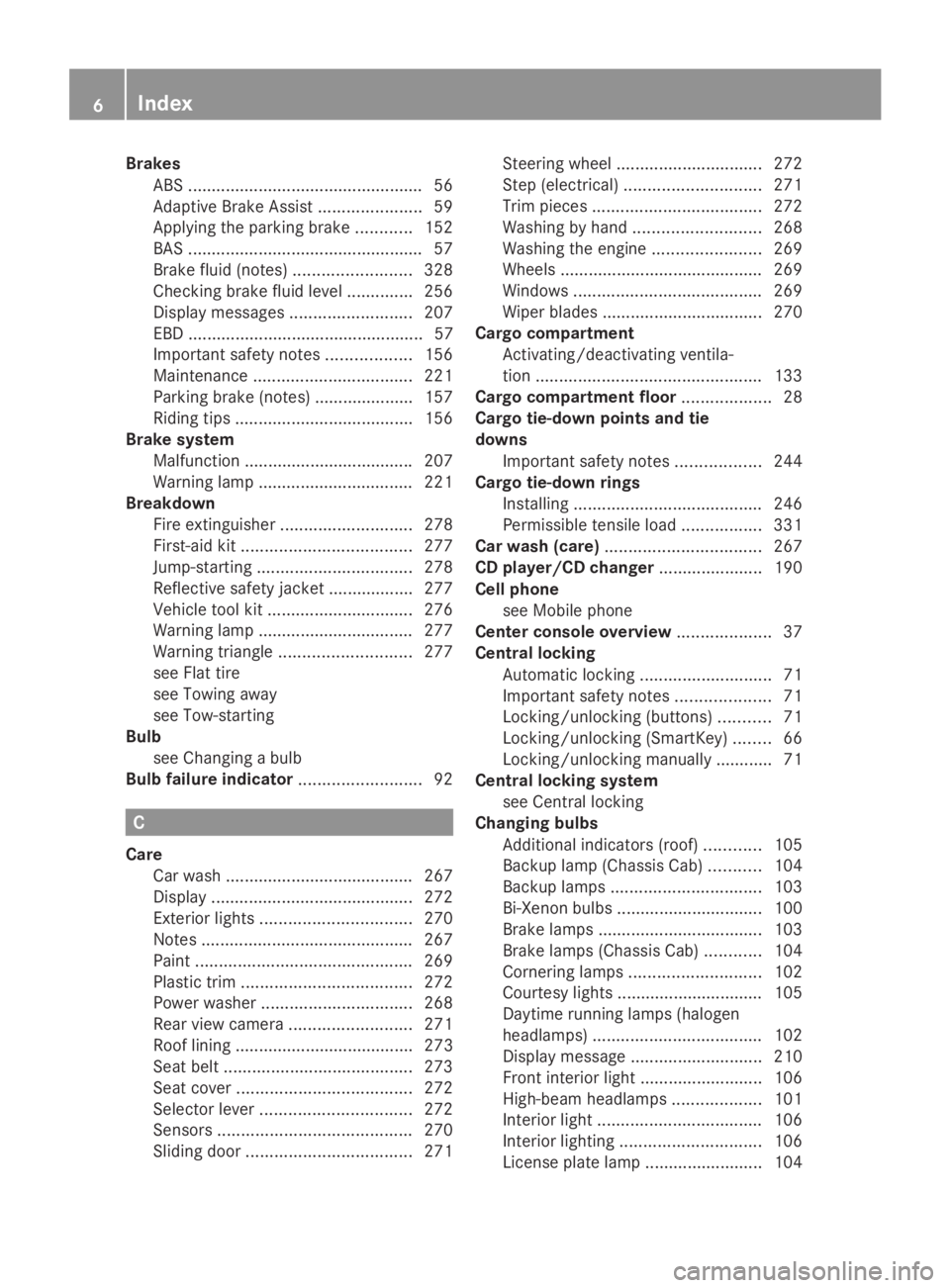
Brakes
ABS .................................................. 56
Adaptive Brake Assist ......................59
Applying the parking brake ............152
BAS .................................................. 57
Brake fluid (notes) .........................328
Checking brake fluid leve l.............. 256
Display messages ..........................207
EBD .................................................. 57
Important safety notes ..................156
Maintenance .................................. 221
Parking brake (notes) ..................... 157
Riding tips ...................................... 156
Brake system
Malfunction ................................... .207
Warning lamp ................................. 221
Breakdown
Fire extinguisher ............................ 278
First-aid kit .................................... 277
Jump-starting ................................. 278
Reflective safety jacket .................. 277
Vehicle tool kit ............................... 276
Warning lamp ................................. 277
Warning triangle ............................ 277
see Flat tire
see Towing away
see Tow-starting
Bulb
see Changing a bulb
Bulb failure indicator ..........................92C
Care Car wash ........................................ 267
Display ........................................... 272
Exterior lights ................................ 270
Notes ............................................. 267
Paint .............................................. 269
Plastic trim .................................... 272
Power washer ................................ 268
Rear view camera .......................... 271
Roof lining ...................................... 273
Seat belt ........................................ 273
Seat cover ..................................... 272
Selector lever ................................ 272
Sensors ......................................... 270
Sliding door ................................... 271Steering wheel
............................... 272
Step (electrical) ............................. 271
Trim pieces .................................... 272
Washing by hand ........................... 268
Washing the engine .......................269
Wheels ........................................... 269
Windows ........................................ 269
Wiper blades .................................. 270
Cargo compartment
Activating/deactivating ventila-
tion ................................................ 133
Cargo compartment floor ...................28
Cargo tie-down points and tie
downs
Important safety notes ..................244
Cargo tie-down rings
Installing ........................................ 246
Permissible tensile loa d................. 331
Car wash (care) ................................. 267
CD player/CD changer ......................190
Cell phone see Mobile phone
Center console overview ....................37
Central locking Automatic locking ............................ 71
Important safety notes ....................71
Locking/unlocking (buttons) ...........71
Locking/unlocking (SmartKey) ........66
Locking/unlocking manually ............ 71
Central locking system
see Central locking
Changing bulbs
Additional indicators (roof) ............105
Backup lamp (Chassis Cab) ...........104
Backup lamps ................................ 103
Bi-Xenon bulbs ............................... 100
Brake lamps ................................... 103
Brake lamps (Chassis Cab) ............104
Cornering lamps ............................ 102
Courtesy lights ............................... 105
Daytime running lamps (halogen
headlamps) .................................... 102
Display message ............................ 210
Front interior light ..........................106
High-beam headlamps ...................101
Interior light ................................... 106
Interior lighting .............................. 106
License plate lamp .........................1046
Index
Page 14 of 338
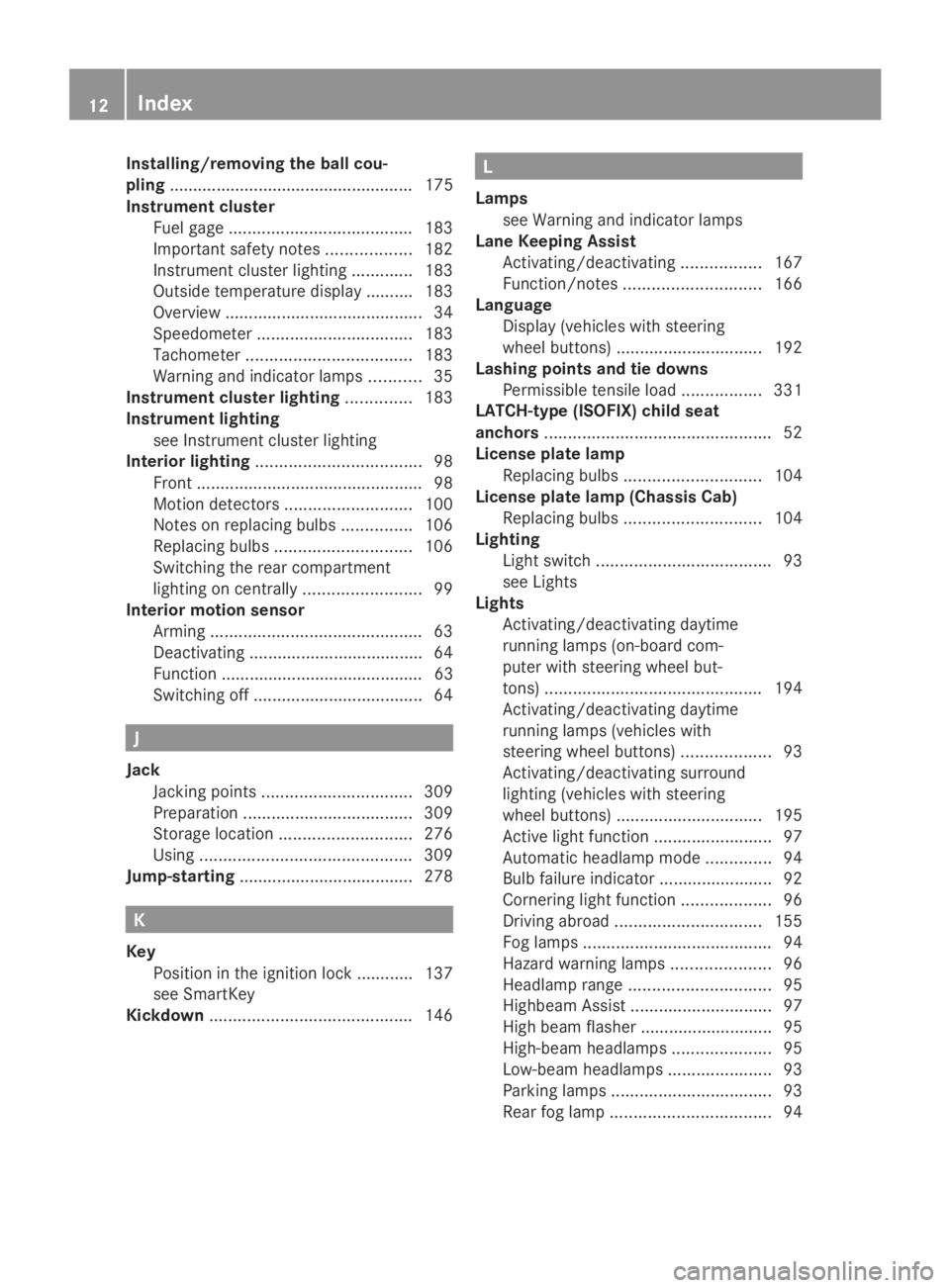
Installing/removing the ball cou-
pling
.................................................... 175
Instrument cluster Fuel gage ....................................... 183
Important safety notes ..................182
Instrument cluster lighting .............183
Outside temperature displa y.......... 183
Overview .......................................... 34
Speedometer ................................. 183
Tachometer ................................... 183
Warning and indicator lamps ...........35
Instrument cluster lighting ..............183
Instrument lighting see Instrument cluster lighting
Interior lighting ................................... 98
Front ................................................ 98
Motion detectors ........................... 100
Notes on replacing bulbs ...............106
Replacing bulbs ............................. 106
Switching the rear compartment
lighting on centrally .........................99
Interior motion sensor
Arming ............................................. 63
Deactivating .................................... .64
Function ........................................... 63
Switching off .................................... 64J
Jack Jacking points ................................ 309
Preparation .................................... 309
Storage location ............................ 276
Using ............................................. 309
Jump-starting ..................................... 278K
Key Position in the ignition lock ............ 137
see SmartKey
Kickdown ........................................... 146 L
Lamps see Warning and indicator lamps
Lane Keeping Assist
Activating/deactivating .................167
Function/notes ............................. 166
Language
Display (vehicles with steering
wheel buttons) ............................... 192
Lashing points and tie downs
Permissible tensile loa d................. 331
LATCH-type (ISOFIX) child seat
anchors ................................................ 52
License plate lamp Replacing bulbs ............................. 104
License plate lamp (Chassis Cab)
Replacing bulbs ............................. 104
Lighting
Light switch ..................................... 93
see Lights
Lights
Activating/deactivating daytime
running lamps (on-board com-
puter with steering wheel but-
tons) .............................................. 194
Activating/deactivating daytime
running lamps (vehicles with
steering wheel buttons) ...................93
Activating/deactivating surround
lighting (vehicles with steering
wheel buttons) ............................... 195
Active light function .........................97
Automatic headlamp mode ..............94
Bulb failure indicator ........................92
Cornering light function ...................96
Driving abroad ............................... 155
Fog lamps ........................................ 94
Hazard warning lamps .....................96
Headlamp range .............................. 95
Highbeam Assist .............................. 97
High beam flasher ............................ 95
High-beam headlamps .....................95
Low-beam headlamps ......................93
Parking lamps .................................. 93
Rear fog lamp .................................. 9412
Index
Page 16 of 338
Pets in the vehicle
........................... 56
Seat belts ........................................ 47
Odometer
Display (vehicles without steering
wheel buttons) ............................... 184
Display (vehicles with steering
wheel buttons) ............................... 189
Off-road driving
Checklist after driving off-road ......160
Important safety notes ..................159
Rules for driving off-roa d............... 160
Oil
see Engine oil
On-board computer
Display message ............................ 199
Lighting submenu .......................... 194
On-board computer (vehicles with-
out steering wheel buttons)
Display message ............................ 199
General notes ................................ 184
Setting the clock ............................ 185
Standard displa y............................ 184
On-board computer (vehicles with
steering wheel buttons) Audio menu ................................... 189
Display message ............................ 186
Menu overview .............................. 188
Operating ...................................... .186
Operation menu ............................. 188
Settings menu ............................... 190
Standard displa y............................ 189
Telephone menu ............................ 198
Trip computer menu ......................197
Operating safety
Attachments, bodies, equipment
and conversions ............................... 27
Correct use ...................................... 26
Declaration of conformity ................25
Diagnostics connection ...................25
Digital speedometer and odome-
ter .................................................... 25
Important safety note ......................24
Limited Warranty ............................. 29
Modifying engine output ..................25
Qualified specialist workshop ..........26
Radiator cover ................................. 28
Vehicle registration ..........................23
Warning note sticker ........................26Operating system
see On-board computer
Operator's Manual
General notes .................................. 23
Vehicle equipment ...........................23
Outline lamp
Replacing bulbs ............................. 105
Outside temperature display ...........183
Overhead control panel ......................38
Overrevving range .............................183
Overrun cutoff ................................... 154 P
Paint code number ............................319
Paintwork (cleaning instructions) ...269
Paper holder ...................................... 236
Parking ............................................... 151
Important safety notes ..................151
Parking brake ................................ 152
Wheel chock .................................. 153
see PARKTRONIC
Parking aid
see PARKTRONIC
Parking brake
Display message ............................ 209
Notes/function .............................. 152
PARKTRONIC
Deactivating/activating .................170
Driving system ............................... 168
Function/notes ............................. 168
Important safety notes ..................168
Problem (malfunction) ...................171
Range of the sensors .....................168
Roll-back warning .......................... 170
Trailer towing ................................. 170
Warning displa y............................. 169
Partition sliding door
Important safety notes ....................77
Opening/closing .............................. 77
Passenger compartment air-condi-
tioning system
see Climate control
Passenger compartment heating
see Climate control
Perimeter lamp
Replacing bulbs ............................. 104
Pets in the vehicle ............................... 5614
Index
Page 17 of 338
Plastic trim (cleaning instructions)
..272
Power supply Battery isolating switch .................136
Switching off .................................. 137
Switching on .................................. 137
Power take-off
Engine speed setting .....................172
Power washers .................................. 268
Power windows see Side windows
Preparing for a journey
Checks in the vehicle .....................138
Visual check of the vehicle exte-
rior ................................................. 138
Product information ............................22
Protection of the environment General notes .................................. 22
Pulling away ...................................... 139Q
Qualified specialist workshop ...........26 R
Radiator cover ..................................... 28
Radio Changing stations (vehicles with
steering wheel buttons) .................189
Setting station selection (vehicles
with steering wheel buttons) .........196
see separate operating instructions
Rain and light sensor
Setting the sensitivity (vehicles
with steering wheel buttons) .........196
Windshield wiper ........................... 107
Range (vehicles with steering
wheel buttons) .................................. 197
Rear bench seat Installing/removing (Passenger
Van) ................................................. 85
Stowage compartment (crewcab) ..235
Rear compartment
Activating/deactivating climate
control ........................................... 116
Setting the air vents ......................122Rear-compartment air-condition-
ing system
see Climate control
Rear-compartment heating
see Climate control
Rear door
Child-proof locks .............................. 55
Important safety notes ....................75
Opening/closing .............................. 75
Rear fog lamp
Replacing bulbs ............................. 103
Switching on/off .............................. 94
Rear fog lamp (Chassis Cab)
Replacing bulbs ............................. 104
Rear interior light
Replacing bulbs ............................. 106
Rear lamps
see Lights
Rear rack
Notes ............................................. 247
Rear view camera
Cleaning instructions .....................271
Important safety notes ..................171
Switching on .................................. 171
Rear-view mirror
Anti-glare mode ............................... 89
Rear window defroster
Problem (malfunction) ...................120
Switching on/off ........................... 120
Rear window wiper ...........................108
Switching on/off ........................... 108
Refilling
DEF filler neck ............................... 150
Important safety notes (Diesel
Exhaust Fluid – DEF) ......................149
Refilling procedure (Diesel
Exhaust Fluid – DEF) ......................150
Refrigerant ......................................... 330
Refueling Fuel filler fla p................................. 148
Fuel gauge ..................................... 183
Important safety notes (fuel) .........148
Refueling procedure (fuel) .............148
see Fuel
Releasing the parking lock man-
ually (automatic transmission) ........147 Index
15
Page 61 of 338
R
there is interference from other radar sour-
ces
R there are strong radar reflections, for
example in parking garages
R a narrow vehicle is traveling in front, e.g. a
motorbike
R a vehicle is traveling in front on a different
line
Following damage to the front end of the vehi-
cle, have the configuration and operation of
the radar sensor checked at a qualified spe-
cialist workshop. This also applies to colli-
sions at slow speeds where there is no visible
damage to the front of the vehicle.
Activating/deactivating the distance
warning function
When you switch on the engine, the distance
warning function switches on after a few sec-
onds.
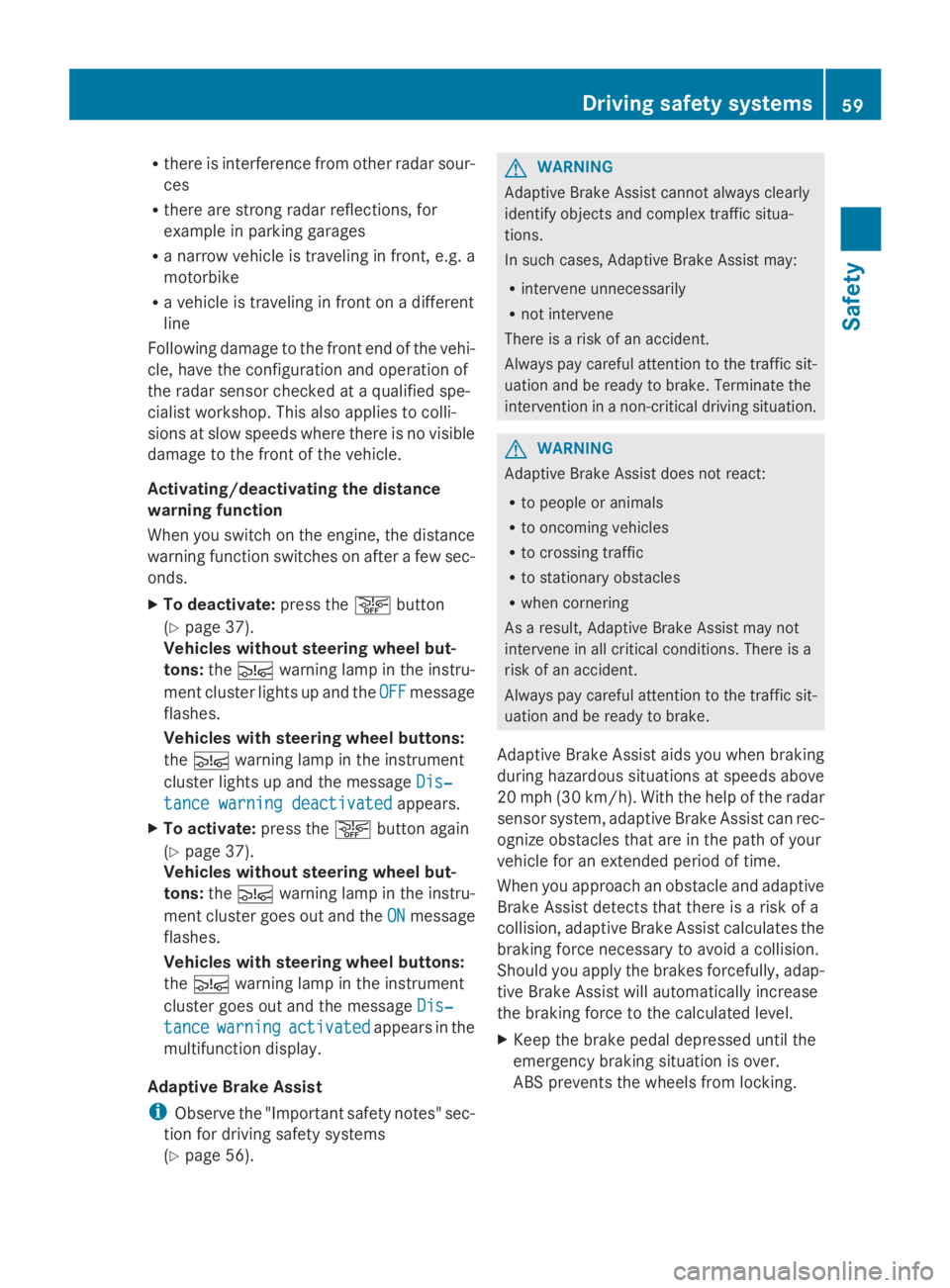
X To deactivate: press the00D4button
(Y page 37).
Vehicles without steering wheel but-
tons: the00C7 warning lamp in the instru-
ment cluster lights up and the OFF
OFF message
flashes.
Vehicles with steering wheel buttons:
the 00C7 warning lamp in the instrument
cluster lights up and the message Dis‐ Dis‐
tance warning deactivated
tance warning deactivated appears.
X To activate: press the00D4button again
(Y page 37).
Vehicles without steering wheel but-
tons: the00C7 warning lamp in the instru-
ment cluster goes out and the ON
ON message
flashes.
Vehicles with steering wheel buttons:
the 00C7 warning lamp in the instrument
cluster goes out and the message Dis‐ Dis‐
tance
tance warning
warning activated
activated appears in the
multifunction display.
Adaptive Brake Assist
i Observe the "Important safety notes" sec-
tion for driving safety systems
(Y page 56). G
WARNING
Adaptive Brake Assist cannot always clearly
identify objects and complex traffic situa-
tions.
In such cases, Adaptive Brake Assist may:
R intervene unnecessarily
R not intervene
There is a risk of an accident.
Always pay careful attention to the traffic sit-
uation and be ready to brake. Terminate the
intervention in a non-critical driving situation. G
WARNING
Adaptive Brake Assist does not react:
R to people or animals
R to oncoming vehicles
R to crossing traffic
R to stationary obstacles
R when cornering
As a result, Adaptive Brake Assist may not
intervene in all critical conditions. There is a
risk of an accident.
Always pay careful attention to the traffic sit-
uation and be ready to brake.
Adaptive Brake Assist aids you when braking
during hazardous situations at speeds above
20 mph (30 km/h). With the help of the radar
sensor system, adaptive Brake Assist can rec-
ognize obstacles that are in the path of your
vehicle for an extended period of time.
When you approach an obstacle and adaptive
Brake Assist detects that there is a risk of a
collision, adaptive Brake Assist calculates the
braking force necessary to avoid a collision.
Should you apply the brakes forcefully, adap-
tive Brake Assist will automatically increase
the braking force to the calculated level.
X Keep the brake pedal depressed until the
emergency braking situation is over.
ABS prevents the wheels from locking. Driving safety systems
59Safety Z
Page 62 of 338
The brakes function as usual again if:
R you release the brake pedal
R there is no longer any danger of a collision
R no obstacle is detected in front of your
vehicle
Adaptive Brake Assist is then deactivated.
Up to the maximum vehicle speed, adaptive
Brake Assist can react to moving obstacles
that have already been recognized as such at
least once over the period of observation.
Adaptive Brake Assist does not react to sta-
tionary obstacles.
In particular, the detection of obstacles can
be impaired if:
R dirt on the sensors or anything else cover-
ing the sensors
R it is snowing or raining heavily
R there is interference from other radar sour-
ces
R there are strong radar reflections, for
example in parking garages
R a narrow vehicle is traveling in front, e.g. a
motorbike
R a vehicle is traveling in front on a different
line
If adaptive Brake Assist is not available due
to a malfunction in the radar sensor system,
the full brake boosting effect with the help of
BAS remains available.
Following damage to the front end of the vehi-
cle, have the configuration and operation of
the radar sensor checked at a qualified spe-
cialist workshop. This also applies to colli-
sions at slow speeds where there is no visible
damage to the front of the vehicle. ASR (acceleration skid control)
General notes Important safety notes
ASR can neither reduce the risk of an accident
nor suspend the laws of physics if the driver
does not pay attention when pulling away or accelerating. ASR is only an aid. Always adapt
your driving style to suit the prevailing road
and weather conditions.
Vehicles without steering wheel buttons: if
ASR is malfunctioning, the
003Dindicator
lamp lights up while the engine is running and
the engine power may be reduced
(Y page 221).
ASR significantly improves traction, i.e. the
transmission of power from the tires to the
road surface, and thus increases the vehicle's
driving stability. If the driving wheels start to
spin, ASR brakes individual drive wheels and
limits the engine torque. ASR thus signifi-
cantly assists you when pulling away and
accelerating, especially on wet or slippery
roads.
If traction on the road surface is not sufficient,
even ASR will not allow you to pull away with-
out difficulty. The type of tires and total
weight of the vehicle as well as the gradient
of the road also play a crucial role.
If ASR intervenes, the 0072warning lamp in
the instrument cluster flashes.
Activating/deactivating ASR G
WARNING
If deactivated, ASR will not attempt to stabi-
lize the vehicle during pulling away and accel-
eration. There is an increased risk of skidding
and of an accident.
Only deactivate ASR in the situations descri-
bed in the following.
! If you deactivate ASR, ESP ®
will still inter-
vene to stabilize the vehicle. Frequent brak-
ing automatically triggered by ESP ®
can
damage the brake system.
For this reason, deactivate ASR only briefly
and when absolutely necessary. 60
Driving safety systemsSafety
Page 65 of 338
If the alarm system is armed, a visual and
audible alarm is triggered by the following:
R Unlocking the vehicle from inside
R Opening a door
R Opening the hood
i The alarm is not switched off, even if you
immediately close the open door that has
triggered it, for example.
X To stop the alarm: press the0036button
on the remote control.
Or
X Insert the key into the ignition lock.
The alarm stops. Tow-away alarm
Operation A visual and audible alarm is triggered if the
inclination of the vehicle changes when the
tow-away alarm is armed. This can be the
case if the vehicle is raised on one side, for
example.
Arming/deactivating The tow-away alarm is automatically armed
approximately 20 seconds after you lock the
vehicle.
The tow-away alarm is automatically deacti-
vated when you unlock the vehicle.
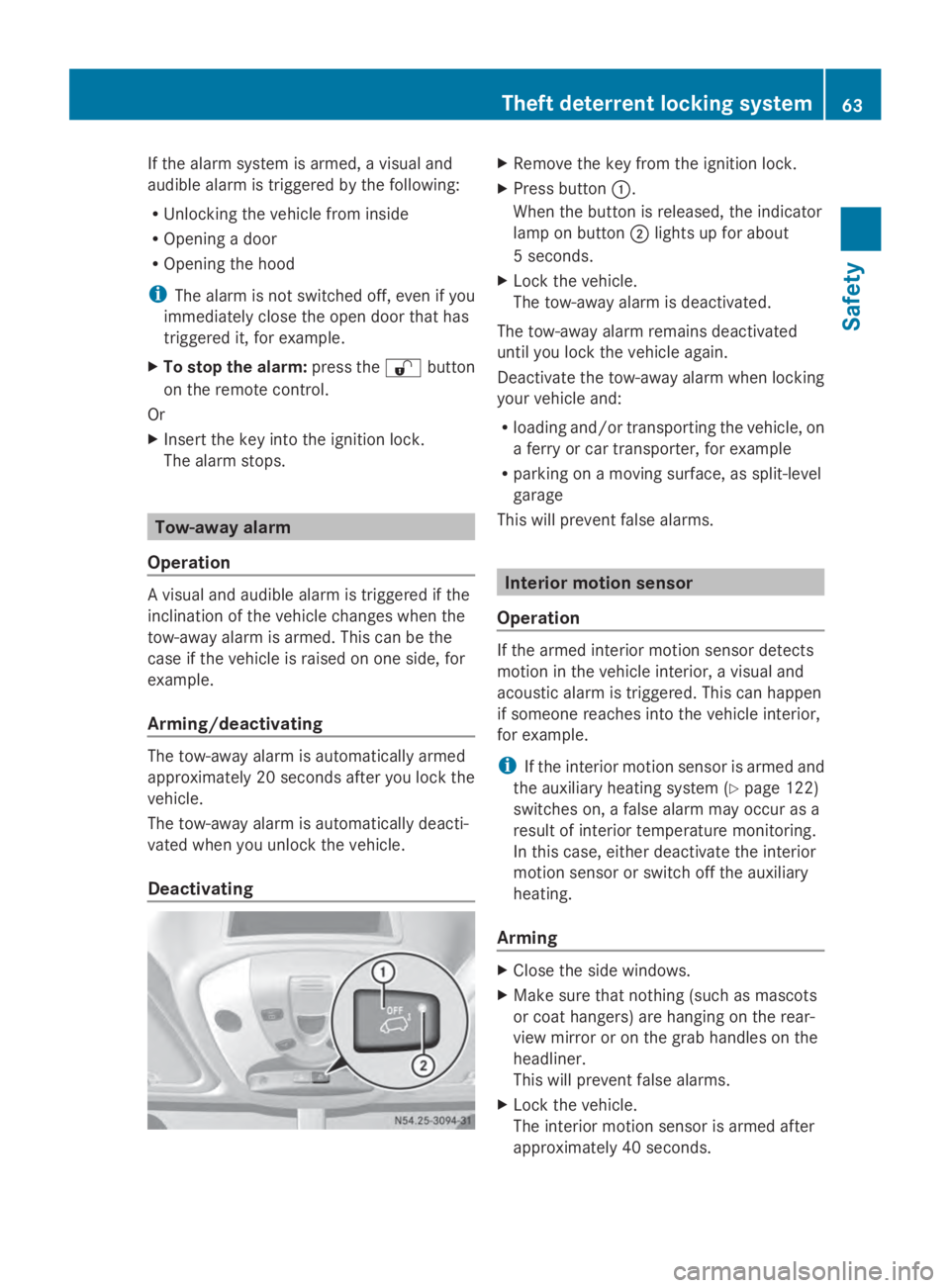
Deactivating X
Remove the key from the ignition lock.
X Press button 0043.
When the button is released, the indicator
lamp on button 0044lights up for about
5 seconds.
X Lock the vehicle.
The tow-away alarm is deactivated.
The tow-away alarm remains deactivated
until you lock the vehicle again.
Deactivate the tow-away alarm when locking
your vehicle and:
R loading and/or transporting the vehicle, on
a ferry or car transporter, for example
R parking on a moving surface, as split-level
garage
This will prevent false alarms. Interior motion sensor
Operation If the armed interior motion sensor detects
motion in the vehicle interior, a visual and
acoustic alarm is triggered. This can happen
if someone reaches into the vehicle interior,
for example.
i
If the interior motion sensor is armed and
the auxiliary heating system (Y page 122)
switches on, a false alarm may occur as a
result of interior temperature monitoring.
In this case, either deactivate the interior
motion sensor or switch off the auxiliary
heating.
Arming X
Close the side windows.
X Make sure that nothing (such as mascots
or coat hangers) are hanging on the rear-
view mirror or on the grab handles on the
headliner.
This will prevent false alarms.
X Lock the vehicle.
The interior motion sensor is armed after
approximately 40 seconds. Theft deterrent locking system
63Safety Z
Page 86 of 338
If the seat moves up and down frequently and
to a great extent, you can lock the seat in the
lower movement range.
X To engage the seat suspension lock:
turn lever 006Bupwards.
When it next moves, the seat will lock in
position.
i The seat suspension lock will only engage
if your body weight equals or exceeds the
weight selected for the seat suspension.
X To release the seat suspension lock:
turn lever 006Bto the right.
The seat can now move up and down again. Swiveling front seats
G
WARNING
You could lose control of your vehicle if you
do the following while driving:
R adjust the driver's seat, head restraint,
steering wheel or mirrors
R fasten the seat belt
There is a risk of an accident.
Adjust the driver's seat, head restraint, steer-
ing wheel and mirror and fasten your seat belt
before starting the engine. G
WARNING
If the driver's and co-driver's seats are not
engaged facing the direction of travel while
driving, the restraint systems may not be able
to provide the intended protection. There is
an increased risk of injury, possibly even fatal.
Engage the driver's and co-driver's seats so
they are facing the direction of travel before
starting the engine.
! When rotating the seats, make sure that
there is sufficient space to do so.
Move the seat forward or back first. This
will help to avoid contact with other parts
of the interior.
Push the handbrake lever down to the stop. The parking brake or handbrake lever could
otherwise be damaged.
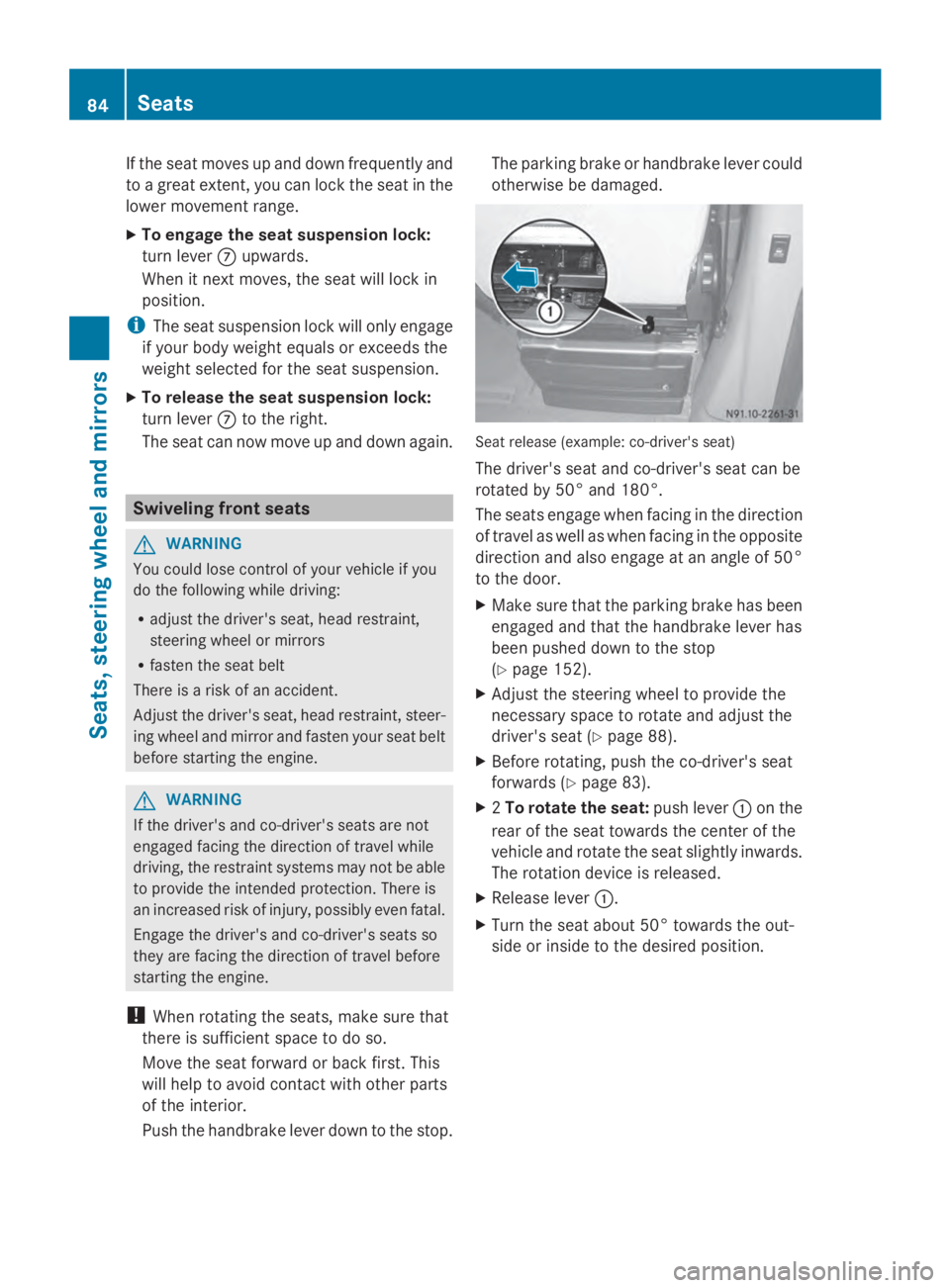
Seat release (example: co-driver's seat)
The driver's seat and co-driver's seat can be
rotated by 50° and 180°.
The seats engage when facing in the direction
of travel as well as when facing in the opposite
direction and also engage at an angle of 50°
to the door.
X Make sure that the parking brake has been
engaged and that the handbrake lever has
been pushed down to the stop
(Y page 152).
X Adjust the steering wheel to provide the
necessary space to rotate and adjust the
driver's seat (Y page 88).
X Before rotating, push the co-driver's seat
forwards (Y page 83).
X 2To rotate the seat: push lever0043on the
rear of the seat towards the center of the
vehicle and rotate the seat slightly inwards.
The rotation device is released.
X Release lever 0043.
X Turn the seat about 50° towards the out-
side or inside to the desired position. 84
SeatsSeats, steering wheel and mirrors