audio MERCEDES-BENZ SPRINTER 2015 MY15 Operator’s Manual
[x] Cancel search | Manufacturer: MERCEDES-BENZ, Model Year: 2015, Model line: SPRINTER, Model: MERCEDES-BENZ SPRINTER 2015Pages: 334, PDF Size: 5.94 MB
Page 190 of 334
Using the steering wheel buttons
X Switch on the audio equipment (see the
separate operating instructions).
X Press the 0080or007F button repeatedly
until the station selected appears in the
display.
X Press the 0063or0064 button to select the
desired station.
i You can only store new stations on the
audio system itself. See the separate oper- ating instructions.
You can also operate the audio equipment
in the same way as usual.
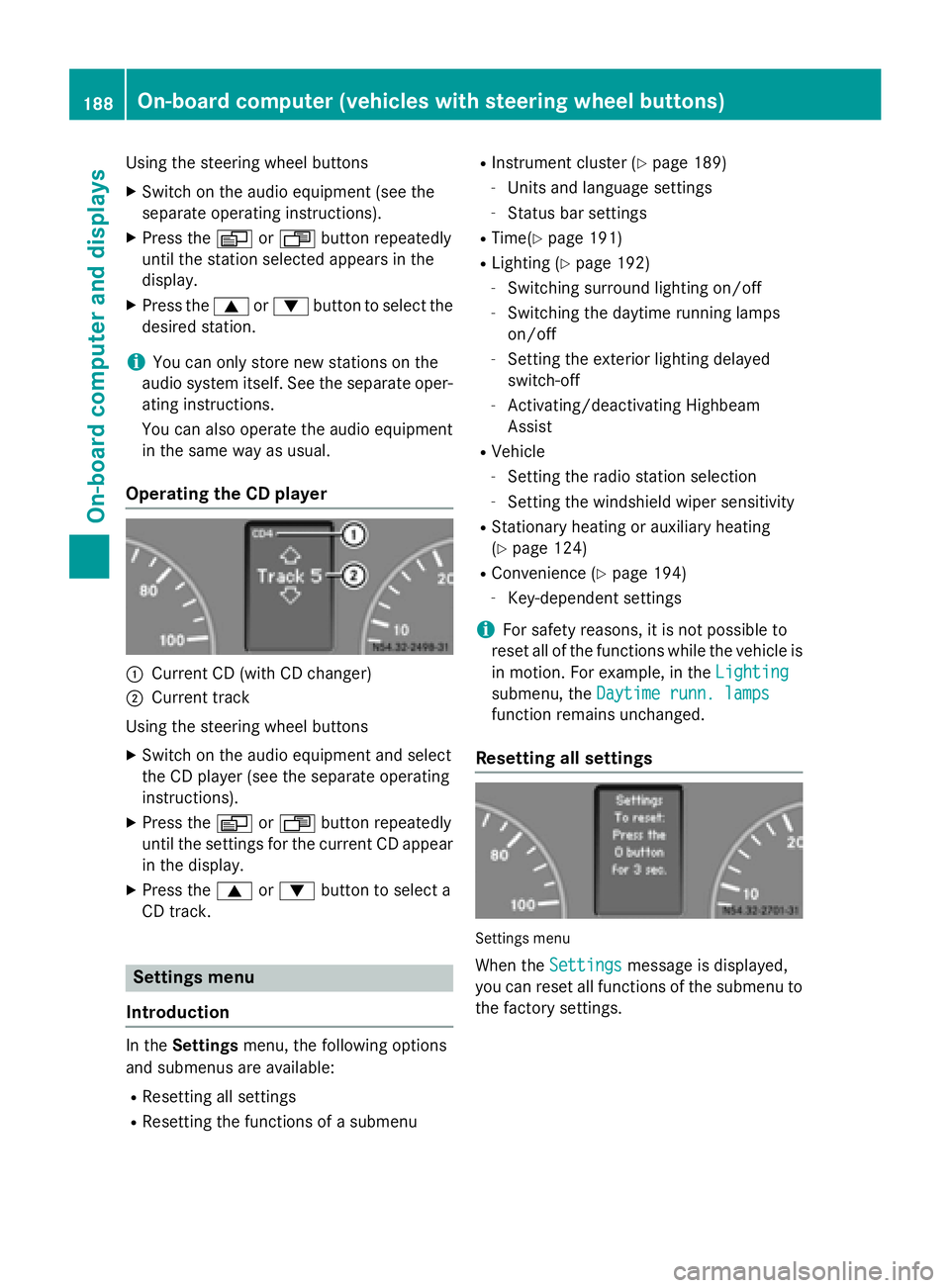
Operating the CD player 0043
Current CD (with CD changer)
0044 Current track
Using the steering wheel buttons X Switch on the audio equipment and select
the CD player (see the separate operating
instructions).
X Press the 0080or007F button repeatedly
until the settings for the current CD appear
in the display.
X Press the 0063or0064 button to select a
CD track. Settings menu
Introduction In the
Settings menu, the following options
and submenus are available:
R Resetting all settings
R Resetting the functions of a submenu R
Instrument cluster (Y page 189)
- Units and language settings
- Status bar settings
R Time(Y page 191)
R Lighting (Y page 192)
- Switching surround lighting on/off
- Switching the daytime running lamps
on/off
- Setting the exterior lighting delayed
switch-off
- Activating/deactivating Highbeam
Assist
R Vehicle
- Setting the radio station selection
- Setting the windshield wiper sensitivity
R Stationary heating or auxiliary heating
(Y page 124)
R Convenience (Y page 194)
- Key-dependent settings
i For safety reasons, it is not possible to
reset all of the functions while the vehicle is
in motion. For example, in the Lighting
Lighting
submenu, the Daytime runn. lamps Daytime runn. lamps
function remains unchanged.
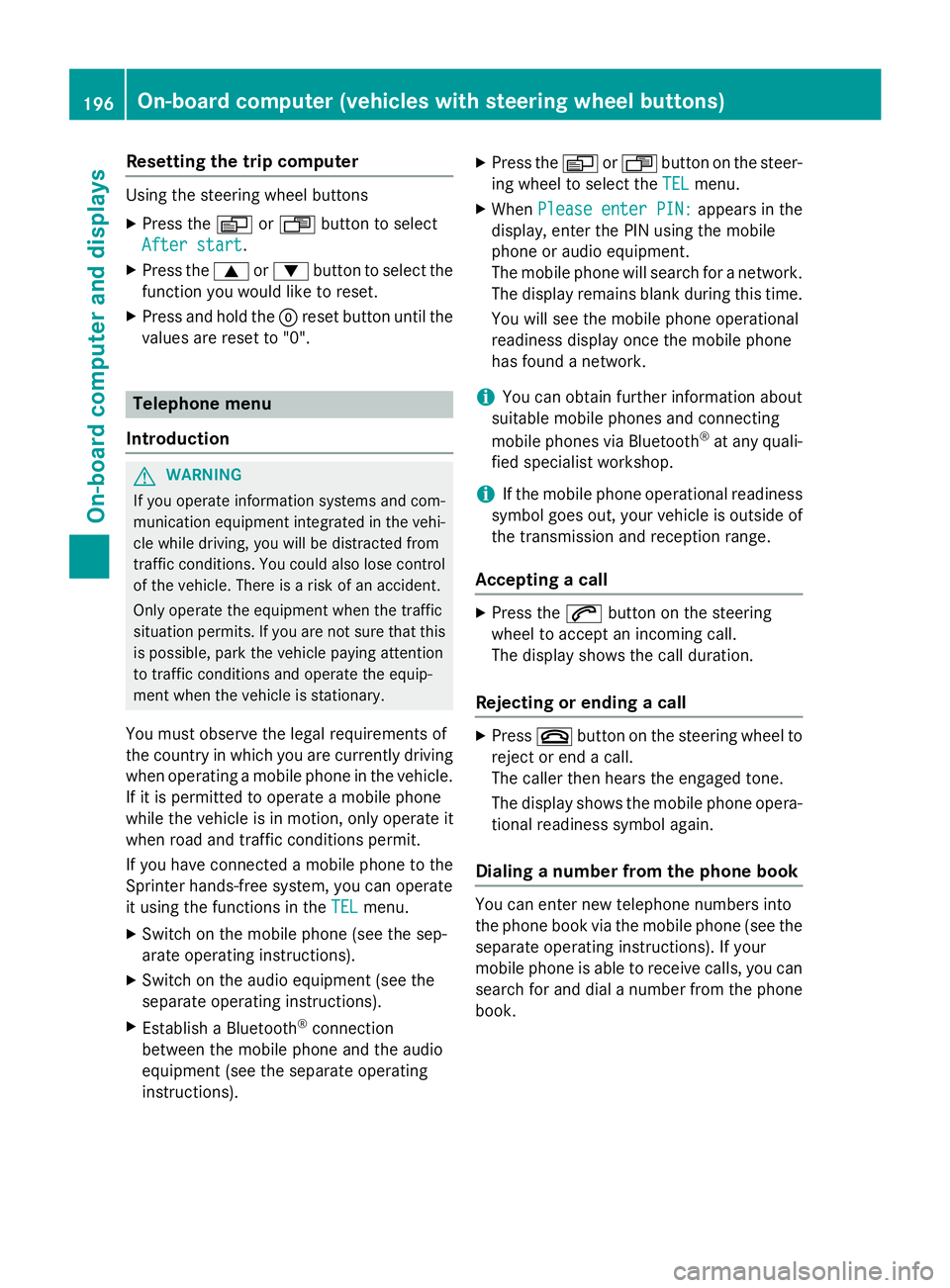
Resetting all settings Settings menu
When the Settings
Settings message is displayed,
you can reset all functions of the submenu to the factory settings. 188
On-board computer (vehicles with steering wheel buttons)On-board computer and displays
Page 198 of 334
Resetting the trip computer
Using the steering wheel buttons
X Press the 0080or007F button to select
After start
After start.
X Press the 0063or0064 button to select the
function you would like to reset.
X Press and hold the 0045reset button until the
values are reset to "0". Telephone menu
Introduction G
WARNING
If you operate information systems and com-
munication equipment integrated in the vehi- cle while driving, you will be distracted from
traffic conditions. You could also lose control of the vehicle. There is a risk of an accident.
Only operate the equipment when the traffic
situation permits. If you are not sure that this
is possible, park the vehicle paying attention
to traffic conditions and operate the equip-
ment when the vehicle is stationary.
You must observe the legal requirements of
the country in which you are currently driving when operating a mobile phone in the vehicle.
If it is permitted to operate a mobile phone
while the vehicle is in motion, only operate it
when road and traffic conditions permit.
If you have connected a mobile phone to the
Sprinter hands-free system, you can operate
it using the functions in the TEL
TEL menu.
X Switch on the mobile phone (see the sep-
arate operating instructions).
X Switch on the audio equipment (see the
separate operating instructions).
X Establish a Bluetooth ®
connection
between the mobile phone and the audio
equipment (see the separate operating
instructions). X
Press the 0080or007F button on the steer-
ing wheel to select the TEL TELmenu.
X When Please enter PIN:
Please enter PIN: appears in the
display, enter the PIN using the mobile
phone or audio equipment.
The mobile phone will search for a network. The display remains blank during this time.
You will see the mobile phone operational
readiness display once the mobile phone
has found a network.
i You can obtain further information about
suitable mobile phones and connecting
mobile phones via Bluetooth ®
at any quali-
fied specialist workshop.
i If the mobile phone operational readiness
symbol goes out, your vehicle is outside of
the transmission and reception range.
Accepting a call X
Press the 0061button on the steering
wheel to accept an incoming call.
The display shows the call duration.
Rejecting or ending a call X
Press 0076button on the steering wheel to
reject or end a call.
The caller then hears the engaged tone.
The display shows the mobile phone opera- tional readiness symbol again.
Dialing a number from the phone book You can enter new telephone numbers into
the phone book via the mobile phone (see the
separate operating instructions). If your
mobile phone is able to receive calls, you can
search for and dial a number from the phone book. 196
On-board computer (vehicles with steering wheel buttons)On-board computer and displays
Page 233 of 334
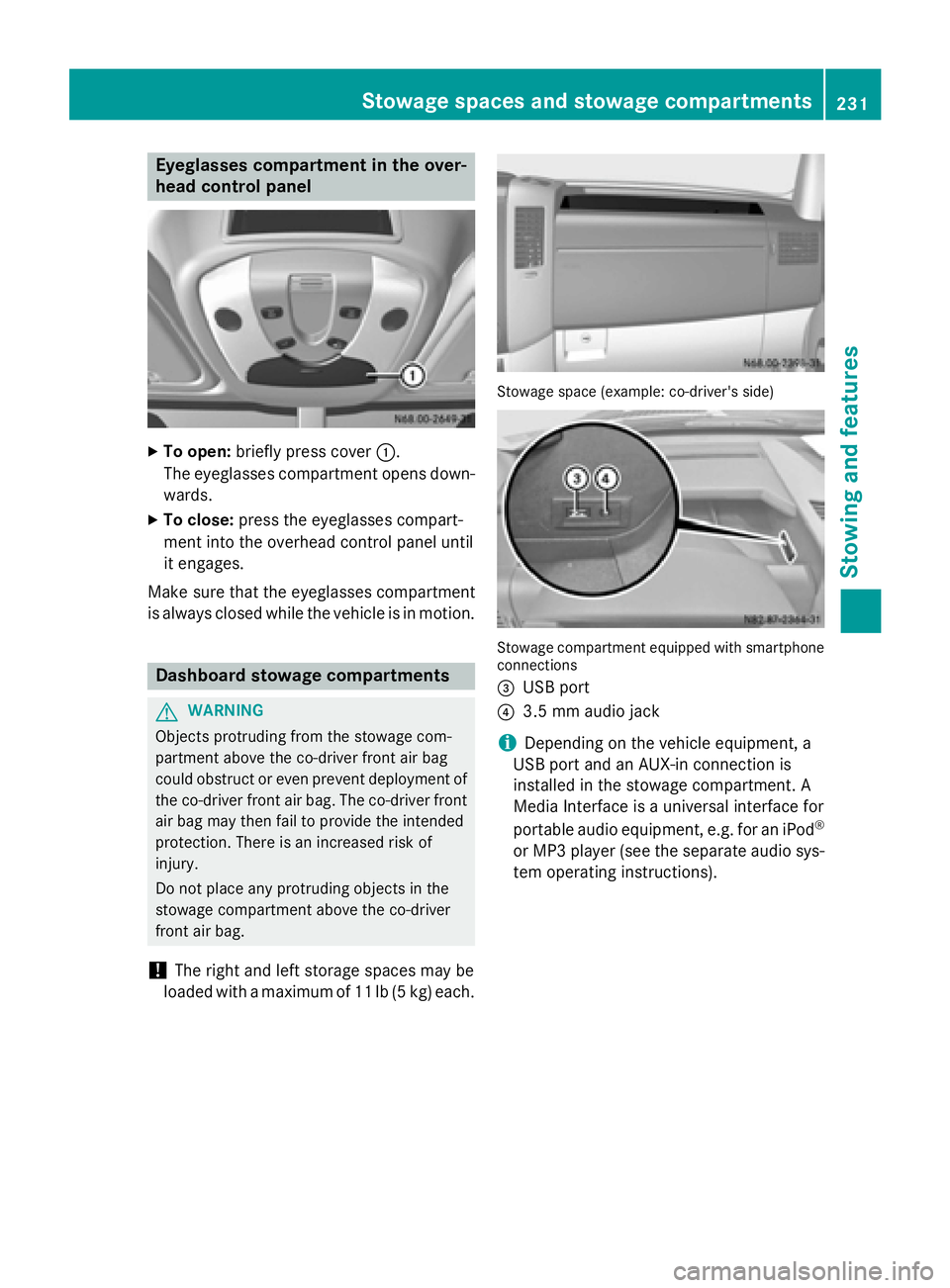
Eyeglasses compartment in the over-
head control panel X
To open: briefly press cover 0043.
The eyeglasses compartment opens down- wards.
X To close: press the eyeglasses compart-
ment into the overhead control panel until
it engages.
Make sure that the eyeglasses compartment
is always closed while the vehicle is in motion. Dashboard stowage compartments
G
WARNING
Objects protruding from the stowage com-
partment above the co-driver front air bag
could obstruct or even prevent deployment of the co-driver front air bag. The co-driver front air bag may then fail to provide the intended
protection. There is an increased risk of
injury.
Do not place any protruding objects in the
stowage compartment above the co-driver
front air bag.
! The right and left storage spaces may be
loaded with a maximum of 11 lb (5 kg) each. Stowage space (example: co-driver's side)
Stowage compartment equipped with smartphone
connections
0087 USB port
0085 3.5 mm audio jack
i Depending on the vehicle equipment, a
USB port and an AUX-in connection is
installed in the stowage compartment. A
Media Interface is a universal interface for
portable audio equipment, e.g. for an iPod ®
or MP3 player (see the separate audio sys-
tem operating instructions). Stowage spaces and stowage compartments
231Stowing and features Z
Page 240 of 334
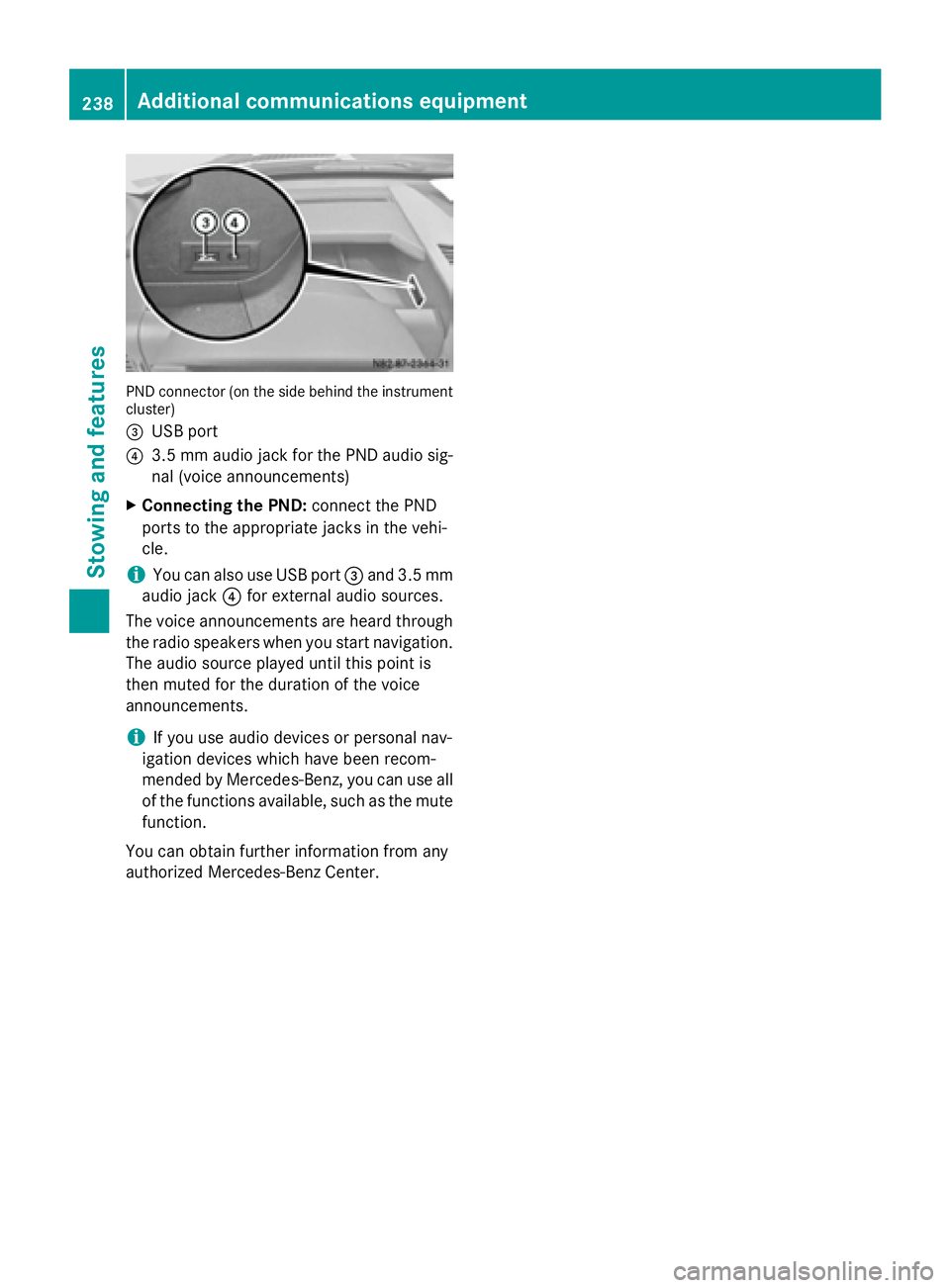
PND connector (on the side behind the instrument
cluster)
0087 USB port
0085 3.5 mm audio jack for the PND audio sig-
nal (voice announcements)
X Connecting the PND: connect the PND
ports to the appropriate jacks in the vehi-
cle.
i You can also use USB port
0087and 3.5 mm
audio jack 0085for external audio sources.
The voice announcements are heard through the radio speakers when you start navigation.The audio source played until this point is
then muted for the duration of the voice
announcements.
i If you use audio devices or personal nav-
igation devices which have been recom-
mended by Mercedes-Benz, you can use all of the functions available, such as the mute
function.
You can obtain further information from any
authorized Mercedes-Benz Center. 238
Additional communications equipmentStowing and features
Page 272 of 334
X
Clean access step in the bumper 0043with a
power washer.
Cleaning the trailer tow hitch !
Do not clean the ball coupling with a
power washer. Do not use solvents.
! Observe the notes on care in the Opera-
tor's Manual for the trailer tow hitch and
the ball coupling manufacturer.
You can also have the maintenance work on
the ball coupling and the trailer tow hitch car-
ried out by a qualified specialist workshop. Interior
Cleaning with power washers !
When using liquids to clean the vehicle
interior, observe the following points:
R Under no circumstances use power
washers.
R Make sure that no fluids enter or remain
in gaps and cavities.
R Ensure sufficient ventilation when clean-
ing.
R Make sure that the vehicle interior is
completely dry after cleaning.
Cleaning the display !
For cleaning, do not use any of the fol-
lowing:
R alcohol-based thinner or gasoline
R abrasive cleaning agents
R commercially-available household clean-
ing agents
These may damage the display surface. Do not put pressure on the display surface
when cleaning. This could lead to irrepara-
ble damage to the display. X
Switch off the audio equipment and let the
display cool down.
X Clean the display surface with a commer-
cially available microfiber cloth and cleaner
for TFT/LCD displays.
X Dry the display surface using a dry micro-
fiber cloth.
Cleaning the plastic trim G
WARNING
Care products and cleaning agents containing solvents cause surfaces in the cockpit to
become porous. As a result, plastic parts may
come loose in the event of air bag deploy-
ment. There is a risk of injury.
Do not use any care products and cleaning
agents to clean the cockpit.
! Do not affix the following to plastic surfa-
ces:
R stickers
R films
R scented oil bottles or similar items
You can otherwise damage the plastic.
! Do not allow cosmetics, insect repellent
or sunscreen to come into contact with the
plastic trim. This maintains the high-quality look of the surfaces.
X Wipe the plastic trim and the cockpit with a
damp, lint-free cloth, e.g. a microfiber
cloth.
X Heavy soiling: use a mild detergent or care
products and cleaning agents recommen-
ded and approved by Mercedes-Benz.
Cleaning the steering wheel and selec-
tor lever X
Thoroughly wipe with a damp cloth.
Cleaning the trim elements !
Do not use solvent-based cleaning agents
such as tar remover, wheel cleaners, pol- 270
CareMaintenance and care
Page 279 of 334
R
Only use jumper cables that have a suffi-
cient cross-section and insulated terminal
clamps.
R If the battery is fully discharged, attach the
battery of another vehicle for a few minutes before attempting to start. This charges the
empty battery a little.
R Make sure that the two vehicles do not
touch.
Make sure that:
R the jumper cables are not damaged.
R bare parts of the terminal clamps do not
come into contact with other metal parts
while the jumper cables are connected to
the battery.
R the jumper cables cannot come into con-
tact with parts such as the V-belt pulley or
the fan. These parts move when the engine
is started and while it is running.
i Jumper cables and further information
regarding jump starting can be obtained at any qualified specialist workshop. Before connecting the jumper cables
On vehicles with a battery main switch, check whether the battery main switch is switched
on (Y page 137).
X Apply the parking brake.
X Move the selector lever of the automatic
transmission to position P.
X Switch off all electrical consumers, e.g.
audio equipment, blower.
X Turn the key to position 0in the ignition
lock and remove it (Y page 138).
X Open the hood (Y page 248). Tow-starting and towing away
Important safety notes
G
WARNING
Functions relevant to safety are restricted or
no longer available if:
R the engine is not running.
R the brake system or the power steering is
malfunctioning.
R there is a malfunction in the voltage supply
or the vehicle's electrical system.
If your vehicle is being towed, much more
force may be necessary to steer or brake.
There is a risk of an accident.
In such cases, use a tow bar. Before towing,
make sure that the steering moves freely. G
WARNING
You can no longer steer the vehicle if the
steering wheel lock has been engaged. There is a risk of an accident.
Always switch off the ignition when towing the
vehicle with a tow cable or a tow bar. G
WARNING
When towing or tow-starting another vehicle
and its weight is greater than the permissible gross weight of your vehicle, the:
R the towing eye could detach itself
R the vehicle/trailer combination could roll-
over.
There is a risk of an accident.
When towing or tow-starting another vehicle,
its weight should not be greater than the per- missible gross weight of your vehicle.
Information on the gross vehicle weight can
be found on the vehicle identification plate
(Y page 316).
! Only secure the tow rope or tow bar at the
towing eyes. Otherwise, the vehicle could
be damaged. Tow-starting and towing away
277Roadside Assistance Z