change wheel MERCEDES-BENZ SPRINTER 2015 MY15 Operator’s Manual
[x] Cancel search | Manufacturer: MERCEDES-BENZ, Model Year: 2015, Model line: SPRINTER, Model: MERCEDES-BENZ SPRINTER 2015Pages: 334, PDF Size: 5.94 MB
Page 186 of 334
On-board computer (vehicles with
steering wheel buttons) Operating the on-board computer
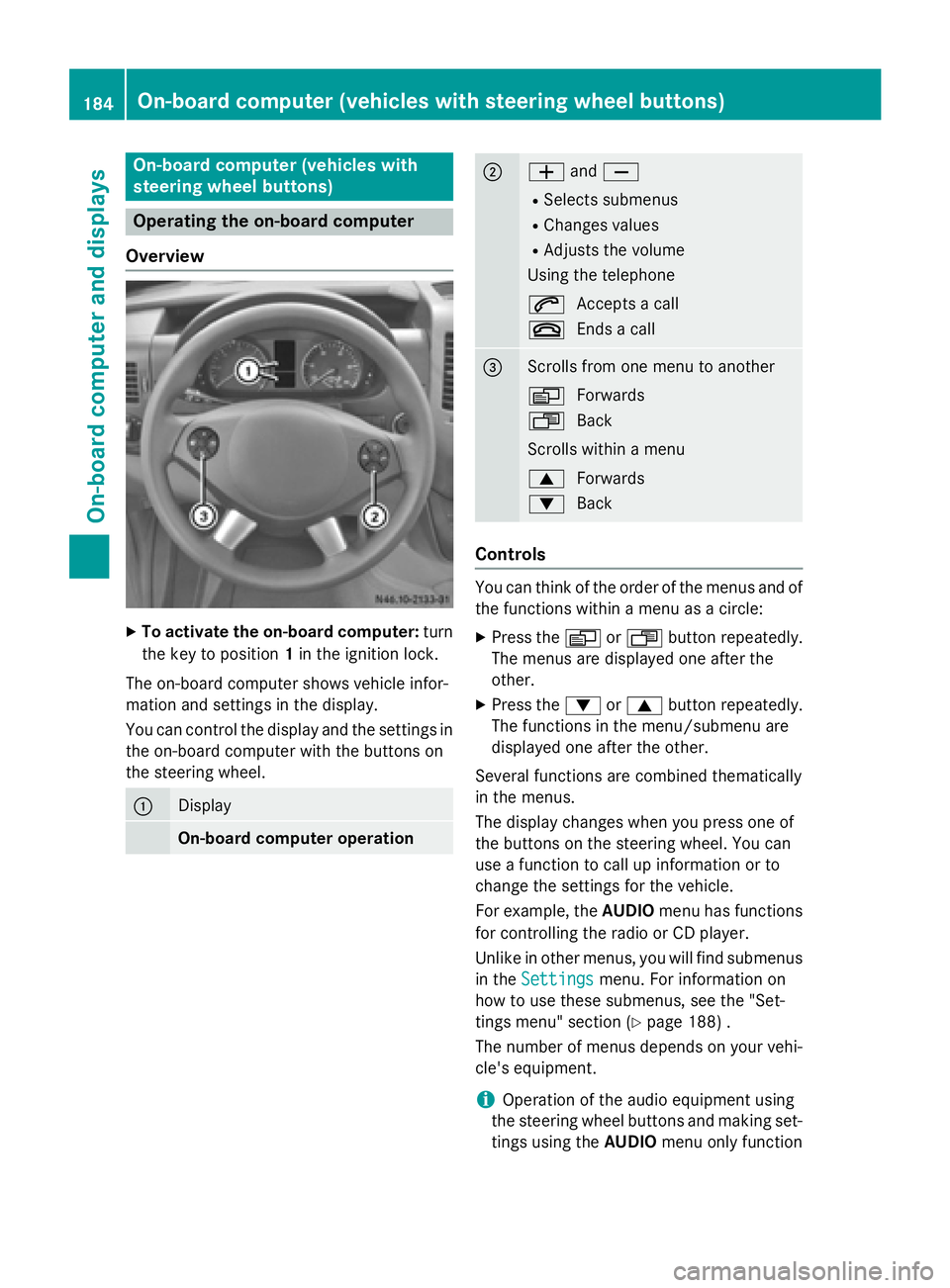
Overview X
To activate the on-board computer: turn
the key to position 1in the ignition lock.
The on-board computer shows vehicle infor-
mation and settings in the display.
You can control the display and the settings in the on-board computer with the buttons on
the steering wheel. 0043
Display
On-board computer operation 0044
0081
and0082
R Selects submenus
R Changes values
R Adjusts the volume
Using the telephone
0061 Accepts a call
0076 Ends a call 0087
Scrolls from one menu to another
0080
Forwards
007F Back
Scrolls within a menu
0063 Forwards
0064 Back Controls
You can think of the order of the menus and of
the functions within a menu as a circle:
X Press the 0080or007F button repeatedly.
The menus are displayed one after the
other.
X Press the 0064or0063 button repeatedly.
The functions in the menu/submenu are
displayed one after the other.
Several functions are combined thematically
in the menus.
The display changes when you press one of
the buttons on the steering wheel. You can
use a function to call up information or to
change the settings for the vehicle.
For example, the AUDIOmenu has functions
for controlling the radio or CD player.
Unlike in other menus, you will find submenus
in the Settings
Settings menu. For information on
how to use these submenus, see the "Set-
tings menu" section (Y page 188) .
The number of menus depends on your vehi-
cle's equipment.
i Operation of the audio equipment using
the steering wheel buttons and making set-
tings using the AUDIOmenu only function 184
On-board computer (vehicles with steering wheel buttons)On-board computer and displays
Page 190 of 334
Using the steering wheel buttons
X Switch on the audio equipment (see the
separate operating instructions).
X Press the 0080or007F button repeatedly
until the station selected appears in the
display.
X Press the 0063or0064 button to select the
desired station.
i You can only store new stations on the
audio system itself. See the separate oper- ating instructions.
You can also operate the audio equipment
in the same way as usual.
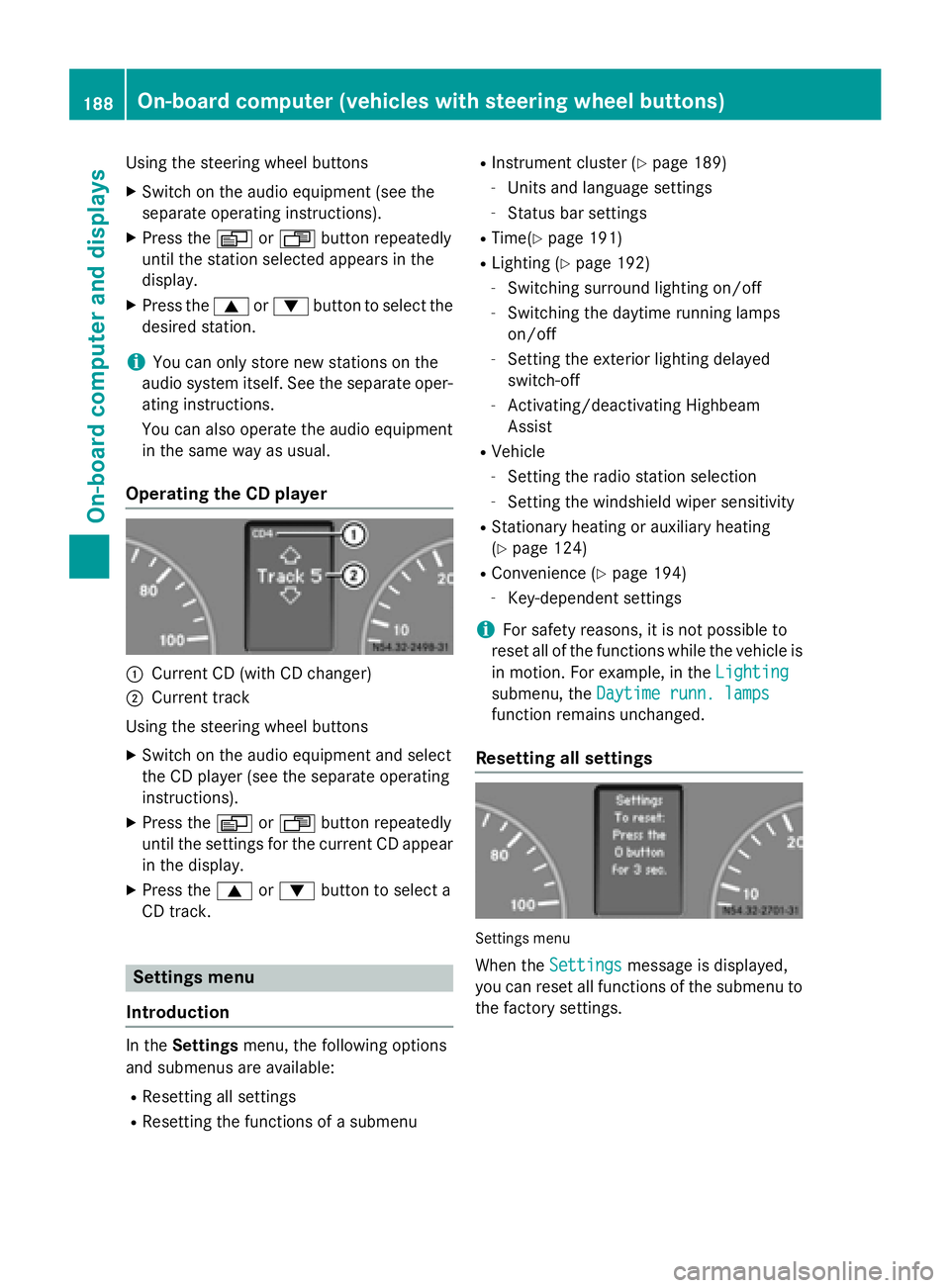
Operating the CD player 0043
Current CD (with CD changer)
0044 Current track
Using the steering wheel buttons X Switch on the audio equipment and select
the CD player (see the separate operating
instructions).
X Press the 0080or007F button repeatedly
until the settings for the current CD appear
in the display.
X Press the 0063or0064 button to select a
CD track. Settings menu
Introduction In the
Settings menu, the following options
and submenus are available:
R Resetting all settings
R Resetting the functions of a submenu R
Instrument cluster (Y page 189)
- Units and language settings
- Status bar settings
R Time(Y page 191)
R Lighting (Y page 192)
- Switching surround lighting on/off
- Switching the daytime running lamps
on/off
- Setting the exterior lighting delayed
switch-off
- Activating/deactivating Highbeam
Assist
R Vehicle
- Setting the radio station selection
- Setting the windshield wiper sensitivity
R Stationary heating or auxiliary heating
(Y page 124)
R Convenience (Y page 194)
- Key-dependent settings
i For safety reasons, it is not possible to
reset all of the functions while the vehicle is
in motion. For example, in the Lighting
Lighting
submenu, the Daytime runn. lamps Daytime runn. lamps
function remains unchanged.
Resetting all settings Settings menu
When the Settings
Settings message is displayed,
you can reset all functions of the submenu to the factory settings. 188
On-board computer (vehicles with steering wheel buttons)On-board computer and displays
Page 191 of 334
Using the steering wheel buttons
X Press the 0080or007F button repeatedly
until the Settings
Settings menu appears in the
display.
X Press and hold the 0045reset button for
approximately 3 seconds.
You will see a message in the display
prompting you to press the 0045reset button
again to confirm.
X Press the 0045reset button again.
The functions in all submenus are reset to
the factory settings.
i If you want to retain the settings, do not
press the 0045reset button a second time.
The Settings
Settings menu appears again after
approximately 5 seconds.
Resetting the functions of a submenu You can individually reset the functions of
each submenu to the factory settings.
Using the steering wheel buttons
X Press the 0080or007F button repeatedly
until the Settings
Settings menu appears in the
display.
X Press the 0063button to switch to the sub-
menu selection.
X Press the 0081or0082 button to select a
submenu.
X Press and hold the 0045reset button for
approximately 3 seconds.
You will see a message in the display
prompting you to press the 0045reset button
again to confirm.
X Press the 0045reset button again.
All functions in the submenu are reset to
the factory settings.
i If you want to retain the settings, do not
press the 0045reset button a second time.
The Settings Settings menu appears again after
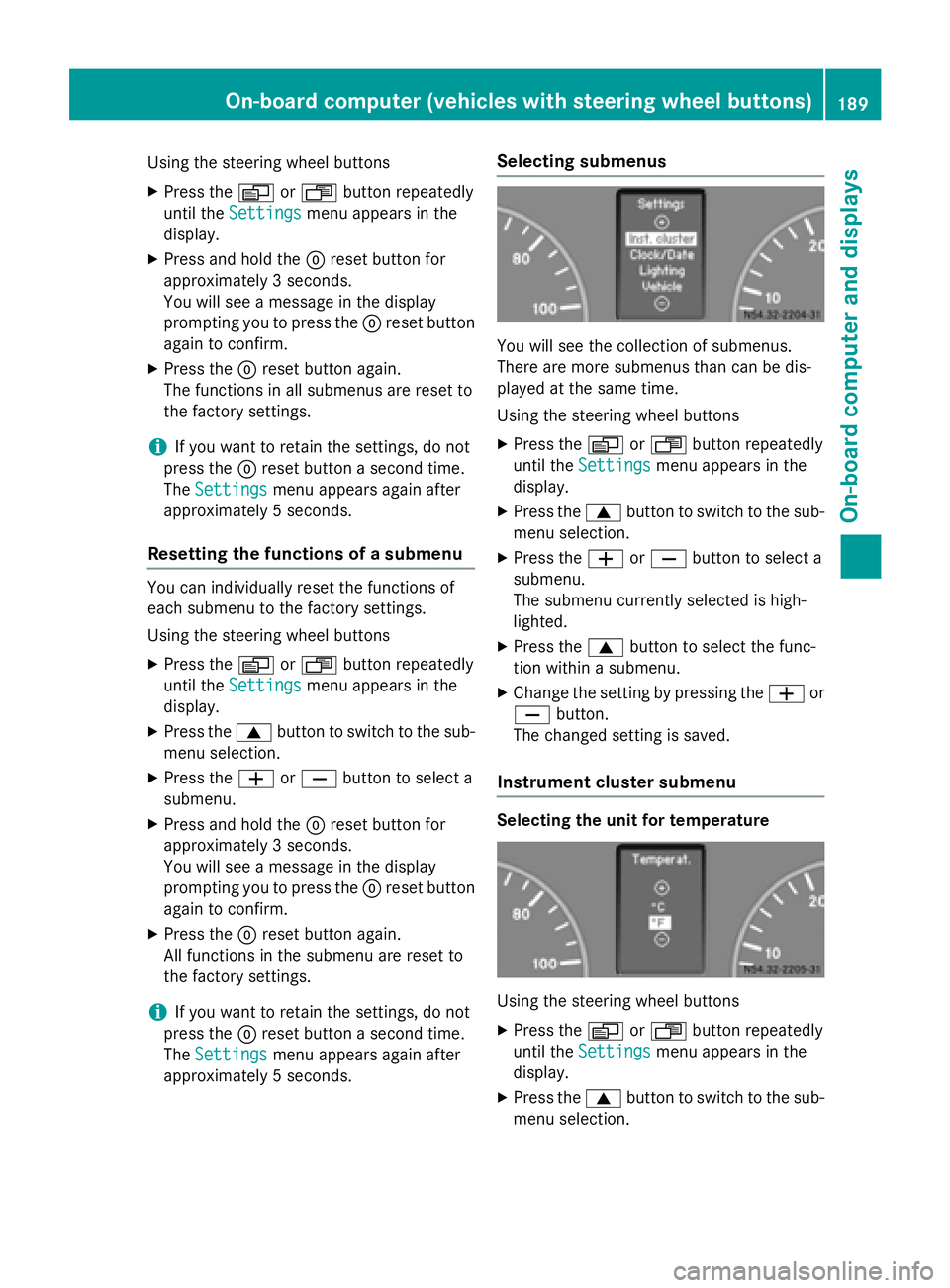
approximately 5 seconds. Selecting submenus You will see the collection of submenus.
There are more submenus than can be dis-
played at the same time.
Using the steering wheel buttons
X Press the 0080or007F button repeatedly
until the Settings
Settings menu appears in the
display.
X Press the 0063button to switch to the sub-
menu selection.
X Press the 0081or0082 button to select a
submenu.
The submenu currently selected is high-
lighted.
X Press the 0063button to select the func-
tion within a submenu.
X Change the setting by pressing the 0081or
0082 button.
The changed setting is saved.
Instrument cluster submenu Selecting the unit for temperature
Using the steering wheel buttons
X Press the 0080or007F button repeatedly
until the Settings Settings menu appears in the
display.
X Press the 0063button to switch to the sub-
menu selection. On-board computer (vehicles with steering wheel buttons)
189On-board computer and displays Z
Page 194 of 334
X
Press the 0081or0082 button to select the
Clock/Date
Clock/Date submenu.
X Press the 0063button to select the
12/24 h
12/24 h function.
The selection marker is on the current set-
ting.
X Press the 0081or0082 button to select the
12 h
12 h or24 h
24 h clock format.
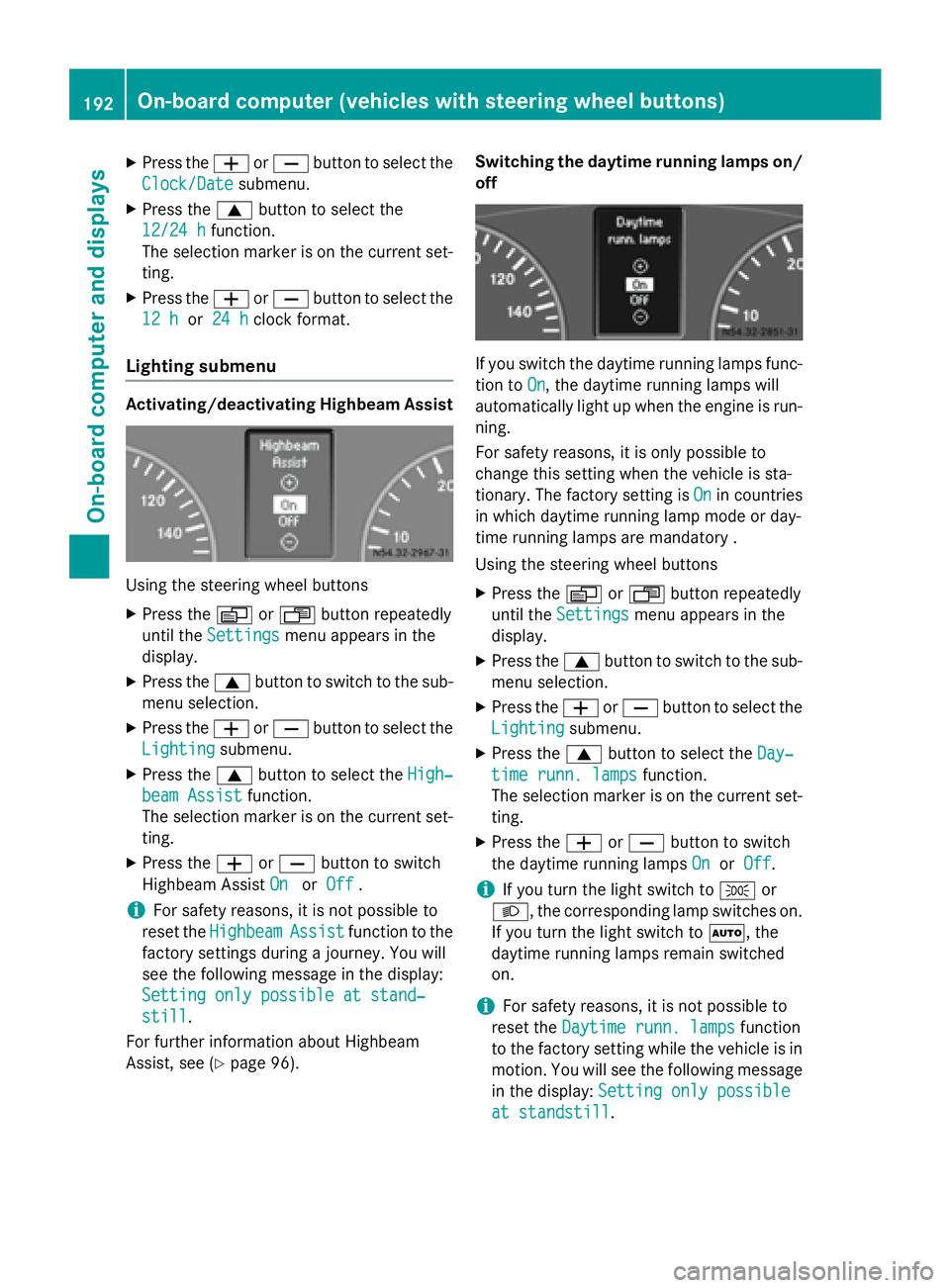
Lighting submenu Activating/deactivating Highbeam Assist
Using the steering wheel buttons
X Press the 0080or007F button repeatedly
until the Settings
Settings menu appears in the
display.
X Press the 0063button to switch to the sub-
menu selection.
X Press the 0081or0082 button to select the
Lighting
Lighting submenu.
X Press the 0063button to select the High‐
High‐
beam Assist
beam Assist function.
The selection marker is on the current set-
ting.
X Press the 0081or0082 button to switch
Highbeam Assist On
OnorOff
Off .
i For safety reasons, it is not possible to
reset the Highbeam
Highbeam Assist
Assistfunction to the
factory settings during a journey. You will
see the following message in the display:
Setting only possible at stand‐
Setting only possible at stand‐
still still.
For further information about Highbeam
Assist, see (Y page 96). Switching the daytime running lamps on/
off If you switch the daytime running lamps func-
tion to On
On, the daytime running lamps will
automatically light up when the engine is run- ning.
For safety reasons, it is only possible to
change this setting when the vehicle is sta-
tionary. The factory setting is On Onin countries
in which daytime running lamp mode or day-
time running lamps are mandatory .
Using the steering wheel buttons
X Press the 0080or007F button repeatedly
until the Settings Settings menu appears in the
display.
X Press the 0063button to switch to the sub-
menu selection.
X Press the 0081or0082 button to select the
Lighting
Lighting submenu.
X Press the 0063button to select the Day‐
Day‐
time runn. lamps
time runn. lamps function.
The selection marker is on the current set- ting.
X Press the 0081or0082 button to switch
the daytime running lamps On
OnorOff
Off.
i If you turn the light switch to
0060or
0058, the corresponding lamp switches on. If you turn the light switch to 0058, the
daytime running lamps remain switched
on.
i For safety reasons, it is not possible to
reset the Daytime runn. lamps Daytime runn. lamps function
to the factory setting while the vehicle is in
motion. You will see the following message
in the display: Setting only possible
Setting only possible
at standstill
at standstill. 192
On-board computer (vehicles with steering wheel buttons)On-board computer and displays
Page 218 of 334
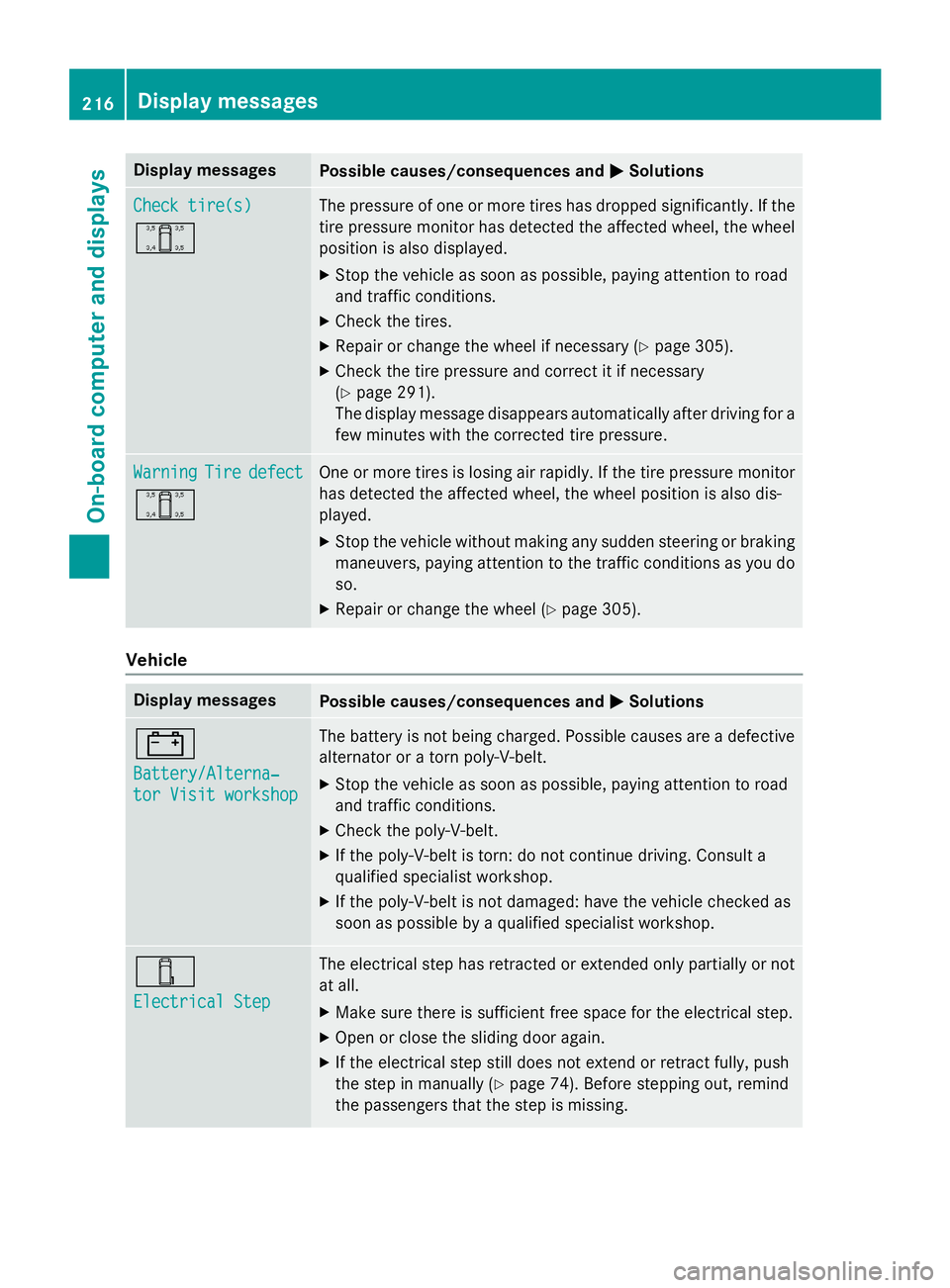
Display messages
Possible causes/consequences and
0050
0050Solutions Check tire(s)
Check tire(s)
0054 The pressure of one or more tires has dropped significantly. If the
tire pressure monitor has detected the affected wheel, the wheel
position is also displayed.
X Stop the vehicle as soon as possible, paying attention to road
and traffic conditions.
X Check the tires.
X Repair or change the wheel if necessary (Y page 305).
X Check the tire pressure and correct it if necessary
(Y page 291).
The display message disappears automatically after driving for a
few minutes with the corrected tire pressure. Warning Warning
Tire
Tiredefect
defect
0054 One or more tires is losing air rapidly. If the tire pressure monitor
has detected the affected wheel, the wheel position is also dis-
played.
X Stop the vehicle without making any sudden steering or braking
maneuvers, paying attention to the traffic conditions as you do so.
X Repair or change the wheel (Y page 305).Vehicle
Display messages
Possible causes/consequences and
0050 0050Solutions 003D
Battery/Alterna‐ Battery/Alterna‐
tor Visit workshop tor Visit workshop The battery is not being charged. Possible causes are a defective
alternator or a torn poly-V-belt.
X Stop the vehicle as soon as possible, paying attention to road
and traffic conditions.
X Check the poly-V-belt.
X If the poly-V-belt is torn: do not continue driving. Consult a
qualified specialist workshop.
X If the poly-V-belt is not damaged: have the vehicle checked as
soon as possible by a qualified specialist workshop. 00E6
Electrical Step Electrical Step The electrical step has retracted or extended only partially or not
at all.
X Make sure there is sufficient free space for the electrical step.
X Open or close the sliding door again.
X If the electrical step still does not extend or retract fully, push
the step in manually (Y page 74). Before stepping out, remind
the passengers that the step is missing. 216
Display
messagesOn-board computer and displays
Page 221 of 334
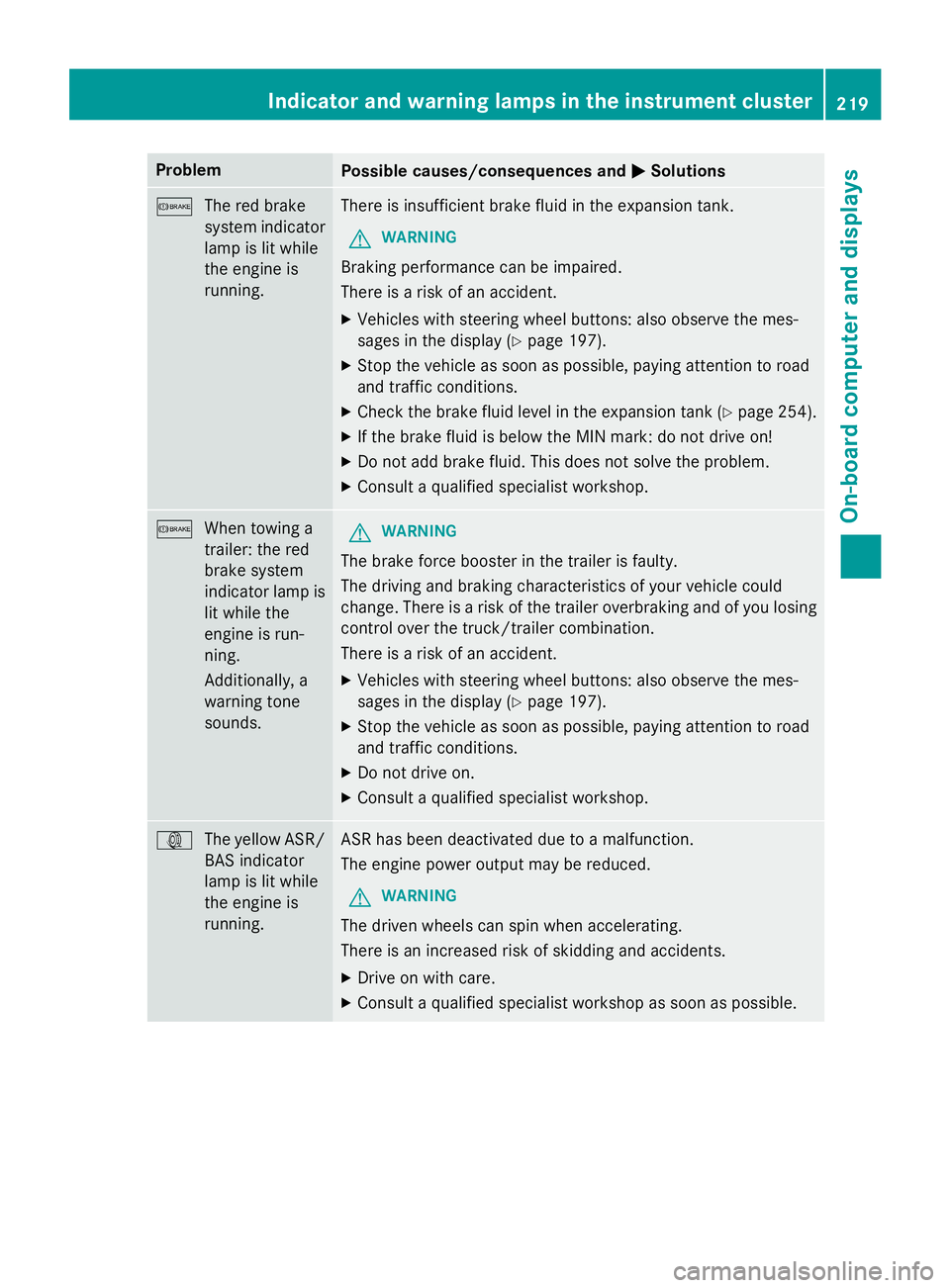
Problem
Possible causes/consequences and
0050
0050Solutions 0065
The red brake
system indicator
lamp is lit while
the engine is
running. There is insufficient brake fluid in the expansion tank.
G WARNING
Braking performance can be impaired.
There is a risk of an accident. X Vehicles with steering wheel buttons: also observe the mes-
sages in the display (Y page 197).
X Stop the vehicle as soon as possible, paying attention to road
and traffic conditions.
X Check the brake fluid level in the expansion tank (Y page 254).
X If the brake fluid is below the MIN mark: do not drive on!
X Do not add brake fluid. This does not solve the problem.
X Consult a qualified specialist workshop. 0065
When towing a
trailer: the red
brake system
indicator lamp is
lit while the
engine is run-
ning.
Additionally, a
warning tone
sounds. G
WARNING
The brake force booster in the trailer is faulty.
The driving and braking characteristics of your vehicle could
change. There is a risk of the trailer overbraking and of you losing control over the truck/trailer combination.
There is a risk of an accident.
X Vehicles with steering wheel buttons: also observe the mes-
sages in the display (Y page 197).
X Stop the vehicle as soon as possible, paying attention to road
and traffic conditions.
X Do not drive on.
X Consult a qualified specialist workshop. 003D
The yellow ASR/
BAS indicator
lamp is lit while
the engine is
running. ASR has been deactivated due to a malfunction.
The engine power output may be reduced.
G WARNING
The driven wheels can spin when accelerating.
There is an increased risk of skidding and accidents.
X Drive on with care.
X Consult a qualified specialist workshop as soon as possible. Indicator and warning lamps in the instrument cluster
219On-board computer and displays Z
Page 242 of 334
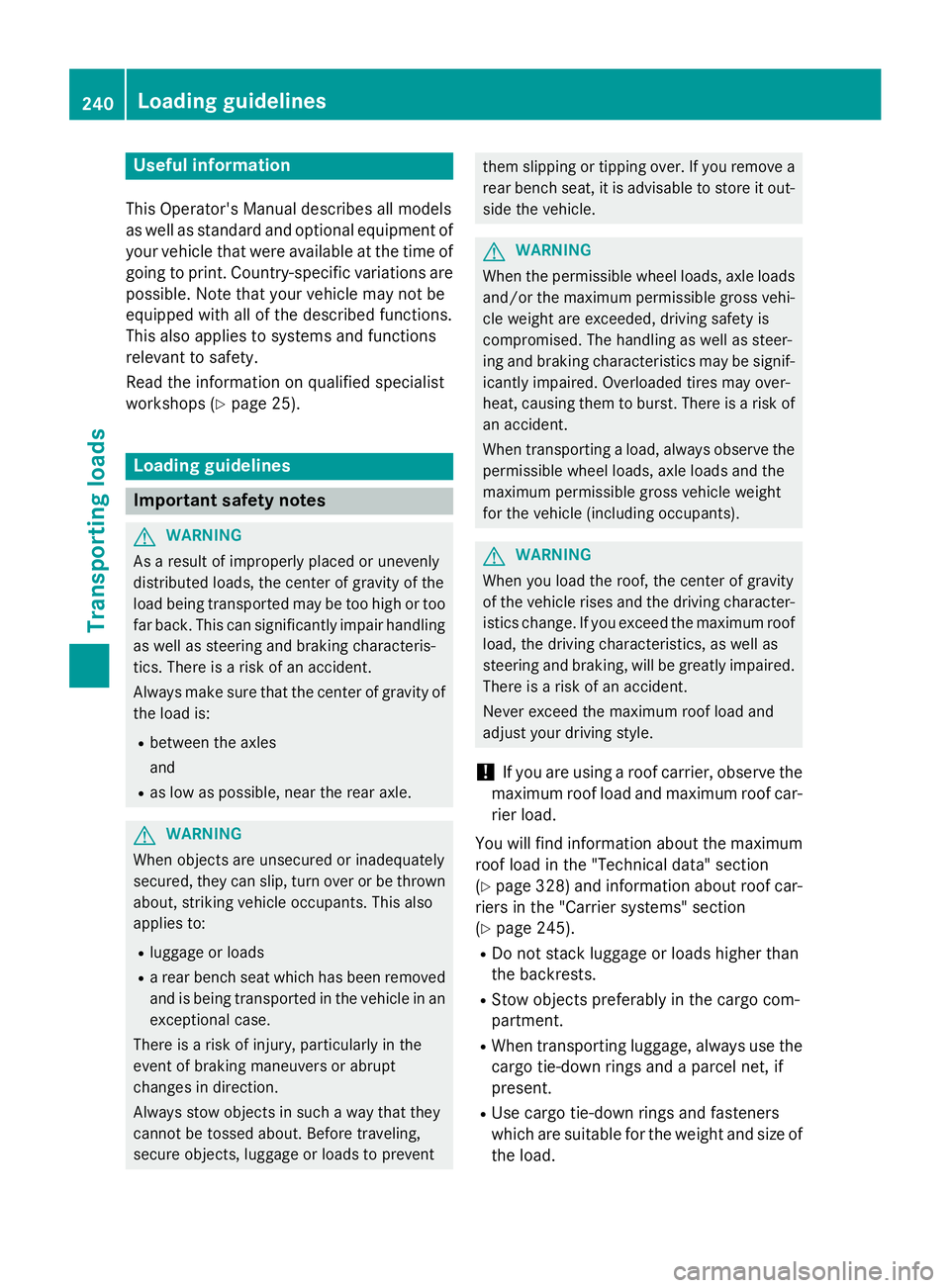
Useful information
This Operator's Manual describes all models
as well as standard and optional equipment of your vehicle that were available at the time of going to print. Country-specific variations are
possible. Note that your vehicle may not be
equipped with all of the described functions.
This also applies to systems and functions
relevant to safety.
Read the information on qualified specialist
workshops (Y page 25). Loading guidelines
Important safety notes
G
WARNING
As a result of improperly placed or unevenly
distributed loads, the center of gravity of the
load being transported may be too high or too far back. This can significantly impair handlingas well as steering and braking characteris-
tics. There is a risk of an accident.
Always make sure that the center of gravity of
the load is:
R between the axles
and
R as low as possible, near the rear axle. G
WARNING
When objects are unsecured or inadequately
secured, they can slip, turn over or be thrown about, striking vehicle occupants. This also
applies to:
R luggage or loads
R a rear bench seat which has been removed
and is being transported in the vehicle in an
exceptional case.
There is a risk of injury, particularly in the
event of braking maneuvers or abrupt
changes in direction.
Always stow objects in such a way that they
cannot be tossed about. Before traveling,
secure objects, luggage or loads to prevent them slipping or tipping over. If you remove a
rear bench seat, it is advisable to store it out- side the vehicle. G
WARNING
When the permissible wheel loads, axle loads and/or the maximum permissible gross vehi-
cle weight are exceeded, driving safety is
compromised. The handling as well as steer-
ing and braking characteristics may be signif- icantly impaired. Overloaded tires may over-
heat, causing them to burst. There is a risk ofan accident.
When transporting a load, always observe the
permissible wheel loads, axle loads and the
maximum permissible gross vehicle weight
for the vehicle (including occupants). G
WARNING
When you load the roof, the center of gravity
of the vehicle rises and the driving character- istics change. If you exceed the maximum roof
load, the driving characteristics, as well as
steering and braking, will be greatly impaired.There is a risk of an accident.
Never exceed the maximum roof load and
adjust your driving style.
! If you are using a roof carrier, observe the
maximum roof load and maximum roof car-
rier load.
You will find information about the maximum roof load in the "Technical data" section
(Y page 328) and information about roof car-
riers in the "Carrier systems" section
(Y page 245).
R Do not stack luggage or loads higher than
the backrests.
R Stow objects preferably in the cargo com-
partment.
R When transporting luggage, always use the
cargo tie-down rings and a parcel net, if
present.
R Use cargo tie-down rings and fasteners
which are suitable for the weight and size of the load. 240
Loading guidelinesTransporting loads
Page 288 of 334
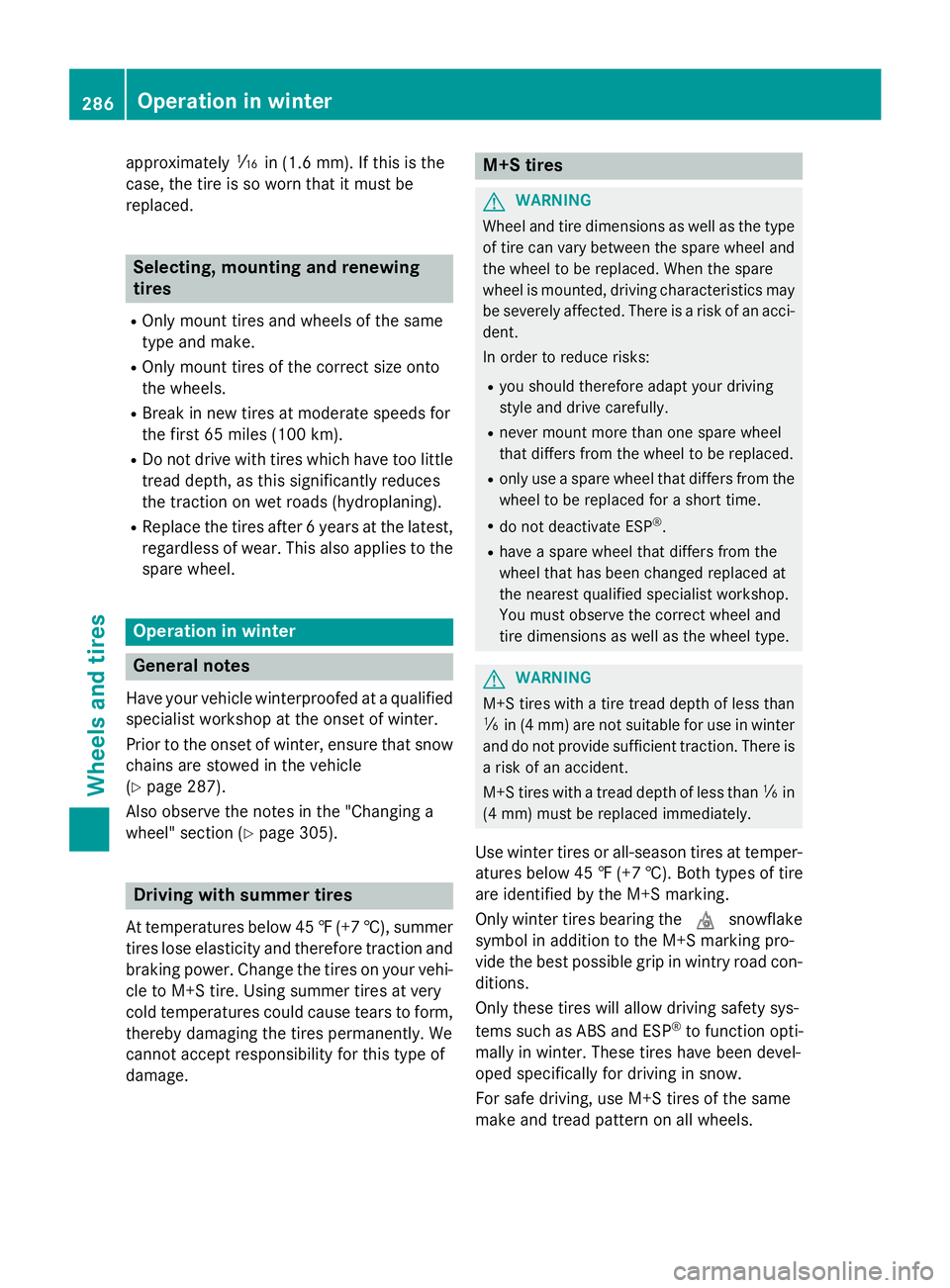
approximately
00CDin(1.6 mm). If th is is the
case, the tire is so worn that it must be
replaced. Selecting, mounting and renewing
tires
R Only mount tires and wheels of the same
type and make.
R Only mount tires of the correct size onto
the wheels.
R Break in new tires at moderate speeds for
the first 65 miles (100 km).
R Do not drive with tires which have too little
tread depth, as this significantly reduces
the traction on wet roads (hydroplaning).
R Replace the tires after 6 years at the latest,
regardless of wear. This also applies to the spare wheel. Operation in winter
General notes
Have your vehicle winterproofed at a qualified specialist workshop at the onset of winter.
Prior to the onset of winter, ensure that snow
chains are stowed in the vehicle
(Y page 287).
Also observe the notes in the "Changing a
wheel" section (Y page 305). Driving with summer tires
At temperatures below 45 ‡(+7 †), summer
tires lose elasticity and therefore traction and braking power. Change the tires on your vehi-cle to M+S tire. Using summer tires at very
cold temperatures could cause tears to form,
thereby damaging the tires permanently. We
cannot accept responsibility for this type of
damage. M+S tires
G
WARNING
Wheel and tire dimensions as well as the type of tire can vary between the spare wheel and
the wheel to be replaced. When the spare
wheel is mounted, driving characteristics may be severely affected. There is a risk of an acci-
dent.
In order to reduce risks:
R you should therefore adapt your driving
style and drive carefully.
R never mount more than one spare wheel
that differs from the wheel to be replaced.
R only use a spare wheel that differs from the
wheel to be replaced for a short time.
R do not deactivate ESP ®
.
R have a spare wheel that differs from the
wheel that has been changed replaced at
the nearest qualified specialist workshop.
You must observe the correct wheel and
tire dimensions as well as the wheel type. G
WARNING
M+S tires with a tire tread depth of less than
00CF in (4 mm) are not suitable for use in winter
and do not provide sufficient traction. There is
a risk of an accident.
M+S tires with a tread depth of less than 00CFin
(4 mm) must be replaced immediately.
Use winter tires or all-season tires at temper-
atures below 45 ‡ (+7 †). Both types of tire
are identified by the M+S marking.
Only winter tires bearing the 004Dsnowflake
symbol in addition to the M+S marking pro-
vide the best possible grip in wintry road con- ditions.
Only these tires will allow driving safety sys-
tems such as ABS and ESP ®
to function opti-
mally in winter. These tires have been devel-
oped specifically for driving in snow.
For safe driving, use M+S tires of the same
make and tread pattern on all wheels. 286
Operation in winterWheels and tires
Page 290 of 334
Tire pressure
Tire pressure specifications
Important safety notes G
WARNING
Underinflated or overinflated tires pose the
following risks:
R the tires may burst, especially as the load
and vehicle speed increase.
R the tires may wear excessively and/or
unevenly, which may greatly impair tire
traction.
R the driving characteristics, as well as steer-
ing and braking, may be greatly impaired.
There is a risk of an accident.
Follow recommended tire inflation pressures
and check the pressure of all the tires includ-
ing the spare wheel:
R monthly, at least
R if the load changes
R before beginning a long journey
R under different operating conditions, e.g.
off-road driving
If necessary, correct the tire pressure.
i The specifications shown on the sample
Tire and Loading Information placard and
tire pressure table are examples. Tire pres-
sure data are vehicle-specific and may devi- ate from the data illustrated here. The tire
pressure data applicable to your vehicle
can be found on the Tire & Loading Infor-
mation placard or tire pressure plate of
your vehicle. H
Environmental note
Check the tire pressure regularly, at least
every 14 days. General notes You will find information on tire pressure for
the vehicle's factory-mounted tires on the
plates described here.
You will find a table of recommended tire
pressure on the Tire and Loading Information
placard 5
or on the tire pressure table on the
B-pillar on the driver's side of the vehicle.
Further information on tire pressure can be
obtained at a qualified specialist workshop.
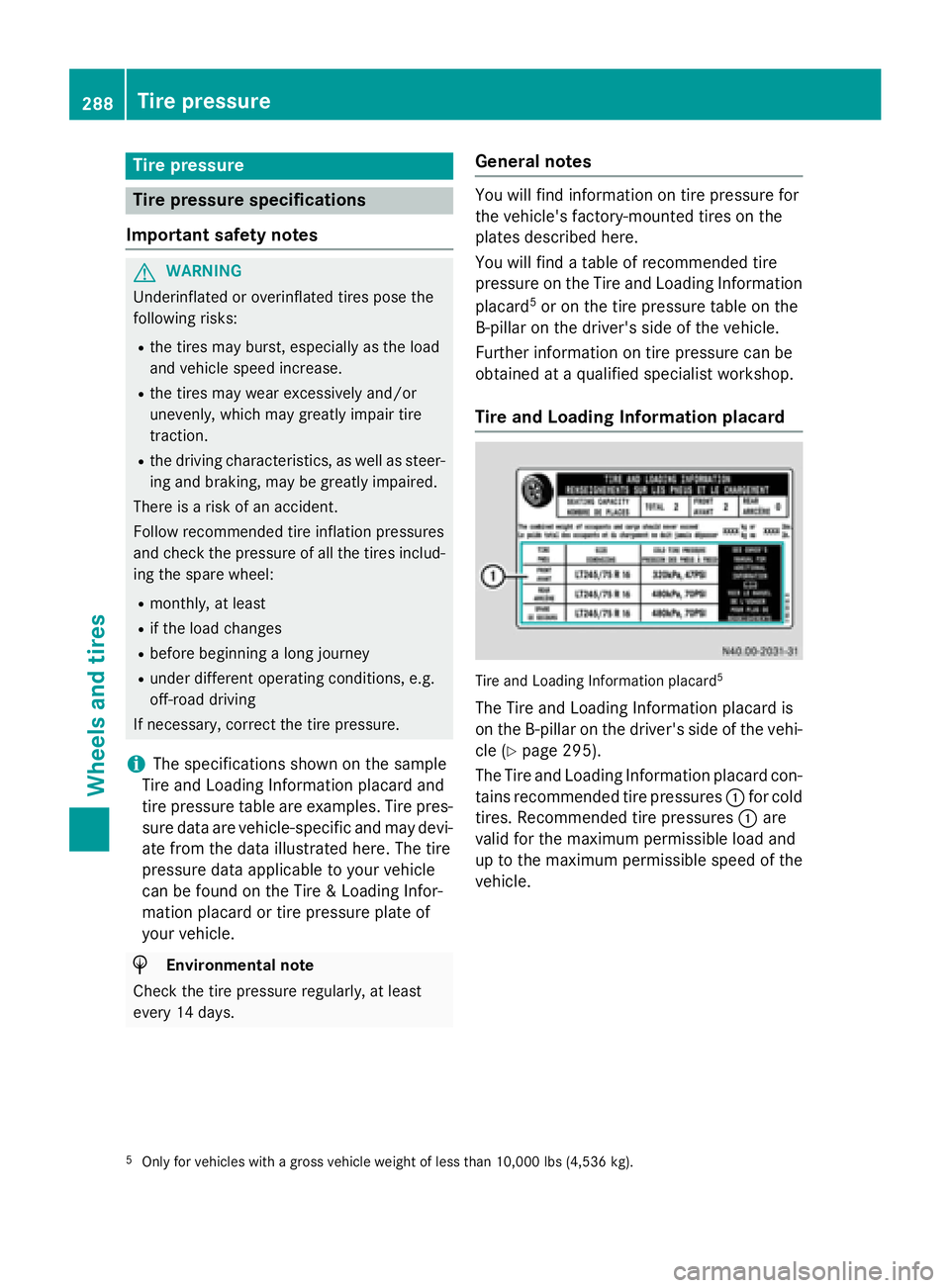
Tire and Loading Information placard Tire and Loading Information placard
5
The Tire and Loading Information placard is
on the B-pillar on the driver's side of the vehi-
cle (Y page 295).
The Tire and Loading Information placard con-
tains recommended tire pressures 0043for cold
tires. Recommended tire pressures 0043are
valid for the maximum permissible load and
up to the maximum permissible speed of the
vehicle.
5 Only for vehicles with a gross vehicle weight of less than 10,000 lbs (4,536 kg). 288
Tire pressureWheels and tires
Page 291 of 334
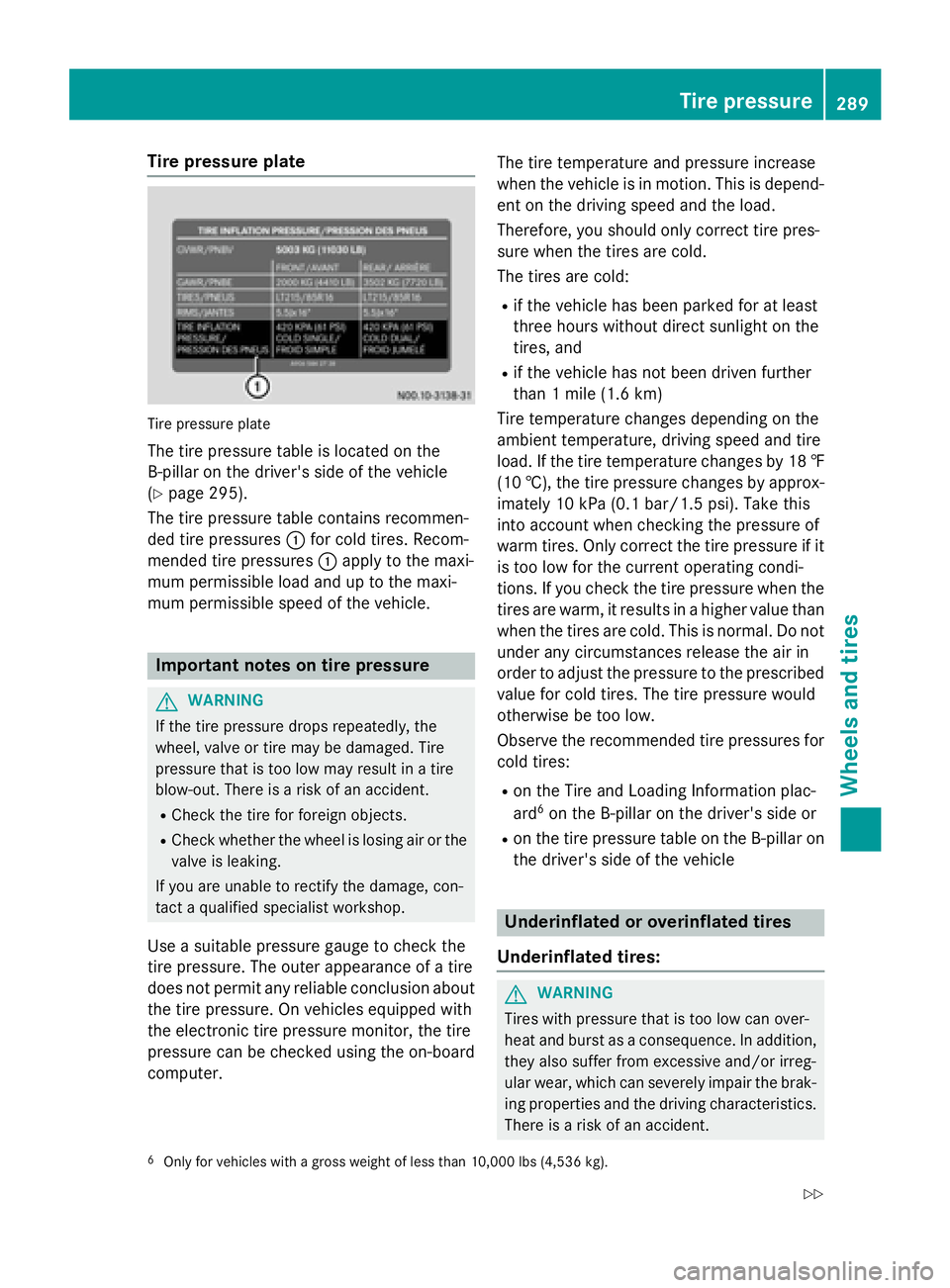
Tire pressure plate
Tire pressure plate
The tire pressure table is located on the
B-pillar on the driver's side of the vehicle
(Y page 295).
The tire pressure table contains recommen-
ded tire pressures 0043for cold tires. Recom-
mended tire pressures 0043apply to the maxi-
mum permissible load and up to the maxi-
mum permissible speed of the vehicle. Important notes on tire pressure
G
WARNING
If the tire pressure drops repeatedly, the
wheel, valve or tire may be damaged. Tire
pressure that is too low may result in a tire
blow-out. There is a risk of an accident. R Check the tire for foreign objects.
R Check whether the wheel is losing air or the
valve is leaking.
If you are unable to rectify the damage, con-
tact a qualified specialist workshop.
Use a suitable pressure gauge to check the
tire pressure. The outer appearance of a tire
does not permit any reliable conclusion about the tire pressure. On vehicles equipped with
the electronic tire pressure monitor, the tire
pressure can be checked using the on-board
computer. The tire temperature and pressure increase
when the vehicle is in motion. This is depend- ent on the driving speed and the load.
Therefore, you should only correct tire pres-
sure when the tires are cold.
The tires are cold:
R if the vehicle has been parked for at least
three hours without direct sunlight on the
tires, and
R if the vehicle has not been driven further
than 1 mile (1.6 km)
Tire temperature changes depending on the
ambient temperature, driving speed and tire
load. If the tire temperature changes by 18 ‡ (10 †), the tire pressure changes by approx-
imately 10 kPa (0.1 bar/1.5 psi). Take this
into account when checking the pressure of
warm tires. Only correct the tire pressure if it is too low for the current operating condi-
tions. If you check the tire pressure when thetires are warm, it results in a higher value than
when the tires are cold. This is normal. Do not under any circumstances release the air in
order to adjust the pressure to the prescribed
value for cold tires. The tire pressure would
otherwise be too low.
Observe the recommended tire pressures for
cold tires:
R on the Tire and Loading Information plac-
ard 6
on the B-pillar on the driver's side or
R on the tire pressure table on the B-pillar on
the driver's side of the vehicle Underinflated or overinflated tires
Underinflated tires: G
WARNING
Tires with pressure that is too low can over-
heat and burst as a consequence. In addition, they also suffer from excessive and/or irreg-
ular wear, which can severely impair the brak-ing properties and the driving characteristics.There is a risk of an accident.
6 Only for vehicles with a gross weight of less than 10,000 lbs (4,536 kg). Tire pressure
289Wheels and tires
Z