buttons MERCEDES-BENZ SPRINTER 2016 MY16 Operator’s Manual
[x] Cancel search | Manufacturer: MERCEDES-BENZ, Model Year: 2016, Model line: SPRINTER, Model: MERCEDES-BENZ SPRINTER 2016Pages: 290, PDF Size: 6.44 MB
Page 110 of 290
Outside tempera-
tureEngine runtime
Above 32 ‡ (0 †)at least 10 minutes
32 ‡ (0 †) to 14 ‡
(Ò10 †)at least 15 minutes
Below 14 ‡ (Ò10 †)at least 20 minutes
Before switching on
XCheck the fuel level and top up if necessary.
The auxiliary heating is operated directly
using the vehicle's fuel. The tank must be at
least a quarter full to ensure that the auxiliary
heating functions.
XSwitch on climate control (Ypage 101).
XSet the temperature control to the desired
temperature (Ypage 102).
XSet the air distribution as required
(Ypage 102).
XOpen the center (Ypage 105) and side air
vents (Ypage 106) and set them to the middle
position.
iThe auxiliary heating automatically switches
to heater booster mode after the engine is
started.
Operating with the button (control
panel)
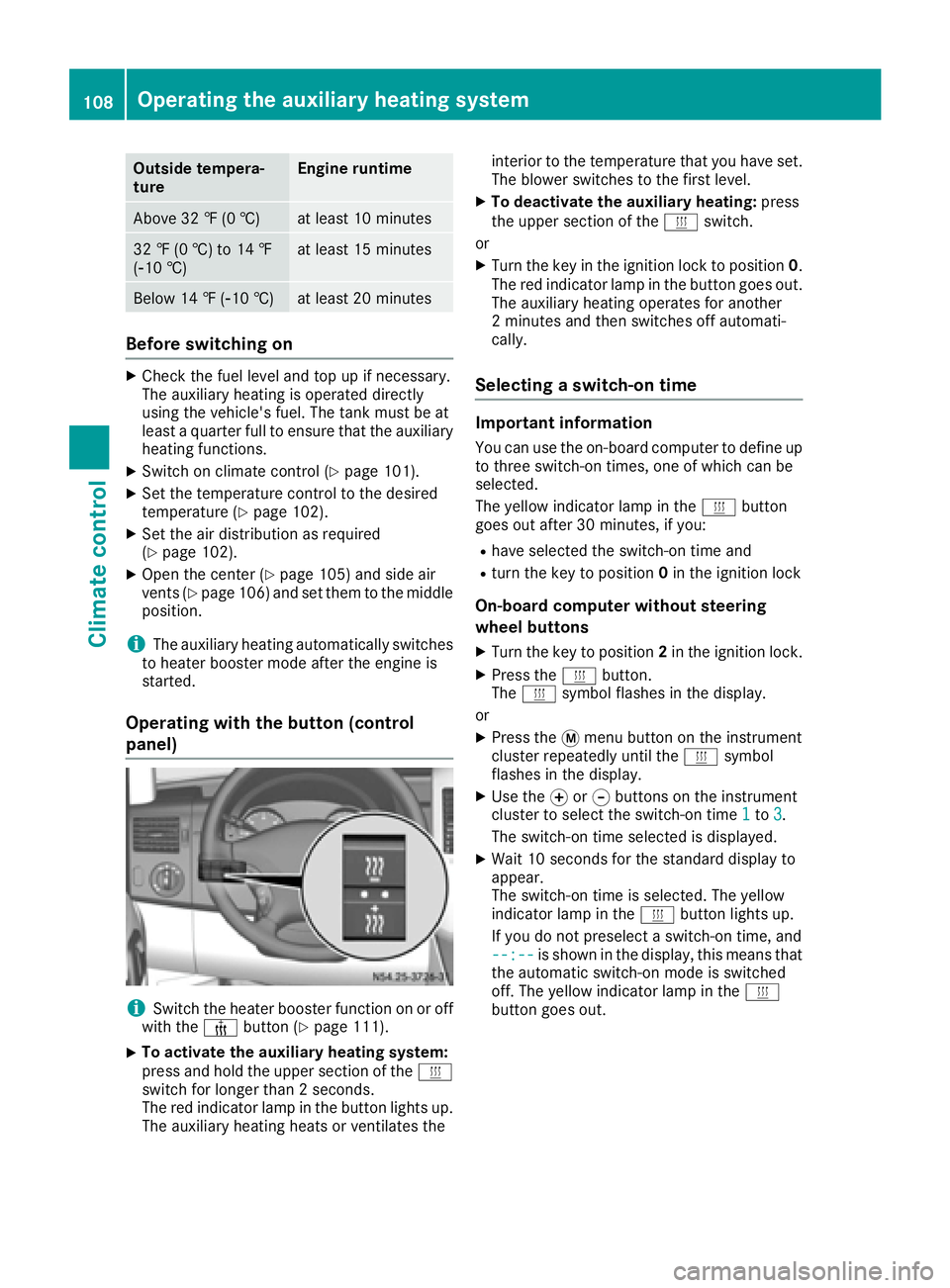
iSwitch the heater booster function on or off
with the ¢button (Ypage 111).
XTo activate the auxiliary heating system:
press and hold the upper section of the y
switch for longer than 2 seconds.
The red indicator lamp in the button lights up.
The auxiliary heating heats or ventilates the interior to the temperature that you have set.
The blower switches to the first level.
XTo deactivate the auxiliary heating:
press
the upper section of the yswitch.
or
XTurn the key in the ignition lock to position 0.
The red indicator lamp in the button goes out.
The auxiliary heating operates for another
2 minutes and then switches off automati-
cally.
Selecting a switch-on time
Important information
You can use the on-board computer to define up
to three switch-on times, one of which can be
selected.
The yellow indicator lamp in the ybutton
goes out after 30 minutes, if you:
Rhave selected the switch-on time and
Rturn the key to position 0in the ignition lock
On-board computer without steering
wheel buttons
XTurn the key to position 2in the ignition lock.
XPress the ybutton.
The y symbol flashes in the display.
or
XPress the 4menu button on the instrument
cluster repeatedly until the ysymbol
flashes in the display.
XUse the forg buttons on the instrument
cluster to select the switch-on time 1to3.
The switch-on time selected is displayed.
XWait 10 seconds for the standard display to
appear.
The switch-on time is selected. The yellow
indicator lamp in the ybutton lights up.
If you do not preselect a switch-on time, and
--:--
is shown in the display, this means that
the automatic switch-on mode is switched
off. The yellow indicator lamp in the y
button goes out.
108Operating the auxiliary heating system
Climate control
Page 111 of 290
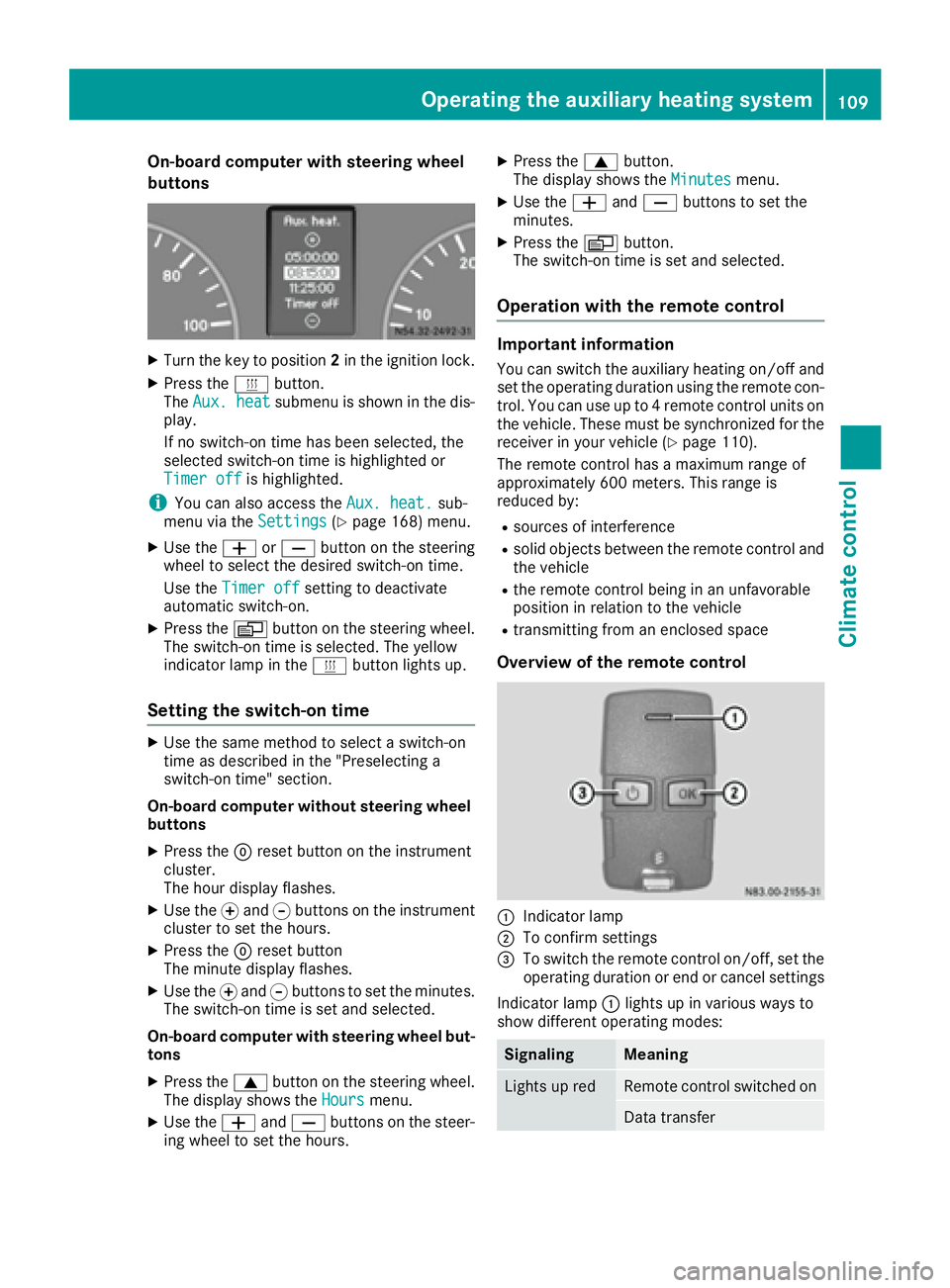
On-board computer with steering wheel
buttons
XTurn the key to position2in the ignition lock.
XPress the ybutton.
The Aux. heatsubmenu is shown in the dis-
play.
If no switch-on time has been selected, the
selected switch-on time is highlighted or
Timer off
is highlighted.
iYou can also access the Aux. heat.sub-
menu via the Settings(Ypage 168) menu.
XUse theWorX button on the steering
wheel to select the desired switch-on time.
Use the Timer off
setting to deactivate
automatic switch-on.
XPress the Vbutton on the steering wheel.
The switch-on time is selected. The yellow
indicator lamp in the ybutton lights up.
Setting the switch-on time
XUse the same method to select a switch-on
time as described in the "Preselecting a
switch-on time" section.
On-board computer without steering wheel
buttons
XPress the 9reset button on the instrument
cluster.
The hour display flashes.
XUse the fand gbuttons on the instrument
cluster to set the hours.
XPress the 9reset button
The minute display flashes.
XUse the fand gbuttons to set the minutes.
The switch-on time is set and selected.
On-board computer with steering wheel but-
tons
XPress the 9button on the steering wheel.
The display shows the Hoursmenu.
XUse theWandX buttons on the steer-
ing wheel to set the hours.
XPress the 9button.
The display shows the Minutesmenu.
XUse theWandX buttons to set the
minutes.
XPress the Vbutton.
The switch-on time is set and selected.
Operation with the remote control
Important information
You can switch the auxiliary heating on/off and
set the operating duration using the remote con-
trol. You can use up to 4 remote control units on
the vehicle. These must be synchronized for the
receiver in your vehicle (
Ypage 110).
The remote control has a maximum range of
approximately 600 meters. This range is
reduced by:
Rsources of interference
Rsolid objects between the remote control and
the vehicle
Rthe remote control being in an unfavorable
position in relation to the vehicle
Rtransmitting from an enclosed space
Overview of the remote control
:Indicator lamp
;To confirm settings
=To switch the remote control on/off, set the operating duration or end or cancel settings
Indicator lamp :lights up in various ways to
show different operating modes:
SignalingMeaning
Lights up redRemote control switched on
Data transfer
Operating the auxiliary heating system109
Climate control
Z
Page 118 of 290
exists, deactivate the respective programmedtime.
You can set three preselection times using the
timer.
After a malfunction or if the battery has been
disconnected, you must set the preselection
times again. You can find information on mal-
functions in the "Problems with the auxiliary
warm-air heater" section (
Ypage 117).
XPress the Ûorâ button until the B
symbol in the menu bar flashes.
XPress the bbutton.
In the program column, the Gpreselection
memory numbers appear. The selected pre-
selection memory flashes.
XPress the Ûorâ button to select the
desired preselection memory.
XPress the bbutton.
The preselection memory is selected. The
days are shown.
XSet the day and time as described in the "Set-
ting the day, time and operating duration"
section (
Ypage 115).
The preselection time is stored. The program
column disappears. In the display panel, the
on
message and the ysymbol appear.
XPress the bbutton.
The operating duration flashes.
XPress the Ûorâ button to set the
minute value (10 to 120).
XPress the bbutton.
The operating duration for the preselection
time is saved. The time and number of the
selected preselection memory are shown.
iThe preselection memory that will be acti-
vated next is underlined. Additionally, the day
that is set appears.
Deactivating the preselection time
XCarry out the steps as described in the "Set-
ting the preselection time" section.
If the y symbol in the status bar is shown:
XPress the Ûorâ button until the offmessage in the display panel is shown.
XPress thebbutton.
The preselection time is deactivated. The time
is shown.
Setting the heating level
You can set the heating level to a range between 10 and 30.
The heating level corresponds to a preselection
temperature for the vehicle interior. This is a
guide value and may, depending on the outside
temperature, differ from the interior tempera-
ture.
XPress the Ûorâ button until the ß
symbol in the menu bar flashes.
XPress the bbutton.
The heating level display flashes.
XUsing the Ûandâ buttons, set the
desired heating level to a range between 10
and 30.
XPress the bbutton.
The heating level is set and the ysymbol
appears.
116Operating the auxiliary heating system
Climate control
Page 123 of 290
Rall the doors are closed.
Rall the vehicle occupants are wearing their
seat belts correctly.
Rthe parking brake is applied.
iIf you depress the brake pedal before start-
ing the engine, the pedal travel is short and
pedal resistance is high.
If you depress the brake pedal again after
starting the engine, pedal travel and resist-
ance will be back to normal again.
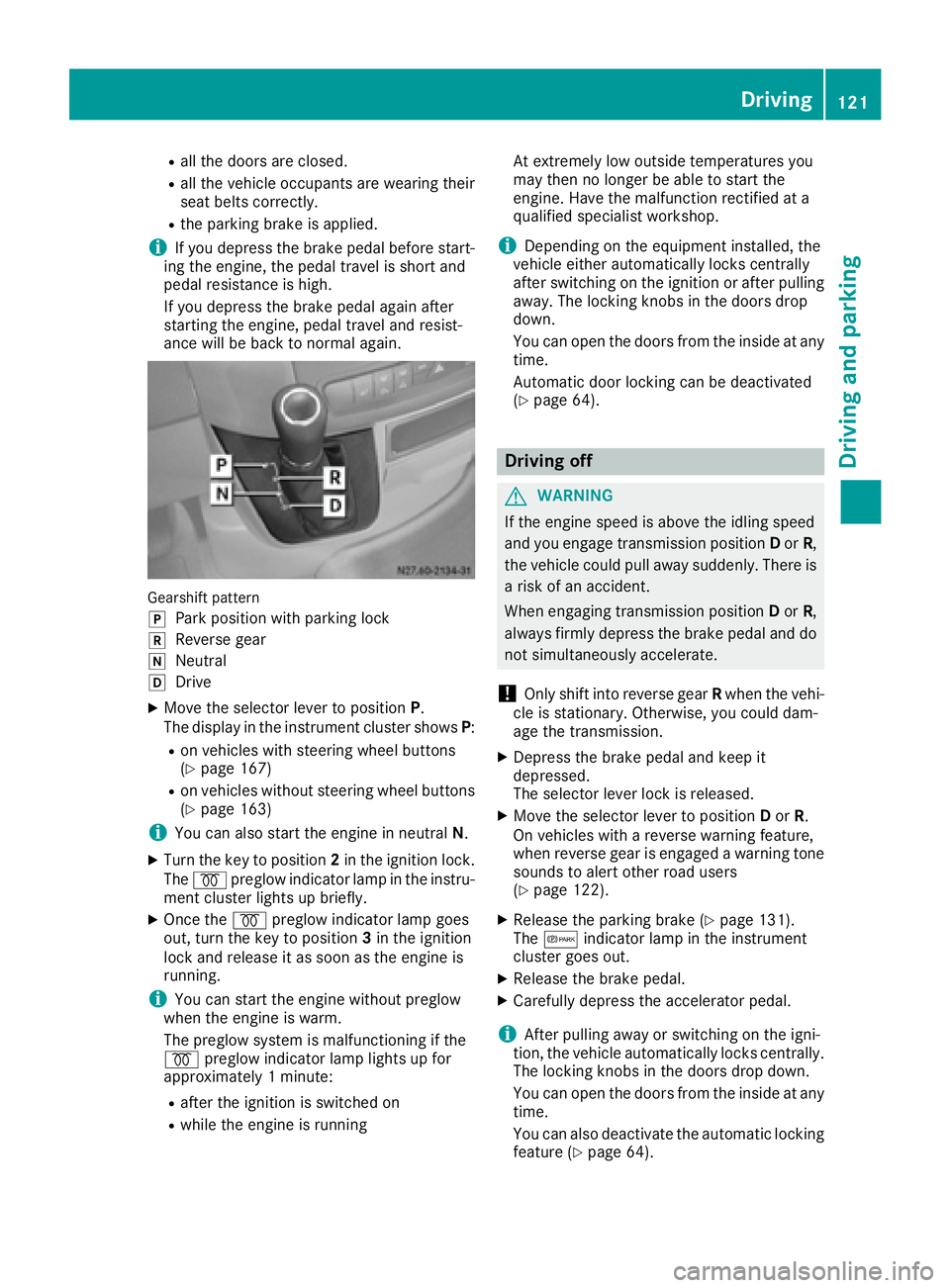
Gearshift pattern
j
Park position with parking lock
kReverse gear
iNeutral
hDrive
XMove the selector lever to position P.
The display in the instrument cluster shows P:
Ron vehicles with steering wheel buttons
(Ypage 167)
Ron vehicles without steering wheel buttons
(Ypage 163)
iYou can also start the engine in neutral N.
XTurn the key to position 2in the ignition lock.
The % preglow indicator lamp in the instru-
ment cluster lights up briefly.
XOnce the %preglow indicator lamp goes
out, turn the key to position 3in the ignition
lock and release it as soon as the engine is
running.
iYou can start the engine without preglow
when the engine is warm.
The preglow system is malfunctioning if the
% preglow indicator lamp lights up for
approximately 1 minute:
Rafter the ignition is switched on
Rwhile the engine is running At extremely low outside temperatures you
may then no longer be able to start the
engine. Have the malfunction rectified at a
qualified specialist workshop.
iDepending on the equipment installed, the
vehicle either automatically locks centrally
after switching on the ignition or after pulling
away. The locking knobs in the doors drop
down.
You can open the doors from the inside at any
time.
Automatic door locking c
an be deactivated
(Ypage 64).
Driving off
GWARNING
If the engine speed is above the idling speed
and you engage transmission position Dor R,
the vehicle could pull away suddenly. There is
a risk of an accident.
When engaging transmission position Dor R,
always firmly depress the brake pedal and do not simultaneously accelerate.
!Only shift into reverse gear Rwhen the vehi-
cle is stationary. Otherwise, you could dam-
age the transmission.
XDepress the brake pedal and keep it
depressed.
The selector lever lock is released.
XMove the selector lever to position Dor R.
On vehicles with a reverse warning feature,
when reverse gear is engaged a warning tone
sounds to alert other road users
(
Ypage 122).
XRelease the parking brake (Ypage 131).
The c indicator lamp in the instrument
cluster goes out.
XRelease the brake pedal.
XCarefully depress the accelerator pedal.
iAfter pulling away or switching on the igni-
tion, the vehicle automatically locks centrally.
The locking knobs in the doors drop down.
You can open the doors from the inside at any
time.
You can also deactivate the automatic locking
feature (
Ypage 64).
Driving121
Driving and parking
Z
Page 125 of 290
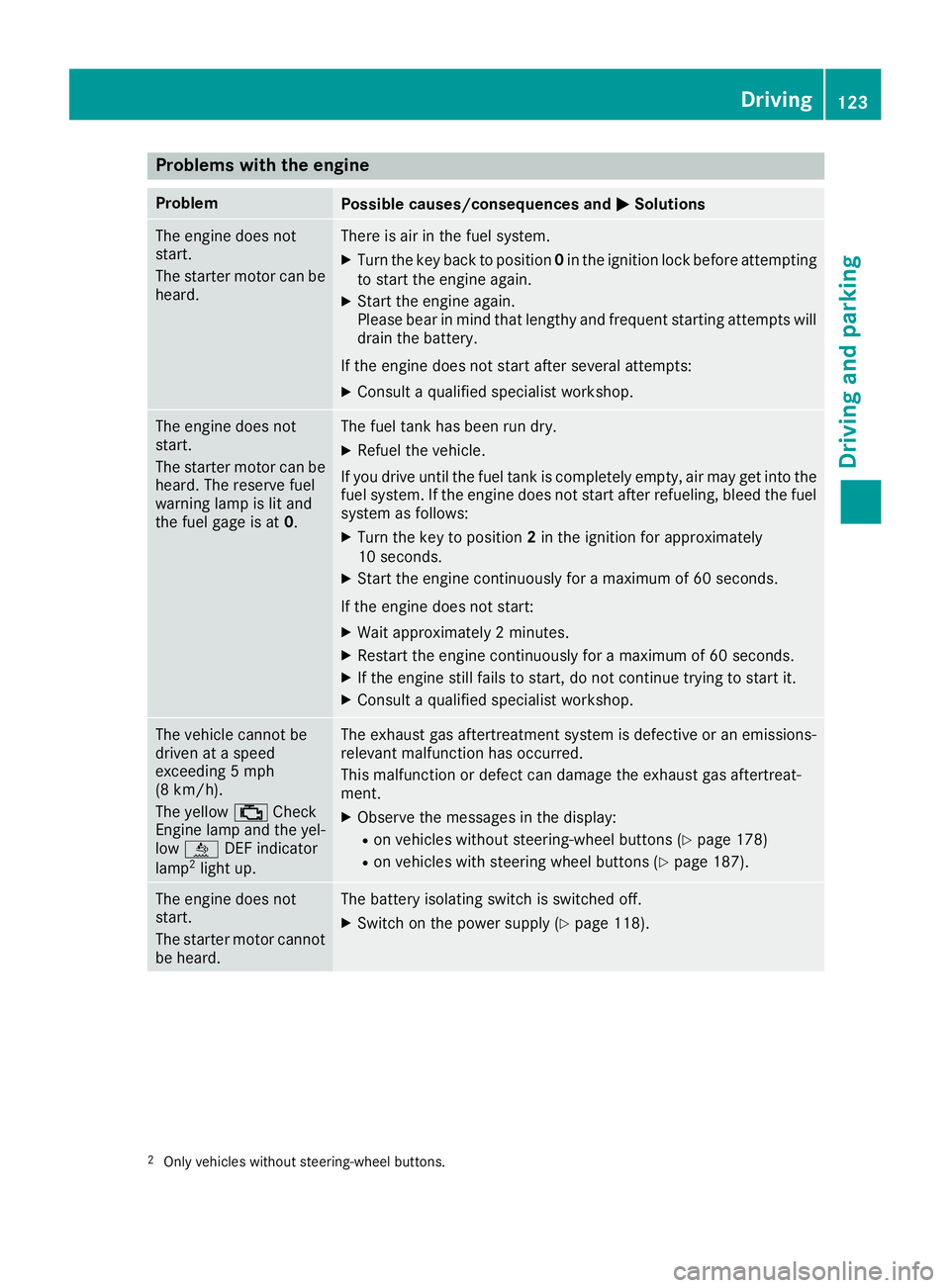
Problems with the engine
ProblemPossible causes/consequences andMSolutions
The engine does not
start.
The starter motor can be
heard.There is air in the fuel system.
XTurn the key back to position0in the ignition lock before attempting
to start the engine again.
XStart the engine again.
Please bear in mind that lengthy and frequent starting attempts will drain the battery.
If the engine does not start after several attempts:
XConsult a qualified specialist workshop.
The engine does not
start.
The starter motor can be
heard. The reserve fuel
warning lamp is lit and
the fuel gage is at 0.The fuel tank has been run dry.
XRefuel the vehicle.
If you drive until the fuel tank is completely empty, air may get into the
fuel system. If the engine does not start after refueling, bleed the fuel
system as follows:
XTurn the key to position 2in the ignition for approximately
10 seconds.
XStart the engine continuously for a maximum of 60 seconds.
If the engine does not start:
XWait approximately 2 minutes.
XRestart the engine continuously for a maximum of 60 seconds.
XIf the engine still fails to start, do not continue trying to start it.
XConsult a qualified specialist workshop.
The vehicle cannot be
driven at a speed
exceeding 5 mph
(8 km/h).
The yellow ;Check
Engine lamp and the yel-
low å DEF indicator
lamp
2light up.
The exhaust gas aftertreatment system is defective or an emissions-
relevant malfunction has occurred.
This malfunction or defect can damage the exhaust gas aftertreat-
ment.
XObserve the messages in the display:
Ron vehicles without steering-wheel buttons (Ypage 178)
Ron vehicles with steering wheel buttons (Ypage 187).
The engine does not
start.
The starter motor cannot
be heard.The battery isolating switch is switched off.
XSwitch on the power supply (Ypage 118).
2Only vehicles without steering-wheel buttons.
Driving123
Driving and parking
Z
Page 126 of 290
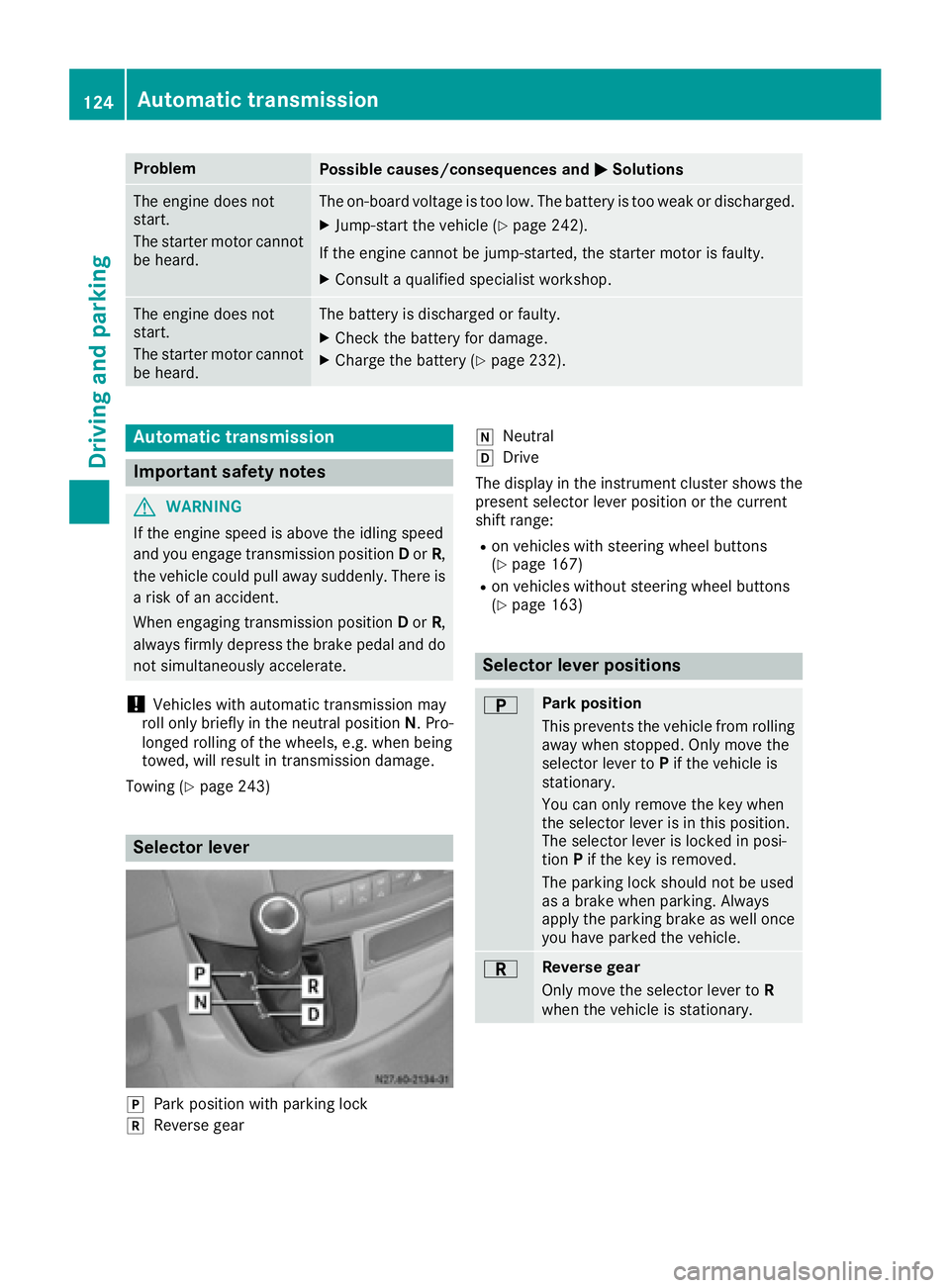
ProblemPossible causes/consequences andMSolutions
The engine does not
start.
The starter motor cannot
be heard.The on-board voltage is too low. The battery is too weak or discharged.
XJump-start the vehicle (Ypage 242).
If the engine cannot be jump-started, the starter motor is faulty.
XConsult a qualified specialist workshop.
The engine does not
start.
The starter motor cannot
be heard.The battery is discharged or faulty.
XCheck the battery for damage.
XCharge the battery (Ypage 232).
Automatic transmission
Important safety notes
GWARNING
If the engine speed is above the idling speed
and you engage transmission position Dor R,
the vehicle could pull away suddenly. There is
a risk of an accident.
When engaging transmission position Dor R,
always firmly depress the brake pedal and do not simultaneously accelerate.
!Vehicles with automatic transmission may
roll only briefly in the neutral position N. Pro-
longed rolling of the wheels, e.g. when being
towed, will result in transmission damage.
Towing (
Ypage 243)
Selector lever
jPark position with parking lock
kReverse gear
iNeutral
hDrive
The display in the instrument cluster shows the
present selector lever position or the current
shift range:
Ron vehicles with steering wheel buttons
(Ypage 167)
Ron vehicles without steering wheel buttons
(Ypage 163)
Selector lever positions
BPark position
This prevents the vehicle from rolling
away when stopped. Only move the
selector lever to Pif the vehicle is
stationary.
You can only remove the key when
the selector lever is in this position.
The selector lever is locked in posi-
tion Pif the key is removed.
The parking lock should not be used
as a brake when parking. Always
apply the parking brake as well once
you have parked the vehicle.
CReverse gear
Only move the selector lever to R
when the vehicle is stationary.
124Automatic transmission
Driving and parking
Page 142 of 290
Drivingsystems
Cruis econtro l
General notes
Cruise contro lmaintain sth espeed of th evehi-
cl e fo ryou.
Use cruise contro lif road and traffic condition s
mak eit appropriat eto maintain asteady speed
fo r a prolonged period. You can set any speed
from 20 mph upwards in increment sof 1mph .
iIf you hav eset km/h as th euni tfo rth edig-
ital speedometer (Ypage 170), you can set
any speed from 30 km/h upwards in incre-
ments of 1km/h.
Cruise contro lshould no tbe activated when
drivin goff-road or on construction sites.
Cruise contro lmay no tbe able to maintain th e
stored speed on uphill or downhill gradients. If
th egradient evens out and th evehicle' sspeed
doe sno tfall belo w20 mph (30 km/ h), the
stored speed is resumed.
iThe speed shown in the speedometer may
differ slightly from the speed stored by cruise
control.
Important safety notes
If you fail to adapt your driving style or if you are inattentive, cruise control can neither reduce
the risk of an accident nor override the laws of
physics. Cruise control cannot take road,
weather and traffic conditions into account.
Cruise control is only an aid. You are responsible
for the distance to the vehicle in front, for vehi-
cle speed, for braking in good time and for stay-
ing in lane.
Do not use cruise control:
Rin traffic conditions that are unsuitable for
driving at a constant speed, e.g. in heavy traf-
fic, on winding roads or off-road.
Ron slippery roads. Braking or accelerating
may cause the drive wheels to lose traction
and the vehicle could then skid.
Rwhen there is poor visibility, e.g. due to fog,
heavy rain or snow.
If there is a change of drivers, make sure that
you inform the new driver about the set cruise
speed.
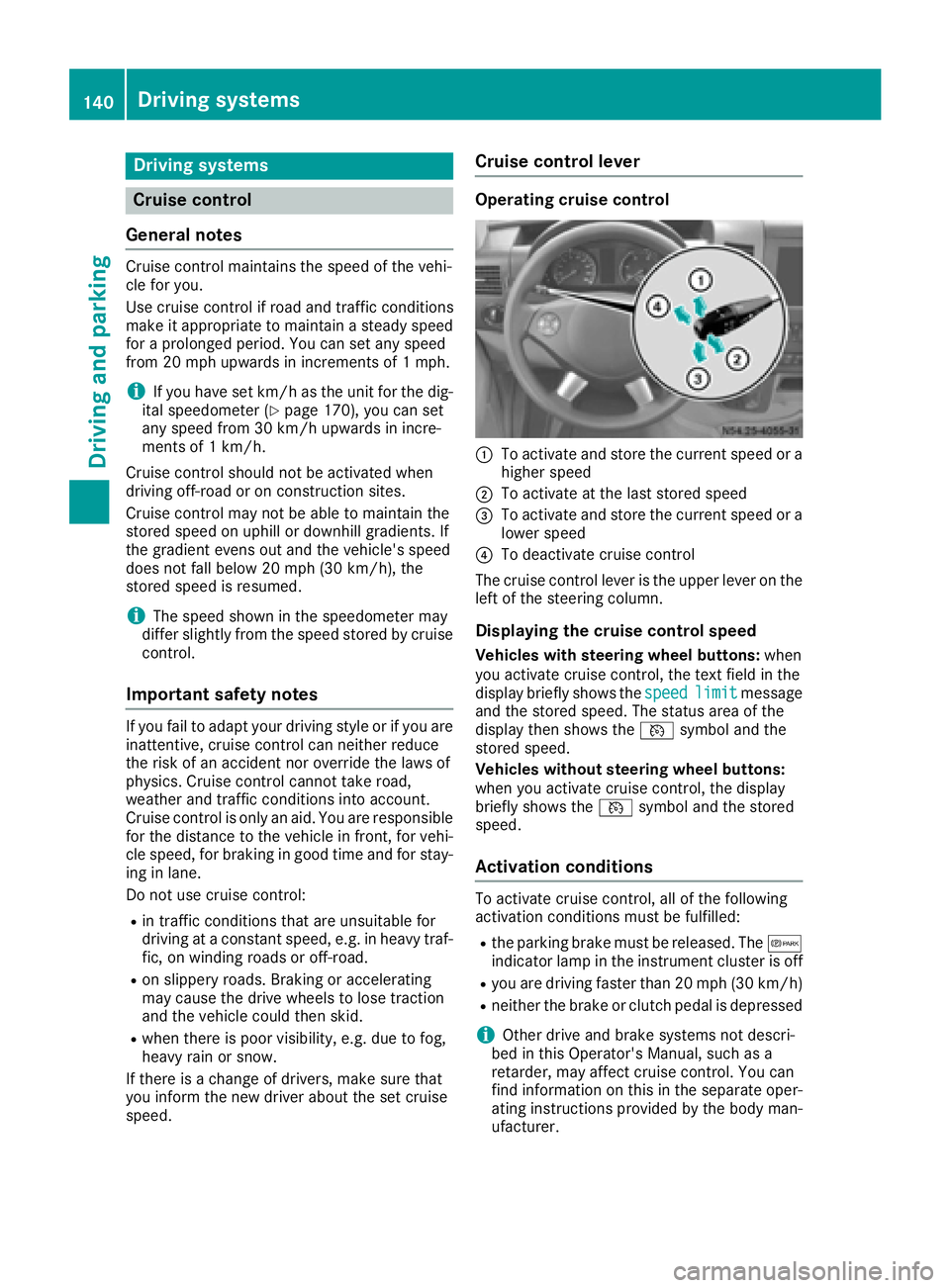
Cruise control lever
Operating cruise control
:To activate and store the current speed or a
higher speed
;To activate at the last stored speed
=To activate and store the current speed or a
lower speed
?To deactivate cruise control
The cruise control lever is the upper lever on the
left of the steering column.
Displaying the cruise control speed
Vehicles with steering wheel buttons: when
you activate cruise control, the text field in the
display briefly shows the speed
limitmessage
and the stored speed. The status area of the
display then shows the Vsymbol and the
stored speed.
Vehicles without steering wheel buttons:
when you activate cruise control, the display
briefly shows the Vsymbol and the stored
speed.
Activation conditions
To activate cruise control, all of the following
activation conditions must be fulfilled:
Rthe parking brake must be released. The c
indicator lamp in the instrument cluster is off
Ryou are driving faster than 20 mph (30 km/h)
Rneither the brake or clutch pedal is depressed
iOther drive and brake systems not descri-
bed in this Operator's Manual, such as a
retarder, may affect cruise control. You can
find information on this in the separate oper-
ating instructions provided by the body man-
ufacturer.
140Driving systems
Driving and parking
Page 144 of 290
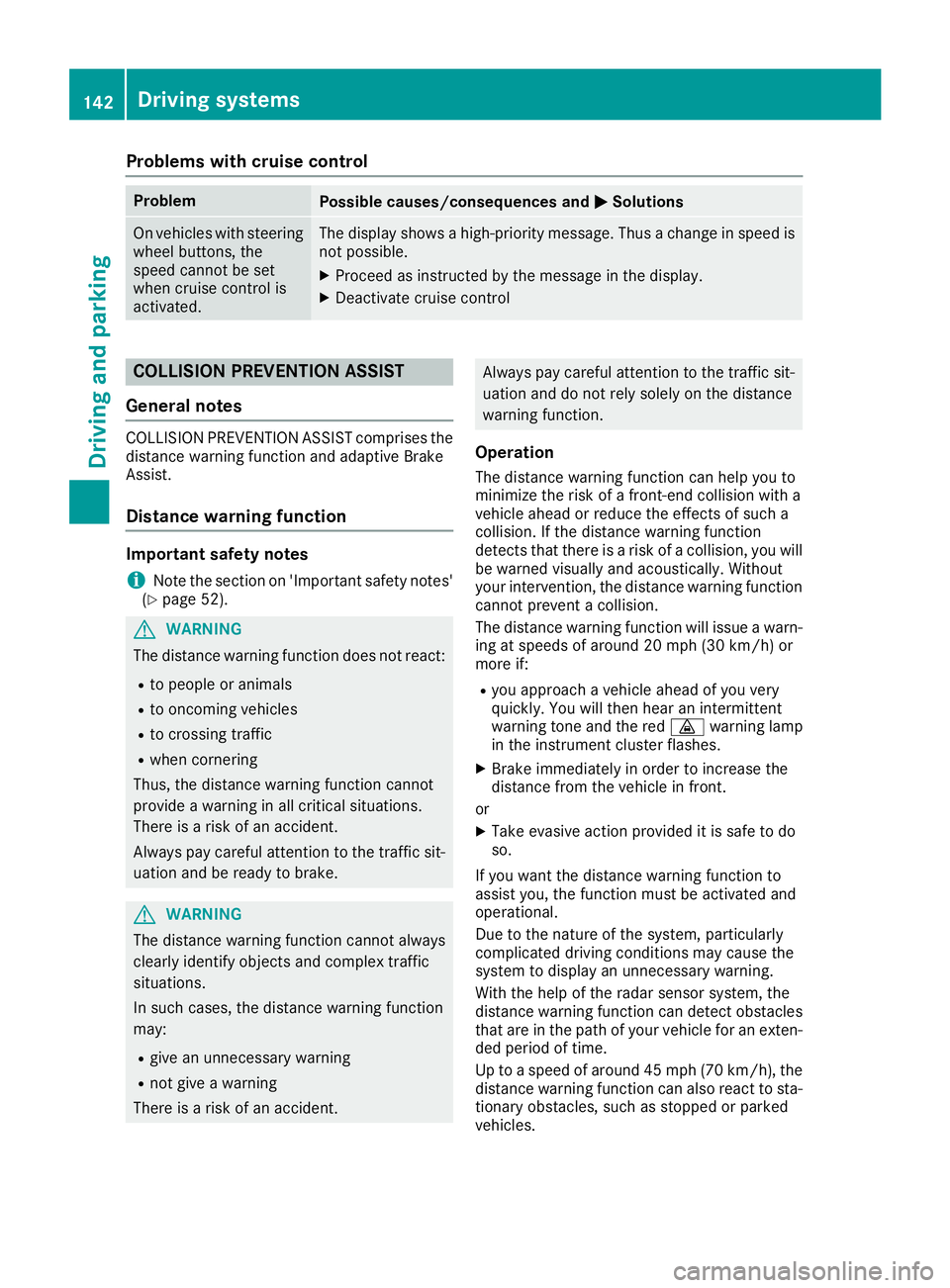
Problems with cruise control
ProblemPossible causes/consequences andMSolutions
On vehicles with steering
wheel buttons, the
speed cannot be set
when cruise control is
activated.The display shows a high-priority message. Thus a change in speed is
not possible.
XProceed as instructed by the message in the display.
XDeactivate cruise control
COLLISION PREVENTION ASSIST
General notes
COLLISION PREVENTION ASSIST comprises the
distance warning function and adaptive Brake
Assist.
Distance warning function
Important safety notes
iNote the section on 'Important safety notes'
(Ypage 52).
GWARNING
The distance warning function does not react:
Rto people or animals
Rto oncoming vehicles
Rto crossing traffic
Rwhen cornering
Thus, the distance warning function cannot
provide a warning in all critical situations.
There is a risk of an accident.
Always pay careful attention to the traffic sit-
uation and be ready to brake.
GWARNING
The distance warning function cannot always
clearly identify objects and complex traffic
situations.
In such cases, the distance warning function
may:
Rgive an unnecessary warning
Rnot give a warning
There is a risk of an accident.
Always pay careful attention to the traffic sit- uation and do not rely solely on the distance
warning function.
Operation
The distance warning function can help you to
minimize the risk of a front-end collision with a
vehicle ahead or reduce the effects of such a
collision. If the distance warning function
detects that there is a risk of a collision, you will
be warned visually and acoustically. Without
your intervention, the distance warning function
cannot prevent a collision.
The distance warning function will issue a warn-
ing at speeds of around 20 mph (30 km/h) or
more if:
Ryou approach a vehicle ahead of you very
quickly. You will then hear an intermittent
warning tone and the red ·warning lamp
in the instrument cluster flashes.
XBrake immediately in order to increase the
distance from the vehicle in front.
or
XTake evasive action provided it is safe to do
so.
If you want the distance warning function to
assist you, the function must be activated and
operational.
Due to the nature of the system, particularly
complicated driving conditions may cause the
system to display an unnecessary warning.
With the help of the radar sensor system, the
distance warning function can detect obstacles
that are in the path of your vehicle for an exten-
ded period of time.
Up to a speed of around 45 mph (70 km/h), the
distance warning function can also react to sta-
tionary obstacles, such as stopped or parked
vehicles.
142Driving systems
Driving and parking
Page 145 of 290
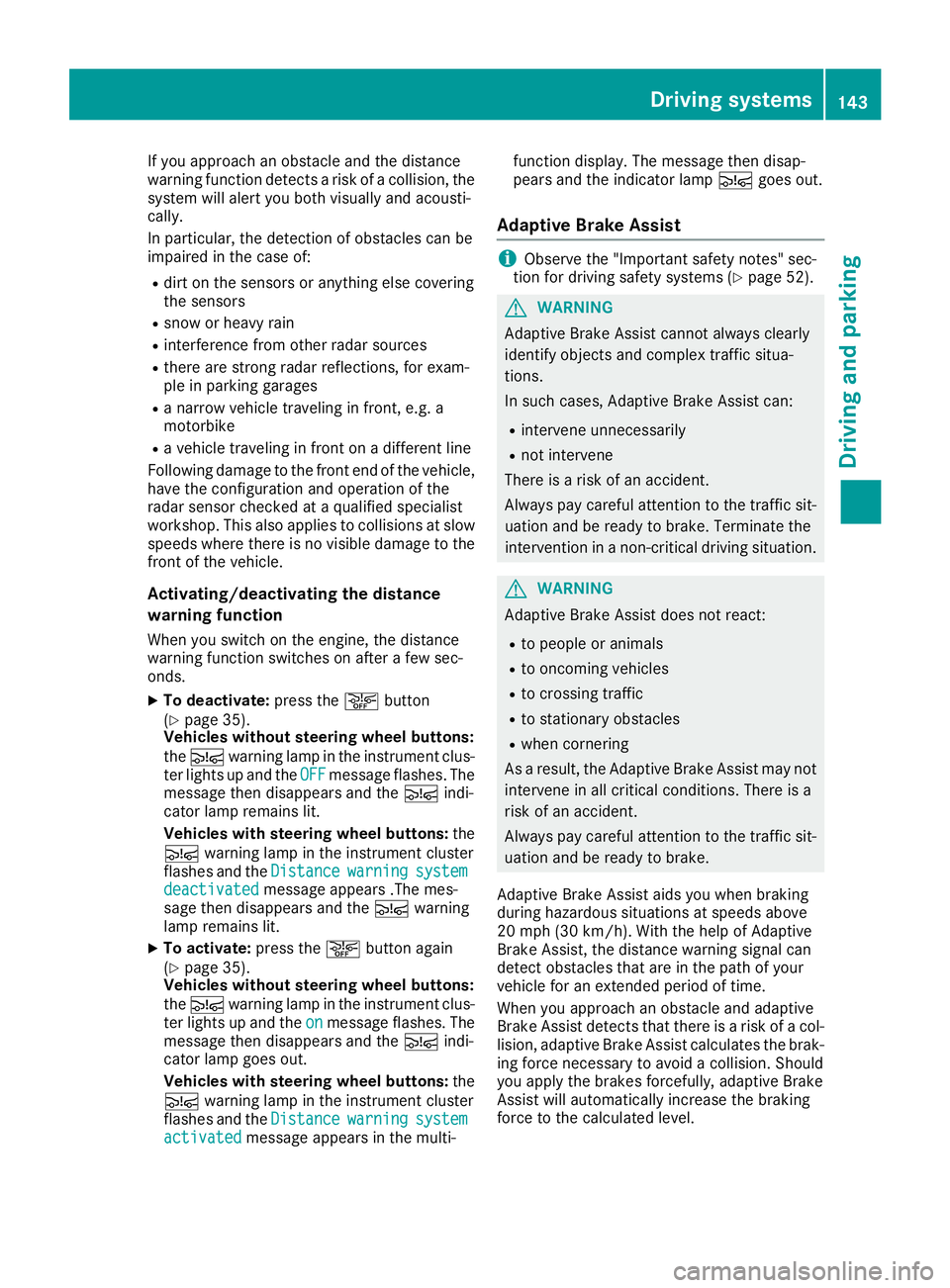
If you approach an obstacle and the distance
warning function detects a risk of a collision, the
system will alert you both visually and acousti-
cally.
In particular, the detection of obstacles can be
impaired in the case of:
Rdirt on the sensors or anything else covering
the sensors
Rsnow or heavy rain
Rinterference from other radar sources
Rthere are strong radar reflections, for exam-
ple in parking garages
Ra narrow vehicle traveling in front, e.g. a
motorbike
Ra vehicle traveling in front on a different line
Following damage to the front end of the vehicle,
have the configuration and operation of the
radar sensor checked at a qualified specialist
workshop. This also applies to collisions at slow
speeds where there is no visible damage to the
front of the vehicle.
Activating/deactivating the distance
warning function
When you switch on the engine, the distance
warning function switches on after a few sec-
onds.
XTo deactivate: press theæbutton
(Ypage 35).
Vehicles without steering wheel buttons:
the Ä warning lamp in the instrument clus-
ter lights up and the OFF
message flashes. The
message then disappears and the Äindi-
cator lamp remains lit.
Vehicles with steering wheel buttons: the
Ä warning lamp in the instrument cluster
flashes and the Distance
warningsystemdeactivatedmessage appears .The mes-
sage then disappears and the Äwarning
lamp remains lit.
XTo activate: press theæbutton again
(Ypage 35).
Vehicles without steering wheel buttons:
the Ä warning lamp in the instrument clus-
ter lights up and the on
message flashes. The
message then disappears and the Äindi-
cator lamp goes out.
Vehicles with steering wheel buttons: the
Ä warning lamp in the instrument cluster
flashes and the Distance
warningsystemactivatedmessage appears in the multi- function display. The message then disap-
pears and the indicator lamp
Ägoes out.
Adaptive Brake Assist
iObserve the "Important safety notes" sec-
tion for driving safety systems (Ypage 52).
GWARNING
Adaptive Brake Assist cannot always clearly
identify objects and complex traffic situa-
tions.
In such cases, Adaptive Brake Assist can:
Rintervene unnecessarily
Rnot intervene
There is a risk of an accident.
Always pay careful attention to the traffic sit- uation and be ready to brake. Terminate the
intervention in a non-critical driving situation.
GWARNING
Adaptive Brake Assist does not react:
Rto people or animals
Rto oncoming vehicles
Rto crossing traffic
Rto stationary obstacles
Rwhen cornering
As a result, the Adaptive Brake Assist may not
intervene in all critical conditions. There is a
risk of an accident.
Always pay careful attention to the traffic sit- uation and be ready to brake.
Adaptive Brake Assist aids you when braking
during hazardous situations at speeds above
20 mph (30 km/h). With the help of Adaptive
Brake Assist, the distance warning signal can
detect obstacles that are in the path of your
vehicle for an extended period of time.
When you approach an obstacle and adaptive
Brake Assist detects that there is a risk of a col- lision, adaptive Brake Assist calculates the brak-
ing force necessary to avoid a collision. Should
you apply the brakes forcefully, adaptive Brake
Assist will automatically increase the braking
force to the calculated level.
Driving systems143
Driving and parking
Z
Page 148 of 290
Collision warning
If a vehicle is detected in the monitoring range of
Blind Spot Assist and you switch on the corre-
sponding turn signal, a double warning tone
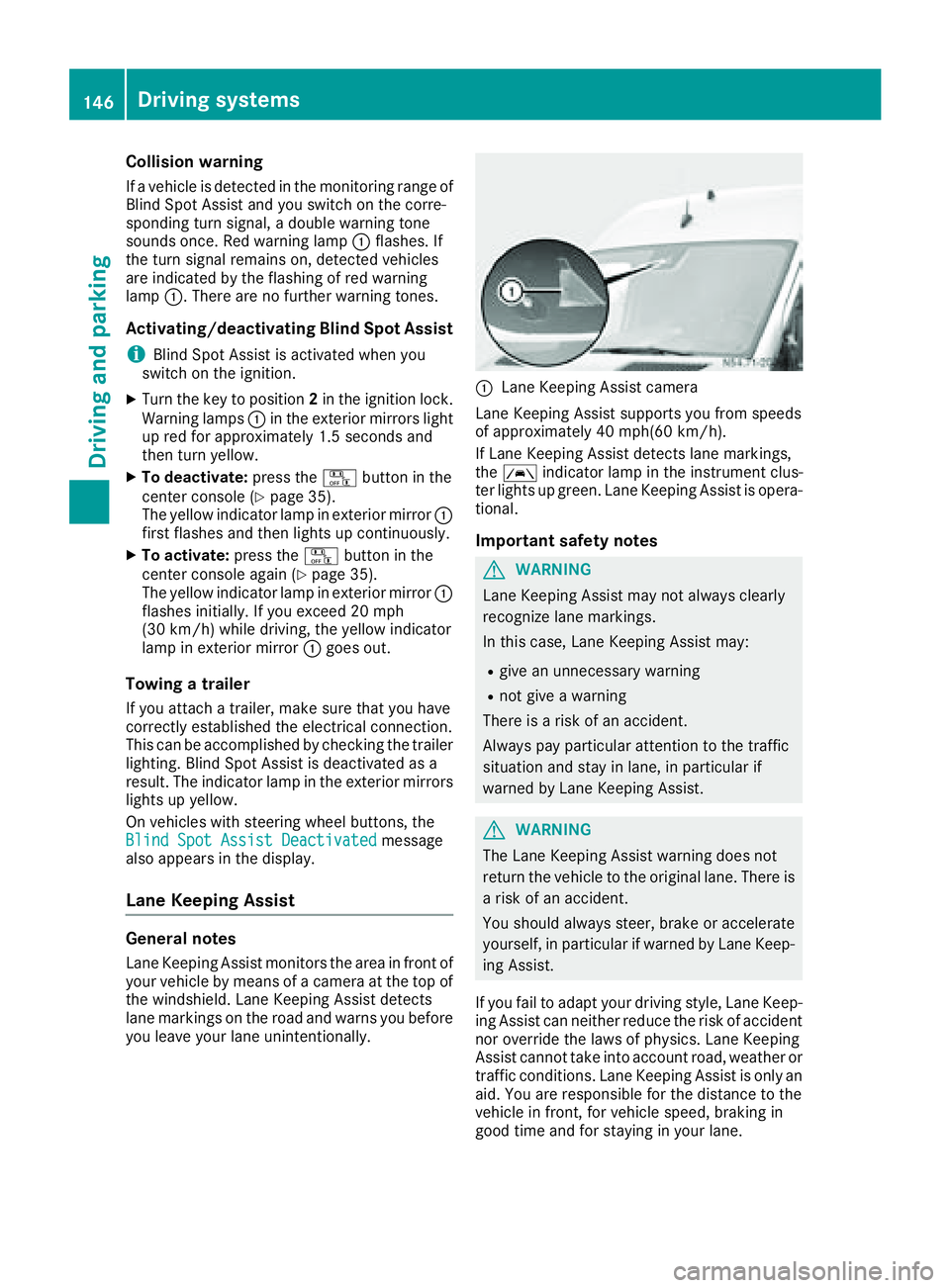
sounds once. Red warning lamp:flashes. If
the turn signal remains on, detected vehicles
are indicated by the flashing of red warning
lamp :. There are no further warning tones.
Activating/deactivating Blind Spot Assist
iBlind Spot Assist is activated when you
switch on the ignition.
XTurn the key to position 2in the ignition lock.
Warning lamps :in the exterior mirrors light
up red for approximately 1.5 seconds and
then turn yellow.
XTo deactivate: press thekbutton in the
center console (Ypage 35).
The yellow indicator lamp in exterior mirror :
first flashes and then lights up continuously.
XTo activate: press thekbutton in the
center console again (Ypage 35).
The yellow indicator lamp in exterior mirror :
flashes initially. If you exceed 20 mph
(30 km/h) while driving, the yellow indicator
lamp in exterior mirror :goes out.
Towing a trailer
If you attach a trailer, make sure that you have
correctly established the electrical connection.
This can be accomplished by checking the trailer
lighting. Blind Spot Assist is deactivated as a
result. The indicator lamp in the exterior mirrors
lights up yellow.
On veh icles wit
h steering wheel buttons, the
Blind Spot Assist Deactivatedmessage
also appears in the display.
Lane Keeping Assist
General notes
Lane Keeping Assist monitors the area in front of
your vehicle by means of a camera at the top of
the windshield. Lane Keeping Assist detects
lane markings on the road and warns you before
you leave your lane unintentionally.
:Lane Keeping Assist camera
Lane Keeping Assist supports you from speeds
of approximately 40 mph(60 km/h).
If Lane Keeping Assist detects lane markings,
the à indicator lamp in the instrument clus-
ter lights up green. Lane Keeping Assist is opera-
tional.
Important safety notes
GWARNING
Lane Keeping Assist may not always clearly
recognize lane markings.
In this case, Lane Keeping Assist may:
Rgive an unnecessary warning
Rnot give a warning
There is a risk of an accident.
Always pay particular attention to the traffic
situation and stay in lane, in particular if
warned by Lane Keeping Assist.
GWARNING
The Lane Keeping Assist warning does not
return the vehicle to the original lane. There is
a risk of an accident.
You should always steer, brake or accelerate
yourself, in particular if warned by Lane Keep-
ing Assist.
If you fail to adapt your driving style, Lane Keep-
ing Assist can neither reduce the risk of accident
nor override the laws of physics. Lane Keeping
Assist cannot take into account road, weather or traffic conditions. Lane Keeping Assist is only an
aid. You are responsible for the distance to the
vehicle in front, for vehicle speed, braking in
good time and for staying in your lane.
146Driving systems
Driving and parking