brakes MERCEDES-BENZ SPRINTER 2016 MY16 Operator’s Manual
[x] Cancel search | Manufacturer: MERCEDES-BENZ, Model Year: 2016, Model line: SPRINTER, Model: MERCEDES-BENZ SPRINTER 2016Pages: 290, PDF Size: 6.44 MB
Page 7 of 290
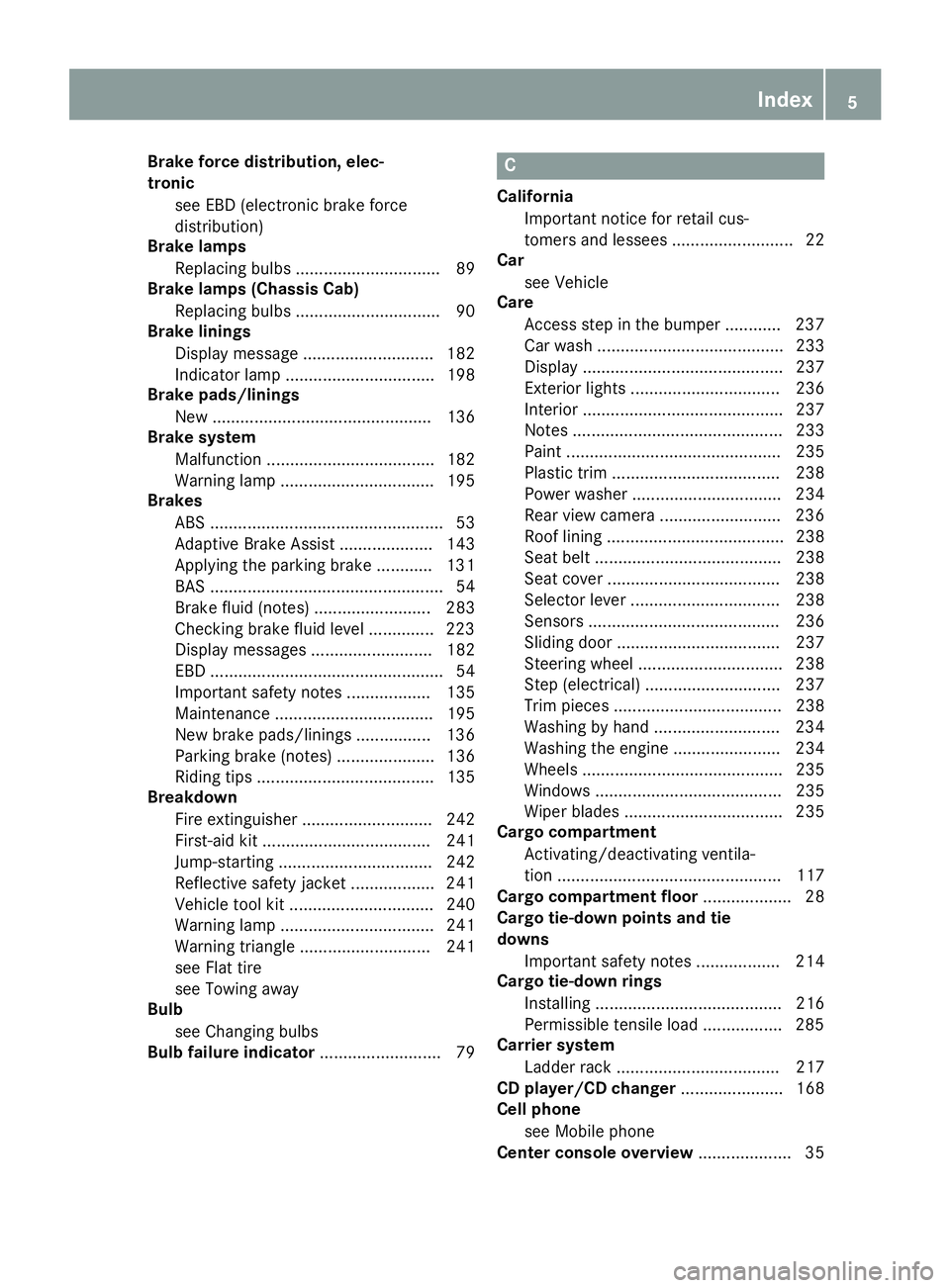
Brake force distribution, elec-
tronicsee EBD (electronic brake force
distribution)
Brake lamps
Replacing bulbs ............................... 89
Brake lamps (Chassis Cab)
Replacing bulbs ............................... 90
Brake linings
Display message ............................ 182
Indicator lamp ................................ 198
Brake pads/linings
New ............................................... 136
Brake system
Malfunction .................................... 182
Warning lamp ................................. 195
Brakes
ABS .................................................. 53
Adaptive Brake Assist .................... 143
Applying the parking brake ............ 131
BAS .................................................. 54
Brake fluid (notes) ......................... 283
Checking brake fluid level .............. 223
Display messages .......................... 182
EBD .................................................. 54
Important safety notes .................. 135
Maintenance .................................. 195
New brake pads/linings ................ 136
Parking brake (notes) ..................... 136
Riding tips ...................................... 135
Breakdown
Fire extinguisher ............................ 242
First-aid kit .................................... 241
Jump-starting ................................. 242
Reflective safety jacket .................. 241
Vehicle tool kit ............................... 240
Warning lamp ................................. 241
Warning triangle ............................ 241
see Flat tire
see Towing away
Bulb
see Changing bulbs
Bulb failure indicator .......................... 79C
California
Important notice for retail cus-
tomers and lessees .......................... 22
Car
see Vehicle
Care
Access step in the bumper ............ 237
Car wash ........................................ 233
Display ........................................... 237
Exterior lights ................................ 236
Interior ........................................... 237
Notes ............................................. 233
Paint .............................................. 235
Plastic trim .................................... 238
Power washer ................................ 234
Rear view camera .......................... 236
Roof lining ...................................... 238
Seat belt ........................................ 238
Seat cover ..................................... 238
Selector lever ................................ 238
Sensors ......................................... 236
Sliding door ................................... 237
Steering wheel ............................... 238
Step (electrical) ............................. 237
Trim pieces .................................... 238
Washing by hand ........................... 234
Washing the engine ....................... 234
Wheels ........................................... 235
Windows ........................................ 235
Wiper blades .................................. 235
Cargo compartment
Activating/deactivating ventila-
tion ................................................ 117
Cargo compartment floor ................... 28
Cargo tie-down points and tie
downs
Important safety notes .................. 214
Cargo tie-down rings
Installing ........................................ 216
Permissible tensile load ................. 285
Carrier system
Ladder rack ................................... 217
CD player/CD changer ...................... 168
Cell phone
see Mobile phone
Center console overview .................... 35
Index5
Page 11 of 290
ESP®(Electronic Stability Pro-
gram) ............................................... 54
Important safety information ........... 52
Overview .......................................... 52
Driving systems
Blind Spot Assist ............................ 144
Cruise control ................................ 140
Display message ............................ 190
Lane Keeping Assist ...................... 146
PARKTRONIC ................................. 151
Driving tips
Automatic transmission ................. 126
Brakes ........................................... 135
Break-in period .............................. 118
Downhill gradient ........................... 135
Drinking and driving ....................... 133
Driving abroad ............................... 134
Driving in winter ............................. 137
Driving on flooded roads ................ 136
Driving on wet roads ...................... 136
Exhaust check ............................... 134
Fuel ................................................ 133
General .......................................... 133
Hydroplaning ................................. 136
Icy road surfaces ........................... 137
Important safety notes .................. 118
Limited braking efficiency on sal-
ted roads ....................................... 136
New brake disks ............................ 136
New brake pads/linings ................ 136
Off-road driving .............................. 137
Overrun cut-off .............................. 133
Snow chains .................................. 249
Speed limitation ............................. 134
Towing a trailer .............................. 155
Transport by rail ............................. 135
Wet road surface ........................... 136
DSR (Downhill Speed Regulation) .... 149
E
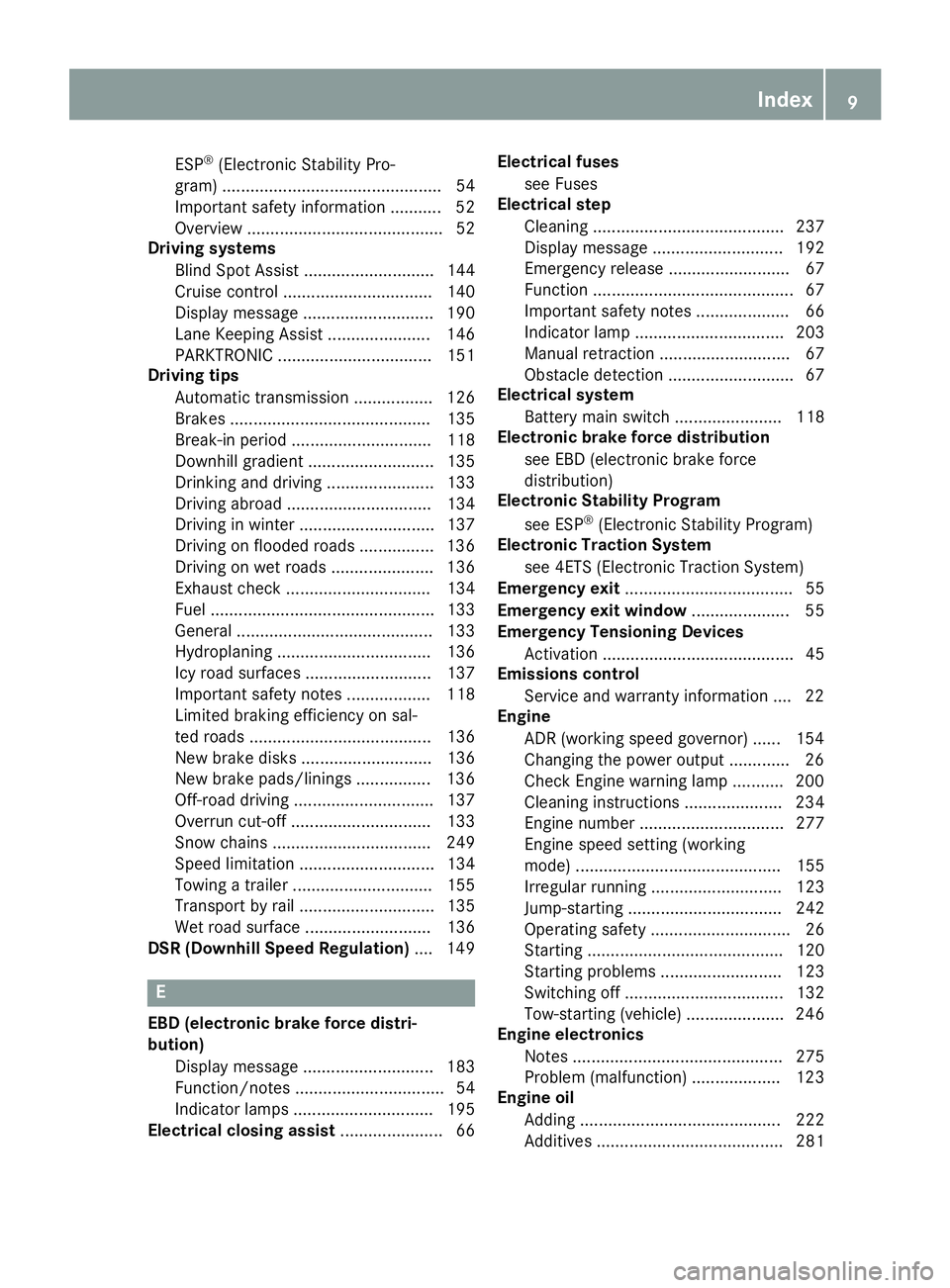
EBD (electronic brake force distri-
bution)
Display message ............................ 183
Function/notes ................................ 54
Indicator lamps .............................. 195
Electrical closing assist ...................... 66Electrical fuses
see Fuses
Electrical step
Cleaning ......................................... 237
Display message ............................ 192
Emergency release .......................... 67
Function ........................................... 67
Important safety notes .................... 66
Indicator lamp ................................ 203
Manual retraction ............................ 67
Obstacle detection ........................... 67
Electrical system
Battery main switch ....................... 118
Electronic brake force distribution
see EBD (electronic brake force
distribution)
Electronic Stability Program
see ESP
®(Electronic Stability Program)
Electronic Traction System
see 4ETS (Electronic Traction System)
Emergency exit .................................... 55
Emergency exit window ..................... 55
Emergency Tensioning Devices
Activation ......................................... 45
Emissions control
Service and warranty information .... 22
Engine
ADR (working speed governor) ...... 154
Changing the power output ............. 26
Check Engine warning lamp ........... 200
Cleaning instructions ..................... 234
Engine number ............................... 277
Engine speed setting (working
mode) ............................................ 155
Irregular running ............................ 123
Jump-starting ................................. 242
Operating safety .............................. 26
Starting .......................................... 120
Starting problems .......................... 123
Switching off .................................. 132
Tow-starting (vehicle) ..................... 246
Engine electronics
Notes ............................................. 275
Problem (malfunction) ................... 123
Engine oil
Adding ........................................... 222
Additives ........................................ 281
Index9
Page 22 of 290
Twin front-passenger seatStowage compartment .................. 206
Two-way radios
Type approval/frequency .............. 275
TWR (Tongue Weight Rating) (defi-
nition) ................................................. 266
U
Unlocking
From inside the vehicle (central
unlocking button) ............................. 64
USB port ............................................. 211
V
Vehicle
Data acquisition ............................... 29
Display message ............................ 192
Electronics ..................................... 275
Equipment ....................................... 22
Individual settings (vehicles with
steering wheel buttons) ................. 168
Limited Warranty ............................. 22
Loading .......................................... 258
Locking (SmartKey) .......................... 59
Lowering ........................................ 271
Maintenance .................................... 23
Operating safety .............................. 25
Parking for a long period ................ 132
Pulling away ................................... 121
Raising ........................................... 268
Registration ..................................... 27
Reporting problems ......................... 27
Securing from rolling away ............ 130
Towing away .................................. 243
Transporting .................................. 246
Unlocking (SmartKey) ...................... 59
Vehicle battery
see Battery (vehicle)
Vehicle bodies ..................................... 27
Body/equipment mounting direc-
tives for trucks ................................. 27
Vehicle data ....................................... 285
Vehicle identification number .......... 276
Vehicle identification plate .............. 276
Vehicle tool kit .................................. 240 Vents
see Air vents
Voltage supply
Fuses ............................................. 246
W
Warning Stickers ........................................... 24
Warning and indicator lamp
Diesel particle filter ....................... 201
Power assistance for the steering .. 203
Warning and indicator lamps
Brakes ........................................... 195
Check Engine ................................. 200
Coolant .......................................... 199
Diesel Exhaust Fluid (DEF) ............. 197
Electrical step ................................ 203
ESP
®.............................................. 194
ESP®function ................................ 197
Overview .......................................... 33
Seat belt ........................................ 203
Warning lamp .................................... 241
Warning triangle ................................ 241
Warning- and indicator lamps
ABS ................................................ 195
Air filter .......................................... 201
ASR ................................................ 194
BAS ................................................ 195
Battery charge ............................... 198
Brake wear .................................... 198
Bulbs .............................................. 203
Doors ............................................. 203
Engine oil level ............................... 198
Preglow .......................................... 201
Reserve fuel ................................... 200
Tire pressure monitor .................... 202
Water separator ............................. 202
Windshield washer fluid ................. 202
Warranty .............................................. 22
Washer fluid
Adding ........................................... 224
Capacities ...................................... 285
Display message ............................ 193
Indicator lamp ................................ 202
Notes ............................................. 284
Wiping with ...................................... 93
20Index
Page 31 of 290
The operating safety of the vehicle could be
jeopardized if you use parts, tires and wheels as
well as accessories relevant to safety which
have not been approved by Mercedes-Benz. This
could lead to malfunctions in safety-relevant
systems, e.g. the brake system. Only use genu-
ine Mercedes-Benz parts or parts of equal qual-ity. Only use tires, wheels and accessories that
have been specifically approved for your vehi-
cle.
We test genuine Sprinter parts, as well as con-
version parts and accessories that have been
specifically approved for the type of vehicle, for:
Rreliability
Rsafety
Rsuitability
Despite ongoing market research, Mercedes-
Benz is unable to assess other parts. Therefore,
we accept no responsibility for the use of such
parts in Sprinter vehicles, even if they have been
officially approved or independently approved
by a testing center.
In some countries, certain parts are only offi-
cially approved for installation or modification if
they comply with legal requirements. All genu-
ine Sprinter parts satisfy these requirements.
Make sure that all parts are suitable for your
vehicle.
Always specify the vehicle identification number
(VIN) and engine number when ordering genuine
Sprinter parts (
Ypage 276).
QR code for rescue card
The QR Code stickers are affixed to the B-pillar
on the driver's and front-passenger side.
In the event of an accident the rescue services
use the QR Code to quickly find the rescue card
for your vehicle. The current rescue card con-
tains the most important information on your
vehicle, e.g. the electric cable routes, in a com-
pact form.
Further information can be found under http://
portal.aftersales.i.daimler.com.
Data stored in the vehicle
Data Recording
A wide range of electronic components in your
vehicle contain data memories. These data memories temporarily or perma-
nently store technical information about:
Rthe vehicle's operating state
Revents
Rfaults
In general, this technical information docu-
ments the state of a component, a module, a
system or the surroundings.
These include, for example:
Roperating conditions of system components,
e.g. fluid levels
Rthe vehicle's status messages and those of its
individual components, e.g. number of wheel
revolutions/speed, deceleration in move-
ment, lateral acceleration, accelerator pedal
position
Rmalfunctions and defects in important system
components, e.g. lights, brakes
Rvehicle reactions and operating conditions in
special driving situations, e.g. airbag deploy-
ment, intervention of stability control sys-
tems
Rambient conditions, e.g. outside temperature
This data is of an exclusively technical nature
and can be used to:
Rassist in detecting and rectifying faults and
defects
Ranalyze vehicle functions, e.g. after an acci-
dent
Roptimize vehicle functions
The data cannot be used to trace the vehicle's
movements.
When your vehicle is serviced, technical infor-
mation can be read from the event data memory
and fault data memory.
Services include, for example:
Rrepair services
Rservice processes
Rwarranty events
Rquality assurance
The vehicle is read out by employees of the ser- vice network (including the manufacturer) using
special diagnostic testers. You can obtain more
information there, if required.
After a fault has been rectified, the information
is deleted from the fault memory or is continu-
ally overwritten.
When operating the vehicle, situations are con-
ceivable in which this technical data, in connec-
Introduction29
Z
Page 55 of 290
Pay particular attention to the information
regarding tires, tire tread and winter operation
under "Wheels and tires" (
Ypage 247).
ABS (Anti-lock Braking System)
Important safety notes
Observe the important safety guidelines for the
driving safety system (Ypage 52).
GWARNING
If ABS is faulty, the wheels could lock when
braking. The steerability and braking charac-
teristics may be severely impaired. Addition-
ally, further driving safety systems are deac-
tivated. There is an increased danger of skid-
ding and accidents.
Drive on carefully. Have ABS checked imme-
diately at a qualified specialist workshop.
If ABS is malfunctioning, other systems will also
fail, including driving safety systems. Observe
the information relating to the !warning
lamp (
Ypage 195).
ABS regulates brake pressure in such a way that
the wheels do not lock when you brake. This
allows you to continue steering the vehicle when
braking.
ABS works from a speed of about 5 mph
(8 km/h), regardless of road-surface conditions. ABS works on slippery surfaces, even when you
only brake gently.
The yellow !warning lamp in the instrument
cluster lights up when the ignition is switched
on. The lamp goes out when the engine starts
running.
Braking
If ABS intervenes when braking, you will feel a
pulsating in the brake pedal.
The pulsating brake pedal can be an indication
of hazardous road conditions and functions as a
reminder to take extra care while driving.
XIf ABS intervenes: continue to depress the
brake pedal with force until the braking sit-
uation is over.
XTo make a full brake application: depress
the brake pedal with full force.
ASR (acceleration skid control)
General notes
Important safety notes
Observe the important safety guidelines for the
driving safety system (Ypage 52).
ASR can neither reduce the risk of an accident
nor suspend the laws of physics if the driver
does not pay attention when pulling away or
accelerating. ASR is only an aid. Always adapt
your driving style to suit the prevailing road and
weather conditions.
If you activate or deactivate the all-wheel drive
in a vehicle with this option, ASR will be deacti- vated for the duration of the activation/deacti-
vation process.
Vehicles without steering wheel buttons: if ASR
is malfunctioning, the :indicator lamp lights
up while the engine is running and the engine
power may be reduced (
Ypage 195).
ASR significantly improves traction, i.e. the
transmission of power from the tires to the road surface, and thus increases the vehicle's driving
stability. If the driving wheels start to spin, ASR
brakes individual drive wheels and limits the
engine torque. ASR thus significantly assists you
when pulling away and accelerating, especially
on wet or slippery roads.
If traction on the road surface is not sufficient,
even ASR will not allow you to pull away without
difficulty. The type of tires and total weight of the
vehicle as well as the gradient of the road also
play a crucial role.
If ASR intervenes, the dwarning lamp in the
instrument cluster flashes.
Activating/deactivating ASR
GWARNING
If deactivated, ASR will not attempt to stabi-
lize the vehicle during pulling away and accel- eration. There is an increased risk of skidding
and of an accident.
Only deactivate ASR in the situations descri-
bed in the following.
!If you deactivate ASR, ESP®will still inter-
vene to stabilize the vehicle. Frequent braking
automatically triggered by ESP
®can damage
the brake system.
Driving safety systems53
Safety
Z
Page 56 of 290
For this reason, deactivate ASR only briefly
and when absolutely necessary.
When ESP®is intervening and thedwarning
lamp in the instrument cluster is flashing, leave
ASR on. In this case, only depress the acceler-
ator pedal as far as required when pulling away.
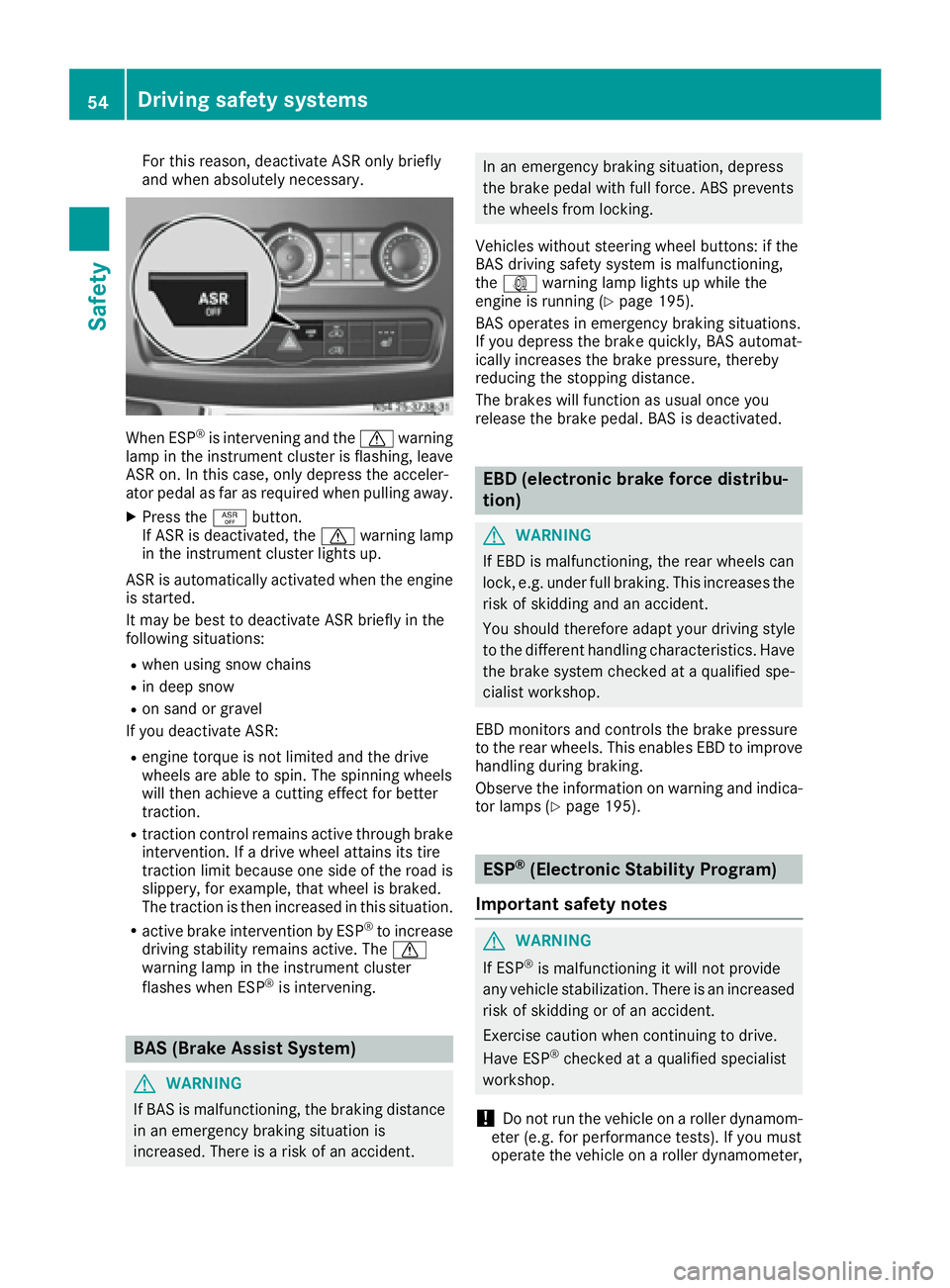
XPress the àbutton.
If ASR is deactivated, the dwarning lamp
in the instrument cluster lights up.
ASR is automatically activated when the engine
is started.
It may be best to deactivate ASR briefly in the
following situations:
Rwhen using snow chains
Rin deep snow
Ron sand or gravel
If you deactivate ASR:
Rengine torque is not limited and the drive
wheels are able to spin. The spinning wheels
will then achieve a cutting effect for better
traction.
Rtraction control remains active through brake
intervention. If a drive wheel attains its tire
traction limit because one side of the road is
slippery, for example, that wheel is braked.
The traction is then increased in this situation.
Ractive brake intervention by ESP®to increase
driving stability remains active. The d
warning lamp in the instrument cluster
flashes when ESP
®is intervening.
BAS (Brake Assist System)
GWARNING
If BAS is malfunctioning, the braking distance
in an emergency braking situation is
increased. There is a risk of an accident.
In an emergency braking situation, depress
the brake pedal with full force. ABS prevents
the wheels from locking.
Vehicles without steering wheel buttons: if the
BAS driving safety system is malfunctioning,
the : warning lamp lights up while the
engine is running (
Ypage 195).
BAS operates in emergency braking situations.
If you depress the brake quickly, BAS automat-
ically increases the brake pressure, thereby
reducing the stopping distance.
The brakes will function as usual once you
release the brake pedal. BAS is deactivated.
EBD (electronic brake force distribu-
tion)
GWARNING
If EBD is malfunctioning, the rear wheels can
lock, e.g. under full braking. This increases the
risk of skidding and an accident.
You should therefore adapt your driving style
to the different handling characteristics. Have
the brake system checked at a qualified spe-
cialist workshop.
EBD monitors and controls the brake pressure
to the rear wheels. This enables EBD to improve
handling during braking.
Observe the information on warning and indica-
tor lamps (
Ypage 195).
ESP®(Electronic Stability Program)
Important safety notes
GWARNING
If ESP
®is malfunctioning it will not provide
any vehicle stabilization. There is an increased
risk of skidding or of an accident.
Exercise caution when continuing to drive.
Have ESP
®checked at a qualified specialist
workshop.
!Do not run the vehicle on a roller dynamom-
eter (e.g. for performance tests). If you must
operate the vehicle on a roller dynamometer,
54Driving safety systems
Safety
Page 127 of 290
ANeutral
No power is transmitted from the
engine to the drive wheels. Releasing
the brakes will allow you to move the
vehicle freely, e.g. by pushing.
Do not move the selector lever toN
while driving. The automatic trans-
mission could otherwise be dam-
aged.
If ASR is deactivated or ESP
®has
malfunctioned: only move the selec-
tor lever to Nif the vehicle is in dan-
ger of skidding, e.g. on icy roads.
7Drive
The automatic transmission changes
gear itself. All forward gears are avail-
able.
You can influence the gearshifts and
shift gears yourself or limit the shift
range.
Changing gear
The 5-speed automatic transmission adapts to
your individual driving style by continuously
adjusting its shift points. These shift point
adjustments take into account the current oper-
ating and driving conditions. If the operating or
driving conditions change, the automatic trans-
mission reacts by adjusting the gearshift pro-
gram.
When the selector lever is in position D, the
automatic transmission selects the individual
gears automatically. This depends on:
Rany restriction in the shift range
(Ypage 125)
Rthe position of the accelerator pedal
Rthe road speed
Touchshift
When the selector lever is in position D, you can
perform gearshifts yourself.
XTo shift down: press the selector lever to the
left towards D–.
The automatic transmission shifts to the next gear down, depending on the gear currently
engaged. The shift range is also restricted.
iThe automatic transmission does not shift
down if you press the selector lever towards
D– while traveling at too high a speed. This
protects the engine from overrevving.
XTo shift up: briefly press the selector lever to
the right towards D+.
The automatic transmission shifts to the next
gear up, depending on the current gearshift
program. This also extends the shift range.
XTo derestrict the shift range: press and hold
the selector lever towards D+until D
appears
in the display again.
The automatic transmission shifts from the
current shift range directly to D.
XTo select the optimum shift range: press
and hold the selector lever to the left towards
D– .
The automatic transmission will shift to a
range which allows easy acceleration and
deceleration. To do this, the automatic trans-
mission will shift down one or more gears.
Shift ranges
When the selector lever is in position Dyou can
restrict or derestrict the shift range for the auto- matic transmission.
XTo extend and restrict the shift range:
press the selector lever briefly to the right
towards D+or left towards D–.
The display shows the selected shift range.
The automatic transmission shifts only as far
as the relevant gear.
iIf the maximum engine speed for the restric-
ted shift range is reached and you depress the
accelerator pedal, the automatic transmis-
sion will not shift up.
Automatic transmission125
Driving an d parking
Z
Page 128 of 290
Driving situations
5Use thebraking effec tof th eengin e
on steep downhill gradients and for
driving:
Ron steep mountai nroads
Rin mountainous terrain
Rin arduous condition s
4Use thebraking effec tof th eengin e
on extremely steep downhill gradi-
ents and lon gdownhill stretches.
Driving tips
Accelerat orpedal position
Your style of drivin ginfluence show th eauto -
matic transmission shift sgear :
Rlittlethrottle: earl yupshift s
Rlotsof throttle: later upshift s
Kickdown
Use kickdown for maximum acceleration :
XDepress theaccelerato rpedal beyon dth e
pressur epoint.
The automatic transmission shift sto th enext
gear down ,depending on th eengin espeed.
XEas eoff on th eaccelerato rpedal once th e
desire dspeed is reached.
The automatic transmission shift sup again .
Maneuvering
Maneuverin gin atight space:
XControl th evehicle's speed by braking care-
fully.
XDepress th eaccelerato rpedal slightly and
evenly.
iYou can shift bac kand forth between drive
position Dand revers egear Rat low speeds
without applyin gth ebrakes. This can help
you, for exampl ewhen rapidly maneuverin g
th evehicl eor rocking it out of snow or slush.
Towing a trailer
XDrive at moderat eengin espeeds on steep
uphil lgradients .
XDependin gon th euphil lor downhill gradient,
shift down to ashift range adapted to th e
drivin gsituation (
Ypage 125), eve nif cruise
control is activated.
126Automatic transmission
Driving an d parking
Page 137 of 290
Low-beam headlamps
If you are traveling in countries where vehicles
are driven on the opposite side of the road to
that in which the vehicle is registered, you will
need to:
Rhave the halogen headlamps partially masked
Rhave the Bi-Xenon headlamps set to symmet-
rical low beam
This prevents glare to oncoming traffic and no
longer illuminates the edge of the road to the
same height and distance.
Have the headlamps masked or adjusted at a
qualified specialist workshop before you cross
the border, but as close to it as possible.
When you return from your journey, and as close
to the border as possible, you will need to:
Rremove the adhesive surfaces from your hal-
ogen headlamps and clean the glass of the
headlamps if necessary
Rhave the Bi-Xenon headlamps reset to asym-
metrical low beam at a qualified specialist
workshop
Transport by rail
Transporting your vehicle by rail may be subject
to certain restrictions or require special meas-
ures to be taken in some countries due to vary- ing tunnel heights and loading standards.
You can obtain further information from any
authorized Sprinter dealer.
Brakes
Important safety notes
GWARNING
If you shift down on a slippery road surface in an attempt to increase the engine's braking
effect, the drive wheels could lose their grip.
There is an increased danger of skidding and
accidents.
Do not shift down for additional engine brak-
ing on a slippery road surface.
GWARNING
If you rest your foot on the brake pedal while
driving, the braking system can overheat. This
increases the stopping distance and can even
cause the braking system to fail. There is a
risk of an accident.
Never use the brake pedal as a footrest. Never
depress the brake pedal and the accelerator
pedal at the same time.
!Depressing the brake pedal constantly
results in excessive and premature wear to
the brake pads.
Downhill gradients
!Depressing the brake pedal constantly
results in excessive and premature wear to
the brake pads.
On long and steep downhill gradients, you
should change down to shift range 2or1 in
good time. This should be observed in particular
when driving with a laden vehicle and when tow-
ing a trailer.
iYou must also change the shift range in
good time when cruise control is switched on.
You thereby make use of the braking effect of
the engine and do not have to brake as often to
maintain the speed. This relieves the load on the
service brake and prevents the brakes from
overheating and wearing too quickly.
Heavy and light loads
GWARNING
If you rest your foot on the brake pedal while
driving, the braking system can overheat. This increases the stopping distance and can even
cause the braking system to fail. There is a
risk of an accident.
Never use the brake pedal as a footrest. Never
depress the brake pedal and the accelerator
pedal at the same time.
!Depressing the brake pedal constantly
results in excessive and premature wear to
the brake pads.
If the brakes have been subjected to a heavy
load, do not stop the vehicle immediately. Drive
on for a short while. The brakes are cooled down
more quickly in the airflow.
Driving tips135
Driving and parking
Z
Page 138 of 290
Wet road surfaces
If you have been driving for a long time in heavy
rain without braking, there may be a delayed
response when you first apply the brakes. This
may also occur after driving through a car wash
or deep water.
You must depress the brake pedal more firmly.
Maintain a longer distance to the vehicle in
front.
While paying attention to the traffic conditions,
you should brake the vehicle firmly after driving
on a wet road surface or through a car wash. This
heats the brake discs, so that they dry more
quickly, which protects them against corrosion.
Limited braking performance on salt-
treated roads
When driving on salted roads, salt may start to
build up on the brake disks and brake pads. Thiscan increase braking distances considerably.
Maintain a greater distance to the vehicle in
front.
To remove any build-up of salt that may have
formed:
XApply the brakes at the start of the journey,
occasionally during journey and at the end of
the journey. Make sure that you do not endan-
ger other road users when doing so.
New brake discs and brake pads/
linings
New brake pads and brake discs only reach their
optimal braking effect after a few
100 kilometers. Until then, compensate for this by applying greater force to the brake pedal.
For safety reasons, Mercedes-Benz recom-
mends only installing the following brake discs
and brake pads/linings:
Rbrake discs that have been approved by
Mercedes-Benz
Rbrake pads/linings that have been approved
by Mercedes-Benz or are of an equivalent
standard of quality
Other brake discs or brake pads/linings can
compromise the safety of your vehicle.
Always replace all brake discs and brake pads/
linings on an axle at the same time. Always
install new brake pads/linings when replacing
brake discs.
Parking brake
GWARNING
If you must brake the vehicle with the parking brake, the braking distance is considerably
longer and the wheels could lock. There is an
increased danger of skidding and accidents.
Only use the parking brake to brake the vehi-
cle when the service brake is faulty. Do not
apply the parking brake too firmly. If the
wheels lock, release the parking brake until
the wheels begin turning again.
When driving on wet roads or dirt-covered sur-
faces, road salt and/or dirt may get into the
parking brake. This causes corrosion and a
reduction of braking force.
In order to prevent this, drive with the parking
brake lightly applied from time to time. When
doing so, drive for a distance of approximately
110 yds (100 m) at a maximum speed of 12 mph
(20 km/h).
The brake lamps are not illuminated when you
brake the vehicle using the parking brake.
Driving in wet conditions
Hydroplaning
GWARNING
There is a danger of hydroplaning occurring,
even if you are driving slowly and your tires
have sufficient tread depth, depending on the
depth of water on the road. There is a risk of
an accident.
For this reason, avoid tire ruts and brake care-
fully.
Therefore, in heavy rain or other conditions in
which hydroplaning can occur, drive as follows:
Rreduce your speed
Ravoid tire ruts
Rapply the brakes with care
Driving on flooded roads
!Do not drive through flooded areas. Check
the depth of any water before driving through
it. Drive slowly through standing water. Oth-
136Driving tips
Driving and parking