maintenance reset MERCEDES-BENZ SPRINTER 2018 MY18 Operator’s Manual
[x] Cancel search | Manufacturer: MERCEDES-BENZ, Model Year: 2018, Model line: SPRINTER, Model: MERCEDES-BENZ SPRINTER 2018Pages: 294, PDF Size: 4.36 MB
Page 155 of 294
Problems with PARKTRONIC
ProblemPossible causes/consequences andMSolutions
Only the red segments in
the PARKTRONIC warn-
ing displays are lit.
In addition, a warning
tone sounds for approx.
two seconds
PARKTRONIC is deacti-
vated after approx-
imately 20 seconds.
The indicator lamp of the
f button lights up
and the red segments in
the PARKTRONIC warn-
ing display go out.PARKTRONIC has malfunctioned and has switched itself off.
XIf problems persist, have PARKTRONIC checked at a qualified spe- cialist workshop.
The PARKTRONIC warn-
ing displays implausible
distances.
For example, all the seg-
ments may be lit even
though there is no obsta-
cle present.The PARKTRONIC sensors are dirty or iced up.
XClean the PARKTRONIC sensors (Ypage 237).
XTurn the key to position 2in the ignition lock.
The license plate or other parts attached near the sensors may not be
secured correctly.
XCheck the license plate and attachment parts near the sensors for
correct seating.
An external radio or ultrasonic source may be causing interference.
XCheck PARKTRONIC functions in a different location.
Rear view camera
Important safety notes
The rear view camera is only an aid. It cannot
replace your own awareness of the immediate
surroundings. You are responsible for safe
maneuvering, parking and pulling away. When
maneuvering, parking and pulling away, make
sure that there are no persons, animals or
objects in the maneuvering area.
The rear view camera is a visual parking aid.
Information on operation can be found in the
separate Audio 15 supplement.
The camera is in the middle of the roof above the
high-mounted brake lamp (
Ypage 237).
You can find information on cleaning the camera
in the "Maintenance and care" section
(
Ypage 237).
Working mode
ADR (working speed governor)
General notes
When activated, ADR automatically increases
the engine speed to a preset speed or a speed
you have set.
iAfter a cold start, the idling speed of the
engine is increased automatically. If the pre-
set working speed is lower than the increased idling speed, the working speed is only
reached once the engine has completed the
warm-up phase.
It is only possible to activate ADR with the
vehicle stationary and the parking brake
applied.
The selector lever of the automatic transmis-
sion must be in position P.
Working mode153
Driving and parking
Z
Page 233 of 294
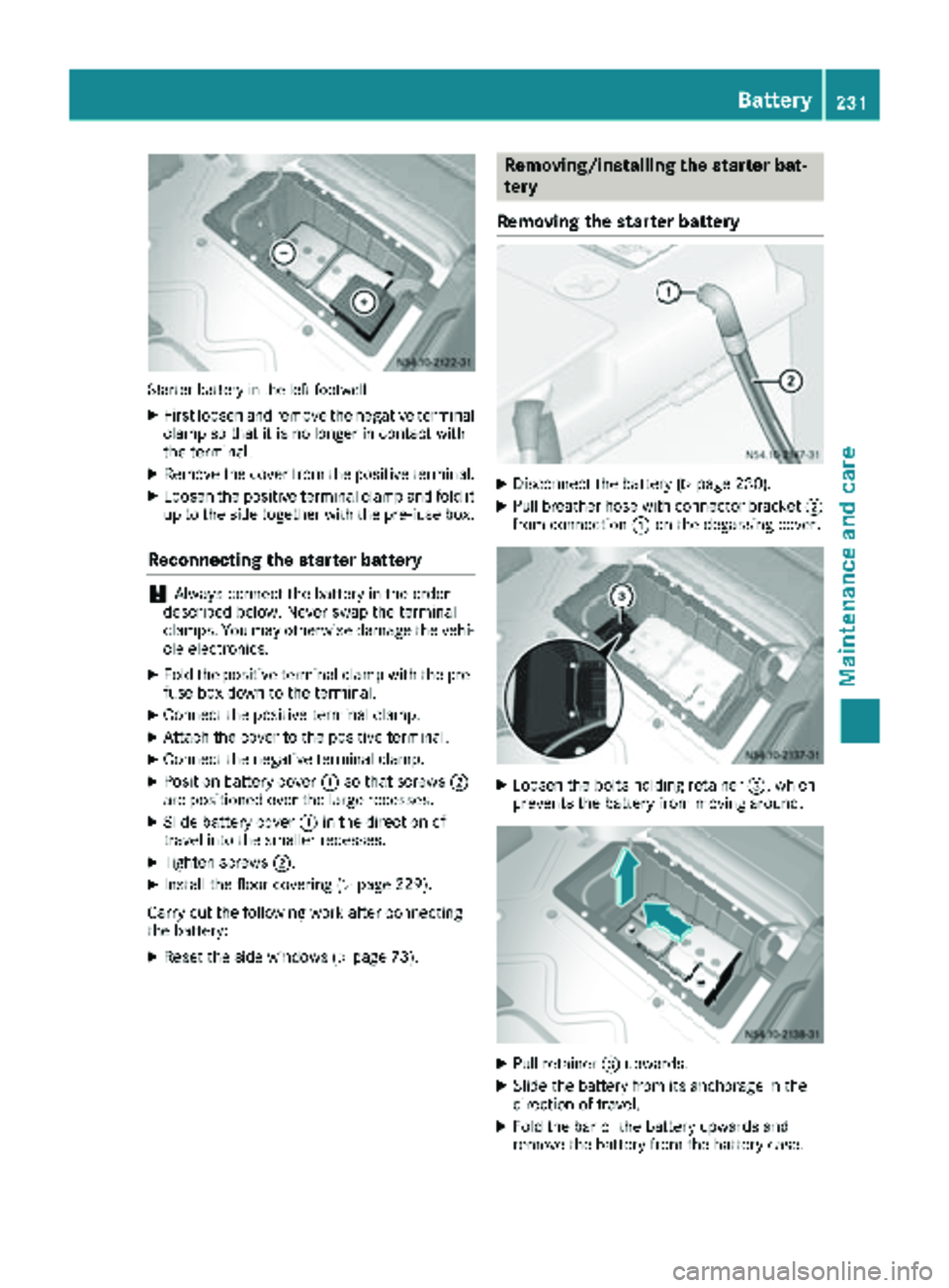
Starter battery in the left footwell
XFirst loosen and remove the negative terminal
clamp so that it is no longer in contact with
the terminal.
XRemove the cover from the positive terminal.
XLoosen the positive terminal clamp and fold it
up to the side together with the pre-fuse box.
Reconnecting the starter battery
!Always connect the battery in the order
described below. Never swap the terminal
clamps. You may otherwise damage the vehi-
cle electronics.
XFold the positive terminal clamp with the pre-
fuse box down to the terminal.
XConnect the positive terminal clamp.
XAttach the cover to the positive terminal.
XConnect the negative terminal clamp.
XPosition battery cover :so that screws ;
are positioned over the large recesses.
XSlide battery cover :in the direction of
travel into the smaller recesses.
XTighten screws ;.
XInstall the floor covering (Ypage 229).
Carry out the following work after connecting
the battery:
XReset the side windows (Ypage 73).
Removing/installing the starter bat-
tery
Removing the starter battery
XDisconnect the battery (Ypage 230).
XPull breather hose with connector bracket ;
from connection :on the degassing cover.
XLoosen the bolts holding retainer =, which
prevents the battery from moving around.
XPull retainer =upwards.
XSlide the battery from its anchorage in the
direction of travel.
XFold the bar of the battery upwards and
remove the battery from the battery case.
Battery231
Maintenance and care
Z
Page 234 of 294
Installing the starter battery
XInsertth ebattery int oth ebattery case.
XFold down th ebar of th ebattery.
XSlide th ebattery int oits anchorage in th e
opposit edirection to th edirection of travel .
XInsertretainer =.
XTightenth ebolt son retainer =whic hhold s
th ebattery in place.
XAttac hbreather hos ewit hconnecto r
bracke t; to connection :of th eventilation
cover .
XConnect th ebattery (Ypage 230).
Disconnecting and connecting the
additional battery (engine compart-
ment)
Important safety notes
GWARNIN G
During th echarging process, abattery produ-
ce shydrogen gas. If ashort circuit occur sor
sparks are created, th ehydrogen gas can
ignite. Ther eis aris kof an explosion .
RMakesur ethat th epositive termina lof a
connecte dbattery does no tcome int ocon-
tac twit hvehicl eparts.
RNever plac emetal objects or tools on abat -
tery.
RIt is important that you observ eth edescri-
bed order of th ebattery terminals when
connecting and disconnecting abattery.
RWhen jump-starting ,mak esur ethat th e
battery pole swit hidentical polarit yare
connected.
RIt is particularly important to observ eth e
describe dorder when connecting and dis-
connecting th ejumper cables.
RNever connec tor disconnect th ebattery
terminals while th eengin eis running.
Disconnecting the additional battery
!Switc hoff th eengin eand remove th eke y
from th eignition lock. Firstly remove th ebat -
tery terminals. Otherwise, you could destroy electronic component
ssuc has th ealterna-
tor.
Always disconnect th estarter battery in th e
battery cas ein th eleft-han dside footwell
first .
!Always disconnect th ebattery in th eorder
describe dbelow. Never swap th etermina l
clamps. You may otherwise damag eth evehi-
cle electronics .
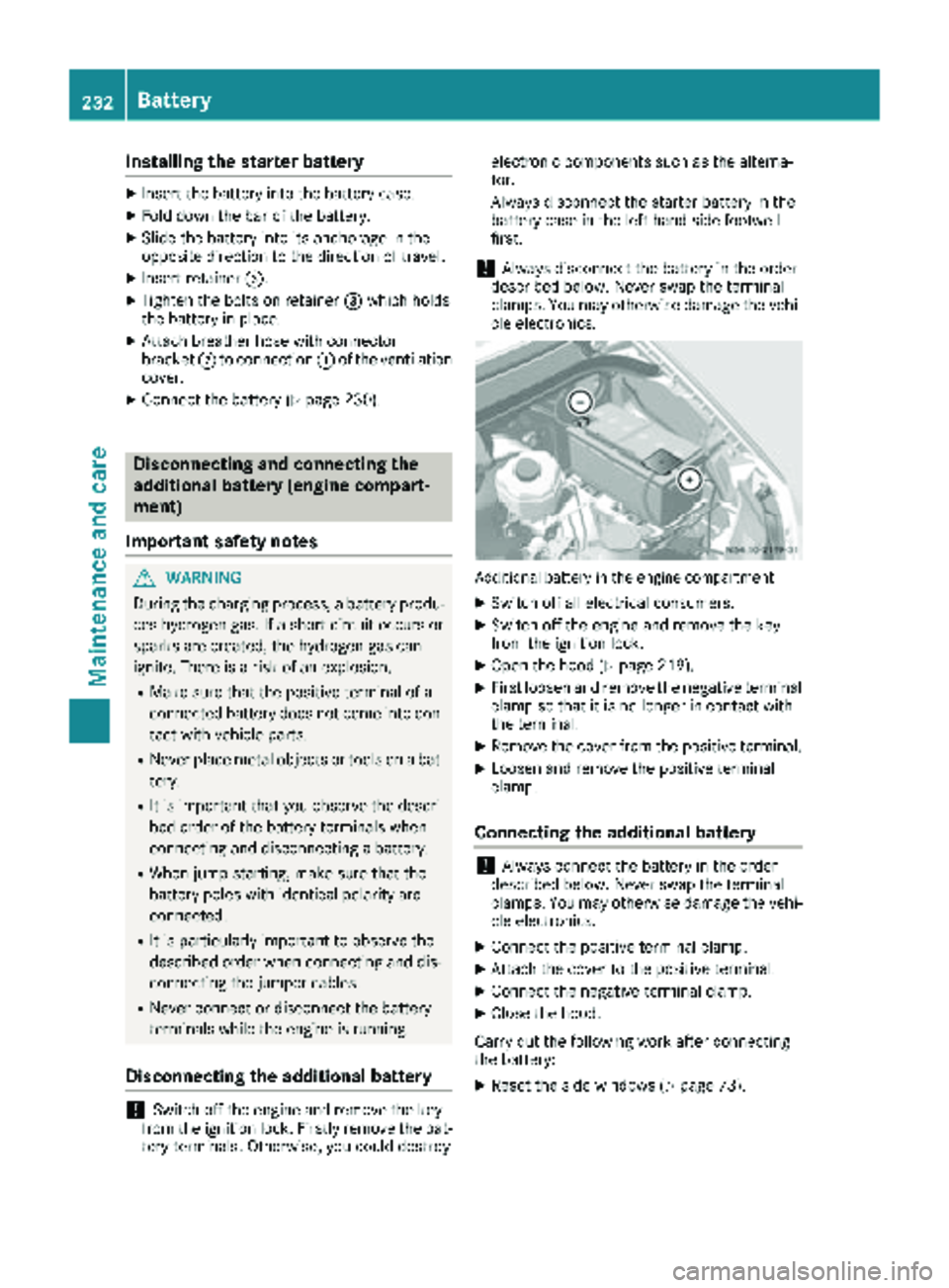
Additional battery in th eengin ecompartmen t
XSwitchoff all electrical consumers.
XSwitc hoff th eengin eand remove th eke y
from th eignition lock.
XOpen th ehoo d (Ypage 219).
XFirst loosen and remove th enegative termina l
clam pso that it is no longer in contact wit h
th eterminal.
XRemove th ecover from th epositive terminal.
XLoosen and remove th epositive termina l
clamp.
Connecting the additional battery
!Always connec tth ebattery in th eorder
describe dbelow. Never swap th etermina l
clamps. You may otherwise damag eth evehi-
cle electronics .
XConnect thepositive termina lclamp.
XAttac hth ecover to th epositive terminal.
XConnect th enegative termina lclamp.
XClose th ehood.
Carr yout th efollowin gwor kafter connecting
th ebattery:
XReset th eside windows (Ypage 73).
232Battery
Maintenance and care