lock Mercury Villager 2000 s Owner's Guide
[x] Cancel search | Manufacturer: MERCURY, Model Year: 2000, Model line: Villager, Model: Mercury Villager 2000Pages: 256, PDF Size: 2.21 MB
Page 99 of 256
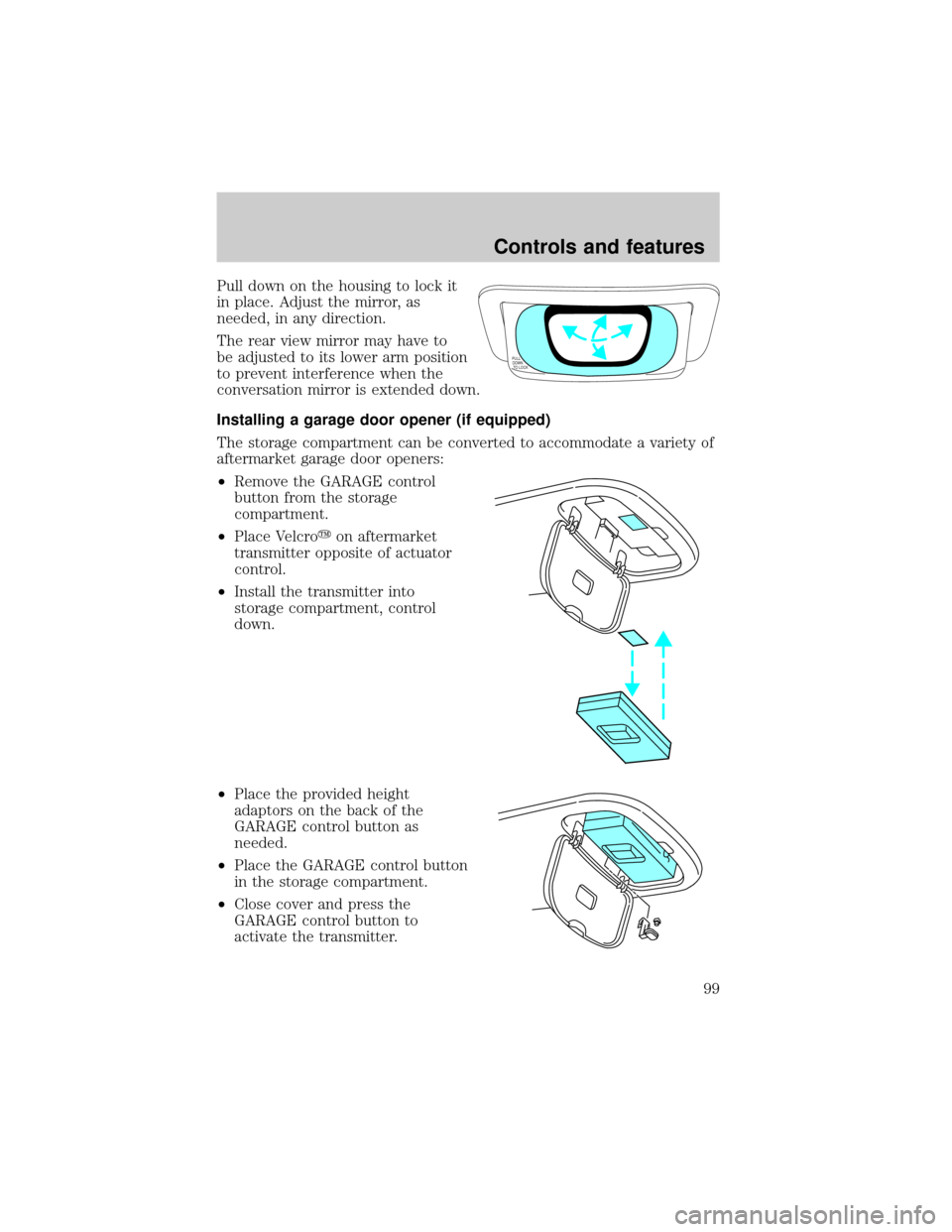
Pull down on the housing to lock it
in place. Adjust the mirror, as
needed, in any direction.
The rear view mirror may have to
be adjusted to its lower arm position
to prevent interference when the
conversation mirror is extended down.
Installing a garage door opener (if equipped)
The storage compartment can be converted to accommodate a variety of
aftermarket garage door openers:
²Remove the GARAGE control
button from the storage
compartment.
²Place Velcroyon aftermarket
transmitter opposite of actuator
control.
²Install the transmitter into
storage compartment, control
down.
²Place the provided height
adaptors on the back of the
GARAGE control button as
needed.
²Place the GARAGE control button
in the storage compartment.
²Close cover and press the
GARAGE control button to
activate the transmitter.
PULL
DOWN
TO LOCK
Controls and features
99
Page 102 of 256
POSITIVE RETENTION FLOOR MAT
Position the floor mat so that the
eyelet is over the pointed end of the
retention post. Make sure that the
mat does not interfere with the
operation of the accelerator or the
brake pedal.
REMOTE ENTRY SYSTEM
The remote entry system allows you to:
²lock or unlock all vehicle doors without a key.
²activate the panic alarm.
If there is any potential remote keyless entry problem with your vehicle,
ensureALL key fobs(remote entry transmitters) are brought to the
dealership, to aid in troubleshooting.
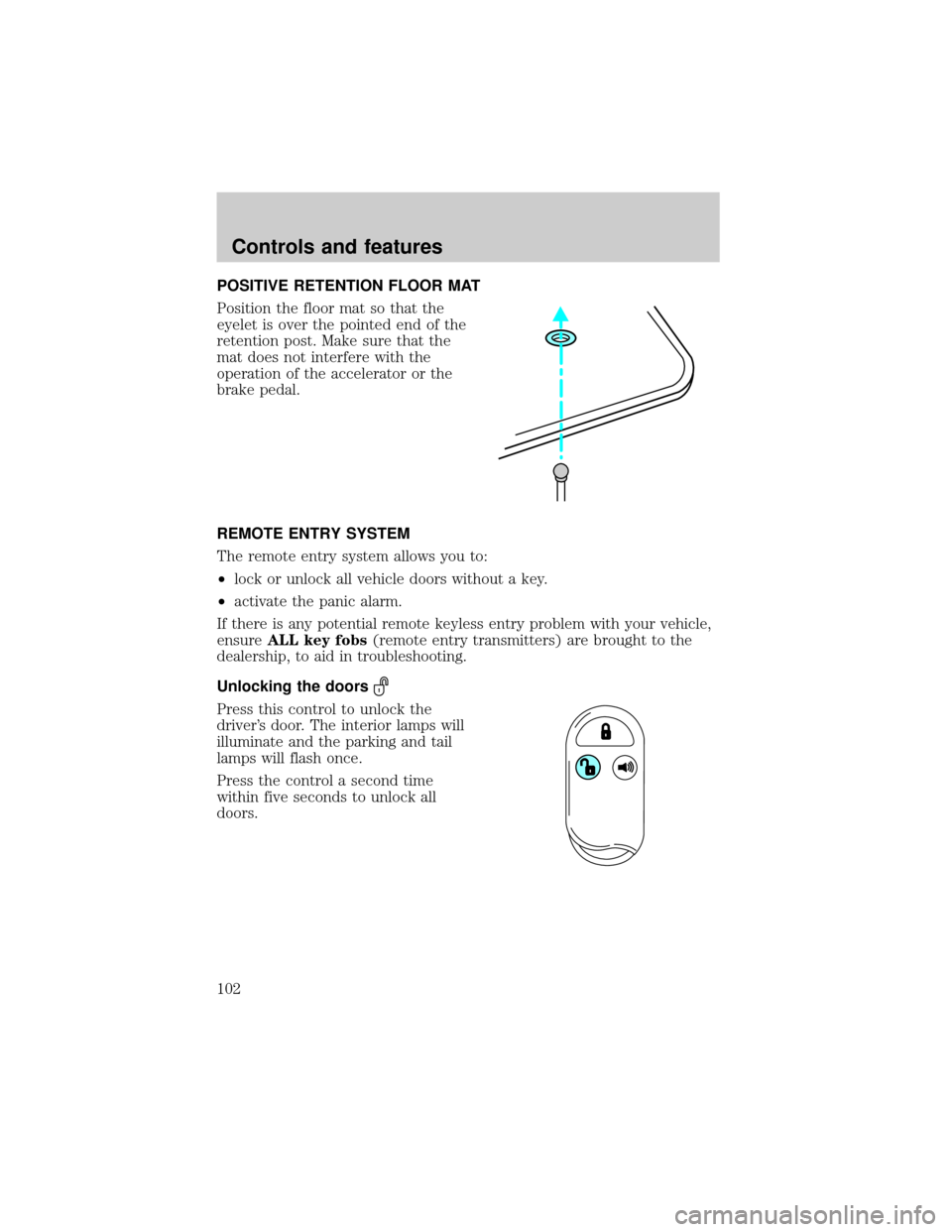
Unlocking the doors
Press this control to unlock the
driver's door. The interior lamps will
illuminate and the parking and tail
lamps will flash once.
Press the control a second time
within five seconds to unlock all
doors.
Controls and features
102
Page 103 of 256

Locking the doors
Press this control to lock all doors.
To confirm all doors are closed and
locked, the horn will chirp and the
lamps will flash. The horn chirp
feature can be turned on/off by
holding the LOCK and UNLOCK
controls on the transmitter
simultaneously for two seconds. The
hazard lights will flash three times
each time the system is toggled
between active and non-active
modes.
If any of the doors are ajar, the horn will not chirp and the lights will not
flash.
Sounding a panic alarm
To activate the alarm, press and
hold the PANIC control for longer
than 1.5 seconds. The horn will
sound and the headlamps and tail
lights will flash for thirty (30)
seconds.
To deactivate the alarm, press the
LOCK or UNLOCK or hold the
PANIC control down for longer than
1.5 seconds.
This device complies with part 15 of the FCC rules and with RS-210 of
Industry Canada. Operation is subject to the following two conditions:
(1) This device may not cause harmful interference, and (2) This device
must accept any interference received, including interference that may
cause undesired operation.
Changes or modifications not expressly approved by the party
responsible for compliance could void the user's authority to
operate the equipment.
Illuminated entry
The interior lamps illuminate when the remote entry system is used to
unlock the door(s) or sound the panic alarm.
Controls and features
103
Page 105 of 256
Replacing lost transmitters
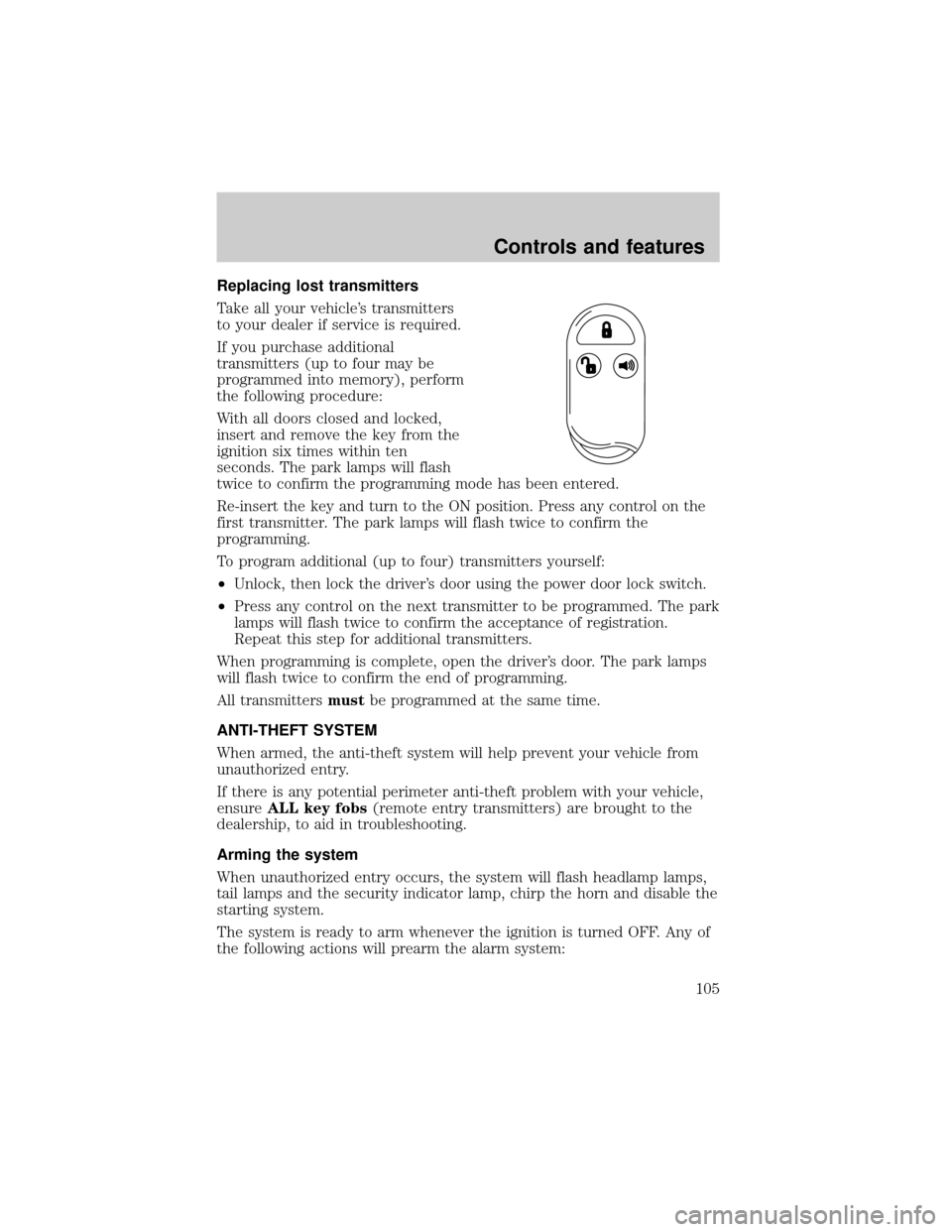
Take all your vehicle's transmitters
to your dealer if service is required.
If you purchase additional
transmitters (up to four may be
programmed into memory), perform
the following procedure:
With all doors closed and locked,
insert and remove the key from the
ignition six times within ten
seconds. The park lamps will flash
twice to confirm the programming mode has been entered.
Re-insert the key and turn to the ON position. Press any control on the
first transmitter. The park lamps will flash twice to confirm the
programming.
To program additional (up to four) transmitters yourself:
²Unlock, then lock the driver's door using the power door lock switch.
²Press any control on the next transmitter to be programmed. The park
lamps will flash twice to confirm the acceptance of registration.
Repeat this step for additional transmitters.
When programming is complete, open the driver's door. The park lamps
will flash twice to confirm the end of programming.
All transmittersmustbe programmed at the same time.
ANTI-THEFT SYSTEM
When armed, the anti-theft system will help prevent your vehicle from
unauthorized entry.
If there is any potential perimeter anti-theft problem with your vehicle,
ensureALL key fobs(remote entry transmitters) are brought to the
dealership, to aid in troubleshooting.
Arming the system
When unauthorized entry occurs, the system will flash headlamp lamps,
tail lamps and the security indicator lamp, chirp the horn and disable the
starting system.
The system is ready to arm whenever the ignition is turned OFF. Any of
the following actions will prearm the alarm system:
Controls and features
105
Page 106 of 256
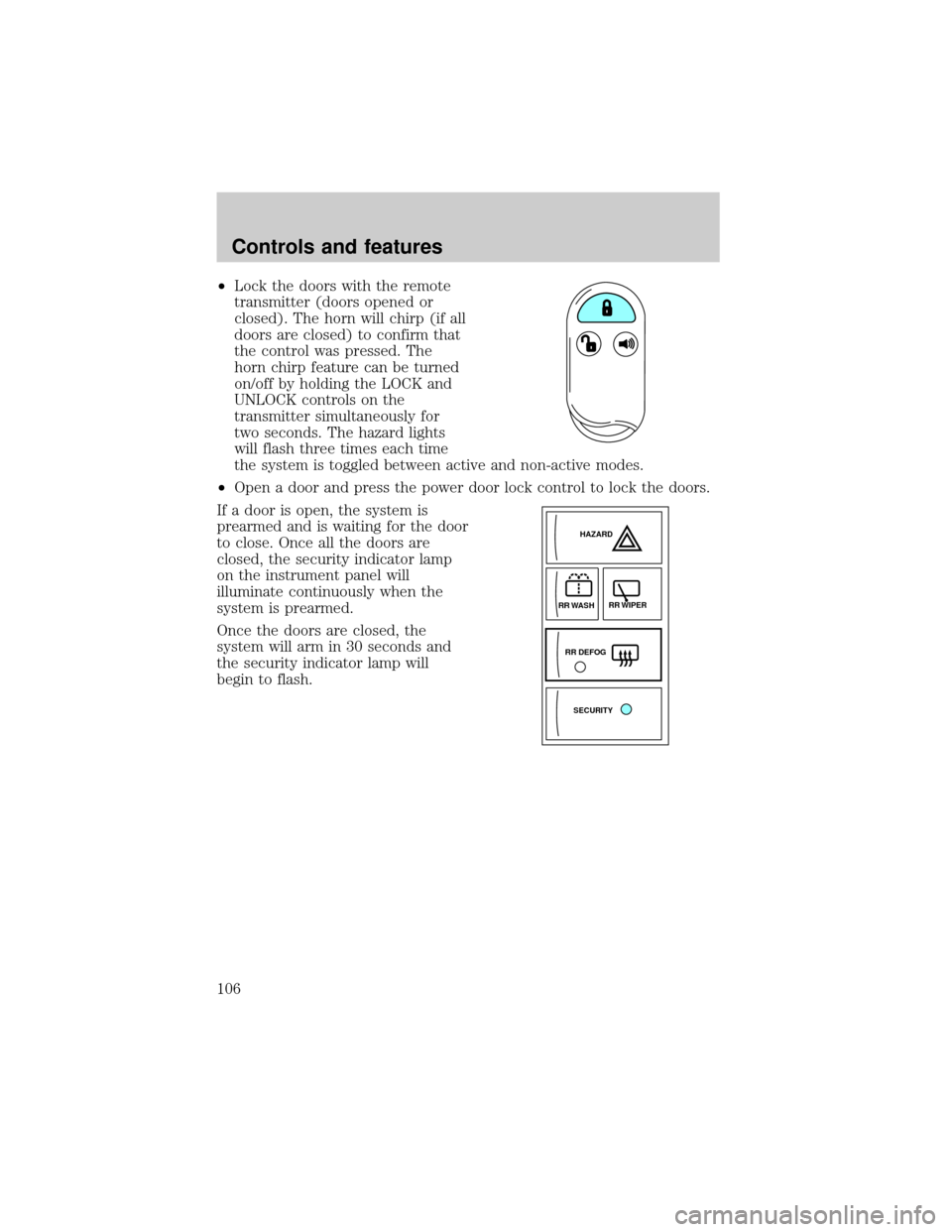
²Lock the doors with the remote
transmitter (doors opened or
closed). The horn will chirp (if all
doors are closed) to confirm that
the control was pressed. The
horn chirp feature can be turned
on/off by holding the LOCK and
UNLOCK controls on the
transmitter simultaneously for
two seconds. The hazard lights
will flash three times each time
the system is toggled between active and non-active modes.
²Open a door and press the power door lock control to lock the doors.
If a door is open, the system is
prearmed and is waiting for the door
to close. Once all the doors are
closed, the security indicator lamp
on the instrument panel will
illuminate continuously when the
system is prearmed.
Once the doors are closed, the
system will arm in 30 seconds and
the security indicator lamp will
begin to flash.
SECURITYHAZARD
RR DEFOGRR WIPER
RR WASH
Controls and features
106
Page 107 of 256

Disarming the anti-theft system
Disarming an untriggered anti-theft system
You can disarm the system by any of the following actions:
²Unlock the doors by using your
remote entry transmitter.
²Unlock the doors with a key. Turn
the key full travel (toward the
rear of the vehicle) to make sure
the alarm disarms.
²Turn ignition to ACC or ON.
Triggering the anti-theft system
The armed system will be triggered if:
²Any door or liftgate is opened without using the door key or the
remote entry transmitter. (if the vehicle is armed while in side the
vehicle, inserting the key into the ignition will also trigger system.)
²The hood is forced opened.
Disarming a triggered anti-theft system
You can disarm the system by any of
the following actions:
²Press the unlock control using
your remote entry transmitter.
²Unlock the doors with a key.
Controls and features
107
Page 108 of 256
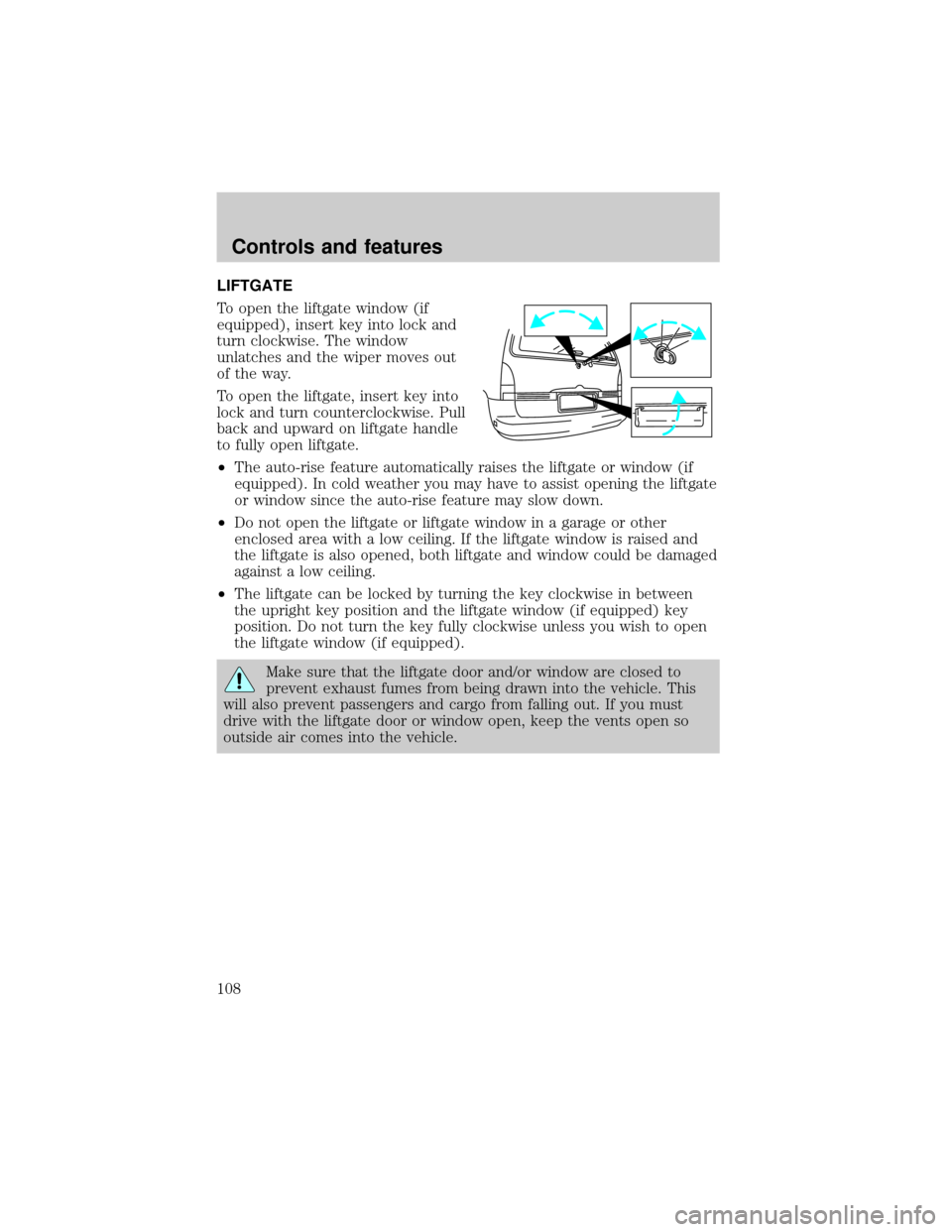
LIFTGATE
To open the liftgate window (if
equipped), insert key into lock and
turn clockwise. The window
unlatches and the wiper moves out
of the way.
To open the liftgate, insert key into
lock and turn counterclockwise. Pull
back and upward on liftgate handle
to fully open liftgate.
²The auto-rise feature automatically raises the liftgate or window (if
equipped). In cold weather you may have to assist opening the liftgate
or window since the auto-rise feature may slow down.
²Do not open the liftgate or liftgate window in a garage or other
enclosed area with a low ceiling. If the liftgate window is raised and
the liftgate is also opened, both liftgate and window could be damaged
against a low ceiling.
²The liftgate can be locked by turning the key clockwise in between
the upright key position and the liftgate window (if equipped) key
position. Do not turn the key fully clockwise unless you wish to open
the liftgate window (if equipped).
Make sure that the liftgate door and/or window are closed to
prevent exhaust fumes from being drawn into the vehicle. This
will also prevent passengers and cargo from falling out. If you must
drive with the liftgate door or window open, keep the vents open so
outside air comes into the vehicle.
Controls and features
108
Page 110 of 256

Front Cargo net (if equipped)
The front cargo net can be used to
hold small items between the front
seats. To install the net, secure the
hooks into the retainers located on
the inboard base of the front seats.
Parcel Shelf (if equipped)
Your vehicle may be equipped with a
14 kg (30 lbs.) maximum capacity
parcel shelf located behind the rear
seat of your vehicle which can be
positioned to three different heights.
To remove the shelf:
1. Open the liftgate.
2. Disconnect the net loop from the
retainer underneath the shelf to
access the lock knob.
3. Turn the lock knob
counterclockwise and slide the knob
to the UNLATCH position.
4. Remove the shelf from the
vehicle.
To install the shelf:
1. Position and slide the shelf into
the right mounting bracket; then
align the shelf into the left mounting bracket.
2. Slide the lock knob to the LATCH position and tighten the lock knob
clockwise.
3. Connect the net loop to the retainer underneath the shelf and close
the liftgate.
LOCK
Controls and features
110
Page 116 of 256

2. Press and hold the desired memory position button. Within ten
seconds, press the unlock button on the transmitter while the memory
button is pressed.
3. When the transmitter has been programmed, the indicator will flash
five times. The indicator light will remain illuminated until the memory
button is pressed again or ten seconds lapse.
To remove a programmed seat position:
1. Press and hold both memory seat buttons 1 and 2 and then press the
unlock button on the remote entry transmitter.
REAR SEATS
Removable floor mats
Whenever the floor mats are removed to adjust or move any of the rear
seats, always reinstall the mats before passengers ride in the vehicle. The
floor mats are specifically designed to keep objects out of the seat
tracks.
The cargo mat (A.) can be reversed (top to bottom) to retain soils and
liquids.
²7 passenger vehicle
A. Cargo mat
B. Narrow mats
C. Sliding door mats, LH/RH
ACB
Seating and safety restraints
116
Page 121 of 256

To exit the third row seat, pull up
on the 3rd row access control.
To return the seat to a seating position, move the seat rearward until the
seat track locks. Then readjust the seatback.
Lift handle to move the seat forward
or backward.
Seating and safety restraints
121