center console MINI 3 door 2013 Owner's Manual
[x] Cancel search | Manufacturer: MINI, Model Year: 2013, Model line: 3 door, Model: MINI 3 door 2013Pages: 233, PDF Size: 17.19 MB
Page 18 of 233
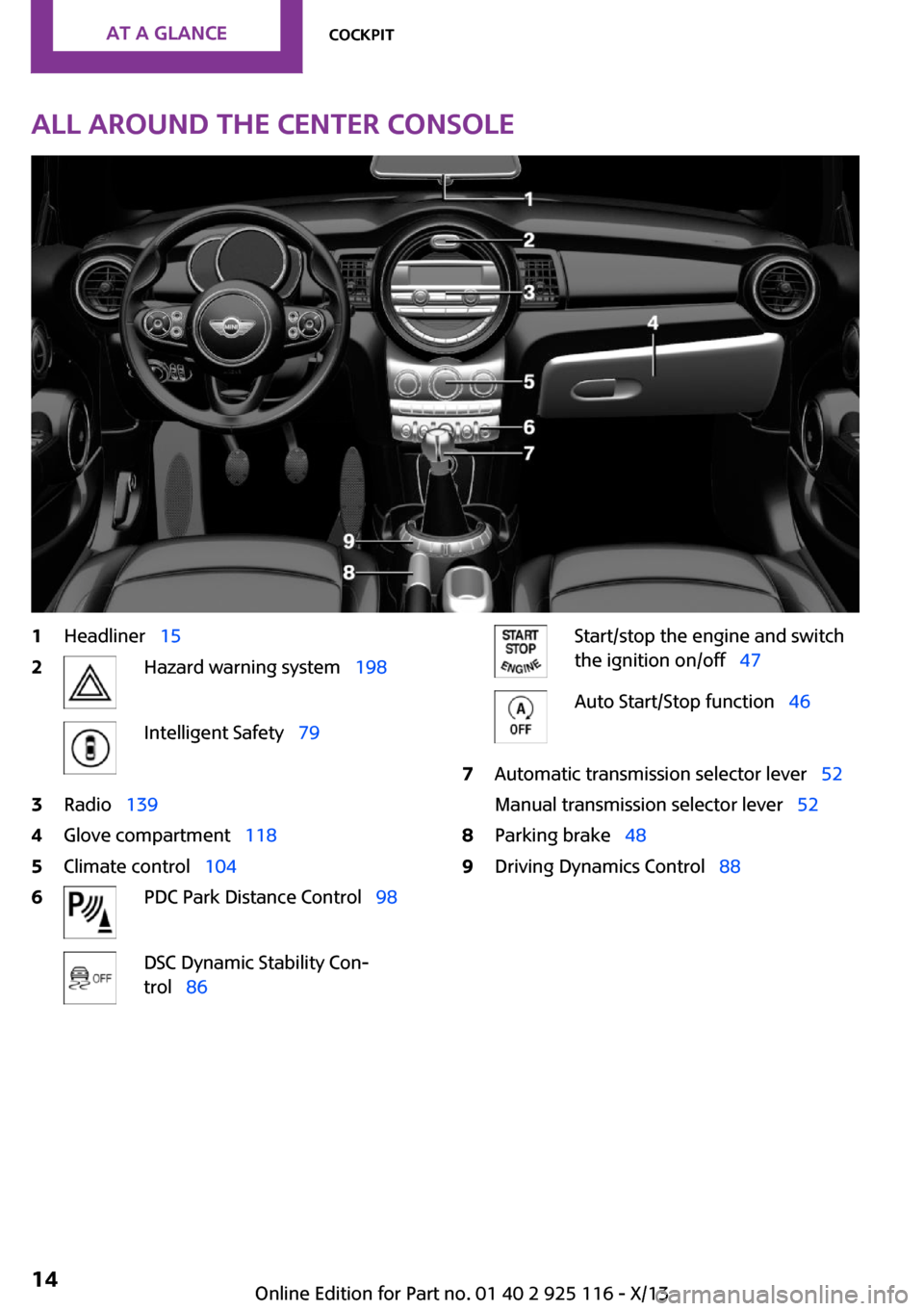
All around the center console1Headliner 152Hazard warning system 198Intelligent Safety 793Radio 1394Glove compartment 1185Climate control 1046PDC Park Distance Control 98DSC Dynamic Stability Con‐
trol 86Start/stop the engine and switch
the ignition on/off 47Auto Start/Stop function 467Automatic transmission selector lever 52
Manual transmission selector lever 528Parking brake 489Driving Dynamics Control 88Seite 14At a glanceCockpit14
Online Edition for Part no. 01 40 2 925 116 - X/13
Page 118 of 233
The setting is stored automatically after ap‐
proximately 10 seconds.
Connecting electrical de‐
vices
Hints Do not plug chargers into the socket
Do not connect battery chargers to the
factory-installed sockets in the vehicle as this
may damage the battery. ◀
Replace the cover after use
Reinsert the lighter or socket cover after
use, otherwise objects may get into the lighter
socket or fixture and cause a short circuit. ◀
Keep the airbag unfolding area clear
Make sure that the devices and cable are
located outside of the unfolding area of the air‐
bag; otherwise, its unfolding can be hindered
or objects can be hurled through the interior
when the airbag unfolds. ◀
Sockets Sockets can be used for the operation of elec‐
trical devices with the engine running or with
the ignition switched on. The total load of all
sockets must not exceed 140 watts at 12 volts.
Do not damage the socket by using unsuitable
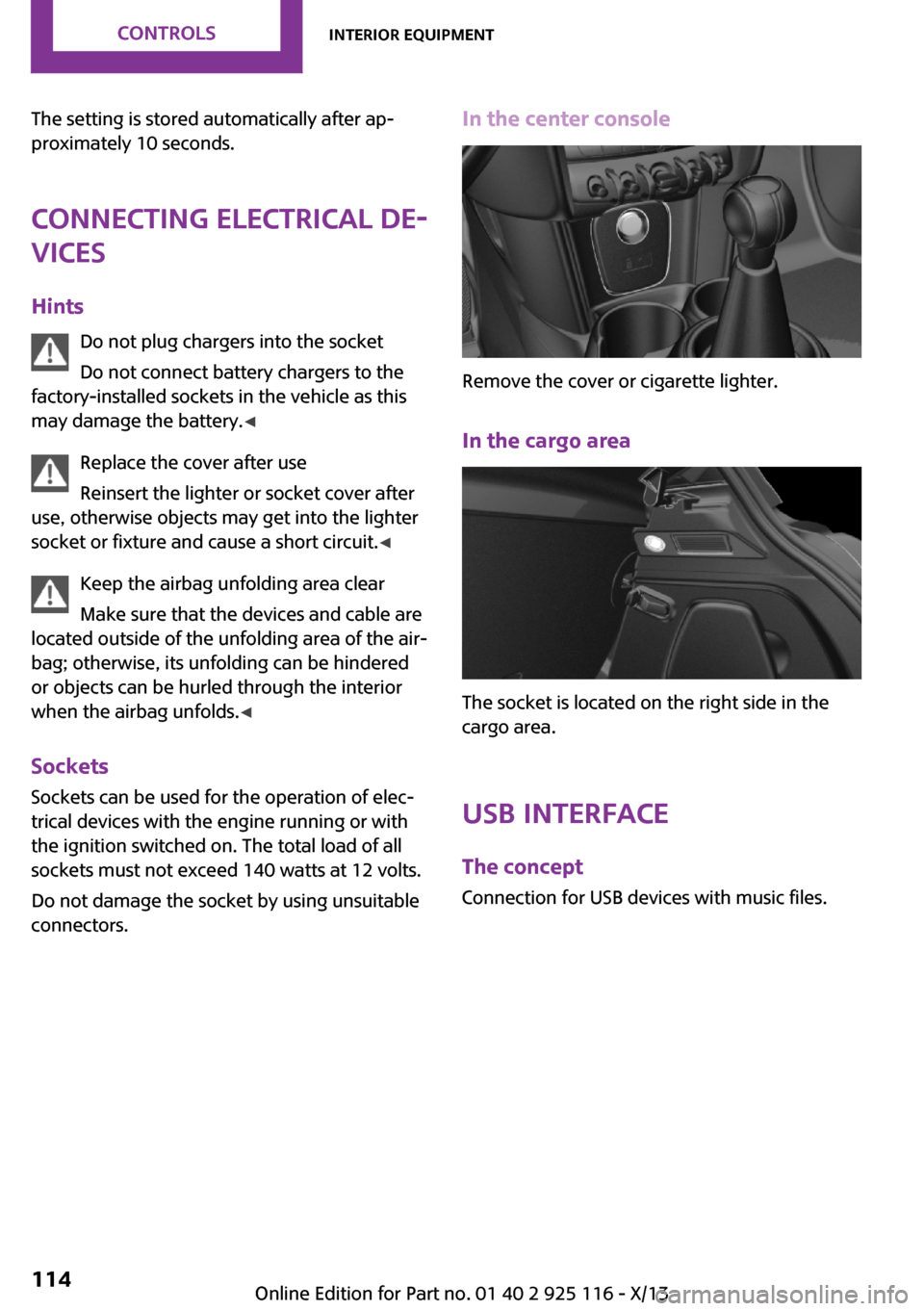
connectors.In the center console
Remove the cover or cigarette lighter.
In the cargo area
The socket is located on the right side in the
cargo area.
USB interface The concept
Connection for USB devices with music files.
Seite 114ControlsInterior equipment114
Online Edition for Part no. 01 40 2 925 116 - X/13
Page 119 of 233
At a glance
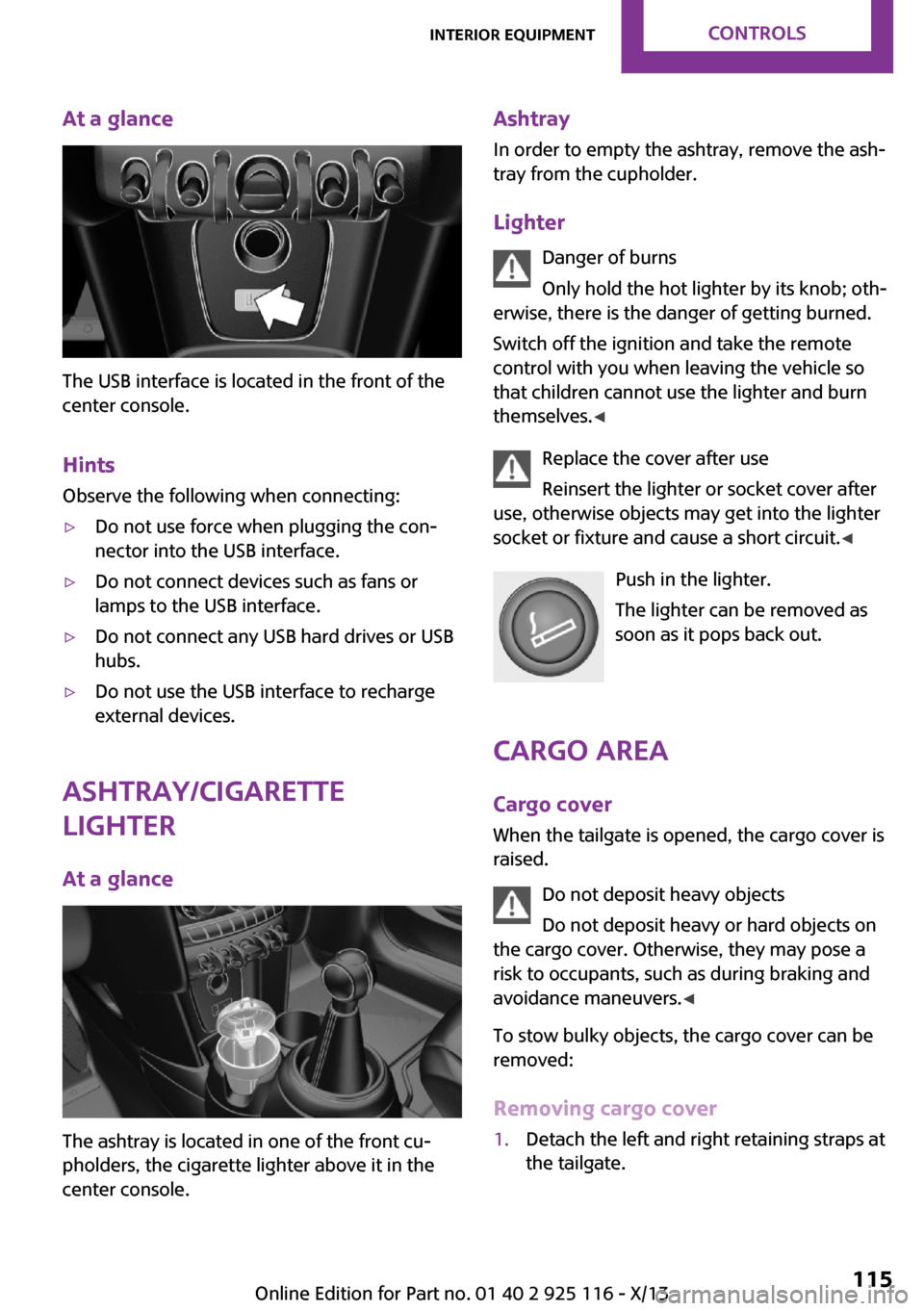
The USB interface is located in the front of the
center console.
Hints Observe the following when connecting:
▷Do not use force when plugging the con‐
nector into the USB interface.▷Do not connect devices such as fans or
lamps to the USB interface.▷Do not connect any USB hard drives or USB
hubs.▷Do not use the USB interface to recharge
external devices.
Ashtray/cigarette
lighter
At a glance
The ashtray is located in one of the front cu‐
pholders, the cigarette lighter above it in the
center console.
Ashtray
In order to empty the ashtray, remove the ash‐
tray from the cupholder.
Lighter Danger of burns
Only hold the hot lighter by its knob; oth‐
erwise, there is the danger of getting burned.
Switch off the ignition and take the remote
control with you when leaving the vehicle so
that children cannot use the lighter and burn
themselves. ◀
Replace the cover after use
Reinsert the lighter or socket cover after
use, otherwise objects may get into the lighter
socket or fixture and cause a short circuit. ◀
Push in the lighter.
The lighter can be removed as
soon as it pops back out.
Cargo area Cargo cover
When the tailgate is opened, the cargo cover is
raised.
Do not deposit heavy objects
Do not deposit heavy or hard objects on
the cargo cover. Otherwise, they may pose a
risk to occupants, such as during braking and
avoidance maneuvers. ◀
To stow bulky objects, the cargo cover can be
removed:
Removing cargo cover1.Detach the left and right retaining straps at
the tailgate.Seite 115Interior equipmentControls115
Online Edition for Part no. 01 40 2 925 116 - X/13
Page 122 of 233
Storage compartmentsVehicle equipment
All standard, country-specific and optional
equipment that is offered in the model series is
described in this chapter. Therefore, equipment
is also described that is not available in a vehi‐
cle, e. g., because of the selected optional
equipment or country variant. This also applies
for safety-related functions and systems.
At a glance
The following storage compartments are avail‐
able in the vehicle interior:▷Storage compartment in front of the cu‐
pholders.▷Storage tray in the center console.▷Glove compartment on the front passenger
side.▷Storage compartment above the glove
compartment.▷Storage compartment in the center arm‐
rest.▷Compartments in the doors.▷Pockets on the backrests of the front seats.▷Net underneath the center console in the
footwell of the front seat passenger.
Safety information
No loose objects in the passenger com‐
partment
Do not stow any objects in the passenger com‐
partment without securing them; otherwise,
they may present a danger to occupants for in‐
stance during braking and avoidance maneu‐
vers. ◀
Do not place anti-slip mats on the dash‐
board
Do not place anti-slip mats on the dashboard.
The mat materials could damage the dash‐
board. ◀
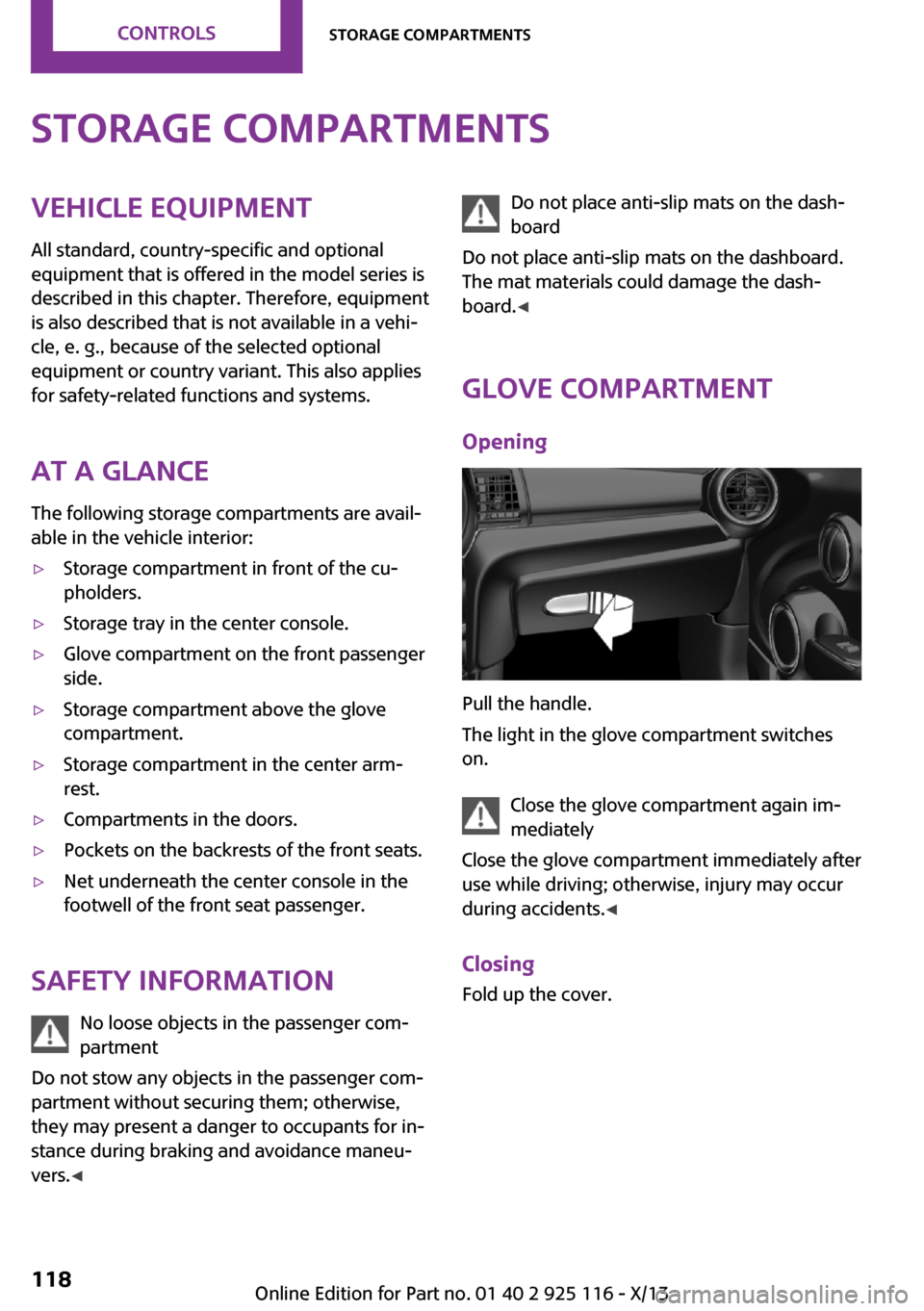
Glove compartment
Opening
Pull the handle.
The light in the glove compartment switches
on.
Close the glove compartment again im‐
mediately
Close the glove compartment immediately after
use while driving; otherwise, injury may occur
during accidents. ◀
Closing Fold up the cover.
Seite 118ControlsStorage compartments118
Online Edition for Part no. 01 40 2 925 116 - X/13
Page 123 of 233
Storage compartment
above the glove com‐
partment
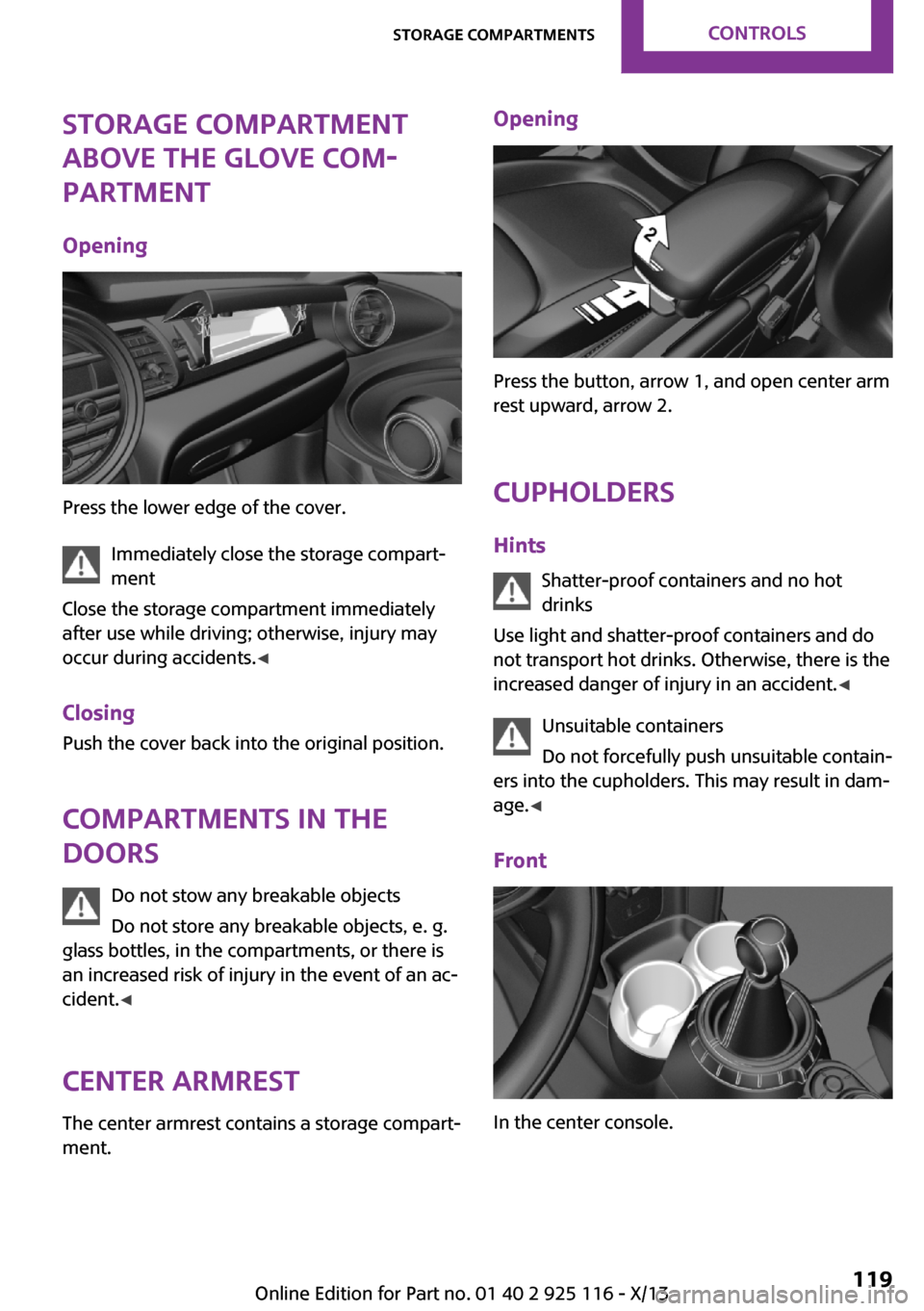
Opening
Press the lower edge of the cover. Immediately close the storage compart‐
ment
Close the storage compartment immediately
after use while driving; otherwise, injury may
occur during accidents. ◀
Closing
Push the cover back into the original position.
Compartments in the
doors
Do not stow any breakable objects
Do not store any breakable objects, e. g.
glass bottles, in the compartments, or there is
an increased risk of injury in the event of an ac‐
cident. ◀
Center armrest The center armrest contains a storage compart‐
ment.
Opening
Press the button, arrow 1, and open center arm
rest upward, arrow 2.
Cupholders Hints Shatter-proof containers and no hot
drinks
Use light and shatter-proof containers and do
not transport hot drinks. Otherwise, there is the
increased danger of injury in an accident. ◀
Unsuitable containers
Do not forcefully push unsuitable contain‐
ers into the cupholders. This may result in dam‐
age. ◀
Front
In the center console.
Seite 119Storage compartmentsControls119
Online Edition for Part no. 01 40 2 925 116 - X/13
Page 149 of 233
MultimediaExternal devices
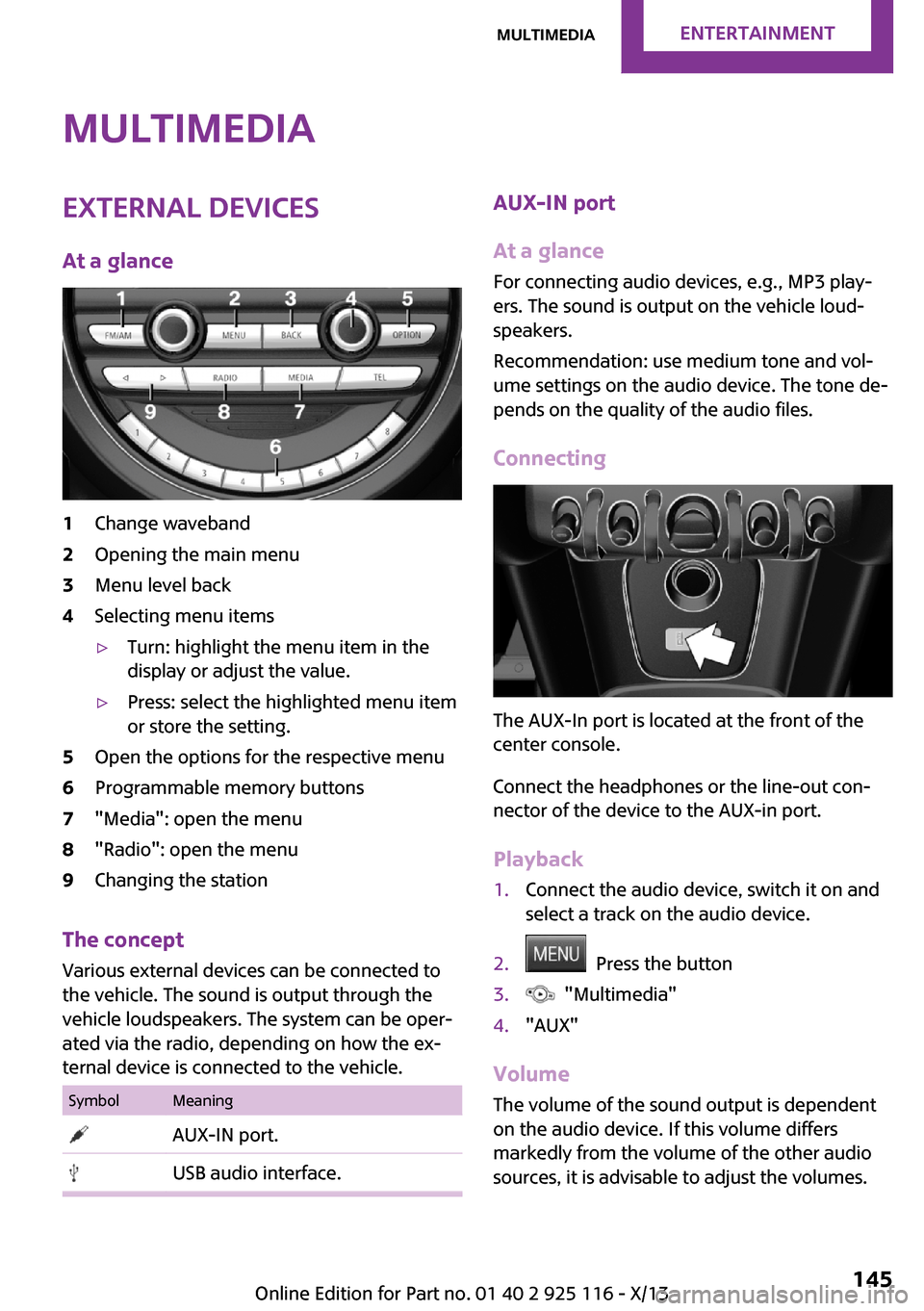
At a glance1Change waveband2Opening the main menu3Menu level back4Selecting menu items▷Turn: highlight the menu item in the
display or adjust the value.▷Press: select the highlighted menu item
or store the setting.5Open the options for the respective menu6Programmable memory buttons7"Media": open the menu8"Radio": open the menu9Changing the station
The concept
Various external devices can be connected to
the vehicle. The sound is output through the
vehicle loudspeakers. The system can be oper‐
ated via the radio, depending on how the ex‐
ternal device is connected to the vehicle.
SymbolMeaning AUX-IN port. USB audio interface.AUX-IN port
At a glance
For connecting audio devices, e.g., MP3 play‐
ers. The sound is output on the vehicle loud‐
speakers.
Recommendation: use medium tone and vol‐
ume settings on the audio device. The tone de‐
pends on the quality of the audio files.
Connecting
The AUX-In port is located at the front of the
center console.
Connect the headphones or the line-out con‐
nector of the device to the AUX-in port.
Playback
1.Connect the audio device, switch it on and
select a track on the audio device.2. Press the button3. "Multimedia"4."AUX"
Volume
The volume of the sound output is dependent
on the audio device. If this volume differs
markedly from the volume of the other audio
sources, it is advisable to adjust the volumes.
Seite 145MultimediaEntertainment145
Online Edition for Part no. 01 40 2 925 116 - X/13
Page 150 of 233
Adjusting the volume1. Press the button2. "Multimedia"3."AUX"4."Volume"5.Set the desired volume.
USB audio interface
At a glance
It is possible to connect external devices. Oper‐
ation takes place via the radio. The sound is
output on the vehicle loudspeakers.
Connectors for external devices
Connection via USB audio interface: Apple iPod/
iPhone, USB devices, e.g., MP3 players, USB
flash drives, or mobile phones that are sup‐
ported by the USB audio interface.
Due to the large number of audio devices avail‐
able on the market, it cannot be guaranteed
that every device/mobile phone is operable on
the vehicle.
Depending on the configuration of the audio
files, e.g., bit rates greater than 256 kbit/s or
the number of different compression technolo‐
gies, the files may not play back correctly in
each case.
Ask your service center about suitable devices/
mobile phones.
Audio files
Standard audio files and playlists can be played
back.
File systems
Popular file systems for USB devices are sup‐
ported. FAT32 and exFAT are the recom‐
mended formats.
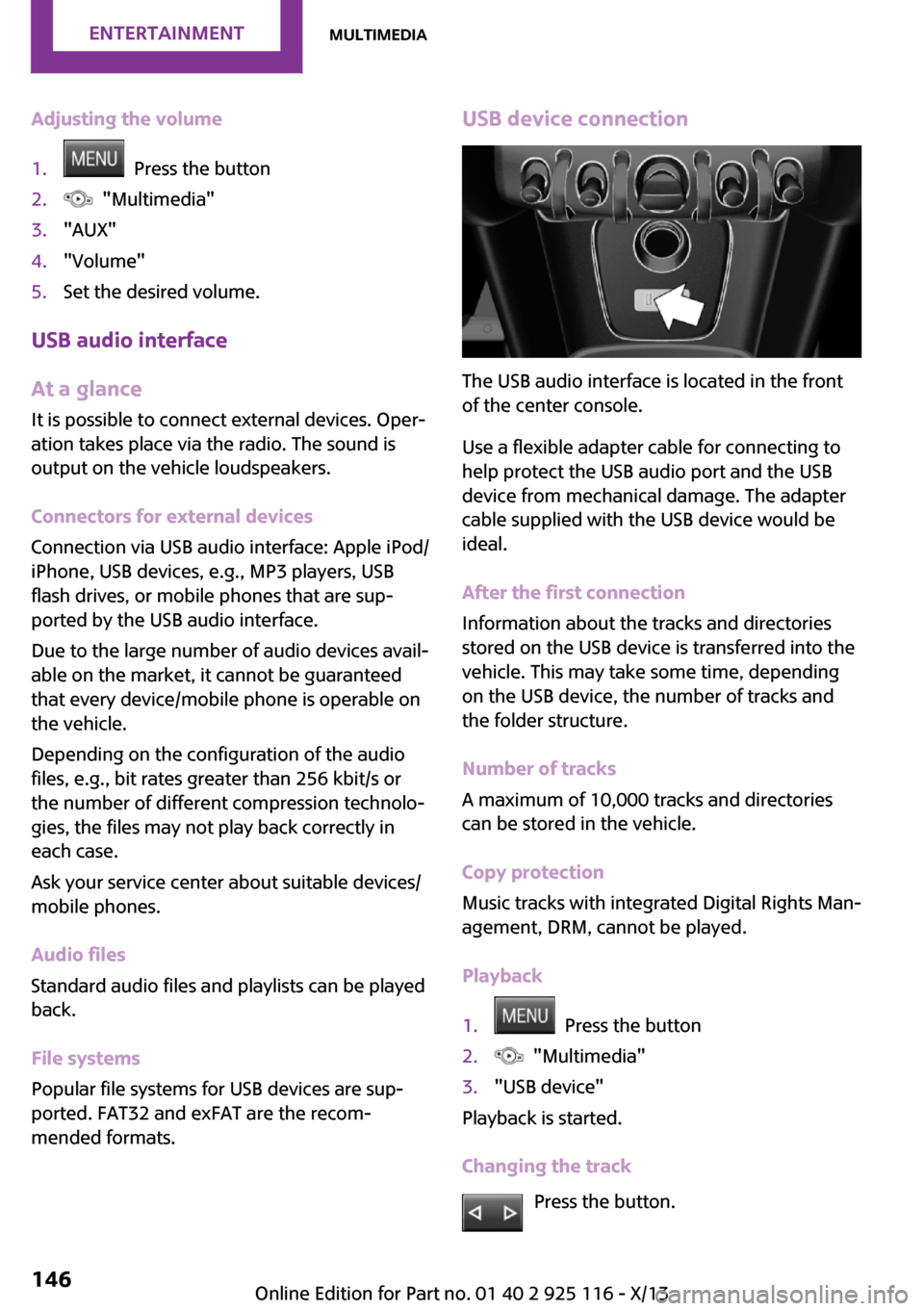
USB device connection
The USB audio interface is located in the front
of the center console.
Use a flexible adapter cable for connecting to
help protect the USB audio port and the USB
device from mechanical damage. The adapter
cable supplied with the USB device would be
ideal.
After the first connection
Information about the tracks and directories
stored on the USB device is transferred into the
vehicle. This may take some time, depending
on the USB device, the number of tracks and
the folder structure.
Number of tracks
A maximum of 10,000 tracks and directories
can be stored in the vehicle.
Copy protection
Music tracks with integrated Digital Rights Man‐
agement, DRM, cannot be played.
Playback
1. Press the button2. "Multimedia"3."USB device"
Playback is started.
Changing the track Press the button.
Seite 146EntertainmentMultimedia146
Online Edition for Part no. 01 40 2 925 116 - X/13
Page 152 of 233
Switching random playback for the current
playback on/off
If the random playback for all tracks is switched
on, random playback for the current playback is
not offered.1. Press the button2. "Multimedia"3."USB device"4. Press the button.5."Random"
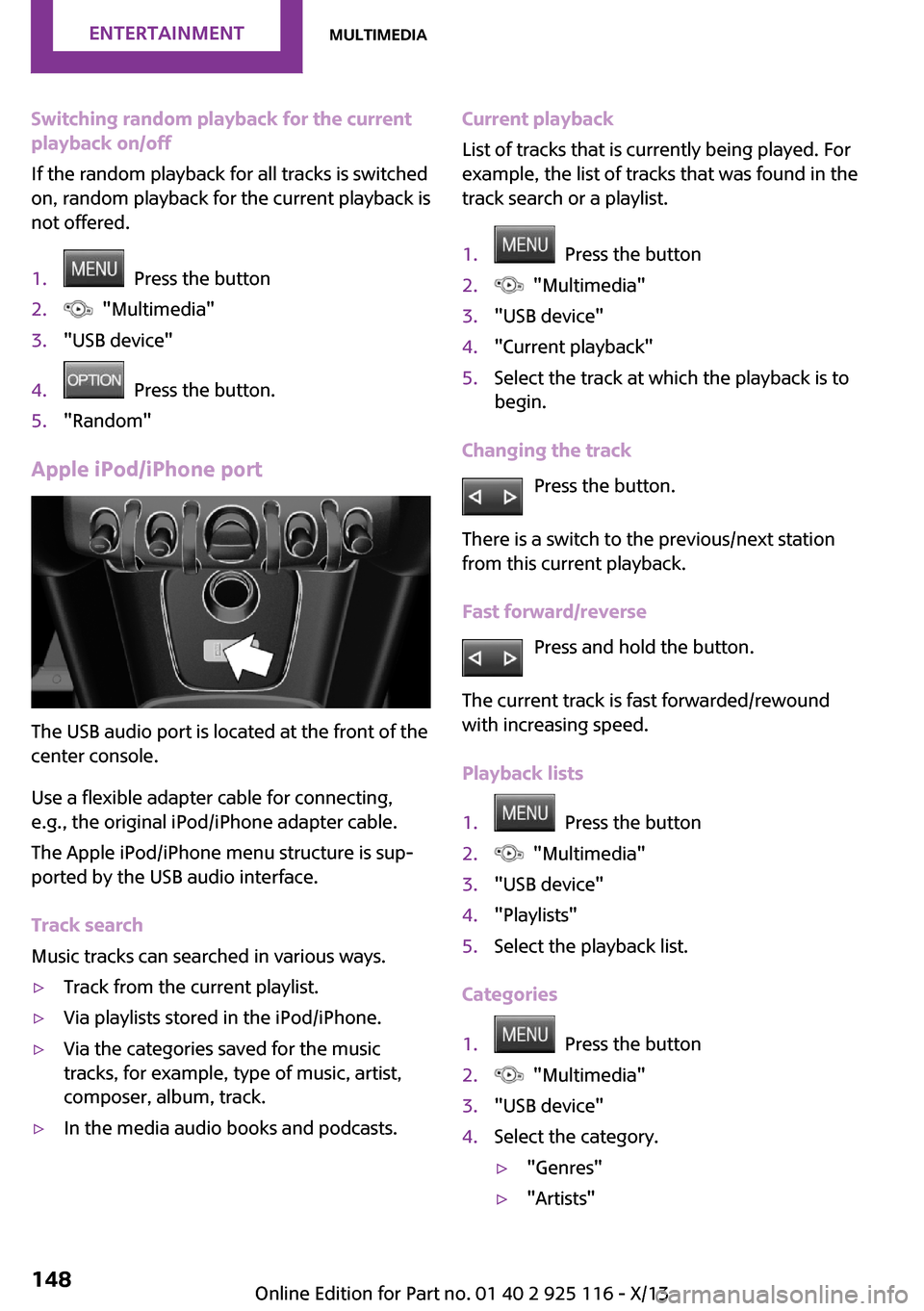
Apple iPod/iPhone port
The USB audio port is located at the front of the
center console.
Use a flexible adapter cable for connecting,
e.g., the original iPod/iPhone adapter cable.
The Apple iPod/iPhone menu structure is sup‐
ported by the USB audio interface.
Track search
Music tracks can searched in various ways.
▷Track from the current playlist.▷Via playlists stored in the iPod/iPhone.▷Via the categories saved for the music
tracks, for example, type of music, artist,
composer, album, track.▷In the media audio books and podcasts.Current playback
List of tracks that is currently being played. For
example, the list of tracks that was found in the
track search or a playlist.1. Press the button2. "Multimedia"3."USB device"4."Current playback"5.Select the track at which the playback is to
begin.
Changing the track
Press the button.
There is a switch to the previous/next station
from this current playback.
Fast forward/reverse Press and hold the button.
The current track is fast forwarded/rewound
with increasing speed.
Playback lists
1. Press the button2. "Multimedia"3."USB device"4."Playlists"5.Select the playback list.
Categories
1. Press the button2. "Multimedia"3."USB device"4.Select the category.▷"Genres"▷"Artists"Seite 148EntertainmentMultimedia148
Online Edition for Part no. 01 40 2 925 116 - X/13
Page 225 of 233
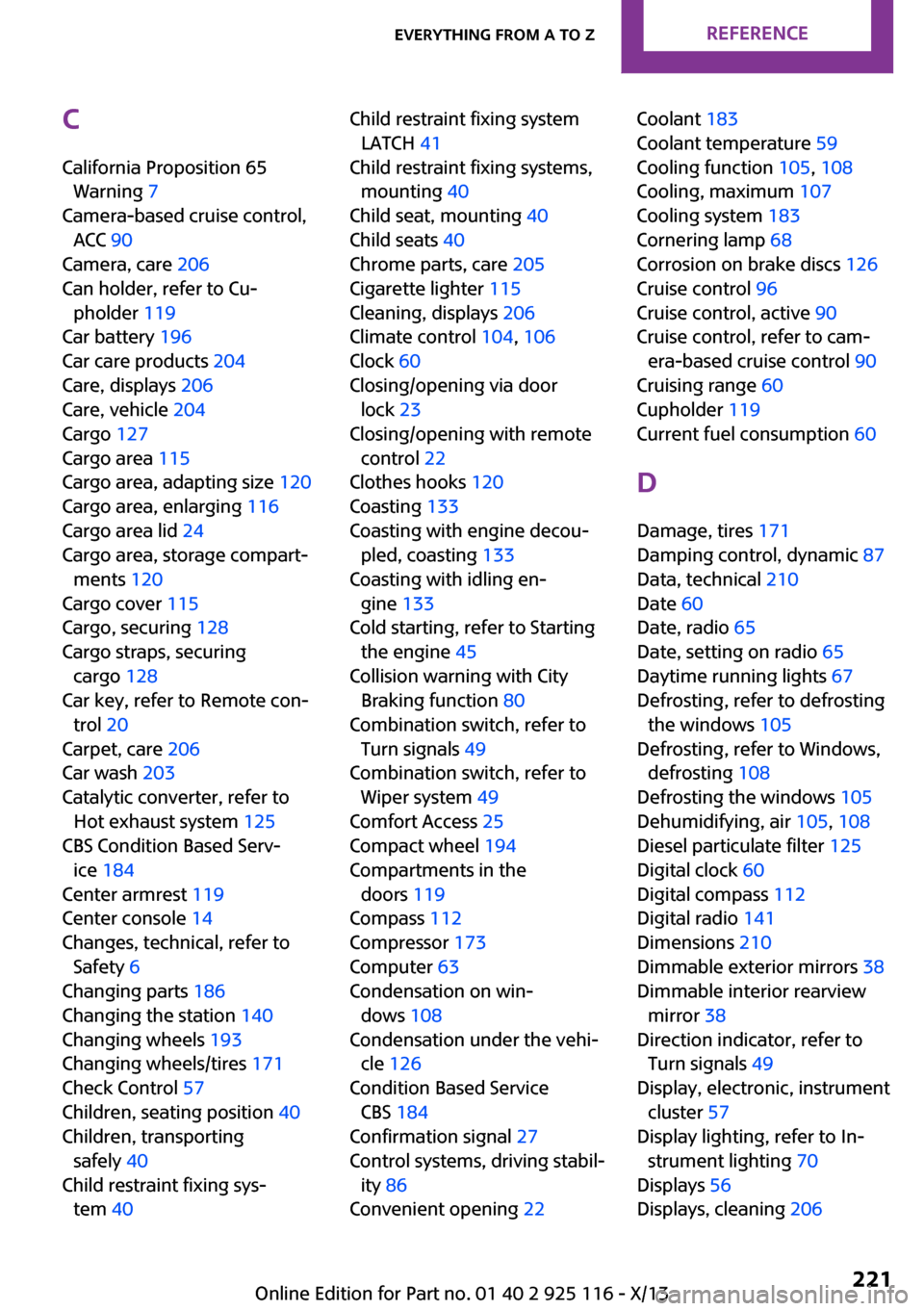
C
California Proposition 65 Warning 7
Camera-based cruise control, ACC 90
Camera, care 206
Can holder, refer to Cu‐ pholder 119
Car battery 196
Car care products 204
Care, displays 206
Care, vehicle 204
Cargo 127
Cargo area 115
Cargo area, adapting size 120
Cargo area, enlarging 116
Cargo area lid 24
Cargo area, storage compart‐ ments 120
Cargo cover 115
Cargo, securing 128
Cargo straps, securing cargo 128
Car key, refer to Remote con‐ trol 20
Carpet, care 206
Car wash 203
Catalytic converter, refer to Hot exhaust system 125
CBS Condition Based Serv‐ ice 184
Center armrest 119
Center console 14
Changes, technical, refer to Safety 6
Changing parts 186
Changing the station 140
Changing wheels 193
Changing wheels/tires 171
Check Control 57
Children, seating position 40
Children, transporting safely 40
Child restraint fixing sys‐ tem 40 Child restraint fixing system
LATCH 41
Child restraint fixing systems, mounting 40
Child seat, mounting 40
Child seats 40
Chrome parts, care 205
Cigarette lighter 115
Cleaning, displays 206
Climate control 104, 106
Clock 60
Closing/opening via door lock 23
Closing/opening with remote control 22
Clothes hooks 120
Coasting 133
Coasting with engine decou‐ pled, coasting 133
Coasting with idling en‐ gine 133
Cold starting, refer to Starting the engine 45
Collision warning with City Braking function 80
Combination switch, refer to Turn signals 49
Combination switch, refer to Wiper system 49
Comfort Access 25
Compact wheel 194
Compartments in the doors 119
Compass 112
Compressor 173
Computer 63
Condensation on win‐ dows 108
Condensation under the vehi‐ cle 126
Condition Based Service CBS 184
Confirmation signal 27
Control systems, driving stabil‐ ity 86
Convenient opening 22 Coolant 183
Coolant temperature 59
Cooling function 105, 108
Cooling, maximum 107
Cooling system 183
Cornering lamp 68
Corrosion on brake discs 126
Cruise control 96
Cruise control, active 90
Cruise control, refer to cam‐ era-based cruise control 90
Cruising range 60
Cupholder 119
Current fuel consumption 60
D
Damage, tires 171
Damping control, dynamic 87
Data, technical 210
Date 60
Date, radio 65
Date, setting on radio 65
Daytime running lights 67
Defrosting, refer to defrosting the windows 105
Defrosting, refer to Windows, defrosting 108
Defrosting the windows 105
Dehumidifying, air 105, 108
Diesel particulate filter 125
Digital clock 60
Digital compass 112
Digital radio 141
Dimensions 210
Dimmable exterior mirrors 38
Dimmable interior rearview mirror 38
Direction indicator, refer to Turn signals 49
Display, electronic, instrument cluster 57
Display lighting, refer to In‐ strument lighting 70
Displays 56
Displays, cleaning 206 Seite 221Everything from A to ZReference221
Online Edition for Part no. 01 40 2 925 116 - X/13