alarm MINI 3 door 2014 Owner's Manual
[x] Cancel search | Manufacturer: MINI, Model Year: 2014, Model line: 3 door, Model: MINI 3 door 2014Pages: 240, PDF Size: 11.05 MB
Page 41 of 240
Existing settings and contacts are overwritten
with the imported profile.1. "Settings"2."Profiles"3."Import profile"4."USB device"
Using the guest profile
The guest profile is for individual settings that
are saved in none of the three personal profiles.
This can be useful for drivers who are using the
vehicle temporarily and do not have their own
profile.
1. "Settings"2."Profiles"3."Guest"4.Adjust the settings.
The guest profile cannot be renamed. It is not
assigned to the current remote control.
Display profile list during start The profile list can be displayed during each
start to select the desired profile.
1. "Settings"2."Profiles"3.Open "Options".4."Display user list at startup"
Using the remote con‐
trol
Note Take the remote control with you
People or animals left unattended in a
parked vehicle can lock the doors from the in‐
side. Always take the remote control with you
when leaving the vehicle so that the vehicle
can then be opened from the outside. ◀
Unlocking
Press button on the remote control.▷The vehicle is unlocked.▷Interior lamps and courtesy lamps are acti‐
vated. This function is not available, if the
interior lamps were switched off manually.▷The welcome lamps are switched on, if this
function was activated.▷Exterior mirrors folded through convenient
closing are folded open.
On 3-door models:
Press button on the remote control
twice.
When the door is opened, the window is low‐
ered to make it easier to enter the vehicle.
You can set how the vehicle is to be unlocked.
Create the settings, refer to page 42.
The alarm system, refer to page 43, is dis‐
armed.
Convenient opening Press and hold this button on the re‐
mote control after unlocking.
The windows and the glass sunroof are opened,
as long as the button on the remote control is
pressed.
Locking Press button on the remote control.
Locking from the outside
Do not lock the vehicle from the outside
with people inside the car, as the vehicle can‐
not be unlocked from inside without special
knowledge. ◀
The alarm system, refer to page 43, is armed.
Seite 37Opening and closingCONTROLS37
Online Edition for Part no. 01 40 2 957 280 - X/14
Page 42 of 240
Switching on interior lights and
courtesy lights
Press button on the remote control
with the vehicle locked.
This function is not available, if the interior
lamps were switched off manually.
If the button is pressed within 10 seconds of
when the vehicle was locked Interior motion
sensor and tilt alarm sensor of the anti-theft
warning system, refer to page 44, are turned
off. After locking, wait 10 seconds before press‐
ing the button again.
Panic mode
You can trigger the alarm system if you find
yourself in a dangerous situation.
Press button on the remote control for
at least 3 seconds.
To reel off the alarm: press any button.
Unlock the tailgate Press button on the remote control for
approx. 1 second.
The tailgate opens slightly, regardless of
whether the vehicle was previously locked or
unlocked.
Depending on the features and the country
version, it is also possible to have door un‐
locked. Create the settings, refer to page 42.
If the doors were not unlocked, the tailgate is
locked again as soon as it is pushed closed.
Do not place the remote control in the
cargo area
Take the remote control with you and do not
leave it in the cargo area; otherwise, the re‐
mote control is locked inside the vehicle when
the tailgate is closed. ◀Provide edge protection
Sharp objects or those with edges can hit
the rear window while driving and damage the
heat conductors of the rear window. Provide
edge protection. ◀
Malfunction Remote control detection by the vehicle can
among others be malfunctioning under the fol‐
lowing circumstances:▷Interference of the radio connection from
transmission towers or other equipment
with high transmit power.▷Shielding of the remote control due to
metal objects.▷Interference of the radio connection from
mobile phones or other electronic devices
in direct proximity.
Do not transport the remote control together
with metal objects or electronic devices.
In the case of a malfunction, unlock and lock
the vehicle using the integrated key, refer to
page 39.
For US owners only The transmitter and receiver units comply with
part 15 of the FCC/Federal Communication
Commission regulations. Operation is governed by the following:
FCC ID:
▷LX8766S.▷LX8766E.▷LX8CAS.▷LX8CAS2.▷MYTCAS4.
Compliance statement:
This device complies with part 15 of the FCC
Rules. Operation is subject to the following two
conditions:
▷This device may not cause harmful interfer‐
ence, andSeite 38CONTROLSOpening and closing38
Online Edition for Part no. 01 40 2 957 280 - X/14
Page 43 of 240
▷this device must accept any interference re‐
ceived, including interference that may
cause undesired operation.
Any unauthorized modifications or changes to
these devices could void the user's authority to
operate this equipment.
Without remote control From the outside Locking from the outside
Do not lock the vehicle from the outside
with people inside the car, as the vehicle can‐
not be unlocked from inside without special
knowledge. ◀
Unlock or lock the driver's door via the door
lock using the integrated key, refer to page 34.
The other doors must be unlocked or locked
from the inside.
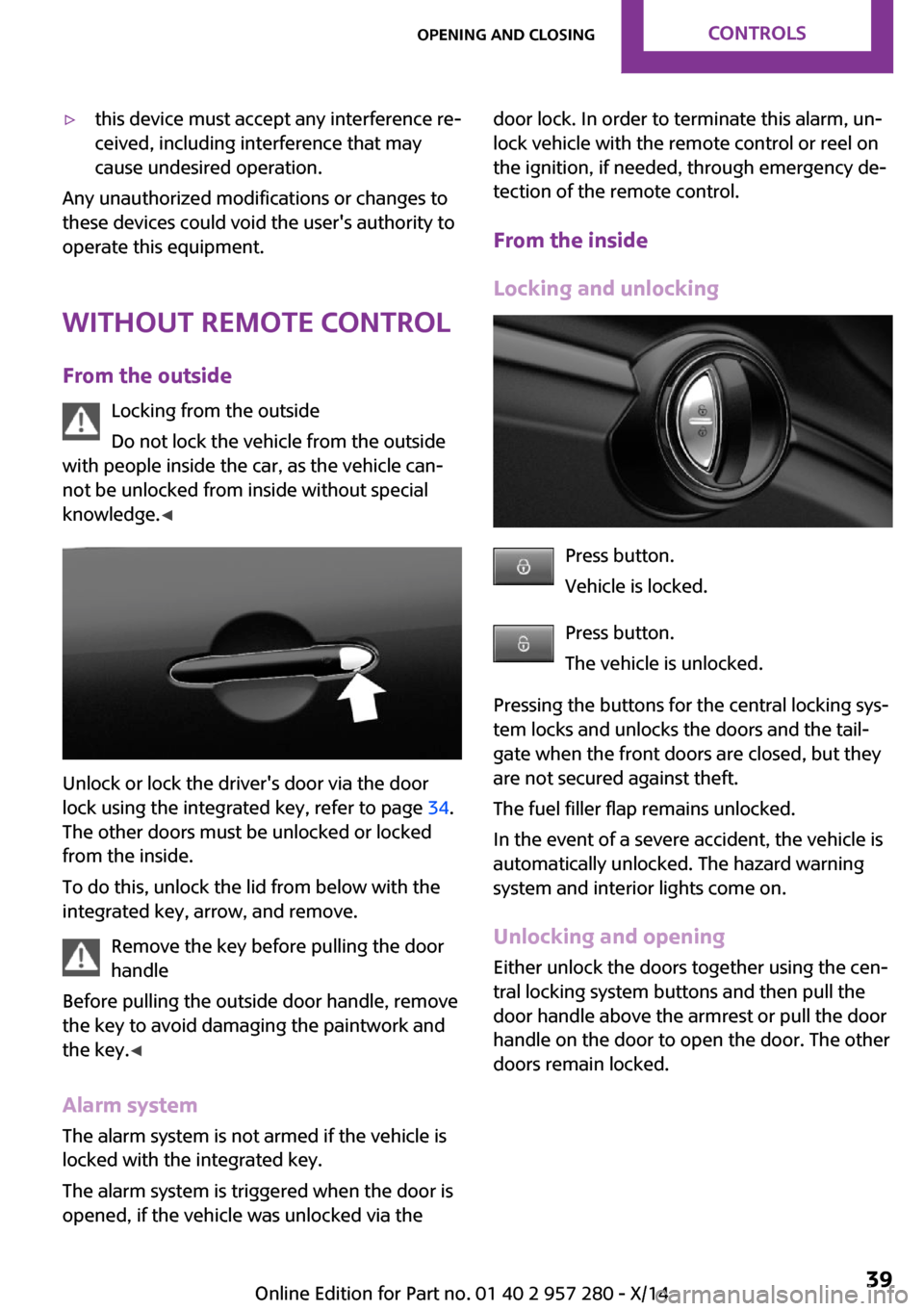
To do this, unlock the lid from below with the
integrated key, arrow, and remove.
Remove the key before pulling the door
handle
Before pulling the outside door handle, remove
the key to avoid damaging the paintwork and
the key. ◀
Alarm system
The alarm system is not armed if the vehicle is
locked with the integrated key.
The alarm system is triggered when the door is
opened, if the vehicle was unlocked via the
door lock. In order to terminate this alarm, un‐
lock vehicle with the remote control or reel on
the ignition, if needed, through emergency de‐
tection of the remote control.
From the inside
Locking and unlocking
Press button.
Vehicle is locked.
Press button.
The vehicle is unlocked.
Pressing the buttons for the central locking sys‐
tem locks and unlocks the doors and the tail‐
gate when the front doors are closed, but they
are not secured against theft.
The fuel filler flap remains unlocked.
In the event of a severe accident, the vehicle is
automatically unlocked. The hazard warning
system and interior lights come on.
Unlocking and opening
Either unlock the doors together using the cen‐
tral locking system buttons and then pull the
door handle above the armrest or pull the door
handle on the door to open the door. The other
doors remain locked.
Seite 39Opening and closingCONTROLS39
Online Edition for Part no. 01 40 2 957 280 - X/14
Page 47 of 240
Alarm system
The concept
When the vehicle is locked, the vehicle alarm
system responds to:▷Opening a door, the hood or the tailgate.▷Movements in the vehicle interior▷Changes in the vehicle tilt, e. g., during at‐
tempts at stealing a wheel or when towing
the car.▷Disconnected battery voltage.
The alarm system briefly signals tampering:
▷Acoustic alarm.▷By switching on the hazard warning system.▷By flashing the daytime running lights.
Arming and disarming the alarm system
When you lock or unlock the vehicle, either
with the remote control or via the Comfort Ac‐
cess, the alarm system is armed or disarmed at
the same time.
Door lock and armed alarm system
The alarm system is triggered when the door is
opened, when the vehicle is unlocked via the
door lock.
Switching off the alarm, refer to page 44.
Tailgate and armed alarm system The tailgate can be opened even when the
alarm system is armed.
After the tailgate is closed, it is locked and
monitored again when the doors are locked.
The hazard warning system flashes once.
Panic mode
You can trigger the alarm system if you find
yourself in a dangerous situation.
Press button on the remote control for
at least 3 seconds.
To reel off the alarm: press any button.
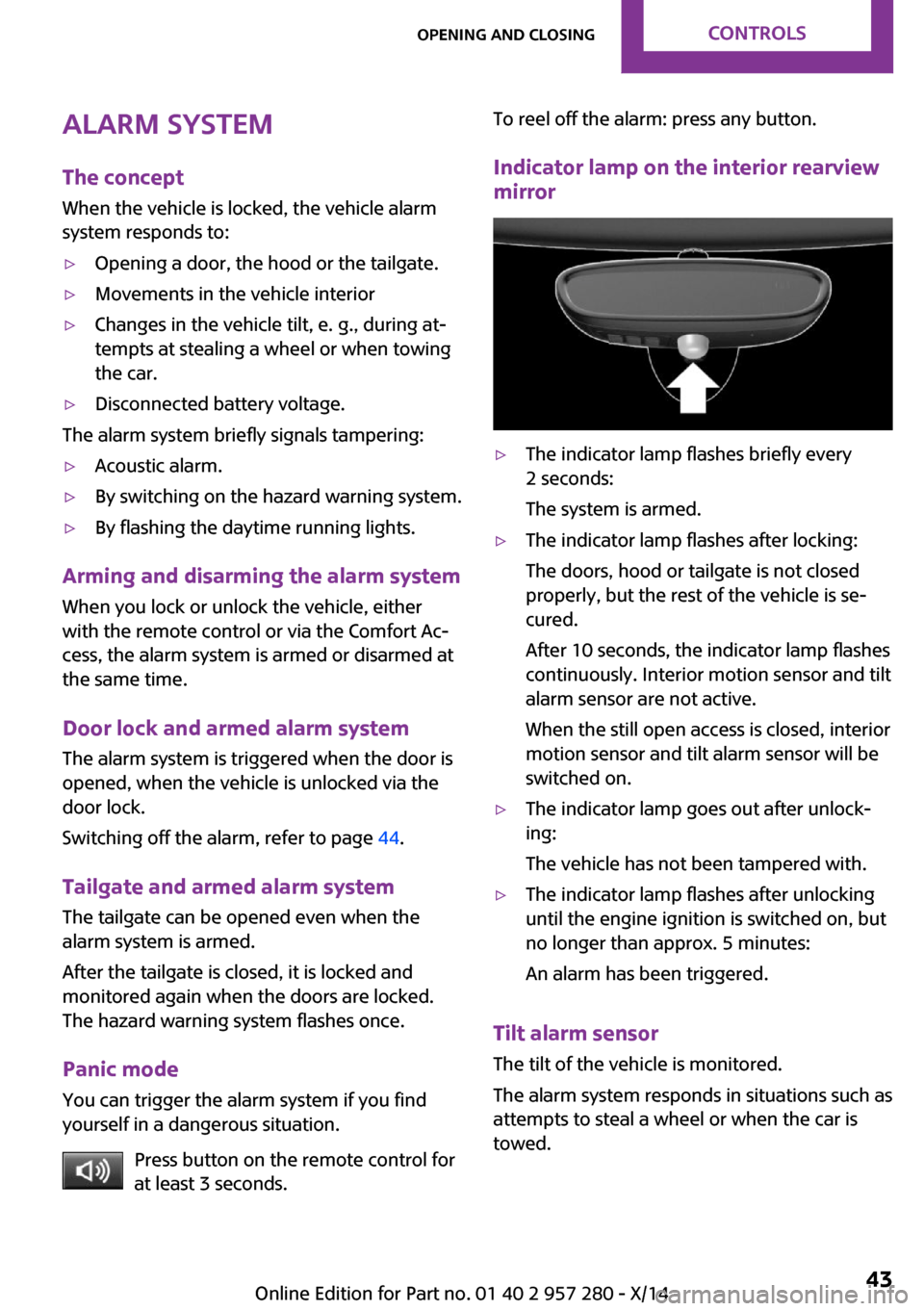
Indicator lamp on the interior rearview
mirror▷The indicator lamp flashes briefly every
2 seconds:
The system is armed.▷The indicator lamp flashes after locking:
The doors, hood or tailgate is not closed
properly, but the rest of the vehicle is se‐
cured.
After 10 seconds, the indicator lamp flashes
continuously. Interior motion sensor and tilt
alarm sensor are not active.
When the still open access is closed, interior
motion sensor and tilt alarm sensor will be
switched on.▷The indicator lamp goes out after unlock‐
ing:
The vehicle has not been tampered with.▷The indicator lamp flashes after unlocking
until the engine ignition is switched on, but
no longer than approx. 5 minutes:
An alarm has been triggered.
Tilt alarm sensor The tilt of the vehicle is monitored.
The alarm system responds in situations such as
attempts to steal a wheel or when the car is
towed.
Seite 43Opening and closingCONTROLS43
Online Edition for Part no. 01 40 2 957 280 - X/14
Page 48 of 240
Interior motion sensorThe windows and glass sunroof must be closed
for the system to function properly.
Avoiding unintentional alarms
The tilt alarm sensor and interior motion sensor
can be switched off together, such as in the fol‐
lowing situations:▷In automatic car washes.▷In duplex garages.▷During transport on trains carrying vehicles,
at sea or on a trailer.▷With animals in the vehicle.
Switching off the tilt alarm sensor and
interior motion sensor
Press the remote control button again
within 10 seconds as soon as the vehi‐
cle is locked.
The indicator lamp lights up for approx. 2 sec‐
onds and then continues to flash.
The tilt alarm sensor and interior motion sensor
are turned off, until the vehicle is locked again.
Switching off the alarm
▷Unlock vehicle with the remote control or
reel on the ignition, if needed through
emergency detection of remote control, re‐
fer to page 35.▷With Comfort Access: If you are carrying the
remote control on your person, grasp the
driver side or front passenger side door
handle completely.
Unlock vehicle with the remote control or reel
on the ignition, if needed through emergency
detection of remote control, refer to page 35.
Power windows
Note Take the remote control with you
Take the remote control with you when
leaving the vehicle so that children, e.g., cannot
operate the power windows and injure them‐
selves. ◀
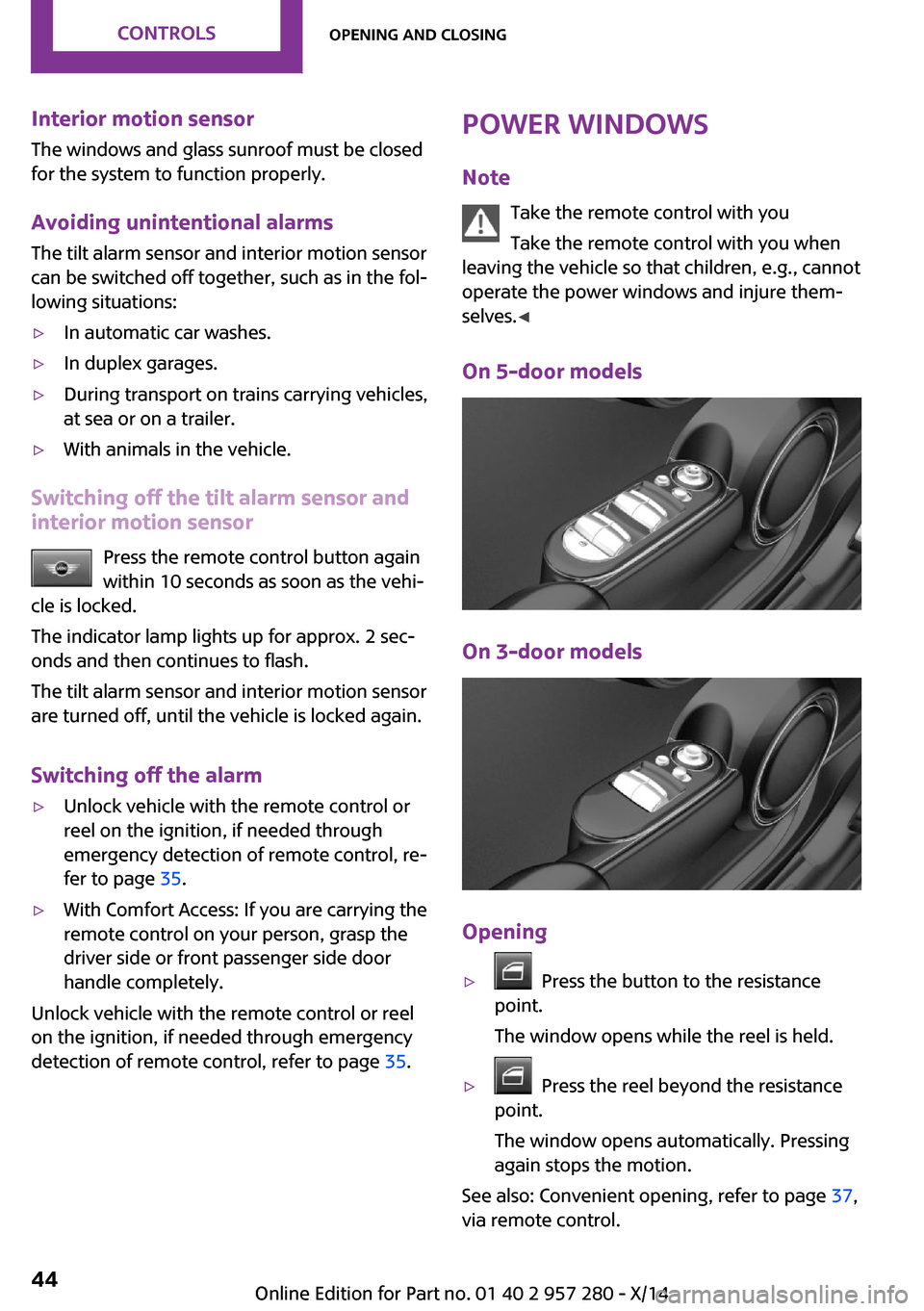
On 5-door models
On 3-door models
Opening
▷ Press the button to the resistance
point.
The window opens while the reel is held.▷ Press the reel beyond the resistance
point.
The window opens automatically. Pressing
again stops the motion.
See also: Convenient opening, refer to page 37,
via remote control.
Seite 44CONTROLSOpening and closing44
Online Edition for Part no. 01 40 2 957 280 - X/14
Page 107 of 240
The automatic braking intervention is done
with limited force and duration.
The system is controlled via a camera in the
base of the mirror.
The front-end collision warning is available
even if cruise control has been deactivated.
With the vehicle approaching another vehicle
intentionally the collision warning is delayed
avoiding false alarm.
Note Personal responsibility
The system does not serve as a substitute
for the driver's personal judgment of the traffic
situation.
Be aware of the traffic situation and the vehi‐
cle's surroundings at all times, otherwise acci‐
dents are still possible despite all warnings. ◀
General information The system warns at two levels of an imminent
danger of collision at speeds from approx.
3 mph/5 km/h. Time of warnings may vary with
the current driving situation.
Appropriate braking kicks in at speeds of up to
35 mph/60 km/h.
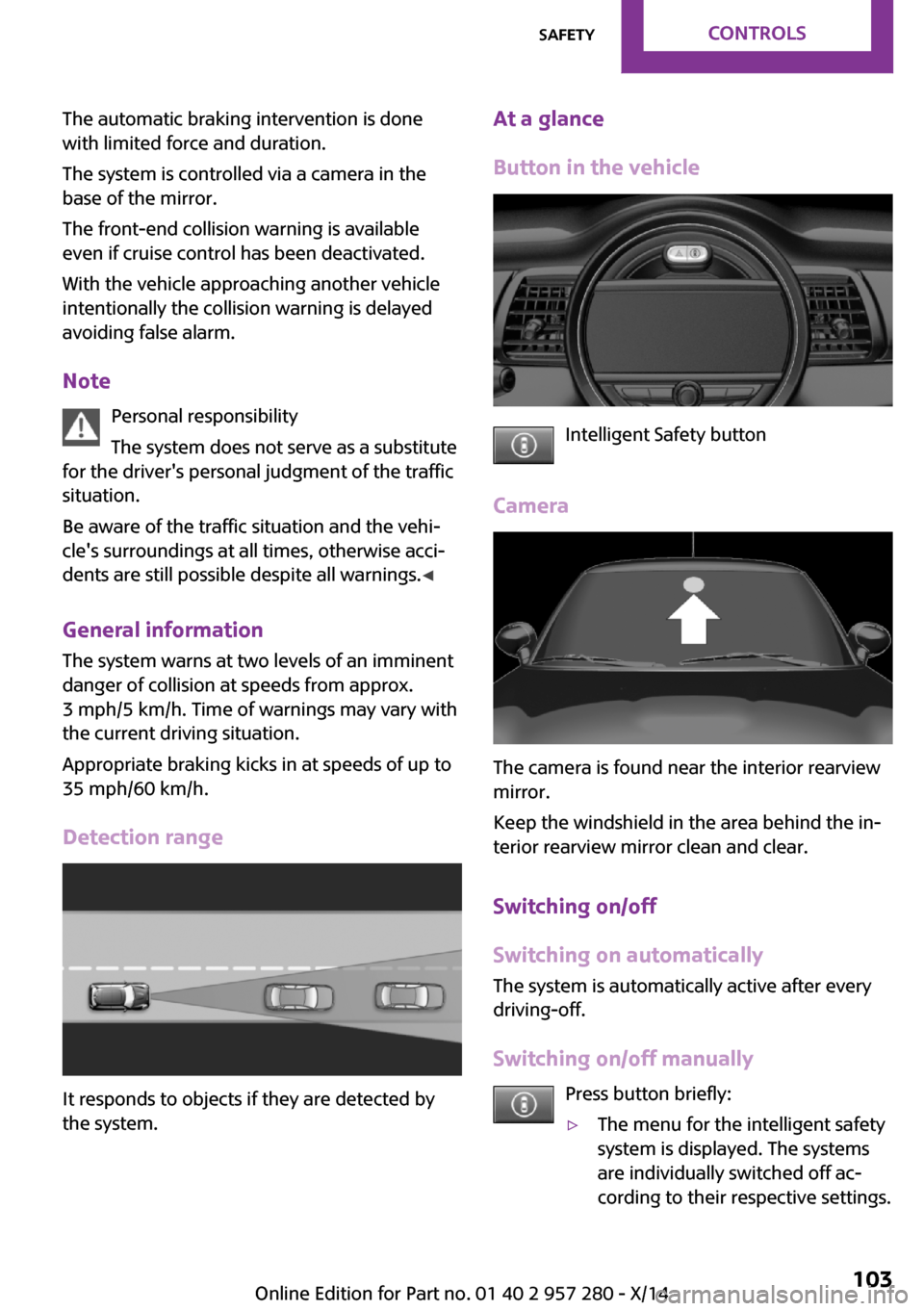
Detection range
It responds to objects if they are detected by
the system.
At a glance
Button in the vehicle
Intelligent Safety button
Camera
The camera is found near the interior rearview
mirror.
Keep the windshield in the area behind the in‐
terior rearview mirror clean and clear.
Switching on/off
Switching on automatically
The system is automatically active after every
driving-off.
Switching on/off manually Press button briefly:
▷The menu for the intelligent safety
system is displayed. The systems
are individually switched off ac‐
cording to their respective settings.Seite 103SafetyCONTROLS103
Online Edition for Part no. 01 40 2 957 280 - X/14
Page 216 of 240
CareVehicle features and op‐tions
This chapter describes all standard, country-
specific and optional features offered with the series. It also describes features that are not
necessarily available in your car, e. g., due to
the selected options or country versions. This
also applies to safety-related functions and sys‐
tems.
Car washes
General information Regularly remove foreign objects such as leaves
in the area below the windshield when the
hood is raised.
Wash your vehicle frequently, particularly in
winter. Intense soiling and road salt can dam‐
age the vehicle.
Hints Steam jets or high-pressure washers
When using steam jets or high-pressure
washers, hold them a sufficient distance away
and use a maximum temperature of
140 ℉/60 ℃.
If the vehicle has a glass sunroof, ensure that a
distance of at least 31.5 inches/80 cm is main‐
tained. Holding them too close or using exces‐
sively high pressures or temperatures can
cause damage or preliminary damage that may
then lead to long-term damage.
Follow the user's manual for the high-pressure
washer. ◀Cleaning sensors/cameras with high-pres‐
sure washers
When using high-pressure washers, do not
spray the exterior sensors and cameras, e.g.,
Park Distance Control, for extended periods of
time and only from a distance of at least
12 in/30 cm. ◀
Automatic car washes
Hints▷Give preference to cloth car washes or
those that use soft brushes in order to
avoid paint damage.▷Make sure that the wheels and tires are not
damaged by the transport mechanisms.▷Fold in the exterior mirrors; otherwise, they
may be damaged, depending on the width
of the vehicle.▷Unscrew the rod antenna.▷Deactivate the rain sensor, refer to
page 66, to avoid unintentional wiper acti‐
vation.▷In some cases, an unintentional alarm can
be triggered by the interior motion sensor
of the alarm system. Follow the instructions
on avoiding an unintentional alarm, refer to
page 44.
Guide rails in car washes
Avoid car washes with guide rails higher
than 4 in/10 cm; otherwise, the vehicle body
could be damaged. ◀
Before driving into a car wash In order to ensure that the vehicle can roll in a
car wash, take the following steps:
Seite 212MOBILITYCare212
Online Edition for Part no. 01 40 2 957 280 - X/14
Page 230 of 240
Everything from A to ZIndexA
ABS, Antilock Brake Sys‐ tem 109
ACC, Active Cruise Control 113
Acceleration Assistant, refer to Launch Control 71
Activated-charcoal filter 135
Active Cruise Control, ACC 113
Additives, oil 189
Adjustments, seats/head re‐ straints 48
Adjustments, steering wheel 55
After washing vehicle 213
Airbags 93
Airbags, indicator/warning light 95
Air circulation, refer to Recir‐ culated-air mode 131, 134
Air conditioner 130
Air, dehumidifying, refer to Cooling function 131, 134
Air distribution, manual 131, 133
Air flow, air conditioner 131
Air flow, automatic climate control 133
Air pressure, tires 172
Air vents, refer to Ventila‐ tion 135
Alarm system 43
Alarm triggering 43
Alarm, unintentional 44
All around the center con‐ sole 16
All around the roofliner 17
All around the steering wheel 14
All-season tires, refer to Win‐ ter tires 180 Alternating-code hand-held
transmitter 138
Alternative oil types 190
Antifreeze, washer fluid 67
Antilock Brake System, ABS 109
Anti-slip control, refer to DSC 109
Approved axle load 219
Approved engine oils 190
Arrival time 82
Ash tray 141
Assistance, Roadside Assis‐ tance 207
Assistance when driving off 112
Assist system, refer to Intelli‐ gent Safety 102
AUTO intensity 133
Automatic car wash 212
Automatic climate con‐ trol 132
Automatic Curb Monitor 54
Automatic deactivation, front- seat passenger airbags 95
Automatic headlight con‐ trol 89
Automatic locking 42
Automatic recirculated-air control 134
Automatic transmission with Steptronic 68
AUTO program, automatic cli‐ mate control 133
AUTO program, intensity 133
Auto Start/Stop function 62
Average fuel consumption 81
Average speed 82
Axle loads, weights 219 B
Backrest curvature, refer to Lumbar support 49
Band-aids, refer to First aid kit 207
Bar for tow-starting/ towing 210
Battery replacement, vehicle battery 205
Battery, vehicle 205
Belts, safety belts 50
Beverage holder, cu‐ pholder 146
Bonus range, GREEN mode 162
Bottle holder, refer to Cu‐ pholder 146
Brake assistant 109
Brake discs, break-in 152
Brake pads, break-in 152
Braking, hints 153
Breakdown assistance 207
Break-in 152
Brightness of Control Dis‐ play 85
Bug light 197
Bulb replacement 196
Bulb replacement, front 197
Bulb replacement, rear 199
Bulb replacement, side 202
Bulbs and lights 196
Button, RES 115
Button, Start/Stop 60
Bypassing, refer to Jump- starting 207
C
California Proposition 65 Warning 7 Seite 226REFERENCEEverything from A to Z226
Online Edition for Part no. 01 40 2 957 280 - X/14
Page 232 of 240
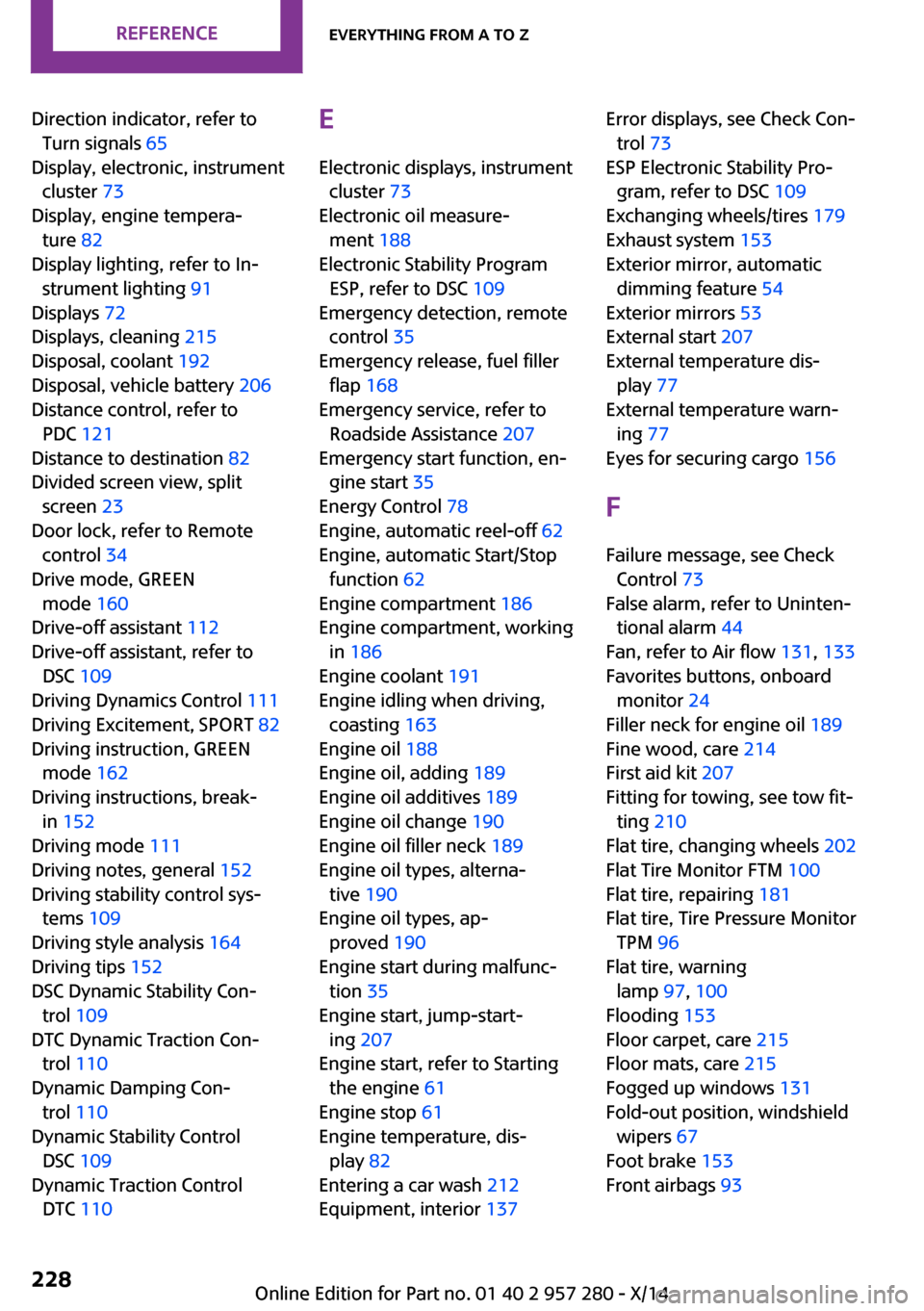
Direction indicator, refer toTurn signals 65
Display, electronic, instrument cluster 73
Display, engine tempera‐ ture 82
Display lighting, refer to In‐ strument lighting 91
Displays 72
Displays, cleaning 215
Disposal, coolant 192
Disposal, vehicle battery 206
Distance control, refer to PDC 121
Distance to destination 82
Divided screen view, split screen 23
Door lock, refer to Remote control 34
Drive mode, GREEN mode 160
Drive-off assistant 112
Drive-off assistant, refer to DSC 109
Driving Dynamics Control 111
Driving Excitement, SPORT 82
Driving instruction, GREEN mode 162
Driving instructions, break- in 152
Driving mode 111
Driving notes, general 152
Driving stability control sys‐ tems 109
Driving style analysis 164
Driving tips 152
DSC Dynamic Stability Con‐ trol 109
DTC Dynamic Traction Con‐ trol 110
Dynamic Damping Con‐ trol 110
Dynamic Stability Control DSC 109
Dynamic Traction Control DTC 110 E
Electronic displays, instrument cluster 73
Electronic oil measure‐ ment 188
Electronic Stability Program ESP, refer to DSC 109
Emergency detection, remote control 35
Emergency release, fuel filler flap 168
Emergency service, refer to Roadside Assistance 207
Emergency start function, en‐ gine start 35
Energy Control 78
Engine, automatic reel-off 62
Engine, automatic Start/Stop function 62
Engine compartment 186
Engine compartment, working in 186
Engine coolant 191
Engine idling when driving, coasting 163
Engine oil 188
Engine oil, adding 189
Engine oil additives 189
Engine oil change 190
Engine oil filler neck 189
Engine oil types, alterna‐ tive 190
Engine oil types, ap‐ proved 190
Engine start during malfunc‐ tion 35
Engine start, jump-start‐ ing 207
Engine start, refer to Starting the engine 61
Engine stop 61
Engine temperature, dis‐ play 82
Entering a car wash 212
Equipment, interior 137 Error displays, see Check Con‐
trol 73
ESP Electronic Stability Pro‐ gram, refer to DSC 109
Exchanging wheels/tires 179
Exhaust system 153
Exterior mirror, automatic dimming feature 54
Exterior mirrors 53
External start 207
External temperature dis‐ play 77
External temperature warn‐ ing 77
Eyes for securing cargo 156
F Failure message, see Check Control 73
False alarm, refer to Uninten‐ tional alarm 44
Fan, refer to Air flow 131, 133
Favorites buttons, onboard monitor 24
Filler neck for engine oil 189
Fine wood, care 214
First aid kit 207
Fitting for towing, see tow fit‐ ting 210
Flat tire, changing wheels 202
Flat Tire Monitor FTM 100
Flat tire, repairing 181
Flat tire, Tire Pressure Monitor TPM 96
Flat tire, warning lamp 97, 100
Flooding 153
Floor carpet, care 215
Floor mats, care 215
Fogged up windows 131
Fold-out position, windshield wipers 67
Foot brake 153
Front airbags 93 Seite 228REFERENCEEverything from A to Z228
Online Edition for Part no. 01 40 2 957 280 - X/14
Page 237 of 240
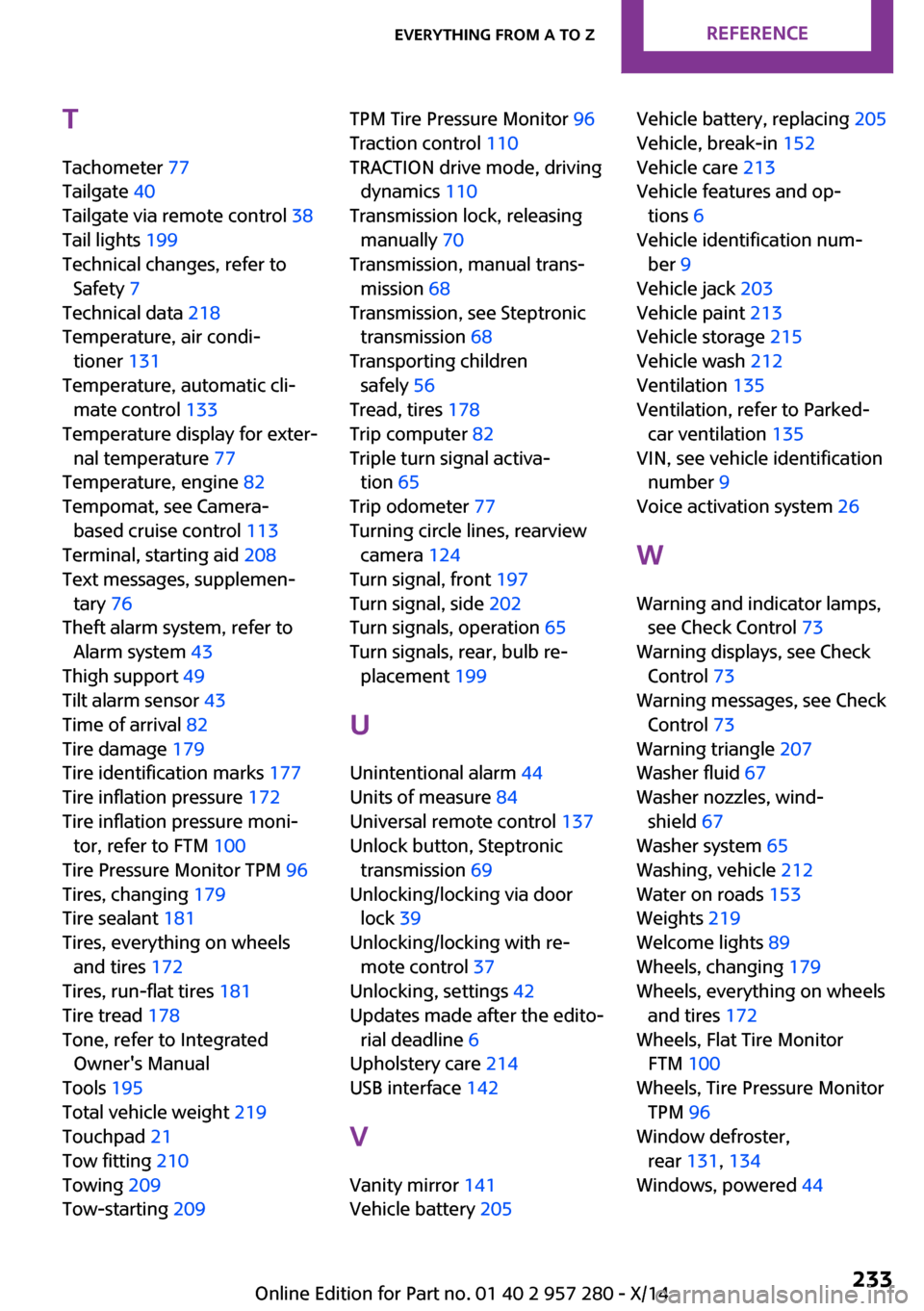
T
Tachometer 77
Tailgate 40
Tailgate via remote control 38
Tail lights 199
Technical changes, refer to Safety 7
Technical data 218
Temperature, air condi‐ tioner 131
Temperature, automatic cli‐ mate control 133
Temperature display for exter‐ nal temperature 77
Temperature, engine 82
Tempomat, see Camera- based cruise control 113
Terminal, starting aid 208
Text messages, supplemen‐ tary 76
Theft alarm system, refer to Alarm system 43
Thigh support 49
Tilt alarm sensor 43
Time of arrival 82
Tire damage 179
Tire identification marks 177
Tire inflation pressure 172
Tire inflation pressure moni‐ tor, refer to FTM 100
Tire Pressure Monitor TPM 96
Tires, changing 179
Tire sealant 181
Tires, everything on wheels and tires 172
Tires, run-flat tires 181
Tire tread 178
Tone, refer to Integrated Owner's Manual
Tools 195
Total vehicle weight 219
Touchpad 21
Tow fitting 210
Towing 209
Tow-starting 209 TPM Tire Pressure Monitor 96
Traction control 110
TRACTION drive mode, driving dynamics 110
Transmission lock, releasing manually 70
Transmission, manual trans‐ mission 68
Transmission, see Steptronic transmission 68
Transporting children safely 56
Tread, tires 178
Trip computer 82
Triple turn signal activa‐ tion 65
Trip odometer 77
Turning circle lines, rearview camera 124
Turn signal, front 197
Turn signal, side 202
Turn signals, operation 65
Turn signals, rear, bulb re‐ placement 199
U
Unintentional alarm 44
Units of measure 84
Universal remote control 137
Unlock button, Steptronic transmission 69
Unlocking/locking via door lock 39
Unlocking/locking with re‐ mote control 37
Unlocking, settings 42
Updates made after the edito‐ rial deadline 6
Upholstery care 214
USB interface 142
V
Vanity mirror 141
Vehicle battery 205 Vehicle battery, replacing 205
Vehicle, break-in 152
Vehicle care 213
Vehicle features and op‐ tions 6
Vehicle identification num‐ ber 9
Vehicle jack 203
Vehicle paint 213
Vehicle storage 215
Vehicle wash 212
Ventilation 135
Ventilation, refer to Parked- car ventilation 135
VIN, see vehicle identification number 9
Voice activation system 26
W Warning and indicator lamps, see Check Control 73
Warning displays, see Check Control 73
Warning messages, see Check Control 73
Warning triangle 207
Washer fluid 67
Washer nozzles, wind‐ shield 67
Washer system 65
Washing, vehicle 212
Water on roads 153
Weights 219
Welcome lights 89
Wheels, changing 179
Wheels, everything on wheels and tires 172
Wheels, Flat Tire Monitor FTM 100
Wheels, Tire Pressure Monitor TPM 96
Window defroster, rear 131, 134
Windows, powered 44 Seite 233Everything from A to ZREFERENCE233
Online Edition for Part no. 01 40 2 957 280 - X/14