light MINI Clubman 2014 (Mini Connected) Service Manual
[x] Cancel search | Manufacturer: MINI, Model Year: 2014, Model line: Clubman, Model: MINI Clubman 2014Pages: 276, PDF Size: 6.44 MB
Page 106 of 276
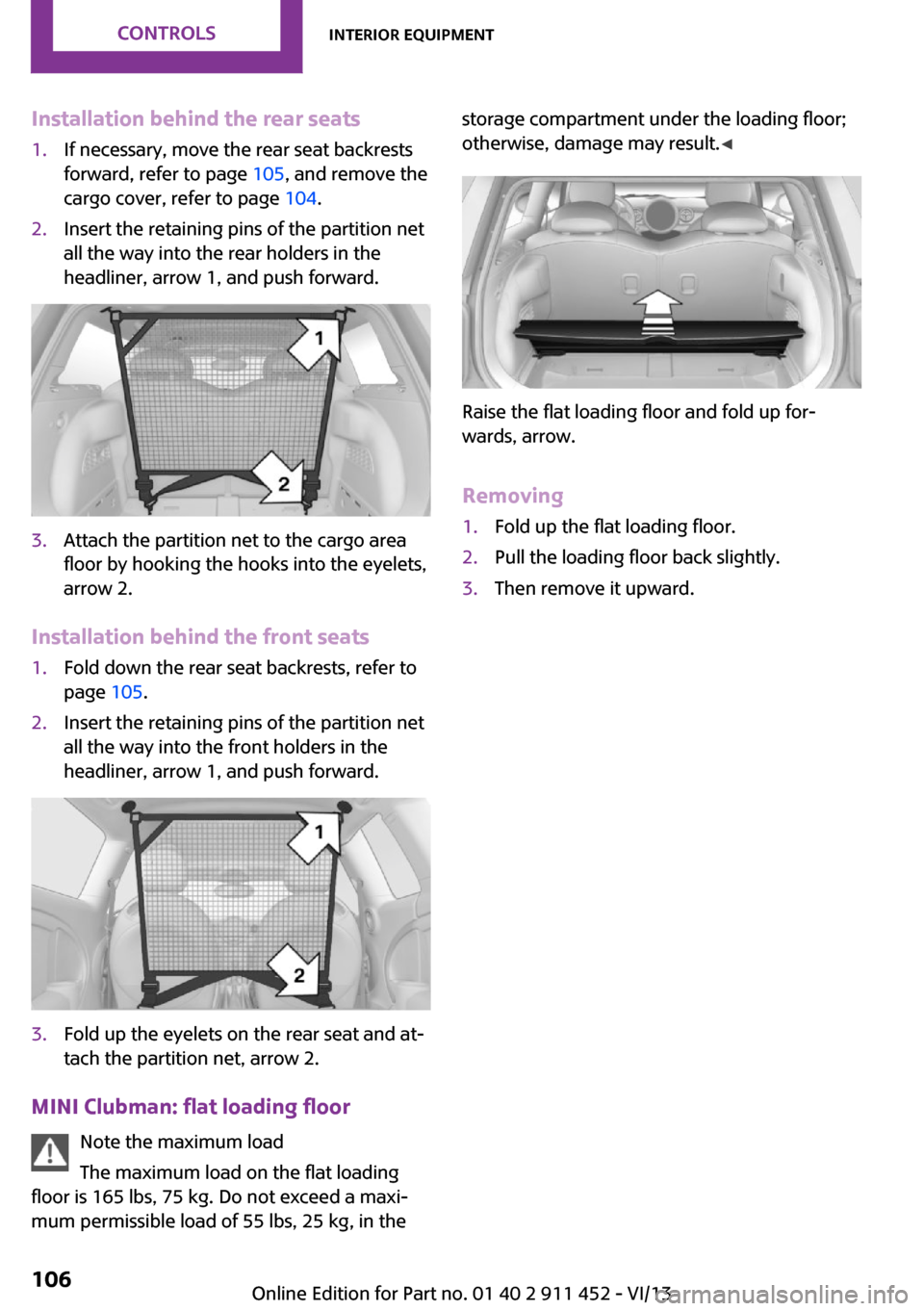
Installation behind the rear seats1.If necessary, move the rear seat backrests
forward, refer to page 105, and remove the
cargo cover, refer to page 104.2.Insert the retaining pins of the partition net
all the way into the rear holders in the
headliner, arrow 1, and push forward.3.Attach the partition net to the cargo area
floor by hooking the hooks into the eyelets,
arrow 2.
Installation behind the front seats
1.Fold down the rear seat backrests, refer to
page 105.2.Insert the retaining pins of the partition net
all the way into the front holders in the
headliner, arrow 1, and push forward.3.Fold up the eyelets on the rear seat and at‐
tach the partition net, arrow 2.
MINI Clubman: flat loading floor
Note the maximum load
The maximum load on the flat loading
floor is 165 lbs, 75 kg. Do not exceed a maxi‐
mum permissible load of 55 lbs, 25 kg, in the
storage compartment under the loading floor;
otherwise, damage may result. ◀
Raise the flat loading floor and fold up for‐
wards, arrow.
Removing
1.Fold up the flat loading floor.2.Pull the loading floor back slightly.3.Then remove it upward.Seite 106ControlsInterior equipment106
Online Edition for Part no. 01 40 2 911 452 - VI/13
Page 107 of 276

Storage compartmentsVehicle equipment
This chapter describes all series equipment as
well as country-specific and special equipment
offered for this model series.Therefore, it also
describes equipment that may not be found in
your vehicle, for instance due to the selected
special equipment or the country version. This
also applies to safety-related functions and sys‐
tems.
Notes No loose objects in the passenger com‐partment
Do not stow any objects in the passenger com‐
partment without securing them; otherwise,
they may present a danger to occupants for in‐
stance during braking and avoidance maneu‐
vers. ◀
No non-slip mats on the dashboard
Do not use non-slip materials, such as
non-slip mats, on the dashboard, or it could be
damaged by the substances in the materials. ◀
Storage compartments
Interior▷Glove compartment, refer to page 107.▷Center armrest, refer to page 108.▷Storage compartment on the passenger
side, refer to page 108.▷Compartments in the center console.▷Compartments in the doors.▷Compartments next to the rear seats.▷Nets on the back of the front seat backrests
and in the front passenger footwell.▷Cupholder, refer to page 103.▷Clothes hooks, refer to page 109.
Cargo area
▷Net on the cargo area floor.▷Lashing eyes, refer to page 117.▷Umbrella holder in front of the warning tri‐
angle under the loading edge.▷MINI Clubman: storage compartment under
the flat loading floor, refer to page 106.▷MINI Clubman: storage compartment in the
split door.▷MINI Clubman: multi-function hooks on the
left and right on the cargo area side walls.
Glove compartment
Opening
Press the button to open the lid.
The light in the glove compartment switches
on.
Closing Fold up the cover.
Seite 107Storage compartmentsControls107
Online Edition for Part no. 01 40 2 911 452 - VI/13
Page 114 of 276

Braking safelyThe vehicle is equipped with ABS as a standardfeature.
Applying the brakes fully is the most effective
way of braking in situations when this is neces‐
sary.
The vehicle maintains steering responsiveness.
You can still avoid any obstacles with a mini‐
mum of steering effort.
Pulsation of the brake pedal and sounds from
the hydraulic circuits indicate that ABS is in its
active mode.
Do not let your foot rest on the brake
pedal
Do not drive with your foot resting on the brake
pedal. Even light but consistent pedal pressure
can lead to high temperatures, brake wear and
possibly even brake failure. ◀
Objects in the area around the pedals No objects in the area around the pedals
Keep floor mats, carpets, and any other
objects out of the area of motion of the pedals;
otherwise, the function of the pedals could be
impeded while driving
Do not place additional floor mats over existing
mats or other objects.
Only use floor mats that have been approved
for the vehicle and can be properly fixed in
place.
Ensure that the floor mats are securely fastened
again when they are returned after being re‐
moved, such as for cleaning. ◀
Driving in wet conditions When roads are wet or there is heavy rain,
briefly exert gentle pressure on the brake pedal
every few miles.
Ensure that this action does not endanger other
road users.The heat generated in this process helps dry
the brake discs and pads.
In this way braking efficiency will be available
when you need it.
HillsDrive long or steep downhill gradients in the
gear in which the least braking is required. Oth‐
erwise, the brake system may overheat, result‐
ing in a reduction in the brake system effi‐
ciency.
You can increase the engine's braking effect by
shifting down, going all the way to first gear, if
necessary.
Downshifting in manual mode of the automatic
transmission, refer to page 62.
Avoid load on the brakes
Avoid placing excessive load on the brake
system. Light but consistent brake pressure can
lead to high temperatures, brake wear and
possibly even brake failure. ◀
Do not drive in neutral
Never drive with the transmission in neu‐
tral, with the engine switched off or with the
clutch depressed; otherwise, you will have nei‐
ther the braking action of the engine or nor its
power assistance when braking or steering. ◀
Brake disc corrosion
Corrosion on the brake discs and contamina‐
tion on the brake pads are furthered by:▷Low mileage.▷Extended periods when the vehicle is not
used at all.▷Infrequent use of the brakes.
Corrosion occurs when the minimum pressure
that must be exerted by the pads during brake
applications to clean the discs is not reached.
Should corrosion form on the brake discs, the
brakes will tend to respond with a pulsating ef‐
fect that generally cannot be corrected.
Seite 114Driving tipsThings to remember when driving114
Online Edition for Part no. 01 40 2 911 452 - VI/13
Page 117 of 276

Load
The maximum load is the sum of the weight of
the occupants and the cargo.
The greater the weight of the occupants, the
less cargo that can be transported.
Stowing cargo
▷Very heavy cargo: when the rear seat is not
occupied, secure each of the outer safety
belts in the opposite buckle.▷Heavy cargo: stow as far forward and as
low as possible, ideally directly behind the
backrests.▷Cover sharp edges and corners.▷Do not pile cargo higher than the top edge
of the backrests.▷If necessary, fold down the rear backrests
to stow cargo.▷Use the partition net, refer to page 105, to
protect passengers. Make sure that objects
cannot penetrate the partition net.▷Place protective material around any sharp-
edged or pointed objects that could bump
against the rear window while the vehicle is
in motion.MINI
MINI Clubman
Securing cargo
Lashing eyes in the cargo area
The figure shows an example of the cargo area
of the MINI.
Securing cargo
▷Secure smaller and lighter pieces with tight‐
ening belts or straps.▷Secure larger and heavier pieces with cargo
straps.Seite 117LoadingDriving tips117
Online Edition for Part no. 01 40 2 911 452 - VI/13
Page 120 of 276

Saving fuelVehicle equipment
This chapter describes all series equipment as
well as country-specific and special equipment
offered for this model series.Therefore, it also
describes equipment that may not be found in
your vehicle, for instance due to the selected
special equipment or the country version. This
also applies to safety-related functions and sys‐
tems.
General information Your vehicle contains advanced technology for
the reduction of fuel consumption and emis‐
sions.
Fuel consumption depends on a number of dif‐
ferent factors. The implementation of certain
measures, driving style and regular mainte‐ nance can have an influence on fuel consump‐
tion and on the environmental impact.
Remove unnecessary cargo Additional weight increases fuel consumption.
Remove attached parts following use Remove unneeded auxiliary mirrors, roof or
rear luggage racks after use.
Attached parts on the vehicle impair the aero‐
dynamics and increase the fuel consumption.
Close both windows Open windows causes higher air resistance and
thus increases fuel consumption.
Check the tire inflation pressure
regularly
Check and, if necessary, correct the tire infla‐
tion pressure, refer to page 210, at least twice
a month and before starting on a long trip.Low tire inflation pressure increases rolling re‐
sistance and thus raises fuel consumption and
tire wear.
Drive away without delayDo not wait for the engine to warm-up while
the vehicle remains stationary. Start driving
right away, but at moderate engine speeds.
This is the fastest way for the cold engine to
reach its operating temperature.
Look well ahead when driving Avoid unnecessary acceleration and braking. To
achieve this, maintain a suitable distance to the
vehicle driving ahead of you.
Driving smoothly and looking ahead reduces
fuel consumption.
Avoid high engine speeds Use 1st gear to get the vehicle in motion. Be‐
ginning with 2nd gear, accelerate rapidly. When
accelerating, shift up before reaching high en‐
gine speeds.
When you reach the desired speed, shift into
the highest applicable gear and drive with the
engine speed as low as possible and at a con‐
stant speed.
As a rule: driving at low engine speeds lowers
fuel consumption and reduces wear.
Use coasting conditions
When approaching a red light, take your foot
off the accelerator and coast to a halt in the
highest applicable gear.
On a downhill slope, take your foot off the ac‐
celerator and coast in a suitable gear.
The flow of fuel is interrupted while coasting.Seite 120Driving tipsSaving fuel120
Online Edition for Part no. 01 40 2 911 452 - VI/13
Page 121 of 276

Switch off the engine during longer
stops
Switch off the engine during longer stops, e.g.,
at traffic lights, railroad crossings or in traffic
congestion.
Fuel savings are already achieved after the en‐
gine is turned off for as little as 4 seconds.
Automatic Engine Start/Stop Function
The Automatic Engine Start/Stop Function auto‐
matically switches the engine off during a stop.
If the engine is stopped and then started again,
fuel consumption and emissions drop com‐
pared to an engine that runs permanently.
Stopping the engine even for just a few sec‐
onds can result in savings.
In addition, fuel consumption depends on other
factors as well, such as driving style, road con‐
ditions, maintenance, and environmental fac‐
tors.
Switch off any functions that are not currently needed
Functions such as seat heating and the rear
window defroster require a lot of energy and
consume additional fuel, especially in city and
stop-and-go traffic.
Therefore, switch off these functions if they are
not actually needed.
Have maintenance carried out
Have vehicles maintained regularly to achieve
optimal vehicle economy and operating life.
Have the maintenance carried out by the serv‐
ice center.
Please also note the MINI maintenance system,
refer to page 228.Seite 121Saving fuelDriving tips121
Online Edition for Part no. 01 40 2 911 452 - VI/13
Page 127 of 276
If there are several towns/cities with the same
name:1.Change to the list of town/city names.2.Highlight the town/city.3.Select the town/city.
Entering the postal code
1.Select "Town/City/Postal Code" or the dis‐
played town/city.2. Select the symbol.3.Select the digits individually.4.Change to the list of postal codes and
towns/cities.5.Highlight the entry.6.Selecting an entry.
The associated destination town/city is dis‐
played.
Entering a street and intersection
1.Select "Street" or the displayed street.2.Enter a street and intersection in the same
way as you would enter a town/city.
If there are several streets with the same name:
1.Change to the list of street names.2.Highlight the street.3.Select the street.
Alternative: enter the street address
and house number
1.Select "Street" or the displayed street.2.Enter the street as you would the town/city.3."House number"4.Select the numbers.5.Change to the list of house numbers.6.Select a house number or range of house
numbers.Street does not exist in the destination
city/town
The desired street does not exist in the speci‐
fied city/town because it belongs to another
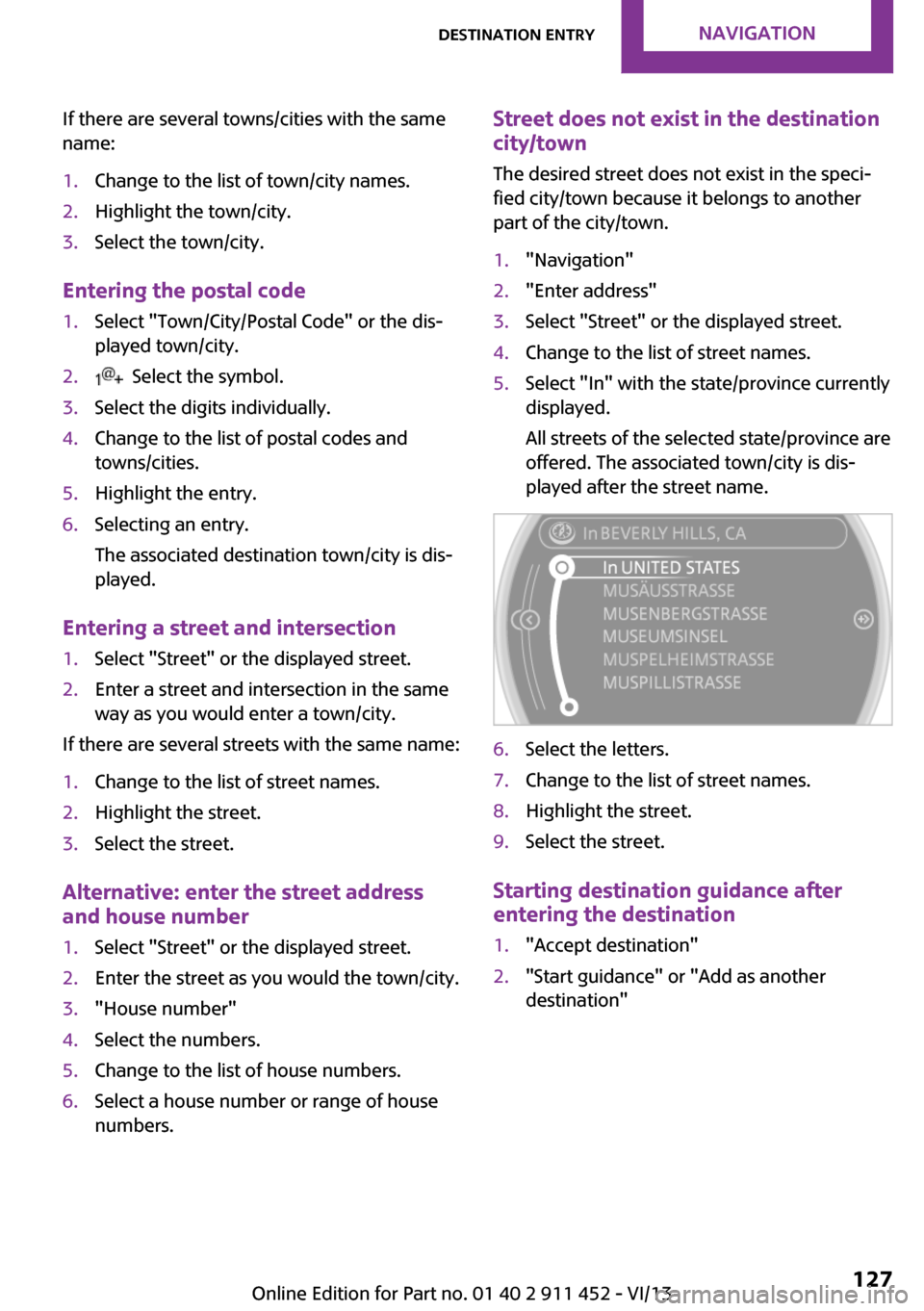
part of the city/town.1."Navigation"2."Enter address"3.Select "Street" or the displayed street.4.Change to the list of street names.5.Select "In" with the state/province currently
displayed.
All streets of the selected state/province are
offered. The associated town/city is dis‐
played after the street name.6.Select the letters.7.Change to the list of street names.8.Highlight the street.9.Select the street.
Starting destination guidance after
entering the destination
1."Accept destination"2."Start guidance" or "Add as another
destination"Seite 127Destination entryNavigation127
Online Edition for Part no. 01 40 2 911 452 - VI/13
Page 129 of 276
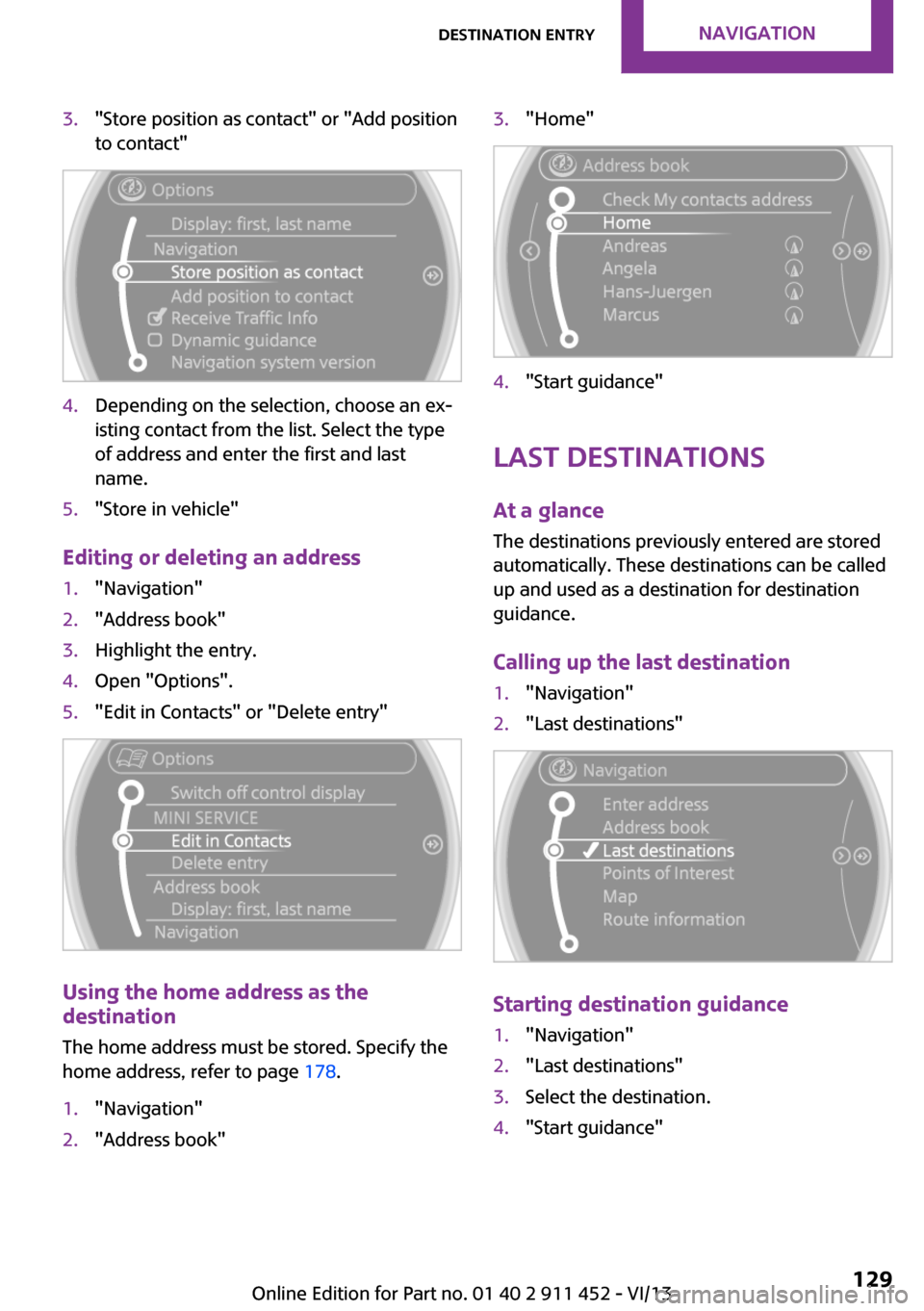
3."Store position as contact" or "Add position
to contact"4.Depending on the selection, choose an ex‐
isting contact from the list. Select the type
of address and enter the first and last
name.5."Store in vehicle"
Editing or deleting an address
1."Navigation"2."Address book"3.Highlight the entry.4.Open "Options".5."Edit in Contacts" or "Delete entry"
Using the home address as the
destination
The home address must be stored. Specify the
home address, refer to page 178.
1."Navigation"2."Address book"3."Home"4."Start guidance"
Last destinations
At a glance The destinations previously entered are stored
automatically. These destinations can be called
up and used as a destination for destination
guidance.
Calling up the last destination
1."Navigation"2."Last destinations"
Starting destination guidance
1."Navigation"2."Last destinations"3.Select the destination.4."Start guidance"Seite 129Destination entryNavigation129
Online Edition for Part no. 01 40 2 911 452 - VI/13
Page 130 of 276
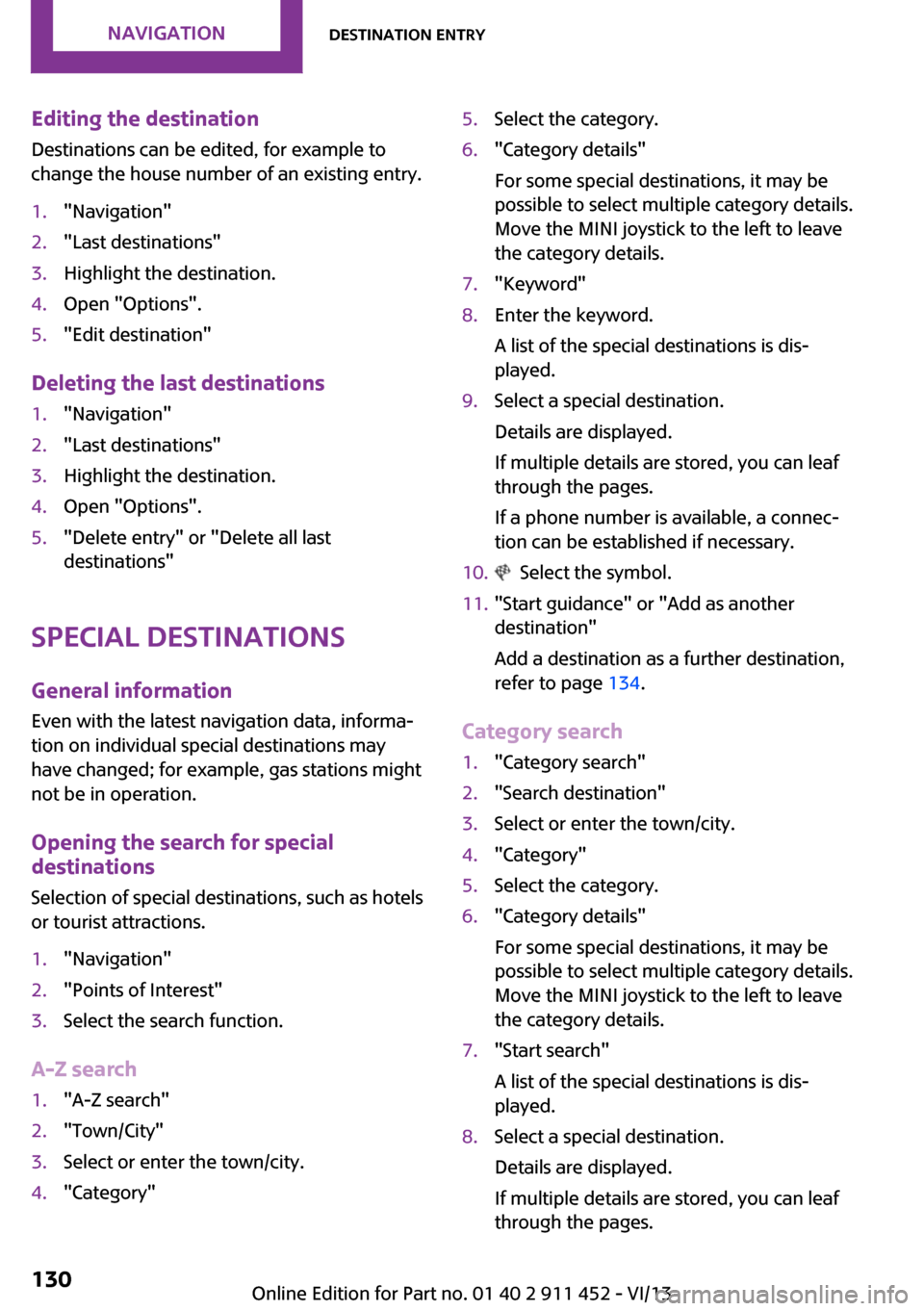
Editing the destination
Destinations can be edited, for example to
change the house number of an existing entry.1."Navigation"2."Last destinations"3.Highlight the destination.4.Open "Options".5."Edit destination"
Deleting the last destinations
1."Navigation"2."Last destinations"3.Highlight the destination.4.Open "Options".5."Delete entry" or "Delete all last
destinations"
Special destinations
General information
Even with the latest navigation data, informa‐
tion on individual special destinations may
have changed; for example, gas stations might
not be in operation.
Opening the search for specialdestinations
Selection of special destinations, such as hotels
or tourist attractions.
1."Navigation"2."Points of Interest"3.Select the search function.
A-Z search
1."A-Z search"2."Town/City"3.Select or enter the town/city.4."Category"5.Select the category.6."Category details"
For some special destinations, it may be
possible to select multiple category details.
Move the MINI joystick to the left to leave
the category details.7."Keyword"8.Enter the keyword.
A list of the special destinations is dis‐
played.9.Select a special destination.
Details are displayed.
If multiple details are stored, you can leaf
through the pages.
If a phone number is available, a connec‐
tion can be established if necessary.10. Select the symbol.11."Start guidance" or "Add as another
destination"
Add a destination as a further destination,
refer to page 134.
Category search
1."Category search"2."Search destination"3.Select or enter the town/city.4."Category"5.Select the category.6."Category details"
For some special destinations, it may be
possible to select multiple category details.
Move the MINI joystick to the left to leave
the category details.7."Start search"
A list of the special destinations is dis‐
played.8.Select a special destination.
Details are displayed.
If multiple details are stored, you can leaf
through the pages.Seite 130NavigationDestination entry130
Online Edition for Part no. 01 40 2 911 452 - VI/13
Page 131 of 276
If a phone number is available, a connec‐
tion can be established if necessary.9. Select the symbol.10."Start guidance" or "Add as another
destination"
Add a destination as a further destination,
refer to page 134.
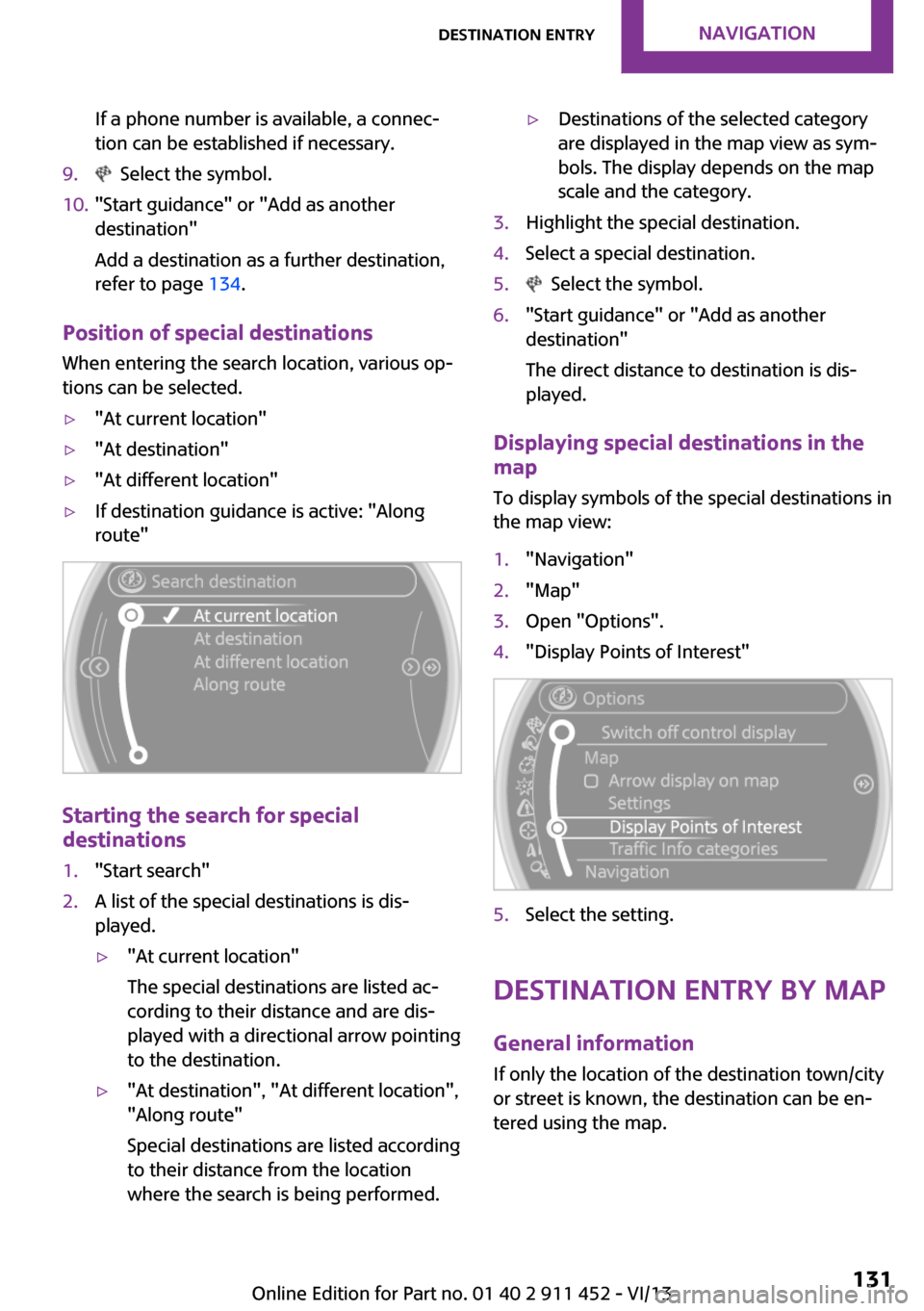
Position of special destinations
When entering the search location, various op‐
tions can be selected.
▷"At current location"▷"At destination"▷"At different location"▷If destination guidance is active: "Along
route"
Starting the search for special
destinations
1."Start search"2.A list of the special destinations is dis‐
played.▷"At current location"
The special destinations are listed ac‐
cording to their distance and are dis‐
played with a directional arrow pointing
to the destination.▷"At destination", "At different location", "Along route"
Special destinations are listed according
to their distance from the location
where the search is being performed.▷Destinations of the selected category
are displayed in the map view as sym‐
bols. The display depends on the map
scale and the category.3.Highlight the special destination.4.Select a special destination.5. Select the symbol.6."Start guidance" or "Add as another
destination"
The direct distance to destination is dis‐
played.
Displaying special destinations in the
map
To display symbols of the special destinations in
the map view:
1."Navigation"2."Map"3.Open "Options".4."Display Points of Interest"5.Select the setting.
Destination entry by map
General information If only the location of the destination town/city
or street is known, the destination can be en‐
tered using the map.
Seite 131Destination entryNavigation131
Online Edition for Part no. 01 40 2 911 452 - VI/13