change wheel MINI Countryman 2012 (Mini Connected) User Guide
[x] Cancel search | Manufacturer: MINI, Model Year: 2012, Model line: Countryman, Model: MINI Countryman 2012Pages: 259, PDF Size: 3.07 MB
Page 138 of 259
On/off and toneENTERTAINMENT
137
Adjusting volume
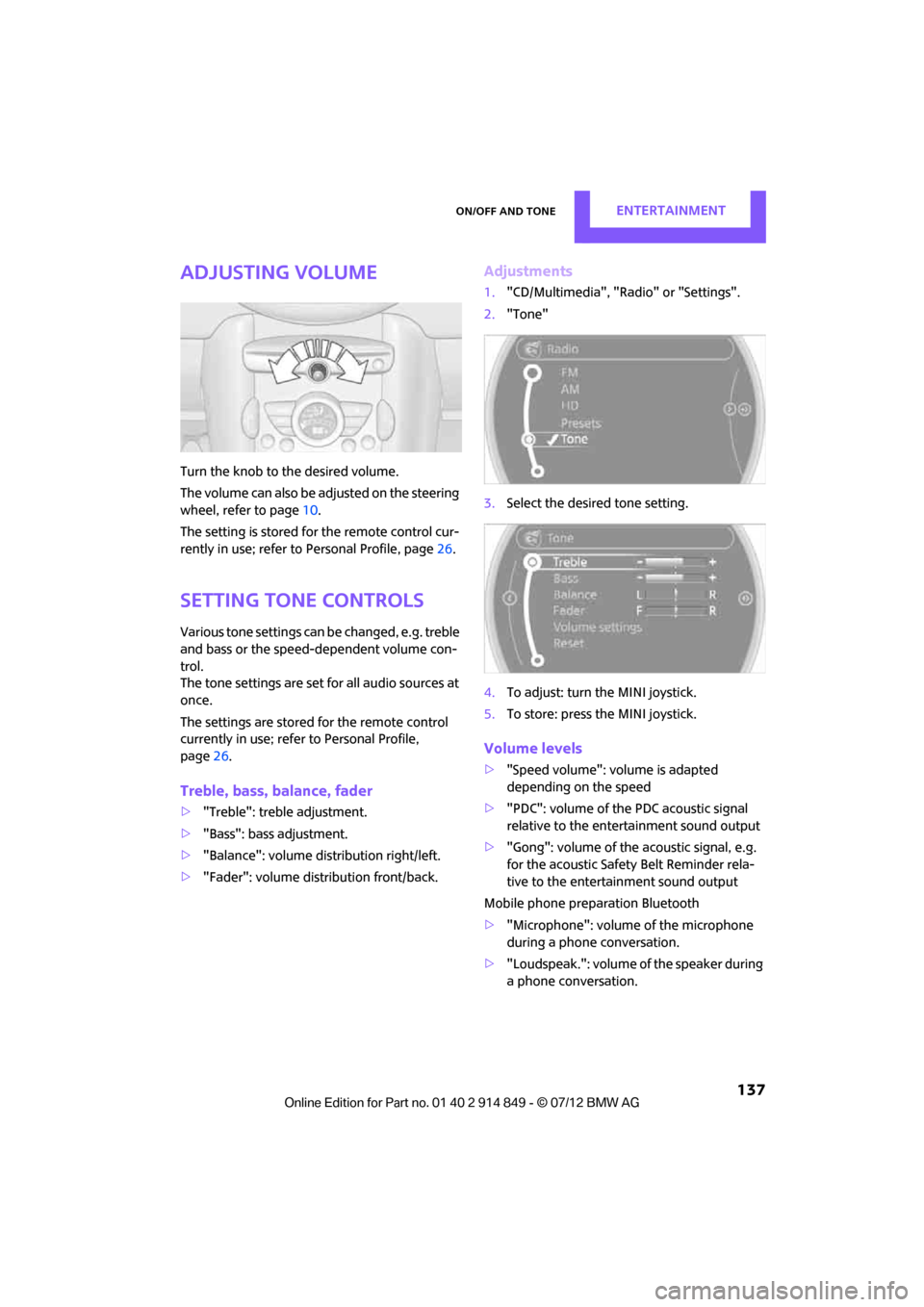
Turn the knob to the desired volume.
The volume can also be adjusted on the steering
wheel, refer to page10.
The setting is stored for the remote control cur-
rently in use; refer to Personal Profile, page 26.
Setting tone controls
Various tone settings can be changed, e.g. treble
and bass or the speed-dependent volume con-
trol.
The tone settings are set for all audio sources at
once.
The settings are stored for the remote control
currently in use; refer to Personal Profile,
page 26.
Treble, bass, balance, fader
> "Treble": treble adjustment.
> "Bass": bass adjustment.
> "Balance": volume distribution right/left.
> "Fader": volume distribution front/back.
Adjustments
1."CD/Multimedia", "Rad io" or "Settings".
2. "Tone"
3. Select the desired tone setting.
4. To adjust: turn the MINI joystick.
5. To store: press the MINI joystick.
Volume levels
>"Speed volume": vo lume is adapted
depending on the speed
> "PDC": volume of the PDC acoustic signal
relative to the entertainment sound output
> "Gong": volume of the acoustic signal, e.g.
for the acoustic Safety Belt Reminder rela-
tive to the entertainment sound output
Mobile phone preparation Bluetooth
> "Microphone": volume of the microphone
during a phone conversation.
> "Loudspeak.": volume of the speaker during
a phone conversation.
Online Edition for Part no. 01 40 2 914 849 - \251 07/12 BMW AG
Page 192 of 259

MINI ConnectedCOMMUNICATIONS
191
Connecting via the snap-in adapter
The mobile phone can also be connected using
the snap-in adapter, refer to page180.
Using MINI Connected
After successful connecti on of the mobile phone
to the vehicle and activation of MINI Connected,
the applications are displayed on the Control
Display and can be oper ated using the MINI
joystick.
Volume adjustments can be made using the
buttons on the steering wheel, refer to page10,
or using the volume control knob on the radio,
refer to page 137.
1. Press the button.
This opens the main menu.
2. "MINI Connected"
3. Select the desired software application.
The extent of MINI Connected that is shown on
the Control Display depends on the range of
installed software applic ations on the mobile
phone.
The data transfer of the software applica-
tion from the telephone to the vehicle can
take a few minutes. Some software applications
depend on the speed of the available Internet
connection for the mobile phone.<
Certain versions of mo bile phones used and
their software can make it impossible to use
MINI Connected and the Bluetooth hands-free
system at the same time.
After a phone call, it may be necessary to restart
the software application on the mobile phone.
PlugIn
Selected functions for an Apple device are
shown on the Control Display. Operation takes
place using the onboard computer.
1. Connecting an Apple device.
>Via a USB audio interface, refer to
page 190.
> Via the snap-in-Adapter, refer to
page 180.
2. "MINI Connected"
3. "PlugIn"
4. Select the type of conne ction: "Activate via
AUX connection" or "Activate via Snap-In
adapter"
5. "Activate PlugIn"
6. Navigate among the functions shown via a
MINI joystick and, e. g., select a desired
category or track.
Press the button to return back or to change
to a level higher within the functions of the
Apple device.
Press the button twice to return back to the
main menu.
Additional information can be found in the
MINI Connected Owner's Manual at
www.mini.com/connectivity.
Note
Audio and video playback from a snap-in
adapter may only be possible if there is no cable
connected to the AV-In port.
Online Edition for Part no. 01 40 2 914 849 - \251 07/12 BMW AG
Page 205 of 259
MOBILITYWheels and tires
204
puncture, refer to page76. Your MINI dealer will
be glad to advise you.
Recommended tire brands
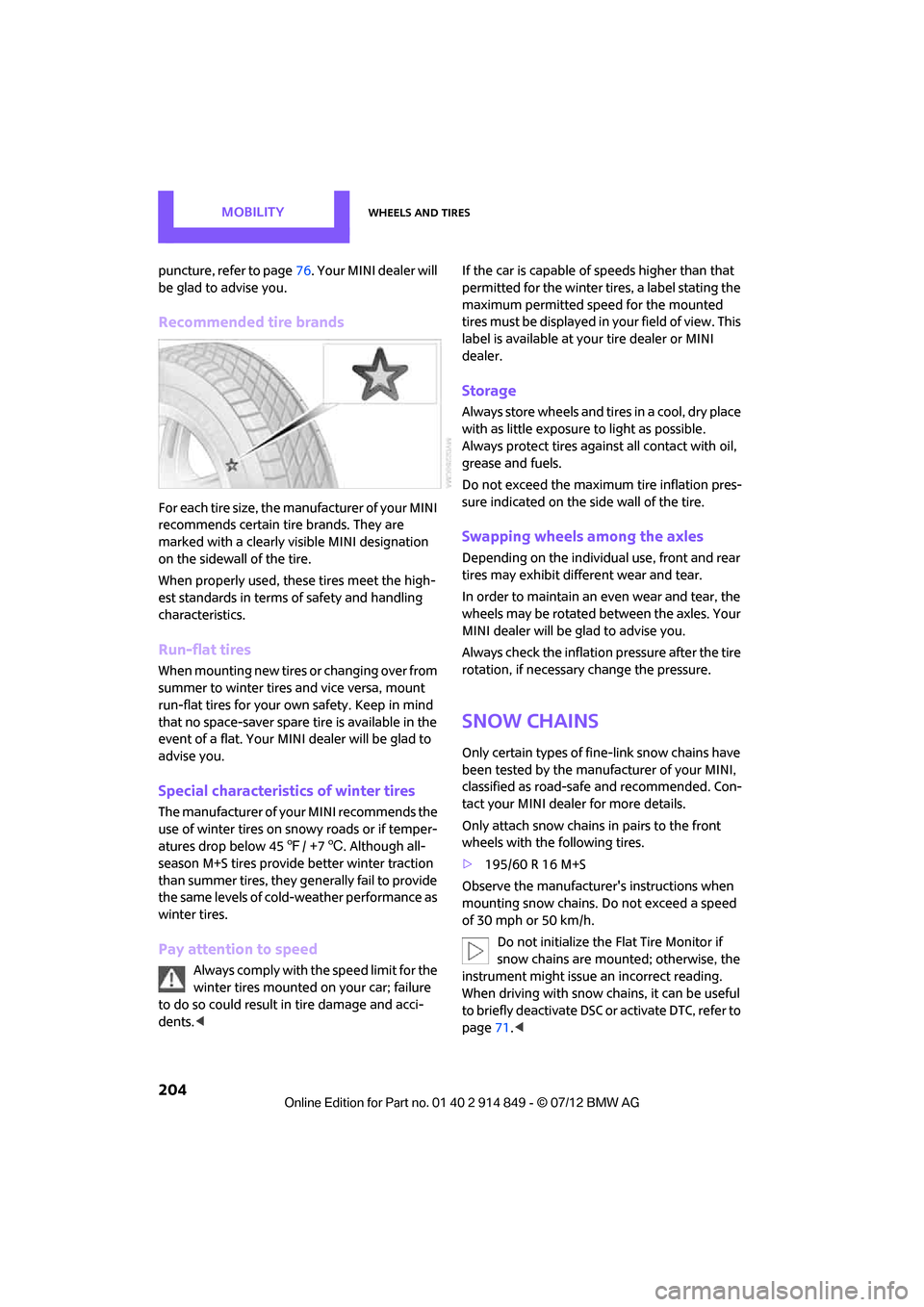
For each tire size, the manufacturer of your MINI
recommends certain tire brands. They are
marked with a clearly vi sible MINI designation
on the sidewall of the tire.
When properly used, these tires meet the high-
est standards in terms of safety and handling
characteristics.
Run-flat tires
When mounting new tires or changing over from
summer to winter tires and vice versa, mount
run-flat tires for your ow n safety. Keep in mind
that no space-saver spare tire is available in the
event of a flat. Your MINI dealer will be glad to
advise you.
Special characteristics of winter tires
The manufacturer of your MINI recommends the
use of winter tires on snowy roads or if temper-
atures drop below 45 7/ +7 6. Although all-
season M+S tires provide better winter traction
than summer tires, they generally fail to provide
the same levels of cold-weather performance as
winter tires.
Pay attention to speed
Always comply with the speed limit for the
winter tires mounted on your car; failure
to do so could result in tire damage and acci-
dents. < If the car is capable of speeds higher than that
permitted for the winter tires, a label stating the
maximum permitted speed for the mounted
tires must be displayed in
your field of view. This
label is available at your tire dealer or MINI
dealer.
Storage
Always store wheels and tires in a cool, dry place
with as little exposure to light as possible.
Always protect tires agains t all contact with oil,
grease and fuels.
Do not exceed the maximum tire inflation pres-
sure indicated on the side wall of the tire.
Swapping wheels among the axles
Depending on the individual use, front and rear
tires may exhibit different wear and tear.
In order to maintain an even wear and tear, the
wheels may be rotated between the axles. Your
MINI dealer will be glad to advise you.
Always check the inflation pressure after the tire
rotation, if necessary change the pressure.
Snow chains
Only certain types of fine-link snow chains have
been tested by the manufacturer of your MINI,
classified as road-safe and recommended. Con-
tact your MINI dealer for more details.
Only attach snow chains in pairs to the front
wheels with the following tires.
>195/60 R 16 M+S
Observe the manufacturer's instructions when
mounting snow chains. Do not exceed a speed
of 30 mph or 50 km/h. Do not initialize the Flat Tire Monitor if
snow chains are mounted; otherwise, the
instrument might issue an incorrect reading.
When driving with snow ch ains, it can be useful
to briefly deactivate DSC or activate DTC, refer to
page 71.<
Online Edition for Part no. 01 40 2 914 849 - \251 07/12 BMW AG
Page 223 of 259

MOBILITYReplacing components
222
If the tire cannot maintain the inflation
pressure, drive the vehicle again, refer to
Distributing the sealan t. Then repeat steps
1to4.
If an inflation pressure of 1.8 bar/26 psi still
cannot be reached, then the tire is too heavily
damaged. Contact your nearest MINI dealer. <
Driving on
Do not exceed the permitted maximum
speed of 50 mph/80 km/h; doing so may
result in an accident. <
Replace the defective tire as soon as possible
and have the new wheel/tire assembly
balanced.
Have the Mobility Kit refilled.
Changing wheels
The pouch with the wheel changing kit is stored
under the flat load floor.
It includes:
> Vehicle jack
> Reversible ratchet
> Wheel stud wrench
> Extractor hook for wheel center cover
> Chock
Preparing for a wheel change
Observe the safety precautions regarding
flat tires on page 219.<
Additional safety measures when
changing tires:
Only change the tire wh en parked on a surface
that is level, firm and not slippery.
The vehicle or the jack could slip sideways on
soft or slippery support surfaces, such as snow,
ice, flagstones, etc.
Do not use a wooden block or similar object as a
support base for the jack, as this would prevent
it from extending to its full support height and
reduce its load-carrying capacity.
Do not lie under the vehicle or start the engine when the vehicle is supported by the jack; other-
wise, there is a risk of fatal injury.
<
1. Place the foldable chock
behind the front
wheel on the other side of the vehicle or in
front of the wheel if the vehicle is on an
incline. If the wheel is changed on a surface
with a more severe sl ope, take additional
precautions to secure the vehicle from
rolling.
2. Uncover the lug bolts if necessary.
3. Loosen the lug bolts by a half turn.
Jacking up the vehicle
The vehicle jack is designed for changing
wheels only. Do not attempt to raise
another vehicle model with it or to raise any load
of any kind. To do so could cause accidents and
personal injury. <
1. Place the jack at the jacking point closest to
the wheel.
The jack base must be perpendicular to the
surface beneath the jacking point.
2. Slide reversible ratche t onto the fixture on
the jack, arrow 1.
Online Edition for Part no. 01 40 2 914 849 - \251 07/12 BMW AG
Page 249 of 259
REFERENCEEverything from A to Z
248
Engine malfunction
– indicator lamp13
Engine oil
– additives, refer to Approved
engine oils 207
– alternative oil types 207
– approved engine oils 207
– capacity 207
– checking level 206
– dipstick 206
– intervals between changes, refer to Service
requirements 62
– MINI Maintenance System 209
Engine oil level, checking 206
Engine output, refer to Engine data 232
Engine starti ng, refer to
Starting the engine 49
Entering destination 116
Entering intersection 117
Entertainment sound output on/off 136
Entry map for destination 121
ESP Electronic Stability Program, refer to Dynamic
Stability Control DSC 70
Exhaust system, refer to Hot exhaust system 103
Exterior mirrors 42
– adjusting 42
– automatic dimming
feature 43
– automatic heating 43
– folding in and out 42
External audio device 94
External audio device, refer to AUX-In connection 149
External care 211
External devices
– random play sequence 152
– Software update 156
External temperature display
– change units of measure 61
– in the onboard computer 61External temperature
warning 59
Eyes
– for tow-starting and towing
away 227
– for tying down loads 108
F
Failure messages, refer to
Check Control 65
Failure of an electrical consumer 224
Fastening safety belts, refer to Safety belts 40
Fastest route for
navigation 125
Fast forward
– CD player 148
Fault messages, refer to Check Control 65
Faulty
– tire 74
Filter
– microfilter/activated-
charcoal filter for automatic
climate control 89
– microfilter for air
conditioner 87
Fine wood, care 214
First aid pouch 225
Fixture for remote control, refer to Ignition lock 48
Flash when locking/ unlocking 28
Flat load floor 106
Flat tire
– run-flat tires 203
– Tire Pressure Monitor TPM 75
Flat Tire Monitor FTM 73
– indicating a flat tire 74
– initializing the system 73
– snow chains 73
– system limits 73
Flat tires, refer to Tire
condition 202
Floor mats, care 213 Floor plate, refer to Flat load
floor 106
FM, waveband 139
Fog lamps
– replacing bulb 217
Folding rear seat backrest 104
Footbrake, refer to Braking
safely 103
Footwell lamps 83
For your own safety 4
Four-wheel drive, refer to ALL4 72
Front airbags 78
Front fog lamps 83
– replacing bulb 217
Front seat adjustment 38
Frost on windows, refer to Defrosting windows 87,89
FTM, refer to Flat Tire
Monitor 73
Fuel 195
– fuel tank volume 235
– gauge 58
– high-quality brands 195
– quality
195
– specif
ications 195
Fuel clock, refer to Fuel gauge 58
Fuel consumption display
– average fuel consumption 59
Fuel display, refer to Fuel gauge 58
Fuel filler flap 194
– releasing in the event of electrical malfunction 194
Fuses 224
G
Garage door opener, refer to
Integrated universal remote
control 90
Gasoline
– refer to Average fuel consumption 59
Gasoline, refer to Required fuel 195
Online Edition for Part no. 01 40 2 914 849 - \251 07/12 BMW AG