AUX MINI Countryman 2012 Owner's Manual (Mini Connected)
[x] Cancel search | Manufacturer: MINI, Model Year: 2012, Model line: Countryman, Model: MINI Countryman 2012Pages: 259, PDF Size: 3.07 MB
Page 150 of 259
External devicesENTERTAINMENT
149
External devices
Vehicle equipment
In this chapter, all production, country, and
optional equipment that is offered in the model
range is described. Equipment is also described
that is not available because of, for example,
selected options or count ry version. This also
applies to safety related functions and systems.
Overview
Different external devices can be connected to
the vehicle. Sound is output over the vehicle
speakers. Depending upon how the external
device is connected to the vehicle, the device
may be operated using the MINI joystick.
AUX-In connection
Overview
> It is possible to connect audio devices, e.g.
MP3 players. Sound is output over the vehi-
cle speakers.
> Recommended settings: mid-level tone and
volume settings on th e audio device. Tone
may depend on the quality of the audio files.
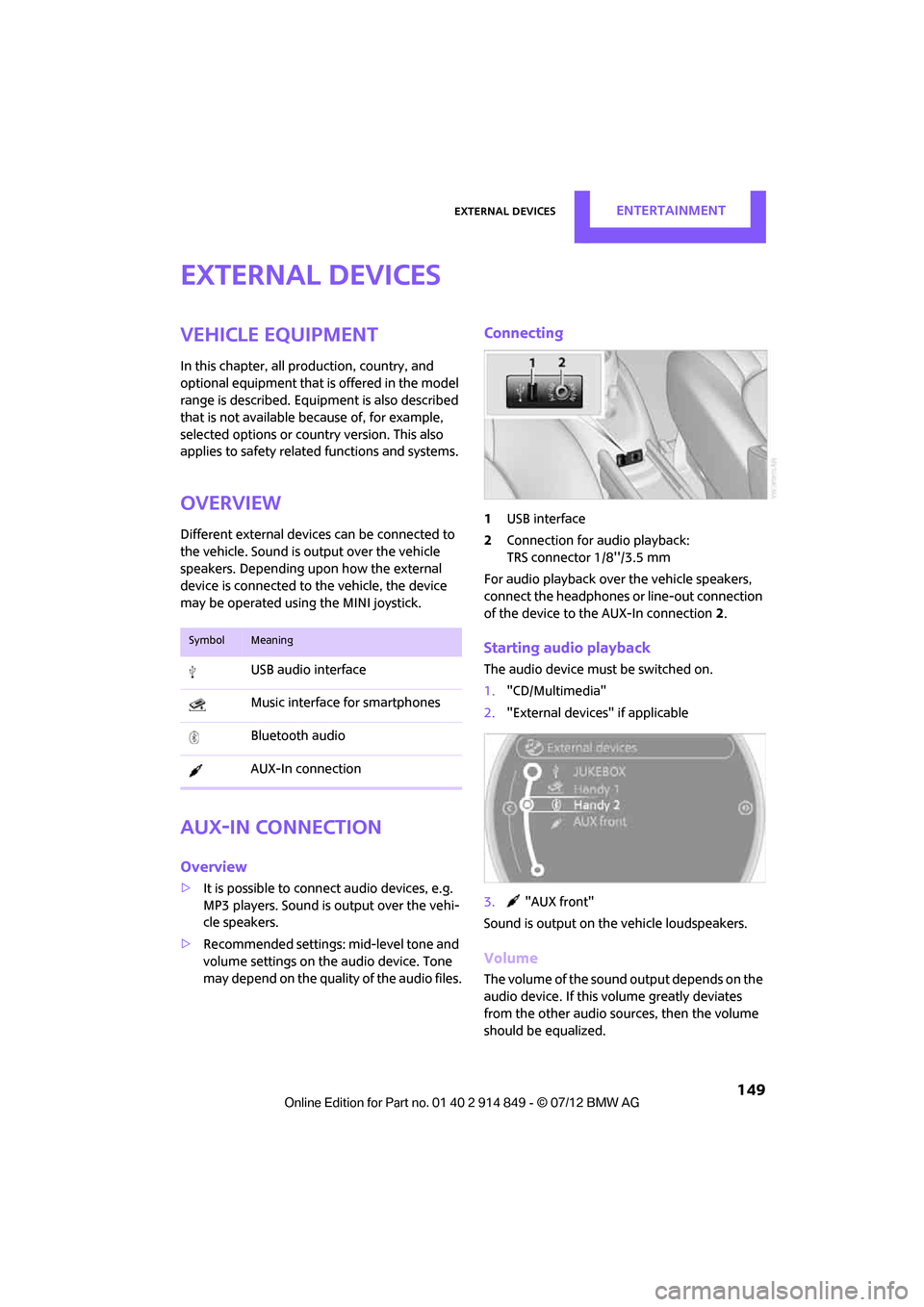
Connecting
1 USB interface
2 Connection for audio playback:
TRS connector 1/8''/3.5 mm
For audio playback over the vehicle speakers,
connect the headphones or line-out connection
of the device to the AUX-In connection 2.
Starting audio playback
The audio device must be switched on.
1. "CD/Multimedia"
2. "External devices" if applicable
3. "AUX front"
Sound is output on the vehicle loudspeakers.
Volume
The volume of the sound output depends on the
audio device. If this volume greatly deviates
from the other audio sources, then the volume
should be equalized.
SymbolMeaning
USB audio interface
Music interface for smartphones
Bluetooth audio
AUX-In connection
Online Edition for Part no. 01 40 2 914 849 - \251 07/12 BMW AG
Page 151 of 259
ENTERTAINMENTExternal devices
150
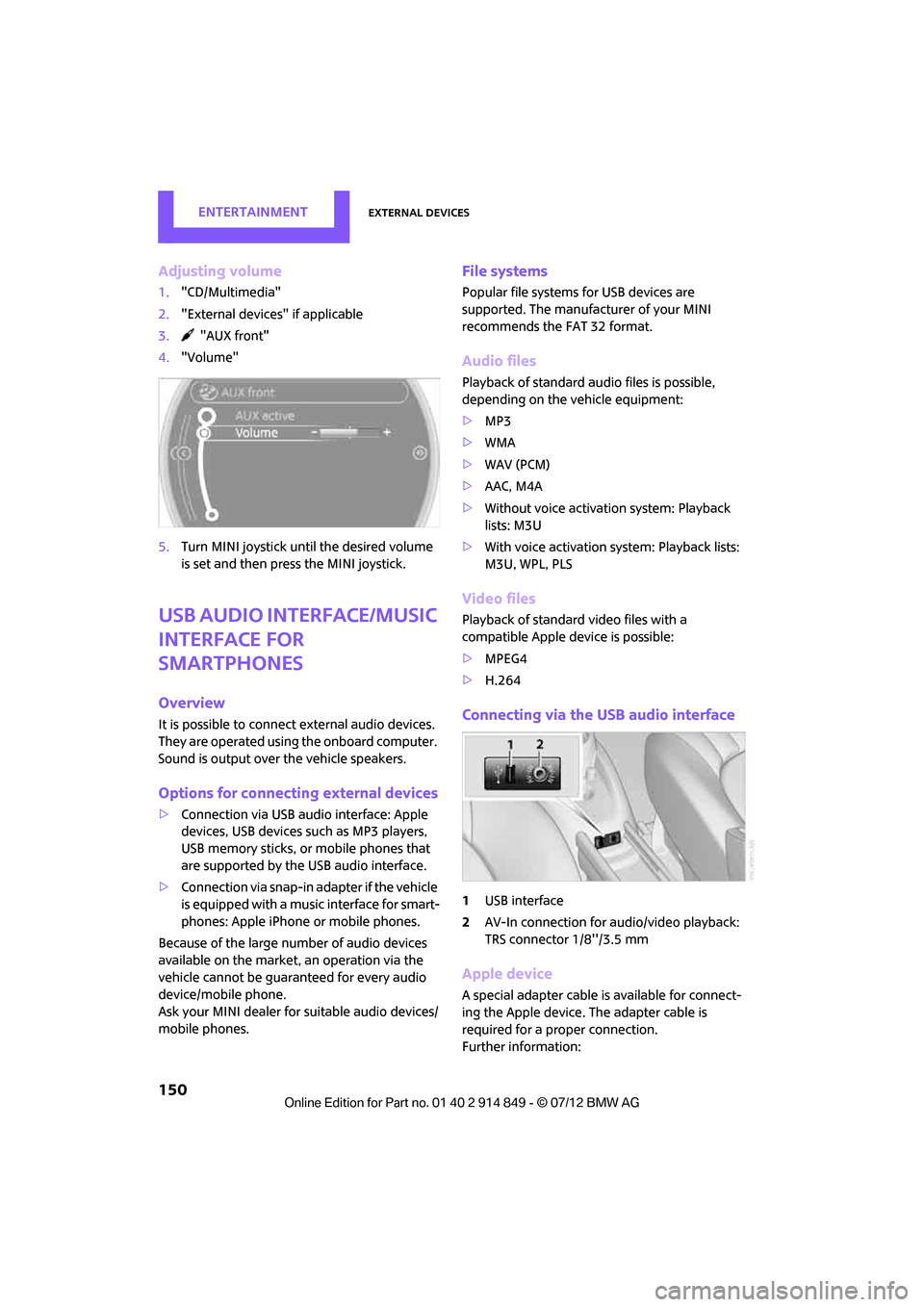
Adjusting volume
1."CD/Multimedia"
2. "External devices" if applicable
3. "AUX front"
4. "Volume"
5. Turn MINI joystick until the desired volume
is set and then press the MINI joystick.
USB audio interface/Music
interface for
smartphones
Overview
It is possible to connect external audio devices.
They are operated using the onboard computer.
Sound is output over the vehicle speakers.
Options for connecting external devices
>Connection via USB audio interface: Apple
devices, USB devices such as MP3 players,
USB memory sticks, or mobile phones that
are supported by the USB audio interface.
> Connection via snap-in adapter if the vehicle
is equipped with a music interface for smart-
phones: Apple iPhone or mobile phones.
Because of the large number of audio devices
available on the market, an operation via the
vehicle cannot be guaranteed for every audio
device/mobile phone.
Ask your MINI dealer for suitable audio devices/
mobile phones.
File systems
Popular file systems for USB devices are
supported. The manufacturer of your MINI
recommends the FAT 32 format.
Audio files
Playback of standard au dio files is possible,
depending on the vehicle equipment:
> MP3
> WMA
> WAV (PCM)
> AAC, M4A
> Without voice activation system: Playback
lists: M3U
> With voice activation sy stem: Playback lists:
M3U, WPL, PLS
Video files
Playback of standard video files with a
compatible Apple device is possible:
> MPEG4
> H.264
Connecting via the USB audio interface
1USB interface
2 AV-In connection for au dio/video playback:
TRS connector 1/8''/3.5 mm
Apple device
A special adapter cable is available for connect-
ing the Apple device. The adapter cable is
required for a proper connection.
Further information:
Online Edition for Part no. 01 40 2 914 849 - \251 07/12 BMW AG
Page 171 of 259
COMMUNICATIONSMobile phone preparation Bluetooth
170
Notes
Do not expose your mobile phone to extreme
ambient conditions, for example, very high tem-
peratures; otherwise, functions on your mobile
phone may not work. Follow the operating
instructions for your mobile phone.
Pairing/unpairing mobile
phone
Overview
>Using a mobile phone as a telephone.
> Using the mobile phone as an auxiliary
phone.
> Using a mobile phone as an audio source.
> Using an audio device as an audio source,
refer to page 153.
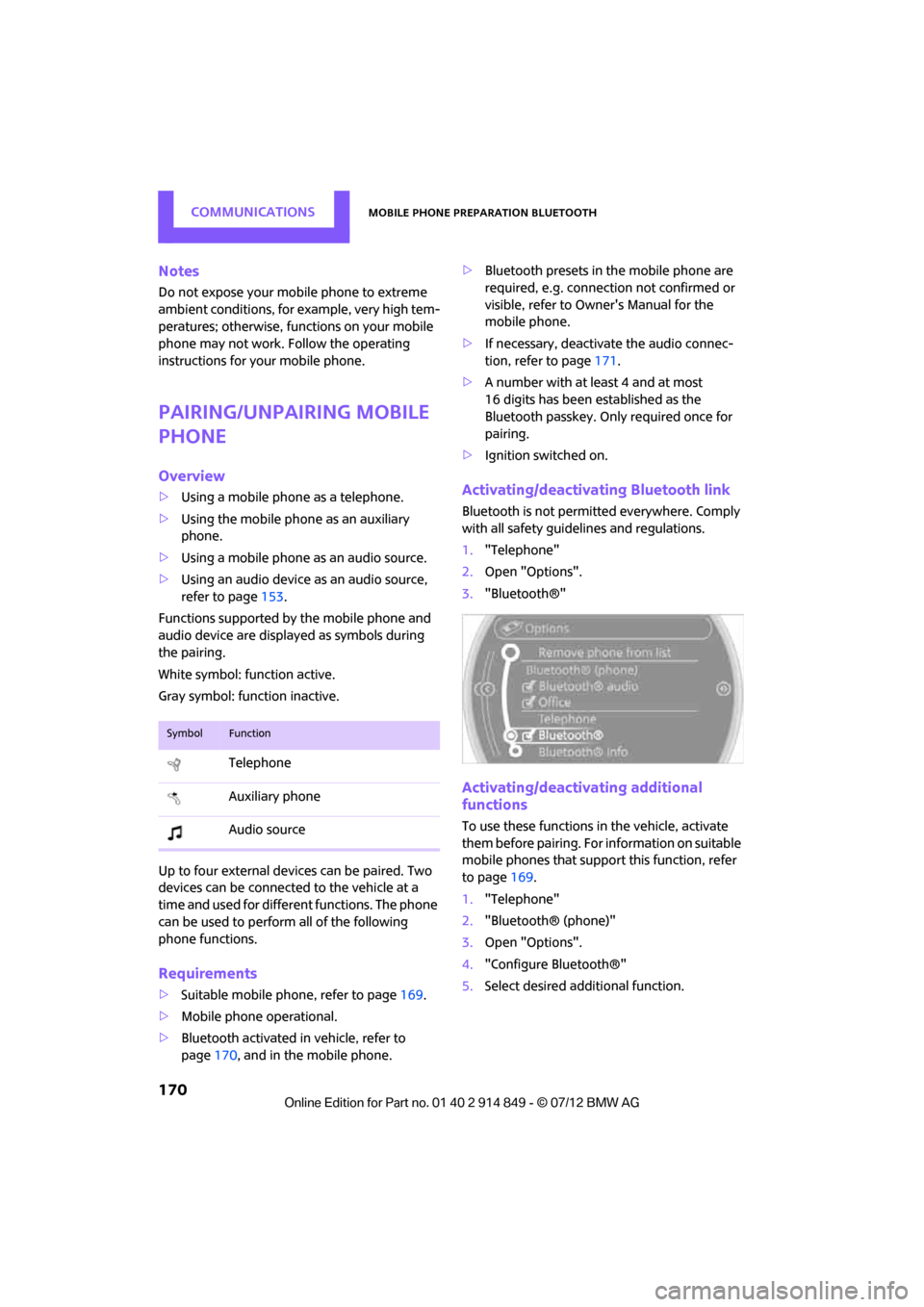
Functions supported by the mobile phone and
audio device are displayed as symbols during
the pairing.
White symbol: function active.
Gray symbol: function inactive.
Up to four external devices can be paired. Two
devices can be connected to the vehicle at a
time and used for different functions. The phone
can be used to perform all of the following
phone functions.
Requirements
> Suitable mobile ph one, refer to page169.
> Mobile phone operational.
> Bluetooth activated in vehicle, refer to
page 170, and in the mobile phone. >
Bluetooth presets in the mobile phone are
required, e.g. connection not confirmed or
visible, refer to Ow ner's Manual for the
mobile phone.
> If necessary, deactivate the audio connec-
tion, refer to page 171.
> A number with at least 4 and at most
16 digits has been established as the
Bluetooth passkey. Only required once for
pairing.
> Ignition switched on.
Activating/deactivating Bluetooth link
Bluetooth is not permitted everywhere. Comply
with all safety guidelines and regulations.
1."Telephone"
2. Open "Options".
3. "Bluetooth®"
Activating/deactivating additional
functions
To use these functions in the vehicle, activate
them before pairing. For information on suitable
mobile phones that suppo rt this function, refer
to page 169.
1. "Telephone"
2. "Bluetooth® (phone)"
3. Open "Options".
4. "Configure Bluetooth®"
5. Select desired addi tional function.
SymbolFunction
Telephone
Auxiliary phone
Audio source
Online Edition for Part no. 01 40 2 914 849 - \251 07/12 BMW AG
Page 172 of 259
Mobile phone preparation BluetoothCOMMUNICATIONS
171
Bluetooth audio
Use a mobile phone as a telephone and as an
audio device in the vehicle.
"Bluetooth® audio"
To use a mobile phone exclusively as a tele-
phone in the vehicle, deactivate the function
and reconnect the mobile phone.
Office
Contacts, appointments, tasks, notes, text
messages, and e-mails are imported from the
mobile phone into the vehicle.
"Office"
Auxiliary phone
Another mobile phone can be used as an
auxiliary phone.
"Additional telephone"
Incoming calls to the auxiliary phone can be
accepted, refer to page 174. Missed calls to the
auxiliary phone are sh own in the Control
Display.
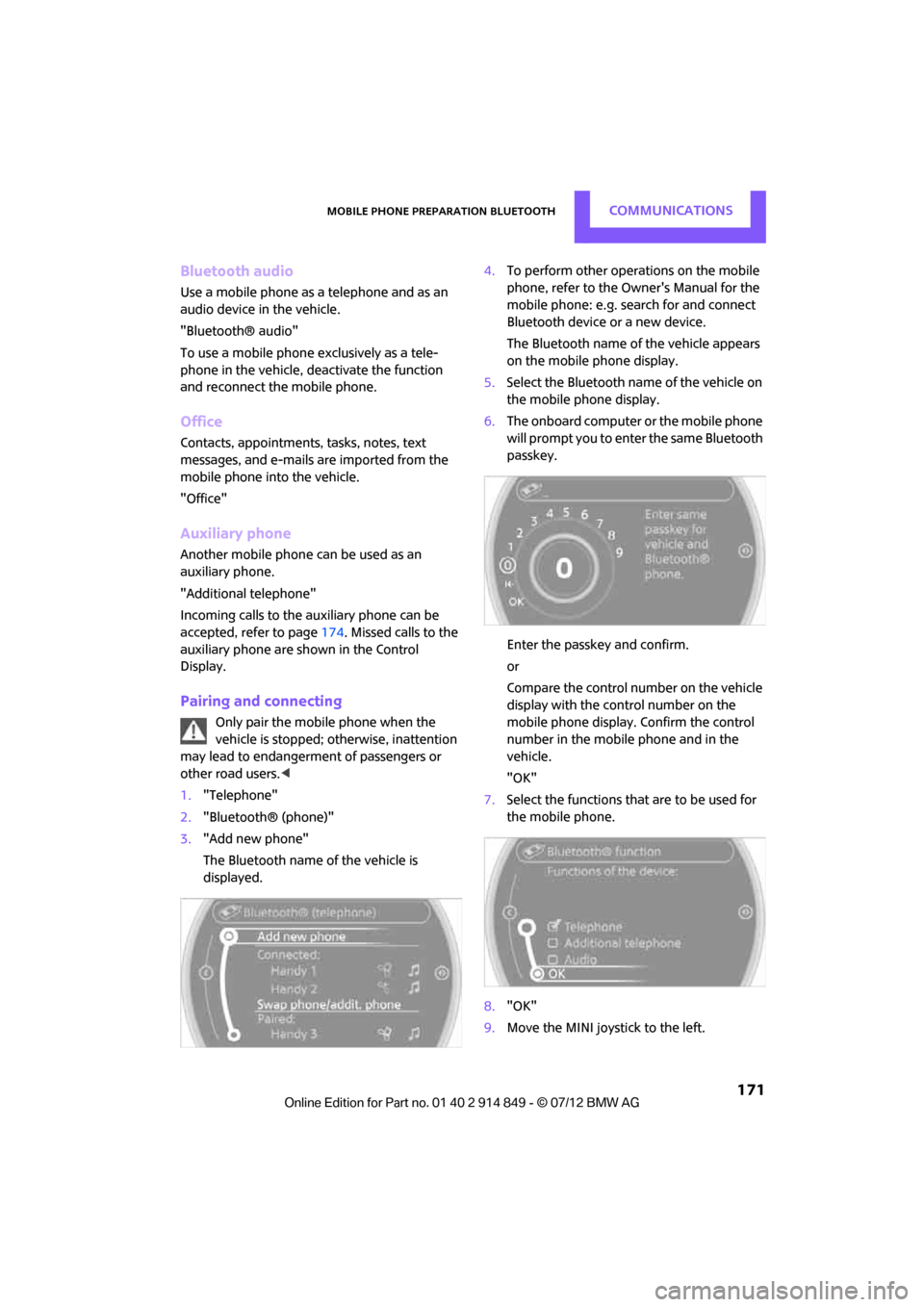
Pairing and connecting
Only pair the mobile phone when the
vehicle is stopped; otherwise, inattention
may lead to endangerment of passengers or
other road users. <
1. "Telephone"
2. "Bluetooth® (phone)"
3. "Add new phone"
The Bluetooth name of the vehicle is
displayed. 4.
To perform other operations on the mobile
phone, refer to the Ow ner's Manual for the
mobile phone: e.g. se arch for and connect
Bluetooth device or a new device.
The Bluetooth name of the vehicle appears
on the mobile phone display.
5. Select the Bluetooth na me of the vehicle on
the mobile phone display.
6. The onboard computer or the mobile phone
will prompt you to enter the same Bluetooth
passkey.
Enter the passkey and confirm.
or
Compare the control number on the vehicle
display with the control number on the
mobile phone display. Confirm the control
number in the mobile phone and in the
vehicle.
"OK"
7. Select the functions that are to be used for
the mobile phone.
8. "OK"
9. Move the MINI joystick to the left.
Online Edition for Part no. 01 40 2 914 849 - \251 07/12 BMW AG
Page 173 of 259
COMMUNICATIONSMobile phone preparation Bluetooth
172
If pairing was successful, the mobile phone
appears at the top of the list of mobile phones.
If the pairing was not successful: What to do if…,
refer to page173.
Following the initial pairing
>The mobile phone is detected/connected in
the vehicle within a short period of time
when the engine is running or radio readi-
ness is switched on.
> After identification, phone book entries are
imported from the mobile phone and/or SIM
card of the telephone, depending on the
telephone.
> Specific settings may be necessary in some
mobile phones, e.g. authorization or a
secure connection, re fer to the Owner's
Manual for the mobile phone.
Connecting a particular mobile phone
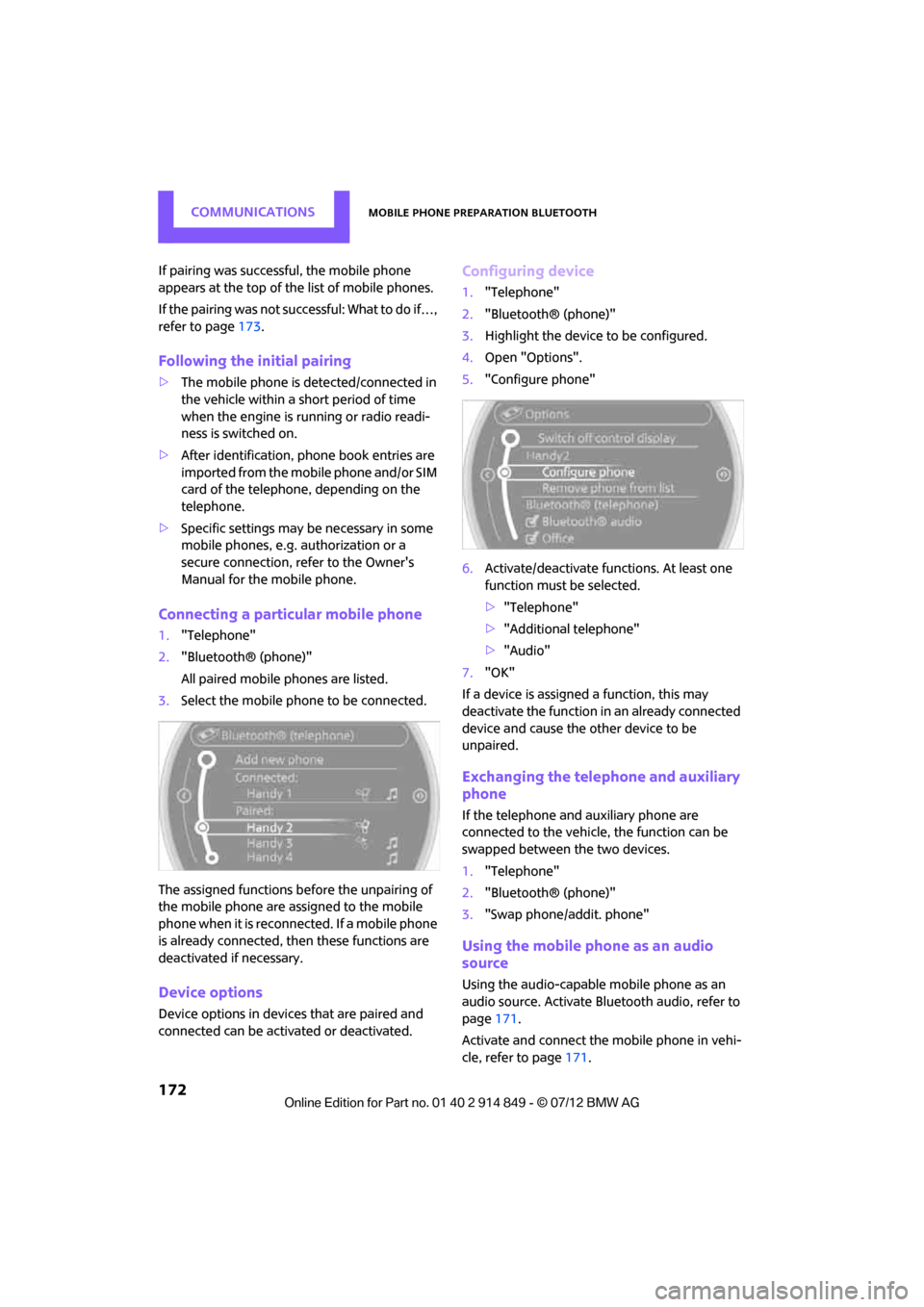
1. "Telephone"
2. "Bluetooth® (phone)"
All paired mobile phones are listed.
3. Select the mobile phone to be connected.
The assigned functions be fore the unpairing of
the mobile phone are assigned to the mobile
phone when it is reconnected. If a mobile phone
is already connected, then these functions are
deactivated if necessary.
Device options
Device options in device s that are paired and
connected can be activated or deactivated.
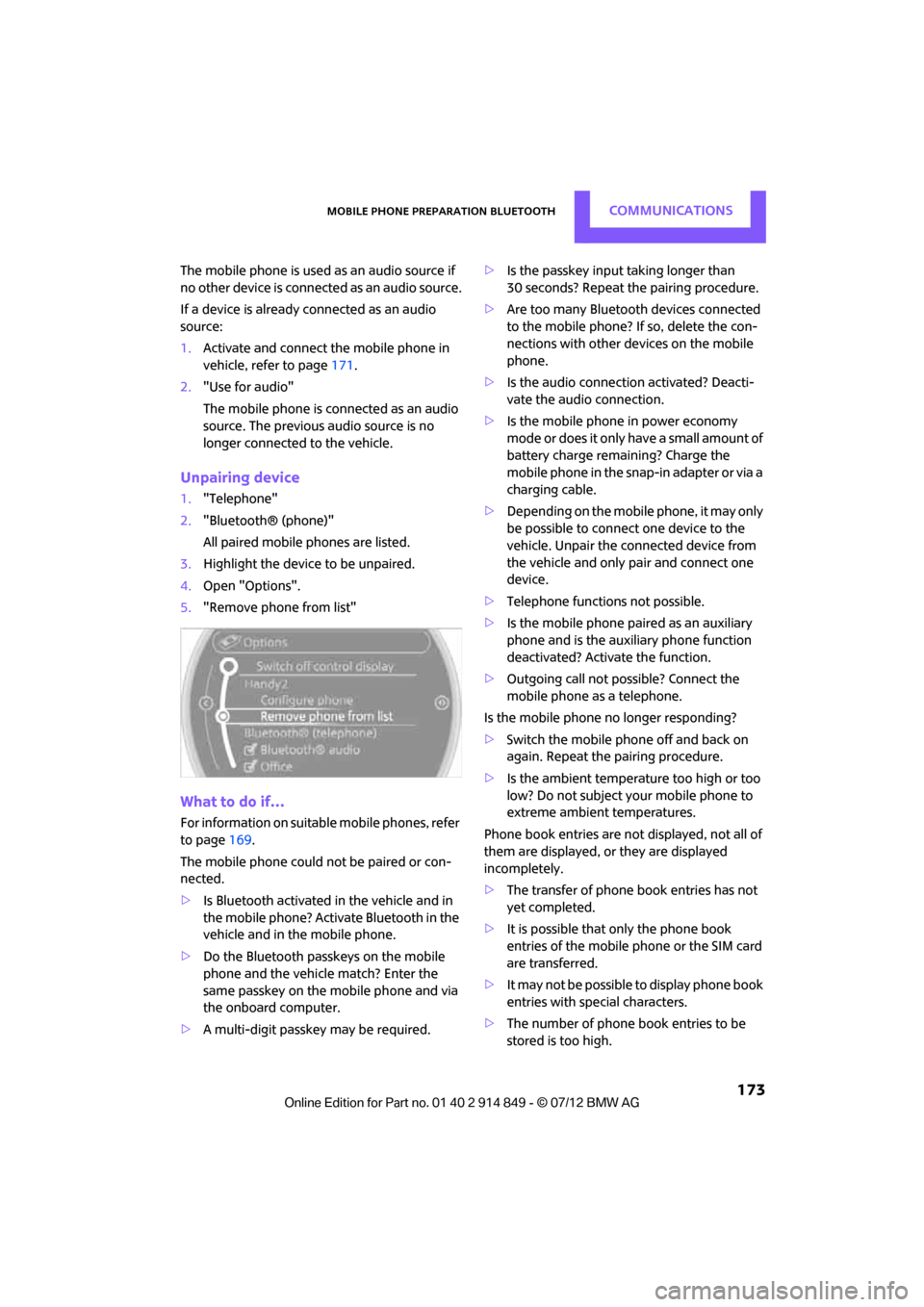
Configuring device
1. "Telephone"
2. "Bluetooth® (phone)"
3. Highlight the device to be configured.
4. Open "Options".
5. "Configure phone"
6. Activate/deactivate func tions. At least one
function must be selected.
> "Telephone"
> "Additional telephone"
> "Audio"
7. "OK"
If a device is assigned a function, this may
deactivate the function in an already connected
device and cause the other device to be
unpaired.
Exchanging the telephone and auxiliary
phone
If the telephone and auxiliary phone are
connected to the vehicle, the function can be
swapped between the two devices.
1. "Telephone"
2. "Bluetooth® (phone)"
3. "Swap phone/addit. phone"
Using the mobile phone as an audio
source
Using the audio-capable mobile phone as an
audio source. Activate Bluetooth audio, refer to
page 171.
Activate and connect the mobile phone in vehi-
cle, refer to page 171.
Online Edition for Part no. 01 40 2 914 849 - \251 07/12 BMW AG
Page 174 of 259
Mobile phone preparation BluetoothCOMMUNICATIONS
173
The mobile phone is used as an audio source if
no other device is connec ted as an audio source.
If a device is already connected as an audio
source:
1. Activate and connect th e mobile phone in
vehicle, refer to page 171.
2. "Use for audio"
The mobile phone is connected as an audio
source. The previous audio source is no
longer connected to the vehicle.
Unpairing device
1."Telephone"
2. "Bluetooth® (phone)"
All paired mobile phones are listed.
3. Highlight the device to be unpaired.
4. Open "Options".
5. "Remove phone from list"
What to do if…
For information on suitable mobile phones, refer
to page 169.
The mobile phone could not be paired or con-
nected.
> Is Bluetooth activated in the vehicle and in
the mobile phone? Activate Bluetooth in the
vehicle and in the mobile phone.
> Do the Bluetooth passkeys on the mobile
phone and the vehicle match? Enter the
same passkey on the mobile phone and via
the onboard computer.
> A multi-digit passkey may be required. >
Is the passkey input taking longer than
30 seconds? Repeat the pairing procedure.
> Are too many Bluetoot h devices connected
to the mobile phone? If so, delete the con-
nections with other devices on the mobile
phone.
> Is the audio connection activated? Deacti-
vate the audio connection.
> Is the mobile phone in power economy
m o d e o r d o e s i t o n l y h av e a s m a l l am o u n t o f
battery charge remaining? Charge the
mobile phone in the snap-in adapter or via a
charging cable.
> Depending on the mobile phone, it may only
be possible to connect one device to the
vehicle. Unpair the connected device from
the vehicle and only pair and connect one
device.
> Telephone functions not possible.
> Is the mobile phone paired as an auxiliary
phone and is the auxiliary phone function
deactivated? Activate the function.
> Outgoing call not possible? Connect the
mobile phone as a telephone.
Is the mobile phone no longer responding?
> Switch the mobile phone off and back on
again. Repeat the pairing procedure.
> Is the ambient temperature too high or too
low? Do not subject your mobile phone to
extreme ambient temperatures.
Phone book entries are not displayed, not all of
them are displayed, or they are displayed
incompletely.
> The transfer of phone book entries has not
yet completed.
> It is possible that only the phone book
entries of the mobile phone or the SIM card
are transferred.
> It may not be possible to display phone book
entries with special characters.
> The number of phone book entries to be
stored is too high.
Online Edition for Part no. 01 40 2 914 849 - \251 07/12 BMW AG
Page 175 of 259
COMMUNICATIONSMobile phone preparation Bluetooth
174
>The data volume of the phone book entry is
too great, e.g. due to additionally stored
information such as notes? Reduce the data
volume.
> Is the mobile phone connected as an audio
source or auxiliary phone? The mobile
phone must be connected as a telephone.
The telephone connection quality is low.
> Depending on the mobile phone, it is possi-
ble to adjust the strength of the Bluetooth
signal.
> Insert the mobile phone into the snap-in
adapter or place it in the vicinity of the
center console.
> Adjust the volume of the microphone and
speaker separately.
If you have gone through all items in the list and
still cannot activate the desired function please
contact the Hotline or your MINI dealer.
Operation
Adjusting volume
Turn the knob until the desired volume is
reached.
The setting is stored for the remote control
currently in use.
The vehicle automatically adjusts the volume of
the microphone on the mobile phone and the
volume of the person on the phone with you.
Depending on the mobile phone, it may be
necessary to adjust the volumes. Adjustments are only poss
ible during a call and
must be carried out separately for each phone.
When the telephone is unpaired, this deletes the
settings.
1. "Settings"
2. "Tone"
3. "Volume settings"
4. To select the desired setting:
"Microphone" or "Loudspeak."
5. To adjust: Turn the MINI joystick.
6. To store: press the MINI joystick.
Incoming call
Receiving calls
If the number of the caller is stored in the phone
book and is transmitted by the network, then
the name and number of the contact are dis-
played; otherwise, only the number is displayed.
If a contact is assigned more than one phone
number, then only the name of the caller is
transmitted.
With calls to the auxiliary phone, only the
number is displayed if it is transmitted by the
network.
An incoming call on a phone will be rejected
automatically when a call is active on the other
phone.
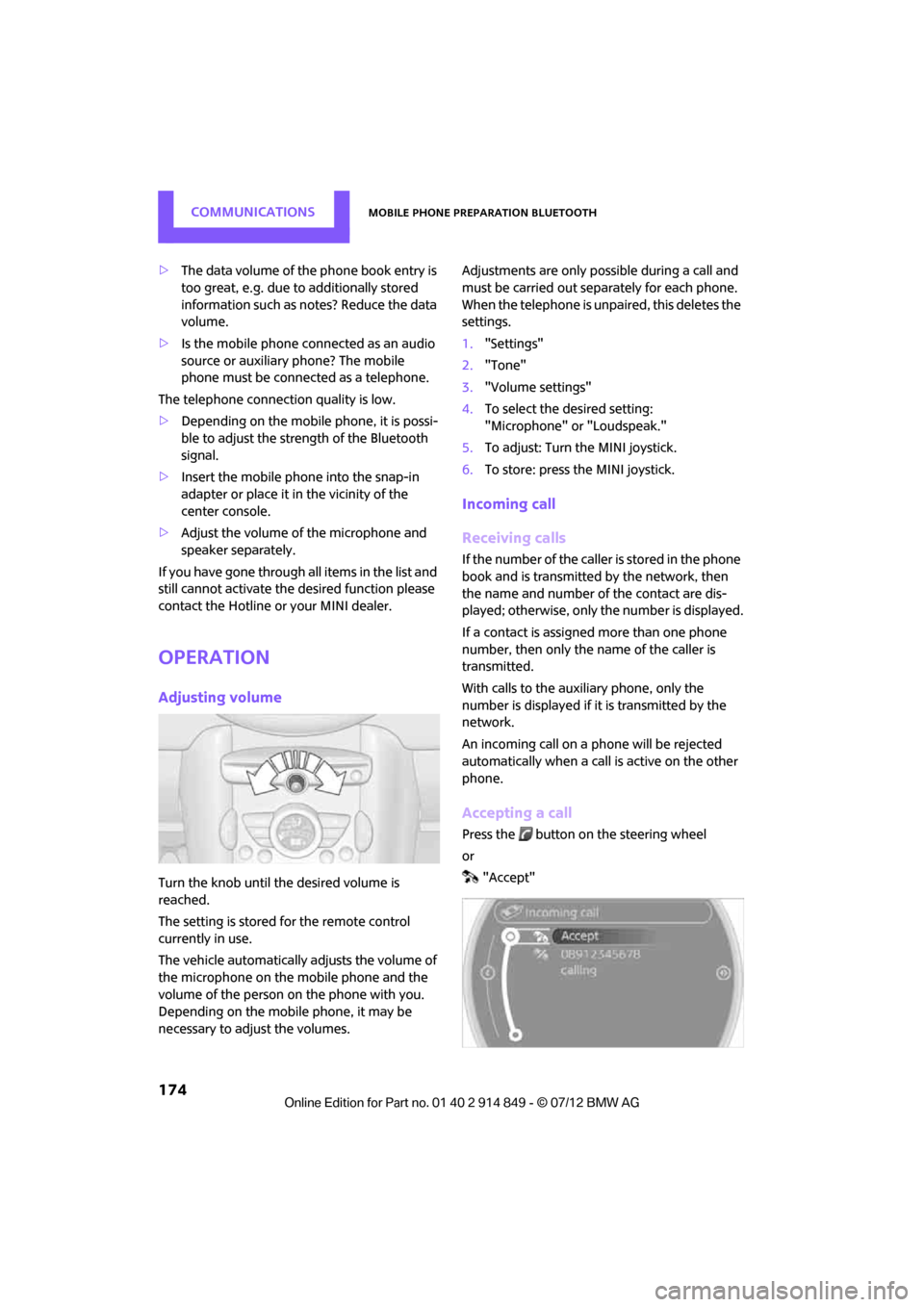
Accepting a call
Press the button on the steering wheel
or
"Accept"
Online Edition for Part no. 01 40 2 914 849 - \251 07/12 BMW AG
Page 186 of 259
OfficeCOMMUNICATIONS
185
1."Office"
2. "Contacts"
3. Open "Options".
4. "Configure Bluetooth®"
5. "Show images"
The display of all contact pictures is activated or
deactivated.
Deleting contacts
Only contacts that are st ored in the vehicle are
deleted. The contacts on the mobile phone can-
not be deleted.
1. "Office"
2. "Contacts"
3. Highlight the contact.
4. "Options"
5. "Delete contact" or "Delete all contacts".
Messages
General information
The displaying of text messages and e-mails
depends on whether the mobile phone supports
transmission to the vehicle. Text messages and
e-mails may not be supported by the service
provider or the function may have to be sepa-
rately activated. After a mobile phone is paired
for the first time, the transmission may take
several minutes. Messages are only displayed
completely when the vehicle is stopped.
Messages from the auxiliary phone are not
transmitted.
Displaying messages
1. "Office"
2. "Messages"
Message type
A symbol indicates the type of message.
Read message. Unread message.
Filtering message lists
A message list can be filtered if there is more
than one message type.
1.
"Filter:"
2. Select message type.
>"All"
All messages are displayed.
> "Text message"
Only text messages fr om mobile phones
are displayed.
> "E-mail"
Only text messages fr om mobile phones
are displayed.
Text message
Calling a text message sender
1. Select the desired message.
2. Select the symbol.
Saving sender in the contacts
1.Highlight the desired message.
2. Open "Options".
3. "Store as new contact" or "Add to existing
contact"
Using contact data
Contact data from deadlines, tasks, text
messages, e-mails and no tes can be stored or
selected, see page 188.
Reading text messages aloud
Reading text messages aloud, refer to page188.
SymbolMessage type
Text message
E-mail from mobile phone
Online Edition for Part no. 01 40 2 914 849 - \251 07/12 BMW AG
Page 189 of 259
COMMUNICATIONSOffice
188
Using contact data
Overview
Contact data from deadlines, tasks, text
messages, e-mails and notes can be stored or
selected.
Displaying a contact or dialing a phone
number
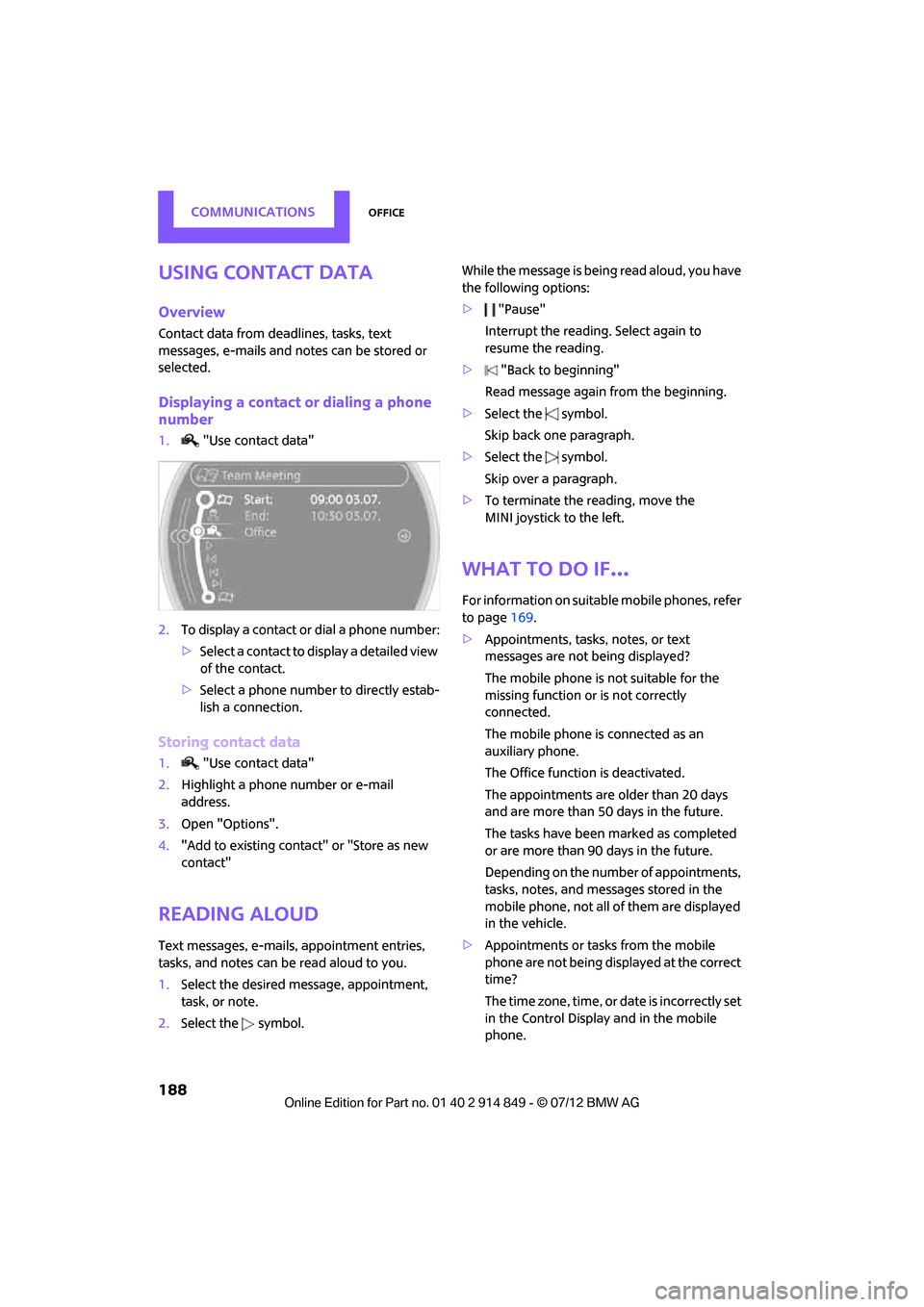
1."Use contact data"
2. To display a contact or dial a phone number:
>Select a contact to display a detailed view
of the contact.
> Select a phone number to directly estab-
lish a connection.
Storing contact data
1. "Use contact data"
2. Highlight a phone number or e-mail
address.
3. Open "Options".
4. "Add to existing contact" or "Store as new
contact"
Reading aloud
Text messages, e-mails, appointment entries,
tasks, and notes can be read aloud to you.
1.Select the desired message, appointment,
task, or note.
2. Select the symbol. While the message is bein
g read aloud, you have
the following options:
> "Pause"
Interrupt the reading. Select again to
resume the reading.
> "Back to beginning"
Read message again from the beginning.
> Select the symbol.
Skip back one paragraph.
> Select the symbol.
Skip over a paragraph.
> To terminate the re ading, move the
MINI joystick to the left.
What to do if…
For information on suitab le mobile phones, refer
to page 169.
> Appointments, tasks, notes, or text
messages are not being displayed?
The mobile phone is not suitable for the
missing function or is not correctly
connected.
The mobile phone is connected as an
auxiliary phone.
The Office function is deactivated.
The appointments are older than 20 days
and are more than 50 days in the future.
The tasks have been marked as completed
or are more than 90 days in the future.
Depending on the number of appointments,
tasks, notes, and messages stored in the
mobile phone, not all of them are displayed
in the vehicle.
> Appointments or tasks from the mobile
phone are not being displayed at the correct
time?
The time zone, time, or date is incorrectly set
in the Control Display and in the mobile
phone.
Online Edition for Part no. 01 40 2 914 849 - \251 07/12 BMW AG
Page 192 of 259

MINI ConnectedCOMMUNICATIONS
191
Connecting via the snap-in adapter
The mobile phone can also be connected using
the snap-in adapter, refer to page180.
Using MINI Connected
After successful connecti on of the mobile phone
to the vehicle and activation of MINI Connected,
the applications are displayed on the Control
Display and can be oper ated using the MINI
joystick.
Volume adjustments can be made using the
buttons on the steering wheel, refer to page10,
or using the volume control knob on the radio,
refer to page 137.
1. Press the button.
This opens the main menu.
2. "MINI Connected"
3. Select the desired software application.
The extent of MINI Connected that is shown on
the Control Display depends on the range of
installed software applic ations on the mobile
phone.
The data transfer of the software applica-
tion from the telephone to the vehicle can
take a few minutes. Some software applications
depend on the speed of the available Internet
connection for the mobile phone.<
Certain versions of mo bile phones used and
their software can make it impossible to use
MINI Connected and the Bluetooth hands-free
system at the same time.
After a phone call, it may be necessary to restart
the software application on the mobile phone.
PlugIn
Selected functions for an Apple device are
shown on the Control Display. Operation takes
place using the onboard computer.
1. Connecting an Apple device.
>Via a USB audio interface, refer to
page 190.
> Via the snap-in-Adapter, refer to
page 180.
2. "MINI Connected"
3. "PlugIn"
4. Select the type of conne ction: "Activate via
AUX connection" or "Activate via Snap-In
adapter"
5. "Activate PlugIn"
6. Navigate among the functions shown via a
MINI joystick and, e. g., select a desired
category or track.
Press the button to return back or to change
to a level higher within the functions of the
Apple device.
Press the button twice to return back to the
main menu.
Additional information can be found in the
MINI Connected Owner's Manual at
www.mini.com/connectivity.
Note
Audio and video playback from a snap-in
adapter may only be possible if there is no cable
connected to the AV-In port.
Online Edition for Part no. 01 40 2 914 849 - \251 07/12 BMW AG