wheel MINI Paceman 2014 (Mini Connected) Workshop Manual
[x] Cancel search | Manufacturer: MINI, Model Year: 2014, Model line: Paceman, Model: MINI Paceman 2014Pages: 282, PDF Size: 6.76 MB
Page 245 of 282
Replacing
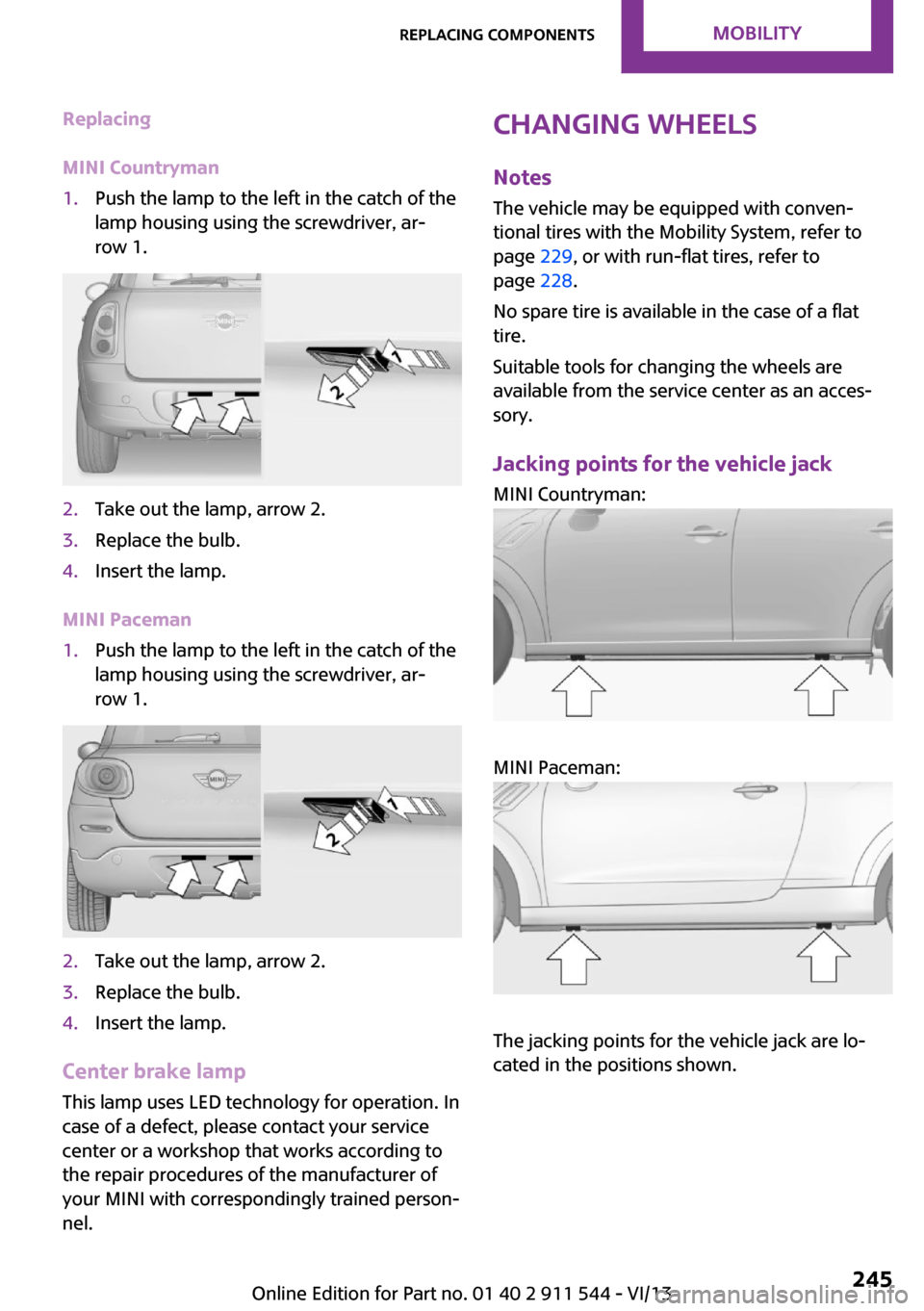
MINI Countryman1.Push the lamp to the left in the catch of the
lamp housing using the screwdriver, ar‐
row 1.2.Take out the lamp, arrow 2.3.Replace the bulb.4.Insert the lamp.
MINI Paceman
1.Push the lamp to the left in the catch of the
lamp housing using the screwdriver, ar‐
row 1.2.Take out the lamp, arrow 2.3.Replace the bulb.4.Insert the lamp.
Center brake lamp
This lamp uses LED technology for operation. In
case of a defect, please contact your service
center or a workshop that works according to
the repair procedures of the manufacturer of
your MINI with correspondingly trained person‐
nel.
Changing wheels
Notes
The vehicle may be equipped with conven‐
tional tires with the Mobility System, refer to
page 229, or with run-flat tires, refer to
page 228.
No spare tire is available in the case of a flat
tire.
Suitable tools for changing the wheels are
available from the service center as an acces‐
sory.
Jacking points for the vehicle jack MINI Countryman:
MINI Paceman:
The jacking points for the vehicle jack are lo‐
cated in the positions shown.
Seite 245Replacing componentsMobility245
Online Edition for Part no. 01 40 2 911 544 - VI/13
Page 250 of 282
the battery, or to the engine or body
ground of the vehicle to be started.
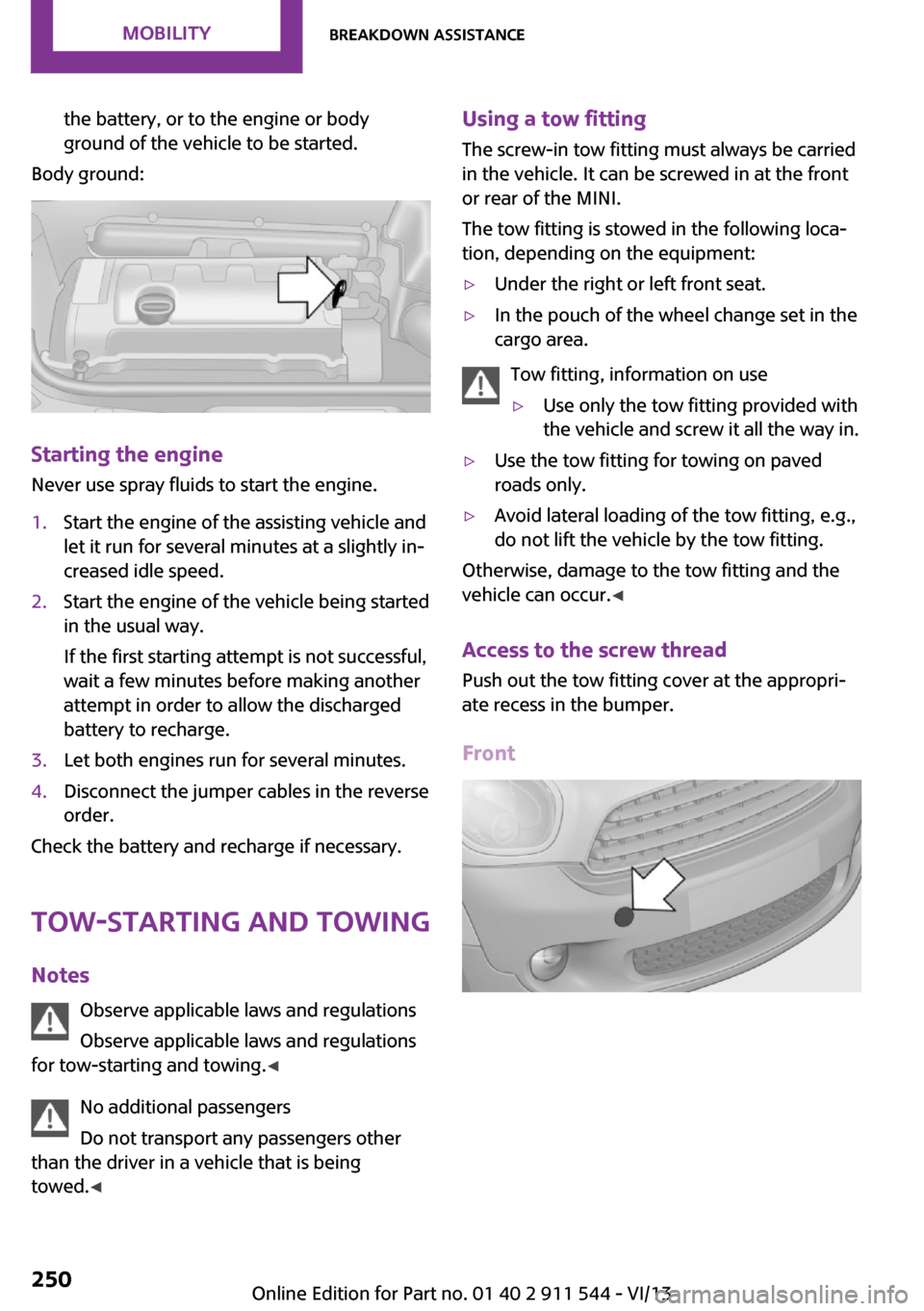
Body ground:
Starting the engine
Never use spray fluids to start the engine.
1.Start the engine of the assisting vehicle and
let it run for several minutes at a slightly in‐
creased idle speed.2.Start the engine of the vehicle being started
in the usual way.
If the first starting attempt is not successful,
wait a few minutes before making another
attempt in order to allow the discharged
battery to recharge.3.Let both engines run for several minutes.4.Disconnect the jumper cables in the reverse
order.
Check the battery and recharge if necessary.
Tow-starting and towing
Notes Observe applicable laws and regulations
Observe applicable laws and regulations
for tow-starting and towing. ◀
No additional passengers
Do not transport any passengers other
than the driver in a vehicle that is being
towed. ◀
Using a tow fitting
The screw-in tow fitting must always be carried
in the vehicle. It can be screwed in at the front
or rear of the MINI.
The tow fitting is stowed in the following loca‐
tion, depending on the equipment:▷Under the right or left front seat.▷In the pouch of the wheel change set in the
cargo area.
Tow fitting, information on use
▷Use only the tow fitting provided with
the vehicle and screw it all the way in.▷Use the tow fitting for towing on paved
roads only.▷Avoid lateral loading of the tow fitting, e.g.,
do not lift the vehicle by the tow fitting.
Otherwise, damage to the tow fitting and the
vehicle can occur. ◀
Access to the screw thread Push out the tow fitting cover at the appropri‐
ate recess in the bumper.
Front
Seite 250MobilityBreakdown assistance250
Online Edition for Part no. 01 40 2 911 544 - VI/13
Page 251 of 282
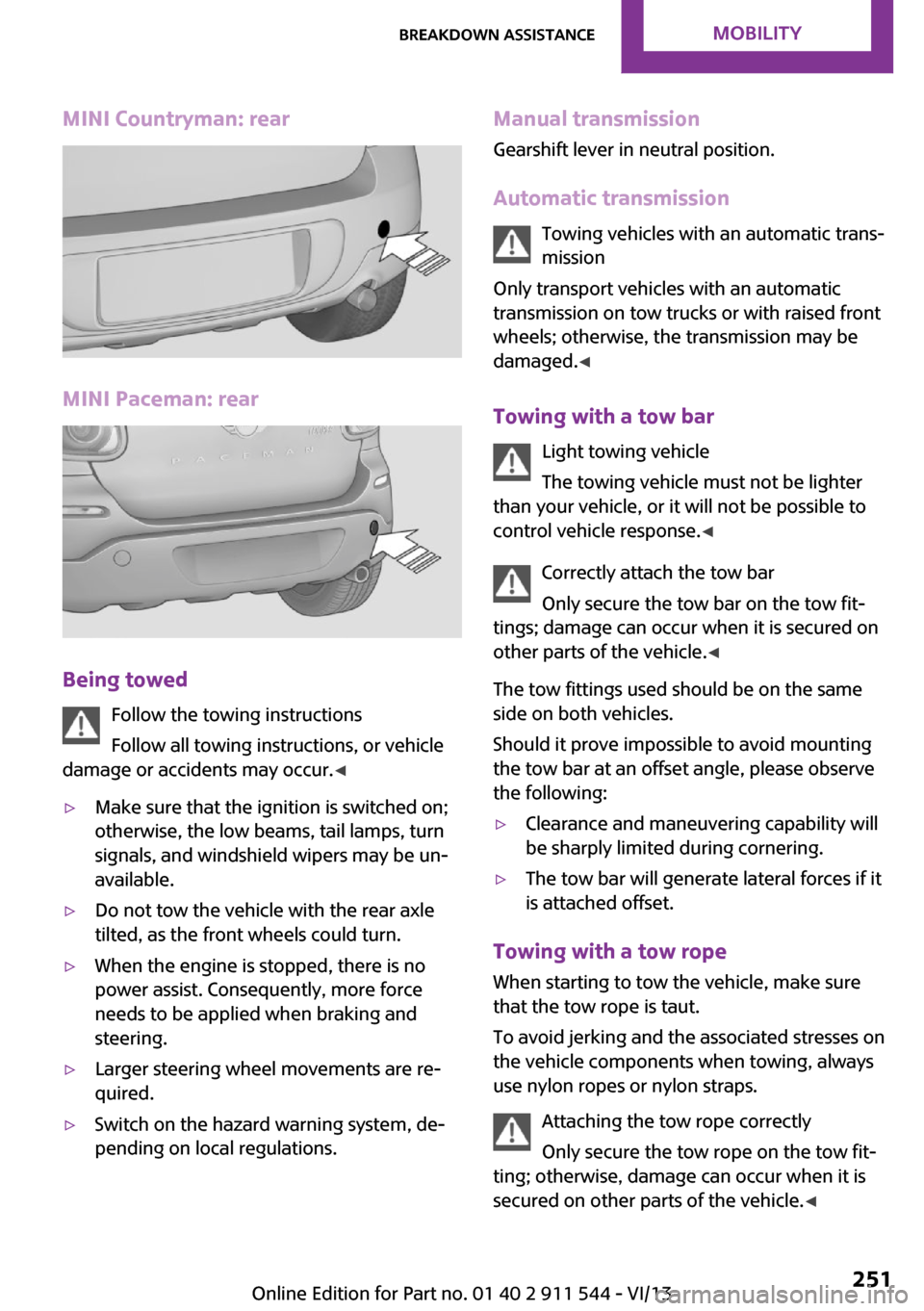
MINI Countryman: rear
MINI Paceman: rear
Being towedFollow the towing instructions
Follow all towing instructions, or vehicle
damage or accidents may occur. ◀
▷Make sure that the ignition is switched on;
otherwise, the low beams, tail lamps, turn
signals, and windshield wipers may be un‐
available.▷Do not tow the vehicle with the rear axle
tilted, as the front wheels could turn.▷When the engine is stopped, there is no
power assist. Consequently, more force
needs to be applied when braking and
steering.▷Larger steering wheel movements are re‐
quired.▷Switch on the hazard warning system, de‐
pending on local regulations.Manual transmission
Gearshift lever in neutral position.
Automatic transmission Towing vehicles with an automatic trans‐
mission
Only transport vehicles with an automatic
transmission on tow trucks or with raised front
wheels; otherwise, the transmission may be
damaged. ◀
Towing with a tow bar Light towing vehicle
The towing vehicle must not be lighter
than your vehicle, or it will not be possible to
control vehicle response. ◀
Correctly attach the tow bar
Only secure the tow bar on the tow fit‐
tings; damage can occur when it is secured on
other parts of the vehicle. ◀
The tow fittings used should be on the same
side on both vehicles.
Should it prove impossible to avoid mounting
the tow bar at an offset angle, please observe
the following:▷Clearance and maneuvering capability will
be sharply limited during cornering.▷The tow bar will generate lateral forces if it
is attached offset.
Towing with a tow rope
When starting to tow the vehicle, make sure
that the tow rope is taut.
To avoid jerking and the associated stresses on
the vehicle components when towing, always
use nylon ropes or nylon straps.
Attaching the tow rope correctly
Only secure the tow rope on the tow fit‐
ting; otherwise, damage can occur when it is
secured on other parts of the vehicle. ◀
Seite 251Breakdown assistanceMobility251
Online Edition for Part no. 01 40 2 911 544 - VI/13
Page 252 of 282
With a tow truck: vehicles without ALL4all-wheel drive
Do not lift the vehicle
Do not lift the vehicle by the tow fitting or
body and chassis parts; otherwise, damage
may result. ◀
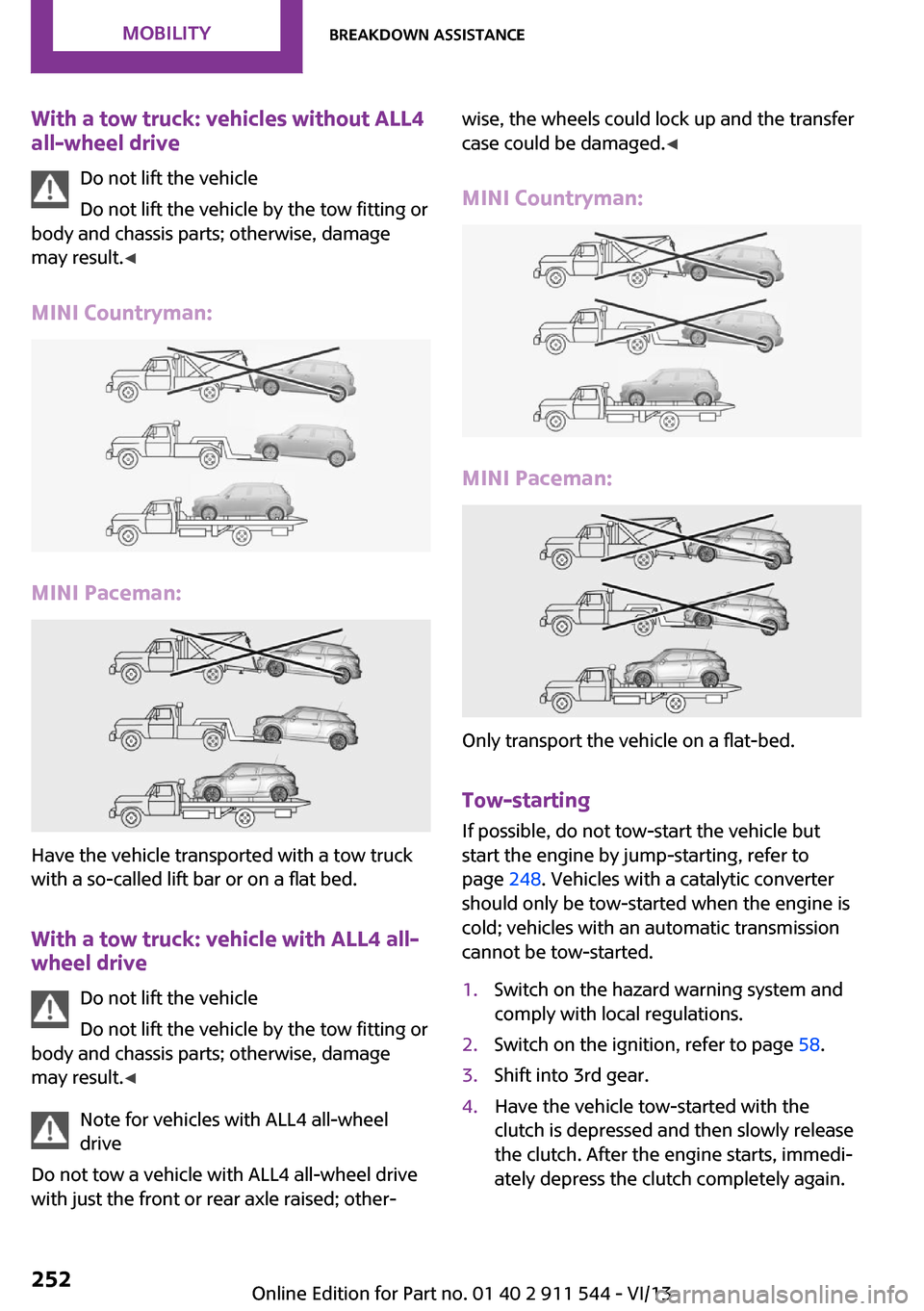
MINI Countryman:
MINI Paceman:
Have the vehicle transported with a tow truck
with a so-called lift bar or on a flat bed.
With a tow truck: vehicle with ALL4 all-wheel drive
Do not lift the vehicle
Do not lift the vehicle by the tow fitting or
body and chassis parts; otherwise, damage
may result. ◀
Note for vehicles with ALL4 all-wheel
drive
Do not tow a vehicle with ALL4 all-wheel drive
with just the front or rear axle raised; other‐
wise, the wheels could lock up and the transfer
case could be damaged. ◀
MINI Countryman:
MINI Paceman:
Only transport the vehicle on a flat-bed.
Tow-starting
If possible, do not tow-start the vehicle but
start the engine by jump-starting, refer to page 248. Vehicles with a catalytic converter
should only be tow-started when the engine is
cold; vehicles with an automatic transmission
cannot be tow-started.
1.Switch on the hazard warning system and
comply with local regulations.2.Switch on the ignition, refer to page 58.3.Shift into 3rd gear.4.Have the vehicle tow-started with the
clutch is depressed and then slowly release
the clutch. After the engine starts, immedi‐
ately depress the clutch completely again.Seite 252MobilityBreakdown assistance252
Online Edition for Part no. 01 40 2 911 544 - VI/13
Page 257 of 282

Chrome surfacesCarefully clean components such as the radia‐
tor grille or door handles with an ample supply
of water, possibly with shampoo added, partic‐
ularly when they have been exposed to road
salt. For additional treatment, use a chrome
polish.
Light-alloy wheels
When cleaning the wheels on the vehicle, only
use a neutral wheel rim cleaner with a pH value
of 5 to 9.
Do not use abrasive cleaners or a steam jet hot‐
ter than 140 ℉/60 ℃; otherwise, damage may
result. Adhere to the manufacturer instructions.
Aggressive, acidic, or alkaline cleaners may de‐
stroy the protective coating of neighboring
components such as the brake disc.
Exterior sensors The sensors on the outside of the vehicle, such
as for Park Distance Control, must be kept clean
and free of ice to ensure that they remain fully
functional.
Decorative trim Clean decorative trims and fine wood compo‐
nents with a moist cloth only. Then dry with a
soft cloth.
Safety belts Dirty belt straps impede the reeling action and
thus have a negative impact on safety.
No chemical cleaning
Do not clean chemically; this can destroy
the webbing. ◀
Carpets/floor mats No objects in the area around the pedals
Keep floor mats, carpets, and any other
objects out of the area of motion of the pedals;
otherwise, the function of the pedals could be
impeded while drivingDo not place additional floor mats over existing
mats or other objects.
Only use floor mats that have been approved
for the vehicle and can be properly fixed in
place.
Ensure that the floor mats are securely fastened
again when they are returned after being re‐
moved, such as for cleaning. ◀
Floor mats can be removed for cleaning.
If they are very dirty, clean with a microfiber
cloth and water or an interior cleaner. To pre‐
vent matting of the carpet, rub back and forth
in the direction of travel only.
Displays
To clean the displays, such as the radio or dis‐
play elements, use an antistatic microfiber
cloth.
Cleaning displays
Do not use chemical or household cleans‐
ers.
Keep all fluids and moisture away from the
unit.
Otherwise, they could affect or damage surfa‐
ces or electrical components.
Avoid pressing too hard when cleaning and do
not use abrasive materials; otherwise, damage
can result. ◀
CD/DVD drives No cleaning CD
Do not use cleaning CDs; otherwise, parts
of the drive may become damaged. ◀
Long-term vehicle storage
Your service center can advise you on what to
consider when storing the vehicle for longer
than three months.Seite 257CareMobility257
Online Edition for Part no. 01 40 2 911 544 - VI/13
Page 261 of 282
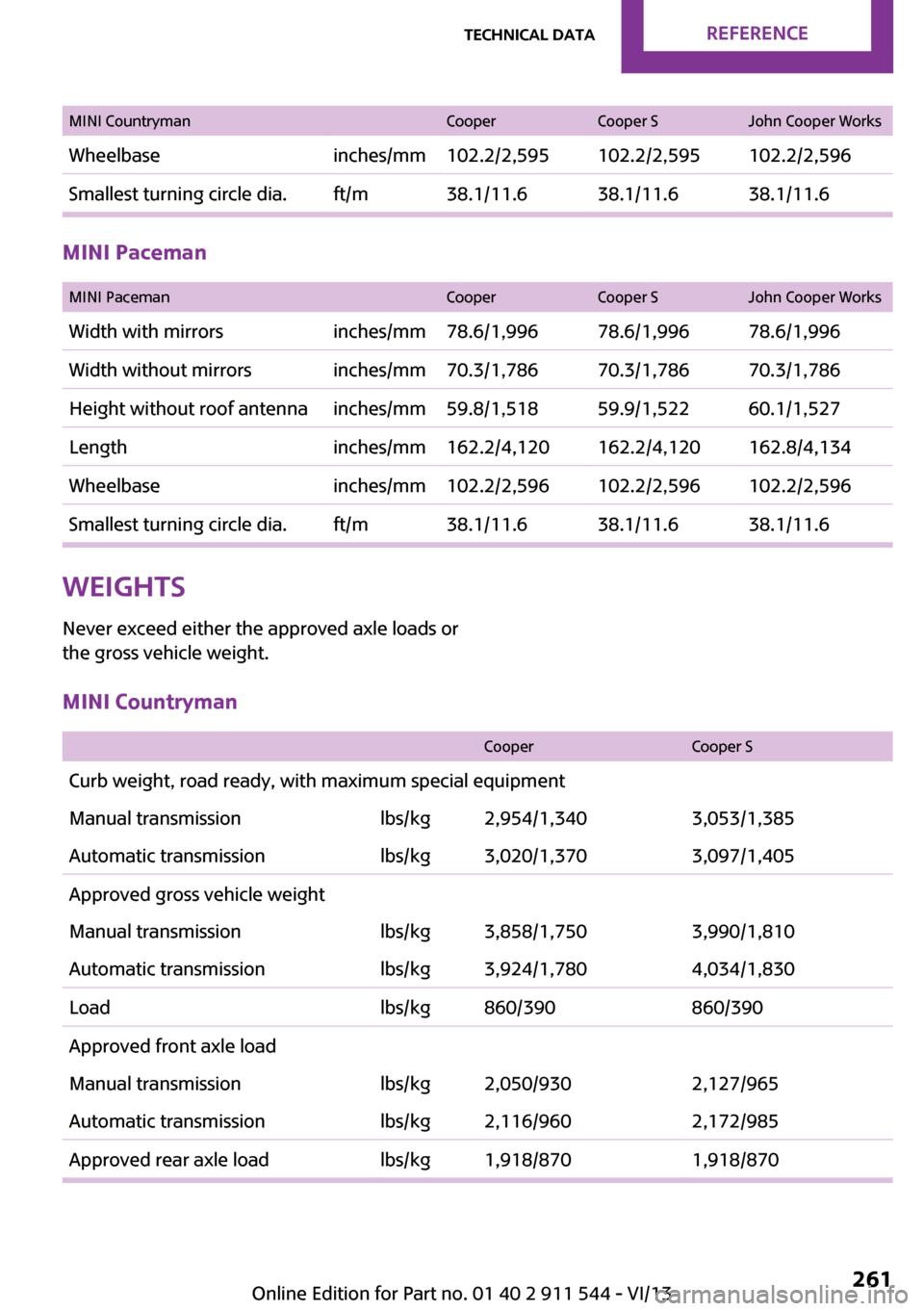
MINI CountrymanCooperCooper SJohn Cooper WorksWheelbaseinches/mm102.2/2,595102.2/2,595102.2/2,596Smallest turning circle dia.ft/m38.1/11.638.1/11.638.1/11.6
MINI Paceman
MINI PacemanCooperCooper SJohn Cooper WorksWidth with mirrorsinches/mm78.6/1,99678.6/1,99678.6/1,996Width without mirrorsinches/mm70.3/1,78670.3/1,78670.3/1,786Height without roof antennainches/mm59.8/1,51859.9/1,52260.1/1,527Lengthinches/mm162.2/4,120162.2/4,120162.8/4,134Wheelbaseinches/mm102.2/2,596102.2/2,596102.2/2,596Smallest turning circle dia.ft/m38.1/11.638.1/11.638.1/11.6Weights
Never exceed either the approved axle loads or
the gross vehicle weight.MINI Countryman
CooperCooper SCurb weight, road ready, with maximum special equipmentManual transmissionlbs/kg2,954/1,3403,053/1,385Automatic transmissionlbs/kg3,020/1,3703,097/1,405Approved gross vehicle weightManual transmissionlbs/kg3,858/1,7503,990/1,810Automatic transmissionlbs/kg3,924/1,7804,034/1,830Loadlbs/kg860/390860/390Approved front axle loadManual transmissionlbs/kg2,050/9302,127/965Automatic transmissionlbs/kg2,116/9602,172/985Approved rear axle loadlbs/kg1,918/8701,918/870Seite 261Technical dataReference261
Online Edition for Part no. 01 40 2 911 544 - VI/13
Page 270 of 282
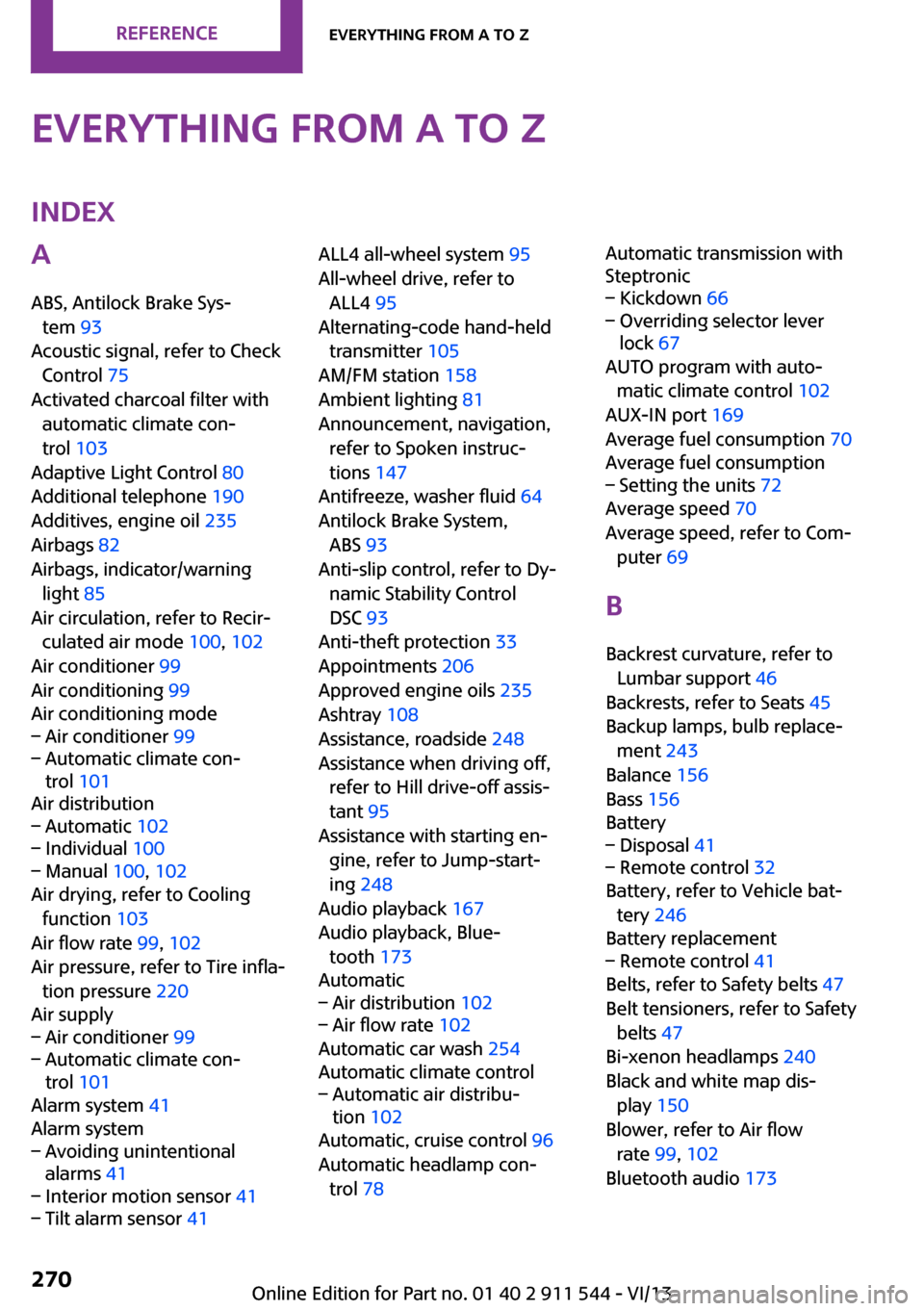
Everything from A to ZIndexA
ABS, Antilock Brake Sys‐ tem 93
Acoustic signal, refer to Check Control 75
Activated charcoal filter with automatic climate con‐
trol 103
Adaptive Light Control 80
Additional telephone 190
Additives, engine oil 235
Airbags 82
Airbags, indicator/warning light 85
Air circulation, refer to Recir‐ culated air mode 100, 102
Air conditioner 99
Air conditioning 99
Air conditioning mode– Air conditioner 99– Automatic climate con‐
trol 101
Air distribution
– Automatic 102– Individual 100– Manual 100, 102
Air drying, refer to Cooling
function 103
Air flow rate 99, 102
Air pressure, refer to Tire infla‐ tion pressure 220
Air supply
– Air conditioner 99– Automatic climate con‐
trol 101
Alarm system 41
Alarm system
– Avoiding unintentional
alarms 41– Interior motion sensor 41– Tilt alarm sensor 41ALL4 all-wheel system 95
All-wheel drive, refer to ALL4 95
Alternating-code hand-held transmitter 105
AM/FM station 158
Ambient lighting 81
Announcement, navigation, refer to Spoken instruc‐
tions 147
Antifreeze, washer fluid 64
Antilock Brake System, ABS 93
Anti-slip control, refer to Dy‐ namic Stability Control
DSC 93
Anti-theft protection 33
Appointments 206
Approved engine oils 235
Ashtray 108
Assistance, roadside 248
Assistance when driving off, refer to Hill drive-off assis‐
tant 95
Assistance with starting en‐ gine, refer to Jump-start‐
ing 248
Audio playback 167
Audio playback, Blue‐ tooth 173
Automatic– Air distribution 102– Air flow rate 102
Automatic car wash 254
Automatic climate control
– Automatic air distribu‐
tion 102
Automatic, cruise control 96
Automatic headlamp con‐ trol 78
Automatic transmission with
Steptronic– Kickdown 66– Overriding selector lever
lock 67
AUTO program with auto‐
matic climate control 102
AUX-IN port 169
Average fuel consumption 70
Average fuel consumption
– Setting the units 72
Average speed 70
Average speed, refer to Com‐ puter 69
B Backrest curvature, refer to Lumbar support 46
Backrests, refer to Seats 45
Backup lamps, bulb replace‐ ment 243
Balance 156
Bass 156
Battery
– Disposal 41– Remote control 32
Battery, refer to Vehicle bat‐
tery 246
Battery replacement
– Remote control 41
Belts, refer to Safety belts 47
Belt tensioners, refer to Safety belts 47
Bi-xenon headlamps 240
Black and white map dis‐ play 150
Blower, refer to Air flow rate 99, 102
Bluetooth audio 173
Seite 270ReferenceEverything from A to Z270
Online Edition for Part no. 01 40 2 911 544 - VI/13
Page 271 of 282
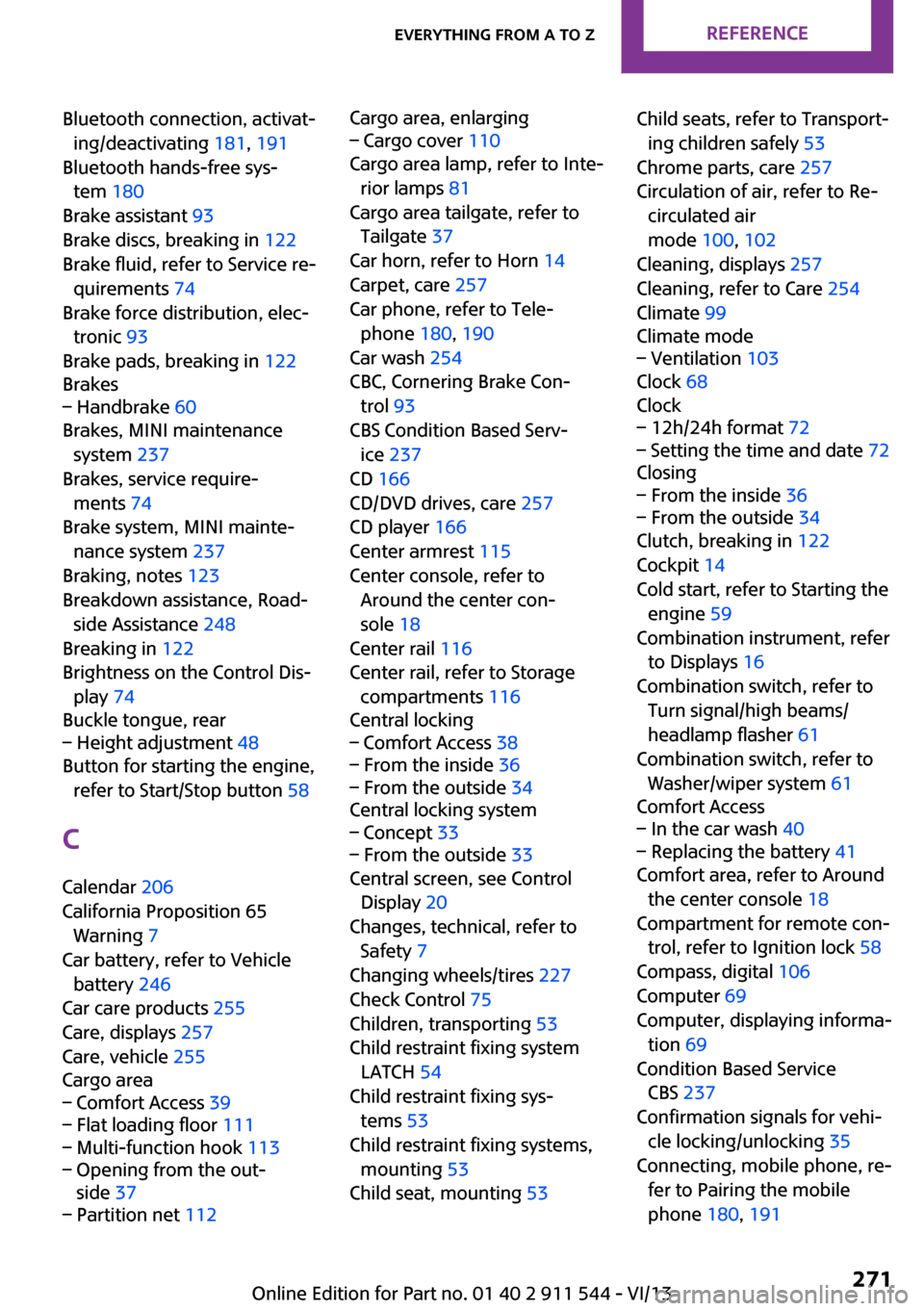
Bluetooth connection, activat‐ing/deactivating 181, 191
Bluetooth hands-free sys‐ tem 180
Brake assistant 93
Brake discs, breaking in 122
Brake fluid, refer to Service re‐ quirements 74
Brake force distribution, elec‐ tronic 93
Brake pads, breaking in 122
Brakes– Handbrake 60
Brakes, MINI maintenance
system 237
Brakes, service require‐ ments 74
Brake system, MINI mainte‐ nance system 237
Braking, notes 123
Breakdown assistance, Road‐ side Assistance 248
Breaking in 122
Brightness on the Control Dis‐ play 74
Buckle tongue, rear
– Height adjustment 48
Button for starting the engine,
refer to Start/Stop button 58
C
Calendar 206
California Proposition 65 Warning 7
Car battery, refer to Vehicle battery 246
Car care products 255
Care, displays 257
Care, vehicle 255
Cargo area
– Comfort Access 39– Flat loading floor 111– Multi-function hook 113– Opening from the out‐
side 37– Partition net 112Cargo area, enlarging– Cargo cover 110
Cargo area lamp, refer to Inte‐
rior lamps 81
Cargo area tailgate, refer to Tailgate 37
Car horn, refer to Horn 14
Carpet, care 257
Car phone, refer to Tele‐ phone 180, 190
Car wash 254
CBC, Cornering Brake Con‐
trol 93
CBS Condition Based Serv‐ ice 237
CD 166
CD/DVD drives, care 257
CD player 166
Center armrest 115
Center console, refer to Around the center con‐
sole 18
Center rail 116
Center rail, refer to Storage compartments 116
Central locking
– Comfort Access 38– From the inside 36– From the outside 34
Central locking system
– Concept 33– From the outside 33
Central screen, see Control
Display 20
Changes, technical, refer to Safety 7
Changing wheels/tires 227
Check Control 75
Children, transporting 53
Child restraint fixing system LATCH 54
Child restraint fixing sys‐ tems 53
Child restraint fixing systems, mounting 53
Child seat, mounting 53
Child seats, refer to Transport‐
ing children safely 53
Chrome parts, care 257
Circulation of air, refer to Re‐ circulated air
mode 100, 102
Cleaning, displays 257
Cleaning, refer to Care 254
Climate 99
Climate mode– Ventilation 103
Clock 68
Clock
– 12h/24h format 72– Setting the time and date 72
Closing
– From the inside 36– From the outside 34
Clutch, breaking in 122
Cockpit 14
Cold start, refer to Starting the engine 59
Combination instrument, refer to Displays 16
Combination switch, refer to Turn signal/high beams/
headlamp flasher 61
Combination switch, refer to Washer/wiper system 61
Comfort Access
– In the car wash 40– Replacing the battery 41
Comfort area, refer to Around
the center console 18
Compartment for remote con‐ trol, refer to Ignition lock 58
Compass, digital 106
Computer 69
Computer, displaying informa‐ tion 69
Condition Based Service CBS 237
Confirmation signals for vehi‐ cle locking/unlocking 35
Connecting, mobile phone, re‐ fer to Pairing the mobile
phone 180, 191
Seite 271Everything from A to ZReference271
Online Edition for Part no. 01 40 2 911 544 - VI/13
Page 273 of 282
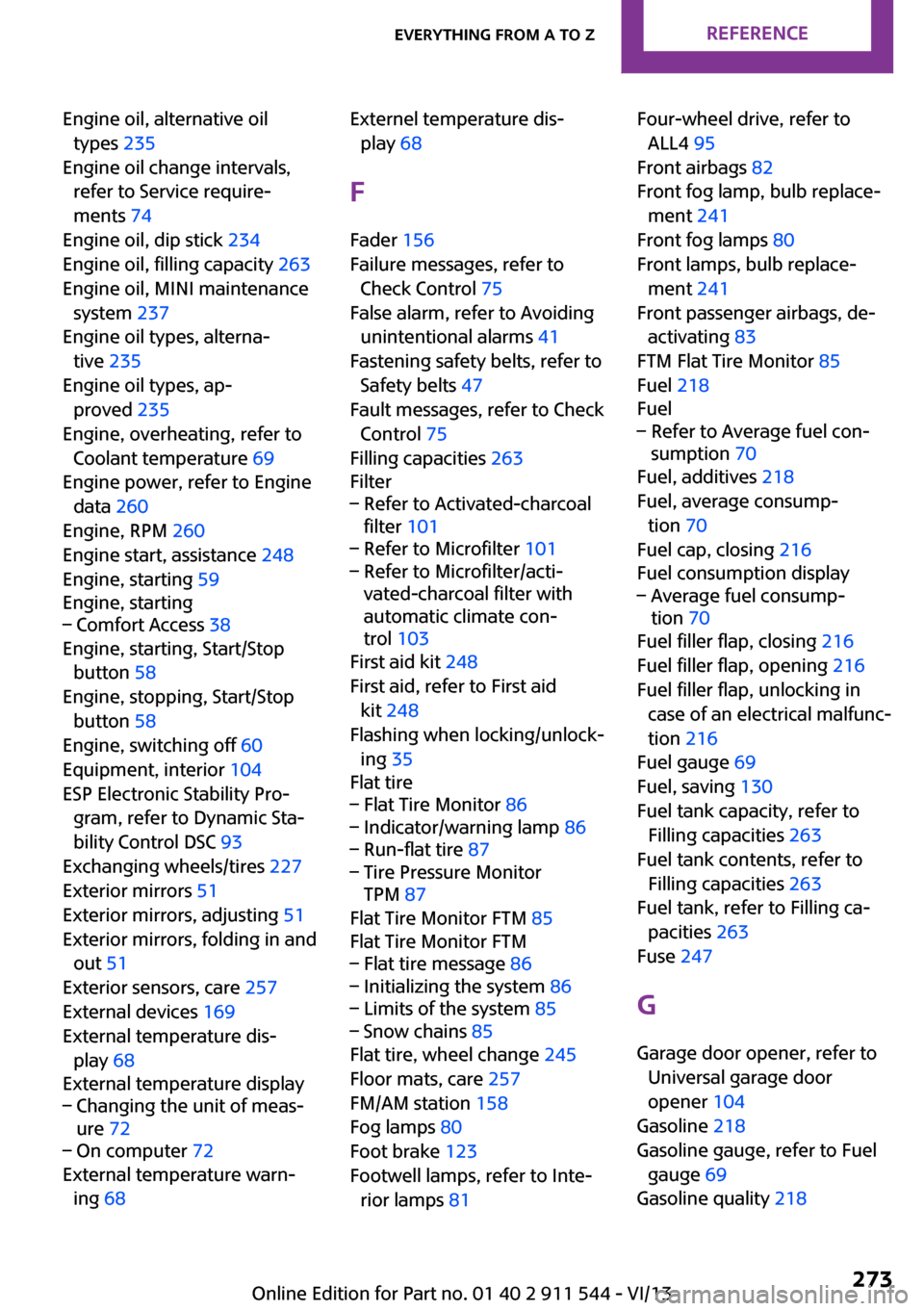
Engine oil, alternative oiltypes 235
Engine oil change intervals, refer to Service require‐
ments 74
Engine oil, dip stick 234
Engine oil, filling capacity 263
Engine oil, MINI maintenance system 237
Engine oil types, alterna‐ tive 235
Engine oil types, ap‐ proved 235
Engine, overheating, refer to Coolant temperature 69
Engine power, refer to Engine data 260
Engine, RPM 260
Engine start, assistance 248
Engine, starting 59
Engine, starting– Comfort Access 38
Engine, starting, Start/Stop
button 58
Engine, stopping, Start/Stop button 58
Engine, switching off 60
Equipment, interior 104
ESP Electronic Stability Pro‐ gram, refer to Dynamic Sta‐
bility Control DSC 93
Exchanging wheels/tires 227
Exterior mirrors 51
Exterior mirrors, adjusting 51
Exterior mirrors, folding in and out 51
Exterior sensors, care 257
External devices 169
External temperature dis‐ play 68
External temperature display
– Changing the unit of meas‐
ure 72– On computer 72
External temperature warn‐
ing 68
Externel temperature dis‐
play 68
F
Fader 156
Failure messages, refer to Check Control 75
False alarm, refer to Avoiding unintentional alarms 41
Fastening safety belts, refer to Safety belts 47
Fault messages, refer to Check Control 75
Filling capacities 263
Filter– Refer to Activated-charcoal
filter 101– Refer to Microfilter 101– Refer to Microfilter/acti‐
vated-charcoal filter with
automatic climate con‐
trol 103
First aid kit 248
First aid, refer to First aid kit 248
Flashing when locking/unlock‐ ing 35
Flat tire
– Flat Tire Monitor 86– Indicator/warning lamp 86– Run-flat tire 87– Tire Pressure Monitor
TPM 87
Flat Tire Monitor FTM 85
Flat Tire Monitor FTM
– Flat tire message 86– Initializing the system 86– Limits of the system 85– Snow chains 85
Flat tire, wheel change 245
Floor mats, care 257
FM/AM station 158
Fog lamps 80
Foot brake 123
Footwell lamps, refer to Inte‐ rior lamps 81
Four-wheel drive, refer to
ALL4 95
Front airbags 82
Front fog lamp, bulb replace‐ ment 241
Front fog lamps 80
Front lamps, bulb replace‐ ment 241
Front passenger airbags, de‐ activating 83
FTM Flat Tire Monitor 85
Fuel 218
Fuel– Refer to Average fuel con‐
sumption 70
Fuel, additives 218
Fuel, average consump‐ tion 70
Fuel cap, closing 216
Fuel consumption display
– Average fuel consump‐
tion 70
Fuel filler flap, closing 216
Fuel filler flap, opening 216
Fuel filler flap, unlocking in case of an electrical malfunc‐
tion 216
Fuel gauge 69
Fuel, saving 130
Fuel tank capacity, refer to Filling capacities 263
Fuel tank contents, refer to Filling capacities 263
Fuel tank, refer to Filling ca‐ pacities 263
Fuse 247
G Garage door opener, refer to Universal garage door
opener 104
Gasoline 218
Gasoline gauge, refer to Fuel gauge 69
Gasoline quality 218
Seite 273Everything from A to ZReference273
Online Edition for Part no. 01 40 2 911 544 - VI/13
Page 275 of 282
Internet page 6
Intersection, entering for navi‐ gation 137
J
Jump-starting 248
K Keyless Go, refer to Comfort Access 38
Keyless opening and closing, refer to Comfort Access 38
Key Memory, refer to Personal Profile 32
Key, refer to Remote control with integrated key 32
Kickdown– Automatic transmission with
Steptronic 66
Knee airbag 82
Knocking control 218
L Lamp and bulb replacement, bulb replacement 240
Lamp, replacing, refer to Lamp and bulb replace‐
ment 240
Lamps 78
Lamps, automatic headlamp control 78
Lamps, parking lamps/low beams 78
Language, changing on the Control Display 73
Lap-and-shoulder belt, refer to Safety belts 47
LATCH child restraint fixing system 54
Leather, care 256
Leather care 256
LEDs, light-emitting di‐ odes 240
Letters and numbers, enter‐
ing 24
License plate lamp, bulb re‐ placement 243
Light-alloy wheels, care 257
Light-emitting diodes, LEDs 240
Lighter– Socket 108
Lighting
– Instruments 80
Lighting, lamp and bulb re‐
placement 240
Lighting, vehicle, refer to Lamps 78
Light switch 78
Limit, refer to Speed limit 91
Lock buttons on doors, refer to Locking 37
Locking
– From the inside 37– From the outside 34– Setting the confirmation sig‐
nal 35– Without remote control, re‐
fer to Comfort Access 38
Locking, vehicle
– From the inside 36– From the outside 34
Longlife oils, alternative oil
types 235
Longlife oils, refer to Ap‐ proved engine oils 235
Low beams 78
Low beams
– Automatic 78
Low beams, automatic 78
Low beams, bulb replace‐ ment 241
Lower back support, refer to Lumbar support 46
Lumbar support 46
M
Main inspection, refer to Serv‐ ice requirements 74
Maintenance, refer to Service
booklet
Maintenance, refer to Service requirements 74
Maintenance require‐ ments 237
Maintenance system MINI 237
Malfunction– Automatic transmission with
Steptronic 67– Door lock 36– Fuel filler flap 216
Malfunction warnings, refer to
Check Control 75
Manual air distribu‐ tion 100, 102
Manual mode, automatic transmission with Step‐
tronic 66
Manual operation
– Door lock 36– Selector lever lock, auto‐
matic transmission 67
Manual operation, fuel filler
flap 216
Manual transmission 64
Map, destination entry 141
Map display in black and white 150
Map view 148
Marking on approved tires 227
Maximum cooling 102
Maximum speed, winter tires 228
Menu operation, onboard monitor 20
Menus, refer to Onboard monitor operating con‐
cept 21
Message list, traffic bulle‐ tins 149
Messages 205
Microfilter 101
Seite 275Everything from A to ZReference275
Online Edition for Part no. 01 40 2 911 544 - VI/13