air condition MINI Paceman 2014 User Guide
[x] Cancel search | Manufacturer: MINI, Model Year: 2014, Model line: Paceman, Model: MINI Paceman 2014Pages: 218, PDF Size: 5.5 MB
Page 152 of 218
Wheels and tiresVehicle equipment
This chapter describes all series equipment as
well as country-specific and special equipment
offered for this model series.Therefore, it also
describes equipment that may not be found in
your vehicle, for instance due to the selected
special equipment or the country version. This
also applies to safety-related functions and sys‐
tems.
Tire inflation pressure Safety information
It is not merely the tires' service life, but also
driving comfort and, to a great extent, driving
safety that depend on the condition of the tires
and the maintenance of the specified tire pres‐
sure.
Checking the pressure Check the tire inflation pressure regularly
Regularly check the tire inflation pressure
and correct it as needed: at least twice a month
and before a long trip. If you fail to observe this
precaution, you may be driving on tires with in‐
correct tire pressures, a condition that may not
only compromise your vehicle's driving stabil‐
ity, but also lead to tire damage and the risk of
an accident.
Do not drive with depressurized or flat tires, ex‐
cept for run-flat tires. A flat tire will seriously
impair your vehicle's handling and braking re‐
sponse. Attempts to drive on a flat tire can lead
to a loss of control over the vehicle. ◀
Only check the tire inflation pressure when the
tires are cold. This means after a maximum of
1.25 miles/2 km driving or when the vehicle
has been parked for at least 2 hours. When thetires are warm, the tire inflation pressure is
higher.
After correcting the tire inflation pressure, reset
the Tire Pressure Monitor, refer to page 78
or reinitialize the Flat Tire Monitor, refer to
page 75.
To check the inflation pressure, there is a valve
extension behind the bumper.
Pressure specifications
The tables below provide all the correct infla‐
tion pressures for the specified tire sizes at am‐
bient temperature.
The inflation pressures apply to the tire sizes
approved and tire brands recommended by the
manufacturer of the MINI; a list of these is
available from the service center.
For correct identification of the right tire infla‐
tion pressures, observe the following:▷Tire sizes of your vehicle▷Maximum allowable driving speed
Tire inflation pressures for driving up to
100 mph or 160 km/h
For normal driving up to 100 mph/160 km/h,
adjust pressures to the respective tire inflation
pressures listed on the following pages in the
column for traveling speeds up to 100 mph/
160 km/h to achieve optimum driving comfort.
These tire inflation pressures can also be found
on the driver's side door pillar when the driver's
door is open.
Seite 152MobilityWheels and tires152
Online Edition for Part no. 01 40 2 911 521 - VI/13
Page 169 of 218
MaintenanceVehicle equipment
This chapter describes all series equipment as
well as country-specific and special equipment
offered for this model series.Therefore, it also
describes equipment that may not be found in
your vehicle, for instance due to the selected
special equipment or the country version. This
also applies to safety-related functions and sys‐
tems.
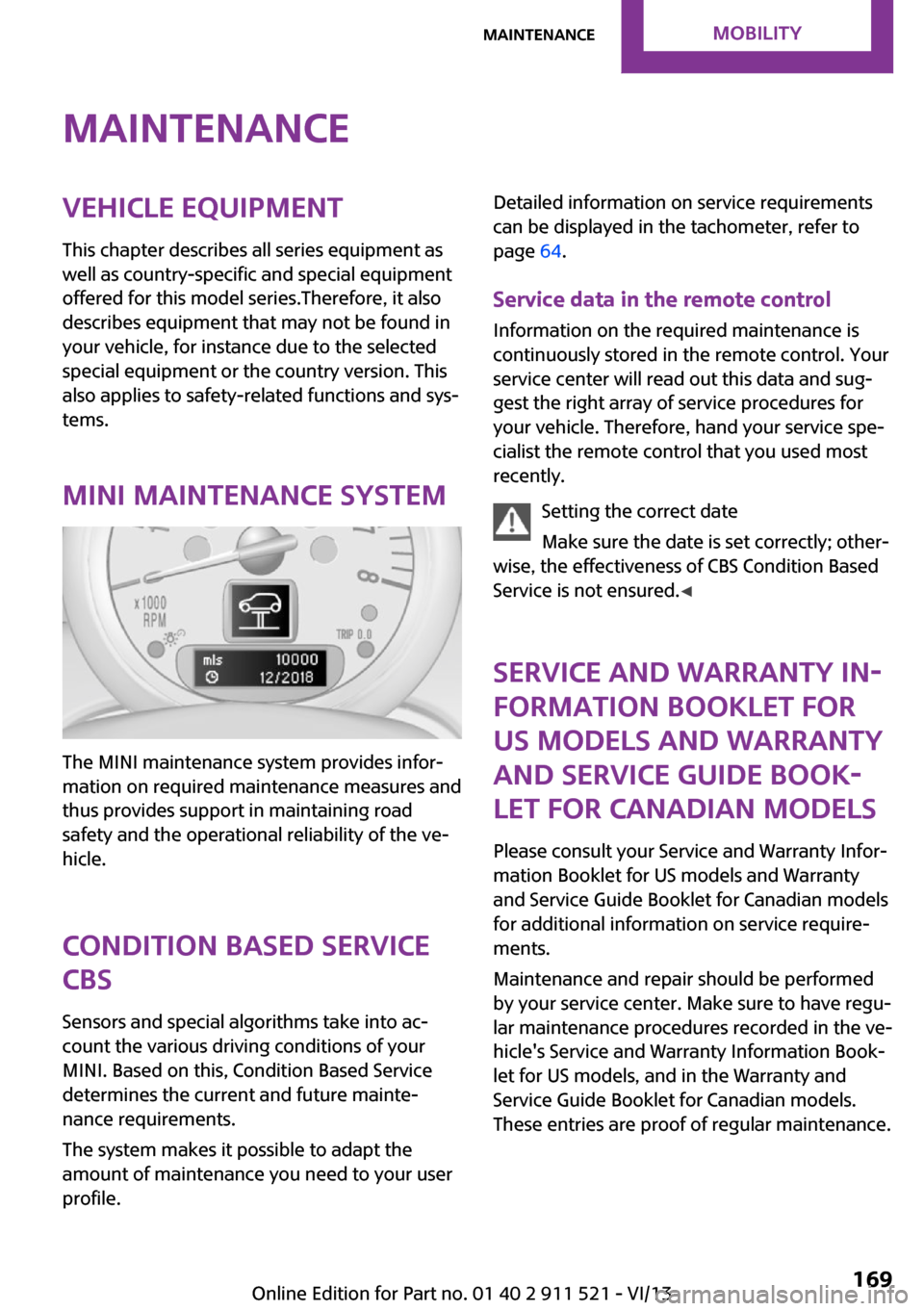
MINI maintenance system
The MINI maintenance system provides infor‐
mation on required maintenance measures and
thus provides support in maintaining road
safety and the operational reliability of the ve‐
hicle.
Condition Based Service
CBS
Sensors and special algorithms take into ac‐
count the various driving conditions of your
MINI. Based on this, Condition Based Service
determines the current and future mainte‐
nance requirements.
The system makes it possible to adapt the
amount of maintenance you need to your user
profile.
Detailed information on service requirements
can be displayed in the tachometer, refer to
page 64.
Service data in the remote control Information on the required maintenance is
continuously stored in the remote control. Your
service center will read out this data and sug‐
gest the right array of service procedures for
your vehicle. Therefore, hand your service spe‐
cialist the remote control that you used most
recently.
Setting the correct date
Make sure the date is set correctly; other‐
wise, the effectiveness of CBS Condition Based
Service is not ensured. ◀
Service and Warranty In‐
formation Booklet for
US models and Warranty
and Service Guide Book‐
let for Canadian models
Please consult your Service and Warranty Infor‐
mation Booklet for US models and Warranty
and Service Guide Booklet for Canadian models
for additional information on service require‐
ments.
Maintenance and repair should be performed
by your service center. Make sure to have regu‐
lar maintenance procedures recorded in the ve‐
hicle's Service and Warranty Information Book‐
let for US models, and in the Warranty and
Service Guide Booklet for Canadian models.
These entries are proof of regular maintenance.Seite 169MaintenanceMobility169
Online Edition for Part no. 01 40 2 911 521 - VI/13
Page 178 of 218
Vehicle batteryMaintenance
The battery is maintenance-free, i.e., the elec‐
trolyte will last for the life of the battery in tem‐
perate climate conditions.
The service center will be happy to answer any
questions on the battery.
Battery replacement Use approved vehicle batteries
Only use vehicle batteries that have been
approved for your vehicle by the manufacturer;
otherwise, the vehicle could be damaged and
systems or functions may not be fully availa‐
ble. ◀
Have the vehicle battery registered by the serv‐
ice center after it is replaced to ensure that all
comfort functions are available without restric‐
tions and that any associated Check Control
messages are no longer displayed.
Charging the battery
Note Do not connect the charger to the socket
Do not connect the battery charger to the
socket installed in the vehicle at the factory as
this could damage the battery. ◀
Only charge the battery in the vehicle when the engine is switched off. Connections, refer to
page 180.
General information Ensure that the battery is sufficiently charged to
achieve the full battery life.
It may be necessary to charge the battery in
the following cases:▷When the vehicle is frequently used to
travel short distances.▷When the vehicle has not been driven for
more than one month.Power failure
After a temporary power failure, some equip‐
ment will be restricted in its use and will need
to be reinitialized. In addition, certain individual
settings will be lost and must be updated:▷Time and date: the values must be up‐
dated, refer to page 63.▷Radio: the stations need to be stored again,
refer to page 126.▷Glass sunroof, electrical: it may only be pos‐
sible to tilt the roof. The system needs to be
initialized. Contact the service center.
Disposing of old batteries
Have used batteries disposed of by the
service center after they are replaced or
take them to a recycling center.
Maintain the battery in an upright position for
transport and storage. Secure the battery so
that it does not tip over during transport.
Fuses Replacing fuses
Never attempt to repair a blown fuse and
do not replace a defective fuse with a substi‐
tute of another color or amperage rating; this
could lead to a circuit overload, ultimately re‐
sulting in a fire in the vehicle. ◀
Fuses should be replaced by the service center.
Information on the fuses can be found on the
inside of the covers.
Seite 178MobilityReplacing components178
Online Edition for Part no. 01 40 2 911 521 - VI/13
Page 208 of 218
Everything from A to ZIndexA
ABS, Antilock Brake Sys‐ tem 81
Acoustic signal, refer to Check Control 65
Activated charcoal filter with automatic climate con‐
trol 91
Adaptive Light Control 69
Additives, engine oil 167
Airbags 72
Airbags, indicator/warning light 75
Air circulation, refer to Recir‐ culated air mode 88, 90
Air conditioner 87
Air conditioning 87
Air conditioning mode– Air conditioner 87– Automatic climate con‐
trol 89
Air distribution
– Automatic 90– Individual 88– Manual 88, 90
Air drying, refer to Cooling
function 91
Air flow rate 87, 90
Air pressure, refer to Tire infla‐ tion pressure 152
Air supply
– Air conditioner 87– Automatic climate con‐
trol 89
Alarm system 32
Alarm system
– Avoiding unintentional
alarms 32– Interior motion sensor 32– Tilt alarm sensor 32
ALL4 all-wheel system 83
All-wheel drive, refer to
ALL4 83
Alternating-code hand-held transmitter 93
Ambient lighting 71
Antifreeze, washer fluid 55
Antilock Brake System, ABS 81
Anti-slip control, refer to Dy‐ namic Stability Control
DSC 81
Anti-theft protection 23
Approved engine oils 167
Ashtray 96
Assistance, roadside 180
Assistance when driving off, refer to Hill drive-off assis‐
tant 83
Assistance with starting en‐ gine, refer to Jump-start‐
ing 180
Automatic– Air distribution 90– Air flow rate 90
Automatic car wash 186
Automatic climate control
– Automatic air distribution 90
Automatic, cruise control 84
Automatic headlamp con‐ trol 67
Automatic transmission with
Steptronic
– Kickdown 57– Overriding selector lever
lock 58
AUTO program with auto‐
matic climate control 90
AUX-IN port 130
Average fuel consumption 61
Average fuel consumption
– Setting the units 62Average speed 61
Average speed, refer to Com‐ puter 60
B Backrest curvature, refer to Lumbar support 37
Backrests, refer to Seats 36
Backup lamps, bulb replace‐ ment 175
Battery– Disposal 32– Remote control 22
Battery, refer to Vehicle bat‐
tery 178
Battery replacement
– Remote control 32
Belts, refer to Safety belts 38
Belt tensioners, refer to Safety belts 38
Bi-xenon headlamps 172
Blower, refer to Air flow rate 87, 90
Brake assistant 81
Brake discs, breaking in 110
Brake fluid, refer to Service re‐ quirements 64
Brake force distribution, elec‐ tronic 81
Brake pads, breaking in 110
Brakes
– Handbrake 51
Brakes, MINI maintenance
system 169
Brakes, service require‐ ments 64
Brake system, MINI mainte‐ nance system 169
Braking, notes 111
Seite 208ReferenceEverything from A to Z208
Online Edition for Part no. 01 40 2 911 521 - VI/13
Page 209 of 218
Breakdown assistance, Road‐side Assistance 180
Breaking in 110
Buckle tongue, rear– Height adjustment 39
Button for starting the engine,
refer to Start/Stop button 49
C
California Proposition 65 Warning 7
Car battery, refer to Vehicle battery 178
Car care products 187
Care, displays 189
Care, vehicle 187
Cargo area
– Comfort Access 30– Flat loading floor 99– Multi-function hook 101– Opening from the out‐
side 28– Partition net 100
Cargo area, enlarging
– Cargo cover 98
Cargo area lamp, refer to Inte‐
rior lamps 70
Cargo area tailgate, refer to Tailgate 28
Car horn, refer to Horn 14
Carpet, care 189
Car phone, refer to Tele‐ phone 136
Car wash 186
CBC, Cornering Brake Con‐ trol 81
CBS Condition Based Serv‐ ice 169
CD/DVD drives, care 189
Center armrest 103
Center console, refer to Around the center con‐
sole 17
Center rail 104
Center rail, refer to Storage compartments 104
Central locking– Comfort Access 30– From the inside 27– From the outside 24
Central locking system
– Concept 23– From the outside 23
Changes, technical, refer to
Safety 7
Changing wheels/tires 159
Check Control 65
Children, transporting 44
Child restraint fixing system
LATCH 45
Child restraint fixing sys‐ tems 44
Child restraint fixing systems, mounting 44
Child seat, mounting 44
Child seats, refer to Transport‐ ing children safely 44
Chrome parts, care 189
Circulation of air, refer to Re‐ circulated air mode 88, 90
Cleaning, displays 189
Cleaning, refer to Care 186
Climate 87
Climate mode
– Ventilation 91
Clock 59
Clock
– 12h/24h format 62
Closing
– From the inside 27– From the outside 24
Clutch, breaking in 110
Cockpit 14
Cold start, refer to Starting the engine 50
Combination instrument, refer to Displays 16
Combination switch, refer to Turn signal/high beams/
headlamp flasher 52
Combination switch, refer to Washer/wiper system 53
Comfort Access– In the car wash 31– Replacing the battery 32
Comfort area, refer to Around
the center console 17
Compartment for remote con‐ trol, refer to Ignition lock 49
Compass, digital 94
Computer 60
Computer, displaying informa‐ tion 60
Condition Based Service CBS 169
Confirmation signals for vehi‐ cle locking/unlocking 25
Consumption, refer to Aver‐ age fuel consumption 61
Control Display, care 189
Controls and displays 14
Control systems, driving stabil‐ ity 81
Convenient operation
– Windows 25
Coolant temperature 60
Cooling function, switching on and off 91
Cooling, maximum 90
Cornering Brake Control, CBC 81
Corrosion on brake discs 112
Cradle for telephone or mobile phone, refer to Snap-in
adapter 143
Cruise control 84
Cupholders 96
Current fuel consumption 61
Curve lights, refer to Adaptive Light Control 69
Cylinders, number of, refer to Engine data 204
D
Dashboard lighting, refer to Instrument lighting 70
Dashboard, refer to Cock‐ pit 14
Seite 209Everything from A to ZReference209
Online Edition for Part no. 01 40 2 911 521 - VI/13
Page 212 of 218
Hood, opening 165
Hood, unlocking 165
Horn 14
Hydraulic brake assistant 81
I
Ice warning, refer to External temperature warning 59
Icy roads, refer to External temperature warning 59
Identification marks, run-flat tires 160
Identification marks, tires 156
Ignition 49
Ignition key position 1, refer to Radio ready state 49
Ignition key position 2, refer to Ignition on 49
Ignition key, refer to Remote control with integrated
key 22
Ignition lock 49
Ignition, switched off 50
Ignition, switched on 49
Indicator and warning lamps 17
Indicator and warning lamps– Tire Pressure Monitor
TPM 78
Indicator and warning lamps,
overview 190
Individual air distribution 88
Inflation pressure monitor, re‐ fer to Flat Tire Monitor 75
Inflation pressure monitor, re‐ fer to Tire Pressure Monitor
TPM 77
Inflation pressure, refer to Tire inflation pressure 152
Initializing
– Compass, refer to Calibrat‐
ing 95– Glass sunroof, electrical 33
Initializing, Flat Tire Monitor
FTM 75
Instrument cluster, refer to
Displays 16
Instrument lighting 70
Instruments, refer to Cock‐ pit 14
Integrated key 22
Interior equipment 92
Interior lamps 70
Interior lamps– Remote control 26
Interior mirror 43
Interior rearview mirror, com‐ pass 94
Interior temperature, setting
– Air conditioner 87– Automatic climate con‐
trol 89
Internet page 6
J Jump-starting 180
K
Keyless Go, refer to Comfort Access 30
Keyless opening and closing, refer to Comfort Access 30
Key Memory, refer to Personal Profile 22
Key, refer to Remote control with integrated key 22
Kickdown
– Automatic transmission with
Steptronic 57
Knee airbag 72
Knocking control 150
L Lamp and bulb replacement, bulb replacement 172
Lamp, replacing, refer to Lamp and bulb replace‐
ment 172
Lamps 67
Lamps, automatic headlamp
control 67
Lamps, parking lamps/low beams 67
Lap-and-shoulder belt, refer to Safety belts 38
LATCH child restraint fixing system 45
Leather, care 188
Leather care 188
LEDs, light-emitting di‐ odes 172
License plate lamp, bulb re‐ placement 175
Light-alloy wheels, care 189
Light-emitting diodes, LEDs 172
Lighter– Socket 96
Lighting
– Instruments 70
Lighting, lamp and bulb re‐
placement 172
Lighting, vehicle, refer to Lamps 67
Light switch 67
Lock buttons on doors, refer to Locking 27
Locking
– From the inside 27– From the outside 25– Setting the confirmation sig‐
nal 25– Without remote control, re‐
fer to Comfort Access 30
Locking, vehicle
– From the inside 27– From the outside 24
Longlife oils, alternative oil
types 167
Longlife oils, refer to Ap‐ proved engine oils 167
Low beams 67
Low beams
– Automatic 67
Low beams, automatic 67
Seite 212ReferenceEverything from A to Z212
Online Edition for Part no. 01 40 2 911 521 - VI/13
Page 214 of 218
Prescribed engine oils, refer toApproved engine oils 167
Pressure monitoring of tires, refer to Tire Pressure Monitor
TPM 77
Pressure, tires 152
Pressure warning, tires 75
Profile depth, refer to Mini‐ mum tread depth 158
Profile, tires 157
Protective function, refer to
Pinch protection– Windows 34
R
Radio MINI Boost CD 122
Radio-operated key, refer to Remote control with
integrated key 22
Radio ready state 49
Radio ready state, switched off 50
Radio ready state, switched
on 49
Radio setting, refer to Radio ready state 49
Rain sensor 53
Range 61
Rear 37
Rear fog lamp, bulb replace‐ ment 175
Rear lamps, refer to Tail lamps 175
Rear seat backrests, folda‐ ble 98, 99
Rearview mirror, refer to Mir‐ rors 42
Rear window defroster 88, 91
Rear window, washing 55
Rear window wiper 55
Recirculated air mode 88, 90
Recommended tire brands 159
Releasing, refer to Unlock‐ ing 30
Remaining range for service,
refer to Service require‐
ments 64
Remaining range, refer to Range 61
Remote control– Battery replacement 32– Comfort Access 30– Malfunctions 26, 31
Remote control, removing
from the ignition lock 49
Remote control, service data 169
Remote control, universal 92
Replacement remote con‐ trol 22
Replacing wheels/tires 159
Reporting safety defects 9
Reserve warning, refer to Fuel gauge 60
Reservoir for washer fluid, re‐ fer to Washer fluid reser‐
voir 55
Restraining systems
– Refer to Safety belts 38
Restraint systems for chil‐
dren 44
Retreaded tires 159
Reverse gear, manual trans‐ mission 56
Roadside Assistance 180
Roadside parking lamp, bulb replacement 173
Roadside parking lamps 68
RON gasoline quality 150
RON, refer to Fuel quality 150
RPM, refer to Engine data 204
Rubber seals, care 188
Run-flat tires 160
Run-flat tires
– Flat tire 76
Run-flat tires, tire inflation
pressure 152
Running lights, refer to Park‐ ing lamps/low beams 67
S
Safe braking 111
Safety 7
Safety belts 38
Safety belts– Damage 41– Rear center safety belt 39
Safety belts, care 189
Safety belts, indicator/warning lamp 41
Safety belts, reminder 41
Safety systems
– Safety belts 38
Safety systems, airbags 72
Saving fuel 118
Seat adjustment 37
Seat adjustment
– Manual 36
Seat belts
– Refer to Safety belts 38
Seat heating 38
Seats
– Adjusting 36– Heating 38– Sitting safely 36
Selector lever, automatic
transmission with Step‐
tronic 57
Selector lever lock, overrid‐ ing 58
Selector lever lock, refer to Changing selector lever posi‐
tions, Shiftlock 57
Selector lever positions, auto‐ matic transmission with
Steptronic 57
Service and warranty 8
Service data in the remote control 169
Service interval display, refer to Condition Based Service
CBS 169
Service interval display, refer to Service requirements 64
Service requirements 64
Seite 214ReferenceEverything from A to Z214
Online Edition for Part no. 01 40 2 911 521 - VI/13
Page 215 of 218
Service requirements, CBSCondition Based Service 169
Settings– Clock, 12h/24h format 62
Settings and information 61
Settings, configuring, refer to Personal Profile 22
Shifting
– Automatic transmission with
Steptronic 57
Shifting, manual transmis‐
sion 56
Shift lever
– Automatic transmission with
Steptronic 57
Shift paddles on the steering
wheel 58
Side airbags 72
Side windows, refer to Win‐ dows 33
Sliding/tilting sunroof
– Refer to Glass sunroof, elec‐
trical 32
Slot for remote control 49
Snap-in adapter, mobile phone 143
Socket, OBD Onboard Diagno‐ sis 170
Special equipment, series equipment 6
Speed, average 61
Speedometer 16
Speed, with winter tires 160
Sport button 83
Sport program, automatic transmission with Step‐
tronic 57
Stability control systems 81
Start/Stop button 49
Start/Stop button, starting the engine 50
Start/Stop button, switching off the engine 51
Starting the engine 50
Start problems, refer to Jump- starting 180
Steering wheel 43
Steering wheel– Shift paddles 58
Steering wheel, adjusting 43
Steering wheel lock 49
Stopping, engine 51
Storage, tires 160
Storing the vehicle 189
Summer tires, refer to Wheels and tires 152
Summer tires, tread 157
Switches, refer to Cockpit 14
Switching off, engine 51
Switching off, vehicle 51
Symbols 6
T Tachometer 60
Tailgate 28
Tailgate
– Comfort Access 30– Opening/closing 28– Opening from the out‐
side 28
Tail lamps 175
Tank gauge, refer to Fuel gauge 60
Technical changes, refer to Safety 7
Technical data 204
Telephone 136
Temperature
– Air conditioner 88– Automatic climate con‐
trol 90
Temperature, coolant, refer to
Coolant temperature 60
Temperature display
– External temperature 59– External temperature warn‐
ing 59– Setting the units 62
Temperature warning 59
Theft alarm system, refer to Alarm system 32
Time
– Setting the time 63Tire age 158
Tire identification marks 156
Tire inflation pressure 152
Tire inflation pressure– Pressure loss 76
Tire pressure monitor, refer to
Flat Tire Monitor 75
Tire Pressure Monitor TPM
– System limits 77– System reset 78– Warning lamp 78
Tire Quality Grading 156
Tires
– Flat tire 76– Inflation pressure 152– Inflation pressure loss 78– Pressure monitoring, refer to
Tire Pressure Monitor
TPM 77
Tires, breaking in 110
Tires, changing 159
Tires, condition 157
Tires, damage 158
Tire size 156
Tires, minimum tread 158
Tires, retreaded tires 159
Tires, storage 160
Tire tread 157
Torque, refer to Engine data 204
Towing another vehicle 182
Towing, being towed 182
Tow-starting 182
TPM, refer to Tire Pressure Monitor 77
Traction control 82
Transmission
– Overriding selector lever
lock in case of automatic
transmission with Step‐
tronic 58
Transmission lock
– Refer to Changing selector
lever positions 57
Transmission, manual 56
Transporting children safely 44
Seite 215Everything from A to ZReference215
Online Edition for Part no. 01 40 2 911 521 - VI/13
Page 216 of 218
Trip-distance counter, refer toTrip odometer 59
Triple turn signal activa‐ tion 52
Trip odometer 59
Trunk lid, refer to Tailgate 28
Trunk, refer to Cargo area 28
Turning lamps, refer to Adap‐ tive Light Control 69
Turn signal– Indicator lamp 16
Turn signal, bulb replace‐
ment 173
Turn signals 52
Turn signals, triple turn signal activation 52
U
Uniform Tire Quality Grading/ UTQG 156
Unintentional alarms, avoid‐ ing 32
Units
– Average fuel consump‐
tion 62– Temperature 62
Universal remote control 92
Unlocking
– From the inside 27– From the outside 24– Tailgate 30– Without remote control, re‐
fer to Comfort Access 30
Upholstery care 188
Upholstery material care 188
USB audio interface 131
V Vehicle battery 178
Vehicle, breaking in 110
Vehicle care 187
Vehicle care, refer to Care 186
Vehicle equipment 6
Vehicle paintwork, care 188
Vehicle storage 189
Vehicle, switching off 51
Vehicle wash 186
Ventilation– Air conditioning 91
W
Warning and indicator lamps 17
Warning and indicator lamps, overview 190
Warning messages, refer to Check Control 65
Warning triangle 180
Washer/wiper system 53
Washer/wiper system, rain sensor 53
Washer/wiper system, washer fluid 55
Washer fluid 55
Washer fluid reservoir 55
Washing, vehicle 186
Welcome lamps 69
Wheel change 177
Wheels and tires 152
Wheels, changing 159
Wheels, Flat Tire Monitor FTM 75
Windows
– Closing 34– Convenient operation 25– Opening 34
Windows, care 187
Windows, defrosting and de‐ fogging 88
Windows, pinch protection 34
Windshield
– Defrosting and defogging 88
Windshield, defrosting, refer
to Defrosting windows 88
Windshield wash 53
Windshield washer fluid 55
Windshield wash, rear win‐ dow 55
Windshield wash, reservoir for washer fluid 55
Windshield wash, washer
fluid 55
Windshield wiper blades, changing 171
Windshield wiper, refer to Washer/wiper system 53
Winter storage, care 189
Winter tires 159
Winter tires, tread 157
Wiper blades, care 187
Wiper blades, changing 171
Wiper fluid 55
Y
Your individual vehicle– Settings, refer to Personal
Profile 22Seite 216ReferenceEverything from A to Z216
Online Edition for Part no. 01 40 2 911 521 - VI/13