Alarm MITSUBISHI 380 2005 User Guide
[x] Cancel search | Manufacturer: MITSUBISHI, Model Year: 2005, Model line: 380, Model: MITSUBISHI 380 2005Pages: 1500, PDF Size: 47.87 MB
Page 97 of 1500
SYMPTOM PROCEDURES
SIMPLIFIED WIRING SYSTEM (SWS)54B-97
Door ajar warning buzzer
The buzzer is sounded 4 times by the ETACS-ECU to warn the
driver if any door is open when the ignition is switched ON and
the vehicle speed reaches 8 km/h (5 mph) or faster. The buzzer
will continue to sound for 4 times even if the ignition, door sta-
tus, or vehicle speed requirements are not maintained.
NOTE: The warning buzzer can be customized on vehicles
equipped with a multi center display. Refer to P.54B-486.
Multi center display operation tone
The ETACS-ECU sounds the buzzer when the buzzer signal is
sent from the center display.
Turn-signal lamp buzzer
The ETACS-ECU sounds the buzzer in sync with the turn-sig-
nal lamps or hazard warning lamps.
NOTE: The turn-signal lamp buzzer can be customized on
vehicles equipped with a multi center display (middle grade
type). Refer to P.54B-486.
General circuit diagram for lamp reminder tone alarm function. P.90-111
General circuit diagram for seat belt tone alarm function. P.90-113
Page 98 of 1500
SYMPTOM PROCEDURES
SIMPLIFIED WIRING SYSTEM (SWS)54B-98
54B
INSPECTION PROCEDURE B-2: Tone Alarm: Light Reminder Tone Alarm Function does not Work
Normally.
NOTE: This troubleshooting procedure requires the
use of diagnostic tool MB991958 and SWS monitor
kit MB991813. For details on how to use the SWS
monitor, refer to "How to connect SWS monitor
P.54B-13."
.
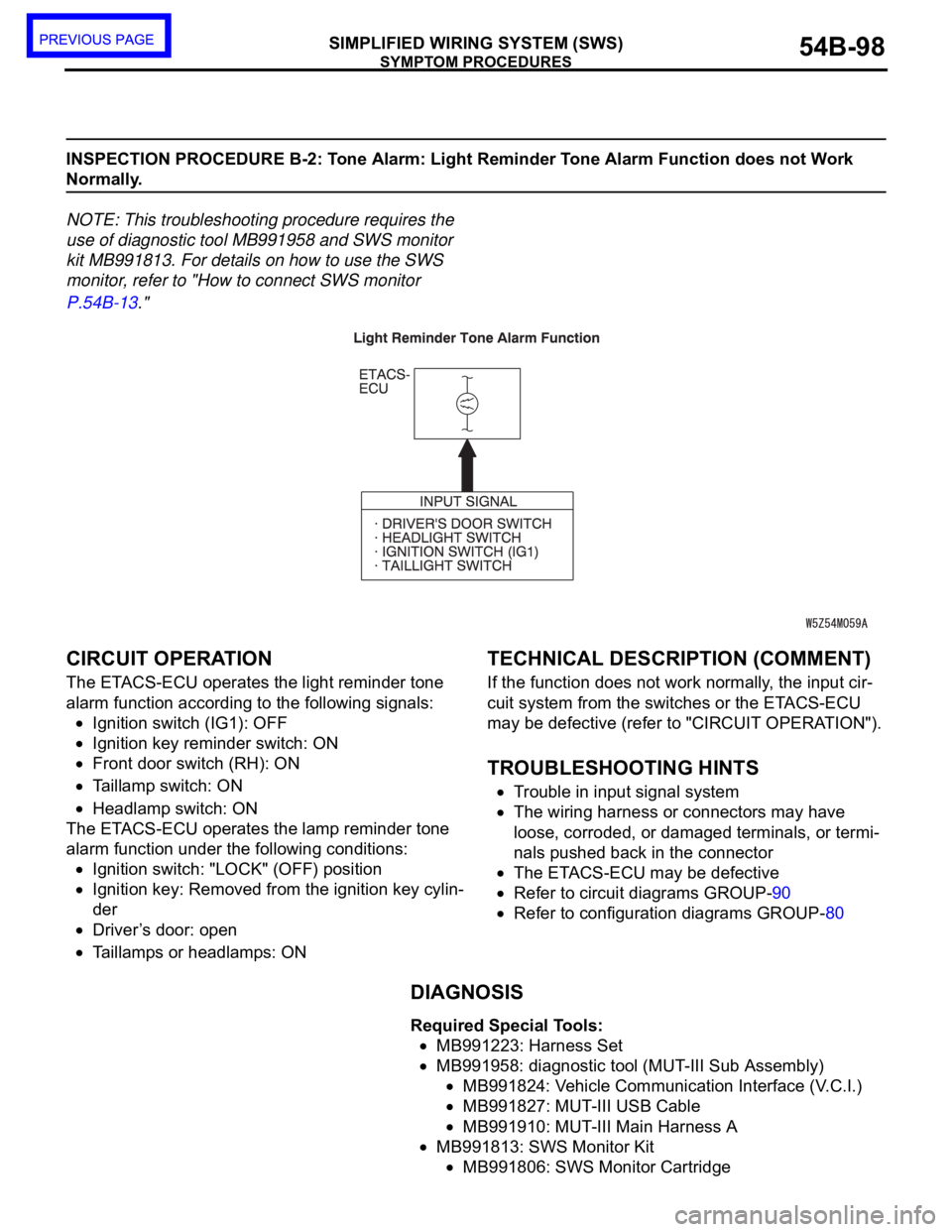
CIRCUIT OPERATION
The ETACS-ECU operates the light reminder tone
alarm function according to the following signals:
Ignition switch (IG1): OFF
Ignition key reminder switch: ON
Front door switch (RH): ON
Taillamp switch: ON
Headlamp switch: ON
The ETACS-ECU operates the lamp reminder tone
alarm function under the following conditions:
Ignition switch: "LOCK" (OFF) position
Ignition key: Removed from the ignition key cylin-
der
Driver’s door: open
Taillamps or headlamps: ON
.
TECHNICAL DESCRIPTION (COMMENT)
If the function does not work normally, the input cir-
cuit system from the switches or the ETACS-ECU
may be defective (refer to "CIRCUIT OPERATION").
.
TROUBLESHOOTING HINTS
Trouble in input signal system
The wiring harness or connectors may have
loose, corroded, or damaged terminals, or termi-
nals pushed back in the connector
The ETACS-ECU may be defective
Refer to circuit diagrams GROUP-90
Refer to configuration diagrams GROUP-80
DIAGNOSIS
Required Special Tools:
MB991223: Harness Set
MB991958: diagnostic tool (MUT-III Sub Assembly)
MB991824: Vehicle Communication Interface (V.C.I.)
MB991827: MUT-III USB Cable
MB991910: MUT-III Main Harness A
MB991813: SWS Monitor Kit
MB991806: SWS Monitor Cartridge
Page 100 of 1500
SYMPTOM PROCEDURES
SIMPLIFIED WIRING SYSTEM (SWS)54B-100
STEP 2. Check the input signal by using "FUNCTION
DIAG." menu of the SWS monitor.
Check the input signals from the following switches:
Ignition switch: OFF (key removed)
Lighting switch: TAIL or HEAD
Driver’s door: open
Front passenger's door: closed
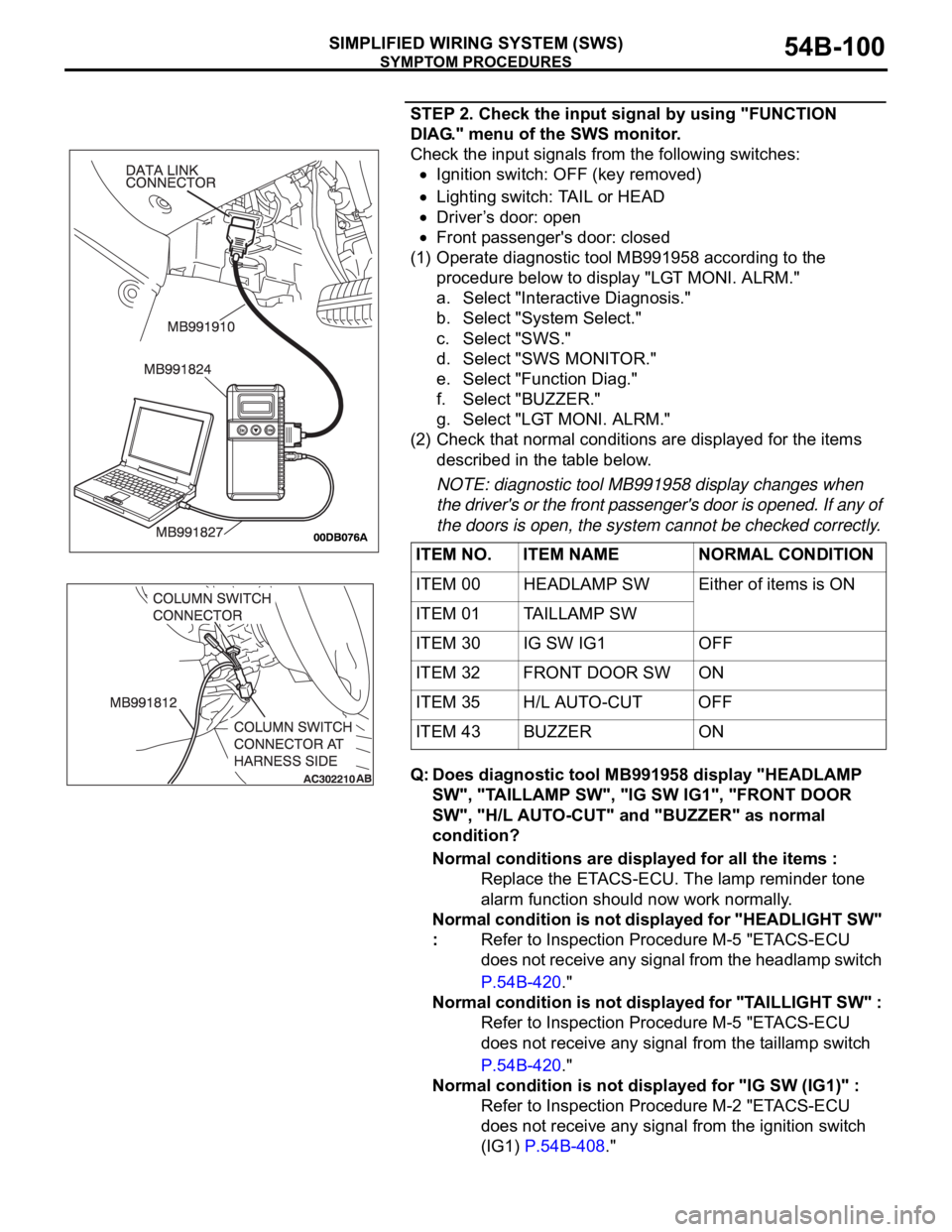
(1) Operate diagnostic tool MB991958 according to the
procedure below to display "LGT MONI. ALRM."
a. Select "Interactive Diagnosis."
b. Select "System Select."
c. Select "SWS."
d. Select "SWS MONITOR."
e. Select "Function Diag."
f. Select "BUZZER."
g. Select "LGT MONI. ALRM."
(2) Check that normal conditions are displayed for the items
described in the table below.
NOTE: diagnostic tool MB991958 display changes when
the driver's or the front passenger's door is opened. If any of
the doors is open, the system cannot be checked correctly.
Q: Does diagnostic tool MB991958 display "HEADLAMP
SW", "TAILLAMP SW", "IG SW IG1", "FRONT DOOR
SW", "H/L AUTO-CUT" and "BUZZER" as normal
condition?
Normal conditions are displayed for all the items :
Replace the ETACS-ECU. The lamp reminder tone
alarm function should now work normally.
Normal condition is not displayed for "HEADLIGHT SW"
: Refer to Inspection Procedure M-5 "ETACS-ECU
does not receive any signal from the headlamp switch
P.54B-420."
Normal condition is not displayed for "TAILLIGHT SW" :
Refer to Inspection Procedure M-5 "ETACS-ECU
does not receive any signal from the taillamp switch
P.54B-420."
Normal condition is not displayed for "IG SW (IG1)" :
Refer to Inspection Procedure M-2 "ETACS-ECU
does not receive any signal from the ignition switch
(IG1) P.54B-408." ITEM NO. ITEM NAME NORMAL CONDITION
ITEM 00 HEADLAMP SW Either of items is ON
ITEM 01 TAILLAMP SW
ITEM 30 IG SW IG1 OFF
ITEM 32 FRONT DOOR SW ON
ITEM 35 H/L AUTO-CUT OFF
ITEM 43 BUZZER ON
Page 101 of 1500
SYMPTOM PROCEDURES
SIMPLIFIED WIRING SYSTEM (SWS)54B-101
Normal condition is not displayed for "FRONT DOOR
SW" : Refer to Inspection Procedure M-4 "ETACS-ECU
does not receive any signal from the front door
switches P.54B-413."
Normal condition is not displayed for "H/L AUTO-CUT" :
Refer to Inspection Procedure H-9 "Headlamp
automatic shutoff function does not work normally
P.54B-305."
Normal condition is not displayed for "BUZZER" :
Replace the ETACS-ECU. The lamp reminder tone
alarm function should now work normally.
INSPECTION PROCEDURE B-3: Tone Alarm: Seat Belt Tone Alarm Function does not Work Normally.
NOTE: This troubleshooting procedure requires the
use of diagnostic tool MB991958 and SWS monitor
kit MB991813. For details on how to use the SWS
monitor, refer to "How to connect SWS monitor
P.54B-13."
.
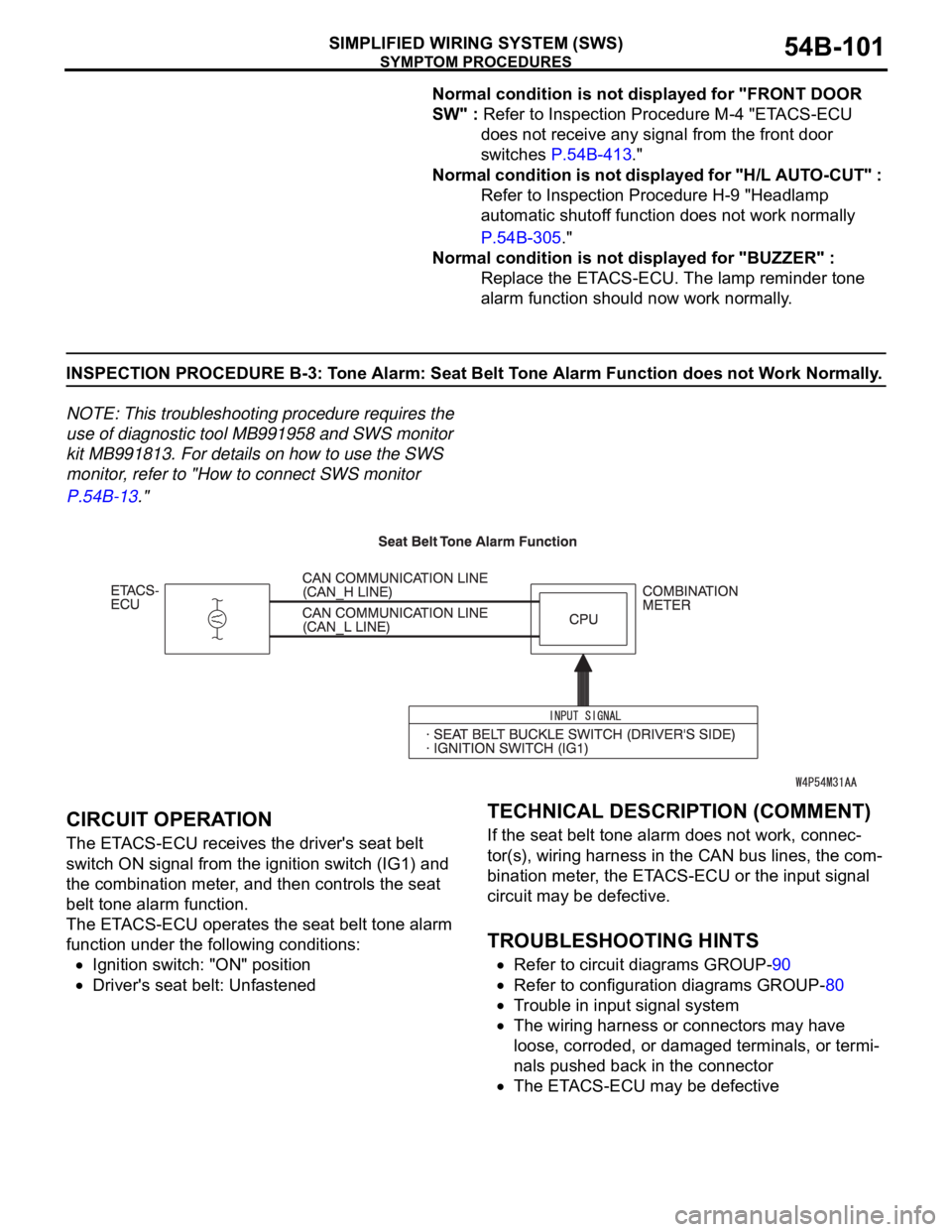
CIRCUIT OPERATION
The ETACS-ECU receives the driver's seat belt
switch ON signal from the ignition switch (IG1) and
the combination meter, and then controls the seat
belt tone alarm function.
The ETACS-ECU operates the seat belt tone alarm
function under the following conditions:
Ignition switch: "ON" position
Driver's seat belt: Unfastened
.
TECHNICAL DESCRIPTION (COMMENT)
If the seat belt tone alarm does not work, connec-
tor(s), wiring harness in the CAN bus lines, the com-
bination meter, the ETACS-ECU or the input signal
circuit may be defective.
.
TROUBLESHOOTING HINTS
Refer to circuit diagrams GROUP-90
Refer to configuration diagrams GROUP-80
Trouble in input signal system
The wiring harness or connectors may have
loose, corroded, or damaged terminals, or termi-
nals pushed back in the connector
The ETACS-ECU may be defective
Page 105 of 1500
SYMPTOM PROCEDURES
SIMPLIFIED WIRING SYSTEM (SWS)54B-105
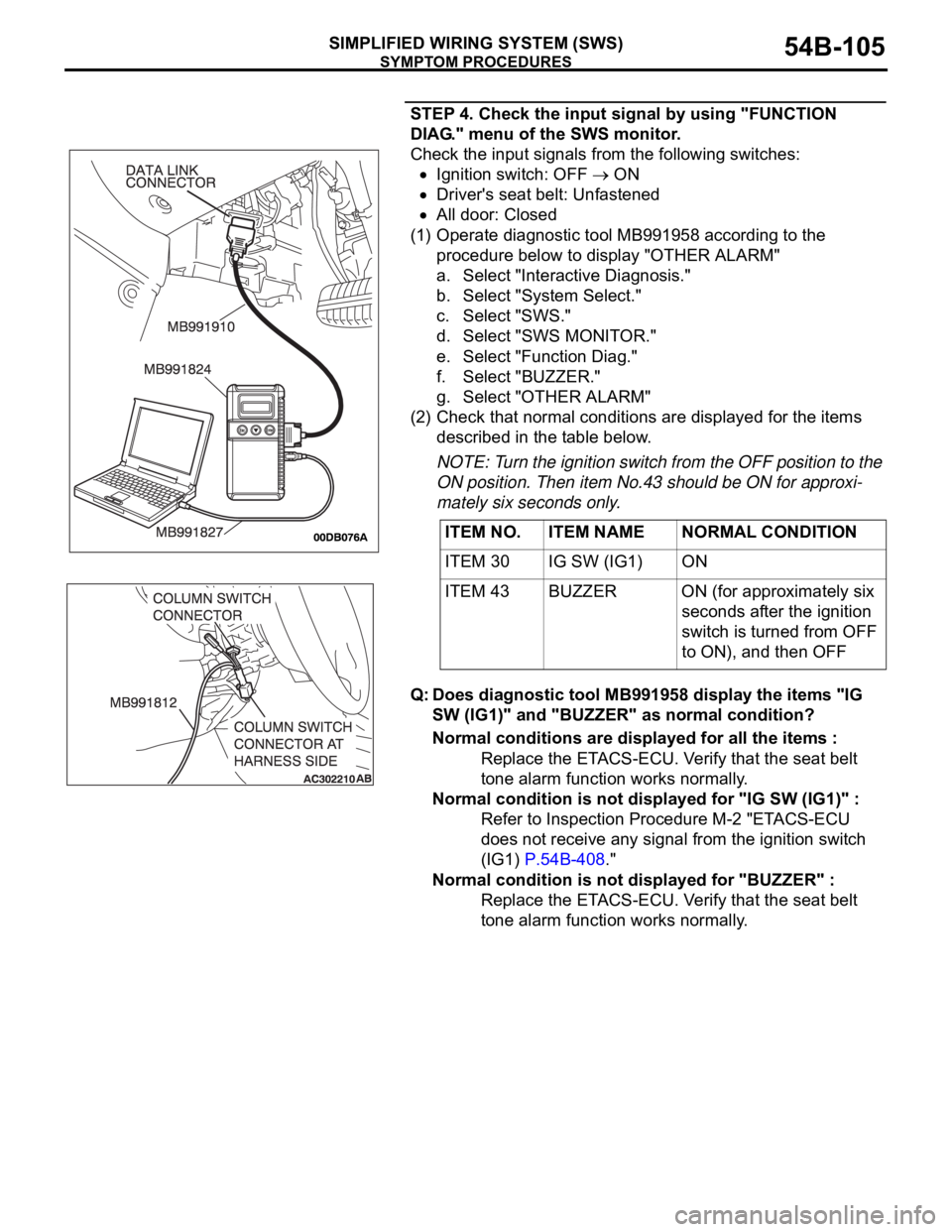
STEP 4. Check the input signal by using "FUNCTION
DIAG." menu of the SWS monitor.
Check the input signals from the following switches:
Ignition switch: OFF ON
Driver's seat belt: Unfastened
All door: Closed
(1) Operate diagnostic tool MB991958 according to the
procedure below to display "OTHER ALARM"
a. Select "Interactive Diagnosis."
b. Select "System Select."
c. Select "SWS."
d. Select "SWS MONITOR."
e. Select "Function Diag."
f. Select "BUZZER."
g. Select "OTHER ALARM"
(2) Check that normal conditions are displayed for the items
described in the table below.
NOTE: Turn the ignition switch from the OFF position to the
ON position. Then item No.43 should be ON for approxi-
mately six seconds only.
Q: Does diagnostic tool MB991958 display the items "IG
SW (IG1)" and "BUZZER" as normal condition?
Normal conditions are displayed for all the items :
Replace the ETACS-ECU. Verify that the seat belt
tone alarm function works normally.
Normal condition is not displayed for "IG SW (IG1)" :
Refer to Inspection Procedure M-2 "ETACS-ECU
does not receive any signal from the ignition switch
(IG1) P.54B-408."
Normal condition is not displayed for "BUZZER" :
Replace the ETACS-ECU. Verify that the seat belt
tone alarm function works normally. ITEM NO. ITEM NAME NORMAL CONDITION
ITEM 30 IG SW (IG1) ON
ITEM 43 BUZZER ON (for approximately six
seconds after the ignition
switch is turned from OFF
to ON), and then OFF
Page 106 of 1500
SYMPTOM PROCEDURES
SIMPLIFIED WIRING SYSTEM (SWS)54B-106
INSPECTION PROCEDURE B-4: Tone Alarm: Door ajar Warning Buzzer Function does not Work
Normally.
NOTE: This troubleshooting procedure requires the
use of diagnostic tool MB991958 and SWS monitor
kit MB991813. For details on how to use the SWS
monitor, refer to "How to connect SWS monitor
P.54B-13."
.
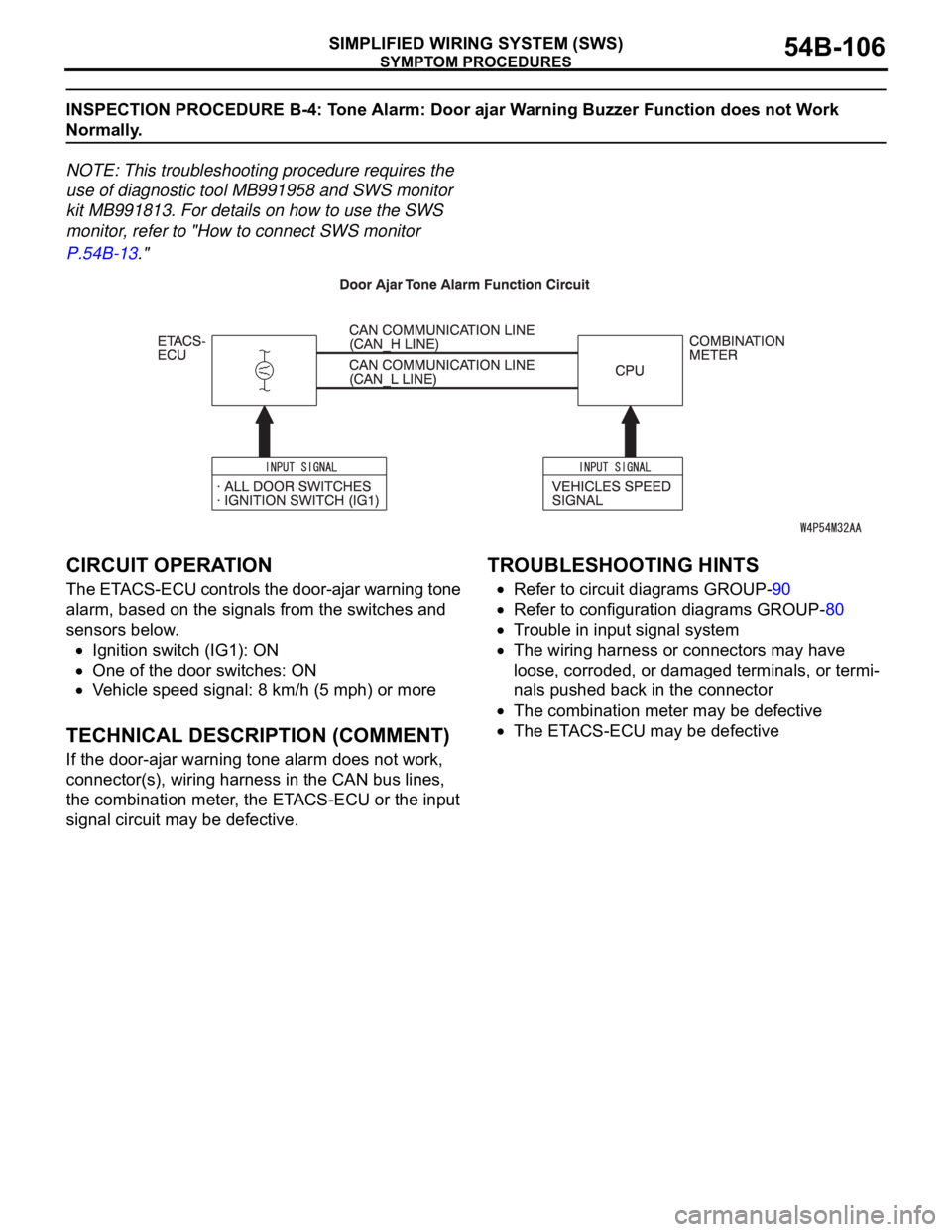
CIRCUIT OPERATION
The ETACS-ECU controls the door-ajar warning tone
alarm, based on the signals from the switches and
sensors below.
Ignition switch (IG1): ON
One of the door switches: ON
Vehicle speed signal: 8 km/h (5 mph) or more
.
TECHNICAL DESCRIPTION (COMMENT)
If the door-ajar warning tone alarm does not work,
connector(s), wiring harness in the CAN bus lines,
the combination meter, the ETACS-ECU or the input
signal circuit may be defective.
.
TROUBLESHOOTING HINTS
Refer to circuit diagrams GROUP-90
Refer to configuration diagrams GROUP-80
Trouble in input signal system
The wiring harness or connectors may have
loose, corroded, or damaged terminals, or termi-
nals pushed back in the connector
The combination meter may be defective
The ETACS-ECU may be defective
Page 107 of 1500
SYMPTOM PROCEDURES
SIMPLIFIED WIRING SYSTEM (SWS)54B-107
DIAGNOSIS
Required Special Tools:
MB991223: Harness Set
MB991958: diagnostic tool (MUT-III Sub Assembly)
MB991824: Vehicle Communication Interface (V.C.I.)
MB991827: MUT-III USB Cable
MB991910: MUT-III Main Harness A
MB991813: SWS Monitor Kit
MB991806: SWS Monitor Cartridge
MB991812: SWS Monitor Harness (For Column-ECU)
MB991822: Test Probe Harness
STEP 1. Check the adjustment function.
Q: Has the door-ajar warning tone alarm function been
enabled by the adjustment function?
YES : Go to Step 2.
NO : Enable the door-ajar warning tone alarm.
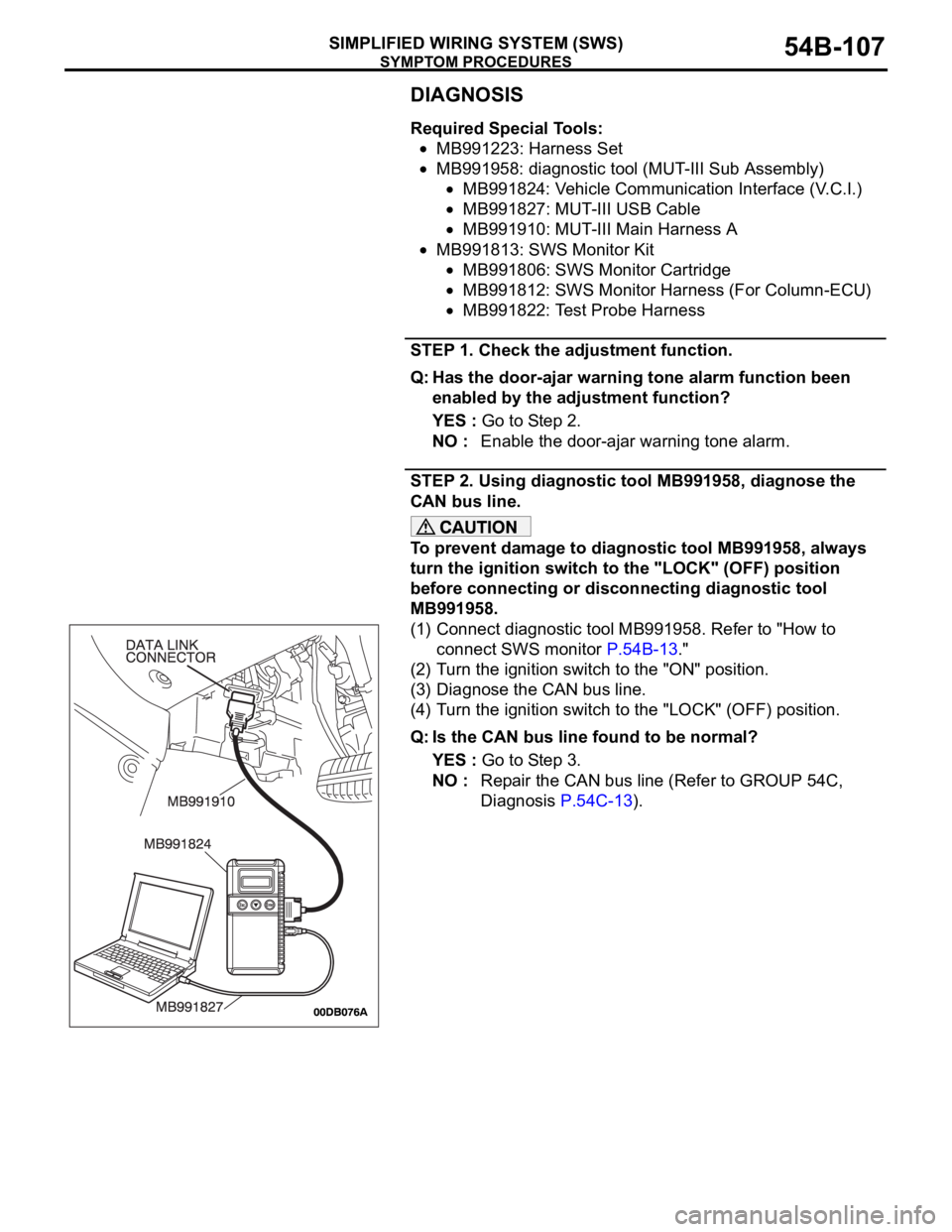
STEP 2. Using diagnostic tool MB991958, diagnose the
CAN bus line.
To prevent damage to diagnostic tool MB991958, always
turn the ignition switch to the "LOCK" (OFF) position
before connecting or disconnecting diagnostic tool
MB991958.
(1) Connect diagnostic tool MB991958. Refer to "How to
connect SWS monitor P.54B-13."
(2) Turn the ignition switch to the "ON" position.
(3) Diagnose the CAN bus line.
(4) Turn the ignition switch to the "LOCK" (OFF) position.
Q: Is the CAN bus line found to be normal?
YES : Go to Step 3.
NO : Repair the CAN bus line (Refer to GROUP 54C,
Diagnosis P.54C-13).
Page 110 of 1500
SYMPTOM PROCEDURES
SIMPLIFIED WIRING SYSTEM (SWS)54B-110
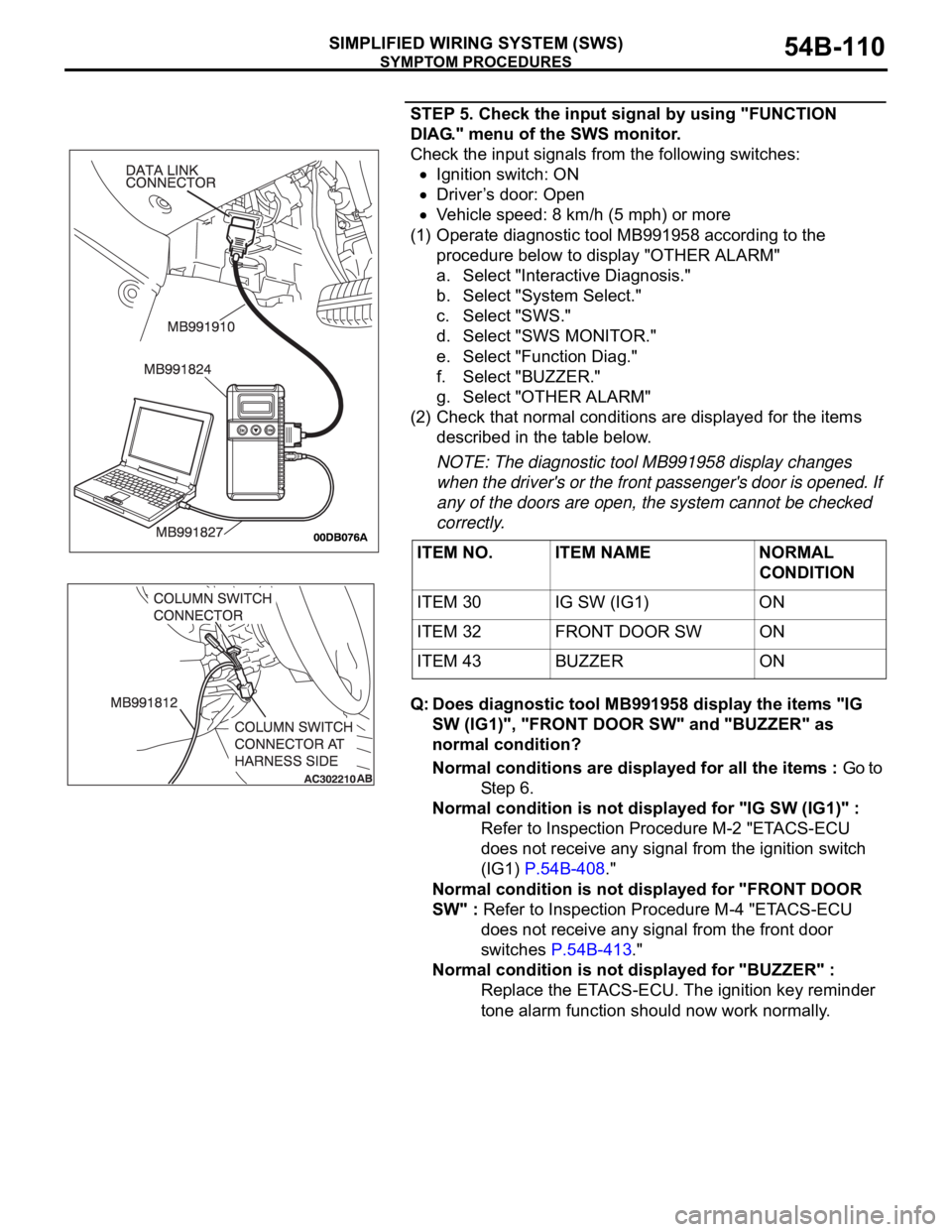
STEP 5. Check the input signal by using "FUNCTION
DIAG." menu of the SWS monitor.
Check the input signals from the following switches:
Ignition switch: ON
Driver’s door: Open
Vehicle speed: 8 km/h (5 mph) or more
(1) Operate diagnostic tool MB991958 according to the
procedure below to display "OTHER ALARM"
a. Select "Interactive Diagnosis."
b. Select "System Select."
c. Select "SWS."
d. Select "SWS MONITOR."
e. Select "Function Diag."
f. Select "BUZZER."
g. Select "OTHER ALARM"
(2) Check that normal conditions are displayed for the items
described in the table below.
NOTE: The diagnostic tool MB991958 display changes
when the driver's or the front passenger's door is opened. If
any of the doors are open, the system cannot be checked
correctly.
Q: Does diagnostic tool MB991958 display the items "IG
SW (IG1)", "FRONT DOOR SW" and "BUZZER" as
normal condition?
Normal conditions are displayed for all the items : Go to
St e p 6 .
Normal condition is not displayed for "IG SW (IG1)" :
Refer to Inspection Procedure M-2 "ETACS-ECU
does not receive any signal from the ignition switch
(IG1) P.54B-408."
Normal condition is not displayed for "FRONT DOOR
SW" : Refer to Inspection Procedure M-4 "ETACS-ECU
does not receive any signal from the front door
switches P.54B-413."
Normal condition is not displayed for "BUZZER" :
Replace the ETACS-ECU. The ignition key reminder
tone alarm function should now work normally. ITEM NO. ITEM NAME NORMAL
CONDITION
ITEM 30 IG SW (IG1) ON
ITEM 32 FRONT DOOR SW ON
ITEM 43 BUZZER ON
Page 112 of 1500
SYMPTOM PROCEDURES
SIMPLIFIED WIRING SYSTEM (SWS)54B-112
INSPECTION PROCEDURE B-5: Tone Alarm: The Multi center Display does not Sound Normally When
it is Operated.
NOTE: This troubleshooting procedure requires the
use of diagnostic tool MB991958 and SWS monitor
kit MB991813. For details on how to use the SWS
monitor, refer to "How to connect SWS monitor
P.54B-13."
.
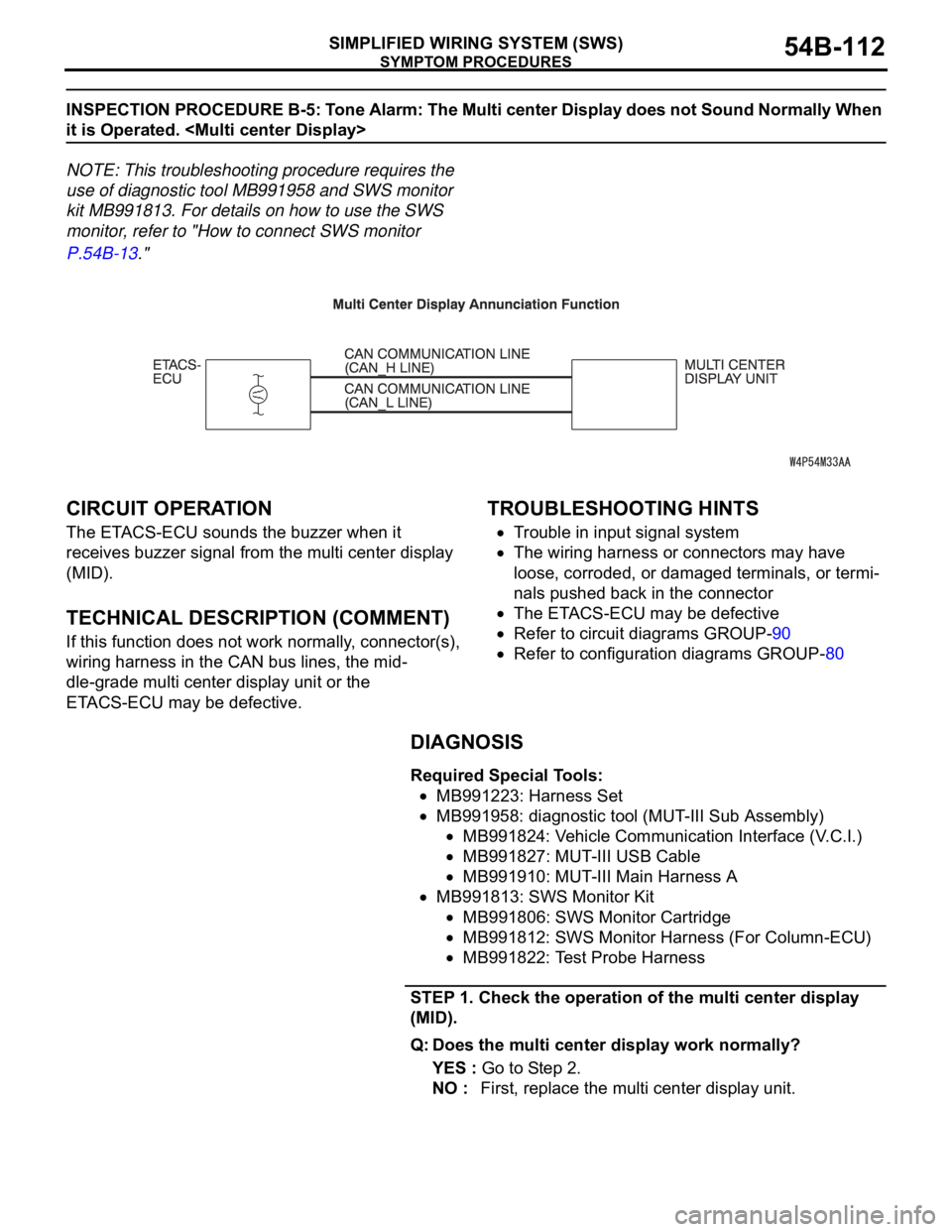
CIRCUIT OPERATION
The ETACS-ECU sounds the buzzer when it
receives buzzer signal from the multi center display
(MID).
.
TECHNICAL DESCRIPTION (COMMENT)
If this function does not work normally, connector(s),
wiring harness in the CAN bus lines, the mid-
dle-grade multi center display unit or the
ETACS-ECU may be defective.
.
TROUBLESHOOTING HINTS
Trouble in input signal system
The wiring harness or connectors may have
loose, corroded, or damaged terminals, or termi-
nals pushed back in the connector
The ETACS-ECU may be defective
Refer to circuit diagrams GROUP-90
Refer to configuration diagrams GROUP-80
DIAGNOSIS
Required Special Tools:
MB991223: Harness Set
MB991958: diagnostic tool (MUT-III Sub Assembly)
MB991824: Vehicle Communication Interface (V.C.I.)
MB991827: MUT-III USB Cable
MB991910: MUT-III Main Harness A
MB991813: SWS Monitor Kit
MB991806: SWS Monitor Cartridge
MB991812: SWS Monitor Harness (For Column-ECU)
MB991822: Test Probe Harness
STEP 1. Check the operation of the multi center display
(MID).
Q: Does the multi center display work normally?
YES : Go to Step 2.
NO : First, replace the multi center display unit.
Page 115 of 1500

SYMPTOM PROCEDURES
SIMPLIFIED WIRING SYSTEM (SWS)54B-115
STEP 5. Check the input signal by using "FUNCTION
DIAG." menu of the SWS monitor.
Turn the ignition switch to the "ON" position to check the input
signals from the following switches.
(1) Operate diagnostic tool MB991958 according to the
procedure below to display "OTHER ALARM."
a. Select "Interactive Diagnosis."
b. Select "System Select."
c. Select "SWS."
d. Select "SWS MONITOR."
e. Select "Function Diag."
f. Select "BUZZER."
g. Select "OTHER ALARM."
(2) Check that normal conditions are displayed for the items
described in the table below.
NOTE: If the function switch of the multi center display is
operated, check that No.43 "BUZZER" is displayed as nor-
mal condition.
Q: Are normal conditions displayed for the "IG SW (IG1)"
and "BUZZER"?
Normal conditions are displayed for all the items :
Replace the ETACS-ECU. Verify that the multi center
display operating sound function works normally.
Normal condition is not displayed for "IG SW (IG1)" :
Refer to Inspection Procedure M-2 "ETACS-ECU
does not receive any signal from the ignition switch
(IG1) P.54B-408."
Normal condition is not displayed for "BUZZER" :
Replace the ETACS-ECU. Verify that the multi center
display operating sound function works normally. ITEM NO. ITEM NAME NORMAL
CONDITION
ITEM 30 IG SW (IG1) ON
ITEM 43 BUZZER ON