ECO mode MITSUBISHI CARISMA 2000 1.G User Guide
[x] Cancel search | Manufacturer: MITSUBISHI, Model Year: 2000, Model line: CARISMA, Model: MITSUBISHI CARISMA 2000 1.GPages: 280, PDF Size: 2.32 MB
Page 145 of 280
FOR PLEASANT DRIVING
6–5
How to adjust the tune
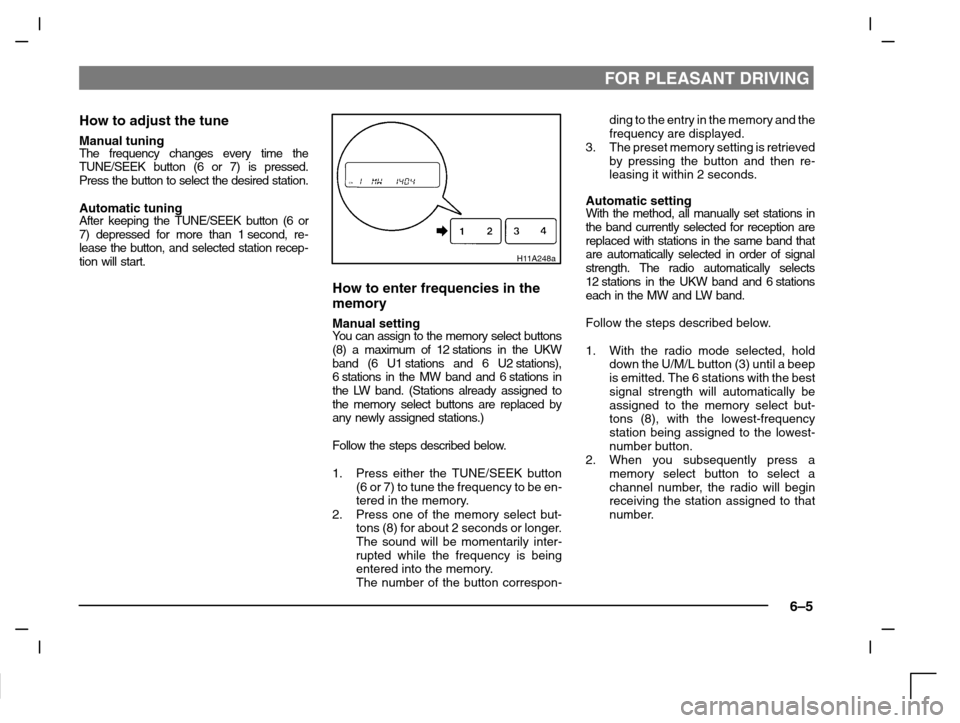
Manual tuningThe frequency changes every time the
TUNE/SEEK button (6 or 7) is pressed.
Press the button to select the desired station.
Automatic tuningAfter keeping the TUNE/SEEK button (6 or
7) depressed for more than 1 second, re-
lease the button, and selected station recep-
tion will start.
H11A248a
How to enter frequencies in the
memory
Manual settingYo u c a n assign to the memory select buttons
(8) a maximum of 12 stations in the UKW
band (6 U1 stations and 6 U2 stations),
6 stations in the MW band and 6 stations in
the LW band. (Stations already assigned to
the memory select buttons are replaced by
any newly assigned stations.)
Follow the steps described below.
1. Press either the TUNE/SEEK button
(6 or 7) to tune the frequency to be en-
tered in the memory.
2. Press one of the memory select but-
tons (8) for about 2 seconds or longer.
The sound will be momentarily inter-
rupted while the frequency is being
entered into the memory.
The number of the button correspon-ding to the entry in the memory and the
frequency are displayed.
3. The preset memory setting is retrieved
by pressing the button and then re-
leasing it within 2 seconds.
Automatic settingWith the method, all manually set stations in
the band currently selected for reception are
replaced with stations in the same band that
are automatically selected in order of signal
strength. The radio automatically selects
12 stations in the UKW band and 6 stations
each in the MW and LW band.
Follow the steps described below.
1. With the radio mode selected, hold
down the U/M/L button (3) until a beep
is emitted. The 6 stations with the best
signal strength will automatically be
assigned to the memory select but-
tons (8), with the lowest-frequency
station being assigned to the lowest-
number button.
2. When you subsequently press a
memory select button to select a
channel number, the radio will begin
receiving the station assigned to that
number.
Page 149 of 280
FOR PLEASANT DRIVING
6–9
To change the language of PTY
display
You can select your favourite language be-
tween English, French, German, Swedish,
Spanish and Italian.
1. Turn off the radio.
2. Turn the radio back on while holding
down the PTY button (B).
3. An alarm will sound and the system
will enter PTY Language Switching
mode.
4. Use the H button (C) or the M button
(D) to select the desired language.
Press the SET button (E) to register
your selection.
5. Press the button on the left (A) to can-
cel the selection. The system will re-
vert to the settings prior to accessing
PTY Language Switching mode.
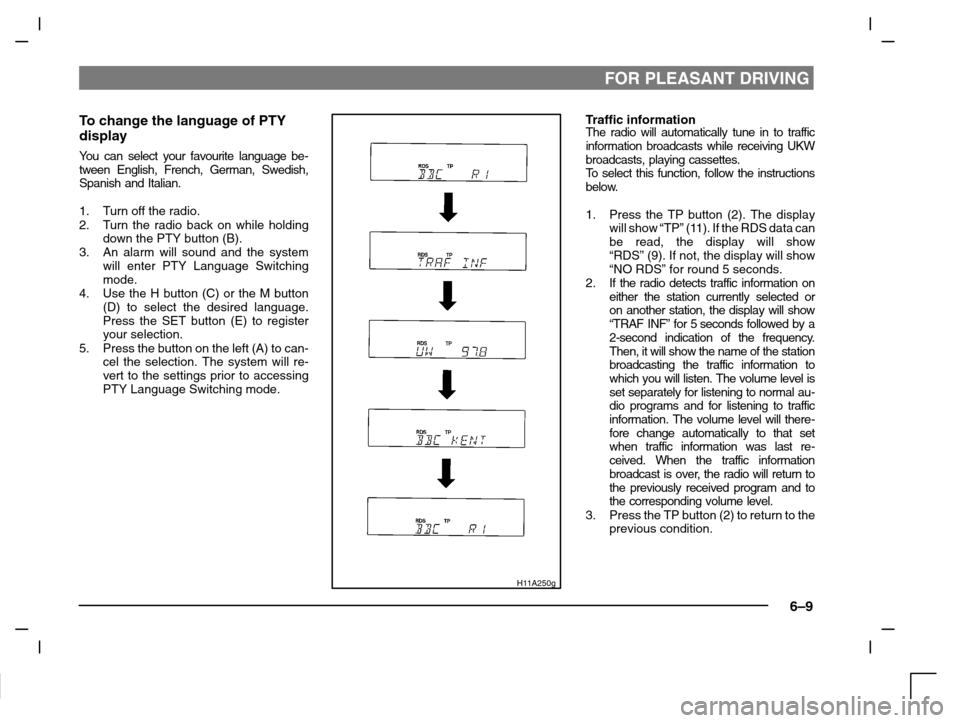
H11A250g
Traffic informationThe radio will automatically tune in to traffic
information broadcasts while receiving UKW
broadcasts, playing cassettes.
To s e l e c t this function, follow the instructions
below.
1. Press the TP button (2). The display
will show “TP” (11). If the RDS data can
be read, the display will show
“RDS” (9). If not, the display will show
“NO RDS” for round 5 seconds.
2. If the radio detects traffic information on
either the station currently selected or
on another station, the display will show
“TRAF INF” for 5 seconds followed by a
2-second indication of the frequency.
Then, it will show the name of the station
broadcasting the traffic information to
which you will listen. The volume level is
set separately for listening to normal au-
dio programs and for listening to traffic
information. The volume level will there-
fore change automatically to that set
when traffic information was last re-
ceived. When the traffic information
broadcast is over, the radio will return to
the previously received program and to
the corresponding volume level.
3. Press the TP button (2) to return to the
previous condition.
Page 150 of 280
FOR PLEASANT DRIVING
6–10
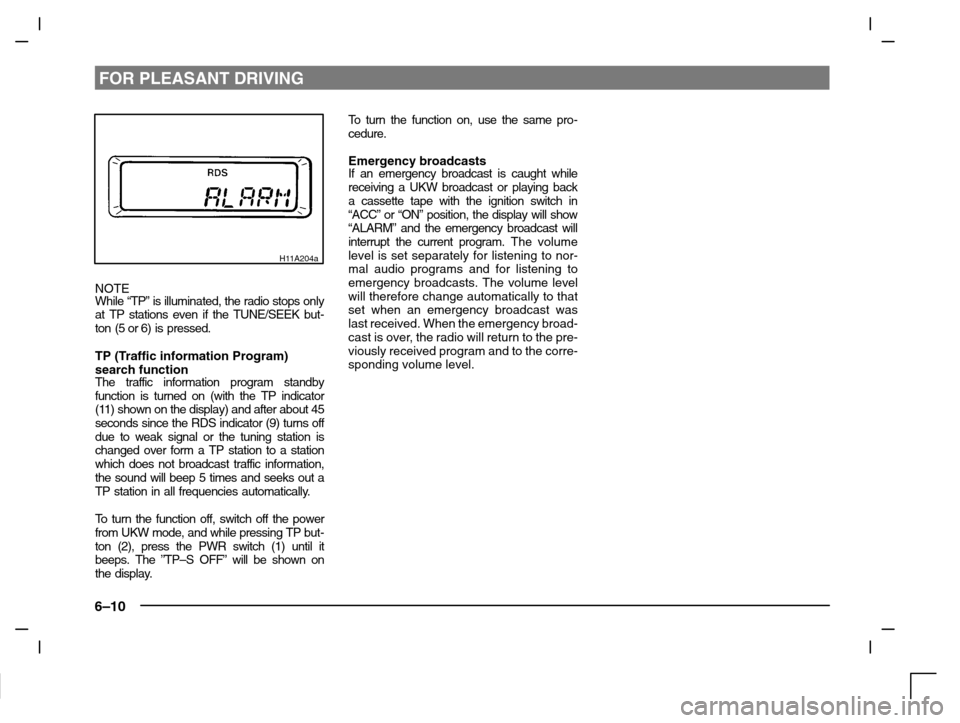
H11A204a
NOTE
While “TP” is illuminated, the radio stops only
at TP stations even if the TUNE/SEEK but-
ton (5 or 6) is pressed.
TP (Traffic information Program)
search function
The traffic information program standby
function is turned on (with the TP indicator
(11) shown on the display) and after about 45
seconds since the RDS indicator (9) turns off
due to weak signal or the tuning station is
changed over form a TP station to a station
which does not broadcast traffic information,
the sound will beep 5 times and seeks out a
TP station in all frequencies automatically.
To turn the function off, switch off the power
from UKW mode, and while pressing TP but-
ton (2), press the PWR switch (1) until it
beeps. The ”TP–S OFF” will be shown on
the display.To turn the function on, use the same pro-
cedure.
Emergency broadcastsIf an emergency broadcast is caught while
receiving a UKW broadcast or playing back
a cassette tape with the ignition switch in
“ACC” or “ON” position, the display will show
“ALARM” and the emergency broadcast will
interrupt the current program. The volume
level is set separately for listening to nor-
mal audio programs and for listening to
emergency broadcasts. The volume level
will therefore change automatically to that
set when an emergency broadcast was
last received. When the emergency broad-
cast is over, the radio will return to the pre-
viously received program and to the corre-
sponding volume level.
Page 154 of 280
FOR PLEASANT DRIVING
6–14
To listen to a CD
1. Press the CD button (3) and the CD
mode will be selected, starting play-
back.
NOTE
If the system is equipped with CD auto-
changer, press the DISC button (5), to select
another disc. Every time the
side of the
DISC button is pressed, the next disc is se-
lected. Every time the
side of the button is
pressed, changeover to the previous disc is
made.
2. To adjust the volume and tone, refer to
the section “How to adjust the volume”
and “How to adjust the tone” on page
6–4.
3. To stop the CD, turn off the power by
pressing the PWR switch (1) or make
changeover to the other mode by
pressing the TAPE button (4) or U/M/L
button (2).
4. For information concerning the handl-
ing of compact discs, refer to the sec-
tion “Handling of compact discs” on
page 6–27.
To find the start of a desired track
The start of each track on a disc can be
found by using the
or button (6 or 7).
Track up:Press the button (7) the number of tracks
to skip over.
The frequency-display window will display
the number of tracks thus selected.
Track down:Press the button (6) the number of tracks
to skip over.
The frequency-display window will display
the number of tracks thus selected.
How to repeat the same track
You can repeatedly listen to the same track
by pressing the RPT button (9).
Press the RPT button, and the RPT indicator
(14) will come on.
To r e lease, press the button again.
To change the order of tracks
played back (For CD player)
Press the RDM button (10), and the RDM
indicator (15) will illuminate and tracks for
playback will be randomly selected. To re-
lease, press the button again.
To change the order of discs
played back (For CD autochanger)
Press the RDM button (10), and the RDM
indicator (15) will illuminate and random
tracks for playback will be selected randomly
from all discs loaded into the autochanger.
To r e lease, press the button again.
How to use the SCAN button
Use the SCAN button (8) to search for a par-
ticular track, etc. When this button is
pressed, the first 10 seconds of each track
on the disc will be played.
The disc will advance at fast-forward speed
between each 10-second played in this way.
Press the SCAN button again, to play the
track ordinary. After completion of this scan-
ning of tracks, the disc will begin ordinary
play.
Page 158 of 280
FOR PLEASANT DRIVING
6–18
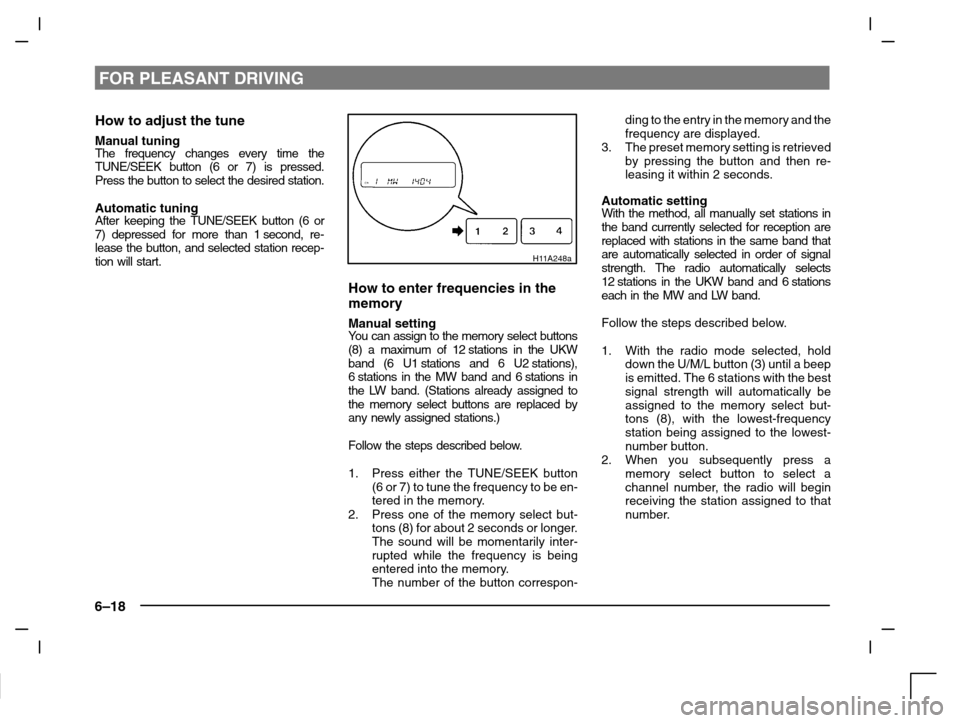
How to adjust the tune
Manual tuningThe frequency changes every time the
TUNE/SEEK button (6 or 7) is pressed.
Press the button to select the desired station.
Automatic tuningAfter keeping the TUNE/SEEK button (6 or
7) depressed for more than 1 second, re-
lease the button, and selected station recep-
tion will start.
H11A248a
How to enter frequencies in the
memory
Manual settingYo u c a n assign to the memory select buttons
(8) a maximum of 12 stations in the UKW
band (6 U1 stations and 6 U2 stations),
6 stations in the MW band and 6 stations in
the LW band. (Stations already assigned to
the memory select buttons are replaced by
any newly assigned stations.)
Follow the steps described below.
1. Press either the TUNE/SEEK button
(6 or 7) to tune the frequency to be en-
tered in the memory.
2. Press one of the memory select but-
tons (8) for about 2 seconds or longer.
The sound will be momentarily inter-
rupted while the frequency is being
entered into the memory.
The number of the button correspon-ding to the entry in the memory and the
frequency are displayed.
3. The preset memory setting is retrieved
by pressing the button and then re-
leasing it within 2 seconds.
Automatic settingWith the method, all manually set stations in
the band currently selected for reception are
replaced with stations in the same band that
are automatically selected in order of signal
strength. The radio automatically selects
12 stations in the UKW band and 6 stations
each in the MW and LW band.
Follow the steps described below.
1. With the radio mode selected, hold
down the U/M/L button (3) until a beep
is emitted. The 6 stations with the best
signal strength will automatically be
assigned to the memory select but-
tons (8), with the lowest-frequency
station being assigned to the lowest-
number button.
2. When you subsequently press a
memory select button to select a
channel number, the radio will begin
receiving the station assigned to that
number.
Page 162 of 280
FOR PLEASANT DRIVING
6–22
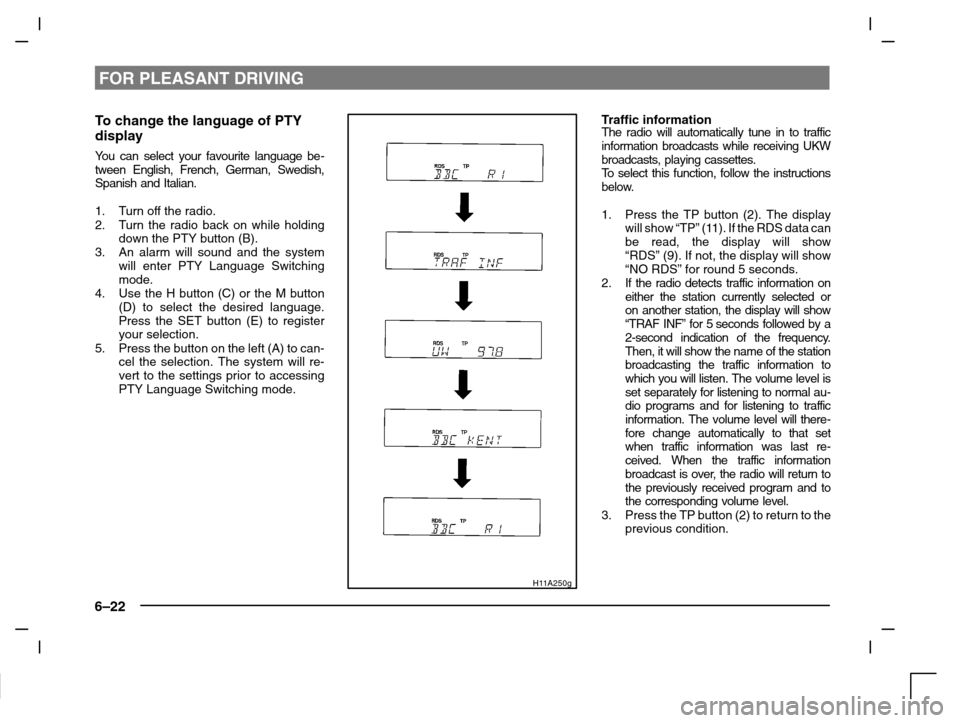
To change the language of PTY
display
You can select your favourite language be-
tween English, French, German, Swedish,
Spanish and Italian.
1. Turn off the radio.
2. Turn the radio back on while holding
down the PTY button (B).
3. An alarm will sound and the system
will enter PTY Language Switching
mode.
4. Use the H button (C) or the M button
(D) to select the desired language.
Press the SET button (E) to register
your selection.
5. Press the button on the left (A) to can-
cel the selection. The system will re-
vert to the settings prior to accessing
PTY Language Switching mode.
H11A250g
Traffic informationThe radio will automatically tune in to traffic
information broadcasts while receiving UKW
broadcasts, playing cassettes.
To s e l e c t this function, follow the instructions
below.
1. Press the TP button (2). The display
will show “TP” (11). If the RDS data can
be read, the display will show
“RDS” (9). If not, the display will show
“NO RDS” for round 5 seconds.
2. If the radio detects traffic information on
either the station currently selected or
on another station, the display will show
“TRAF INF” for 5 seconds followed by a
2-second indication of the frequency.
Then, it will show the name of the station
broadcasting the traffic information to
which you will listen. The volume level is
set separately for listening to normal au-
dio programs and for listening to traffic
information. The volume level will there-
fore change automatically to that set
when traffic information was last re-
ceived. When the traffic information
broadcast is over, the radio will return to
the previously received program and to
the corresponding volume level.
3. Press the TP button (2) to return to the
previous condition.
Page 163 of 280
FOR PLEASANT DRIVING
6–23
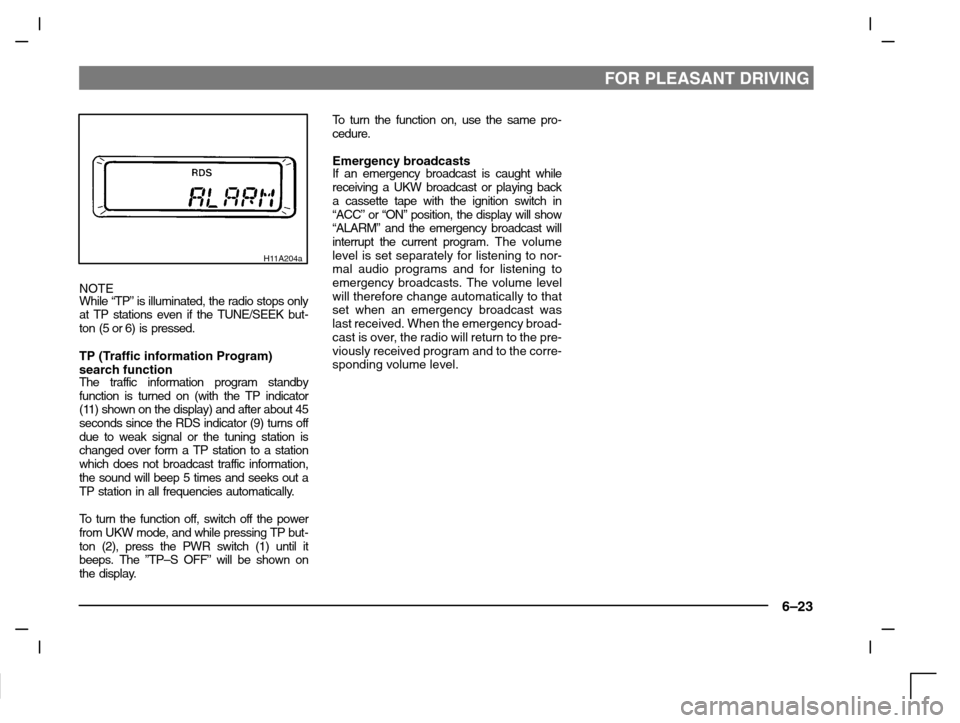
H11A204a
NOTE
While “TP” is illuminated, the radio stops only
at TP stations even if the TUNE/SEEK but-
ton (5 or 6) is pressed.
TP (Traffic information Program)
search function
The traffic information program standby
function is turned on (with the TP indicator
(11) shown on the display) and after about 45
seconds since the RDS indicator (9) turns off
due to weak signal or the tuning station is
changed over form a TP station to a station
which does not broadcast traffic information,
the sound will beep 5 times and seeks out a
TP station in all frequencies automatically.
To turn the function off, switch off the power
from UKW mode, and while pressing TP but-
ton (2), press the PWR switch (1) until it
beeps. The ”TP–S OFF” will be shown on
the display.To turn the function on, use the same pro-
cedure.
Emergency broadcastsIf an emergency broadcast is caught while
receiving a UKW broadcast or playing back
a cassette tape with the ignition switch in
“ACC” or “ON” position, the display will show
“ALARM” and the emergency broadcast will
interrupt the current program. The volume
level is set separately for listening to nor-
mal audio programs and for listening to
emergency broadcasts. The volume level
will therefore change automatically to that
set when an emergency broadcast was
last received. When the emergency broad-
cast is over, the radio will return to the pre-
viously received program and to the corre-
sponding volume level.
Page 171 of 280
FOR PLEASANT DRIVING
6–31
2-Blower speed selection dial
There are 4 blower speeds for control
of the amount of air flow.
Adjust the blower speed by turning the
blower speed selection dial clockwise
or anticlockwise. The setting for ordi-
nary use should be the first or second
speed.
3-Temperature control dial
The heater will not operate if the dial is
set all the way to the left.
The air flow temperature will gradually
increase as the dial is turned to the
right.
NOTE
When the engine coolant temperature is
low, temperature of air introduced into the
passenger compartment does not change
even if the temperature control dial is
moved to the high temperature side.
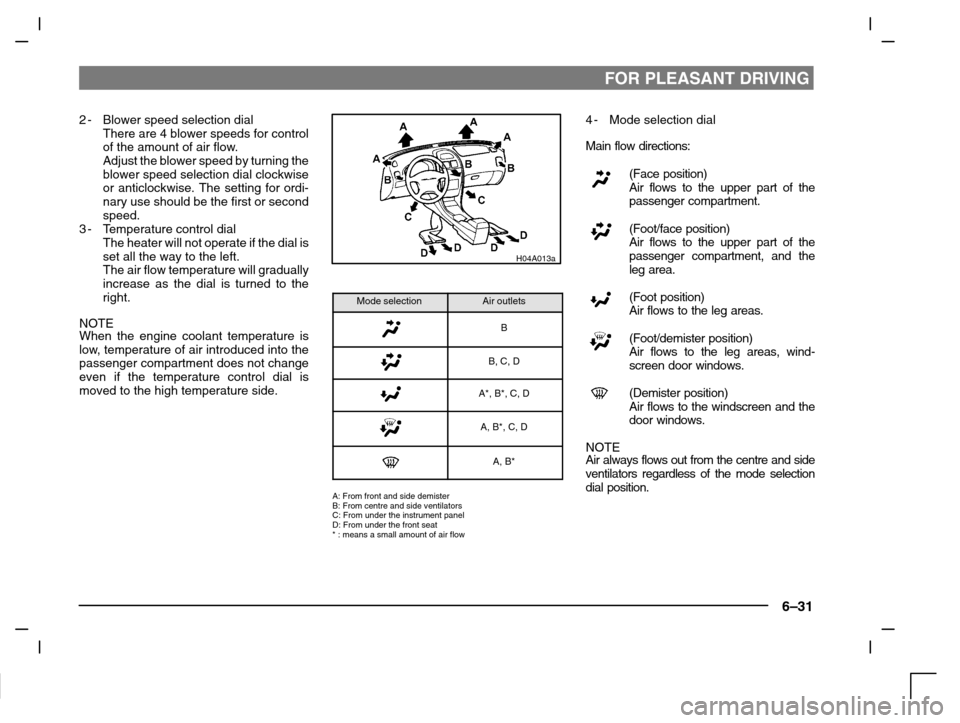
H04A013a
Mode selectionAir outlets
B
B, C, D
A*, B*, C, D
A, B*, C, D
A, B*
A: From front and side demister
B: From centre and side ventilators
C: From under the instrument panel
D: From under the front seat
* : means a small amount of air flow
4-Mode selection dial
Main flow directions:
(Face position)
Air flows to the upper part of the
passenger compartment.
(Foot/face position)
Air flows to the upper part of the
passenger compartment, and the
leg area.
(Foot position)
Air flows to the leg areas.
(Foot/demister position)
Air flows to the leg areas, wind-
screen door windows.
(Demister position)
Air flows to the windscreen and the
door windows.
NOTE
Air always flows out from the centre and side
ventilators regardless of the mode selection
dial position.
Page 172 of 280
FOR PLEASANT DRIVING
6–32
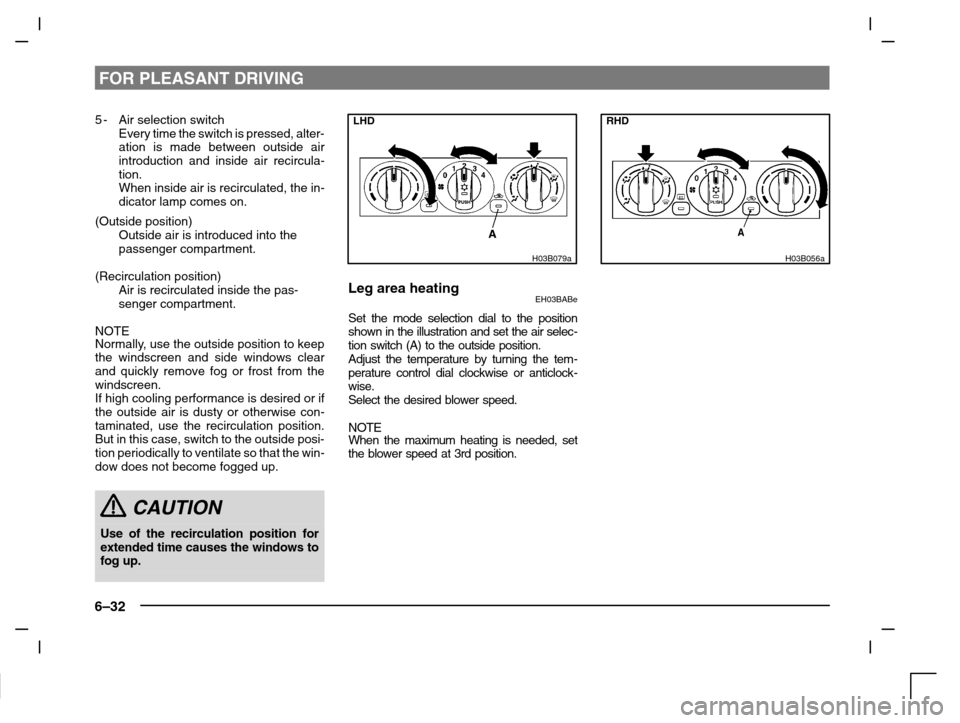
5-Air selection switch
Every time the switch is pressed, alter-
ation is made between outside air
introduction and inside air recircula-
tion.
When inside air is recirculated, the in-
dicator lamp comes on.
(Outside position)
Outside air is introduced into the
passenger compartment.
(Recirculation position)
Air is recirculated inside the pas-
senger compartment.
NOTE
Normally, use the outside position to keep
the windscreen and side windows clear
and quickly remove fog or frost from the
windscreen.
If high cooling performance is desired or if
the outside air is dusty or otherwise con-
taminated, use the recirculation position.
But in this case, switch to the outside posi-
tion periodically to ventilate so that the win-
dow does not become fogged up.
CAUTION
Use of the recirculation position for
extended time causes the windows to
fog up.
LHD
H03B079a
Leg area heatingEH03BABe
Set the mode selection dial to the position
shown in the illustration and set the air selec-
tion switch (A) to the outside position.
Adjust the temperature by turning the tem-
perature control dial clockwise or anticlock-
wise.
Select the desired blower speed.
NOTEWhen the maximum heating is needed, set
the blower speed at 3rd position.
RHD
H03B056a
Page 175 of 280
FOR PLEASANT DRIVING
6–35
LHD
H03E059a
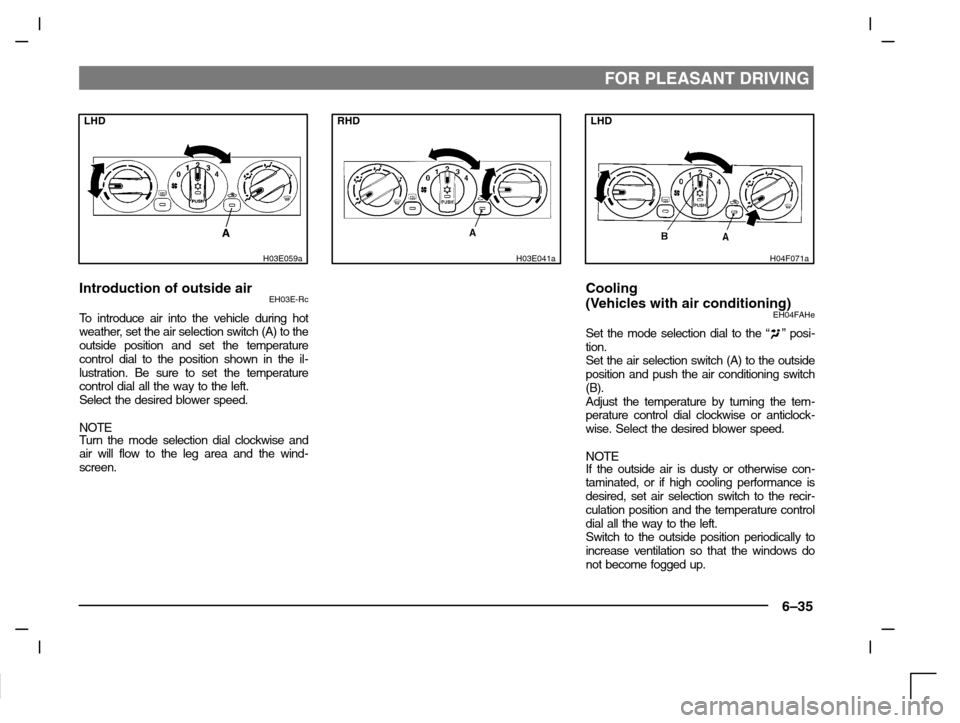
Introduction of outside airEH03E-Rc
To introduce air into the vehicle during hot
weather, set the air selection switch (A) to the
outside position and set the temperature
control dial to the position shown in the il-
lustration. Be sure to set the temperature
control dial all the way to the left.
Select the desired blower speed.
NOTE
Turn the mode selection dial clockwise and
air will flow to the leg area and the wind-
screen.
RHD
H03E041a
LHD
H04F071a
Cooling
(Vehicles with air conditioning)
EH04FAHe
Set the mode selection dial to the “” posi-
tion.
Set the air selection switch (A) to the outside
position and push the air conditioning switch
(B).
Adjust the temperature by turning the tem-
perature control dial clockwise or anticlock-
wise. Select the desired blower speed.
NOTEIf the outside air is dusty or otherwise con-
taminated, or if high cooling performance is
desired, set air selection switch to the recir-
culation position and the temperature control
dial all the way to the left.
Switch to the outside position periodically to
increase ventilation so that the windows do
not become fogged up.