service MITSUBISHI COLT 2009 10.G User Guide
[x] Cancel search | Manufacturer: MITSUBISHI, Model Year: 2009, Model line: COLT, Model: MITSUBISHI COLT 2009 10.GPages: 273, PDF Size: 17.28 MB
Page 65 of 273
Downloaded from www.Manualslib.com manuals search engine When the front passenger’s airbag ON-OFF switch
is turned OFF, the indication lamp will stay on to
show that the passenger front airbag is not opera-
tional.
When the front passenger’s airbag ON-OFF switch
is turned ON, the indication lamp goes off to show
that the front passenger’s airbag is operational.To turn an airbag off E00410600235WARNINGlTo reduce risk of serious or fatal injury:
•Always remove the key from the igni-
tion switch before operating a front
passenger’s airbag ON-OFF switch.
Failure to do so could adversely affect
the airbag performance.
• Wait at least 60 seconds to operate the
front passenger’s airbag ON-OFF
switch after turning the ignition
switch from “ON” position to
“LOCK” position.
The SRS airbag system is designed to
retain enough voltage to deploy the air-
bag.
• Always remove the key from a front
passenger’s airbag ON-OFF switch af-
ter operating that switch.
Failure to do so could lead to improp-
er position of the front passenger’s air-
bag ON-OFF switch.
• Do not turn OFF the front passen-
ger’s airbag ON-OFF switch except
when a child restraint system is fitted
to the front passenger seat.WARNING• Turn ON the front passenger’s airbag
ON-OFF switch immediately after re-
moving a child restraint system from
the passenger seat.
• If the indication lamp does not come
on when the front passenger’s airbag
ON-OFF switch is turned OFF, do not
fit a child restraint system to the front
passenger seat. We recommend you to
have the system inspected by a
MITSUBISHI MOTORS Authorized
Service Point.
• If the indication lamp remains on
when the front passenger’s airbag
ON-OFF switch is turned ON, do not
allow anyone to sit on the front passen-
ger seat. We recommend you to have
the system inspected by a
MITSUBISHI MOTORS Authorized
Service Point.
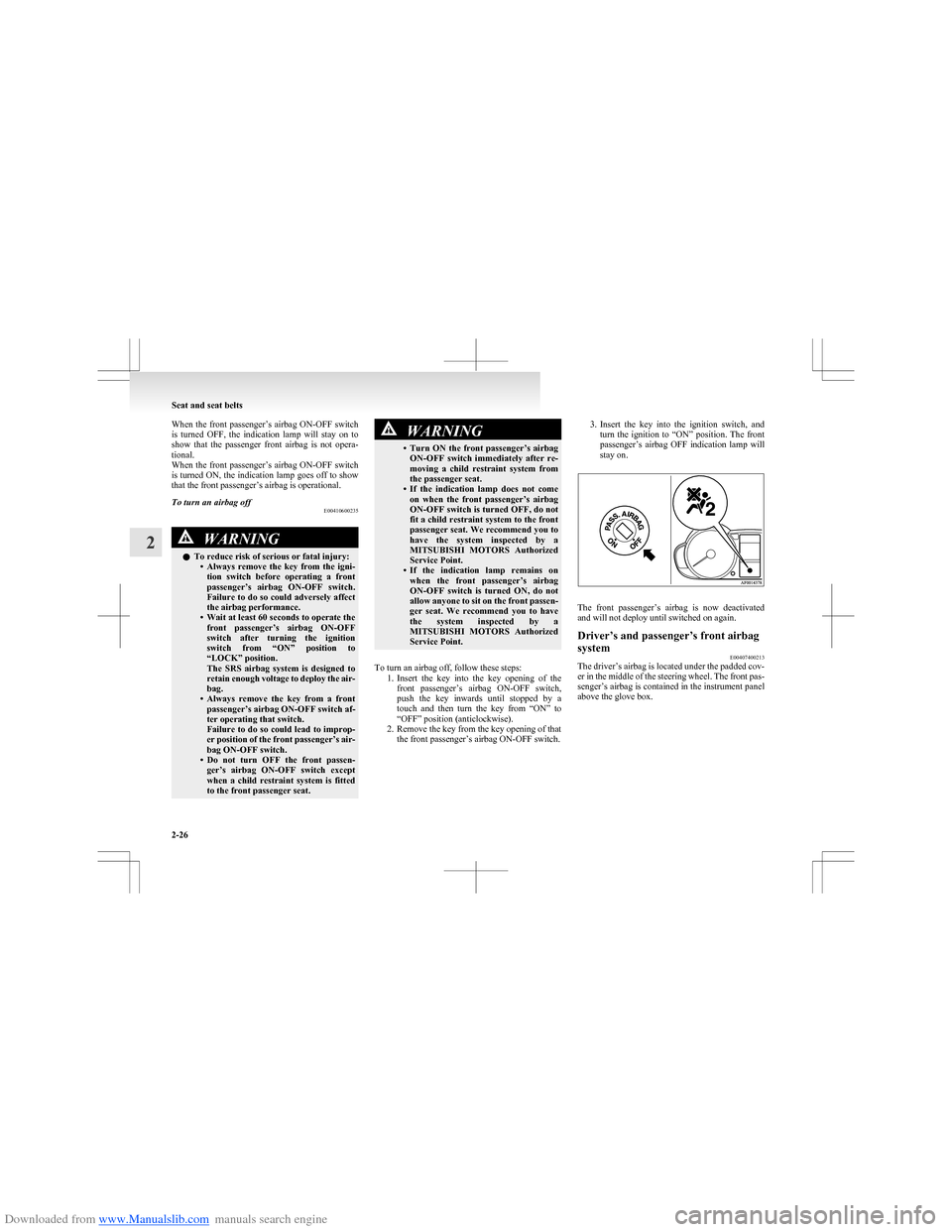
To turn an airbag off, follow these steps: 1.Insert the key into the key opening of the
front passenger’s airbag ON-OFF switch,
push the key inwards until stopped by a
touch and then turn the key from “ON” to
“OFF” position (anticlockwise).
2. Remove the key from the key opening of that the front passenger’s airbag ON-OFF switch.
3.Insert the key into the ignition switch, and
turn the ignition to “ON” position. The front
passenger’s airbag OFF indication lamp will
stay on.
The front passenger’s airbag is now deactivated
and will not deploy until switched on again.
Driver’s and passenger’s front airbag
system E00407400213
The driver’s airbag is located under the padded cov-
er in the middle of the steering wheel. The front pas-
senger’s airbag is contained in the instrument panel
above the glove box.
Seat and seat belts
2-26
2
Page 69 of 273
Downloaded from www.Manualslib.com manuals search engine WARNINGlRight after the airbag inflation, several
airbag system components will be hot. Do
not touch them; you could be burned.
l The airbag system is designed to work on-
ly once. Once the airbags have deployed,
they will not work again. They must
promptly be replaced, and we recom-
mend you to have the entire airbag sys-
tem inspected by a MITSUBISHI
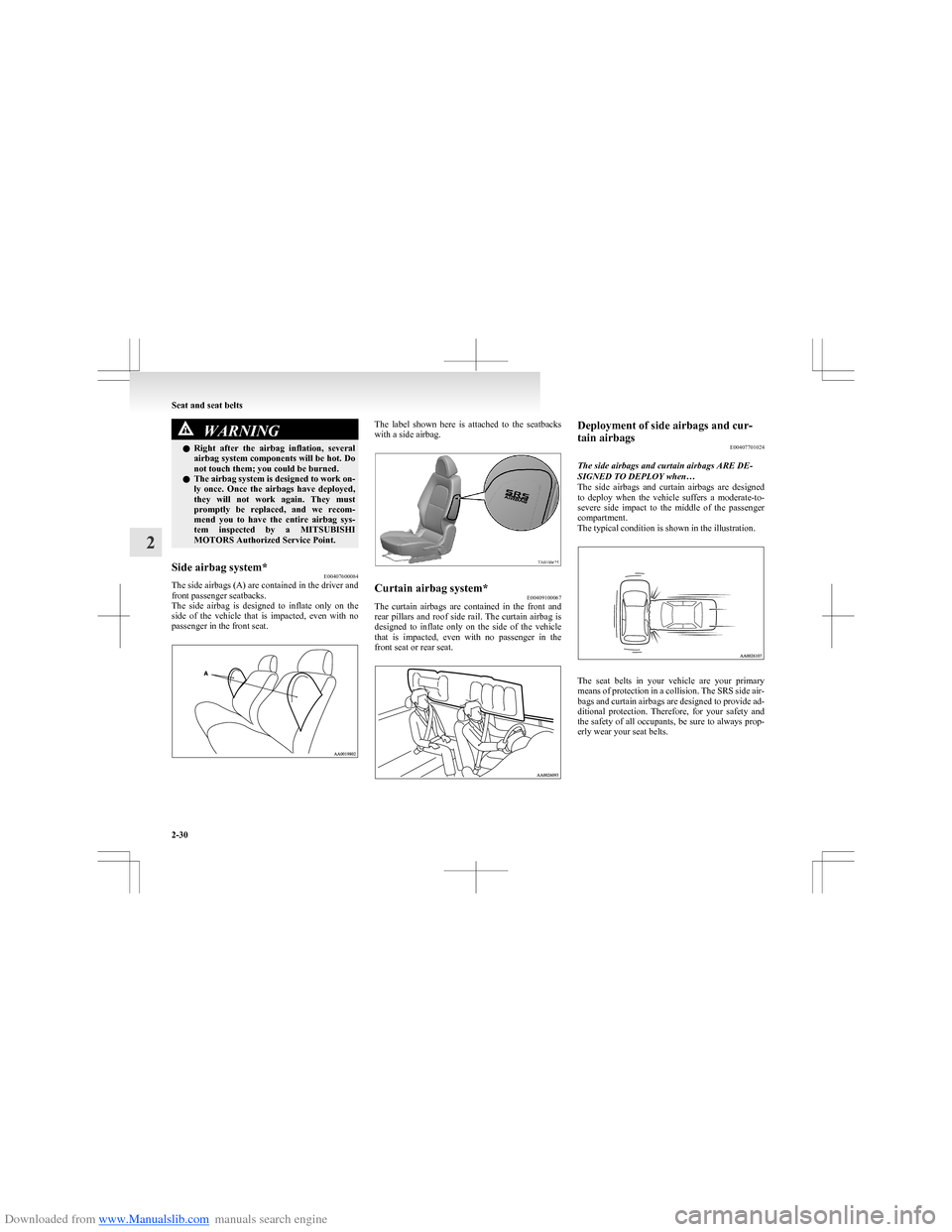
MOTORS Authorized Service Point.Side airbag system* E00407600084
The side airbags (A) are contained in the driver and
front passenger seatbacks.
The side airbag is designed to inflate only on the
side of the vehicle that is impacted, even with no
passenger in the front seat.
The label shown here is attached to the seatbacks
with a side airbag.Curtain airbag system* E00409100067
The curtain airbags are contained in the front and
rear pillars and roof side rail. The curtain airbag is
designed to inflate only on the side of the vehicle
that is impacted, even with no passenger in the
front seat or rear seat.
Deployment of side airbags and cur-
tain airbags E00407701024
The side airbags and curtain airbags ARE DE-
SIGNED TO DEPLOY when…
The side airbags and curtain airbags are designed
to deploy when the vehicle suffers a moderate-to-
severe side impact to the middle of the passenger
compartment.
The typical condition is shown in the illustration.
The seat belts in your vehicle are your primary
means of protection in a collision. The SRS side air-
bags and curtain airbags are designed to provide ad-
ditional protection. Therefore, for your safety and
the safety of all occupants, be sure to always prop-
erly wear your seat belts.
Seat and seat belts
2-30
2
Page 72 of 273
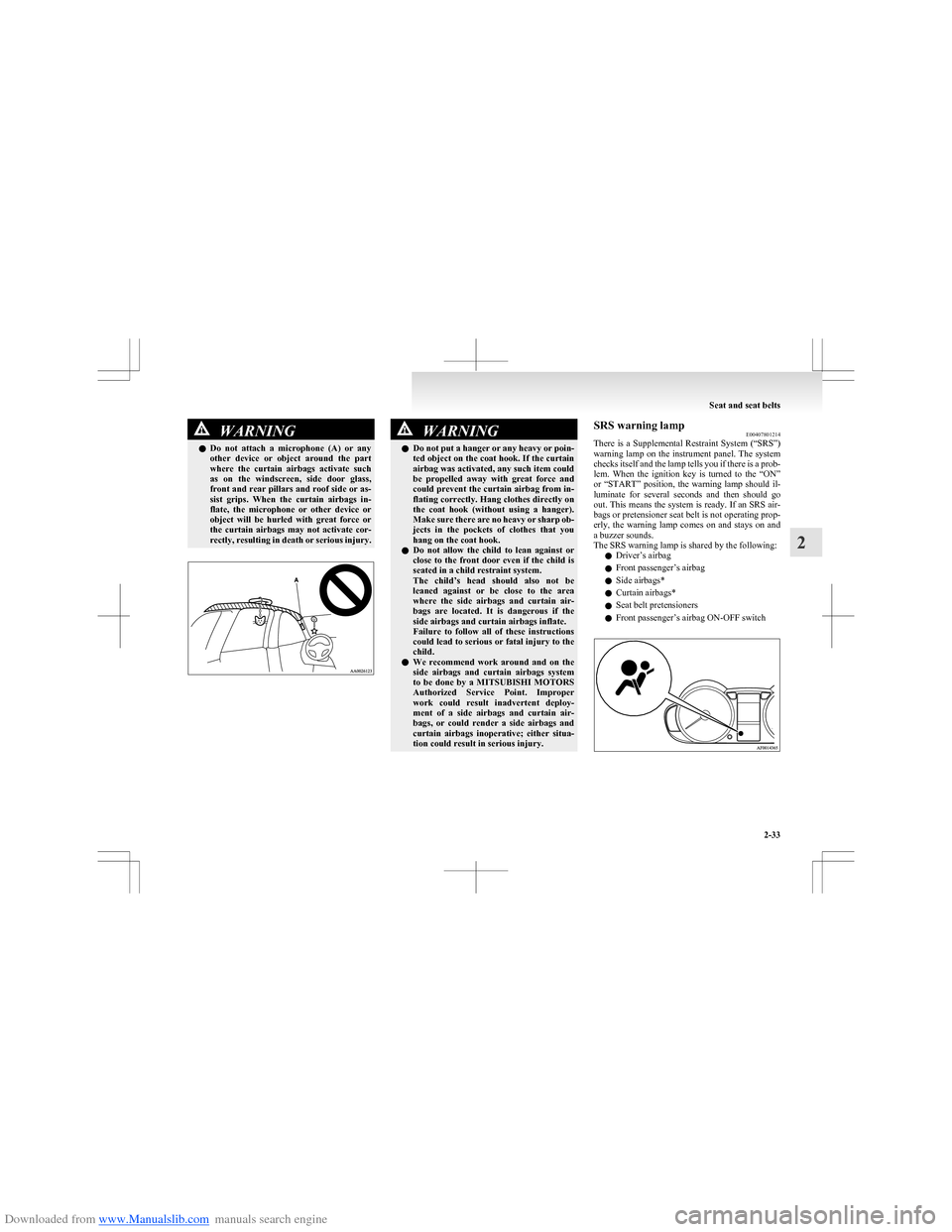
Downloaded from www.Manualslib.com manuals search engine WARNINGlDo not attach a microphone (A) or any
other device or object around the part
where the curtain airbags activate such
as on the windscreen, side door glass,
front and rear pillars and roof side or as-
sist grips. When the curtain airbags in-
flate, the microphone or other device or
object will be hurled with great force or
the curtain airbags may not activate cor-
rectly, resulting in death or serious injury.WARNINGl Do not put a hanger or any heavy or poin-
ted object on the coat hook. If the curtain
airbag was activated, any such item could
be propelled away with great force and
could prevent the curtain airbag from in-
flating correctly. Hang clothes directly on
the coat hook (without using a hanger).
Make sure there are no heavy or sharp ob-
jects in the pockets of clothes that you
hang on the coat hook.
l Do not allow the child to lean against or
close to the front door even if the child is
seated in a child restraint system.
The child’s head should also not be
leaned against or be close to the area
where the side airbags and curtain air-
bags are located. It is dangerous if the
side airbags and curtain airbags inflate.
Failure to follow all of these instructions
could lead to serious or fatal injury to the
child.
l We recommend work around and on the
side airbags and curtain airbags system
to be done by a MITSUBISHI MOTORS
Authorized Service Point. Improper
work could result inadvertent deploy-
ment of a side airbags and curtain air-
bags, or could render a side airbags and
curtain airbags inoperative; either situa-
tion could result in serious injury.SRS warning lamp E00407801214
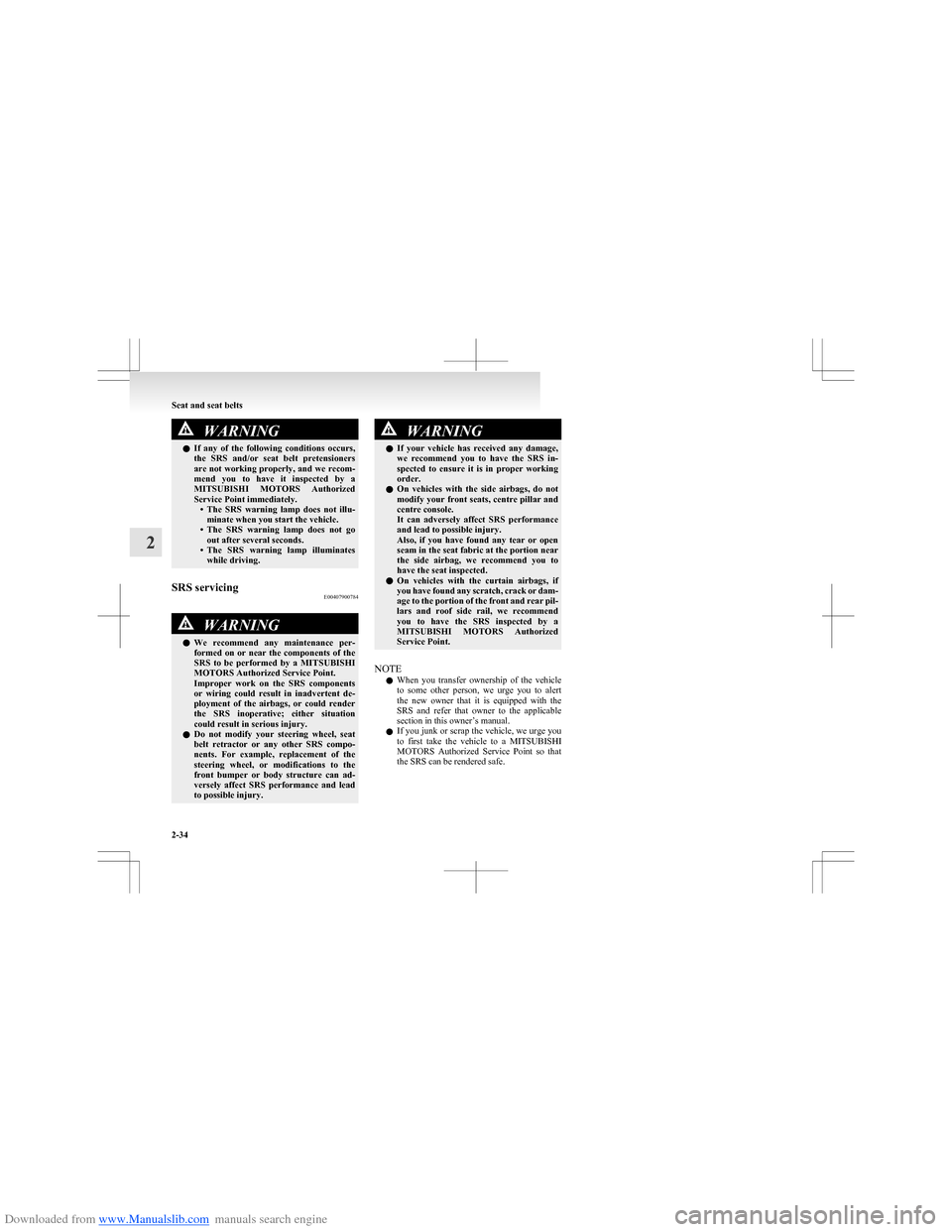
There is a Supplemental Restraint System (“SRS”)
warning lamp on the instrument panel. The system
checks itself and the lamp tells you if there is a prob-
lem. When the ignition key is turned to the “ON”
or “START” position, the warning lamp should il-
luminate for several seconds and then should go
out. This means the system is ready. If an SRS air-
bags or pretensioner seat belt is not operating prop-
erly, the warning lamp comes on and stays on and
a buzzer sounds.
The SRS warning lamp is shared by the following:
l Driver’s airbag
l Front passenger’s airbag
l Side airbags*
l Curtain airbags*
l Seat belt pretensioners
l Front passenger’s airbag ON-OFF switch
Seat and seat belts
2-33
2
Page 73 of 273
Downloaded from www.Manualslib.com manuals search engine WARNINGlIf any of the following conditions occurs,
the SRS and/or seat belt pretensioners
are not working properly, and we recom-
mend you to have it inspected by a
MITSUBISHI MOTORS Authorized
Service Point immediately. •The SRS warning lamp does not illu-
minate when you start the vehicle.
• The SRS warning lamp does not go
out after several seconds.
• The SRS warning lamp illuminates
while driving.SRS servicing E00407900784WARNINGlWe recommend any maintenance per-
formed on or near the components of the
SRS to be performed by a MITSUBISHI
MOTORS Authorized Service Point.
Improper work on the SRS components
or wiring could result in inadvertent de-
ployment of the airbags, or could render
the SRS inoperative; either situation
could result in serious injury.
l Do not modify your steering wheel, seat
belt retractor or any other SRS compo-
nents. For example, replacement of the
steering wheel, or modifications to the
front bumper or body structure can ad-
versely affect SRS performance and lead
to possible injury.WARNINGl If your vehicle has received any damage,
we recommend you to have the SRS in-
spected to ensure it is in proper working
order.
l On vehicles with the side airbags, do not
modify your front seats, centre pillar and
centre console.
It can adversely affect SRS performance
and lead to possible injury.
Also, if you have found any tear or open
seam in the seat fabric at the portion near
the side airbag, we recommend you to
have the seat inspected.
l On vehicles with the curtain airbags, if
you have found any scratch, crack or dam-
age to the portion of the front and rear pil-
lars and roof side rail, we recommend
you to have the SRS inspected by a
MITSUBISHI MOTORS Authorized
Service Point.
NOTE
l When you transfer ownership of the vehicle
to some other person, we urge you to alert
the new owner that it is equipped with the
SRS and refer that owner to the applicable
section in this owner’s manual.
l If you junk or scrap the vehicle, we urge you
to first take the vehicle to a MITSUBISHI
MOTORS Authorized Service Point so that
the SRS can be rendered safe.
Seat and seat belts
2-34
2
Page 77 of 273
Downloaded from www.Manualslib.com manuals search engine Multi-information displayE00519900362
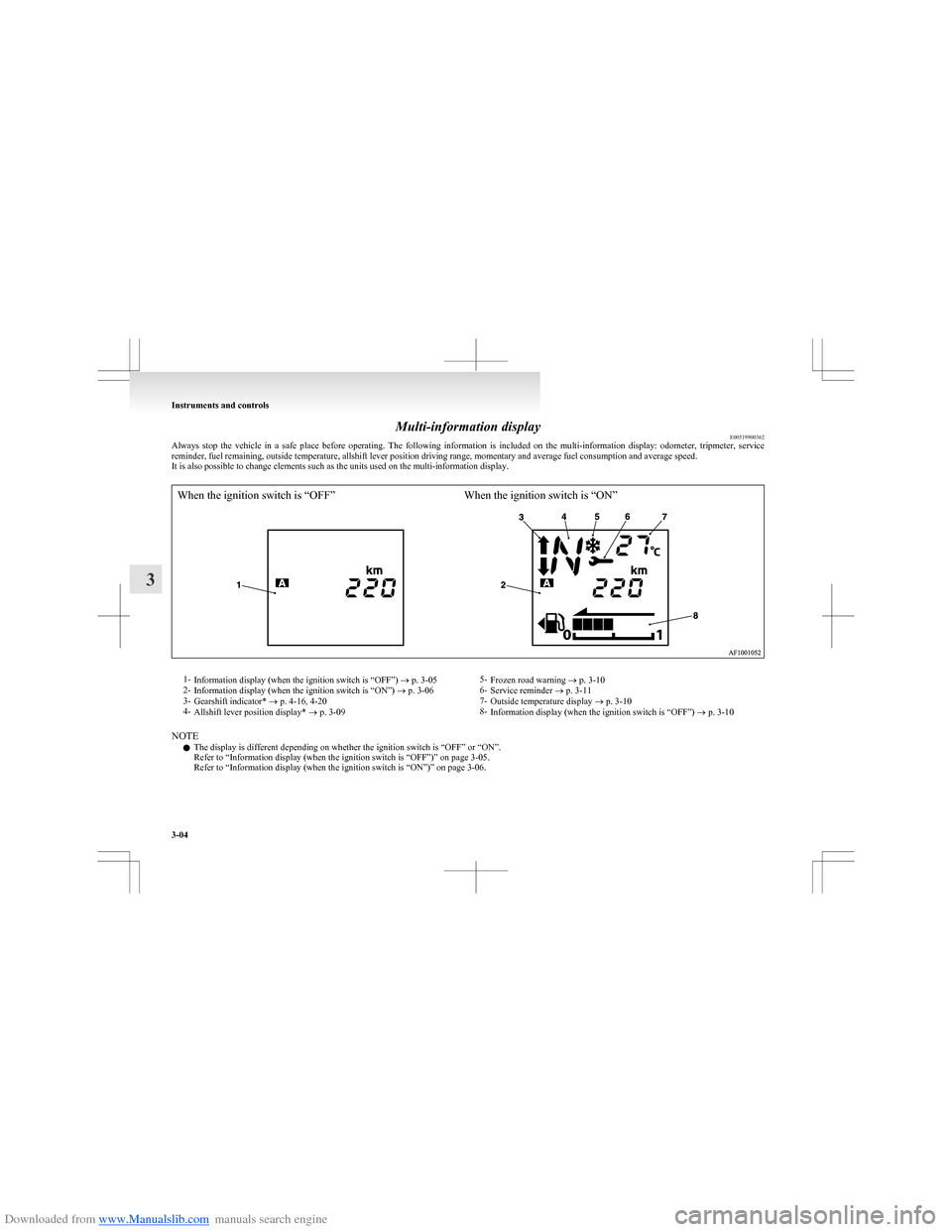
Always stop the vehicle in a safe place before operating. The following information is included on the multi-information display: odometer, tripmeter, service
reminder, fuel remaining, outside temperature, allshift lever position driving range, momentary and average fuel consumption and average speed.
It is also possible to change elements such as the units used on the multi-information display.
When the ignition switch is “OFF”When the ignition switch is “ON”1- Information display (when the ignition switch is “OFF”) ® p. 3-05
2- Information display (when the ignition switch is “ON”) ® p. 3-06
3- Gearshift indicator* ® p. 4-16, 4-20
4- Allshift lever position display* ® p. 3-095-
Frozen road warning ® p. 3-10
6- Service reminder ® p. 3-11
7- Outside temperature display ® p. 3-10
8- Information display (when the ignition switch is “OFF”) ® p. 3-10
NOTE
l The display is different depending on whether the ignition switch is “OFF” or “ON”.
Refer to “Information display (when the ignition switch is “OFF”)” on page 3-05.
Refer to “Information display (when the ignition switch is “ON”)” on page 3-06.
Instruments and controls
3-04
3
Page 78 of 273
Downloaded from www.Manualslib.com manuals search engine Information display (when the ignition
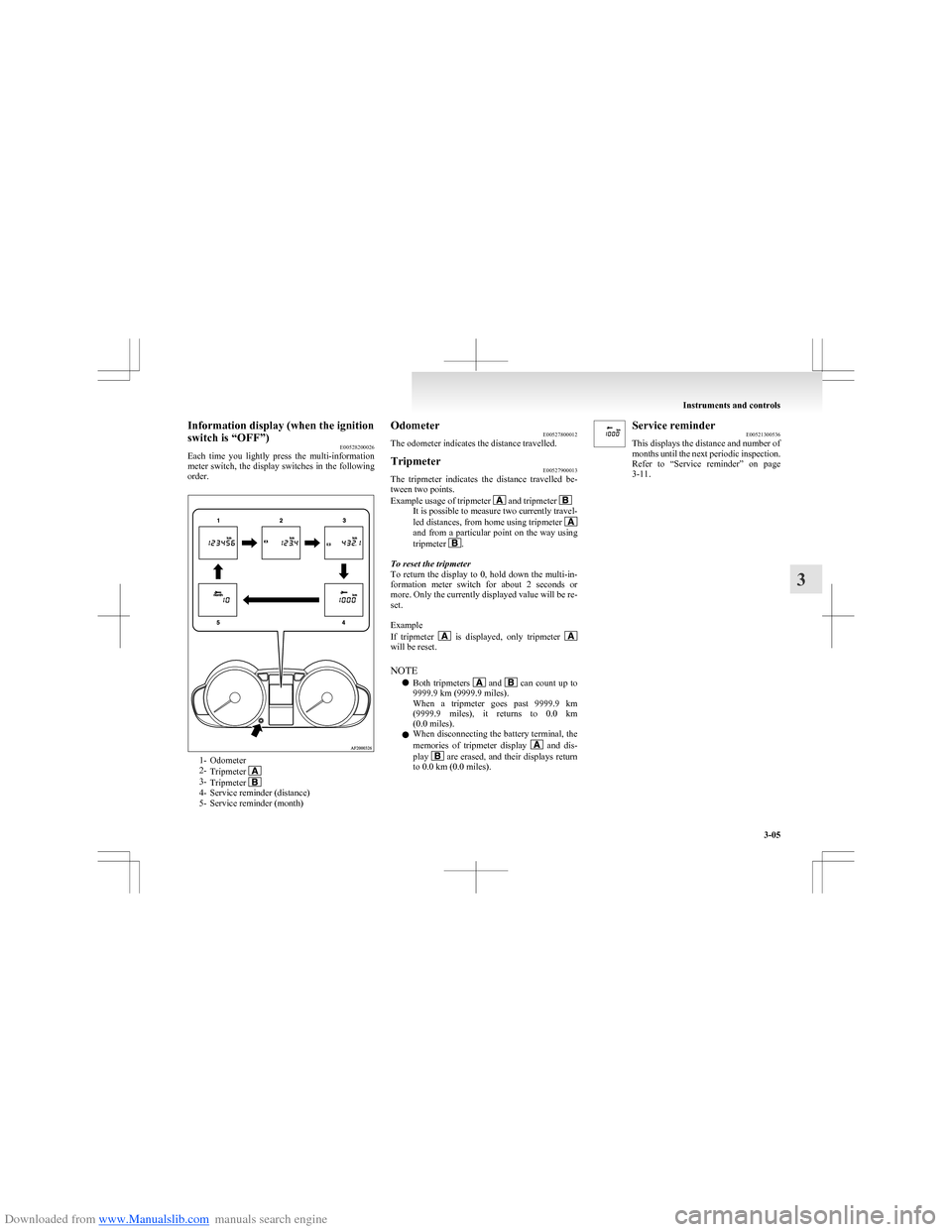
switch is “OFF”) E00528200026
Each time you lightly press the multi-information
meter switch, the display switches in the following
order.
1- Odometer
2- Tripmeter
3-Tripmeter 4- Service reminder (distance)
5- Service reminder (month)
Odometer E00527800012
The odometer indicates the distance travelled.Tripmeter E00527900013
The tripmeter indicates the distance travelled be-
tween two points.
Example usage of tripmeter
and tripmeter It is possible to measure two currently travel-
led distances, from home using tripmeter
and from a particular point on the way using
tripmeter .
To reset the tripmeter
To return the display to 0, hold down the multi-in-
formation meter switch for about 2 seconds or
more. Only the currently displayed value will be re-
set.
Example
If tripmeter
is displayed, only tripmeter will be reset.
NOTE l Both tripmeters
and can count up to
9999.9 km (9999.9 miles).
When a tripmeter goes past 9999.9 km
( 9999.9 miles), it returns to 0.0 km
(0.0 miles).
l When disconnecting the battery terminal, the
memories of tripmeter display
and dis-
play are erased, and their displays return
to 0.0 km (0.0 miles).
Service reminder E00521300536
This displays the distance and number of
months until the next periodic inspection.
Refer to “Service reminder” on page
3-11.
Instruments and controls
3-05
3
Page 80 of 273
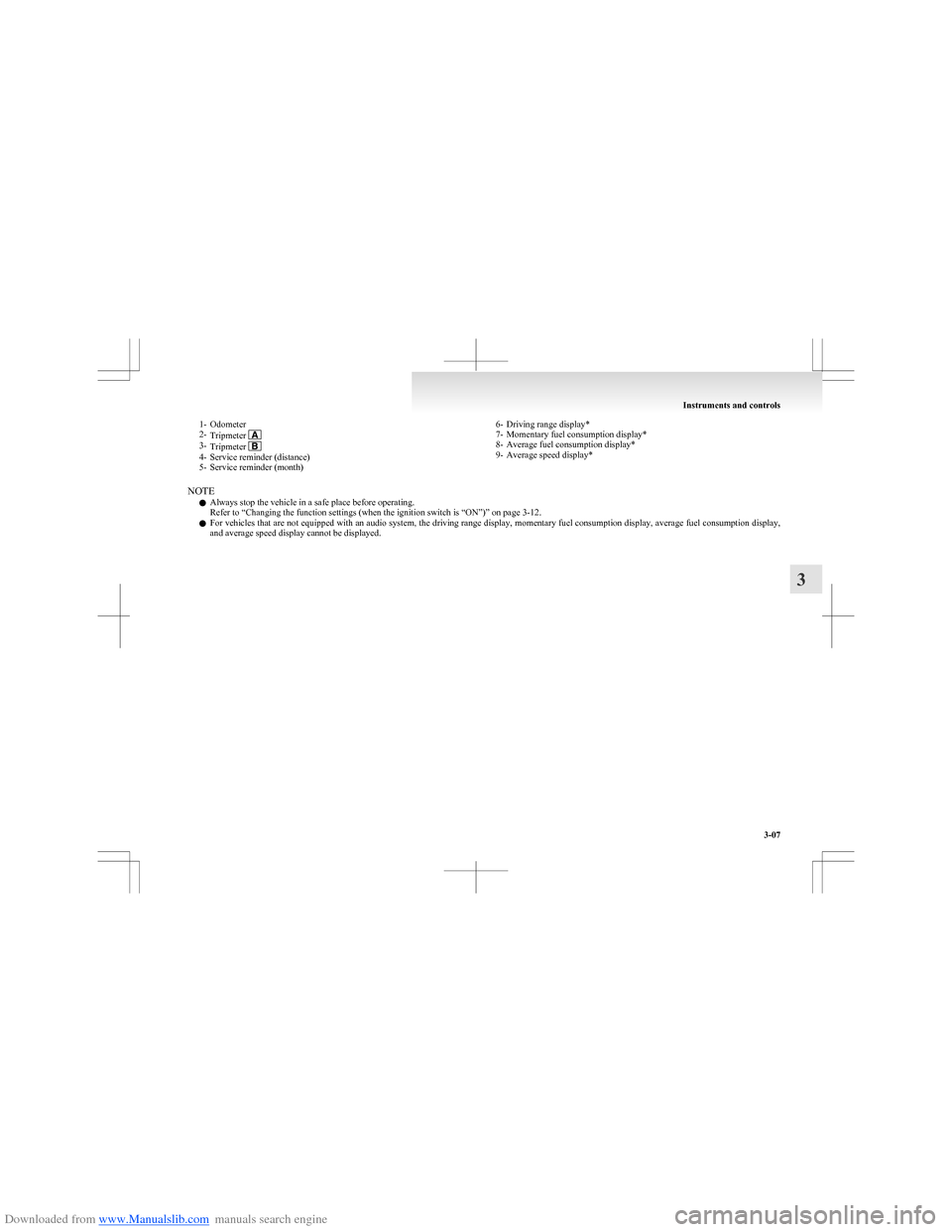
Downloaded from www.Manualslib.com manuals search engine 1- Odometer
2- Tripmeter
3-Tripmeter 4- Service reminder (distance)
5- Service reminder (month)
6- Driving range display*
7- Momentary fuel consumption display*
8- Average fuel consumption display*
9- Average speed display*
NOTE
l Always stop the vehicle in a safe place before operating.
Refer to “Changing the function settings (when the ignition switch is “ON”)” on page 3-12.
l For vehicles that are not equipped with an audio system, the driving range display, momentary fuel consumption display, average fuel consumption display,
and average speed display cannot be displayed.
Instruments and controls
3-07
3
Page 81 of 273
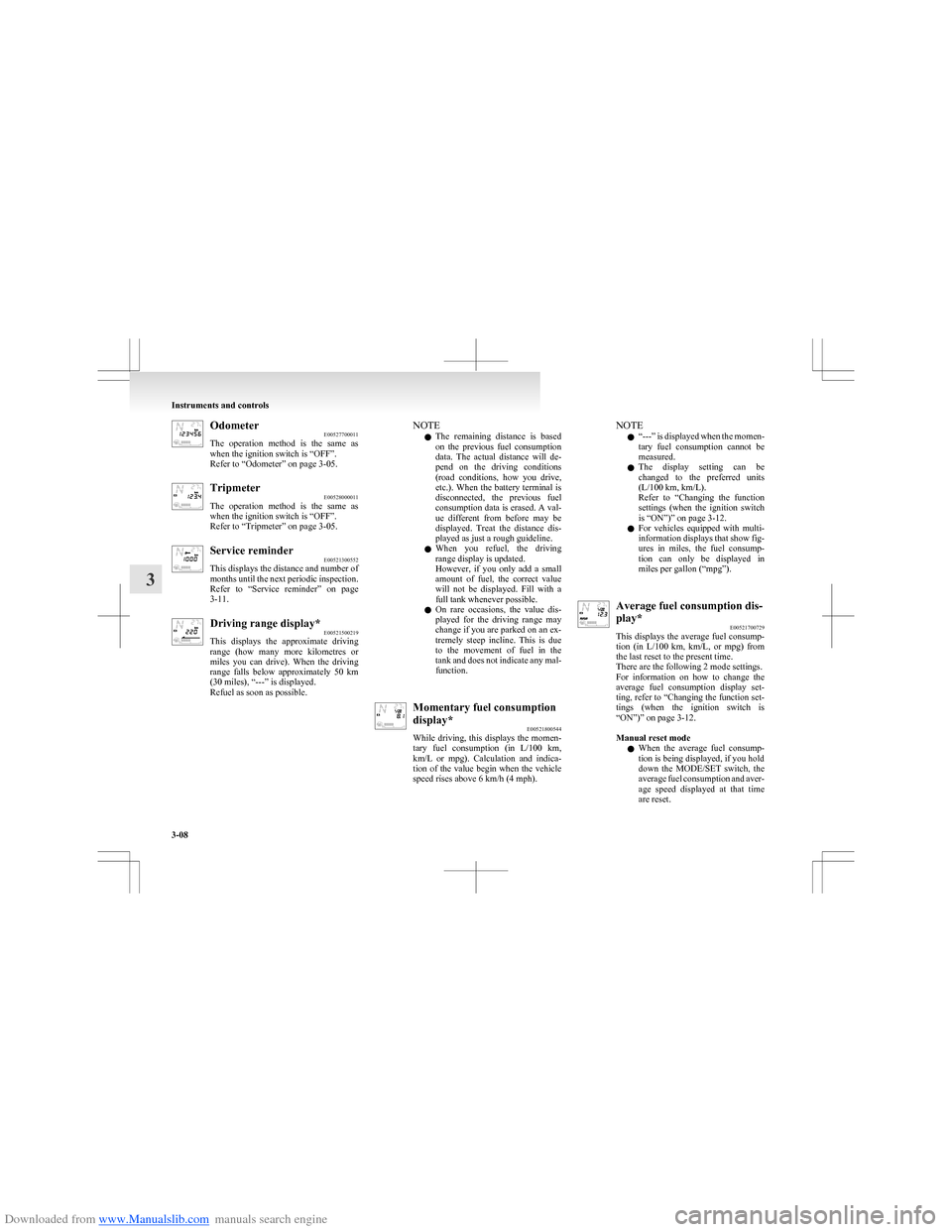
Downloaded from www.Manualslib.com manuals search engine OdometerE00527700011
The operation method is the same as
when the ignition switch is “OFF”.
Refer to “Odometer” on page 3-05.Tripmeter E00528000011
The operation method is the same as
when the ignition switch is “OFF”.
Refer to “Tripmeter” on page 3-05.Service reminder E00521300552
This displays the distance and number of
months until the next periodic inspection.
Refer to “Service reminder” on page
3-11.Driving range display* E00521500219
This displays the approximate driving
range (how many more kilometres or
miles you can drive). When the driving
range falls below approximately 50 km
(30 miles), “---” is displayed.
Refuel as soon as possible.NOTE
l The remaining distance is based
on the previous fuel consumption
data. The actual distance will de-
pend on the driving conditions
(road conditions, how you drive,
etc.). When the battery terminal is
disconnected, the previous fuel
consumption data is erased. A val-
ue different from before may be
displayed. Treat the distance dis-
played as just a rough guideline.
l When you refuel, the driving
range display is updated.
However, if you only add a small
amount of fuel, the correct value
will not be displayed. Fill with a
full tank whenever possible.
l On rare occasions, the value dis-
played for the driving range may
change if you are parked on an ex-
tremely steep incline. This is due
to the movement of fuel in the
tank and does not indicate any mal-
function.Momentary fuel consumption
display* E00521800544
While driving, this displays the momen-
tary fuel consumption (in L/100 km ,
km/L or mpg). Calculation and indica-
tion of the value begin when the vehicle
speed rises above 6 km/h (4 mph).NOTE
l “
---” is displayed when the momen-
tary fuel consumption cannot be
measured.
l The display setting can be
changed to the preferred units
(L/100 km, km/L).
Refer to “Changing the function
settings (when the ignition switch
is “ON”)” on page 3-12.
l For vehicles equipped with multi-
information displays that show fig-
ures in miles, the fuel consump-
tion can only be displayed in
miles per gallon (“mpg”).Average fuel consumption dis-
play* E00521700729
This displays the average fuel consump-
tion (in L/100 km, km/L, or mpg) from
the last reset to the present time.
There are the following 2 mode settings.
For information on how to change the
average fuel consumption display set-
ting, refer to “Changing the function set-
tings (when the ignition switch is
“ON”)” on page 3-12.
Manual reset mode
l When the average fuel consump-
tion is being displayed, if you hold
down the MODE/SET switch, the
average fuel consumption and aver-
age speed displayed at that time
are reset.
Instruments and controls
3-08
3
Page 84 of 273
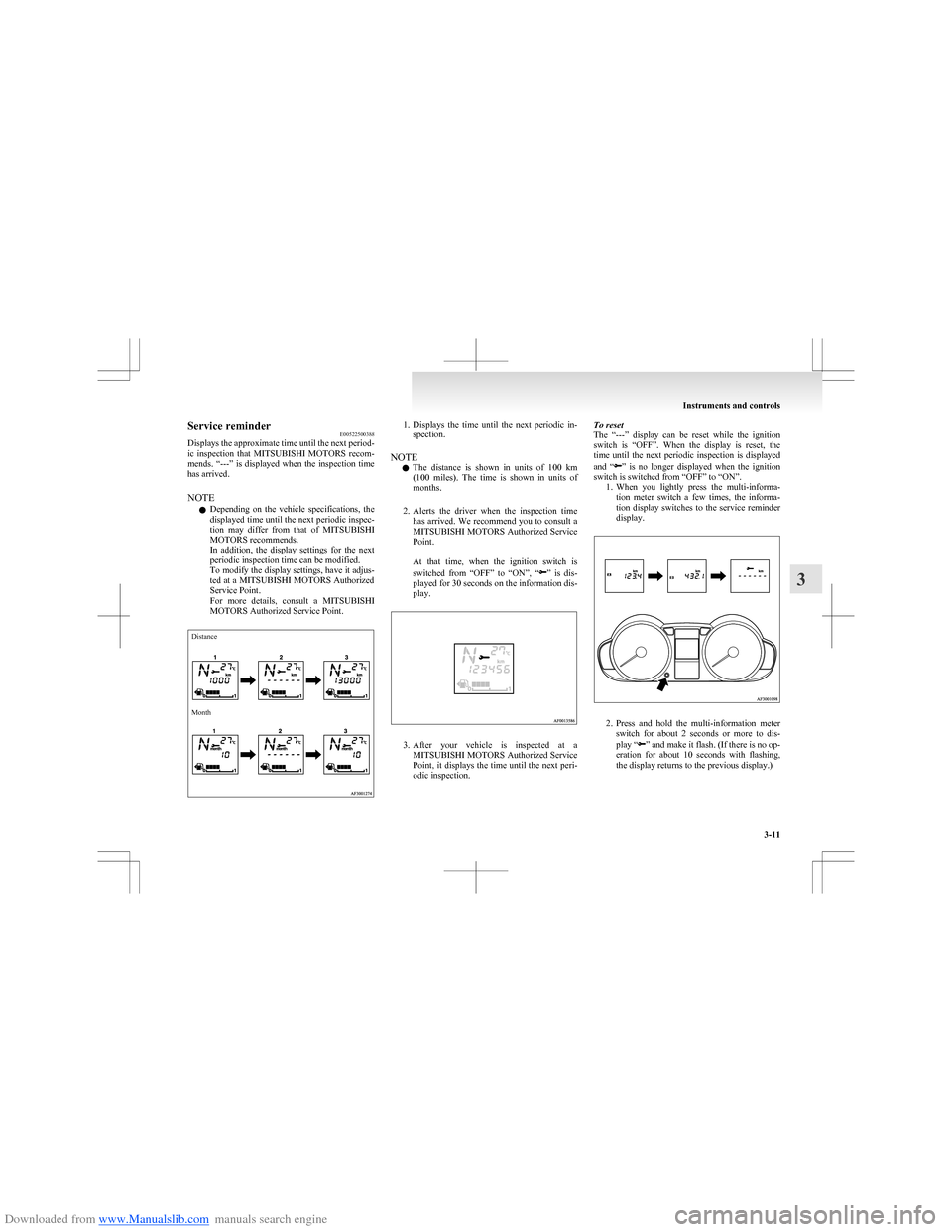
Downloaded from www.Manualslib.com manuals search engine Service reminderE00522500388
Displays the approximate time until the next period-
ic inspection that MITSUBISHI MOTORS recom-
mends. “---” is displayed when the inspection time
has arrived.
NOTE l Depending on the vehicle specifications, the
displayed time until the next periodic inspec-
tion may differ from that of MITSUBISHI
MOTORS recommends.
In addition, the display settings for the next
periodic inspection time can be modified.
To modify the display settings, have it adjus-
ted at a MITSUBISHI MOTORS Authorized
Service Point.
For more details, consult a MITSUBISHI
MOTORS Authorized Service Point.DistanceMonth1. Displays the time until the next periodic in-
spection.
NOTE l The distance is shown in units of 100 km
( 100 miles). The time is shown in units of
months.
2. Alerts the driver when the inspection time
has arrived. We recommend you to consult a
MITSUBISHI MOTORS Authorized Service
Point.
At that time, when the ignition switch is
switched from “OFF” to “ON”, “
” is dis-
played for 30 seconds on the information dis-
play.
3. After your vehicle is inspected at a
MITSUBISHI MOTORS Authorized Service
Point, it displays the time until the next peri-
odic inspection.
To reset
The “---” display can be reset while the ignition
switch is “OFF”. When the display is reset, the
time until the next periodic inspection is displayed
and “
” is no longer displayed when the ignition
switch is switched from “OFF” to “ON”. 1.When you lightly press the multi-informa-
tion meter switch a few times, the informa-
tion display switches to the service reminder
display.
2. Press and hold the multi-information meter
switch for about 2 seconds or more to dis-
play “
” and make it flash. (If there is no op-
eration for about 10 seconds with flashing,
the display returns to the previous display.)
Instruments and controls
3-11
3
Page 85 of 273
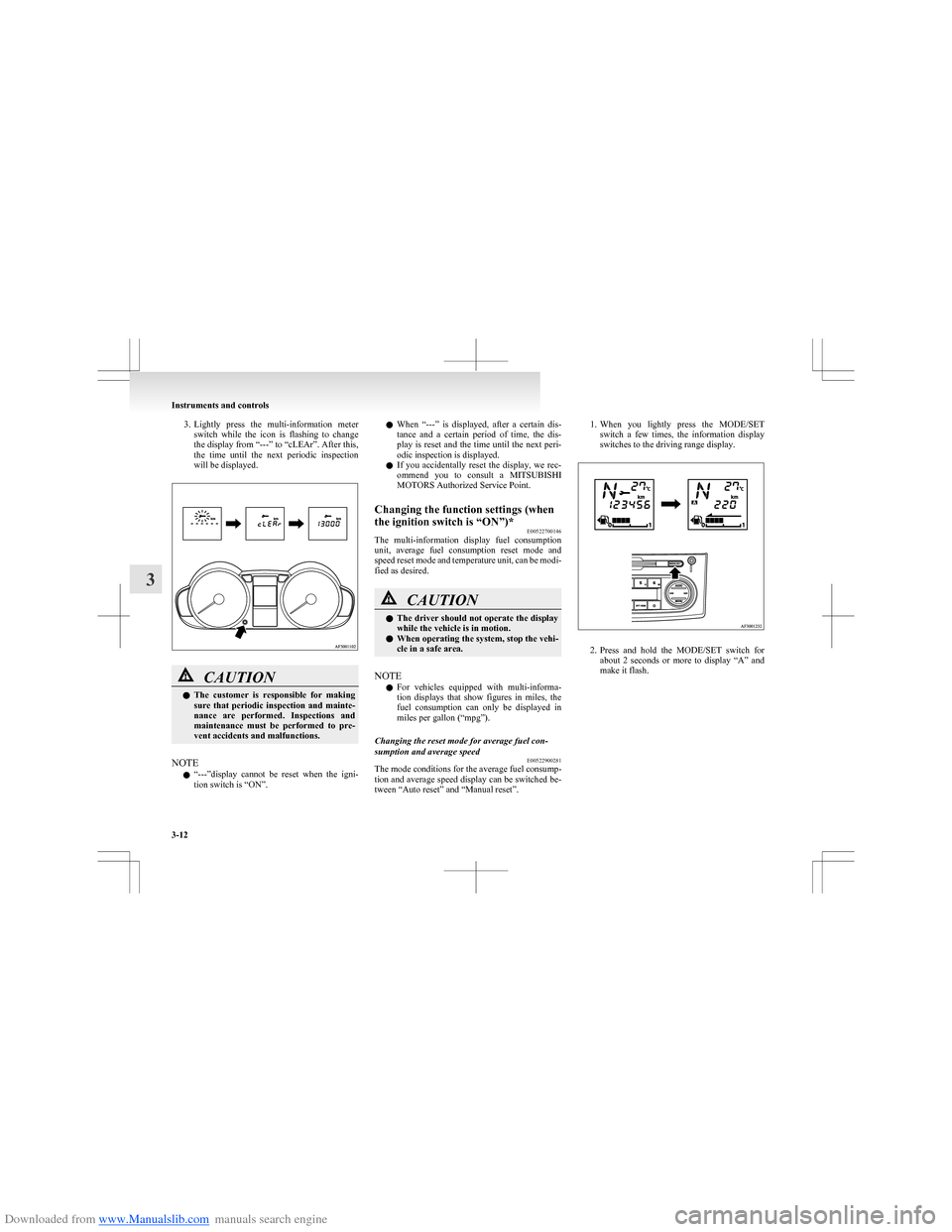
Downloaded from www.Manualslib.com manuals search engine 3.Lightly press the multi-information meter
switch while the icon is flashing to change
the display from “---” to “cLEAr”. After this,
the time until the next periodic inspection
will be displayed.CAUTIONl The customer is responsible for making
sure that periodic inspection and mainte-
nance are performed. Inspections and
maintenance must be performed to pre-
vent accidents and malfunctions.
NOTE
l “
---”display cannot be reset when the igni-
tion switch is “ON”.
l When “---” is displayed, after a certain dis-
tance and a certain period of time, the dis-
play is reset and the time until the next peri-
odic inspection is displayed.
l If you accidentally reset the display, we rec-
ommend you to consult a MITSUBISHI
MOTORS Authorized Service Point.Changing the function settings (when
the ignition switch is “ON”)* E00522700146
The multi-information display fuel consumption
unit, average fuel consumption reset mode and
speed reset mode and temperature unit, can be modi-
fied as desired.
CAUTIONl The driver should not operate the display
while the vehicle is in motion.
l When operating the system, stop the vehi-
cle in a safe area.
NOTE
l For vehicles equipped with multi-informa-
tion displays that show figures in miles, the
fuel consumption can only be displayed in
miles per gallon (“mpg”).
Changing the reset mode for average fuel con-
sumption and average speed E00522900281
The mode conditions for the average fuel consump-
tion and average speed display can be switched be-
tween “Auto reset” and “Manual reset”.
1. When you lightly press the MODE/SET
switch a few times, the information display
switches to the driving range display.
2. Press and hold the MODE/SET switch for
about 2 seconds or more to display “A” and
make it flash.
Instruments and controls
3-12
3