ignition MITSUBISHI GRANDIS 2008 (in English) Workshop Manual
[x] Cancel search | Manufacturer: MITSUBISHI, Model Year: 2008, Model line: GRANDIS, Model: MITSUBISHI GRANDIS 2008Pages: 458, PDF Size: 18.52 MB
Page 193 of 458

Starting and driving
4-21
4
NOTE●If the engine is cold, the diesel preheat indication lamp is
on for a longer time.
●When the engine has not been started within about 5 sec-
onds after the diesel preheat indication lamp went out,
return the ignition key to the “LOCK” position. Then, turn
the key to the “ON” position to preheat the engine again.
●When the engine is warm, the diesel preheat indication
lamp does not come on even if the ignition key is placed
in the “ON” position.
Start the engine by turning the ignition key right to the
“START” position.
7. Turn the ignition key to the “START” position without
depressing the accelerator pedal, and release it when the
engine starts.NOTE●A ticking noise may be heard after starting the engine.
This is not an abnormal condition. The noise will disap-
pear after a short time of engine running.
If the ticking noise continues after the engine is warmed
up, we recommend you to have your vehicle checked.
Diesel particulate filter (DPF)
*
E00619800069
The diesel particulate filter (DPF) is a device that captures
most of the particulate matter (PM) in the exhaust emissions of
the diesel engine. The DPF automatically burns away trapped
PM during vehicle operation. Under certain driving conditions,
however, the DPF is not able to burn away all of the trapped
PM and, as a result, an excessive amount of PM accumulates
inside.NOTE●To minimize the likelihood of excessive accumulation of
PM, try to avoid driving for long periods at low speeds
and repeatedly driving short distances.
WARNING
!●The DPF reaches very high temperatures. Do not
park your vehicle in areas where combustible mate-
rials such as dry grass or leaves can come in contact
with the hot exhaust system since fire could occur.
CAUTION
!●Do not use any type of fuel or engine oil that is not
specified for your vehicle. Also, do not use any mois-
ture-removing agent or other fuel additive. Such
substances could have a detrimental effect on the
DPF.
Refer to “Fuel selection” on page 2 and “Engine oil”
on page 8-7.
BK-XP08E1ENUK.en-uk.book Page 21 Monday, August 13, 2007 2:20 PM
Page 194 of 458
4-22 Starting and driving
4
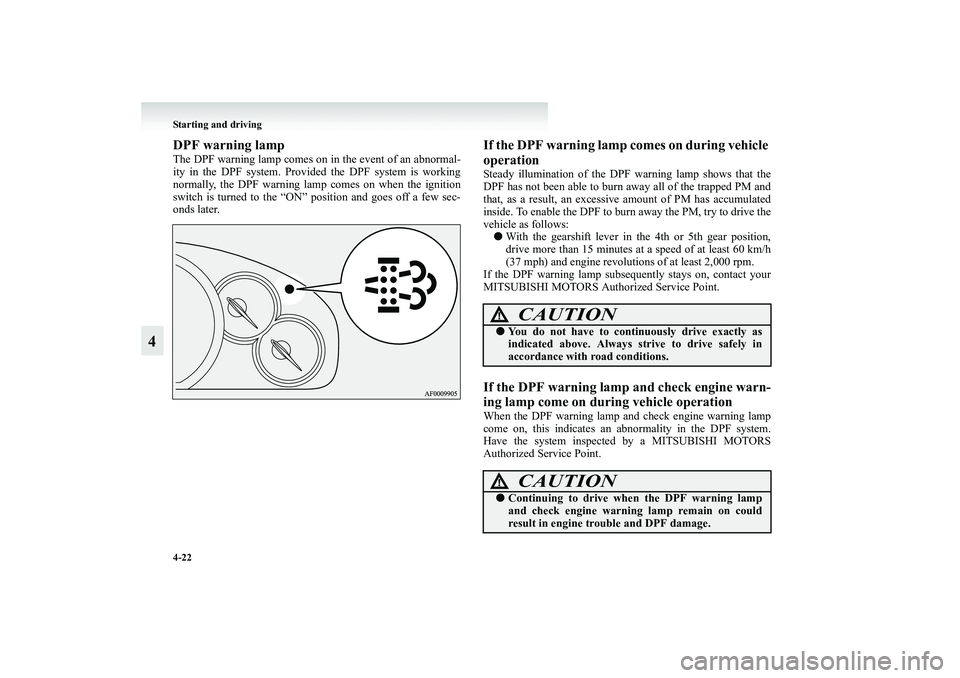
DPF warning lampThe DPF warning lamp comes on in the event of an abnormal-
ity in the DPF system. Provided the DPF system is working
normally, the DPF warning lamp comes on when the ignition
switch is turned to the “ON” position and goes off a few sec-
onds later.
If the DPF warning lamp comes on during vehicle
operationSteady illumination of the DPF warning lamp shows that the
DPF has not been able to burn away all of the trapped PM and
that, as a result, an excessive amount of PM has accumulated
inside. To enable the DPF to burn away the PM, try to drive the
vehicle as follows:
●With the gearshift lever in the 4th or 5th gear position,
drive more than 15 minutes at a speed of at least 60 km/h
(37 mph) and engine revolutions of at least 2,000 rpm.
If the DPF warning lamp subsequently stays on, contact your
MITSUBISHI MOTORS Authorized Service Point.If the DPF warning lamp and check engine warn-
ing lamp come on during vehicle operationWhen the DPF warning lamp and check engine warning lamp
come on, this indicates an abnormality in the DPF system.
Have the system inspected by a MITSUBISHI MOTORS
Authorized Service Point.
CAUTION
!●You do not have to continuously drive exactly as
indicated above. Always strive to drive safely in
accordance with road conditions.
CAUTION
!●Continuing to drive when the DPF warning lamp
and check engine warning lamp remain on could
result in engine trouble and DPF damage.
BK-XP08E1ENUK.en-uk.book Page 22 Monday, August 13, 2007 2:20 PM
Page 200 of 458
4-28 Starting and driving
4
NOTE●To avoid erroneous operation, move the selector lever
firmly into each position and briefly hold it there. Always
check the position shown by the selector lever position
indicator lamp after moving the selector lever.
●If the brake pedal is not depressed and held, the shift-lock
device activates to prevent the selector lever from being
moved from the “P” (PARK) position.
●For a shift indicated by in the illustration, depress the
brake pedal before moving the selector lever. If you
attempt to move the selector lever before depressing the
brake pedal, the selector lever may become immovable.
Selector lever position indication lamps/“N” indi-
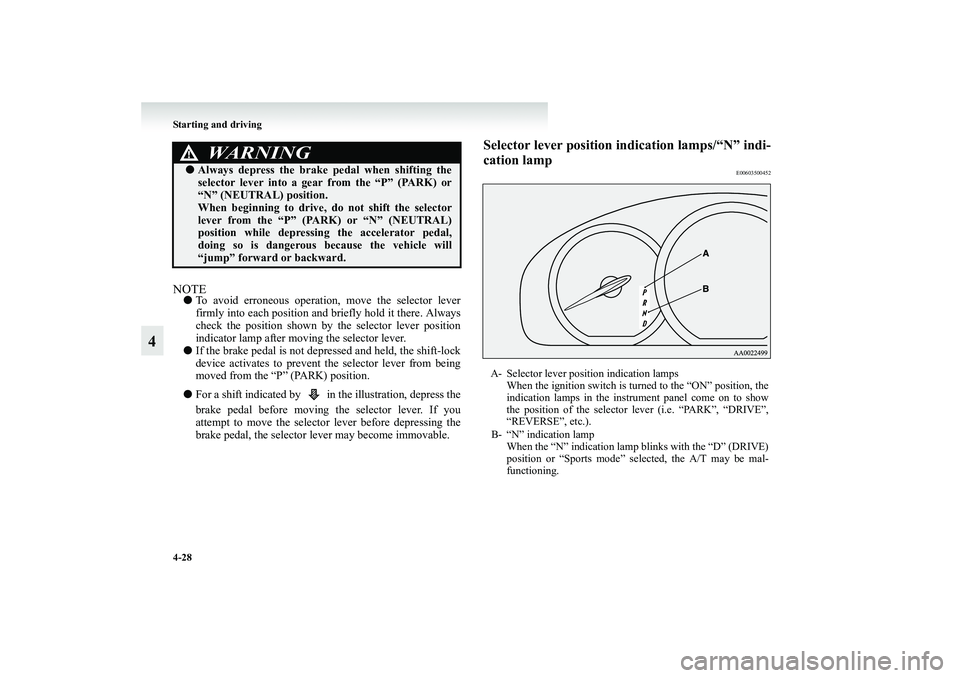
cation lamp
E00603500452
WARNING
!●Always depress the brake pedal when shifting the
selector lever into a gear from the “P” (PARK) or
“N” (NEUTRAL) position.
When beginning to drive, do not shift the selector
lever from the “P” (PARK) or “N” (NEUTRAL)
position while depressing the accelerator pedal,
doing so is dangerous because the vehicle will
“jump” forward or backward.
A- Selector lever position indication lamps
When the ignition switch is turned to the “ON” position, the
indication lamps in the instrument panel come on to show
the position of the selector lever (i.e. “PARK”, “DRIVE”,
“REVERSE”, etc.).
B- “N” indication lamp
When the “N” indication lamp blinks with the “D” (DRIVE)
position or “Sports mode” selected, the A/T may be mal-
functioning.
BK-XP08E1ENUK.en-uk.book Page 28 Monday, August 13, 2007 2:20 PM
Page 206 of 458

4-34 Starting and driving
4
Parking
E00604700233
To park the vehicle, first bring it to a complete stop, fully
engage the parking brake, and then move the selector lever to
the “P” (PARK) position.
If you are going to leave the vehicle unattended, always switch
off the engine and remove the ignition key.NOTE●On a slope, be sure to apply the parking brake before
moving the selector lever to the “P” (PARK) position. If
you move the selector lever to the “P” (PARK) position
before applying the parking brake, it may be difficult to
disengage the selector lever from the “P” (PARK) position
when next you drive the vehicle, requiring application of a
strong force to the selector lever to move from the “P”
(PARK) position.
When the A/T makes no speed change
E00604800351
If the transmission does not change speeds while driving, or
your vehicle does not pick up enough speed when starting on
an uphill slope, it may be that there is something unusual hap-
pening in the transmission, causing a safety device to activate.
We recommend you to have your vehicle checked as soon as
possible.
1. If your vehicle has difficulty moving uphill, shift the
selector lever into 2nd gear of the sports mode.
This method might not work depending on the type of
transmission malfunction.
2. Once the vehicle is moving on a level road, move the
selector lever back to “D” (DRIVE).NOTE●When the “N” indication lamp in the instrument panel
blinks, it means that there is an abnormal condition in the
transmission. Refer to “Selector lever position indication
lamps/“N” indication lamp” on page 4-28.
BK-XP08E1ENUK.en-uk.book Page 34 Monday, August 13, 2007 2:20 PM
Page 210 of 458
4-38 Starting and driving
4
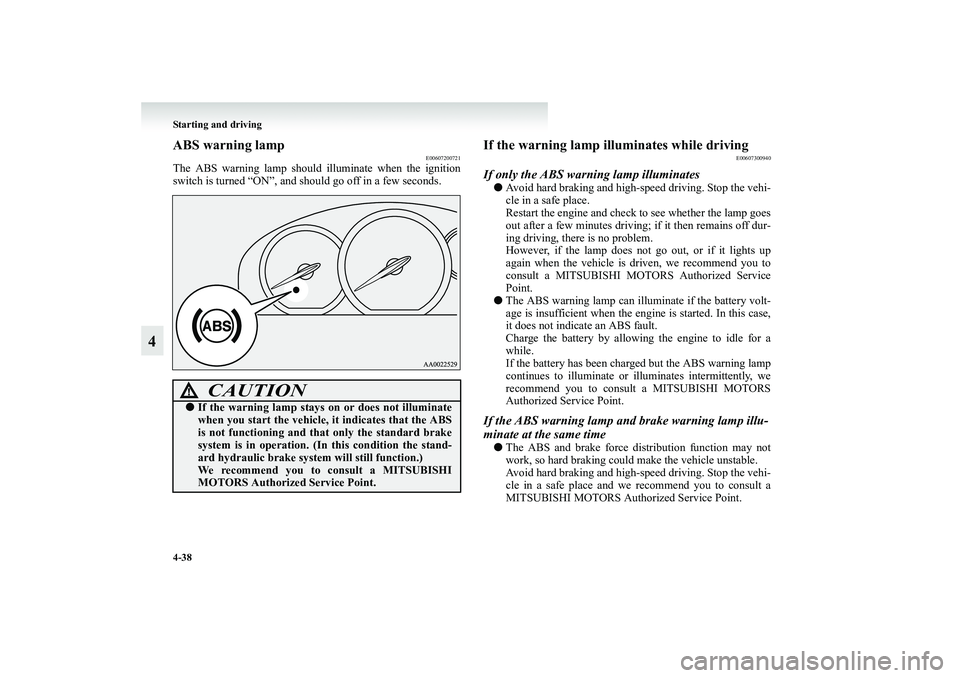
ABS warning lamp
E00607200721
The ABS warning lamp should illuminate when the ignition
switch is turned “ON”, and should go off in a few seconds.
If the warning lamp illuminates while driving
E00607300940
If only the ABS warning lamp illuminates●Avoid hard braking and high-speed driving. Stop the vehi-
cle in a safe place.
Restart the engine and check to see whether the lamp goes
out after a few minutes driving; if it then remains off dur-
ing driving, there is no problem.
However, if the lamp does not go out, or if it lights up
again when the vehicle is driven, we recommend you to
consult a MITSUBISHI MOTORS Authorized Service
Point.
●The ABS warning lamp can illuminate if the battery volt-
age is insufficient when the engine is started. In this case,
it does not indicate an ABS fault.
Charge the battery by allowing the engine to idle for a
while.
If the battery has been charged but the ABS warning lamp
continues to illuminate or illuminates intermittently, we
recommend you to consult a MITSUBISHI MOTORS
Authorized Service Point.If the ABS warning lamp and brake warning lamp illu-
minate at the same time●The ABS and brake force distribution function may not
work, so hard braking could make the vehicle unstable.
Avoid hard braking and high-speed driving. Stop the vehi-
cle in a safe place and we recommend you to consult a
MITSUBISHI MOTORS Authorized Service Point.
CAUTION
!●If the warning lamp stays on or does not illuminate
when you start the vehicle, it indicates that the ABS
is not functioning and that only the standard brake
system is in operation. (In this condition the stand-
ard hydraulic brake system will still function.)
We recommend you to consult a MITSUBISHI
MOTORS Authorized Service Point.
BK-XP08E1ENUK.en-uk.book Page 38 Monday, August 13, 2007 2:20 PM
Page 213 of 458
Starting and driving
4-41
4 Active stability control (ASC)
* E00611700118
The active stability control (ASC) takes overall control of the
anti-lock brake system, traction control function and stability
control function to help maintain the vehicle’s control and trac-
tion. Please read this section in conjunction with the page on
the anti-lock brake system, traction control function and stabil-
ity control function.
Anti-lock brake system (ABS) → p. 4-36
Traction control function → p. 4-42
Stability control function → p. 4-43
NOTE●In the following situation, a click is heard from the engine
compartment. However, this is only the sound of ASC
being checked.
• After turning the ignition switch to the “ON” position.
• After your vehicle is driven a short distance after start-
ing the engine.
●Some vibration will be felt in the vehicle body and a
whining sound of the motor will be heard from the engine
compartment when the ASC functions. This is a normal
result of the ASC operation and does not indicate a mal-
function.
●The ASC does not operate while the ABS warning lamp is
illuminated.
CAUTION
!●Do not over-rely on the ASC. Even when the ASC is
operating, there are limits to the system and its abil-
ity to maintain control and traction. Reckless driv-
ing may lead to accidents. Always drive carefully,
taking account of the road conditions.●Be sure to use the same specified type and size of
tyre on all 4 wheels. Otherwise, there is a possibility
that the ASC will not work properly.
BK-XP08E1ENUK.en-uk.book Page 41 Monday, August 13, 2007 2:20 PM
Page 214 of 458
4-42 Starting and driving
4
Traction control function
E00611800050
On slippery surfaces, the traction control function prevents the
drive wheels from excessive spinning, thus helping the vehicle
to start moving from a stop. It also provides sufficient driving
force and steering performance as the vehicle turns at acceler-
ated speeds.NOTE●When moving out of mud, sand or fresh snow, pressing
the accelerator pedal may not allow the engine speed to
increase.
If this happens and the vehicle remains stuck as a result,
turn the TCL switch OFF. The vehicle will then be easier
to extricate.
●When climbing or beginning to climb a steep slope, turn
the TCL switch OFF if the traction control function
reduces the engine speed excessively.
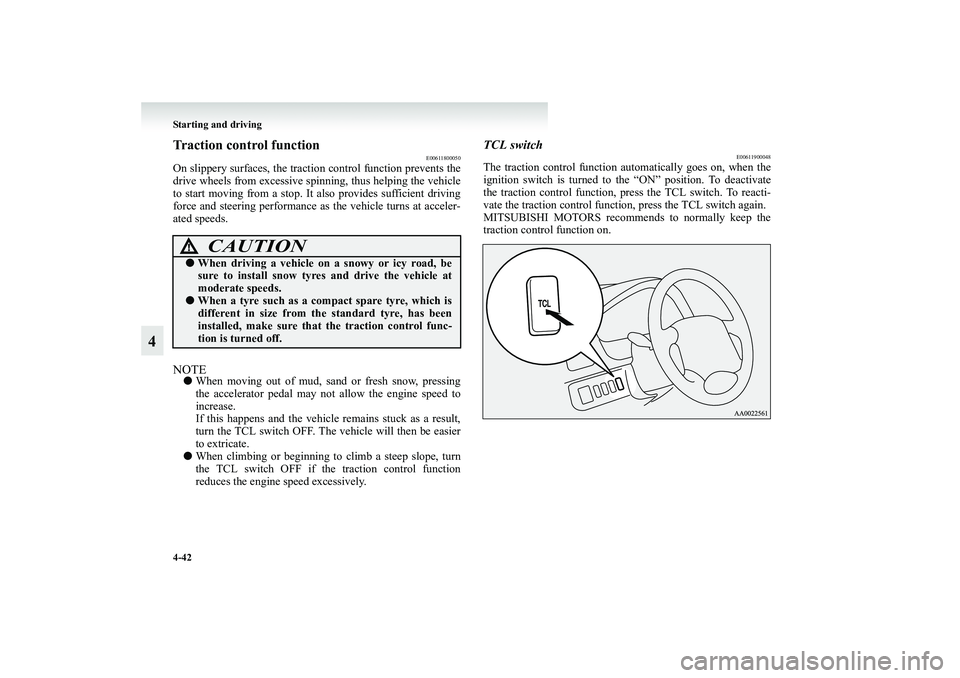
TCL switch
E00611900048
The traction control function automatically goes on, when the
ignition switch is turned to the “ON” position. To deactivate
the traction control function, press the TCL switch. To reacti-
vate the traction control function, press the TCL switch again.
MITSUBISHI MOTORS recommends to normally keep the
traction control function on.
CAUTION
!●When driving a vehicle on a snowy or icy road, be
sure to install snow tyres and drive the vehicle at
moderate speeds.●When a tyre such as a compact spare tyre, which is
different in size from the standard tyre, has been
installed, make sure that the traction control func-
tion is turned off.
BK-XP08E1ENUK.en-uk.book Page 42 Monday, August 13, 2007 2:20 PM
Page 215 of 458
Starting and driving
4-43
4
Stability control function
E00612000088
The stability control function is designed to help maintain the
vehicle’s control in slippery conditions, or during rapid steer-
ing manoeuvres. It works by controlling the engine output and
the brake on each wheel.NOTE●The stability control function operates at speeds of about
30 km/h (19 mph) or higher.
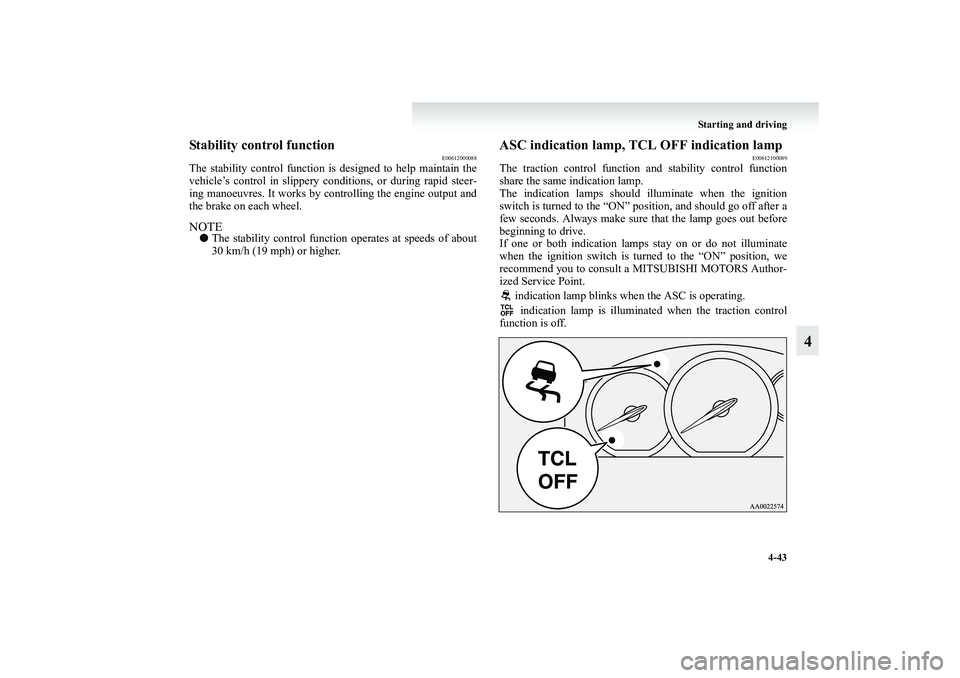
ASC indication lamp, TCL OFF indication lamp
E00612100089
The traction control function and stability control function
share the same indication lamp.
The indication lamps should illuminate when the ignition
switch is turned to the “ON” position, and should go off after a
few seconds. Always make sure that the lamp goes out before
beginning to drive.
If one or both indication lamps stay on or do not illuminate
when the ignition switch is turned to the “ON” position, we
recommend you to consult a MITSUBISHI MOTORS Author-
ized Service Point.
indication lamp blinks when the ASC is operating.
indication lamp is illuminated when the traction control
function is off.
BK-XP08E1ENUK.en-uk.book Page 43 Monday, August 13, 2007 2:20 PM
Page 216 of 458
4-44 Starting and driving
4
CAUTION
!●When the indication lamp blinks, ASC is operat-
ing, which means that the road is slippery or that
your vehicle’s wheels are slipping excessively. If this
happens, drive slower with less accelerator input.●If a malfunction occurs in the device, the and
indication lamps will continuously illuminate. Park
your vehicle in a safe place and stop the engine.
Then, start the engine again and check whether the
and indication lamps go out.
If the and indication lamps remain on even
after your vehicle is driven a short distance after
starting the engine, we recommend you to consult a
MITSUBISHI MOTORS Authorized Service Point.●If continuous brake control (on a slippery surface,
for example) causes the temperature of the braking
system to increase excessively, the traction control
function (working by controlling the brake on each
wheel) will be suspended to protect the braking sys-
tem. [The traction control function (working by con-
trolling the engine output) will operate. Normal
operation of the vehicle will not be affected.] At this
time, the indication lamp will blink to inform the
driver that the traction control function (working by
controlling the brake on each wheel) is suspended. If
the vehicle is stopped and the indication lamp
goes off, the traction control function (working by
controlling the brake on each wheel) will start oper-
ating again.
CAUTION
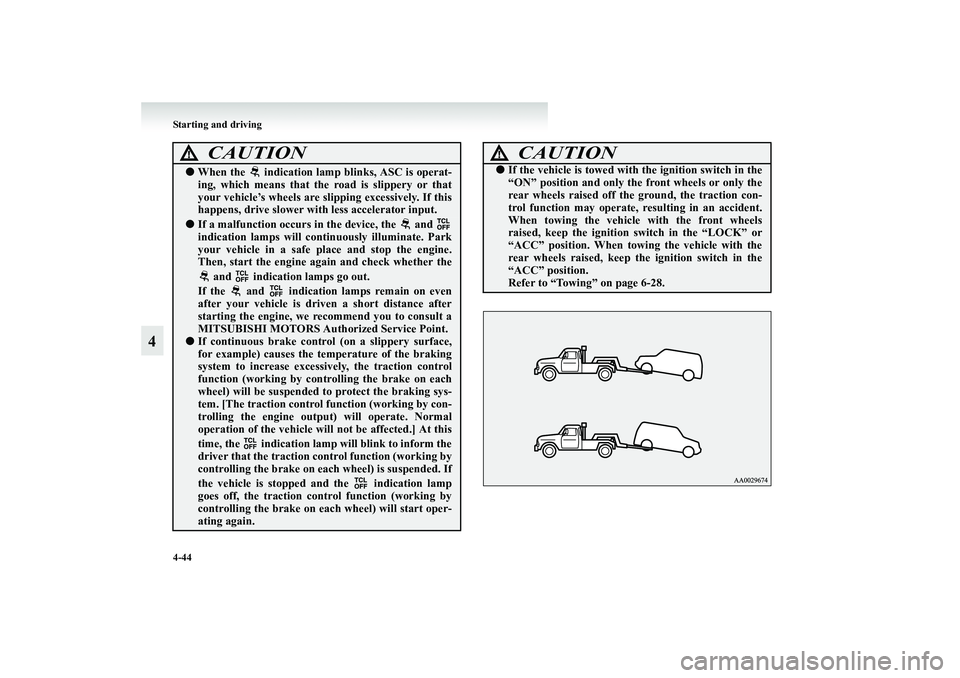
!●If the vehicle is towed with the ignition switch in the
“ON” position and only the front wheels or only the
rear wheels raised off the ground, the traction con-
trol function may operate, resulting in an accident.
When towing the vehicle with the front wheels
raised, keep the ignition switch in the “LOCK” or
“ACC” position. When towing the vehicle with the
rear wheels raised, keep the ignition switch in the
“ACC” position.
Refer to “Towing” on page 6-28.
BK-XP08E1ENUK.en-uk.book Page 44 Monday, August 13, 2007 2:20 PM
Page 219 of 458
Starting and driving
4-47
4
2. Pull the lever (B) down while driving at the desired speed.NOTE●If the main switch is on when the ignition switch is turned
to “LOCK” or “ACC” position, auto-speed control will be
on automatically the next time you start the engine. The
CRUISE indication lamp will also come on. You will need
to reset the speed however, if you want to use auto-speed
control.
●If the battery voltage is insufficient, the memory data for
the main switch will be erased.
As a result, the CRUISE indication lamp may not come on
when you restart the engine.
If this happens, push in the main switch once again to acti-
vate the system.
●On diesel-powered vehicles, it is not possible to set the
vehicle speed while driving in 1st gear.
To increase the set speed
E00609400323
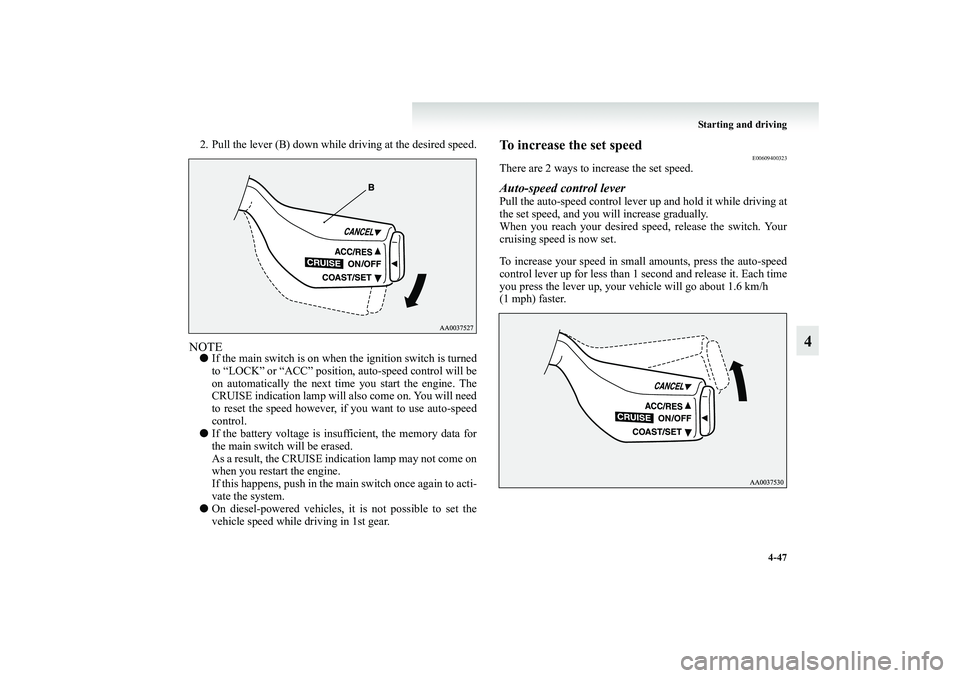
There are 2 ways to increase the set speed.Auto-speed control leverPull the auto-speed control lever up and hold it while driving at
the set speed, and you will increase gradually.
When you reach your desired speed, release the switch. Your
cruising speed is now set.
To increase your speed in small amounts, press the auto-speed
control lever up for less than 1 second and release it. Each time
you press the lever up, your vehicle will go about 1.6 km/h
(1 mph) faster.
BK-XP08E1ENUK.en-uk.book Page 47 Monday, August 13, 2007 2:20 PM