ECO mode MITSUBISHI iMiEV 2017 1.G Owner's Manual
[x] Cancel search | Manufacturer: MITSUBISHI, Model Year: 2017, Model line: iMiEV, Model: MITSUBISHI iMiEV 2017 1.GPages: 296, PDF Size: 7.79 MB
Page 183 of 296
USB input terminal (if so equipped)
Features and controls 5-75
5
N00567000031 N00567101169
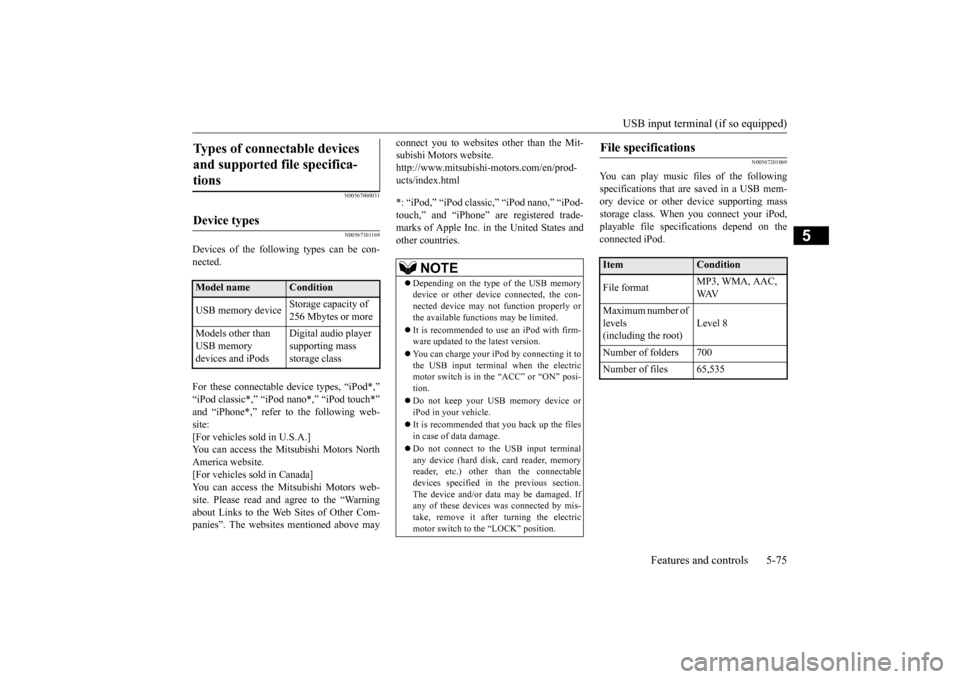
Devices of the following types can be con- nected. For these connectable
device types, “iPod*,”
“iPod classic*,”
“iPod nano*,” “iPod touch*”
site: [For vehicles sold in U.S.A.]You can access the Mitsubishi Motors North America website. [For vehicles sold in Canada]You can access the Mitsubishi Motors web- site. Please read and agree to the “Warning about Links to the Web Sites of Other Com-panies”. The websites
mentioned above may
connect you to websites
other than the Mit-
subishi Motors website.http://www.mitsubishi-
motors.com/en/prod-
ucts/index.html *: “iPod,” “iPod classi
c,” “iPod nano,” “iPod-
touch,” and “iPhone” marks of Apple Inc. in the United States and other countries.
N00567201069
You can play music files of the followingspecifications that are saved in a USB mem- ory device or other
device supporting mass
storage class. When
you connect your iPod,
playable file specif
ications depend on the
connected iPod.
Types of connectable devices and supported file specifica-tions
Device types
Model name
Condition
USB memory device
Storage capacity of 256 Mbytes or more
Models other than USB memory devices and iPods
Digital audio player supporting mass storage class
NOTE
Depending on the type of the USB memory device or other devi
ce connected, the con-
nected device may not
function properly or
the available functi
ons may be limited.
It is recommended to use an iPod with firm- ware updated to th
e latest version.
You can charge your
iPod by connecting it to
the USB input terminal when the electric motor switch is in the “ACC” or “ON” posi- tion. Do not keep your US
B memory device or
iPod in your vehicle. It is recommended that you back up the files in case of
data damage.
Do not connect to th
e USB input terminal
any device (hard disk, card reader, memoryreader, etc.) other than the connectable devices specified in the previous section. The device and/or data
may be damaged. If
any of these devices
was connected by mis-
take, remove it after turning the electric motor switch to the “LOCK” position.
File specifications
Item
Condition
File format
MP3, WMA, AAC, WAV
Maximum number of levels(including the root)
Level 8
Number of folders 700 Number of files 65,535
BK0220401US.book 75 ページ 2015年6月3日 水曜日 午前7時42分
Page 193 of 296
Vehicle preparatio
n before driving
Driving safety 6-3
6
from moving forward
and possibly interfering
with the operation of the pedals, Mitsubishigenuine floor mats are recommended.
N00628700063
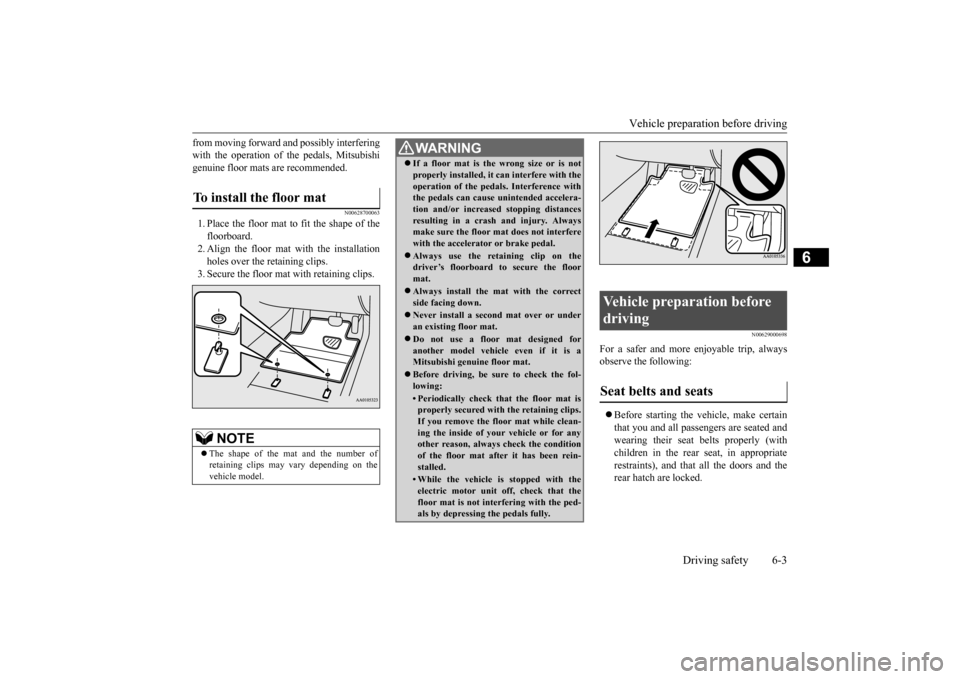
1. Place the floor mat to fit the shape of thefloorboard. 2. Align the floor mat with the installation holes over the retaining clips. 3. Secure the floor mat with retaining clips.
N00629000698
For a safer and more enjoyable trip, always observe the following: Before starting the ve
hicle, make certain
that you and all passengers are seated andwearing their seat belts properly (with children in the rear seat, in appropriate restraints), and that all the doors and therear hatch are locked.
To install the floor mat
NOTE
The shape of the mat and the number of retaining clips may
vary depending on the
vehicle model.
WA R N I N G If a floor mat is the
wrong size or is not
properly installed, it can interfere with theoperation of the pedals. Interference withthe pedals can cause unintended accelera- tion and/or increased stopping distances resulting in a cras
h and injury. Always
make sure the floor mat does not interfere with the accelerator or brake pedal. Always use the reta
ining clip on the
driver’s floorboard to secure the floor mat. Always install the mat with the correct side facing down. Never install a second
mat over or under
an existing floor mat. Do not use a floor mat designed for another model vehicle even if it is aMitsubishi genuine floor mat. Before driving, be sure to check the fol- lowing:• Periodically check that the floor mat isproperly secured with the retaining clips. If you remove the floor mat while clean- ing the inside of you
r vehicle or for any
other reason, always check the condition of the floor mat after it has been rein- stalled.• While the vehicle is stopped with theelectric motor unit off, check that thefloor mat is not interfering with the ped- als by depressing the pedals fully.
Vehicle preparation before driving Seat belts and seats
BK0220401US.book 3 ページ 2015年6月3日 水曜日 午前7時42分
Page 195 of 296
Braking
Driving safety 6-5
6
Check the antifreeze. If there is not enough coolant because of aleak, add high-quality ethylene glycol antifreeze and water. Use Mitsubishi Motors Genuine Super Long Life CoolantPremium or an equivalent. The recom- mended blend is abou
t 50 % water and 50
% anti-freeze. Use a
higher concentration
(not over 60 %) when the outside temper- ature is -31 °F (-35 °C) or lower. When the electric motor unit is working veryhard (for example, during mountain driv- ing and/or when the outside temperature is high), use a 50 %
concentration. This
blend will provide
adequate protection
from corrosion and boiling.
N00629501531
All the parts of the brake system are criticalto safety. Have the vehicle serviced by a certi- fied i-MiEV dealer at regular intervalsaccording to the “WARRANTY AND MAINTENANCE MANUAL”. Check the brake system while driving at a low speed immediately
after starting, espe-
cially when the brakes are wet, to confirm they work normally. A film of water can be formed on the brakediscs and prevent normal braking after driv- ing in heavy rain or through large puddles, or after the vehicle is washed. If this occurs, drythe brakes out by driving slowly while lightly depressing the brake pedal. On snowy roads, ice can form on the braking system, making the brak
es less effective.
While driving in such conditions, pay closeattention to preceding
and following vehicles
and to the condition of the road surface. From time to time, lightly
depress the brake pedal
and check how effective the brakes are.
Put the selector lever to “B” (REGENERA- TIVE BRAKE MODE) or “ECO” (ECO MODE) position according to the grade ofthe slope and vehicle sp
eed. This will allow
effective use of the regenerative brake and prevent the service brake from overheating.If the brake pedal is continuously or fre- quently depressed on downhill roads, the ser- vice brake could overheat and the brake performance will be reduced.
WA R N I N G The 12V starter batter
y gives off explosive
hydrogen gas. Any spark or flame cancause the 12V starter battery to explode,which could cause serious injury or death. Always wear protecti
ve clothes and a face
mask when working wi
th your 12V starter
battery, or let a skil
led mechanic do it.
WA R N I N GNever open the coolan
t reservoir cap while
it is hot. You could be seriously burned.
Braking When brakes are wet When driving in cold weather
When driving downhill
NOTE
When the main drive lithium-ion battery level is full or nearly full, or the main drivelithium-ion battery temp
erature is too high or
too low, the regenerative braking force may be reduced. Refer to “Regenerative braking”on page 3-3. If the red needle in the energy usage indica- tor does not move to the left of the neutral point (A) while the
accelerator pedal is
released, the regenerative brake will notwork. Refer to “Ener
gy usage indicator” on
page 5-37. In the such
case, before approach-
ing a long downhill
road, reduce speed to
prevent the service brake from overheating.
BK0220401US.book 5 ページ 2015年6月3日 水曜日 午前7時42分
Page 208 of 296
Air conditioning 7-6 Comfort controls
7
The vents change to the following positions according to the position of the temperaturecontrol dial. Refer to “Temperature
control dial” on page
7-5.
N00736800400
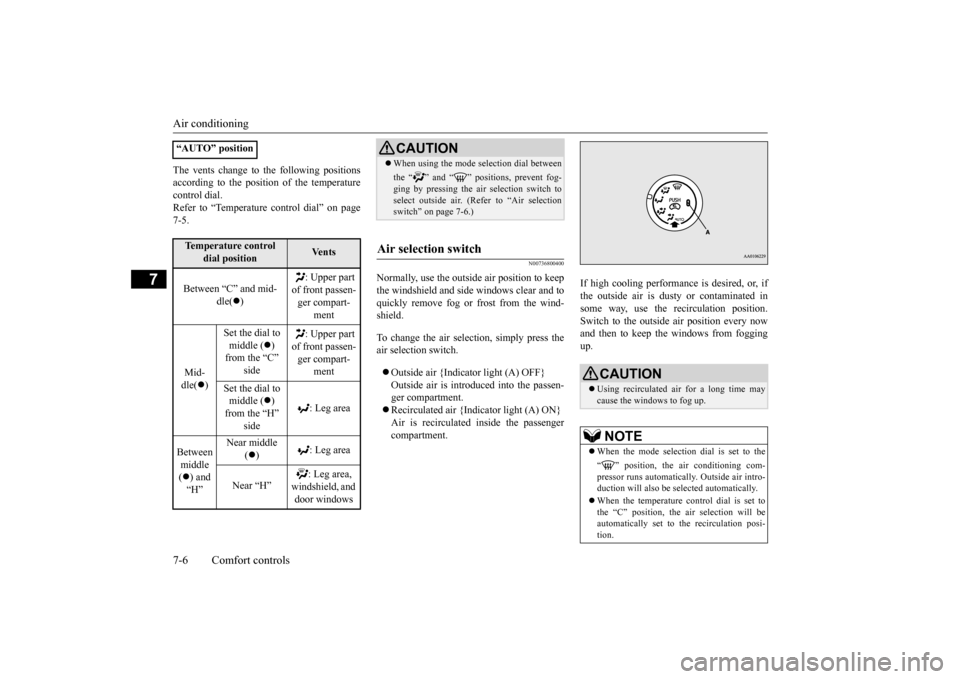
Normally, use the outside
air position to keep
the windshield and side windows clear and to quickly remove fog or frost from the wind- shield. To change the air selection, simply press the air selection switch. Outside air {Indicator light (A) OFF} Outside air is introduced into the passen- ger compartment. Recirculated air {Indicator light (A) ON} Air is recirculated
inside the passenger
compartment.
If high cooling performance is desired, or, if the outside air is dusty
or contaminated in
some way, use the
recirculat
ion position.
Switch to the outside
air position every now
and then to keep the windows from foggingup.
“AUTO” positionTemperature control
dial position
Ve n t s
Between “C” and mid-
dle(
)
: Upper part
of front passen- ger compart-
ment
Mid- dle(
)
Set the dial to middle (
)
from the “C”
: Upper part
of front passen- ger compart-
ment
Set the dial to middle (
)
from the “H”
: Leg area
Between middle ( ) and “H”
Near middle
( )
: Leg area
Near “H”
windshield, and door windows
CAUTION When using the mode se
lection dial between
the “ ” and “ ” positions, prevent fog- ging by pressing the air selection switch toselect outside air. (Refer to “Air selection switch
Page 212 of 296
Important air condit
ioning operating tips
7-10 Comfort controls
7
2. Set the mode select
ion dial to the “ ”
3. Turn the temperature control dial clock-wise or counterclockw
ise to the desired
temperature between middle (
) and “H”
position.4. Select the desi
red blower speed.
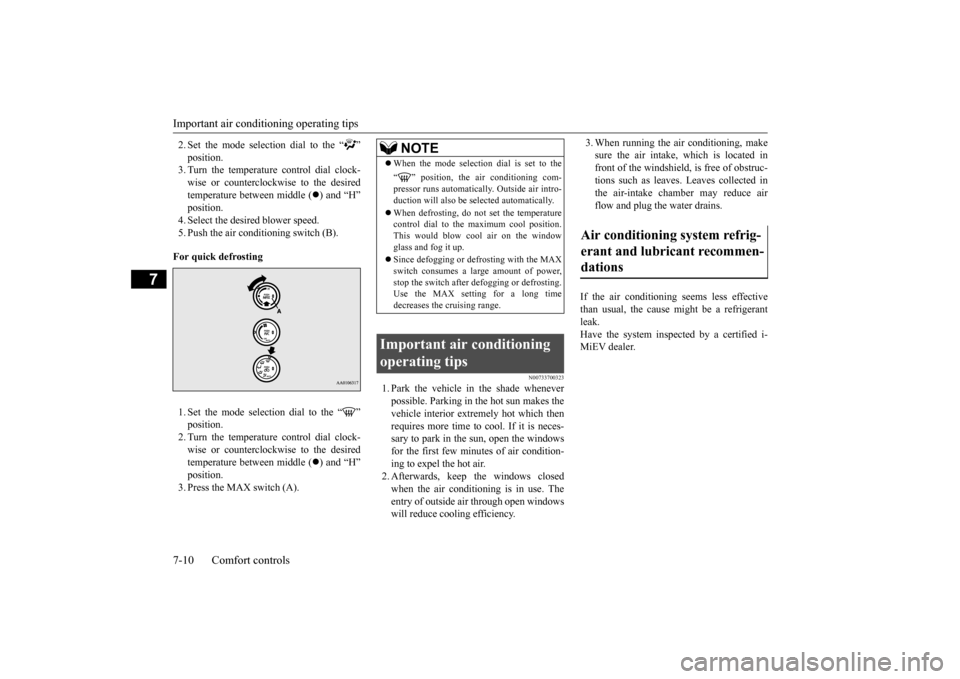
5. Push the air conditioning switch (B). For quick defrosting 1. Set the mode selection dial to the “ ”2. Turn the temperature control dial clock- wise or counterclockw
ise to the desired
temperature between middle (
) and “H”
position. 3. Press the MAX switch (A).
N00733700323
1. Park the vehicle in the shade whenever possible. Parking in the hot sun makes thevehicle interior extremely hot which then requires more time to cool. If it is neces- sary to park in the sun, open the windowsfor the first few minutes of air condition- ing to expel the hot air. 2. Afterwards, keep the windows closedwhen the air conditioning is in use. The entry of outside air through open windows will reduce cooling efficiency.
3. When running the air conditioning, make sure the air intake, which is located infront of the windshield, is free of obstruc- tions such as leaves. Leaves collected in the air-intake chamber may reduce airflow and plug the water drains.
If the air conditioning seems less effective than usual, the cause might be a refrigerant leak. Have the system inspected by a certified i-MiEV dealer.
NOTE
When the mode selection dial is set to the “ ” position, the air conditioning com- pressor runs automatically. Outside air intro-duction will also be se
lected automatically.
When defrosting, do not set the temperature control dial to the
maximum cool position.
This would blow c
ool air on the window
glass and fog it up. Since defogging or defrosting with the MAX switch consumes a la
rge amount of power,
stop the switch after
defogging or defrosting.
Use the MAX setting for a long time decreases the cruising range.
Important air conditioning operating tips
Air conditioning system refrig- erant and lubricant recommen- dations
BK0220401US.book 10 ページ 2015年6月3日 水曜日 午前7時42分
Page 213 of 296
Air purifier
Comfort controls 7-11
7
The air conditioning should be operated for at least five minutes each week, even in cold weather. This includes the quick defrostingmode. Operating the
air condition system
weekly maintains lubrication of the compres- sor internal parts and maintains the air condi-tioning in the best operating condition.
N00733800177
The air conditioning system is equipped with an air filter to reduc
e pollen and dust entering
the cabin.The air filter’s ability to collect pollen and dust will be reduced as
it becomes dirty, so
replace it periodically. For the maintenanceinterval, refer to the “WARRANTY AND MAINTENANCE MANUAL”.
N00766601026
You can run the air conditioning in advanceof using the vehicle. For details, refer to “Remote Climate Cont
rol” on page 3-36,
3-47.
N00734301062
The audio system can only be used when theelectric motor switch is in the “ON” or“ACC” position.
CAUTION The air conditioning system in your vehicle must be charged with the refrigerant HFC-134a and the lubricant POE MA68EV.Use of any other refrigerant or lubricant will cause severe damage a
nd may require replac-
ing your vehicle’s en
tire air conditioning
system. The release of refrigerant into the atmo- sphere is not recommended.The new refrigerant HFC-134a in your vehi- cle is designed not to harm the earth’s ozone layer. However, it may contribute slightly toglobal warming. It is recommended that the old refrigerant be saved and recycled for future use.
During a long period of disuse
Air purifier
NOTE
Operation in certain conditions such as driv- ing on a dusty road or frequent use of the air conditioning can reduce
the service life of
the filter. When you feel that the air flow is lower than normal or when the windshield or windows start to fog up easily, replace the airfilter. Contact a certified i-MiEV dealer for assis- tance.
Remote Climate Control
AM/FM electronically tuned radio with CD player
(if so
equipped)
NOTE
To listen to the audio system while the elec- tric motor unit is not running, turn the elec-tric motor switch to the “ACC” position. If the electric motor switch is in the “ACC”cally turn off after a certain period of time and you will no longer be able to use the audio system. The accessory power comeson again if the electric motor switch is turned from the “ACC” position. Refer to “ACC power auto-cutout f
unction” on page 5-19.
If a cellular phone is
used inside the vehicle,
it may create noise in the audio equipment.This does not mean that anything is wrong with your audio equipment. In such a case, use the cellular phone at
a place as
far away
as possible from the audio equipment.
BK0220401US.book 11 ページ 2015年6月3日 水曜日 午前7時42分
Page 216 of 296
AM/FM electronically tuned radio with CD player (if so equipped) 7-14 Comfort controls
7
N00735000913
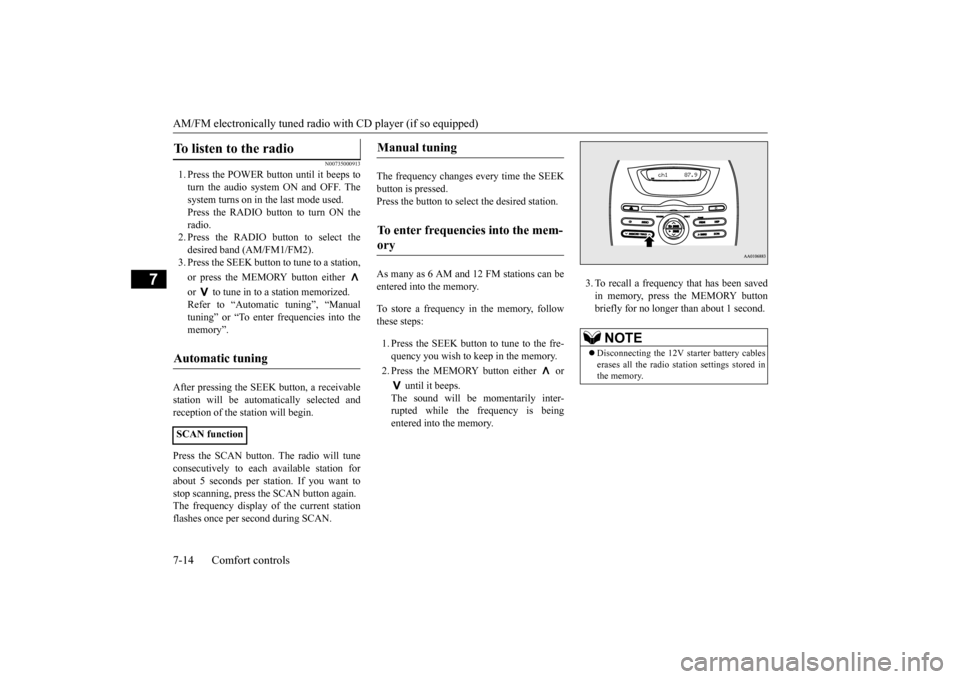
1. Press the POWER button until it beeps to turn the audio system ON and OFF. The system turns on in the last mode used.Press the RADIO button to turn ON the radio. 2. Press the RADIO button to select thedesired band (AM/FM1/FM2). 3. Press the SEEK button
to tune to a station,
or press the MEMORY button either or to tune in to a station memorized. Refer to “Automatic tuning”, “Manual tuning” or “To enter frequencies into the memory”.
After pressing the SEEK button, a receivable station will be automatically selected andreception of the st
ation will begin.
Press the SCAN button.
The radio will tune
consecutively to each
available station for
about 5 seconds per stat
ion. If you want to
stop scanning, press the SCAN button again. The frequency display of the current stationflashes once per second during SCAN.
The frequency changes every time the SEEK button is pressed. Press the button to sele
ct the desired station.
As many as 6 AM and 12 FM stations can be entered into the memory. To store a frequency in the memory, follow these steps: 1. Press the SEEK button to tune to the fre- quency you wish to keep in the memory. 2. Press the MEMORY button either or
until it beeps. The sound will be momentarily inter-rupted while the frequency is being entered into the memory.
3. To recall a frequency that has been saved in memory, press the MEMORY buttonbriefly for no longer than about 1 second.
To listen to the radio
Automatic tuning
SCAN function
Manual tuning
To enter frequencies into the mem- ory
NOTE
Disconnecting the 12V st
arter battery cables
erases all the radio stat
ion settings stored in
the memory.
BK0220401US.book 14 ページ 2015年6月3日 水曜日 午前7時42分
Page 217 of 296
AM/FM electronically tuned radio with CD player (if so equipped)
Comfort controls 7-15
7
N00735300743
N00735502097
1. Press the POWER button until it beeps to turn the audio system ON and OFF. The system turns on in the last mode used. 2. Insert the disc with the label facing up.When a disc is inserted, the CD indicator will come on and the CD player will begin playing even if the radio is being used.The CD player will also begin playing when the CD button is pressed with a disc set in the CD player or in the disc loadingslot, even if the radio is being used.
When the eject button is pressed, the disc automatically stops and
is ejected. The sys-
tem automatically swit
ches to radio mode.
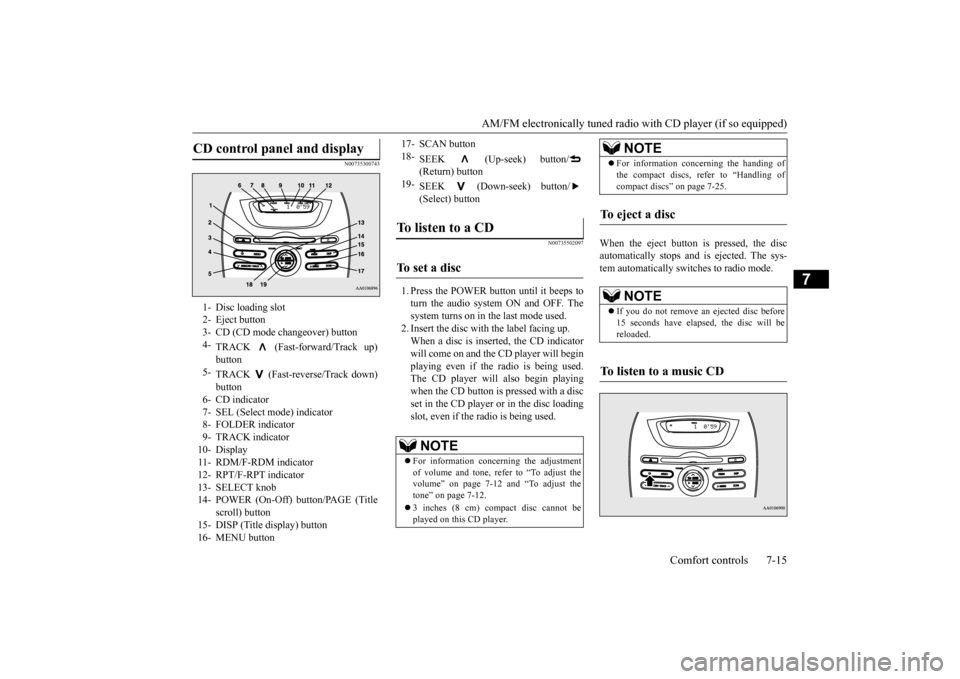
CD control panel and display
1- Disc loading slot 2- Eject button3- CD (CD mode changeover) button 4-
TRACK (Fast-forward/Track up)
5-
TRACK (Fast-reverse/Track down) button
6- CD indicator 7- SEL (Select m
ode) indicator
8- FOLDER indicator9- TRACK indicator 10- Display 11- RDM/F-RDM indicator12- RPT/F-RPT indicator 13- SELECT knob 14- POWER (On-Off) button/PAGE (Title
scroll) button
15- DISP (Title display) button 16- MENU button
17- SCAN button 18-
SEEK (Up-seek) button/ (Return) button
19-
SEEK (Down-seek) button/ (Select) button
To listen to a CD
To s e t a d i s c
NOTE
For information concerning the adjustment of volume and tone, refer to “To adjust the volume” on page 7-12 and “To adjust the tone” on page 7-12. 3 inches (8 cm) compact disc cannot be played on this CD player.
For information concerning the handing of the compact discs, re
fer to “Handling of
compact discs” on page 7-25.
To eject a disc
NOTE
If you do not remove an
ejected disc before
15 seconds have elapse
d, the disc will be
reloaded.
To listen to a music CD
NOTE
BK0220401US.book 15 ページ 2015年6月3日 水曜日 午前7時42分
Page 218 of 296
AM/FM electronically tuned radio with CD player (if so equipped) 7-16 Comfort controls
7
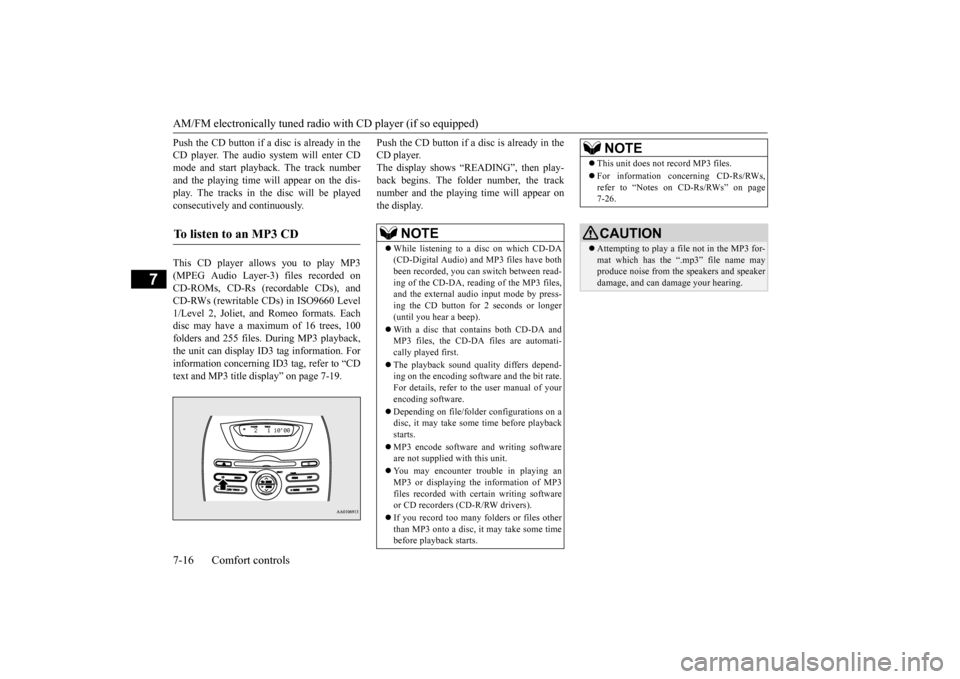
Push the CD button if a disc is already in the CD player. The audio system will enter CDmode and start playba
ck. The track number
and the playing time will appear on the dis- play. The tracks in the disc will be playedconsecutively and continuously. This CD player allows you to play MP3 (MPEG Audio Layer-3) files recorded on CD-ROMs, CD-Rs (reco
rdable CDs), and
CD-RWs (rewritable CDs) in ISO9660 Level 1/Level 2, Joliet, a
nd Romeo formats. Each
disc may have a maximum of 16 trees, 100folders and 255 files. During MP3 playback, the unit can display ID3 tag information. For information concerning ID
3 tag, refer to “CD
text and MP3 title di
splay” on page 7-19.
Push the CD button if a disc is already in the CD player.The display shows “READING”, then play- back begins. The folder number, the track number and the playing time will appear onthe display.
To listen to an MP3 CD
NOTE
While listening to a
disc on which CD-DA
(CD-Digital Audio) a
nd MP3 files have both
been recorded, you can switch between read- ing of the CD-DA, reading of the MP3 files, and the external audio input mode by press-ing the CD button for 2 seconds or longer (until you hear a beep). With a disc that contains both CD-DA and MP3 files, the CD-DA files are automati- cally played first. The playback sound quality differs depend- ing on the encoding software and the bit rate.For details, refer to
the user manual of your
encoding software. Depending on file/folde
r configurations on a
disc, it may take some
time before playback
starts. MP3 encode software and writing software are not supplied with this unit. You may encounter trouble in playing an MP3 or displaying the information of MP3files recorded with certain writing software or CD recorders (CD-R/RW drivers). If you record too many folders or files other than MP3 onto a disc, it
may take some time
before playback starts.
This unit does not record MP3 files. For information concerning CD-Rs/RWs, refer to “Notes on CD-Rs/RWs” on page 7-26.CAUTION Attempting to play a file not in the MP3 for- mat which has the “.mp3” file name may produce noise from the speakers and speakerdamage, and can da
mage your hearing.
NOTE
BK0220401US.book 16 ページ 2015年6月3日 水曜日 午前7時42分
Page 219 of 296
AM/FM electronically tuned radio with CD player (if so equipped)
Comfort controls 7-17
7
To fast forward or fast reverse the disc, press the TRACK button or the TRACK but- ton.
You can fast-forward the disc by pressing the TRACK button. While the button is kept pressed, the disc wi
ll be fast-forwarded.
You can fast reverse th
e disc by pressing the
TRACK button. While the button is kept pressed, the disc wi
ll be fast-reversed.
You can select your desi
red track by using the
TRACK button. Press the TRACK button repeatedly until the desired track number appears on the dis-play. When listening to a MP3 CD, keep pressing the button to continue to move up tracks. Press the TRACK button repeatedly until the desired track number appears on the dis-play. When listening to a MP3 CD, keep pressing the button to continue to move down tracks.
Operate the following buttons or the SELECT knob to select desired file.When this mode is activated by pressing the
button, the SEL indicator will be dis-
played in the display.
Folder selection ord
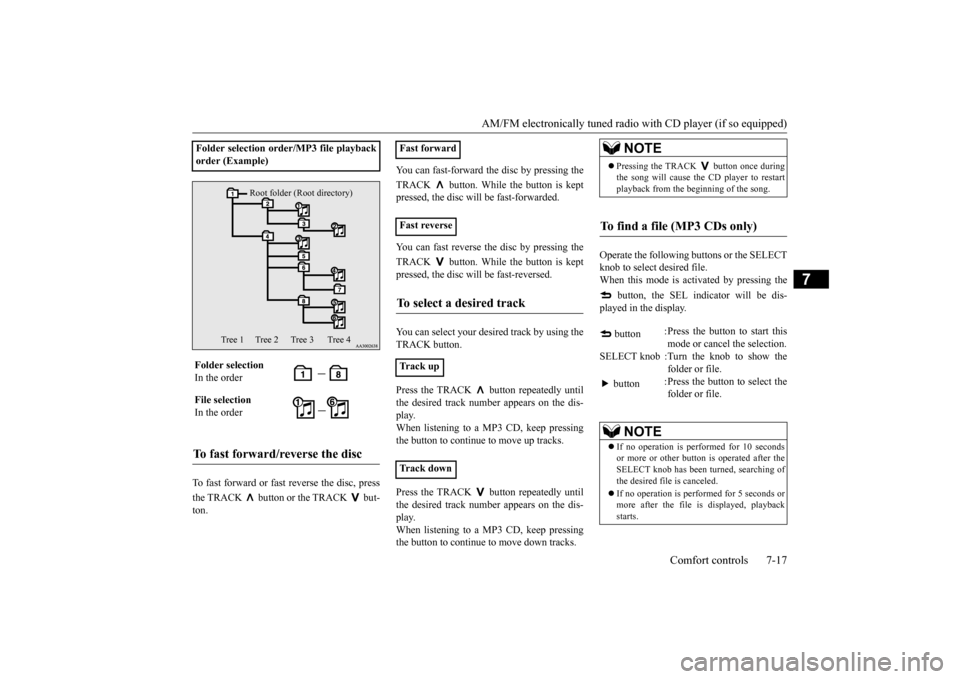
er/MP3 file playback
order (Example) Folder selection In the order File selection In the orderTo fast forward/reverse the disc
Root folder (Root directory)
Tree 1 Tree 2 Tree 3 Tree 4
Fast forward Fast reverseTo select a desired track
Track up Track down
NOTE
Pressing the TRACK button once during the song will cause the
CD player to restart
playback from the beginning of the song.
To find a file (MP3 CDs only)
button
:Press the button to start this mode or cancel the selection.
SELECT knob :Turn the knob to show the
folder or file.
button
:Press the button to select the folder or file.
NOTE
If no operation is performed for 10 seconds or more or other button is operated after theSELECT knob has been turned, searching ofthe desired file is canceled. If no operation is perf
ormed for 5 seconds or
more after the file is displayed, playback starts.
BK0220401US.book 17 ページ 2015年6月3日 水曜日 午前7時42分