CD player MITSUBISHI LANCER 2015 8.G User Guide
[x] Cancel search | Manufacturer: MITSUBISHI, Model Year: 2015, Model line: LANCER, Model: MITSUBISHI LANCER 2015 8.GPages: 434, PDF Size: 16.59 MB
Page 304 of 434
AM/FM radio/CD player (if so equipped)
Comfort controls 7-29
7
N00734302098
The audio system can only be used when the ignition switch is in the “ON” or “ACC” position.
N00715000021
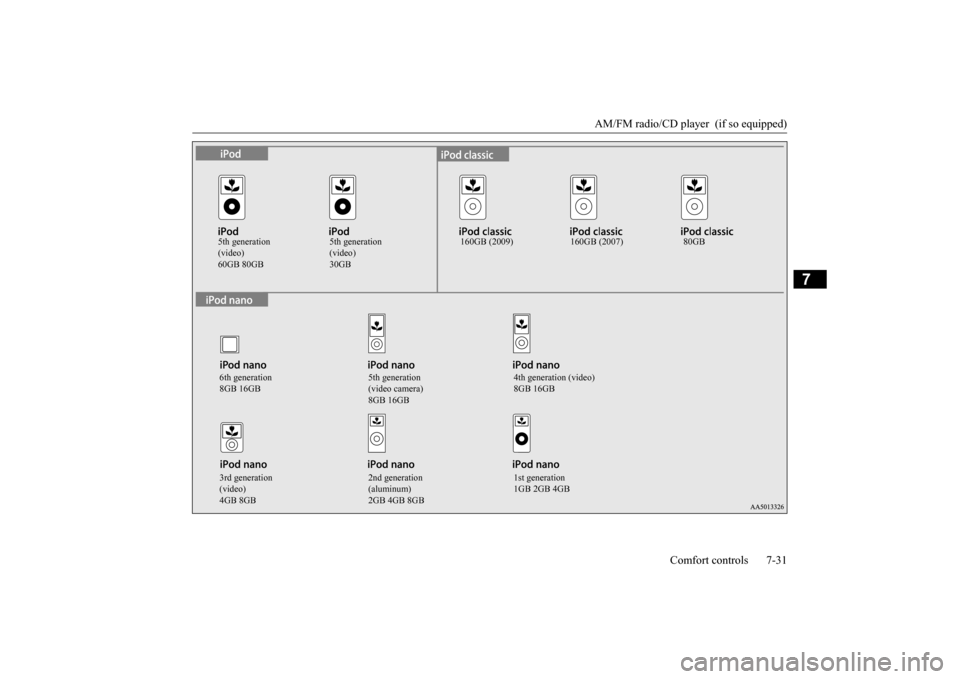
This product supports audio playback from iPod/iPhone devices, however dif- fering versions mean that playback cannot be guaranteed.
Please be aware that depending on the iPod/iPhone model or version, operation may differ.
N00715200023
If the product becomes dirty, wipe with a soft cloth. If very dirty, use a soft cloth dipped in neutral detergent diluted in water, andthen wrung out. Do not use benzene, thin- ners, or other chemical wipes. This may harm the surface.
N00715300066
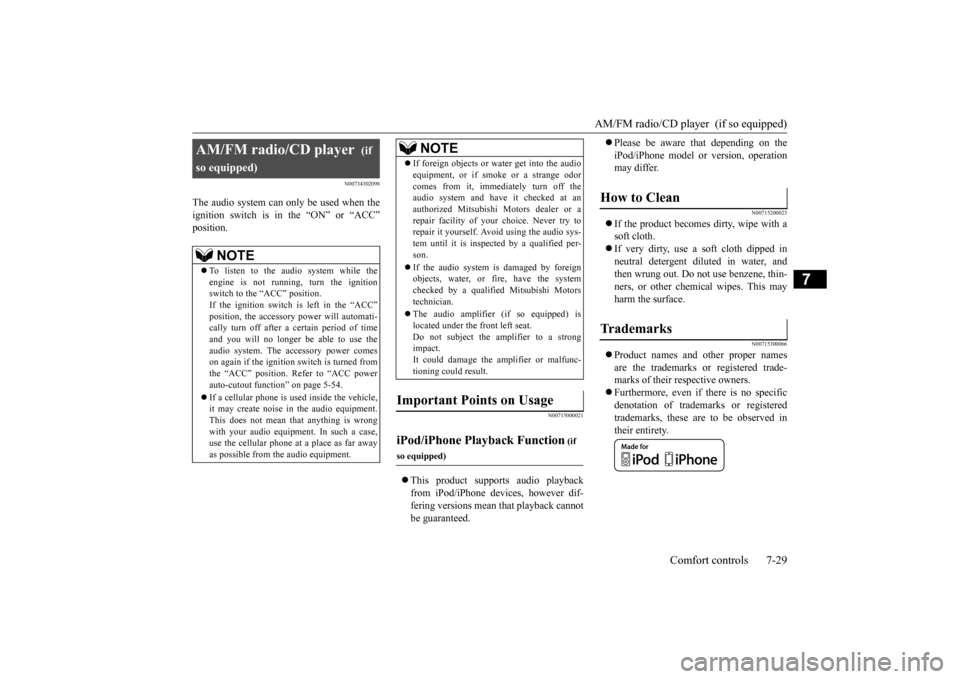
Product names and other proper names are the trademarks or registered trade-marks of their respective owners. Furthermore, even if there is no specific denotation of trademarks or registeredtrademarks, these are to be observed in their entirety.
AM/FM radio/CD player
(if
so equipped)
NOTE
To listen to the audio system while the engine is not running, turn the ignition switch to the “ACC” position. If the ignition switch is left in the “ACC”position, the accessory power will automati- cally turn off after a
certain period of time
and you will no longer be able to use theaudio system. The accessory power comes on again if the ignition switch is turned from the “ACC” position. Refer to “ACC powerauto-cutout function” on page 5-54. If a cellular phone is used inside the vehicle, it may create noise in the audio equipment. This does not mean that anything is wrong with your audio equipment. In such a case,use the cellular phone at a place as far away as possible from the audio equipment.
If foreign objects or water get into the audio equipment, or if smoke or a strange odor comes from it, immediately turn off the audio system and have it checked at an authorized Mitsubishi Motors dealer or arepair facility of your choice. Never try to repair it yourself. Avoid using the audio sys- tem until it is inspected by a qualified per-son. If the audio system is damaged by foreign objects, water, or fire, have the system checked by a qualified Mitsubishi Motors technician. The audio amplifier (if so equipped) is located under the front left seat.Do not subject the amplifier to a strong impact. It could damage the amplifier or malfunc-tioning could result.
Important Points on Usage
iPod/iPhone Playback Function
(if
so equipped)
NOTE
How to Clean
Tr a d e m a r k s
BK0210300US.bo
ok 29 ページ 2014年4月8日 火曜日 午前10時46分
Page 305 of 434

AM/FM radio/CD player (if so equipped) 7-30 Comfort controls
7
“Made for iPod”, “Made for iPhone” mean that an electronic accessory has been designed to connect specifically to iPod or iPhone, respectively, and has beencertified by the developer to meet Apple performance standards. iPhone, iPod, iPod classic, iPod nano, andiPod touch are trademarks of Apple Inc., registered in the U.S. and other countries. Apple is not responsible for the operationof this device or its compliance withsafety and regulatory standards.NOTE
iPod and iTunes licensing allows individual users to privately reproduce and play back non- copyrighted material as well as material that may be legally copied and reproduced.Infringement of copyright is prohibited.
For vehicles with a Bluetooth
® 2.0 interface,
the types of devices that can be connectedmay vary. [For vehicles sold in U.S.A.] For details, access the Mitsubishi MotorsNorth America website. [For vehicles sold in Canada and Mexico] For details, access the Mitsubishi Motorswebsite. Please read and agree to the “Warn- ing about Links to the Web Sites of Other Companies”. The websites mentioned abovemay connect you to websites other than the Mitsubishi Motors website. http://www.mitsubishi-motors.com/en/prod-ucts/index.htmlNOTE
BK0210300US.bo
ok 30 ページ 2014年4月8日 火曜日 午前10時46分
Page 306 of 434
AM/FM radio/CD player (if so equipped)
Comfort controls 7-31
7
5th generation (video)
5th generation (video)
160GB (2009) 160GB (2007) 80GB
6th generation 8GB 16GB
5th generation (video camera) 8GB 16GB
4th generation (video) 8GB 16GB
3rd generation (video) 4GB 8GB
2nd generation (aluminum) 2GB 4GB 8GB
1st generation 1GB 2GB 4GB
BK0210300US.bo
ok 31 ページ 2014年4月8日 火曜日 午前10時46分
Page 325 of 434
Listen to Audio Files on a USB Device 7-50 Comfort controls
7
Press the MEDIA key to set USB as the source. The selected source is indicated on the dis- play. Press the key or key to select the track. This enables selection of the next or previous track. Hold down the 3 key or the 4 key. Fast forward/rewind is possible.
Do not use hard discs, card readers, or mem- ory readers, as damage
may occur to these or
to the data contained therein. If these are erroneously connected, then turn the ignition switch to the “LOCK” position, then remove. Because of the risk of data loss, it is recom- mended that files be backed up. No guarantee is made as regards damage to the USB device, nor regarding loss or dam-age to data contained therein. Depending on how the devices are handled, audio files being damaged or lost, therefore it is recommended that data be backed up.NOTE
Digital audio players that support the mass storage class specifications can be con-nected. For details regarding the types of USB devices that can be connected and the types of files that can be played back in vehicles with a Bluetooth
® 2.0 interface, refer to
“Types of connectable devices and supported file specifications” on page 5-182. Regarding how to connect USB devices, refer to “How to connect a USB memorydevice” on page 5-181. When connecting a USB device, use a con- nection cable. Failure to use a connection cable when connecting may place undue load on, or damage the USB connector.CAUTION
Set up the device in order that no unsafe actions, such as plugging in the connection cable are taken while driving. When inserting and removing the USB device, for safety’s sake first stop the vehi- cle. Do not insert other than audio devices into the USB port. Damage to the device or equipment may result. Depending on the status of the USB device, it may take some time until the device is rec-ognized, or playback starts. Depending on USB devices, buttons on the product will not operate while the USB device is connected. USB device specifications and settings may mean that connection is not possible, or result in differences in operation or display. Depending on audio data in the USB device, track information may not be displayed cor-rectly. Depending on the status of the vehicle and device, the iPod/iPhone may not play back after starting the engine. Data containing copyright information may not play back. This product can play back MP3, WMA, and AAC format audio files. Depending on the type of USB device, usage may not be possible, or functions that can beused may be restricted. The recommended file system for USB memory is FAT32.NOTE
The maximum supported capacity for USB memory is 32GB. Operate the USB device containing recorded audio files while connected to this product.
Play Back of Audio Files on a USB Device Select the Track (File) Fast Forward or Rewind
NOTE
BK0210300US.bo
ok 50 ページ 2014年4月8日 火曜日 午前10時46分
Page 426 of 434
Alphabetical index
12-1
12
A
Accessory (installation)
.........................
3-6
ACD (Active center differential system) 5-82
ACD control mode display
..............
5-83
ACD control mode switch
...............
5-82
ACD warning display
......................
5-83
Active stability control (ASC)
..............
5-94
ASC OFF display or ASC indicator
..5-95
ASC operation display
....................
5-95
Air cleaner filter
...................
................
9-9
Air conditioning
Automatic air conditioning
.....
7-17
, 7-22
Important air conditioning operating tips
..
7-28 Manual air conditioning
...........
7-7
, 7-12
Air purifier
....................
.....................
7-28
All-wheel driving operation
.................
5-86
Aluminum wheels
...............................
9-52
AM/FM radio
....................
.................
7-29
Antenna
Roof antenna
.........................
7-62
, 7-63
Anti-lock braking system
.....................
5-91
Warning light / display
....................
5-92
Arm rest
........................
.......................
4-6
Assist grip
.....................
...................
5-191
Audio
AM/FM radio
................
.................
7-29
CD player
.....................
.................
7-29
Troubleshooting
.............................
7-60
Automatic air conditioning
..........
7-17
, 7-22
AWC control fluid
...............
...............
9-12
B
Back-up lights
Bulb capacity
..................
...............
9-34
Replacement
...................
...............
9-45
Ball joint, steering linkage seals and drive shaft boots
.....................
..................
9-27
Battery
........................
......................
9-14
Charging system warning light
.......
5-145
Checking battery electrolyte level
....
9-15
Disconnection and connection
.........
9-16
During cold weather
.......................
9-16
Removing and installing the battery uppercover (vehicles with turbocharger)
.9-14
Specification
...................
...............
11-5
Bluetooth 2.0 interface
.......................
5-159
Bottle holder
....................
.................
5-191
Brake
Anti-lock braking system
................
5-91
Braking
.......................
....................
6-5
Fluid
....................
.................
9-13
, 11-6
Hose
.......................
......................
9-27
Parking brake
..................
...............
5-48
Parking brake lever stroke
...............
9-25
Pedal
.......................
......................
5-89
Pedal free play
................
...............
9-25
Power brakes
..................
...............
5-89
Service brake
.................
.................
5-89
Brake assist
...................
.....................
5-90
Break-in recommendations
....................
5-3
Bulb capacity
.....................
.................
9-34
C
California Perchlorate Materials Requirements
.....................
................
3-7
Capacities
.....................
.....................
11-6
Card holder
............................
5-184
, 5-188
Cargo loads
...................
.....................
6-10
Catalytic converter
................
................
9-2
CD player
......................
.....................
7-29
Certification label
...............................
11-3
Charging system warning light
...........
5-145
Chassis number
..................
.................
11-2
Child restraint
....................
.................
4-14
Child safety locks for rear door
............
5-39
Cleaning
Inside of your vehicle
......................
9-48
Outside of your vehicle
...................
9-49
Clutch
Fluid
..................
...................
9-13
, 11-6
Pedal free play
...............
.................
9-24
Coat hooks
....................
...................
5-192
Combination headlights and dimmer switch
.
5-147
BK0210300US.bo
ok 1 ページ 2014年4月8日 火曜日 午前10時46分