lights MITSUBISHI LANCER 2015 8.G User Guide
[x] Cancel search | Manufacturer: MITSUBISHI, Model Year: 2015, Model line: LANCER, Model: MITSUBISHI LANCER 2015 8.GPages: 434, PDF Size: 16.59 MB
Page 71 of 434
5
Features and controlsBluetooth
® 2.0 interface (if so equipped) .................................... 5-159
USB input terminal (if so
equipped) ............................................ 5-181
Sun visors .....................
............................................................... 5-184
12 V power outlet .........
............................................................... 5-184
Interior lights ......
.................................................
........................ 5-185
Storage spaces ..............
............................................................... 5-187
Cup holder ..............................
..................................................... 5-190
Bottle holder .................
............................................................... 5-191
Assist grip .....................
............................................................... 5-191
Coat hook (if so equippe
d) ........................................................... 5-192
BK0210300US.bo
ok 2 ページ 2014年4月8日 火曜日 午前10時46分
Page 76 of 434
Keyless entry system (if so equipped)
Features and controls 5-7
5
cles sold in U.S.A.) and Industry Canada Rules (For vehicles sold in Canada). This device complies with Part 15 of FCC Rules and Industry Canada licence-exempt RSSstandard(s). Operation is subject to the following two con- ditions. This device may not cause harmful inter- ference. This device must accept any interference received, including interference that maycause undesired operation.
N00509000763
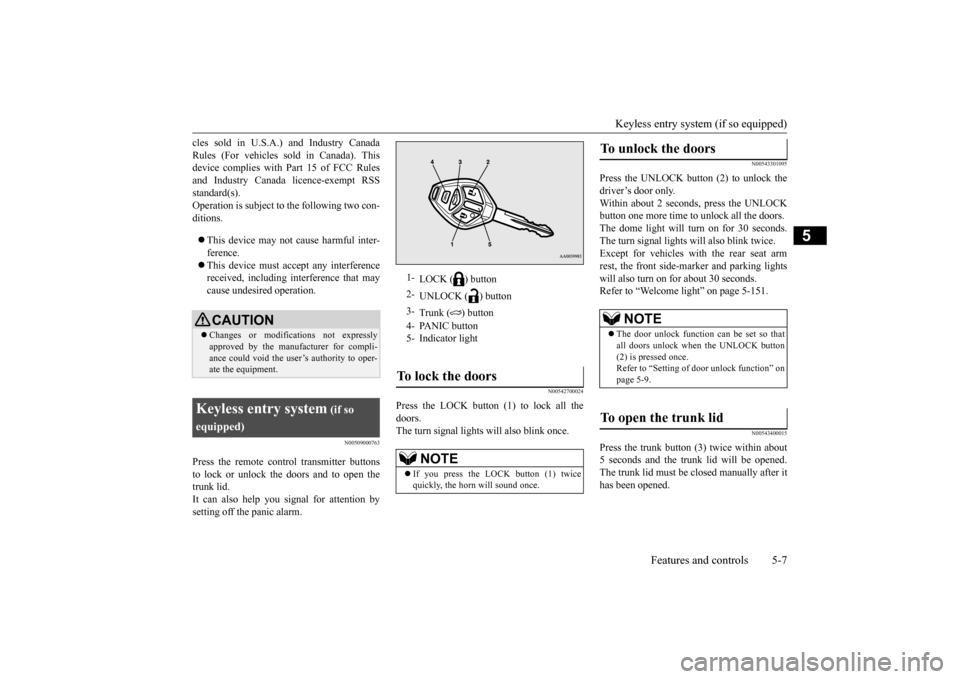
Press the remote control transmitter buttonsto lock or unlock the doors and to open the trunk lid. It can also help you signal for attention bysetting off the panic alarm.
N00542700024
Press the LOCK button (1) to lock all thedoors.The turn signal lights will also blink once.
N00543301095
Press the UNLOCK button (2) to unlock thedriver’s door only.Within about 2 seconds, press the UNLOCK button one more time to unlock all the doors. The dome light will turn on for 30 seconds.The turn signal lights will also blink twice. Except for vehicles with the rear seat arm rest, the front side-marker and parking lightswill also turn on for about 30 seconds. Refer to “Welcome light” on page 5-151.
N00543400015
Press the trunk button (3) twice within about5 seconds and the trunk lid will be opened.The trunk lid must be closed manually after it has been opened.
CAUTION Changes or modifications not expressly approved by the manufacturer for compli- ance could void the user’s authority to oper-ate the equipment.
Keyless entry system
(if so
equipped)
1-
LOCK ( ) button
2-
UNLOCK ( ) button
3-
Trunk ( ) button
4- PANIC button 5- Indicator lightTo lock the doors
NOTE
If you press the LOCK button (1) twice quickly, the horn will sound once.
To unlock the doors
NOTE
The door unlock function can be set so that all doors unlock when the UNLOCK button (2) is pressed once. Refer to “Setting of door unlock function” onpage 5-9.
To open the trunk lid
BK0210300US.bo
ok 7 ページ 2014年4月8日 火曜日 午前10時46分
Page 77 of 434
Keyless entry system (if so equipped) 5-8 Features and controls
5
N00543501084
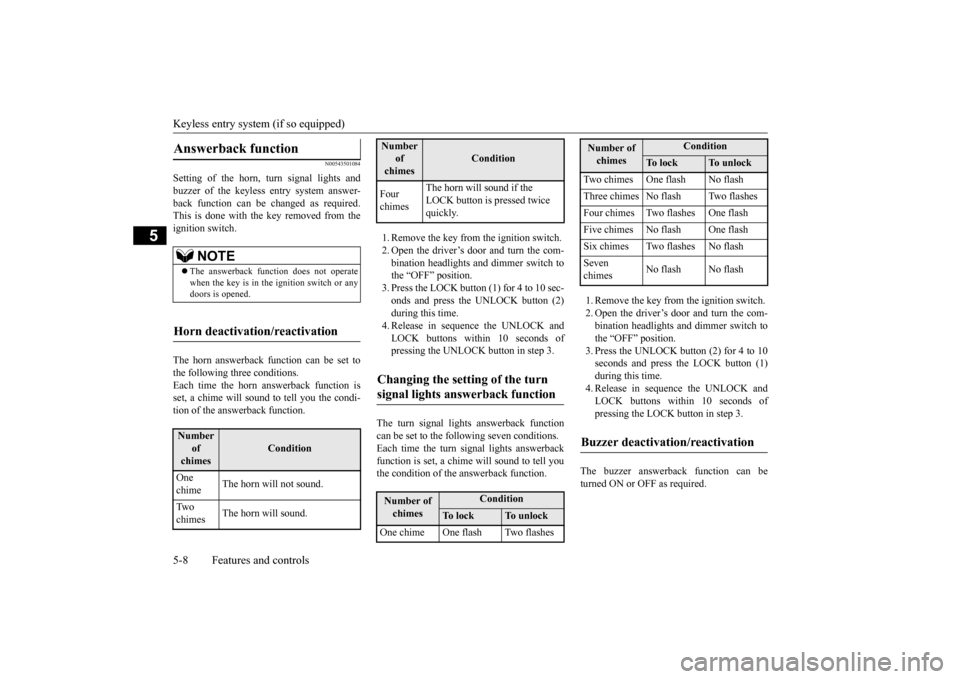
Setting of the horn, turn signal lights and buzzer of the keyless entry system answer-back function can be changed as required. This is done with the key removed from the ignition switch. The horn answerback function can be set to the following three conditions.Each time the horn answerback function is set, a chime will sound to tell you the condi- tion of the answerback function.
1. Remove the key from the ignition switch. 2. Open the driver’s door and turn the com- bination headlights and dimmer switch to the “OFF” position.3. Press the LOCK button (1) for 4 to 10 sec- onds and press the UNLOCK button (2) during this time.4. Release in sequence the UNLOCK andLOCK buttons within 10 seconds of pressing the UNLOCK button in step 3.
The turn signal lights answerback function can be set to the following seven conditions. Each time the turn signal lights answerback function is set, a chime will sound to tell youthe condition of the answerback function.
1. Remove the key from the ignition switch. 2. Open the driver’s door and turn the com- bination headlights and dimmer switch to the “OFF” position.3. Press the UNLOCK button (2) for 4 to 10 seconds and press the LOCK button (1) during this time.4. Release in sequence the UNLOCK and LOCK buttons within 10 seconds of pressing the LOCK button in step 3.
The buzzer answerback function can be turned ON or OFF as required.
Answerback function
NOTE
The answerback function does not operate when the key is in the ignition switch or anydoors is opened.
Horn deactivation/reactivation
Number
of chimes
Condition
One chime
The horn will not sound.
Tw o chimes
The horn will sound.
Four chimes
The horn will sound if the LOCK button is pressed twice quickly.
Changing the setting of the turn signal lights answerback function
Number of chimes
Condition
To l o c k
To u n l o c k
One chime One flash Two flashesNumber
of chimes
Condition
Two chimes One flash No flash Three chimes No flash Two flashesFour chimes Two flashes One flashFive chimes No flash One flashSix chimes Two flashes No flashSeven chimes
No flash No flash
Buzzer deactivation/reactivation
Number of chimes
Condition
To l o c k
To u n l o c k
BK0210300US.bo
ok 8 ページ 2014年4月8日 火曜日 午前10時46分
Page 78 of 434
Keyless entry system (if so equipped)
Features and controls 5-9
5
N00543601131
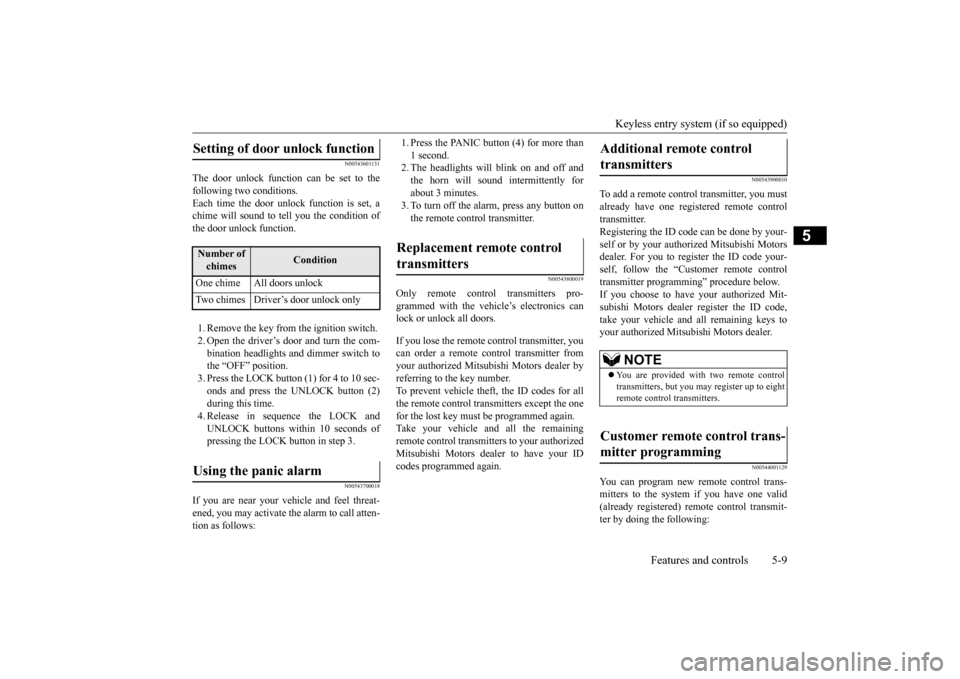
The door unlock function
can be set to the
following two conditions.Each time the door unlock function is set, a chime will sound to te
ll you the condition of
the door unlock function. 1. Remove the key from the ignition switch. 2. Open the driver’s door and turn the com-bination headlights and dimmer switch to the “OFF” position. 3. Press the LOCK button (1) for 4 to 10 sec-onds and press the UNLOCK button (2) during this time. 4. Release in sequence the LOCK andUNLOCK buttons within 10 seconds of pressing the LOCK button in step 3.
N00543700018
If you are near your vehicle and feel threat-ened, you may activate the alarm to call atten- tion as follows:
1. Press the PANIC button (4) for more than 1 second. 2. The headlights will blink on and off and the horn will sound intermittently forabout 3 minutes. 3. To turn off the alarm, press any button on the remote control transmitter.
N00543800019
Only remote control transmitters pro-grammed with the vehicle’s electronics canlock or unlock all doors. If you lose the remote control transmitter, you can order a remote control transmitter from your authorized Mitsubishi Motors dealer byreferring to the key number. To prevent vehicle theft, the ID codes for all the remote control transmitters except the onefor the lost key must be programmed again. Take your vehicle and all the remaining remote control transmitters to your authorizedMitsubishi Motors dealer to have your ID codes programmed again.
N00543900010
To add a remote control transmitter, you must already have one registered remote control transmitter. Registering the ID code can be done by your-self or by your authorized Mitsubishi Motors dealer. For you to register the ID code your- self, follow the “Customer remote controltransmitter programming” procedure below.If you choose to have your authorized Mit- subishi Motors dealer
register the ID code,
take your vehicle and all remaining keys toyour authorized Mitsubishi Motors dealer.
N00544001129
You can program new remote control trans-mitters to the system if you have one valid(already registered) remote control transmit- ter by doing the following:
Setting of door unlock function
Number of chimes
Condition
One chime All doors unlock Two chimes Driver’s door unlock onlyUsing the panic alarm
Replacement remote control transmitters
Additional remote control transmitters
NOTE
You are provided with two remote control transmitters, but you may register up to eight remote control transmitters.
Customer remote control trans- mitter programming
BK0210300US.bo
ok 9 ページ 2014年4月8日 火曜日 午前10時46分
Page 83 of 434
Free-hand Advanced Security Transmitter (F.A.S.T.-key) (if so equipped) 5-14 Features and controls
5
N00503300025
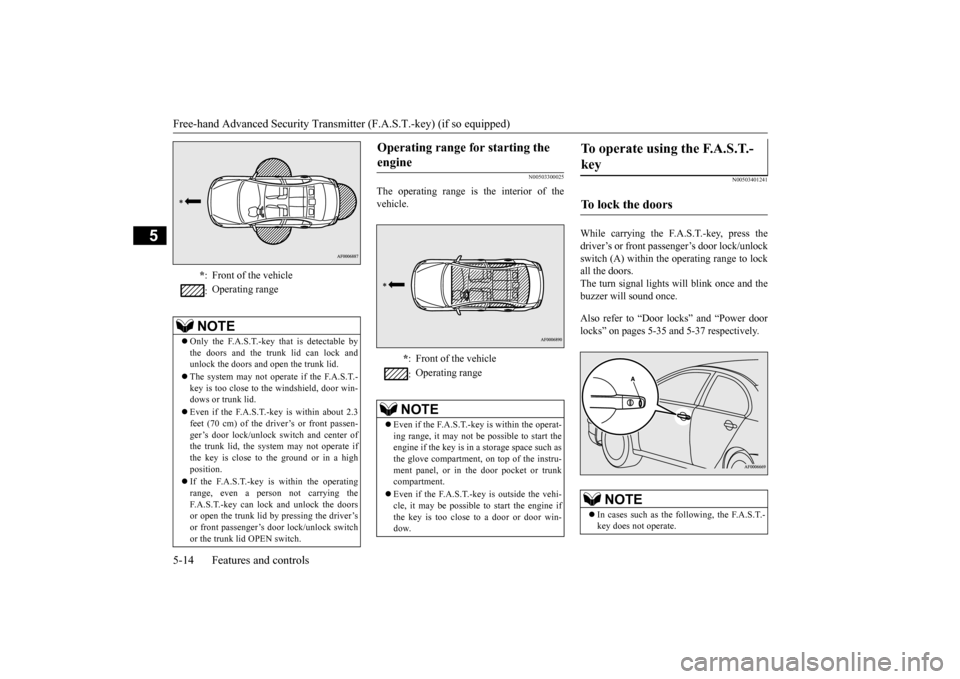
The operating range is the interior of the vehicle.
N00503401241
While carrying the F.A.S.T.-key, press the driver’s or front passenger’s door lock/unlock switch (A) within the operating range to lock all the doors.The turn signal lights will blink once and thebuzzer will sound once. Also refer to “Door locks” and “Power door locks” on pages 5-35 and 5-37 respectively.
* : Front of the vehicle : Operating range
NOTE
Only the F.A.S.T.-key that is detectable by the doors and the trunk lid can lock and unlock the doors and open the trunk lid. The system may not operate if the F.A.S.T.- key is too close to the windshield, door win- dows or trunk lid. Even if the F.A.S.T.-key is within about 2.3 feet (70 cm) of the driver’s or front passen-ger’s door lock/unlock switch and center of the trunk lid, the system may not operate if the key is close to the ground or in a highposition. If the F.A.S.T.-key is within the operating range, even a person not carrying the F.A.S.T.-key can lock and unlock the doors or open the trunk lid by pressing the driver’sor front passenger’s door lock/unlock switch or the trunk lid OPEN switch.
Operating range for starting the engine
* : Front of the vehicle : Operating range
NOTE
Even if the F.A.S.T.-key is within the operat- ing range, it may not be possible to start the engine if the key is in a storage space such asthe glove compartment, on top of the instru- ment panel, or in the door pocket or trunk compartment. Even if the F.A.S.T.-key is outside the vehi- cle, it may be possible to start the engine ifthe key is too close to a door or door win- dow.
To operate using the F.A.S.T.- key
To lock the doors
NOTE
In cases such as the following, the F.A.S.T.- key does not operate.
BK0210300US.bo
ok 14 ページ 2014年4月8日 火曜日 午前10時46分
Page 84 of 434
Free-hand Advanced Security Transmit
ter (F.A.S.T.-key) (if so equipped)
Features and controls 5-15
5
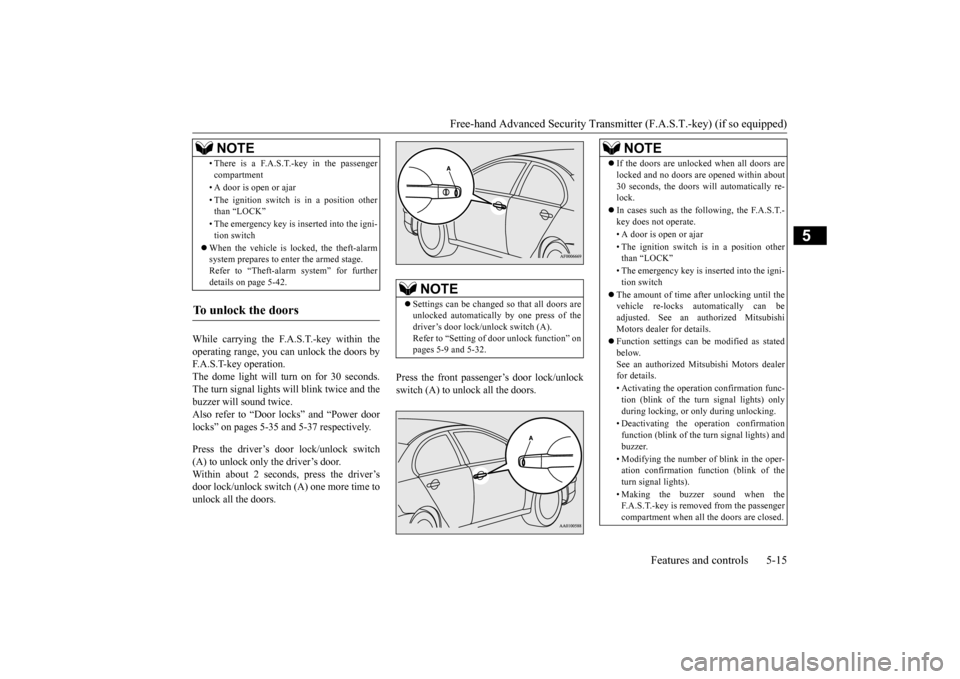
While carrying the F.A.S.T.-key within the operating range, you can unlock the doors by F.A.S.T-key operation.The dome light will turn on for 30 seconds. The turn signal lights will blink twice and the buzzer will sound twice.Also refer to “Door locks” and “Power door locks” on pages 5-35 and 5-37 respectively. Press the driver’s door lock/unlock switch (A) to unlock only the driver’s door.Within about 2 seconds, press the driver’s door lock/unlock switch (A) one more time to unlock all the doors.
Press the front passenger’s door lock/unlock switch (A) to unlock all the doors.
• There is a F.A.S.T.-key in the passenger compartment • A door is open or ajar • The ignition switch is in a position other than “LOCK” • The emergency key is inserted into the igni- tion switch
When the vehicle is locked, the theft-alarm system prepares to enter the armed stage. Refer to “Theft-alarm system” for furtherdetails on page 5-42.
To unlock the doors
NOTE
NOTE
Settings can be changed so that all doors are unlocked automatically by one press of the driver’s door lock/unlock switch (A). Refer to “Setting of door unlock function” onpages 5-9 and 5-32.
NOTE
If the doors are unlocked when all doors are locked and no doors are opened within about 30 seconds, the doors will automatically re- lock. In cases such as the following, the F.A.S.T.- key does not operate. • A door is open or ajar • The ignition switch is in a position other than “LOCK” • The emergency key is inserted into the igni- tion switch
The amount of time after unlocking until the vehicle re-locks automatically can be adjusted. See an authorized Mitsubishi Motors dealer for details. Function settings can be modified as stated below.See an authorized Mitsubishi Motors dealer for details. • Activating the operation confirmation func- tion (blink of the turn signal lights) only during locking, or only during unlocking. • Deactivating the operation confirmation function (blink of the turn signal lights) andbuzzer. • Modifying the number of blink in the oper- ation confirmation function (blink of the turn signal lights). • Making the buzzer sound when the F.A.S.T.-key is removed from the passengercompartment when all the doors are closed.
BK0210300US.bo
ok 15 ページ 2014年4月8日 火曜日 午前10時46分
Page 91 of 434

Free-hand Advanced Security Transmitter (F.A.S.T.-key) (if so equipped) 5-22 Features and controls
5
5. While pushing the ignition switch from “LOCK” (PUSH OFF) to “LOCK” (PUSH ON), set the ignition switch to the “ON” position and confirm that all warn-ing lights and warning displays are oper- ating properly. 6. Without pressing the accelerator pedal,slowly turn the ignition switch to the “START” position to start the engine. Release the ignition switch when theengine starts.
After several attempts, you may experience that the engine still does not start. 1. Make sure that all electric devices, such as lights, air conditioning blower and rear window defogger, are turned off.
2. While depressing the brake pedal on vehi- cles equipped with continuously variable transmission (CVT) or Twin Clutch SST or the clutch pedal on the vehiclesequipped with manual transaxle, press the accelerator pedal halfway and hold it there, then crank the engine. Release theaccelerator pedal, immediately after the engine starts. 3. If the engine still will not start, the enginecould be flooded with too much gasoline.While depressing the brake pedal on vehi- cles equipped with CVT or Twin Clutch SST or the clutch pedal on the vehiclesequipped with manual
transaxle, push the
accelerator pedal all the way down and hold it there, then crank the engine for 5to 6 seconds. Return the ignition switch to the “LOCK” position and release the accelerator pedal. Wait a few seconds, andthen crank the engine again for 5 to 6 sec- onds while depressing the brake pedal or the clutch pedal, but do not push theaccelerator pedal. Release the ignition key if the engine starts.
If the engine fails to
start, repeat these procedures. If theengine still will not start, contact your local Mitsubishi Motors dealer or a repair facility of your choice for assistance.
When the ambient temperature is -4°F (-20°C) or lower on vehicles with CVT, or -22°F (-30°C) or lower on vehicles with Twin Clutch SST, it may not be possible to startfrom a standstill even with the selector lever (CVT) or the gearshift lever (Twin Clutch SST) in the “D” (DRIVE) or “R”(REVERSE) position.This phenomenon occurs because the trans- axle has not warmed up sufficiently; it does not indicate a problem. If this occurs, placethe selector lever (CVT) or the gearshift lever (Twin Clutch SST) in the “P” (PARK) posi- tion and let the engine idle for at least 10 min-utes. The transaxle will warm up, and you will be able to drive normally.Do not leave the vehicle during warm-up operation.
NOTE
Minor noises may be heard on engine start- up. These will disappear as the engine warms up.
When the engine is hard to start
Startability of continuously variable transmission (CVT) vehicles or Twin Clutch SST vehicles at extremely coldambient temperature
BK0210300US.bo
ok 22 ページ 2014年4月8日 火曜日 午前10時46分
Page 96 of 434
Free-hand Advanced Security Transmit
ter (F.A.S.T.-key) (if so equipped)
Features and controls 5-27
5
7. On vehicles with manual transaxle, place the gearshift lever in the “N” (Neutral) position. On vehicles with CVT or Twin ClutchSST, make sure the selector lever (CVT)or the gearshift lever (Twin Clutch SST) is in the “P” (PARK) position.
8. Turn the emergency key with the F.A.S.T.-key to the “ON” position and make certain that all warning lights and warning displays are functioning properlybefore starting the engine. 9. Turn the emergency key with the F.A.S.T.-key to the “START” positionwithout pressing the accelerator pedal. Release the emergency key with the F.A.S.T.-key when the engine starts.
10. Remove the F.A.S.T.-key from the emer-
gency key.
After several attempts, you may experience that the engine still does not start. 1. Make sure that all electric devices, such as lights, air conditioning blower and rearwindow defogger, are turned off. 2. While depressing the brake pedal on vehi- cles equipped with continuously variabletransmission (CVT) or Twin Clutch SST or the clutch pedal on the vehicles equipped with manual transaxle, press theaccelerator pedal halfway and hold it there, then crank the engine. Release the accelerator pedal, immediately after theengine starts.
NOTE
For models equipped with a manual trans- axle, the starter will
not operate unless the
clutch pedal is fully depressed (Clutch inter- lock). This is a safety feature.NOTE
On vehicles with continuously variable transmission (CVT) or Twin Clutch SST, the starter will not operate unless the selector lever (CVT) or the gearshift lever (TwinClutch SST) is in the “P” (PARK) position or the selector lever (CVT) or the gearshift lever (Twin Clutch SST) is in the “N” (NEU-TRAL) position with the brake pedal depressed. For safety reasons, start the engine in the “P” (PARK) position so that the wheels are locked.
NOTE
Minor noises may be heard on engine start- up. These will disappear as the engine warms up. WA R N I N G Make sure to remove the F.A.S.T.-key from the emergency key after the engine is started. If not removed, the F.A.S.T.-key could fall to the floor, which may interfere with pedal operation.Furthermore, the F.A.S.T.-key could pre- vent the driver’s knee airbag from inflat- ing normally or could be propelled tocause serious injury if the airbag inflates.
NOTE
When using the emergency key to start the engine, first remove the key from the key holder. If the emergency key is attached to a key holder (key ring), it may become impos- sible to insert the keyless operation key intothe emergency key, and it may prevent the engine from being started.
When the engine is hard to start
BK0210300US.bo
ok 27 ページ 2014年4月8日 火曜日 午前10時46分
Page 99 of 434
Free-hand Advanced Security Transmitter (F.A.S.T.-key) (if so equipped) 5-30 Features and controls
5
7. When the immobilizer display starts blinking, turn the second valid F.A.S.T.- key to the “LOCK” position and remove it. Within 30 seconds after doing so, inserta blank F.A.S.T.-key into the emergency key and turn it to the “ON” position. Per- form this operation no more than 30 sec-onds after the immobilizer display starts blinking. When registration of the ID code is complete, the immobilizer displaywill come on for 3 seconds then go off. Ifan error occurs, the immobilizer display will go off during the procedure. 8. If you wish to register another F.A.S.T.- key, repeat the process from step 1.
N00515500141
Press the remote control transmitter buttons to lock or unlock the doors and to open the trunk lid.It can also help you signal for attention by setting off the panic alarm.
N00544200036
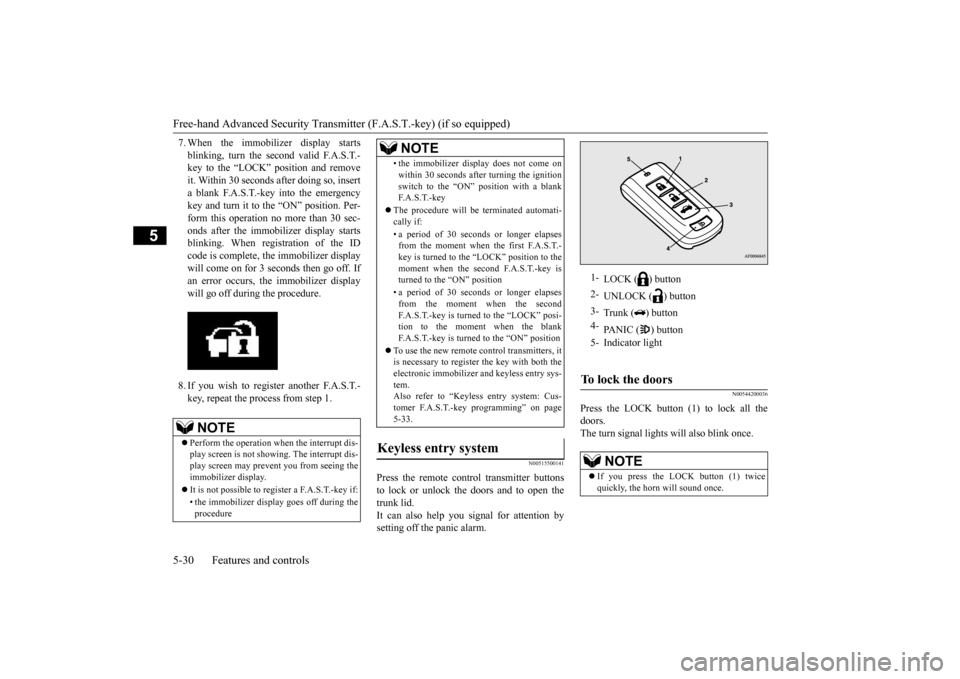
Press the LOCK button (1) to lock all the doors. The turn signal lights will also blink once.
NOTE
Perform the operation when the interrupt dis- play screen is not showing. The interrupt dis-play screen may prevent you from seeing the immobilizer display. It is not possible to regi
ster a F.A.S.T.-key if:
• the immobilizer display goes off during the procedure
• the immobilizer display does not come on within 30 seconds after turning the ignition switch to the “ON” position with a blank F. A . S . T. - k e y
The procedure will be terminated automati- cally if: • a period of 30 seconds or longer elapses from the moment when the first F.A.S.T.- key is turned to the “LOCK” position to themoment when the second F.A.S.T.-key is turned to the “ON” position • a period of 30 seconds or longer elapses from the moment when the second F.A.S.T.-key is turned to the “LOCK” posi-tion to the moment when the blank F.A.S.T.-key is turned to the “ON” position
To use the new remote control transmitters, it is necessary to register the key with both the electronic immobilizer and keyless entry sys-tem. Also refer to “Keyless entry system: Cus- tomer F.A.S.T.-key programming” on page5-33.
Keyless entry system
NOTE
1-
LOCK ( ) button
2-
UNLOCK ( ) button
3-
Trunk ( ) button
4-
PANIC ( ) button
5- Indicator lightTo lock the doors
NOTE
If you press the LOCK button (1) twice quickly, the horn will sound once.
BK0210300US.bo
ok 30 ページ 2014年4月8日 火曜日 午前10時46分
Page 100 of 434
Free-hand Advanced Security Transmit
ter (F.A.S.T.-key) (if so equipped)
Features and controls 5-31
5
N00544301106
Press the UNLOCK button (2) to unlock the driver’s door only. Within about 2 seconds,press the UNLOCK button one more time to unlock all the doors. The dome light will turn on for 30 seconds.The turn signal lights will also blink twice. Except for vehicles w
ith the rear seat arm
rest, the front side-marker and parking lightswill also turn on
for about 30 seconds.
Refer to “Welcome light” on page 5-151.
N00544400012
Press the trunk button (3) twice within about5 seconds and the trunk lid will be opened. The trunk lid must be closed manually after it has been opened.
N00544501065
Setting of the horn, turn signal lights andbuzzer of the keyless entry system answer-
back function can be changed as required. This is done with the key removed from the ignition switch. The horn answerback function can be set to the following three conditions. Each time the horn answerback function is set, a chime will sound to tell you the condi-tion of the answerback function. 1. Turn the ignition switch to the “LOCK” position. If you started the engine with the key, remove the key from the ignition switch.
2. Open the driver’s door and turn the com- bination headlights and dimmer switch to the “OFF” position. 3. Press the LOCK button (1) for 4 to 10 sec-onds and press the UNLOCK button (2) during this time. 4. Release in sequence the UNLOCK andLOCK buttons within 10 seconds of pressing the UNLOCK button in step 3.
The turn signal lights answerback function can be set to the following seven conditions. Each time the turn signal lights answerback function is set, a chime will sound to tell you the condition of the answerback function.
To unlock the doors
NOTE
The door unlock function can be set so that all doors unlock when the UNLOCK button (2) is pressed once. Refer to “Setting of door unlock function” on page 5-32.
To open the trunk lid
Answerback function
NOTE
The answerback function does not operate when the key is in the ignition switch or any door is opened.
Horn deactivation/reactivationNumber of chimes
Condition
One chime The horn will not sound. Two chimes The horn will sound. Four chimes
The horn will sound if the LOCK button is pressed twice quickly.
Changing the setting of the turn signallights answerback functionNumber of chimes
Condition
To l o c k
To u n l o c k
One chime One flash Two flashesTwo chimes One flash No flashThree chimes No flash Two flashesFour chimes Two flashes One flashFive chimes No flash One flashSix chimes Two flashes No flashSeven chimes
No flash No flash
BK0210300US.bo
ok 31 ページ 2014年4月8日 火曜日 午前10時46分