ignition MITSUBISHI LANCER 2016 8.G Workshop Manual
[x] Cancel search | Manufacturer: MITSUBISHI, Model Year: 2016, Model line: LANCER, Model: MITSUBISHI LANCER 2016 8.GPages: 392, PDF Size: 13.12 MB
Page 130 of 392
Electronically controlled 4WD system (if so equipped) 5-68 Features and controls
5
2. Once the vehicle is moving on a level road, move the selector lever back to “D” (DRIVE) position.
N00548300019
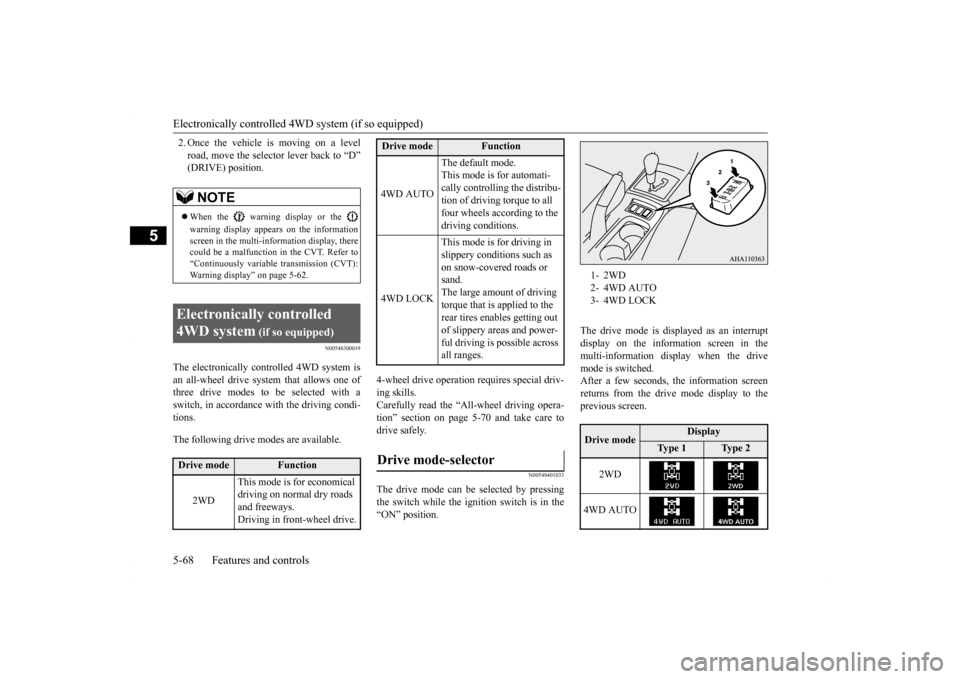
The electronically controlled 4WD system isan all-wheel drive system that allows one of three drive modes to be selected with aswitch, in accordance with the driving condi- tions. The following drive modes are available.
4-wheel drive operation requires special driv- ing skills. Carefully read the “All-wheel driving opera- tion” section on page 5-70 and take care todrive safely.
N00548401033
The drive mode can be selected by pressingthe switch while the ignition switch is in the “ON” position.
The drive mode is displayed as an interrupt display on the information screen in the multi-information display when the drive mode is switched.After a few seconds, the information screenreturns from the drive mode display to the previous screen.
NOTE
When the warning display or the warning display appears on the information screen in the multi-information display, therecould be a malfunction in the CVT. Refer to “Continuously variable transmission (CVT): Warning display” on page 5-62.
Electronically controlled 4WD system
(if so equipped)
Drive mode
Function
2WD
This mode is for economical driving on normal dry roads and freeways. Driving in front-wheel drive.
4WD AUTO
The default mode. This mode is for automati- cally controlling the distribu-tion of driving torque to all four wheels according to the driving conditions.
4WD LOCK
This mode is for driving in slippery conditions such as on snow-covered roads or sand.The large amount of driving torque that is applied to the rear tires enables getting out of slippery areas and power- ful driving is possible across all ranges.
Drive mode-selector
Drive mode
Function
1- 2WD2- 4WD AUTO3- 4WD LOCKDrive mode
Display
Ty p e 1
Ty p e 2
2WD
4WD AUTO
BK0230300US.bo
ok 68 ページ 2015年7月30日 木曜日 午後8時38分
Page 131 of 392
Electronically controlled 4WD system (if so equipped)
Features and controls 5-69
5
N00549400017
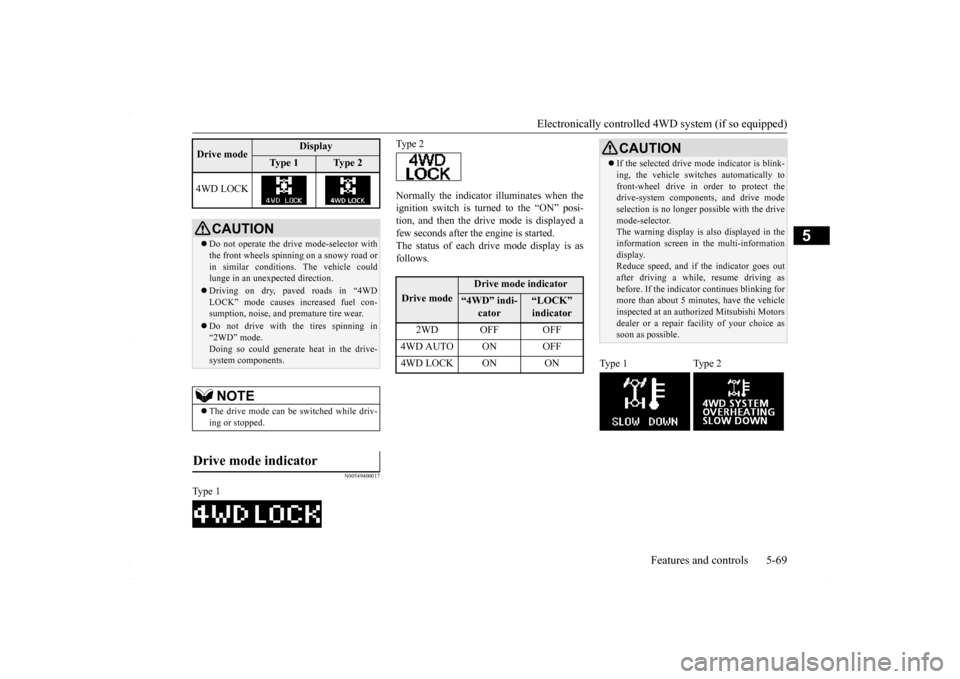
Normally the indicator illuminates when the ignition switch is turned to the “ON” posi- tion, and then the drive mode is displayed afew seconds after the engine is started. The status of each drive mode display is as follows.
4WD LOCK
CAUTION Do not operate the drive mode-selector with the front wheels spinning on a snowy road or in similar conditions. The vehicle couldlunge in an unexpected direction. Driving on dry, paved roads in “4WD LOCK” mode causes increased fuel con- sumption, noise, and premature tire wear. Do not drive with the tires spinning in “2WD” mode. Doing so could generate heat in the drive-system components.NOTE
The drive mode can be switched while driv- ing or stopped.
Drive mode indicator
Type 1Drive mode
Display
Ty p e 1
Ty p e 2
Type 2Drive mode
Drive mode indicator
“4WD” indi-
cator
“LOCK” indicator
2WD OFF OFF
4WD AUTO ON OFF4WD LOCK ON ON
CAUTION If the selected drive m
ode indicator is blink-
ing, the vehicle switches automatically to front-wheel drive in order to protect the drive-system components, and drive mode selection is no longer pos
sible with the drive
mode-selector. The warning display is also displayed in the information screen in the multi-informationdisplay. Reduce speed, and if the indicator goes out after driving a while, resume driving asbefore. If the indicator continues blinking for more than about 5 minutes, have the vehicle inspected at an authorized Mitsubishi Motorsdealer or a repair facility of your choice as soon as possible.
Type 1 Type 2
BK0230300US.bo
ok 69 ページ 2015年7月30日 木曜日 午後8時38分
Page 137 of 392
Anti-lock braking system
Features and controls 5-75
5
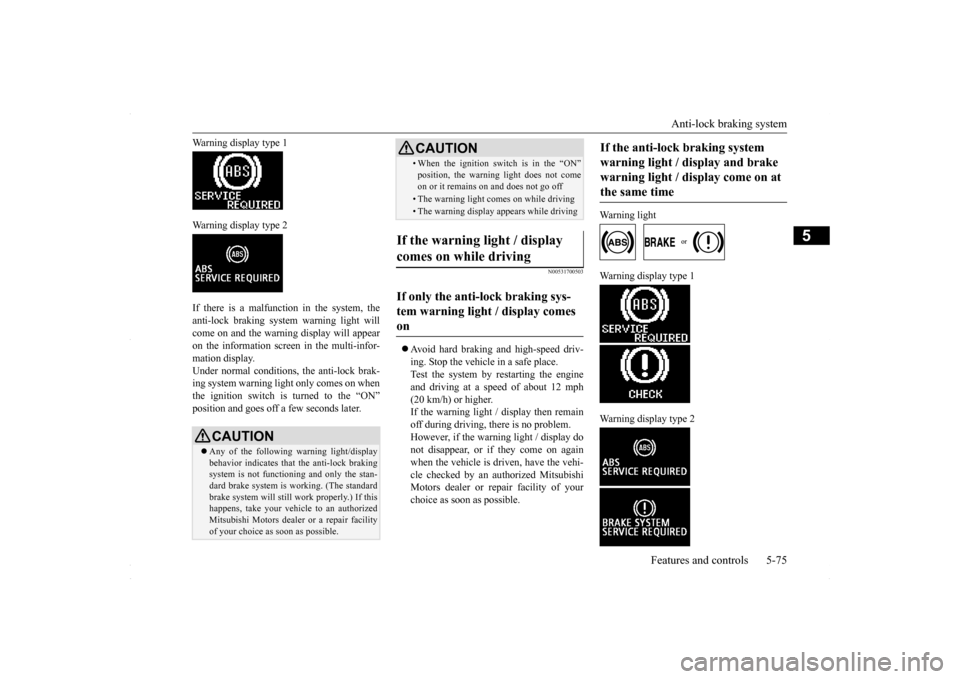
Warning display type 1 Warning display type 2 If there is a malfunction in the system, the anti-lock braking system warning light willcome on and the warning display will appear on the information screen in the multi-infor- mation display.Under normal conditions
, the anti-lock brak-
ing system warning light only comes on when the ignition switch is turned to the “ON”position and goes off a few seconds later.
N00531700503
Avoid hard braking and high-speed driv- ing. Stop the vehicle in a safe place. Test the system by restarting the engineand driving at a speed of about 12 mph (20 km/h) or higher. If the warning light / display then remainoff during driving, there is no problem. However, if the warning light / display do not disappear, or if they come on againwhen the vehicle is driven, have the vehi- cle checked by an authorized Mitsubishi Motors dealer or repair facility of yourchoice as soon as possible.
Warning light
Warning display type 1 Warning display type 2
CAUTION Any of the following warning light/display behavior indicates that the anti-lock braking system is not functioning and only the stan-dard brake system is working. (The standard brake system will still work properly.) If this happens, take your vehicle to an authorizedMitsubishi Motors dealer or a repair facility of your choice as soon as possible.
• When the ignition switch is in the “ON”position, the warning light does not come on or it remains on and does not go off• The warning light comes on while driving• The warning display appears while driving
If the warning light / display comes on while driving If only the anti-lock braking sys- tem warning light / display comes on
CAUTION
If the anti-lock braking system warning light / display and brake warning light / display come on at the same time
BK0230300US.bo
ok 75 ページ 2015年7月30日 木曜日 午後8時38分
Page 139 of 392
Active Stability Control (ASC) (if so equipped)
Features and controls 5-77
5
N00559200034
On slippery surfaces, the traction control function prevents the dr
ive wheels from spin-
ning excessive, thus helping the vehicle tostart moving from a stopped condition. It also provides sufficient driving force and steering performance as the vehicle turns while press-ing the acceleration pedal.
N00559300035
The skid control function is designed to helpthe driver maintain control of the vehicle onslippery roads or during rapid steering maneuvers. It works by controlling the engine output and the brake on each wheel.
N00559400179
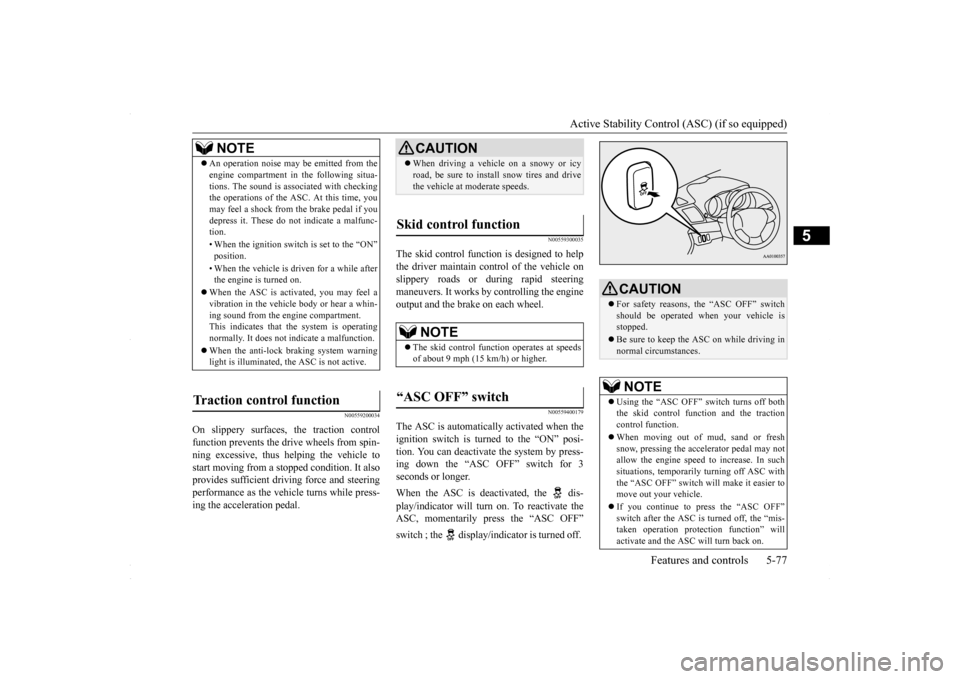
The ASC is automatically activated when the ignition switch is turned to the “ON” posi- tion. You can deactivate the system by press-ing down the “ASC OFF” switch for 3 seconds or longer. When the ASC is deactivated, the dis- play/indicator will turn on. To reactivate the ASC, momentarily press the “ASC OFF” switch ; the display/indicator is turned off.
NOTE
An operation noise may be emitted from the engine compartment in the following situa- tions. The sound is associated with checking the operations of the ASC. At this time, you may feel a shock from the brake pedal if youdepress it. These do not indicate a malfunc- tion. • When the ignition switch is set to the “ON” position. • When the vehicle is driven for a while after the engine is turned on.
When the ASC is activated, you may feel a vibration in the vehicle body or hear a whin- ing sound from the engine compartment.This indicates that the system is operating normally. It does not indicate a malfunction. When the anti-lock braking system warning light is illuminated, the ASC is not active.
Traction control function
CAUTION When driving a vehicle on a snowy or icy road, be sure to install snow tires and drive the vehicle at moderate speeds.
Skid control function
NOTE
The skid control function operates at speeds of about 9 mph (15 km/h) or higher.
“ASC OFF” switch
CAUTION For safety reasons, the “ASC OFF” switch should be operated when your vehicle is stopped. Be sure to keep the ASC on while driving in normal circumstances.NOTE
Using the “ASC OFF” switch turns off both the skid control function and the traction control function. When moving out of mud, sand or fresh snow, pressing the accelerator pedal may notallow the engine speed to increase. In such situations, temporarily turning off ASC with the “ASC OFF” switch will make it easier tomove out your vehicle. If you continue to press the “ASC OFF” switch after the ASC is turned off, the “mis- taken operation protection function” will activate and the ASC will turn back on.
BK0230300US.bo
ok 77 ページ 2015年7月30日 木曜日 午後8時38分
Page 141 of 392
Power steering system
Features and controls 5-79
5
N00546300015
N00518000310
The power steering system operates while the engine is running. It helps reduce the effortneeded to turn the steering wheel. The power steering system has mechanical steering capability in case the power assist islost. If the power assist is lost for some rea- son, you will still be able to steer your vehi- cle, but you will notice it takes much moreeffort to steer. If this happens, have your vehi-cle inspected at an authorized Mitsubishi Motors dealer or a repair facility of your choice.
N00547100052
N00547200053
Type 1
CAUTION The system may be malfunctioning. Park your vehicle in a safe place and stop the engine. Restart the engine and check whether the dis- play/indicator goes out. If they go out, thereis no abnormal condition. If they do not go out or if they turn on frequently, it is not nec- essary to stop the vehicle immediately, butyou should have your vehicle inspected by an authorized Mitsubishi Motors dealer or a repair facility of your choice as soon as pos-sible.
To w i n g
CAUTION When towing the vehicle with only the front wheels or only the rear wheels raised off theground, do not place the ignition switch in the “ON” position. Placing the ignition switch in the “ON” position could cause theASC to operate, resulting in an accident. Note that the correct towing method depends on the transmission type and the vehicle’s drive configuration. For details, refer to “Towing” on page 8-12.
Power steering system
WA R N I N G Do not stop the engine while the vehicle is moving. Stopping the engine would make the steering wheel extremely hard to turn,possibly resulting in an accident.
Hydraulic power steering sys- tem (HPS)
(if so equipped)
CAUTION Do not leave the steering wheel turned all the way in one direction. This can cause damage to the power steering system.
Electric power steering system (EPS)
(if so equipped)NOTE
During repeated full-lock turning of the steering wheel (for example, while you are manoeuvring the vehicle into a parkingspace), a protection function may be acti- vated to prevent overheating of the power steering system. This function will make thesteering wheel gradually harder to turn. In this event, limit your turning of the steering wheel for a while. When the system hascooled down, the steering effort will return to normal. If you turn the steering wheel while the vehi- cle is stationary with the headlights on, the headlights may become dim. This behavioris not abnormal. The headlights will return to their original brightness after a short while.
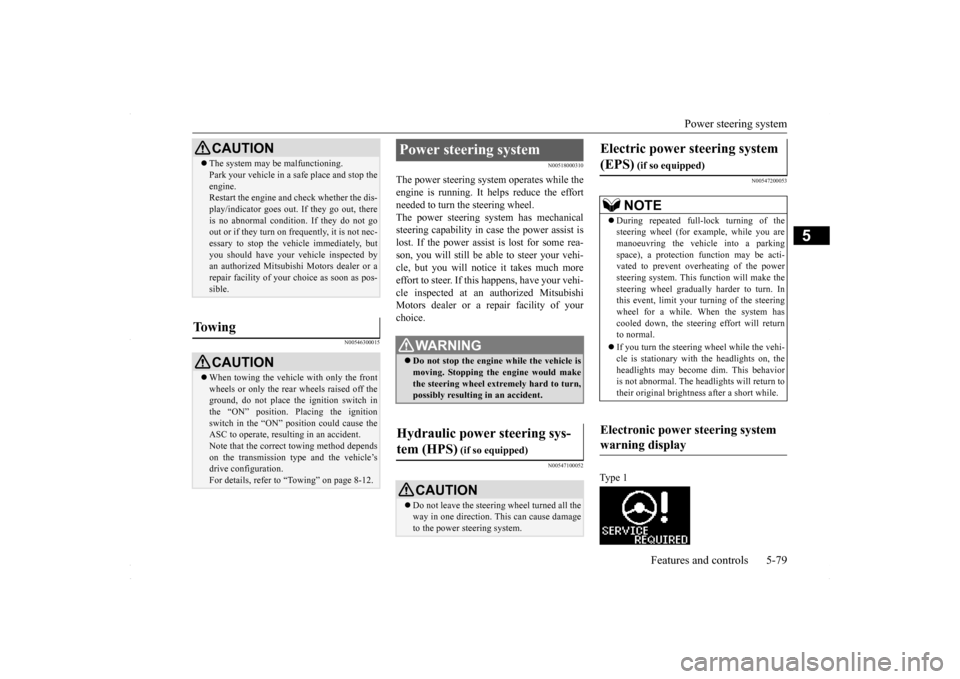
Electronic power steering system warning display
BK0230300US.bo
ok 79 ページ 2015年7月30日 木曜日 午後8時38分
Page 143 of 392
Cruise control (if so equipped) Features and controls 5-81
5
N00518401425
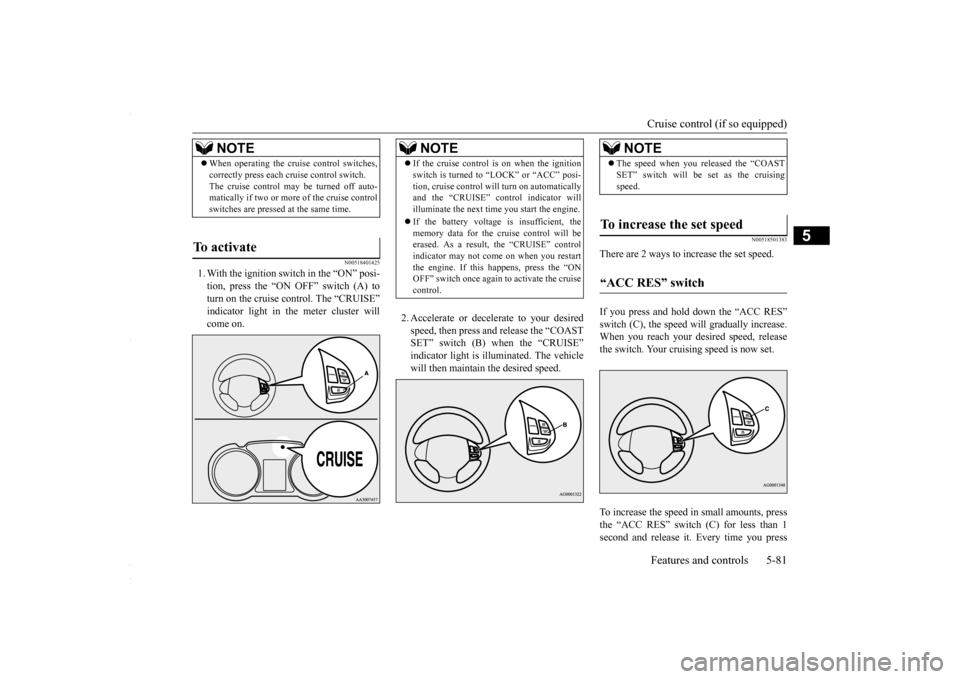
1. With the ignition switch in the “ON” posi- tion, press the “ON OFF” switch (A) to turn on the cruise control. The “CRUISE” indicator light in the meter cluster willcome on.
2. Accelerate or decelerate to your desired speed, then press and release the “COAST SET” switch (B) when the “CRUISE” indicator light is illuminated. The vehiclewill then maintain the desired speed.
N00518501383
There are 2 ways to increase the set speed. If you press and hold down the “ACC RES” switch (C), the speed will gradually increase. When you reach your desired speed, releasethe switch. Your cruising speed is now set. To increase the speed in small amounts, press the “ACC RES” switch (C) for less than 1second and release it. Every time you press
NOTE
When operating the cruise control switches, correctly press each cruise control switch. The cruise control may be turned off auto- matically if two or more of the cruise control switches are pressed at the same time.
To activate
NOTE
If the cruise control is on when the ignition switch is turned to “LOCK” or “ACC” posi- tion, cruise control will turn on automatically and the “CRUISE” control indicator will illuminate the next time you start the engine. If the battery voltage is insufficient, the memory data for the cruise control will beerased. As a result, the “CRUISE” control indicator may not come on when you restart the engine. If this happens, press the “ONOFF” switch once again to activate the cruise control.
NOTE
The speed when you released the “COAST SET” switch will be set as the cruising speed.
To increase the set speed
“ACC RES” switch
BK0230300US.bo
ok 81 ページ 2015年7月30日 木曜日 午後8時38分
Page 146 of 392
Tire pressure monitoring system 5-84 Features and controls
5
N00518901358
If the cruise control is deactivated by any of the conditions described in “To deactivate”on page 5-83, you can return to the previously set speed by pressing the “ACC RES” switch (C) while driving at a speed of approximately25 mph (40 km/h) or greater. However, you must repeat the speed setting procedure under either of the following con- ditions: The ignition switch is turned to the “OFF” position. The cruise control is turned OFF. “CRUISE” indicator light is turned off.
N00530201579
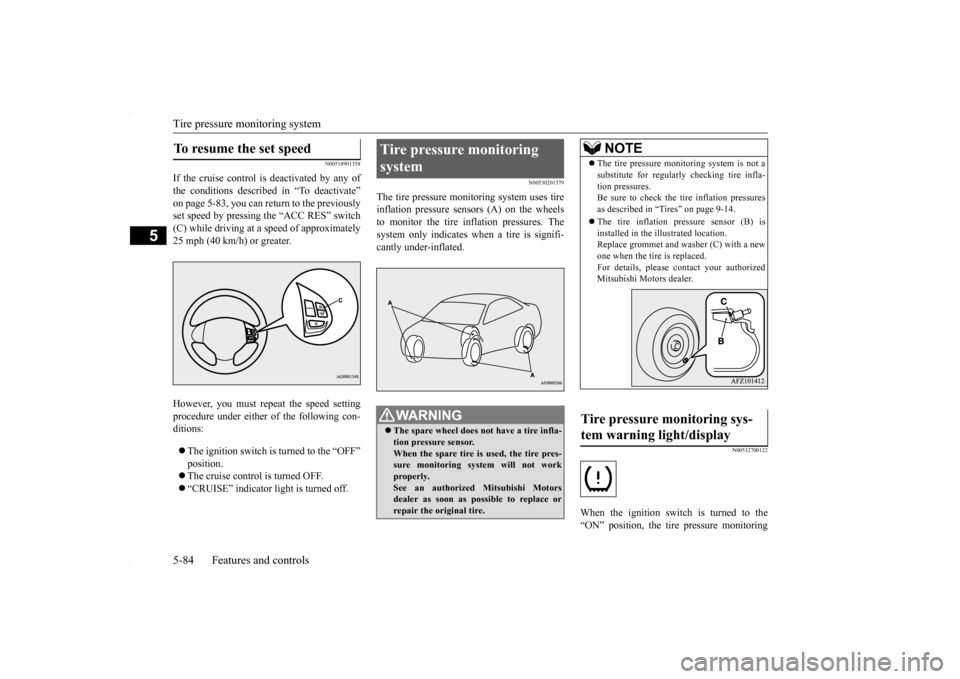
The tire pressure monitoring system uses tire inflation pressure sensors (A) on the wheelsto monitor the tire inflation pressures. The system only indicates when a tire is signifi- cantly under-inflated.
N00532700122
When the ignition switch is turned to the“ON” position, the tire pressure monitoring
To resume the set speed
Tire pressure monitoring system
WA R N I N G The spare wheel does not have a tire infla- tion pressure sensor. When the spare tire is used, the tire pres- sure monitoring system will not workproperly. See an authorized Mitsubishi Motors dealer as soon as possible to replace orrepair the original tire.
NOTE
The tire pressure monitoring system is not a substitute for regularly checking tire infla- tion pressures. Be sure to check the tire inflation pressures as described in “Tires” on page 9-14. The tire inflation pressure sensor (B) is installed in the illustrated location.Replace grommet and washer (C) with a new one when the tire is replaced. For details, please contact your authorizedMitsubishi Motors dealer.
Tire pressure monitoring sys- tem warning light/display
BK0230300US.bo
ok 84 ページ 2015年7月30日 木曜日 午後8時38分
Page 147 of 392
Tire pressure monitoring system
Features and controls 5-85
5
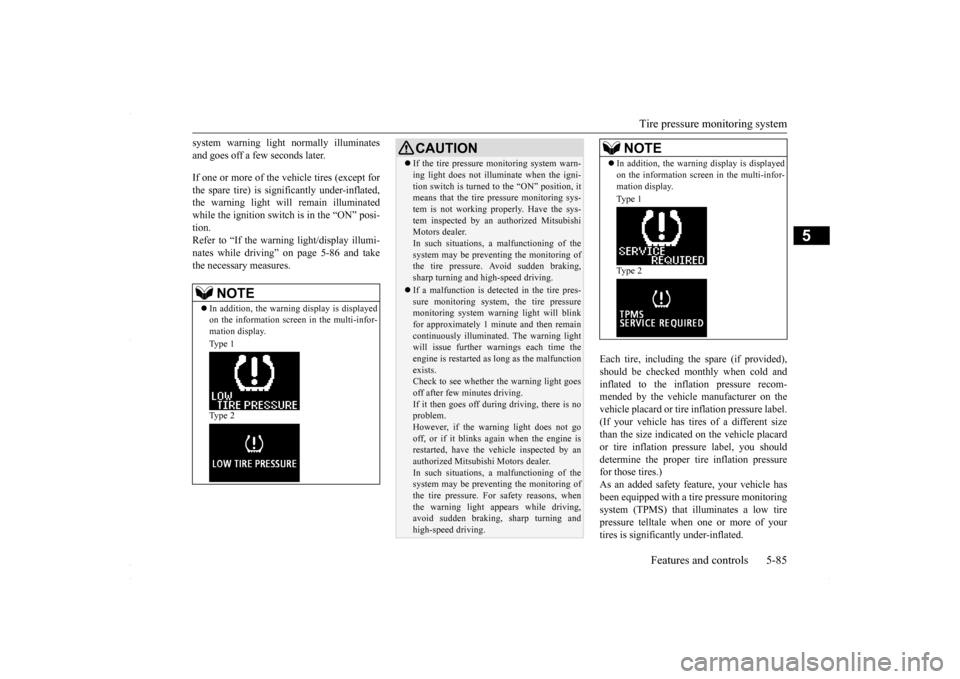
system warning light normally illuminates and goes off a few seconds later. If one or more of the vehicle tires (except for the spare tire) is significantly under-inflated, the warning light will remain illuminatedwhile the ignition switch is in the “ON” posi- tion. Refer to “If the warning light/display illumi-nates while driving” on page 5-86 and take the necessary measures.
Each tire, including the spare (if provided), should be checked monthly when cold andinflated to the inflation pressure recom-mended by the vehicle manufacturer on the vehicle placard or tire inflation pressure label. (If your vehicle has tires of a different sizethan the size indicated on the vehicle placard or tire inflation pressure label, you should determine the proper tire inflation pressurefor those tires.) As an added safety feature, your vehicle has been equipped with a tire pressure monitoringsystem (TPMS) that illuminates a low tire pressure telltale when one or more of your tires is significantly under-inflated.
NOTE
In addition, the warning display is displayed on the information screen in the multi-infor- mation display. Type 1 Type 2
CAUTION If the tire pressure monitoring system warn- ing light does not illuminate when the igni- tion switch is turned to the “ON” position, it means that the tire pressure monitoring sys- tem is not working properly. Have the sys-tem inspected by an authorized Mitsubishi Motors dealer. In such situations,
a malfunctioning of the
system may be preventing the monitoring of the tire pressure. Avoid sudden braking, sharp turning and high-speed driving. If a malfunction is detected in the tire pres- sure monitoring system, the tire pressuremonitoring system warning light will blink for approximately 1 minute and then remain continuously illuminated. The warning lightwill issue further warnings each time the engine is restarted as long as the malfunction exists.Check to see whether the warning light goes off after few minutes driving. If it then goes off duri
ng driving, there is no
problem. However, if the warning light does not go off, or if it blinks again when the engine isrestarted, have the vehicle inspected by an authorized Mitsubishi Motors dealer. In such situations,
a malfunctioning of the
system may be preventing the monitoring of the tire pressure. For safety reasons, whenthe warning light appears while driving, avoid sudden braking, sharp turning and high-speed driving.
NOTE
In addition, the warning display is displayed on the information screen in the multi-infor- mation display. Type 1 Type 2
BK0230300US.bo
ok 85 ページ 2015年8月4日 火曜日 午後3時5分
Page 150 of 392
Rear-view camera (if so equipped) 5-88 Features and controls
5
N00546201239
When the gearshift lever or the selector lever is in the “R” (REVERSE) position with theignition switch in the “ON” position, the rear- view image will be displayed on the screen of the Mitsubishi Multi-Communication Sys-tem or the DISPLAY AUDIO in the center panel. When the gearshift lever or the selector leveris shifted out of the “R” (REVERSE) posi- tion, the rear-view image will go off.
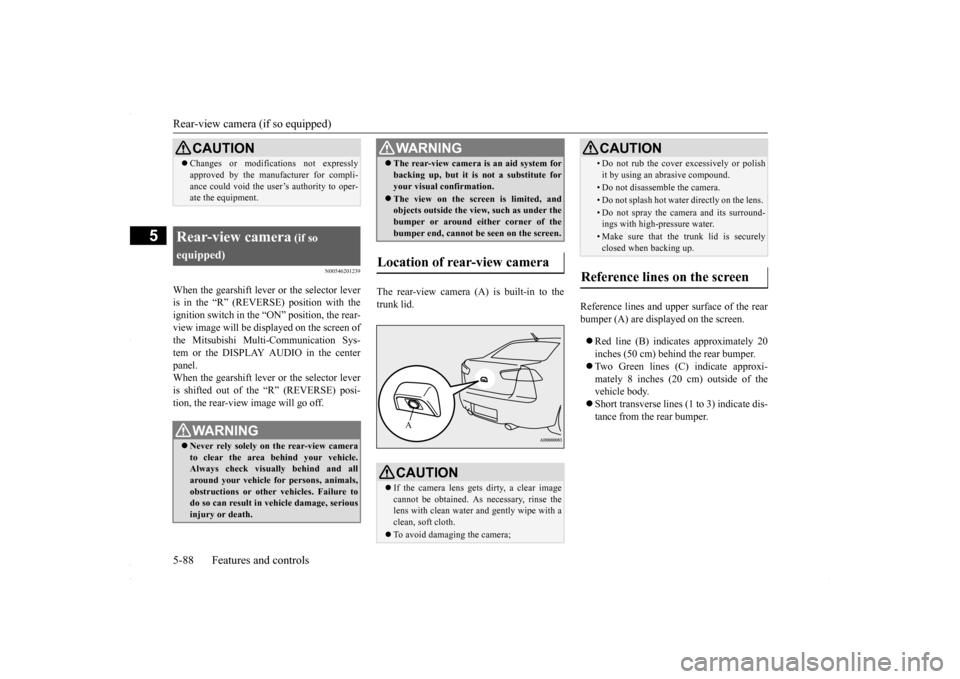
The rear-view camera (A) is built-in to the trunk lid.
Reference lines and upper surface of the rear bumper (A) are displayed on the screen. Red line (B) indicates approximately 20 inches (50 cm) behind the rear bumper. Two Green lines (C) indicate approxi- mately 8 inches (20 cm) outside of the vehicle body. Short transverse lines (1 to 3) indicate dis- tance from the rear bumper.
CAUTION Changes or modifications not expressly approved by the manufacturer for compli- ance could void the user’s authority to oper- ate the equipment.
Rear-view camera
(if so
equipped)
WA R N I N G Never rely solely on the rear-view camera to clear the area behind your vehicle. Always check visually behind and all around your vehicle for persons, animals,obstructions or other vehicles. Failure to do so can result in vehicle damage, serious injury or death.
The rear-view camera is an aid system for backing up, but it is not a substitute for your visual confirmation. The view on the screen is limited, and objects outside the view, such as under the bumper or around either corner of the bumper end, cannot be seen on the screen.
Location of rear-view camera
CAUTION If the camera lens gets dirty, a clear image cannot be obtained. As necessary, rinse the lens with clean water and gently wipe with a clean, soft cloth. To avoid damaging the camera;WA R N I N GA
• Do not rub the cover excessively or polish it by using an abrasive compound. • Do not disassemble the camera.• Do not splash hot water directly on the lens. • Do not spray the camera and its surround- ings with high-pressure water.• Make sure that the trunk lid is securelyclosed when backing up.
Reference lines on the screen
CAUTION
BK0230300US.bo
ok 88 ページ 2015年7月30日 木曜日 午後8時38分
Page 153 of 392
Multi-information display
Features and controls 5-91
5
N00554900137
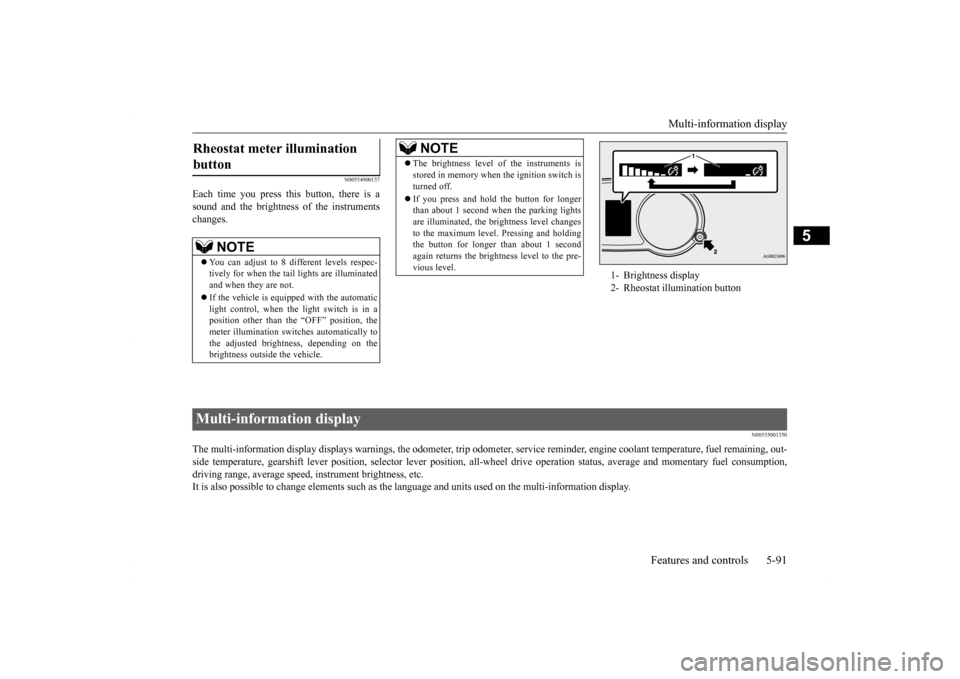
Each time you press this button, there is a sound and the brightness of the instruments changes.
N00555001350
The multi-information display displays warnings, the odometer, tr
ip odometer, service reminder, engine coolant temperature, fue
l remaining, out-
side temperature, gearshift lever position, selector lever pos
ition, all-wheel drive operation status, average and momentary fu
el consumption,
driving range, average speed, instrument brightness, etc. It is also possible to change elements such as the
language and units used on the multi-information display.
Rheostat meter illumination button
NOTE
You can adjust to 8 different levels respec- tively for when the tail lights are illuminated and when they are not. If the vehicle is equipped with the automatic light control, when the light switch is in a position other than the “OFF” position, themeter illumination switches automatically to the adjusted brightness, depending on the brightness outside the vehicle.
The brightness level of the instruments is stored in memory when the ignition switch is turned off. If you press and hold the button for longer than about 1 second when the parking lights are illuminated, the brightness level changes to the maximum level. Pressing and holdingthe button for longer than about 1 second again returns the brightness level to the pre- vious level.NOTE
1- Brightness display 2- Rheostat illumination button
Multi-information display
BK0230300US.bo
ok 91 ページ 2015年7月30日 木曜日 午後8時38分