ECO mode MITSUBISHI LANCER EVOLUTION 2014 10.G User Guide
[x] Cancel search | Manufacturer: MITSUBISHI, Model Year: 2014, Model line: LANCER EVOLUTION, Model: MITSUBISHI LANCER EVOLUTION 2014 10.GPages: 338, PDF Size: 40.99 MB
Page 119 of 338
Twin Clutch SST (Sportronic Shif
t Transmission) (if so equipped)
5-58 Features and controls
5
N00513100156
The table below shows the maximum rec- ommended driving speed for in each gear.Do not drive near or at these speeds forprolonged periods of time. Do not use the gearshift lever as a han- drest. This can result in premature wear of the transaxle shift forks.
N00539700017
The Twin Clutch SST is a transmission that, through integrated control of the engine and transmission, is able to achieve both the smooth shifting of an automatic transaxle andthe acceleration and fuel economy close to amanual transaxle. In addition, the control mode can be selected from three types to suit the driving conditions.Together with manual shifting, the transmis- sion is capable of responding to a variety of driving circumstances. Twin Clutch SST control mode
P.5-62
Manual shift
P.5-64
N00539800063
As an additional safety precaution, models equipped with a Twin Clutch SST have a shift-lock device that holds the gearshift lever in the “P” (PARK) position. To move thegearshift lever from the “P” (PARK) position to another position, follow the steps below. 1. Press and hold the brake pedal down.
2. Move the gearshift lever to the desired position.
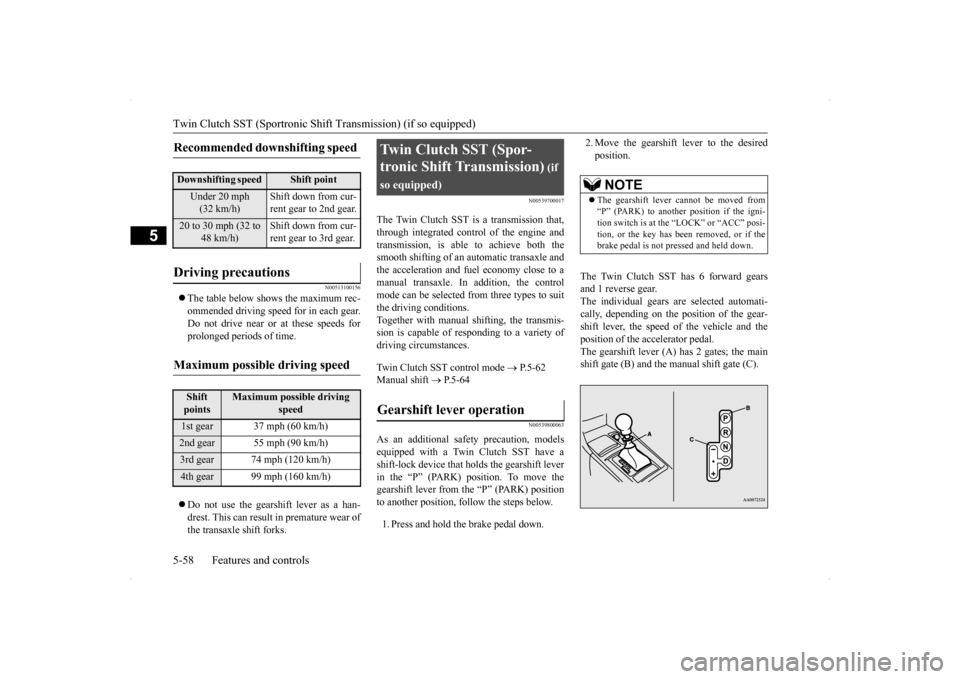
The Twin Clutch SST has 6 forward gears and 1 reverse gear.The individual gears are selected automati- cally, depending on the position of the gear- shift lever, the speed of the vehicle and theposition of the accelerator pedal. The gearshift lever (A) has 2 gates; the main shift gate (B) and the manual shift gate (C).
Recommended downshifting speed
Downshifting speed
Shift point
Under 20 mph (32 km/h)
Shift down from cur- rent gear to 2nd gear.
20 to 30 mph (32 to
48 km/h)
Shift down from cur- rent gear to 3rd gear.
Driving precautions
Maximum possible driving speed
Shift points
Maximum possible driving
speed
1st gear 37 mph (60 km/h)2nd gear 55 mph (90 km/h)3rd gear 74 mph (120 km/h)4th gear 99 mph (160 km/h)
Twin Clutch SST (Spor- tronic Shift Transmission)
(if
so equipped)Gearshift lever operation
NOTE
The gearshift lever cannot be moved from “P” (PARK) to another position if the igni- tion switch is at the “LOCK” or “ACC” posi-tion, or the key has been removed, or if the brake pedal is not pressed and held down.
BK0200800US.bo
ok 58 ページ 2013年2月14日 木曜日 午後2時28分
Page 124 of 338
Twin Clutch SST (Sportronic Shif
t Transmission) (if so equipped) Features and controls 5-63
5
Tw i n C l u t c h SST control
mode
Characteristic
Normal (Control mode when engine is started)
Control mode for normal driving on local roads, free- ways, and the like. Smooth shifting is per-formed at low engine speeds for economical driving with good ride quality.
Sport
Control mode for driving on mountain roads, roads with uphill and downhill slopes, and freeways with long downhill slopes where engine braking is necessary. Compared to “Normal” mode, shifting occurs at higher engine speeds and is quicker. In addition, quick downshifting is possible when the accelerator pedal is depressed for quick accel-eration or when the brakes are applied.
S-Sport
(Super Sport)
In the “S-Sport” mode, shifting occurs at higher engine speeds and is even quicker than in the “Sport” mode. “S-Sport” mode is designed to be used while driving on closed circuit tracks. Do not use this mode on public roads.
NOTE
Damage to your vehicle caused by racing and/or driving on closed circuit tracks will not be covered under warranty. Please reviewthe “WARRANTY AND MAINTENANCE MANUAL: NEW VEHICLE LIMITED WARRANTY”.
Tw i n C l u t c h SST control
mode
Characteristic
When continuously driving on closed circuit racetracks or at other locations where the engine is operated at high speeds and under a heavy load, the Twin Clutch SST fluid tem- perature will have a tendency to rise.In this case, if the temperature rises too high, the warning display will appear on the information screen in the multi-information display to alert the driver. If the warning display appears, be sure to refer to “Warning display” on page 5-60 and follow the appropriate measures. The Twin Clutch SST control mode can be selected both when “D” range operation is selected and when manual shifting is selected. If you select “Sport” mode or “S-Sport” mode while the engine is cold, the transmis-sion may shift up at different speeds com- pared to that when the engine is warm. This is simply the operation of the controlsystem to warm the engine quickly. It does not indicate a malfunction. For slippery road surfaces, such as roads with accumulated snow, “Normal” mode is recommended for smooth shifting at low engine speeds.NOTE
BK0200800US.bo
ok 63 ページ 2013年2月14日 木曜日 午後2時28分
Page 125 of 338
Twin Clutch SST (Sportronic Shif
t Transmission) (if so equipped)
5-64 Features and controls
5
N00540300013
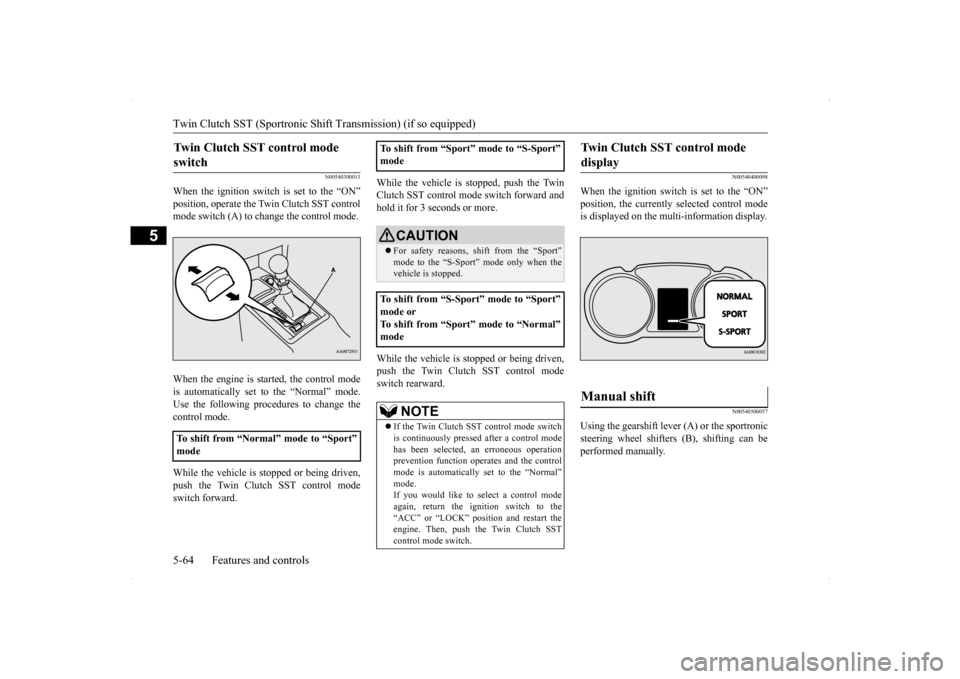
When the ignition switch is set to the “ON” position, operate the Twin Clutch SST control mode switch (A) to change the control mode. When the engine is started, the control mode is automatically set to the “Normal” mode. Use the following procedures to change the control mode. While the vehicle is stopped or being driven, push the Twin Clutch SST control modeswitch forward.
While the vehicle is stopped, push the Twin Clutch SST control mode switch forward and hold it for 3 seconds or more. While the vehicle is stopped or being driven, push the Twin Clutch SST control modeswitch rearward.
N00540400098
When the ignition switch is set to the “ON” position, the currently selected control mode is displayed on the multi-information display.
N00540500057
Using the gearshift lever (A) or the sportronic steering wheel shifters (B), shifting can be performed manually.
Twin Clutch SST control mode switch
To shift from “Normal” mode to “Sport” mode
To shift from “Sport” mode to “S-Sport” mode
CAUTION For safety reasons, shift from the “Sport” mode to the “S-Sport”
mode only when the
vehicle is stopped.
To shift from “S-Sport” mode to “Sport” mode or To shift from “Sport” mode to “Normal” mode
NOTE
If the Twin Clutch SST control mode switch is continuously pressed after a control mode has been selected, an erroneous operation prevention function operates and the control mode is automatically set to the “Normal” mode.If you would like to select a control mode again, return the ignition switch to the “ACC” or “LOCK” position and restart theengine. Then, push the Twin Clutch SST control mode switch.
Twin Clutch SST control mode display
Manual shift
BK0200800US.bo
ok 64 ページ 2013年2月14日 木曜日 午後2時28分
Page 134 of 338
S-AWC (Super-All Wheel Control)
Features and controls 5-73
5
The currently selected control mode is dis- played on the multi-information display. In addition, when the control mode is changed, the selected mode appears on theinterrupt display screen of the information screen in the multi-information display. The control mode display will appear on theinformation screen for a few seconds, and then the original screen will return.
N00542500048
The S-AWC operation status can be displayedon the information screen in the multi-infor- mation display.To display the status, press the multi-informa- tion meter switch to change the information screen.Refer to “Information screen (when the igni- tion switch is “ON”)” on page 5-97.
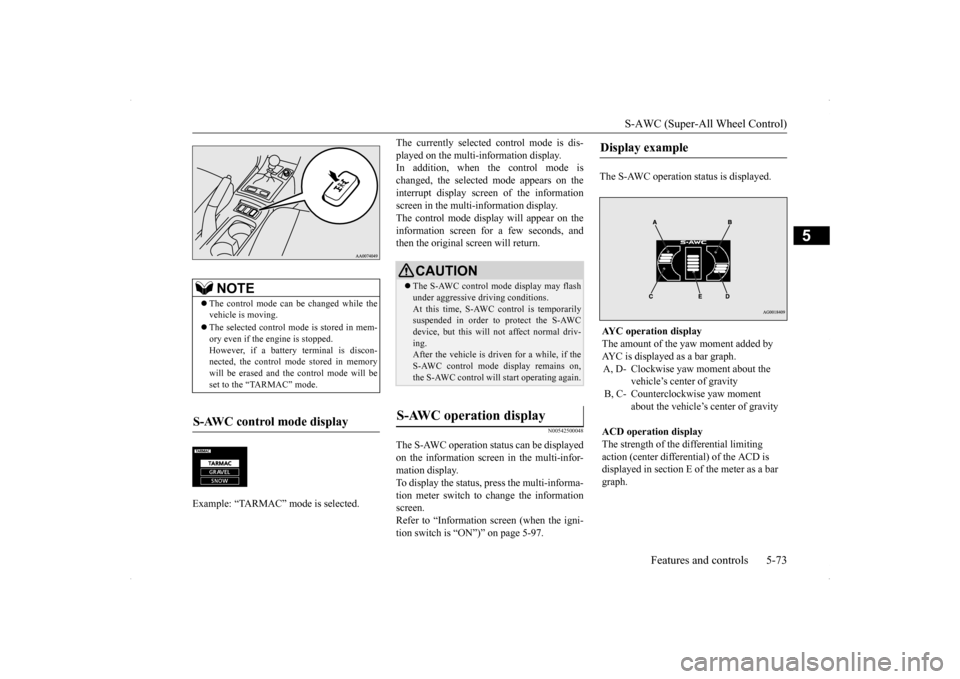
The S-AWC operation status is displayed.
NOTE
The control mode can be changed while the vehicle is moving. The selected control mode is stored in mem- ory even if the engine is stopped. However, if a battery terminal is discon-nected, the control mode stored in memory will be erased and the control mode will be set to the “TARMAC” mode.
S-AWC control mode display Example: “TARMAC” mode is selected.ç
CAUTION The S-AWC control mode display may flash under aggressive driving conditions. At this time, S-AWC control is temporarily suspended in order to protect the S-AWCdevice, but this will not affect normal driv- ing. After the vehicle is driven for a while, if theS-AWC control mode display remains on, the S-AWC control will start operating again.
S-AWC operation display
Display example AYC operation display The amount of the yaw moment added by AYC is displayed as a bar graph.A, D- Clockwise yaw moment about the
vehicle’s center of gravity
B, C- Counterclockwise yaw moment
about the vehicle’s center of gravity
ACD operation display The strength of the differential limiting action (center differential) of the ACD is displayed in section E of the meter as a bar graph.
BK0200800US.bo
ok 73 ページ 2013年2月14日 木曜日 午後2時28分
Page 135 of 338
Anti-lock braking system 5-74 Features and controls
5
N00542600049
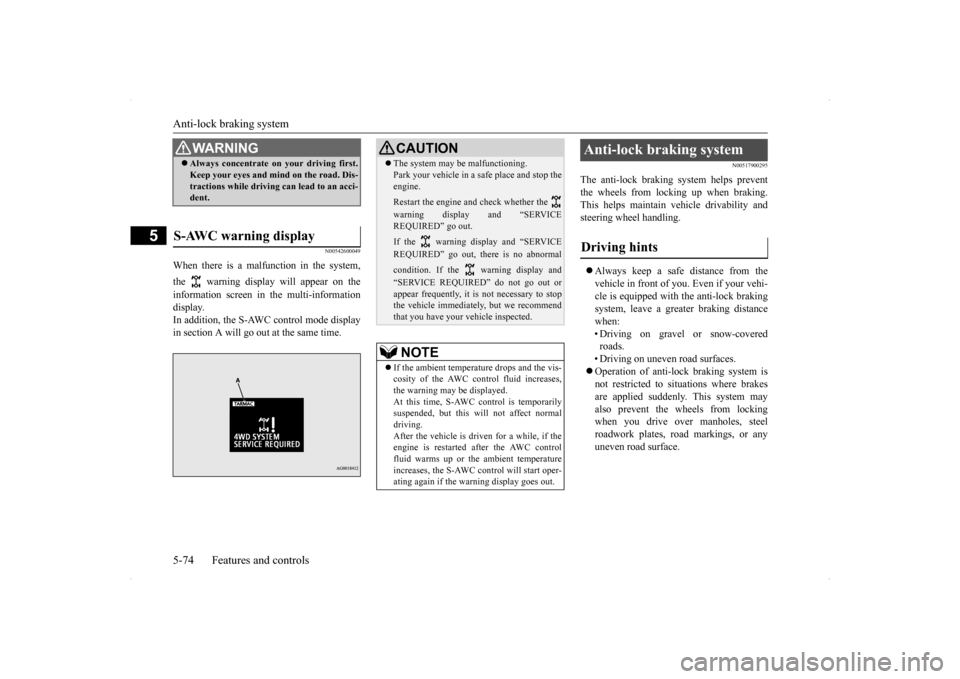
When there is a malfunction in the system, the warning display will appear on the information screen in the multi-information display. In addition, the S-AWC control mode display in section A will go out at the same time.
N00517900295
The anti-lock braking system helps preventthe wheels from locking up when braking.This helps maintain vehicle drivability and steering wheel handling. Always keep a safe distance from the vehicle in front of you. Even if your vehi-cle is equipped with the anti-lock braking system, leave a greater braking distance when:• Driving on gravel or snow-covered roads. • Driving on uneven road surfaces. Operation of anti-lock braking system is not restricted to situations where brakes are applied suddenly. This system mayalso prevent the wheels from locking when you drive over manholes, steel roadwork plates, road markings, or anyuneven road surface.
WA R N I N G Always concentrate on your driving first. Keep your eyes and mind on the road. Dis- tractions while driving can lead to an acci- dent.
S-AWC warning display
CAUTION The system may be malfunctioning. Park your vehicle in a safe place and stop the engine. Restart the engine and check whether the warning display and “SERVICE REQUIRED” go out. If the warning display and “SERVICE REQUIRED” go out, there is no abnormal condition. If the warning display and “SERVICE REQUIRED” do not go out or appear frequently, it is not necessary to stop the vehicle immediately, but we recommendthat you have your vehicle inspected.NOTE
If the ambient temperature drops and the vis- cosity of the AWC control fluid increases,the warning may be displayed. At this time, S-AWC control is temporarily suspended, but this will not affect normaldriving. After the vehicle is driven for a while, if the engine is restarted after the AWC controlfluid warms up or the ambient temperature increases, the S-AWC control will start oper- ating again if the warning display goes out.
Anti-lock braking system Driving hints
BK0200800US.bo
ok 74 ページ 2013年2月14日 木曜日 午後2時28分
Page 146 of 338
Tire pressure monitoring system
Features and controls 5-85
5
When the Twin Clutch SST control mode is set to “Sport” mode. Refer to “Twin Clutch SST control mode” on page 5-62. When the active stability control (ASC) starts operating. Refer to “Active stability control (ASC)”on page 5-76.
Also, the set speed driving may be deacti- vated as follow: When the engine speed rises and approaches the tachometer’s red zone (the red-colored part of the tachometer dial).
N00518900234
If the set speed driving is deactivated by thecondition described in “To deactivate” onpage 5-84, you can resume the previously set speed by pressing the “ACC RES” switch (C) while driving at a speed of about 25 mph (40km/h) or higher.
Under either of the
following conditions,
however, using the switch does not allow you to resume the previously set speed. In these situations, repeat the speed setting procedure: The “ON OFF” switch is pressed. The ignition switch is turned OFF. “CRUISE” indicator light is turned OFF.
N00530201511
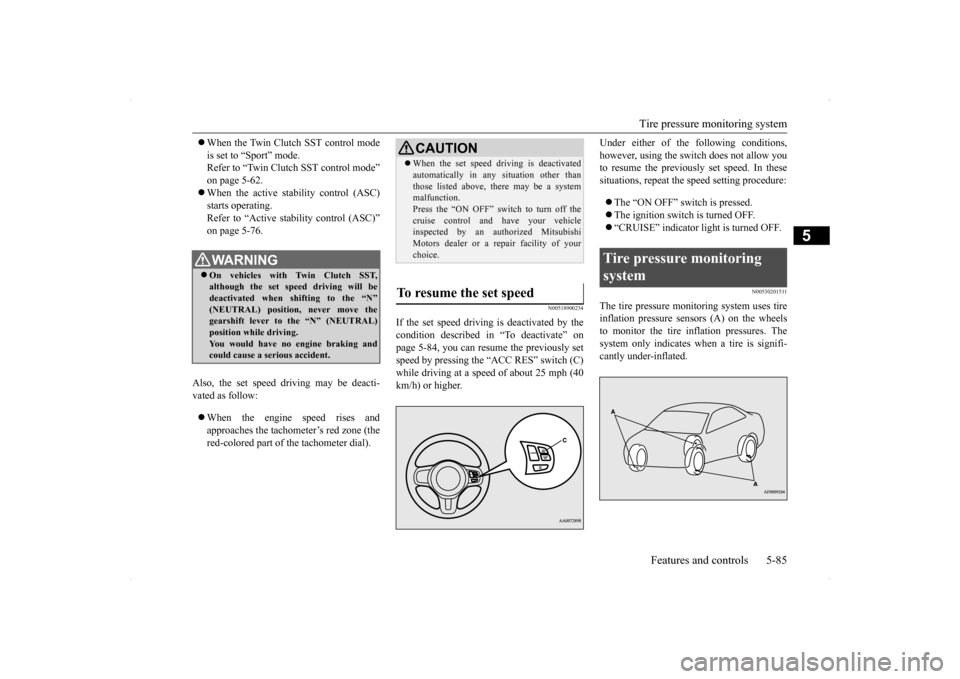
The tire pressure monitoring system uses tire inflation pressure sensors (A) on the wheels to monitor the tire inflation pressures. The system only indicates when a tire is signifi-cantly under-inflated.
WA R N I N G On vehicles with Twin Clutch SST, although the set speed driving will be deactivated when shifting to the “N”(NEUTRAL) position, never move the gearshift lever to the “N” (NEUTRAL) position while driving.You would have no engine braking and could cause a serious accident.
CAUTION When the set speed driving is deactivated automatically in any situation other than those listed above, there may be a system malfunction. Press the “ON OFF” switch to turn off thecruise control and have your vehicle inspected by an authorized Mitsubishi Motors dealer or a repair facility of yourchoice.
To resume the set speed
Tire pressure monitoring system
BK0200800US.bo
ok 85 ページ 2013年2月14日 木曜日 午後2時28分
Page 157 of 338
Multi-information display 5-96 Features and controls
5
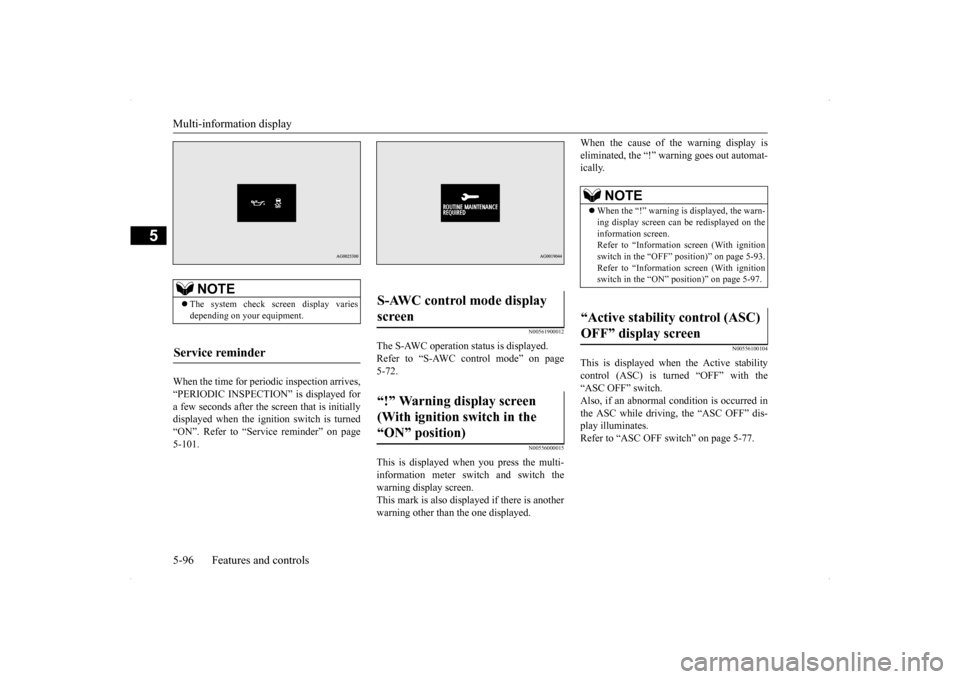
When the time for periodic inspection arrives, “PERIODIC INSPECTION” is displayed for a few seconds after the screen that is initiallydisplayed when the ignition switch is turned “ON”. Refer to “Service reminder” on page 5-101.
N00561900012
The S-AWC operation status is displayed.Refer to “S-AWC control mode” on page 5-72.
N00556000015
This is displayed when you press the multi- information meter switch and switch thewarning display screen. This mark is also displayed if there is another warning other than the one displayed.
When the cause of the warning display is eliminated, the “!” warning goes out automat- ically.
N00556100104
This is displayed when the Active stabilitycontrol (ASC) is turned “OFF” with the “ASC OFF” switch.Also, if an abnormal condition is occurred in the ASC while driving, the “ASC OFF” dis- play illuminates.Refer to “ASC OFF switch” on page 5-77.
NOTE
The system check screen display varies depending on your equipment.
Service reminder
S-AWC control mode display screen “!” Warning display screen (With ignition switch in the “ON” position)
NOTE
When the “!” warning is displayed, the warn- ing display screen can be redisplayed on the information screen. Refer to “Information screen (With ignitionswitch in the “OFF” position)” on page 5-93. Refer to “Information screen (With ignition switch in the “ON” position)” on page 5-97.
“Active stability control (ASC) OFF” display screen
BK0200800US.bo
ok 96 ページ 2013年2月14日 木曜日 午後2時28分
Page 162 of 338
Multi-information display
Features and controls 5-101
5
N00556500081
Shows the temperature outside the vehicle.
N00545100016
The operation status of the Twin Clutch SST control mode is displayed. Refer to “Twin Clutch SST control mode” on page 5-62.
N00556600109
Shows the amount of fuel remaining.
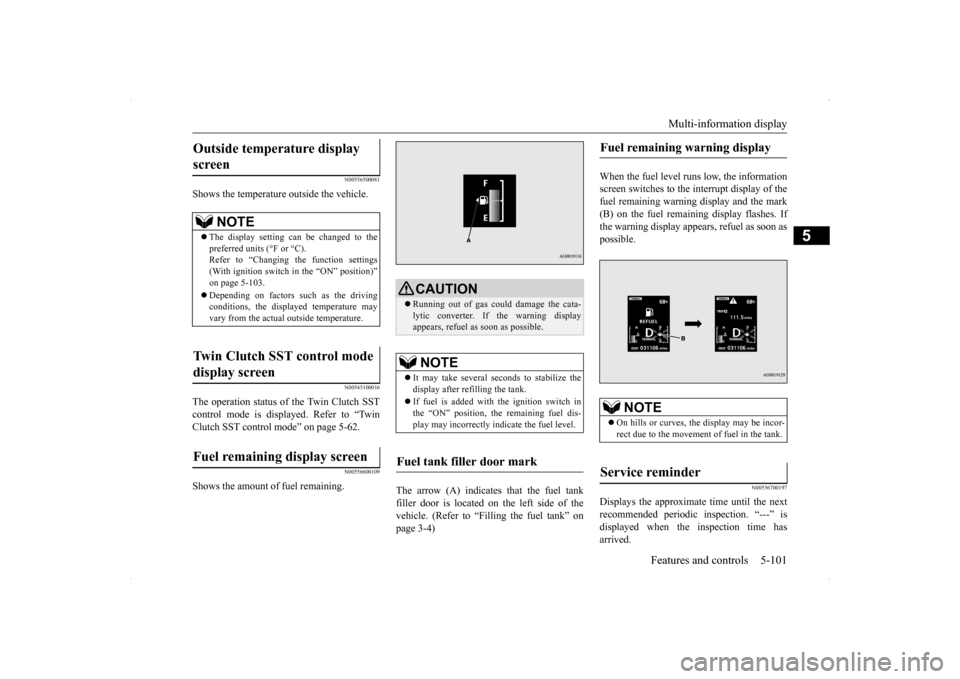
The arrow (A) indicates that the fuel tank filler door is located on the left side of the vehicle. (Refer to “Filling the fuel tank” on page 3-4)
When the fuel level runs low, the information screen switches to the interrupt display of thefuel remaining warning display and the mark (B) on the fuel remaining display flashes. If the warning display appears, refuel as soon aspossible.
N00556700197
Displays the approximate time until the nextrecommended periodic inspection. “---” isdisplayed when the inspection time has arrived.
Outside temperature display screen
NOTE
The display setting can be changed to the preferred units (°F or °C).Refer to “Changing the function settings (With ignition switch in the “ON” position)” on page 5-103. Depending on factors such as the driving conditions, the displayed temperature mayvary from the actual outside temperature.
Twin Clutch SST control mode display screen Fuel remaining display screen
CAUTION Running out of gas could damage the cata- lytic converter. If the warning display appears, refuel as soon as possible.NOTE
It may take several seconds to stabilize the display after refilling the tank. If fuel is added with the ignition switch in the “ON” position, the remaining fuel dis- play may incorrectly indicate the fuel level.
Fuel tank filler door mark
Fuel remaining warning display
NOTE
On hills or curves, the display may be incor- rect due to the movement of fuel in the tank.
Service reminder
BK0200800US.book
101 ページ 2013年2月14日 木曜日 午後2時28分
Page 165 of 338
Multi-information display 5-104 Features and controls
5
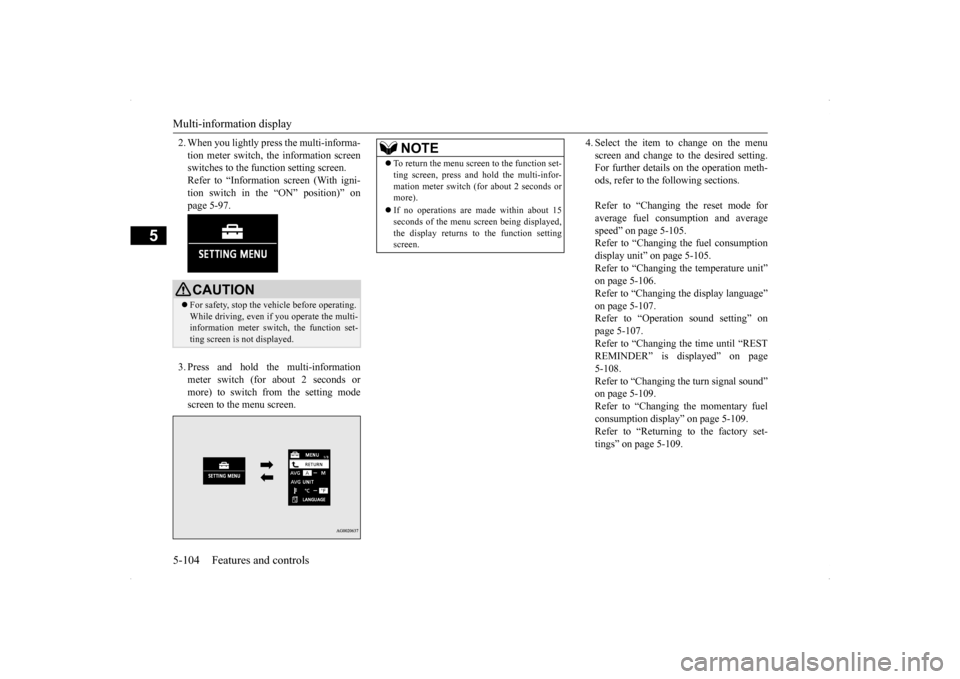
2. When you lightly press the multi-informa- tion meter switch, the information screen switches to the function setting screen. Refer to “Information screen (With igni-tion switch in the “ON” position)” on page 5-97. 3. Press and hold the multi-information meter switch (for about 2 seconds or more) to switch from the setting mode screen to the menu screen.
4. Select the item to change on the menu screen and change to the desired setting. For further details on the operation meth- ods, refer to the following sections. Refer to “Changing the reset mode for average fuel consumption and averagespeed” on page 5-105. Refer to “Changing the fuel consumption display unit” on page 5-105.Refer to “Changing the temperature unit”on page 5-106. Refer to “Changing the display language” on page 5-107.Refer to “Operation sound setting” on page 5-107. Refer to “Changing the time until “RESTREMINDER” is displayed” on page 5-108. Refer to “Changing the turn signal sound”on page 5-109. Refer to “Changing the momentary fuel consumption display” on page 5-109.Refer to “Returning to the factory set- tings” on page 5-109.
CAUTION For safety, stop the vehicle before operating. While driving, even if you operate the multi-information meter switch, the function set- ting screen is not displayed.
NOTE
To return the menu screen to the function set- ting screen, press and hold the multi-infor- mation meter switch (for about 2 seconds or more). If no operations are made within about 15 seconds of the menu screen being displayed, the display returns to the function settingscreen.
BK0200800US.book
104 ページ 2013年2月14日 木曜日 午後2時28分
Page 166 of 338
Multi-information display
Features and controls 5-105
5
N00557000214
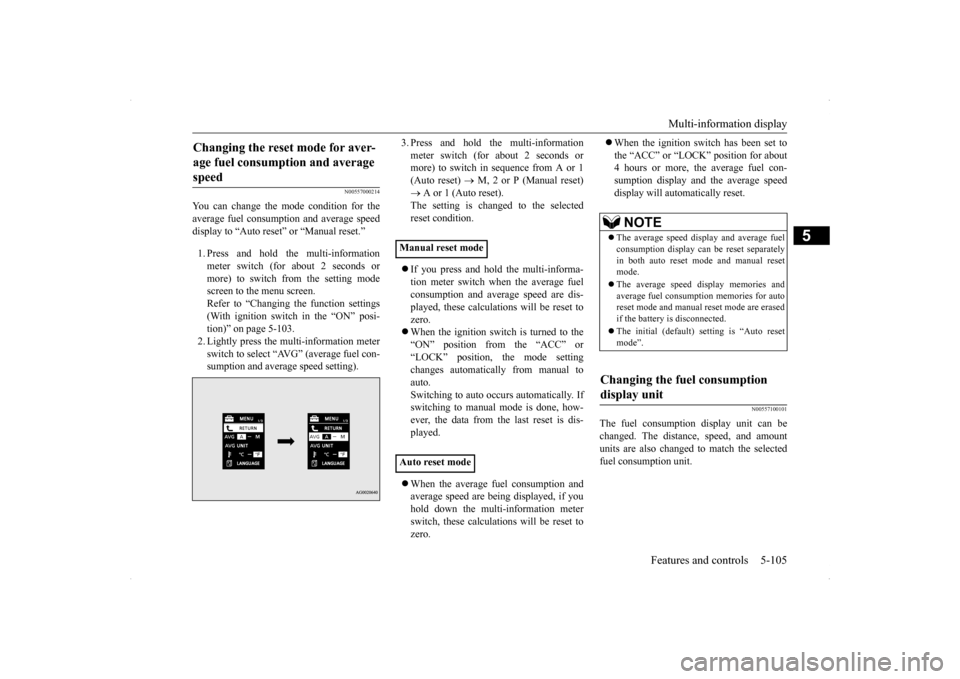
You can change the mode condition for the average fuel consumption and average speed display to “Auto reset” or “Manual reset.” 1. Press and hold the multi-information meter switch (for about 2 seconds ormore) to switch from the setting modescreen to the menu screen. Refer to “Changing the function settings (With ignition switch in the “ON” posi-tion)” on page 5-103. 2. Lightly press the multi-information meter switch to select “AVG” (average fuel con-sumption and average speed setting).
3. Press and hold the multi-information meter switch (for about 2 seconds or more) to switch in sequence from A or 1 (Auto reset)
M, 2 or P (Manual reset)
A or 1 (Auto reset). The setting is changed to the selected reset condition. If you press and hold the multi-informa- tion meter switch when the average fuelconsumption and average speed are dis- played, these calculations will be reset to zero. When the ignition switch is turned to the “ON” position from the “ACC” or “LOCK” position, the mode settingchanges automatically from manual to auto. Switching to auto occurs automatically. Ifswitching to manual mode is done, how- ever, the data from the last reset is dis- played. When the average fuel consumption and average speed are being displayed, if you hold down the multi-information meter switch, these calculations will be reset tozero.
When the ignition switch has been set to the “ACC” or “LOCK” position for about 4 hours or more, the average fuel con- sumption display and the average speeddisplay will automatically reset.
N00557100101
The fuel consumption display unit can bechanged. The distance, speed, and amountunits are also changed to match the selected fuel consumption unit.
Changing the reset mode for aver- age fuel consumption and average speed
Manual reset mode Auto reset mode
NOTE
The average speed display and average fuel consumption display can be reset separately in both auto reset mode and manual resetmode. The average speed display memories and average fuel consumption memories for auto reset mode and manual reset mode are erased if the battery is disconnected. The initial (default) setting is “Auto reset mode”.
Changing the fuel consumption display unit
BK0200800US.book
105 ページ 2013年2月14日 木曜日 午後2時28分