alarm MITSUBISHI LANCER EVOLUTION 2014 10.G User Guide
[x] Cancel search | Manufacturer: MITSUBISHI, Model Year: 2014, Model line: LANCER EVOLUTION, Model: MITSUBISHI LANCER EVOLUTION 2014 10.GPages: 338, PDF Size: 40.99 MB
Page 103 of 338
Power windows 5-42 Features and controls
5
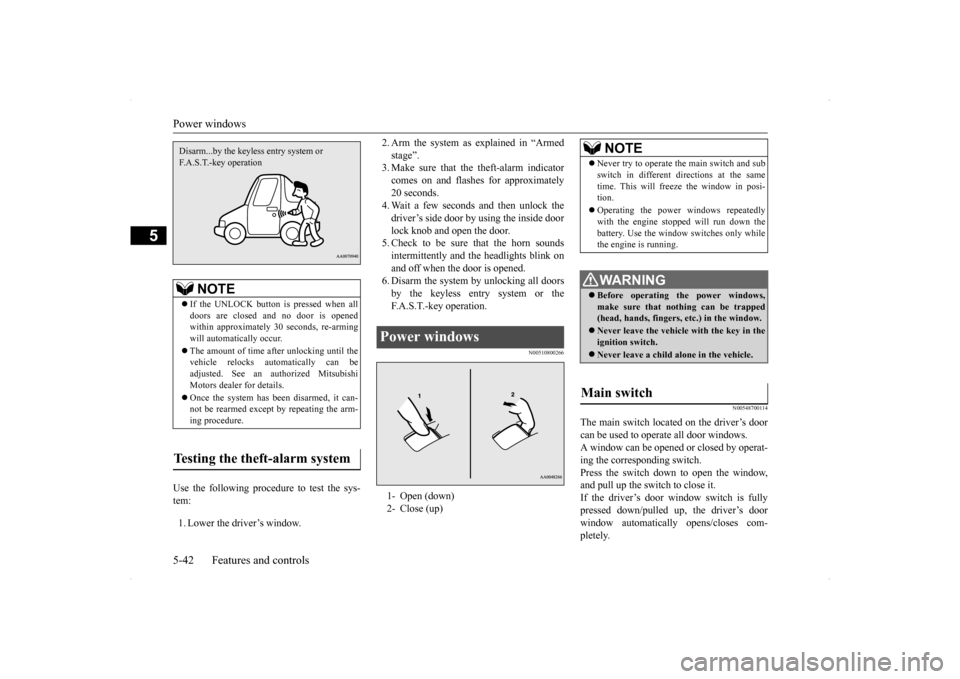
Use the following procedure to test the sys- tem: 1. Lower the driver’s window.
2. Arm the system as explained in “Armed stage”. 3. Make sure that the theft-alarm indicator comes on and flashes for approximately20 seconds. 4. Wait a few seconds and then unlock the driver’s side door by using the inside doorlock knob and open the door. 5. Check to be sure that the horn sounds intermittently and the headlights blink onand off when the door is opened.6. Disarm the system by unlocking all doors by the keyless entry system or the F.A.S.T.-key operation.
N00510800266
N00548700114
The main switch located on the driver’s door can be used to operate all door windows. A window can be opened or closed by operat- ing the corresponding switch.Press the switch down to open the window, and pull up the switch to close it. If the driver’s door window switch is fullypressed down/pulled up, the driver’s door window automatically opens/closes com- pletely.
NOTE
If the UNLOCK button is pressed when all doors are closed and no door is opened within approximately 30 seconds, re-armingwill automatically occur. The amount of time after unlocking until the vehicle relocks automatically can be adjusted. See an authorized Mitsubishi Motors dealer for details. Once the system has been disarmed, it can- not be rearmed except by repeating the arm-ing procedure.
Testing the theft-alarm system Disarm...by the keyless entry system or F.A.S.T.-key operation
Power windows 1- Open (down) 2- Close (up)
NOTE
Never try to operate the main switch and sub switch in different directions at the same time. This will freeze the window in posi- tion. Operating the power windows repeatedly with the engine stopped will run down the battery. Use the window switches only whilethe engine is running. WA R N I N G Before operating the power windows, make sure that nothing can be trapped(head, hands, fingers, etc.) in the window. Never leave the vehicle with the key in the ignition switch. Never leave a child alone in the vehicle.
Main switch
BK0200800US.bo
ok 42 ページ 2013年2月14日 木曜日 午後2時28分
Page 141 of 338
Brake assist system 5-80 Features and controls
5
erly, the rest of the brake system will still work, but the vehicle will not slow down as quickly. You will know this has happened if you findyou need to depress the brake pedal down further, or harder when slowing down or stop- ping, or if the brake warning light and thewarning display in the multi-information dis- play come on.
N00532500117
The disc brakes have an alarm that makes ametallic squeal when the brake pads have worn down enough to need service. If youhear this sound continuously, have the brake pads inspected at an authorized Mitsubishi Motors dealer or a repair facility of yourchoice.
N00567300076
The brake assist system is a device assistingdrivers who cannot depress the brake pedalfirmly such as in emergency stop situations and provides greater braking force. If the brake pedal is depressed suddenly, the brakes will be applied with more force thanusual.
N00518000323
The power steering system operates while theengine is running. It helps reduce the effort needed to turn the steering wheel. The power steering system has mechanicalsteering capability in case the power assist is
WA R N I N G Never coast downhill with the engine OFF. Keep the engine running whenever your vehicle is in motion. If you turn off the engine while driving, the power brakebooster will stop working and your brakes will not work as well. If the power assist is lost or if either brake hydraulic system stops working properly, take your vehicle to an authorized Mit-subishi Motors dealer or a repair facility of your choice immediately.
Brake pad wear alarm
WA R N I N G Driving with worn brake pads will make it harder to stop, and can cause an accident.NOTE
When the brakes are applied, a faint noise may be heard, but this
is a characteristic of
high-performance brakes; it does not indicatea problem.
Brake assist system
CAUTION The brake assist system is not a device designed to exercise braking force greater than its capacity. Make sure to always keep asufficient distance between vehicles in front of you without relying too much on the brake assist system.
NOTE
Once the brake assist system is operational, it maintains great braking force even if the brake pedal is lightly released. To stop its operation, completely remove your foot from the brake pedal. The brake assist system may become opera- tional when the brake pedal is fullydepressed even if it has not been depressed suddenly. When the brake assist system is in use while driving, you may feel as if the depressed brake pedal is soft, the pedal moves in smallmotions in conjunction with the operation noise, or the vehicle body and the steering wheel vibrate. This occurs when the brakeassist system is operating normally and does not indicate faulty operation. Continue to depress the brake pedal. You may hear an operation noise when the brake pedal is suddenly or fully depressedwhile stationary. This does not indicate a malfunction and the brake assist system is operating normally.
Power steering system
BK0200800US.bo
ok 80 ページ 2013年2月14日 木曜日 午後2時28分
Page 169 of 338
Multi-information display 5-108 Features and controls
5
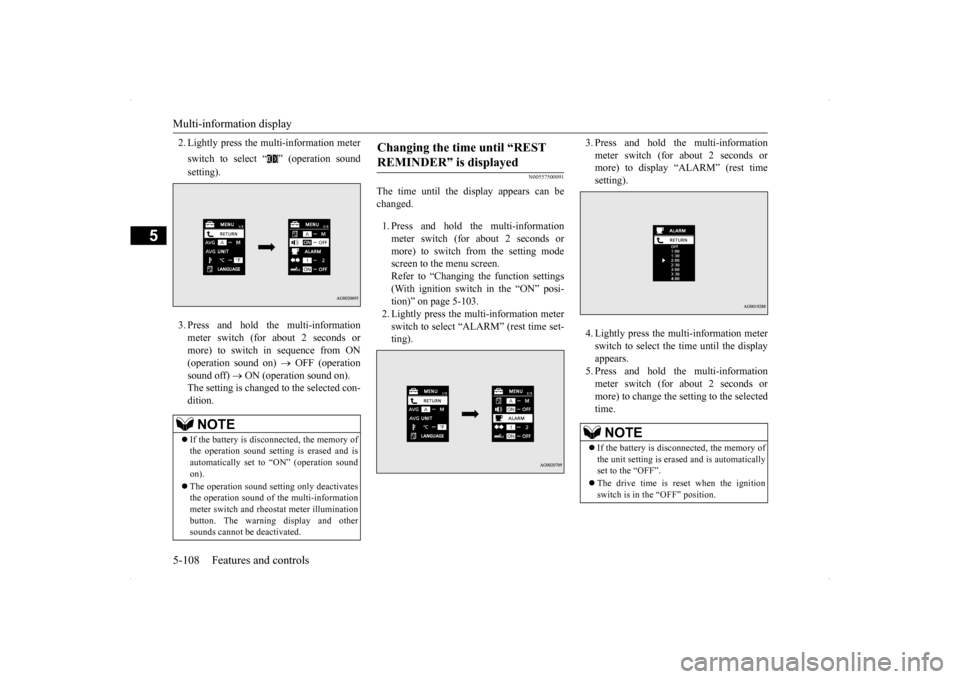
2. Lightly press the multi-information meter switch to select “ ” (operation sound setting). 3. Press and hold the multi-information meter switch (for about 2 seconds or more) to switch in sequence from ON (operation sound on)
OFF (operation
sound off)
ON (operation sound on).
The setting is changed to the selected con- dition.
N00557500091
The time until the display appears can be changed. 1. Press and hold the multi-information meter switch (for about 2 seconds ormore) to switch from the setting mode screen to the menu screen. Refer to “Changing the function settings(With ignition switch in the “ON” posi-tion)” on page 5-103. 2. Lightly press the multi-information meter switch to select “ALARM” (rest time set-ting).
3. Press and hold the multi-information meter switch (for about 2 seconds or more) to display “ALARM” (rest time setting). 4. Lightly press the multi-information meter switch to select the time until the displayappears.5. Press and hold the multi-information meter switch (for about 2 seconds or more) to change the setting to the selectedtime.
NOTE
If the battery is disconnected, the memory of the operation sound setting is erased and is automatically set to “ON” (operation sound on). The operation sound setting only deactivates the operation sound of the multi-informationmeter switch and rheostat meter illumination button. The warning display and other sounds cannot be deactivated.
Changing the time until “REST REMINDER” is displayed
NOTE
If the battery is disconnected, the memory of the unit setting is erased and is automatically set to the “OFF”. The drive time is reset when the ignition switch is in the “OFF” position.
BK0200800US.book
108 ページ 2013年2月14日 木曜日 午後2時28分
Page 174 of 338
Indicator light, warning light, an
d information screen display list Features and controls 5-113
5
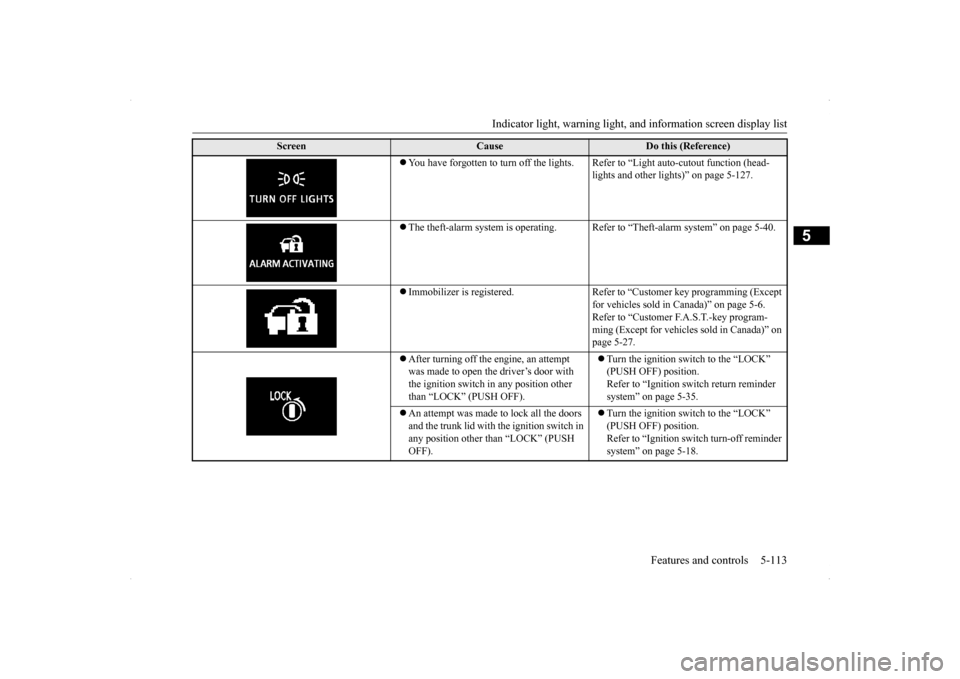
You have forgotten to turn off the lights. Refer to “Light auto-cutout function (head-
lights and other lights)” on page 5-127.
The theft-alarm system is operating. Refer
to “Theft-alarm system” on page 5-40.
Immobilizer is registered. Refer to “Customer key programming (Except
for vehicles sold in Canada)” on page 5-6.Refer to “Customer F.A.S.T.-key program- ming (Except for vehicles sold in Canada)” on page 5-27.
After turning off the engine, an attempt was made to open the driver’s door with the ignition switch in any position other than “LOCK” (PUSH OFF).
Turn the ignition switch to the “LOCK” (PUSH OFF) position. Refer to “Ignition switch return reminder system” on page 5-35.
An attempt was made to lock all the doors and the trunk lid with the ignition switch in any position other than “LOCK” (PUSH OFF).
Turn the ignition switch to the “LOCK” (PUSH OFF) position. Refer to “Ignition switch turn-off reminder system” on page 5-18.
Screen
Cause
Do this (Reference)
BK0200800US.book
113 ページ 2013年2月14日 木曜日 午後2時28分
Page 334 of 338
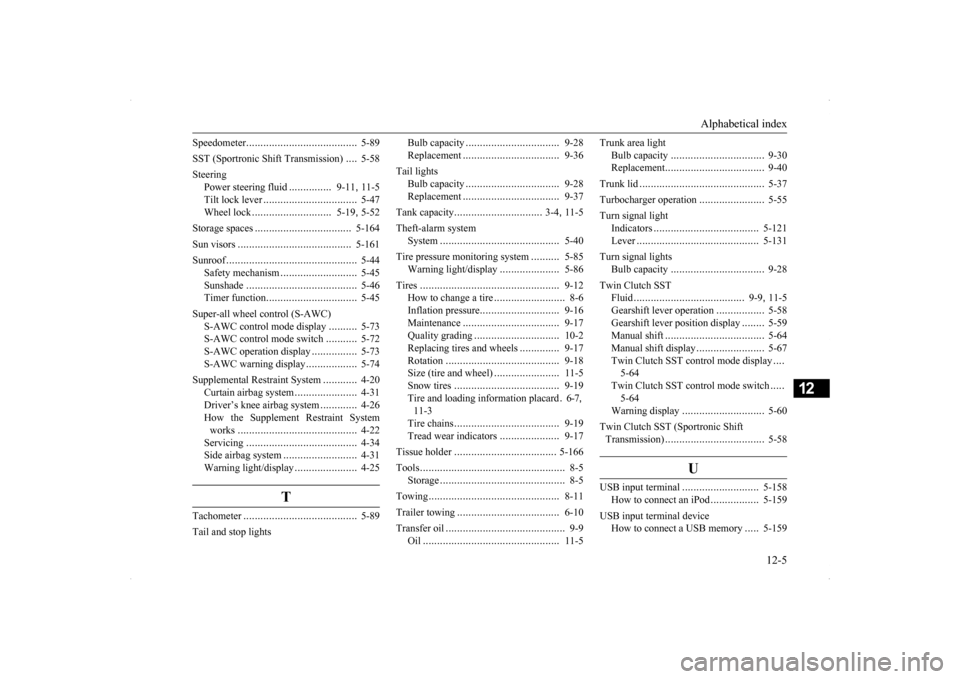
Alphabetical index
12-5
12
Speedometer
..................
.....................
5-89
SST (Sportronic Shift Transmission)
....
5-58
Steering
Power steering fluid
...............
9-11
, 11-5
Tilt lock lever
................
.................
5-47
Wheel lock
............................
5-19
, 5-52
Storage spaces
...................
...............
5-164
Sun visors
.....................
...................
5-161
Sunroof
......................
........................
5-44
Safety mechanism
...........................
5-45
Sunshade
..................
.....................
5-46
Timer function
...............
.................
5-45
Super-all wheel control (S-AWC)
S-AWC control mode display
..........
5-73
S-AWC control mode switch
...........
5-72
S-AWC operation display
................
5-73
S-AWC warning display
..................
5-74
Supplemental Restraint System
............
4-20
Curtain airbag system
......................
4-31
Driver’s knee airbag system
.............
4-26
How the Supplement Restraint System works
.....................
.....................
4-22
Servicing
..................
.....................
4-34
Side airbag system
..........................
4-31
Warning light/display
......................
4-25
T
Tachometer
...................
.....................
5-89
Tail and stop lights
Bulb capacity
..................
...............
9-28
Replacement
...................
...............
9-36
Tail lights
Bulb capacity
..................
...............
9-28
Replacement
...................
...............
9-37
Tank capacity
...............
................
3-4
, 11-5
Theft-alarm system
System
........................
..................
5-40
Tire pressure monitoring system
..........
5-85
Warning light/display
.....................
5-86
Tires
...........................
......................
9-12
How to change a tire
.........................
8-6
Inflation pressure
............................
9-16
Maintenance
...................
...............
9-17
Quality grading
...............
...............
10-2
Replacing tires and wheels
..............
9-17
Rotation
......................
..................
9-18
Size (tire and wheel)
.......................
11-5
Snow tires
...................
..................
9-19
Tire and loading information placard
.6-7
,
11-3 Tire chains
...................
..................
9-19
Tread wear indicators
.....................
9-17
Tissue holder
...................
.................
5-166
Tools
...........................
........................
8-5
Storage
........................
....................
8-5
Towing
........................
......................
8-11
Trailer towing
.....................
...............
6-10
Transfer oil
......................
....................
9-9
Oil
..........................
......................
11-5
Trunk area light
Bulb capacity
................
.................
9-30
Replacement
..................
.................
9-40
Trunk lid
.......................
.....................
5-37
Turbocharger operation
.......................
5-55
Turn signal light
Indicators
..................
...................
5-121
Lever
........................
...................
5-131
Turn signal lights
Bulb capacity
................
.................
9-28
Twin Clutch SST
Fluid
..................
.....................
9-9
, 11-5
Gearshift lever operation
.................
5-58
Gearshift lever position display
........
5-59
Manual shift
..................
.................
5-64
Manual shift display
........................
5-67
Twin Clutch SST control mode display
....
5-64 Twin Clutch SST control mode switch
.....
5-64Warning display
.............................
5-60
Twin Clutch SST (Sportronic Shift Transmission)
..................
.................
5-58
U
USB input terminal
...........................
5-158
How to connect an iPod
.................
5-159
USB input terminal device
How to connect a USB memory
.....
5-159
BK0200800US.bo
ok 5 ページ 2013年2月14日 木曜日 午後2時28分