turn signal MITSUBISHI LANCER EVOLUTION 2014 10.G User Guide
[x] Cancel search | Manufacturer: MITSUBISHI, Model Year: 2014, Model line: LANCER EVOLUTION, Model: MITSUBISHI LANCER EVOLUTION 2014 10.GPages: 338, PDF Size: 40.99 MB
Page 170 of 338
Multi-information display
Features and controls 5-109
5
N00563500067
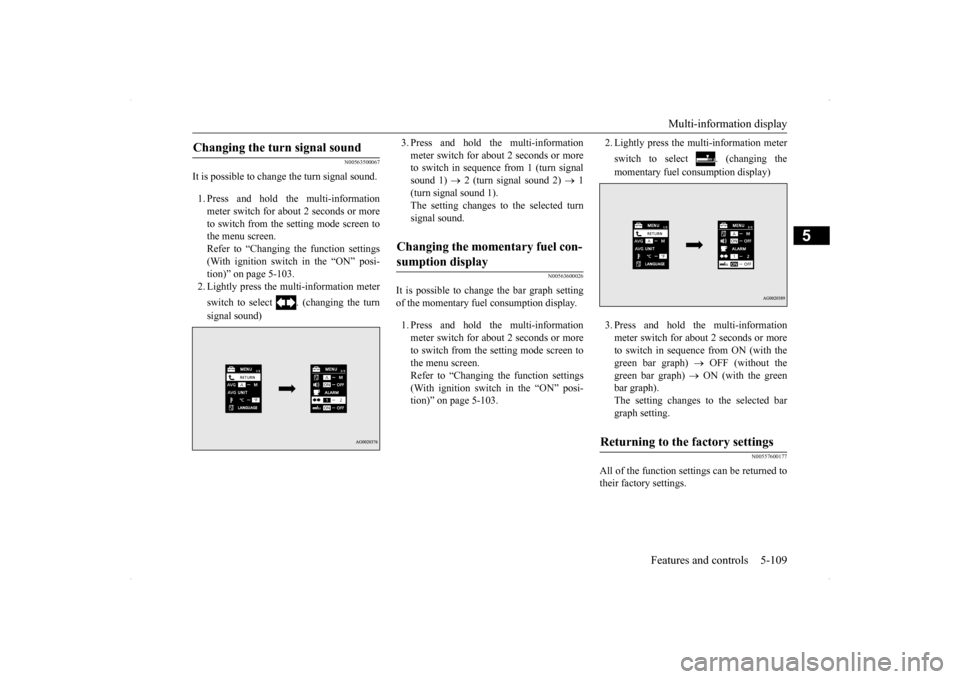
It is possible to change the turn signal sound. 1. Press and hold the multi-information meter switch for about 2 seconds or moreto switch from the setting mode screen to the menu screen. Refer to “Changing the function settings(With ignition switch in the “ON” posi- tion)” on page 5-103. 2. Lightly press the multi-information meter switch to select . (changing the turn signal sound)
3. Press and hold the multi-information meter switch for about 2 seconds or more to switch in sequence from 1 (turn signal sound 1)
2 (turn signal sound 2)
1
(turn signal sound 1). The setting changes to the selected turn signal sound.
N00563600026
It is possible to change the bar graph settingof the momentary fuel consumption display. 1. Press and hold the multi-information meter switch for about 2 seconds or more to switch from the setting mode screen tothe menu screen. Refer to “Changing the function settings (With ignition switch in the “ON” posi-tion)” on page 5-103.
2. Lightly press the multi-information meter switch to select . (changing the momentary fuel consumption display) 3. Press and hold the multi-information meter switch for about 2 seconds or more to switch in sequence from ON (with the green bar graph)
OFF (without the
green bar graph)
ON (with the green
bar graph). The setting changes to the selected bargraph setting.
N00557600177
All of the function settings can be returned totheir factory settings.
Changing the turn signal sound
Changing the momentary fuel con- sumption display
Returning to the factory settings
BK0200800US.book
109 ページ 2013年2月14日 木曜日 午後2時28分
Page 171 of 338
Multi-information display 5-110 Features and controls
5
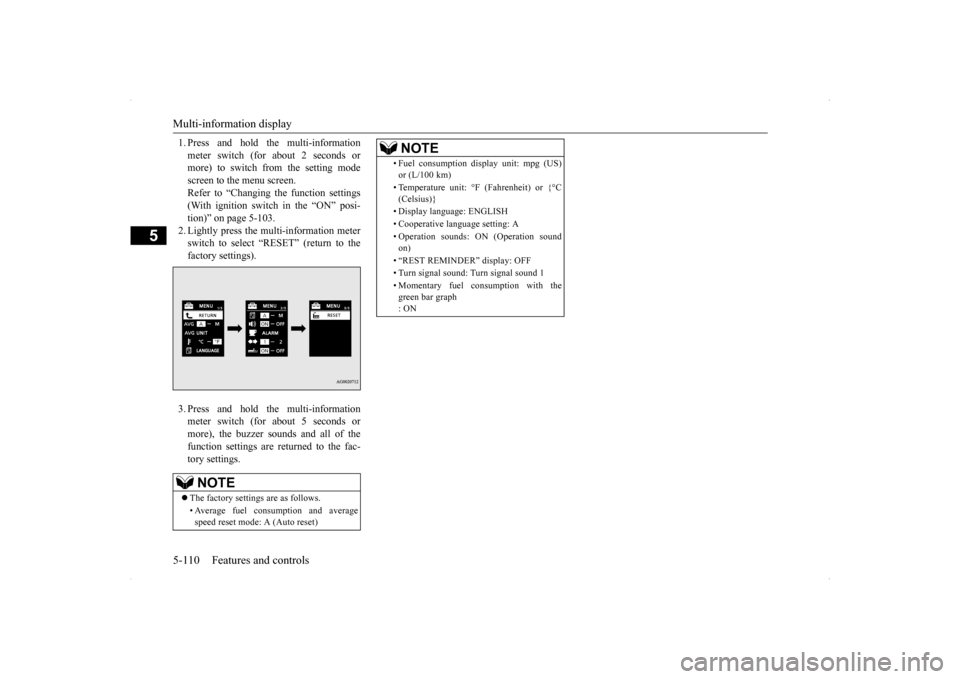
1. Press and hold the multi-information meter switch (for about 2 seconds or more) to switch from the setting mode screen to the menu screen.Refer to “Changing the function settings (With ignition switch in the “ON” posi- tion)” on page 5-103.2. Lightly press the multi-information meter switch to select “RESET” (return to the factory settings). 3. Press and hold the multi-information meter switch (for about 5 seconds or more), the buzzer sounds and all of thefunction settings are returned to the fac- tory settings.NOTE
The factory settings are as follows. • Average fuel consumption and average speed reset mode: A (Auto reset)
• Fuel consumption display unit: mpg (US) or (L/100 km) • Temperature unit: °F (Fahrenheit) or {°C (Celsius)} • Display language: ENGLISH • Cooperative language setting: A • Operation sounds: ON (Operation sound on) • “REST REMINDER” display: OFF• Turn signal sound: Turn signal sound 1 • Momentary fuel consumption with the green bar graph : ONNOTE
BK0200800US.book
110 ページ 2013年2月14日 木曜日 午後2時28分
Page 172 of 338
Indicator light, warning light, an
d information screen display list Features and controls 5-111
5
N00557700019 N00557800212
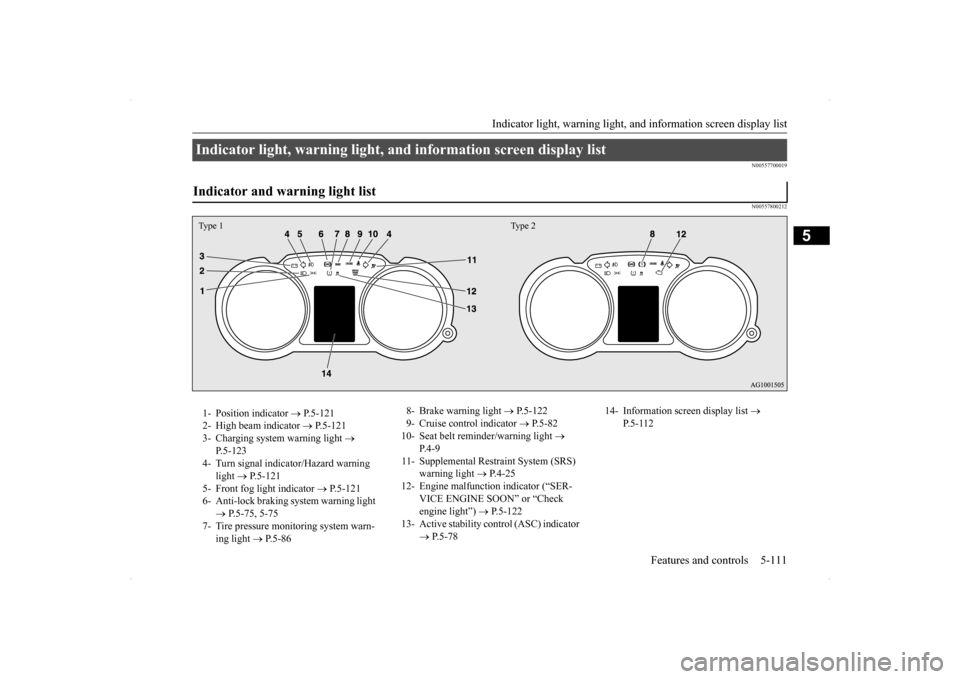
Indicator light, warning light, and information screen display list Indicator and warning light list Type 1 Type 21- Position indicator
P.5-121
2- High beam indicator
P.5-121
3- Charging system warning light
P.5-123
4- Turn signal indicator/Hazard warning
light
P.5-121
5- Front fog light indicator
P.5-121
6- Anti-lock braking system warning light
P.5-75, 5-75
7- Tire pressure monitoring system warn-
ing light
P.5-86
8- Brake warning light
P.5-122
9- Cruise control indicator
P.5-82
10- Seat belt reminder/warning light
P.4-9
11- Supplemental Restraint System (SRS)
warning light
P.4-25
12- Engine malfunction indicator (“SER-
VICE ENGINE SOON” or “Check engine light”)
P.5-122
13- Active stability control (ASC) indicator
P.5-78
14- Information screen display list
P.5-112
BK0200800US.book
111 ページ 2013年2月14日 木曜日 午後2時28分
Page 182 of 338
Indicators
Features and controls 5-121
5
N00519900127 N00520000216
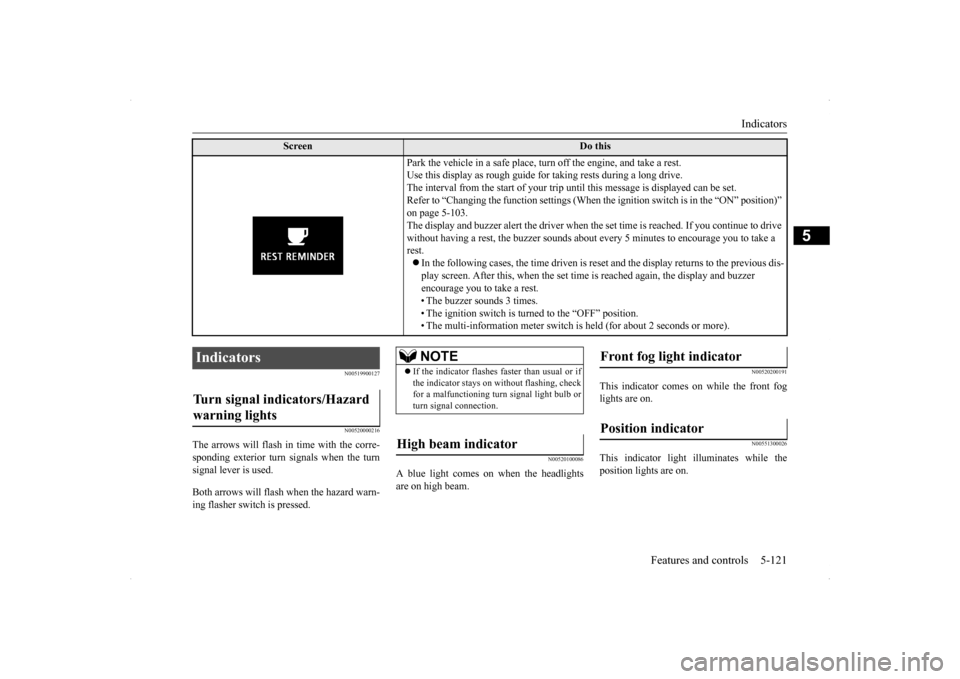
The arrows will flash in
time with the corre-
sponding exterior turn signals when the turnsignal lever is used. Both arrows will flas
h when the hazard warn-
ing flasher switch is pressed.
N00520100086
A blue light comes on when the headlightsare on high beam.
N00520200191
This indicator comes on while the front foglights are on.
N00551300026
This indicator light illuminates while theposition lights are on.
Screen
Do this
Park the vehicle in a safe place, turn off the engine, and take a rest. Use this display as rough guide for taking rests during a long drive.The interval from the start of your trip until this message is displayed can be set.Refer to “Changing the function settings (When
the ignition switch is in the “ON” position)”
on page 5-103. The display and buzzer alert the driver when the
set time is reached. If you continue to drive
without having a rest, the buzzer sounds about every 5 minutes to encourage you to take a rest. In the following cases, the time driven is reset and the display returns to the previous dis- play screen. After this, when the set time is reached again, the display and buzzer encourage you to take a rest. • The buzzer sounds 3 times.• The ignition switch is turned to the “OFF” position. • The multi-information meter switch is held (for about 2 seconds or more).
Indicators Turn signal indicators/Hazard warning lights
NOTE
If the indicator flashes faster than usual or if the indicator stays on without flashing, checkfor a malfunctioning turn signal light bulb or turn signal connection.
High beam indicator
Front fog light indicator Position indicator
BK0200800US.book
121 ページ 2013年2月14日 木曜日 午後2時28分
Page 189 of 338
Combination headlights and dimmer switch 5-128 Features and controls
5
If the combination headlights and dimmer switch is turned to the “ ” or “ ” posi- tion again after the engine is turned off, the about 3-minute auto-cutout functiondescribed above will not work. The lights (theparking lights, tail lights and license plate lights) will stay on and will not turn off auto- matically.
N00549800183
[When using a key to start the engine] If the driver’s door is opened with the key in the “LOCK” or “ACC” position or removedfrom the ignition switch while the lights are on, the tone will sound to remind you to turn off the lights. [When using the F.A.S.T.-key to start the engine] If the driver’s door is opened with the ignition switch in the “LOCK” or “ACC” position, orif the ignition switch is moved to the “LOCK” position while the lights are on, the tone will sound to remind you to turn off thelights.
In either case, the lights will turn off automat- ically and so will the tone. Or you can turn the light switch to the “OFF” position to stop the tone.
N00549900142
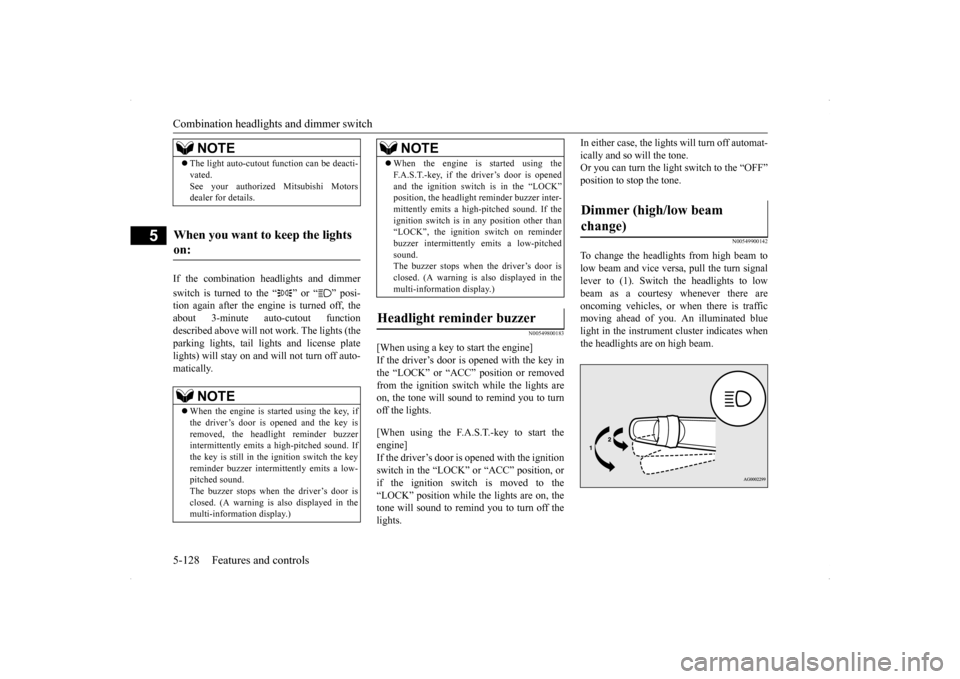
To change the headlights from high beam tolow beam and vice versa, pull the turn signallever to (1). Switch the headlights to low beam as a courtesy whenever there are oncoming vehicles, or when there is trafficmoving ahead of you. An illuminated blue light in the instrument cluster indicates when the headlights are on high beam.
NOTE
The light auto-cutout function can be deacti- vated. See your authorized Mitsubishi Motors dealer for details.
When you want to keep the lights on:
NOTE
When the engine is started using the key, if the driver’s door is opened and the key is removed, the headlight reminder buzzerintermittently emits a high-pitched sound. If the key is still in the ignition switch the key reminder buzzer intermittently emits a low-pitched sound. The buzzer stops when the driver’s door is closed. (A warning is also displayed in themulti-information display.)
When the engine is started using the F.A.S.T.-key, if the driver’s door is opened and the ignition switch is in the “LOCK” position, the headlight reminder buzzer inter- mittently emits a high-pitched sound. If theignition switch is in any position other than “LOCK”, the ignition switch on reminder buzzer intermittently emits a low-pitchedsound. The buzzer stops when the driver’s door is closed. (A warning is also displayed in themulti-information display.)
Headlight reminder buzzer
NOTE
Dimmer (high/low beam change)
BK0200800US.book
128 ページ 2013年2月14日 木曜日 午後2時28分
Page 191 of 338
Combination headlights and dimmer switch 5-130 Features and controls
5
3. Within 60 seconds of turning the ignition switch to the “LOCK” position, pull the turn signal lever toward you. 4. The headlights will come on in the low beam setting for about 30 seconds. Afterthe headlights go off, the headlights can be turned on again in the low beam setting for about 30 seconds by pulling the turnsignal lever toward you within 60 secondsof turning the ignition switch to the “LOCK” position. To turn on the head- lights again after 60 seconds of turningthe ignition switch to the “LOCK” posi- tion, repeat the process from step 1.
N00542800038
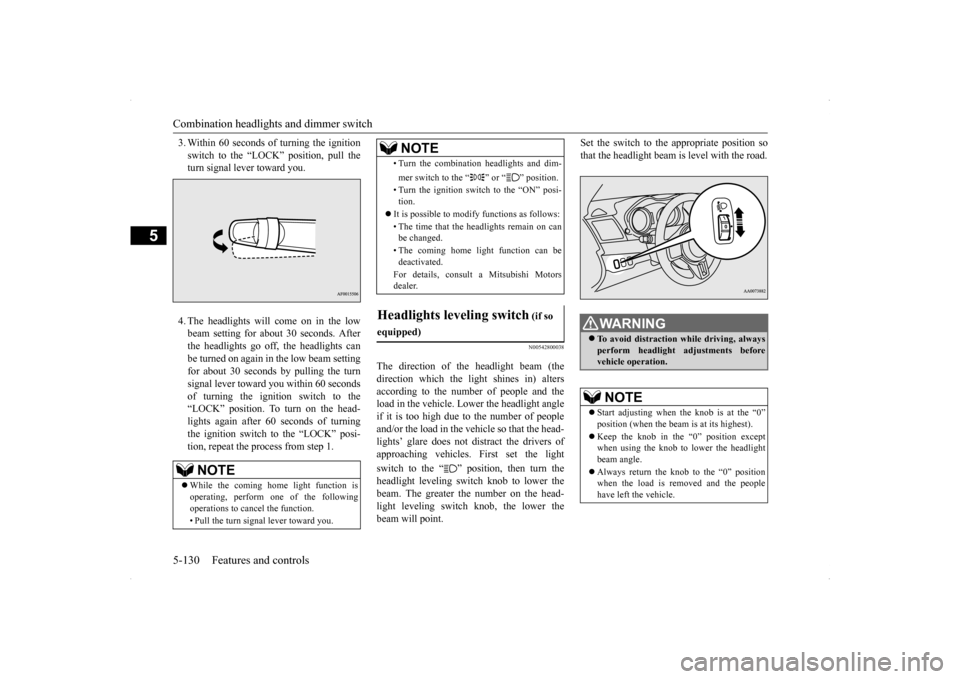
The direction of the headlight beam (thedirection which the light shines in) alters according to the number of people and theload in the vehicle. Lower the headlight angle if it is too high due to the number of people and/or the load in the vehicle so that the head-lights’ glare does not distract the drivers ofapproaching vehicles. First set the light switch to the “ ” position, then turn the headlight leveling switch knob to lower thebeam. The greater the number on the head- light leveling switch knob, the lower the beam will point.
Set the switch to the appropriate position so that the headlight beam is level with the road.
NOTE
While the coming home light function is operating, perform one of the following operations to cancel the function. • Pull the turn signal lever toward you.
• Turn the combination headlights and dim- mer switch to the “ ” or “ ” position. • Turn the ignition switch to the “ON” posi- tion.
It is possible to modify functions as follows: • The time that the headlights remain on can be changed. • The coming home light function can be deactivated. For details, consult a Mitsubishi Motors dealer.
Headlights leveling switch
(if so
equipped)
NOTE
WA R N I N G To avoid distraction while driving, always perform headlight adjustments before vehicle operation.NOTE
Start adjusting when the knob is at the “0” position (when the beam is at its highest). Keep the knob in the “0” position except when using the knob to lower the headlight beam angle. Always return the knob to the “0” position when the load is removed and the people have left the vehicle.
BK0200800US.book
130 ページ 2013年2月14日 木曜日 午後2時28分
Page 192 of 338
Turn signal lever
Features and controls 5-131
5
N00522601558
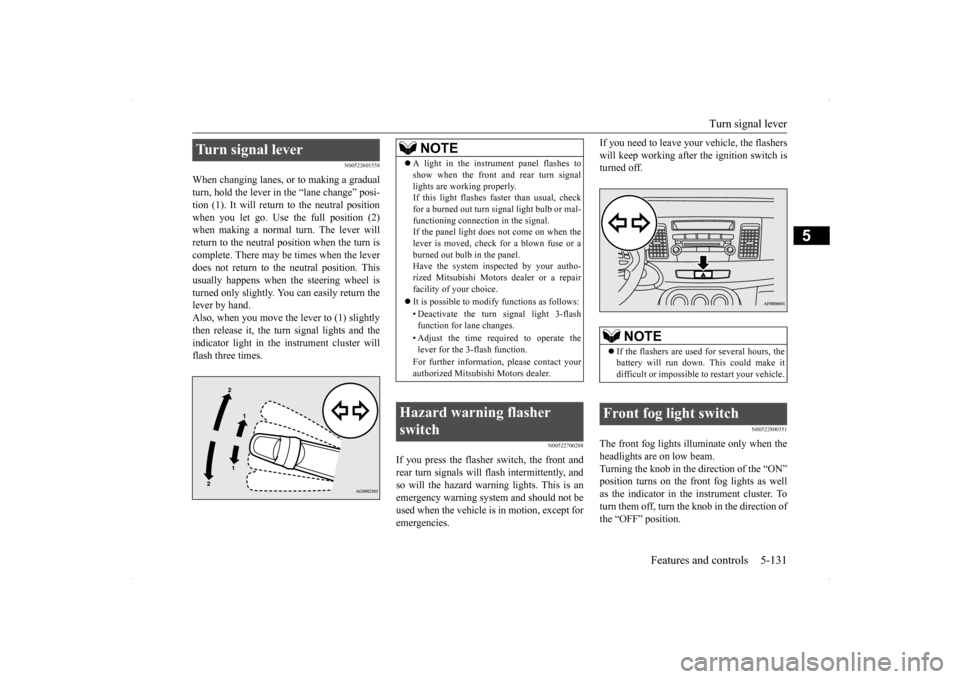
When changing lanes, or to making a gradual turn, hold the lever in
the “lane change” posi-
tion (1). It will return to the neutral position when you let go. Use the full position (2) when making a normal turn. The lever willreturn to the neutral position when the turn is complete. There may be times when the lever does not return to the neutral position. Thisusually happens when the steering wheel isturned only slightly. You can easily return the lever by hand. Also, when you move the lever to (1) slightlythen release it, the turn signal lights and the indicator light in the instrument cluster will flash three times.
N00522700288
If you press the flasher switch, the front andrear turn signals will flash intermittently, and so will the hazard warning lights. This is an emergency warning system and should not beused when the vehicle is in motion, except for emergencies.
If you need to leave your vehicle, the flashers will keep working after the ignition switch is turned off.
N00522800351
The front fog lights illuminate only when the headlights are on low beam. Turning the knob in the direction of the “ON” position turns on the front fog lights as wellas the indicator in the instrument cluster. To turn them off, turn the knob in the direction of the “OFF” position.
Turn signal lever
NOTE
A light in the instrument panel flashes to show when the front and rear turn signal lights are working properly. If this light flashes faster than usual, check for a burned out turn signal light bulb or mal-functioning connection in the signal. If the panel light does not come on when the lever is moved, check for a blown fuse or aburned out bulb in the panel. Have the system inspected by your autho- rized Mitsubishi Motors dealer or a repairfacility of your choice. It is possible to modify functions as follows: • Deactivate the turn signal light 3-flash function for lane changes. • Adjust the time required to operate the lever for the 3-flash function. For further information, please contact your authorized Mitsubishi Motors dealer.
Hazard warning flasher switch
NOTE
If the flashers are used for several hours, the battery will run down. This could make it difficult or impossible to restart your vehicle.
Front fog light switch
BK0200800US.book
131 ページ 2013年2月14日 木曜日 午後2時28分
Page 233 of 338
Safe driving techniques 6-4 Driving safety
6
Replace your tires before they are heavily worn out. As your vehicle is equipped with a tire pres- sure monitoring system, there is a risk ofdamage to the tire inflation pressure sensors when the tire is replaced on the rim. Tire replacement should, therefore, be performedonly by an authorized Mitsubishi Motors dealer. Have someone watch while you turn all the exterior lights on and off. Also check the turn signal indicators and high-beam indicators on the instrument panel. Check the ground under the vehicle after parking overnight, for fuel, water, oil, orother leaks. Make sure all the fluid levels are correct. Also, if you can smell fuel, you need to find out why immediately and have itfixed.
N00629200108
Even this vehicle’s safety equipment, andyour safest driving, cannot guarantee that you
can avoid an accident or injury. However, if you give extra attention to the following areas, you can better protect yourself and your passengers: Drive defensively. Be aware of traffic, road and weather conditions. Leave plenty of stopping distance between your vehicle and the vehicle ahead. Before changing lanes, check your mir- rors and use your turn signal light. While driving, keep a tight grip on the steering wheel. While driving, watch the behavior of other drivers, bicyclists, and pedestrians. Always obey applicable laws and regula- tions. Be a polite and alert driver. Always leave room for unexpected events, such as sudden braking. If you plan to drive in another country, obey their vehicle registration laws and make sure you will be able to get the rightfuel.
N00629400432
Check the battery, including terminals and cables. During extremely cold weather,the battery will not be as strong. Also, the battery power level may drop because more power is used for cold starting anddriving. Before driving the vehicle, check to see if the engine runs at the proper speed and ifthe headlights are as bright as normally.Charge or replace the battery if necessary. During extreme cold weather, it is possi- ble that a very low battery could freeze. Warm the engine sufficiently. After start- ing the engine, allow a short warm-up time to distribute oil
to all cylinders and
turbocharger. Then drive your vehicleslowly.
Lights Fluid leaks Safe driving techniques
Driving during cold weather
WA R N I N G The battery gives off explosive hydrogen gas. Any spark or flame can cause the bat-tery to explode, which could cause serious injury or death. Always wear protective clothes and a facemask when working with your battery, or let a skilled mechanic do it.
BK0200800US.bo
ok 4 ページ 2013年2月14日 木曜日 午後2時28分
Page 254 of 338
Air purifier
Comfort controls 7-15
7
The air conditioning should be operated for at least five minutes each week, even in coldweather. This includes the quick defrosting mode. Operating the air condition system weekly maintains lubrication of the compres-sor internal parts to keep the air conditioning in the best operating condition.
N00733800151
The air conditioning system is equipped with an air filter to remove pollen and dust. The air filter’s ability to collect pollen and dirt is reduced as it becomes dirty, so replaceit periodically. For the maintenance interval, refer to the “WARRANTY AND MAINTE- NANCE MANUAL”.
N00734200455
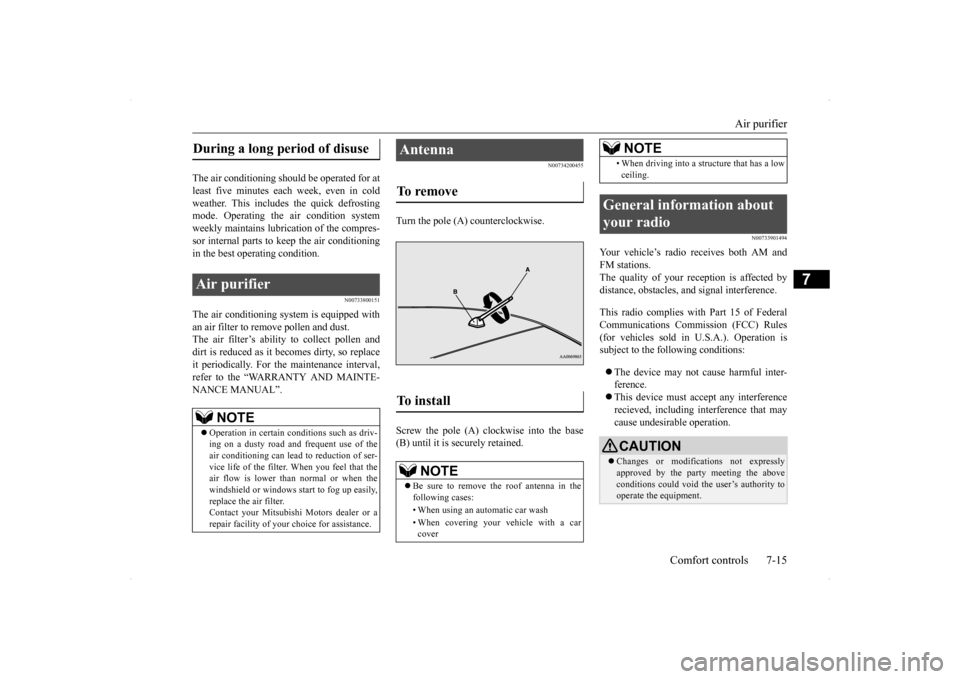
Turn the pole (A) counterclockwise. Screw the pole (A) clockwise into the base (B) until it is securely retained.
N00733901494
Your vehicle’s radio receives both AM and FM stations.The quality of your reception is affected by distance, obstacles, and signal interference. This radio complies with Part 15 of Federal Communications Commission (FCC) Rules(for vehicles sold in U.S.A.). Operation is subject to the following conditions: The device may not cause harmful inter- ference. This device must accept any interference recieved, including interference that may cause undesirable operation.
During a long period of disuse Air purifier
NOTE
Operation in certain conditions such as driv- ing on a dusty road and frequent use of the air conditioning can lead to reduction of ser- vice life of the filter.
When you feel that the
air flow is lower than
normal or when the
windshield or windows start to fog up easily, replace the air filter. Contact your Mitsubishi Motors dealer or arepair facility of your choice for assistance.
Antenna To remove To install
NOTE
Be sure to remove the roof antenna in the following cases: • When using an automatic car wash • When covering your vehicle with a car cover
• When driving into a structure that has a lowceiling.
General information about your radio
CAUTION Changes or modifications not expressly approved by the party meeting the above conditions could void the user’s authority to operate the equipment.NOTE
BK0200800US.bo
ok 15 ページ 2013年2月14日 木曜日 午後2時28分
Page 263 of 338
How to change a tire 8-6 For emergencies
8
N00836900763
Before changing a tire, first stop your vehicle in a safe, flat location. 1. Park the vehicle on level and stable ground. 2. Set the parking brake firmly.3. On vehicles with manual transaxle, turn the ignition switch to the “LOCK” posi- tion, and move the gearshift lever to the“R” (Reverse) position. On vehicles with Twin Clutch SST, move the gearshift lever to the “P” (PARK)position, and turn the ignition switch to the “LOCK” position. 4. Turn on the hazard flashers and set up awarning triangle, flashing signal light, etc., at an adequate distance from the vehicle, and have all your passengersleave the vehicle.
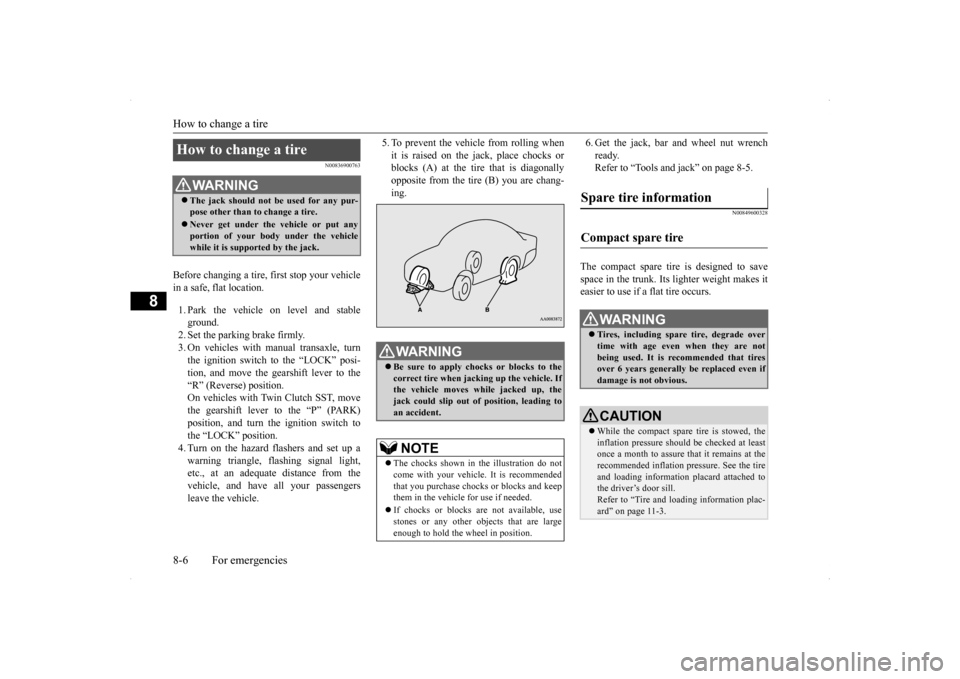
5. To prevent the vehicle from rolling when it is raised on the jack, place chocks or blocks (A) at the tire that is diagonally opposite from the tire (B) you are chang-ing.
6. Get the jack, bar and wheel nut wrench ready. Refer to “Tools and jack” on page 8-5.
N00849600328
The compact spare tire is designed to save space in the trunk. Its lighter weight makes it easier to use if a flat tire occurs.
How to change a tire
WA R N I N G The jack should not be used for any pur- pose other than to change a tire. Never get under the vehicle or put any portion of your body under the vehicle while it is supported by the jack.
WA R N I N G Be sure to apply chocks or blocks to the correct tire when jacking up the vehicle. Ifthe vehicle moves while jacked up, the jack could slip out of position, leading to an accident.NOTE
The chocks shown in the illustration do not come with your vehicle. It is recommended that you purchase chocks or blocks and keepthem in the vehicle for use if needed. If chocks or blocks are not available, use stones or any other objects that are large enough to hold the wheel in position.
Spare tire information Compact spare tire
WA R N I N G Tires, including spare tire, degrade over time with age even when they are notbeing used. It is recommended that tires over 6 years generally be replaced even if damage is not obvious.CAUTION While the compact spare tire is stowed, the inflation pressure should be checked at least once a month to assure that it remains at the recommended inflation pressure. See the tire and loading information placard attached tothe driver’s door sill. Refer to “Tire and loading information plac- ard” on page 11-3.
BK0200800US.bo
ok 6 ページ 2013年2月14日 木曜日 午後2時28分