service MITSUBISHI LANCER EVOLUTION 2014 10.G Owner's Manual
[x] Cancel search | Manufacturer: MITSUBISHI, Model Year: 2014, Model line: LANCER EVOLUTION, Model: MITSUBISHI LANCER EVOLUTION 2014 10.GPages: 338, PDF Size: 40.99 MB
Page 163 of 338
Multi-information display 5-102 Features and controls
5
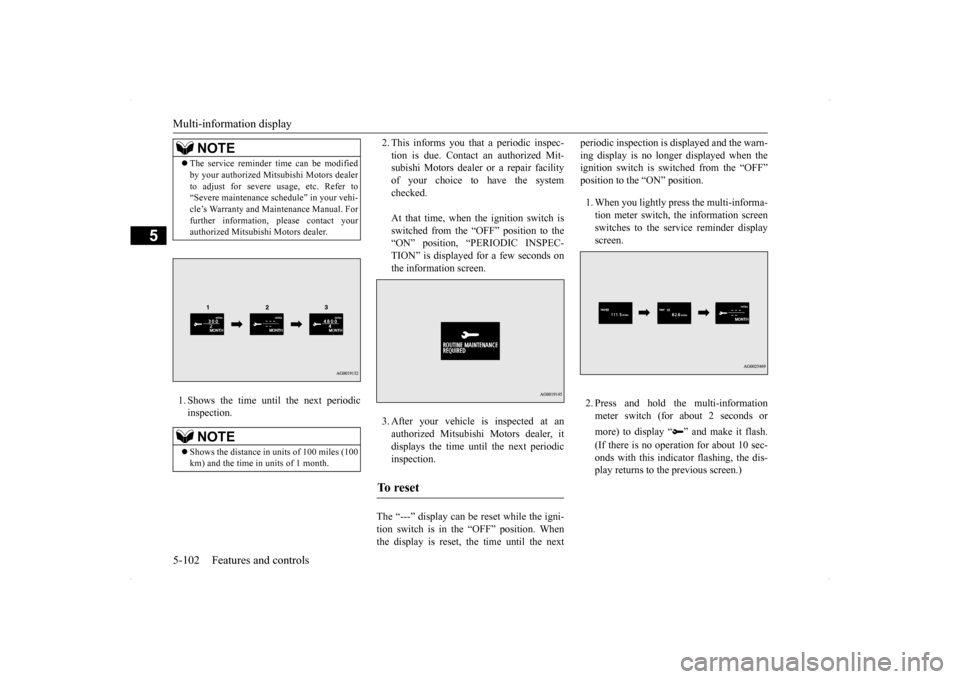
1. Shows the time until the next periodic inspection.
2. This informs you that a periodic inspec- tion is due. Contact an authorized Mit- subishi Motors dealer or a repair facility of your choice to have the systemchecked. At that time, when the ignition switch is switched from the “OFF” position to the “ON” position, “PERIODIC INSPEC- TION” is displayed for a few seconds onthe information screen. 3. After your vehicle is inspected at an authorized Mitsubishi Motors dealer, itdisplays the time until the next periodic inspection.
The “---” display can be reset while the igni- tion switch is in the “OFF” position. When the display is reset, the time until the next
periodic inspection is displayed and the warn- ing display is no longer displayed when the ignition switch is switched from the “OFF” position to the “ON” position. 1. When you lightly press the multi-informa- tion meter switch, the information screen switches to the service reminder display screen. 2. Press and hold the multi-information meter switch (for about 2 seconds or more) to display “ ” and make it flash. (If there is no operation for about 10 sec- onds with this indicator flashing, the dis- play returns to the previous screen.)
NOTE
The service reminder time can be modified by your authorized Mitsubishi Motors dealer to adjust for severe usage, etc. Refer to “Severe maintenance schedule” in your vehi- cle’s Warranty and Maintenance Manual. Forfurther information, please contact your authorized Mitsubishi Motors dealer.NOTE
Shows the distance in uni
ts of 100 miles (100
km) and the time in units of 1 month.
To r e s e t
BK0200800US.book
102 ページ 2013年2月14日 木曜日 午後2時28分
Page 181 of 338
Indicator light, warning light, an
d information screen display list
5-120 Features and controls
5
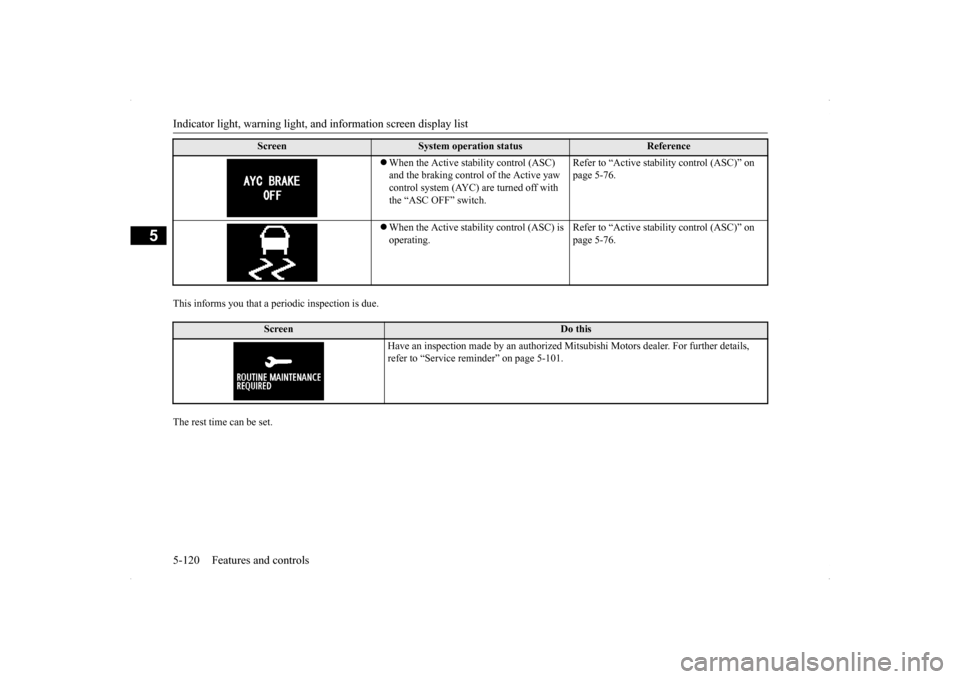
This informs you that a periodic inspection is due. The rest time can be set.
Screen
System operation status
Reference
When the Active stability control (ASC) and the braking control of the Active yaw control system (AYC) are turned off with the “ASC OFF” switch.
Refer to “Active stability control (ASC)” on page 5-76.
When the Active stability control (ASC) is operating.
Refer to “Active stability control (ASC)” on page 5-76.
Screen
Do this
Have an inspection made by an authorized Mitsubishi Motors dealer. For further details, refer to “Service reminder” on page 5-101.
BK0200800US.book
120 ページ 2013年2月14日 木曜日 午後2時28分
Page 183 of 338
Warning lights 5-122 Features and controls
5
N00520300147 N00520400483
This light comes on when the ignition switch is turned to the “ON” position (engine off).When the engine is started, the light should go off a few seconds later. A warning is also displayed in the multi-information display.The warning light also illuminates after start-ing the engine under the following condi- tions. When the parking brake is still applied. When the brake fluid level is low. When the brake system circuit is not working properly.
Before driving, be sure that the parking brake is fully released and brake warning light isoff.
N00520500787
This indicator is a part of the onboard diag- nostic (OBD) system which monitors the emissions, engine control system or TwinClutch SST control sy
stem. If a problem is
detected in one of these systems, this indica- tor illuminates or flashes. When the ignitionswitch is turned to the “ON” position, thisindicator normally comes on and goes off after the engine has started. This indicator will come on if the fuel tank filler cap is not properly tightened. If thisindicator comes on and stays on after refuel- ing, stop the engine and check that the cap is properly tightened. (Turn the cap clockwiseuntil you hear clicking sounds.) If this indicator does not go off after several seconds or lights up while driving, have thesystem checked as soon as possible at an authorized Mitsubishi Motors dealer or a repair facility of your choice.
Warning lights Brake warning light
NOTE
Under conditions such as sporty driving, the brake fluid in the tank may move and the warning light may come on temporarily.If the warning light goes out after a while, there is not a problem with the brake system and the vehicle can be driven normally.
CAUTION If the brake warning light and the Anti-lock braking system warning light are illuminated at the same time, the braking force distribu- tion function will not operate, so the vehicle may be destabilized during sudden brakingunder the following conditions.• When the brake warning light does not goout even when the parking brake is released.• When the brake warning light stays onwhile driving.• If the above occurs, avoid sudden brakingand high-speed driving. Park the vehicle in a safe place, and contact an authorized Mit-subishi Motors dealer or a repair facility of your choice as soon as possible.
The vehicle should be brought to a halt in the following manner when brake performance is deteriorated.• Confirm that the vehicle slows down whenyou press down on the brake pedal harderthan usual. In some cases, the brake pedal may go all the way to the floor.• Should the brakes fail, use engine brakingto reduce your speed and slowly apply the parking brake.Depress the brake pedal to illuminate the stop lights to alert the vehicles behind you.
Engine malfunction indicator (“SERVICE ENGINE SOON” or “Check engine light”)
BK0200800US.book
122 ページ 2013年2月14日 木曜日 午後2時28分
Page 184 of 338
Information screen display
Features and controls 5-123
5
N00520600296
This light comes on in the event of a malfunc- tion in the charging system or when the igni- tion switch is turned to the “ON” position (engine off). A warning is also displayed inthe multi-information display. When the engine is started,
the light should go out.
Check to make sure that the light has goneout before driving.
N00558300012 N00558400114
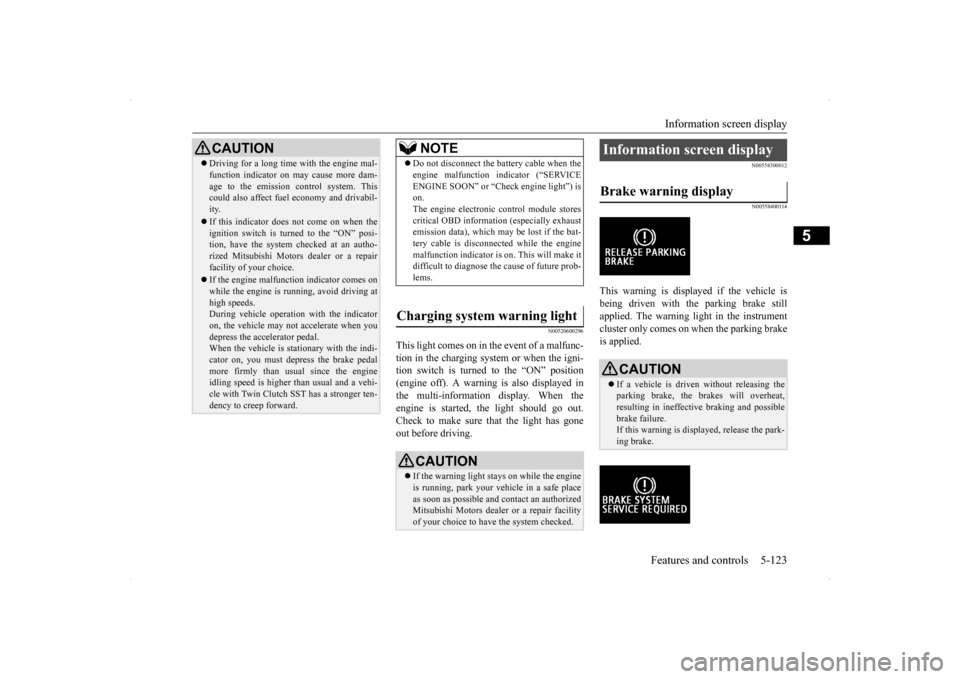
This warning is displayed if the vehicle is being driven with the parking brake stillapplied. The warning light in the instrument cluster only comes on when the parking brake is applied.
CAUTION Driving for a long time with the engine mal- function indicator on may cause more dam- age to the emission control system. This could also affect fuel economy and drivabil- ity. If this indicator does not come on when the ignition switch is turned to the “ON” posi-tion, have the system checked at an autho- rized Mitsubishi Motors dealer or a repair facility of your choice. If the engine malfunction indicator comes on while the engine is running, avoid driving athigh speeds. During vehicle operation with the indicator on, the vehicle may not accelerate when youdepress the accelerator pedal. When the vehicle is stationary with the indi- cator on, you must depress the brake pedalmore firmly than usual since the engine idling speed is higher than usual and a vehi- cle with Twin Clutch SST has a stronger ten-dency to creep forward.
NOTE
Do not disconnect the battery cable when the engine malfunction indicator (“SERVICE ENGINE SOON” or “Check engine light”) is on. The engine electronic control module storescritical OBD information (especially exhaust emission data), which may be lost if the bat- tery cable is disconnected while the enginemalfunction indicator is on. This will make it difficult to diagnose the cause of future prob- lems.
Charging system warning light
CAUTION If the warning light stays on while the engine is running, park your vehicle in a safe place as soon as possible and contact an authorizedMitsubishi Motors dealer or a repair facility of your choice to have the system checked.
Information screen display Brake warning display
CAUTION If a vehicle is driven without releasing the parking brake, the brakes will overheat,resulting in ineffective braking and possible brake failure. If this warning is displayed, release the park-ing brake.
BK0200800US.book
123 ページ 2013年2月14日 木曜日 午後2時28分
Page 199 of 338
Bluetooth® 2.0 interface 5-138 Features and controls
5
Bluetooth
® is a registered trademark of
BLUETOOTH SIG, INC.
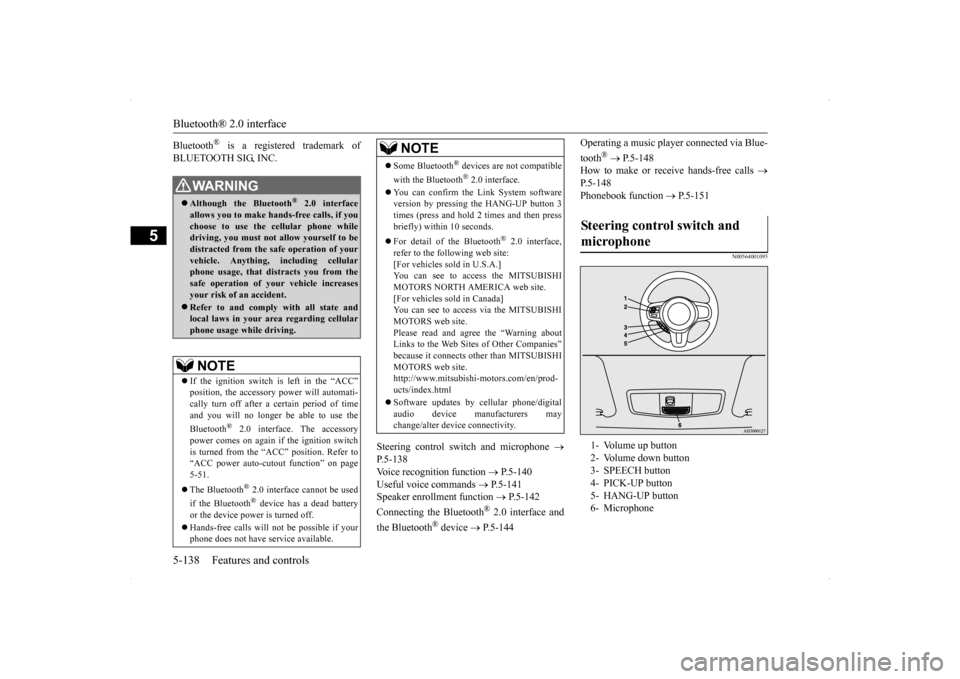
Steering control switch and microphone
P.5-138Voice recognition function
P.5-140
Useful voice commands
P.5-141
Speaker enrollment function
P.5-142
Connecting the Bluetooth
® 2.0 interface and
the Bluetooth
® device
P.5-144
Operating a music player connected via Blue- tooth
® P.5-148
How to make or receive hands-free calls
P.5-148Phonebook function
P.5-151
N00564001095
WA R N I N GAlthough the Bluetooth
® 2.0 interface
allows you to make hands-free calls, if you choose to use the cellular phone whiledriving, you must not allow yourself to be distracted from the safe operation of your vehicle. Anything, including cellularphone usage, that di
stracts you from the
safe operation of your vehicle increases your risk of an accident. Refer to and comply with all state and local laws in your area regarding cellularphone usage while driving.NOTE
If the ignition switch is left in the “ACC” position, the accessory power will automati- cally turn off after a
certain period of time
and you will no longer be able to use the Bluetooth
® 2.0 interface. The accessory
power comes on again if the ignition switch is turned from the “ACC” position. Refer to“ACC power auto-cutout function” on page 5-51. The Bluetooth
® 2.0 interface cannot be used
if the Bluetooth
® device has a dead battery
or the device power is turned off. Hands-free calls will not be possible if your phone does not have service available.
Some Bluetooth
® devices are not compatible
with the Bluetooth
® 2.0 interface.
You can confirm the Link System software version by pressing the HANG-UP button 3times (press and hold 2 times and then press briefly) within 10 seconds. For detail of the Bluetooth
® 2.0 interface,
refer to the following web site:[For vehicles sold in U.S.A.] You can see to access the MITSUBISHI MOTORS NORTH AMERICA web site.[For vehicles sold in Canada] You can see to access via the MITSUBISHI MOTORS web site.Please read and agree the “Warning about Links to the Web Site
s of Other Companies”
because it connects other than MITSUBISHIMOTORS web site. http://www.mitsubishi-motors.com/en/prod- ucts/index.html Software updates by cellular phone/digital audio device manufacturers maychange/alter device connectivity.NOTE
Steering control switch and microphone 1- Volume up button 2- Volume down button 3- SPEECH button 4- PICK-UP button5- HANG-UP button 6- Microphone
BK0200800US.book
138 ページ 2013年2月14日 木曜日 午後2時28分
Page 200 of 338

Bluetooth® 2.0 interface
Features and controls 5-139
5
Press this button to increase the volume. Press this button to decrease the volume. Press this button to change to voice recog- nition mode. While the system is in voice recognitionmode, “Listening” will appear on the audio display. If you press the button briefly while in voice recognition mode, it will interrupt prompting and allow voice commandinput. Pressing the button longer will deactivate the voice recognition mode.
Pressing this button briefly during a call will enable voice recognition and allow voice command input. Press this button when an incoming call is received to answer the telephone. When another call is received during a call, press this button to put the first caller on hold and talk to the new caller. • In such circumstances, you can press the button briefly to switch between callers. You will switch to the first caller and theother caller will be put on hold. • To establish a three-way call in such situ- ations, press the SPEECH button to entervoice recognition mode and then say“Join calls.”
Press this button when an incoming call is received to refuse the call. Press this button during a call to end the current call. When another call is on hold, you will switch to that call. If this button is pressed in the voice recog- nition mode, the voice recognition mode will be deactivated.
N00575800025
Your voice will be recognized by a micro-phone in the overhead console, allowing you
Volume up button Volume down button SPEECH button
NOTE
On a vehicle equipped with a Mitsubishi Multi-Communication System, pressing the SPEECH button will beep and activated the voice recognition mode of Mitsubishi Multi-Communication System. When you use the voice recognition of the Bluetooth
® 2.0
interface, press the PICK-UP button.
PICK-UP button
NOTE
On a vehicle equipped with a Mitsubishi Multi-Communication System, pressing thePICK-UP button except when an incoming call is received to answer the telephone will activate the voice recognition of the Blue- tooth
® 2.0 interface.
HANG-UP button
NOTE
When you press the SPEECH button to enter voice recognition mode with a cellular phonepaired to the system, current information on the cellular phone, such as “remaining bat- tery life,” “signal strength” or “roaming,”will be displayed on the audio display.
*
* : Some cellular phones will not send this information to the Bluetooth
® 2.0 interface.
Call waiting and three-way calls can be used by the Bluetooth
® 2.0 interface, only if it is
possible to use those services with your cel- lular phone.
Microphone
BK0200800US.book
139 ページ 2013年2月14日 木曜日 午後2時28分
Page 234 of 338
Braking
Driving safety 6-5
6
Stay at low speeds at first so that the transaxle, transfer case and rear axle oil have time to spread to all the lubrication points. Manual transaxle can be harder to shift in cold weather conditions. This is normal and shifting will get easier as the transaxlewarms up. Check the engine antifreeze. If there is not enough coolant because of aleak or from engine overheating, add Mit-subishi Motors Genuine Super Long Life Coolant Premium or equivalent. Please read this section in conjunctionwith the “Engine coolant” on page 9-7.
Mitsubishi Motors recommends that the standard equipment tires be replaced with winter tires when the vehicle is going to be used in winter.The standard equipment tires provided with this vehicle are summer tires and use a high-grip compound that provides supe-rior grip. The road grip, however, is reduced in win- ter.When replacing the standard equipmenttires with winter tires, all four tires must be replaced using radial identicalsize win- ter tires.
N00629500374
All the parts of the brake system are criticalto safety. Have the vehicle serviced by anauthorized Mitsubishi Motors dealer or a repair facility of your choice at regular inter- vals according to the “WARRANTY ANDMAINTENANCE MANUAL”. Check the brake system while driving at a low speed immediately after starting, espe- cially when the brakes are wet, to confirm they work normally.
A film of water can be formed on the brake discs and prevent normal braking after driv- ing in heavy rain or through large puddles, or after the vehicle is wash
ed. If this occurs, dry
the brakes out by driving slowly while lightly depressing the brake pedal. On snowy roads, ice can form on the braking system, making the brakes less effective. While driving in such conditions, pay close attention to preceding and following vehiclesand to the condition of
the road surface. From
time to time, lightly depress the brake pedal and check how effective the brakes are. It is important to take advantage of the engine braking by shifting to a lower gear whiledriving on steep downhill roads in order to prevent the brakes from overheating.
WA R N I N G Never open the radiator cap when the radiator is hot. You could be seriously burned.
Braking When brakes are wet
When driving in cold weather When driving downhill
BK0200800US.bo
ok 5 ページ 2013年2月14日 木曜日 午後2時28分
Page 261 of 338
Engine overheating 8-4 For emergencies
8
If you drive your vehicle with a low battery charge, after the engine has been started byusing jumper cables, the engine may misfire. This can cause the anti-lock braking system warning light to blink on and off. This is onlydue to the low battery voltage. It is not a problem with the brake system. If this hap- pens, fully charge the battery and ensure thecharging system is operating properly.
N00836500033
When the engine is overheating, the informa-tion screen in the multi-information display will be interrupted and the engine coolant temperature warning display will appear. Also “ ” will blink. If this happens:
1. Stop the vehicle in a safe place. Turn on the hazard warning flashers. 2. With the engine still running, carefully raise the engine hood to vent the enginecompartment. 3. Check that the cooling fans is running. If the fan is not turning, stop the engineimmediately and contact an authorized Mitsubishi Motors dealer or a repair facil- ity of your choice for assistance. 4. If you see steam or spray coming from under the hood, turn off the engine.
5. If you do not see steam or spray coming from under the hood, leave the engine on until the bar graph for the engine coolant temperature warning display on the multi-information display goes down. When it is in the middle of the normal zone, you can start driving again. If the bar graphstays in the red zone, turn off the engine. 6. When you do not see any more steam or spray, open the hood. Look for obvious leaks, such as a split radiator hose. Be careful as components will be hot. Anyleak source must be repaired. 7. If there is no obvious leak source, check the coolant level in the reserve tank. Ifthere is none, or if it is too low, slowly add coolant.
This vehicle is equipped with a mainte- nance-free battery located in the trunk. To assure proper battery installation and venting of flammable gases, the battery must be serviced and/or replaced by anauthorized Mitsubishi dealer only.
As your vehicle has anti-lock brakes Engine overheating
WA R N I N G
WA R N I N G To avoid personal injury, keep hands, hair, jewelry and clothes away from the cooling fans. The cooling fans can start at any time.
WA R N I N G Before raising the engine hood, check to see if there is steam or spray coming fromunder the hood. Steam or spray coming from an overheated engine could seriously scald you.Do not open the hood until there is no steam or spray.
BK0200800US.bo
ok 4 ページ 2013年2月14日 木曜日 午後2時28分
Page 269 of 338
Operation under adverse driving conditions 8-12 For emergencies
8
N00837200691
If your vehicle becomes stuck in snow, sand, or mud, it can often be
moved by a rocking
motion. Rock your vehicle back and forth tofree it. Do not rev the engine or spin the wheels. Constant efforts to free a stuck vehicle cancause overheating and transaxle failure. Let the engine idle for a few minutes to cool the transaxle before trying again.If your vehicle is still stuck after several rock- ing attempts, call for a commercial tow truck service.
When driving on a road covered with snow or ice, use snow tires. Tire chains cannot be used on your vehicle. Theremay be state or local regulations about using snow tires. Always check the regu- lations in your local area before usingthem. Refer to the section entitled “Snow tires” on page 9-19
and “Tire chains” on
page 9-19. Drive slowly. Do not make sudden starts or stops, sharp turns, or slam on the brakes. Allow extra distance between your vehi- cle and the vehicle in front of you, and avoid sudden braking. If a skid occurs when the accelerator pedal is depressed, take your foot off the pedal. Steer gently in the direction of the skid. Your vehicle is equipped with an anti-lock braking system (ABS). Hold the brake pedal down firmly and keep it depressed.Do not pump the brake pedal which will result in reduced braking performance. After parking on snowy or icy road, it may be difficult to move your vehicle due to freeze-up of the brake. Depress the accelerator pedal little by little to movethe vehicle after confirming safety of the vehicle.
Do not tow all-wheel dr
ive vehicles with the
front or rear wheels on the ground (Type B or Type C) as illustrated. This could result in the driving system damage or vehicle may jump at the carriage.If you tow all-wheel drive vehicles, use Type D or Type E equipment.
Operation under adverse driving conditions If your vehicle becomes stuck in sand, mud or snow
CAUTION
WA R N I N G When trying to rock your vehicle out of a stuck position, make sure that there are no people nearby. The rocking motion can make your vehicle suddenly lurch forward or backward, and injure any bystanders.
On wet roads
CAUTION Avoid flooded roads. Water is often deeper than it looks, and you could be seriously hurt by driving into flood water. When driving in rain, on water-covered roads, or through a car wash, water could getinto the brake discs and make them fail tem- porarily. In such cases, lightly press the brake pedal to see if they are working prop-erly. If they are not, press the pedal lightly several times while driving to dry the brake pads or linings, then check them again. When driving in rain, a layer of water may form between the tires and the road surface(aquaplaning). This loosens your tires’ grip on the road, making it difficult to steer or brake properly. When driving on a wet road:• Drive your vehicle at a safe speed.• Do not drive on worn tires.• Always keep the tires at the correct infla- tion pressures.
On snowy or icy roads
BK0200800US.bo
ok 12 ページ 2013年2月14日 木曜日 午後2時28分
Page 272 of 338
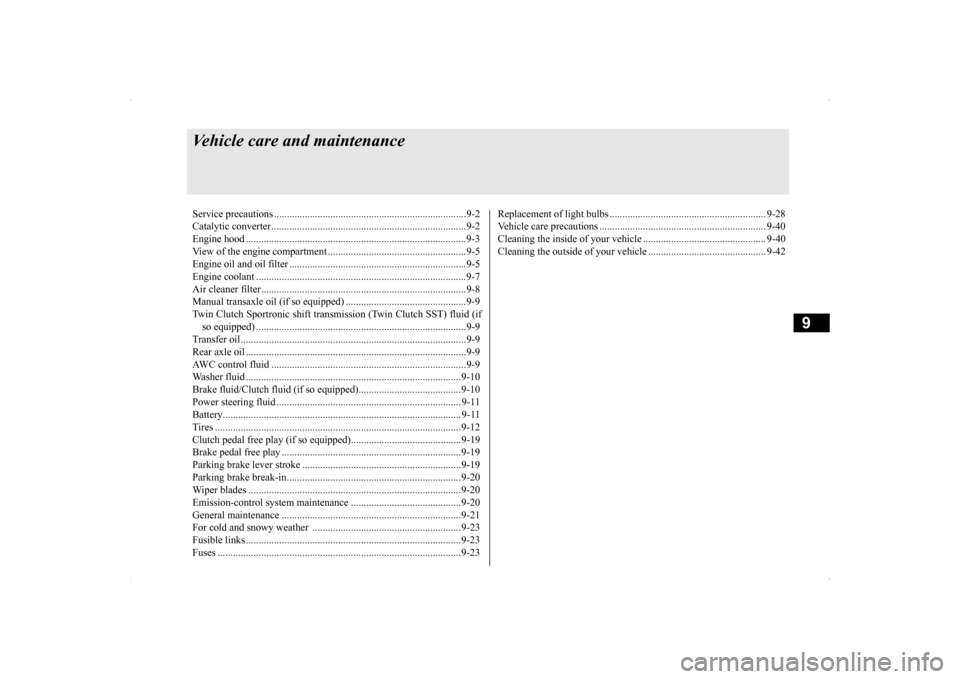
9
Vehicle care and maintenanceService precautions ..........
.................................................................9-2
Catalytic converter .
.................................................
..........................9-2
Engine hood ...............................
.......................................................9-3
View of the engine co
mpartment ......................................................9-5
Engine oil and oil filt
er ...........................................
..........................9-5
Engine coolant .................
.................................................................9-7
Air cleaner filter.....
.................................................
..........................9-8
Manual transaxle oil (if so
equipped) ...............................................9-9
Twin Clutch Sportronic shift trans
mission (Twin Clutch SST) fluid (if
so equipped) ...........................
.......................................................9-9
Transfer oil.......................
.................................................................9-9
Rear axle oil .....................
.................................................................9-9
AWC control fluid ...........
.................................................................9-9
Washer fluid .....................
...............................................................9-10
Brake fluid/Clutch fluid (if
so equipped)........................................9-10
Power steering fluid
................................................
........................ 9-11
Battery........................................
..................................................... 9-11
Tires ...........................................
.....................................................9-12
Clutch pedal free play (if so equipped)...........................................9-19Brake pedal free play
..............................................
........................9-19
Parking brake lever stroke ..............................................................9-19 Parking brake break-in
............................................
........................9-20
Wiper blades ..............................
.....................................................9-20
Emission-control system maintenance ...........................................9-20 General maintenance
..............................................
........................9-21
For cold and snowy weat
her ..........................................................9-23
Fusible links .....................
...............................................................9-23
Fuses ..........................................
.....................................................9-23
Replacement of light bul
bs ....................................
......................... 9-28
Vehicle care precautions
........................................
......................... 9-40
Cleaning the inside of you
r vehicle ................................................ 9-40
Cleaning the outside of your
vehicle .............................................. 9-42
BK0200800US.bo
ok 1 ページ 2013年2月14日 木曜日 午後2時28分