ECO mode MITSUBISHI LANCER EVOLUTION 2015 10.G User Guide
[x] Cancel search | Manufacturer: MITSUBISHI, Model Year: 2015, Model line: LANCER EVOLUTION, Model: MITSUBISHI LANCER EVOLUTION 2015 10.GPages: 338, PDF Size: 43.12 MB
Page 124 of 338
Twin Clutch SST (Sportronic Shif
t Transmission) (if so equipped) Features and controls 5-63
5
N00540300013
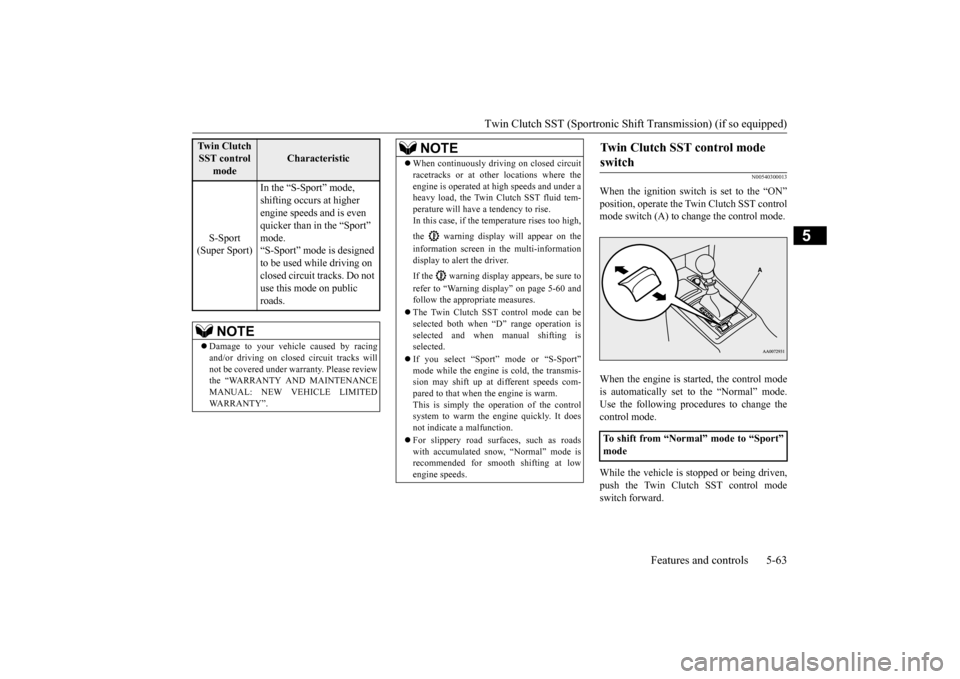
When the ignition switch is set to the “ON” position, operate the Twin Clutch SST control mode switch (A) to change the control mode. When the engine is started, the control mode is automatically set to the “Normal” mode. Use the following procedures to change the control mode. While the vehicle is stopped or being driven, push the Twin Clutch SST control modeswitch forward.
S-Sport
(Super Sport)
In the “S-Sport” mode, shifting occurs at higher engine speeds and is even quicker than in the “Sport” mode. “S-Sport” mode is designed to be used while driving on closed circuit tracks. Do not use this mode on public roads.
NOTE
Damage to your vehicle caused by racing and/or driving on closed circuit tracks will not be covered under warranty. Please reviewthe “WARRANTY AND MAINTENANCE MANUAL: NEW VEHICLE LIMITED WARRANTY”.
Tw i n C l u t c h SST control
mode
Characteristic
When continuously driving on closed circuit racetracks or at other locations where the engine is operated at high speeds and under a heavy load, the Twin Clutch SST fluid tem- perature will have a tendency to rise.In this case, if the temperature rises too high, the warning display will appear on the information screen in the multi-information display to alert the driver. If the warning display appears, be sure to refer to “Warning display” on page 5-60 and follow the appropriate measures. The Twin Clutch SST control mode can be selected both when “D” range operation is selected and when manual shifting is selected. If you select “Sport” mode or “S-Sport” mode while the engine is cold, the transmis-sion may shift up at different speeds com- pared to that when the engine is warm. This is simply the operation of the controlsystem to warm the engine quickly. It does not indicate a malfunction. For slippery road surfaces, such as roads with accumulated snow, “Normal” mode is recommended for smooth shifting at low engine speeds.NOTE
Twin Clutch SST control mode switch
To shift from “Normal” mode to “Sport” mode
BK0210800US.bo
ok 63 ページ 2014年4月8日 火曜日 午前11時28分
Page 125 of 338
Twin Clutch SST (Sportronic Shif
t Transmission) (if so equipped)
5-64 Features and controls
5
While the vehicle is stopped, push the Twin Clutch SST control mode switch forward and hold it for 3 seconds or more. While the vehicle is stopped or being driven, push the Twin Clutch SST control modeswitch rearward.
N00540400098
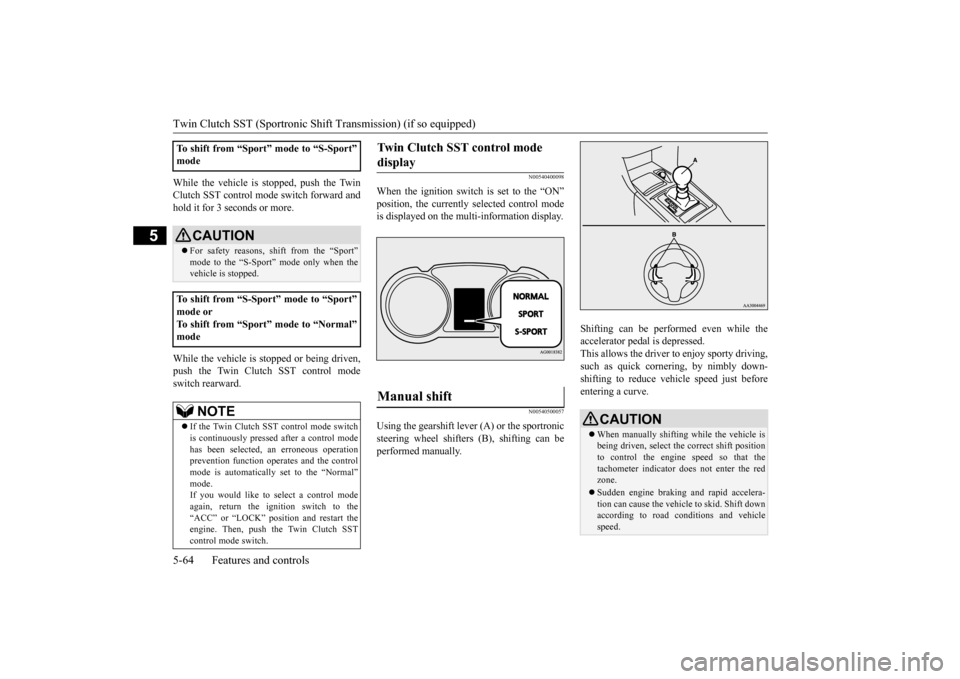
When the ignition switch is set to the “ON” position, the currently selected control mode is displayed on the multi-information display.
N00540500057
Using the gearshift lever (A) or the sportronic steering wheel shifters (B), shifting can be performed manually.
Shifting can be performed even while the accelerator pedal is depressed. This allows the driver to enjoy sporty driving,such as quick cornering, by nimbly down- shifting to reduce vehi
cle speed just before
entering a curve.
To shift from “Sport” mode to “S-Sport” mode
CAUTION For safety reasons, shift from the “Sport” mode to the “S-Sport” mode only when thevehicle is stopped.
To shift from “S-Sport” mode to “Sport” mode or To shift from “Sport” mode to “Normal” mode
NOTE
If the Twin Clutch SST control mode switch is continuously pressed after a control mode has been selected, an erroneous operation prevention function operates and the control mode is automatically set to the “Normal” mode.If you would like to select a control mode again, return the ignition switch to the “ACC” or “LOCK” position and restart theengine. Then, push the Twin Clutch SST control mode switch.
Twin Clutch SST control mode display
Manual shift
CAUTION When manually shifting while the vehicle is being driven, select the correct shift positionto control the engine speed so that the tachometer indicator does not enter the red zone. Sudden engine braking and rapid accelera- tion can cause the vehicle to skid. Shift downaccording to road conditions and vehicle speed.
BK0210800US.bo
ok 64 ページ 2014年4月8日 火曜日 午前11時28分
Page 134 of 338
S-AWC (Super-All Wheel Control)
Features and controls 5-73
5
The currently selected control mode is dis- played on the multi-information display. In addition, when the control mode is changed, the selected mode appears on theinterrupt display screen of the information screen in the multi-information display. The control mode display will appear on theinformation screen for a few seconds, and then the original screen will return.
N00542500048
The S-AWC operation status can be displayedon the information screen in the multi-infor- mation display.To display the status, press the multi-informa- tion meter switch to change the information screen.Refer to “Information screen (when the igni- tion switch is “ON”)” on page 5-96.
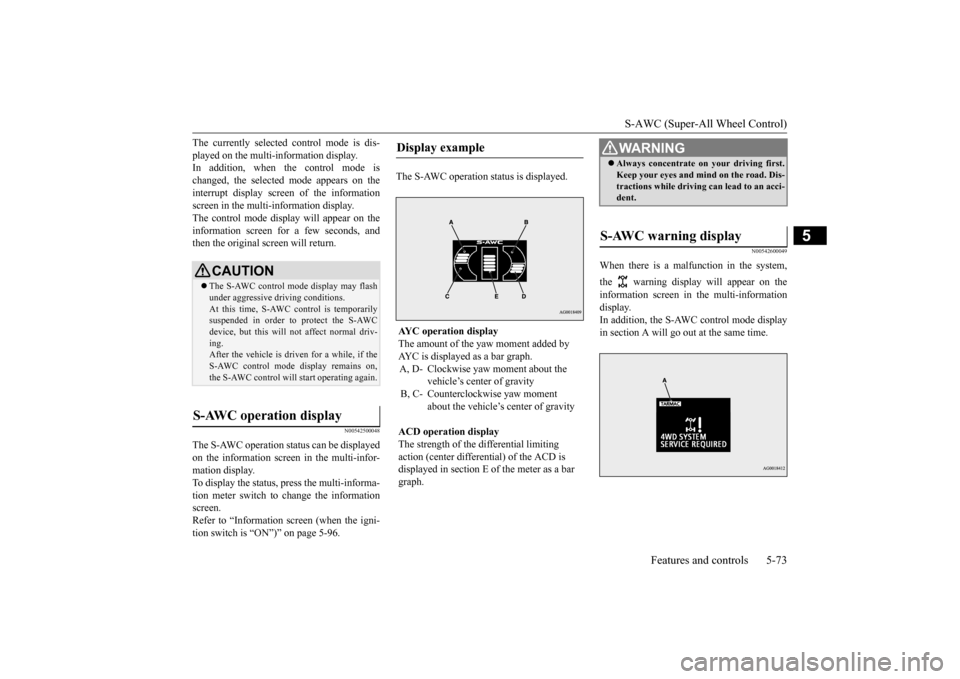
The S-AWC operation status is displayed.
N00542600049
When there is a malfunction in the system, the warning display will appear on the information screen in the multi-information display. In addition, the S-AWC control mode display in section A will go out at the same time.
CAUTION The S-AWC control mode display may flash under aggressive driving conditions. At this time, S-AWC control is temporarily suspended in order to protect the S-AWCdevice, but this will not affect normal driv- ing. After the vehicle is driven for a while, if theS-AWC control mode display remains on, the S-AWC control will start operating again.
S-AWC operation display
Display example AYC operation display The amount of the yaw moment added by AYC is displayed as a bar graph.A, D- Clockwise yaw moment about the
vehicle’s center of gravity
B, C- Counterclockwise yaw moment
about the vehicle’s center of gravity
ACD operation display The strength of the differential limiting action (center differential) of the ACD is displayed in section E of the meter as a bar graph.
WA R N I N G Always concentrate on your driving first. Keep your eyes and mind on the road. Dis- tractions while driving can lead to an acci- dent.
S-AWC warning display
BK0210800US.bo
ok 73 ページ 2014年4月8日 火曜日 午前11時28分
Page 138 of 338
Active stability control (ASC) Features and controls 5-77
5
N00559200021
On slippery surfaces, the traction control function prevents the dr
ive wheels from spin-
ning excessive, thus helping the vehicle to start moving from a stopped condition. It also provides sufficient driving force and steeringperformance as the vehicle turns while press- ing the acceleration pedal.
N00546800010
The skid control function is designed to help the driver maintain control of the vehicle onslippery roads or during rapid steering
maneuvers. It works by controlling the engine output and the brake on each wheel.
N00559400209
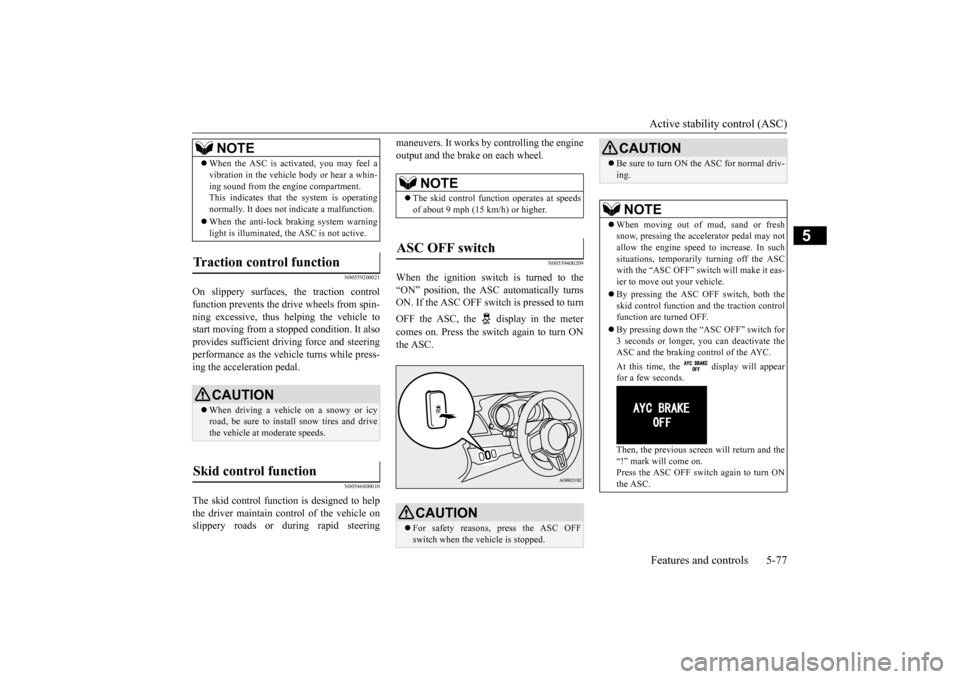
When the ignition switch is turned to the “ON” position, the ASC automatically turns ON. If the ASC OFF switch is pressed to turn OFF the ASC, the display in the meter comes on. Press the switch again to turn ON the ASC.
When the ASC is activated, you may feel a vibration in the vehicle body or hear a whin- ing sound from the engine compartment. This indicates that the system is operating normally. It does not indicate a malfunction. When the anti-lock braking system warning light is illuminated, the ASC is not active.
Traction control function
CAUTION When driving a vehicle on a snowy or icy road, be sure to install snow tires and drivethe vehicle at moderate speeds.
Skid control function
NOTE
NOTE
The skid control function operates at speeds of about 9 mph (15 km/h) or higher.
ASC OFF switch
CAUTION For safety reasons, press the ASC OFF switch when the vehicle is stopped.
Be sure to turn ON the ASC for normal driv- ing.NOTE
When moving out of mud, sand or fresh snow, pressing the accelerator pedal may not allow the engine speed to increase. In such situations, temporarily turning off the ASCwith the “ASC OFF” switch will make it eas- ier to move out your vehicle. By pressing the ASC OFF switch, both the skid control function and the traction control function are turned OFF. By pressing down the “ASC OFF” switch for 3 seconds or longer, you can deactivate theASC and the braking control of the AYC. At this time, the display will appear for a few seconds. Then, the previous screen will return and the “!” mark will come on. Press the ASC OFF switch again to turn ONthe ASC.CAUTION
BK0210800US.bo
ok 77 ページ 2014年4月8日 火曜日 午前11時28分
Page 143 of 338
Cruise control 5-82 Features and controls
5
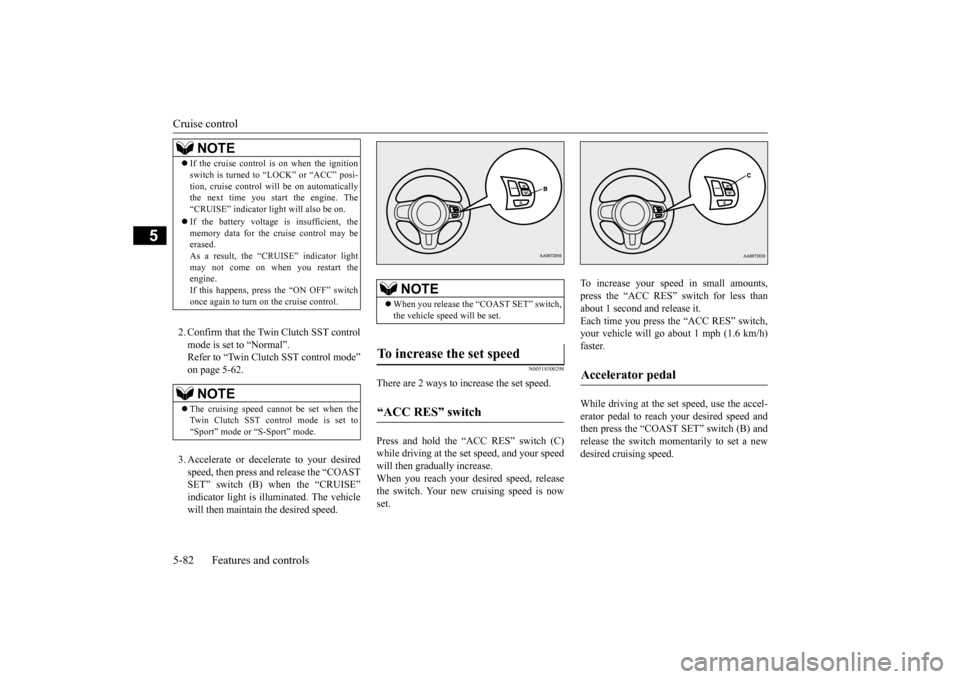
2. Confirm that the Twin Clutch SST control mode is set to “Normal”. Refer to “Twin Clutch SST control mode”on page 5-62. 3. Accelerate or decelerate to your desired speed, then press and release the “COASTSET” switch (B) when the “CRUISE” indicator light is illuminated. The vehicle will then maintain the desired speed.
N00518500298
There are 2 ways to increase the set speed. Press and hold the “ACC RES” switch (C) while driving at the set speed, and your speed will then gradually increase. When you reach your desired speed, releasethe switch. Your new cruising speed is now set.
To increase your speed in small amounts, press the “ACC RES” switch for less than about 1 second and release it.Each time you press the “ACC RES” switch, your vehicle will go about 1 mph (1.6 km/h) faster. While driving at the set speed, use the accel- erator pedal to reach
your desired speed and
then press the “COAST SET” switch (B) andrelease the switch momentarily to set a new desired cruising speed.
NOTE
If the cruise control is on when the ignition switch is turned to “LOCK” or “ACC” posi- tion, cruise control will be on automatically the next time you start the engine. The “CRUISE” indicator light will also be on. If the battery voltage is insufficient, the memory data for the cruise control may beerased. As a result, the “CRUISE” indicator light may not come on when you restart theengine. If this happens, press the “ON OFF” switch once again to turn on the cruise control.NOTE
The cruising speed cannot be set when the Twin Clutch SST control mode is set to “Sport” mode or “S-Sport” mode.
NOTE
When you release the “COAST SET” switch, the vehicle speed will be set.
To increase the set speed “ACC RES” switch
Accelerator pedal
BK0210800US.bo
ok 82 ページ 2014年4月8日 火曜日 午前11時28分
Page 151 of 338
Multi-information display 5-90 Features and controls
5
N00555000207
The multi-information display displays warn
ings, the odometer, trip odometer, service re
minder, engine coolant temperature, fue
l remaining, out-
side temperature, Twin Clutch SST contro
l mode, S-AWC (Super-All Wheel Control) control mode, gearshift lever position, average
and momen-
tary fuel consumption, driving range, average speed, S-AWC (Super-
All Wheel Control) operation display, instrument brightness,
etc.
It is also possible to change elements such as th
e language and units used on the multi-information display.
NOTE
You can adjust to 8 different levels respec- tively for when the front side-marker and parking lights are illuminated and when they are not. If the vehicle is equipped with the automatic light control, when the light switch is in a position other than the “OFF” position, themeter illumination switches automatically to the adjusted brightness, depending on the brightness outside the vehicle. The brightness level of the instruments is stored when the ignition switch is turned off.
If you press and hold the button for longer than about 1 second when the front side- marker and parking lights are illuminated, the brightness level changes to the maximum level. Pressing and holding the button forlonger than about 1 second again returns the brightness level to the previous level.NOTE
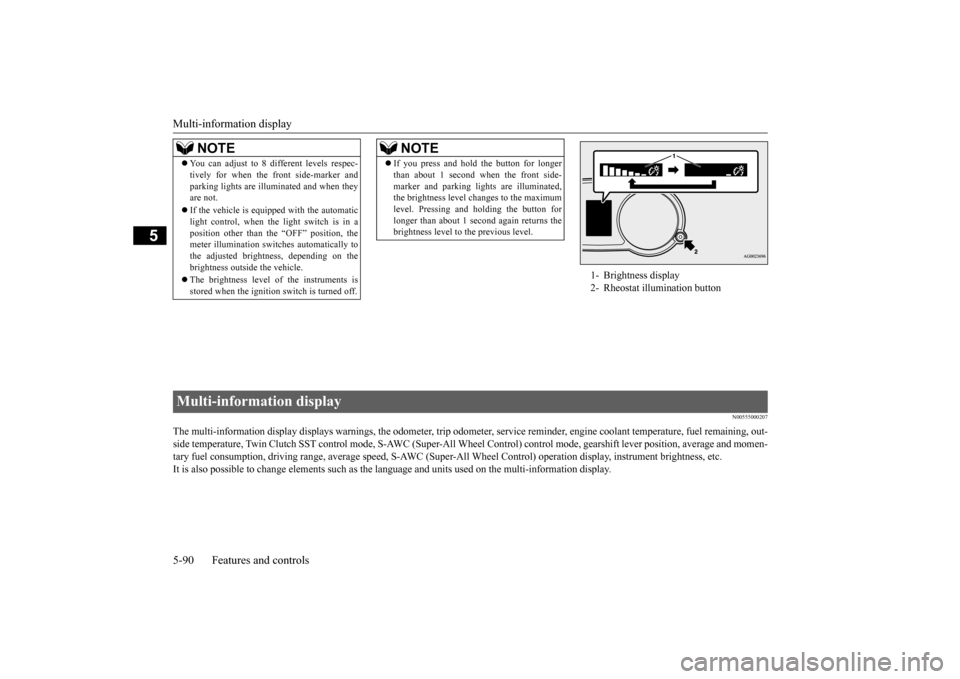
1- Brightness display 2- Rheostat illumination button
Multi-information display BK0210800US.bo
ok 90 ページ 2014年4月8日 火曜日 午前11時28分
Page 158 of 338
Multi-information display
Features and controls 5-97
5
The operation method is the same as when the ignition switch is in the “OFF” position. For further details, refer to “Odometer/Tripodometer” on page 5-93. Shows the distance and number of months until the next periodic inspection. Refer to “Service reminder” on page 5-101.
Shows the engine coolant temperature. If the coolant becomes hot, “ ” will blink. Pay careful attention to the engine coolant temperature display while you are driving. Shows the approximate driving range (how many more miles or kilometers you can drive). When this driving range falls below 30 miles (50 km), “---” is displayed.Refuel as soon as possible.
This displays the average speed from the last reset to the present.There are 2 types of mode settings as follows. For details on how to change the average speed display setting, refer to “Changing thefunction settings (With ignition switch in the “ON” position)” on page 5-103.
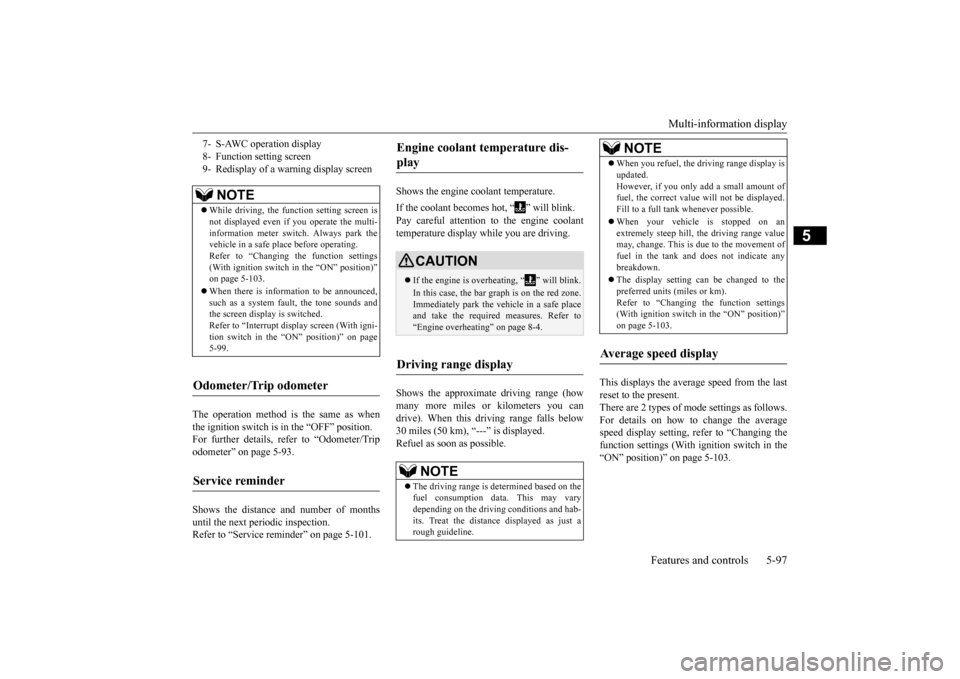
7- S-AWC operation display 8- Function setting screen9- Redisplay of a warning display screen
NOTE
While driving, the function setting screen is not displayed even if you operate the multi- information meter switch. Always park thevehicle in a safe place before operating. Refer to “Changing the function settings (With ignition switch in the “ON” position)”on page 5-103. When there is information to be announced, such as a system fault, the tone sounds and the screen display is switched. Refer to “Interrupt display screen (With igni-tion switch in the “ON” position)” on page 5-99.
Odometer/Trip odometer Service reminder
Engine coolant temperature dis- play
CAUTION If the engine is overheating, “ ” will blink. In this case, the bar graph is on the red zone. Immediately park the vehicle in a safe place and take the required measures. Refer to “Engine overheating” on page 8-4.
Driving range display
NOTE
The driving range is determined based on the fuel consumption data. This may vary depending on the driving conditions and hab-its. Treat the distance displayed as just a rough guideline.
When you refuel, the driving range display is updated. However, if you only add a small amount of fuel, the correct value will not be displayed. Fill to a full tank whenever possible. When your vehicle is stopped on an extremely steep hill, the driving range valuemay, change. This is due to the movement of fuel in the tank and does not indicate any breakdown. The display setting can be changed to the preferred units (miles or km).Refer to “Changing the function settings (With ignition switch in the “ON” position)” on page 5-103.
Average speed display
NOTE
BK0210800US.bo
ok 97 ページ 2014年4月8日 火曜日 午前11時28分
Page 161 of 338
Multi-information display 5-100 Features and controls
5
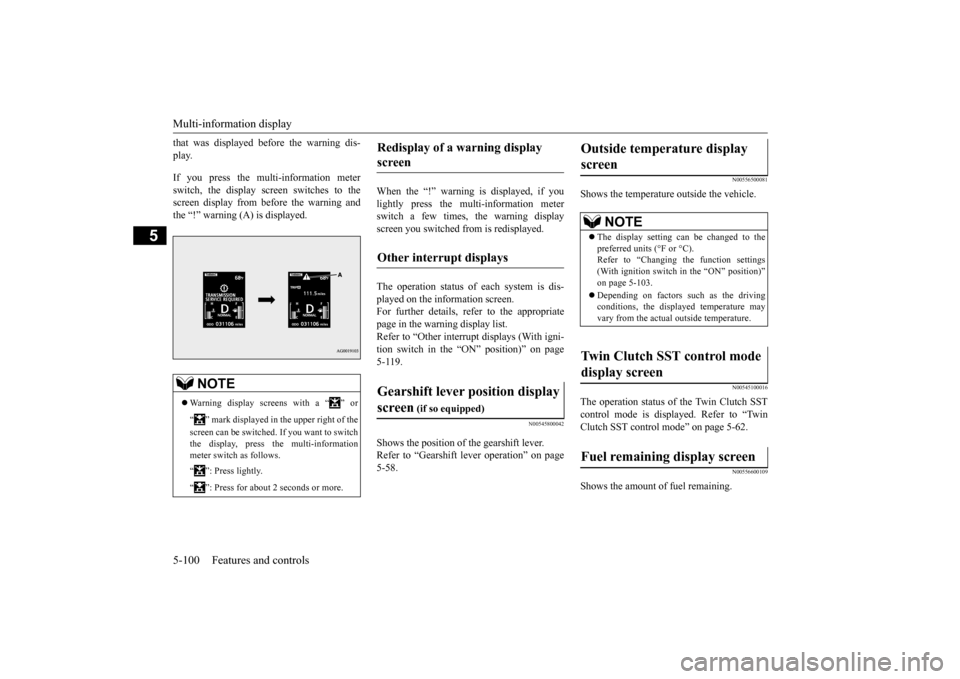
that was displayed before the warning dis- play. If you press the multi-information meter switch, the display screen switches to the screen display from before the warning andthe “!” warning (A) is displayed.
When the “!” warning is displayed, if you lightly press the multi-information meter switch a few times, the warning displayscreen you switched from is redisplayed. The operation status of each system is dis- played on the information screen.For further details, refer to the appropriate page in the warning display list. Refer to “Other interrupt displays (With igni-tion switch in the “ON” position)” on page 5-119.
N00545800042
Shows the position of the gearshift lever. Refer to “Gearshift lever operation” on page 5-58.
N00556500081
Shows the temperature outside the vehicle.
N00545100016
The operation status of the Twin Clutch SST control mode is displayed. Refer to “Twin Clutch SST control mode” on page 5-62.
N00556600109
Shows the amount of fuel remaining.
NOTE
Warning display screens with a “ ” or “ ” mark displayed in the upper right of the screen can be switched. If you want to switch the display, press the multi-information meter switch as follows. “ ”: Press lightly. “ ”: Press for about 2 seconds or more.
Redisplay of a warning display screen Other interrupt displays Gearshift lever position display screen
(if so equipped)
Outside temperature display screen
NOTE
The display setting can be changed to the preferred units (°F or °C).Refer to “Changing the function settings (With ignition switch in the “ON” position)” on page 5-103. Depending on factors such as the driving conditions, the displayed temperature mayvary from the actual outside temperature.
Twin Clutch SST control mode display screen Fuel remaining display screen
BK0210800US.book
100 ページ 2014年4月8日 火曜日 午前11時28分
Page 164 of 338
Multi-information display
Features and controls 5-103
5
N00555700116
If any of the doors or the trunk lid is not com- pletely closed, this displays the open door or trunk lid.If the speed increases to about 5 mph (8 km/h) or higher with a door ajar, a buzzer will sound 4 times to inform you that a door isajar.
N00556801166
1. Park your vehicle in a safe place. Firmly apply the parking brake and put the gearshift lever into the “N” (Neutral)position (manual transaxle) or the gear- shift lever into the “P” (PARK) position (Twin Clutch SST).2. When you lightly press the multi-informa-tion meter switch, the information screen switches to the function setting screen. Refer to “Information screen (With igni-tion switch in the “ON” position)” on page 5-96.
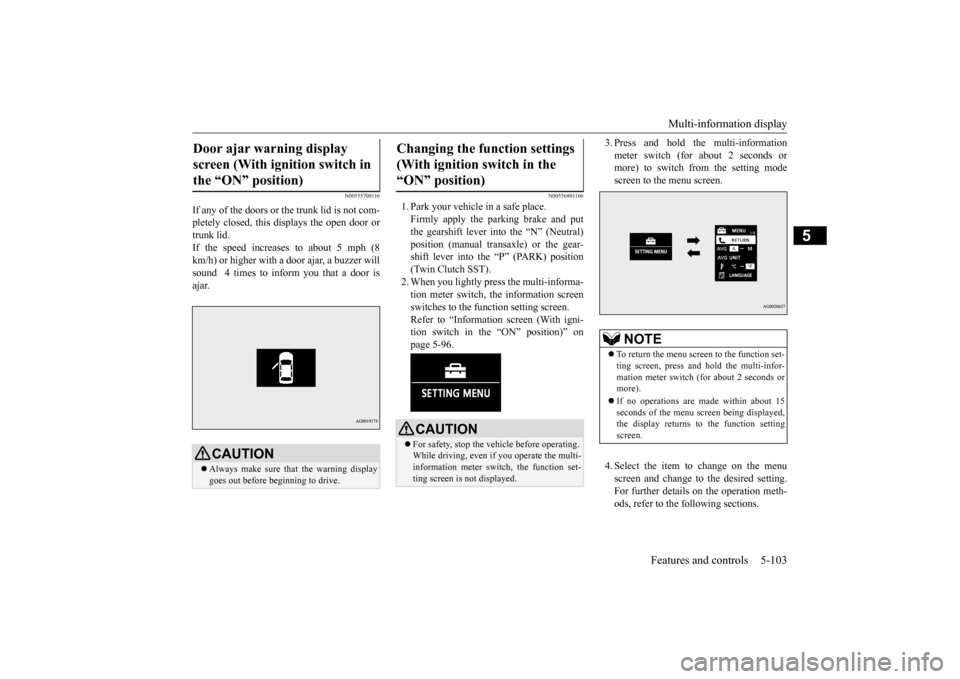
3. Press and hold the multi-information meter switch (for about 2 seconds or more) to switch from the setting mode screen to the menu screen. 4. Select the item to change on the menu screen and change to the desired setting.For further details on the operation meth- ods, refer to the following sections.
Door ajar warning display screen (With ignition switch in the “ON” position)
CAUTION Always make sure that the warning display goes out before beginning to drive.
Changing the function settings (With ignition switch in the “ON” position)
CAUTION For safety, stop the vehicle before operating. While driving, even if you operate the multi-information meter switch, the function set- ting screen is not displayed.
NOTE
To return the menu screen to the function set- ting screen, press and hold the multi-infor- mation meter switch (for about 2 seconds or more). If no operations are made within about 15 seconds of the menu screen being displayed,the display returns to the function setting screen.
BK0210800US.book
103 ページ 2014年4月8日 火曜日 午前11時28分
Page 165 of 338
Multi-information display 5-104 Features and controls
5
Refer to “Changing the reset mode for average fuel consum
ption and average
speed” on page 5-104. Refer to “Changing the fuel consumptiondisplay unit” on page 5-105. Refer to “Changing the temperature unit” on page 5-106.Refer to “Changing the display language” on page 5-106. Refer to “Operation sound setting” onpage 5-106.Refer to “Changing the time until “REST REMINDER” is displayed” on page 5-107.Refer to “Changing the turn signal sound” on page 5-107. Refer to “Changing the momentary fuelconsumption display” on page 5-108. Refer to “Returning to the factory set- tings” on page 5-108.
N00557000214
You can change the mode condition for theaverage fuel consumption and average speed display to “Auto reset” or “Manual reset.”
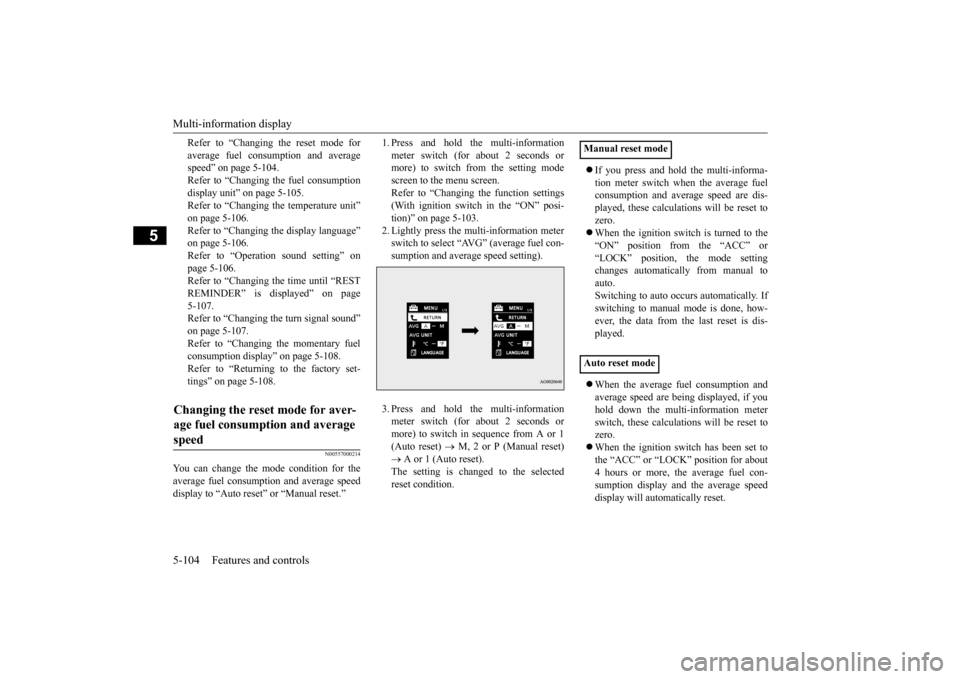
1. Press and hold the multi-information meter switch (for about 2 seconds or more) to switch from the setting mode screen to the menu screen.Refer to “Changing the function settings (With ignition switch in the “ON” posi- tion)” on page 5-103.2. Lightly press the multi-information meter switch to select “AVG” (average fuel con- sumption and average speed setting). 3. Press and hold the multi-information meter switch (for about 2 seconds or more) to switch in sequence from A or 1(Auto reset)
M, 2 or P (Manual reset)
A or 1 (Auto reset). The setting is changed to the selectedreset condition.
If you press and hold the multi-informa- tion meter switch when the average fuel consumption and average speed are dis- played, these calculations will be reset tozero. When the ignition switch is turned to the “ON” position from the “ACC” or“LOCK” position, the mode setting changes automatically from manual to auto.Switching to auto occurs automatically. Ifswitching to manual mode is done, how- ever, the data from the last reset is dis- played. When the average fuel consumption and average speed are being displayed, if you hold down the multi-information meter switch, these calculations will be reset tozero. When the ignition switch has been set to the “ACC” or “LOCK” position for about4 hours or more, the average fuel con- sumption display and the average speed display will automatically reset.
Changing the reset mode for aver- age fuel consumption and average speed
Manual reset mode Auto reset mode
BK0210800US.book
104 ページ 2014年4月8日 火曜日 午前11時28分