ECO mode MITSUBISHI LANCER EVOLUTION 2015 10.G Owner's Guide
[x] Cancel search | Manufacturer: MITSUBISHI, Model Year: 2015, Model line: LANCER EVOLUTION, Model: MITSUBISHI LANCER EVOLUTION 2015 10.GPages: 338, PDF Size: 43.12 MB
Page 220 of 338
USB input terminal
Features and controls 5-159
5
Refer to the separate owner’s manual. Refer to the separate owner’s manual.
N00583300029
For details about the types of connectable devices and supported file specifications, refer to the following section.
N00583400033
Devices of the following types can be con- nected.
For these connectable device types, “iPod*,” “iPod classic*,” “iPod nano*,” “iPod touch*” and “iPhone*,” refer to the following web- site:[For vehicles sold in U.S.A.] You can access the Mitsubishi Motors North America website.[For vehicles sold in Canada] You can access the Mitsubishi Motors web- site. Please read and agree to the “Warningabout Links to the Web Sites of Other Com-panies”. The websites mentioned above may connect you to websites other than the Mitsubishi Motors website.http://www.mitsubishi-motors.com/en/prod- ucts/index.html
N00583500021
You can play music files of the followingspecifications that are saved in a USB mem- ory device or other device supporting massstorage class. When you connect your iPod, playable file specifications depend on the connected iPod.
For vehicles equipped with the DISPLAY AUDIO For vehicles equipped with the Mitsubishi Multi-Communication Sys-temFor vehicles equipped with the Bluetooth
® 2.0 interface
Device types Model name
Condition
USB memory device
Storage capacity of 256 Mbytes or more
Models other than USB memory devices and iPods
Digital audio player supporting mass storage class
* : “iPod,” “iPod classic,” “iPod nano,” “iPod touch,” and “iPhone” are regis- tered trademarks of Apple Inc. in theUnited States and other countries.NOTE
Depending on the type of the USB memory device or other device connected, the con- nected device may not function properly or the available functions may be limited. It is recommended to use an iPod with firm- ware updated to the latest version. You can charge your iPod by connecting it to the USB input terminal when the ignition switch is in the “ACC” or “ON” position.
Do not keep your USB memory device or iPod in your vehicle. It is recommended that
you back up the files
in case of data damage. Do not connect to the USB input terminal any device (hard disk, card reader, memoryreader, etc.) other than the connectable devices specified in
the previous section.
The device and/or data may be damaged. Ifany of these devices was connected by mis- take, remove it after turning the ignition switch to the “LOCK” position.
File specifications Item
Condition
File format
MP3, WMA, AAC, WAV
Maximum number of levels(including the root)
Level 8
Number of folders 700 Number of files 65,535
NOTE
BK0210800US.book
159 ページ 2014年4月8日 火曜日 午前11時28分
Page 231 of 338
Fuel economy 6-2 Driving safety
6
N00628800107
Fuel economy is dependent on many factors. Your personal driving habits can have a sig-nificant effect on your fuel use. Several rec- ommendations for achieving the greatest fuel economy are listed below. Whenever accelerating from a stop, always accelerate slowly and smoothly. When parked for even a short period, do not idle the engine. Shut it off. Plan your trips to avoid unnecessary stops. Keep your tires inflated to the recom- mended pressures. For freeway driving, maintain a speed of approximately 50 mph (80 km/h) when traffic, roadway and weather conditionssafely permit. Keep your air filter clean and your vehicle lubricated according to the recommenda-tions in this manual. Always keep your vehicle well main- tained. A poorly maintained enginewastes fuel and costs money. Do not overload your vehicle.
N00628900010
Drunk driving is one of the most frequent causes of accidents.Your driving ability can be seriously impaired even with blood alcohol levels far below the legal minimum. If you have been drinking,don’t drive. Ride with a designated non- drinking driver, call a cab or a friend, or use public transportation. Drinking coffee or tak-ing a cold shower will not make you sober.Similarly, prescription and nonprescription drugs affect your alertness, perception and reaction time. Consult with your doctor orpharmacist before driving while under the influence of any of these medications.
N00628600017
The original equipment floor mat providedwith your vehicle was specifically designed for your vehicle. Always properly positionthe floor mat and assure it does not interfere with operation of the pedals. Always use the
retaining clip on the driver’s floorboard to secure the floor mat. When used, this clip will help prevent the floor mat from moving for- ward and possibly interfering with the opera-tion of the pedals. To prevent the floor mat from moving forward and possibly interfering with the operation of the pedals, Mitsubishigenuine floor mats are recommended.
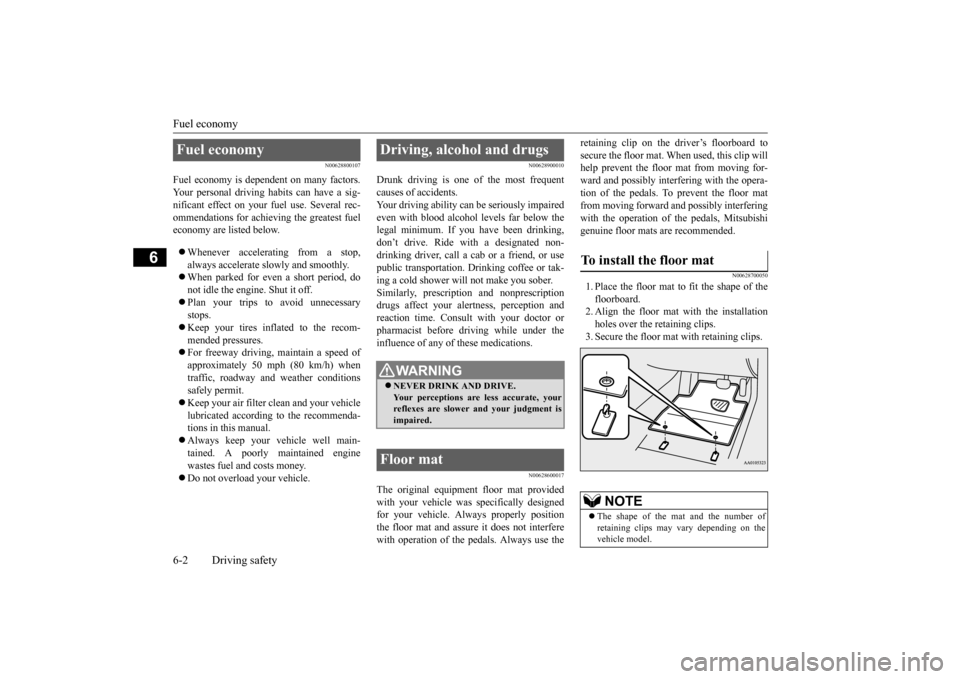
N00628700050
1. Place the floor mat to fit the shape of thefloorboard.2. Align the floor mat with the installation holes over the retaining clips. 3. Secure the floor mat with retaining clips.
Fuel economy
Driving, alcohol and drugs
WA R N I N G NEVER DRINK AND DRIVE. Your perceptions are less accurate, yourreflexes are slower and your judgment is impaired.
Floor mat
To install the floor mat
NOTE
The shape of the mat and the number of retaining clips may vary depending on the vehicle model.
BK0210800US.bo
ok 2 ページ 2014年4月8日 火曜日 午前11時28分
Page 232 of 338
Vehicle preparation before driving
Driving safety 6-3
6
N00629001712
For a safer and more enjoyable trip, always observe the following: Before starting the vehicle, make certain that you and all passengers are seated and wearing their seat belts properly (with children in the rear seat, in appropriaterestraints), and that all the doors are locked.
Move the driver’s seat as far backward as possible, while still keeping good visibil- ity, and good control of the steering wheel, brakes, accelerator, and controls.Check the instrument panel indicators and multi-information display for any possible problem. Move the front passenger seat as far back as possible. Make sure that infants and small children are properly restrained in accordance withall laws and regulations.
Check these by selecting the defroster mode, and set the blower switch on high. You should be able to feel the air blowing against the windshield.{Refer to “Defrosting or defogging (wind- shield, door window)” on page 7-8, 7-13.} Check all the tires for heavy tread wear or uneven wear patterns. Look for stones, nails, glass, or other objects stuck in the tread. Lookfor any tread cuts or sidewall cracks. Check the wheel nuts for tightness, and the tires (including spare tire) for proper pressures.
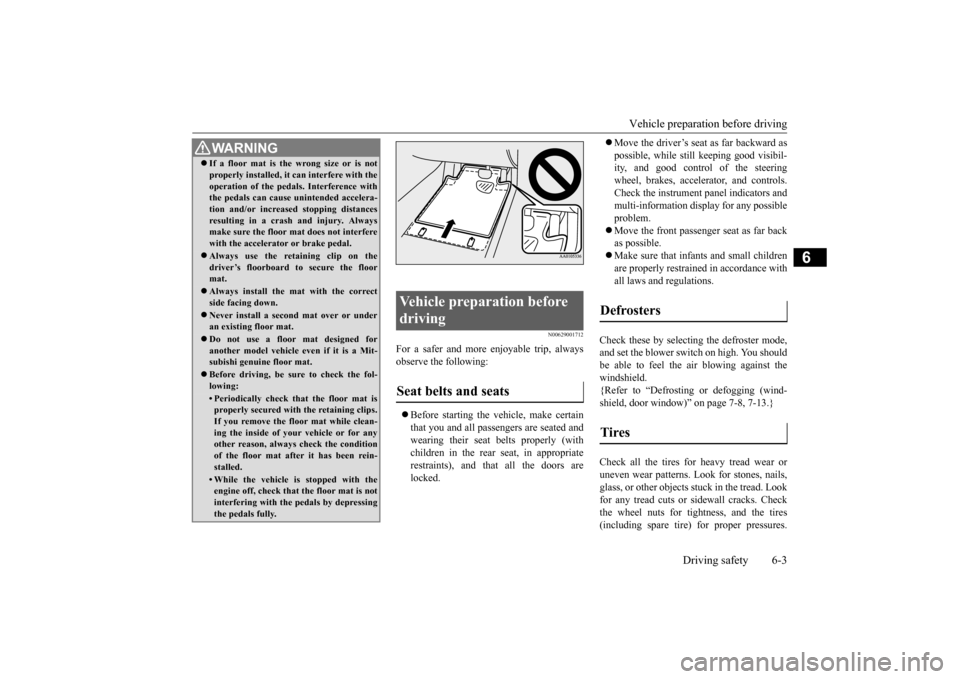
WA R N I N G If a floor mat is the wrong size or is not properly installed, it can interfere with the operation of the pedals. Interference with the pedals can cause unintended accelera- tion and/or increased stopping distancesresulting in a crash and injury. Always make sure the floor mat does not interfere with the accelerator or brake pedal. Always use the retaining clip on the driver’s floorboard to secure the floormat. Always install the mat with the correct side facing down. Never install a second mat over or under an existing floor mat. Do not use a floor mat designed for another model vehicle ev
en if it is a Mit-
subishi genuine floor mat. Before driving, be sure to check the fol- lowing:• Periodically check that the floor mat isproperly secured with the retaining clips. If you remove the floor mat while clean-ing the inside of your vehicle or for any other reason, always check the condition of the floor mat after it has been rein-stalled.• While the vehicle is stopped with the engine off, check that the floor mat is not interfering with the pedals by depressingthe pedals fully.
Vehicle preparation before driving Seat belts and seats
Defrosters Tires
BK0210800US.bo
ok 3 ページ 2014年4月8日 火曜日 午前11時28分
Page 244 of 338
Automatic air conditioning with
Fahrenheit scale (if so equipped)
Comfort controls 7-5
7
N00737001363
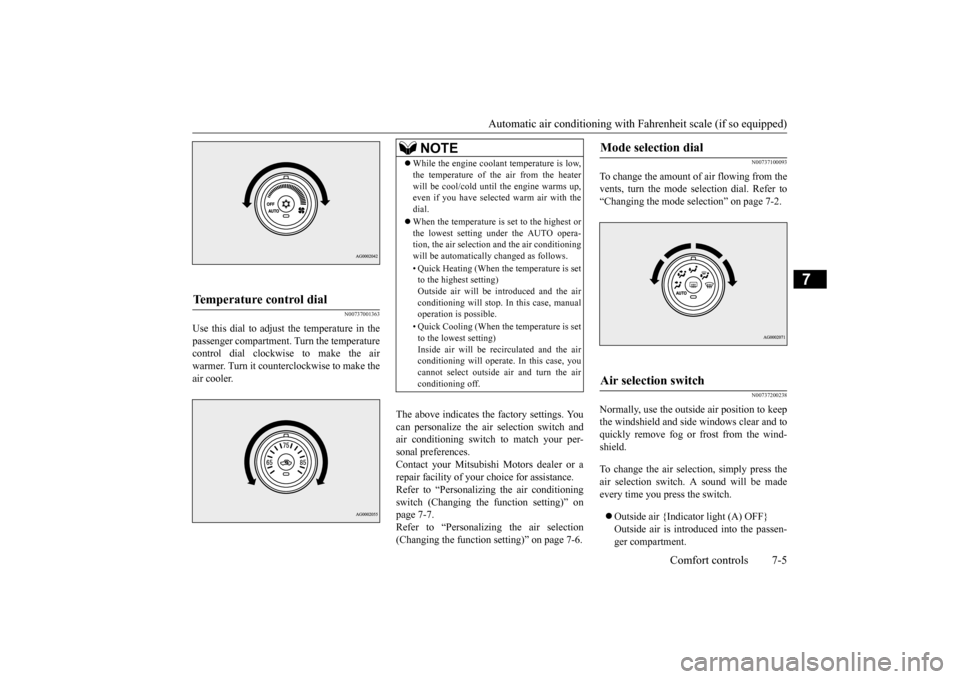
Use this dial to adjust the temperature in the passenger compartment. Turn the temperaturecontrol dial clockwise to make the air warmer. Turn it counterclockwise to make the air cooler.
The above indicates the factory settings. You can personalize the air selection switch and air conditioning switch to match your per-sonal preferences. Contact your Mitsubishi Motors dealer or a repair facility of your choice for assistance.Refer to “Personalizing the air conditioning switch (Changing the function setting)” on page 7-7.Refer to “Personalizing the air selection (Changing the function setting)” on page 7-6.
N00737100093
To change the amount of air flowing from the vents, turn the mode selection dial. Refer to“Changing the mode selection” on page 7-2.
N00737200238
Normally, use the outside air position to keepthe windshield and side windows clear and toquickly remove fog or frost from the wind- shield. To change the air selection, simply press the air selection switch. A sound will be madeevery time you press the switch. Outside air {Indicator light (A) OFF} Outside air is introduced into the passen- ger compartment.
Temperature control dial
NOTE
While the engine coolant temperature is low, the temperature of the air from the heater will be cool/cold until the engine warms up, even if you have selected warm air with the dial. When the temperature is set to the highest or the lowest setting under the AUTO opera-tion, the air selection and the air conditioning will be automatically changed as follows. • Quick Heating (When the temperature is set to the highest setting) Outside air will be introduced and the airconditioning will stop. In this case, manual operation is possible. • Quick Cooling (When the temperature is set to the lowest setting) Inside air will be recirculated and the airconditioning will operate. In this case, you cannot select outside air and turn the air conditioning off.
Mode selection dial
Air selection switch
BK0210800US.bo
ok 5 ページ 2014年4月8日 火曜日 午前11時28分
Page 245 of 338
Automatic air conditioning with
Fahrenheit scale (if so equipped)
7-6 Comfort controls
7
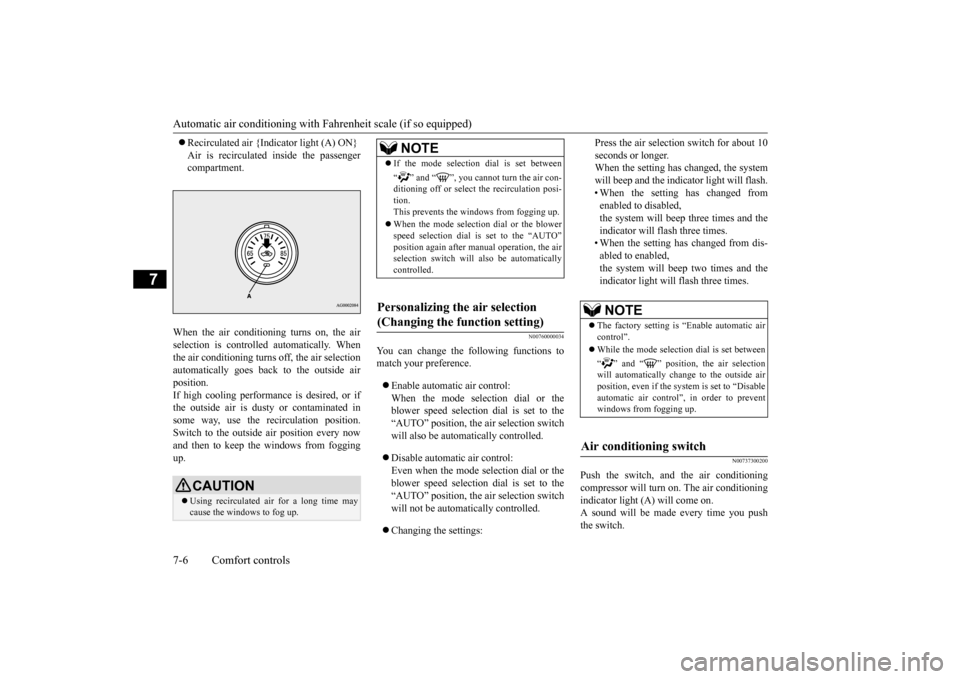
Recirculated air {Indicator light (A) ON} Air is recirculated inside the passenger compartment.
When the air conditioning turns on, the air selection is controlled automatically. When the air conditioning turns off, the air selection automatically goes back to the outside airposition.If high cooling performance is desired, or if the outside air is dusty or contaminated in some way, use the recirculation position.Switch to the outside air position every now and then to keep th
e windows from fogging
up.
N00760000034
You can change the following functions to match your preference. Enable automatic air control: When the mode selection dial or theblower speed selection dial is set to the “AUTO” position, the air selection switch will also be automatically controlled. Disable automatic air control: Even when the mode selection dial or theblower speed selection dial is set to the “AUTO” position, the air selection switch will not be automatically controlled. Changing the settings:
Press the air selection switch for about 10 seconds or longer. When the setting has changed, the system will beep and the indicator light will flash.• When the setting has changed from enabled to disabled, the system will beep three times and theindicator will flash three times. • When the setting has changed from dis- abled to enabled,the system will beep two times and theindicator light will flash three times.
N00737300200
Push the switch, and the air conditioningcompressor will turn on. The air conditioningindicator light (A) will come on. A sound will be made every time you push the switch.
CAUTION Using recirculated air for a long time may cause the windows to fog up.
NOTE
If the mode selection dial is set between “ ” and “ ”, you cannot turn the air con- ditioning off or select the recirculation posi- tion.This prevents the windows from fogging up. When the mode selection dial or the blower speed selection dial is set to the “AUTO” position again after manual operation, the air selection switch will also be automaticallycontrolled.
Personalizing the air selection (Changing the function setting)
NOTE
The factory setting is “Enable automatic air control”. While the mode selection dial is set between “ ” and “ ” position, the air selection will automatically change to the outside air position, even if the sy
stem is set to “Disable
automatic air control”, in order to preventwindows from fogging up.
Air conditioning switch
BK0210800US.bo
ok 6 ページ 2014年4月8日 火曜日 午前11時28分
Page 246 of 338
Automatic air conditioning with
Fahrenheit scale (if so equipped)
Comfort controls 7-7
7
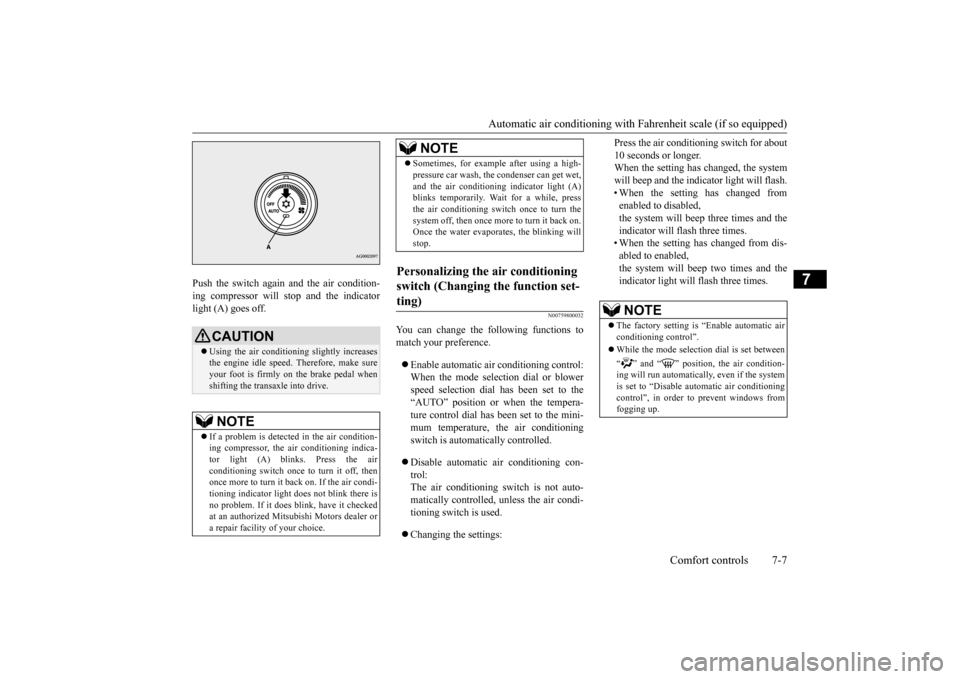
Push the switch again and the air condition- ing compressor will stop and the indicator light (A) goes off.
N00759800032
You can change the following functions tomatch your preference. Enable automatic air conditioning control: When the mode selection dial or blower speed selection dial has been set to the“AUTO” position or when the tempera- ture control dial has been set to the mini- mum temperature, the air conditioningswitch is automatically controlled. Disable automatic air conditioning con- trol: The air conditioning switch is not auto-matically controlled, unless the air condi- tioning switch is used. Changing the settings:
Press the air conditioning switch for about 10 seconds or longer. When the setting has changed, the system will beep and the indicator light will flash.• When the setting has changed from enabled to disabled, the system will beep three times and theindicator will flash three times. • When the setting has changed from dis- abled to enabled,the system will beep two times and theindicator light will flash three times.
CAUTION Using the air conditioning slightly increases the engine idle speed. Therefore, make sureyour foot is firmly on the brake pedal when shifting the transaxle into drive.NOTE
If a problem is detected in the air condition- ing compressor, the air conditioning indica- tor light (A) blinks. Press the air conditioning switch once to turn it off, thenonce more to turn it back on. If the air condi- tioning indicator light does not blink there is no problem. If it does blink, have it checkedat an authorized Mitsubishi Motors dealer or a repair facility of your choice.
Sometimes, for example after using a high- pressure car wash, the condenser can get wet, and the air conditioning indicator light (A) blinks temporarily. Wait for a while, press the air conditioning switch once to turn thesystem off, then once more to turn it back on. Once the water evaporates, the blinking will stop.
Personalizing the air conditioning switch (Changing the function set- ting)
NOTE
NOTE
The factory setting is “Enable automatic air conditioning control”. While the mode selection dial is set between “ ” and “ ” position, the air condition- ing will run automatically, even if the system is set to “Disable automatic air conditioning control”, in order to prevent windows fromfogging up.
BK0210800US.bo
ok 7 ページ 2014年4月8日 火曜日 午前11時28分
Page 249 of 338
Automatic air conditioning with
Celsius scale (if so equipped)
7-10 Comfort controls
7
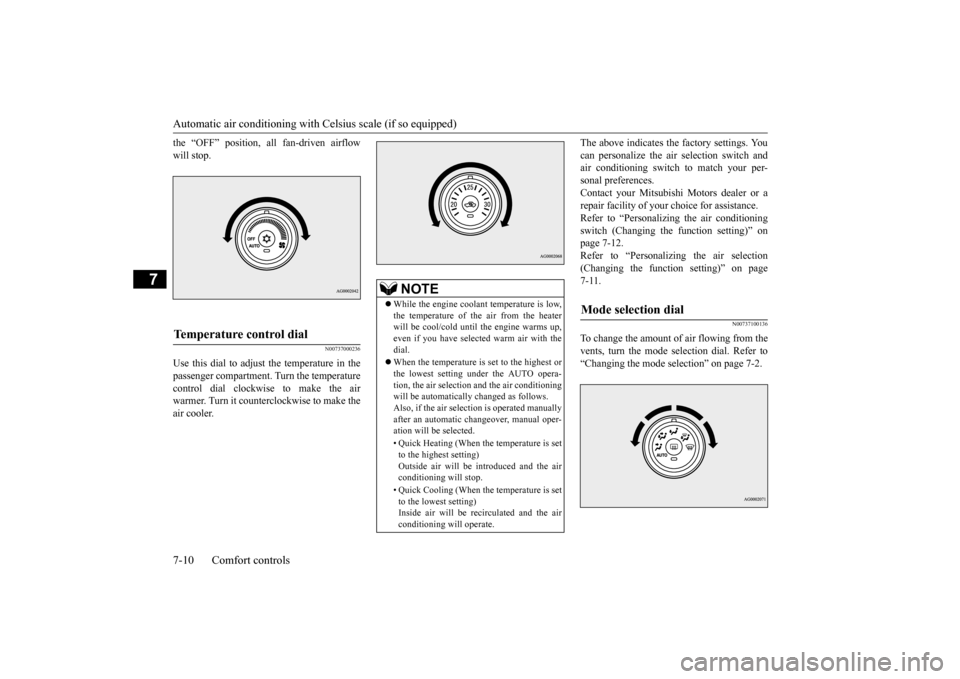
the “OFF” position, all fan-driven airflow will stop.
N00737000236
Use this dial to adjust the temperature in thepassenger compartment. Turn the temperaturecontrol dial clockwise to make the air warmer. Turn it counterclockwise to make the air cooler.
The above indicates the factory settings. You can personalize the air selection switch and air conditioning switch to match your per- sonal preferences.Contact your Mitsubishi Motors dealer or a repair facility of your choice for assistance. Refer to “Personalizing the air conditioningswitch (Changing the function setting)” on page 7-12. Refer to “Personalizing the air selection(Changing the function setting)” on page7-11.
N00737100136
To change the amount of air flowing from thevents, turn the mode selection dial. Refer to “Changing the mode selection” on page 7-2.
Temperature control dial
NOTE
While the engine coolant temperature is low, the temperature of the air from the heater will be cool/cold until the engine warms up,even if you have selected warm air with the dial. When the temperature is set to the highest or the lowest setting under the AUTO opera- tion, the air selection and the air conditioningwill be automatically changed as follows. Also, if the air selection is operated manually after an automatic changeover, manual oper-ation will be selected. • Quick Heating (When the temperature is set to the highest setting) Outside air will be introduced and the air conditioning will stop. • Quick Cooling (When the temperature is set to the lowest setting)Inside air will be recirculated and the air conditioning will operate.
Mode selection dial
BK0210800US.bo
ok 10 ページ 2014年4月8日 火曜日 午前11時28分
Page 250 of 338
Automatic air conditioning with
Celsius scale (if so equipped)
Comfort controls 7-11
7
N00737200241
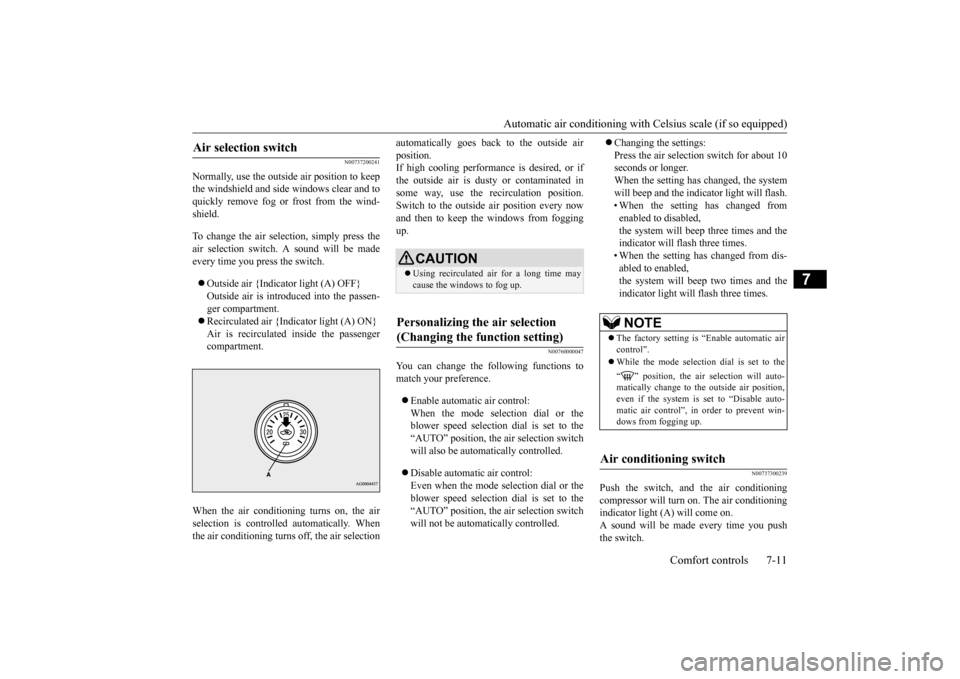
Normally, use the outside air position to keep the windshield and side windows clear and toquickly remove fog or frost from the wind- shield. To change the air selection, simply press the air selection switch. A sound will be madeevery time you press the switch. Outside air {Indicator light (A) OFF} Outside air is introduced into the passen- ger compartment. Recirculated air {Indicator light (A) ON} Air is recirculated inside the passenger compartment.
When the air conditioning turns on, the air selection is controll
ed automatically. When
the air conditioning turns off, the air selection
automatically goes back to the outside air position. If high cooling performance is desired, or if the outside air is dusty or contaminated insome way, use the recirculation position. Switch to the outside air position every now and then to keep th
e windows from fogging
up.
N00760000047
You can change the following functions tomatch your preference. Enable automatic air control: When the mode selection dial or the blower speed selection dial is set to the“AUTO” position, the air selection switch will also be automatically controlled. Disable automatic air control: Even when the mode selection dial or theblower speed selection dial is set to the “AUTO” position, the air selection switch will not be automatically controlled.
Changing the settings: Press the air selection switch for about 10 seconds or longer. When the setting has changed, the systemwill beep and the indicator light will flash. • When the setting has changed from enabled to disabled,the system will beep three times and the indicator will flash three times. • When the setting has changed from dis-abled to enabled,the system will beep two times and the indicator light will flash three times.
N00737300239
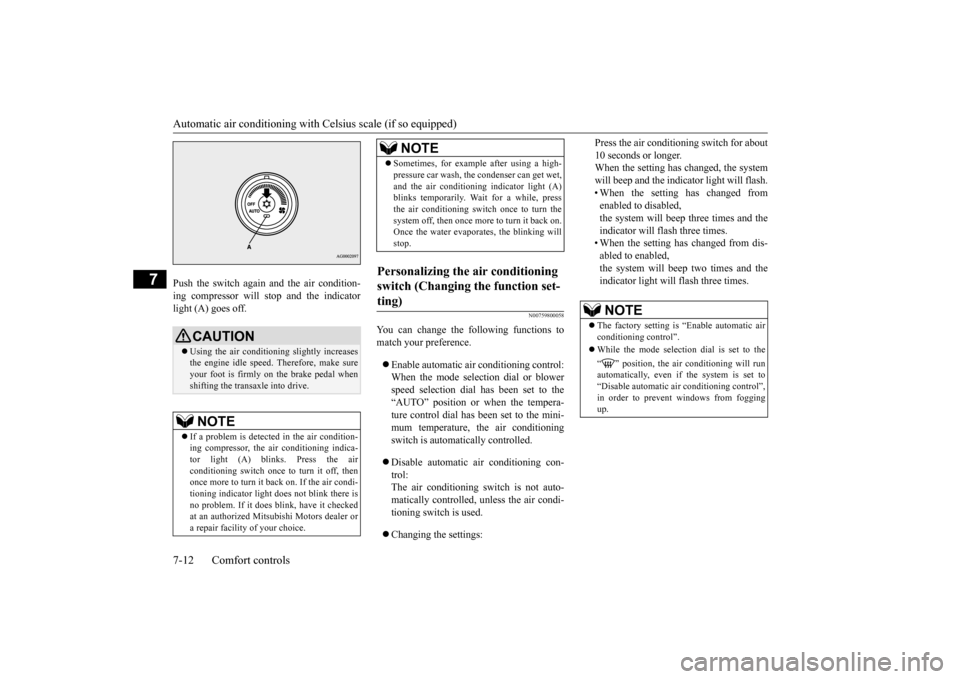
Push the switch, and the air conditioning compressor will turn on. The air conditioning indicator light (A) will come on. A sound will be made every time you pushthe switch.
Air selection switch
CAUTION Using recirculated air for a long time may cause the windows to fog up.
Personalizing the air selection (Changing the function setting)
NOTE
The factory setting is “Enable automatic air control”. While the mode selection dial is set to the “ ” position, the air selection will auto- matically change to the outside air position,even if the system is set to “Disable auto- matic air control”, in order to prevent win- dows from fogging up.
Air conditioning switch
BK0210800US.bo
ok 11 ページ 2014年4月8日 火曜日 午前11時28分
Page 251 of 338
Automatic air conditioning with
Celsius scale (if so equipped)
7-12 Comfort controls
7
Push the switch again and the air condition- ing compressor will stop and the indicator light (A) goes off.
N00759800058
You can change the following functions tomatch your preference. Enable automatic air conditioning control: When the mode selection dial or blower speed selection dial has been set to the“AUTO” position or when the tempera- ture control dial has been set to the mini- mum temperature, the air conditioningswitch is automatically controlled. Disable automatic air conditioning con- trol: The air conditioning switch is not auto-matically controlled, unless the air condi- tioning switch is used. Changing the settings:
Press the air conditioning switch for about 10 seconds or longer. When the setting has changed, the system will beep and the indicator light will flash.• When the setting has changed from enabled to disabled, the system will beep three times and theindicator will flash three times. • When the setting has changed from dis- abled to enabled,the system will beep two times and theindicator light will flash three times.
CAUTION Using the air conditioning slightly increases the engine idle speed. Therefore, make sureyour foot is firmly on the brake pedal when shifting the transaxle into drive.NOTE
If a problem is detected in the air condition- ing compressor, the air conditioning indica- tor light (A) blinks. Press the air conditioning switch once to turn it off, thenonce more to turn it back on. If the air condi- tioning indicator light does not blink there is no problem. If it does blink, have it checkedat an authorized Mitsubishi Motors dealer or a repair facility of your choice.
Sometimes, for example after using a high- pressure car wash, the condenser can get wet, and the air conditioning indicator light (A) blinks temporarily. Wait for a while, press the air conditioning switch once to turn thesystem off, then once more to turn it back on. Once the water evaporates, the blinking will stop.
Personalizing the air conditioning switch (Changing the function set- ting)
NOTE
NOTE
The factory setting is “Enable automatic air conditioning control”. While the mode selection dial is set to the “ ” position, the air conditioning will run automatically, even if the system is set to “Disable automatic air conditioning control”, in order to prevent windows from foggingup.
BK0210800US.bo
ok 12 ページ 2014年4月8日 火曜日 午前11時28分
Page 253 of 338
Important air conditioning operating tips 7-14 Comfort controls
7
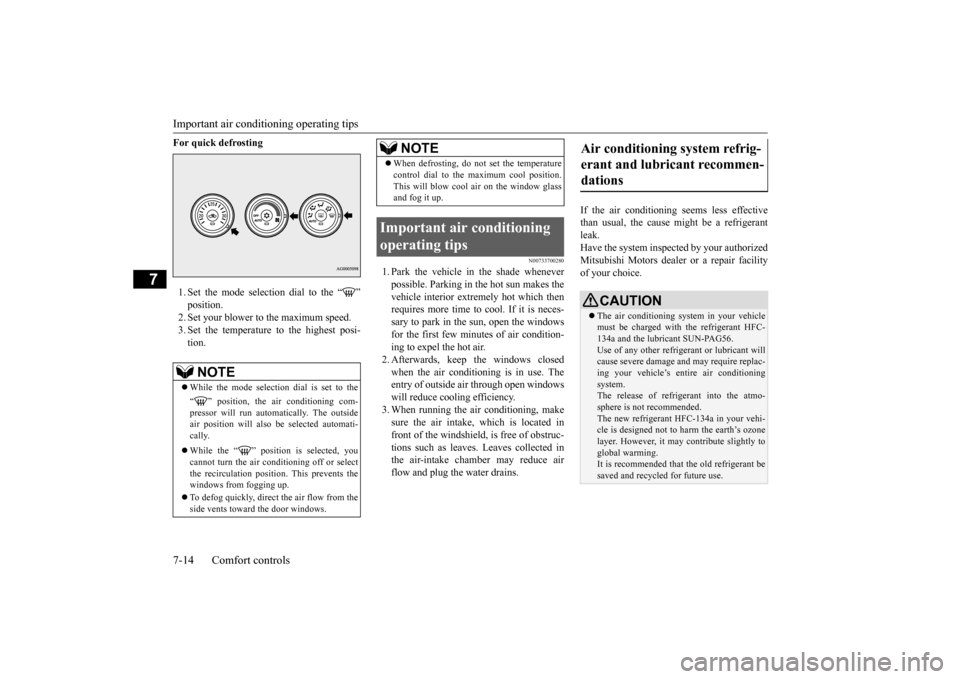
For quick defrosting 1. Set the mode selection dial to the “ ” position. 2. Set your blower to the maximum speed. 3. Set the temperature to the highest posi-tion.
N00733700280
1. Park the vehicle in the shade wheneverpossible. Parking in the hot sun makes the vehicle interior extremely hot which then requires more time to cool. If it is neces-sary to park in the sun, open the windows for the first few minutes of air condition- ing to expel the hot air.2. Afterwards, keep the windows closed when the air conditioning is in use. The entry of outside air through open windowswill reduce cooling efficiency. 3. When running the air conditioning, make sure the air intake, which is located infront of the windshield, is free of obstruc- tions such as leaves. Leaves collected in the air-intake chamber may reduce airflow and plug the water drains.
If the air conditioning seems less effective than usual, the cause might be a refrigerant leak.Have the system inspected by your authorized Mitsubishi Motors dealer or a repair facility of your choice.
NOTE
While the mode selection dial is set to the “ ” position, the air conditioning com- pressor will run automatically. The outside air position will also be selected automati-cally. While the “ ” position is selected, you cannot turn the air conditioning off or select the recirculation position. This prevents thewindows from fogging up. To defog quickly, direct
the air flow from the
side vents toward the door windows.
When defrosting, do not set the temperature control dial to the maximum cool position. This will blow cool air on the window glass and fog it up.
Important air conditioning operating tips
NOTE
Air conditioning system refrig- erant and lubricant recommen- dations
CAUTION The air conditioning system in your vehicle must be charged with the refrigerant HFC-134a and the lubricant SUN-PAG56. Use of any other refrigerant or lubricant will cause severe damage and may require replac-ing your vehicle’s entire air conditioning system. The release of refrigerant into the atmo-sphere is not recommended. The new refrigerant HFC-134a in your vehi- cle is designed not to harm the earth’s ozonelayer. However, it may contribute slightly to global warming. It is recommended that the old refrigerant be saved and recycled for future use.
BK0210800US.bo
ok 14 ページ 2014年4月8日 火曜日 午前11時28分