battery MITSUBISHI LANCER EVOLUTION 2015 10.G Owner's Manual
[x] Cancel search | Manufacturer: MITSUBISHI, Model Year: 2015, Model line: LANCER EVOLUTION, Model: MITSUBISHI LANCER EVOLUTION 2015 10.GPages: 338, PDF Size: 43.12 MB
Page 139 of 338
Limited-slip differential 5-78 Features and controls
5
N00546500091
N00546600092
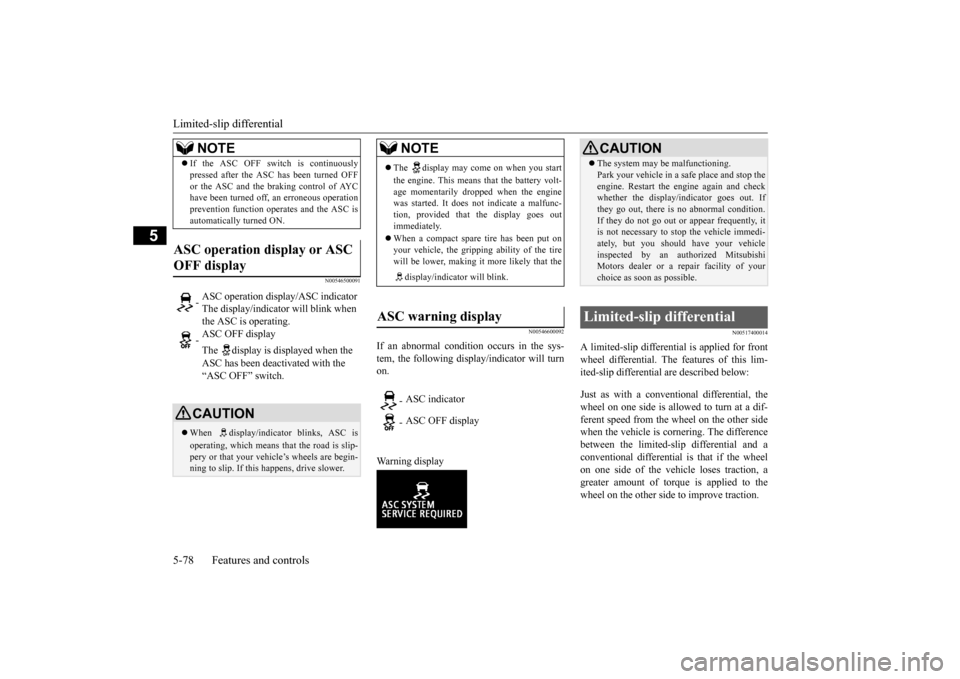
If an abnormal condition occurs in the sys- tem, the following display/indicator will turn on. Warning display
N00517400014
A limited-slip differential is applied for front wheel differential. The features of this lim- ited-slip differential are described below: Just as with a conventional differential, the wheel on one side is allowed to turn at a dif-ferent speed from the wheel on the other side when the vehicle is cornering. The difference between the limited-slip differential and aconventional differential is that if the wheel on one side of the vehicle loses traction, a greater amount of torque is applied to thewheel on the other side to improve traction.
If the ASC OFF switch is continuously pressed after the ASC has been turned OFF or the ASC and the braking control of AYC have been turned off, an erroneous operation prevention function operates and the ASC isautomatically turned ON.
ASC operation display or ASC OFF display
- ASC operation display/ASC indicator The display/indicator will blink when the ASC is operating. - ASC OFF display The display is displayed when the ASC has been deactivated with the “ASC OFF” switch.CAUTION When display/indicator blinks, ASC is operating, which means that the road is slip- pery or that your vehicle’s wheels are begin-ning to slip. If this happens, drive slower.NOTE
NOTE
The display may come on when you start the engine. This means that the battery volt- age momentarily dropped when the engine was started. It does not indicate a malfunc-tion, provided that the display goes out immediately. When a compact spare tire has been put on your vehicle, the gripping ability of the tire will be lower, making it more likely that the display/indicator will blink.
ASC warning display
- ASC indicator - ASC OFF display
CAUTION The system may be malfunctioning. Park your vehicle in a safe place and stop the engine. Restart the engine again and check whether the display/indicator goes out. If they go out, there is no abnormal condition.If they do not go out or appear frequently, it is not necessary to stop the vehicle immedi- ately, but you should have your vehicleinspected by an authorized Mitsubishi Motors dealer or a repair facility of your choice as soon as possible.
Limited-slip differential
BK0210800US.bo
ok 78 ページ 2014年4月8日 火曜日 午前11時28分
Page 143 of 338
Cruise control 5-82 Features and controls
5
2. Confirm that the Twin Clutch SST control mode is set to “Normal”. Refer to “Twin Clutch SST control mode”on page 5-62. 3. Accelerate or decelerate to your desired speed, then press and release the “COASTSET” switch (B) when the “CRUISE” indicator light is illuminated. The vehicle will then maintain the desired speed.
N00518500298
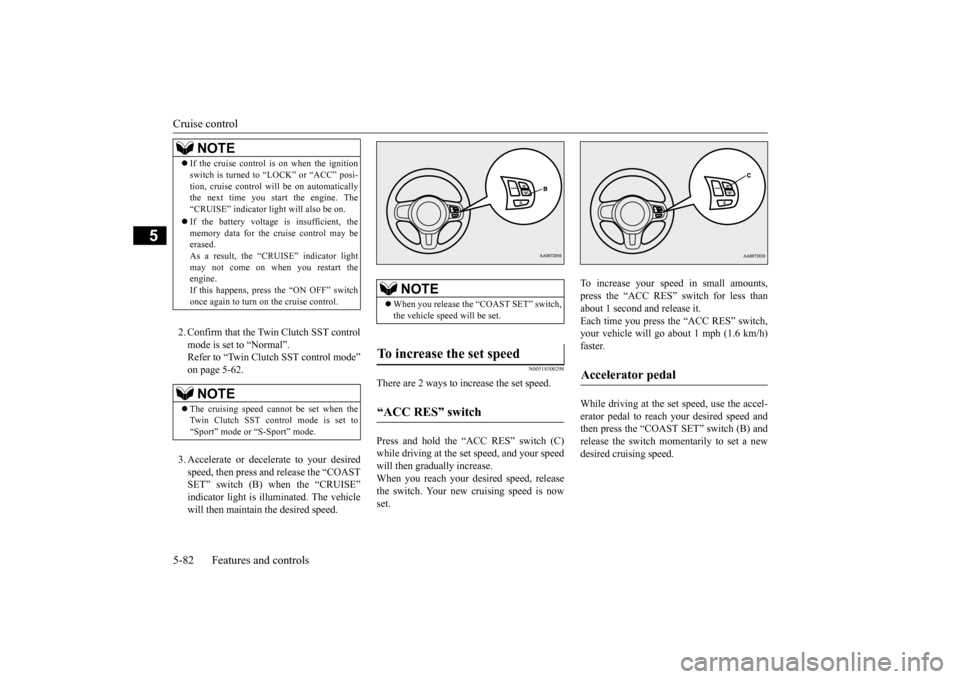
There are 2 ways to increase the set speed. Press and hold the “ACC RES” switch (C) while driving at the set speed, and your speed will then gradually increase. When you reach your desired speed, releasethe switch. Your new cruising speed is now set.
To increase your speed in small amounts, press the “ACC RES” switch for less than about 1 second and release it.Each time you press the “ACC RES” switch, your vehicle will go about 1 mph (1.6 km/h) faster. While driving at the set speed, use the accel- erator pedal to reach
your desired speed and
then press the “COAST SET” switch (B) andrelease the switch momentarily to set a new desired cruising speed.
NOTE
If the cruise control is on when the ignition switch is turned to “LOCK” or “ACC” posi- tion, cruise control will be on automatically the next time you start the engine. The “CRUISE” indicator light will also be on. If the battery voltage is insufficient, the memory data for the cruise control may beerased. As a result, the “CRUISE” indicator light may not come on when you restart theengine. If this happens, press the “ON OFF” switch once again to turn on the cruise control.NOTE
The cruising speed cannot be set when the Twin Clutch SST control mode is set to “Sport” mode or “S-Sport” mode.
NOTE
When you release the “COAST SET” switch, the vehicle speed will be set.
To increase the set speed “ACC RES” switch
Accelerator pedal
BK0210800US.bo
ok 82 ページ 2014年4月8日 火曜日 午前11時28分
Page 149 of 338
Tire pressure monitoring system 5-88 Features and controls
5
The tire pressure monitoring system may not work normally in the following circum- stances: A wireless facility or device using the same frequency is near the vehicle. Snow or ice is stuck inside the fenders and/or on the wheels. The tire inflation pressure sensor’s battery is dead. Wheels other than Mitsubishi genuine wheels are being used. Wheels that are not fi
tted with tire infla-
tion pressure sensors are being used. Wheels whose ID codes are not memo- rized by the vehicle are used. Compact spare tire is fitted on a road wheel.
A window tint that affects the radio wave signals is installed.
N00532900179
If new wheels with new tire inflation pressuresensors are installed, their ID codes must beprogrammed into the tire pressure monitoring system. Have tire and wheel replacement per- formed by an authorized Mitsubishi Motorsdealer to avoid the risk of damaging the tire inflation pressure sensors. If the wheel replacement is not done by an authorizedMitsubishi Motors dealer, it is not covered by your warranty.
N00533001259
Your tire pressure monitoring system oper-ates on a radio frequency subject to Federal Communications Commission (FCC) Rules(For vehicles sold in U.S.A.) and Industry Canada Rules (For vehicles sold in Canada). This device complies with Part 15 of FCCRules and Industry Canada licence-exempt RSS standard(s). Operation is subject to the following two con-ditions. This device may not cause harmful inter- ference. This device must accept any interference received, including interference that may cause undesired operation.
NOTE
To avoid the risk of damage to the tire infla- tion pressure sensors, have any punctured tire repaired by an authorized Mitsubishi Motors dealer. If the tire repair is not done by an authorized Mitsubishi Motors dealer, it isnot covered by your warranty. Do not use an aerosol puncture-repair prod- uct on any tire. Such a spray could damage the tire inflation pressure sensors. Have any puncture repaired by an authorized Mitsubi-shi Motors dealer.
NOTE
Tire inflation pressures vary with the ambi- ent temperature. If the
vehicle is subjected to
large variations in ambient temperature, thetire inflation pressures may be under-inflated (causing the warning light/display to come on) when the ambient temperature is rela-tively low. If the warning light/display comes on, adjust the tire inflation pressure.
Whenever the tires and wheels are replaced with new ones
CAUTION The use of non-genuine wheels will prevent the proper fit of the tire inflation pressure sensors, resulting in air leakage or damage to the sensors.
General information
CAUTION Changes or modifications not expressly approved by the manufacturer for compli- ance could void the user’s authority to oper- ate the equipment.
BK0210800US.bo
ok 88 ページ 2014年4月8日 火曜日 午前11時28分
Page 154 of 338
Multi-information display
Features and controls 5-93
5
N00555400139
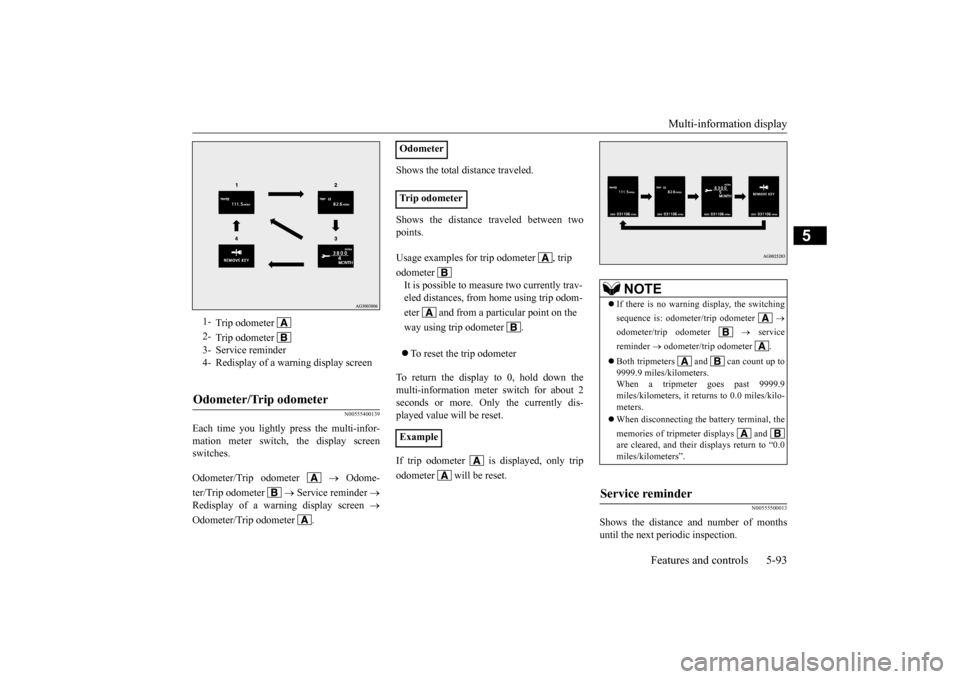
Each time you lightly press the multi-infor- mation meter switch, the display screen switches. Odometer/Trip odometer
Odome-
ter/Trip odometer
Service reminder
Redisplay of a warning display screen
Odometer/Trip odometer .
Shows the total distance traveled. Shows the distance traveled between two points. To reset the trip odometer
To return the display to 0, hold down the multi-information meter switch for about 2 seconds or more. Only the currently dis-played value will be reset. If trip odometer is displayed, only trip odometer will be reset.
N00555500013
Shows the distance and number of months until the next periodic inspection.
1-
Trip odometer
2-
Trip odometer
3- Service reminder 4- Redisplay of a warning display screenOdometer/Trip odometer
Odometer Trip odometer Usage examples for trip odometer , trip odometer It is possible to measure two currently trav- eled distances, from home using trip odom- eter and from a particular point on the way using trip odometer . Example
NOTE
If there is no warning display, the switching sequence is: odometer/trip odometer
odometer/trip odometer
service
reminder
odometer/trip odometer .
Both tripmeters and can count up to 9999.9 miles/kilometers.When a tripmeter goes past 9999.9 miles/kilometers, it returns to 0.0 miles/kilo- meters. When disconnecting the battery terminal, the memories of tripmeter displays and are cleared, and their displays return to “0.0miles/kilometers”.
Service reminder
BK0210800US.bo
ok 93 ページ 2014年4月8日 火曜日 午前11時28分
Page 159 of 338
Multi-information display 5-98 Features and controls
5
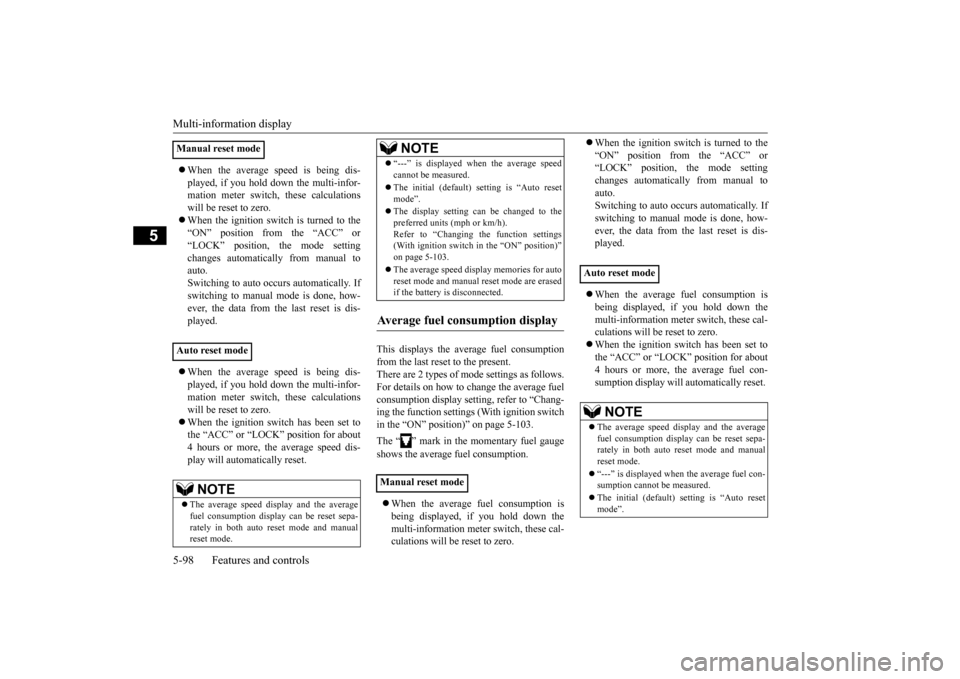
When the average speed is being dis- played, if you hold down the multi-infor- mation meter switch, these calculations will be reset to zero. When the ignition switch is turned to the “ON” position from the “ACC” or “LOCK” position, the mode settingchanges automatically from manual to auto. Switching to auto occurs automatically. Ifswitching to manual mode is done, how-ever, the data from the last reset is dis- played. When the average speed is being dis- played, if you hold down the multi-infor-mation meter switch, these calculations will be reset to zero. When the ignition switch has been set to the “ACC” or “LOCK” position for about 4 hours or more, the average speed dis- play will automatically reset.
This displays the average fuel consumption from the last reset to the present. There are 2 types of mode settings as follows.For details on how to change the average fuel consumption display setting, refer to “Chang- ing the function settings (With ignition switchin the “ON” position)” on page 5-103. The “ ” mark in the momentary fuel gauge shows the average fuel consumption. When the average fuel consumption is being displayed, if you hold down themulti-information meter switch, these cal- culations will be reset to zero.
When the ignition switch is turned to the “ON” position from the “ACC” or “LOCK” position, the mode setting changes automatically from manual toauto. Switching to auto occurs automatically. If switching to manual mode is done, how-ever, the data from the last reset is dis- played. When the average fuel consumption is being displayed, if you hold down the multi-information meter switch, these cal-culations will be reset to zero. When the ignition switch has been set to the “ACC” or “LOCK” position for about4 hours or more, the average fuel con- sumption display will automatically reset.
Manual reset mode Auto reset mode
NOTE
The average speed display and the average fuel consumption display can be reset sepa-rately in both auto reset mode and manual reset mode.
“---” is displayed when the average speed cannot be measured. The initial (default) setting is “Auto reset mode”. The display setting can be changed to the preferred units (mph or km/h).Refer to “Changing the function settings (With ignition switch in the “ON” position)” on page 5-103. The average speed display memories for auto reset mode and manual reset mode are erasedif the battery is disconnected.
Average fuel consumption display Manual reset mode
NOTE
Auto reset mode
NOTE
The average speed display and the average fuel consumption display can be reset sepa-rately in both auto reset mode and manual reset mode. “---” is displayed when the average fuel con- sumption cannot be measured. The initial (default) setting is “Auto reset mode”.
BK0210800US.bo
ok 98 ページ 2014年4月8日 火曜日 午前11時28分
Page 160 of 338
Multi-information display
Features and controls 5-99
5
While driving, the momentary fuel consump- tion is shown with a bar graph. When the momentary fuel consumption sur- passes the average fuel consumption, themomentary fuel consumption is displayed with a green bar graph. Be conscious of maintaining the momentaryfuel consumption above the average fuel con- sumption, it can help you drive with the better fuel consumption.
The S-AWC operation status is displayed. For further details, refer to “S-AWC opera- tion display” on page 5-73. The “Display language”, “Temperature unit”, “Fuel consumption unit”, and “Average fuel
consumption and speed reset method” set- tings can be modified as desired. For further details, refer to “Changing the function settings (With ignition switch in the“ON” position)” on page 5-103.
N00556300164
When there is information to be announced, such as a system fault, a tone sounds and the information screen is switched to the warningdisplay screen. Refer to the warning list and take the neces- sary measures. Refer to “Warning display list(With ignition switch in the “ON” position)” on page 5-114. When the cause of the warning display iseliminated, the warning display goes out automatically. Even if the cause of the warning display is not eliminated, you can return to the screen
Average fuel consumption may vary depend on the driving conditions (road conditions, how you drive, etc.) The actual fuel con- sumption may differ from the fuel consump- tion displayed, so treat the fuel consumptiondisplayed as just a rough guideline. The average fuel consumption display mem- ories for auto reset mode and manual reset mode are erased if the battery is discon- nected. The display setting can be changed to the preferred units {mpg (US), mpg (UK),L/100km or km/L}. Refer to “Changing the function settings (With ignition switch in the “ON” position)”on page 5-103.
Momentary fuel consumption dis- play
NOTE
NOTE
When the momentary fuel consumption can- not be measured, a ba
r graph is not shown.
The display setting can be changed to the preferred units {mpg (US), mpg (UK),L/100km or km/L}. Refer to “Changing the function settings (With ignition switch in the “ON” position)”on page 5-103. It is possible to cancel the green bar graph. Refer to “Changing the function settings (With ignition switch in the “ON” position)” on page 5-103.
S-AWC operation display
WA R N I N G Always concentrate on your driving first. Keep your eyes and mi
nd on the road. Dis-
tractions while driving can lead to an acci- dent.
Function setting screen
Interrupt display screen (With ignition switch in the “ON” position) Warning display Returning to the display screen from before the warning display
BK0210800US.bo
ok 99 ページ 2014年4月8日 火曜日 午前11時28分
Page 166 of 338
Multi-information display
Features and controls 5-105
5
N00557100101
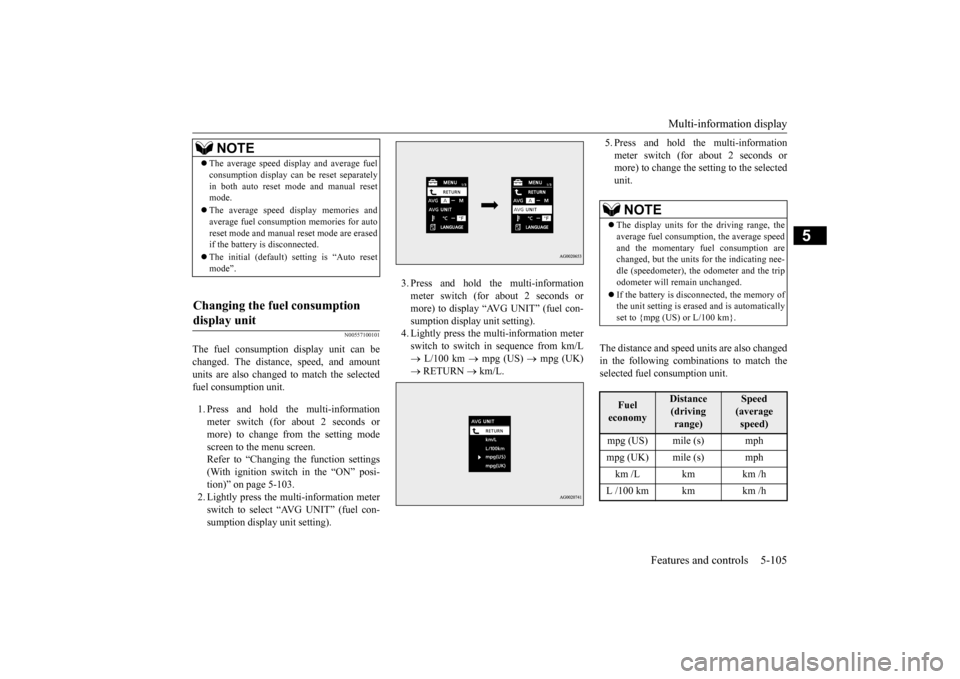
The fuel consumption display unit can be changed. The distance, speed, and amount units are also changed to match the selectedfuel consumption unit. 1. Press and hold the multi-information meter switch (for about 2 seconds or more) to change from the setting modescreen to the menu screen. Refer to “Changing the function settings (With ignition switch in the “ON” posi-tion)” on page 5-103. 2. Lightly press the multi-information meter switch to select “AVG UNIT” (fuel con-sumption display unit setting).
3. Press and hold the multi-information meter switch (for about 2 seconds or more) to display “AVG UNIT” (fuel con-sumption display unit setting). 4. Lightly press the multi-information meter switch to switch in sequence from km/L L/100 km
mpg (US)
mpg (UK)
RETURN
km/L.
5. Press and hold the multi-information meter switch (for about 2 seconds or more) to change the setting to the selected unit.
The distance and speed units are also changed in the following combinations to match theselected fuel consumption unit.
NOTE
The average speed display and average fuel consumption display can be reset separately in both auto reset mode and manual reset mode. The average speed display memories and average fuel consumption memories for auto reset mode and manual reset mode are erasedif the battery is disconnected. The initial (default) setting is “Auto reset mode”.
Changing the fuel consumption display unit
NOTE
The display units for the driving range, the average fuel consumption, the average speedand the momentary fuel consumption are changed, but the units for the indicating nee- dle (speedometer), the odometer and the tripodometer will remain unchanged. If the battery is disconnected, the memory of the unit setting is erased and is automatically set to {mpg (US) or L/100 km}.Fuel economy
Distance(driving range)
Speed(average speed)
mpg (US) mile (s) mph mpg (UK) mile (s) mph km /L km km /hL /100 km km km /h
BK0210800US.book
105 ページ 2014年4月8日 火曜日 午前11時28分
Page 167 of 338
Multi-information display 5-106 Features and controls
5
N00557200131
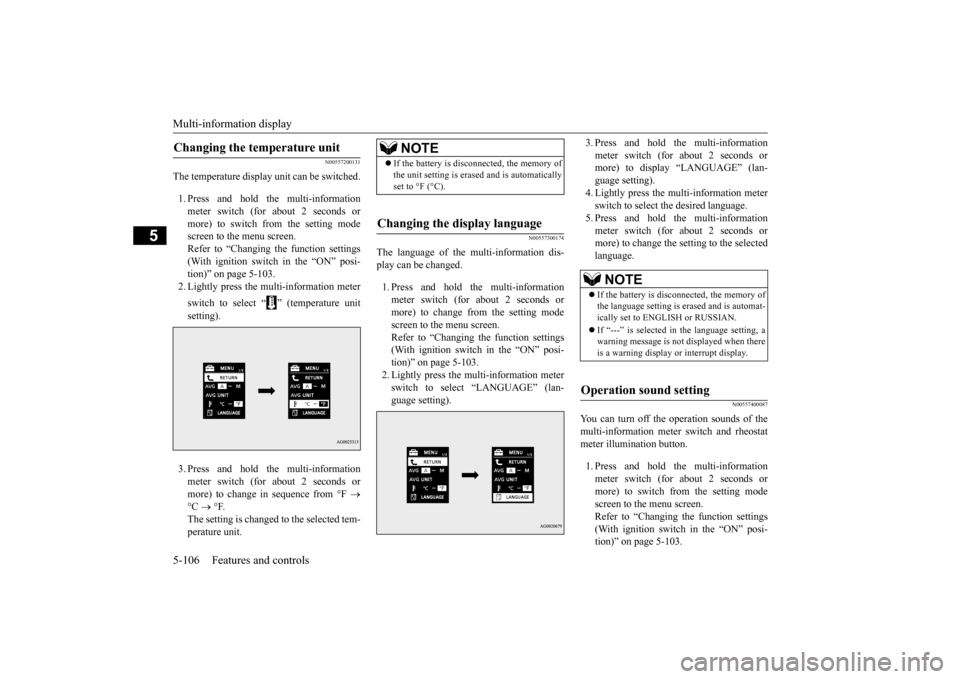
The temperature display unit can be switched. 1. Press and hold the multi-information meter switch (for about 2 seconds ormore) to switch from the setting mode screen to the menu screen. Refer to “Changing the function settings(With ignition switch in the “ON” posi- tion)” on page 5-103. 2. Lightly press the multi-information meter switch to select “ ” (temperature unit setting). 3. Press and hold the multi-information meter switch (for about 2 seconds or more) to change in sequence from °F
°C
°F.
The setting is changed to the selected tem-perature unit.
N00557300174
The language of the multi-information dis-play can be changed. 1. Press and hold the multi-information meter switch (for about 2 seconds or more) to change from the setting mode screen to the menu screen.Refer to “Changing the function settings (With ignition switch in the “ON” posi- tion)” on page 5-103.2. Lightly press the multi-information meter switch to select “LANGUAGE” (lan- guage setting).
3. Press and hold the multi-information meter switch (for about 2 seconds or more) to display “LANGUAGE” (lan- guage setting).4. Lightly press the multi-information meter switch to select the desired language. 5. Press and hold the multi-informationmeter switch (for about 2 seconds or more) to change the setting to the selected language.
N00557400087
You can turn off the operation sounds of themulti-information meter switch and rheostat meter illumination button. 1. Press and hold the multi-information meter switch (for about 2 seconds ormore) to switch from the setting mode screen to the menu screen. Refer to “Changing the function settings(With ignition switch in the “ON” posi- tion)” on page 5-103.
Changing the temperature unit
NOTE
If the battery is disconnected, the memory of the unit setting is erased and is automatically set to °F (°C).
Changing the display language
NOTE
If the battery is disconnected, the memory of the language setting is erased and is automat- ically set to ENGLISH or RUSSIAN. If “---” is selected in the language setting, a warning message is not displayed when there is a warning display or interrupt display.
Operation sound setting
BK0210800US.book
106 ページ 2014年4月8日 火曜日 午前11時28分
Page 168 of 338
Multi-information display
Features and controls 5-107
5
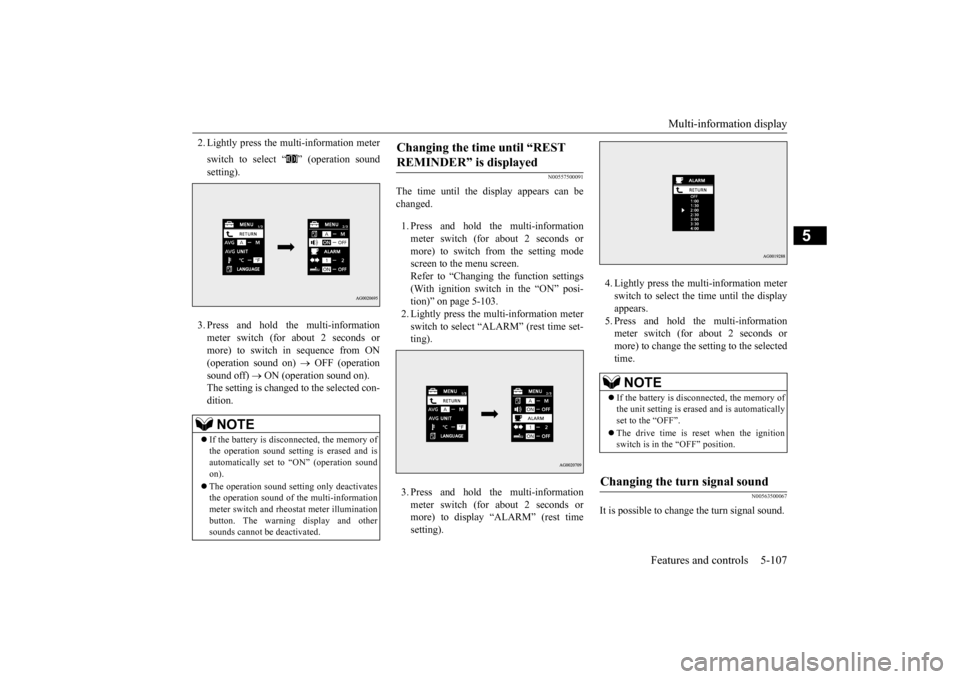
2. Lightly press the multi-information meter switch to select “ ” (operation sound setting). 3. Press and hold the multi-information meter switch (for about 2 seconds or more) to switch in sequence from ON (operation sound on)
OFF (operation
sound off)
ON (operation sound on).
The setting is changed to the selected con- dition.
N00557500091
The time until the display appears can be changed. 1. Press and hold the multi-information meter switch (for about 2 seconds ormore) to switch from the setting mode screen to the menu screen. Refer to “Changing the function settings(With ignition switch in the “ON” posi-tion)” on page 5-103. 2. Lightly press the multi-information meter switch to select “ALARM” (rest time set-ting). 3. Press and hold the multi-information meter switch (for about 2 seconds or more) to display “ALARM” (rest time setting).
4. Lightly press the multi-information meter switch to select the time until the display appears.5. Press and hold the multi-information meter switch (for about 2 seconds or more) to change the setting to the selectedtime.
N00563500067
It is possible to change the turn signal sound.
NOTE
If the battery is disconnected, the memory of the operation sound setting is erased and is automatically set to “ON” (operation sound on). The operation sound setting only deactivates the operation sound of the multi-informationmeter switch and rheostat meter illumination button. The warning display and other sounds cannot be deactivated.
Changing the time until “REST REMINDER” is displayed
NOTE
If the battery is disconnected, the memory of the unit setting is erased and is automaticallyset to the “OFF”. The drive time is reset when the ignition switch is in the “OFF” position.
Changing the turn signal sound
BK0210800US.book
107 ページ 2014年4月8日 火曜日 午前11時28分
Page 183 of 338
Information screen display 5-122 Features and controls
5
N00520600296
This light comes on in the event of a malfunc- tion in the charging system or when the igni- tion switch is turned to the “ON” position (engine off). A warning is also displayed inthe multi-information display. When the engine is started, the light should go out. Check to make sure that the light has goneout before driving.
N00558300012 N00558400114
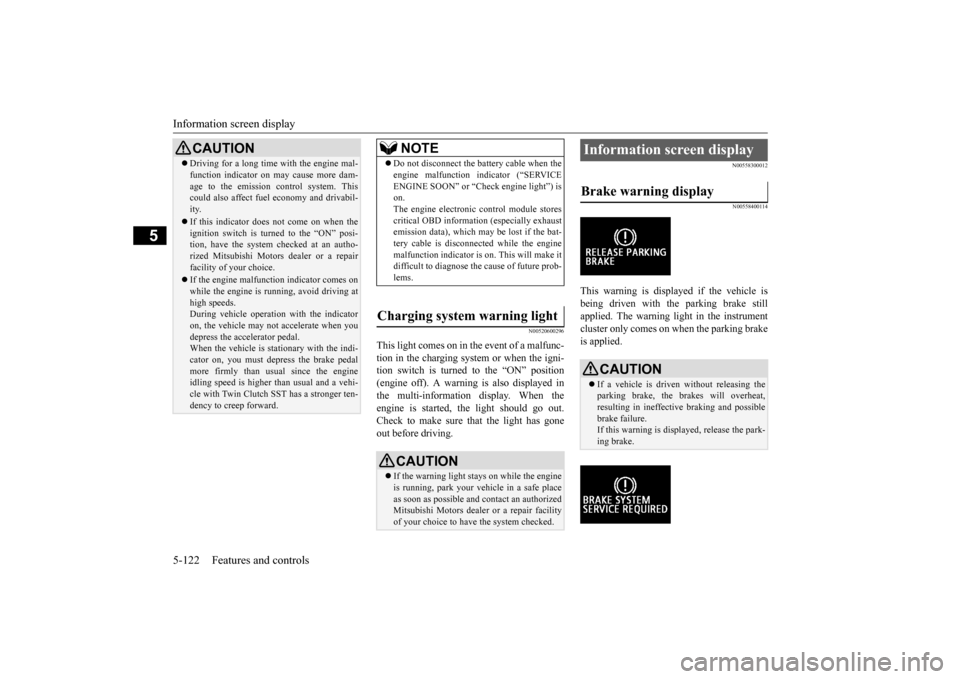
This warning is displayed if the vehicle is being driven with the parking brake stillapplied. The warning light in the instrument cluster only comes on when the parking brake is applied.
CAUTION Driving for a long time with the engine mal- function indicator on may cause more dam- age to the emission control system. This could also affect fuel economy and drivabil- ity. If this indicator does not come on when the ignition switch is turned to the “ON” posi-tion, have the system checked at an autho- rized Mitsubishi Motors dealer or a repair facility of your choice. If the engine malfunction indicator comes on while the engine is running, avoid driving athigh speeds. During vehicle operation with the indicator on, the vehicle may not accelerate when youdepress the accelerator pedal. When the vehicle is stationary with the indi- cator on, you must depress the brake pedalmore firmly than usual since the engine idling speed is higher than usual and a vehi- cle with Twin Clutch SST has a stronger ten-dency to creep forward.
NOTE
Do not disconnect the battery cable when the engine malfunction indicator (“SERVICE ENGINE SOON” or “Check engine light”) is on. The engine electronic control module storescritical OBD information (especially exhaust emission data), which may be lost if the bat- tery cable is disconnected while the enginemalfunction indicator is on. This will make it difficult to diagnose the cause of future prob- lems.
Charging system warning light
CAUTION If the warning light stays on while the engine is running, park your vehicle in a safe place as soon as possible and contact an authorizedMitsubishi Motors dealer or a repair facility of your choice to have the system checked.
Information screen display Brake warning display
CAUTION If a vehicle is driven without releasing the parking brake, the brakes will overheat,resulting in ineffective braking and possible brake failure. If this warning is displayed, release the park-ing brake.
BK0210800US.book
122 ページ 2014年4月8日 火曜日 午前11時28分