Check MITSUBISHI LANCER RALLIART 2014 8.G Owner's Guide
[x] Cancel search | Manufacturer: MITSUBISHI, Model Year: 2014, Model line: LANCER RALLIART, Model: MITSUBISHI LANCER RALLIART 2014 8.GPages: 434, PDF Size: 57.5 MB
Page 150 of 434
ACD (Active center differential system) (if so equipped)
Features and controls 5-83
5
Refer to “Engine malfunction indicator (“SERVICE ENGINE SOON” or “Check engine light”)” on page 5-146 and follow the appropriate measures. A safety device in the Twin Clutch SST has been activated due to a possible malfunctionin the Twin Clutch SST. Refer to “If the gearshift lever position dis- play is not showing” on
page 5-73 and follow
the appropriate measures. A safety device in the Twin Clutch SST has been activated due to a possible malfunctionin the Twin Clutch SST or in the engine elec-tronic control module. Perform the following procedure.1. Park your vehicle in a safe place and stop the engine. 2. Restart the engine. If the vehicle moves and accelerates normally after this procedure is performed, there is no malfunction in the transmission.
However, if the vehicle does not move or accelerate normally, or if this problem occurs repeatedly, have the vehicle checked by an authorized Mitsubishi Motors dealer or arepair facility of your ch
oice as soon as possi-
ble.
N00538500034
The ACD is a system
that improves accelera-
tion performance and straight-ahead stabilityby regulating the differential limiting action and power drive distribution of the center dif- ferential.
N00545400048
Select the control mode from the followingthree types to suit the driving conditions.
When the gearshift lever position display is not showing When warning display is showing or when no warning is showing in the multi- information display
CAUTION When the Twin Clutch SST fluid tempera- ture is high, the engine idle speed when the vehicle is stopped may increase or the vehi- cle will have a weak tendency to creep. After that, if the Twin Clutch SST fluid tem- perature rises even higher, the warning display will appear.
ACD (Active center differ- ential system)
(if so equipped)
CAUTION Do not over-rely on th
e ACD. Even the ACD
cannot prevent the natural laws of physics from acting on the vehicle. This system, like any other system, has limits and cannot help you to maintain traction and control of thevehicle in all circumstances. Reckless driv- ing can lead to accidents. It is the driver’s responsibility to drive carefully. This meanstaking into account the traffic, road and envi- ronmental conditions. Be sure to use tires that are the same speci- fied size, type, and brand, and have no differ- ence in the amount of wear for all fourwheels. Otherwise, the ACD may not work properly.NOTE
If the parking brake lever is pulled up while the vehicle is moving, the center differential is designed to switch to a free state condition which will allow the rear wheel to lock eas-ier.
ACD control mode
Page 152 of 434
Electronically controlled 4WD system (if so equipped)
Features and controls 5-85
5
N00548300019
The electronically controlled 4WD system is an all-wheel drive system that allows one of three drive modes to be selected with aswitch, in accordance with the driving condi- tions. The following drive modes are available.
4-wheel drive operation requires special driv- ing skills. Carefully read the “All-wheel driving opera- tion” section on page 5-87 and take care todrive safely.
N00548400010
The drive mode can be
selected by pressing
the switch while the ignition switch is in the “ON” position.
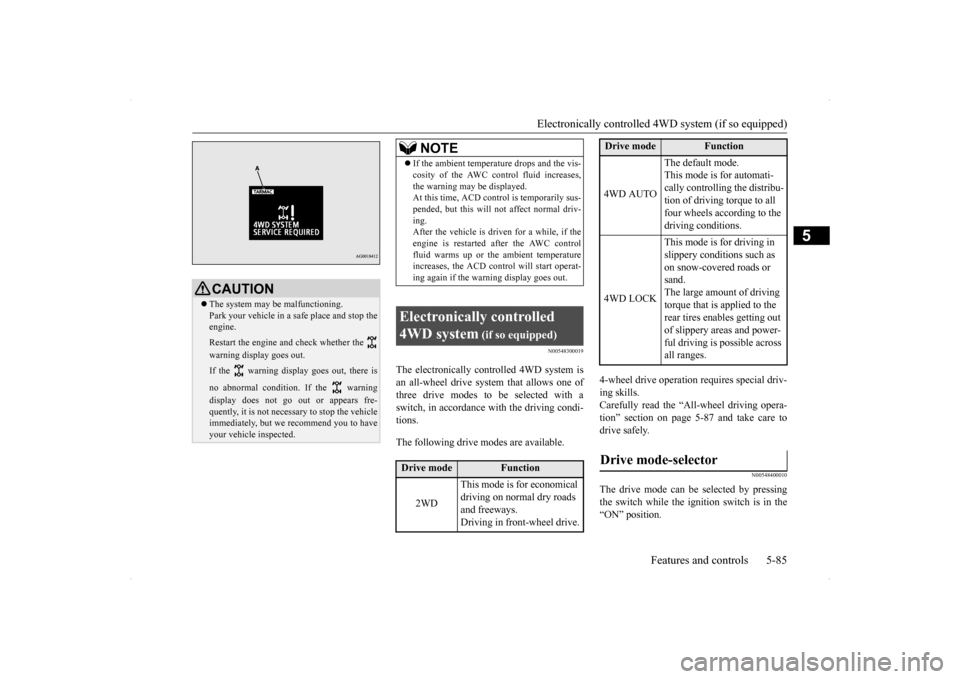
CAUTION The system may be malfunctioning. Park your vehicle in a safe place and stop the engine. Restart the engine and check whether the warning display goes out. If the warning display goes out, there is no abnormal condition. If the warning display does not go out or appears fre- quently, it is not necessary to stop the vehicle immediately, but we recommend you to haveyour vehicle inspected.
NOTE
If the ambient temperature drops and the vis- cosity of the AWC control fluid increases, the warning may be displayed. At this time, ACD cont
rol is temporarily sus-
pended, but this will not affect normal driv-ing. After the vehicle is driven for a while, if the engine is restarted after the AWC controlfluid warms up or the ambient temperature increases, the ACD control will start operat- ing again if the warning display goes out.
Electronically controlled 4WD system
(if so equipped)
Drive mode
Function
2WD
This mode is for economical driving on normal dry roads and freeways. Driving in front-wheel drive.
4WD AUTO
The default mode. This mode is for automati- cally controlling the distribu-tion of driving torque to all four wheels according to the driving conditions.
4WD LOCK
This mode is for driving in slippery conditions such as on snow-covered roads or sand.The large amount of driving torque that is applied to the rear tires enables getting out of slippery areas and power- ful driving is possible across all ranges.
Drive mode-selector
Drive mode
Function
Page 156 of 434
Cautions on handling of all-wheel drive vehicles
Features and controls 5-89
5
Your vehicle may not provide sufficient hill climbing ability and engine braking on steepslopes. Avoid driving on steep slopes even though the vehicle is a 4-wheel drive vehicle.
N00530800190
Since driving torque can
be applied to all four
wheels, the performance of the vehicle when operating in all-wheel drive is greatly affected by the condition of the tires. Pay close attention to the tires. Install specified tires on all wheels. Refer to “Tires and wheels” on page 11-5. Be sure to fit all four tires and wheels of the same size and type.When replacement of any of the tires or wheels is necessary, replace all of them. All tires should be rotated whenever the wear difference between the front and rear tires is recognizable.
Good vehicle performance cannot be expected if there is a difference in wear between tires. Refer to “Tire rotation” on page 9-23. Check the tire inflation pressure regularly.
Climbing/descending sharp grades Cautions on handling of all- wheel drive vehicles Tires and wheels
CAUTION Always use tires of the same size, same type, and same brand, and which have no wear dif-ferences. Using tires that differ in size, type, brands or the degree of wear, will increase the differential oil temperature, resulting inpossible damage to the driving system. Fur- ther, the drive train will be subjected to excessive loading, possibly leading to oilleakage, component seizure, or other serious problems.
To w i n g
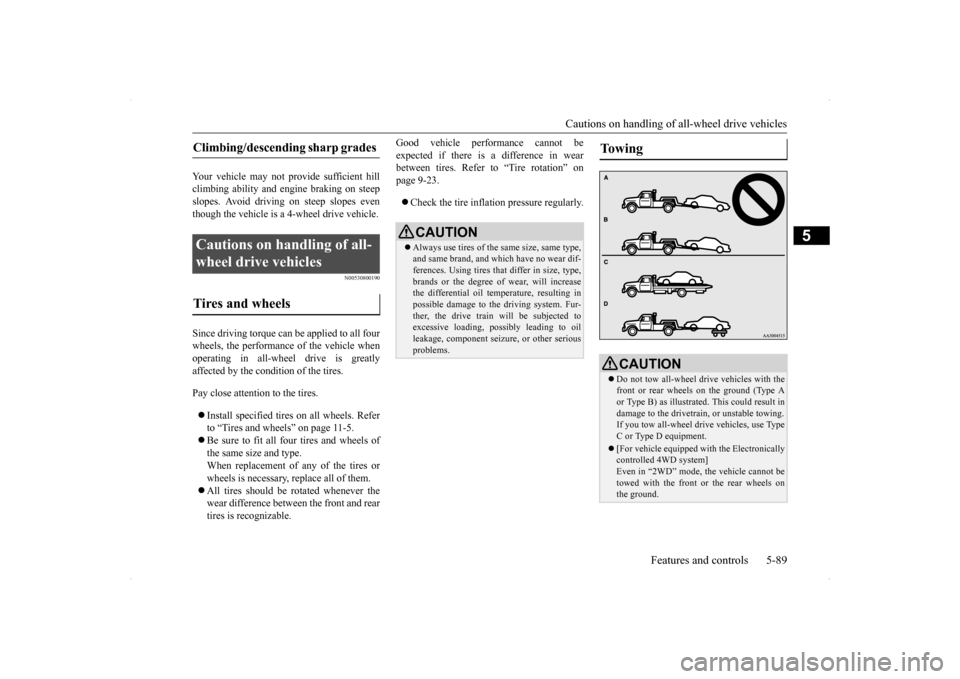
CAUTION Do not tow all-wheel dr
ive vehicles with the
front or rear wheels on the ground (Type Aor Type B) as illustrated. This could result in damage to the drivetra
in, or unstable towing.
If you tow all-wheel drive vehicles, use Type C or Type D equipment. [For vehicle equipped with the Electronically controlled 4WD system] Even in “2WD” mode, the vehicle cannot betowed with the front or the rear wheels on the ground.
Page 159 of 434
Anti-lock braking system 5-92 Features and controls
5
N00562700062
1. Stop the vehicle completely using the brake pedal.2. Release the brake pedal and the hill start assist will maintain the braking force applied while stopping for approximately2 seconds.
3. Depress the accelerator pedal and the hill start assist gradually will decrease the braking force as the vehicle starts moving.
N00562800063
If an abnormal condition occurs in the sys- tem, the following display/indicator will turnon.
Warning display
N00517900309
The anti-lock braking system helps prevent the wheels from locking up when braking.This helps you keep c
ontrol of your vehicle
and its direction.
CAUTION Do not overly rely on the hill start assist to prevent backwards movement of the vehicle. Under certain circumstances, even when hill start assist is activated, the vehicle may move backwards if the brake pedal is not suf-ficiently depressed, if the vehicle is heavily loaded, or if the road is very steep or slip- pery. The hill start assist is not designed to keep the vehicle stopped in place on uphill slopesfor more than 2 seconds. When facing uphill, do
not rely on using the
hill start assist to maintain a stopped position as an alternative to depressing the brake pedal.Doing so could cause an accident. Do not turn the ignition switch to the “LOCK” or “ACC” position while the hill start assist is operating. The hill start assist could stop operating, which could result inan accident.
To operate
NOTE
The hill start assist is activated when all of the following conditions are met. • The engine is running. (The hill start assist will not be activated while the engine is starting or immediatelyafter the engine is started.) • The gearshift lever is in any position other than “P” (PARK) or “N” (NEUTRAL). • The vehicle is completely stationary, with the brake pedal depressed. • The parking brake is released. The hill start assist will not operate if the accelerator pedal is depressed before thebrake pedal is released. The hill start assist also operates when reversing on an uphill slope.
Warning display
-
ASC indicator
CAUTION If the warning is displayed, the hill start assist will not operate. Start off carefully. Park your vehicle in a safe place and stop the engine. Restart the engine and check whether the display/indicator goes out, in which case the hill start assist is
again working normally.
If they remain displayed or reappear fre- quently, it is not necessary to stop the vehicle immediately, but the vehicle should beinspected by an authorized Mitsubishi Motors dealer or a repair facility of your choice as soon as possible.
Anti-lock braking system
Page 160 of 434
Anti-lock braking system
Features and controls 5-93
5
When using the anti-lock brakes (sudden braking), steering is slightly different from normal driving conditions. Use thesteering wheel carefully. Always keep a safe distance from the vehicle in front of you. Even if your vehi-cle is equipped with the anti-lock braking system, leave a greater braking distance when:• Driving on gravel or snow-coveredroads. • Driving on uneven road surfaces. Operation of anti-lock braking system is not restricted to situations where brakes are applied suddenly. This system may also prevent the wheels from lockingwhen you drive over manholes, steel roadwork plates, road markings, or any uneven road surface. When the anti-lock braking system is in use, you may feel the brake pedal vibrat- ing and hear a unique sound. You mayalso feel as if the pedal resists being pressed. In this situation, simply hold the brakepedal down firmly. Do not pump the brake, which will result in reduced braking performance.
N00531600573
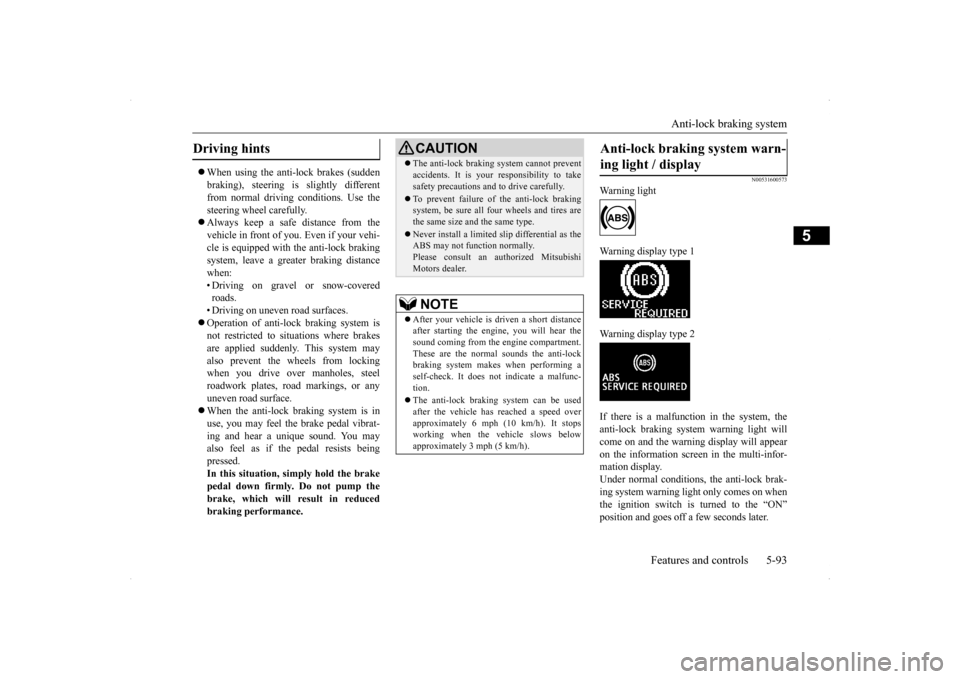
Warning light Warning display type 1 Warning display type 2 If there is a malfunction in the system, the anti-lock braking system warning light willcome on and the warning display will appearon the information screen in the multi-infor- mation display. Under normal conditions, the anti-lock brak-ing system warning light only comes on when the ignition switch is turned to the “ON” position and goes off a few seconds later.
Driving hints
CAUTION The anti-lock braking system cannot prevent accidents. It is your responsibility to take safety precautions and to drive carefully. To prevent failure of the anti-lock braking system, be sure all four wheels and tires are the same size and the same type. Never install a limited s
lip differential as the
ABS may not function normally. Please consult an authorized MitsubishiMotors dealer.NOTE
After your vehicle is driven a short distance after starting the engine, you will hear thesound coming from the engine compartment. These are the normal sounds the anti-lock braking system makes when performing aself-check. It does not indicate a malfunc- tion. The anti-lock braking system can be used after the vehicle has reached a speed over approximately 6 mph (10 km/h). It stopsworking when the vehicle slows below approximately 3 mph (5 km/h).
Anti-lock braking system warn- ing light / display
Page 161 of 434
Anti-lock braking system 5-94 Features and controls
5
N00531700503
Avoid hard braking and high-speed driv- ing. Stop the vehicle in a safe place.Test the system by restarting the engine and driving at a speed
of about 12 mph
(20 km/h) or higher.If the warning light / display then remain off during driving, there is no problem. However, if the warning light / display donot disappear, or if they come on again when the vehicle is driven, have the vehi- cle checked by an authorized MitsubishiMotors dealer or repair facility of your choice as soon as possible.
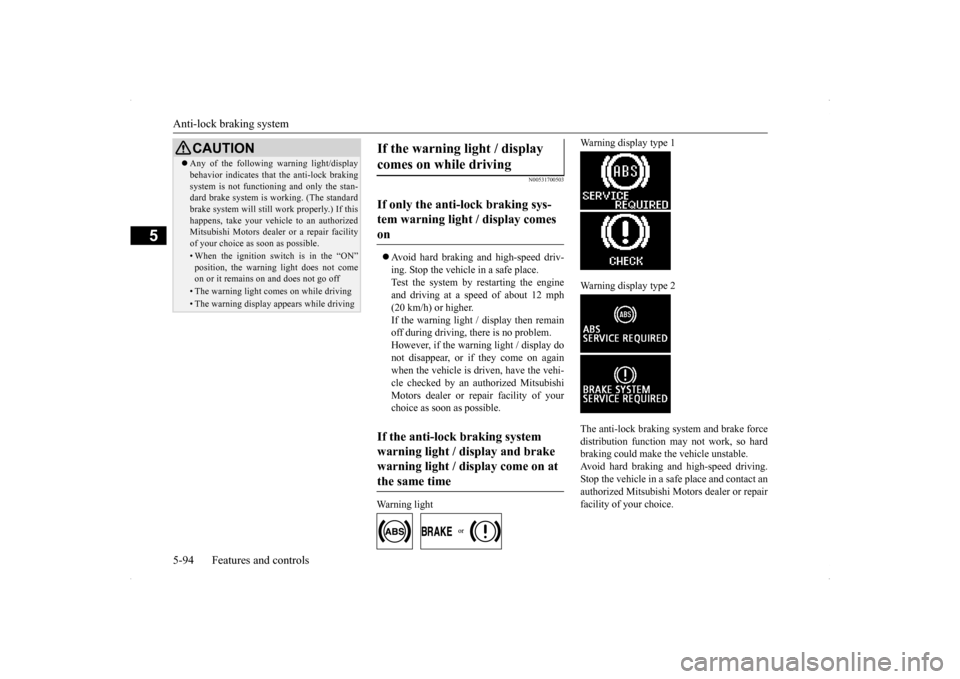
Warning light
Warning display type 1 Warning display type 2 The anti-lock braking system and brake force distribution function may not work, so hard braking could make the vehicle unstable.Avoid hard braking and high-speed driving. Stop the vehicle in a safe place and contact an authorized Mitsubishi Motors dealer or repairfacility of your choice.
CAUTION Any of the following warning light/display behavior indicates that the anti-lock braking system is not functioning and only the stan- dard brake system is working. (The standard brake system will still work properly.) If thishappens, take your vehicle to an authorized Mitsubishi Motors dealer or a repair facility of your choice as soon as possible.• When the ignition switch is in the “ON”position, the warning light does not comeon or it remains on and does not go off• The warning light comes on while driving• The warning display appears while driving
If the warning light / display comes on while driving If only the anti-lock braking sys- tem warning light / display comes on If the anti-lock braking system warning light / display and brake warning light / display come on at the same time
Page 162 of 434
Active Stability Control (ASC) (if so equipped)
Features and controls 5-95
5
N00529200022
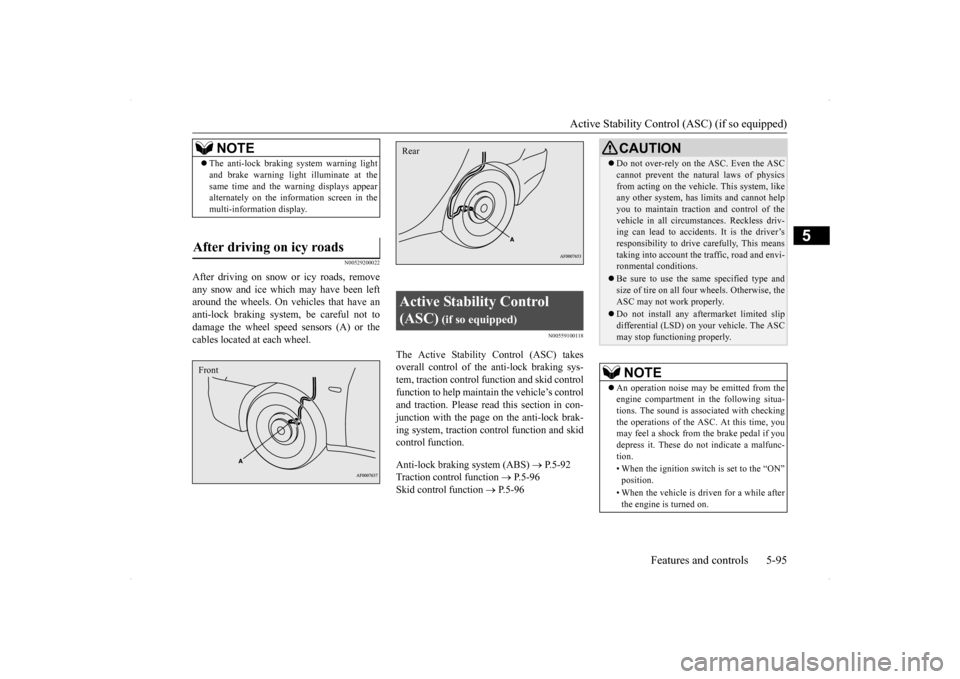
After driving on snow or icy roads, remove any snow and ice which may have been left around the wheels. On vehicles that have an anti-lock braking system, be careful not todamage the wheel speed sensors (A) or the cables located at each wheel.
N00559100118
The Active Stability Control (ASC) takesoverall control of the anti-lock braking sys- tem, traction control function and skid controlfunction to help maintain the vehicle’s controland traction. Please read
this section in con-
junction with the page on the anti-lock brak- ing system, traction control function and skidcontrol function. Anti-lock braking system (ABS)
P.5-92
Traction control function
P.5-96
Skid control function
P.5-96
NOTE
The anti-lock braking system warning light and brake warning light
illuminate at the
same time and the warning displays appear alternately on the information screen in the multi-information display.
After driving on icy roads Front
Active Stability Control (ASC)
(if so equipped)
Rear
CAUTION Do not over-rely on the ASC. Even the ASC cannot prevent the natural laws of physics from acting on the vehicle. This system, like any other system, has limits and cannot help you to maintain traction and control of thevehicle in all circumstances. Reckless driv- ing can lead to accidents. It is the driver’s responsibility to drive carefully, This meanstaking into account the traffic, road and envi- ronmental conditions. Be sure to use the same specified type and size of tire on all four wheels. Otherwise, the ASC may not work properly. Do not install any aftermarket limited slip differential (LSD) on your vehicle. The ASCmay stop functioning properly.NOTE
An operation noise may be emitted from the engine compartment in the following situa-tions. The sound is associated with checking the operations of the ASC. At this time, you may feel a shock from the brake pedal if youdepress it. These do not indicate a malfunc- tion. • When the ignition switch is set to the “ON” position. • When the vehicle is driven for a while after the engine is turned on.
Page 164 of 434
Active Stability Control (ASC) (if so equipped)
Features and controls 5-97
5
N00559500196
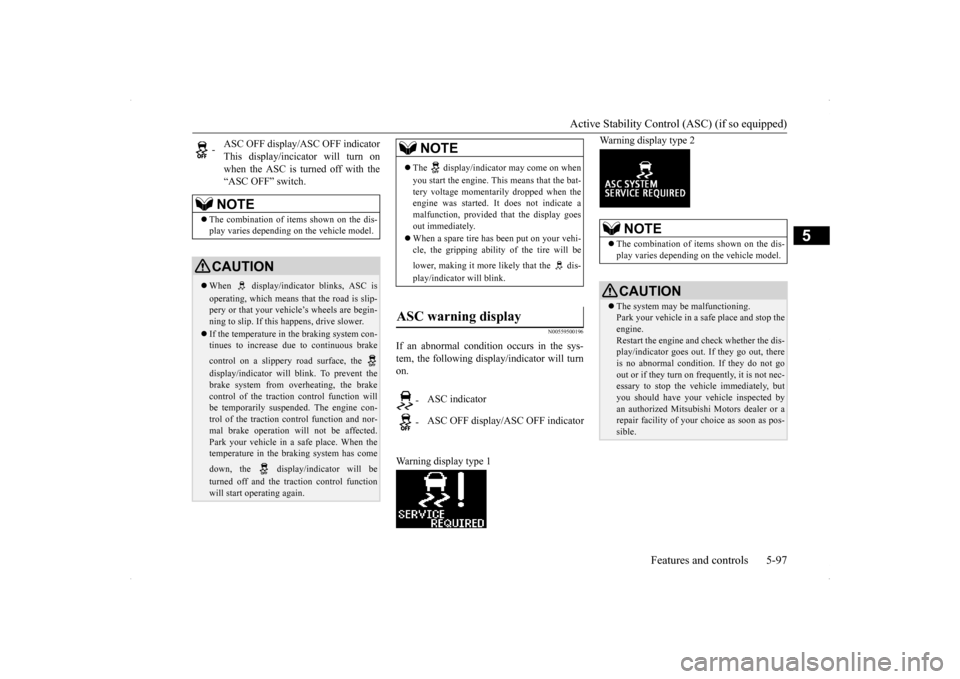
If an abnormal condition occurs in the sys- tem, the following display/indicator will turn on. Warning display type 1
Warning display type 2
-
ASC OFF display/ASC OFF indicator This display/incicator will turn onwhen the ASC is turned off with the “ASC OFF” switch.NOTE
The combination of items shown on the dis- play varies depending on the vehicle model.CAUTION When display/indicator blinks, ASC is operating, which means that the road is slip- pery or that your vehicle’s wheels are begin-ning to slip. If this happens, drive slower. If the temperature in the braking system con- tinues to increase due to continuous brake control on a slippery road surface, the display/indicator will blink. To prevent the brake system from overheating, the brake control of the traction control function willbe temporarily suspended. The engine con- trol of the traction control function and nor- mal brake operation will not be affected. Park your vehicle in a safe place. When the temperature in the braking system has come down, the display/indicator will be turned off and the traction control function will start operating again.
NOTE
The display/indicator may come on when you start the engine. This means that the bat- tery voltage momentarily dropped when the engine was started. It does not indicate amalfunction, provided that the display goes out immediately. When a spare tire has been put on your vehi- cle, the gripping ability of the tire will be lower, making it more likely that the dis- play/indicator will blink.
ASC warning display
-
ASC indicator
-
ASC OFF display/ASC OFF indicator
NOTE
The combination of items shown on the dis- play varies depending on the vehicle model.CAUTION The system may be malfunctioning. Park your vehicle in a safe place and stop the engine. Restart the engine and check whether the dis- play/indicator goes out. If they go out, there is no abnormal condition.
If they do not go
out or if they turn on frequently, it is not nec- essary to stop the vehicle immediately, but you should have your vehicle inspected byan authorized Mitsubishi Motors dealer or a repair facility of your
choice as soon as pos-
sible.
Page 171 of 434
Tire pressure monitoring system 5-104 Features and controls
5
However, you must repeat the speed setting procedure under either of the following con-ditions: The ignition switch is turned to the “OFF” position. The cruise control is turned OFF. “CRUISE” indicator light is turned off.
N00530201494
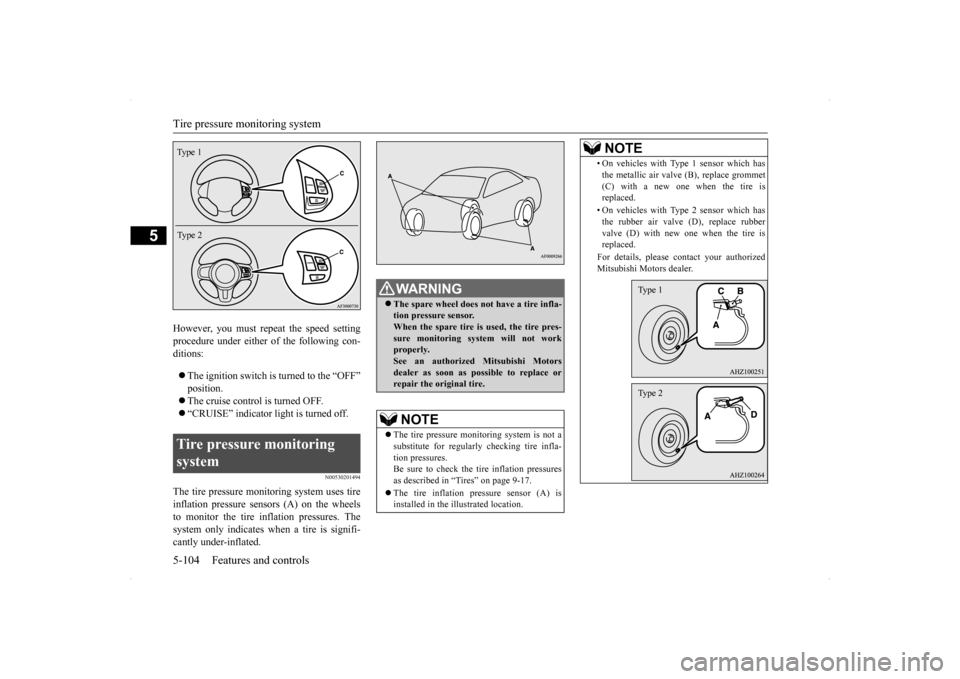
The tire pressure monitoring system uses tire inflation pressure sensors (A) on the wheels to monitor the tire inflation pressures. The system only indicates when a tire is signifi-cantly under-inflated.Tire pressure monitoring system Type 1 Type 2
WA R N I N G The spare wheel does not have a tire infla- tion pressure sensor. When the spare tire is used, the tire pres- sure monitoring system will not workproperly. See an authorized Mitsubishi Motors dealer as soon as possible to replace orrepair the original tire.NOTE
The tire pressure monitoring system is not a substitute for regularly checking tire infla-tion pressures. Be sure to check the tire inflation pressures as described in “Tires” on page 9-17. The tire inflation pressure sensor (A) is installed in the illustrated location.
• On vehicles with Type 1 sensor which has the metallic air valve (B), replace grommet (C) with a new one when the tire is replaced. • On vehicles with Type 2 sensor which has the rubber air valve (D), replace rubber valve (D) with new one when the tire isreplaced. For details, please contact your authorized Mitsubishi Motors dealer.NOTE
Type 1Type 2
Page 172 of 434
Tire pressure monitoring system
Features and controls 5-105
5
N00532700122
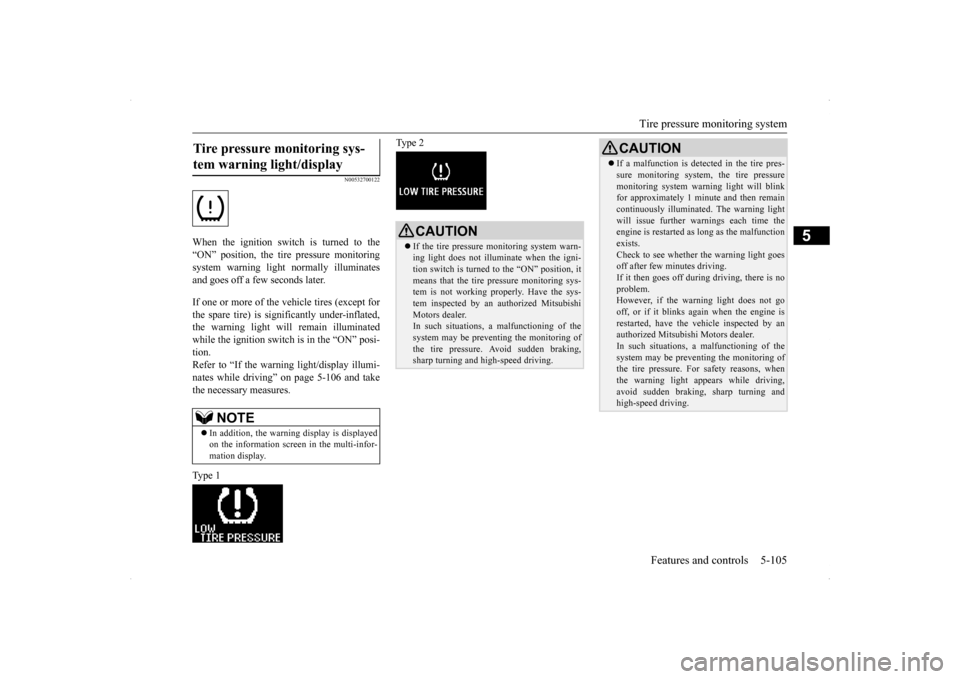
When the ignition switch is turned to the “ON” position, the tire pressure monitoringsystem warning light normally illuminatesand goes off a few seconds later. If one or more of the vehicle tires (except for the spare tire) is significantly under-inflated, the warning light will remain illuminatedwhile the ignition switch is in the “ON” posi- tion. Refer to “If the warning light/display illumi-nates while driving” on page 5-106 and take the necessary measures. Type 1
Type 2
Tire pressure monitoring sys- tem warning light/display
NOTE
In addition, the warning display is displayed on the information screen in the multi-infor- mation display.
CAUTION If the tire pressure monitoring system warn- ing light does not illuminate when the igni- tion switch is turned to the “ON” position, it means that the tire pressure monitoring sys-tem is not working properly. Have the sys- tem inspected by an authorized Mitsubishi Motors dealer.In such situations,
a malfunctioning of the
system may be preventing the monitoring of the tire pressure. Avoid sudden braking, sharp turning and high-speed driving.
If a malfunction is detected in the tire pres- sure monitoring system, the tire pressure monitoring system warning light will blink for approximately 1 minute and then remain continuously illuminated. The warning lightwill issue further warn
ings each time the
engine is restarted as long as the malfunction exists.Check to see whether the warning light goes off after few minutes driving. If it then goes off during driving, there is noproblem. However, if the warning light does not go off, or if it blinks again when the engine isrestarted, have the vehicle inspected by an authorized Mitsubishi Motors dealer. In such situations,
a malfunctioning of the
system may be preventing the monitoring of the tire pressure. For safety reasons, when the warning light appears while driving,avoid sudden braking, sharp turning and high-speed driving.CAUTION