display MITSUBISHI LANCER SPORTBACK 2014 8.G Owners Manual
[x] Cancel search | Manufacturer: MITSUBISHI, Model Year: 2014, Model line: LANCER SPORTBACK, Model: MITSUBISHI LANCER SPORTBACK 2014 8.GPages: 422, PDF Size: 55.11 MB
Page 207 of 422
Indicator light, warning light, an
d information screen display list
5-140 Features and controls
5
N00558201265
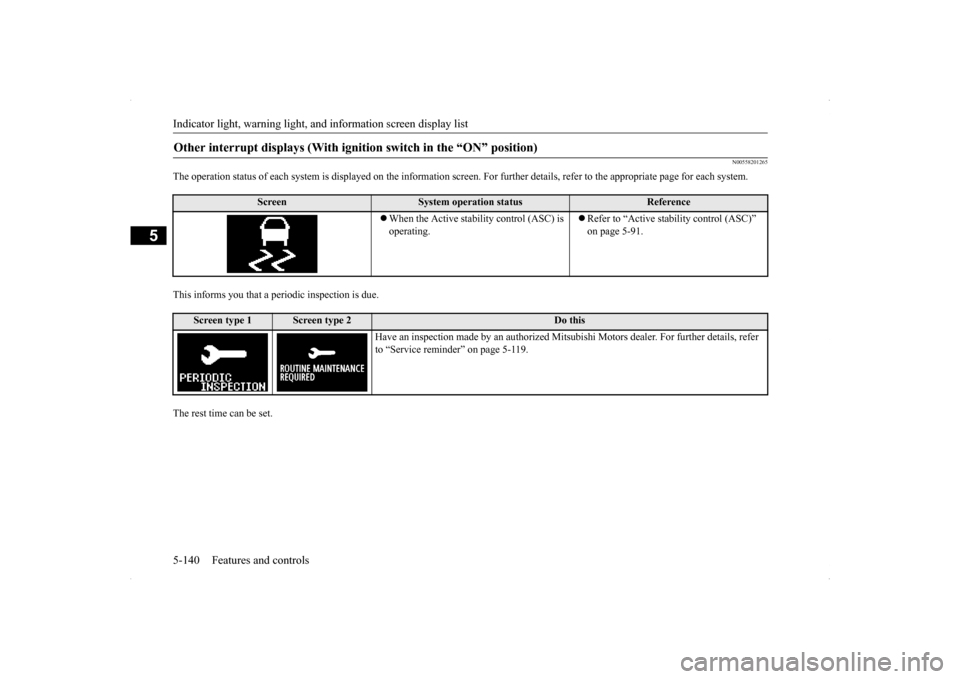
The operation status of each system is displayed on the informa
tion screen. For further details, refer to the appropriate page
for each system.
This informs you that a periodic inspection is due.The rest time can be set.Other interrupt displays (With igniti
on switch in the “ON” position)
Screen
System operation status
Reference
When the Active stability control (ASC) is operating.
Refer to “Active stability control (ASC)” on page 5-91.
Screen type 1
Screen type 2
Do this
Have an inspection made by an authorized Mits
ubishi Motors dealer. For further details, refer
to “Service reminder” on page 5-119.
BK0200700US.book
140 ページ 2013年2月15日 金曜日 午後12時17分
Page 208 of 422
Indicators
Features and controls 5-141
5
N00519900127 N00520000229
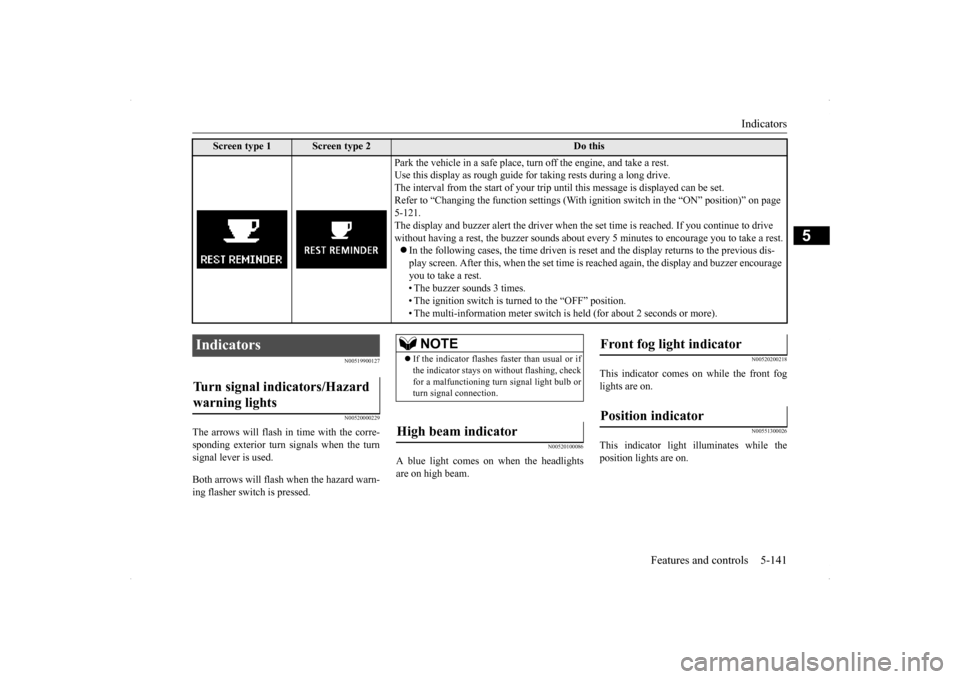
The arrows will flash in
time with the corre-
sponding exterior turn signals when the turn signal lever is used. Both arrows will flas
h when the hazard warn-
ing flasher switch is pressed.
N00520100086
A blue light comes on when the headlightsare on high beam.
N00520200218
This indicator comes on while the front foglights are on.
N00551300026
This indicator light illuminates while theposition lights are on.
Screen type 1
Screen type 2
Do this
Park the vehicle in a safe place, turn off the engine, and take a rest. Use this display as rough guide for taking rests during a long drive.The interval from the start of your trip until this message is displayed can be set.Refer to “Changing the function settings (With ig
nition switch in the “ON” position)” on page
5-121. The display and buzzer alert the driver when the
set time is reached. If you continue to drive
without having a rest, the buzzer sounds about every 5 minutes to encourage you to take a rest. In the following cases, the time driven is rese
t and the display returns to the previous dis-
play screen. After this, when the set time is
reached again, the display and buzzer encourage
you to take a rest. • The buzzer sounds 3 times. • The ignition switch is turned to the “OFF” position.• The multi-information meter switch is held (for about 2 seconds or more).
Indicators Turn signal indicators/Hazard warning lights
NOTE
If the indicator flashes faster than usual or if the indicator stays on without flashing, check for a malfunctioning turn signal light bulb or turn signal connection.
High beam indicator
Front fog light indicator Position indicator
BK0200700US.book
141 ページ 2013年2月15日 金曜日 午後12時17分
Page 209 of 422
Warning lights 5-142 Features and controls
5
N00520300147 N00520400366
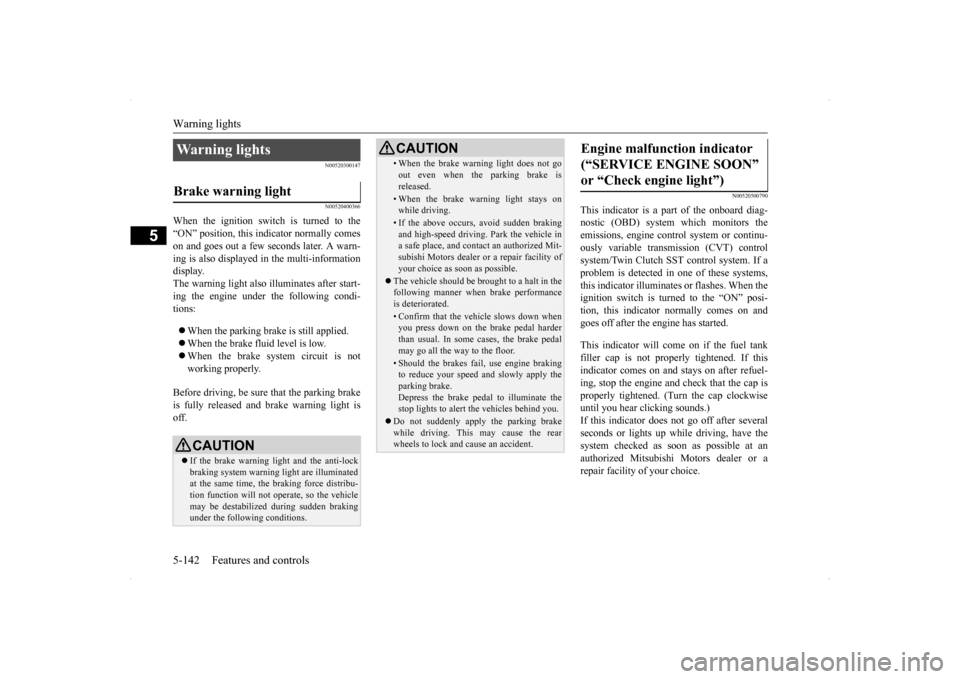
When the ignition switch is turned to the “ON” position, this indicator normally comeson and goes out a few seconds later. A warn- ing is also displayed in the multi-information display.The warning light also illuminates after start-ing the engine under the following condi- tions: When the parking brake is still applied. When the brake fluid level is low. When the brake system circuit is not working properly.
Before driving, be sure that the parking brake is fully released and brake warning light isoff.
N00520500790
This indicator is a part of the onboard diag- nostic (OBD) system which monitors the emissions, engine contro
l system or continu-
ously variable transmission (CVT) control system/Twin Clutch SST control system. If a problem is detected in one of these systems,this indicator illuminates or flashes. When theignition switch is turned to the “ON” posi- tion, this indicator normally comes on and goes off after the engine has started. This indicator will come on if the fuel tank filler cap is not properly tightened. If this indicator comes on and stays on after refuel- ing, stop the engine and check that the cap isproperly tightened. (Turn the cap clockwise until you hear clicking sounds.) If this indicator does not go off after severalseconds or lights up while driving, have the system checked as soon as possible at an authorized Mitsubishi Motors dealer or arepair facility of your choice.
Warning lights Brake warning light
CAUTION If the brake warning light and the anti-lock braking system warning light are illuminated at the same time, the braking force distribu-tion function will not operate, so the vehicle may be destabilized during sudden braking under the following conditions.
• When the brake warning light does not go out even when the parking brake is released.• When the brake warning light stays onwhile driving.• If the above occurs, avoid sudden brakingand high-speed driving. Park the vehicle in a safe place, and contact an authorized Mit- subishi Motors dealer or a repair facility ofyour choice as soon as possible.
The vehicle should be brought to a halt in the following manner when brake performance is deteriorated.• Confirm that the vehicle slows down whenyou press down on the brake pedal harder than usual. In some cases, the brake pedalmay go all the way to the floor.• Should the brakes fail, use engine brakingto reduce your speed and slowly apply the parking brake. Depress the brake pedal to illuminate thestop lights to alert the vehicles behind you.
Do not suddenly apply the parking brake while driving. This may cause the rear wheels to lock and cause an accident.CAUTION
Engine malfunction indicator (“SERVICE ENGINE SOON” or “Check engine light”)
BK0200700US.book
142 ページ 2013年2月15日 金曜日 午後12時17分
Page 210 of 422
Information screen display
Features and controls 5-143
5
N00520600296
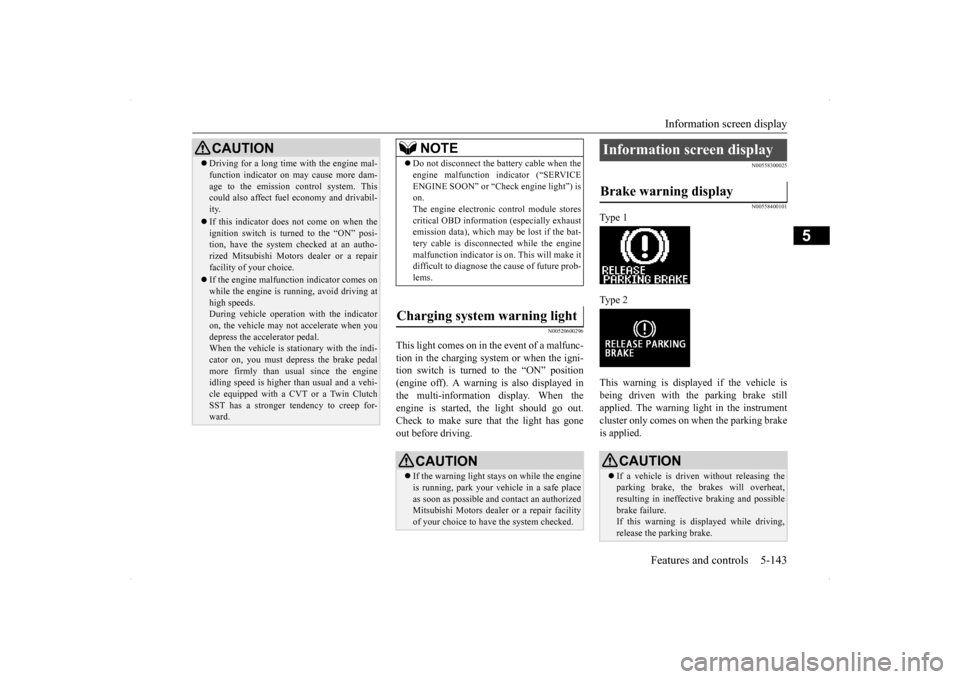
This light comes on in the event of a malfunc- tion in the charging system or when the igni- tion switch is turned to the “ON” position (engine off). A warning is also displayed inthe multi-information display. When the engine is started,
the light should go out.
Check to make sure that the light has goneout before driving.
N00558300025 N00558400101
Type 1 Type 2 This warning is displayed if the vehicle is being driven with the parking brake still applied. The warning light in the instrumentcluster only comes on when the parking brake is applied.
CAUTION Driving for a long time with the engine mal- function indicator on may cause more dam- age to the emission control system. This could also affect fuel economy and drivabil- ity. If this indicator does not come on when the ignition switch is turned to the “ON” posi-tion, have the system checked at an autho- rized Mitsubishi Motors dealer or a repair facility of your choice. If the engine malfunction indicator comes on while the engine is running, avoid driving athigh speeds. During vehicle operation with the indicator on, the vehicle may not accelerate when youdepress the accelerator pedal. When the vehicle is stationary with the indi- cator on, you must depress the brake pedalmore firmly than usual since the engine idling speed is higher than usual and a vehi- cle equipped with a CVT or a Twin ClutchSST has a stronger tendency to creep for- ward.
NOTE
Do not disconnect the battery cable when the engine malfunction indicator (“SERVICE ENGINE SOON” or “Check engine light”) is on. The engine electronic control module storescritical OBD information (especially exhaust emission data), which may be lost if the bat- tery cable is disconnected while the enginemalfunction indicator is on. This will make it difficult to diagnose the cause of future prob- lems.
Charging system warning light
CAUTION If the warning light stays on while the engine is running, park your vehicle in a safe place as soon as possible and contact an authorizedMitsubishi Motors dealer or a repair facility of your choice to have the system checked.
Information screen display Brake warning display
CAUTION If a vehicle is driven without releasing the parking brake, the brakes will overheat, resulting in ineffective braking and possible brake failure.If this warning is displayed while driving, release the parking brake.
BK0200700US.book
143 ページ 2013年2月15日 金曜日 午後12時17分
Page 211 of 422
Information screen display 5-144 Features and controls
5
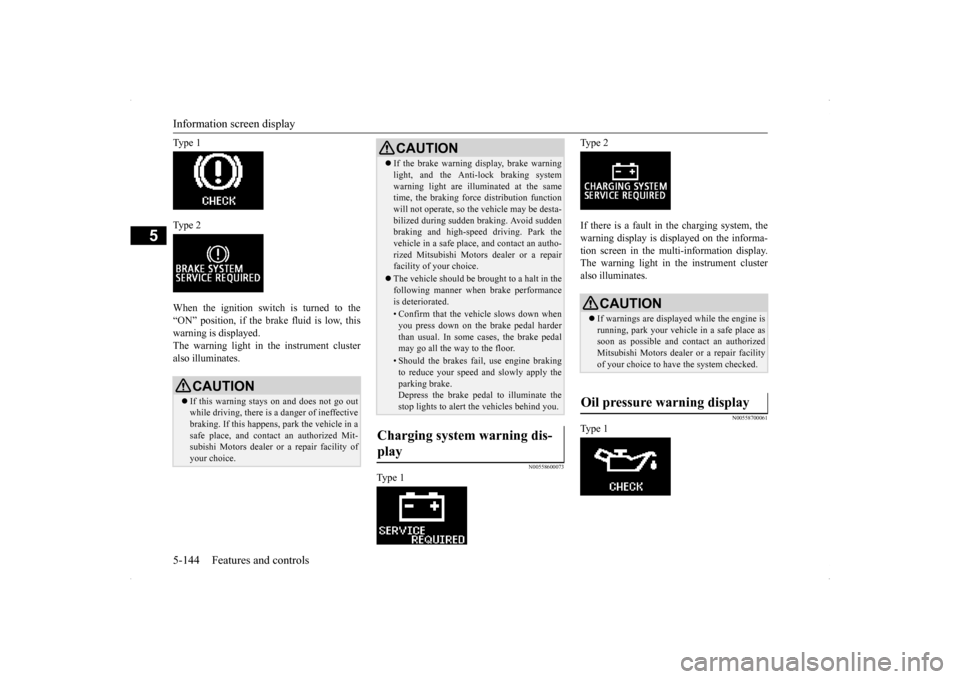
Ty p e 1 Ty p e 2 When the ignition switch is turned to the “ON” position, if the brake fluid is low, thiswarning is displayed. The warning light in the instrument cluster also illuminates.
N00558600073
Ty p e 1
Ty p e 2 If there is a fault in the charging system, the warning display is displayed on the informa- tion screen in the multi-information display.The warning light in the instrument cluster also illuminates.
N00558700061
Ty p e 1
CAUTION If this warning stays on and does not go out while driving, there is a danger of ineffectivebraking. If this happens, park the vehicle in a safe place, and contact an authorized Mit- subishi Motors dealer or a repair facility ofyour choice.
If the brake warning display, brake warning light, and the Anti-lock braking system warning light are illuminated at the same time, the braking force distribution function will not operate, so the vehicle may be desta-bilized during sudden braking. Avoid sudden braking and high-speed driving. Park the vehicle in a safe place, and contact an autho-rized Mitsubishi Motors dealer or a repair facility of your choice. The vehicle should be brought to a halt in the following manner when brake performance is deteriorated.• Confirm that the vehicle slows down whenyou press down on the brake pedal harderthan usual. In some cases, the brake pedal may go all the way to the floor.• Should the brakes fail, use engine brakingto reduce your speed and slowly apply the parking brake.Depress the brake pedal to illuminate the stop lights to alert the vehicles behind you.
Charging system warning dis- play
CAUTION
CAUTION If warnings are displayed while the engine is running, park your vehicle in a safe place assoon as possible and contact an authorized Mitsubishi Motors dealer or a repair facility of your choice to have the system checked.
Oil pressure warning display
BK0200700US.book
144 ページ 2013年2月15日 金曜日 午後12時17分
Page 212 of 422
Combination headlights and dimmer switch
Features and controls 5-145
5
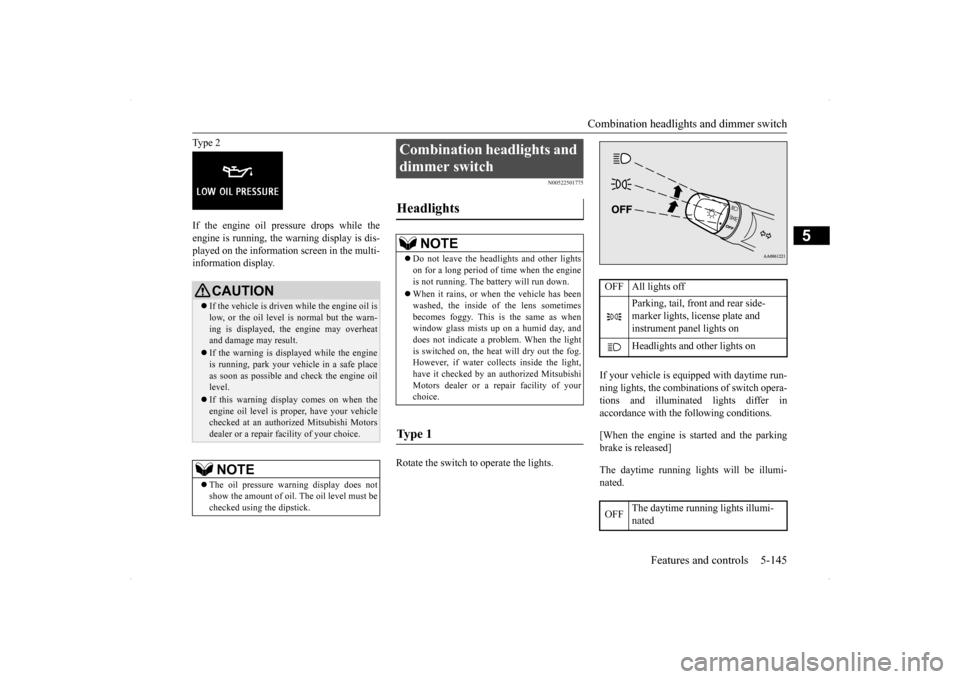
Type 2 If the engine oil pressure drops while the engine is running, the warning display is dis- played on the information screen in the multi-information display.
N00522501775
Rotate the switch to operate the lights.
If your vehicle is equipped with daytime run- ning lights, the combinations of switch opera- tions and illuminated lights differ inaccordance with the following conditions. [When the engine is started and the parking brake is released] The daytime running lights will be illumi- nated.
CAUTION If the vehicle is driven while the engine oil is low, or the oil level is normal but the warn- ing is displayed, the engine may overheat and damage may result. If the warning is displayed while the engine is running, park your vehicle in a safe place as soon as possible and check the engine oil level. If this warning display comes on when the engine oil level is proper, have your vehiclechecked at an authorized Mitsubishi Motors dealer or a repair facility of your choice.NOTE
The oil pressure warning display does not show the amount of oil. The oil level must be checked using the dipstick.
Combination headlights and dimmer switch Headlights
NOTE
Do not leave the headlights and other lights on for a long period of time when the engine is not running. The battery will run down. When it rains, or when the vehicle has been washed, the inside of the lens sometimes becomes foggy. This is the same as whenwindow glass mists up on a humid day, and does not indicate a problem. When the light is switched on, the heat will dry out the fog.However, if water collects inside the light, have it checked by an authorized Mitsubishi Motors dealer or a repair facility of yourchoice.
Ty p e 1
OFF All lights off
Parking, tail, front and rear side- marker lights, license plate and instrument panel lights on Headlights and other lights on
OFF
The daytime running lights illumi- nated
BK0200700US.book
145 ページ 2013年2月15日 金曜日 午後12時17分
Page 215 of 422
Combination headlights and dimmer switch 5-148 Features and controls
5
N00549800167
If the driver’s door is opened with the key in the “LOCK” or “ACC” position or removed
from the ignition switch while the lights are on, the buzzer will sound to remind you to turn off the lights. If the driver’s door is opened with the ignition switch in the “LOCK” or “ACC” position, or if the ignition switch is moved to the “LOCK” position while the lights are on, thebuzzer will sound to remind you to turn offthe lights. In either case, the lights and buzzer will turn off automatically. Or you can turn the light
switch to the “OFF”
position to stop the buzzer.
N00549900155
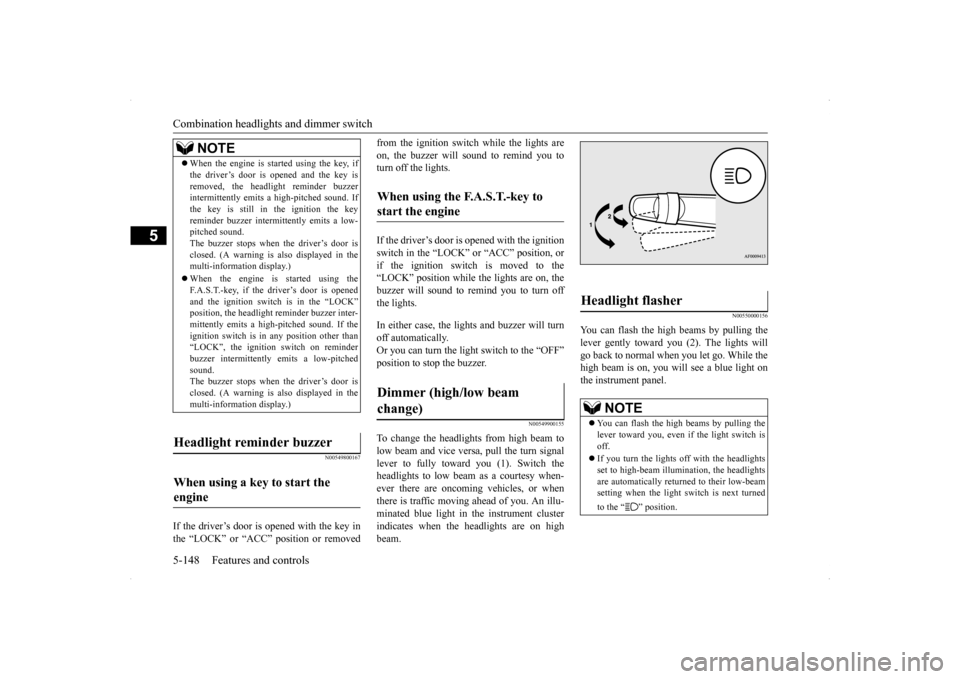
To change the headlights from high beam to low beam and vice versa, pull the turn signal lever to fully toward you (1). Switch theheadlights to low beam as a courtesy when- ever there are oncoming vehicles, or when there is traffic moving ahead of you. An illu-minated blue light in the instrument cluster indicates when the headlights are on high beam.
N00550000156
You can flash the high beams by pulling thelever gently toward you (2). The lights will go back to normal when you let go. While the high beam is on, you will see a blue light onthe instrument panel.
NOTE
When the engine is started using the key, if the driver’s door is opened and the key is removed, the headlight reminder buzzer intermittently emits a high-pitched sound. If the key is still in the ignition the keyreminder buzzer intermittently emits a low- pitched sound. The buzzer stops when the driver’s door isclosed. (A warning is also displayed in the multi-information display.) When the engine is started using the F.A.S.T.-key, if the driver’s door is opened and the ignition switch is in the “LOCK”position, the headlight reminder buzzer inter- mittently emits a high-pitched sound. If the ignition switch is in any position other than“LOCK”, the ignition switch on reminder buzzer intermittently emits a low-pitched sound.The buzzer stops when the driver’s door is closed. (A warning is also displayed in the multi-information display.)
Headlight reminder buzzer When using a key to start the engine
When using the F.A.S.T.-key to start the engine Dimmer (high/low beam change)
Headlight flasher
NOTE
You can flash the high beams by pulling the lever toward you, even if the light switch is off. If you turn the lights off with the headlights set to high-beam illumin
ation, the headlights
are automatically returned to their low-beam setting when the light switch is next turned to the “ ” position.
BK0200700US.book
148 ページ 2013年2月15日 金曜日 午後12時17分
Page 227 of 422

Bluetooth® 2.0 interface (if so equipped) 5-160 Features and controls
5
Press this button to decrease the volume. Press this button to change to voice recog- nition mode. While the system is in voice recognition mode, “Listening” will appear on theaudio display. If you press the button briefly while in voice recognition mode, it will interrupt prompting and allow voice command input.Pressing the button longer will deactivatethe voice recognition mode. Pressing this button briefly during a call will enable voice recognition and allowvoice command input.
Press this button when an incoming call is received to answer the telephone. When another call is received during a call, press this button to put the first calleron hold and talk to the new caller. • In such circumstances, you can press the button briefly to switch between callers.You will switch to the first caller and the other caller will be put on hold. • To establish a three-way call in such situ-ations, press the SPEECH button to enter voice recognition mode and then say “Join calls.”
Press this button when an incoming call is received to refuse the call.
Press this button during a call to end the current call. When another call is on hold, you will switch to that call. If this button is pressed in the voice recog- nition mode, the voice recognition mode will be deactivated.
N00575800025
Your voice will be recognized by a micro-phone in the overhead console, allowing you to make hands-free calls with voice com- mands.
Volume down button
SPEECH button
NOTE
On a vehicle equipped with a Mitsubishi Multi-Communication System, pressing theSPEECH button will beep and activated the voice recognition mode of Mitsubishi Multi- Communication System. When you use the voice recognition of the Bluetooth
® 2.0
interface, press the PICK-UP button.
PICK-UP button
NOTE
On a vehicle equipped with a Mitsubishi Multi-Communication System, pressing the PICK-UP button except when an incomingcall is received to answer the telephone will activate the voice recognition of the Blue- tooth
® 2.0 interface.
HANG-UP button
NOTE
When you press the SPEECH button to enter voice recognition mode with a cellular phonepaired to the system, current information on the cellular phone, such as “remaining bat- tery life,” “signal strength” or “roaming,”will be displayed on the audio display.
*
* : Some cellular phones will not send this information to the Bluetooth
® 2.0 interface.
Call waiting and three-way calls can be used by the Bluetooth
® 2.0 interface, only if it is
possible to use those services with your cel- lular phone.
Microphone
BK0200700US.book
160 ページ 2013年2月15日 金曜日 午後12時17分
Page 262 of 422
Vehicle preparation before driving
Driving safety 6-3
6
N00629000685
For a safer and more enjoyable trip, always observe the following: Before starting the vehicle, make certain that you and all passengers are seated and wearing their seat belts properly (with children in the rear seat, in appropriaterestraints), and that all the doors and the rear hatch are locked.
Move the driver’s seat as far backward as possible, while still keeping good visibil- ity, and good control of the steering wheel, brakes, accelerator, and controls.Check the instrument panel indicators and multi-information display for any possible problem. Move the front passenger seat as far back as possible. Make sure that infants and small children are properly restrained in accordance withall laws and regulations.
Check these by selecting the defroster mode, and set the blower switch on high. You should be able to feel the air blowing against the windshield.(Refer to “Defrosting or defogging (wind- shield, door windows)” on page 7-9, 7-14, 7-19, 7-24.) Check all the tires for heavy tread wear or uneven wear patterns. Look for stones, nails,glass, or other objects stuck in the tread. Look for any tread cuts or sidewall cracks. Check the wheel nuts for tightness, and the tires(including spare tire) for proper pressures.
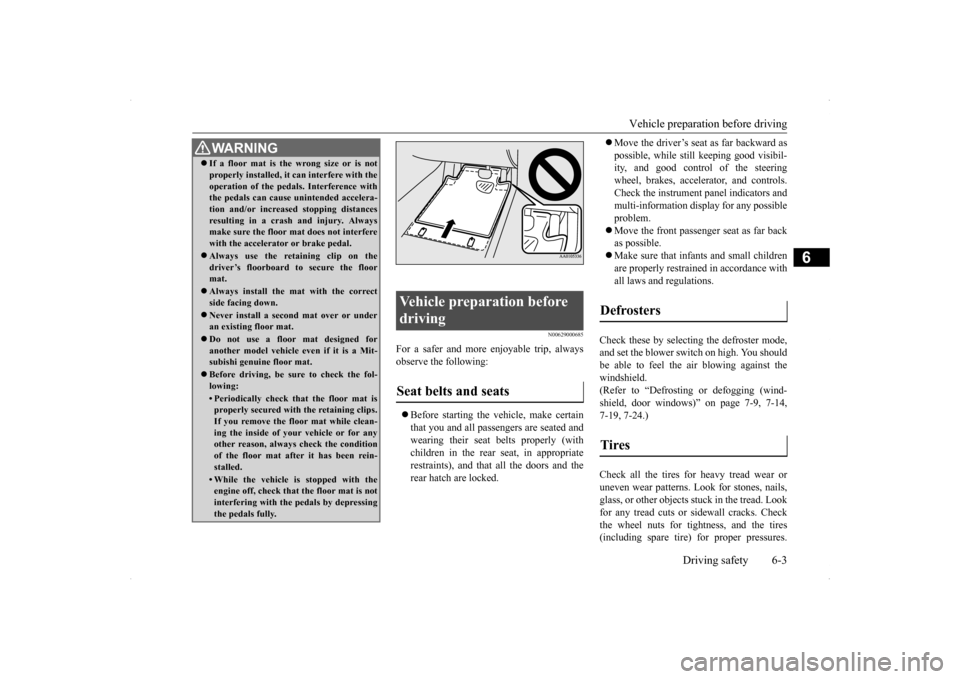
WA R N I N G If a floor mat is the wrong size or is not properly installed, it can interfere with the operation of the pedals. Interference with the pedals can cause unintended accelera- tion and/or increased stopping distancesresulting in a crash and injury. Always make sure the floor mat does not interfere with the accelerator or brake pedal. Always use the retaining clip on the driver’s floorboard to secure the floormat. Always install the mat with the correct side facing down. Never install a second mat over or under an existing floor mat. Do not use a floor mat designed for another model vehicle ev
en if it is a Mit-
subishi genuine floor mat. Before driving, be sure to check the fol- lowing:• Periodically check that the floor mat isproperly secured with the retaining clips. If you remove the floor mat while clean-ing the inside of your vehicle or for any other reason, always check the condition of the floor mat after it has been rein-stalled.• While the vehicle is stopped with the engine off, check that the floor mat is not interfering with the pedals by depressingthe pedals fully.
Vehicle preparation before driving Seat belts and seats
Defrosters Tires
BK0200700US.bo
ok 3 ページ 2013年2月15日 金曜日 午後12時17分
Page 272 of 422
7
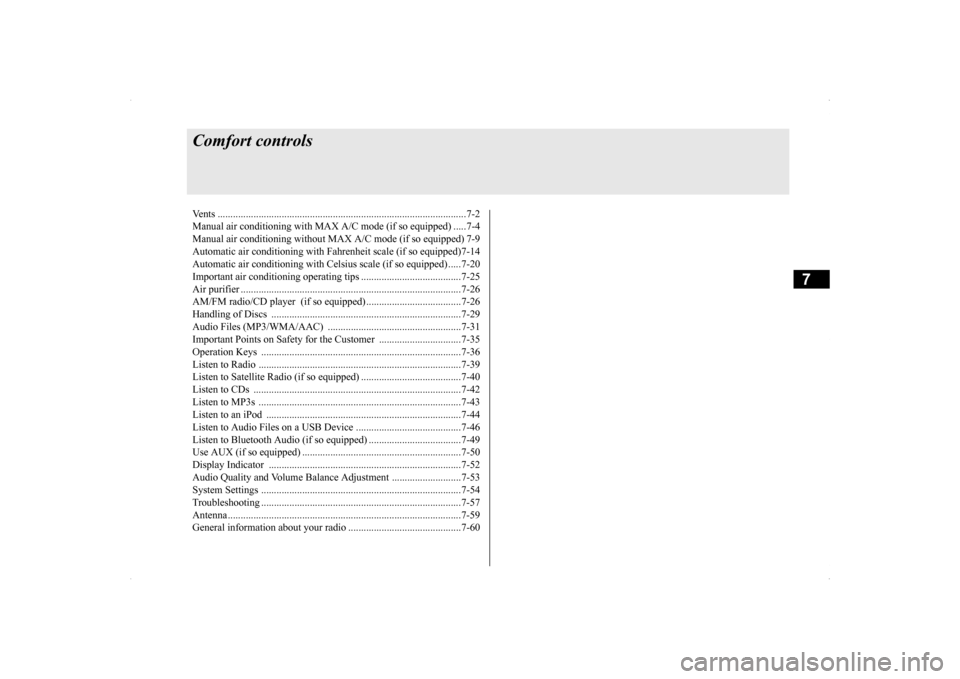
Comfort controlsVents ..........................................
.......................................................7-2
Manual air conditioning with MAX A/C mode (if so equipped) .....7-4 Manual air conditioning without MAX A/C mode (if so equipped) 7-9 Automatic air conditioning with Fahr
enheit scale (if so equipped)7-14
Automatic air conditioning with Cels
ius scale (if so equipped) .....7-20
Important air conditioning op
erating tips .......................................7-25
Air purifier .......................
...............................................................7-26
AM/FM radio/CD player (if so equipped) .....................................7-26 Handling of Discs .
.................................................
........................7-29
Audio Files (MP3/WMA/
AAC) ....................................................7-31
Important Points on Safety fo
r the Customer ................................7-35
Operation Keys ...............
...............................................................7-36
Listen to Radio ......
.................................................
........................7-39
Listen to Satellite Radio (if so equipped) .......................................7-40 Listen to CDs ..................
...............................................................7-42
Listen to MP3s ......
.................................................
........................7-43
Listen to an iPod ...
.................................................
........................7-44
Listen to Audio Files on
a USB Device .........................................7-46
Listen to Bluetooth Audio (i
f so equipped) ....................................7-49
Use AUX (if so equippe
d) ..............................................................7-50
Display Indicator ..
.................................................
........................7-52
Audio Quality and Volume Balance Adjustment ...........................7-53System Settings .....
.................................................
........................7-54
Troubleshooting ...............
...............................................................7-57
Antenna ................................................
...........................................7-59
General information about
your radio ............................................7-60
BK0200700US.bo
ok 1 ページ 2013年2月15日 金曜日 午後12時17分