radio MITSUBISHI MIRAGE 2017 6.G User Guide
[x] Cancel search | Manufacturer: MITSUBISHI, Model Year: 2017, Model line: MIRAGE, Model: MITSUBISHI MIRAGE 2017 6.GPages: 307, PDF Size: 9.02 MB
Page 165 of 307
Bluetooth® 2.0 interface (if so equipped) 5-104 Features and controls
5
Follow the steps below to transfer to the mobile phonebook the phonebook stored in the cellular phone.
1. Press the SPEECH button. 2. Say “Phonebook.” 3. The voice guide will
say “Select one of
the following: new entry, edit number,edit name, list names, delete, erase all, or import contact.
” Say “Import contact.”
to import a single entr
y or all contacts?”
Say “All contacts.” 5. The voice guide will say “Importing thecontact list from the mobile phonebook. This may take several minutes to com- plete. Would you like to continue?” phonebook the phonebook stored in the cellular phone will start.Answer “No,” the system will return to the main menu.
6. When the transfer is complete, the voice guide will say “Import complete” and then the system will return to the main menu.
N00566301119
Model name: MMC or MDGMY10FCC ID: CB2MDGMY10 orNT8MDGMY10 IC: 279B-MDGMY10 or 3043A-MDGMY10 Your Bluetooth
® 2.0 interface operates on a
radio frequency subject
to Federal Communi-
You cannot change the names and telephone numbers in the phonebook entries registeredin the mobile phonebook. You cannot selectand delete specific
phonebook entries, either.
To change or delete any of the above, change the applicable information in the sourcephonebook of the cellular phone and then transfer the phonebook again.
To import a devices phonebook
NOTE
Transfer should be completed while the vehi- cle is parked. Before transferring, make surethat the vehicle is parked in a safe location. The already stored phonebook in the mobile phonebook is overwritten by the stored phonebook in the cellular phone. All or part of data
may not be transferred,
even when the cellular phone supports Blue- tooth
®, depending on the compatibility of
the device. Only a home, a work, and a mobile number can be imported. The maximum supported telephone number length is 19 digits.
Any telephone number of
20 digits or more will be truncated to the first19 digits.NOTE
If telephone numbers
contain characters
other than 0 to 9,
*, # or +, these characters
are deleted before the transfer. For the connection set
tings on the cellular
phone side, refer to the
instructions for the
cellular phone.NOTE
The transfer may take some time to complete depending on the numb
er of contacts.
NOTE
If the Bluetooth
® 2.0 interface could not be
connected to the Bluetooth
® compatible cel-
lular phone, the voice gui
de will sa
y “Unable
to transfer contact list from phone” and then the system will return to the main menu. If you press the HANG-UP button or press and hold the SPEECH button during the data transfer, the transfer will be cancelled andthe system will return to the main menu. If an error occurs during the data transfer, all transfer will be canc
elled and the voice guide
will say “Unable to complete the phonebook import” and then the system will return tothe main menu. If there are no contacts in the phonebook, the voice guide will say
“There are no contacts
on the connected phone.”
General information
NOTE
BK0236100US.book 104 ページ 2016年2月1日 月曜日 午前10時15分
Page 166 of 307
USB input terminal (if so equipped)
Features and controls 5-105
5
cations Commission (FCC)
Rules (For vehi-
cles sold in U.S.A.
) and Industry Canada
Rules (For vehicles so
ld in Canada). This
device complies with Part 15 of the FCC Rules and RSS-210 of the Industry CanadaRules. Operation is subject to the following two conditions: This device may not
cause harmful inter-
ference. This device must ac
cept any interference
received, including interference that may cause undesired operation.
The term “IC:” before the radio certification number only signifies that Industry Canada technical specifications were met. The antenna used for this transmitter must notbe co-located or operating in conjunction with any other antenn
a or transmitter. End-
users and installers
must be provided with
installation instructions
and transmitter oper-
ating conditions for sa
tisfying RF exposure
compliance.FCC Notice: This equi
pment has been tested
and found to comply with the limits for a
Class B digital device, pursuant to part 15 of the FCC Rules. These limits are designed toprovide reasonable prot
ection against harmful
interference in a residential installation. This equipment generate
s, use and can radiate
radio frequency energy and, if not installed and used in accordance with the instructions, may cause harmful interf
erence to radio com-
munications. However, there is no guarantee that interfer- ence will not occur in a particular installation. If this equipment does
cause harmful interfer-
ence to radio or tele
vision reception, which
can be determined by turning the equipment off and on, the user is encouraged to try to correct the interference by one or more of thefollowing measures: Reorient or relocate the receiving antenna. Increase the separation between the equipment and receiver. Connect the equipment into an outlet on a circuit different from that to which the receiver is connected. Consult the dealer or an experienced radio/TV techni
cian for help.
ICES Notice: This Class B digital apparatus complies with Canadian ICES-003.
CAUTION Changes or modifica
tions made to this
equipment not expressly approved by the manufacturer may void the FCC authoriza- tion to operate this equipment.
N00566401080 N00566701155
You can connect your USB memory device or iPod
* to play music files stored in the USB
memory device or iPod. This section explains
how to connect and
remove a USB memory device or iPod.See the following section for details on how to play music files. Refer to “To play tracks from USB device” on page 7-29.Refer to “To play iPod
tracks via voice opera-
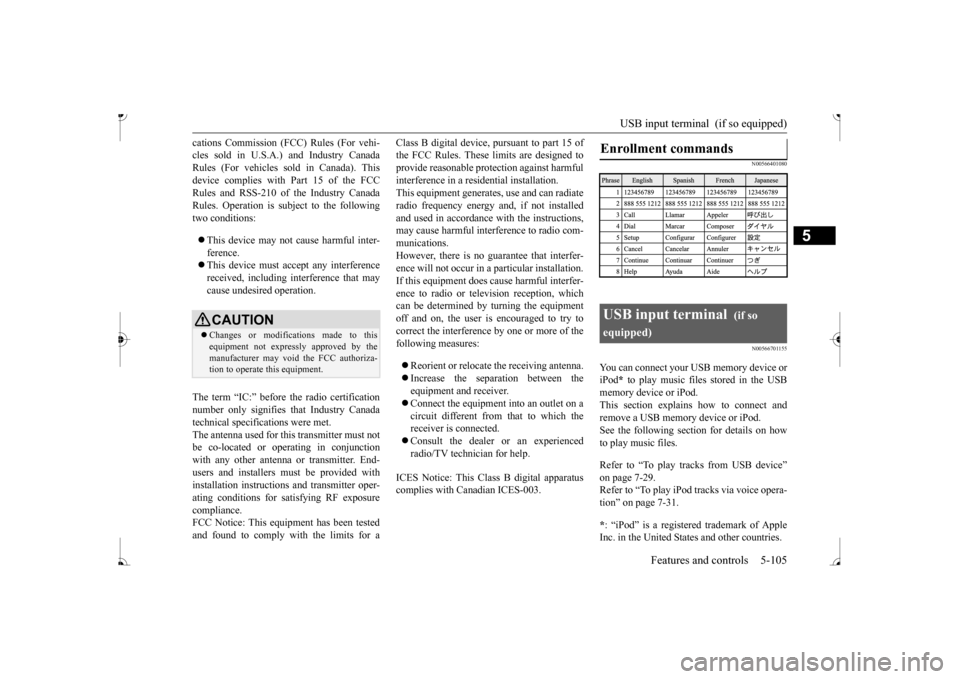
tion” on page 7-31. * : “iPod” is a registered trademark of Apple Inc. in the United States and other countries.Enrollment commands
USB input terminal
(if so
equipped)
BK0236100US.book 105 ページ 2016年2月1日 月曜日 午前10時15分
Page 171 of 307
12 V power outlets 5-110 Features and controls
5
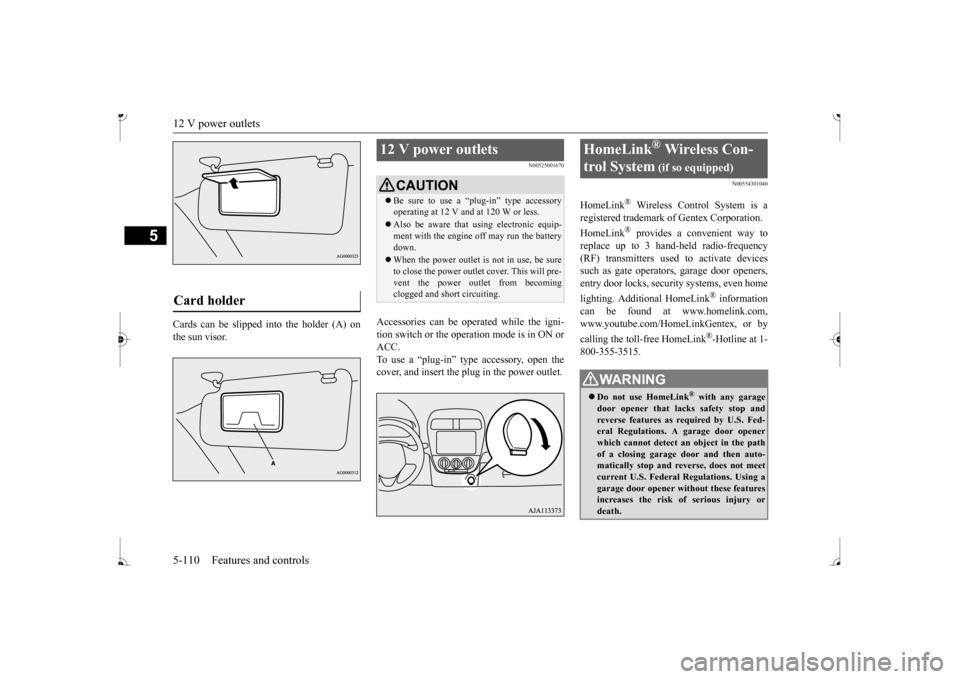
Cards can be slipped
into the holder (A) on
the sun visor.
N00525001670
Accessories can be operated while the igni-tion switch or the operation mode is in ON or ACC. To use a “plug-in” type accessory, open thecover, and insert the plug in the power outlet.
N00554301040
HomeLink
® Wireless Contro
l System is a
registered trademark of Gentex Corporation. HomeLink
® provides a convenient way to
replace up to 3 hand-held radio-frequency (RF) transmitters used to activate devicessuch as gate operators
, garage door openers,
entry door locks, security systems, even home lighting. Additional HomeLink
® information
can be found at www.homelink.com, www.youtube.com/HomeLinkGentex, or by calling the toll-free HomeLink
®-Hotline at 1-
800-355-3515.
Card holder
12 V power outlets
CAUTION Be sure to use a “plug-in” type accessory operating at 12 V and at 120 W or less. Also be aware that using electronic equip- ment with the engine
off may run the battery
down. When the power outlet is not in use, be sure to close the power outlet cover. This will pre- vent the power outlet from becoming clogged and short circuiting.
HomeLink
® Wireless Con-
trol System
(if so equipped)
WA R N I N G Do not use HomeLink
® with any garage
door opener that lacks safety stop and reverse features as required by U.S. Fed- eral Regulations.
A garage door opener
which cannot detect an object in the path of a closing garage d
oor and then auto-
matically stop and reverse, does not meetcurrent U.S. Federal Regulations. Using a garage door opener wi
thout these features
increases the risk of serious injury ordeath.
BK0236100US.book 110 ページ 2016年2月1日 月曜日 午前10時15分
Page 172 of 307
HomeLink® Wireless Control System (if so equipped)
Features and controls 5-111
5
N00584600029
Some garage door openers manufactured after 1995 have “rolling code protection”. To program a garage door openerequipped with “rolli
ng code protection”;
you will need to ac
cess the garage door
opener motor to press the motor’s “Learn”
For convenience, use
a ladder and another pe
rson to assist you.
It is recommended that a new battery be placed in the hand-held transmitter of the device being programmed to HomeLink
®
for quicker training and accurate trans- mission of the radio-frequency signal.
N00584700020
To program HomeLink
® to operate a garage
door, gate, or entry door opener, home oroffice lighting, you need to be at the same location as the device. 1. Press the HomeLink
® button that you
would like to program. The indicator light (A) will flash orange slowly.
During programming
, your garage door
or gate may open or close. Make sure thatpeople and objects are clear of the garagedoor or gate that you are programming.NOTE
Once HomeLink
® is programmed, retain the
original transmitter for future programming procedures (for example, new vehicle pur-chases). Upon sale of the vehicle, the pro- grammed HomeLink
® buttons should be
erased for security purposes. Refer to “Cleaning the programmed information” on page 5-114. You can program a ma
ximum of 3 devices.
To change or replace any of the 3 devicesafter it has been in
itially programmed, you
must first erase the current settings. See “Cleaning the programmed information”on page 5-114 or “Reprogramming a single HomeLink
® button” on page 5-115.
WA R N I N G
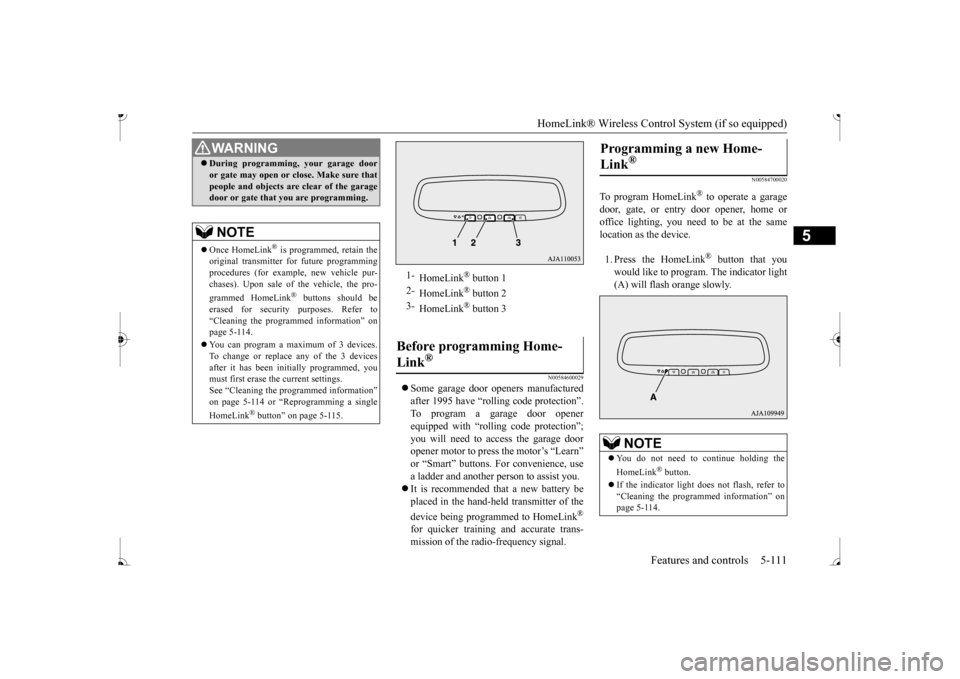
1-
HomeLink
® button 1
2-
HomeLink
® button 2
3-
HomeLink
® button 3
Before programming Home- Link
®
Programming a new Home- Link
®
NOTE
You do not need to continue holding the HomeLink
® button.
If the indicator light does not flash, refer to “Cleaning the programmed information” on page 5-114.
BK0236100US.book 111 ページ 2016年2月1日 月曜日 午前10時15分
Page 174 of 307
HomeLink® Wireless Control System (if so equipped)
Features and controls 5-113
5
N00584800021
Canadian radio-frequency laws require trans- mitter signals to “time-out” (or quit) afterseveral seconds of tr
ansmission - which may
not be long enough for HomeLink
® to pick
up the signal during pr
ogramming. Similar to
this Canadian law, some
U.S. gate operators
are designed to “time-out” in the same man-ner. The indicator LED on the hand-held transmit- ter will go off when the device times out indi-cating that it has finished transmitting. If you live in Canada or you are having diffi- culties programming a gate operator orgarage door opener by using the “Program- ming” procedures, replace “Programming a new HomeLink
®” step 3 with the following:
3. Press and release - every 2 seconds (“cycle”) your hand-held
transmitter until the
HomeLink
® indicator light changes from
slowly flashing orange to
either rapidly flash-
ing green (rolling code) or continuously litgreen (fixed code). Now you may release the hand-held transmitter button. Proceed with “Programming a new Home- Link
®” step 4 to complete.
N00584900022
The HomeLink
® has the capability of receiv-
ing garage door status from compatiblegarage door opener systems. Check your garage door opener manual for the available feature and HomeLink
® compatibility. Also
for a listing of compatible systems contact HomeLink
® at: www.homelink.com
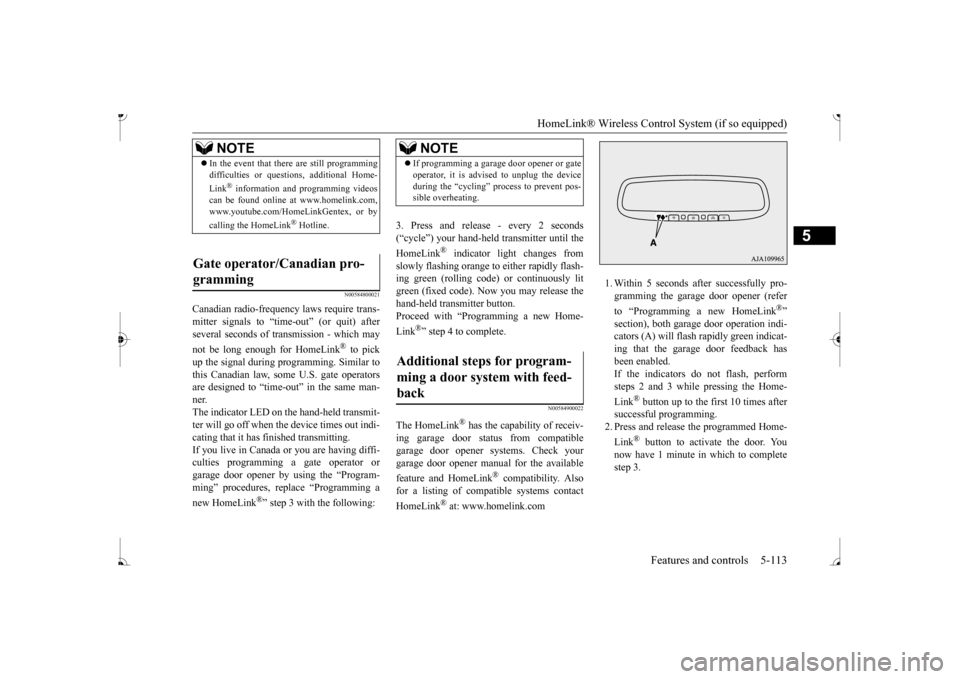
1. Within 5 seconds after successfully pro- gramming the garage
door opener (refer
to “Programming a new HomeLink
®”
section), both garage door operation indi- cators (A) will flash
rapidly green indicat-
ing that the garage
door feedback has
been enabled. If the indicators do not flash, performsteps 2 and 3 while pressing the Home- Link
® button up to the first 10 times after
successful programming.2. Press and release
the programmed Home-
Link
® button to activate the door. You
now have 1 minute in which to completestep 3.
NOTE
In the event that there are still programming difficulties or quest
ions, additional Home-
Link
® information and programming videos
can be found online at www.homelink.com,www.youtube.com/HomeLinkGentex, or by calling the HomeLink
® Hotline.
Gate operator/Canadian pro- gramming
NOTE
If programming a garage
door opener or gate
operator, it is advised to unplug the deviceduring the “cycling” process to prevent pos-sible overheating.
Additional steps for program- ming a door system with feed- back
BK0236100US.book 113 ページ 2016年2月1日 月曜日 午前10時15分
Page 176 of 307
Interior lights
Features and controls 5-115
5
1. Press and hold the 2 outer HomeLink
®
buttons for at least
10 seconds. The indi-
cator will change from continuous yellow to rapidly flashing green. 2. Release both buttons. 3. HomeLink
® is now in the train (or learn-
ing) mode and can be programmed at anytime beginning with
“Programming a new
HomeLink
®” step 1.
N00585400024
To reprogram a HomeLink
® button, complete
the following. 1. Press and hold the desired HomeLink
®
button. Do not release the button. 2. The indicator light
will begin to slowly
flash orange after 20 seconds. The Home- Link
® button can be released at this point.
Proceed with “Programming a new HomeLink
®” step 2.
N00585600026
Your HomeLink
® system operates on a radio
frequency subject to
Federal Communica-
tions Commission (FCC)
Rules (For vehicles
sold in U.S.A.) and Industry Canada Rules (For vehicles sold in
Canada). This device
complies with Part 15 of the FCC Rules and RSS- 210 of the Industry Canada Rules. Operation is subject to
the following two con-
ditions. This device may not
cause harmful inter-
ference. This device must ac
cept any interference
that may be received, including interfer- ence that may caus
e undesired operation.
This equipment complies with FCC radiation exposure limits set fo
rth for an uncontrolled
environment. End Users must follow the spe- cific operating instruct
ions for satisfying RF
exposure compliance. This transmitter must be at least 12 inches (20 cm) from the user and must not be co-loc
ated or operating in
conjunction with any other antenna or trans- mitter. The term “IC:” before
the certification/regis-
tration number only si
gnifies that Industry
Canada technical specifications were met.
N00525301644
NOTE
Do not hold for longer than 20 seconds.
Reprogramming a single HomeLink
® button
NOTE
If you do not complete the programming of a new device to the button, it will revert to thepreviously stored programming.For questions or comments, visit www.homelink.com, www.youtube.com/HomeLinkGentex, or by calling the HomeLink
® Hotline.
General information
CAUTION The transmitter has been tested and complies with FCC and IC rules.Changes or modifica
tions not expressly
approved by the party responsible for com- pliance could void the user’s authority to operate the device.
Interior lights
NOTE
Be aware that leaving the light illuminated with the engine off may run the batterydown. Never leave the vehi
cle without checking
that the light is off.
BK0236100US.book 115 ページ 2016年2月1日 月曜日 午前10時15分
Page 187 of 307
Loading information 6-6 Driving safety
6
Your front bumper can be damaged if you scrape it over curbs or parking stop blocks. Be careful when traveling up or down steepslopes where your bumper can scrape the road. More effort could be required to turn the steering wheel. Refer to “Electric power steering system(EPS)” on page 5-51.
Always carry the key and lock all doors when leaving the vehicle unattended. Always try to park your vehicle in a well litarea.
N00629900424
It is very importa
nt to know how much
weight your vehicle can carry. This weight is called the vehicle capacity weight andincludes the weight of
all occupants, cargo,
non-factory-installed options, if any, being towed. The tire and load
ing information plac-
ard located on the driver’s door sill of your vehicle will show how
much weight it may
properly carry. It is important to fami
liarize yourself with the
following terms before loading your vehicle:
Vehicle maximum load on the tire: load on an individual tire th
at is determined by
distributing to each ax
le its share of the
maximum loaded vehicle weight and dividing by two. Vehicle normal load on the tire: load on an individual tire that is
determined by dis-
tributing to each axle its share of the curbweight, accessory
weight, and normal
occupant weight and dividing by two. Maximum loaded vehicle weight: the sum of - (a) Curb weight;(b) Accessory weight; (c) Vehicle capacity weight; and (d) Production options weight. Curb weight: the weight of a motor vehi- cle with standard equipment including the maximum capacity of
fuel, oil, and cool-
ant. Accessory weight: the combined weight (in excess of those standard items whichmay be replaced) of automatic transmis- sion, power steering
, power brakes, power
windows, power seats,
radio, and heater,
to the extent that these items are available as factory- installe
d equipment (whether
installed or not). Vehicle capacity weight: the rated cargo and luggage load plus 150 lbs (68 kg)
*
times the vehicle’s designated seatingcapacity.
WA R N I N G Leaving the engine ru
nning risks injury or
death from accidentally moving the gear-shift lever (manual transaxle) or the selec-tor lever (CVT) or from the accumulation of toxic exhaust fumes in the passenger compartment.
Where you park
WA R N I N G Do not park your vehicle in areas where combustible materials such as dry grass orleaves can come in
contact with a hot
exhaust, since a fire could occur.
Do not keep the steering wheel fully turned for a long time
When leaving the vehicle Loading information
WA R N I N G Never overload your ve
hicle. Overloading
can damage your vehicl
e, adversely affect
vehicle performance, including handlingand braking, cause tire failure, and result in an accident.
BK0236100US.book 6 ページ 2016年2月1日 月曜日 午前10時15分
Page 194 of 307
7
Comfort controlsVents ................................................................................................7-2 Heater without air conditioning functi
on (if so equipped) ...............7-4
Manual air conditioning (if so equipped) .........................................7-7Automatic air conditioning (if so equipped)...................................7-12 Important air conditioning operating tips ..
...........
...........
.........
.....7-18
Air purifier (if so equipped)............................................................7-19AM/FM electronically tune
d radio with CD player
(if so equipped) ..........................................................................7-19 To play tracks from USB device (if so equipped) ..........................7-29 To play tracks from a Bluetooth
® device
(vehicles with Bluetooth
® 2.0 interface) ...................................7-37
Steering wheel audio remote control
switches (if so equipped) .....7-40
Error codes .....................................................................................7-41 Handling of compact discs .............................................................7-42 Antenna ..........................................................................................7-44General information about your radio .....
...........
...........
...........
.....7-44
BK0236100US.book 1 ページ 2016年2月1日 月曜日 午前10時15分
Page 212 of 307
Air purifier (if so equipped) Comfort controls 7-19
7
Have the system inspected by your authorized Mitsubishi Motors dealer or a repair facilityof your choice. The air conditioning should be operated for at least five minutes each week, even in cold weather. This includes the quick defrosting mode. Operating the
air condition system
weekly maintains lubrication of the compres- sor internal parts to keep the air conditioning in the best operating condition.
N00733800180
The air conditioning system is equipped withan air filter to re
move pollen
and dust.
The air filter’s ability to collect pollen and dirt is reduced as it be
comes dirty, so replace
it periodically. For the maintenance interval,refer to the “WARRANTY AND MAINTE- NANCE MANUAL”.
N00734302131
The audio system can only be used when the ignition switch or the
operation mode is in
ON or ACC.
CAUTION The air conditioning system in your vehicle must be charged with the refrigerant HFC-134a and the lubricant ZXL 200PG. Use of any other refrigerant or lubricant will cause severe damage a
nd may require replac-
ing your vehicle’s en
tire air conditioning
system. The release of refrigerant into the atmo-sphere is not recommended. The new refrigerant HFC-134a in your vehi- cle is designed not to harm the earth’s ozonelayer. However, it may contribute slightly to global warming. It is recommended that the old refrigerant besaved and recycled for future use.
During a long period of disuse
Air purifier
(if so equipped)
NOTE
Operation in certain conditions such as driv- ing on a dusty road and frequent use of the air conditioning ca
n lead to reduction of ser-
vice life of the filter. When you feel that the air flow is lower than normal or when the windshield or windows st
art to fog up easily,
replace the air filter. Contact your Mitsubishi
Motors dealer or a
repair facility of your
choice for assistance.
AM/FM electronically tuned radio with CD player
(if so
equipped)
To listen to the audio system while the engine is not running, turn the ignitionswitch to the “ACC” pos
ition or put the oper-
ation mode in ACC. For vehicles equipped with the F.A.S.T.-key, if the operation mode is left in ACC, theaccessory power will automatically turn off after a certain period
of time and you will no
longer be able to use the audio system. Theaccessory power comes on again if the engine switch is operated with it in the “ACC” position. Refer
to “ACC power auto-
cutout function” on page 5-14. If a cellular phone is
used inside the vehicle,
it may create noise in the audio equipment. This does not mean that anything is wrong with your audio equipment. In such a case,use the cellular phone at
a place as
far away
as possible from the audio equipment. If foreign objects or wa
ter get into the audio
equipment, or if smoke or a strange odor comes from it, immediately turn off theaudio system and have
it checked at an
authorized Mitsubishi Motors dealer or a repair facility of your choice. Never try torepair it yourself. Avoid using the audio sys- tem until it is inspected by a qualified per- son. If the audio system is damaged by foreign objects, water, or fire, have the systemchecked by a qualified Mitsubishi Motors technician.
BK0236100US.book 19 ページ 2016年2月1日 月曜日 午前10時15分
Page 213 of 307
AM/FM electronically tuned radio with CD player (if so equipped) 7-20 Comfort controls
7
N00711901742 N00712001434
Turn the VOL switch clockwise to increase the volume; counterclockw
ise to decrease the
volume.The status will be shown in the display.
N00712101712
1. Press the /MENU button to select BASS
TREBLE
FADER
BAL-
ANCE
Sound control mode off.
2. Turn the SEL switch either clockwise or counterclockwise to change the tone/bal- ance setting.The status will be shown in the display.
To select the desired bass level.To select the desired treble level. To balance the volume from the F (front) and the R (rear) speakers. To balance the volume from the L (left) and the R (right) speakers.
N00734901925
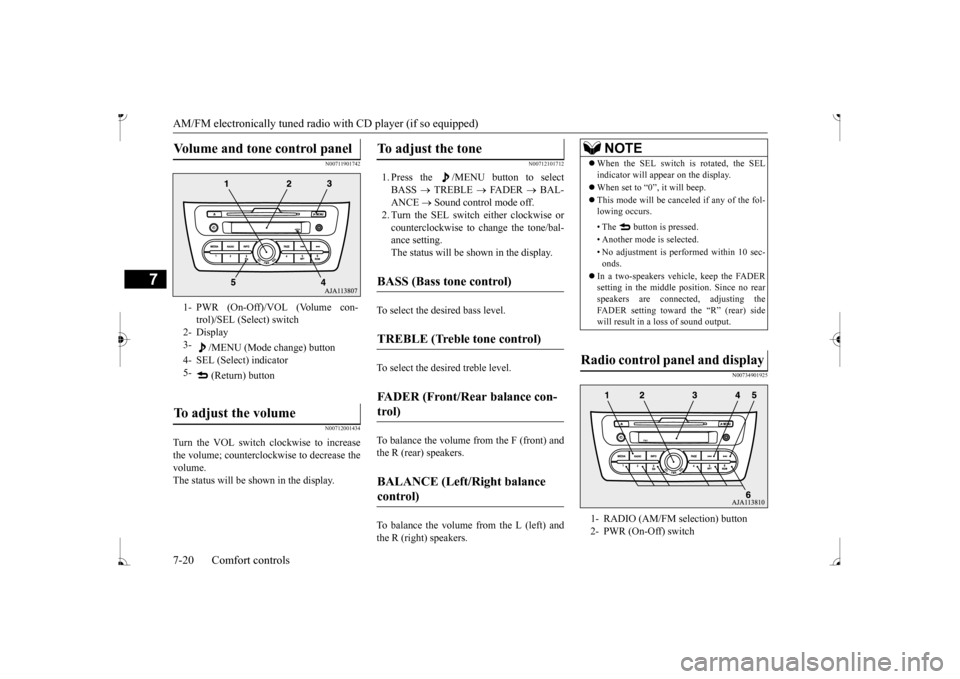
Volume and tone control panel
1- PWR (On-Off)/VOL (Volume con-
trol)/SEL (Select) switch
2- Display 3-
/MENU (Mode change) button
4- SEL (Select) indicator 5-
(Return) button
To adjust the volume
To adjust the tone
BASS (Bass tone control)
TREBLE (Treble tone control)
FADER (Front/Rear balance con- trol)
BALANCE (Left/Right balance control)
NOTE
When the SEL switch is rotated, the SEL indicator will appear on the display. When set to “0”, it will beep. This mode will be canc
eled if any of the fol-
lowing occurs. • The button is pressed. • Another mode is selected.• No adjustment is performed within 10 sec- onds.
In a two-speakers vehi
cle, keep the FADER
setting in the middle position. Since no rear speakers are connect
ed, adjusting the
FADER setting toward the “R” (rear) side will result in a loss of sound output.
Radio control panel and display
1- RADIO (AM/FM selection) button 2- PWR (On-Off) switch
BK0236100US.book 20 ページ 2016年2月1日 月曜日 午前10時15分