speci MITSUBISHI MIRAGE 2017 6.G Owner's Manual
[x] Cancel search | Manufacturer: MITSUBISHI, Model Year: 2017, Model line: MIRAGE, Model: MITSUBISHI MIRAGE 2017 6.GPages: 307, PDF Size: 9.02 MB
Page 166 of 307
USB input terminal (if so equipped)
Features and controls 5-105
5
cations Commission (FCC)
Rules (For vehi-
cles sold in U.S.A.
) and Industry Canada
Rules (For vehicles so
ld in Canada). This
device complies with Part 15 of the FCC Rules and RSS-210 of the Industry CanadaRules. Operation is subject to the following two conditions: This device may not
cause harmful inter-
ference. This device must ac
cept any interference
received, including interference that may cause undesired operation.
The term “IC:” before the radio certification number only signifies that Industry Canada technical specifications were met. The antenna used for this transmitter must notbe co-located or operating in conjunction with any other antenn
a or transmitter. End-
users and installers
must be provided with
installation instructions
and transmitter oper-
ating conditions for sa
tisfying RF exposure
compliance.FCC Notice: This equi
pment has been tested
and found to comply with the limits for a
Class B digital device, pursuant to part 15 of the FCC Rules. These limits are designed toprovide reasonable prot
ection against harmful
interference in a residential installation. This equipment generate
s, use and can radiate
radio frequency energy and, if not installed and used in accordance with the instructions, may cause harmful interf
erence to radio com-
munications. However, there is no guarantee that interfer- ence will not occur in a particular installation. If this equipment does
cause harmful interfer-
ence to radio or tele
vision reception, which
can be determined by turning the equipment off and on, the user is encouraged to try to correct the interference by one or more of thefollowing measures: Reorient or relocate the receiving antenna. Increase the separation between the equipment and receiver. Connect the equipment into an outlet on a circuit different from that to which the receiver is connected. Consult the dealer or an experienced radio/TV techni
cian for help.
ICES Notice: This Class B digital apparatus complies with Canadian ICES-003.
CAUTION Changes or modifica
tions made to this
equipment not expressly approved by the manufacturer may void the FCC authoriza- tion to operate this equipment.
N00566401080 N00566701155
You can connect your USB memory device or iPod
* to play music files stored in the USB
memory device or iPod. This section explains
how to connect and
remove a USB memory device or iPod.See the following section for details on how to play music files. Refer to “To play tracks from USB device” on page 7-29.Refer to “To play iPod
tracks via voice opera-
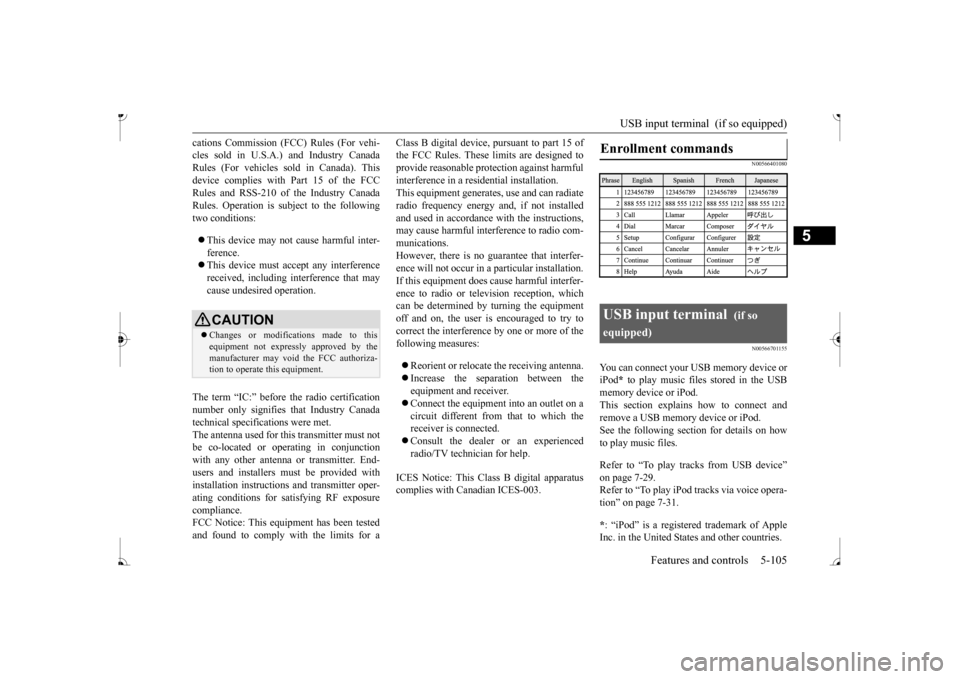
tion” on page 7-31. * : “iPod” is a registered trademark of Apple Inc. in the United States and other countries.Enrollment commands
USB input terminal
(if so
equipped)
BK0236100US.book 105 ページ 2016年2月1日 月曜日 午前10時15分
Page 169 of 307
USB input terminal (if so equipped) 5-108 Features and controls
5
Be sure to hold the terminal part (A) of the connector cable as
shown in the illus-
tration. 3. Fix the connector cable on the clips and close the glove compartment.
N00567000015 N00567101143
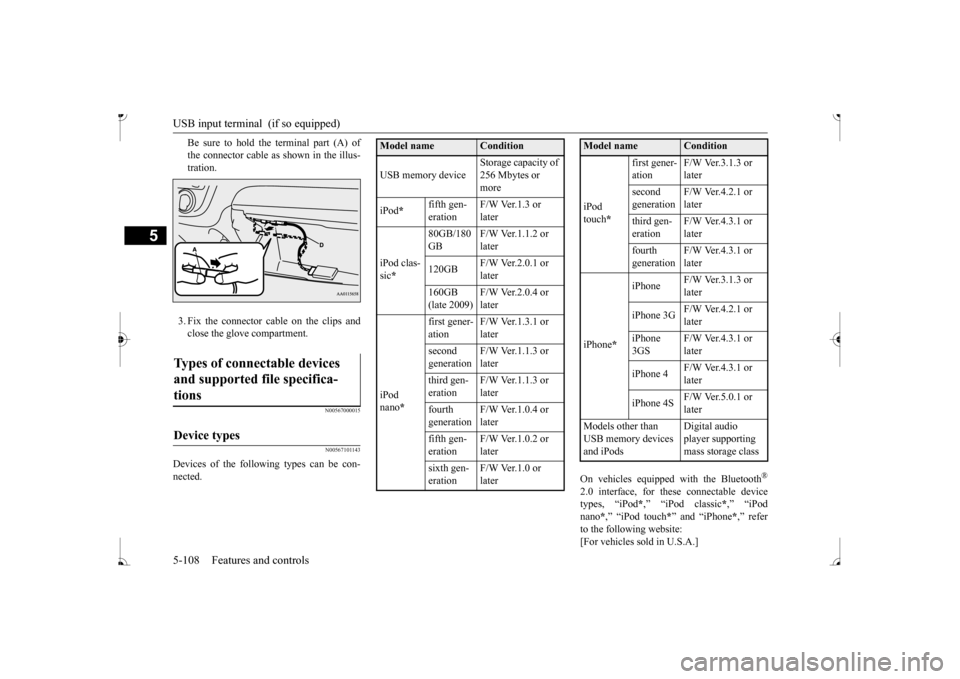
Devices of the follow
ing types can be con-
nected.
On vehicles equipped
with the Bluetooth
®
2.0 interface, for th
ese connectable device
types, “iPod
*,” “iPod classic
*,” “iPod
nano
*,” “iPod touch
*” and “iPhone
*,” refer
to the following website:[For vehicles sold in U.S.A.]
Types of connectable devices and supported file specifica- tions
Device types
Model name
Condition
USB memory device
Storage capacity of 256 Mbytes or more
iPod
*
fifth gen- eration
F/W Ver.1.3 or later
iPod clas- sic *
80GB/180 GB
F/W Ver.1.1.2 or later
120GB
F/W Ver.2.0.1 or later
160GB (late 2009)
F/W Ver.2.0.4 or later
iPod nano
*
first gener- ation
F/W Ver.1.3.1 or later
second generation
F/W Ver.1.1.3 or later
third gen- eration
F/W Ver.1.1.3 or later
fourth generation
F/W Ver.1.0.4 or later
fifth gen- eration
F/W Ver.1.0.2 or later
sixth gen- eration
F/W Ver.1.0 or later
iPod touch
*
first gener- ation
F/W Ver.3.1.3 or later
second generation
F/W Ver.4.2.1 or later
third gen- eration
F/W Ver.4.3.1 or later
fourth generation
F/W Ver.4.3.1 or later
iPhone
*
iPhone
F/W Ver.3.1.3 or later
iPhone 3G
F/W Ver.4.2.1 or later
iPhone 3GS
F/W Ver.4.3.1 or later
iPhone 4
F/W Ver.4.3.1 or later
iPhone 4S
F/W Ver.5.0.1 or later
Models other than USB memory devices and iPods
Digital audio player supporting mass storage class
Model name
Condition
BK0236100US.book 108 ページ 2016年2月1日 月曜日 午前10時15分
Page 170 of 307
![MITSUBISHI MIRAGE 2017 6.G Owners Manual Sun visors
Features and controls 5-109
5
You can access the Mitsubishi Motors North America website.[For vehicles sold in Canada] You can access the Mitsubishi Motors web- site. Please read and agree](/img/19/7512/w960_7512-169.png "MITSUBISHI MIRAGE 2017 6.G Owners Manual Sun visors
Features and controls 5-109
5
You can access the Mitsubishi Motors North America website.[For vehicles sold in Canada] You can access the Mitsubishi Motors web- site. Please read and agree")
Sun visors
Features and controls 5-109
5
You can access the Mitsubishi Motors North America website.[For vehicles sold in Canada] You can access the Mitsubishi Motors web- site. Please read and agree to the “Warningabout Links to the Web Sites of Other Com- panies”. The websites
mentioned above may
connect you to websites
other than the Mit-
subishi Motors website. http://www.mitsubishi-
motors.com/en/prod-
ucts/index.html * : “iPod,” “iPod classic,” “iPod nano,” “iPod touch” and “iPhone” ar
e registered trade-
marks of Apple Inc. in the United States andother countries.
N00567200020
You can play music files of the followingspecifications that are saved in a USB mem- ory device or other device supporting mass storage class. When you connect your iPod,playable file specifications depend on the connected iPod.
N00524600353
Pull the sun visor downward (1) to reducefront glare while driving. To reduce side glare, turn the visor to the side (2). A vanity mirror is fitted to the back of the sun visor.
NOTE
Depending on the type of the USB memory device or other devi
ce connected, the con-
nected device may not
function properly or
the available functi
ons may be limited.
It is recommended to use an iPod with firm- ware updated to th
e latest version.
You can charge your iP
od by connecting it to
the USB input terminal
when the ignition
switch or the operation mode is in ON or ACC. Do not keep your USB memory device or iPod in your vehicle. It is recommended that you back up the files in case of data damage.
Do not connect to th
e USB input terminal
any device (hard disk, card reader, memoryreader, etc.) other than the connectabledevices specified in the previous section. The device and/or data
may be damaged. If
any of these devices
was connected by mis-
take, remove it afte
r turning the ignition
switch to the “OFF” position or putting the operation mode in OFF.
File specifications
Item
Condition
File format MP3, WMA, AAC Maximum number of levels (including the root)
Level 8
Number of folders 700 Number of files 65,535
NOTE
Sun visors Vanity mirror
BK0236100US.book 109 ページ 2016年2月1日 月曜日 午前10時15分
Page 176 of 307
Interior lights
Features and controls 5-115
5
1. Press and hold the 2 outer HomeLink
®
buttons for at least
10 seconds. The indi-
cator will change from continuous yellow to rapidly flashing green. 2. Release both buttons. 3. HomeLink
® is now in the train (or learn-
ing) mode and can be programmed at anytime beginning with
“Programming a new
HomeLink
®” step 1.
N00585400024
To reprogram a HomeLink
® button, complete
the following. 1. Press and hold the desired HomeLink
®
button. Do not release the button. 2. The indicator light
will begin to slowly
flash orange after 20 seconds. The Home- Link
® button can be released at this point.
Proceed with “Programming a new HomeLink
®” step 2.
N00585600026
Your HomeLink
® system operates on a radio
frequency subject to
Federal Communica-
tions Commission (FCC)
Rules (For vehicles
sold in U.S.A.) and Industry Canada Rules (For vehicles sold in
Canada). This device
complies with Part 15 of the FCC Rules and RSS- 210 of the Industry Canada Rules. Operation is subject to
the following two con-
ditions. This device may not
cause harmful inter-
ference. This device must ac
cept any interference
that may be received, including interfer- ence that may caus
e undesired operation.
This equipment complies with FCC radiation exposure limits set fo
rth for an uncontrolled
environment. End Users must follow the spe- cific operating instruct
ions for satisfying RF
exposure compliance. This transmitter must be at least 12 inches (20 cm) from the user and must not be co-loc
ated or operating in
conjunction with any other antenna or trans- mitter. The term “IC:” before
the certification/regis-
tration number only si
gnifies that Industry
Canada technical specifications were met.
N00525301644
NOTE
Do not hold for longer than 20 seconds.
Reprogramming a single HomeLink
® button
NOTE
If you do not complete the programming of a new device to the button, it will revert to thepreviously stored programming.For questions or comments, visit www.homelink.com, www.youtube.com/HomeLinkGentex, or by calling the HomeLink
® Hotline.
General information
CAUTION The transmitter has been tested and complies with FCC and IC rules.Changes or modifica
tions not expressly
approved by the party responsible for com- pliance could void the user’s authority to operate the device.
Interior lights
NOTE
Be aware that leaving the light illuminated with the engine off may run the batterydown. Never leave the vehi
cle without checking
that the light is off.
BK0236100US.book 115 ページ 2016年2月1日 月曜日 午前10時15分
Page 183 of 307
Fuel economy 6-2 Driving safety
6
N00628800178
Fuel economy is depe
ndent on many factors.
Your personal driving habits can have a sig- nificant effect on your
fuel consumption.
Several recommendations
for achieving the
greatest fuel economy are listed below. Whenever accelerating from a stop, always accelerate
slowly and smoothly.
When parked for even a short period, do not idle the engine. Shut it off. Plan your trips to avoid unnecessary stops. Keep your tires inflated to the recom- mended pressures. For freeway driving, maintain a speed of approximately 50 mph (80 km/h) whentraffic, roadway and weather conditions safely permit. Keep your air filter clean and your vehicle lubricated according
to the recommenda-
tions in this manual. Always keep your ve
hicle well main-
tained. A poorly maintained engine wastes fuel and costs money. Never overload your vehicle.
N00628900049
Drunk driving is one of the most frequent causes of accidents. Your driving ability can be seriously impairedeven with blood alcohol levels far below the legal minimum. If you have been drinking, don’t drive. Ride with a designated non-drinking driver, call a cab or a friend, or use public transportation. Drinking coffee or tak- ing a cold shower will not make you sober. Similarly, prescription and nonprescription drugs affect your alertness, perception andreaction time. Consu
lt with your doctor or
pharmacist before driving while under the influence of any of these medications.
N00628600046
The original equipment floor mat providedwith your vehicle was specifically designed for your vehicle. Al
ways properly position
the floor mat and assure it does not interferewith operation of the pedals. Always use the
retaining clip on the driver’s floorboard to secure the floor mat. When used, this clip willhelp prevent the floor mat from moving for- ward and possibly interfering with the opera- tion of the pedals. To prevent the floor matfrom moving forward and possibly interfering with the operation of the pedals, Mitsubishi genuine floor mats are recommended.
N00628700047
1. Place the floor mat to fit the shape of thefloorboard. 2. Align the floor mat with the installation holes over the retaining clips.3. Secure the floor mat with retaining clips.
Fuel economy
Driving, alcohol and drugs
WA R N I N G NEVER DRINK AND DRIVE. Your perceptions are
less accurate, your
reflexes are slower and your judgment isimpaired.
Floor mat
To install the floor mat
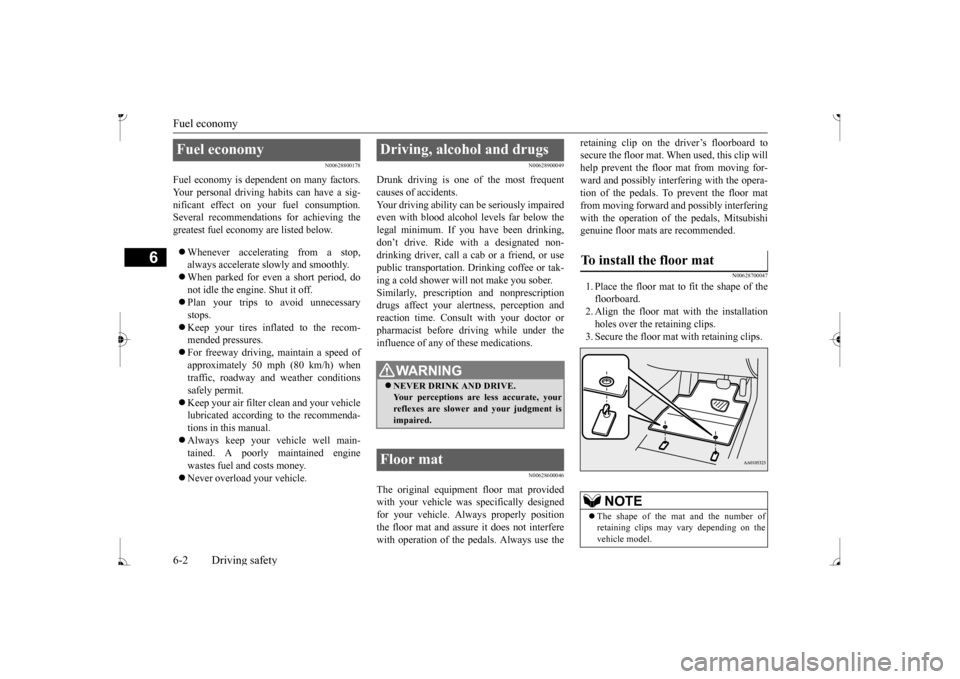
NOTE
The shape of the mat and the number of retaining clips may vary depending on thevehicle model.
BK0236100US.book 2 ページ 2016年2月1日 月曜日 午前10時15分
Page 188 of 307
Loading information Driving safety 6-7
6
Production options weight: the combined weight of those inst
alled regular produc-
tion options weighing over 5 lbs (2.3 kg) in excess of those standard items which they replace, not previously considered incurb weight or acce
ssory weight, includ-
ing heavy duty brakes, ride levelers, roof rack, heavy duty battery
, and special trim.
Normal occupant weight: 150 lbs (68 kg)
*
times the number of specified occupants. (In your vehicle the number is 3) Occupant distribution:
Occupant distribu-
tion within the passenger compartment (Inyour vehicle the distribution is 2 in front, 1 in second row seat)
N00630100396
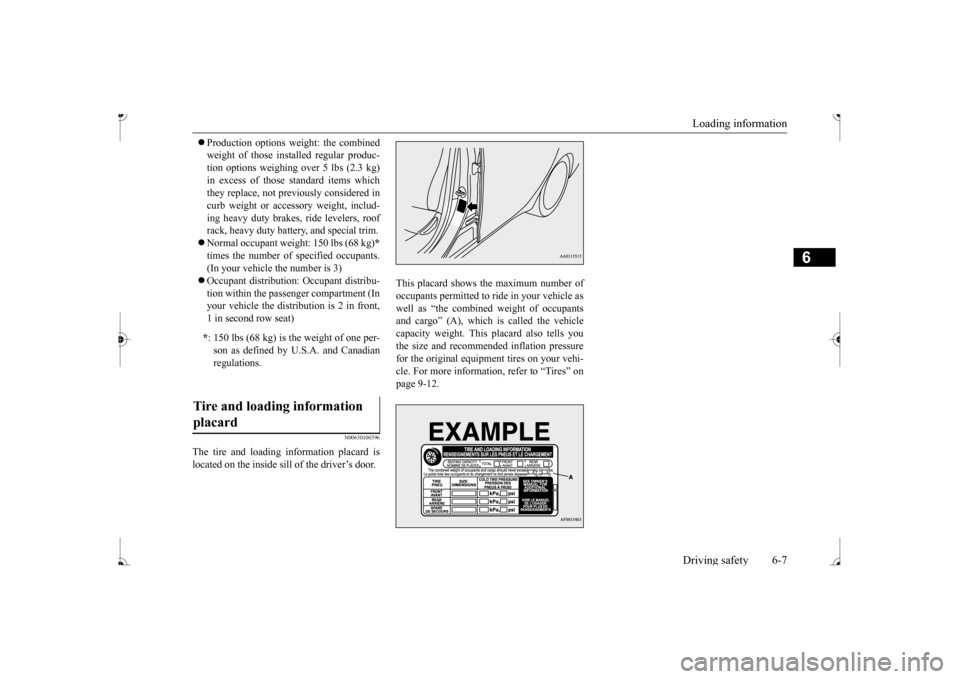
The tire and loading information placard is located on the inside sill of the driver’s door.
This placard shows the maximum number of occupants permitted to ri
de in your vehicle as
well as “the combined weight of occupantsand cargo” (A), which is called the vehicle capacity weight. This
placard also tells you
the size and recomme
nded inflation pressure
for the original equipment tires on your vehi- cle. For more information, refer to “Tires” on page 9-12.
* : 150 lbs (68 kg) is the weight of one per- son as defined by U.
S.A. and Canadian
regulations.
Tire and loading information placard
BK0236100US.book 7 ページ 2016年2月1日 月曜日 午前10時15分
Page 222 of 307
To play tracks from USB device (if so equipped)
Comfort controls 7-29
7
N00762200056
You can connect your
iPod or USB memory
device to the USB input terminal and play music files stored in the iPod or USB mem- ory device.See the following section for the types of connectable devices
and supported files.
Refer to “Types of c
onnectable devices and
supported file specific
ations” on page 5-108.
See the following sections for the connecting methods, “How to connect an iPod” on page5-107 and “How to connect a USB memory device” on page 5-106. If your vehicle is equipped with a Bluetooth
®
2.0 interface, you can play music files in your iPod or USB memory de
vice via voice opera-
tion.Refer to “To play iPod tracks via voice opera- tion” on page 7-31 and “To play USB mem- ory device tracks via voice operation” onpage 7-37.
N00762301070
Use the connected a
udio equipment’s own
power source, such as its battery.Noise may be produced from the speakers ifthe connected audio equipment is used while charging it using the accessory socket of the vehicle. Do not activate the
external audio input
mode when no audio equipment is con-nected. Otherwise, noise may be produced from the speakers. Connect audio equipmen
t when the external
audio input mode is de
activated or lower the
vehicle’s speaker volum
e before connecting
it. Noise may be produced from the speakers ifaudio equipment is conne
cted after the exter-
nal audio input m
ode is activated.
Compared to the CD player mode and radio mode, the vehicle’s speaker volume will be lower in the external audio input mode.Therefore, be careful when switching from the external audio input mode to the CD player mode or radio mode since the speakervolume will be higher. Do not use excessive
force on the connection
cord. Otherwise, the cord and connectors may be damaged. If the connection cord
alone is left connected
to the auxiliary audi
o connector, noise may
be produced from the speakers.NOTE
For information on how to connect and oper- ate the commercially av
ailable audio equip-
ment, refer to the owner’s manual for thecommercially availabl
e audio equipment.
To play tracks from USB device
(if so equipped)
NOTE
NOTE
A file protected by c
opyright might not be
able to playback. It is recommended to adjust the equalizer of the connected device to 0 db or neutral.
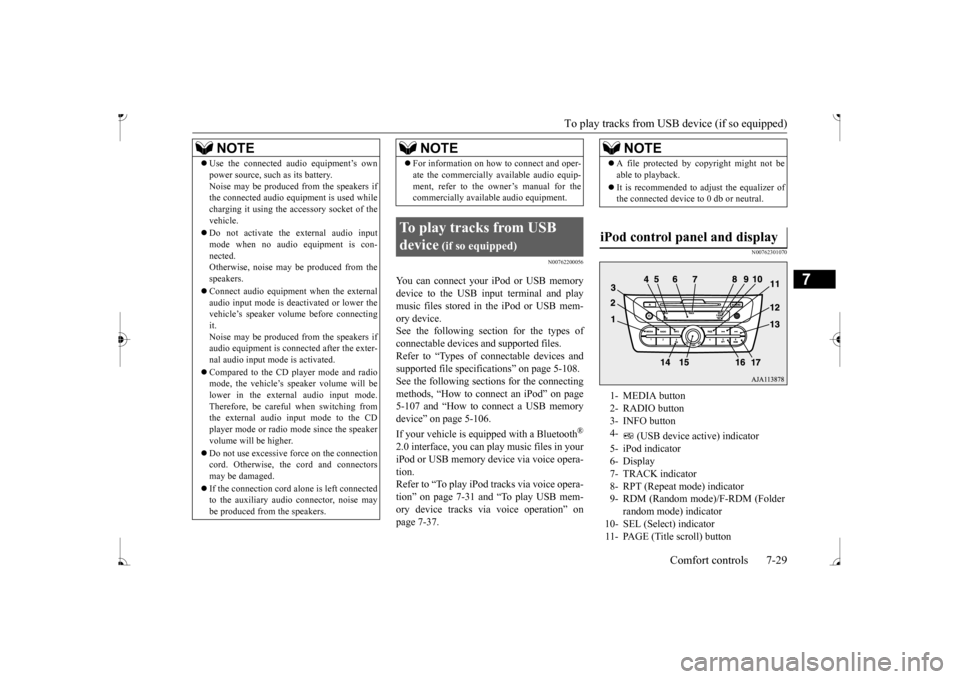
iPod control panel and display
1- MEDIA button 2- RADIO button 3- INFO button 4-
(USB device ac
tive) indicator
5- iPod indicator6- Display 7- TRACK indicator 8- RPT (Repeat mode) indicator9- RDM (Random mode)/F-RDM (Folder
random mode) indicator
10- SEL (Select)
indicator
11- PAGE (Title scroll) button
BK0236100US.book 29 ページ 2016年2月1日 月曜日 午前10時15分
Page 235 of 307
Handling of compact discs 7-42 Comfort controls
7
N00734101350
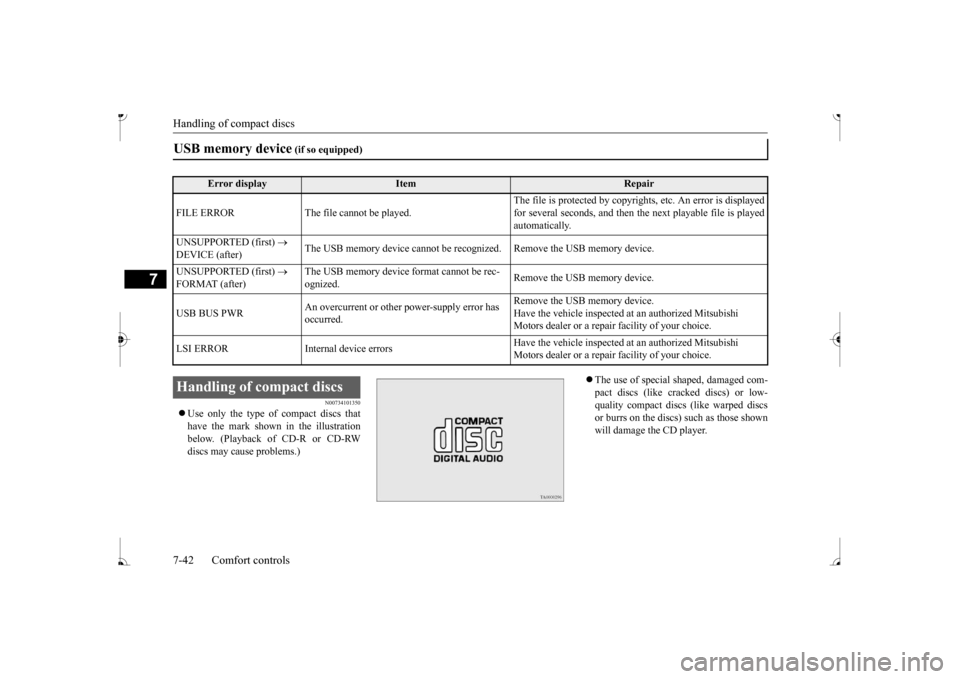
Use only the type of compact discs that have the mark shown in the illustrationbelow. (Playback of CD-R or CD-RW discs may cause problems.)
The use of special shaped, damaged com- pact discs (like crac
ked discs) or low-
quality compact discs (like warped discs or burrs on the discs) such as those shownwill damage the CD player.
USB memory device
(if so equipped)
Error display
Item
Repair
FILE ERROR The file cannot be played.
The file is protected by copyright
s, etc. An error is displayed
for several seconds, and then the next playable file is playedautomatically.
UNSUPPORTED (first)
DEVICE (after)
The USB memory device cannot be recogn
ized. Remove the USB memory device.
UNSUPPORTED (first)
FORMAT (after)
The USB memory device
format cannot be rec-
ognized.
Remove the USB memory device.
USB BUS PWR
An overcurrent or other power-supply error has occurred.
Remove the USB memory device. Have the vehicle inspected at an authorized Mitsubishi Motors dealer or a repair
facility of your choice.
LSI ERROR Internal
device errors
Have the vehicle inspected at an authorized Mitsubishi Motors dealer or a repair
facility of your choice.
Handling of compact discs BK0236100US.book 42 ページ 2016年2月1日 月曜日 午前10時15分
Page 237 of 307
Antenna 7-44 Comfort controls
7
N00734201511
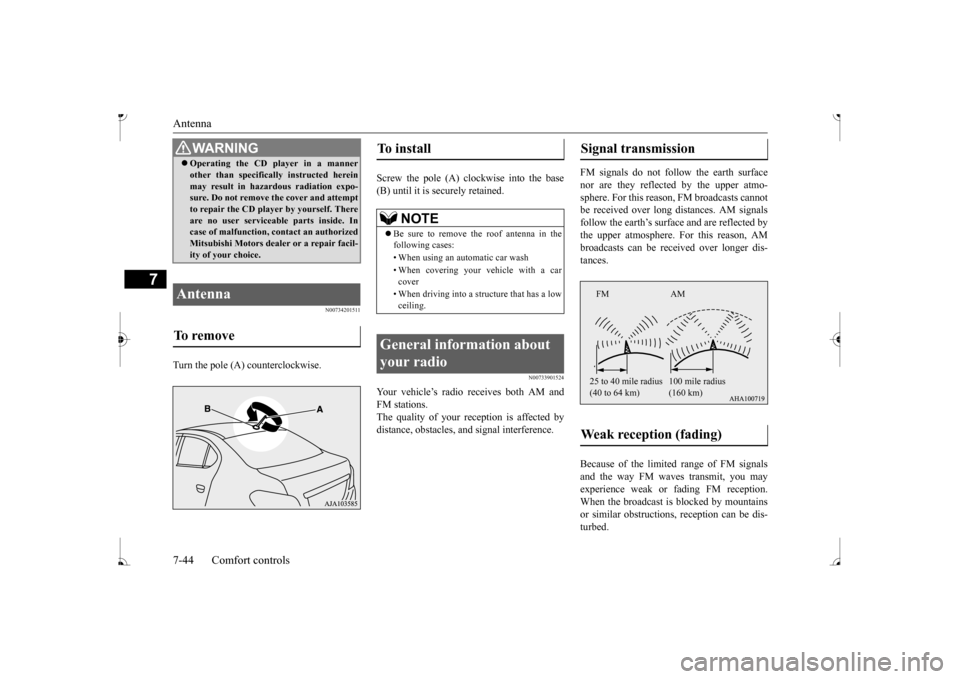
Turn the pole (A) counterclockwise.
Screw the pole (A) clockwise into the base (B) until it is securely retained.
N00733901524
Your vehicle’s radio receives both AM and FM stations. The quality of your reception is affected by distance, obstacles, a
nd signal interference.
FM signals do not foll
ow the earth surface
nor are they reflected by the upper atmo- sphere. For this reason,
FM broadcasts cannot
be received over long di
stances. AM signals
follow the earth’s surfa
ce and are reflected by
the upper atmosphere. For this reason, AM broadcasts can be rece
ived over longer dis-
tances. Because of the limite
d range of FM signals
and the way FM waves transmit, you may experience weak or fading FM reception.When the broadcast is blocked by mountains or similar obstructions,
reception ca
n be dis-
turbed.
WA R N I N G Operating the CD player in a manner other than specifically instructed hereinmay result in hazardous radiation expo-sure. Do not remove the cover and attempt to repair the CD playe
r by yourself. There
are no user serviceable parts inside. Incase of malfunction,
contact an authorized
Mitsubishi Motors dealer or a repair facil- ity of your choice.
Antenna To remove
To install
NOTE
Be sure to remove the roof antenna in the following cases: • When using an automatic car wash • When covering your ve
hicle with a car
cover • When driving into a structure that has a low ceiling.
General information about your radio
Signal transmission Weak reception (fading)
FM AM 25 to 40 mile radius (40 to 64 km)
(160 km)
BK0236100US.book 44 ページ 2016年2月1日 月曜日 午前10時15分
Page 238 of 307
General information about your radio
Comfort controls 7-45
7
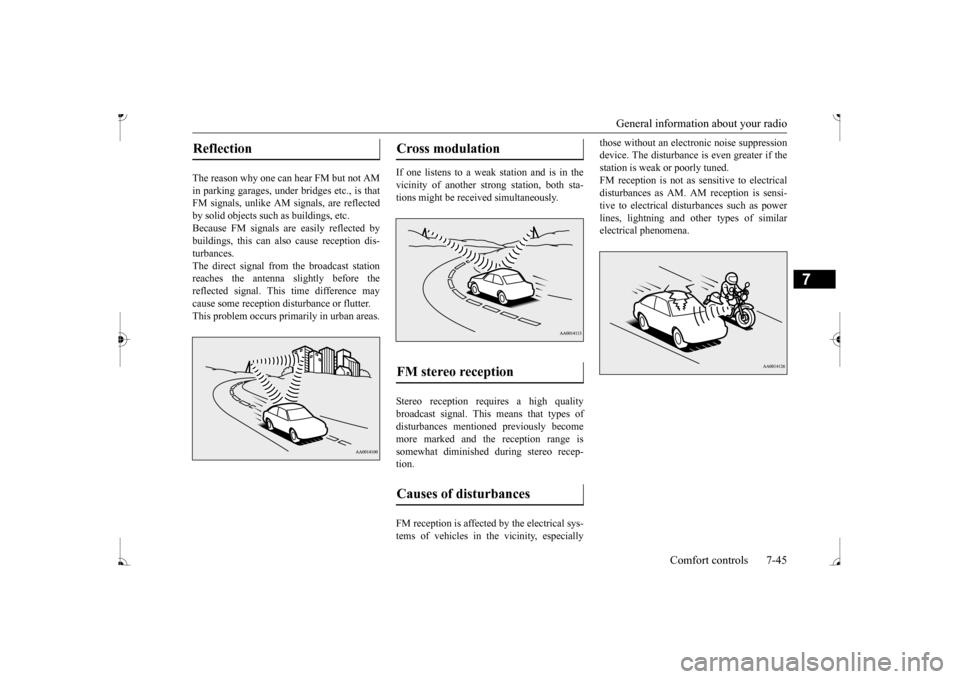
The reason why one can hear FM but not AM in parking garages, under
bridges etc., is that
FM signals, unlike AM
signals, are reflected
by solid objects such
as buildings, etc.
Because FM signals ar
e easily reflected by
buildings, this can also cause reception dis-turbances. The direct signal from
the broadcast station
reaches the antenna slightly before the reflected signal. This time difference may cause some reception disturbance or flutter.This problem occurs primarily in urban areas.
If one listens to a weak
station and is in the
vicinity of another st
rong station, both sta-
tions might be receiv
ed simultaneously.
Stereo reception requires a high quality broadcast signal. This means that types ofdisturbances mentioned previously become more marked and the reception range is somewhat diminished during stereo recep-tion. FM reception is affected by the electrical sys- tems of vehicles in the vicinity, especially
those without an elec
tronic noise suppression
device. The disturbance is even greater if thestation is weak or poorly tuned. FM reception is not as
sensitive to electrical
disturbances as AM. AM
reception is sensi-
tive to electrical dist
urbances such as power
lines, lightning and ot
her types of similar
electrical phenomena.
Reflection
Cross modulation FM stereo reception Causes of disturbances
BK0236100US.book 45 ページ 2016年2月1日 月曜日 午前10時15分