engine MITSUBISHI MIRAGE 2017 6.G Repair Manual
[x] Cancel search | Manufacturer: MITSUBISHI, Model Year: 2017, Model line: MIRAGE, Model: MITSUBISHI MIRAGE 2017 6.GPages: 307, PDF Size: 9.02 MB
Page 141 of 307
Combination headlights and dimmer switch 5-80 Features and controls
5
N00532600570
If the following operation is performed with the combination headlights and dim- mer switch in the “ ” or “ ” position, the lights automatically turn off. [Except for vehicles
equipped with the
F. A . S . T. - k e y ]The ignition switch is turned to the “OFF” from the ignition switch and the driver’sdoor is opened. [For vehicles equipped
with the F.A.S.T.-
key]
The operation mode is changed to OFF or ACC and the driver’s door is opened. If the following operation is performed with the combination headlights and dim- mer switch in the “ ” or “ ” position, the lights automatically turn off after about 3 minutes. [Except for vehicles equipped with the F. A . S . T. - k e y ] The ignition switch is turned to the “OFF”
the key is removed
from the ignition switch and the driver’s door is not opened. [For vehicles equipped with the F.A.S.T.- key] The operation mode is changed to OFF or ACC and the driver’s door is not opened.
If the combination headlights and dimmer switch is turned to the “ ” or “ ” posi- tion again after the engine is turned off, the about 3-minute auto-cutout function described above will not
work. The lights (the
parking lights, tail li
ghts and license plate
lights) will stay on and will not turn off auto-matically.
N00549800226
[When using a key to start the engine]If the driver’s door is opened with the key in the “OFF” or “ACC” position or removed from the ignition switch while the lights areon, the tone will sound to remind you to turn off the lights. [When using the F.A.S.T.-key to start the engine]If the driver’s door is opened with the opera- tion mode is put in OFF or ACC, or if the operation mode is changed to OFF while thelights are on, the tone
will sound to remind
you to turn off the lights. In either case, the lights will turn off automat- ically and so will the tone. Or you can turn
NOTE
Do not leave the headli
ghts and other lights
on for a long period of time when the engineis not running. The battery will run down. When it rains, or wh
en the vehicle has been
washed, the inside of the lens sometimesbecomes foggy. This is the same as when window glass mists up on a humid day, and does not indicate a pr
oblem. When the light
is switched on, the heat will dry out the fog. However, if water collects inside the light, have it checked by an authorized MitsubishiMotors dealer or a re
pair facility of your
choice.
Light auto-cutout function (headlights and other lights)
NOTE
The light auto-cutout f
unction can be deacti-
vated. See your authorized Mitsubishi Motorsdealer for details.
When you want to keep the lights on: Headlight reminder buzzer
BK0236100US.book 80 ページ 2016年2月1日 月曜日 午前10時15分
Page 145 of 307
Electric rear window defogger switch 5-84 Features and controls
5
N00523501349
N00523701484
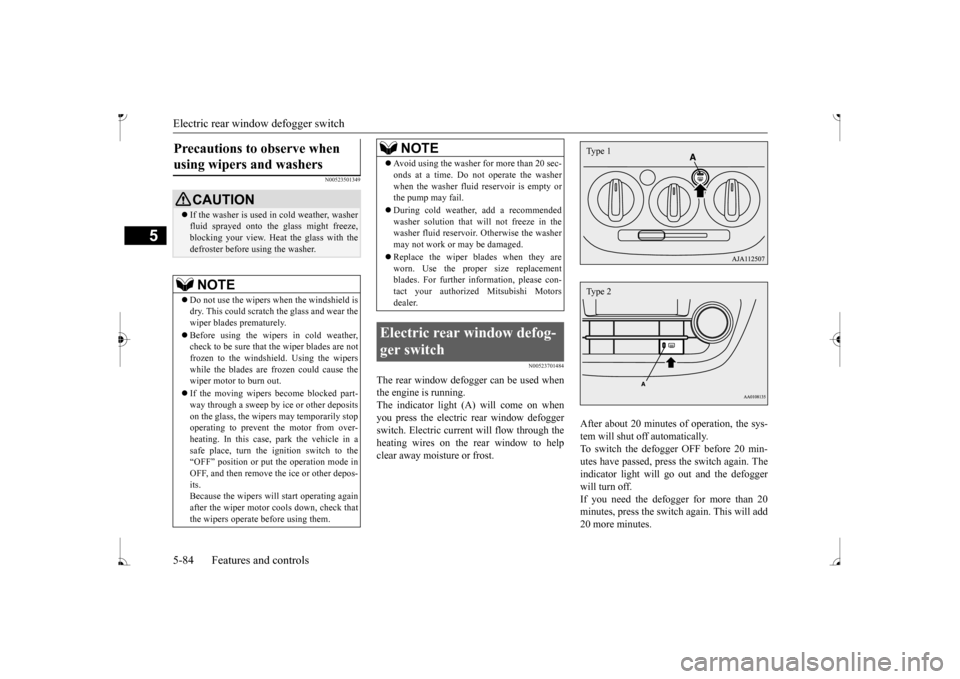
The rear window defogger can be used when the engine is running. The indicator light (A) will come on when you press the electric rear window defoggerswitch. Electric current will flow through the heating wires on the rear window to help clear away moisture or frost.
After about 20 minutes of operation, the sys- tem will shut off automatically. To switch the defogger OFF before 20 min-utes have passed, press the switch again. The indicator light will go
out and the defogger
will turn off. If you need the defogger for more than 20 minutes, press th
e switch again. This will add
20 more minutes.
Precautions to observe when using wipers and washers
CAUTION If the washer is used in cold weather, washer fluid sprayed onto the
glass might freeze,
blocking your view. Heat the glass with thedefroster before using the washer.NOTE
Do not use the wipers when the windshield is dry. This could scratch the glass and wear the wiper blades prematurely. Before using the wipers in cold weather, check to be sure that the wiper blades are notfrozen to the windshield. Using the wipers while the blades are frozen could cause the wiper motor to burn out. If the moving wipers be
come blocked part-
way through a sweep by ic
e or other deposits
on the glass, the wipers may temporarily stop operating to prevent the motor from over- heating. In this case, park the vehicle in asafe place, turn the ignition switch to the“OFF” position or put the operation mode in OFF, and then remove
the ice or other depos-
its.Because the wipers will start operating again after the wiper motor cools down, check that the wipers operate
before using them.
Avoid using the washer for more than 20 sec- onds at a time. Do not operate the washerwhen the washer fluid reservoir is empty orthe pump may fail. During cold weather, add a recommended washer solution that will not freeze in the washer fluid reservoir.
Otherwise the washer
may not work or may be damaged. Replace the wiper blades when they are worn. Use the proper size replacementblades. For further information, please con- tact your authorized
Mitsubishi Motors
dealer.
Electric rear window defog- ger switch
NOTE
Type 1Type 2
BK0236100US.book 84 ページ 2016年2月1日 月曜日 午前10時15分
Page 146 of 307
Horn switch
Features and controls 5-85
5
N00523800185
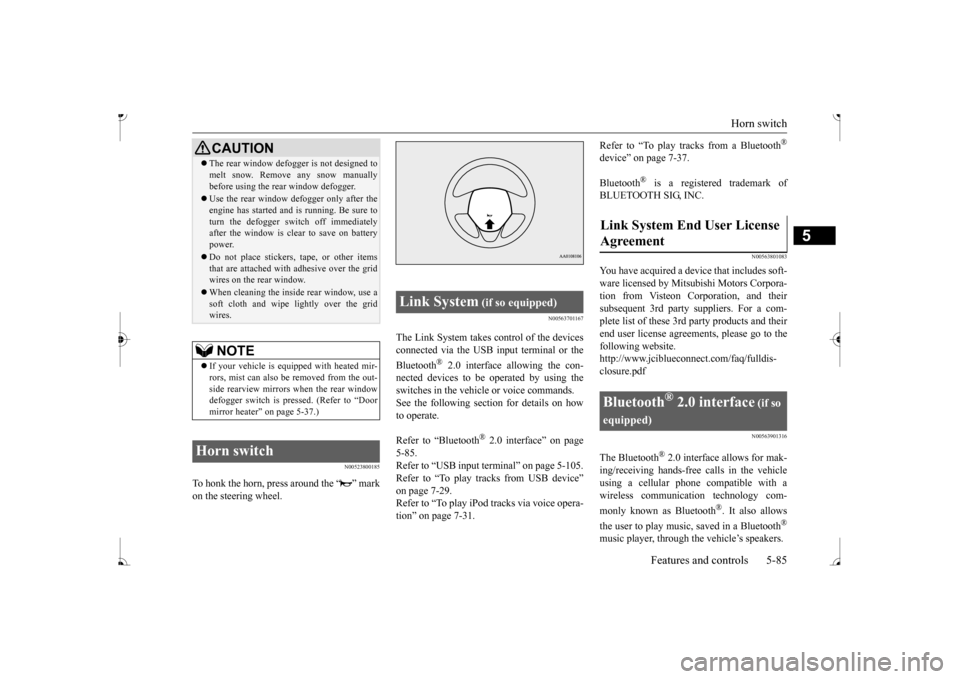
To honk the horn, press around the “ ” mark on the steering wheel.
N00563701167
The Link System takes co
ntrol of the devices
connected via the USB input terminal or the Bluetooth
® 2.0 interface allowing the con-
nected devices to be operated by using the switches in the vehicl
e or voice commands.
See the following sect
ion for details on how
to operate. Refer to “Bluetooth
® 2.0 interface” on page
5-85. Refer to “USB input terminal” on page 5-105.Refer to “To play tracks from USB device” on page 7-29. Refer to “To play iPod tracks via voice opera-tion” on page 7-31.
Refer to “To play tracks from a Bluetooth
®
device” on page 7-37. Bluetooth
® is a registered trademark of
BLUETOOTH SIG, INC.
N00563801083
You have acquired a devi
ce that includes soft-
ware licensed by Mitsub
ishi Motors Corpora-
tion from Visteon Corporation, and their subsequent 3rd party suppliers. For a com- plete list of these 3rd
party products and their
end user license agreements, please go to the following website. http://www.jciblueconne
ct.com/faq/fulldis-
closure.pdf
N00563901316
The Bluetooth
® 2.0 interface allows for mak-
ing/receiving ha
nds-free calls in the vehicle
using a cellular phone compatible with awireless communicat
ion technology com-
monly known as Bluetooth
®. It also allows
the user to play music, saved in a Bluetooth
®
music player, through the vehicle’s speakers.
CAUTION The rear window defogge
r is not designed to
melt snow. Remove
any snow manually
before using the rear window defogger. Use the rear window de
fogger only after the
engine has started and
is running. Be sure to
turn the defogger swit
ch off immediately
after the window is cl
ear to save on battery
power. Do not place stickers,
tape, or other items
that are attached with adhesive over the gridwires on the rear window. When cleaning the inside
rear window, use a
soft cloth and wipe lightly over the grid wires.NOTE
If your vehicle is equi
pped with heated mir-
rors, mist can also be removed from the out-side rearview mirrors when the rear window defogger switch is pressed. (Refer to “Door mirror heater” on page 5-37.)
Horn switch
Link System
(if so equipped)
Agreement
Bluetooth
® 2.0 interface
(if so
equipped)
BK0236100US.book 85 ページ 2016年2月1日 月曜日 午前10時15分
Page 147 of 307
Bluetooth® 2.0 interface (if so equipped) 5-86 Features and controls
5
The system is equipped with a voice recogni- tion function, which allows you to makehands-free calls by si
mple switch and voice
command operations us
ing a defined voice
tree. The Bluetooth
® 2.0 interface can be used
when the ignition switch or the operation mode is in ON or ACC. Before you can use the Bluetooth
® 2.0 inter-
face, you must pa
ir the Bluetooth
® device
and Bluetooth
® 2.0 interface. Refer to “Con-
necting the Bluetooth
® 2.0 interface and
Bluetooth
® device” on page 5-91.
Bluetooth
® is a registered trademark of
BLUETOOTH SIG, INC.
Steering control sw
itch and microphone
P.5-87Voice recognition function
P.5-88
Useful voice commands
P.5-89
Speaker enrollment function
P. 5 - 9 0
Connecting the Bluetooth
® 2.0 interface and
the Bluetooth
® device
P.5-91
Operating a music player connected via Blue- tooth
® P.5-96
How to make or r
eceive hands-free calls
P.5-96Phonebook function
P.5-98
WA R N I N GAlthough the Bluetooth
® 2.0 interface
allows you to make ha
nds-free calls, if you
choose to use the cellular phone while driving, you must not allow yourself to bedistracted from the sa
fe operation of your
vehicle. Anything, including cellular phone usage, that distracts you from thesafe operation of your vehicle increases your risk of
an accident.
Refer to and comply with all state and local laws in your area regarding cellular phone usage wh
ile driving.
NOTE
For vehicles equipped with the F.A.S.T.-key, if the operation mode is left in ACC, theaccessory power will automatically turn offafter a certain period
of time and you will no
longer be able to use the Bluetooth
® 2.0
interface. The accessory power comes on again if the engine
switch is operated.
Refer to “ACC power
auto-cutout function”
on page 5-14. The Bluetooth
® 2.0 interface
cannot be used
if the Bluetooth
® device has a dead battery
or the device power is turned off. Hands-free calls will
not be possible if your
phone does not have
service available.
If you place the Bluetooth
® device in the
cargo area, you may not be able to use the Bluetooth
® 2.0 interface.
Some Bluetooth
® devices are not compatible
with the Bluetooth
® 2.0 interface.
You can confirm the Link System software version by pressing the HANG-UP button 3 times (press and hold 2 times and then pressbriefly) within 10 seconds.
For detail of the Bluetooth
® 2.0 interface,
refer to the following website: [For vehicles sold in U.S.A.] You can access the Mits
ubishi Motors North
America website. [For vehicles so
ld in Canada]
You can access the Mitsubishi Motors web-site. Please read and agree to the “Warning about Links to the Web Sites of Other Companies”,the websites mentione
d above may connect
you to websites other than the Mitsubishi Motors website.http://www.mitsubishi
-motors.com/en/prod-
ucts/index.html Software updates by cellular phone/digital audio device manufacturers may change/alter devi
ce connectivity.
NOTE
BK0236100US.book 86 ページ 2016年2月1日 月曜日 午前10時15分
Page 151 of 307
Bluetooth® 2.0 interface (if so equipped) 5-90 Features and controls
5
If a passcode has been set and the security function is enabled, the voice guide will say“Hands-free system is lo
cked. State the pass-
code to continue” when the SPEECH button is pressed to enter voice recognition mode.Say the 4-digit passcode number to enter the passcode. If the entered passcode
is wrong, the voice
guide will say “<4-digi
t passcode>, Incorrect
passcode. Please try again.” Enter the correct passcode.
Use the following procedure to turn off the security function by di
sabling the passcode.
1. Press the SPEECH button. 2. Say “Setup.” 3. Say “Passcode.”4. The voice guide w
ill say “Passcode is
enabled. Would you like to disable it?” Answer “Yes.” the passcode and return to the main menu. 5. When the disabling of the passcode iscompleted, the voice
guide will say “Pass-
code is disabled” and the system will return to the main menu.
N00564700011
The Bluetooth
® 2.0 interface can use the
speaker enrollment function to create a voicemodel for one person per language. This makes it easier for the Bluetooth
® 2.0
interface to recognise
voice commands said
by you.
You can turn a voice model registered with the speaker enrollment function on and offwhenever you want.
N00564800038
It takes about 2 to 3 minutes to complete thespeaker enrollment process. To ensure the best results, run through the process while in the driver’s seat, in an envi- ronment that is as qu
iet as possible (when
there is no rain or strong winds and the vehi-cle windows are closed). Please turn off your phone while in speaker enrollment to prevent interruption of the process.Use the following procedure for speaker enrollment. 1. Stop your vehicle in a safe area, put the gearshift lever in the “N” (Neutral) posi-tion (manual transaxle), or the selector lever in the “P” (PARK) position (contin- uously variable transmission (CVT)), andpull the parking brake lever. 2. Press the SPEECH button.
It is required for a little time after engine stop that the entered passcode is actuallyrecorded in the system.If the ignition switch
or the operation mode
is made to ACC or ON or the engine is started immediately afte
r engine stop, there
is a case when the entered passcode is not recorded in the system. At this time, please try to enter the passcode again.
Entering the passcode
NOTE
You can reenter the passcode as many times as you want. If you have forgotten your passcode, say “Cancel” to quit the voice input mode and then check with an authorized Mitsubishi Motors dealer.NOTE
Disabling the passcode
NOTE
System must be unlocke
d to disable the pass-
code.
Speaker enrollment function
Speaker enrollment
NOTE
Speaker enrollment is not possible unless the vehicle is parked. Make sure you park the vehicle in a safe area before attemptingspeaker enrollment.
BK0236100US.book 90 ページ 2016年2月1日 月曜日 午前10時15分
Page 171 of 307
12 V power outlets 5-110 Features and controls
5
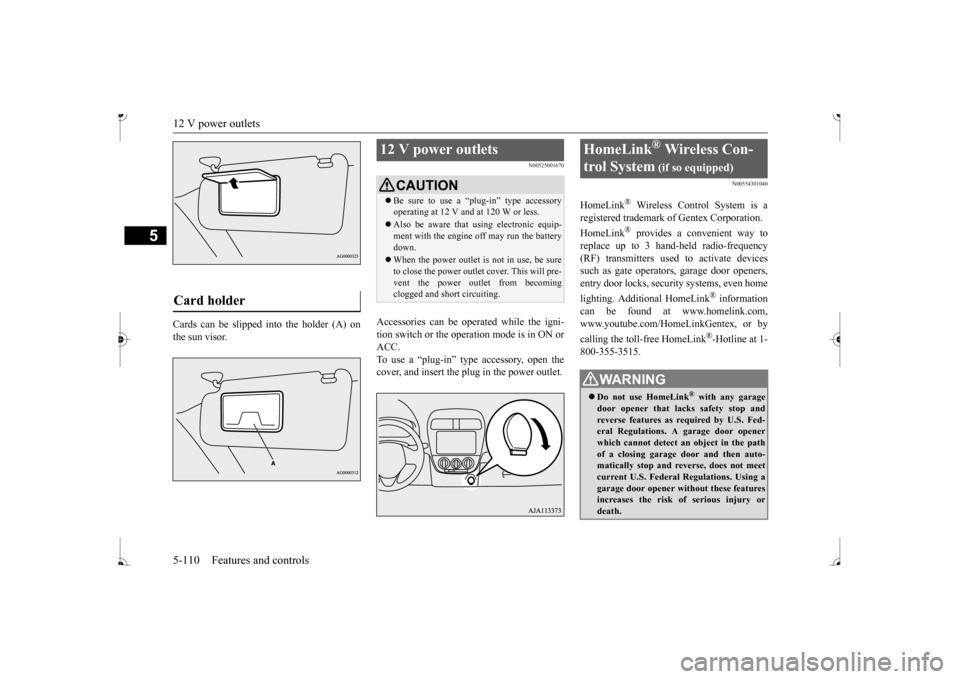
Cards can be slipped
into the holder (A) on
the sun visor.
N00525001670
Accessories can be operated while the igni-tion switch or the operation mode is in ON or ACC. To use a “plug-in” type accessory, open thecover, and insert the plug in the power outlet.
N00554301040
HomeLink
® Wireless Contro
l System is a
registered trademark of Gentex Corporation. HomeLink
® provides a convenient way to
replace up to 3 hand-held radio-frequency (RF) transmitters used to activate devicessuch as gate operators
, garage door openers,
entry door locks, security systems, even home lighting. Additional HomeLink
® information
can be found at www.homelink.com, www.youtube.com/HomeLinkGentex, or by calling the toll-free HomeLink
®-Hotline at 1-
800-355-3515.
Card holder
12 V power outlets
CAUTION Be sure to use a “plug-in” type accessory operating at 12 V and at 120 W or less. Also be aware that using electronic equip- ment with the engine
off may run the battery
down. When the power outlet is not in use, be sure to close the power outlet cover. This will pre- vent the power outlet from becoming clogged and short circuiting.
HomeLink
® Wireless Con-
trol System
(if so equipped)
WA R N I N G Do not use HomeLink
® with any garage
door opener that lacks safety stop and reverse features as required by U.S. Fed- eral Regulations.
A garage door opener
which cannot detect an object in the path of a closing garage d
oor and then auto-
matically stop and reverse, does not meetcurrent U.S. Federal Regulations. Using a garage door opener wi
thout these features
increases the risk of serious injury ordeath.
BK0236100US.book 110 ページ 2016年2月1日 月曜日 午前10時15分
Page 176 of 307
Interior lights
Features and controls 5-115
5
1. Press and hold the 2 outer HomeLink
®
buttons for at least
10 seconds. The indi-
cator will change from continuous yellow to rapidly flashing green. 2. Release both buttons. 3. HomeLink
® is now in the train (or learn-
ing) mode and can be programmed at anytime beginning with
“Programming a new
HomeLink
®” step 1.
N00585400024
To reprogram a HomeLink
® button, complete
the following. 1. Press and hold the desired HomeLink
®
button. Do not release the button. 2. The indicator light
will begin to slowly
flash orange after 20 seconds. The Home- Link
® button can be released at this point.
Proceed with “Programming a new HomeLink
®” step 2.
N00585600026
Your HomeLink
® system operates on a radio
frequency subject to
Federal Communica-
tions Commission (FCC)
Rules (For vehicles
sold in U.S.A.) and Industry Canada Rules (For vehicles sold in
Canada). This device
complies with Part 15 of the FCC Rules and RSS- 210 of the Industry Canada Rules. Operation is subject to
the following two con-
ditions. This device may not
cause harmful inter-
ference. This device must ac
cept any interference
that may be received, including interfer- ence that may caus
e undesired operation.
This equipment complies with FCC radiation exposure limits set fo
rth for an uncontrolled
environment. End Users must follow the spe- cific operating instruct
ions for satisfying RF
exposure compliance. This transmitter must be at least 12 inches (20 cm) from the user and must not be co-loc
ated or operating in
conjunction with any other antenna or trans- mitter. The term “IC:” before
the certification/regis-
tration number only si
gnifies that Industry
Canada technical specifications were met.
N00525301644
NOTE
Do not hold for longer than 20 seconds.
Reprogramming a single HomeLink
® button
NOTE
If you do not complete the programming of a new device to the button, it will revert to thepreviously stored programming.For questions or comments, visit www.homelink.com, www.youtube.com/HomeLinkGentex, or by calling the HomeLink
® Hotline.
General information
CAUTION The transmitter has been tested and complies with FCC and IC rules.Changes or modifica
tions not expressly
approved by the party responsible for com- pliance could void the user’s authority to operate the device.
Interior lights
NOTE
Be aware that leaving the light illuminated with the engine off may run the batterydown. Never leave the vehi
cle without checking
that the light is off.
BK0236100US.book 115 ページ 2016年2月1日 月曜日 午前10時15分
Page 177 of 307
Storage spaces 5-116 Features and controls
5
N00525801317
1- ( ) whether a door is open or closed. 2- (•)Delayed off function The light illuminates when a door is opened. It goes off a
pproximately 30 sec-
onds after the door is closed. However, the light goes off immediately with all doors closed in the followingcases: • When the ignition switch is turned to the “ON” position or the operation mode isput in ON. • When the power door lock function is used to lock the vehicle.
• When the remote control transmitter of the keyless entry system or the F.A.S.T.-key is used to lock the vehicle. • When the door lock/unlock switch is pressed to lock the vehicle while carry-ing the F.A.S.T.-key. Auto cut-out function If the light is left switched on with theignition switch is in the “OFF” or “ACC” or ACC, and a door is opened, it goes off automatically after approximately 30 min- utes.The light will illuminate again after it automatically goes off in the following cases:• When the ignition switch is turned to the “ON” position or the operation mode is put in ON.• When the keyless entry system or the F.A.S.T.-key is operated. • When all doors are closed.
3- ( ) door is open or closed.
N00526400528
Dome light
NOTE
When the key was used to start the engine: if the key is removed while the doors areclosed, the light is illuminated and after approximately 30 seconds it goes off. When the F.A.S.T.-key was used to start the engine: if the operation mode is put in OFF while the doors are closed, the light illumi-nates and after approxi
mately 30 seconds it
goes off.
The time until the light
goes off (delayed off)
Mitsubishi Motors dealer for details. The auto cut-out func
tion cannot be
operated
when the dome light switch is in the “ ” Also, this function can
be deactivated. See
your authorized Mitsubish
i Motors dealer for
details.
Storage spaces
CAUTION Never leave lighters,
carbonated drink cans,
or spectacles in the cabin when parking the vehicle in hot sunshine. The cabin will become extremely hot,
so lighters and other
flammable items ma
y catch fire and
unopened drink cans (i
ncluding beer cans)
may rupture. The heat may also deform orcrack plastic spectacle
lenses and other spec-
tacle parts that ar
e made of plastic.
Keep the lids of storage spaces closed while driving the vehicle. A lid or the contents of a storage space could ot
herwise cause injuries
during a sudden stop.NOTE
BK0236100US.book 116 ページ 2016年2月1日 月曜日 午前10時15分
Page 183 of 307
Fuel economy 6-2 Driving safety
6
N00628800178
Fuel economy is depe
ndent on many factors.
Your personal driving habits can have a sig- nificant effect on your
fuel consumption.
Several recommendations
for achieving the
greatest fuel economy are listed below. Whenever accelerating from a stop, always accelerate
slowly and smoothly.
When parked for even a short period, do not idle the engine. Shut it off. Plan your trips to avoid unnecessary stops. Keep your tires inflated to the recom- mended pressures. For freeway driving, maintain a speed of approximately 50 mph (80 km/h) whentraffic, roadway and weather conditions safely permit. Keep your air filter clean and your vehicle lubricated according
to the recommenda-
tions in this manual. Always keep your ve
hicle well main-
tained. A poorly maintained engine wastes fuel and costs money. Never overload your vehicle.
N00628900049
Drunk driving is one of the most frequent causes of accidents. Your driving ability can be seriously impairedeven with blood alcohol levels far below the legal minimum. If you have been drinking, don’t drive. Ride with a designated non-drinking driver, call a cab or a friend, or use public transportation. Drinking coffee or tak- ing a cold shower will not make you sober. Similarly, prescription and nonprescription drugs affect your alertness, perception andreaction time. Consu
lt with your doctor or
pharmacist before driving while under the influence of any of these medications.
N00628600046
The original equipment floor mat providedwith your vehicle was specifically designed for your vehicle. Al
ways properly position
the floor mat and assure it does not interferewith operation of the pedals. Always use the
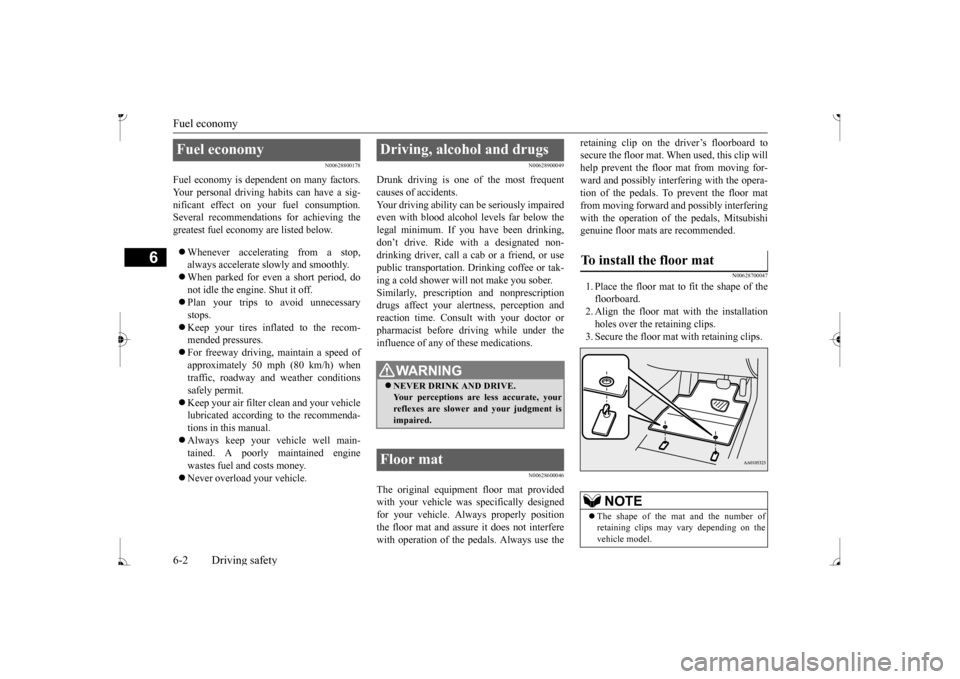
retaining clip on the driver’s floorboard to secure the floor mat. When used, this clip willhelp prevent the floor mat from moving for- ward and possibly interfering with the opera- tion of the pedals. To prevent the floor matfrom moving forward and possibly interfering with the operation of the pedals, Mitsubishi genuine floor mats are recommended.
N00628700047
1. Place the floor mat to fit the shape of thefloorboard. 2. Align the floor mat with the installation holes over the retaining clips.3. Secure the floor mat with retaining clips.
Fuel economy
Driving, alcohol and drugs
WA R N I N G NEVER DRINK AND DRIVE. Your perceptions are
less accurate, your
reflexes are slower and your judgment isimpaired.
Floor mat
To install the floor mat
NOTE
The shape of the mat and the number of retaining clips may vary depending on thevehicle model.
BK0236100US.book 2 ページ 2016年2月1日 月曜日 午前10時15分
Page 184 of 307
Vehicle preparatio
n before driving
Driving safety 6-3
6
N00629001770
For a safer and more enjoyable trip, always check for the following: Before starting the vehicle, make certain that you and all passengers are seated andwearing their seat
belts properly (with
children in the rear seat, in appropriate restraints), and that all the doors arelocked.
Move the driver’s seat as far backward as possible, while keeping good visibility,and good control of the steering wheel, brakes, accelerator, and controls. Check the instrument panel indicators and multi-information display for any possible prob- lem. Similarly, the front
passenger seat should
also be moved as fa
r back as possible.
Make sure that infants and small children are properly restrained in accordance with all laws and regulations.
Check these by selectin
g the defroster mode,
and set the blower switch on high. You should be able to feel the air blowing against thewindshield. Refer to “Defrosti
ng or defogging (wind-
shield, door windows)” on page 7-6, 7-10,7-17. Check all the tires for heavy tread wear or uneven wear patterns. Look for stones, nails, glass, or other objects
stuck in the tread. Look
for any tread cuts or
sidewall cracks. Check
the wheel nuts for tightness, and the tires (including spare tire) for proper pressure.
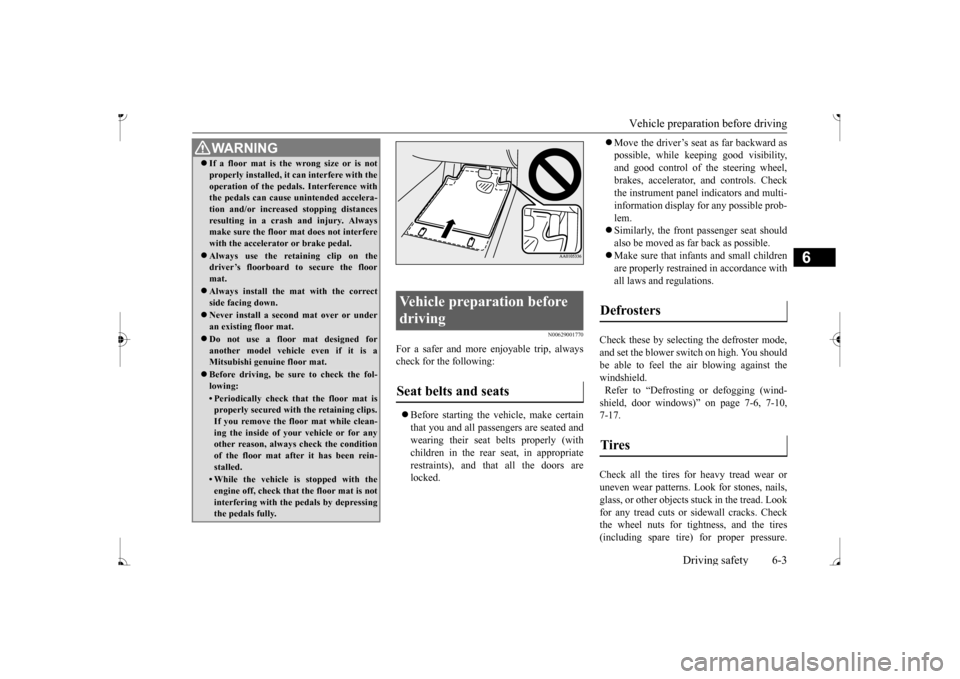
WA R N I N G If a floor mat is the
wrong size or is not
properly installed, it can interfere with theoperation of the pedals. Interference withthe pedals can cause unintended accelera- tion and/or increase
d stopping distances
resulting in a cras
h and injury. Always
make sure the floor mat does not interfere with the accelerator or brake pedal. Always use the retaining clip on the driver’s floorboard to secure the floor mat. Always install the mat with the correct side facing down. Never install a second mat over or under an existing floor mat. Do not use a floor mat designed for another model vehicle even if it is aMitsubishi genu
ine floor mat.
Before driving, be sure to check the fol- lowing:• Periodically check that the floor mat isproperly secured with the retaining clips. If you remove the fl
oor mat while clean-
ing the inside of you
r vehicle or for any
other reason, always
check the condition
of the floor mat afte
r it has been rein-
stalled.• While the vehicle is stopped with theengine off, check that
the floor mat is not
interfering with the pedals by depressing the pedals fully.
Vehicle preparation before driving Seat belts and seats
Defrosters Tires
BK0236100US.book 3 ページ 2016年2月1日 月曜日 午前10時15分