lock MITSUBISHI MIRAGE 2017 6.G Repair Manual
[x] Cancel search | Manufacturer: MITSUBISHI, Model Year: 2017, Model line: MIRAGE, Model: MITSUBISHI MIRAGE 2017 6.GPages: 307, PDF Size: 9.02 MB
Page 187 of 307
Loading information 6-6 Driving safety
6
Your front bumper can be damaged if you scrape it over curbs or parking stop blocks. Be careful when traveling up or down steepslopes where your bumper can scrape the road. More effort could be required to turn the steering wheel. Refer to “Electric power steering system(EPS)” on page 5-51.
Always carry the key and lock all doors when leaving the vehicle unattended. Always try to park your vehicle in a well litarea.
N00629900424
It is very importa
nt to know how much
weight your vehicle can carry. This weight is called the vehicle capacity weight andincludes the weight of
all occupants, cargo,
non-factory-installed options, if any, being towed. The tire and load
ing information plac-
ard located on the driver’s door sill of your vehicle will show how
much weight it may
properly carry. It is important to fami
liarize yourself with the
following terms before loading your vehicle:
Vehicle maximum load on the tire: load on an individual tire th
at is determined by
distributing to each ax
le its share of the
maximum loaded vehicle weight and dividing by two. Vehicle normal load on the tire: load on an individual tire that is
determined by dis-
tributing to each axle its share of the curbweight, accessory
weight, and normal
occupant weight and dividing by two. Maximum loaded vehicle weight: the sum of - (a) Curb weight;(b) Accessory weight; (c) Vehicle capacity weight; and (d) Production options weight. Curb weight: the weight of a motor vehi- cle with standard equipment including the maximum capacity of
fuel, oil, and cool-
ant. Accessory weight: the combined weight (in excess of those standard items whichmay be replaced) of automatic transmis- sion, power steering
, power brakes, power
windows, power seats,
radio, and heater,
to the extent that these items are available as factory- installe
d equipment (whether
installed or not). Vehicle capacity weight: the rated cargo and luggage load plus 150 lbs (68 kg)
*
times the vehicle’s designated seatingcapacity.
WA R N I N G Leaving the engine ru
nning risks injury or
death from accidentally moving the gear-shift lever (manual transaxle) or the selec-tor lever (CVT) or from the accumulation of toxic exhaust fumes in the passenger compartment.
Where you park
WA R N I N G Do not park your vehicle in areas where combustible materials such as dry grass orleaves can come in
contact with a hot
exhaust, since a fire could occur.
Do not keep the steering wheel fully turned for a long time
When leaving the vehicle Loading information
WA R N I N G Never overload your ve
hicle. Overloading
can damage your vehicl
e, adversely affect
vehicle performance, including handlingand braking, cause tire failure, and result in an accident.
BK0236100US.book 6 ページ 2016年2月1日 月曜日 午前10時15分
Page 191 of 307
Cargo loads 6-10 Driving safety
6
N00629700435 N00630300082
To determine the cargo load capacity for your vehicle, subtract the
weight of all vehicle
occupants from the vehi
cle capacity weight.
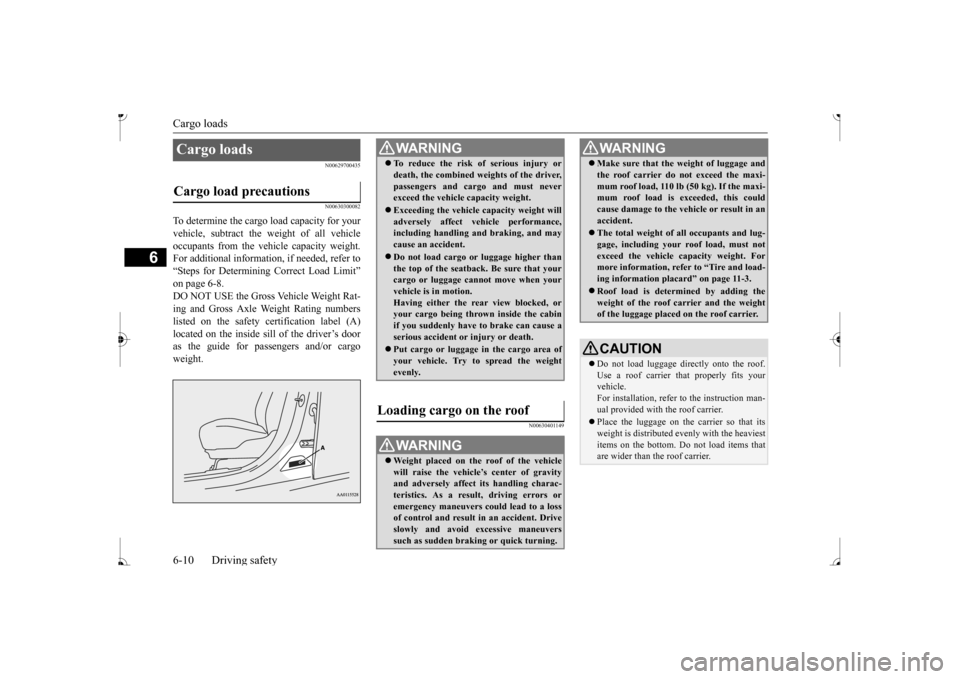
For additional information, if needed, refer to “Steps for Determining Correct Load Limit” on page 6-8. DO NOT USE the Gross Vehicle Weight Rat- ing and Gross Axle Weight Rating numberslisted on the safety certification label (A) as the guide for pass
engers and/or cargo
weight.
N00630401149
Cargo loads Cargo load precautions
WA R N I N G To reduce the risk of serious injury or death, the combined weights of the driver,passengers and cargo and must neverexceed the vehicle capacity weight. Exceeding the vehicle capacity weight will adversely affect ve
hicle performance,
including handling and braking, and may cause an accident. Do not load cargo or luggage higher than the top of the seatback. Be sure that yourcargo or luggage cann
ot move when your
vehicle is in motion. Having either the re
ar view blocked, or
your cargo being thrown
inside the cabin
if you suddenly have to brake can cause a serious accident or
injury or death.
Put cargo or luggage in the cargo area of your vehicle. Try to spread the weightevenly.
Loading cargo on the roof
WA R N I N G Weight placed on the
roof of the vehicle
will raise the vehicle’ and adversely affect
its handling charac-
teristics. As a result, driving errors oremergency maneuvers could lead to a loss of control and result in an accident. Drive slowly and avoid excessive maneuverssuch as sudden brak
ing or quick turning.
Make sure that the
weight of luggage and
the roof carrier do not exceed the maxi-mum roof load, 110 lb (50 kg). If the maxi-mum roof load is ex
ceeded, this could
cause damage to the ve
hicle or result in an
accident. The total weight of all occupants and lug- gage, including your r
oof load, must not
exceed the vehicle capacity weight. For more information, refer to “Tire and load- ing information placard” on page 11-3. Roof load is determined by adding the weight of the roof
carrier and the weight
of the luggage placed
on the roof carrier.
CAUTIONDo not load luggage directly onto the roof. Use a roof carrier that properly fits your vehicle. For installation, refer to the instruction man-ual provided with the roof carrier. Place the luggage on the carrier so that its weight is distri
buted evenly with the heaviest
items on the bottom. Do not load items that are wider than the roof carrier.WA R N I N G
BK0236100US.book 10 ページ 2016年2月1日 月曜日 午前10時15分
Page 197 of 307
Heater without air conditioning function (if so equipped) 7-4 Comfort controls
7
Air flows mainly to the windshield and the door windows.
N00737700031
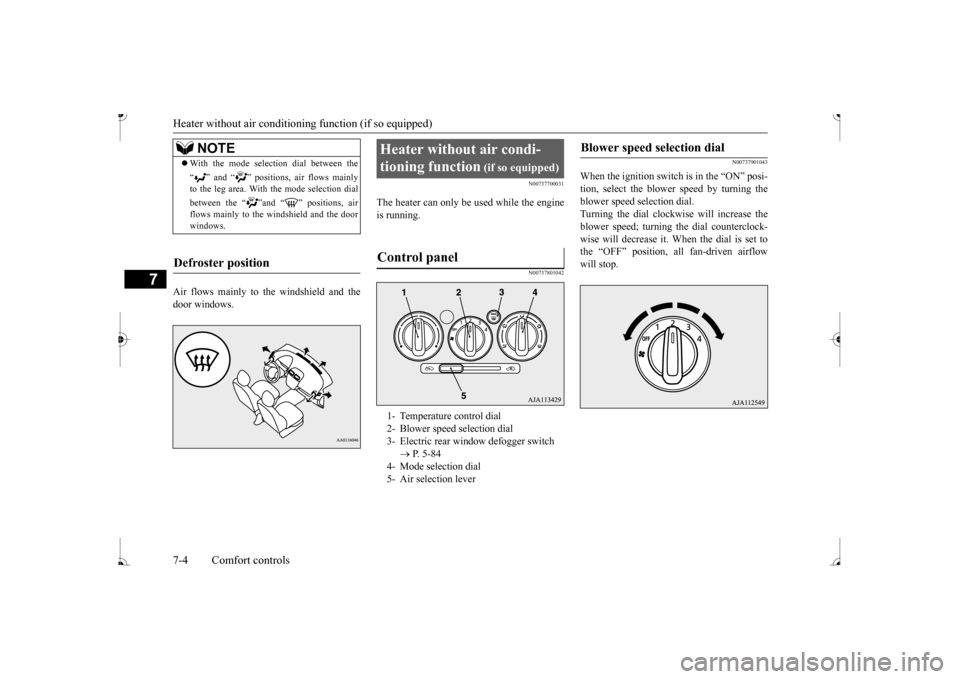
The heater can only be used while the engineis running.
N00737801042
N00737901043
When the ignition switch is in the “ON” posi- tion, select the blower speed by turning the blower speed selection dial.Turning the dial clockwise will increase the blower speed; turning
the dial counterclock-
wise will decrease it. When the dial is set tothe “OFF” position, all fan-driven airflow will stop.
NOTE
With the mode selec
tion dial between the
“ ” and “ ” positions, air flows mainly to the leg area. With the mode selection dial between the “ ”and “ ” positions, air flows mainly to the windshield and the door windows.
Defroster position
Heater without air condi- tioning function
(if so equipped)
1- Temperature control dial 2- Blower speed selection dial 3- Electric rear win
dow defogger switch
P. 5-84
4- Mode selection dial 5- Air selection lever
Blower speed selection dial
BK0236100US.book 4 ページ 2016年2月1日 月曜日 午前10時15分
Page 198 of 307
Heater without air conditioning function (if so equipped)
Comfort controls 7-5
7
N00738001067
Turn the temperature c
ontrol dial clockwise
to make the air warmer
. Turn it counterclock-
wise to make the air cooler.
N00738101084
To change air flow di
rection, turn the mode
selection dial. Refer
to “Changing the mode
selection” on page 7-2.
N00738201056
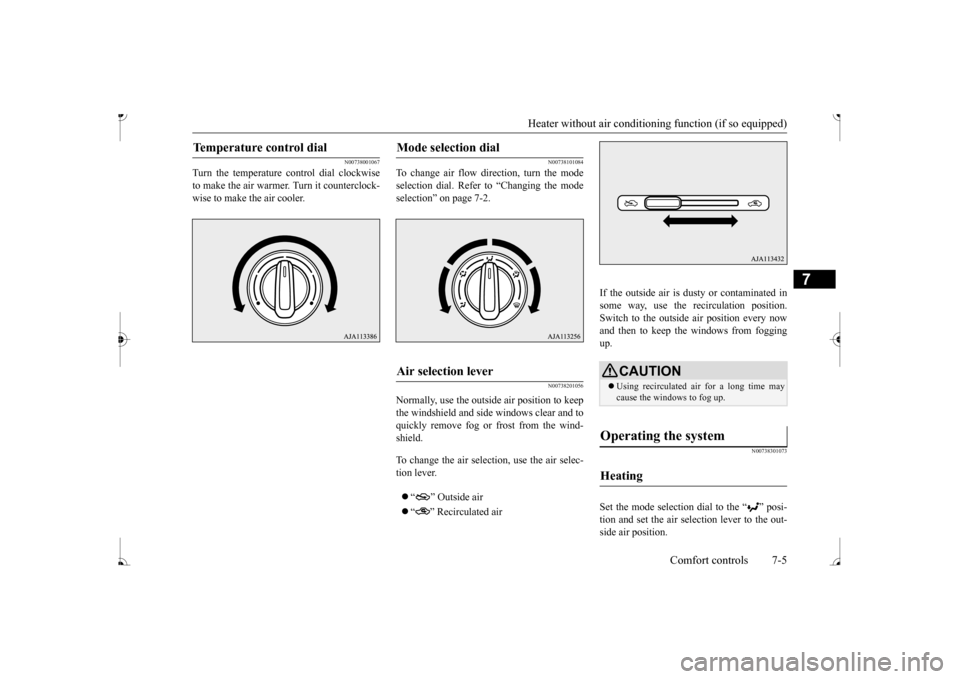
Normally, use the outside air position to keepthe windshield and side
windows clear and to
quickly remove fog or frost from the wind- shield. To change the air selection, use the air selec- tion lever. “ ” Outside air “ ” Recirculated air
If the outside air is dusty or contaminated in some way, use the recirculation position. Switch to the outside
air position every now
and then to keep the windows from fogging up.
N00738301073
Set the mode selection
dial to the “ ” posi-
tion and set the air selection lever to the out- side air position.
Temperature control dial
Mode selection dial
Air selection lever
CAUTION Using recirculated ai
r for a long time may
cause the windows to fog up.
Operating the system
Heating
BK0236100US.book 5 ページ 2016年2月1日 月曜日 午前10時15分
Page 199 of 307
Heater without air conditioning function (if so equipped) 7-6 Comfort controls
7
Turn the temperature control dial clockwise or counterclockwise to
the desired tempera-
ture. Select the desire
d blower speed to fit
your needs.
N00738401045
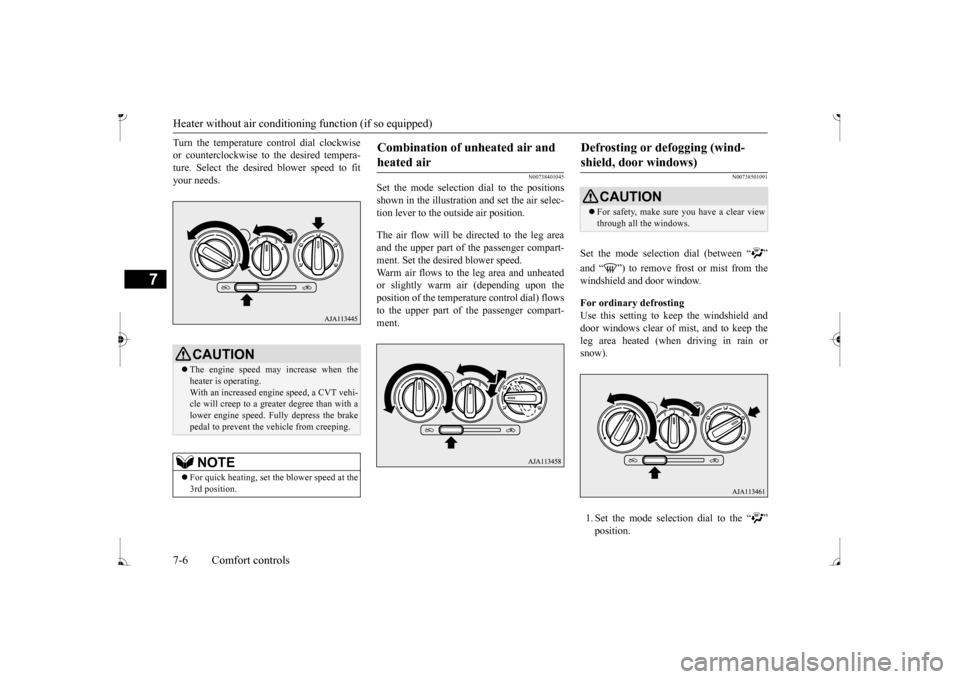
Set the mode selection
dial to the positions
shown in the illustration and set the air selec- tion lever to the outside air position. The air flow will be directed to the leg area and the upper part of the passenger compart-ment. Set the desired blower speed. Warm air flows to the leg area and unheated or slightly warm air (depending upon the position of the temperat
ure control dial) flows
to the upper part of the passenger compart-ment.
N00738501091
Set the mode selection dial (between “ ” windshield and door window. For ordinary defrosting Use this setting to ke
ep the windshield and
door windows clear of mist, and to keep the leg area heated (when driving in rain or snow). 1. Set the mode select
ion dial to the “ ”
CAUTION The engine speed may increase when the heater is operating. With an increased engi
ne speed, a CVT vehi-
cle will creep to a greater degree than with a lower engine speed. Fully depress the brake pedal to prevent the vehicle from creeping.NOTE
For quick heating, set the blower speed at the 3rd position.
Combination of unheated air and heated air
Defrosting or defogging (wind-shield, door windows)
CAUTION For safety, make sure you have a clear view through all the windows.
BK0236100US.book 6 ページ 2016年2月1日 月曜日 午前10時15分
Page 200 of 307
Manual air conditioning (if so equipped)
Comfort controls 7-7
7
2. Set the air selection le
ver to the outside air
position.3. Select your desired
blower speed by turn-
ing the blower spee
d selection dial.
4. Select your desired
temperature by turn-
ing the temperature control dial.
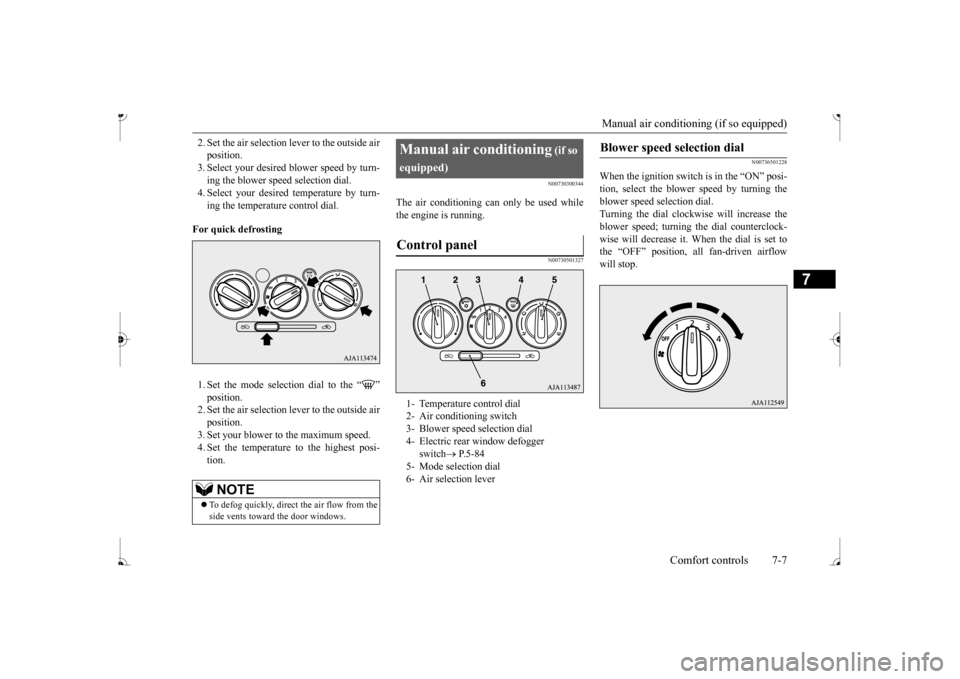
For quick defrosting 1. Set the mode selection dial to the “ ” 2. Set the air selection le
ver to the outside air
position. 3. Set your blower to the maximum speed. 4. Set the temperature to the highest posi-tion.
N00730300344
The air conditioning can only be used whilethe engine is running.
N00730501327
N00736501228
When the ignition switch is in the “ON” posi- tion, select the blower speed by turning the blower speed se
lection dial.
Turning the dial clockwise will increase the blower speed; turning
the dial counterclock-
wise will decrease it. When the dial is set tothe “OFF” position, all fan-driven airflow will stop.
NOTE
To defog quickly, direct the air flow from the side vents toward the door windows.
Manual air conditioning
(if so
equipped)
1- Temperature control dial 2- Air conditioning switch 3- Blower speed selection dial 4- Electric rear window defogger
switch
P.5-84
5- Mode selection dial 6- Air selection lever
Blower speed selection dial
BK0236100US.book 7 ページ 2016年2月1日 月曜日 午前10時15分
Page 201 of 307
Manual air conditioning (if so equipped) 7-8 Comfort controls
7
N00736601258
Turn the temperature control dial clockwise to make the air warmer
. Turn it counterclock-
wise to make the air cooler.
N00736701246
To change air flow di
rection, turn the mode
selection dial. Refer to “Changing the mode selection” on page 7-2.
N00736801423
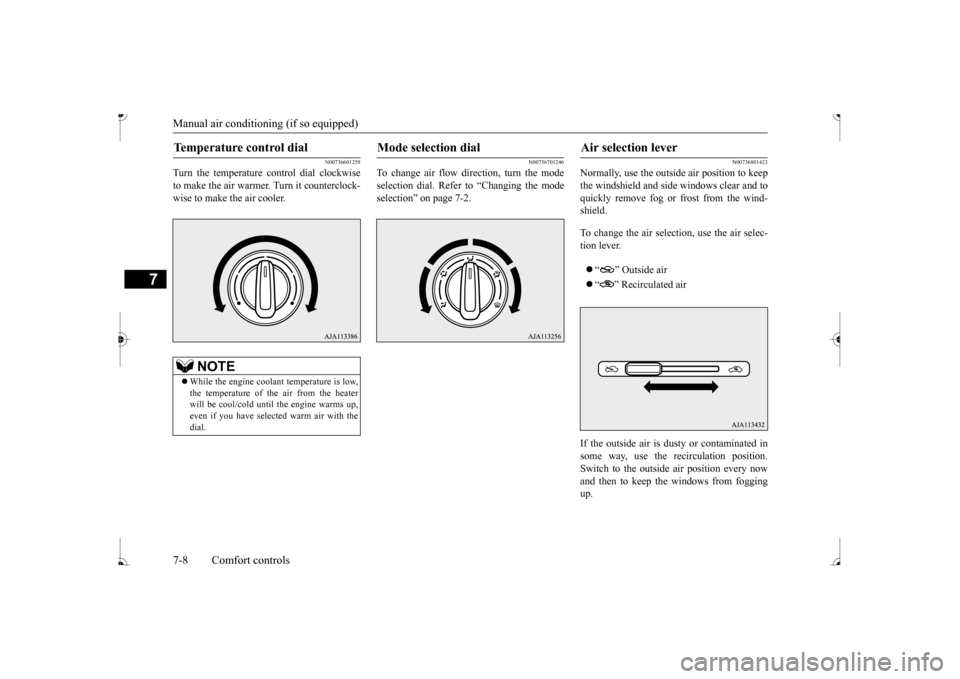
Normally, use the outside air position to keep the windshield and side windows clear and to quickly remove fog or frost from the wind-shield. To change the air selection, use the air selec- tion lever. “ ” Outside air “ ” Recirculated air
If the outside air is dusty or contaminated in some way, use the
recirculat
ion position.
Switch to the outside
air position every now
and then to keep the windows from foggingup.
Temperature control dial
NOTE
While the engine coolant temperature is low, the temperature of the air from the heater will be cool/cold until
the engine warms up,
even if you have selected warm air with the dial.
Mode selection dial
Air selection lever
BK0236100US.book 8 ページ 2016年2月1日 月曜日 午前10時15分
Page 202 of 307
Manual air conditioning (if so equipped)
Comfort controls 7-9
7
N00731001488
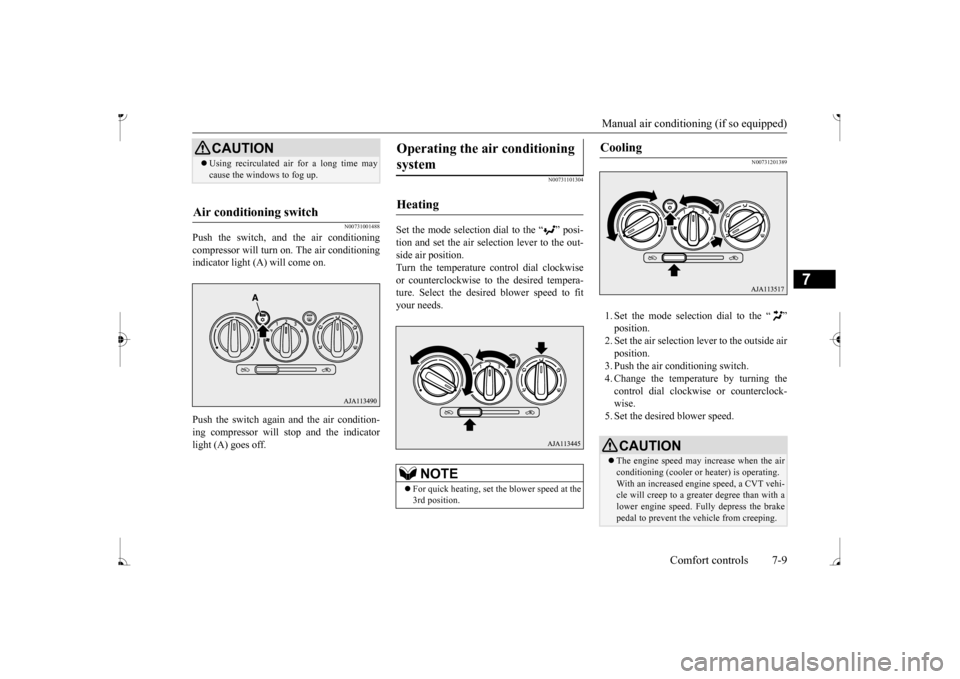
Push the switch, and the air conditioning compressor will turn on. The air conditioningindicator light (A) will come on. Push the switch again and the air condition- ing compressor will stop and the indicator light (A) goes off.
N00731101304
Set the mode selection dial to the “ ” posi- tion and set the air sele
ction lever to the out-
side air position. Turn the temperature control dial clockwise or counterclockwise to
the desired tempera-
ture. Select the desire
d blower speed to fit
your needs.
N00731201389
1. Set the mode selection dial to the “ ” 2. Set the air selection le
ver to the outside air
position.3. Push the air conditioning switch. 4. Change the temperature by turning the control dial clockwise or counterclock-wise. 5. Set the desired blower speed.
CAUTION Using recirculated ai
r for a long time may
cause the windows to fog up.
Air conditioning switch
Operating the ai
r conditioning
system
Heating
NOTE
For quick heating, set th
e blower speed at the
3rd position.
Cooling
CAUTION The engine speed may increase when the air conditioning (cooler or
heater) is operating.
With an increased engi
ne speed, a CVT vehi-
cle will creep to a greater degree than with a lower engine speed. Fully depress the brakepedal to prevent the vehicle from creeping.
BK0236100US.book 9 ページ 2016年2月1日 月曜日 午前10時15分
Page 213 of 307
AM/FM electronically tuned radio with CD player (if so equipped) 7-20 Comfort controls
7
N00711901742 N00712001434
Turn the VOL switch clockwise to increase the volume; counterclockw
ise to decrease the
volume.The status will be shown in the display.
N00712101712
1. Press the /MENU button to select BASS
TREBLE
FADER
BAL-
ANCE
Sound control mode off.
2. Turn the SEL switch either clockwise or counterclockwise to change the tone/bal- ance setting.The status will be shown in the display.
To select the desired bass level.To select the desired treble level. To balance the volume from the F (front) and the R (rear) speakers. To balance the volume from the L (left) and the R (right) speakers.
N00734901925
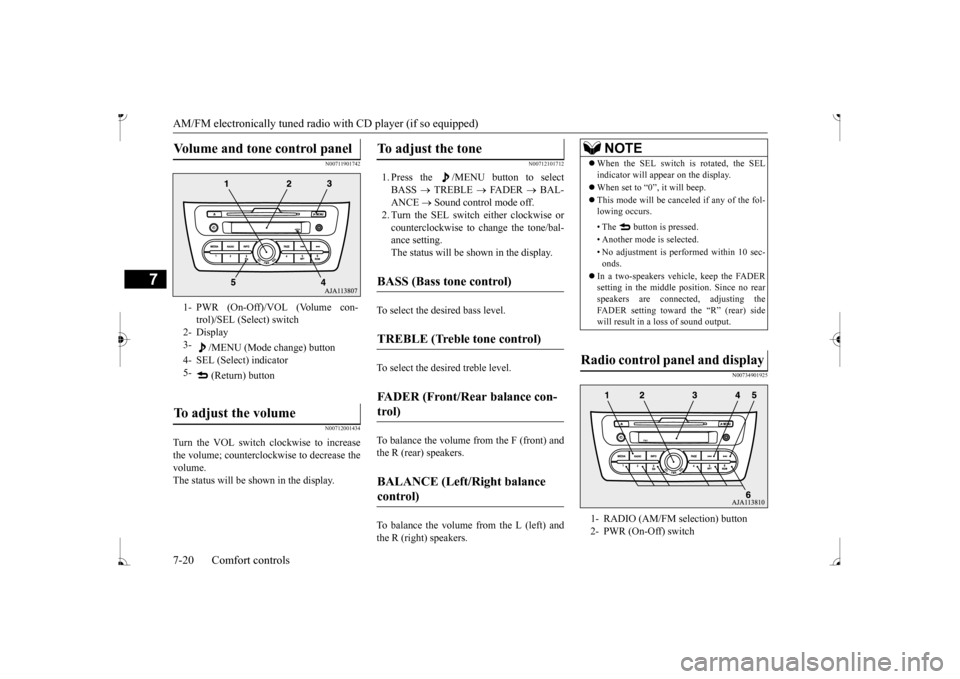
Volume and tone control panel
1- PWR (On-Off)/VOL (Volume con-
trol)/SEL (Select) switch
2- Display 3-
/MENU (Mode change) button
4- SEL (Select) indicator 5-
(Return) button
To adjust the volume
To adjust the tone
BASS (Bass tone control)
TREBLE (Treble tone control)
FADER (Front/Rear balance con- trol)
BALANCE (Left/Right balance control)
NOTE
When the SEL switch is rotated, the SEL indicator will appear on the display. When set to “0”, it will beep. This mode will be canc
eled if any of the fol-
lowing occurs. • The button is pressed. • Another mode is selected.• No adjustment is performed within 10 sec- onds.
In a two-speakers vehi
cle, keep the FADER
setting in the middle position. Since no rear speakers are connect
ed, adjusting the
FADER setting toward the “R” (rear) side will result in a loss of sound output.
Radio control panel and display
1- RADIO (AM/FM selection) button 2- PWR (On-Off) switch
BK0236100US.book 20 ページ 2016年2月1日 月曜日 午前10時15分
Page 218 of 307
AM/FM electronically tuned radio with CD player (if so equipped)
Comfort controls 7-25
7
The CD player can display disc and track titles. Press the INFO
button repeatedly to
make selections in
the following sequence:
disc name
track name
normal display
mode. The CD player can display folder and file titles. Press the INFO
button repeatedly to
make selections in
the following sequence:
folder name
file name
normal display
mode. The CD player can display ID3 tag informa- tion for files that have been recorded withID3 tag information.
1. Press the INFO button for 2 seconds or longer to switch to
the ID3 tag informa-
tion. 2. Press the INFO button repeatedly to make selections in the following sequence:album TAG
track TAG
artist TAG
normal display mode.
N00702600010
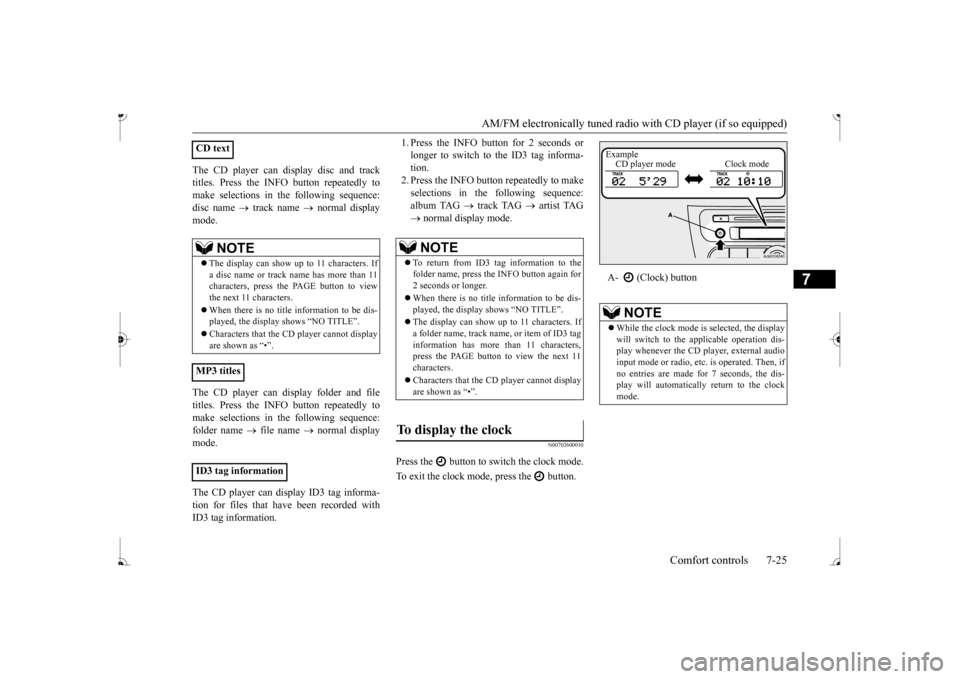
Press the button to switch the clock mode. To exit the clock mode, press the button.
CD text
NOTE
The display can show up to 11 characters. If a disc name or track name has more than 11 characters, press the PAGE button to view the next 11 characters. When there is no title information to be dis- played, the display
shows “NO TITLE”.
player cannot display
are shown as “•”.
MP3 titles ID3 tag information
NOTE
To return from ID3 tag information to the folder name, press the INFO button again for 2 seconds or longer. When there is no title information to be dis- played, the display shows “NO TITLE”. The display can show up to 11 characters. If a folder name, track name
, or item of ID3 tag
information has more than 11 characters, press the PAGE button to view the next 11 characters. Characters that the CD
player cannot display
are shown as “•”.
To display the clock
A- (Clock) button
NOTE
While the clock mode is
selected, the display
will switch to the a
pplicable operation dis-
play whenever the CD player, external audioinput mode or radio, et
c. is operated. Then, if
no entries are made for 7 seconds, the dis- play will automatically return to the clockmode.Example CD player mode Clock mode
BK0236100US.book 25 ページ 2016年2月1日 月曜日 午前10時15分