alarm MITSUBISHI OUTLANDER 2014 3.G User Guide
[x] Cancel search | Manufacturer: MITSUBISHI, Model Year: 2014, Model line: OUTLANDER, Model: MITSUBISHI OUTLANDER 2014 3.GPages: 451, PDF Size: 49.08 MB
Page 125 of 451
Theft-alarm system
Features and controls 5-47
5
be deactivated when pa
rking in automated car
parks or leaving pe
ts in the vehicle.
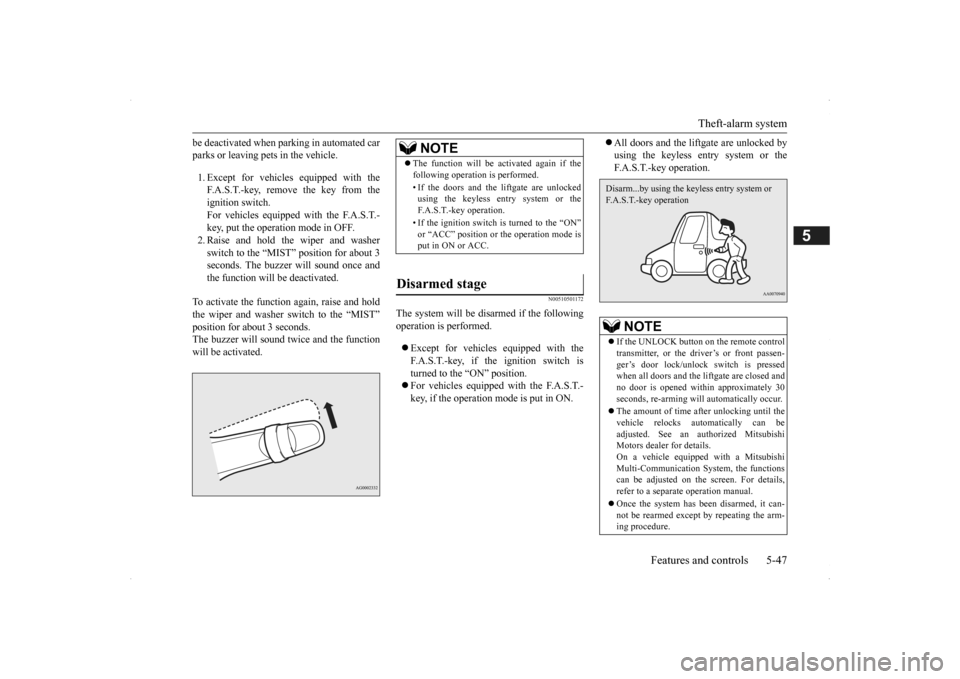
1. Except for vehicles equipped with the F.A.S.T.-key, remove the key from the ignition switch. For vehicles equipped with the F.A.S.T.-key, put the operation mode in OFF. 2. Raise and hold the wiper and washer switch to the “MIST” position for about 3seconds. The buzzer will sound once and the function will be deactivated.
To activate the function again, raise and hold the wiper and washer switch to the “MIST” position for about 3 seconds. The buzzer will sound twice and the functionwill be activated.
N00510501172
The system will be disa
rmed if the following
operation is performed. Except for vehicles
equipped with the
F.A.S.T.-key, if the ignition switch is turned to the “ON” position. For vehicles equipped with the F.A.S.T.- key, if the operation mode is put in ON.
All doors and the lift
gate are unlocked by
using the keyless entry system or theF.A.S.T.-key operation.
NOTE
The function will be activated again if the following operation is performed. • If the doors and the liftgate are unlocked using the keyless entry system or the F.A.S.T.-key operation. • If the ignition switch is turned to the “ON” or “ACC” position or the operation mode isput in ON or ACC.
Disarmed stage
NOTE
If the UNLOCK button on the remote control transmitter, or the dr
iver’s or front passen-
ger’s door lock/unloc
k switch is pressed
when all doors and the liftgate are closed and no door is opened within approximately 30seconds, re-arming will
automatically occur.
The amount of time after unlocking until the vehicle relocks automatically can be adjusted. See an authorized Mitsubishi Motors dealer for details.On a vehicle equipped with a Mitsubishi Multi-Communication System, the functions can be adjusted on the screen. For details,refer to a separate operation manual. Once the system has been disarmed, it can- not be rearmed except
by repeating the arm-
ing procedure.Disarm...by using the keyless entry system or F.A.S.T.-key operation
BK0200500US.book 47 ページ 2013年2月12日 火曜日 午前9時46分
Page 126 of 451
Power window control 5-48 Features and controls
5
N00510601144
Use the following proce
dure to test the sys-
tem: 1. Lower the driver’s window. 2. Arm the system as explained in “Armedstage”. 3. Make sure that the theft-alarm indicator comes on and flashes for approximately 20 seconds. 4. Wait a few seconds and then unlock thedriver’s side door by using the inside door lock knob. Open the door. 5. Make sure that the horn (the siren forvehicles equipped with the interior alarm sensor) sounds intermittently and the headlights blink when
a door is opened.
6. Disarm the system
by unlocking all doors
and the liftgate by using the keyless entry system or the F.A.S.T.-key operation.
N00510800383
N00548701137
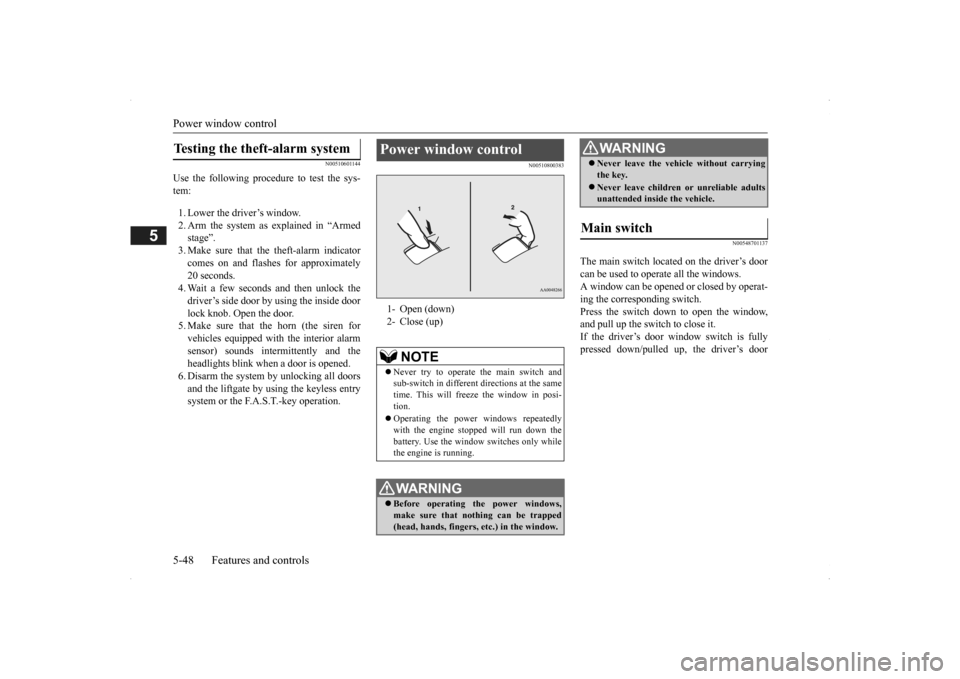
The main switch located on the driver’s door can be used to operate all the windows.A window can be opened or closed by operat- ing the corresponding switch. Press the switch down to open the window,and pull up the switch to close it. If the driver’s door window switch is fully pressed down/pulled up, the driver’s door
Testing the theft-alarm system
Power window control 1- Open (down)2- Close (up)
NOTE
Never try to operate the main switch and sub-switch in different directions at the same time. This will free
ze the window in posi-
tion. Operating the power
windows repeatedly
with the engine stopped will run down thebattery. Use the window
switches only while
the engine is running.WA R N I N G Before operating the power windows, make sure that nothing can be trapped (head, hands, fingers, etc.) in the window.
Never leave the vehi
cle without carrying
the key. Never leave children
or unreliable adults
unattended inside the vehicle.
Main switch
WA R N I N G
BK0200500US.book 48 ページ 2013年2月12日 火曜日 午前9時46分
Page 163 of 451
Hill start assist (if so equipped) Features and controls 5-85
5
N00517600364
Your vehicle is equipped with power brakes for more braking force with less brake pedal effort.Your brakes are designed to operate at full capacity, even if the power assist is not being used.If the power assist is not being used, the effort needed to press the brake pedal is greater. If you should lose the power assist for somereason, the brakes will still work. If the power brake unit or either of the two brake hydraulic systems stops working prop-erly, the rest of the brake system will still work, but the vehicle will not slow down as quickly.You will know this ha
s happened if you find
you need to press the brake down farther, or harder when slowing down or stopping, or ifthe brake warning light and the warning dis- play in the multi-information display come on.
N00550700124
The disc brakes have an alarm that makes a metallic squeal when
the brake pads have
worn down enough to need service.If you hear this sound, have the brake pads replaced at an authorized Mitsubishi Motors dealer or a repair facility of your choice.
N00562601097
The hill start assist make
s it easy to start off
on a steep uphill slope by preventing thevehicle from moving back
wards. It keeps the
braking force for about 2 second when you move your foot from the brake pedal to theaccelerator pedal.
CAUTION It is important not to drive the vehicle with your foot resting on the brake pedal whenbraking is not required. This practice canresult in very high brake temperatures, pre- mature lining wear, a
nd possible damage to
the brakes.
Power brakes
WA R N I N G Never coast downhill
with the engine OFF.
Keep the engine running whenever yourvehicle is in motion. If you turn off theengine while driving, the power brake booster will stop wo
rking and your brakes
will not work as well. If the power assist is lost or if either brake hydraulic system stops working properly,take your vehicle to
an authorized Mit-
subishi Motors dealer or a repair facility of your choice immediately.
Brake pad wear alarm
WA R N I N G Driving with worn brake pads will make it harder to stop, and can cause an accident.
Hill start assist
(if so equipped)
CAUTION Do not overly rely on the hill start assist to prevent backwards movement of the vehicle.Under certain circumstan
ces, even when hill
start assist is activated, the vehicle may move backwards if the brake pedal is not suf-ficiently depressed, if the vehicle is heavily loaded, or if the road is very steep or slip- pery. The hill start assist is
not designed to keep
the vehicle stopped in place on uphill slopesfor more than 2 seconds. When facing uphill, do not rely on using the hill start assist to
maintain a stopped position
as an alternative to depressing the brake pedal.Doing so could cause an accident. Do not turn the ignition switch to the “OFF”, “LOCK” or “ACC” po
sition while the hill
start assist is operating. The hill start assist could stop operating,
which could result in
an accident.
BK0200500US.book 85 ページ 2013年2月12日 火曜日 午前9時46分
Page 179 of 451
Adaptive Cruise Control System (ACC) (if so equipped)
Features and controls 5-101
5
N00576900023
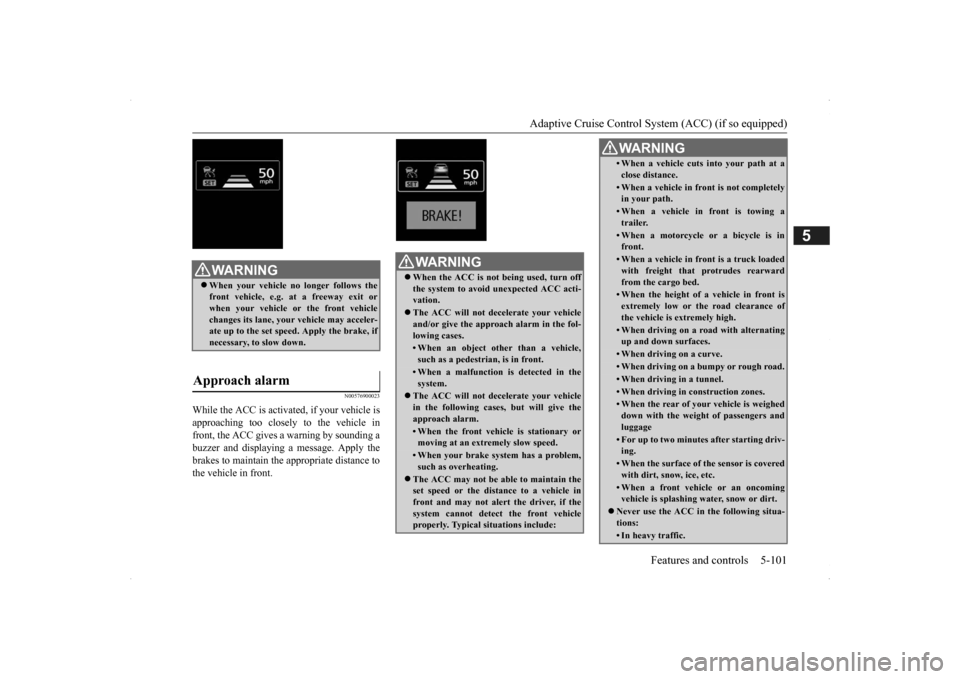
While the ACC is activa
ted, if your vehicle is
approaching too closely to the vehicle in front, the ACC gives a warning by sounding abuzzer and displaying a message. Apply the brakes to maintain the appropriate distance to the vehicle in front.
WA R N I N G When your vehicle no longer follows the front vehicle, e.g.
at a freeway exit or
when your vehicle or the front vehiclechanges its lane, your
vehicle may acceler-
ate up to the set speed. Apply the brake, if necessary, to slow down.
Approach alarm
WA R N I N G When the ACC is not being used, turn off the system to avoid
unexpected
ACC acti-
vation. The ACC will not decelerate your vehicle and/or give the appr
oach alarm in the fol-
lowing cases.• When an object other than a vehicle,such as a pedestri
an, is in front.
• When a malfunction is detected in the system.
The ACC will not decelerate your vehicle in the following cases,
but will give the
approach alarm.• When the front vehicle is stationary ormoving at an extremely slow speed.• When your brake system has a problem,such as overheating.
The ACC may not be ab
le to maintain the
set speed or the dist
ance to a vehicle in
front and may not alert the driver, if thesystem cannot detect the front vehicle properly. Typical situations include:
• When a vehicle cuts
into your path at a
close distance.• When a vehicle in front is not completely in your path.• When a vehicle in front is towing atrailer.• When a motorcycle or a bicycle is infront.• When a vehicle in fr
ont is a truck loaded
with freight that protrudes rearward from the cargo bed.• When the height of a vehicle in front isextremely low or the road clearance ofthe vehicle is extremely high.• When driving on a r
oad with alternating
up and down surfaces.• When driving on a curve.• When driving on a bumpy or rough road.• When driving in a tunnel.• When driving in construction zones.• When the rear of your vehicle is weigheddown with the weight of passengers andluggage• For up to two minute
s after starting driv-
ing.• When the surface of th
e sensor is covered
with dirt, snow, ice, etc.• When a front vehicl
e or an oncoming
vehicle is splashing wa
ter, snow or dirt.
Never use the ACC in the following situa- tions:• In heavy traffic.WA R N I N G
SC00000500-3.fm 101 ページ 2013年2月13日 水曜日 午前9時48分
Page 180 of 451
Adaptive Cruise Control System (ACC) (if so equipped) 5-102 Features and controls
5
N00581500027
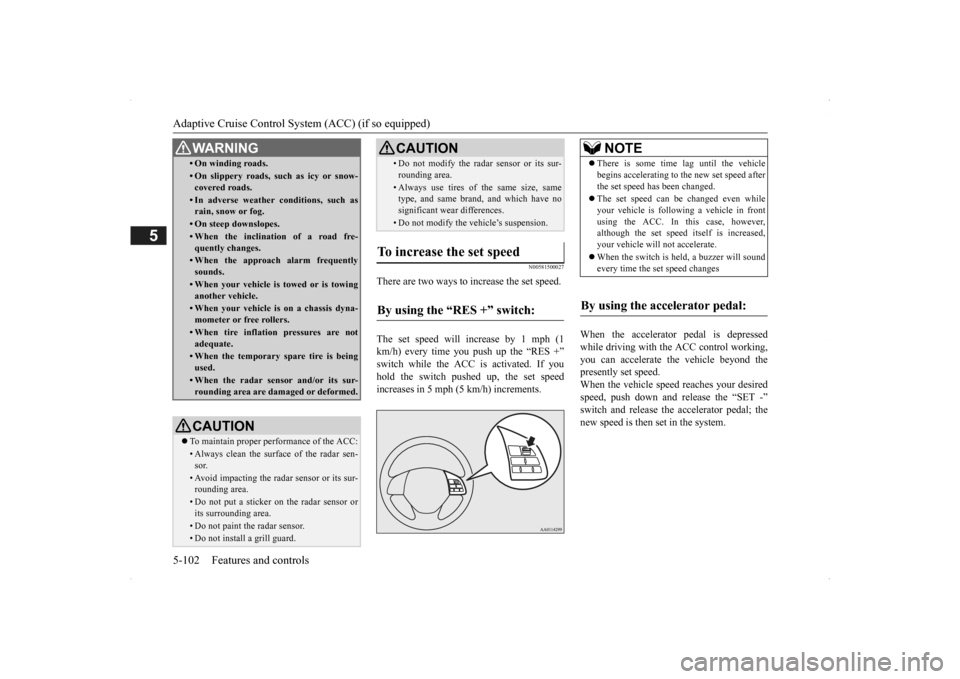
There are two ways to increase the set speed. The set speed will increase by 1 mph (1 km/h) every time you push up the “RES +” switch while the ACC is activated. If you hold the switch pushed up, the set speedincreases in 5 mph (5 km/h) increments.
When the accelerator
pedal is depressed
while driving with the ACC control working, you can accelerate th
e vehicle beyond the
presently set speed. When the vehicle spee
d reaches your desired
speed, push down and
release the “SET -”
switch and release the accelerator pedal; the new speed is then set in the system.
• On winding roads.• On slippery roads, su
ch as icy or snow-
covered roads.• In adverse weather
conditions, such as
rain, snow or fog.• On steep downslopes.• When the inclination of a road fre-quently changes.• When the approach alarm frequentlysounds.• When your vehicle is towed or is towinganother vehicle.• When your vehicle is on a chassis dyna-mometer or free rollers.• When tire inflation pressures are notadequate.• When the temporary spare tire is beingused.• When the radar sensor and/or its sur-rounding area are damaged or deformed.CAUTION To maintain proper performance of the ACC:• Always clean the surface of the radar sen- sor.• Avoid impacting the radar sensor or its sur-rounding area.• Do not put a sticker on the radar sensor orits surrounding area.• Do not paint the radar sensor.• Do not install a grill guard.WA R N I N G
• Do not modify the radar sensor or its sur-rounding area.• Always use tires of the same size, same type, and same brand,
and which have no
significant wear differences.• Do not modify the vehicle’s suspension.
To increase the set speed
By using the “RES +” switch:
CAUTION
NOTE
There is some time lag until the vehicle begins accelera
ting to the new set speed after
the set speed has been changed. The set speed can be changed even while your vehicle is follow
ing a vehicle in front
using the ACC. In this case, however, although the set speed it
self is increased,
your vehicle will
not accelerate.
When the switch is held, a buzzer will sound every time the set speed changes
By using the accelerator pedal:
BK0200500US.book 102 ページ 2013年2月12日 火曜日 午前9時46分
Page 181 of 451
Adaptive Cruise Control System (ACC) (if so equipped)
Features and controls 5-103
5
N00581600028
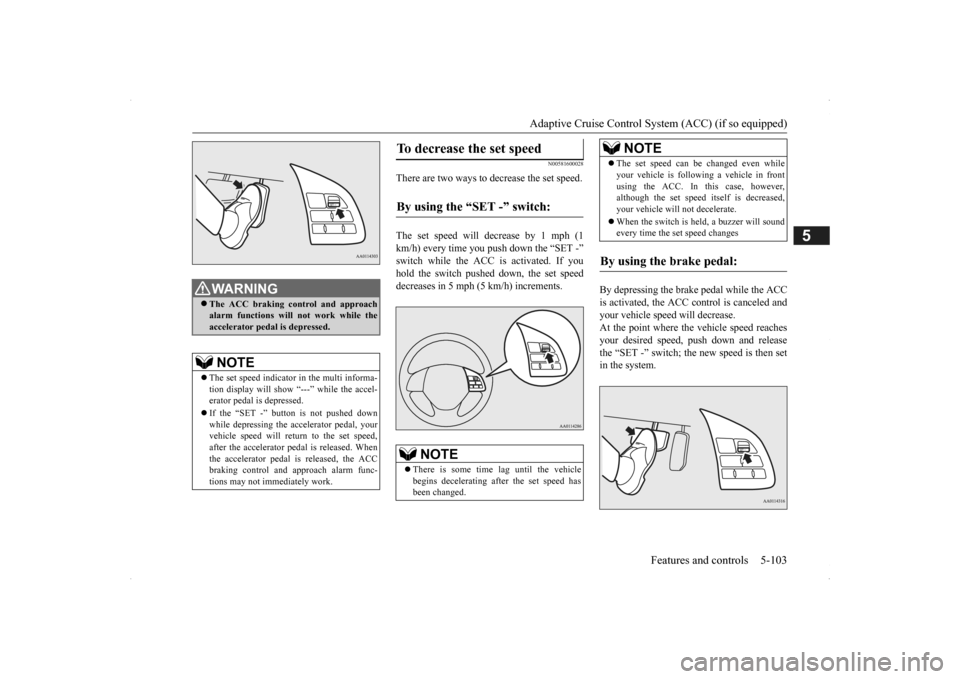
There are two ways to decrease the set speed. The set speed will decrease by 1 mph (1 km/h) every time you push down the “SET -” switch while the ACC is activated. If you hold the switch pushed down, the set speed decreases in 5 mph (5 km/h) increments.
By depressing the brake pedal while the ACC is activated, the ACC control is canceled and your vehicle speed will decrease.At the point where the vehicle speed reaches your desired speed, push down and release the “SET -” switch; the new speed is then setin the system.
WA R N I N G The ACC braking control and approach alarm functions will not work while theaccelerator pedal is depressed.NOTE
The set speed indicator in the multi informa- tion display will show “---” while the accel- erator pedal
is depressed.
If the “SET -” button is not pushed down while depressing the ac
celerator pedal, your
vehicle speed will return to the set speed,after the accelerator pedal is released. When the accelerator pedal is released, the ACC braking control and approach alarm func-tions may not immediately work.
To decrease the set speed
By using the “SET -” switch:
NOTE
There is some time lag until the vehicle begins decelerating af
ter the set speed has
been changed.
The set speed can be changed even while your vehicle is followi
ng a vehicle in front
using the ACC. In this case, however,although the set speed itself is decreased, your vehicle will not decelerate. When the switch is held, a buzzer will sound every time the set speed changes
By using the brake pedal:
NOTE
BK0200500US.book 103 ページ 2013年2月12日 火曜日 午前9時46分
Page 182 of 451
Adaptive Cruise Control System (ACC) (if so equipped) 5-104 Features and controls
5
N00582800027
Simply depress the accelerator pedal to tem- porarily accelerate the vehicle. Releasing the pedal automatically sl
ows down the vehicle
to the set speed and ACC restarts its control.
N00581700029
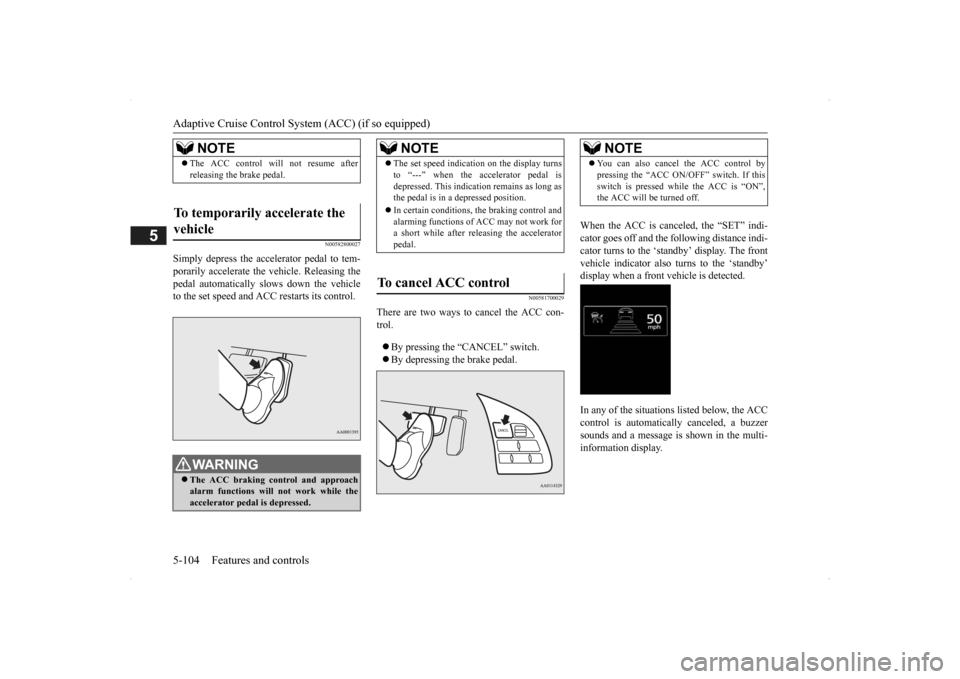
There are two ways to cancel the ACC con- trol. By pressing the “CANCEL” switch. By depressing the brake pedal.
When the ACC is canceled, the “SET” indi- cator goes off and the following distance indi-cator turns to the ‘standby’ display. The front vehicle indicato
r also turns to the ‘standby’
display when a front vehicle is detected. In any of the situations listed below, the ACC control is automatica
lly canceled, a buzzer
sounds and a message is shown in the multi-information display.
NOTE
The ACC control will not resume after releasing the brake pedal.
To temporarily accelerate the vehicle
WA R N I N G The ACC braking control and approach alarm functions will
not work while the
accelerator pedal is depressed.
NOTE
The set speed indication on the display turns to “---” when the accelerator pedal isdepressed. This indication remains as long asthe pedal is in a depressed position. In certain conditions, the braking control and alarming functions of ACC may not work for a short while after releasing the accelerator pedal.
To cancel ACC control
NOTE
You can also cancel
the ACC control by
pressing the “ACC ON/OFF” switch. If thisswitch is pressed while the ACC is “ON”,the ACC will be turned off.
BK0200500US.book 104 ページ 2013年2月12日 火曜日 午前9時46分
Page 184 of 451
Adaptive Cruise Control System (ACC) (if so equipped) 5-106 Features and controls
5
N00581900021
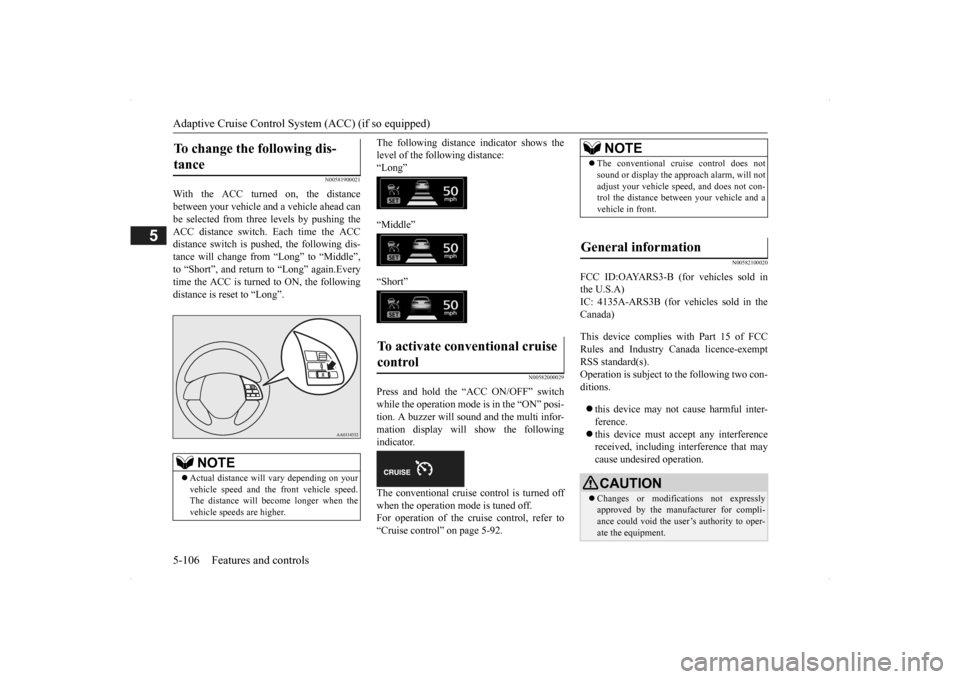
With the ACC turned on, the distance between your vehicle and a vehicle ahead canbe selected from thre
e levels by pushing the
ACC distance switch. Each time the ACC distance switch is pus
hed, the following dis-
tance will change fro
m “Long” to “Middle”,
to “Short”, and return to “Long” again.Every time the ACC is turned to ON, the following distance is re
set to “Long”.
The following distance
indicator shows the
level of the following distance:“Long” “Middle” “Short”
N00582000029
Press and hold the “ACC ON/OFF” switch while the operation mode is in the “ON” posi-tion. A buzzer will sound and the multi infor- mation display will show the following indicator. The conventional cruise control is turned off when the operation mode is tuned off.For operation of the cruise control, refer to “Cruise control” on page 5-92.
N00582100020
FCC ID:OAYARS3-B (for vehicles sold in the U.S.A)IC: 4135A-ARS3B (for vehicles sold in the Canada) This device complies
with Part 15 of FCC
Rules and Industry Canada licence-exemptRSS standard(s). Operation is subject to
the following two con-
ditions. this device may not
cause harmful inter-
ference. this device must ac
cept any interference
received, including interference that maycause undesired operation.
To change the following dis- tance
NOTE
Actual distance will vary depending on your vehicle speed and the front vehicle speed. The distance will become longer when the vehicle speeds are higher.
To activate conventional cruise control
NOTE
The conventional cruise control does not sound or display the appr
oach alarm, will not
adjust your vehicle sp
eed, and does not con-
trol the distance betw
een your vehicle and a
vehicle in front.
General information
CAUTION Changes or modifica
tions not expressly
approved by the manufacturer for compli- ance could void the user’s authority to oper- ate the equipment.
BK0200500US.book 106 ページ 2013年2月12日 火曜日 午前9時46分
Page 185 of 451
Forward Collision Mitigation System (FCM) (if so equipped)
Features and controls 5-107
5
N00577300024
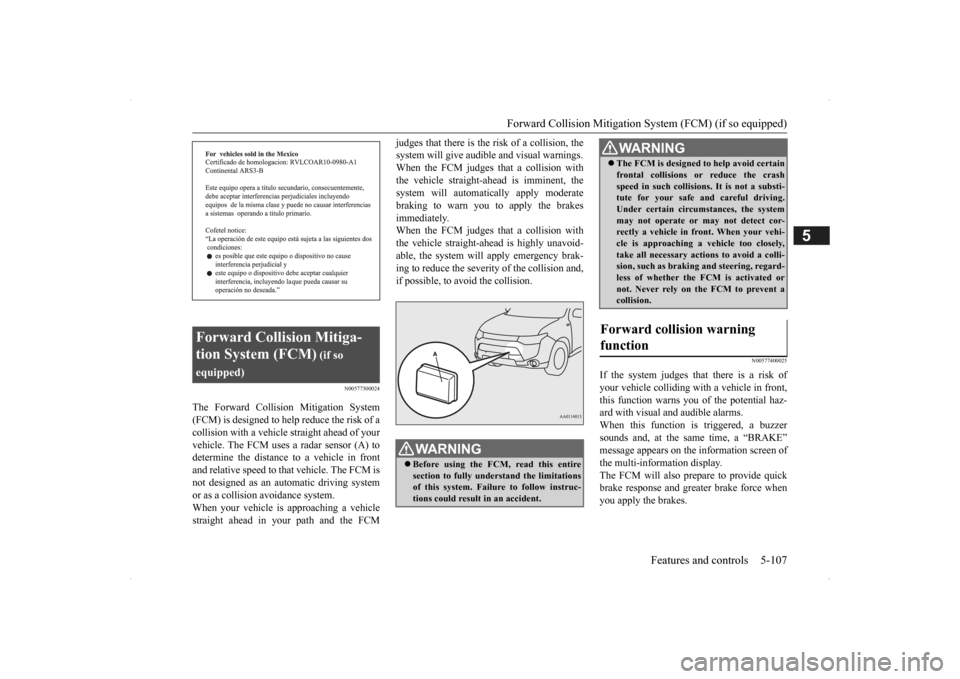
The Forward Collision Mitigation System (FCM) is designed to help reduce the risk of a collision with a vehicl
e straight ahead of your
vehicle. The FCM uses a radar sensor (A) todetermine the distance to a vehicle in front and relative speed to th
at vehicle. The FCM is
not designed as an automatic driving systemor as a collision
avoidance system.
When your vehicle is approaching a vehicle straight ahead in your path and the FCM
judges that there is the ri
sk of a collision, the
system will give audibl
e and visual warnings.
When the FCM judges th
at a collision with
the vehicle straight-ahead is imminent, the system will automatically apply moderatebraking to warn you to apply the brakes immediately. When the FCM judges th
at a collision with
the vehicle straight-a
head is highly unavoid-
able, the system will apply emergency brak- ing to reduce the severity of the collision and, if possible, to avoid the collision.
N00577400025
If the system judges that there is a risk of your vehicle colliding wi
th a vehicle in front,
this function warns you of the potential haz- ard with visual and audible alarms.When this function is triggered, a buzzer sounds and, at the same time, a “BRAKE” message appears on the information screen ofthe multi-information display. The FCM will also prepare to provide quick brake response and greater brake force whenyou apply the brakes.
Forward Collision Mitiga- tion System (FCM)
(if so
equipped)
WA R N I N G Before using the FCM, read this entire section to fully understand the limitations of this system. Failure to follow instruc- tions could result in an accident.
The FCM is desi
gned to help avoid certain
frontal collisions or
reduce the crash
speed in such collisions. It is not a substi-tute for your safe and careful driving. Under certain circumstances, the system may not operate or may not detect cor-rectly a vehicle in fr
ont. When
your vehi-
cle is approaching a vehicle too closely, take all necessary actions to avoid a colli-sion, such as brakin
g and steering, regard-
less of whether the FCM is activated or not. Never rely on the FCM to prevent acollision.
Forward collision warning function
WA R N I N G
BK0200500US.book 107 ページ 2013年2月12日 火曜日 午前9時46分
Page 187 of 451
Forward Collision Mitigation System (FCM) (if so equipped)
Features and controls 5-109
5
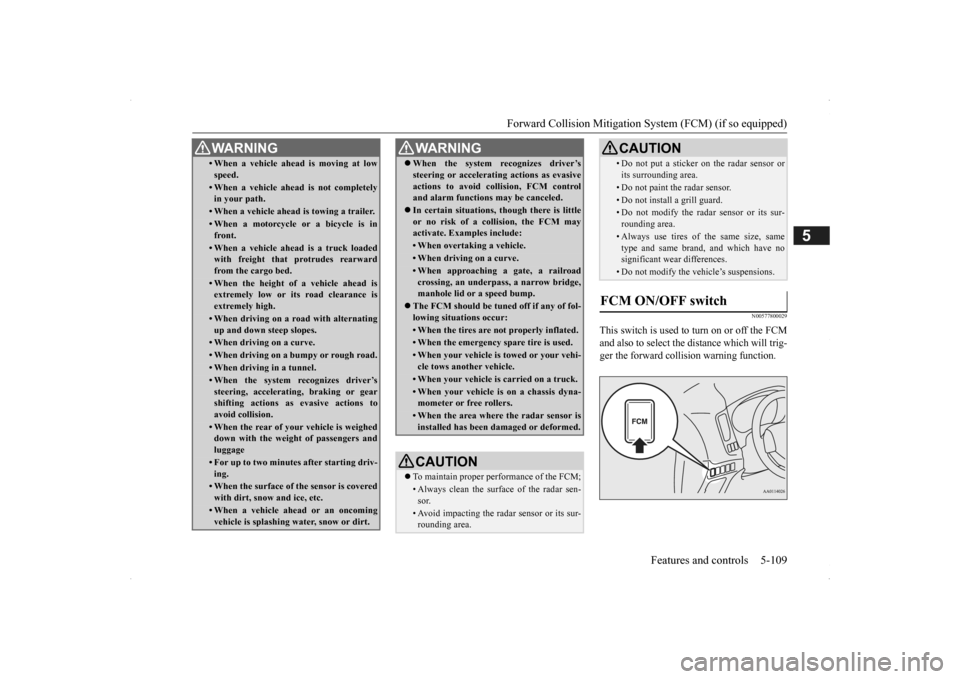
N00577800029
This switch is used to turn on or off the FCM and also to select the distance which will trig- ger the forward collision warning function.
• When a vehicle ahead is moving at low speed.• When a vehicle ahead is not completely in your path.• When a vehicle ahead
is towing a trailer.
• When a motorcycle or a bicycle is in front.• When a vehicle ahea
d is a truck loaded
with freight that protrudes rearward from the cargo bed.• When the height of a vehicle ahead isextremely low or its road clearance is extremely high.• When driving on a r
oad with alternating
up and down steep slopes.• When driving on a curve.• When driving on a bumpy or rough road.• When driving in a tunnel.• When the system recognizes driver’ssteering, accelerati
ng, braking or gear
shifting actions as
evasive actions to
avoid collision.• When the rear of your vehicle is weigheddown with the weight of passengers and luggage• For up to two minute
s after starting driv-
ing.• When the surface of the sensor is coveredwith dirt, snow and ice, etc.• When a vehicle ahea
d or an oncoming
vehicle is splashing wa
ter, snow or dirt.
WA R N I N G
When the system recognizes driver’s steering or accelerati
ng actions as evasive
actions to avoid colli
sion, FCM control
and alarm functions
may be canceled.
In certain situations, though there is little or no risk of a collision, the FCM may activate. Examples include: • When overtaking a vehicle.• When driving on a curve.• When approaching
a gate, a railroad
crossing, an underpass, a narrow bridge,manhole lid or
a speed bump.
The FCM should be tuned off if any of fol- lowing situations occur:• When the tires are not properly inflated. • When the emergency spare tire is used.• When your vehicle is
towed or your vehi-
cle tows another vehicle.• When your vehicle is carried on a truck.• When your vehicle is on a chassis dyna- mometer or free rollers.• When the area where the radar sensor isinstalled has been damaged or deformed.CAUTION To maintain proper performance of the FCM;• Always clean the surface of the radar sen- sor.• Avoid impacting the radar sensor or its sur-rounding area.WA R N I N G
• Do not put a sticker on the radar sensor or its surrounding area.• Do not paint the radar sensor.• Do not install a grill guard.• Do not modify the radar sensor or its sur-rounding area.• Always use tires of the same size, sametype and same brand,
and which have no
significant wear differences.• Do not modify the vehicle’s suspensions.
FCM ON/OFF switch
CAUTION
BK0200500US.book 109 ページ 2013年2月12日 火曜日 午前9時46分