fog light MITSUBISHI OUTLANDER 2014 3.G User Guide
[x] Cancel search | Manufacturer: MITSUBISHI, Model Year: 2014, Model line: OUTLANDER, Model: MITSUBISHI OUTLANDER 2014 3.GPages: 451, PDF Size: 49.08 MB
Page 249 of 451
Combination headlights and dimmer switch
Features and controls 5-171
5
N00522501746
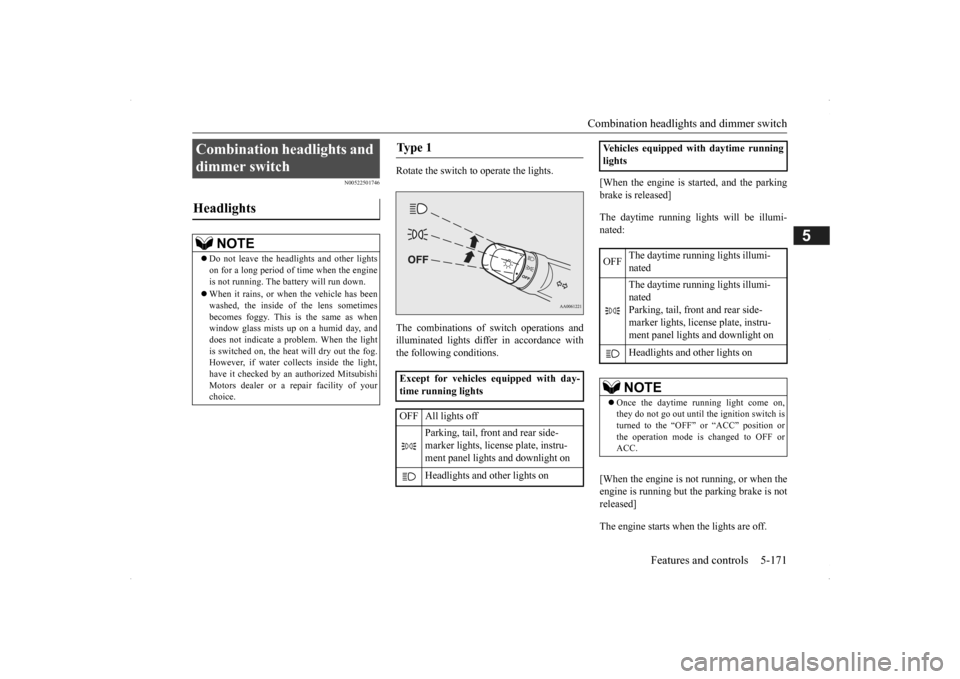
Rotate the switch to operate the lights. The combinations of
switch operations and
illuminated lights differ in accordance withthe following conditions.
[When the engine is started, and the parking brake is released] The daytime running light
s will be illumi-
nated: [When the engine is not running, or when the engine is running but the parking brake is not released] The engine starts when the lights are off.
Combination headlights and dimmer switch Headlights
NOTE
Do not leave the head
lights and ot
her lights
on for a long period of time when the engineis not running. The battery will run down. When it rains, or wh
en the vehicle has been
washed, the inside of the lens sometimes becomes foggy. This is the same as when window glass mists up
on a humid day, and
does not indicate a problem. When the light is switched on, the heat
will dry out the fog.
However, if water collects inside the light,have it checked by an
authorized Mitsubishi
Motors dealer or a repair facility of your choice.
Ty p e 1 Except for vehicles equipped with day- time running lights OFF All lights off
Parking, tail, front and rear side- marker lights, license plate, instru- ment panel lights and downlight on Headlights and other lights on
Vehicles equipped with daytime running lights OFF
The daytime running lights illumi- nated The daytime running lights illumi- nated Parking, tail, front and rear side- marker lights, licen
se plate, instru-
ment panel lights
and downlight on
Headlights and other lights onNOTE
Once the daytime running light come on, they do not go out until the ignition switch is turned to the “OFF” or “ACC” position orthe operation mode is changed to OFF or ACC.
BK0200500US.book 171 ページ 2013年2月12日 火曜日 午前9時46分
Page 256 of 451
ECO mode switch 5-178 Features and controls
5
used when the vehicle is in motion, except for emergencies.If you need to leave your vehicle, the flashers will keep working afte
r the ignition switch is
removed or the operation mode is put in OFF.
N00579300028
ECO mode is an eco-driving support systemwhich automatically controls the engine, airconditioning system,
4WD system (if so
equipped) and S-AWC (if so equipped) to improve fuel efficiency.Refer to Electronically controlled 4WD sys- tem” on page 5-75. Refer to “S-AWC (Super-All Wheel Con-trol)” on page 5-78. Refer to “Automatic climate control air con- ditioner” on page 7-5. The ECO mode starts working by pressing the ECO mode switch when the ignition switch or operation mode is in ON. Push the switch again
and the ECO mode will
cancel.
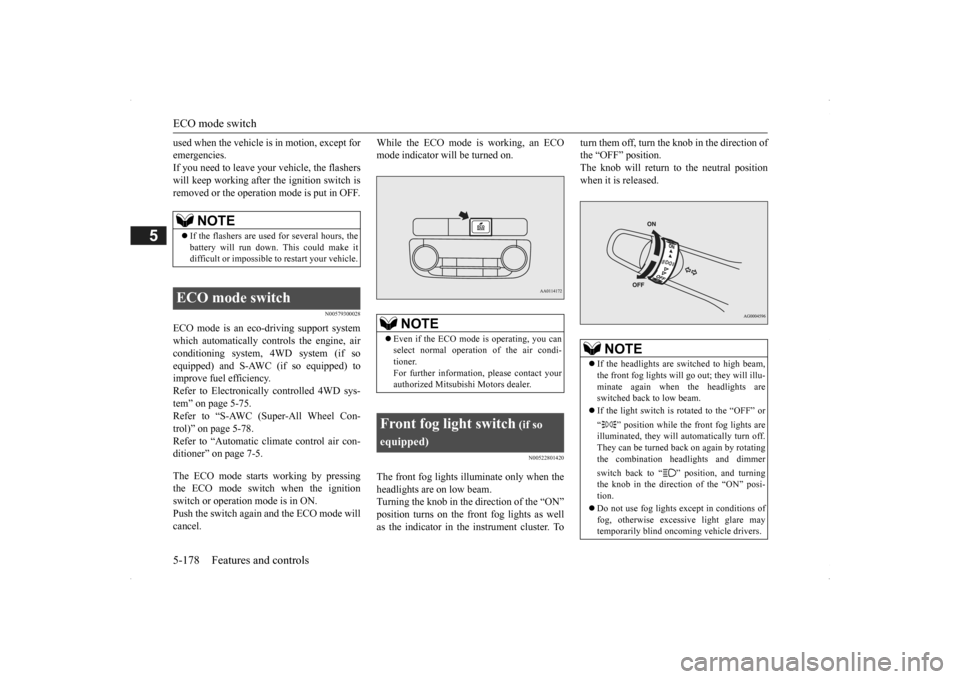
While the ECO mode is working, an ECO mode indicator will be turned on.
N00522801420
The front fog lights illuminate only when the headlights are on low beam. Turning the knob in the direction of the “ON”position turns on the front fog lights as well as the indicator in the instrument cluster. To
turn them off, turn the knob in the direction of the “OFF” position.The knob will return to the neutral position when it is released.
NOTE
If the flashers are used for several hours, the battery will run down.
This could make it
difficult or impossible
to restart your vehicle.
ECO mode switch
NOTE
Even if the ECO mode is operating, you can select normal operati
on of the air condi-
tioner.For further informati
on, please contact your
authorized Mitsubishi Motors dealer.
Front fog light switch
(if so
equipped)
NOTE
If the headlights are switched to high beam, the front fog lights will
go out; they will illu-
minate again when the headlights are switched back to low beam. If the light switch is rotated to the “OFF” or “ ” position while the front fog lights are illuminated, they will automatically turn off. They can be turned back on again by rotatingthe combination headlights and dimmer switch back to “ ”
position, and turning
the knob in the direction of the “ON” posi- tion. Do not use fog lights except in conditions of fog, otherwise excessi
ve light glare may
temporarily blind oncom
ing vehicle drivers.
BK0200500US.book 178 ページ 2013年2月12日 火曜日 午前9時46分
Page 262 of 451
Electric rear window defogger switch 5-184 Features and controls
5
N00523701413
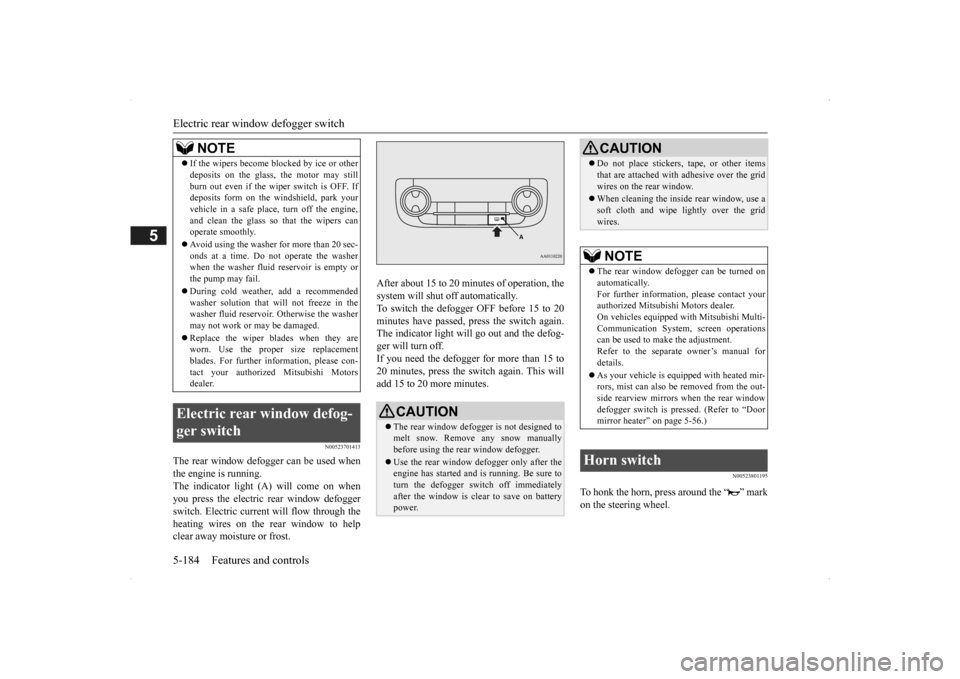
The rear window defogger can be used when the engine is running. The indicator light (A) will come on whenyou press the electric rear window defogger switch. Electric current will flow through the heating wires on the rear window to helpclear away moisture or frost.
After about 15 to 20 minutes of operation, the system will shut off automatically.To switch the defogger OFF before 15 to 20 minutes have passed, pr
ess the switch again.
The indicator light will go out and the defog-ger will turn off. If you need the defogger for more than 15 to 20 minutes, press the switch again. This willadd 15 to 20 more minutes.
N00523801195
To honk the horn, press around the “ ” markon the steering wheel.
If the wipers become bl
ocked by ice or other
deposits on the glass, the motor may stillburn out even if the wiper switch is OFF. Ifdeposits form on the windshield, park your vehicle in a safe place, turn off the engine, and clean the glass so that the wipers canoperate smoothly. Avoid using the washer for more than 20 sec- onds at a time. Do not
operate the washer
when the washer fluid reservoir is empty or the pump may fail. During cold weather, add a recommended washer solution that will not freeze in thewasher fluid reservoir. Otherwise the washer may not work or may be damaged. Replace the wiper blades when they are worn. Use the proper size replacement blades. For further info
rmation, please con-
tact your authorized
Mitsubishi Motors
dealer.
Electric rear window defog- ger switch
NOTE
CAUTION The rear window defogge
r is not designed to
melt snow. Remove
any snow manually
before using the rear window defogger. Use the rear window de
fogger only after the
engine has started and
is running. Be sure to
turn the defogger switch off immediatelyafter the window is cl
ear to save on battery
power.
Do not place stickers
, tape, or other items
that are attached with
adhesive over the grid
wires on the rear window. When cleaning the insi
de rear window, use a
soft cloth and wipe
lightly over the grid
wires.NOTE
The rear window defogger can be turned on automatically. For further information, please contact your authorized Mitsubishi Motors dealer.On vehicles e
quipped with Mitsubishi Multi-
Communication System, screen operations can be used to ma
ke the adjustment.
Refer to the separate
owner’s manual for
details. As your vehicle is equi
pped with heated mir-
rors, mist can also be removed from the out- side rearview mirrors
when the rear window
defogger switch is pre
ssed. (Refer to “Door
mirror heater” on page 5-56.)
Horn switch
CAUTION
BK0200500US.book 184 ページ 2013年2月12日 火曜日 午前9時46分
Page 304 of 451
Vehicle preparation before driving 6-4 Driving safety
6
N00629001709
For a safer and more enjoyable trip, always check for the following: Before starting the vehicle, make certain that you and all passengers are seated and wearing their seat
belts properly (with
children in the rear seat, in appropriate restraints), and that all the doors and the liftgate are locked. Move the driver’s seat as far backward as possible, while keep
ing good visibility,
and good control of the steering wheel,brakes, accelerator,
and controls. Check
the instrument panel
indicators and multi-
information display for any possible prob-lem. Similarly, the front
passenger seat should
also be moved as far back as possible. Make sure that infa
nts and small children
are properly restrained in accordance with all laws and regulations.
Check these by selecting the defroster mode, and set the blower swit
ch on high. You should
be able to feel the air blowing against thewindshield. Refer to “Defrosti
ng or defogging (wind-
shield, door windows)” on page 7-13 Check all the tires for heavy tread wear or uneven wear patterns. Look for stones, nails, glass, or other objects
stuck in the tread. Look
for any tread cuts or
sidewall cracks. Check
the wheel nuts for tightness, and the tires (including spare tire) for proper pressure. Replace your tires before they are heavilyworn out. As your vehicle is equi
pped with a tire pres-
sure monitoring system, there is a risk ofdamage to the tire inflation pressure sensors when the tire is replaced on the rim. Tire replacement should, only, be performed by anauthorized Mitsubishi Motors dealer. Have someone watch while you turn all the exterior lights on and off. Also check the turn
signal indicators and hi
gh-beam indicators on
the instrument panel. Check the ground under the vehicle after parking overnight, for
fuel, water, oil, or
other leaks. Make sure
all the fluid levels are
correct. Also, if you
can smell fuel, you need
to find out why imme
diately and have it
fixed.
N00629201134
Even this vehicle’s sa
fety equipment, and
your safest driving, ca
nnot guarantee that you
can avoid an accident or injury. However, ifyou give extra attention to the following areas, you can better protect yourself and your passengers: Drive defensively. Be aware of traffic, road and weather conditions. Leave plenty of stopping distance between your vehicle and the vehicle ahead. Before changing lanes, check your mir- rors, blind spots, and use your turn-signal light. While driving, watch the behavior of other drivers, bicyc
lists, and pedestrians.
Vehicle preparation before driving Seat belts and seats
Defrosters Tires Lights
Fluid leaks Safe driving techniques
BK0200500US.book 4 ページ 2013年2月12日 火曜日 午前9時46分
Page 325 of 451
Automatic climate cont
rol air conditioner
Comfort controls 7-9
7
N00737101218
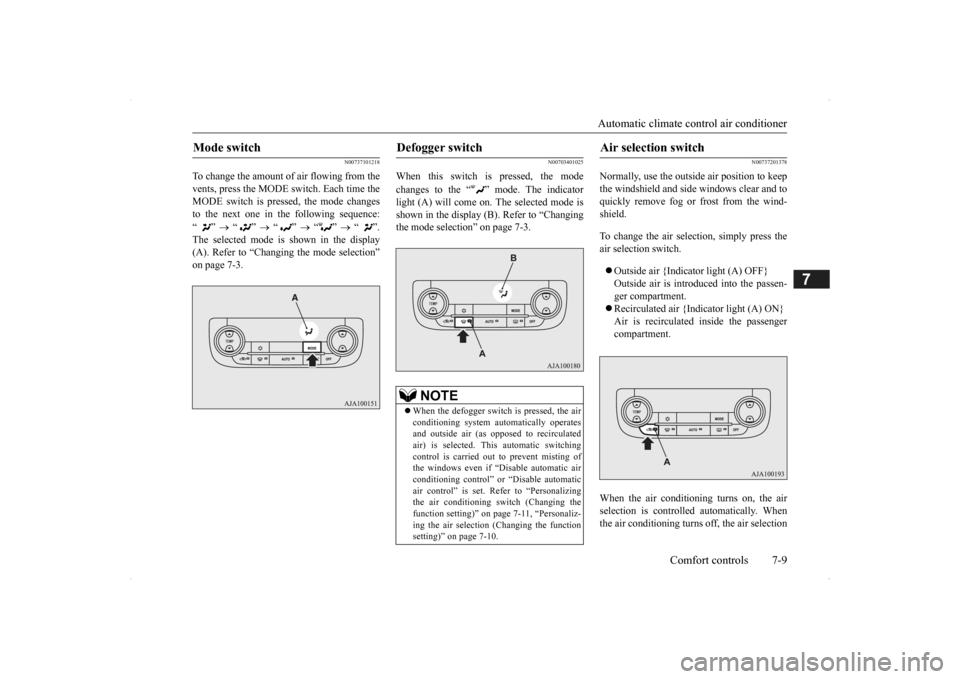
To change the amount of air flowing from the vents, press the MODE switch. Each time the MODE switch is pressed, the mode changesto the next one in the following sequence: “”
“”
“”
“”
“”.
The selected mode is shown in the display (A). Refer to “Changing the mode selection”on page 7-3.
N00703401025
When this switch is pressed, the mode changes to the “ ” mode. The indicator light (A) will come on. The selected mode is shown in the display (B). Refer to “Changingthe mode selection” on page 7-3.
N00737201378
Normally, use the outside
air position to keep
the windshield and side
windows clear and to
quickly remove fog or frost from the wind-shield. To change the air selection, simply press the air selection switch. Outside air {Indicator light (A) OFF} Outside air is introduced into the passen- ger compartment. Recirculated air {Indicator light (A) ON} Air is recirculated
inside the passenger
compartment.
When the air conditioning turns on, the air selection is controlled automatically. When the air conditioning turns
off, the air selection
Mode switch
Defogger switch
NOTE
When the defogger switch is pressed, the air conditioning system au
tomatically operates
and outside air (as oppos
ed to recirculated
air) is selected. This automatic switchingcontrol is carried out to prevent misting of the windows even if “Disable automatic air conditioning control” or
“Disable automatic
air control” is set. Refer to “Personalizing the air conditioning sw
itch (Changing the
function setting)” on pa
ge 7-11, “Personaliz-
ing the air selection
(Changing the function
setting)” on page 7-10.
Air selection switch
BK0200500US.book 9 ページ 2013年2月12日 火曜日 午前9時46分
Page 326 of 451
Automatic climate cont
rol air conditioner
7-10 Comfort controls
7
automatically goes back
to the outside posi-
tion.If high cooling performanc
e is desired, or if
the outside air is dusty
or contaminated in
some way, use the
recirculat
ion position.
Switch to the outside position every now and then to keep the windows from fogging up.
N00712300023
You can change the following functions to match your preference.
Enable automatic air control: When the AUTO switch is pressed, the airselection switch will also be automatically controlled. Disable automatic air control: Even when the AUTO switch is pressed,the air selection switch will not be auto- matically controlled. Changing the settings Press the air selection switch for approxi- mately 10 seconds or longer. When the setting has changed, the systemwill beep and the indi
cator light will flash.
• When the setting has changed from enabled to disabled,
the system will beep
three times and the indicator light will flash three times. • When the setting has changed from dis-abled to enabled, the system will beep two times and the indicator light will flash three times.On vehicles equippe
d with Mitsubishi
Multi-Communication System, screen operations can also be
used to change the
setting. Refer to the separate owner’s manual for details.
N00737301353
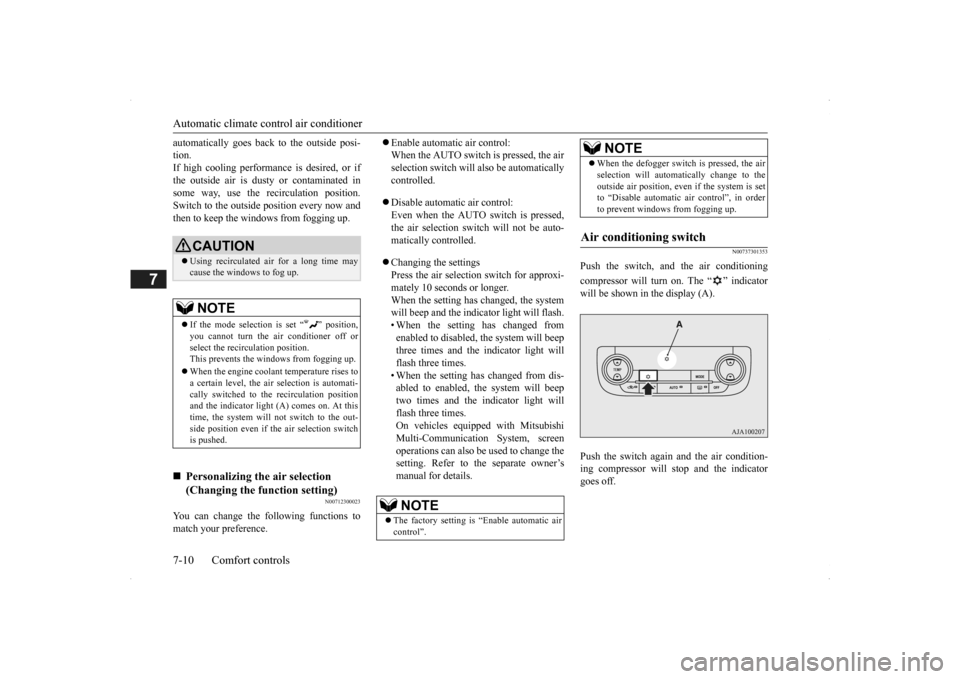
Push the switch, and the air conditioning compressor will turn on. The “ ” indicator will be shown in the display (A). Push the switch again and the air condition- ing compressor will stop and the indicatorgoes off.
CAUTION Using recirculated air for a long time may cause the windows to fog up.NOTE
If the mode selection
is set “ ” position,
you cannot turn the ai
r conditioner off or
select the recirc
ulation position.
This prevents the windows from fogging up. When the engine coolan
t temperature rises to
a certain level, the air selection is automati-cally switched to the
recirculation position
and the indicator light
(A) comes on. At this
time, the system will not switch to the out-side position even if
the air selection switch
is pushed.
Personalizing the air selection (Changing the function setting)
NOTE
The factory setting is
“Enable automatic air
control”.
When the defogger switch is pressed, the air selection will automati
cally change to the
outside air position, even if the system is setto “Disable automatic air control”, in order to prevent windows from fogging up.
Air conditioning switch
NOTE
BK0200500US.book 10 ページ 2013年2月12日 火曜日 午前9時46分
Page 327 of 451
Automatic climate cont
rol air conditioner
Comfort controls 7-11
7
N00712200022
You can change the following functions to match your preference.
Enable automatic air conditioning control: When the AUTO switch is pressed, orwhen the temperature control switch has been set to the minimum temperature, the air conditioning switch is automaticallycontrolled. Disable automatic air conditioning con- trol: The air conditioning switch is not auto-matically controlled,
unless the air condi-
tioning switch is used. Changing the settings Press the air conditioning switch for about 10 seconds or longer. When the setting has changed, the systemwill beep and the indi
cator light will flash.
• When the setting has changed from enabled to disabled, the system will beepthree times and the indicator light will flash three times. • When the setting has changed from dis-abled to enabled, the system will beep two times and the i
ndicator light will
flash three times.On vehicles equippe
d with Mitsubishi
Multi-Communication System, screen operations can also be used to change thesetting. Refer to th
e separate owner’s
manual for details.
N00703501026
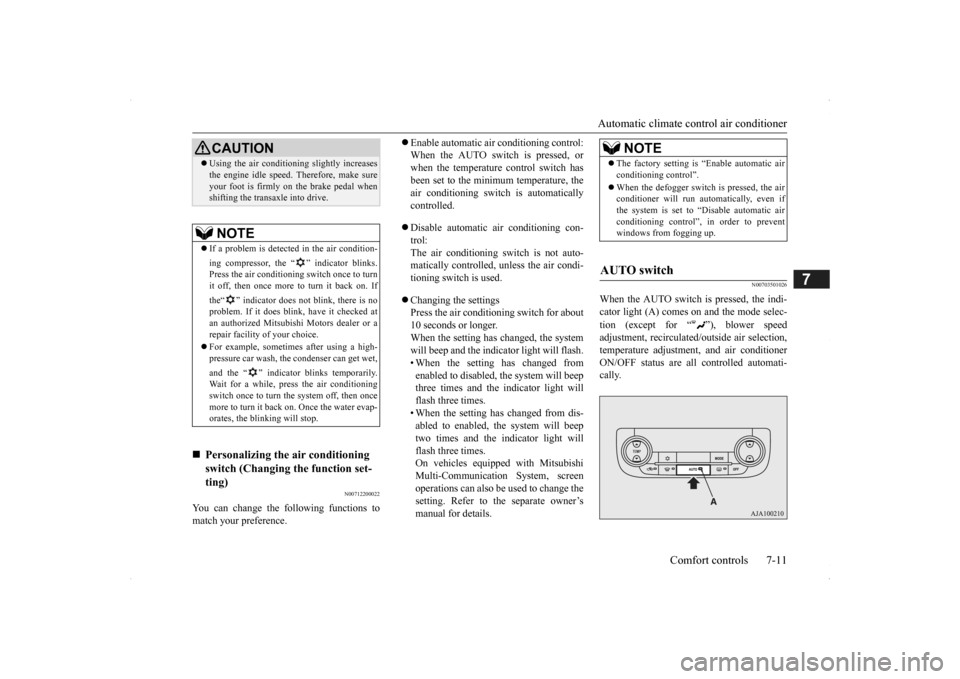
When the AUTO switch is pressed, the indi- cator light (A) comes on and the mode selec- tion (except for “ ”), blower speed adjustment, recirculated/outside air selection,temperature adjustment
, and air conditioner
ON/OFF status are all controlled automati- cally.
CAUTION Using the air conditioni
ng slightly increases
the engine idle speed. Therefore, make sureyour foot is firmly on the brake pedal whenshifting the transaxle into drive.NOTE
If a problem is detect
ed in the air condition-
ing compressor, the “ ” indicator blinks. Press the air conditioning
switch once to turn
it off, then once more to turn it back on. If the“ ” indicator does not blink, there is no problem. If it does blink,
have it checked at
an authorized Mitsubish
i Motors dealer or a
repair facility of your choice. For example, sometimes after using a high- pressure car wash, the
condenser can get wet,
and the “ ” indicator blinks temporarily. Wait for a while, pres
s the air conditioning
switch once to turn the system off, then once more to turn it back on. Once the water evap- orates, the blinking will stop.
Personalizing the
air conditioning
switch (Changing the function set-ting)
NOTE
The factory setting is
“Enable automatic air
conditioning control”. When the defogger switch
is pressed, the air
conditioner will run au
tomatically, even if
the system is set to “Disable automatic airconditioning control”, in order to prevent windows from fogging up.
AUTO switch
BK0200500US.book 11 ページ 2013年2月12日 火曜日 午前9時46分
Page 330 of 451
Important air condit
ioning operating tips
7-14 Comfort controls
7
N00733701346
1. Park the vehicle in the shade whenever possible. Parking in the hot sun makes thevehicle interior extremely hot which then requires more time to
cool. If it is neces-
sary to park in the sun, open the windowsfor the first few minutes of air condition- ing to expel the hot air. 2. Afterwards, keep the windows closedwhen the air conditioner is in use. The entry of outside air through open windows will reduce cooling efficiency.3. When running the air conditioner, make sure the air intake, which is located in front of the windshield, is free of obstruc-tions such as leaves. Leaves collected in the air-intake chamber may reduce air flow and plug the water drains.
If the air conditioner seems less effective than usual, the cause might
be a refrigerant leak.
Have the system inspected by your authorized Mitsubishi Motors dealer or a repair facilityof your choice.
The air conditioner shoul
d be operated for at
least five minutes each week, even in cold weather. This includes the quick defrostingmode. Operating the
air condition system
weekly maintains lubrication of the compres- sor internal parts to keep the air conditionerin the best operating condition.
N00733801190
The air conditioning system is equipped with an air filter to re
move pollen
and dust.
The air filter’s ability to collect pollen anddirt is reduced as it be
comes dirty, so replace
it periodically. For the maintenance interval, refer to the “WARRANTY AND MAINTE-NANCE MANUAL”.
To defog quickly, direct the air flow from the side vents toward the door windows. When defrosting, do not set the temperature to the maximum cool position. This will blow cool air on the
window glass and fog it
up.
Important air conditioning operating tips
NOTE
Air conditioning system refrig- erant and lubricant recommen-dations
CAUTION The air conditioning system in your vehicle must be charged with the refrigerant HFC-134a and the lubricant SUN-PAG56. Use of any other refrigerant or lubricant will cause severe damage a
nd may require replac-
ing your vehicle’s en
tire air conditioning
system. The release of refrigerant into the atmo-sphere is not recommended. The new refrigerant HFC-134a in your vehi- cle is designed not to harm the earth’s ozonelayer. However, it may contribute slightly to global warming. It is recommended that the old refrigerant besaved and recycled for future use.
During a long period of disuse Air purifier
NOTE
Operation in certain conditions such as driv- ing on a dusty road and frequent use of the air conditioner ca
n lead to reduction of ser-
vice life of the filter. When you feel that theair flow is lower than normal or when the windshield or windows st
art to fog up easily,
replace the air filter.Contact your Mitsubishi
Motors dealer or a
repair facility of your
choice for assistance.
BK0200500US.book 14 ページ 2013年2月12日 火曜日 午前9時46分
Page 410 of 451
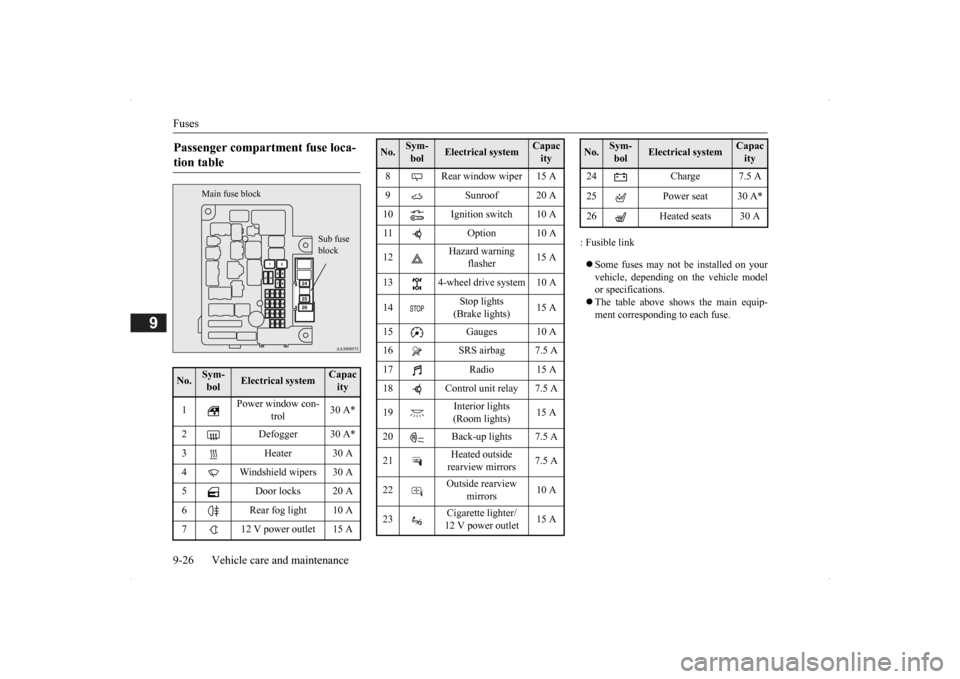
Fuses 9-26 Vehicle care and maintenance
9
: Fusible link Some fuses may not be installed on your vehicle, depending on the vehicle modelor specifications. The table above shows the main equip- ment corresponding to each fuse.
Passenger compartment fuse loca- tion table No.
Sym- bol
Electrical system
Capacity
1
Power window con-
trol
30 A*
2 Defogger 30 A* 3 Heater 30 A 4 Windshield wipers 30 A5 Door locks 20 A6 Rear fog light 10 A7 12 V power outlet 15 A
Sub fuse block
Main fuse block
8 Rear window wiper 15 A9 Sunroof 20 A 10 Ignition switch 10 A 11 Option 10 A 12
Hazard warning
flasher
15 A
13 4-wheel drive system 10 A 14
Stop lights (Brake lights)
15 A
15 Gauges 10 A 16 SRS airbag 7.5 A 17 Radio 15 A18 Control unit relay 7.5 A 19
Interior lights (Room lights)
15 A
20 Back-up lights 7.5 A 21
Heated outside rearview mirrors
7.5 A
22
Outside rearview
mirrors
10 A
23
Cigarette lighter/ 12 V power outlet
15 A
No.
Sym- bol
Electrical system
Capacity
24 Charge 7.5 A 25 Power seat 30 A*26 Heated seats 30 ANo.
Sym- bol
Electrical system
Capacity
BK0200500US.book 26 ページ 2013年2月12日 火曜日 午前9時46分
Page 411 of 451
Fuses
Vehicle care and maintenance 9-27
9
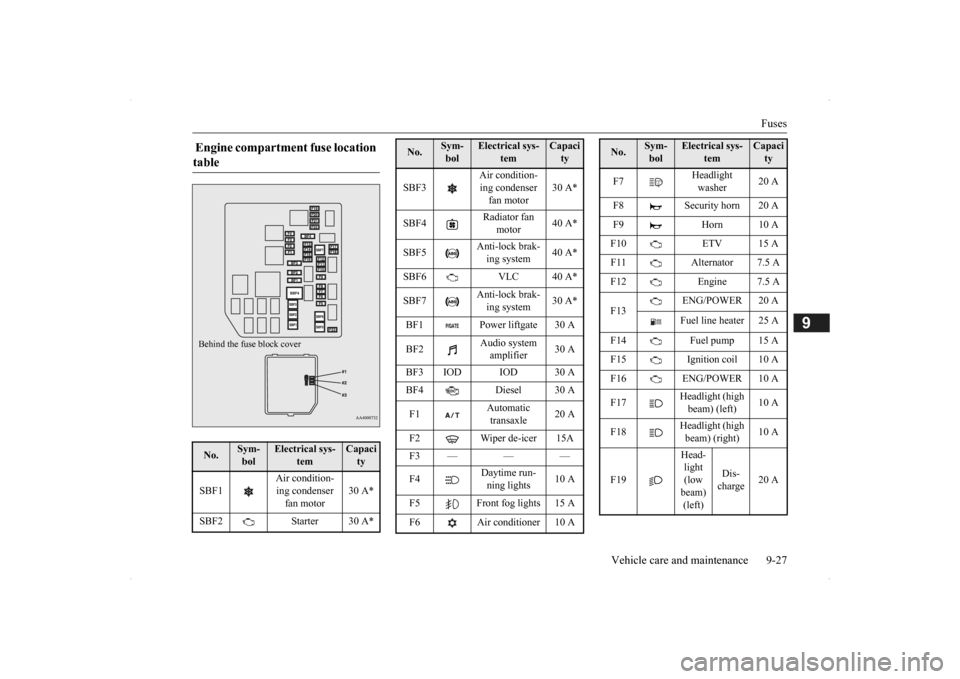
Engine compartment fuse location table No.
Sym- bol
Electrical sys-
tem
Capacity
SBF1
Air condition- ing condenser fan motor
30 A*
SBF2 Starter 30 A*Behind the fuse block cover
SBF3
Air condition- ing condenser fan motor
30 A*
SBF4
Radiator fan
motor
40 A*
SBF5
Anti-lock brak- ing system
40 A*
SBF6 VLC 40 A* SBF7
Anti-lock brak- ing system
30 A*
BF1 Power liftgate 30 A BF2
Audio system amplifier
30 A
BF3 IOD IOD 30 A BF4 Diesel 30 A F1
Automatic transaxle
20 A
F2 Wiper de-icer 15A F3 — — — F4
Daytime run- ning lights
10 A
F5 Front fog lights 15 A F6 Air conditioner 10 ANo.
Sym- bol
Electrical sys-
tem
Capacity
F7
Headlight washer
20 A
F8 Security horn 20 A F9 Horn 10 AF10 ETV 15 A F11 Alternator 7.5 A F12 Engine 7.5 A F13
ENG/POWER 20 A Fuel line heater 25 A
F14 Fuel pump 15 A F15 Ignition coil 10 A F16 ENG/POWER 10 A F17
Headlight (high beam) (left)
10 A
F18
Headlight (high beam) (right)
10 A
F19
Head- light (low beam) (left)
Dis- charge
20 A
No.
Sym- bol
Electrical sys-
tem
Capacity
BK0200500US.book 27 ページ 2013年2月12日 火曜日 午前9時46分