lights MITSUBISHI OUTLANDER 2014 3.G Owner's Manual
[x] Cancel search | Manufacturer: MITSUBISHI, Model Year: 2014, Model line: OUTLANDER, Model: MITSUBISHI OUTLANDER 2014 3.GPages: 451, PDF Size: 49.08 MB
Page 123 of 451
Theft-alarm system
Features and controls 5-45
5
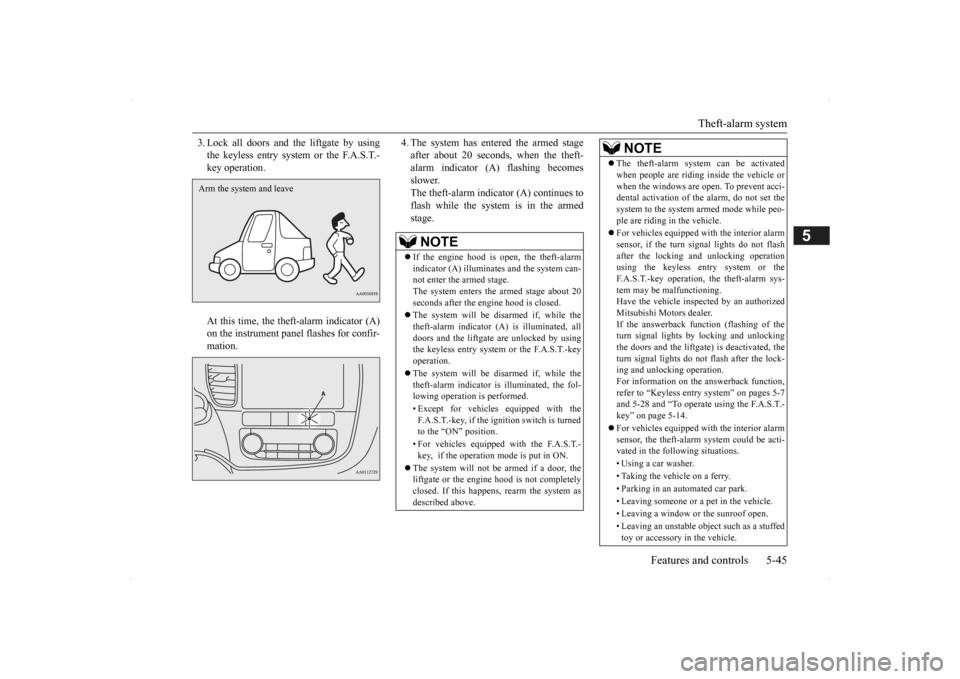
3. Lock all doors and the liftgate by using the keyless entry system or the F.A.S.T.-key operation. At this time, the theft-alarm indicator (A) on the instrument panel flashes for confir-mation.
4. The system has entered the armed stage after about 20 seconds, when the theft-alarm indicator (A) flashing becomes slower. The theft-alarm indicator (A) continues toflash while the system is in the armed stage.
Arm the system and leave
NOTE
If the engine hood is open, the theft-alarm indicator (A) illuminates and the system can-not enter the armed stage. The system enters the armed stage about 20 seconds after the e
ngine hood is closed.
The system will be disarmed if, while the theft-alarm indicator (A) is illuminated, alldoors and the liftgate are unlocked by using the keyless entry system or the F.A.S.T.-key operation. The system will be disarmed if, while the theft-alarm indicator is illuminated, the fol-lowing operation is performed. • Except for vehicles equipped with the F.A.S.T.-key, if the ignition switch is turned to the “ON” position. • For vehicles equippe
d with the F.A.S.T.-
key, if the operation mode is put in ON.
The system will not be armed if a door, the liftgate or the engine
hood is not completely
closed. If this happens, rearm the system asdescribed above.
The theft-alarm system can be activated when people are riding inside the vehicle orwhen the windows are open. To prevent acci-dental activati
on of the alarm, do not set the
system to the system armed mode while peo- ple are riding in the vehicle. For vehicles equipped wi
th the interior alarm
sensor, if the turn si
gnal lights do not flash
after the locking and unlocking operation using the keyless entry system or the F.A.S.T.-key operation, the theft-alarm sys-tem may be malfunctioning. Have the vehicle insp
ected by an authorized
Mitsubishi Motors dealer.If the answerback function (flashing of the turn signal lights by locking and unlocking the doors and the liftgate
) is deactivated, the
turn signal lights do not flash after the lock- ing and unlocking operation. For information on the answerback function,refer to “Keyless entry system” on pages 5-7 and 5-28 and “To operate using the F.A.S.T.- key” on page 5-14. For vehicles equipped wi
th the interior alarm
sensor, the theft-alarm
system could be acti-
vated in the following situations. • Using a car washer.• Taking the vehicle on a ferry. • Parking in an automated car park. • Leaving someone or a pet in the vehicle.• Leaving a window or the sunroof open. • Leaving an unstable object such as a stuffed toy or accessory in the vehicle.NOTE
BK0200500US.book 45 ページ 2013年2月12日 火曜日 午前9時46分
Page 124 of 451
Theft-alarm system 5-46 Features and controls
5
N00510401214
The alarm will be activated if any of the fol- lowing occur while the vehicle is parked and the system is armed. One of the doors and the liftgate is opened without using the keyless entry system orthe F.A.S.T.-key operation. The engine hood is opened.
Also, for vehicles equi
pped with the interior
alarm sensor, the alarm will be activated ifany of the following occur.
Attempt an unauthorized moving of the vehicle. (the
vehicle inclinat
ion detection
function) Detect a motion in the vehicle. (the inte- rior intrusion detection function) Disconnect the battery terminal.
N00582500024
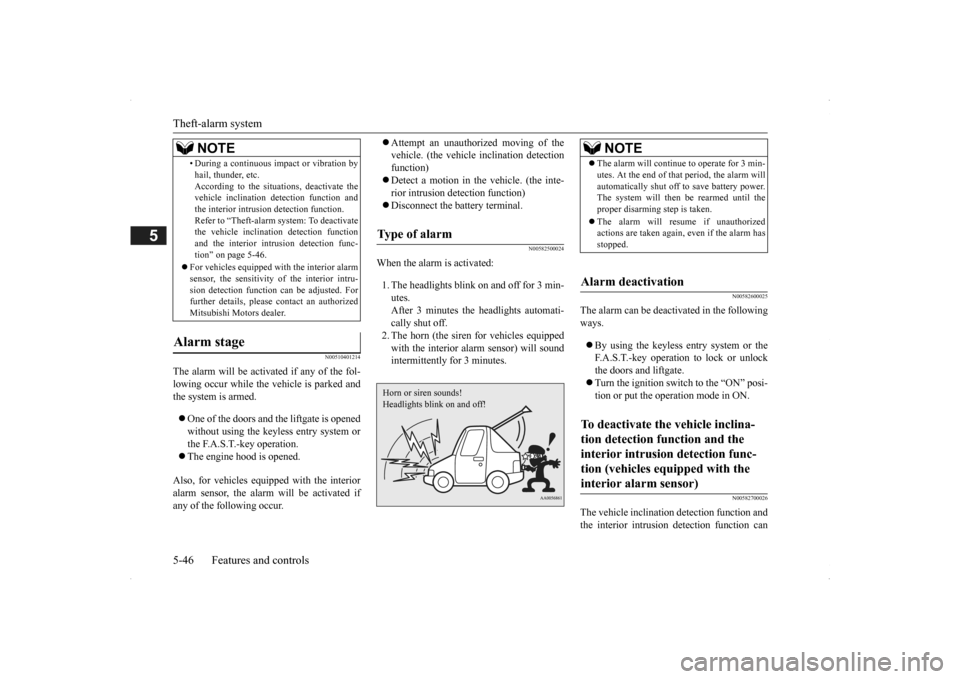
When the alarm is activated: 1. The headlights blink on and off for 3 min- utes. After 3 minutes the headlights automati-cally shut off. 2. The horn (the siren
for vehicles equipped
with the interior alarm sensor) will soundintermittently for 3 minutes.
N00582600025
The alarm can be deactivated in the following ways. By using the keyless entry system or the F.A.S.T.-key operation to lock or unlockthe doors and liftgate. Turn the ignition switch to the “ON” posi- tion or put the operation mode in ON.
N00582700026
The vehicle inclination
detection function and
the interior intrusion detection function can
• During a continuous im
pact or vibration by
hail, thunder, etc.According to the situations, deactivate thevehicle inclination de
tection function and
the interior intrusion detection function. Refer to “Theft-alarm system: To deactivatethe vehicle inclinati
on detection function
and the interior intr
usion detection func-
tion” on page 5-46.
For vehicles equipped wi
th the interior alarm
sensor, the sensitivity of the interior intru-sion detection function can be adjusted. For further details, please
contact an authorized
Mitsubishi Motors dealer.
Alarm stage
NOTE
Type of alarm Horn or siren sounds!Headlights blink on and off!
NOTE
The alarm will continue
to operate for 3 min-
utes. At the end of that
period, the alarm will
automatically shut off
to save battery power.
The system will then be rearmed until the proper disarming step is taken. The alarm will resu
me if unauthorized
actions are taken again, even if the alarm has stopped.
Alarm deactivation To deactivate the vehicle inclina- tion detection function and the interior intrusion detection func-tion (vehicles equipped with the interior alarm sensor)
BK0200500US.book 46 ページ 2013年2月12日 火曜日 午前9時46分
Page 126 of 451
Power window control 5-48 Features and controls
5
N00510601144
Use the following proce
dure to test the sys-
tem: 1. Lower the driver’s window. 2. Arm the system as explained in “Armedstage”. 3. Make sure that the theft-alarm indicator comes on and flashes for approximately 20 seconds. 4. Wait a few seconds and then unlock thedriver’s side door by using the inside door lock knob. Open the door. 5. Make sure that the horn (the siren forvehicles equipped with the interior alarm sensor) sounds intermittently and the headlights blink when
a door is opened.
6. Disarm the system
by unlocking all doors
and the liftgate by using the keyless entry system or the F.A.S.T.-key operation.
N00510800383
N00548701137
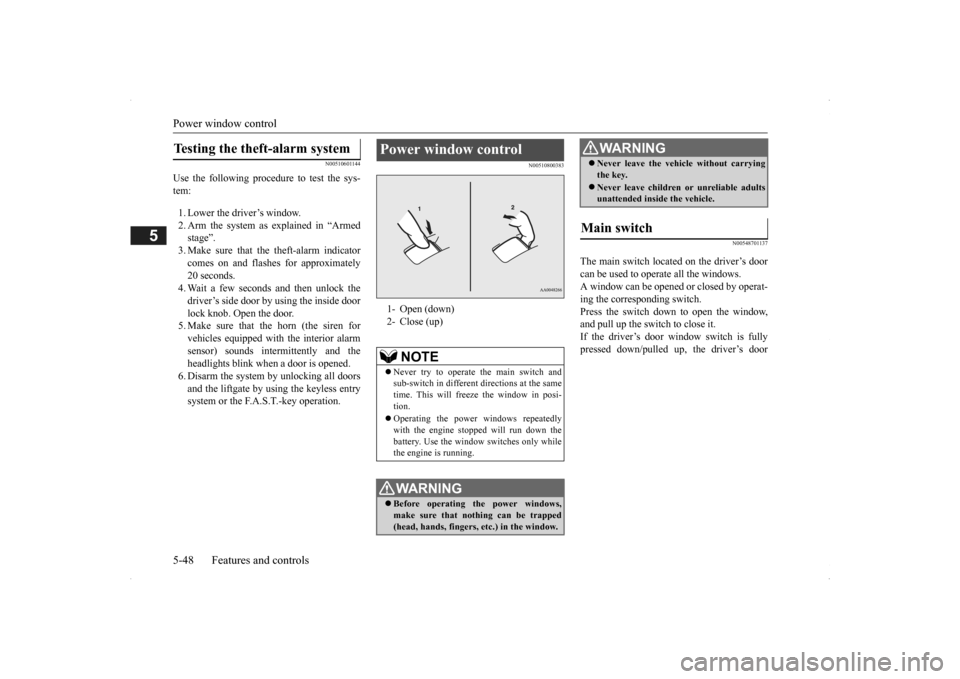
The main switch located on the driver’s door can be used to operate all the windows.A window can be opened or closed by operat- ing the corresponding switch. Press the switch down to open the window,and pull up the switch to close it. If the driver’s door window switch is fully pressed down/pulled up, the driver’s door
Testing the theft-alarm system
Power window control 1- Open (down)2- Close (up)
NOTE
Never try to operate the main switch and sub-switch in different directions at the same time. This will free
ze the window in posi-
tion. Operating the power
windows repeatedly
with the engine stopped will run down thebattery. Use the window
switches only while
the engine is running.WA R N I N G Before operating the power windows, make sure that nothing can be trapped (head, hands, fingers, etc.) in the window.
Never leave the vehi
cle without carrying
the key. Never leave children
or unreliable adults
unattended inside the vehicle.
Main switch
WA R N I N G
BK0200500US.book 48 ページ 2013年2月12日 火曜日 午前9時46分
Page 132 of 451
Inside rearview mirror 5-54 Features and controls
5
N00511601327
Adjust the inside rearview mirror only after making any seat adjustme
nts so as to have a
clear view to the rear of the vehicle.
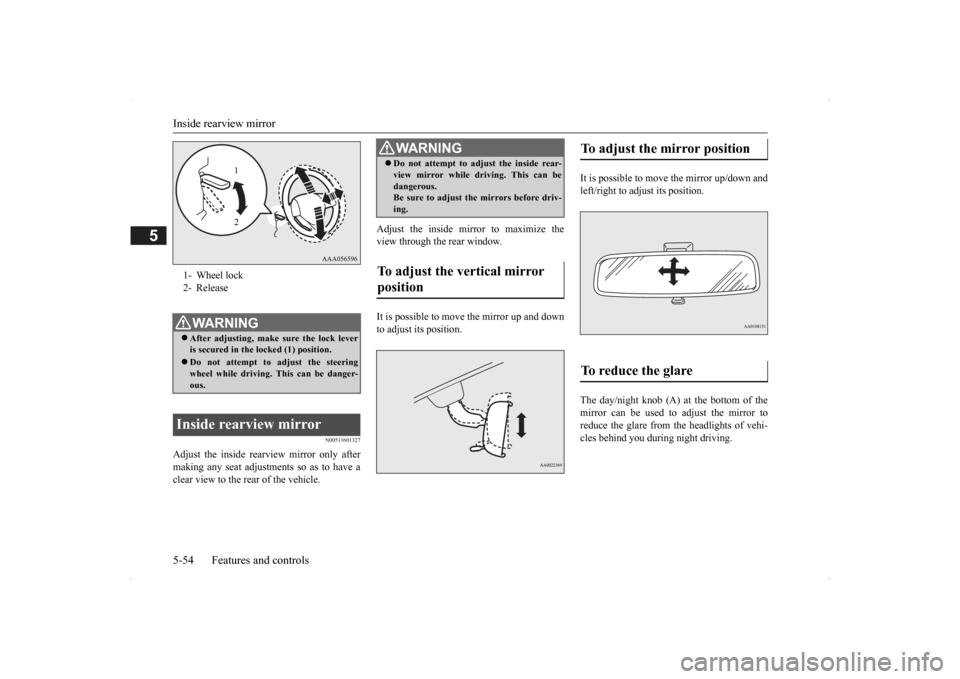
Adjust the inside mirror to maximize the view through the rear window. It is possible to move
the mirror up and down
to adjust its position.
It is possible to move the mirror up/down and left/right to adjust its position. The day/night knob (A) at the bottom of the mirror can be used to adjust the mirror to reduce the glare from the headlights of vehi- cles behind you during night driving.
1- Wheel lock 2- ReleaseWA R N I N G After adjusting, make
sure the lock lever
is secured in the locked (1) position. Do not attempt to adjust the steering wheel while driving. This can be danger-ous.
Inside rearview mirror
1 2
WA R N I N G Do not attempt to adjust the inside rear- view mirror while driving. This can bedangerous.Be sure to adjust the mirrors before driv- ing.
To adjust the vertical mirror position
To adjust the mirror position To reduce the glare
BK0200500US.book 54 ページ 2013年2月12日 火曜日 午前9時46分
Page 137 of 451
Starting the engine
Features and controls 5-59
5
“Free-hand Advanced
Security Transmitter
(F.A.S.T.-key): Starting” on page5-12. [Except for vehicles equipped with the Free-hand Advanced Security Transmit- ter (F.A.S.T.-key).] Do not operate the starter motor continu- ously for longer than 15 seconds as this could run the battery
down or damage the
starter motor. If the engine does not start, turn the ignition switch back to the “OFF” or “LOCK” position,
wait a few seconds,
and then try again. Trying repeatedly with the engine or starter motor still turning will damage the starter mechanism. If the engine will not
start because the bat-
tery is weak or discharged, refer to “Jump-starting the engine” (on page 8-2)for instructions. A longer warm up period will only con- sume extra fuel. The engine is warmed upenough for driving when the bar graph of engine coolant temper
ature display starts
to move or the low coolant temperatureindicator goes out. Refer to “Engine cool- ant temperature display” on page 5-128 or “Low coolant temper
ature indicator” on
page 5-166.
This model is equipped with an electronically controlled fuel injection system. This is a sys-tem that automatically controls fuel injection. There is usually no need to depress the accel- erator pedal when starting the engine.The starter should not be run for more than 15 seconds at a time. To prevent battery drain, wait a few secondsbetween attempts to restart the engine. 1. Make sure all occupants are properly seated with seat belts fastened.
2. Insert the ignition key. 3. Press and hold the brake pedal down withyour right foot. 4. Make sure the selector
lever is in the “P”
(PARK) position.5. Turn the ignition switch to the “ON” posi- tion and make certain that all warning lights are functioning properly beforestarting the engine. 6. Turn the ignition switch to the “START” position without pressi
ng the accelerator
pedal. Release the ignition switch when the engine starts.
After several attempts, you may experience that the engine still does not start. 1. Make sure that all electric devices, such as lights, air conditio
ning blower and rear
window defogger, are turned off.
Tips for starting
WA R N I N G Never run the engine in
a closed or poorly
ventilated area any longer than is neededto move your vehicle
out of the area. Car-
bon monoxide gas, wh
ich is odorless and
extremely poisonous, could build up and cause serious injury or death.CAUTION Do not push-start the vehicle.Do not run the engine at high rpms or drive at high speeds until
the engine has had a
chance to warm up. Release the ignition sw
itch as soon as the
engine starts. Otherwis
e, the starter motor
will be damaged
Starting the engine
NOTE
Minor noises may be heard on engine start- up. These will disappear as the engine warmsup.
When the engine is hard to start
BK0200500US.book 59 ページ 2013年2月12日 火曜日 午前9時46分
Page 145 of 451
Automatic transaxle (if so equipped)
Features and controls 5-67
5
To gain extra acceleration in “D” (DRIVE) position (when passing another vehicle) push
the accelerator to the floor. The automatic transaxle will automatically downshift. For short waiting periods, such as at traffic lights, the vehicle can be
left in gear and held
stationary with the service brake. For longer waiting periods with the engine running, place th
e selector lever in the “N”
(NEUTRAL) position and apply the parking brake, while holding the vehicle stationary with the service brake.Prior to moving off after having stopped the vehicle, make sure that the selector lever is in “D” (DRIVE) position or Sports mode posi-tion.
To park the vehicle, fi
rst bring it to a com-
plete stop, fully engage the parking brake, and then move the selector lever to the “P”(PARK) position. If the transaxle does not change gears while driving, or your vehicle does not pick upenough speed when starting on an uphill slope, it may be that there is something unusual happening in the
transaxle, causing a
safety device to activa
te. Have your vehicle
checked at an authorized Mitsubishi Motors dealer or a repair fac
ility of your choice as
soon as possible.
To prevent sudden acce
leration, never run
the engine at high rpms when shifting fromthe “P” (PARK) or “N” (NEUTRAL). Operating the accelerator pedal while the other foot is resting
on the brake pedal will
affect braking efficiency and may cause pre- mature wear of brake pads. Use the selector lever in the correct shift position in accordance
with driving condi-
tions.Never coast downhill backward in the driv- ing shift position {“D” (DRIVE), “L” (LOW) position or sports mode} or coastforward in the “R” (REVERSE) position. Engine stopping and increased brake pedal and steering effort could
lead to an accident.
Do not rev the engine
with the brake pedal
pressed when the vehicle is stationary.This can damage the transaxle. Also, when you depress
the accelerator pedal
while holding down the brake pedal with theselector lever in th
e “D” (DRIVE) position,
the engine revolutions
may not rise as high
as when performing the same operation withthe selector lever in the “N” (NEUTRAL) position.
Passing acceleration
CAUTION
NOTE
In sports mode, downshi
fts do not take place
when the accelerator is depressed all the way to the floor.
Waiting
CAUTION To avoid transaxle ove
rheating, never try to
keep your vehicle stationary on a hill byusing the accelerator
pedal. Always apply
the parking brake and/or service brake.
Do not rev the engine unnecessarily while the vehicle is stationary. Unexpected acceler-ation may occur if the se
lector lever is in a
position other than “P” (PARK) or “N” (NEUTRAL).
Parking
When the automatic transaxle makes no gear change
CAUTION
BK0200500US.book 67 ページ 2013年2月12日 火曜日 午前9時46分
Page 152 of 451
Continuously variable transmission (CVT) (if so equipped) 5-74 Features and controls
5
N00560801053
To gain extra acceleration in “D” (DRIVE) position (when passing another vehicle) push the accelerator to the floor. The CVT will automatically downshift.
For short waiting periods, such as at traffic lights, the vehicle can be
left in selector lever
position and held stationary with the servicebrake. For longer waiting periods with the engine running, place th
e selector lever in the “N”
(NEUTRAL) position a
nd apply the parking
brake, while holding the vehicle stationary with the service brake.Prior to moving off after having stopped the vehicle, make sure that
the selector lever is in
“D” (DRIVE) position or Sports mode posi-tion.
Operation of the CVT
CAUTION Before selecting a pos
ition with the engine
running and the vehicl
e stationary, firmly
depress the brake pedal to prevent the vehi- cle from creeping. The vehicle will begin to
move as soon as the
CVT is engaged, especi
ally when the engine
speed or idle speed is
high, or with the air
conditioning operating.Do not release the br
ake pedal until you are
ready to drive away. Depress the brake pedal with the right foot at all times. Using the left foot c
ould cause driver move-
ment delay in case of an emergency. To prevent sudden acceleration, never run the engine at high rpms when shifting from the “P” (PARK) or “N” (NEUTRAL). Operating the accelerator pedal while the other foot is resting
on the brake pedal will
affect braking efficien
cy and may cause pre-
mature wear of brake pads.
Use the selector lever in the correct shift position in accordance with driving condi-tions.Never coast downhill backward in the driv- ing shift position {“D” (DRIVE), “DS” (DOWN SHIFT & SPORTY DRVING), “L”(LOW) position or sports mode} or coast forward in the “R” (REVERSE) position. Engine stopping and increased brake pedaland steering effort could
lead to an accident.
Do not rev the engine
with the brake pedal
pressed when the vehicle is stationary. This can damage the CVT. Also, when you depress
the accelerator pedal
while holding down the brake pedal with the selector lever in th
e “D” (DRIVE) position,
the engine revolutions
may not rise as high
as when performing the same operation with the selector lever in the “N” (NEUTRAL) position.
Passing acceleration
CAUTION
NOTE
In sports mode, downshi
fts do not take place
when the accelerator is depressed all the wayto the floor.
Waiting
CAUTION To avoid transmission
overheating, never try
to keep your vehicle st
ationary on a hill by
using the accelerator
pedal. Always apply
the parking brake and/or service brake. Do not rev the engine unnecessarily while the vehicle is stationary. Unexpected acceler- ation may occur if the selector lever is in aposition other than “P” (PARK) or “N” (NEUTRAL).
BK0200500US.book 74 ページ 2013年2月12日 火曜日 午前9時46分
Page 161 of 451
Inspection and maintenance following rough road operation
Features and controls 5-83
5
Your vehicle may not provide sufficient hill climbing ability and engine braking on steep slope. Avoid driving on steep slopes even though the vehicle is an 4-wheel drive vehi-cle.
N00537800085
If the electrical circuits become wet, furtheroperation of the vehi
cle will be impossible;
therefore, avoid drivi
ng through water unless
absolutely necessary. If driving through wateris unavoidable, use the following procedure: Check the depth of the water and the terrain before attempting to drive through it. Drive
slowly to avoid creating excessive water splashing.
N00530700085
After operating the vehicle in rough road con-ditions, be sure to perform the following inspection and maintenance procedures: Check that the vehicle has not been dam- aged by rocks, gravel, etc.
Carefully wash the
vehicle with water.
Drive the vehicle sl
owly while lightly
depressing the brake pedal in order to dry out the brakes. If the brakes still do not function properly, contact an authorizedMitsubishi Motors dealer or a repair facil- ity of your choice as soon as possible to have the brakes checked. Remove the insects, dr
ied grass, etc. clog-
ging the radiator core. After driving through water, check the engine, transaxle and
differential oil. If
the oil or grease is milky or cloudybecause of water cont
amination, it must
be replaced with new oil. Check the inside of the vehicle. If water entry is found, dry the carpet etc. Inspect the headlights. If water is in the headlight housing, have it drained at anauthorized Mitsubishi Motors dealer or a repair facility of your choice.
N00530801201
Since the driving torque can be applied to thefour wheels, the driving performance of the
If the vehicle become
s stuck in sandy or
muddy roads, it can often be moved with arocking motion. Move the selector leveralternately between the “D” (DRIVE) and “R” (REVERSE) positi
ons while pressing
lightly on the ac
celerator pedal.
Driving on rough road can cause rust on the vehicle; wash the vehi
cle thoroughly as soon
as possible after such use.
Climbing/descending sharp grades Driving through water
NOTE
CAUTION Never drive through water that is deep enough to cover wheel hubs, axles or exhaust pipe. Do not change th
e selector lever posi-
tion while driving through water.Frequent driving through water can adversely affect the life
span of the vehicle;
consult an authorized Mitsubishi Motorsdealer or a repair facili
ty of your choice and
take the necessary measures to prepare, inspect, and repair the vehicle. After driving through water, apply the brakes to be sure they are
functioning properly. If
the brakes are wet a
nd not functioning prop-
erly, dry them out by driving slowly while lightly depressing the brake pedal. Inspecteach part of the vehicle carefully.
Inspection and maintenance following rough road opera-tion
Cautions on the handling of 4-wheel drive vehicles Tires and wheels
BK0200500US.book 83 ページ 2013年2月12日 火曜日 午前9時46分
Page 167 of 451
Electric power steering system (EPS)
Features and controls 5-89
5
N00529201090
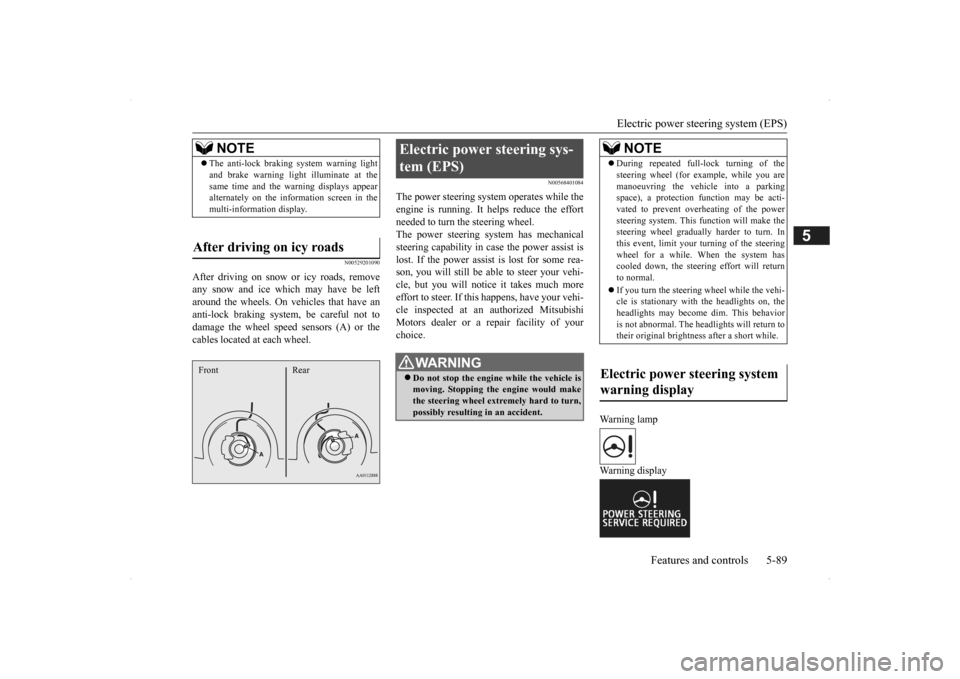
After driving on snow or icy roads, remove any snow and ice which may have be leftaround the wheels. On vehicles that have an anti-lock braking syst
em, be careful not to
damage the wheel spee
d sensors (A) or the
cables located at each wheel.
N00568401084
The power steering system operates while the engine is running. It helps reduce the effort needed to turn the steering wheel.The power steering sy
stem has mechanical
steering capability in case the power assist is lost. If the power assist is lost for some rea-son, you will still be able to steer your vehi- cle, but you will notice it takes much more effort to steer. If this happens, have your vehi- cle inspected at an authorized Mitsubishi Motors dealer or a repair facility of yourchoice.
Warning lamp Warning display
NOTE
The anti-lock braking
system warning light
and brake warning light illuminate at thesame time and the wa
rning displays appear
alternately on the information screen in the multi-information display.
After driving on icy roads Front Rear
Electric power steering sys- tem (EPS)
WA R N I N G Do not stop the engine while the vehicle is moving. Stopping the engine would make the steering wheel extremely hard to turn, possibly resulting
in an ac
cident.
NOTE
During repeated full-lock turning of the steering wheel (for example, while you aremanoeuvring the vehicle into a parkingspace), a protection f
unction may be acti-
vated to prevent overheating of the power steering system. This f
unction will make the
steering wheel graduall
y harder to turn. In
this event, limit your turning of the steering wheel for a while. When the system hascooled down, the steering effort will return to normal. If you turn the steering wheel while the vehi- cle is stationary with the headlights on, the headlights may become
dim. This behavior
is not abnormal. The he
adlights will return to
their original brightness after a short while.
Electric power steering system warning display
BK0200500US.book 89 ページ 2013年2月12日 火曜日 午前9時46分
Page 191 of 451
Lane Departure Warning System (LDW) (if so equipped)
Features and controls 5-113
5
The brake pedal is being depressed.
N00581200024
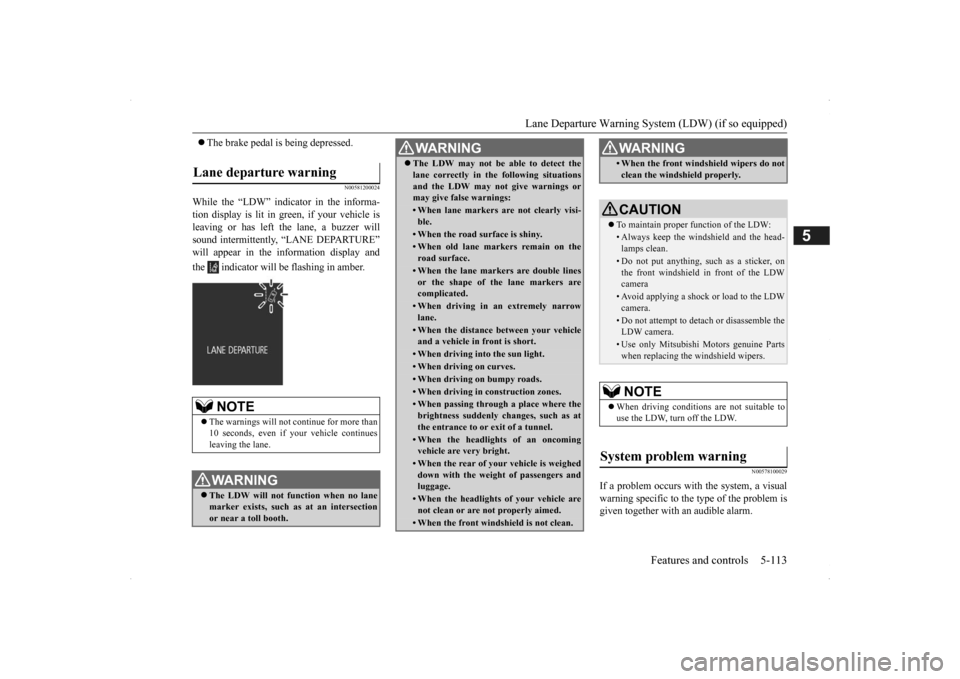
While the “LDW” indicator in the informa- tion display is lit in gr
een, if your vehicle is
leaving or has left the lane, a buzzer willsound intermittently, “LANE DEPARTURE” will appear in the information display and the indicator will be flashing in amber.
N00578100029
If a problem occurs with the system, a visual warning specific to the type of the problem isgiven together with an audible alarm.
Lane departure warning
NOTE
The warnings will not continue for more than 10 seconds, even if your
vehicle continues
leaving the lane.WA R N I N G The LDW will not function when no lane marker exists, such as at an intersectionor near a toll booth.
The LDW may not be able to detect the lane correctly in th
e following situations
and the LDW may not
give warnings or
may give false warnings:• When lane markers are not clearly visi-ble.• When the road surface is shiny.• When old lane markers remain on theroad surface.• When the lane markers are double linesor the shape of the lane markers arecomplicated.• When driving in an extremely narrowlane.• When the distance between your vehicleand a vehicle in
front is short.
• When driving into the sun light.• When driving on curves.• When driving on bumpy roads.• When driving in construction zones.• When passing through a place where the brightness suddenly
changes, such as at
the entrance to or
exit of a tunnel.
• When the headlights
of an oncoming
vehicle are very bright. • When the rear of you
r vehicle is weighed
down with the weight of passengers and luggage.• When the headlights
of your vehicle are
not clean or are not properly aimed.• When the front windshield is not clean.WA R N I N G
• When the front windshield wipers do not clean the windshield properly.CAUTION To maintain proper function of the LDW:• Always keep the windshield and the head- lamps clean.• Do not put anything, such as a sticker, onthe front windshield in front of the LDW camera • Avoid applying a shock or load to the LDWcamera. • Do not attempt to deta
ch or disassemble the
LDW camera.• Use only Mitsubishi Mo
tors genuine Parts
when replacing the
windshield wipers.
NOTE
When driving conditions are not suitable to use the LDW, turn off the LDW.
System problem warning
WA R N I N G
BK0200500US.book 113 ページ 2013年2月12日 火曜日 午前9時46分