steering MITSUBISHI OUTLANDER 2014 3.G Owner's Guide
[x] Cancel search | Manufacturer: MITSUBISHI, Model Year: 2014, Model line: OUTLANDER, Model: MITSUBISHI OUTLANDER 2014 3.GPages: 451, PDF Size: 49.08 MB
Page 185 of 451
Forward Collision Mitigation System (FCM) (if so equipped)
Features and controls 5-107
5
N00577300024
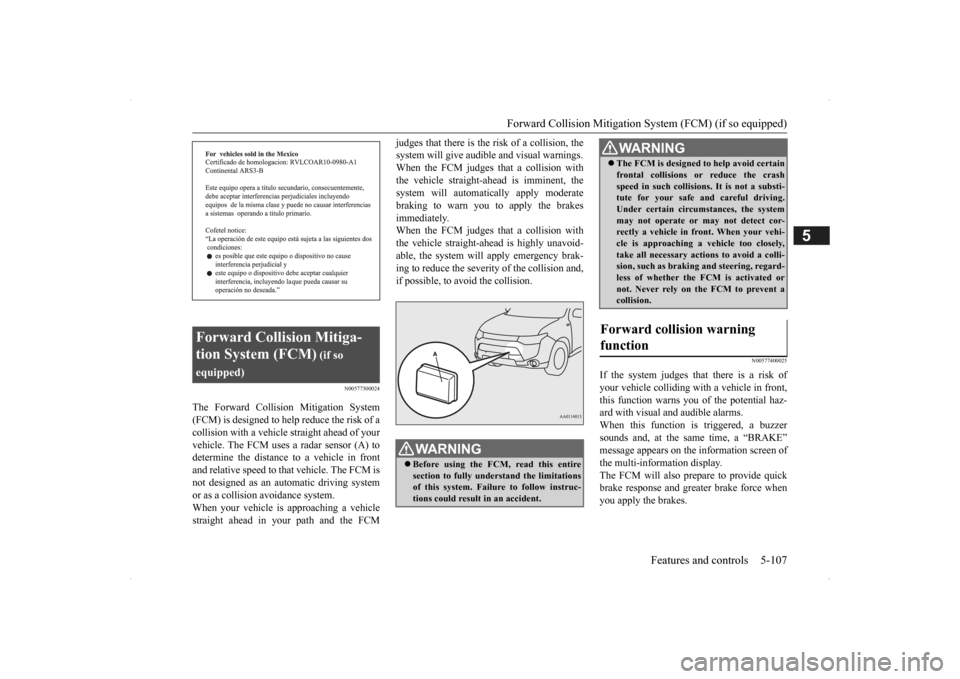
The Forward Collision Mitigation System (FCM) is designed to help reduce the risk of a collision with a vehicl
e straight ahead of your
vehicle. The FCM uses a radar sensor (A) todetermine the distance to a vehicle in front and relative speed to th
at vehicle. The FCM is
not designed as an automatic driving systemor as a collision
avoidance system.
When your vehicle is approaching a vehicle straight ahead in your path and the FCM
judges that there is the ri
sk of a collision, the
system will give audibl
e and visual warnings.
When the FCM judges th
at a collision with
the vehicle straight-ahead is imminent, the system will automatically apply moderatebraking to warn you to apply the brakes immediately. When the FCM judges th
at a collision with
the vehicle straight-a
head is highly unavoid-
able, the system will apply emergency brak- ing to reduce the severity of the collision and, if possible, to avoid the collision.
N00577400025
If the system judges that there is a risk of your vehicle colliding wi
th a vehicle in front,
this function warns you of the potential haz- ard with visual and audible alarms.When this function is triggered, a buzzer sounds and, at the same time, a “BRAKE” message appears on the information screen ofthe multi-information display. The FCM will also prepare to provide quick brake response and greater brake force whenyou apply the brakes.
Forward Collision Mitiga- tion System (FCM)
(if so
equipped)
WA R N I N G Before using the FCM, read this entire section to fully understand the limitations of this system. Failure to follow instruc- tions could result in an accident.
The FCM is desi
gned to help avoid certain
frontal collisions or
reduce the crash
speed in such collisions. It is not a substi-tute for your safe and careful driving. Under certain circumstances, the system may not operate or may not detect cor-rectly a vehicle in fr
ont. When
your vehi-
cle is approaching a vehicle too closely, take all necessary actions to avoid a colli-sion, such as brakin
g and steering, regard-
less of whether the FCM is activated or not. Never rely on the FCM to prevent acollision.
Forward collision warning function
WA R N I N G
BK0200500US.book 107 ページ 2013年2月12日 火曜日 午前9時46分
Page 186 of 451
Forward Collision Mitigation System (FCM) (if so equipped) 5-108 Features and controls
5
N00577700028
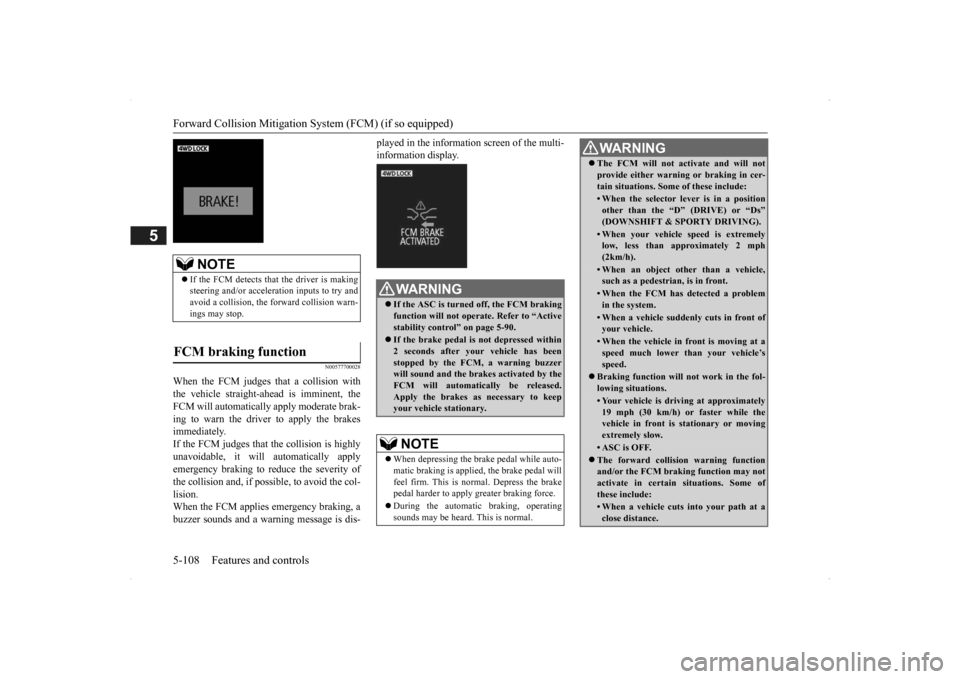
When the FCM judges that a collision with the vehicle straight-ahead is imminent, the FCM will automatically apply moderate brak- ing to warn the driver to apply the brakesimmediately. If the FCM judges that the collision is highly unavoidable, it will automatically applyemergency braking to reduce the severity of the collision and, if possible, to avoid the col- lision.When the FCM applies
emergency braking, a
buzzer sounds and a warn
ing message is dis-
played in the information screen of the multi- information display.
NOTE
If the FCM detects that the driver is making steering and/or accelera
tion inputs to try and
avoid a collision, the forward collision warn-ings may stop.
FCM braking function
WA R N I N G If the ASC is turned off, the FCM braking function will not operat
e. Refer to “Active
stability control” on page 5-90. If the brake pedal is not depressed within 2 seconds after your vehicle has been stopped by the FCM, a warning buzzer will sound and the brak
es activated by the
FCM will automatically be released. Apply the brakes as
necessary to keep
your vehicle stationary.NOTE
When depressing the brake pedal while auto- matic braking is applie
d, the brake pedal will
feel firm. This is normal. Depress the brake pedal harder to apply
greater braking force.
During the automatic
braking, operating
sounds may be heard.
This is normal.
WA R N I N GThe FCM will not activate and will not provide either warnin
g or braking in cer-
tain situations. Some of these include:• When the selector lever is in a positionother than the “D” (DRIVE) or “Ds”(DOWNSHIFT & SPORTY DRIVING).• When your vehicle speed is extremelylow, less than ap
proximately 2 mph
(2km/h).• When an object other than a vehicle,such as a pedestri
an, is in front.
• When the FCM has detected a problem in the system.• When a vehicle suddenly cuts in front ofyour vehicle.• When the vehicle in fr
ont is moving at a
speed much lower than your vehicle’s speed.
Braking function will
not work in the fol-
lowing situations.• Your vehicle is driving at approximately19 mph (30 km/h) or faster while thevehicle in front is
stationary or moving
extremely slow.•ASC is OFF. The forward collision warning function and/or the FCM brakin
g function may not
activate in certain situations. Some of these include:• When a vehicle cuts
into your path at a
close distance.
BK0200500US.book 108 ページ 2013年2月12日 火曜日 午前9時46分
Page 187 of 451
Forward Collision Mitigation System (FCM) (if so equipped)
Features and controls 5-109
5
N00577800029
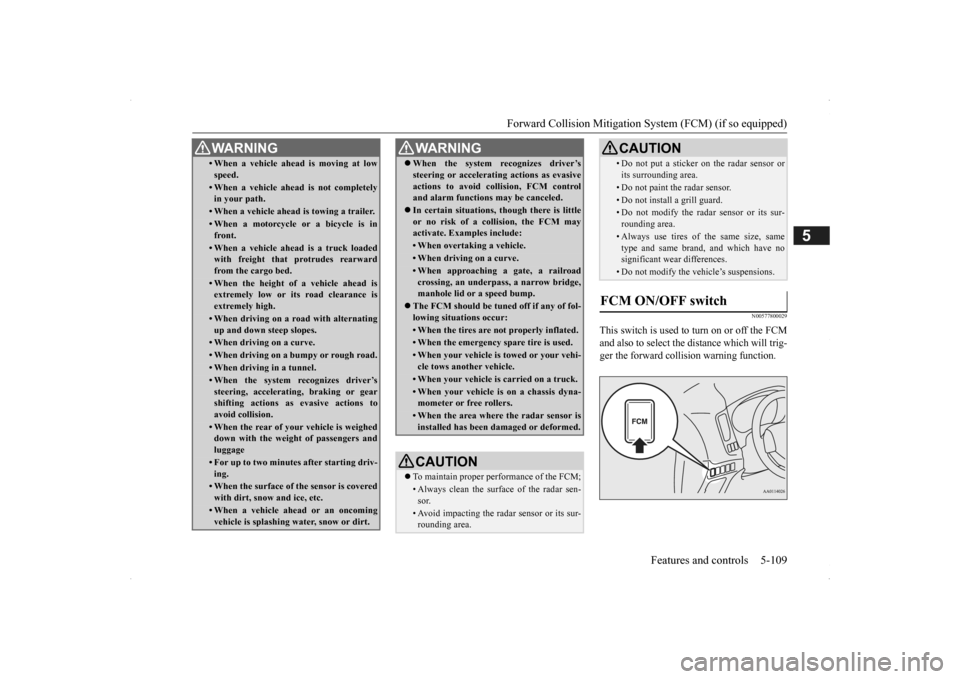
This switch is used to turn on or off the FCM and also to select the distance which will trig- ger the forward collision warning function.
• When a vehicle ahead is moving at low speed.• When a vehicle ahead is not completely in your path.• When a vehicle ahead
is towing a trailer.
• When a motorcycle or a bicycle is in front.• When a vehicle ahea
d is a truck loaded
with freight that protrudes rearward from the cargo bed.• When the height of a vehicle ahead isextremely low or its road clearance is extremely high.• When driving on a r
oad with alternating
up and down steep slopes.• When driving on a curve.• When driving on a bumpy or rough road.• When driving in a tunnel.• When the system recognizes driver’ssteering, accelerati
ng, braking or gear
shifting actions as
evasive actions to
avoid collision.• When the rear of your vehicle is weigheddown with the weight of passengers and luggage• For up to two minute
s after starting driv-
ing.• When the surface of the sensor is coveredwith dirt, snow and ice, etc.• When a vehicle ahea
d or an oncoming
vehicle is splashing wa
ter, snow or dirt.
WA R N I N G
When the system recognizes driver’s steering or accelerati
ng actions as evasive
actions to avoid colli
sion, FCM control
and alarm functions
may be canceled.
In certain situations, though there is little or no risk of a collision, the FCM may activate. Examples include: • When overtaking a vehicle.• When driving on a curve.• When approaching
a gate, a railroad
crossing, an underpass, a narrow bridge,manhole lid or
a speed bump.
The FCM should be tuned off if any of fol- lowing situations occur:• When the tires are not properly inflated. • When the emergency spare tire is used.• When your vehicle is
towed or your vehi-
cle tows another vehicle.• When your vehicle is carried on a truck.• When your vehicle is on a chassis dyna- mometer or free rollers.• When the area where the radar sensor isinstalled has been damaged or deformed.CAUTION To maintain proper performance of the FCM;• Always clean the surface of the radar sen- sor.• Avoid impacting the radar sensor or its sur-rounding area.WA R N I N G
• Do not put a sticker on the radar sensor or its surrounding area.• Do not paint the radar sensor.• Do not install a grill guard.• Do not modify the radar sensor or its sur-rounding area.• Always use tires of the same size, sametype and same brand,
and which have no
significant wear differences.• Do not modify the vehicle’s suspensions.
FCM ON/OFF switch
CAUTION
BK0200500US.book 109 ページ 2013年2月12日 火曜日 午前9時46分
Page 194 of 451
Tire pressure monitoring system 5-116 Features and controls
5
Each tire, including the spare (if provided), should be checked monthly when cold andinflated to the inflation pressure recom- mended by the vehicle manufacturer on the vehicle placard or tire
inflation pressure label.
(If your vehicle has tires of a different size than the size indicated on the vehicle placard or tire inflation pressure label, you shoulddetermine the proper ti
re inflation pressure
for those tires.) As an added safety feature, your vehicle hasbeen equipped with a tire pressure monitoring system (TPMS) that illuminates a low tire pressure telltale when
one or more of your
tires is significant
ly under-inflated.
Accordingly, when the low tire pressure tell-tale illuminates, you should stop and check your tires as soon as possible, and inflate them to the proper pressure. Driving on a sig-nificantly under-inflated
tire causes the tire to
overheat and can lead
to tire failure.
Under-inflation also reduces fuel efficiency and tire tread life, and may affect the vehi-cle’s handling and stoppi
ng ability. Please
note that the TPMS is
not a substitute for
proper tire maintenance,
and it is the driver’s
responsibility to
maintain corre
ct tire pres-
sure, even if under-inflation has not reached the level to trigger illumination of the TPMSlow tire pressure telltale. Your vehicle has also
been equipped with a
TPMS malfunction indica
tor to indicate when
the system is not operating properly. The TPMS malfunction indicator is combined with the low tire pressure telltale.When the system detects a malfunction, the telltale will flash for approximately one min- ute and then remain c
ontinuously illuminated.
This sequence will c
ontinue upon subsequent
vehicle start-ups as long as the malfunction exists.When the malfunction indicator is illumi- nated, the system may not
be able to detect or
signal low tire pr
essure as intended.
TPMS malfunctions may
occur for a variety
of reasons, including the installation of replacement or alternate tires or wheels on thevehicle that prevent the TPMS from function- ing properly. Always
check the TPMS mal-
function telltale after replacing one or moretires or wheels on your vehicle to ensure that the replacement or alternate tires and wheels
allow the TPMS to continue to function prop- erly.
N00532801511
1. If the tire pressure monitoring systemwarning light illuminates, avoiding hard braking, sharp steering maneuvers and high speeds. You should stop and adjust the tires to the proper inflation pressure as soon as possible. Adjust the spare tire atthe same time. Refer to “Tires” on page 9-14.
NOTE
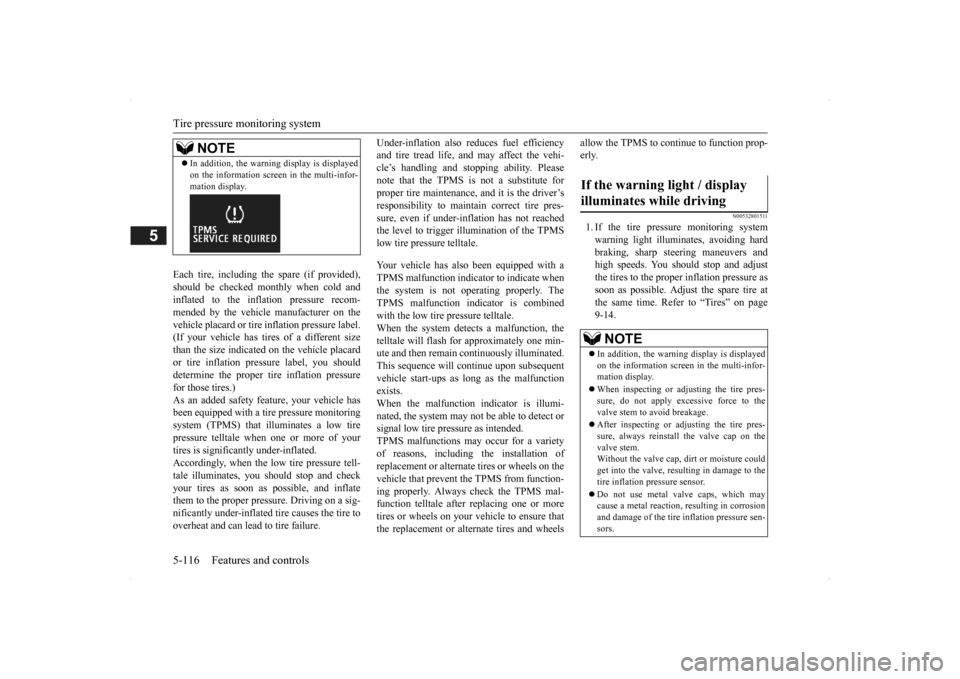
In addition, the warni
ng display is displayed
on the information screen in the multi-infor-mation display.
If the warning light / display illuminates while driving
NOTE
In addition, the warni
ng display is displayed
on the information screen in the multi-infor- mation display. When inspecting or adjusting the tire pres- sure, do not apply excessive force to the valve stem to
avoid breakage.
After inspecting or adjusting the tire pres- sure, always reinstall the valve cap on thevalve stem. Without the valve cap, di
rt or moisture could
get into the valve, resulting in damage to thetire inflation pressure sensor. Do not use metal valve caps, which may cause a metal reaction,
resulting in corrosion
and damage of the tire
inflation pressure sen-
sors.
BK0200500US.book 116 ページ 2013年2月12日 火曜日 午前9時46分
Page 195 of 451
Tire pressure monitoring system
Features and controls 5-117
5
2. If the tire pressure monitoring system warning light remain
s illuminated after
you have been driving for about 20 min- utes after you adjust the tire inflation pres- sure, one or more of the tires may have apuncture. Inspect the ti
re and if it has a
puncture, have it re
paired by an autho-
rized Mitsubishi Motors dealer as soon aspossible.
The tire pressure monitoring system may not work normally in the following circum- stances: A wireless facility
or device using the
same frequency is near the vehicle. Snow or ice is stuck inside the fenders and/or on the wheels. The tire inflation pressure sensor’s battery is dead. Wheels other than Mitsubishi genuine wheels are being used. Wheels that are not fitted with tire infla- tion pressure sensors are being used. Wheels whose ID codes are not memo- rized by the vehicle are used. Compact spare tire is fitted as a road wheel.
A window tint that affects the radio wave signals is installed.
N00532900081
If new wheels with new tire inflation pressure sensors are installed,
their ID codes must be
programmed into the tire pressure monitoringsystem. Have tire and
wheel replacement per-
formed by an authorized Mitsubishi Motors dealer to avoid the risk of damaging the tireinflation pressure sensors. If the wheel replacement is not done by an authorized Mitsubishi Motors dealer
, it is not covered by
your warranty.
Once adjustments have
been made, the warn-
ing light will go off after a few minutes ofdriving.WA R N I N G If the warning light
/ display illuminates
while you are driving, avoid hard braking, sharp steering maneuvers and high speeds.Driving with an under-inflated tire adversely affe
cts vehicle performance and
can result in an accident.CAUTION If a tire has a puncture, replace that tire with the spare tire. Driving on a punctured tirecould lead to an accident. The warning light / di
splay may not illumi-
nate immediately in the
event of a tire blow-
out or rapid leak.NOTE
NOTE
To avoid the risk of damage to the tire infla- tion pressure sensors, have any puncturedtire repaired by an authorized MitsubishiMotors dealer. If the tire repair is not done by an authorized Mitsubishi Motors dealer, it is not covered by your warranty. Do not use an aerosol puncture-repair spray on any tire.Such a spray could dama
ge the tire inflation
pressure sensors. Have any puncture repa
ired by an authorized
Mitsubishi Moto
rs dealer.
NOTE
Tire inflation pressures vary with the ambi- ent temperature. If the vehicle is subjected to large variations in ambient temperature, the tire inflation pressures may be under-inflated(causing the warning light / display come on) when the ambient temperature is relatively low. If the warning light / display comes on,adjust the tire inflation pressure.
Whenever the tires and wheels are replaced with new ones
BK0200500US.book 117 ページ 2013年2月12日 火曜日 午前9時46分
Page 230 of 451
Indicator light, warning light, and information screen display list (multi information display - Type 1) 5-152 Features and controls
5
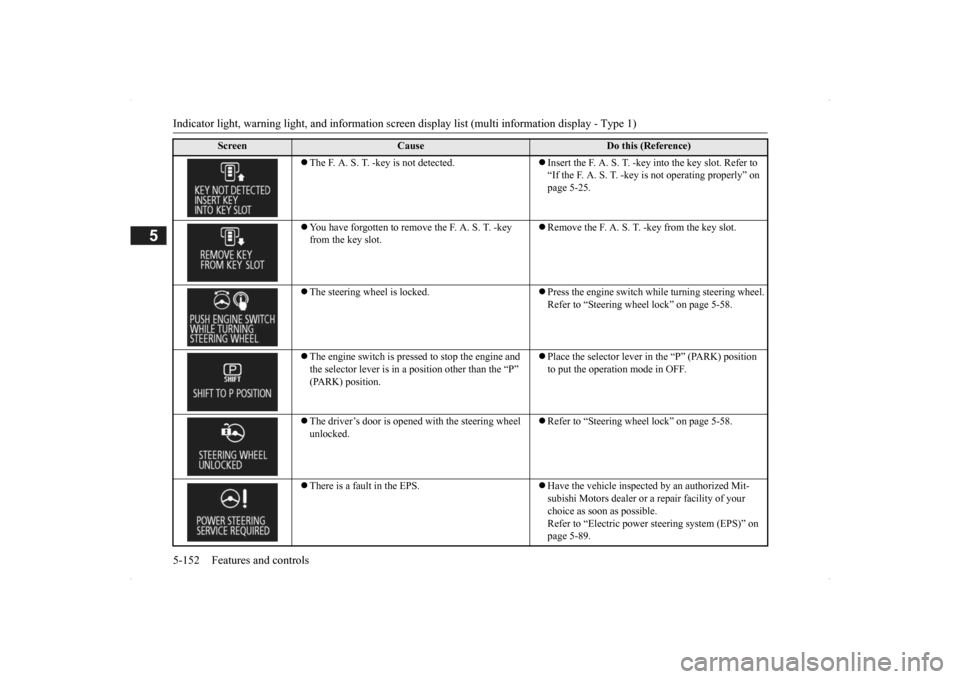
The F. A. S. T. -key is not detected.
Insert the F. A. S. T. -key
into the key slot. Refer to
“If the F. A. S. T. -key is not operating properly” on page 5-25.
You have forgotten to remove the F. A. S. T. -key from the key slot.
Remove the F. A. S. T. -key from the key slot.
The steering wheel is locked.
Press the engine switch while turning steering wheel. Refer to “Steering wheel lock” on page 5-58.
The engine switch is presse
d to stop the engine and
the selector lever is in a
position other than the “P”
(PARK) position.
Place the selector lever in the “P” (PARK) position to put the operation mode in OFF.
The driver’s door is opened with the steering wheel unlocked.
Refer to “Steering wheel lock” on page 5-58.
There is a fault in the EPS.
Have the vehicle inspected by an authorized Mit- subishi Motors dealer or
a repair facility of your
choice as soon as possible. Refer to “Electric power steering system (EPS)” on page 5-89.
Screen
Cause
Do this (Reference)
BK0200500US.book 152 ページ 2013年2月12日 火曜日 午前9時46分
Page 232 of 451
Indicator light, warning light, and information screen display list (multi information display - Type 1) 5-154 Features and controls
5
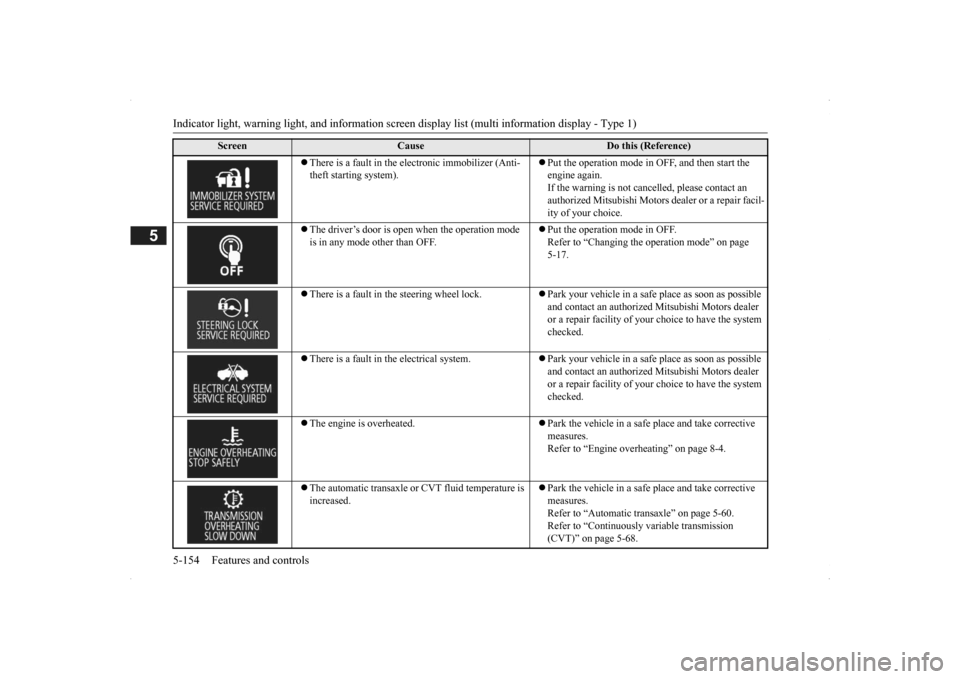
There is a fault in the electronic immobilizer (Anti- theft starting system).
Put the operation mode in OFF, and then start the engine again.If the warning is not cancel
led, please contact an
authorized Mitsubishi Motors dealer or a repair facil- ity of your choice.
The driver’s door is open when the operation mode is in any mode other than OFF.
Put the operation mode in OFF. Refer to “Changing the operation mode” on page 5-17.
There is a fault in the steering wheel lock.
Park your vehicle in a safe place as soon as possible and contact an authorized
Mitsubishi Motors dealer
or a repair facility of your
choice to have the system
checked.
There is a fault in the electrical system.
Park your vehicle in a safe place as soon as possible and contact an authorized
Mitsubishi Motors dealer
or a repair facility of your
choice to have the system
checked.
The engine is overheated.
Park the vehicle in a safe place and take corrective measures. Refer to “Engine overheating” on page 8-4.
The automatic transaxle or CVT fluid temperature is increased.
Park the vehicle in a safe place and take corrective measures. Refer to “Automatic tr
ansaxle” on page 5-60.
Refer to “Continuously
variable transmission
(CVT)” on page 5-68.
Screen
Cause
Do this (Reference)
BK0200500US.book 154 ページ 2013年2月12日 火曜日 午前9時46分
Page 243 of 451
Indicator and warning light package (multi information display - Type 2)
Features and controls 5-165
5
N00519801859
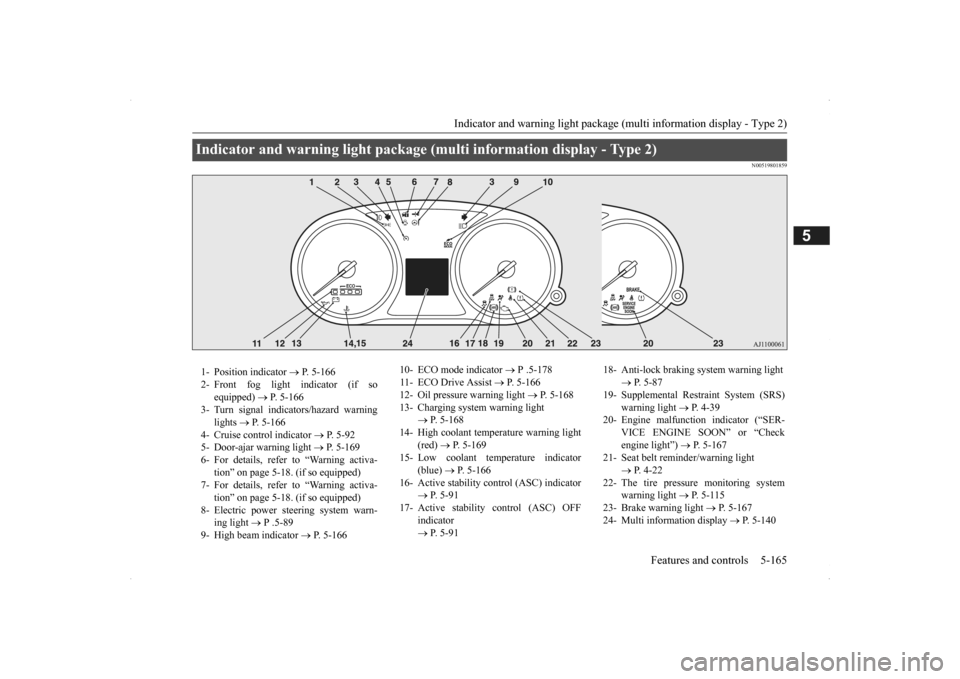
Indicator and warning light package (mu
lti information display - Type 2)
1- Position indicator
P. 5-166
2- Front fog light indicator (if so
equipped)
P. 5-166
3- Turn signal indicators/hazard warning
lights
P. 5-166
4- Cruise control indicator
P. 5-92
5- Door-ajar warning light
P. 5-169
6- For details, refer to “Warning activa-
tion” on page 5-18. (if so equipped)
7- For details, refer to “Warning activa-
tion” on page 5-18. (if so equipped)
8- Electric power steering system warn-
ing light
P .5-89
9- High beam indicator
P. 5-166
10- ECO mode indicator
P .5-178
11- ECO Drive Assist
P. 5-166
12- Oil pressure warning light
P. 5-168
13- Charging system warning light
P. 5-168
14- High coolant temperature warning light
(red)
P. 5-169
15- Low coolant temperature indicator
(blue)
P. 5-166
16- Active stability control (ASC) indicator
P. 5 - 9 1
17- Active stability
control (ASC) OFF
indicator P. 5 - 9 1
18- Anti-lock braking system warning light
P. 5-87
19- Supplemental Restra
int System (SRS)
warning light
P. 4 - 3 9
20- Engine malfuncti
on indicator (“SER-
VICE ENGINE SOON” or “Check engine light”)
P. 5-167
21- Seat belt remi
nder/warning light
P. 4-22
22- The tire pressure monitoring system
warning light
P. 5 - 1 1 5
23- Brake warning light
P. 5-167
24- Multi information display
P. 5-140
BK0200500US.book 165 ページ 2013年2月12日 火曜日 午前9時46分
Page 255 of 451
Hazard warning flasher switch Features and controls 5-177
5
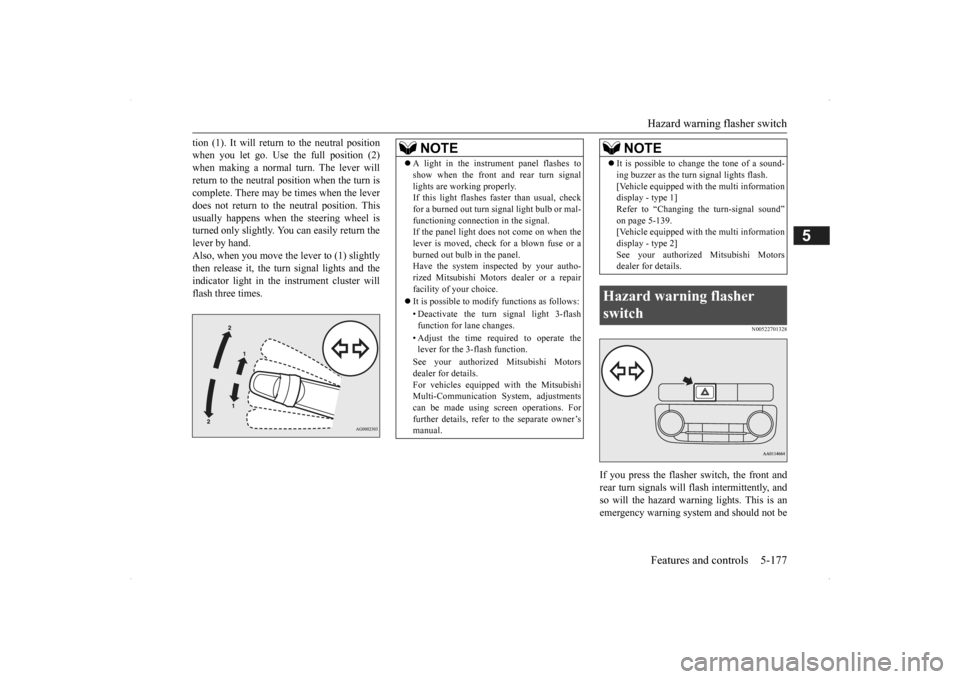
tion (1). It will return to the neutral position when you let go. Use the full position (2)when making a normal turn. The lever will return to the neutral position when the turn is complete. There may be times when the leverdoes not return to th
e neutral position. This
usually happens when
the steering wheel is
turned only slightly. You
can easily return the
lever by hand. Also, when you move the lever to (1) slightly then release it, the turn signal lights and the indicator light in the instrument cluster will flash three times.
N00522701328
If you press the flasher switch, the front and rear turn signals will flash intermittently, and so will the hazard warning lights. This is anemergency warning system and should not be
NOTE
A light in the instrument panel flashes to show when the front and rear turn signallights are working properly.If this light flashes fast
er than usual, check
for a burned out turn signal light bulb or mal- functioning connecti
on in the signal.
If the panel light does not come on when the lever is moved, check
for a blown fuse or a
burned out bulb in the panel.Have the system inspected by your autho- rized Mitsubishi Motors
dealer or a repair
facility of your choice. It is possible to modify functions as follows: • Deactivate the turn signal light 3-flash function for lane changes. • Adjust the time required to operate the lever for the 3-flash function. See your authorized Mitsubishi Motors dealer for details. For vehicles equipped
with the Mitsubishi
Multi-Communication System, adjustments can be made using sc
reen operations. For
further details, refer to the separate owner’smanual.
It is possible to change the tone of a sound- ing buzzer as the turn signal lights flash.[Vehicle equipped with the multi informationdisplay - type 1] Refer to “Changing the turn-signal sound” on page 5-139.[Vehicle equipped with the multi information display - type 2] See your authorized Mitsubishi Motorsdealer for details.
Hazard warning flasher switch
NOTE
BK0200500US.book 177 ページ 2013年2月12日 火曜日 午前9時46分
Page 262 of 451
Electric rear window defogger switch 5-184 Features and controls
5
N00523701413
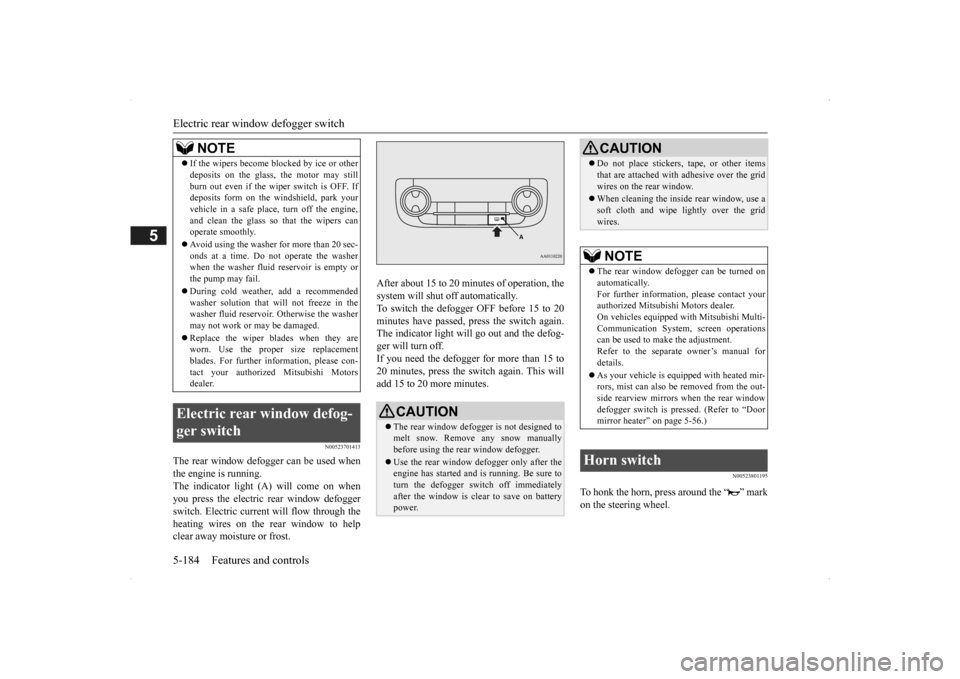
The rear window defogger can be used when the engine is running. The indicator light (A) will come on whenyou press the electric rear window defogger switch. Electric current will flow through the heating wires on the rear window to helpclear away moisture or frost.
After about 15 to 20 minutes of operation, the system will shut off automatically.To switch the defogger OFF before 15 to 20 minutes have passed, pr
ess the switch again.
The indicator light will go out and the defog-ger will turn off. If you need the defogger for more than 15 to 20 minutes, press the switch again. This willadd 15 to 20 more minutes.
N00523801195
To honk the horn, press around the “ ” markon the steering wheel.
If the wipers become bl
ocked by ice or other
deposits on the glass, the motor may stillburn out even if the wiper switch is OFF. Ifdeposits form on the windshield, park your vehicle in a safe place, turn off the engine, and clean the glass so that the wipers canoperate smoothly. Avoid using the washer for more than 20 sec- onds at a time. Do not
operate the washer
when the washer fluid reservoir is empty or the pump may fail. During cold weather, add a recommended washer solution that will not freeze in thewasher fluid reservoir. Otherwise the washer may not work or may be damaged. Replace the wiper blades when they are worn. Use the proper size replacement blades. For further info
rmation, please con-
tact your authorized
Mitsubishi Motors
dealer.
Electric rear window defog- ger switch
NOTE
CAUTION The rear window defogge
r is not designed to
melt snow. Remove
any snow manually
before using the rear window defogger. Use the rear window de
fogger only after the
engine has started and
is running. Be sure to
turn the defogger switch off immediatelyafter the window is cl
ear to save on battery
power.
Do not place stickers
, tape, or other items
that are attached with
adhesive over the grid
wires on the rear window. When cleaning the insi
de rear window, use a
soft cloth and wipe
lightly over the grid
wires.NOTE
The rear window defogger can be turned on automatically. For further information, please contact your authorized Mitsubishi Motors dealer.On vehicles e
quipped with Mitsubishi Multi-
Communication System, screen operations can be used to ma
ke the adjustment.
Refer to the separate
owner’s manual for
details. As your vehicle is equi
pped with heated mir-
rors, mist can also be removed from the out- side rearview mirrors
when the rear window
defogger switch is pre
ssed. (Refer to “Door
mirror heater” on page 5-56.)
Horn switch
CAUTION
BK0200500US.book 184 ページ 2013年2月12日 火曜日 午前9時46分