warning light MITSUBISHI OUTLANDER 2014 3.G Owner's Guide
[x] Cancel search | Manufacturer: MITSUBISHI, Model Year: 2014, Model line: OUTLANDER, Model: MITSUBISHI OUTLANDER 2014 3.GPages: 451, PDF Size: 49.08 MB
Page 194 of 451
Tire pressure monitoring system 5-116 Features and controls
5
Each tire, including the spare (if provided), should be checked monthly when cold andinflated to the inflation pressure recom- mended by the vehicle manufacturer on the vehicle placard or tire
inflation pressure label.
(If your vehicle has tires of a different size than the size indicated on the vehicle placard or tire inflation pressure label, you shoulddetermine the proper ti
re inflation pressure
for those tires.) As an added safety feature, your vehicle hasbeen equipped with a tire pressure monitoring system (TPMS) that illuminates a low tire pressure telltale when
one or more of your
tires is significant
ly under-inflated.
Accordingly, when the low tire pressure tell-tale illuminates, you should stop and check your tires as soon as possible, and inflate them to the proper pressure. Driving on a sig-nificantly under-inflated
tire causes the tire to
overheat and can lead
to tire failure.
Under-inflation also reduces fuel efficiency and tire tread life, and may affect the vehi-cle’s handling and stoppi
ng ability. Please
note that the TPMS is
not a substitute for
proper tire maintenance,
and it is the driver’s
responsibility to
maintain corre
ct tire pres-
sure, even if under-inflation has not reached the level to trigger illumination of the TPMSlow tire pressure telltale. Your vehicle has also
been equipped with a
TPMS malfunction indica
tor to indicate when
the system is not operating properly. The TPMS malfunction indicator is combined with the low tire pressure telltale.When the system detects a malfunction, the telltale will flash for approximately one min- ute and then remain c
ontinuously illuminated.
This sequence will c
ontinue upon subsequent
vehicle start-ups as long as the malfunction exists.When the malfunction indicator is illumi- nated, the system may not
be able to detect or
signal low tire pr
essure as intended.
TPMS malfunctions may
occur for a variety
of reasons, including the installation of replacement or alternate tires or wheels on thevehicle that prevent the TPMS from function- ing properly. Always
check the TPMS mal-
function telltale after replacing one or moretires or wheels on your vehicle to ensure that the replacement or alternate tires and wheels
allow the TPMS to continue to function prop- erly.
N00532801511
1. If the tire pressure monitoring systemwarning light illuminates, avoiding hard braking, sharp steering maneuvers and high speeds. You should stop and adjust the tires to the proper inflation pressure as soon as possible. Adjust the spare tire atthe same time. Refer to “Tires” on page 9-14.
NOTE
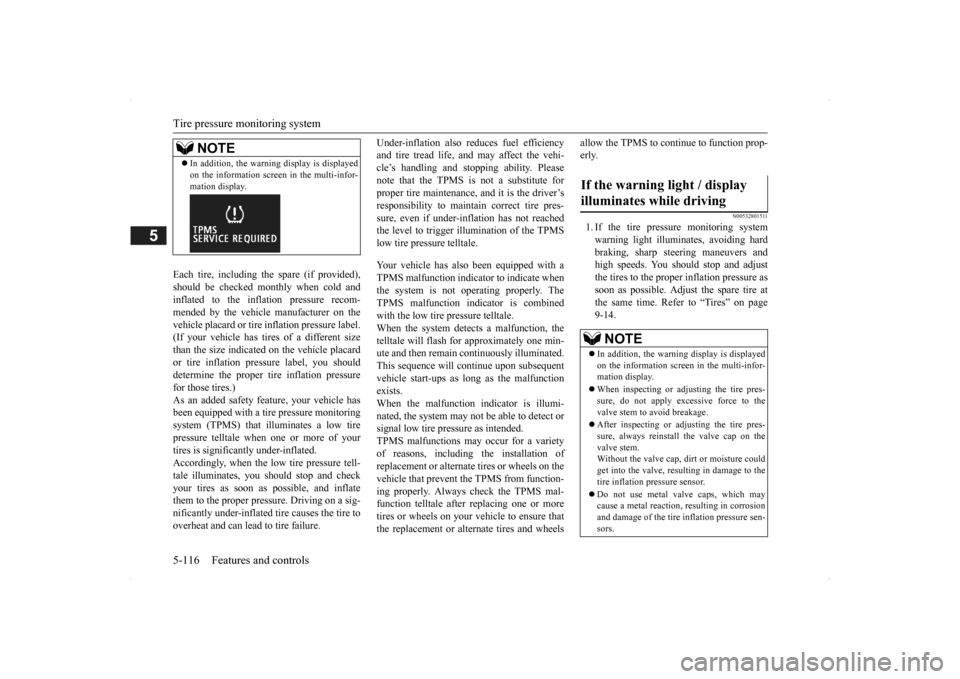
In addition, the warni
ng display is displayed
on the information screen in the multi-infor-mation display.
If the warning light / display illuminates while driving
NOTE
In addition, the warni
ng display is displayed
on the information screen in the multi-infor- mation display. When inspecting or adjusting the tire pres- sure, do not apply excessive force to the valve stem to
avoid breakage.
After inspecting or adjusting the tire pres- sure, always reinstall the valve cap on thevalve stem. Without the valve cap, di
rt or moisture could
get into the valve, resulting in damage to thetire inflation pressure sensor. Do not use metal valve caps, which may cause a metal reaction,
resulting in corrosion
and damage of the tire
inflation pressure sen-
sors.
BK0200500US.book 116 ページ 2013年2月12日 火曜日 午前9時46分
Page 195 of 451
Tire pressure monitoring system
Features and controls 5-117
5
2. If the tire pressure monitoring system warning light remain
s illuminated after
you have been driving for about 20 min- utes after you adjust the tire inflation pres- sure, one or more of the tires may have apuncture. Inspect the ti
re and if it has a
puncture, have it re
paired by an autho-
rized Mitsubishi Motors dealer as soon aspossible.
The tire pressure monitoring system may not work normally in the following circum- stances: A wireless facility
or device using the
same frequency is near the vehicle. Snow or ice is stuck inside the fenders and/or on the wheels. The tire inflation pressure sensor’s battery is dead. Wheels other than Mitsubishi genuine wheels are being used. Wheels that are not fitted with tire infla- tion pressure sensors are being used. Wheels whose ID codes are not memo- rized by the vehicle are used. Compact spare tire is fitted as a road wheel.
A window tint that affects the radio wave signals is installed.
N00532900081
If new wheels with new tire inflation pressure sensors are installed,
their ID codes must be
programmed into the tire pressure monitoringsystem. Have tire and
wheel replacement per-
formed by an authorized Mitsubishi Motors dealer to avoid the risk of damaging the tireinflation pressure sensors. If the wheel replacement is not done by an authorized Mitsubishi Motors dealer
, it is not covered by
your warranty.
Once adjustments have
been made, the warn-
ing light will go off after a few minutes ofdriving.WA R N I N G If the warning light
/ display illuminates
while you are driving, avoid hard braking, sharp steering maneuvers and high speeds.Driving with an under-inflated tire adversely affe
cts vehicle performance and
can result in an accident.CAUTION If a tire has a puncture, replace that tire with the spare tire. Driving on a punctured tirecould lead to an accident. The warning light / di
splay may not illumi-
nate immediately in the
event of a tire blow-
out or rapid leak.NOTE
NOTE
To avoid the risk of damage to the tire infla- tion pressure sensors, have any puncturedtire repaired by an authorized MitsubishiMotors dealer. If the tire repair is not done by an authorized Mitsubishi Motors dealer, it is not covered by your warranty. Do not use an aerosol puncture-repair spray on any tire.Such a spray could dama
ge the tire inflation
pressure sensors. Have any puncture repa
ired by an authorized
Mitsubishi Moto
rs dealer.
NOTE
Tire inflation pressures vary with the ambi- ent temperature. If the vehicle is subjected to large variations in ambient temperature, the tire inflation pressures may be under-inflated(causing the warning light / display come on) when the ambient temperature is relatively low. If the warning light / display comes on,adjust the tire inflation pressure.
Whenever the tires and wheels are replaced with new ones
BK0200500US.book 117 ページ 2013年2月12日 火曜日 午前9時46分
Page 202 of 451
Multi Information display - Type 1 5-124 Features and controls
5
average and momentary fuel consumption, distance range, etc.It is also possible to change elements such as the language and units used on the multi information display by operating the multiinformation display switch.
N00555301177
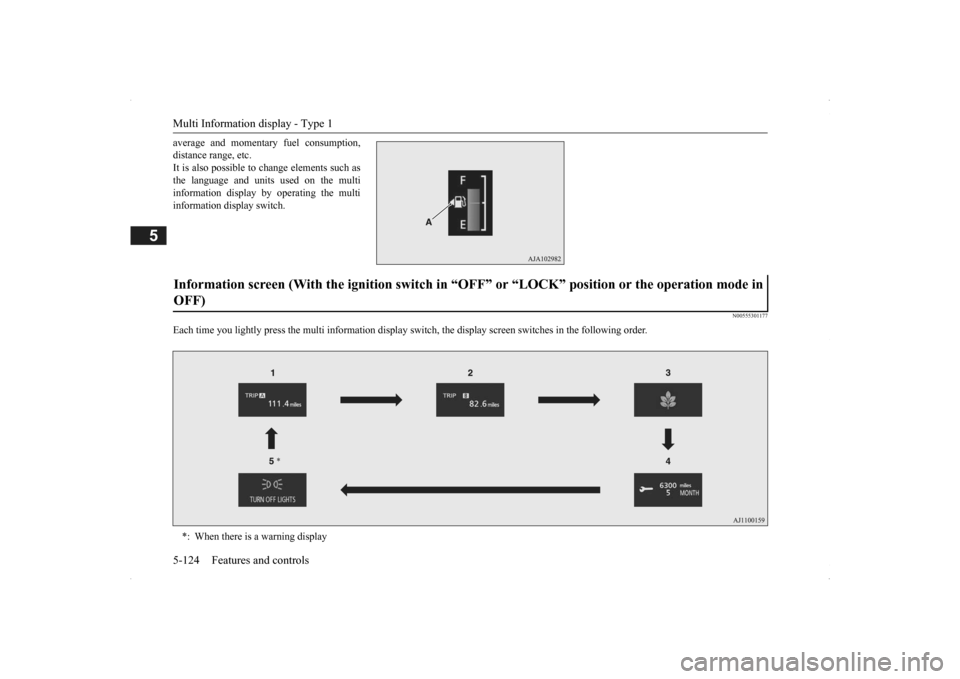
Each time you lightly press th
e multi information display switch, the displa
y screen switches in the following order.
Information screen (With the igniti
on switch in “OFF” or “LOCK” po
sition or the operation mode in
OFF) *: When there is a warning display
BK0200500US.book 124 ページ 2013年2月12日 火曜日 午前9時46分
Page 204 of 451
Multi Information display - Type 1 5-126 Features and controls
5
N00556201232
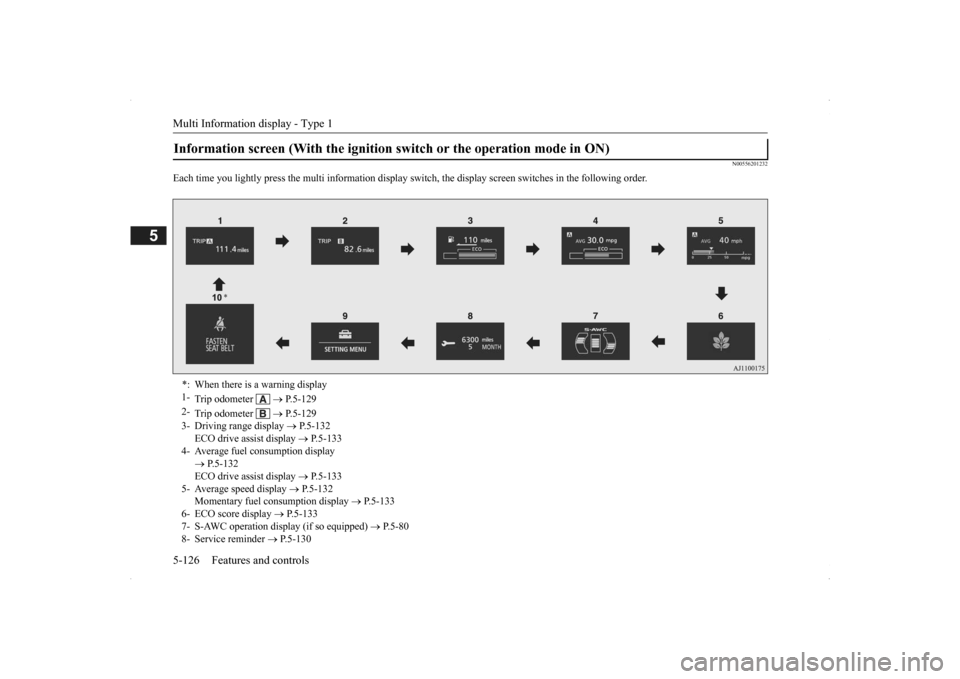
Each time you lightly press th
e multi information display switch, the displa
y screen switches in the following order.
Information screen (With the ignition
switch or the operation mode in ON)
*: When there is a warning display 1-
Trip odometer
P.5-129
2-
Trip odometer
P.5-129
3- Driving range display
P.5-132
ECO drive assist display
P.5-133
4- Average fuel consumption display
P.5-132 ECO drive assist display
P.5-133
5- Average speed display
P.5-132
Momentary fuel consumption display
P.5-133
6- ECO score display
P.5-133
7- S-AWC operation display (if so equipped)
P.5-80
8- Service reminder
P.5-130
BK0200500US.book 126 ページ 2013年2月12日 火曜日 午前9時46分
Page 206 of 451
Multi Information display - Type 1 5-128 Features and controls
5
N00579600021
When the warning is displayed, if you lightly press the multi information display switch a few times, the warning display screen you switched from is redisplayed.
N00579700022
The operation status of
each system is dis-
played on the information screen.For further details, refer to the appropriate page in the warning display list. Refer to “Other interrupt displays” on page5-161.
N00555201222
This is displayed when you press the multi information display switch and return from the warning display screen to the previousscreen. This mark is also displa
yed if there is another
warning other than the one displayed.When the cause of the warning display is eliminated, the warning goes out automat- ically.
N00529700014
If any of the doors or the liftgate is not com- pletely closed, this displays the open door or liftgate. If the speed increases to about 5 mph (8 km/h) or higher with a door ajar, a tone will sound 4 times to inform you that a door isajar.
N00578200020
Shows the engine coolant temperature. If the coolant becomes hot, “ ” will blink. Pay careful attention to
the engine coolant
temperature display while you are driving.
NOTE
Warning display screens with a “ ” or “ ” mark displayed in the upper right of the screen can be switched
. If you want to switch
the display, press the multi information dis-play switch as follows. “ ”: Press lightly. “ ”: Press for about 2 seconds or more.
Redisplay of a warning display screen Other interrupt displays
warning display screen
NOTE
When the warning is displayed, the warn- ing display screen can
be redisplayed on the
information screen.Refer to “Information sc
reen (with the igni-
tion switch in “OFF” or “LOCK” position or the operation mode in OFF)” on page 5-124.Refer to “Information sc
reen (with the igni-
tion switch or the oper
ation mode in ON)” on
page 5-126.
Door ajar warning display screen
CAUTION Always make sure that
the warning display
goes out before beginning to drive.
Engine coolant temperature display
BK0200500US.book 128 ページ 2013年2月12日 火曜日 午前9時46分
Page 209 of 451
Multi Information display - Type 1
Features and controls 5-131
5
The “---” display can be
reset while the igni-
tion switch or the operation mode is in OFF. When the display is reset, the time until thenext periodic inspection
is displayed and the
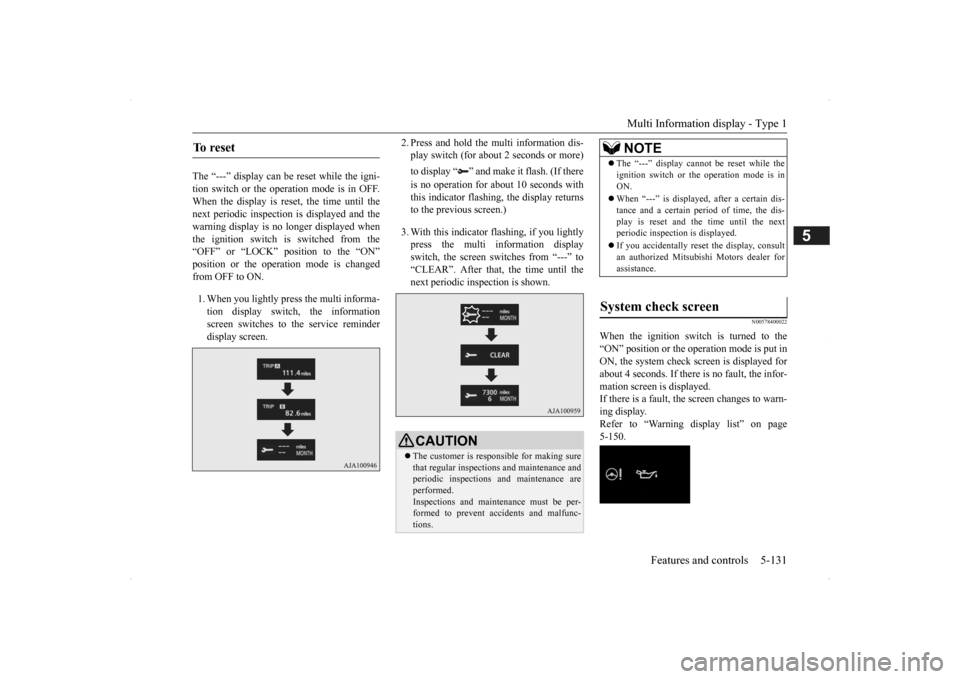
warning display is no longer displayed when the ignition switch is switched from the“OFF” or “LOCK” position to the “ON” position or the operation mode is changed from OFF to ON. 1. When you lightly press the multi informa- tion display switch, the information screen switches to the service reminderdisplay screen.
2. Press and hold the multi information dis- play switch (for about 2 seconds or more) to display “ ” and make it flash. (If there is no operation for about 10 seconds with this indicator flashing, the display returns to the previous screen.) 3. With this indicator flashing, if you lightly press the multi information display switch, the screen sw
itches from “---” to
“CLEAR”. After that, the time until thenext periodic inspection is shown.
N00578400022
When the ignition switch is turned to the “ON” position or the operation mode is put in ON, the system check screen is displayed forabout 4 seconds. If there is no fault, the infor- mation screen is displayed. If there is a fault, the screen changes to warn-ing display. Refer to “Warning display list” on page 5-150.
To reset
CAUTION The customer is responsible for making sure that regular inspections
and maintenance and
periodic inspections
and maintenance are
performed. Inspections and mainte
nance must be per-
formed to prevent accidents and malfunc- tions.
NOTE
The “---” display cannot
be reset while the
ignition switch or the operation mode is inON. When “---” is displaye
d, after a certain dis-
tance and a certain pe
riod of time, the dis-
play is reset and the time until the next periodic inspecti
on is displayed.
If you accidentally rese
t the display, consult
an authorized Mitsubishi Motors dealer for assistance.
System check screen
BK0200500US.book 131 ページ 2013年2月12日 火曜日 午前9時46分
Page 215 of 451
Multi Information display - Type 1
Features and controls 5-137
5
N00557201154
The temperature display unit can be switched. 1. Press and hold the mu
lti information dis-
play switch (for about 2 seconds or more) to switch from the setting mode screen tothe menu screen. Refer to “Changing th
e function settings”
on page 5-134.2. Lightly press the multi information dis- play switch to select “ ” (temperature unit setting). 3. Press and hold the mu
lti information dis-
play switch (for about 2 seconds or more)to switch in from °C to °F, or from °F to °C. The setting is changed to the selected tem-perature unit.
N00557301184
The language of the multi information displaycan be changed. 1. Press and hold the multi information dis- play switch (for about 2 seconds or more) to change from the setting mode screen to the menu screen.Refer to “Changing the function settings” on page 5-134.
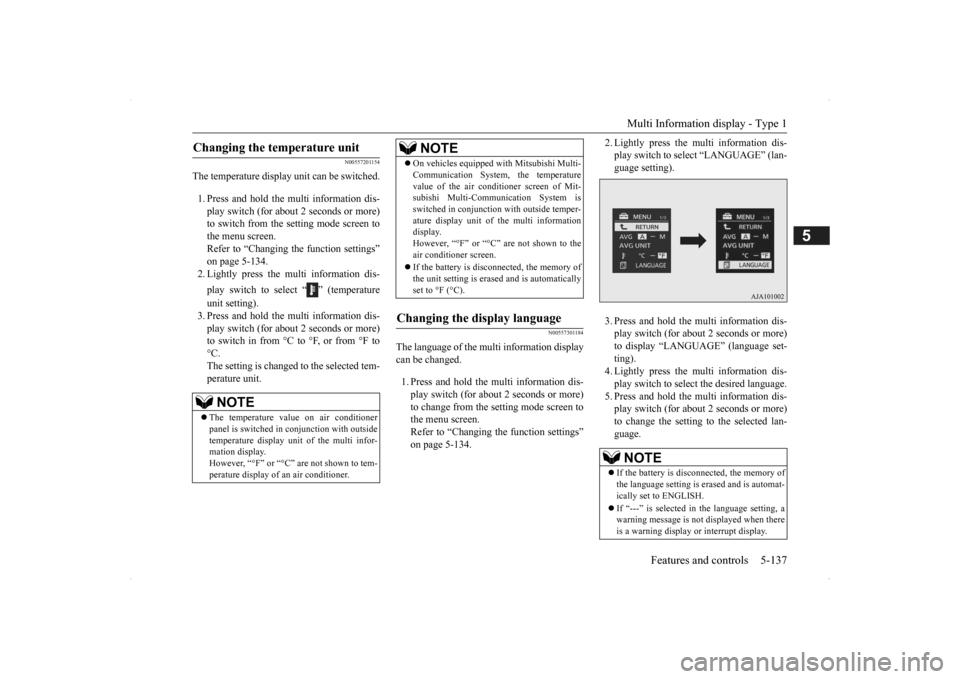
2. Lightly press the multi information dis- play switch to se
lect “LANGUAGE” (lan-
guage setting). 3. Press and hold the multi information dis- play switch (for about 2 seconds or more)to display “LANGUAGE” (language set- ting). 4. Lightly press the multi information dis-play switch to select
the desired language.
5. Press and hold the multi information dis- play switch (for about 2 seconds or more)to change the setting to the selected lan- guage.
Changing the temperature unit
NOTE
The temperature value on air conditioner panel is switched in
conjunction with outside
temperature display unit of the multi infor-mation display. However, “°F” or “°C” are not shown to tem- perature display of an air conditioner.
On vehicles equipped
with Mitsubishi Multi-
Communication System, the temperaturevalue of the air condi
tioner screen of Mit-
subishi Multi-Communication System is switched in conjunction
with outside temper-
ature display unit of
the multi information
display. However, “°F” or “°C” are not shown to the air conditioner screen. If the battery is disconnected, the memory of the unit setting is erased and is automaticallyset to °F (°C).
Changing the display language
NOTE
NOTE
If the battery is disconnected, the memory of the language setting is erased and is automat- ically set to ENGLISH. If “---” is selected in
the language setting, a
warning message is not displayed when there is a warning display
or interrupt display.
BK0200500US.book 137 ページ 2013年2月12日 火曜日 午前9時46分
Page 217 of 451
Multi Information display - Type 1
Features and controls 5-139
5
2. Lightly press the multi information dis- play switch to select “ ” (operation sound setting). 3. Press and hold the mu
lti information dis-
play switch (for about 2 seconds or more)to switch from ON (operation sound on) to OFF (operation sound off), or from OFF to ON.The setting is changed to the selected con- dition.
N00557501160
The time until the display appears can bechanged.
1. Press and hold the multi information dis- play switch (for about 2 seconds or more)to switch from the setting mode screen to the menu screen. Refer to “Changing the function settings”on page 5-134. 2. Lightly press the multi information dis- play switch to select “ALARM” (rest timesetting). 3. Press and hold the multi information dis- play switch (for about 2 seconds or more) to display “ALARM” (rest time setting). 4. Lightly press the multi information dis-play switch to select the time until the dis- play appears. 5. Press and hold the multi information dis-play switch (for about 2 seconds or more) to change the setting to the selected time.
N00563501080
It is possible to change the turn signal sound.
1. Press and hold the multi information dis- play switch (for about 2 seconds or more)to switch from the setting mode screen to the menu screen. Refer to “Changing th
e function settings”
on page 5-134. 2. Lightly press the multi information dis- play switch to select . (changing the turn signal sound) 3. Press and hold the multi information dis- play switch (for about 2 seconds or more) to switch from 1 (turn-signal sound 1) to 2(turn-signal sound 2), or from 2 to 1. The setting changes to the selected turn signal sound.
N00563601049
It is possible to change the bar graph settingof the momentary fuel consumption display. 1. Press and hold the multi information dis- play switch (for about 2 seconds or more) to switch from the setting mode screen to the menu screen.Refer to “Changing th
e function settings”
on page 5-134. 2. Lightly press the multi information dis- play switch to select . (changing the momentary fuel consumption display)
NOTE
If the battery is disconnected, the memory of the operation sound setting is erased and isautomatically
set to “ON” (operation sound
on). The operation sound set
ting only deactivates
the operation sound of the multi information display switch and rheo
stat illumination but-
ton. The warning disp
lay and other sounds
cannot be de
activated.
Changing the time until “REST REMINDER” is displayed
NOTE
If the battery is disconnected, the memory of the unit setting is erased and is automatically set to the “OFF”. The drive time is reset when the ignition switch is in the “LOCK” or “OFF” position or the operation mode is in OFF.
Changing the turn signal sound
Changing the momentary fuel con- sumption display
BK0200500US.book 139 ページ 2013年2月12日 火曜日 午前9時46分
Page 218 of 451
Multi Information display - Type 2 5-140 Features and controls
5
3. Press and hold the multi information dis- play switch (for about 2 seconds or more)to switch from ON (with the green bar graph) to OFF (without the green bar graph), or from OFF to ON.The setting changes to the selected bar graph setting.
N00557601190
All of the function settings can be returned to their factory settings. 1. Press and hold the multi information dis- play switch (for about 2 seconds or more) to switch from the setting mode screen to the menu screen.Refer to “Changing the function settings” on page 5-134. 2. Lightly press the multi information dis-play switch to select “RESET” (return to the factory settings). 3. Press and hold the multi information dis-play switch (for about
5 seconds or more),
the buzzer sounds and
all of the function
settings are returned to the factory set-tings.
N00555001291
The multi information display displays theodometer, trip odometer, service reminder,fuel remaining, outside
temperature, selector
lever position, average fuel consumption, driving range, etc. It is also possible to change elements such as the units used on the multi information dis- play.
Returning to the factory settings
NOTE
The factory settings are as follows.
• Average fuel consumption and average speed reset mode: A (Auto reset) • Fuel consumption di
splay unit: mpg (US)
or (L/100 km) • Temperature unit: °F (Fahrenheit) or {°C (Celsius)} • Display language: ENGLISH • Cooperative langua
ge setting: A
• Operation sounds: ON (Operation sound on) • “REST REMINDER” display: OFF • Turn signal sound: Turn signal sound 1 • Momentary fuel consumption with the green bar graph: ON
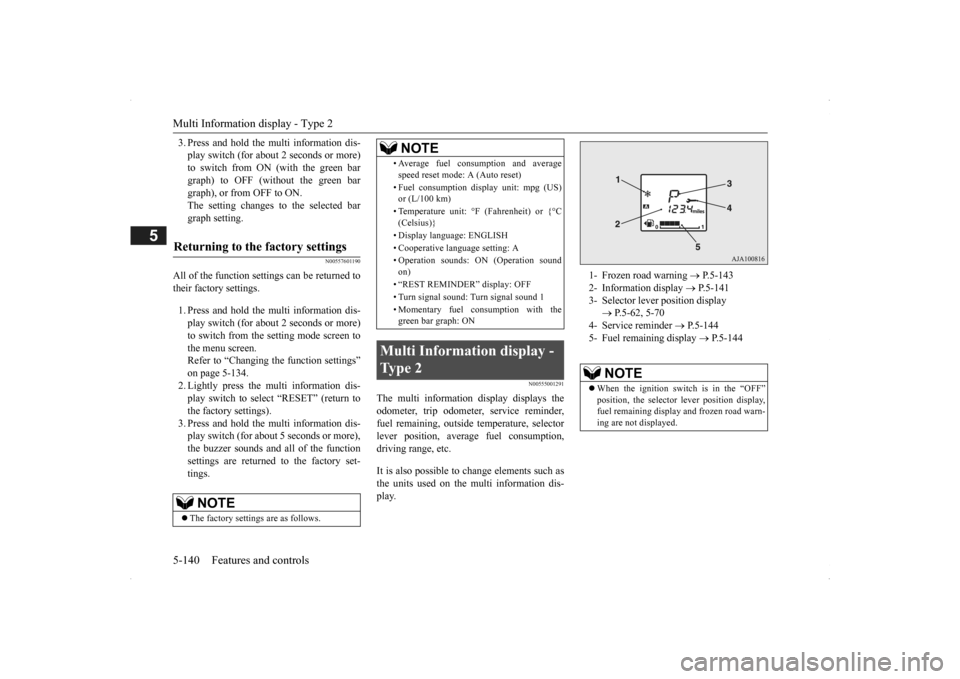
Multi Information display - Type 2
NOTE
1- Frozen road warning
P.5-143
2- Information display
P.5-141
3- Selector lever position display
P.5-62, 5-70
4- Service reminder
P.5-144
5- Fuel remaining display
P.5-144
NOTE
When the ignition switch is in the “OFF” position, the selector
lever position display,
fuel remaining display and frozen road warn-ing are not displayed.
BK0200500US.book 140 ページ 2013年2月12日 火曜日 午前9時46分
Page 226 of 451
Indicator light, warning light, and information screen display list (multi information display - Type 1) 5-148 Features and controls
5
N00557701058 N00557801280
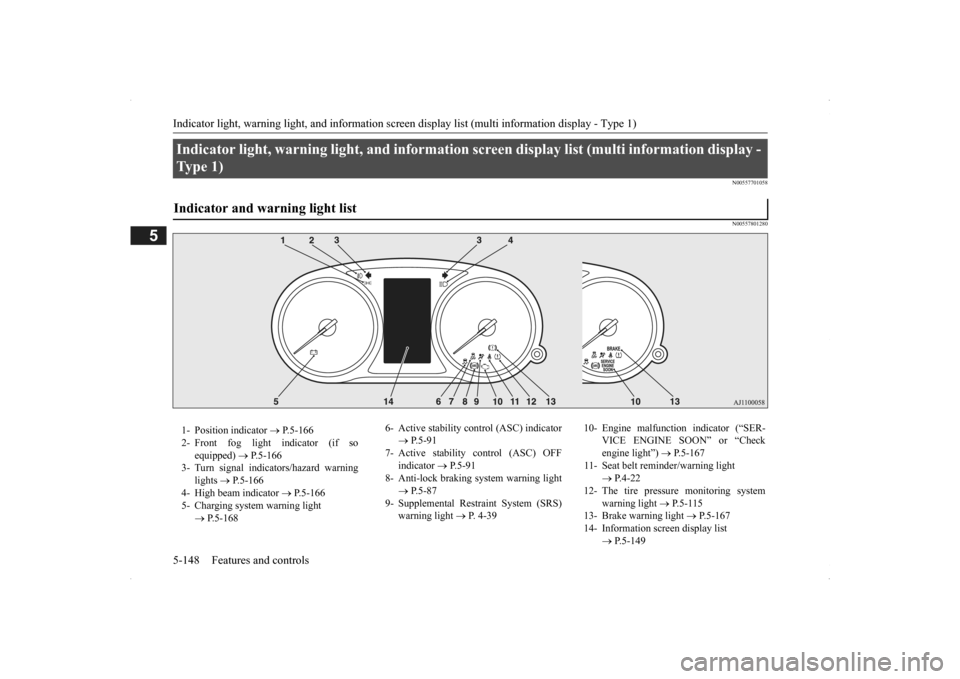
Indicator light, warning light, an
d information screen display list (multi information display -
Ty p e 1 ) Indicator and warning light list 1- Position indicator
P.5-166
2- Front fog light indicator (if so
equipped)
P.5-166
3- Turn signal indicators/hazard warning
lights
P.5-166
4- High beam indicator
P.5-166
5- Charging system warning light
P.5-168
6- Active stability c
ontrol (ASC) indicator
P.5-91
7- Active stability control (ASC) OFF
indicator
P.5-91
8- Anti-lock braking
system warning light
P.5-87
9- Supplemental Restraint System (SRS)
warning light
P. 4-39
10- Engine malfunction indicator (“SER-
VICE ENGINE SOON” or “Check engine light”)
P.5-167
11- Seat belt reminder/warning light
P.4-22
12- The tire pressure monitoring system
warning light
P.5-115
13- Brake warning light
P.5-167
14- Information screen display list
P.5-149
BK0200500US.book 148 ページ 2013年2月12日 火曜日 午前9時46分