display MITSUBISHI OUTLANDER 2016 3.G Repair Manual
[x] Cancel search | Manufacturer: MITSUBISHI, Model Year: 2016, Model line: OUTLANDER, Model: MITSUBISHI OUTLANDER 2016 3.GPages: 464, PDF Size: 60.77 MB
Page 185 of 464
Adaptive Cruise Control System (ACC) (if so equipped)
Features and controls 5-109
5
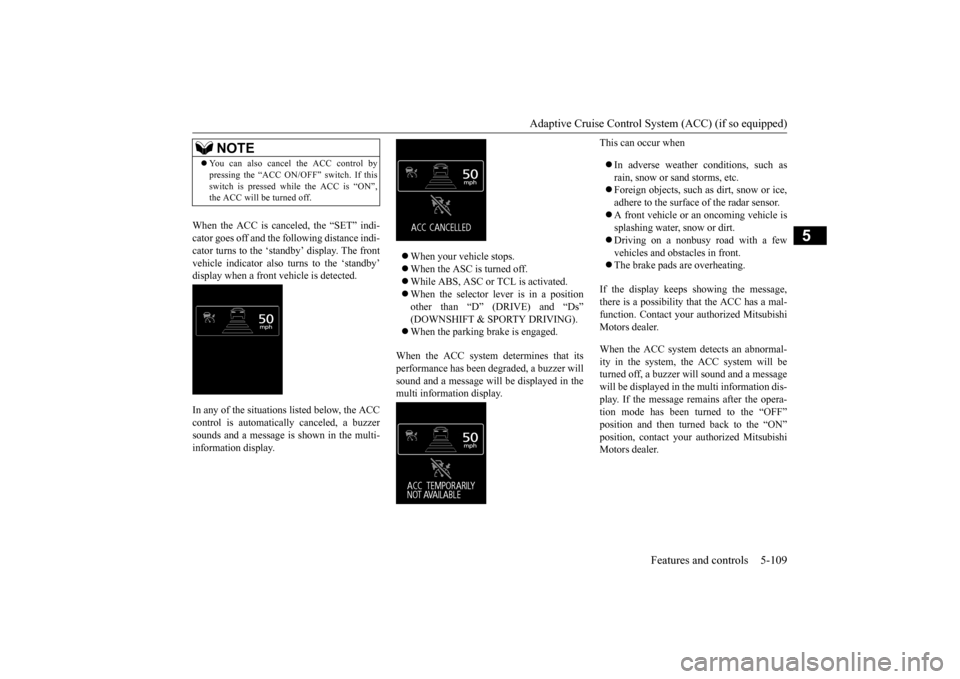
When the ACC is canceled, the “SET” indi- cator goes off and the following distance indi-cator turns to the ‘standby’ display. The front vehicle indicator also turns to the ‘standby’ display when a front vehicle is detected. In any of the situations listed below, the ACC control is automatically canceled, a buzzer sounds and a message is shown in the multi-information display.
When your vehicle stops. When the ASC is turned off. While ABS, ASC or TCL is activated. When the selector lever is in a position other than “D” (DRIVE) and “Ds” (DOWNSHIFT & SPORTY DRIVING). When the parking brake is engaged.
When the ACC system determines that its performance has been degraded, a buzzer will sound and a message will
be displayed in the
multi information display.
This can occur when In adverse weather conditions, such as rain, snow or sand storms, etc. Foreign objects, such as dirt, snow or ice, adhere to the surface
of the radar sensor.
A front vehicle or an oncoming vehicle is splashing water, snow or dirt. Driving on a nonbusy road with a few vehicles and obsta
cles in front.
The brake pads are overheating.
If the display keeps showing the message, there is a possibility that the ACC has a mal-function. Contact your
authorized Mitsubishi
Motors dealer. When the ACC system detects an abnormal- ity in the system, th
e ACC system will be
turned off, a buzzer w
ill sound and a message
will be displayed in the multi information dis- play. If the message remains after the opera-tion mode has been turned to the “OFF” position and then turned back to the “ON” position, contact your
authorized Mitsubishi
Motors dealer.
NOTE
You can also cancel the ACC control by pressing the “ACC ON/OFF” switch. If thisswitch is pressed while the ACC is “ON”,the ACC will be turned off.
BK0223400US.book 109 ページ 2015年2月13日 金曜日 午後12時15分
Page 186 of 464
Adaptive Cruise Control System (ACC) (if so equipped) 5-110 Features and controls
5
N00581800033
After the ACC control has been canceled with the ACC turned on, the ACC control can beresumed by pushing up
and releasing the
“RES +” switch.
N00581900021
With the ACC turned on, the distance between your vehicle an
d a vehicle ahead can
be selected from thre
e levels by pushing the
ACC distance switch. Each time the ACC distance switch is pus
hed, the following dis-
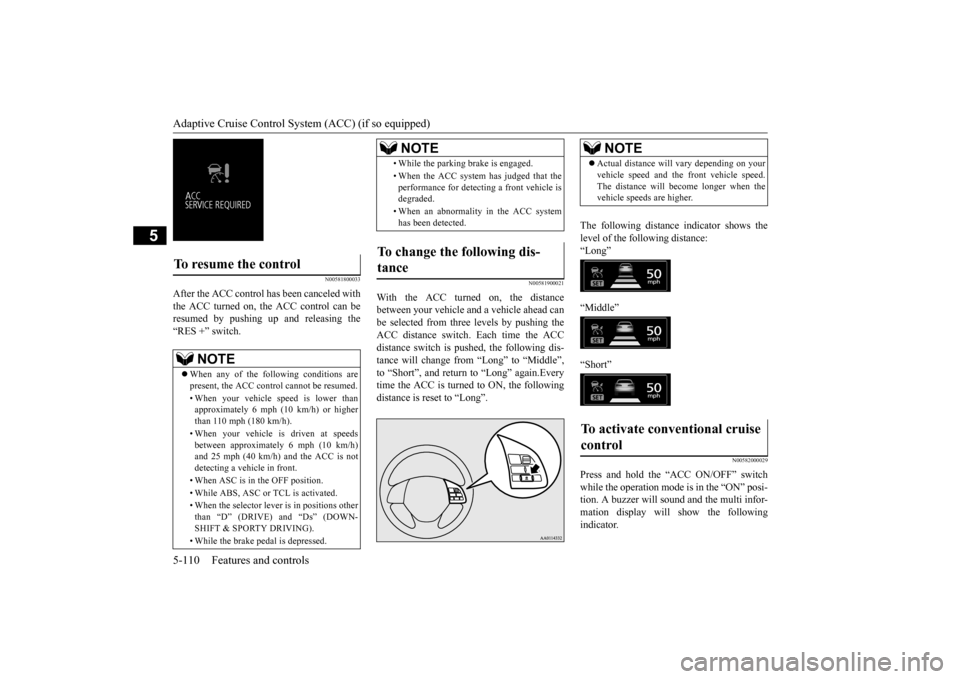
tance will change from “Long” to “Middle”, to “Short”, and return to “Long” again.Every time the ACC is turned to ON, the followingdistance is reset to “Long”.
The following distance indicator shows the level of the following distance:“Long” “Middle” “Short”
N00582000029
Press and hold the “ACC ON/OFF” switch while the operation mode is in the “ON” posi- tion. A buzzer will s
ound and the multi infor-
mation display will show the following indicator.
To resume the control
NOTE
When any of the following conditions are present, the ACC cont
rol cannot be resumed.
• When your vehicle speed is lower than approximately 6 mph (10 km/h) or higherthan 110 mph (180 km/h). • When your vehicle is driven at speeds between approximately 6 mph (10 km/h) and 25 mph (40 km/h) and the ACC is not detecting a vehi
cle in front.
• When ASC is in the OFF position. • While ABS, ASC or TCL is activated. • When the selector leve
r is in positions other
than “D” (DRIVE) and “Ds” (DOWN- SHIFT & SPORTY DRIVING). • While the brake pedal is depressed.
• While the parking brake is engaged.• When the ACC system has judged that the performance for detec
ting a front vehicle is
degraded. • When an abnormality in the ACC system has been detected.
To change the following dis- tance
NOTE
NOTE
Actual distance will vary depending on your vehicle speed and the front vehicle speed.The distance will become longer when thevehicle speeds are higher.
To activate conventional cruise control
BK0223400US.book 110 ページ 2015年2月13日 金曜日 午後12時15分
Page 187 of 464
Forward Collision Mitigation System (FCM) (if so equipped)
Features and controls 5-111
5
The conventional cruise
control is turned off
when the operation mode is tuned off. For operation of the cruise control, refer to“Cruise control” on page 5-96.
N00582100020
FCC ID:OAYARS3-B (for vehicles sold in the U.S.A) IC: 4135A-ARS3B (for vehicles sold in theCanada) This device complies with Part 15 of FCC Rules and Industry Ca
nada licence-exempt
RSS standard(s).Operation is subject to the following two con- ditions. this device may not
cause harmful inter-
ference.
this device must ac
cept any interference
received, including interference that maycause undesired operation.
N00577300040
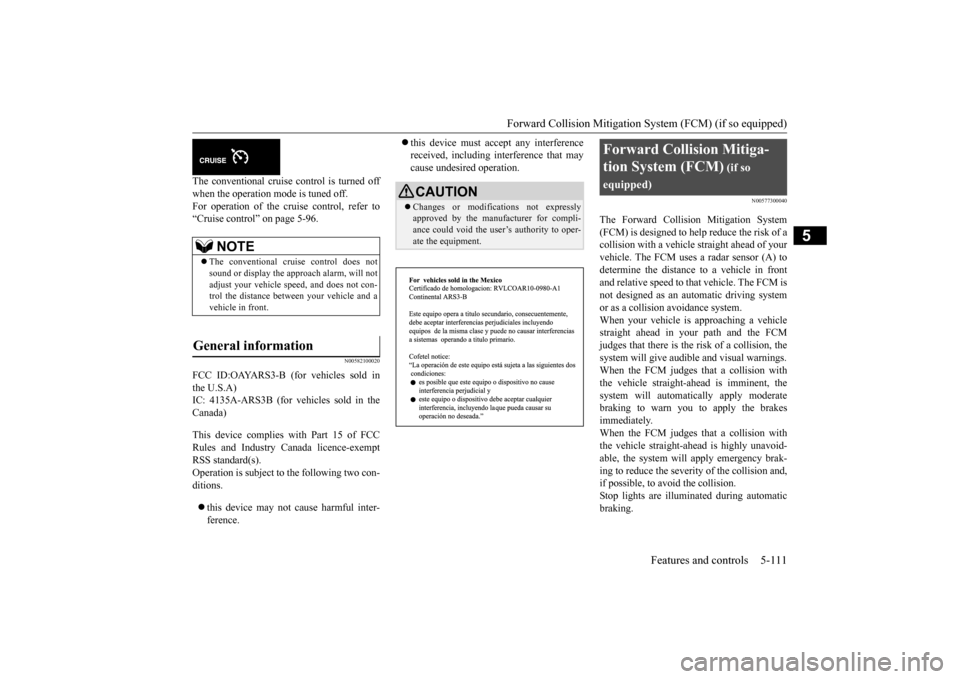
The Forward Collision Mitigation System(FCM) is designed to help reduce the risk of acollision with a vehicl
e straight ahead of your
vehicle. The FCM uses a radar sensor (A) to determine the distance to a vehicle in front and relative speed to th
at vehicle. The FCM is
not designed as an automatic driving systemor as a collision
avoidance system.
When your vehicle is approaching a vehicle straight ahead in your path and the FCMjudges that there is the ri
sk of a collision, the
system will give audibl
e and visual warnings.
When the FCM judges that a collision withthe vehicle straight-ahe
ad is imminent, the
system will automati
cally apply moderate
braking to warn you to apply the brakesimmediately. When the FCM judges that a collision with the vehicle straight-ahead is highly unavoid-able, the system will apply emergency brak- ing to reduce the severity of the collision and, if possible, to avoid the collision.Stop lights are illuminated during automatic braking.
NOTE
The conventional crui
se control does not
sound or display the approach alarm, will not adjust your vehicle sp
eed, and does not con-
trol the distance betw
een your vehicle and a
vehicle in front.
General information
CAUTION Changes or modifica
tions not expressly
approved by the manufacturer for compli- ance could void the user’s authority to oper- ate the equipment.
Forward Collision Mitiga- tion System (FCM)
(if so
equipped)
BK0223400US.book 111 ページ 2015年2月13日 金曜日 午後12時15分
Page 188 of 464
Forward Collision Mitigation System (FCM) (if so equipped) 5-112 Features and controls
5
N00577400025
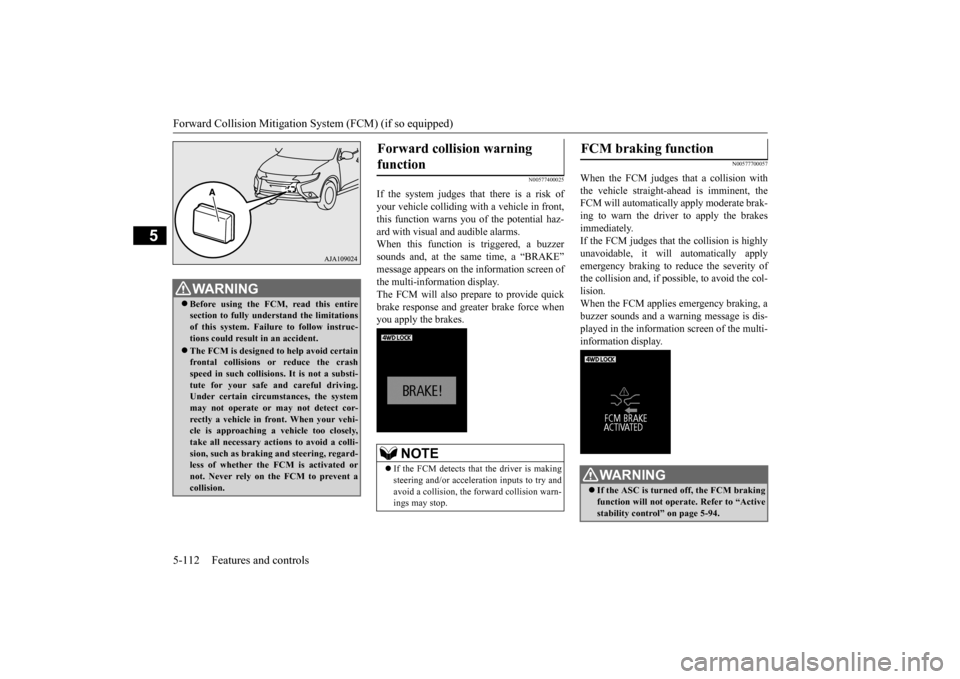
If the system judges that there is a risk of your vehicle colliding with a vehicle in front,this function warns you of the potential haz- ard with visual and audible alarms. When this function is triggered, a buzzersounds and, at the sa
me time, a “BRAKE”
message appears on the information screen of the multi-information display. The FCM will also pr
epare to provide quick
brake response and greater brake force whenyou apply the brakes.
N00577700057
When the FCM judges that a collision with the vehicle straight-ahead is imminent, the FCM will automatically apply moderate brak-ing to warn the driver to apply the brakes immediately. If the FCM judges that the collision is highlyunavoidable, it will automatically apply emergency braking to reduce the severity of the collision and, if possible, to avoid the col- lision. When the FCM applies emergency braking, abuzzer sounds and a warn
ing message is dis-
played in the information screen of the multi- information display.
WA R N I N G Before using the FCM, read this entire section to fully understand the limitationsof this system. Failure to follow instruc- tions could result in an accident. The FCM is desi
gned to help avoid certain
frontal collisions or reduce the crash speed in such collisions. It is not a substi-tute for your safe and careful driving. Under certain circumstances, the system may not operate or may not detect cor-rectly a vehicle in fr
ont. When your vehi-
cle is approaching a
vehicle too closely,
take all necessary actions to avoid a colli-sion, such as braking
and steering, regard-
less of whether the FCM is activated or not. Never rely on the FCM to prevent acollision.
Forward collision warning function
NOTE
If the FCM detects that the driver is making steering and/or accelera
tion inputs to try and
avoid a collision, the forward collision warn- ings may stop.
FCM braking function
WA R N I N G If the ASC is turned off, the FCM braking function will not operate. Refer to “Active stability control” on page 5-94.
BK0223400US.book 112 ページ 2015年2月13日 金曜日 午後12時15分
Page 191 of 464
Forward Collision Mitigation System (FCM) (if so equipped)
Features and controls 5-115
5
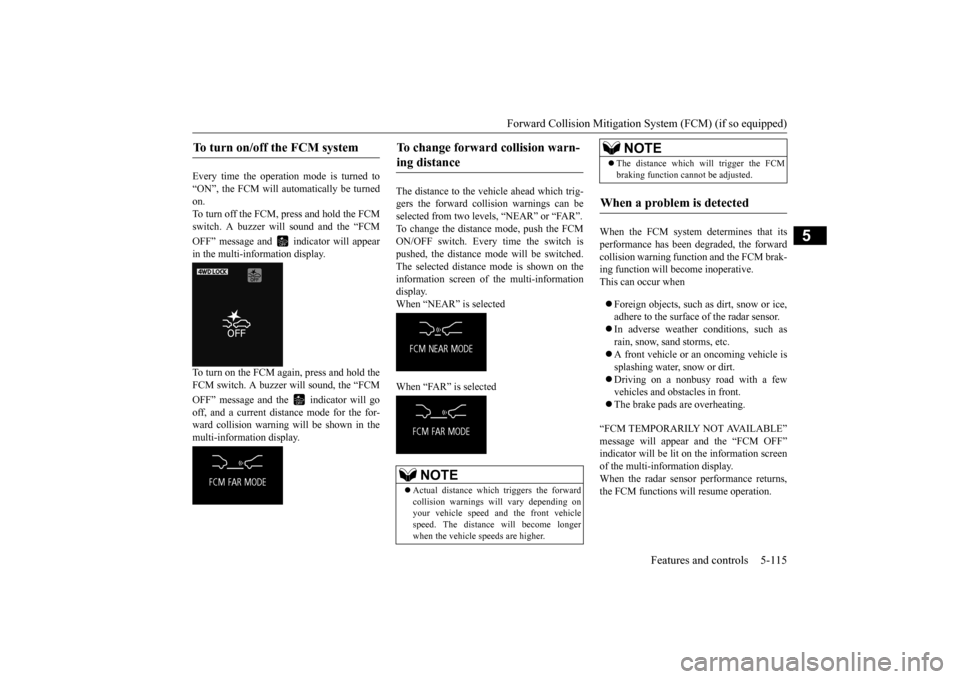
Every time the operation mode is turned to “ON”, the FCM will automatically be turned on.To turn off the FCM, press and hold the FCM switch. A buzzer wi
ll sound and the “FCM
OFF” message and in
dicator will appear
in the multi-information display. To turn on the FCM again, press and hold the FCM switch. A buzzer will sound, the “FCM OFF” message and the indicator will go off, and a current distance mode for the for- ward collision warning will be shown in themulti-information display.
The distance to the vehicle ahead which trig- gers the forward collision warnings can be selected from two levels, “NEAR” or “FAR”. To change the distance mode, push the FCMON/OFF switch. Every time the switch is pushed, the distance mode will be switched. The selected distance mode is shown on the information screen of the multi-information display. When “NEAR” is selected When “FAR” is selected
When the FCM system determines that its performance has been degraded, the forward collision warning function and the FCM brak-ing function will become inoperative. This can occur when Foreign objects, such as dirt, snow or ice, adhere to the surface
of the radar sensor.
In adverse weather conditions, such as rain, snow, sand storms, etc. A front vehicle or an oncoming vehicle is splashing water, snow or dirt. Driving on a nonbusy road with a few vehicles and obsta
cles in front.
The brake pads are overheating.
“FCM TEMPORARILY NOT AVAILABLE” message will appear and the “FCM OFF” indicator will be lit on the information screenof the multi-information display. When the radar sensor performance returns, the FCM functions will resume operation.
To turn on/off the FCM system
To change forward collision warn- ing distance
NOTE
Actual distance which
triggers the forward
collision warnings will vary depending on your vehicle speed a
nd the front vehicle
speed. The distance
will become longer
when the vehicle speeds are higher.
The distance which will trigger the FCM braking function cannot be adjusted.
When a problem is detected
NOTE
BK0223400US.book 115 ページ 2015年2月13日 金曜日 午後12時15分
Page 192 of 464
Lane Departure Warning System (LDW) (if so equipped) 5-116 Features and controls
5
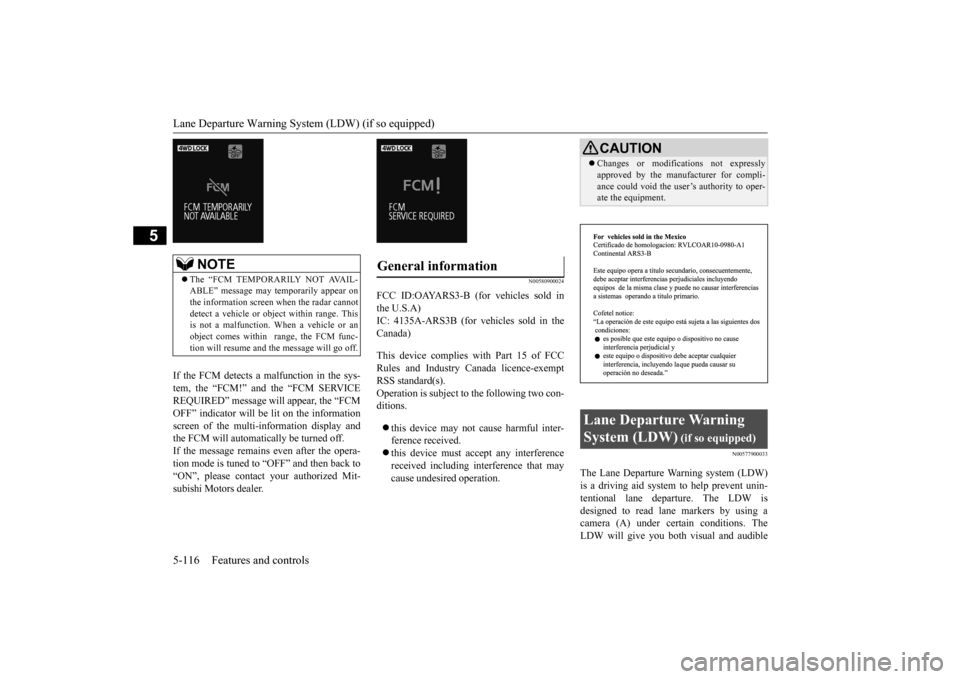
If the FCM detects a malfunction in the sys- tem, the “FCM!” and the “FCM SERVICEREQUIRED” message w
ill appear, the “FCM
OFF” indicator will be lit on the information screen of the multi-information display andthe FCM will automatically be turned off. If the message remains even after the opera- tion mode is tuned to
“OFF” and then back to
“ON”, please contact
your authorized Mit-
subishi Motors dealer.
N00580900024
FCC ID:OAYARS3-B (for vehicles sold in the U.S.A)IC: 4135A-ARS3B (for vehicles sold in the Canada) This device complies with Part 15 of FCC Rules and Industry Ca
nada licence-exempt
RSS standard(s). Operation is subject to the following two con- ditions. this device may not
cause harmful inter-
ference received. this device must ac
cept any interference
received including interference that maycause undesired operation.
N00577900033
The Lane Departure Wa
rning system (LDW)
is a driving aid system to help prevent unin- tentional lane departure. The LDW is designed to read lane markers by using acamera (A) under cert
ain conditions. The
LDW will give you both
visual and audible
NOTE
The “FCM TEMPORARILY NOT AVAIL- ABLE” message may temporarily appear on the information screen when the radar cannotdetect a vehicle or obj
ect within range. This
is not a malfunction.
When a vehicle or an
object comes within
range, the FCM func-
tion will resume and th
e message will go off.
General information
CAUTIONChanges or modifica
tions not expressly
approved by the manufacturer for compli-ance could void the user’s authority to oper-ate the equipment.
Lane Departure Warning System (LDW)
(if so equipped)
BK0223400US.book 116 ページ 2015年2月13日 金曜日 午後12時15分
Page 193 of 464
Lane Departure Warning System (LDW) (if so equipped)
Features and controls 5-117
5
warnings when your vehicle is leaving or has left the lane.
N00578000028
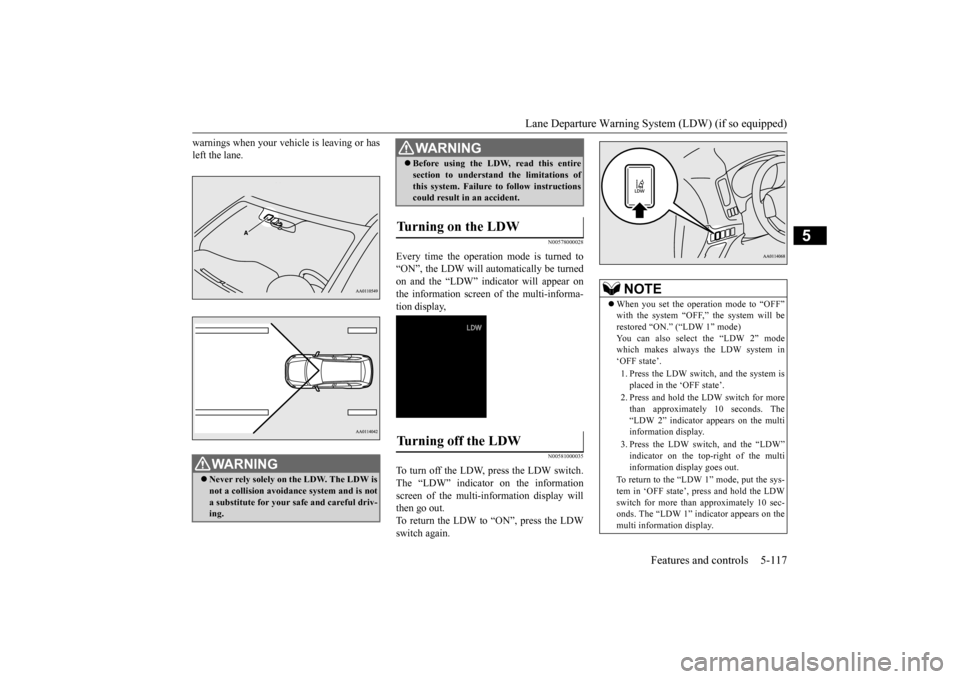
Every time the operation mode is turned to“ON”, the LDW will automatically be turnedon and the “LDW” indica
tor will appear on
the information screen of the multi-informa- tion display,
N00581000035
To turn off the LDW, press the LDW switch.The “LDW” indicator on the information screen of the multi-information display will then go out.To return the LDW to “ON”, press the LDW switch again.
WA R N I N G Never rely solely on the LDW. The LDW is not a collision avoidance system and is not a substitute for your safe and careful driv-ing.
Before using the LDW, read this entire section to understand the limitations ofthis system. Failure to follow instructionscould result in an accident.
Turning on the LDW
Turning off the LDW
WA R N I N G
NOTE
When you set the opera
tion mode to “OFF”
with the system “OFF,” the system will berestored “ON.”
(“LDW 1” mode)
You can also select the “LDW 2” mode which makes always the LDW system in‘OFF state’. 1. Press the LDW switch, and the system is placed in the ‘OFF state’. 2. Press and hold the LDW switch for more than approximately 10 seconds. The “LDW 2” indicator appears on the multi information display. 3. Press the LDW switch, and the “LDW” indicator on the top-
right of the multi
information display goes out.
To return to the “LDW 1” mode, put the sys- tem in ‘OFF state’, press and hold the LDW switch for more than approximately 10 sec- onds. The “LDW 1” indicator appears on themulti information display.
BK0223400US.book 117 ページ 2015年2月13日 金曜日 午後12時15分
Page 194 of 464
Lane Departure Warning System (LDW) (if so equipped) 5-118 Features and controls
5
N00581100023
The LDW, when turned ON, is capable of recognizing the lane in which your vehicle is travelling and issuing
an audible warning
when your vehicle begins to leave that travel lane. When operating, the “LDW” indicator on the multi-information display will be changed to indicator (green). The LDW will not operate, however, and the “LDW” indicator will be appear
ed if any of following
conditions have occurred: The vehicle speed is less than 38 mph (60 km/h). The turn signal lever is being operated or has been operated in
the past 7 seconds.
The hazard warning light is being oper- ated or has been operated in the past 7 seconds. The brake pedal is being depressed.
N00581200037
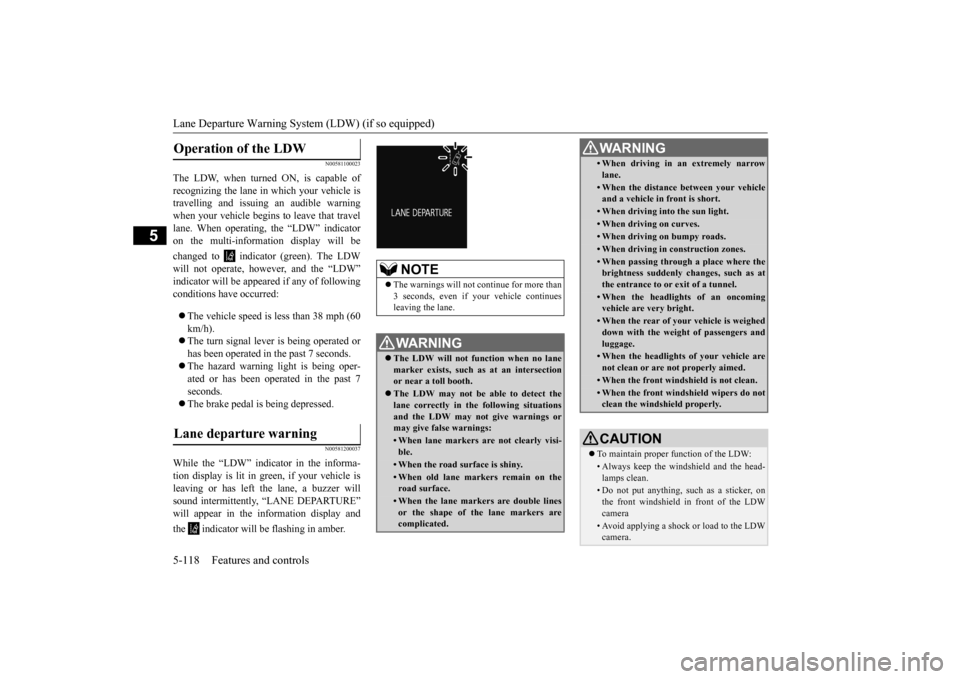
While the “LDW” indicator in the informa- tion display is lit in gr
een, if your vehicle is
leaving or has left
the lane, a buzzer will
sound intermittently, “LANE DEPARTURE” will appear in the in
formation display and
the indicator will
be flashing in amber.
Operation of the LDW
Lane departure warning
NOTE
The warnings will not continue for more than 3 seconds, even if your
vehicle continues
leaving the lane.WA R N I N G The LDW will not function when no lane marker exists, such as at an intersection or near a toll booth. The LDW may not be ab
le to detect the
lane correctly in the following situations and the LDW may not give warnings ormay give false warnings:• When lane markers are not clearly visi-ble.• When the road surface is shiny.• When old lane markers remain on the road surface.• When the lane markers are double linesor the shape of the lane markers are complicated.
• When driving in an extremely narrowlane.• When the distance between your vehicle and a vehicle in
front is short.
• When driving into the sun light.• When driving on curves.• When driving on bumpy roads.• When driving in construction zones.• When passing through a place where the brightness suddenly
changes, such as at
the entrance to or
exit of a tunnel.
• When the headlights
of an oncoming
vehicle are very bright. • When the rear of your vehicle is weigheddown with the weight of passengers and luggage.• When the headlights
of your vehicle are
not clean or are not properly aimed.• When the front windshield is not clean.• When the front windshield wipers do not clean the windshield properly.CAUTION To maintain proper function of the LDW:• Always keep the windshield and the head- lamps clean.• Do not put anything, su
ch as a sticker, on
the front windshield in front of the LDWcamera • Avoid applying a shock or load to the LDWcamera. WA R N I N G
BK0223400US.book 118 ページ 2015年2月13日 金曜日 午後12時15分
Page 195 of 464
Tire pressure monitoring system
Features and controls 5-119
5
N00578100029
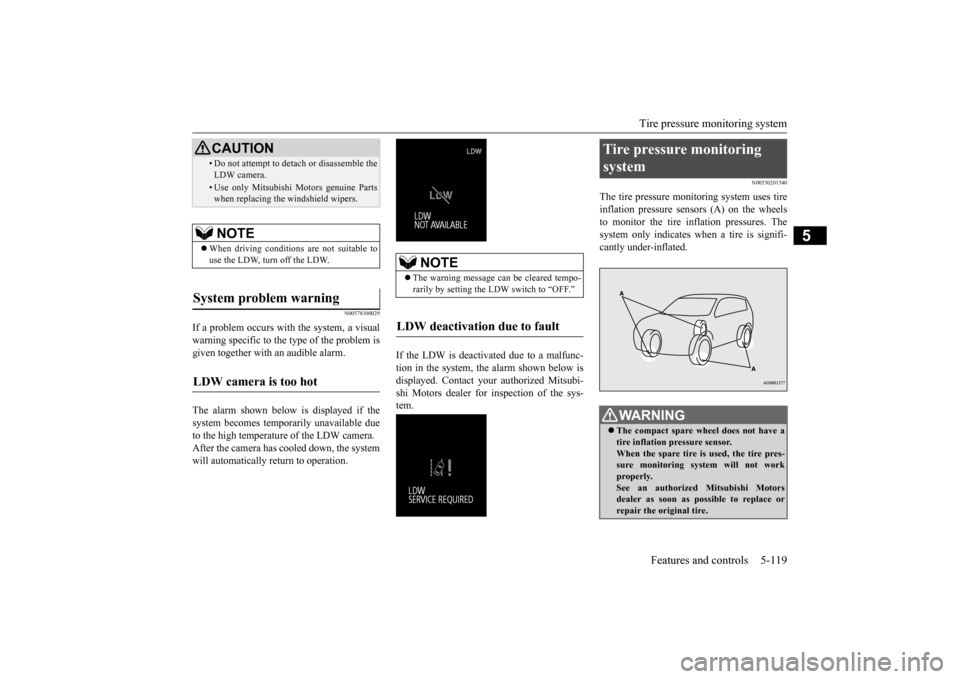
If a problem occurs with the system, a visual warning specific to the type of the problem is given together with an audible alarm. The alarm shown below is displayed if the system becomes temporarily unavailable due to the high temperature of the LDW camera.After the camera has cooled down, the system will automatically return to operation.
If the LDW is deactivated due to a malfunc- tion in the system, the alarm shown below isdisplayed. Contact your
authorized Mitsubi-
shi Motors dealer for inspection of the sys- tem.
N00530201540
The tire pressure monitoring system uses tire inflation pressure sensors (A) on the wheels to monitor the tire inflation pressures. Thesystem only indicates wh
en a tire is signifi-
cantly under-inflated.
• Do not attempt to deta
ch or disassemble the
LDW camera.• Use only Mitsubishi Mo
tors genuine Parts
when replacing the
windshield wipers.
NOTE
When driving conditions are not suitable to use the LDW, turn off the LDW.
System problem warning
LDW camera is too hot
CAUTION
NOTE
The warning message ca
n be cleared tempo-
rarily by setting the
LDW switch to “OFF.”
LDW deactivation due to fault
Tire pressure monitoring system
WA R N I N G The compact spare whee
l does not have a
tire inflation pressure sensor.When the spare tire is used, the tire pres- sure monitoring system will not work properly.See an authorized
Mitsubishi Motors
dealer as soon as possible to replace or repair the original tire.
BK0223400US.book 119 ページ 2015年2月13日 金曜日 午後12時15分
Page 196 of 464
Tire pressure monitoring system 5-120 Features and controls
5
N00532701334
When the ignition switch is turned to the “ON” position or the operation mode is put inON, the tire pressure monitoring system
warning light normally
illuminates and goes
off a few seconds later. If one or more of the vehicle tires (except for the spare tire) is signi
ficantly under-inflated,
the warning light will remain illuminated while the ignition switch is in the “ON” posi-tion or the operation mode is put in ON. Refer to “If the warning light / display illumi- nates while driving” on page 5-122 and takethe necessary measures.
NOTE
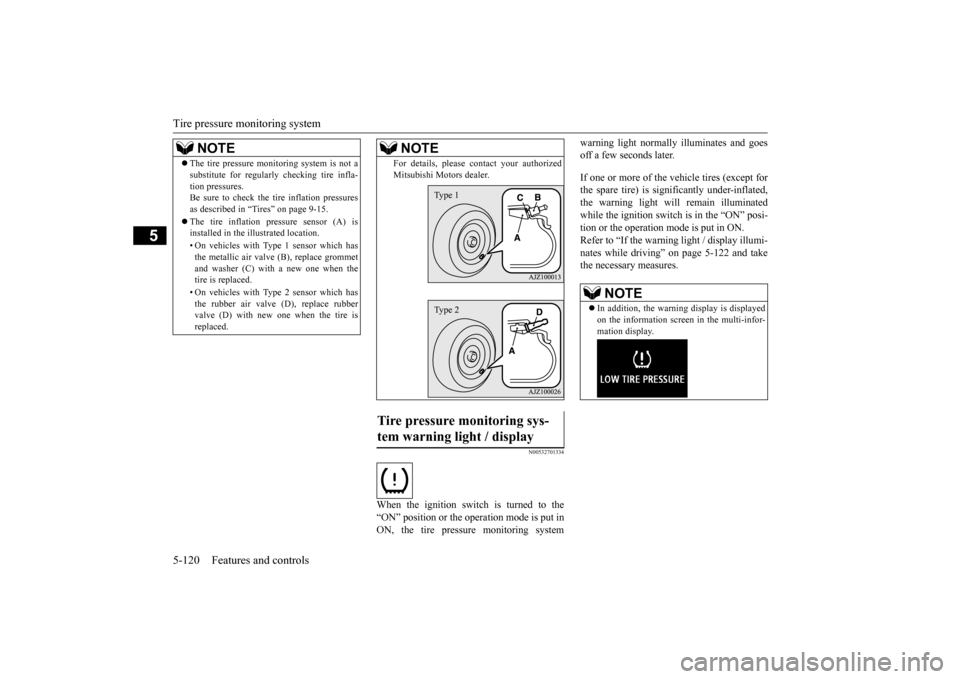
The tire pressure monitoring system is not a substitute for regularly
checking tire infla-
tion pressures.Be sure to check the tire inflation pressures as described in “Tires” on page 9-15. The tire inflation pressure sensor (A) is installed in the illustrated location. • On vehicles with Type 1 sensor which has the metallic air valve (B), replace grommet and washer (C) with a new one when thetire is replaced. • On vehicles with Type 2 sensor which has the rubber air valve (D), replace rubber valve (D) with new one when the tire is replaced.
For details, please
contact your authorized
Mitsubishi Motors dealer.
Tire pressure monitoring sys- tem warning light / display
NOTE
Type 1Type 2
NOTE
In addition, the warni
ng display is displayed
on the information screen in the multi-infor-mation display.
BK0223400US.book 120 ページ 2015年2月13日 金曜日 午後12時15分