lock MITSUBISHI OUTLANDER III 2016 Owners Manual
[x] Cancel search | Manufacturer: MITSUBISHI, Model Year: 2016, Model line: OUTLANDER III, Model: MITSUBISHI OUTLANDER III 2016Pages: 464, PDF Size: 60.77 MB
Page 166 of 464
Brake assist system 5-90 Features and controls
5
N00562700075
1. Stop the vehicle completely using the brake pedal. 2. Release the brake pedal and the hill startassist will maintain the braking force applied while stopping for approximately 2 seconds.
3. Depress the accelera
tor pedal and the hill
start assist gradually will decrease thebraking force as the vehicle starts moving.
N00562801103
If an abnormal condition occurs in the sys-tem, the following disp
lay/indicator will turn
on.
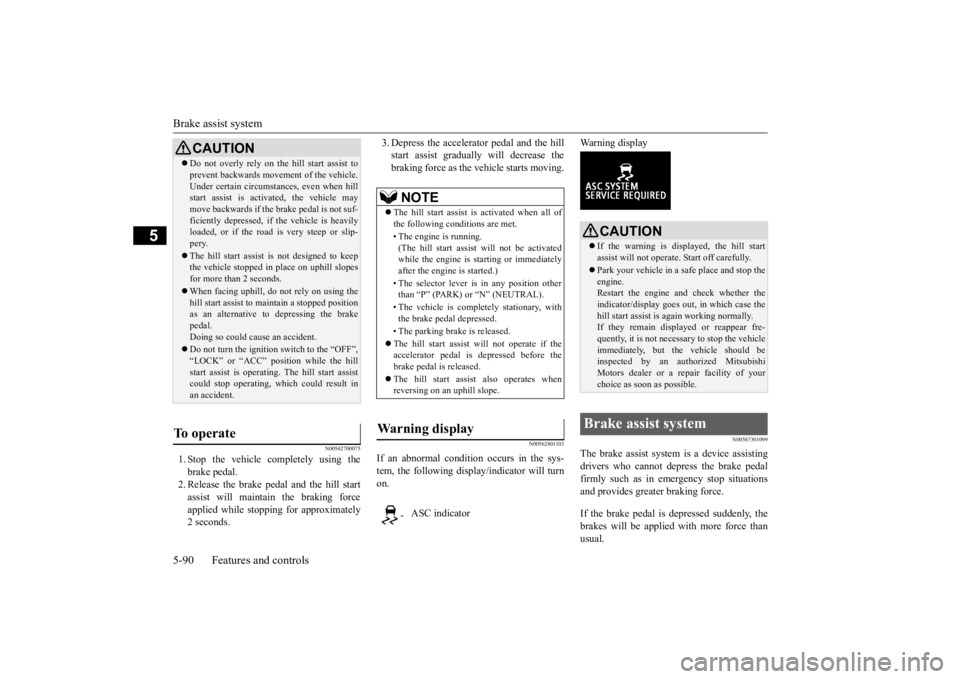
Warning display
N00567301099
The brake assist system
is a device assisting
drivers who cannot depress the brake pedal firmly such as in em
ergency stop situations
and provides greater braking force. If the brake pedal is depressed suddenly, the brakes will be applied
with more force than
usual.
CAUTION Do not overly rely on th
e hill start assist to
prevent backwards movement of the vehicle.Under certain circumstances, even when hillstart assist is activated, the vehicle may move backwards if the brake pedal is not suf- ficiently depressed, if
the vehicle is heavily
loaded, or if the road is very steep or slip- pery. The hill start assist
is not designed to keep
the vehicle stopped in
place on uphill slopes
for more than 2 seconds. When facing uphill, do not rely on using the hill start assist to ma
intain a stopped position
as an alternative to depressing the brake pedal. Doing so could cause an accident. Do not turn the igniti
on switch to the “OFF”,
“LOCK” or “ACC” pos
ition while the hill
start assist is operating. The hill start assist could stop operating, wh
ich could result in
an accident.
To operate
NOTE
The hill start assist is activated when all of the following conditions are met. • The engine is running. (The hill start assist
will not be activated
while the engine is st
arting or immediately
after the engine is started.) • The selector lever is
in any position other
than “P” (PARK) or “N” (NEUTRAL). • The vehicle is comple
tely stationary, with
the brake pedal depressed. • The parking brake is released. The hill start assist will not operate if the accelerator pedal is
depressed before the
brake pedal is released. The hill start assist also operates when reversing on an uphill slope.
Wa r n i n g d i s p l a y
- ASC indicator
CAUTION If the warning is displayed, the hill start assist will not operate. Start off carefully. Park your vehicle in a
safe place and stop the
engine.Restart the engine and check whether the indicator/display goes out
, in which case the
hill start assist is again working normally. If they remain displayed or reappear fre- quently, it is not necessary
to stop the vehicle
immediately, but th
e vehicle should be
inspected by an authorized Mitsubishi Motors dealer or a repair facility of your choice as soon as possible.
Brake assist system
BK0223400US.book 90 ページ 2015年2月13日 金曜日 午後12時15分
Page 167 of 464
Anti-lock braking system
Features and controls 5-91
5
N00517900240
The anti-lock braking system helps prevent the wheels from locking up when braking.This helps maintain vehicle drivability and steering wheel handling. When using the anti-lock brakes (sudden braking), steering is slightly different from normal driving conditions. Use the steering wheel carefully. Always keep a safe distance from the vehicle in front of you. Even if your vehi- cle is equipped with
the anti-lock braking
system, leave a greater braking distance when: • Driving on gravel or snow-coveredroads. • Driving on uneven road surfaces.
Operation of anti-lock braking system is not restricted situations where brakes areapplied suddenly. This system may also prevent the wheels from locking when you drive over manholes, steel roadworkplates, road markings
, or any uneven road
surface. When the anti-lock braking system is in use, you may feel the brake pedal vibrat- ing and hear a unique sound. It may also feel as if the pedal
resists being pressed.
In this situation, si
mply hold the brake
pedal down firmly. Do not pump thebrake, which will result in reduced braking performance.
CAUTION The brake assist system is not a device designed to exercise
braking force greater
than its capacity. Make sure to always keep asufficient distance be
tween vehicl
es in front
of you without relying too much on the brake assist system.NOTE
Once the brake assist system is operational, it maintains great braking force even if the brake pedal is lightly released. To stop its operation, completely removeyour foot from the brake pedal. The brake assist system may become opera- tional when the brake pedal is fully depressed even if it
has not been depressed
suddenly. When the brake assist system is in use while driving, you may feel as if the depressedbrake pedal is soft, the pedal moves in small motions in conjunction with the operation noise, or the vehicle body and the steeringwheel vibrate. This occurs when the brake assist system is ope
rating normally and does
not indicate faulty
operation. Continue to
depress the brake pedal. You may hear an operation noise when the brake pedal is suddenl
y or fully depressed
while stationary. This does not indicate a malfunction and the brake assist system is operating normally.
When the anti-lock brake system warning light or only active st
ability control warning
light illuminate, the brake assist system innot functioning.
Anti-lock braking system Driving hints
NOTE
CAUTION The anti-lock braking system cannot prevent accidents. It is your
responsibility to take
safety precautions a
nd to drive carefully.
To prevent failure of the anti-lock braking system, be sure all 4 wheels and tires are the same size and the same type.NOTE
A whining sound is emitted from the engine compartment when driving immediately after starting the engine. These are the nor-mal sounds the anti-lock braking system makes when performing a self-check. It does not indicate
a malfunction.
BK0223400US.book 91 ページ 2015年2月13日 金曜日 午後12時15分
Page 168 of 464
Anti-lock braking system 5-92 Features and controls
5
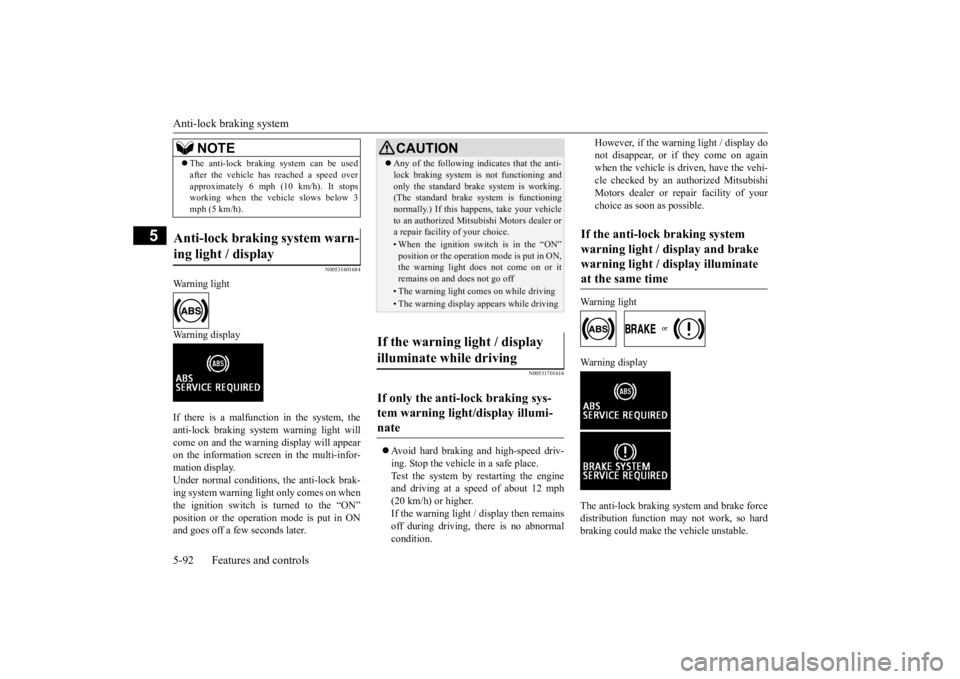
N00531601684
Warning light Warning display If there is a malfunction in the system, the anti-lock braking system warning light will come on and the warning display will appearon the information screen in the multi-infor- mation display. Under normal conditions, the anti-lock brak-ing system warning light only comes on when the ignition switch is turned to the “ON” position or the operation mode is put in ONand goes off a few seconds later.
N00531701614
Avoid hard braking and high-speed driv- ing. Stop the vehicl
e in a safe place.
Test the system by restarting the engineand driving at a speed of about 12 mph (20 km/h) or higher. If the warning light / display then remainsoff during driving, there is no abnormal condition.
However, if the warning light / display do not disappear, or if they come on againwhen the vehicle is driven, have the vehi- cle checked by an authorized Mitsubishi Motors dealer or repair facility of yourchoice as soon
as possible.
Warning light
Warning display The anti-lock braking system and brake force distribution function ma
y not work, so hard
braking could make the vehicle unstable.
The anti-lock braking system can be used after the vehicle has
reached a speed over
approximately 6 mph (10 km/h). It stopsworking when the vehicle slows below 3 mph (5 km/h).
Anti-lock braking system warn- ing light / display
NOTE
CAUTION Any of the following i
ndicates that the anti-
lock braking system is not functioning andonly the standard brake system is working.(The standard brake system is functioning normally.) If this happens, take your vehicle to an authorized Mitsubishi Motors dealer ora repair facility
of your choice.
• When the ignition switch is in the “ON” position or the operation mode is put in ON, the warning light doe
s not come on or it
remains on and does not go off• The warning light comes on while driving• The warning display appears while driving
If the warning light / display illuminate while driving If only the anti-lock braking sys- tem warning light/display illumi-nate
If the anti-lock braking system warning light / display and brake warning light / display illuminate at the same time
BK0223400US.book 92 ページ 2015年2月13日 金曜日 午後12時15分
Page 169 of 464
Electric power steering system (EPS)
Features and controls 5-93
5
Avoid hard braking and high-speed driving. Stop the vehicle in a safe place and contact anauthorized Mitsubishi Mo
tors dealer or repair
facility of your choice.
N00529201090
After driving on snow or icy roads, remove any snow and ice which may have be leftaround the wheels. On vehicles that have an anti-lock braking syst
em, be careful not to
damage the wheel spee
d sensors (A) or the
cables located at each wheel.
N00568401084
The power steering system operates while the engine is running. It helps reduce the effort needed to turn the steering wheel.The power steering sy
stem has mechanical
steering capability in case the power assist is lost. If the power assist is lost for some rea-son, you will still be able to steer your vehi- cle, but you will notice it takes much more effort to steer. If this happens, have your vehi- cle inspected at an authorized Mitsubishi Motors dealer or a repair facility of yourchoice.
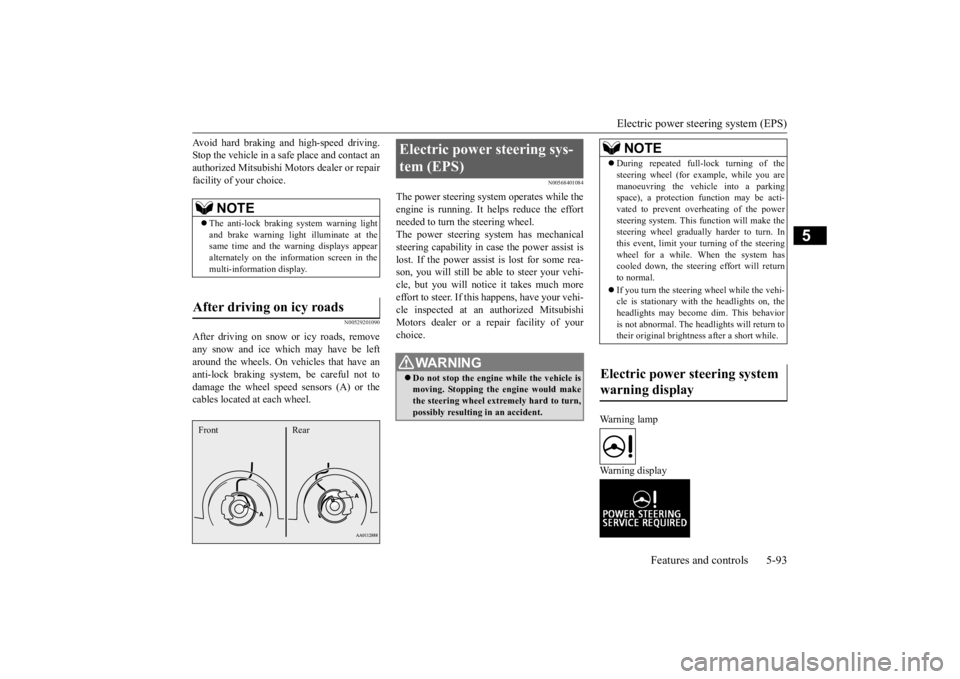
Warning lamp Warning display
NOTE
The anti-lock braking
system warning light
and brake warning light illuminate at the same time and the wa
rning displays appear
alternately on the information screen in the multi-information display.
After driving on icy roads Front Rear
Electric power steering sys- tem (EPS)
WA R N I N G Do not stop the engine while the vehicle is moving. Stopping the engine would make the steering wheel extremely hard to turn, possibly resulting
in an ac
cident.
NOTE
During repeated full-lock turning of the steering wheel (for example, while you aremanoeuvring the vehicle into a parkingspace), a protection f
unction may be acti-
vated to prevent overheating of the power steering system. This f
unction will make the
steering wheel graduall
y harder to turn. In
this event, limit your turning of the steering wheel for a while. When the system hascooled down, the steering effort will return to normal. If you turn the steering wheel while the vehi- cle is stationary with the headlights on, the headlights may become
dim. This behavior
is not abnormal. The he
adlights will return to
their original brightness after a short while.
Electric power steering system warning display
BK0223400US.book 93 ページ 2015年2月13日 金曜日 午後12時15分
Page 170 of 464
Active stability control (ASC) 5-94 Features and controls
5
If there is a malfunction in the system, the warning light will come on and the warningdisplay will appear on the information screen in the multi information display. Under normal conditions, the warning lightcome on when the ignition switch is turned to the “ON” position or the operation mode is put in ON, and goes off after the engine hasstarted.
N00559100147
The Active stability
control (ASC) takes
overall control of the
anti-lock braking sys-
tem, traction control function and skid control function to help maintain the vehicle’s controland traction. Please read
this section in con-
junction with the page on the anti-lock brak- ing system, traction control function and skidcontrol function. Anti-lock braking system
P.5-91
Traction control function
P.5-94
Skid control function
P.5-94
N00559200021
On slippery surfaces, the traction control function prevents the drive wheels from spin- ning excessive, thus helping the vehicle tostart moving from a stopp
ed condition.
It also
provides sufficient driv
ing force and steering
performance as the vehicle turns while press-ing the acceleration pedal.
N00559300019
The skid control function is designed to helpthe driver maintain control of the vehicle on slippery roads or during rapid steering
CAUTION If the warning display appears while the engine is running, have
the vehicle inspected
by an authorized Mitsubishi Motors dealer or a repair facility of
your choice as soon as
possible. It may become harder to turn thesteering wheel.
Active stability control (ASC)
CAUTION Do not over-rely on the ASC. Even the ASC cannot prevent the natural laws of physics from acting on the vehicle. This system, like any other system, has
limits and cannot help
you to maintain traction and control of the vehicle in all circumstances. Reckless driv- ing can lead to accident
s. It is the driver’s
responsibillty to drive carefully, This means taking into account the traffic, road and envi- ronmental conditions. Be sure to use the same specified type and size of tire on all four
wheels. Otherwise, the
ASC may not work properly. Do not install any aftermarket limited slip differential (LSD) on your vehicle. The ASC may stop functioning properly.NOTE
An operation noise may be emitted from the engine compartment in the following situa-tions. The sound is associated with checkingthe operations of the ASC. At this time, you may feel a shock from the brake pedal if you depress it. These do not
indicate a malfunc-
tion. • When the ignition switch is set to the “ON” position. • When the vehicle is driven for a while after the engine is turned on.
When the ASC is acti
vated, you may feel a
vibration in the vehicl
e body or hear a whin-
ing sound from the engine compartment.This indicates that th
e system is operating
normally. It does not i
ndicate a malfunction.
When the anti-lock braking system warning light is illuminated, the ASC is not active.
Traction control function
CAUTION When driving a vehicle on a snowy or icy road, be sure to install snow tires and drive the vehicle at moderate speeds.
Skid control function
NOTE
BK0223400US.book 94 ページ 2015年2月13日 金曜日 午後12時15分
Page 172 of 464
Cruise control (if so equipped) 5-96 Features and controls
5
N00546601129
If an abnormal condition occurs in the sys- tem, the following display/indicator will turn on. Warning display
N00546301070
N00518301626
Cruise control is an automatic speed control system that keeps a set speed. It can be acti-vated at speeds from about 25 mph (40 km/h). Cruise cont
rol does not work at
speeds below about 25 mph (40 km/h).
NOTE
The indicator may come on when you start the engine. This means that the battery voltage momentarily dropped when theengine was started. It
does not indicate a
malfunction, provided th
at the display goes
out immediately. When a spare tire has been put on your vehi- cle, the gripping ability of the tire will be lower, making it more
likely that the dis-
play/indicator will blink.
ASC warning display
-
ASC indicator
-
ASC OFF indicator
CAUTION The system may be malfunctioning. Park your vehicle in a
safe place and stop the
engine. Restart the engi
ne and check whether
the display/indicator goes out. If they go out, there is no abnormal condition. If they do not go out or if they turn on frequently, it is notnecessary to stop the
vehicle immediately,
but you should have your
vehicle inspected
by an authorized Mitsubishi Motors dealer ora repair facility of
your choice as soon as
possible.
To w i n g
CAUTION If the 2WD vehicle is
towed with the ignition
switch in the “ON” pos
ition or the operation
mode in ON and only the front wheels or only the rear wheels raised off the ground, the ASC may operate, resulting in an acci-dent. When towing the 2WD vehicle with the front wheels raised, ke
ep the ignition switch
in the “OFF”, “LOCK”
or “ACC” position or
the operation mode in ACC or OFF. Whentowing the vehicle with the rear wheels raised, keep the ignition switch in the “ACC” position or the operation mode in ACC.Refer to “Towing” on page 8-14.
Cruise control
(if so equipped)
CAUTION When you do not wish to drive at a set speed, turn off the cruise control for safety. Do not use cruise control when driving con- ditions will not allow
you to stay at the same
speed, such as in heavy traffic or on roads that are winding, icy, snow-covered, wet,slippery, on a steep downhill slope.NOTE
Cruise control may not
be able to keep your
speed on uphills or downhills. Your speed may decr
ease on a steep uphill.
You may use the accelerator pedal if you want to stay at your set speed. Your speed may increase to more than the set speed on a steep downhill. You have to use the brake to control your speed. As a result,the set speed driving is deactivated.
BK0223400US.book 96 ページ 2015年2月13日 金曜日 午後12時15分
Page 204 of 464
Multi Information display - Type 1 5-128 Features and controls
5
N00555001347
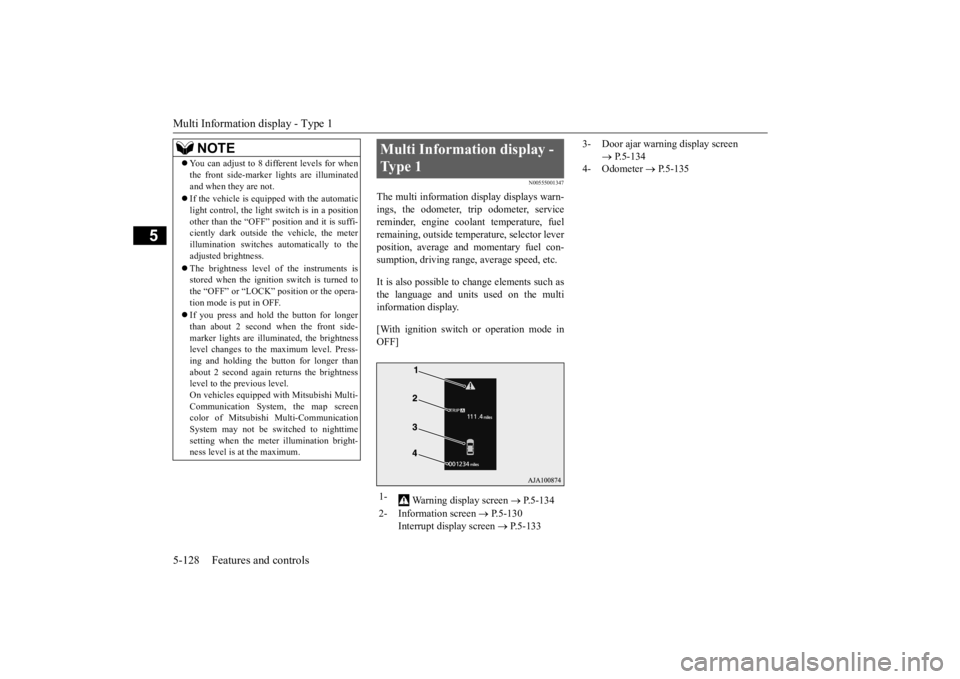
The multi information display displays warn- ings, the odometer, tr
ip odometer, service
reminder, engine cool
ant temperature, fuel
remaining, outside temper
ature, selector lever
position, average and momentary fuel con- sumption, driving range, average speed, etc. It is also possible to change elements such as the language and units used on the multi information display. [With ignition switch
or operation mode in
OFF]
NOTE
You can adjust to 8 different levels for when the front side-marker
lights are illuminated
and when they are not. If the vehicle is equipped with the automatic light control, the light
switch is in a position
other than the “OFF” pos
ition and it is suffi-
ciently dark outside the vehicle, the meter illumination switches automatically to theadjusted brightness. The brightness level
of the instruments is
stored when the ignition switch is turned to the “OFF” or “LOCK”
position or the opera-
tion mode is put in OFF. If you press and hold the button for longer than about 2 second when the front side-marker lights are illum
inated, the brightness
level changes to the
maximum level. Press-
ing and holding the button for longer thanabout 2 second again returns the brightness level to the previous level. On vehicles e
quipped with Mitsubishi Multi-
Communication System
, the map screen
color of Mitsubishi Multi-Communication System may not be sw
itched to nighttime
setting when the mete
r illumination bright-
ness level is at the maximum.
Multi Information display - Type 1 1-
Warning display screen
P.5-134
2- Information screen
P.5-130
Interrupt display screen
P.5-133
3- Door ajar warning display screen
P.5-134
4- Odometer
P.5-135
BK0223400US.book 128 ページ 2015年2月13日 金曜日 午後12時15分
Page 206 of 464
Multi Information display - Type 1 5-130 Features and controls
5
average and momentary fuel consumption, distance range, etc.It is also possible to change elements such as the language and units used on the multi information display by operating the multiinformation display switch.
N00555301177
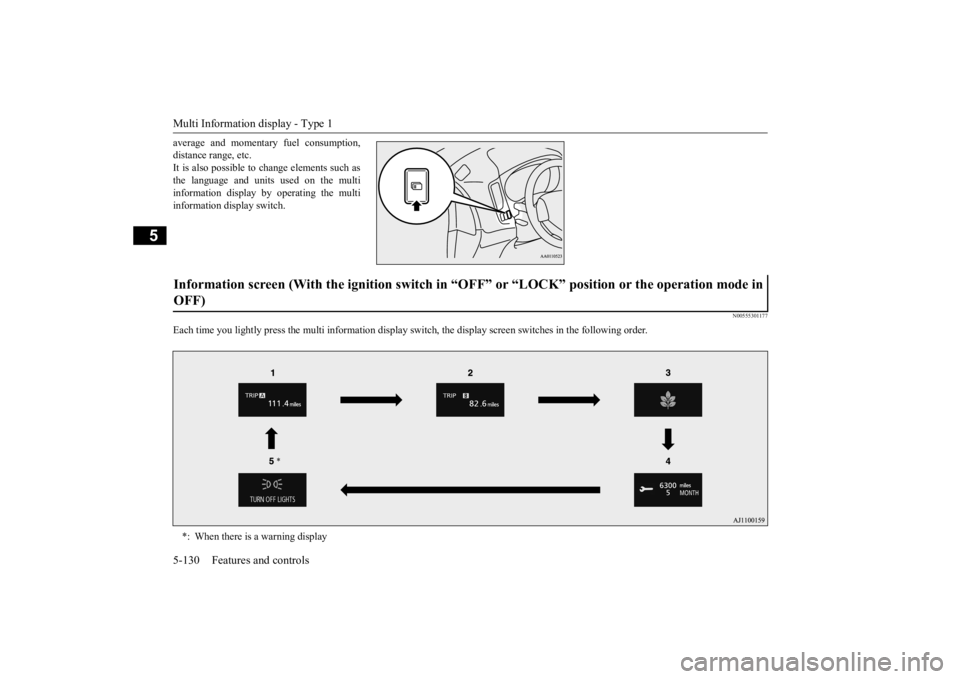
Each time you lightly press th
e multi information display switch, the displa
y screen switches in the following order.
Information screen (With the igniti
on switch in “OFF” or “LOCK” po
sition or the operation mode in
OFF) *: When there is a warning display
BK0223400US.book 130 ページ 2015年2月13日 金曜日 午後12時15分
Page 207 of 464
Multi Information display - Type 1
Features and controls 5-131
5
N00555801202
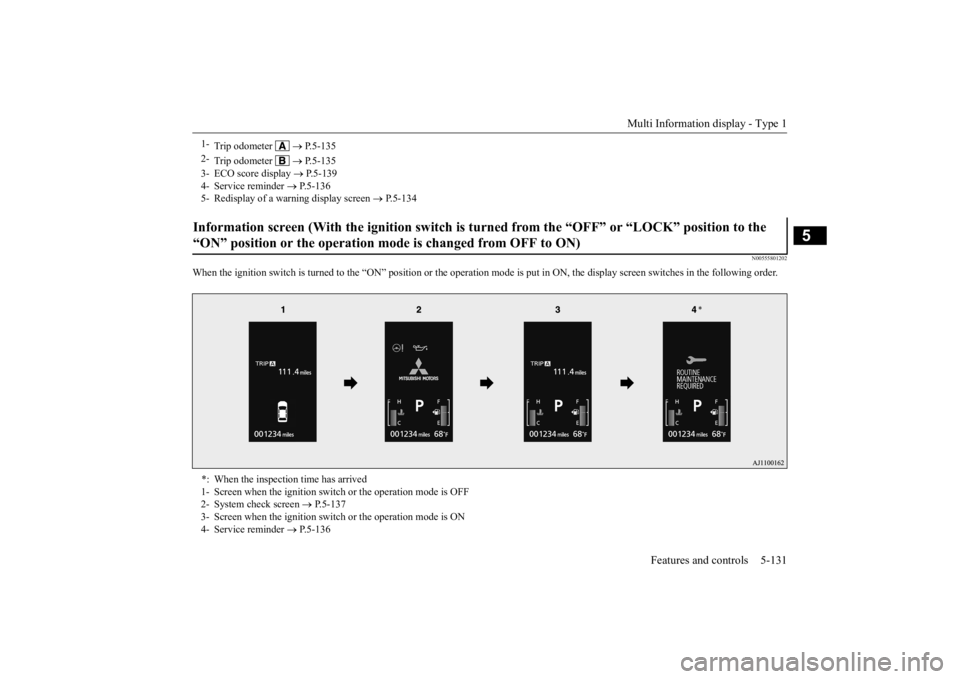
When the ignition switch is turned to the
“ON” position or the operation m
ode is put in ON, the disp
lay screen switches in the
following order.
1-
Trip odometer
P.5-135
2-
Trip odometer
P.5-135
3- ECO score display
P.5-139
4- Service reminder
P.5-136
5- Redisplay of a warning display screen
P.5-134
Information screen (With the igniti
on switch is turned from the “O
FF” or “LOCK” position to the
“ON” position or the operation mo
de is changed from OFF to ON)
*: When the inspection time has arrived 1- Screen when the ignition switch
or the operation mode is OFF
2- System check screen
P.5-137
3- Screen when the ignition switch
or the operation mode is ON
4- Service reminder
P.5-136
BK0223400US.book 131 ページ 2015年2月13日 金曜日 午後12時15分
Page 210 of 464
Multi Information display - Type 1 5-134 Features and controls
5
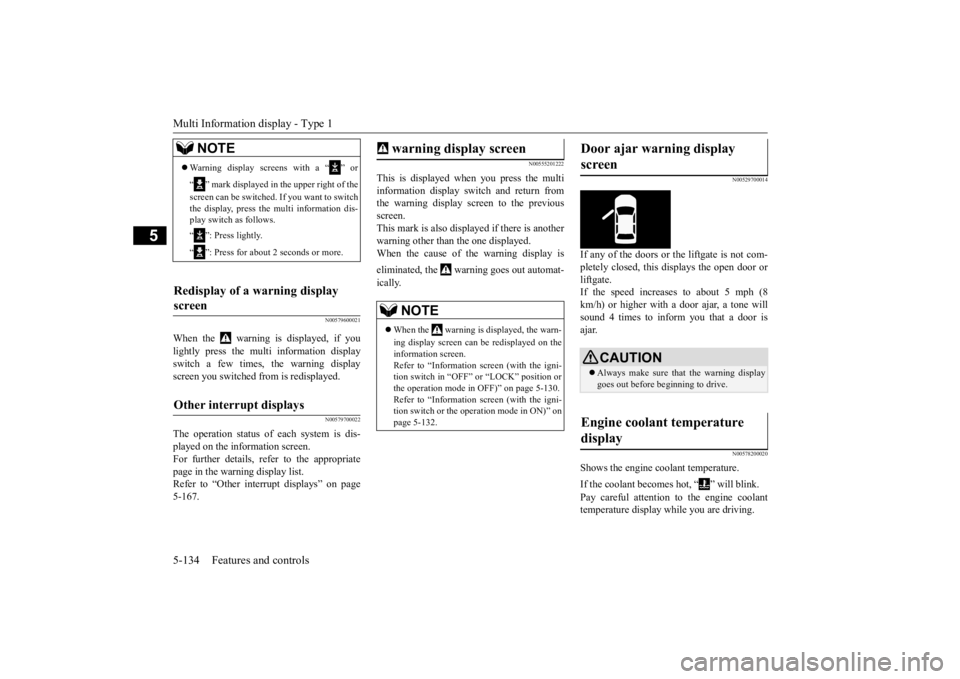
N00579600021
When the warning is displayed, if you lightly press the multi information display switch a few times, the warning display screen you switched from is redisplayed.
N00579700022
The operation status of
each system is dis-
played on the information screen.For further details, refer to the appropriate page in the warning display list. Refer to “Other interrupt displays” on page5-167.
N00555201222
This is displayed when you press the multi information display switch and return from the warning display screen to the previousscreen. This mark is also displa
yed if there is another
warning other than the one displayed.When the cause of the warning display is eliminated, the warning goes out automat- ically.
N00529700014
If any of the doors or the liftgate is not com- pletely closed, this displays the open door or liftgate. If the speed increases to about 5 mph (8 km/h) or higher with a door ajar, a tone will sound 4 times to inform you that a door isajar.
N00578200020
Shows the engine coolant temperature. If the coolant becomes hot, “ ” will blink. Pay careful attention to
the engine coolant
temperature display while you are driving.
NOTE
Warning display screens with a “ ” or “ ” mark displayed in the upper right of the screen can be switched
. If you want to switch
the display, press the multi information dis-play switch as follows. “ ”: Press lightly. “ ”: Press for about 2 seconds or more.
Redisplay of a warning display screen Other interrupt displays
warning display screen
NOTE
When the warning is displayed, the warn- ing display screen can
be redisplayed on the
information screen.Refer to “Information sc
reen (with the igni-
tion switch in “OFF” or “LOCK” position or the operation mode in OFF)” on page 5-130.Refer to “Information sc
reen (with the igni-
tion switch or the oper
ation mode in ON)” on
page 5-132.
Door ajar warning display screen
CAUTION Always make sure that
the warning display
goes out before beginning to drive.
Engine coolant temperature display
BK0223400US.book 134 ページ 2015年2月13日 金曜日 午後12時15分