lock MITSUBISHI OUTLANDER III 2016 Workshop Manual
[x] Cancel search | Manufacturer: MITSUBISHI, Model Year: 2016, Model line: OUTLANDER III, Model: MITSUBISHI OUTLANDER III 2016Pages: 464, PDF Size: 60.77 MB
Page 106 of 464

Free-hand Advanced
Security Transmitter (F.A.S
.T.-key) (if so equipped)
5-30 Features and controls
5
The horn and turn signal lights of the keyless entry system answerback function can be changed as required. This is done with thekey removed from the ignition switch. The answerback function can be set in the following three ways. 1. Put the operation mode in OFF. 2. Open the driver’s door and turn the com- bination headlights and dimmer switch to the “OFF” position.3. Press the LOCK button (1) for 4 to 10 sec- onds and press the UNLOCK button (2) during this time.4. Release in sequence the UNLOCK and LOCK buttons within 10 seconds of pressing the UNLOCK button in step 3.
The answerback function from the turn signal lights can be turned ON or OFF separately. 1. Put the operation mode in OFF. 2. Open the driver’s door and turn the com- bination headlights and dimmer switch tothe “OFF” position. 3. Press the UNLOCK button (2) for 4 to 10 seconds and press the LOCK button (1)during this time. 4. Release in sequence the UNLOCK and LOCK buttons within 10 seconds ofpressing the LOCK button in step 3.
The buzzer answerback function can be turned ON or OFF as required.
N00544601095
The door and liftgate
unlock function can be
set to the following two conditions. Each time the door and
liftgate unlock func-
tion is set, a chime wi
ll sound to tell you the
Answerback function
Horn deactivation/reactivation One chime: The horn will not sound. Two chimes: The horn will sound.Four chimes: The hor
n will sound if the
LOCK button is pressed twice within 1 second.
NOTE
On a vehicle equippe
d with a Mitsubishi
Multi-Communication System, the functionscan be adjusted on the screen. For details,refer to the separa
te operation manual.
Turn signal light deactivation/reactiva- tionNumber of chimes
To l o c k
To u n l o c k
One chime One flash Two flashes Two chimes One flash No flash Three chimes No flash Two flashes Four chimes Two flashes One flash Five chimes No flash One flash
Six chimes Two flashes No flashSeven chimes No flash No flash
NOTE
On a vehicle equippe
d with a Mitsubishi
Multi-Communication System, the functions can be adjusted on the screen. For details, refer to the separate operation manual.
Buzzer deactivation/reactivation
NOTE
On a vehicle equippe
d with a Mitsubishi
Multi-Communication System, the functionscan be adjusted on the screen. For details, refer to a separa
te operation manual.
Setting of door and liftgate unlock function
Number of chimes
To l o c k
To unlock
BK0223400US.book 30 ページ 2015年2月13日 金曜日 午後12時15分
Page 107 of 464
Free-hand Advanced Securi
ty Transmitter (F.A.S.T.-key) (if so equipped)
Features and controls 5-31
5
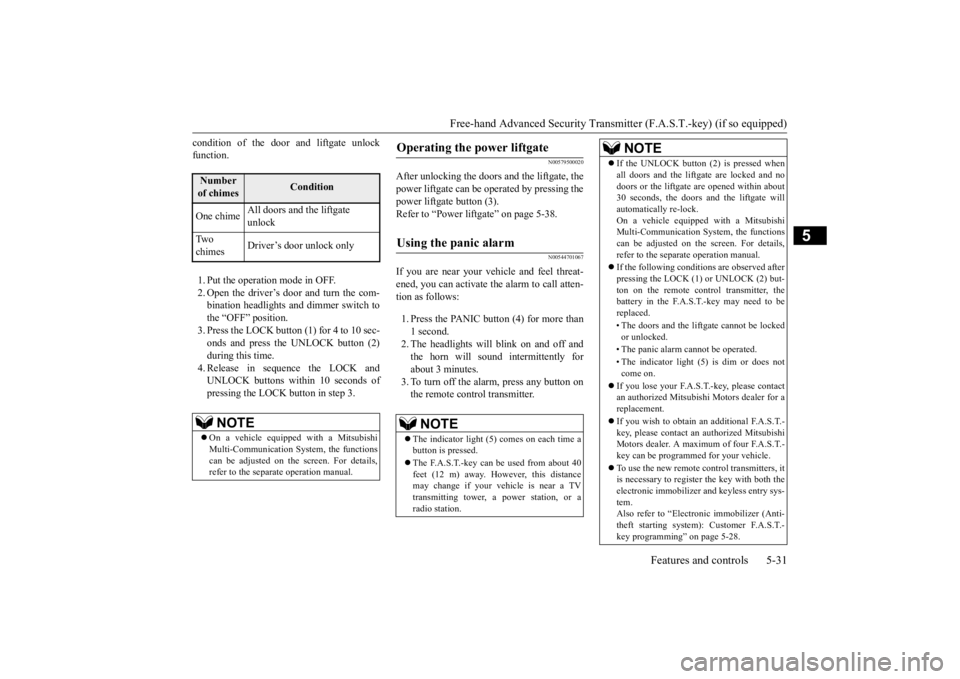
condition of the door and liftgate unlock function. 1. Put the operation mode in OFF. 2. Open the driver’s door and turn the com- bination headlights and dimmer switch tothe “OFF” position. 3. Press the LOCK button (1) for 4 to 10 sec- onds and press the UNLOCK button (2)during this time. 4. Release in sequence the LOCK and UNLOCK buttons within 10 seconds ofpressing the LOCK button in step 3.
N00579500020
After unlocking the doors and the liftgate, the power liftgate can be operated by pressing the power liftgate button (3).Refer to “Power lift
gate” on page 5-38.
N00544701067
If you are near your vehicle and feel threat- ened, you can activate the alarm to call atten- tion as follows: 1. Press the PANIC button (4) for more than 1 second. 2. The headlights will blink on and off and the horn will sound intermittently forabout 3 minutes. 3. To turn off the alarm, press any button on the remote control transmitter.
Number of chimes
Condition
One chime
All doors and the liftgate unlock
Tw o chimes
Driver’s door unlock only
NOTE
On a vehicle equippe
d with a Mitsubishi
Multi-Communication System, the functions can be adjusted on the screen. For details, refer to the separa
te operation manual.
Operating the power liftgate
Using the panic alarm
NOTE
The indicator light (5) comes on each time a button is pressed. The F.A.S.T.-key can be used from about 40 feet (12 m) away. However, this distance may change if your vehicle is near a TVtransmitting tower, a power station, or a radio station.
If the UNLOCK button (2) is pressed when all doors and the liftgate are locked and nodoors or the liftgate
are opened within about
30 seconds, the doors and the liftgate will automatically re-lock. On a vehicle equipped with a MitsubishiMulti-Communication System, the functions can be adjusted on the screen. For details, refer to the separa
te operation manual.
If the following conditions are observed after pressing the LOCK (1) or UNLOCK (2) but-ton on the remote control transmitter, the battery in the F.A.S.T.-key may need to be replaced. • The doors and the liftgate cannot be locked or unlocked. • The panic alarm
cannot be operated.
• The indicator light
(5) is dim or does not
come on.
If you lose your F.A.S.T.-key, please contact an authorized Mitsubishi Motors dealer for a replacement. If you wish to obtain an additional F.A.S.T.- key, please contact an
authorized Mitsubishi
Motors dealer. A maximum of four F.A.S.T.- key can be programme
d for your vehicle.
To use the new remote control transmitters, it is necessary to register
the key with both the
electronic immobilizer
and keyless entry sys-
tem. Also refer to “Electronic immobilizer (Anti- theft starting system): Customer F.A.S.T.-key programming” on page 5-28.NOTE
BK0223400US.book 31 ページ 2015年2月13日 金曜日 午後12時15分
Page 109 of 464
Door locks
Features and controls 5-33
5
N00509201544
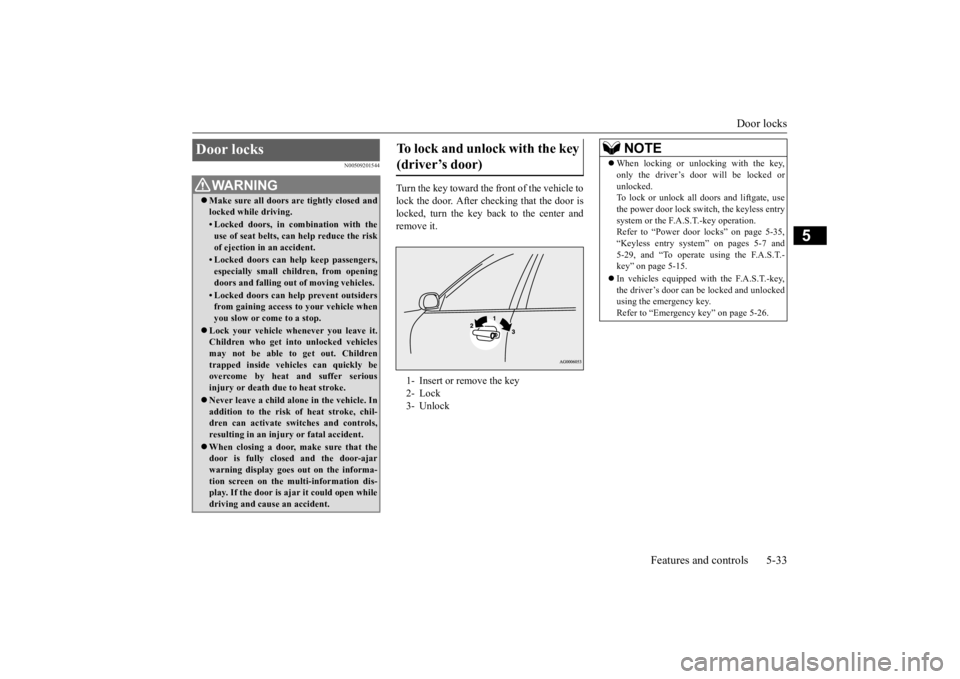
Turn the key toward the front of the vehicle to lock the door. After checking that the door is locked, turn the key back to the center andremove it.
Door locks
WA R N I N G Make sure all doors are tightly closed and locked while driving.• Locked doors, in co
mbination with the
use of seat belts, can help reduce the riskof ejection in
an accident.
• Locked doors can help keep passengers, especially small children, from opening doors and falling out
of moving vehicles.
• Locked doors can help
prevent outsiders
from gaining access to your vehicle when you slow or come to a stop.
Lock your vehicle when
ever you leave it.
Children who get into unlocked vehiclesmay not be able to get out. Children trapped inside vehicles can quickly be overcome by heat
and suffer serious
injury or death due to heat stroke. Never leave a ch
ild alone in the vehicle. In
addition to the risk
of heat stroke, chil-
dren can activate switches and controls, resulting in an injury
or fatal accident.
When closing a door,
make sure that the
door is fully closed
and the door-ajar
warning display goes out on the informa- tion screen on the multi-information dis- play. If the door is aj
ar it could open while
driving and cause an accident.
To lock and unlock with the key (driver’s door) 1- Insert or remove the key 2- Lock3- Unlock
NOTE
When locking or unlocking with the key, only the driver’s door will be locked orunlocked.To lock or unlock all doors and liftgate, use the power door lock swit
ch, the keyless entry
system or the F.A.S.T.-key operation.Refer to “Power door locks” on page 5-35, “Keyless entry system” on pages 5-7 and 5-29, and “To operate using the F.A.S.T.-key” on page 5-15. In vehicles equipped wi
th the F.A.S.T.-key,
the driver’s door can be locked and unlocked using the emergency key. Refer to “Emergency key” on page 5-26.
BK0223400US.book 33 ページ 2015年2月13日 金曜日 午後12時15分
Page 110 of 464
Door locks 5-34 Features and controls
5
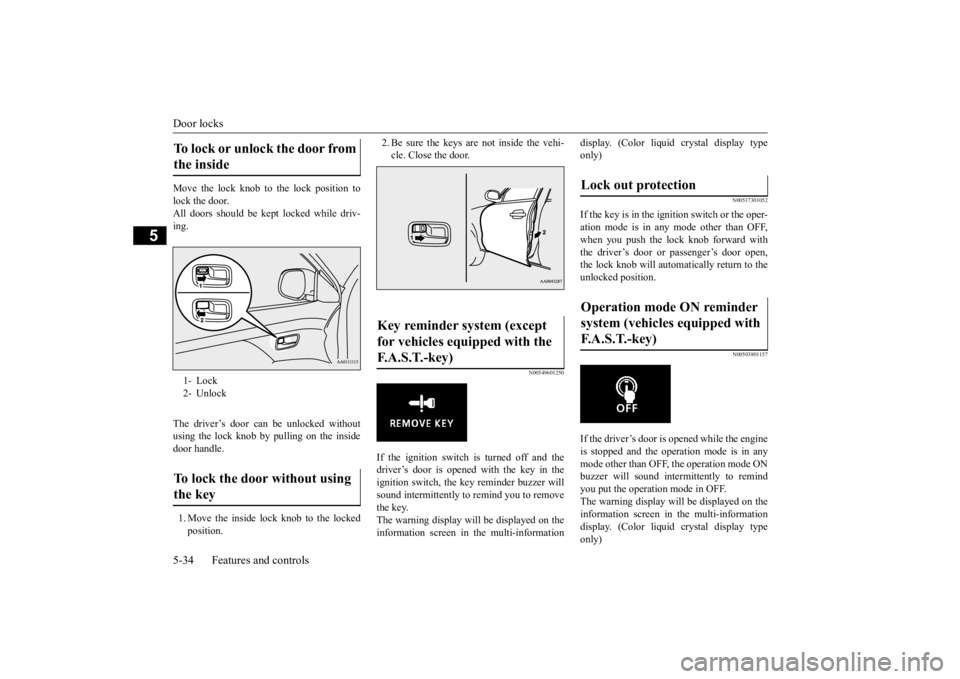
Move the lock knob to the lock position to lock the door. All doors should be kept locked while driv-ing. The driver’s door can be unlocked without using the lock knob by pulling on the insidedoor handle. 1. Move the inside lock knob to the locked position.
2. Be sure the keys are not inside the vehi- cle. Close the door.
N00549601250
If the ignition switch is turned off and thedriver’s door is opened with the key in theignition switch, the ke
y reminder buzzer will
sound intermittently to remind you to remove the key.The warning display will be displayed on the information screen in the multi-information
display. (Color liquid crystal display type only)
N00517301052
If the key is in the ignition switch or the oper-ation mode is in any mode other than OFF,when you push the lock knob forward with the driver’s door or passenger’s door open, the lock knob will automatically return to the unlocked position.
N00503801157
If the driver’s door is opened while the engineis stopped and the operation mode is in any mode other than OFF, the operation mode ONbuzzer will sound interm
ittently to remind
you put the operation mode in OFF. The warning display will be displayed on theinformation screen in the multi-information display. (Color liquid crystal display type only)
To lock or unlock the door from the inside 1- Lock 2- UnlockTo lock the door without using the key
Key reminder system (except for vehicles equipped with the F. A . S . T. - k e y )
Lock out protection Operation mode ON reminder system (vehicles equipped with F.A.S.T.-key)
BK0223400US.book 34 ページ 2015年2月13日 金曜日 午後12時15分
Page 111 of 464
Power door locks
Features and controls 5-35
5
N00509301617
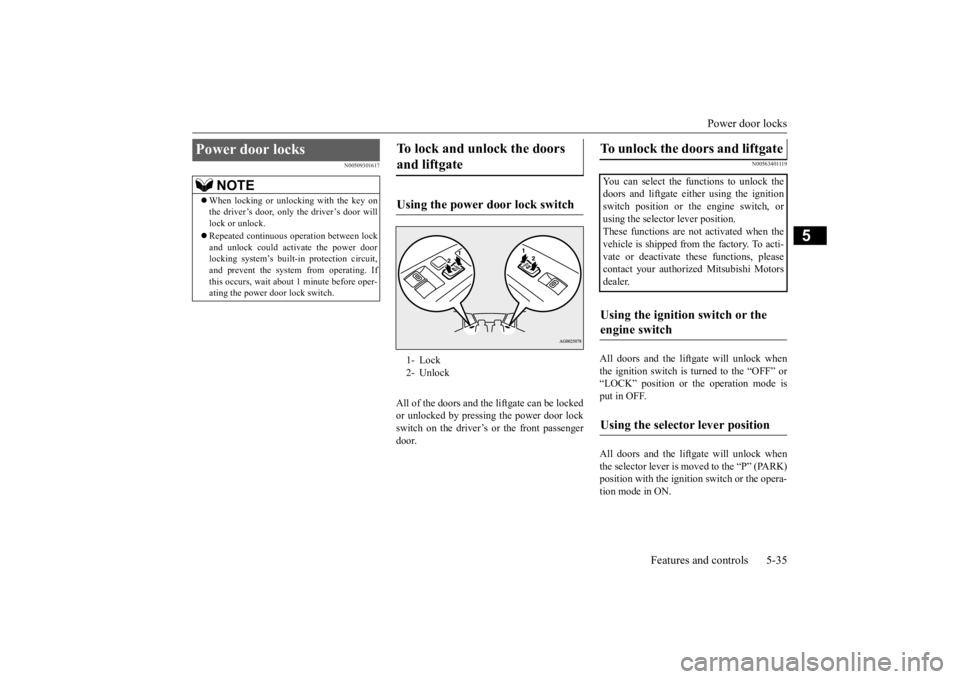
All of the doors and the liftgate can be locked or unlocked by pressing the power door lockswitch on the driver’s or the front passenger door.
N00563401119
All doors and the liftg
ate will unlock when
the ignition switch is turned to the “OFF” or“LOCK” position or the operation mode is put in OFF. All doors and the liftg
ate will unlock when
the selector lever is moved to the “P” (PARK) position with the ignition switch or the opera-tion mode in ON.
Power door locks
NOTE
When locking or unlocking with the key on the driver’s door, only the driver’s door willlock or unlock. Repeated continuous
operation between lock
and unlock could activate the power door locking system’s built
-in protection circuit,
and prevent the system from operating. Ifthis occurs, wait about
1 minute before oper-
ating the power door lock switch.
To lock and unlock the doors and liftgate Using the power door lock switch 1- Lock 2- Unlock
To unlock the doors and liftgate You can select the functions to unlock thedoors and liftgate eith
er using the ignition
switch position or the engine switch, or using the selector lever position. These functions are not activated when thevehicle is shipped from
the factory. To acti-
vate or deactivate th
ese functions, please
contact your authorized Mitsubishi Motorsdealer.Using the ignition switch or the engine switch Using the selector lever position
BK0223400US.book 35 ページ 2015年2月13日 金曜日 午後12時15分
Page 112 of 464
Child safety locks for rear door 5-36 Features and controls
5
N00509401298
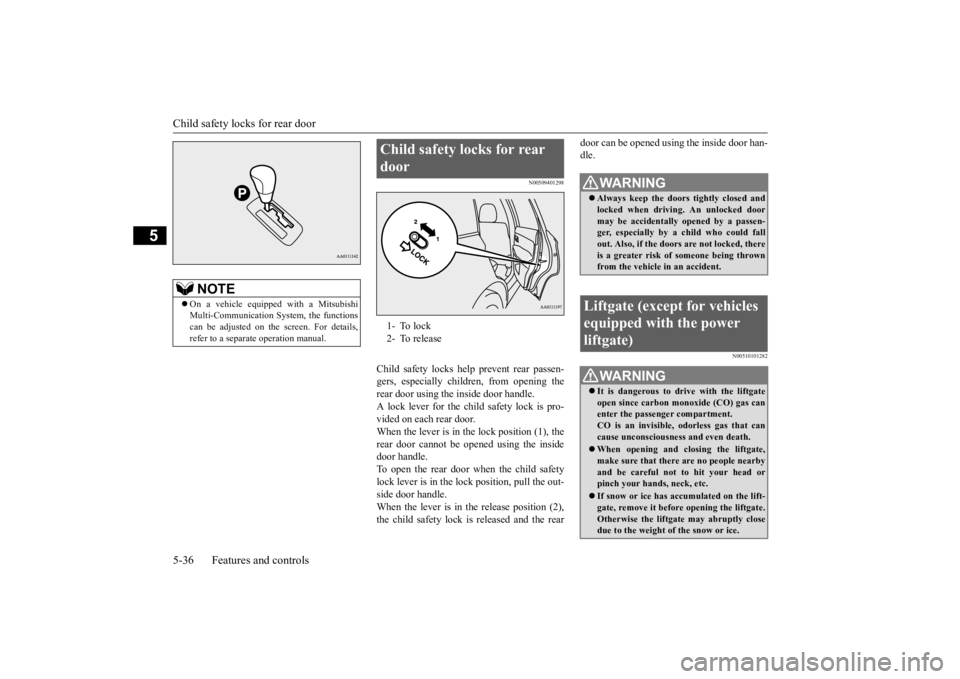
Child safety locks help
prevent rear passen-
gers, especially children, from opening therear door using the inside door handle. A lock lever for the child safety lock is pro- vided on each rear door.When the lever is in the lock position (1), the rear door cannot be opened using the inside door handle.To open the rear door when the child safety lock lever is in the lock position, pull the out- side door handle.When the lever is in the release position (2), the child safety lock is released and the rear
door can be opened using the inside door han- dle.
N00510101282
NOTE
On a vehicle equippe
d with a Mitsubishi
Multi-Communication System, the functionscan be adjusted on the screen. For details, refer to a separa
te operation manual.
Child safety locks for rear door 1- To lock 2- To release
WA R N I N G Always keep the door
s tightly closed and
locked when driving. An unlocked door may be accidentally
opened by a passen-
ger, especially by
a child who could fall
out. Also, if the doors are not locked, there is a greater risk of someone being thrown from the vehicle
in an accident.
Liftgate (except for vehicles equipped with the power liftgate)
WA R N I N G It is dangerous to drive with the liftgate open since carbon mo
noxide (CO) gas can
enter the passenger compartment. CO is an invisible, odorless gas that cancause unconsciousness and even death. When opening and cl
osing the liftgate,
make sure that there are no people nearbyand be careful not to hit your head or pinch your hands, neck, etc. If snow or ice has ac
cumulated on the lift-
gate, remove it before
opening the liftgate.
Otherwise the liftgate may abruptly closedue to the weight of the snow or ice.
BK0223400US.book 36 ページ 2015年2月13日 金曜日 午後12時15分
Page 113 of 464
Liftgate (except for
vehicles equipped w
ith the power liftgate)
Features and controls 5-37
5
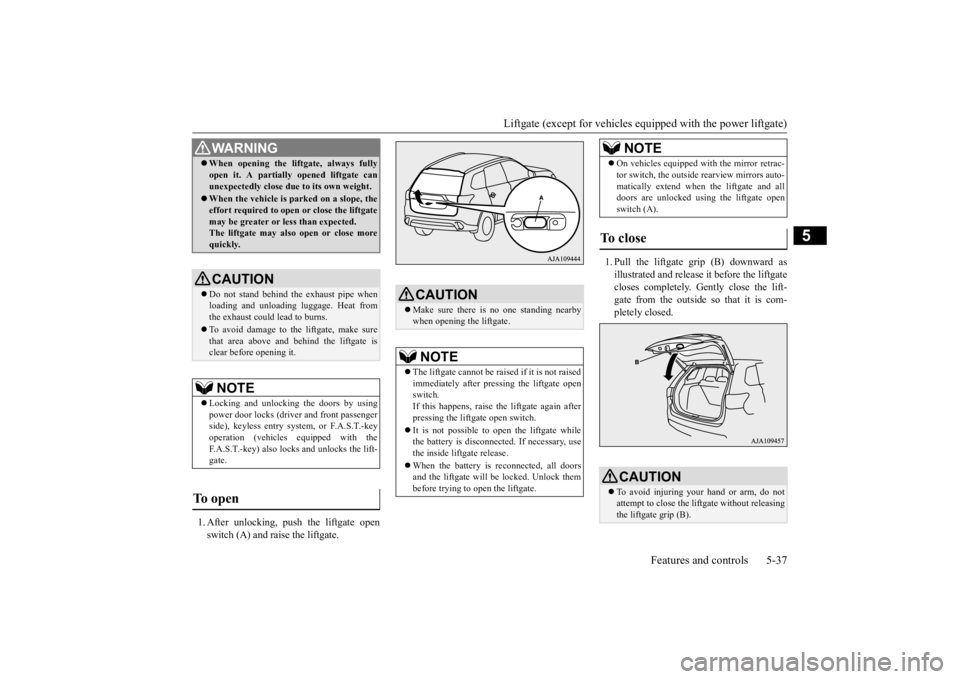
1. After unlocking, push the liftgate open switch (A) and raise the liftgate.
1. Pull the liftgate grip (B) downward as illustrated and release it before the liftgate closes completely. Gently close the lift- gate from the outside so that it is com-pletely closed.
When opening the lift
gate, always fully
open it. A partially opened liftgate canunexpectedly close due to its own weight. When the vehicle is parked on a slope, the effort required to open or close the liftgatemay be greater or less than expected. The liftgate may also open or close more quickly.CAUTION Do not stand behind the exhaust pipe when loading and unloading
luggage. Heat from
the exhaust could lead to burns. To avoid damage to the liftgate, make sure that area above and behind the liftgate is clear before opening it.NOTE
Locking and unlocking the doors by using power door locks (driver and front passenger side), keyless entry system, or F.A.S.T.-keyoperation (vehicles
equipped with the
F.A.S.T.-key) also locks and unlocks the lift- gate.
To open
WA R N I N G
CAUTION Make sure there is
no one standing nearby
when opening the liftgate.NOTE
The liftgate cannot be rais
ed if it is not raised
immediately after pressing the liftgate open switch.If this happens, raise th
e liftgate again after
pressing the liftgate open switch. It is not possible to open the liftgate while the battery is disconnected. If necessary, use the inside liftgate release. When the battery is reconnected, all doors and the liftgate will be locked. Unlock thembefore trying to open the liftgate.
On vehicles equipped wi
th the mirror retrac-
tor switch, the outside rearview mirrors auto-matically extend when
the liftgate and all
doors are unlocked using the liftgate open switch (A).
To close
CAUTION To avoid injuring your hand or arm, do not attempt to close the lift
gate without releasing
the liftgate grip (B).NOTE
BK0223400US.book 37 ページ 2015年2月13日 金曜日 午後12時15分
Page 114 of 464
Power liftgate (if so equipped) 5-38 Features and controls
5
N00575900026
Before operating the pow
er liftgate, unlock
the power liftgate by pushing the power doorlock switch or the unlock button on the key- less entry system or F.A.S.T.-key. Refer to “Keyless entry system”, “Free-handAdvanced Security Transmitter (F.A.S.T.- key)” and “Power door locks” on pages 5-7, 5-12 and 5-35 respectively.
N00576000037
Before starting the vehi
cle, be sure to con-
firm that the liftgate is locked. If the liftgateopens while driving
the vehicle, objects
stored in the luggage compartment could fall out into the road.NOTE
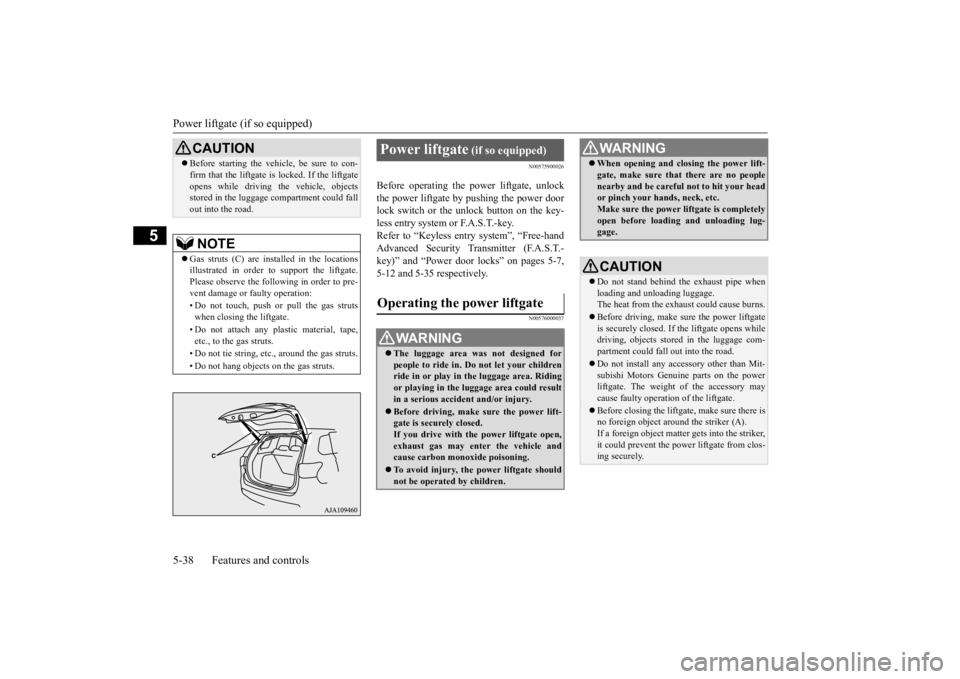
Gas struts (C) are installed in the locations illustrated in order to
support the liftgate.
Please observe the following in order to pre-vent damage or
faulty operation:
• Do not touch, push or pull the gas struts when closing the liftgate. • Do not attach any pl
astic material, tape,
etc., to the gas struts. • Do not tie string, etc., around the gas struts.• Do not hang objects on the gas struts.CAUTION
Power liftgate
(if so equipped)
Operating the power liftgate
WA R N I N G The luggage area was
not designed for
people to ride in. Do not let your children ride in or play in
the luggage area. Riding
or playing in the lu
ggage area could result
in a serious accide
nt and/or injury.
Before driving, make sure the power lift- gate is securely closed. If you drive with th
e power liftgate open,
exhaust gas may enter the vehicle and cause carbon monoxide poisoning. To avoid injury, the power liftgate should not be operated by children.
When opening and clos
ing the power lift-
gate, make sure that there are no peoplenearby and be carefu
l not to hit your head
or pinch your hands, neck, etc. Make sure the power liftgate is completely open before loadin
g and unloading lug-
gage.CAUTION Do not stand behind the exhaust pipe when loading and unl
oading luggage.
The heat from the exha
ust could cause burns.
Before driving, make sure the power liftgate is securely closed. If
the liftgate opens while
driving, objects stored in the luggage com-partment could fall
out into the road.
Do not install any accessory other than Mit- subishi Motors Genui
ne parts on the power
liftgate. The we
ight of the accessory may
cause faulty operation of the liftgate. Before closing the liftga
te, make sure there is
no foreign object around the striker (A).If a foreign object matter gets into the striker, it could prevent the power
liftgate from clos-
ing securely.WA R N I N G
BK0223400US.book 38 ページ 2015年2月13日 金曜日 午後12時15分
Page 116 of 464
Power liftgate (if so equipped) 5-40 Features and controls
5
N00576100038
The power liftgate ca
n be opened automati-
cally when all of the
following conditions are
met.
The power liftgate is completely closed. The power liftgate is unlocked.
The power liftgate can
be closed automati-
cally when all of the
following conditions are
met.
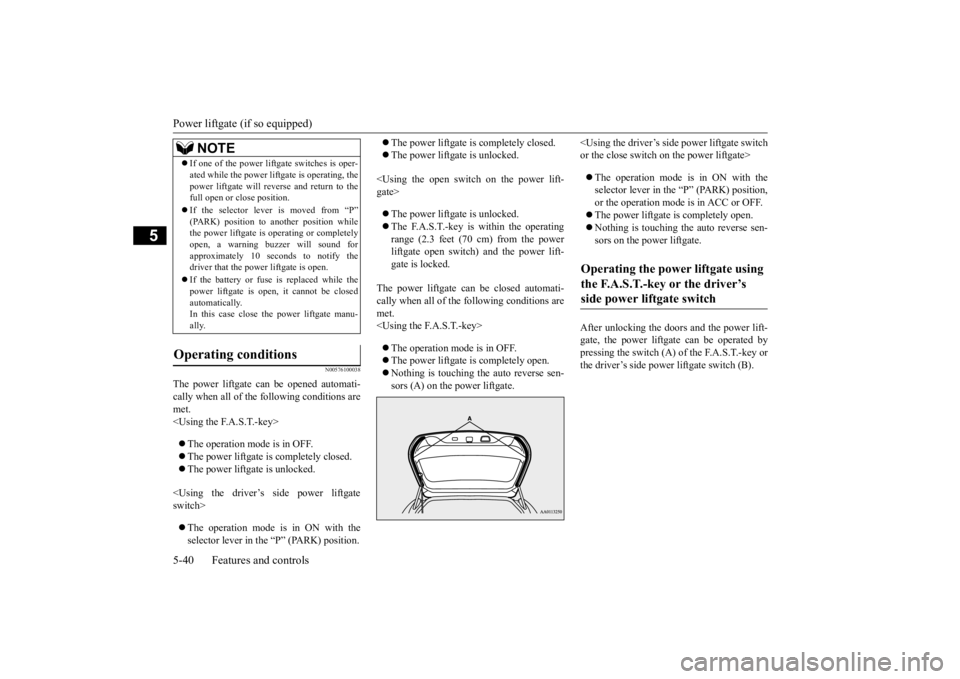
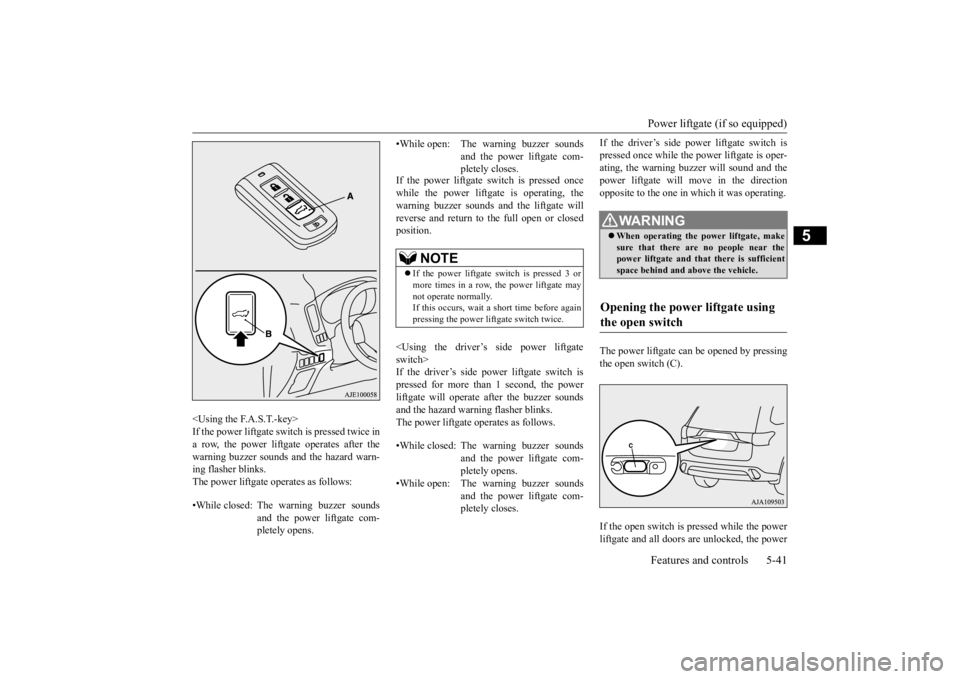
After unlocking the doors and the power lift- gate, the power liftgate can be operated by pressing the switch (A) of the F.A.S.T.-key or the driver’s side power liftgate switch (B).
If one of the power lift
gate switches is oper-
ated while the power lift
gate is operating, the
power liftgate will reve
rse and return to the
full open or close position. If the selector lever is moved from “P” (PARK) position to another position while the power liftgate is operating or completely open, a warning buzzer will sound forapproximately 10 seconds to notify the driver that the power liftgate is open. If the battery or fuse is replaced while the power liftgate is open,
it cannot be closed
automatically.In this case close the power liftgate manu- ally.
Operating conditions
NOTE
Operating the power liftgate using the F.A.S.T.-key or the driver’s side power liftgate switch
BK0223400US.book 40 ページ 2015年2月13日 金曜日 午後12時15分
Page 117 of 464
Power liftgate (if so equipped) Features and controls 5-41
5
If the power liftgate sw
itch is pressed once
while the power liftgate is operating, thewarning buzzer sounds an
d the liftgate will
reverse and return to
the full open or closed
position.
after the buzzer sounds
and the hazard warning flasher blinks. The power liftgate operates as follows.
If the driver’s side po
wer liftgate switch is
pressed once while the
power liftgate is oper-
ating, the warning buzze
r will sound and the
power liftgate will m
ove in the direction
opposite to the one in which it was operating. The power liftgate can be opened by pressing the open switch (C). If the open switch is pressed while the power liftgate and all doors are unlocked, the power
•While closed: The
warning buzzer sounds
and the power liftgate com- pletely opens.
•While open: The warning buzzer sounds
and the power liftgate com- pletely closes.
NOTE
If the power liftgate sw
itch is pressed 3 or
more times in a row, the power liftgate may not operate normally. If this occurs, wait a short time before againpressing the power lift
gate switch twice.
•While closed: The warning buzzer sounds
and the power liftgate com- pletely opens.
•While open: The warning buzzer sounds
and the power liftgate com- pletely closes.
WA R N I N G When operating the
power liftgate, make
sure that there are no people near the power liftgate and that there is sufficient space behind and ab
ove the vehicle.
Opening the power liftgate using the open switch
BK0223400US.book 41 ページ 2015年2月13日 金曜日 午後12時15分